Customer Ratings & Reviews








- Model:
- 910-007500
- SKU:
- 6633199
Rating by feature
- Value
Rating 4.6 out of 5 stars
- Quality
Rating 4.9 out of 5 stars
- Ease of Use
Rating 4.8 out of 5 stars
Customers are saying
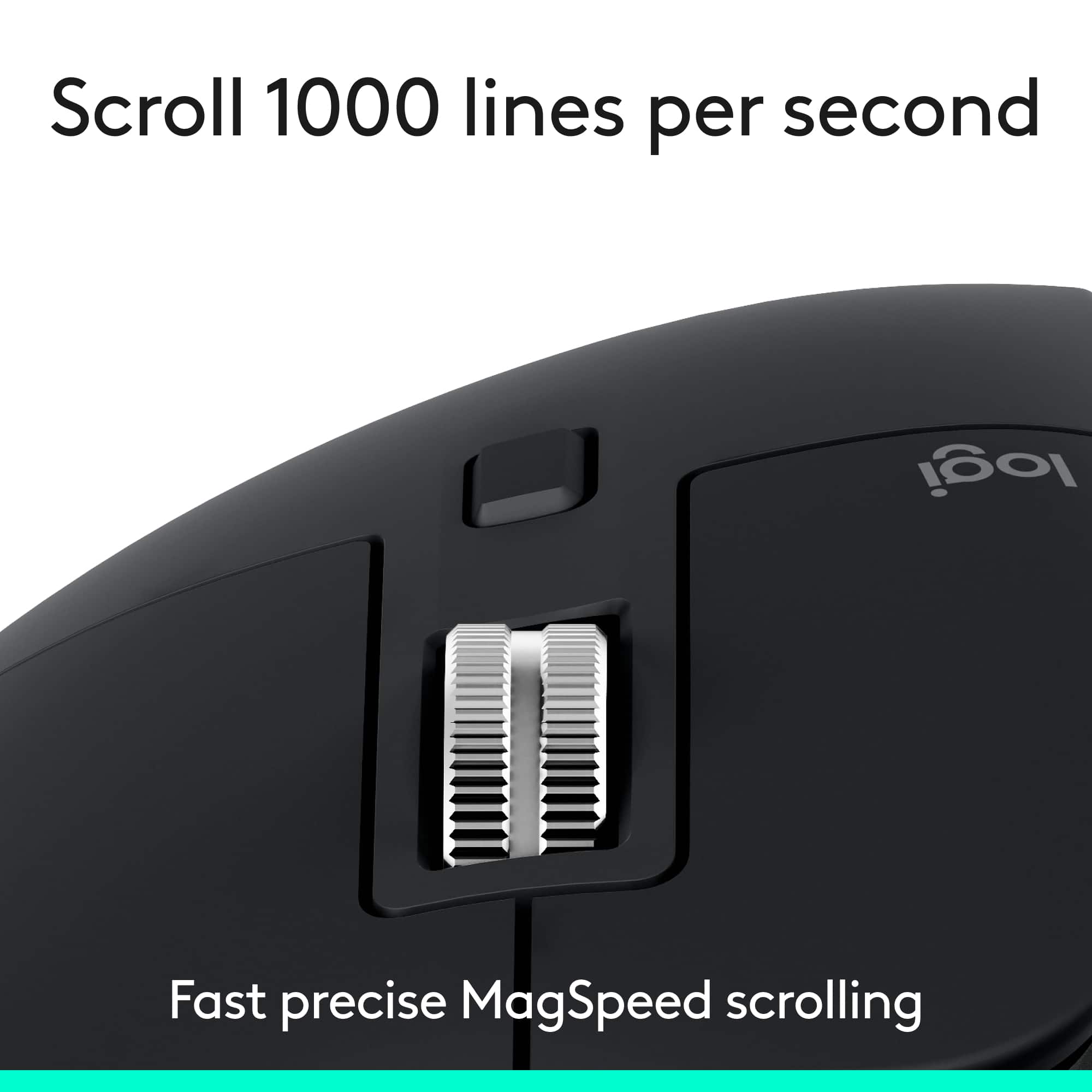
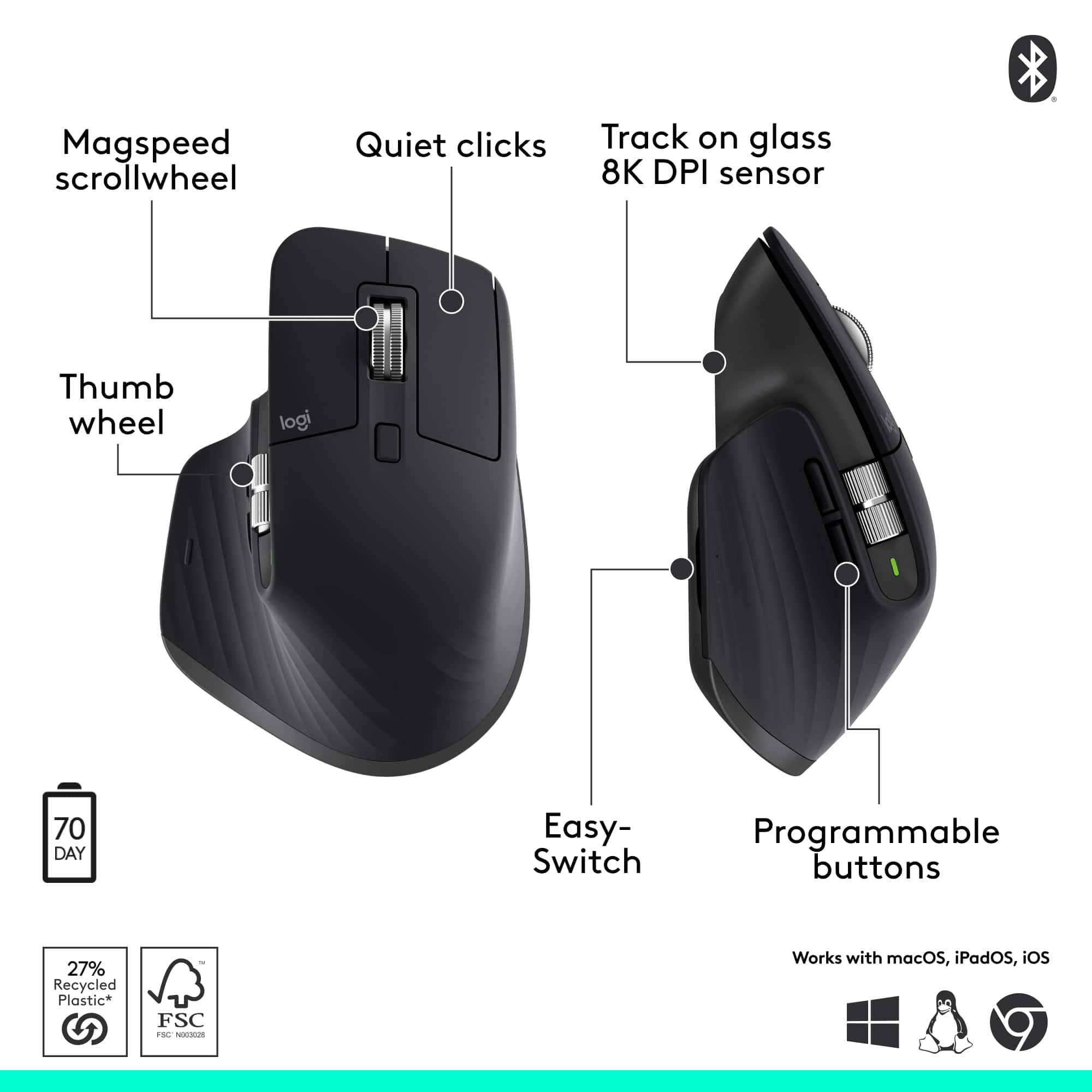
Customers find value in the product's excellent ergonomics, solid overall performance, and stable wireless connectivity. They also appreciate its impressive battery life, quiet operation, and silent button functionality. However, some users find the product to be a bit heavy.
This summary was generated by AI based on customer reviews.
Nice Mouse
||Posted . Owned for 1 month when reviewed.This reviewer received promo considerations or sweepstakes entry for writing a review.Great hand positioning and very responsive! Using it daily for work and has been a nice change from my previous mouse
I would recommend this to a friendBrand response from Logitech
Posted .Thanks for taking the time to share your experience. We’re delighted the product is working well for you. Your feedback means a lot.

I'm delighted
||Posted . Owned for 2 months when reviewed.This reviewer received promo considerations or sweepstakes entry for writing a review.I received a mouse that works universally for both Windows and Mac. Not having to charge it will save me money. The mouse is excellent, everything is very convenient.
I would recommend this to a friendBrand response from Logitech
Posted .We truly appreciate you sharing your thoughts. It’s fantastic to hear the product is delivering as expected. Your feedback helps us grow and refine what we do. Thanks for choosing Logitech!
Helps my wrists
||Posted . Owned for 1 month when reviewed.This reviewer received promo considerations or sweepstakes entry for writing a review.This mouse makes it possible to do work on the computer for a longer time then i am used too, i have wrist problems
I would recommend this to a friendBrand response from Logitech
Posted .Thanks for the encouraging feedback! We’re glad the product is working well for you. Your support helps us keep innovating.
Love it
||Posted . Owned for 1 month when reviewed.This reviewer received promo considerations or sweepstakes entry for writing a review.I love this mouse! Very comfortable and responsive.
I would recommend this to a friendBrand response from Logitech
Posted .Thank you so much for your wonderful feedback on the Logitech - MX Master 3S Bluetooth Edition Mouse! We’re thrilled to know it’s meeting your expectations. Your support means a lot to us.
Great mouse at a great price
||Posted . Owned for 3 weeks when reviewed.This reviewer received promo considerations or sweepstakes entry for writing a review.Love the mouse. Price was $30 cheaper than the Jungle website. Shipping was fast.
I would recommend this to a friendBrand response from Logitech
Posted .We appreciate your thoughtful review. It’s great to know our product is meeting your needs. Thanks for being a valued customer.
Comfortable upgrade
||Posted .This reviewer received promo considerations or sweepstakes entry for writing a review.I visited a family member who had one and ordered it the next day...lol. These are now the go-to upgrade because they are comfortable for bigger hands.
I would recommend this to a friendBrand response from Logitech
Posted .It’s fantastic to hear you’re enjoying the Logitech - MX Master 3S Bluetooth Edition Performance Wireless Mouse. We truly appreciate you taking the time to share your experience!
Best mouse
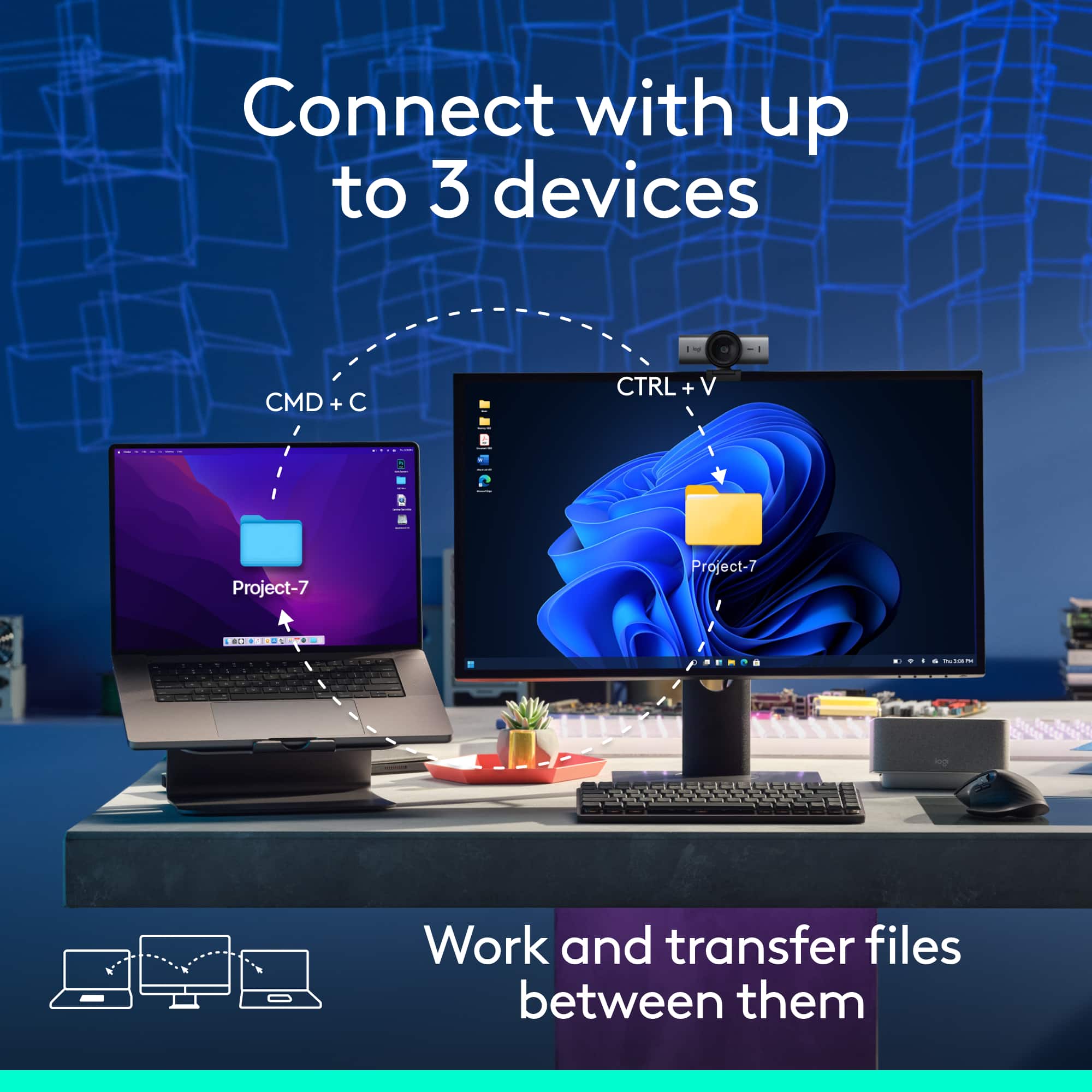
||Posted . Owned for 2 weeks when reviewed.This reviewer received promo considerations or sweepstakes entry for writing a review.Great mouse for productivity so many features. Flow has been a game changer. It allows me to seemlessly switch between multiple machines
I would recommend this to a friendBrand response from Logitech
Posted .Thanks for sharing your experience—it’s always a pleasure to hear from happy customers. We’re delighted that our product is serving you well and making a difference in your day-to-day routine. We appreciate your trust in Logitech.
- Pros mentioned:Overall performance
Mouse Review
||Posted . Owned for 1 week when reviewed.This reviewer received promo considerations or sweepstakes entry for writing a review.Overall great mouse. I love that it’s relatable instead of having to use batteries.
I would recommend this to a friendBrand response from Logitech
Posted .Thanks for the review! The MX Master 3S really hits the mark with its rechargeable design. Glad to hear it’s been a solid addition to your setup!
Ergonomic, comfortable and long life wireless mous
||Posted . Owned for 1 month when reviewed.This reviewer received promo considerations or sweepstakes entry for writing a review.Quite comfortable, and be try good features. Very good product from Logitech bot this the keyboard.
I would recommend this to a friendBrand response from Logitech
Posted .We’re grateful for your feedback and happy to hear the Logitech MX Master 3S Bluetooth Edition Wireless Mouse is working smoothly. Your experience helps us build better tools for everyone.
Great work mouse
||Posted . Owned for 1 month when reviewed.This reviewer received promo considerations or sweepstakes entry for writing a review.Really comfortable the infinite scrolling is useful for software development and i like that it can connect to three separate devices
I would recommend this to a friendBrand response from Logitech
Posted .Thanks for your thoughtful review. It’s great to know our product is living up to your expectations. Your support helps us keep delivering quality.
Good mouse, software stability is a problem.
||Posted .This reviewer received promo considerations or sweepstakes entry for writing a review.Good mouse but software is not stable, I have the MX Master 2S and I love it. This is the reason I bought this one for upgrade. However, the software makes me really disappointed. The mouse is great, very smooth, a lot of functions, you can modify keys with Logi Option+ software which is cool, but if it is actually working? Every time I restarted my computer, all the setting of the keys went back to default. Some time the mouse is disconnect Bluetooth and after reconnect, the setting went back to default. This is really disappointed.
No, I would not recommend this to a friendBrand response from Logitech
Posted .We appreciate you sharing your experience with the Logitech MX Master 3S Bluetooth Edition Wireless Mouse. We understand you love the mouse but are experiencing issues with the Logitech Options+ software. To assist you with troubleshooting, please email our team at socialcare@logitech.com with the following information:
* Name
* Email address
* Country
* Product name
* Brief description of the issue
LOGITECH-MX Mouse
||Posted .This reviewer received promo considerations or sweepstakes entry for writing a review.I like this mouse. Functionally quite comfortable and I'm able to charge the mouse through the USB-C
I would recommend this to a friendBrand response from Logitech
Posted .We’re so happy to hear that our product is working well for you. Your review helps us understand what we’re doing right and where we can grow. Thank you for being part of the Logitech community and for taking the time to share your thoughts.
Nice office mouse
||Posted . Owned for 1 month when reviewed.This reviewer received promo considerations or sweepstakes entry for writing a review.Not bad but little bit pricey compared to the other mice that I have.
I would recommend this to a friendBrand response from Logitech
Posted .Thank you for your review! We’re glad you find it a good office mouse, though we understand your concern about pricing compared to other options. Your feedback is valuable for us.
Nice services
||Posted . Owned for 3 weeks when reviewed.This reviewer received promo considerations or sweepstakes entry for writing a review.good deal with great product, will buy other product here next time.
I would recommend this to a friendBrand response from Logitech
Posted .Thank you for your kind feedback on the Logitech MX Master 3S! We’re glad you enjoyed the great service and product, and we look forward to serving you again next time.
Smoothest scroll ever…
||Posted .This reviewer received promo considerations or sweepstakes entry for writing a review.As an accountant constantly in and out of excel spreadsheets, the side scroll has been a game changer, additionally the app support is incredible and has completely overhauled my workflow
I would recommend this to a friendBrand response from Logitech
Posted .Thanks for the detailed feedback. We're thrilled the MX Master 3S is streamlining your spreadsheet work and enhancing your productivity with app support. Designed for precision and control, it's great to hear it's making a real impact on your workflow.
Best bang for the money.
||Posted . Owned for 1 month when reviewed.This reviewer received promo considerations or sweepstakes entry for writing a review.Great mouse! In IT, Logitech mice I install for anyone that wants a wireless mouse. I just wish that Logitech still sold them with the charging stand.
I would recommend this to a friendBrand response from Logitech
Posted .Thanks for the kind words! We’re proud to know our product is making a difference. Your feedback keeps us moving forward.
best mouse choice
||Posted . Owned for 3 weeks when reviewed.This reviewer received promo considerations or sweepstakes entry for writing a review.helps me deal with Parkinson's. small easier to move on the mouse pad because of reasonable weight
I would recommend this to a friendBrand response from Logitech
Posted .Thanks for sharing your experience—it’s always a pleasure to hear from happy customers. We’re delighted that our product is serving you well and making a difference in your day-to-day routine. We appreciate your trust in Logitech.
Best Mouse
||Posted . Owned for 1 month when reviewed.This reviewer received promo considerations or sweepstakes entry for writing a review.No noise, and really efficient. The multiple functions that you use and change is really impressive.
I would recommend this to a friendBrand response from Logitech
Posted .That is fantastic to hear! We are delighted that you are enjoying the Logitech MX Master 3S, especially its whisper-quiet performance and the efficiency of its multiple customizable functions. Thank you for sharing such positive and detailed feedback.
Fast and smooth at a fair price
||Posted .This reviewer received promo considerations or sweepstakes entry for writing a review.Fast and smooth. And the programmability of the buttons is very helpful. Logitech has been at the heart of my systems for years.
I would recommend this to a friendBrand response from Logitech
Posted .We’re thrilled to hear you’re satisfied with your Logitech product. Your feedback helps us continue to deliver great experiences.
Great mouse for precise horizontal scrolling
||Posted .This reviewer received promo considerations or sweepstakes entry for writing a review.Love this mouse. I work with Excel files with many columns. This mouse makes precise horizontal scrolling a breeze. Several programmable buttons using Logitech software.
I would recommend this to a friendBrand response from Logitech
Posted .Thanks for your review! We’re delighted that our product is working smoothly for you. Your satisfaction is what drives us to keep improving.