Customer Ratings & Reviews






- Model:
- 910-007500
- SKU:
- 6633199
Rating by feature
- Value
Rating 4.6 out of 5 stars
- Quality
Rating 4.9 out of 5 stars
- Ease of Use
Rating 4.8 out of 5 stars
Customers are saying
Customers find value in the product's excellent ergonomics, solid overall performance, and stable wireless connectivity. They also appreciate its impressive battery life, quiet operation, and silent button functionality. However, some users find the product to be a bit heavy.
This summary was generated by AI based on customer reviews.
Good product
||Posted .This reviewer received promo considerations or sweepstakes entry for writing a review.Great product but need some time to get used to. Easy switching between devices.
I would recommend this to a friendBrand response from Logitech
Posted .Thank you for your kind words and for letting us know how our product is working for you. We’re thrilled that it’s meeting your needs and making a positive impact. Your feedback is incredibly valuable to us, and we’re grateful you chose Logitech.

Nice feel.
||Posted .This reviewer received promo considerations or sweepstakes entry for writing a review.I was using an old Logitech 520. This is far superior and more functions.
I would recommend this to a friendBrand response from Logitech
Posted .Thanks for sharing your experience! It’s great to hear that the MX Master 3S has elevated your workflow with its enhanced functionality. Upgrading from the Logitech 520 sounds like a game-changer. Enjoy the precision and power packed into this sleek device!
Great Buy!
||Posted . Owned for 3 weeks when reviewed.This reviewer received promo considerations or sweepstakes entry for writing a review.I LIKE THE WAY IT FEELS WHEM USED. Great value for money
I would recommend this to a friendBrand response from Logitech
Posted .Thank you for sharing your experience. We’re delighted to hear that the product’s feel and overall value have met your expectations.
Nice mouse
||Posted .This reviewer received promo considerations or sweepstakes entry for writing a review.Perfect condition and nice mouse. Bestbuy always the best place to purchase electronics devices.
I would recommend this to a friendBrand response from Logitech
Posted .That's wonderful to hear! We're thrilled your Logitech MX Master 3S Bluetooth Edition Performance Wireless Optical Mouse arrived in perfect condition and is a nice mouse for you.
Mouse
||Posted .This reviewer received promo considerations or sweepstakes entry for writing a review.I love the comfort of my Logitech Mouse, it fits my hand perfectly.
I would recommend this to a friendBrand response from Logitech
Posted .Hey! Your experience helps us shape better products. We’re happy our product is delivering value. Thank you for being part of the Logitech family.
- Pros mentioned:Battery life, Connectivity, Ergonomics

The *same* MX Master 3S at a cheaper price.
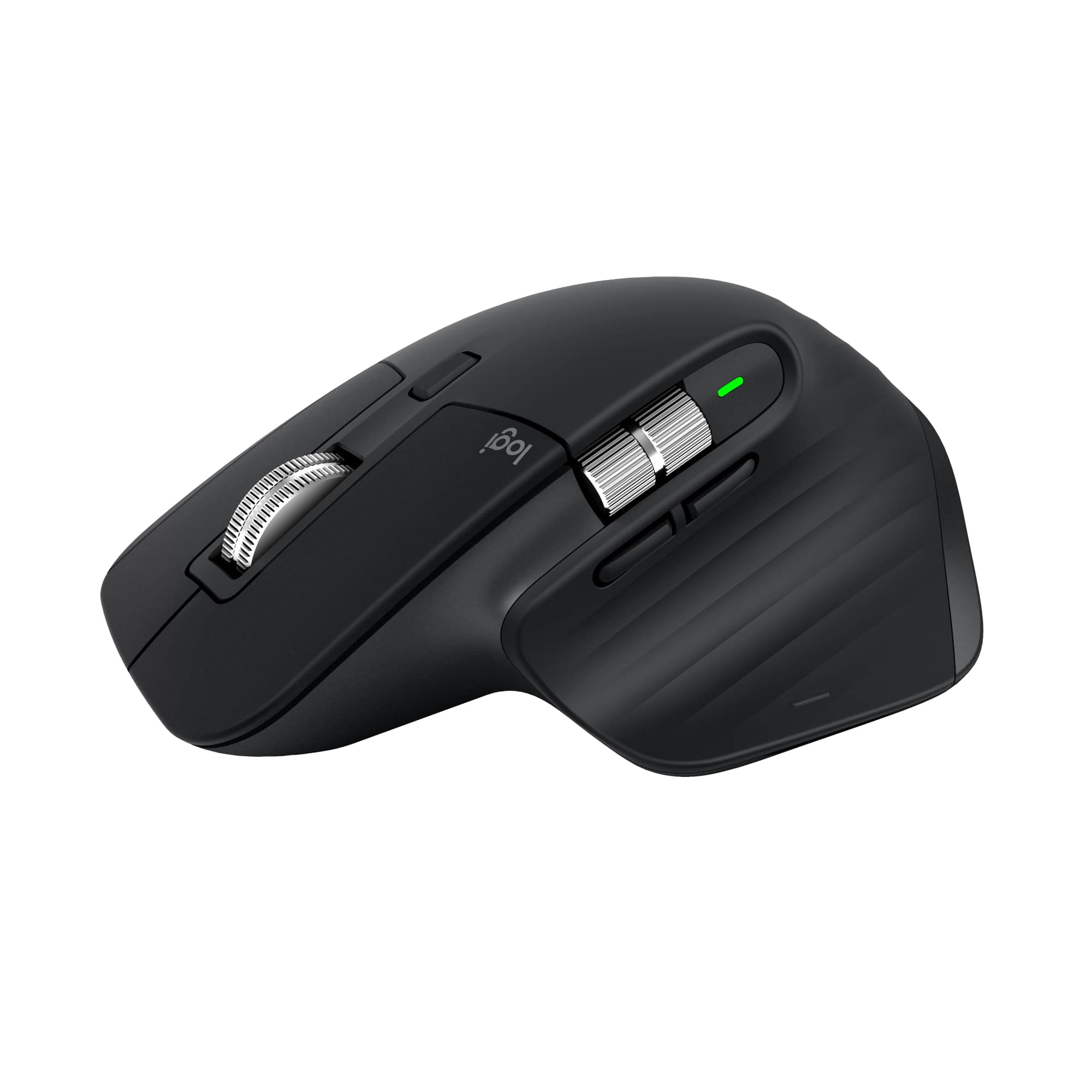
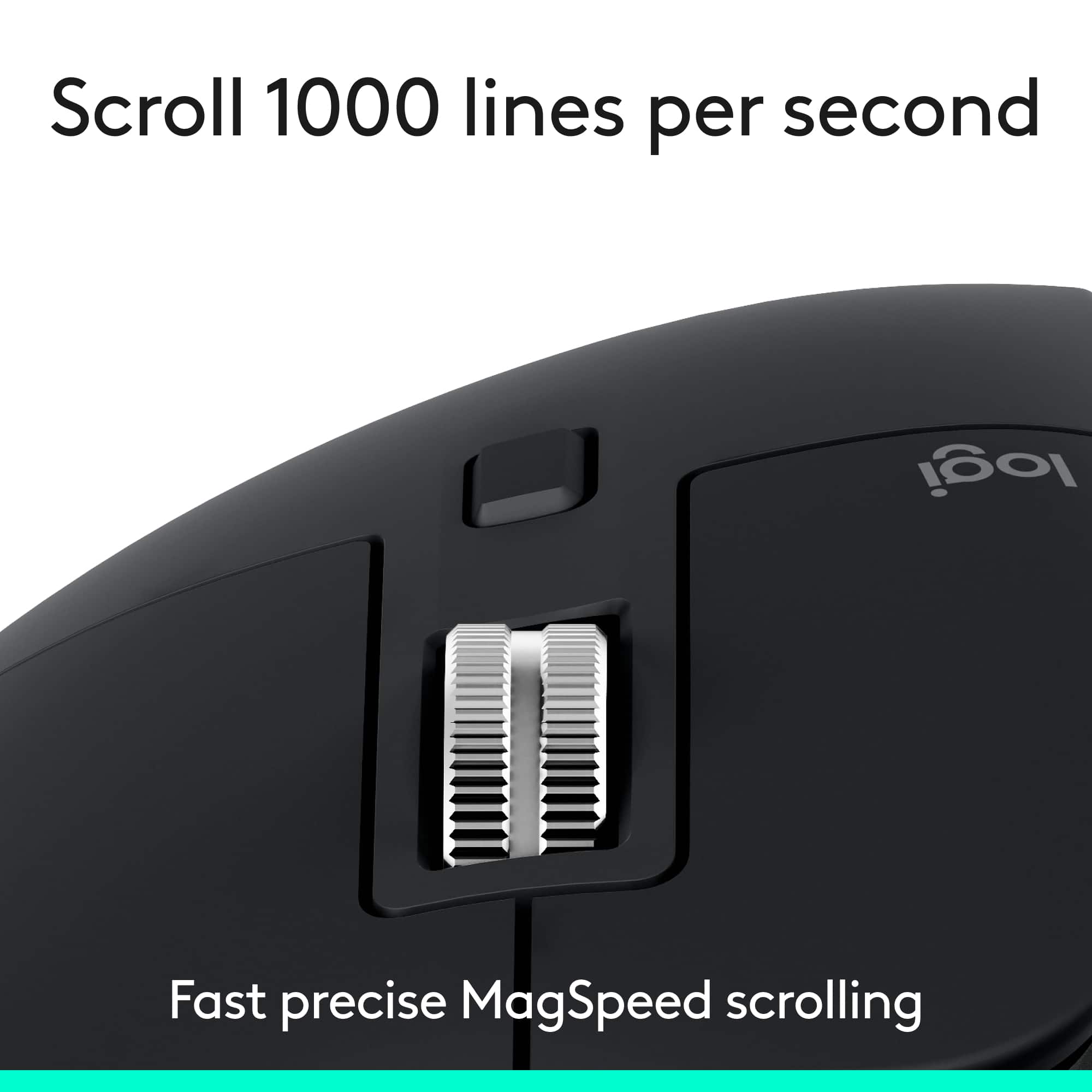
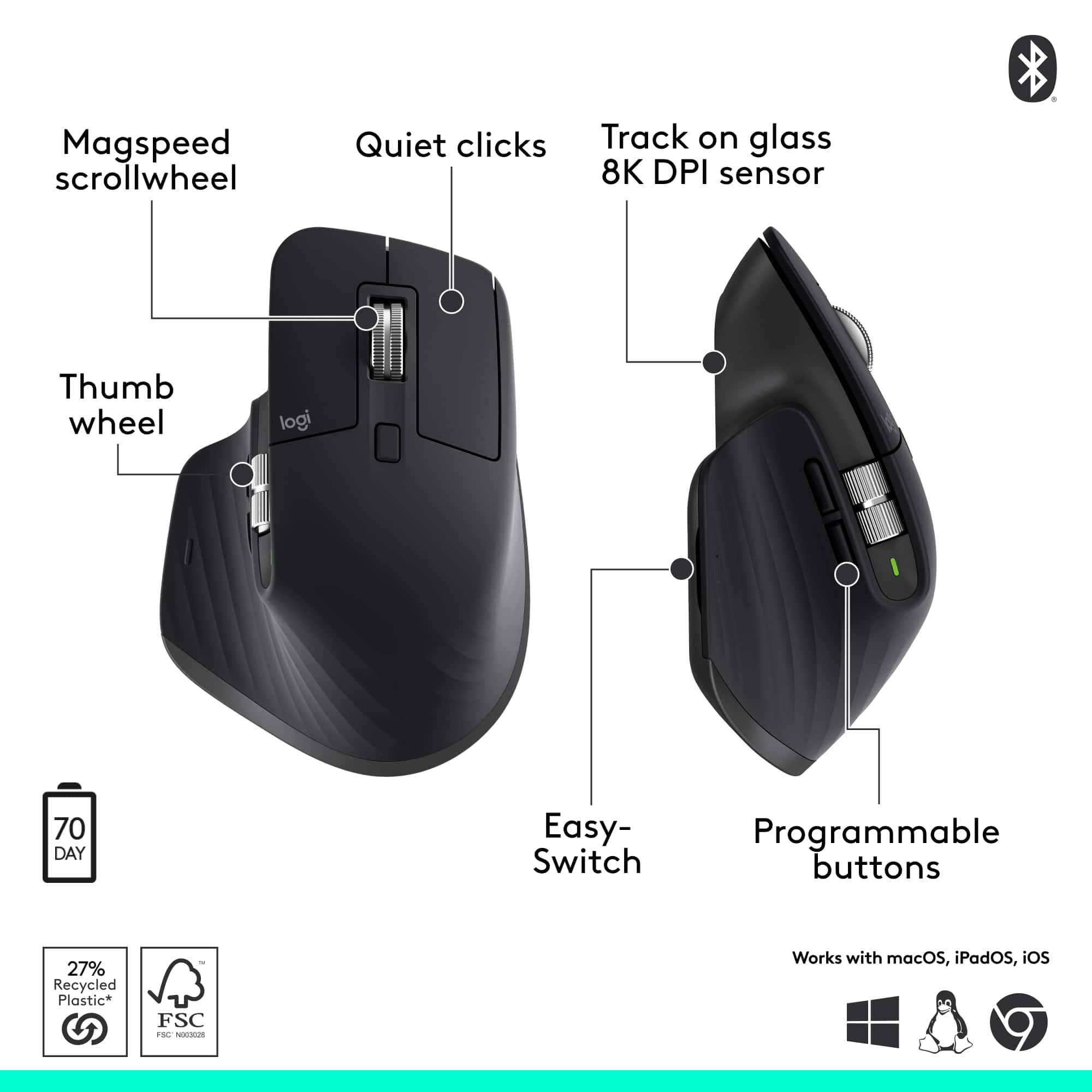
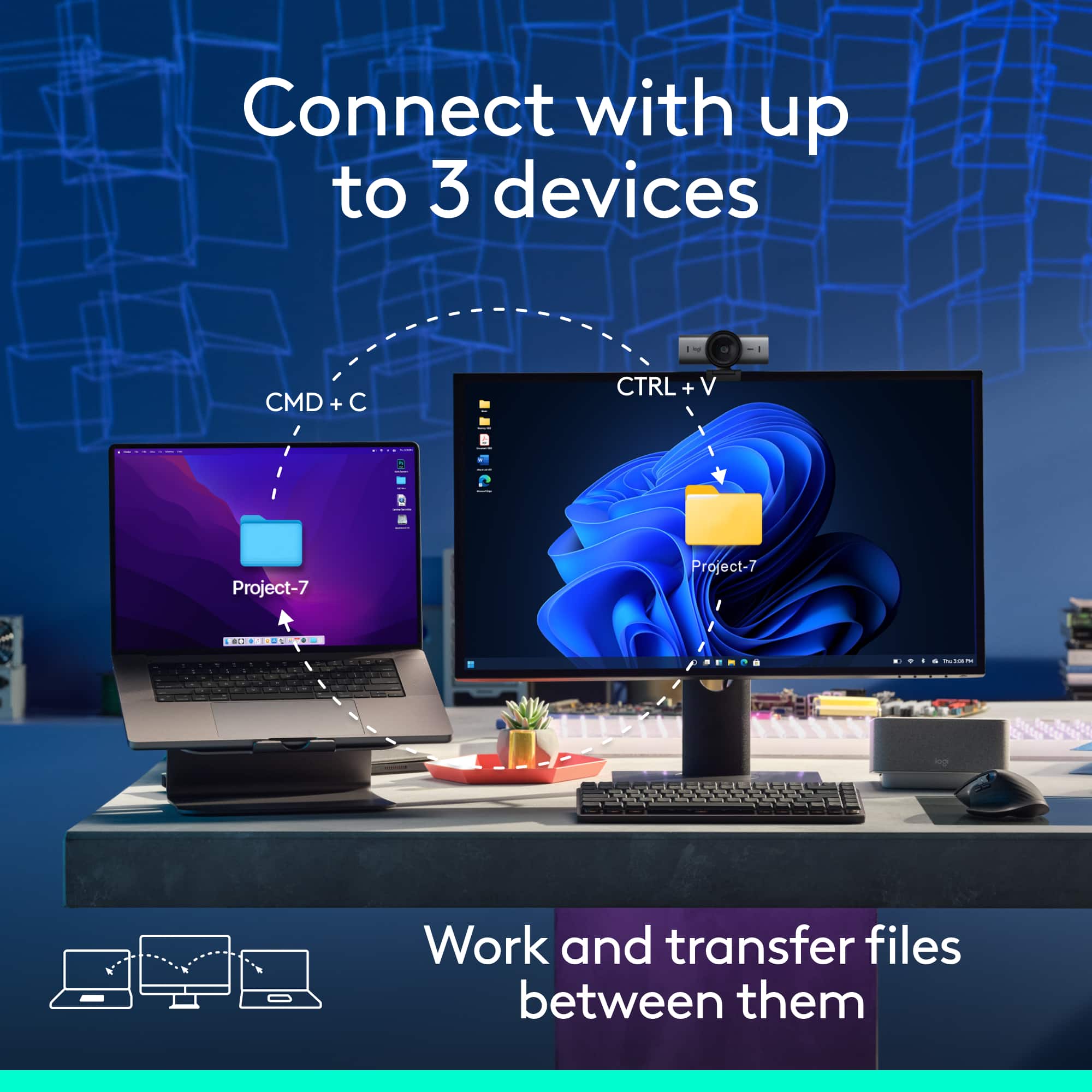
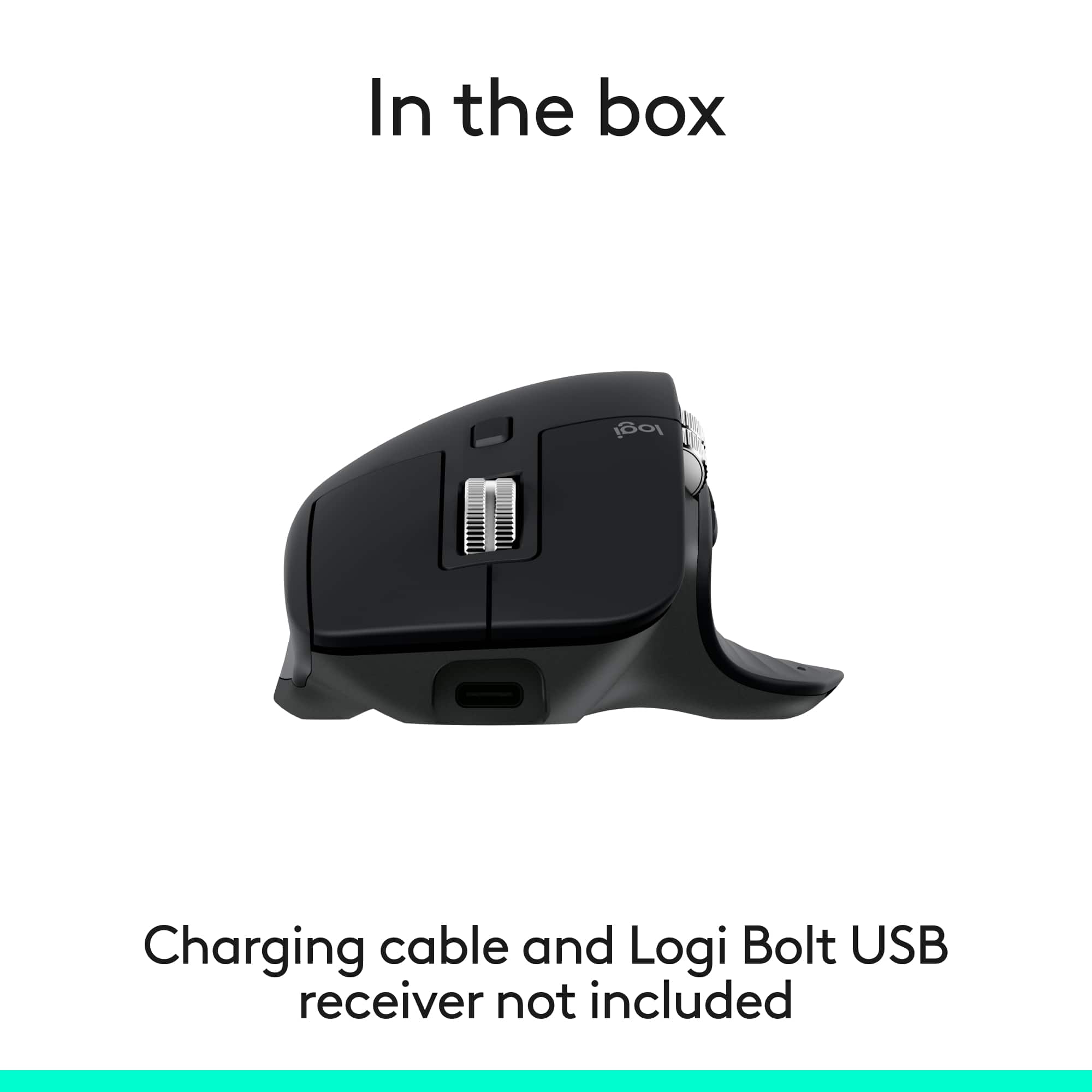
|Posted .This reviewer received promo considerations or sweepstakes entry for writing a review.Pros: -Mouse can be used on virtually any surface, including glass -Ergonomic; comfortable with any grip -Very silent -Pairs with up to 3 devices so you can switch between them (can only use with one device at a time) -Long battery life -Very smooth scroll and thumb wheels -Extremely customizable when used with Logitech's Options+ software -Logitech Flow allows use of mouse between up to 3 PCs at the same time and copy/paste across them -8000DPI sensor for quicker movement on high resolution displays -Cheaper than version with Bolt receiver Cons: -May be jarring to users of the older MX Master series mice at first due to all the changes they made -145Hz polling rate means it's not made for serious gamers -Flow only compatible with Windows and MacOS -(for left-handed people) It's a right-handed mouse I won't bury the lede. The MX Master 3S Bluetooth Edition is the MX Master 3S *without* the Bolt receiver or USB cable included, so you get it at a cheaper price. Out of the box, it readily connects via Bluetooth. If you already have a Bolt receiver, you can pair it with this "Bluetooth Edition" mouse since the receiver pairs multiple devices like the Unifying receiver it replaced. You'll need your own USB-C cable to charge it. Thanks to its ergonomic design, it never feels uncomfortable using the MX Master 3S. It's tall enough and curved in the right way to allow your hand and fingers to naturally rest on it. The soft rubberized texture of the base provides a comfortable feel. I've used the mouse all day and my wrist never feels tired from it. What's new to the MX Master 3S that was absent from the Master MX 3 that preceded it are the silent left and right click buttons. What was once the loudest parts of mouse, on the 3S it's now the most quietest. The amazing thing is, it still feels tactile. It doesn't feel mushy or suppressed. You'll feel the click like you always do. It's just A LOT less noisy. The change is so dramatic that you may hate initially, like I did. I wanted a silent mouse, but when I first used the 3S I instantly felt regret and frustration. My brain was so used to expecting a sound when I click that when I didn't with the 3S it felt extremely jarring to me. I think I may have been clicking harder than I needed to out of reflex. Fortunately, within a half hour, maybe an hour at most, I got used to the silent click and wound up falling in love with it like I thought it would. Oh my GOD, I WISH I had this 20 years when I was up using a computer during late hours when my parents expected me in bed. The left/right click buttons aren't the only thing that's gone quieter. The scroll wheel is also a lot more quiet, even in ratchet mode, where the wheel has tactile "steps" when you spin it. The back/forward side buttons are also relatively quiet. All in all this mouse seems to be designed to work quietly. The loudest part of the mouse is probably the thumb button. None of the buttons feel cheap. They all have a pleasant tactile responsive feel. No soft mushy feel. No sticky feel. The thumb button is easier to find and on the MX Master 3S than the 2S and older because it has a very slight bump to help feel your way to locating it. It also feels easier to press because there is now a groove on the side of the mouse to allow the button to be pressed deeper. You won't accidentally press it while resting your thumb there because of where the button is placed, in the center of the base of mouse on the left side. It's hard for me to explain. It's not easy to press the button by accident, but it's easy to press the button when you need to. There are 2 wheels on the mouse, the scroll wheel in between the left/right click buttons for scrolling with your index finger, and the thumb wheel on the side for scrolling with your thumb. There is no longer the rubberized coating on the wheels but they still have a good feel to them. I like this change as I imagine the wheel will be easier to clean over time as it collects dirt and grime. The rubber from the older versions made it tougher to clean as dirt would stick to it. Now it's just all steel. The thumb scroll wheel is now placed above the back/forward buttons instead of beside them. Thanks to this, the thumb scroll wheel is in its own row and the wheel is now wider making it more easier to use than ever before. The scroll wheel has SmartShift, which automatically switches the scroll wheel from line-by-line scrolling to hyper-fast scrolling when you scroll faster. Or you can use the Shift wheel mode button below the scroll wheel to switch between Ratchet (tactile steps) and Free spin (no tactile steps) immediately. With the use of Logitech's Options+ software, the mouse is extremely customizable. Every button on the mouse can be remapped. You can even map buttons for specific applications only, instead of making the changes global. With Options+ you can also change the speed of both wheels, as well as change the direction of the scrolling of the wheels. You can also change the pointer speed by changing the sensor range. The range is from 200DPI to 8000DPI by steps of 50 DPI. The default DPI out of the box, and without the Options+ software is 1000DPI. I found 8000DPI way too fast and frenetic for me to be precise with it with my use case, even though I have a 3 monitor setup with 4K monitors, but this may be helpful for others with a more expensive setup like a multi-monitors using 8K monitors which have twice as many pixels, making the average mouse pointer feel slower with the default sensor. The higher DPI sensor would allow the mouse pointer speed to move faster. The Options+ software is also where you can set up the MX Master 3S with Flow. Flow allows you to use and control multiple computers with Options+ also installed seamlessly. Switch to another computer by simply moving your cursor to the edge of the screen. Flow also allows your to copy and paste content between those computers. However, since Flow is dependent on the Options+ software, it's only compatible with Windows and MacOS. So there is no first-party solution from Logitech for Linux, Android, or iOS. Whereas "MX" meant the mouse employs Darkfield technology to allow tracking on virtually any surface, the "Master" means the mouse is able to pair with up to 3 devices. With a button found under the mouse, you can switch between those 3 devices. Logitech claims it has a battery life of up to 70 days, carefully wording it so that 70 days is their claim max point. So don't expect 70 days. The reality is, how long it lasts will vary depending on the user and how they use it. So, if you're a previous MX Master 2S or Master 3 user, expect the same amount of battery life as that. Perhaps the average user will get 45-50 days out of it. For someone like my mom, who is elderly and not on the computer as much, 70 days is definitely possible. This is thanks to how power efficient the mouse is. It goes into sleep mode after a long period of inactivity. I have never felt the need to power my mouse off. The mouse charges via USB-C but the cable is NOT included. 3 minutes of charging will give you about a full day's worth of use. You can see the battery percentage through the Options+ app or bluetooth if you have it connected via bluetooth. And it only reports the battery percentage in intervals of 5%. So the 35% battery I'm seeing now actually means 31% to 35%. The mouse can also connect to a Bolt receiver, which is NOT included. If you already have one from a different device, you can add the MX Master 3S Bluetooth Edition to that same Bolt receiver. The battery indicator on the MX Master 3S is just a single LED, albeit larger and easier to see. On the MX 2S and older, there were 3 LEDs so you could see the battery level. With one LED, you can now only see whether the battery is above 10% (green), below 10% (red), or charging (blinking). I honestly don't think this is that bad because when it turns red, that's your reminder to charge it or else it will die. And being in the red with 10% will give you 3 days of extensive usage to do it, which is plenty of time. For loyal MX Master mouse users coming from the 2S or older, you may be in for a real unpleasant shock from all the changes they've made to the 3S. But give it time and you'll fall in love with it like I did. With the cheaper price it's perfect if you don't want to use up a USB port or already have a Bolt receiver. And as of 8/1/2025 it's on sale at Best Buy and a no-brainer to me. Get it on sale while you can! It's a steal.
I would recommend this to a friendBrand response from Logitech
Posted .Thank you for the incredibly detailed and insightful review! We're thrilled the MX Master 3S Bluetooth Edition has impressed you—your feedback is a huge help to others exploring the upgrade.
Best for editing!!!
||Posted . Owned for 2 weeks when reviewed.This reviewer received promo considerations or sweepstakes entry for writing a review.One of the best mouse i have used with a side scroll wheel.
I would recommend this to a friendBrand response from Logitech
Posted .Thanks for the great feedback. We're glad the MX Master 3S and its side scroll wheel are delivering a top-tier experience for you.
Great ergo mouse
||Posted . Owned for 1 week when reviewed.This reviewer received promo considerations or sweepstakes entry for writing a review.I like the thumb rest, significantly reduces fatigue
I would recommend this to a friendBrand response from Logitech
Posted .We’re so pleased to hear that you’re enjoying your Logitech device. Your feedback is a big part of what helps us grow and continue to serve our users better. Thank you for choosing Logitech and for being part of our journey.
Best Hyper Scroll
||Posted .This reviewer received promo considerations or sweepstakes entry for writing a review.Amazing Mouse, Best thing is Hyper scroll, I love it.
I would recommend this to a friendBrand response from Logitech
Posted .Thanks so much for the awesome feedback! We're thrilled to hear you're loving the Hyper Scroll—it's definitely a game-changer for smooth, lightning-fast navigation. Here's to effortless scrolling and productivity at its best!
Best mouse so far
||Posted .This reviewer received promo considerations or sweepstakes entry for writing a review.Great quality mouse, super easy setup, highly recommended
I would recommend this to a friendBrand response from Logitech
Posted .Your satisfaction is our success. Thanks for letting us know how much you’re enjoying your Logitech device!
Excellent
||Posted . Owned for 1 week when reviewed.This reviewer received promo considerations or sweepstakes entry for writing a review.Well-made, great compatibility across windows and macOS
I would recommend this to a friendBrand response from Logitech
Posted .Thanks for the thoughtful review! It’s great to hear our product is serving you well. We’re grateful for your support and proud to be part of your tech setup.
nice mouse
||Posted . Owned for 3 weeks when reviewed.This reviewer received promo considerations or sweepstakes entry for writing a review.works very nice easy to install wish had a wire to hook up the computer as back up
I would recommend this to a friendBrand response from Logitech
Posted .We’re so happy to hear your experience has been positive. Your feedback helps us stay focused on what matters most—our users. Thanks for supporting Logitech!
Wireless Mouse
||Posted .This reviewer received promo considerations or sweepstakes entry for writing a review.Very comfortable on the hands and easy to maneveur and the set up was easy. Well worth the investment.
I would recommend this to a friendBrand response from Logitech
Posted .We sincerely appreciate you taking the time to share your experience. We are pleased that you are enjoying the comfort and ease of use, and that you found the setup to be straightforward. Your feedback is incredibly valuable to us.
Good Mouse
||Posted . Owned for 3 weeks when reviewed.This reviewer received promo considerations or sweepstakes entry for writing a review.This mouse is great. Can scroll very quick. Only problem i have is that the third thumb button only works if you download the app on your computer which doesn't work on my work computer as i cant download third part apps. Also the battery life is not the best but it is rechargeable.
I would recommend this to a friendBrand response from Logitech
Posted .We appreciate your honest feedback. It helps us identify where we can improve and provide a better experience with the Logitech - MX Master 3S Bluetooth Edition.
- Pros mentioned:Connectivity, Ergonomics
Great update to an already great mouse
|Posted .This reviewer received promo considerations or sweepstakes entry for writing a review.I bought an original MX Master probably a decade ago, and have enjoyed using it that entire time. This MX Master 3S provides a meaningful update to the original while keeping the same great ergonomics and ease of use. The change to Bluetooth from the unifying adapter is a nice touch, I find that it's less susceptible to interference than the dongle connection is, not that was really ever much of an issue anyway but it's not even a thing here. What I immediately noticed was the silent clicks and scroll wheel. The clicks took some getting used to, they have a similar click feel but at the same time it's damped and muted as if something was stuck in there. However once you get used to it there's no going back to a normal mouse, the silence is a welcome change. The silent scroll wheel is something I didn't ever consider needing, but now that I have it, I can't go back. The clutched or switched "flick scroll" on the vertical wheel was as it turns out ridiculously loud. I had just gotten used to the volume, but now using this, again I can't ever go back. The click when it switches between notched scrolling and smooth scrolling is whisper quiet, and the notches themselves barely make a sound. The original MX Master in comparison is obnoxiously loud, I don't know how my coworkers never complained about the sounds. Lastly is the ability for the 3S to use Logitech's Logi Options + for customization. It has the ability to switch button functions on the fly based on which program you're focused on. In Chrome? The back and forward buttons use the traditional browser interaction of forward and back. In a Teams call? Now they turn on and off your microphone or video. Excel? I personally customized them to copy and paste. Now even the thumb pad button can take advantage of gestures. Click and hold, then drag the mouse in a direction for any shortcut you want. If you need a new ergonomic mouse to use in an office setting, this is the one. It has just enough customization options to get it close to a gaming mouse with it's 20 extra buttons but here with the MX 3S, it's a nice sleek profile without lights or loud clicks.
I would recommend this to a friendBrand response from Logitech
Posted .Hey! Thanks for the detailed review. Great upgrade! The MX Master 3S keeps the comfort you love and adds silent clicks, smooth scrolling, and smart Bluetooth connectivity.
Good mouse
||Posted . Owned for 2 weeks when reviewed.This reviewer received promo considerations or sweepstakes entry for writing a review.Good overall, scroll wheel takes getting used to but can’t complain.
I would recommend this to a friendBrand response from Logitech
Posted .Thanks for sharing your experience! We're glad to hear the MX Master 3S is working well for you overall. That scroll wheel definitely has a unique feel, and it’s great to know you’re getting comfortable with it. Wishing you smooth scrolling ahead!
MX Master 3S
||Posted . Owned for 2 weeks when reviewed.This reviewer received promo considerations or sweepstakes entry for writing a review.This product is absolutely the best! If you work on spreadsheets or files that require scrolling laterally this is the Mouse for you. Unfortunately for me at least the left click stopped working for me. I have replaced two in 1 year. Buy the warranty!
I would recommend this to a friendBrand response from Logitech
Posted .Thank you for your feedback! We're glad you like the MX Master 3S, and we appreciate your input to help us get even better. We will consider your comments about the left click malfunctioning and the need for a warranty for future product development!
- Pros mentioned:Button functionality, Connectivity, Overall performance
Fantastic Productivity Mouse
|Posted .This reviewer received promo considerations or sweepstakes entry for writing a review.For the last week, I've been testing the new Logitech MX Master 3S. Overall, this is a fantastic mouse with features that are unmatched by any other manufacturer. The Logitech MX Master 3S is the absolute best productivity mouse. Unlike previous versions of the MX Master, this one is Bluetooth-only and doesn't come with a dongle. This is fine by me, as Bluetooth is my preferred connection method. Speaking of connection, this mouse paired instantly to both my Mac and Windows PC and never showed any signs of lag. On the bottom of the mouse, there's a toggle button for switching between up to three computers. It has a fantastic, very precise scrolling capability. With a flick of a finger, the wheel spins freely. There's also a second scroll wheel on the side, which is great for things like video editing or just scrolling with my thumb. The easy-to-use Logi Options app lets you customize all the buttons and even set up shortcuts for things like copy and paste. The clicks are also very quiet. The only potential drawback is the size. While it's super comfortable for my medium-sized hands, people with smaller hands might need some time to adjust. With all that said, this is my absolute favorite mouse.
I would recommend this to a friendBrand response from Logitech
Posted .Thank you for the fantastic and detailed feedback on the MX Master 3S. We're thrilled to hear that it's your favorite mouse, appreciating its unmatched features like dual connectivity, quiet clicks, and precise scrolling. Your insights on its productivity-boosting capabilities and ergonomics for different hand sizes are valuable.
- Pros mentioned:Button functionality, Connectivity, Ergonomics
Best in class functions and ergonomics
|Posted .This reviewer received promo considerations or sweepstakes entry for writing a review.I’ve owned every version of the MX Master series mice since they have come out and I can’t rave enough about these mice. They have fantastic ergonomics, a boatload of functions, tons of customization, and they work with multiple devices. The highlight probably for me is the sheer amount of functions that they’ve built in to this mouse. It starts with the scroll wheel which can be set to fast scroll where you can just flick the wheel and it keeps spinning, and scrolling, so you can scroll through long documents quickly. If you don’t want that fast scroll behavior, you can just press a button on the top of the mouse to switch it back to a more traditional feel where there’s a “notched” feeling while you scroll. Going beyond that is an additional scroll wheel which you can use with your thumb and this provides horizontal scrolling. I find this indispensable as a video editor being able to scroll through my timeline and I also find it useful with spreadsheets. It also has 3 more buttons that you can use with your thumb and you can customize these to be mapped to be forward and backward functions within a web browser and a host of other functions via the Logi Options desktop app. Ergonomics is top notch where my hand rests naturally on the mouse and it’s hard for me to use other mice for extended periods of time without this form-fitting shape. Another thing that I appreciate about the ergonomics is that the additional buttons and additional scroll wheel don’t get in the way of ergonomics - rather they compliment it and each additional function feels like a natural extension. It’s an extremely well-thought-out design. I love that I can pair this to multiple devices where I can quickly switch between my desktop setup and my laptop by just simply clicking a selector on the bottom of the mouse. You can pair this with up to 3 different devices. One thing to note is that this particular version has "quiet clicks" but the button feedback is still very positive and you still “feel” the click but you don’t necessarily hear it. Another winner!
I would recommend this to a friendBrand response from Logitech
Posted .Thank you so much for your continued support of the MX Master series—we’re honored to have you with us through every generation!
- Pros mentioned:Battery life, Connectivity, Ergonomics
This is my all-time favorite mouse!
|Posted .This reviewer received promo considerations or sweepstakes entry for writing a review.Setup: When turned on for the first time, the mouse goes directly into Bluetooth pairing mode for device #1. It can be paired with up to three devices using a button on the underside of the mouse. There is no need for a USB receiver so no extra port is required. Battery life is excellent. I have used the one at work for 8 to 10 hours per day for three to four weeks on a single charge. The mouse can be used while charging and having the USB-C charging port on the front keeps the cord out of the way. A small light next to the thumb rest flashes red when the battery is low, flashes green when charging, and turns solid green when charging is complete. The green light also comes on momentarily when first moving the mouse after a period of inactivity. Note: The MX Master does not become a wired USB mouse when charging from a computer. Ergonomically designed for a large right hand, I can use it for hours without fatigue. Back and forward buttons are perfectly placed so that they are easy to access but difficult to hit accidentally. There is a discrete button at the bottom of the thumb rest that brings up all of the windows open on the computer. All of the buttons can be customized in the Logi Options+ app. In addition to the expected vertical scroll wheels, there is a horizontal scroll wheel above the back/forward buttons. The vertical scroll wheel has two modes, one smooth and one with a distinct ratcheted feel. In either mode, the vertical scroll wheel is both precise and amazingly fast depending on the speed of rotation. With a quick flick in either direction, it will keep spinning for a few seconds. In order to avoid unwanted scrolling, I have quickly learned to stop the wheel before moving from one window to another. Tracking is lag-free and accurate on a variety of surfaces including wood, paper, glass, and, of course, a mouse pad. It even worked well on a knee (my makeshift surface when space is limited [I hate touchpads]).
I would recommend this to a friendBrand response from Logitech
Posted .That's absolutely wonderful and detailed feedback! We're thrilled to hear that the Logitech MX Master 3S has become your all-time favorite mouse and is exceeding your expectations. It's fantastic that you're appreciating its seamless setup, excellent battery life, ergonomic design, and all the customizable features that enhance your productivity. Thank you for sharing your great experience!