Customer Ratings & Reviews






- Model:
- 910-007500
- SKU:
- 6633199
Rating by feature
- Value
Rating 4.6 out of 5 stars
- Quality
Rating 4.9 out of 5 stars
- Ease of Use
Rating 4.8 out of 5 stars
Customers are saying
Customers find value in the product's excellent ergonomics, solid overall performance, and stable wireless connectivity. They also appreciate its impressive battery life, quiet operation, and silent button functionality. However, some users find the product to be a bit heavy.
This summary was generated by AI based on customer reviews.
- Pros mentioned:Battery life, Connectivity
Game Changer
||Posted . Owned for 1 month when reviewed.This reviewer received promo considerations or sweepstakes entry for writing a review.not sure why I waited so long to get a mouse. This mouse has made work so much easier especially with the customs buttons. Great battery life and easy to connect
I would recommend this to a friendBrand response from Logitech
Posted .Thanks for letting us know how things are going. We’re happy the product is performing as expected. Your support means everything.

Hi Quality
||Posted . Owned for 1 month when reviewed.This reviewer received promo considerations or sweepstakes entry for writing a review.Great build quality with smooth functional buttons and rollers. Accurate tracking. Great product overall. Highly recommend.
I would recommend this to a friendBrand response from Logitech
Posted .We appreciate you taking the time to share your experience. Knowing our product is working well for you makes all the difference. Thanks for being with Logitech.
- Pros mentioned:Ergonomics, Overall performance
Purchase #2
||Posted . Owned for 2 weeks when reviewed.This reviewer received promo considerations or sweepstakes entry for writing a review.I now own 2 of these mice because they are amazing. The weight keeps the hand grounded, the dual wheels are great for navigating large screens of data and the main scroll wheel spins freely when gross scrolls are needed, a very useful feature. I find that this mouse fits my hand perfectly and will keep coming back to it. Might need to get a couple more for the years down the road.
I would recommend this to a friendBrand response from Logitech
Posted .We’re so pleased to hear your experience has been positive. Your input helps us build better products for everyone.

Perfection
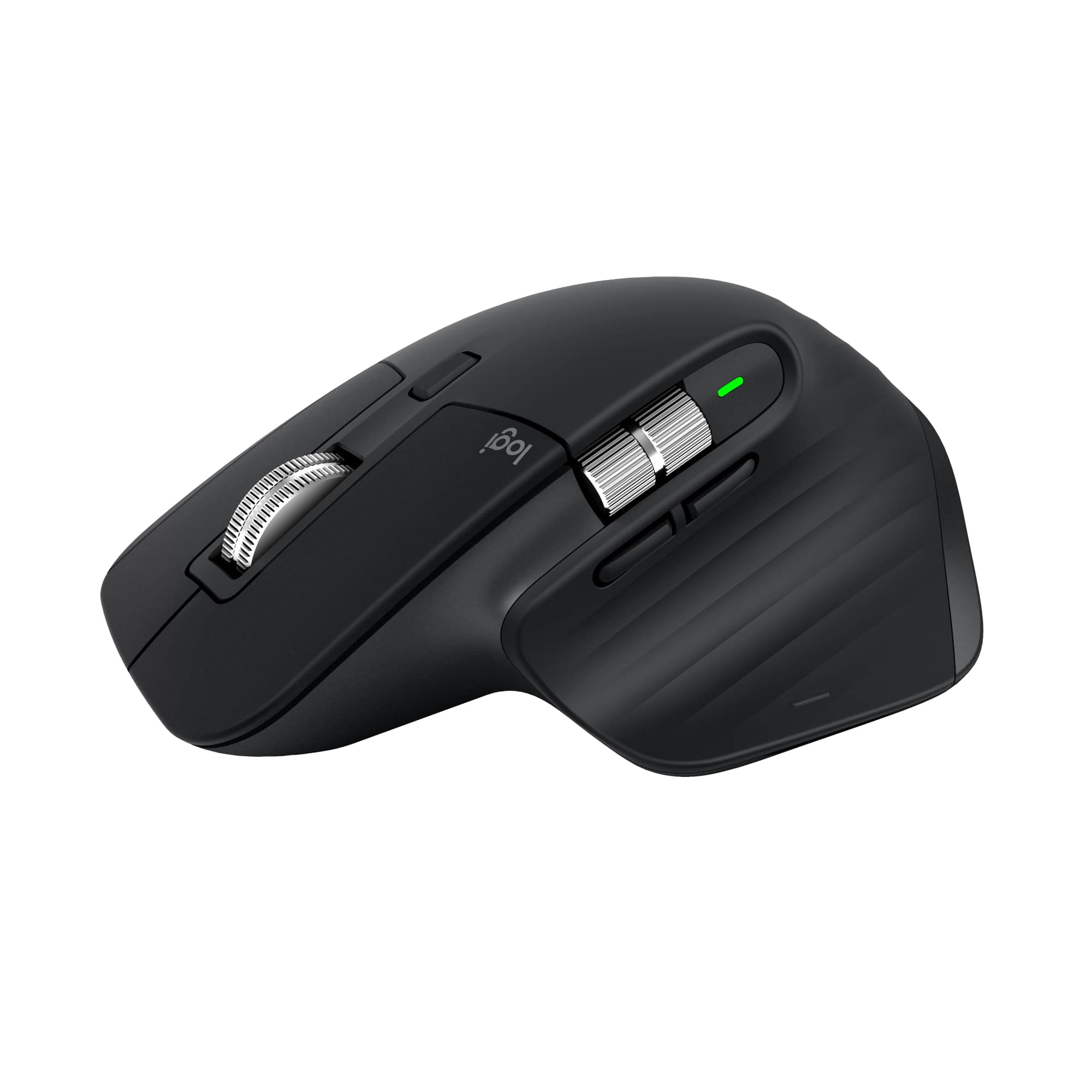
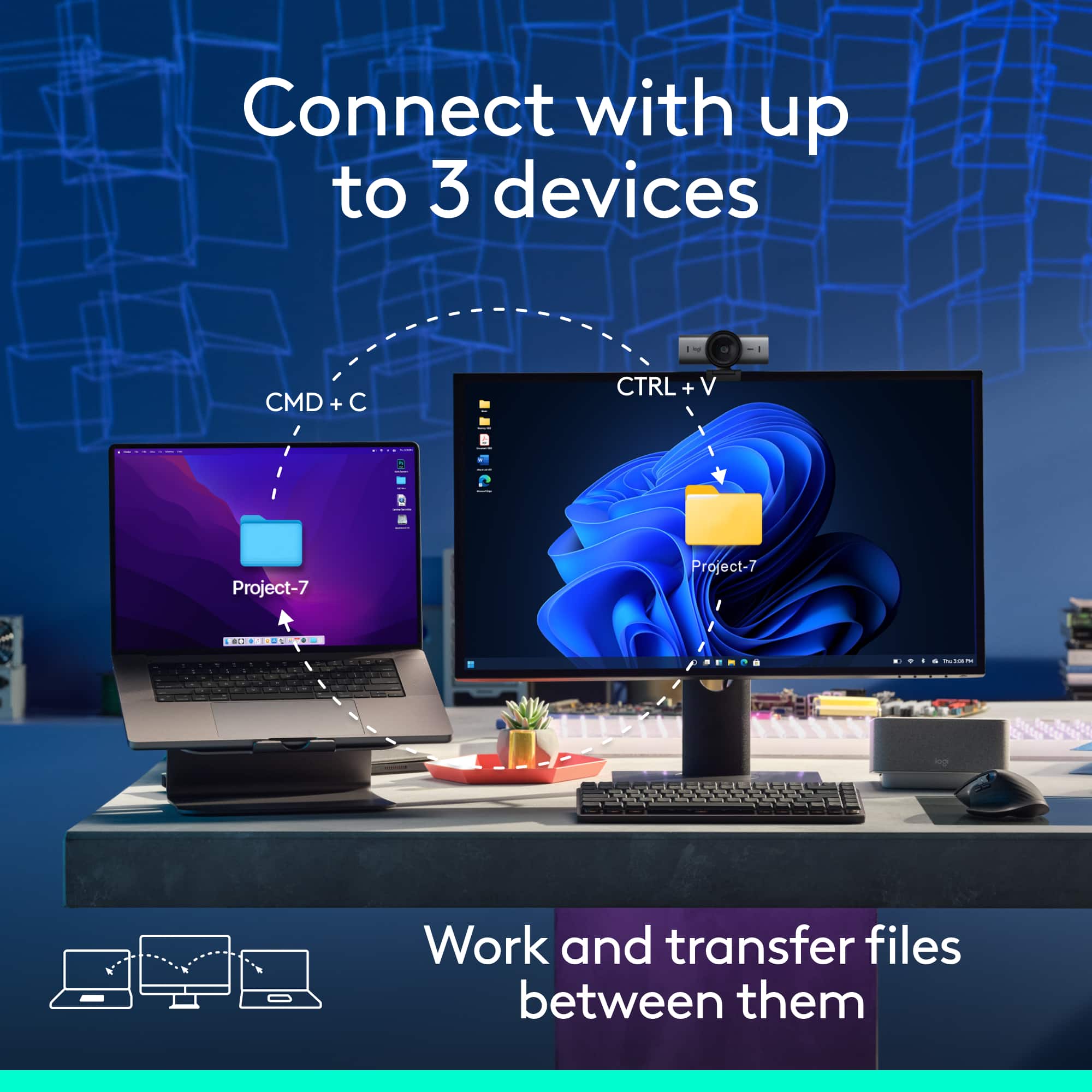
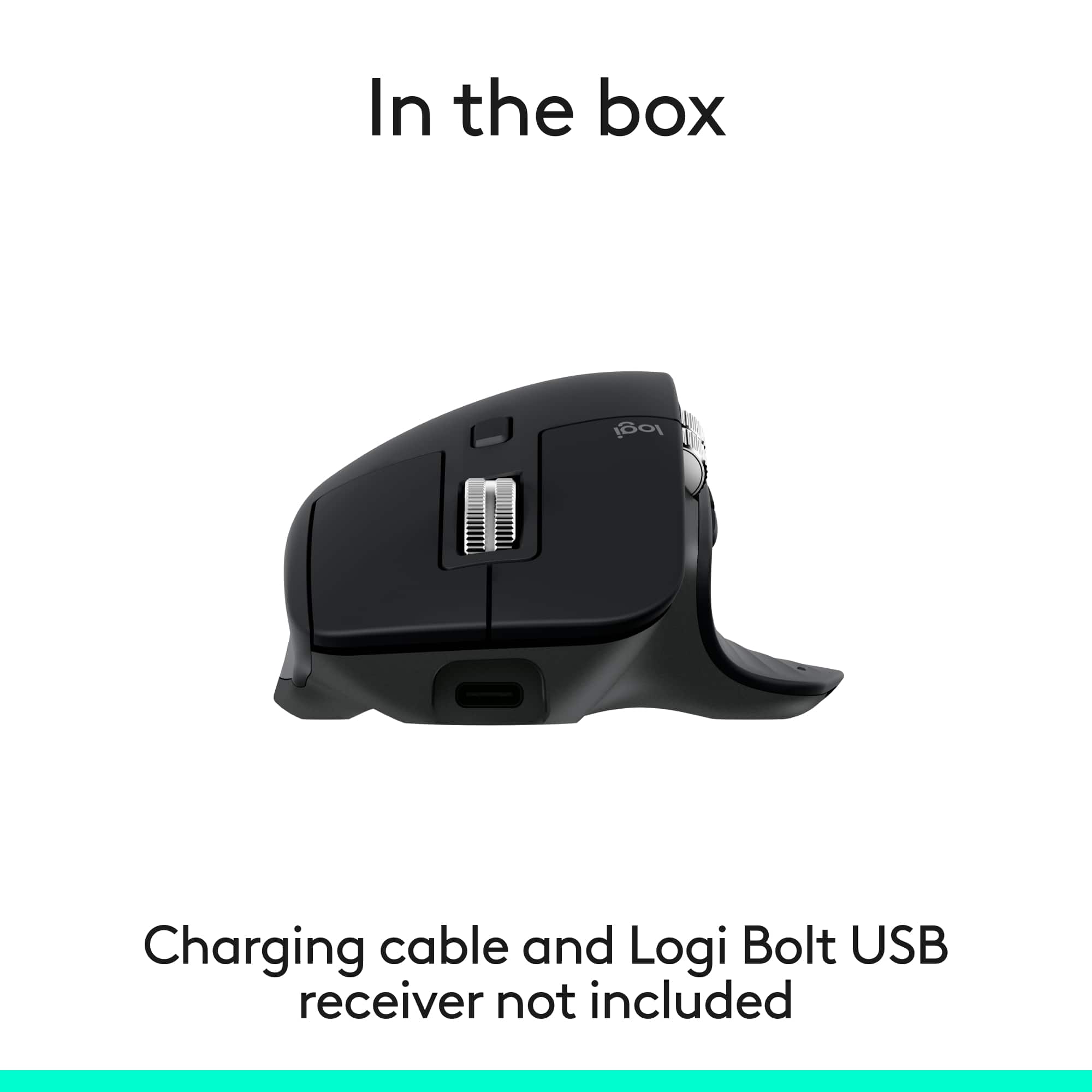
|Posted .This reviewer received promo considerations or sweepstakes entry for writing a review.Outside of an Apple touchpad, I use primarily Logitech for work and play and when the MX Master 3s 'bluetooth' edition came out, I couldn't resist. TL;DR for some basic info - details follow. Good: Price point Multi pairing Bluetooth USB-C Software / Customization Bad/Meh: Nothing. Really; nothing. I've used the MX mouse and keyboard line for years and even the smaller "Anywhere" models for portability. My last MX Master was the 2s and this just improves heavily on it. This seems to be a non-USB adapter model that focuses on bluetooth vs their Bolt adapter; from what I can tell, if you have a Bolt adapter, it will work - but for cost savings, it doesn't include the adapter here. I am able to use the multi-pairing to control another computer in my closet that doesn't have a mouse connected and I bet the third slot will be for my laptop. While this isn't new to these mice, not losing the ability to pair to multiple devices is a good decision. Coming from a daily MX Anywhere 3s, this was quite a clunky transition; I had to go from using the tips of my fingers to holding the mouse almost like a baseball. As a person that sits at a computer all day, uses 3 monitors and a laptop, I have a lot of real estate to cover. Here, it's the software that makes this mouse today; Logi Options+ allows (for me at least) to make this the perfect mouse for daily use, allowing me to use the buttons in ways that fit in with how I work. I scroll differently with my finger - it's tunable. The thumb scroller - again, different than default and there's an inverse for that too. For me using MacOS, the thumb rest has a button with allows me to show all of my open windows; it also allows me to hold it down and swipe the mouse to switch desktops. THAT right there, is amazing and a huge help for me; if I find myself in multiple desktops during a session, I will move to the Magic Touchpad but with this button mapping, after almost two weeks of use, the Apple touchpad has been shelved. As I was on the 2s in the past, it was microUSB, but with this 3s, it's USB-C, as is everything else on my desktop so there's no need for one-off cables. Once I got over the larger feel, it was like I haven't used any other mouse. A button for smooth scrolling vs click is a constant on these mice and definitely handy when the time is right.
I would recommend this to a friendBrand response from Logitech
Posted .Hey! Wow, thank you for such a thoughtful and detailed review! We're absolutely thrilled to hear how well the MX Master 3S Bluetooth Edition fits into your workflow and setup.
- Pros mentioned:Battery life, Ergonomics
the best mouse hands down
||Posted . Owned for 1 month when reviewed.This reviewer received promo considerations or sweepstakes entry for writing a review.it feels amazing and the battery life is great. Its very quick and accurate when i play games but i can work with this mouse all day. it travels well in my pack. always with me. every computer i own has this specific mouse with it at all times. prob own 5 of them.
I would recommend this to a friendBrand response from Logitech
Posted .We appreciate your feedback and are glad to hear the product is working smoothly. Thanks for being part of the Logitech family.
- Pros mentioned:Battery life, Button functionality, Connectivity
Get this mouse
||Posted . Owned for 1 week when reviewed.This reviewer received promo considerations or sweepstakes entry for writing a review.I love this mouse. Quiet clicking. Hold a charge ver well and Bluetooth shows no lag
I would recommend this to a friendBrand response from Logitech
Posted .Hey! Your feedback helps us improve and innovate. We’re happy our product is meeting your needs. Thank you for being part of our community.
- Pros mentioned:Button functionality, Overall performance
Solid Mouse
||Posted . Owned for 3 weeks when reviewed.This reviewer received promo considerations or sweepstakes entry for writing a review.This mouse is great it can keep up with all the work I do. I work on a computer for 8 hours a day and am constantly jumping from page to page. I feel as though I have full control of what I am doing. There are multiple buttons that can be configured for your own preference. I was going to get the 4 but decided to stick with the 3s. It's a good quality mouse that I am recommending to my company to provide for all of my colleagues. It's a solid mouse. Doesn't feel cheap at all. I have one in white and one in black.
I would recommend this to a friendBrand response from Logitech
Posted .Thanks for taking the time to share your experience. We’re delighted the product is working well for you. Your feedback means a lot.
- Pros mentioned:Overall performance
Like a Cadillac but in Mouse Form!
||Posted . Owned for 1 month when reviewed.This reviewer received promo considerations or sweepstakes entry for writing a review.I was thinking... Really? Why buy a mouse for that much?! But I did want something more silent especially for recording and using the mouse inside my Voice Over studio. This is perfect.
I would recommend this to a friendBrand response from Logitech
Posted .We’re so glad to hear you’re enjoying your Logitech experience. Your input helps us continue to deliver quality and reliability.
- Pros mentioned:Battery life, Ergonomics
Major upgrade from Mac Magic Mouse
||Posted .This reviewer received promo considerations or sweepstakes entry for writing a review.Very nice mouse—I use this (cheaper, "non-mac" version) mouse with my Mac and I have no problems. I switched from a Mac magic mouse and I can feel the difference in my hand and fingers. I like that you can program it to scroll to your preference and it keeps its charge way better than the Magic mouse. I do lots of graphic design and video editing and it does take a little getting used to, but I think it's worth it to take better care of my hand over long hours and for the long run. Note: It doesn't come with a cord charger so you just have to use your own USB C charger.
I would recommend this to a friendBrand response from Logitech
Posted .Your feedback means a lot to us, and we’re so glad to hear you’re enjoying your Logitech device. We work hard to create products that make life easier and more enjoyable, and it’s great to know we hit the mark. Thanks again for your support!
- Pros mentioned:Button functionality, Ergonomics
Top Notch Mouse
||Posted . Owned for 1 month when reviewed.This reviewer received promo considerations or sweepstakes entry for writing a review.The MX Master series has consistently been one of the best if not the best mouse out there. Gamers might go a different direction but for the office...MX Master is the mouse. Like the previous versions, the programmability of this mouse makes you work more efficiently. Better yet, it allows you to program it for use with specific applications. The feature I notice the most with the 3S is the softer clicks. I didn't think I would be impressed by that but the feature is quite nice. The MX might be a bit pricier than other mice, but the build, customization and the ergonomics of this mouse make it a solid choice.
I would recommend this to a friendBrand response from Logitech
Posted .It’s fantastic to hear you’re enjoying the Logitech - MX Master 3S Wireless Mouse. We truly appreciate you taking the time to share your experience!
- Pros mentioned:Ergonomics, Overall performance
Perfect
||Posted . Owned for 2 weeks when reviewed.This reviewer received promo considerations or sweepstakes entry for writing a review.Perfectly contoured for comfort. Functions well. Still learning all the buttons and how they operate but for basic mouse use, this is great!
I would recommend this to a friendBrand response from Logitech
Posted .Thank you for your kind feedback! We’re thrilled to hear the Logitech MX Master 3S Bluetooth Edition Mouse delivers both comfort and reliable functionality, making your everyday use enjoyable. Your appreciation truly inspires us!
- Pros mentioned:Ergonomics
Gliding Through Excellence
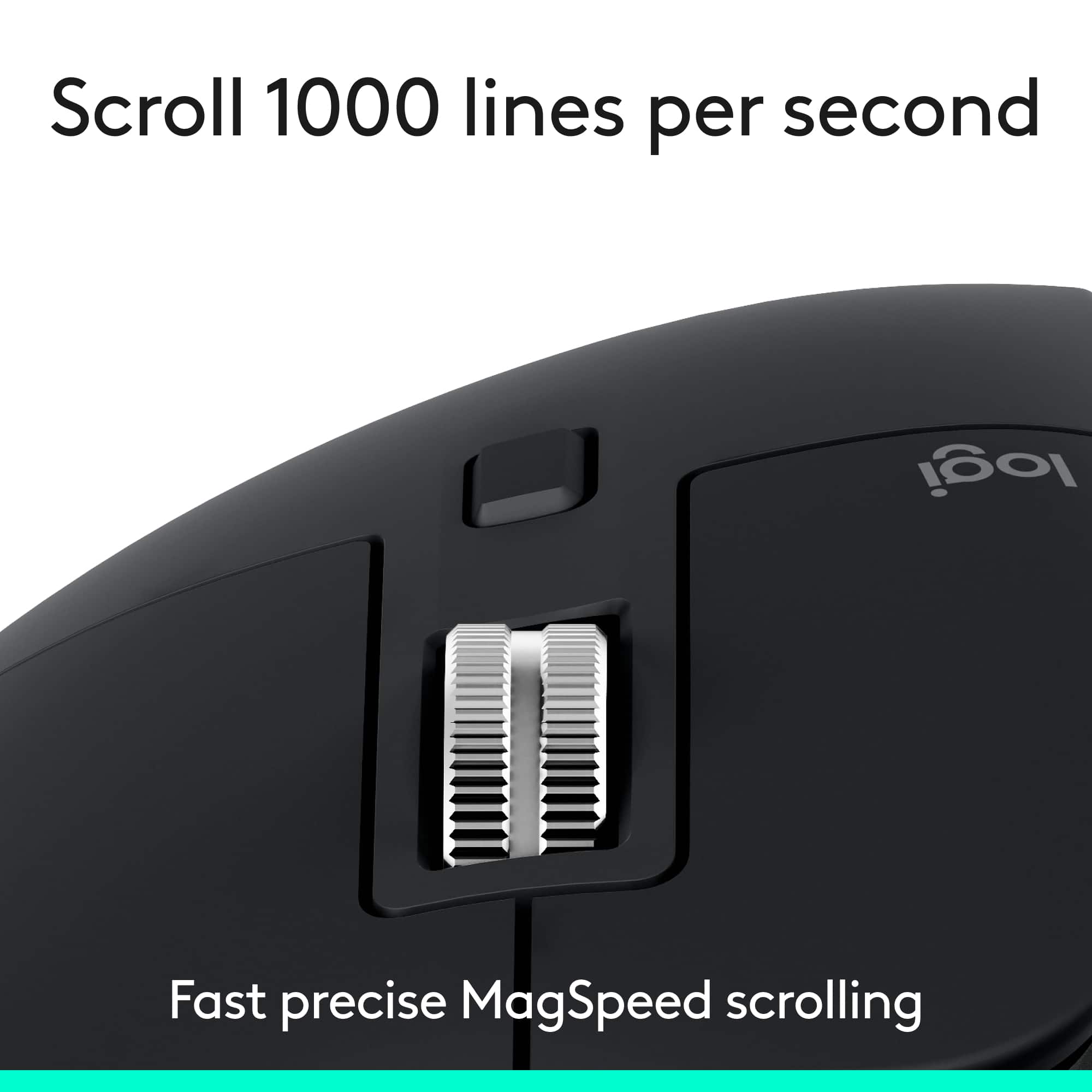
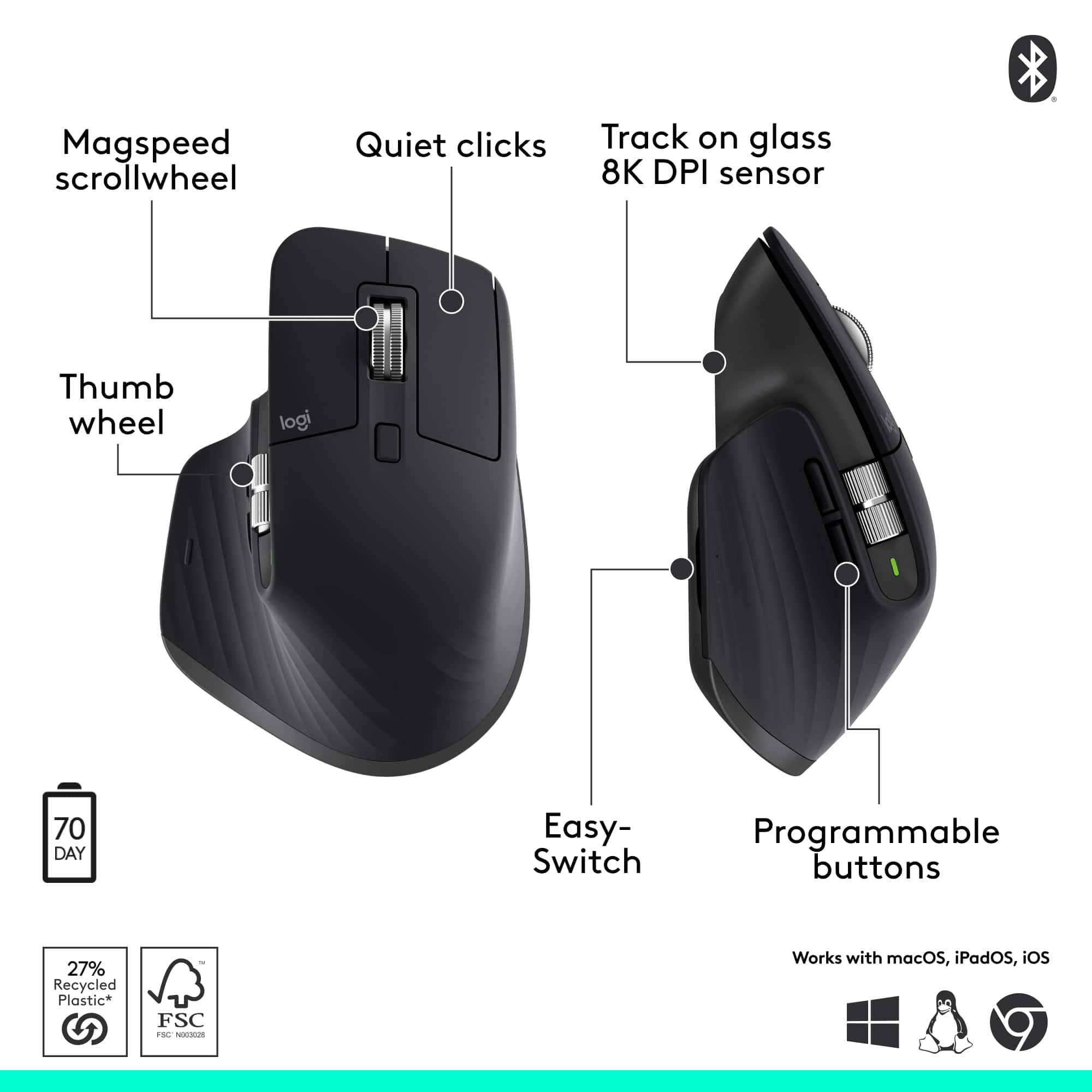
||Posted .This reviewer received promo considerations or sweepstakes entry for writing a review.From the moment your palm settles into its sculpted curvature, the MX Master 3S feels less like a tool and more like an extension of intention. It’s a mouse that understands rhythm — when to be still, when to spring forward, and when to glide effortlessly. Battery Life That Becomes Background Noise In a world where we constantly worry about charging everything, the MX Master 3S quietly removes that anxiety. It’s rated for up to 70 days of use on a full charge, and that number feels completely believable. Even with daily use, you’ll find yourself charging it only a handful of times a year — and when you do, just one minute of charging gives you about three hours of runtime. The result is a mouse that simply works, every day, without ever demanding your attention. Wheels That Think Sideways (And Fast) The scroll wheels on this mouse are pure engineering art. The MagSpeed electromagnetic scroll wheel can zip through thousands of lines per second, then stop on a dime for precise, tactile scrolling. The side (thumb) wheel is a productivity powerhouse. Whether you’re panning through timelines, navigating wide spreadsheets, or flipping through creative layers, it delivers smooth, effortless horizontal control. Together, these dual wheels transform the mundane act of scrolling into something fluid and almost addictive. On Any Surface, Even Glass The MX Master 3S doesn’t care where you work — it just works. Its 8K DPI “track-anywhere” sensor glides effortlessly across wood, metal, and even glass surfaces with pinpoint accuracy. No cursor lag, no skipping — just smooth precision wherever inspiration strikes. Ergonomics, Buttons, and Flow Every curve and contour is intentional. The body fits naturally into your hand, promoting a relaxed grip that eliminates fatigue during long work sessions. The placement of the buttons feels intuitive, and each click is whisper-quiet yet confident. Add in Logitech Flow, and you can seamlessly move your cursor — and even files — between multiple computers as if they were one. It’s the kind of invisible magic that makes multitasking feel almost futuristic. Minor Quibbles If there’s any downside, it’s that the internal battery isn’t user-replaceable, and there’s no onboard storage for the USB receiver. But these are small trade-offs in an otherwise near-perfect design.
I would recommend this to a friendBrand response from Logitech
Posted .Thanks for the great feedback! We're glad the MX Master 3S delivers the control and solid feel you were looking for. It’s designed to fit comfortably and perform smoothly, so it’s awesome to hear it’s hitting the mark. Enjoy every click!
- Pros mentioned:Button functionality, Ergonomics
Productivity Champ
||Posted . Owned for 1 week when reviewed.This reviewer received promo considerations or sweepstakes entry for writing a review.If you’re serious about getting stuff done, the MX Master 3S is like having a tiny productivity assistant under your palm. It’s insanely customizable—every button can be mapped to specific tasks, and you can set up different profiles for different apps. Photoshop, Excel, Chrome… it adapts to whatever you’re doing. The thumb wheel is a dream for horizontal scrolling, and the whole thing just feels premium. Quiet clicks, smooth tracking (even on glass), and a shape that fits your hand like it was made for it. Yeah, it’s a bit pricey. But once you’ve used it, you’ll wonder how you ever worked without it. It’s not just a mouse—it’s a workflow upgrade
I would recommend this to a friendBrand response from Logitech
Posted .Thank you for the fantastic feedback on the MX Master 3S. We're thrilled to hear that you see it as a "Productivity Champ" and a workflow upgrade. Your praise for its customization, comfort, and premium feel truly means a lot to us.
- Pros mentioned:Ergonomics
Amazing Mouse !
||Posted . Owned for 1 month when reviewed.This reviewer received promo considerations or sweepstakes entry for writing a review.As someone who spends hours designing in CAD and laying out prints, this mouse has been a game-changer for me. Here’s why it’s the best I’ve ever used: ✨ Key Strengths 1. Precision & Responsiveness The mouse tracks incredibly well—even when you’re working at very fine detail. In CAD applications, that precision translates to smoother zooms, tighter corners, and fewer frustrating mis-clicks. 2. Ergonomic Comfort Whether I’m deep in a 3-hour modeling session or preparing high-res print layouts, the shape feels natural under my hand. My wrist doesn’t get sore, and fatigue is way down compared to my old, generic mouse. 3. Customizable Buttons There are several programmable buttons, and I’ve mapped them to my most-used CAD commands: pan, orbit, save, undo—you name it. This dramatically speeds up my workflow, because I don’t have to keep reaching for the keyboard. 4. High DPI / Sensitivity Range The DPI (dots per inch) is great, which means I get really fine-grained control when I need it—and I can dial it down when doing broader navigation. This flexibility is super helpful for switching contexts between drawing and reviewing. 5. Smooth Scrolling The scroll wheel is both precise and fast. When I zoom through long print previews or scroll through detailed drawings, it’s effortless. 6. Durability & Build Quality It feels solid—not cheap or plasticky. After months of heavy use, it’s holding up beautifully: no double-click issues, no worn-out buttons. Definitely built to last.
I would recommend this to a friendBrand response from Logitech
Posted .That is truly fantastic to hear! We're thrilled the MX Master 3S is a game-changer for your CAD and design work. Your detailed feedback on its precision, comfort, and customizable buttons perfectly highlights what we aim for in performance design. Thank you for sharing your experience!
- Pros mentioned:Ergonomics, Overall performance
Great mouse, solid feel and tracks smooth.
||Posted . Owned for 1 week when reviewed.This reviewer received promo considerations or sweepstakes entry for writing a review.Ergonomics are awesome, mouse performs well on mac
I would recommend this to a friendBrand response from Logitech
Posted .Thanks for your thoughtful review. It’s great to know our product is living up to your expectations. Your support helps us keep delivering quality.
- Pros mentioned:ConnectivityCons mentioned:Weight
High Quality Extremely Comfortable
||Posted . Owned for 2 weeks when reviewed.This reviewer received promo considerations or sweepstakes entry for writing a review.I find this Logitech MX Master 3S mouse extremely comfortable to use . My only dislike is that it is a little heavy compared to other models . Besides that I have no issues with connection to any of my computers. I am really happy with this purchase .
I would recommend this to a friendBrand response from Logitech
Posted .Thank you for sharing your thoughts on Logitech - MX Master 3S Bluetooth Edition. We’re glad to hear what you liked, and we’ll definitely work on the areas you mentioned.
- Pros mentioned:Battery life
Finally I found a masterpiece
||Posted .This reviewer received promo considerations or sweepstakes entry for writing a review.Finally I found the right mouse! I have tried all of them, it's not a joke. I ordered all the big brands mice, around 15 items. I loved Microsoft 5000 (5050) mouse since 2009 somewhere, had 2 of them. But they had big usb dongle. So, was looking a Bluetooth mouse to avoid something in the port. Unfortunately MS stopped producing mice, and last products they had are no so amazing as 5000. So, about these 15 variants. Its ridiculous, you are getting some expensive mouse and senor is awful, about the half of them. In comparison the most cheap mouse will have perfect sensor, but lack of extra buttons or not so comfortable shape. I almost stopped with Razer Basilisk, the shape is great, sensor is smooth, buttons are there. But buttons are'nt silent. So, this Master was one of the last one and it has everything! All the point from the list. Silent buttons, fine materials pleasent to touch, no crank wheel (you can switch between crank or smooth scrool wheel setting), extra buttons. The shape on a first sight was questionable, its way high at the top. But after trying it a couple of times I immediately understood that its very comfortable for the hand. Sensor is smooth as MS bluetrack. Also this is rechargeable mouse, no need to buy batteries. Very cool. Awesome mouse, the grratest product. Hail to their engineers. Thank you, Logitech.
I would recommend this to a friendBrand response from Logitech
Posted .We’re so happy to hear your experience has been positive. Your feedback helps us stay focused on what matters most—our users. Thanks for supporting Logitech!
Super smooth, low-latency performance
||Posted . Owned for 1 month when reviewed.This reviewer received promo considerations or sweepstakes entry for writing a review.I’ve been using the Logitech MX Master 3S (Bluetooth, black) every day for work, and the performance is honestly the main reason I’m keeping it as my primary mouse. The tracking feels incredibly smooth and precise, and the latency is so low that it never gives that “wireless lag” feeling cursor movement feels immediate, even when I’m moving fast or doing quick, small adjustments. Scrolling is another big win. The ultra-fast scroll wheel is buttery and consistent, especially when I’m flying through long documents, dashboards, or spreadsheets. It switches cleanly between controlled line scrolling and free-spin, and I don’t get the jittery or uneven scroll behavior I’ve had with cheaper mice. Overall, it just feels stable and polished smooth pointer motion, responsive input, and quiet clicks that don’t feel mushy. If you care about smoothness and responsiveness for productivity, this mouse nails it.
I would recommend this to a friendBrand response from Logitech
Posted .Thank you for your detailed feedback! We’re thrilled the Logitech MX Master 3S delivers the smooth, precise performance and responsive scrolling that makes your work experience seamless and productive.
- Pros mentioned:Ergonomics
Its very comfortable
||Posted . Owned for 3 weeks when reviewed.This reviewer received promo considerations or sweepstakes entry for writing a review.I bought this mouse and I'm glad I did. It always works and I like being about to place my thumb on the left side of the mouse because I have pain in my hand. As someone who deals with hand pain being about to rest my thumb of the side is quiet nice.
I would recommend this to a friendBrand response from Logitech
Posted .Thank you for sharing your experience! We’re delighted to hear the MX Master 3S brings comfort and ease, especially with its thumb support helping with hand pain. Your feedback means a lot to us.
- Pros mentioned:Connectivity, Overall performance
Love this mouse!
||Posted . Owned for 1 month when reviewed.This reviewer received promo considerations or sweepstakes entry for writing a review.This mouse is great! I frequently use 2 different computers at the same time and this mouse easily transfers between the two without having to change any setting or switching programmed buttons.
I would recommend this to a friendBrand response from Logitech
Posted .Thanks for the great review! We’re glad our product is making your life easier.