Customer Ratings & Reviews
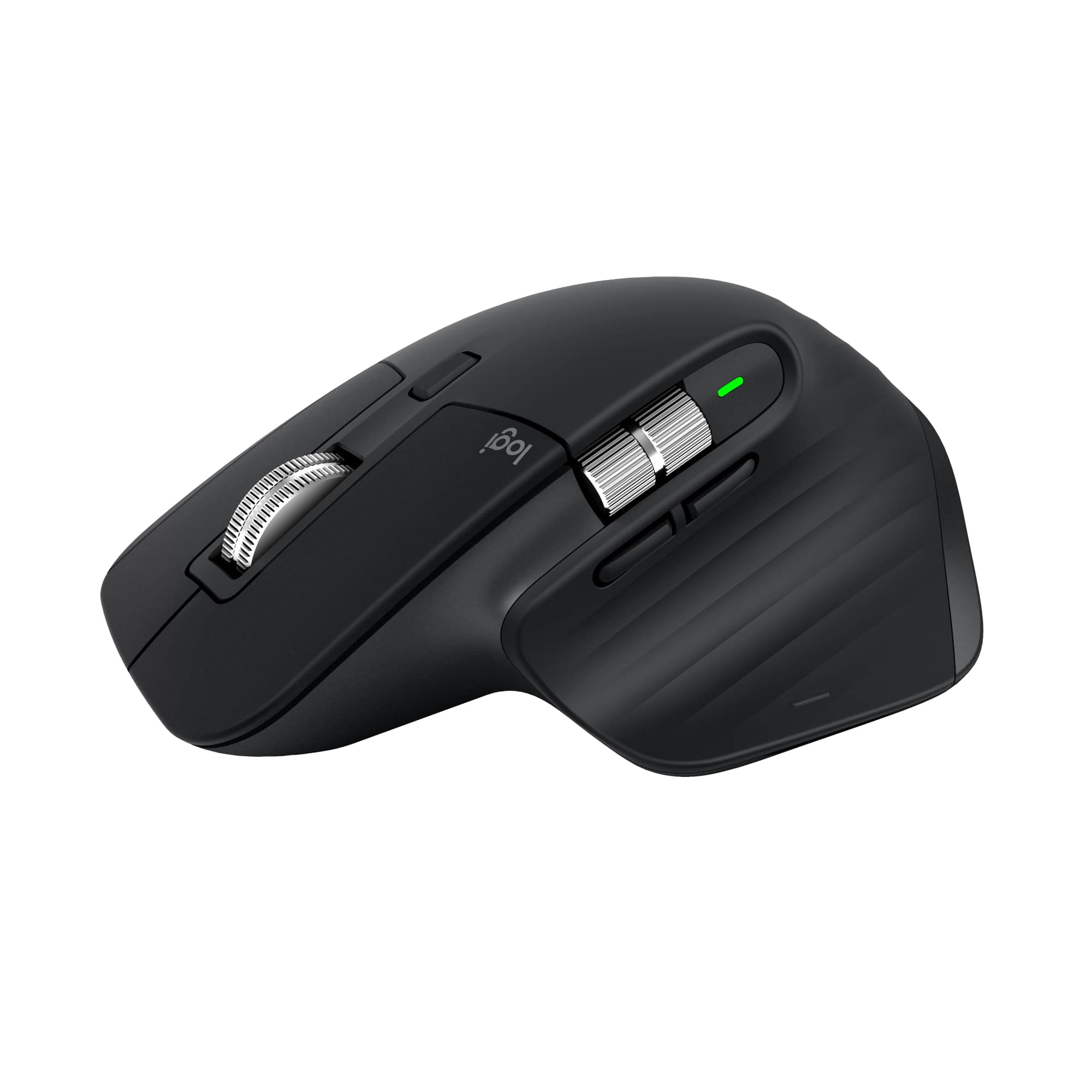

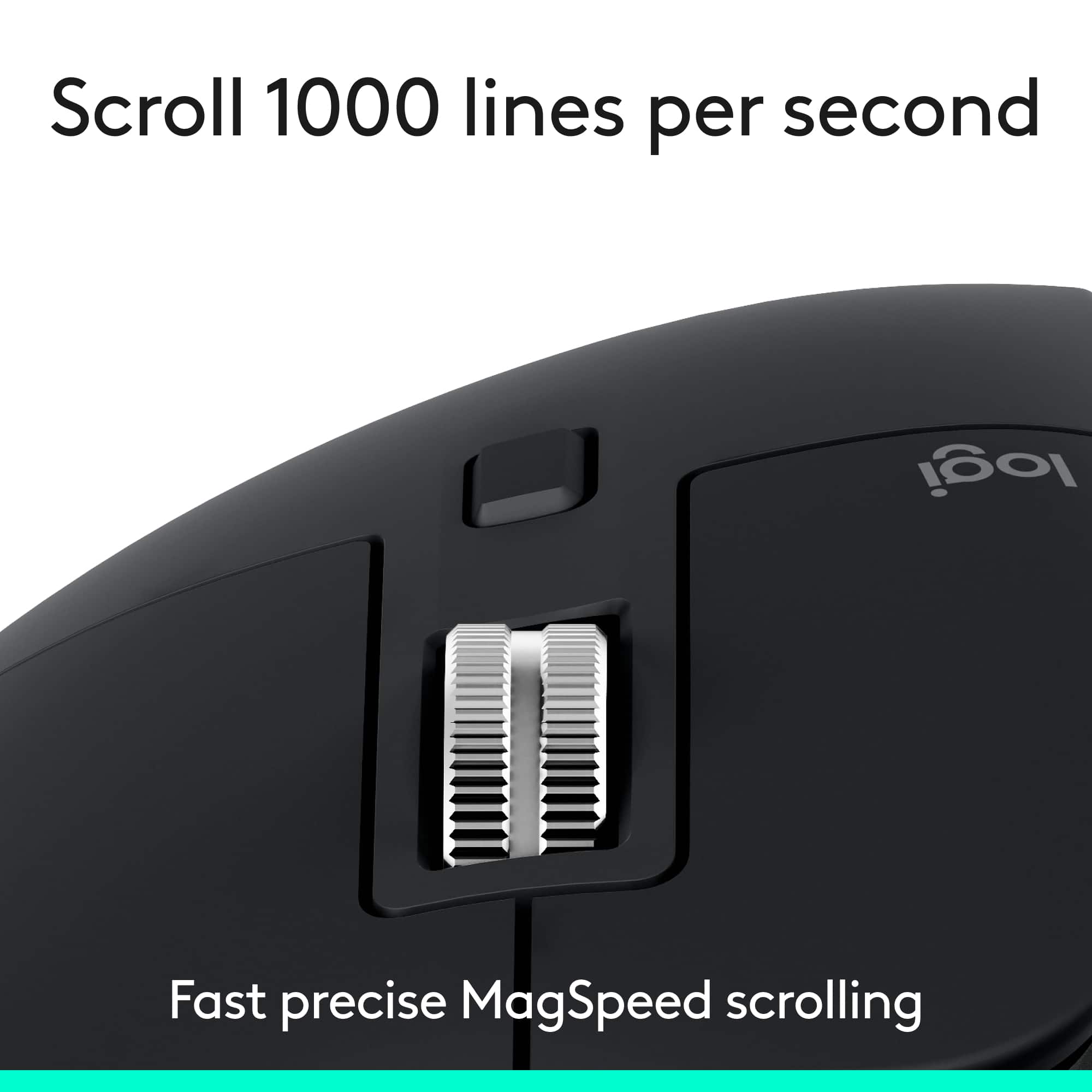

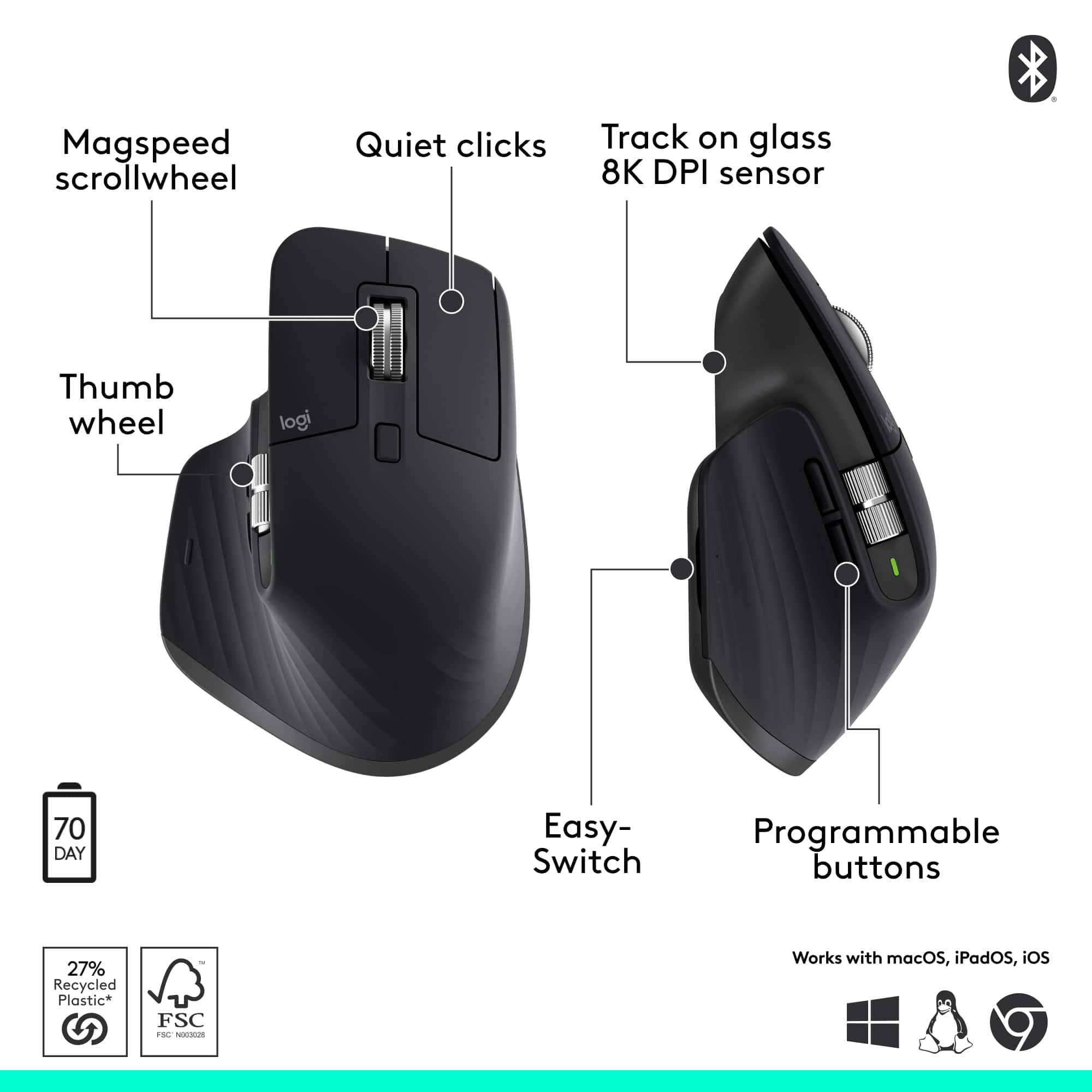





- Model:
- 910-007500
- SKU:
- 6633199
Rating by feature
- Value
Rating 4.6 out of 5 stars
- Quality
Rating 4.9 out of 5 stars
- Ease of Use
Rating 4.8 out of 5 stars
Customers are saying
Customers find value in the product's excellent ergonomics, solid overall performance, and stable wireless connectivity. They also appreciate its impressive battery life, quiet operation, and silent button functionality. However, some users find the product to be a bit heavy.
This summary was generated by AI based on customer reviews.
- Pros mentioned:Button functionality
Mx Master has no competition
||Posted .This reviewer received promo considerations or sweepstakes entry for writing a review.This is my second mouse from the series. The horizontal scroll is almost a necessity for me now to easily scroll across code and logs in my IDE. The back and forward buttons work as expected there too which is really convenient. For some reason this model has a somewhat less freely moving horizontal scroll compared to 2S but it really makes no difference to me.
I would recommend this to a friendBrand response from Logitech
Posted .Thank you so much for your wonderful feedback on the Logitech - MX Master 3S Bluetooth Edition! We’re thrilled to know it’s meeting your expectations. Your support means a lot to us.

Great mouse
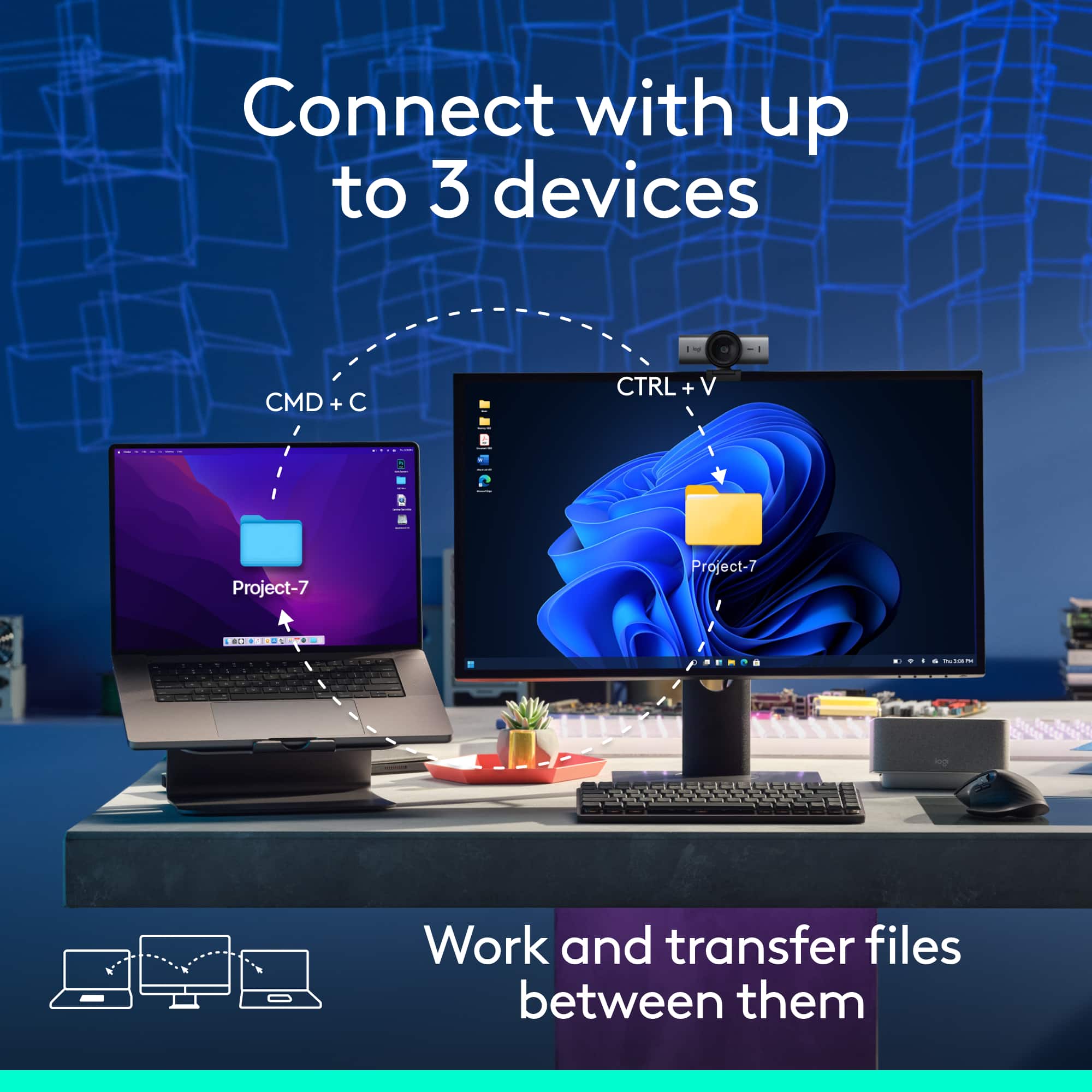
||Posted . Owned for 3 weeks when reviewed.This reviewer received promo considerations or sweepstakes entry for writing a review.Bought this for my office and it has been awesome! responsive, easy to connect via Bluetooth, and connects to three devices with a simple push button on the bottom. Not a gaming mouse but would be fine for 90% of the time even in that realm.
I would recommend this to a friendBrand response from Logitech
Posted .We’re so pleased to hear your experience has been positive. Your input helps us build better products for everyone.
- Pros mentioned:Button functionality
Great Mouse
||Posted . Owned for 2 months when reviewed.This reviewer received promo considerations or sweepstakes entry for writing a review.I love it, especially the quiet clicks and side to side scrolling has been game changer
I would recommend this to a friendBrand response from Logitech
Posted .Thanks for the kind message! We’re happy our product is meeting your needs. Your feedback helps us keep improving.
- Pros mentioned:Button functionality
MX Master
||Posted . Owned for 2 weeks when reviewed.This reviewer received promo considerations or sweepstakes entry for writing a review.Love it! This mouse provides a much more comftorable grip, and the added buttons make navigating tabs and apps so much easier and efficient
I would recommend this to a friendBrand response from Logitech
Posted .Thanks for the thoughtful review! We’re glad to hear our product is delivering the quality and convenience you were looking for. Your feedback helps us keep improving, and we’re grateful for your trust in Logitech.
- Pros mentioned:Overall performance
Good quality mouse
||Posted . Owned for 1 month when reviewed.This reviewer received promo considerations or sweepstakes entry for writing a review.My husband loves this! He had a previous generation of this mouse for many, many years and parts of it finally wore out. He likes this one even better and uses it at both home and office.
I would recommend this to a friendBrand response from Logitech
Posted .Thank you for your thoughtful feedback! We’re delighted to hear that the Logitech MX Master 3S mouse has impressed with its quality and performance, and that it’s even better than the previous generation. Your continued trust and appreciation mean a lot to us!
- Pros mentioned:Connectivity
No dongle! love it
||Posted . Owned for less than 1 week when reviewed.This reviewer received promo considerations or sweepstakes entry for writing a review.I like the fact that I dont need to be dealing with dongles that just get lost very easily. This mouse works even on glass. Happy with it, no more dongles lost that just make you toss your mouse to the garbage.
I would recommend this to a friendBrand response from Logitech
Posted .We’re thrilled to hear you’re satisfied with your Logitech product. Your feedback helps us continue to deliver great experiences.
- Pros mentioned:Overall performance
Perfect mouse for daily use
||Posted .This reviewer received promo considerations or sweepstakes entry for writing a review.Works perfectly for what I needed. Smooth and quiet and also very comfortable for extended use
I would recommend this to a friendBrand response from Logitech
Posted .Thank you so much for taking the time to share your experience. We're thrilled to hear that the product is working well for you and meeting your expectations. Your feedback helps us continue to improve and innovate. We truly appreciate your support of Logitech.
- Pros mentioned:Ergonomics
Smooth going mouse
||Posted . Owned for 1 month when reviewed.This reviewer received promo considerations or sweepstakes entry for writing a review.I really enjoy using this mouse. It is much smoother than a previous version I used and conforms to my hand.
I would recommend this to a friendBrand response from Logitech
Posted .It’s fantastic to hear that you’re satisfied with your Logitech product. We strive to deliver quality and reliability, and your feedback reassures us that we’re on the right path. Thanks for your continued support—we’re lucky to have you with us.
- Pros mentioned:Overall performance
excelent
||Posted . Owned for 3 weeks when reviewed.This reviewer received promo considerations or sweepstakes entry for writing a review.Excelent my Logitech - MX Master 3S Bluetooth Edition Performance Wireless Optical Mouse with Ultra-fast Scrolling and Quiet Clicks - Wireless - Black.
I would recommend this to a friendBrand response from Logitech
Posted .Thank you for sharing your positive experience with the Logitech MX Master 3S. We truly appreciate your feedback and are glad to know the performance and design met your expectations.
Time saver
||Posted . Owned for 2 weeks when reviewed.This reviewer received promo considerations or sweepstakes entry for writing a review.Needed this kind of mouse to handle work load quickly and effectively.
I would recommend this to a friendBrand response from Logitech
Posted .We appreciate your support and are happy to hear the product is serving you well. Your feedback helps us improve every step of the way.
- Pros mentioned:Overall performance
Nice mouse. Highly customizable
||Posted . Owned for 3 weeks when reviewed.This reviewer received promo considerations or sweepstakes entry for writing a review.Excellent mouse! At first I questioned if splurging on a mouse would actually be worth it? Toltally worth it! Looking into getting the MS keyboard next
I would recommend this to a friendBrand response from Logitech
Posted .It’s great to hear your experience has been positive. Your feedback helps us refine and improve our products. Thanks for choosing Logitech!
- Pros mentioned:Overall performance
Great Mouse
||Posted . Owned for 3 weeks when reviewed.This reviewer received promo considerations or sweepstakes entry for writing a review.Great Premium Mouse, you don´t need anything else for productivity.
I would recommend this to a friendBrand response from Logitech
Posted .Thanks for the encouraging feedback! We’re glad the product is working well for you. Your support helps us keep innovating.
- Pros mentioned:Battery life
Highly Recommend, comfortable and strong battery
||Posted .This reviewer received promo considerations or sweepstakes entry for writing a review.I bought this for my wife, and she had only charged it once since I purchased a month ago, and the battery is great! It is still working with no problem. It is very comfortable for her hands which are small, and it fits perfectly for her hand. Highly recommend for daily use or work (which is what she uses it for) as an architectural designer.
I would recommend this to a friendBrand response from Logitech
Posted .We’re thrilled to know that your Logitech experience has been so positive. Our teams work hard to create products that feel intuitive, reliable, and enjoyable to use, so it’s great to see those efforts reflected in your feedback. Thank you for your trust, your support, and for taking the time to let us know how we’re doing.
- Pros mentioned:Overall performance
Takes a beating
||Posted . Owned for 3 weeks when reviewed.This reviewer received promo considerations or sweepstakes entry for writing a review.I have a side table I use next to my chair and the mouse is sideways falling off on the floor, I have the white version for a few years and it still works but it's nasty looking due to my being a grease monkey so I got the black one to help hide the stains. Both work great and I iuse them for gaming as well. No complaints.
I would recommend this to a friendBrand response from Logitech
Posted .Hey! We’re pleased to hear that our product is serving you well. Your review helps us grow and evolve. Thanks for being part of the Logitech experience.
Best mouse I have ever used
||Posted . Owned for 1 month when reviewed.This reviewer received promo considerations or sweepstakes entry for writing a review.I have been looking for a better mouse and this was suggested by a store representative. I was somewhat skeptical but I was totally wrong. This thing is awesome, so comfortable to use and precise movements, the scroll function makes going through documents so much easier. I also use this for doing photo editing and it is 100% better then my old mouse for this as it is very precise. If something ever happens I will be getting the same make and type.
I would recommend this to a friendBrand response from Logitech
Posted .We appreciate your thoughtful review. It’s great to know our product is meeting your needs. Thanks for being a valued customer.
- Pros mentioned:Ergonomics
Good mouse
||Posted .This reviewer received promo considerations or sweepstakes entry for writing a review.Good performance. Quiet and reliable mouse and ergonomic positioning.
I would recommend this to a friendBrand response from Logitech
Posted .We appreciate your positive feedback on the Logitech MX Master 3S! It's fantastic to hear that you're experiencing good performance and that the mouse is proving to be quiet and reliable. We're also glad to know that the ergonomic design is providing you with comfortable positioning during use.
- Pros mentioned:Overall performance
Amazing
||Posted . Owned for 2 weeks when reviewed.This reviewer received promo considerations or sweepstakes entry for writing a review.100% recommend. I like it very much. The shipping very fast.
I would recommend this to a friendBrand response from Logitech
Posted .Your feedback means a lot to us, and we’re so glad to hear you’re enjoying your Logitech device. We work hard to create products that make life easier and more enjoyable, and it’s great to know we hit the mark. Thanks again for your support!
Well rounded product for professional use
||Posted . Owned for 9 months when reviewed.This reviewer received promo considerations or sweepstakes entry for writing a review.Worth every penny for use in an office and work on the go as well. The ability to switch between 3 different devices is so useful although I do miss having a usb dongle so it pairs with a docking station regardless of the laptop that is plugged in.
I would recommend this to a friendBrand response from Logitech
Posted .Thank you for your feedback on the Logitech MX Master 3S Bluetooth Edition Performance Wireless Optical Mouse! We’re delighted it’s proving to be a versatile tool for professional use, with seamless multi-device switching—your note on the USB dongle is valuable and appreciated.
- Pros mentioned:Overall performance
Still one of the best
||Posted .This reviewer received promo considerations or sweepstakes entry for writing a review.Not the newest, but still one of the best mouses out there for productivity work. Still a bit pricey considering the new Master 4 is out and doesn't include the dongle (Bluetooth connection only).
I would recommend this to a friendBrand response from Logitech
Posted .We’re grateful for your feedback and happy to hear the product is working smoothly. Your experience helps us build better tools for everyone.
- Pros mentioned:Battery life
Good product
||Posted . Owned for 1 month when reviewed.This reviewer received promo considerations or sweepstakes entry for writing a review.Smooth glide on any surface. Great battery life,Feels Nice
I would recommend this to a friendBrand response from Logitech
Posted .We’re so pleased to hear you’re satisfied. Your input helps us continue to build products that people love. Thanks for being part of our journey.