Customer Ratings & Reviews





- Model:
- 910-006570
- SKU:
- 6516288
Rating by feature
- Value
Rating 4.6 out of 5 stars
- Quality
Rating 4.9 out of 5 stars
- Ease of Use
Rating 4.8 out of 5 stars
Customers are saying
Customers are pleased with the MX Master 3S for Mac, highlighting its excellent ergonomics, long battery life, and smooth scroll wheel functionality. Users also appreciate its overall performance with Macs, ease of use, and seamless compatibility with macOS gestures. Some customers have noted the mouse's larger size and weight, while others have reported concerns regarding the software and occasional lag.
This summary was generated by AI based on customer reviews.
- Pros mentioned:Overall performance
Review
||Posted . Owned for 3 weeks when reviewed.This reviewer received promo considerations or sweepstakes entry for writing a review.I absolutely love this mouse, definitely an upgrade from my M720
I would recommend this to a friend Blue tooth mouse
||Posted . Owned for 3 weeks when reviewed.This reviewer received promo considerations or sweepstakes entry for writing a review.Has amazing functions built in, which I am still trying to learn. Love also the blue tooth design
I would recommend this to a friend- Pros mentioned:Overall performance
I love it.
||Posted . Owned for 3 weeks when reviewed.This reviewer received promo considerations or sweepstakes entry for writing a review.The best of the best mouse ever made! Highly recommend everyone and you’ll be amazed.
I would recommend this to a friend Great Value
||Posted . Owned for 3 weeks when reviewed.This reviewer received promo considerations or sweepstakes entry for writing a review.Very smooth transitions but scrolling takes a little time to get use to. Overall good accessory to help me with audio editing on my Mac
I would recommend this to a friend- Pros mentioned:Ergonomics, Scroll wheelCons mentioned:Polling rate

The Mouse for Productivity
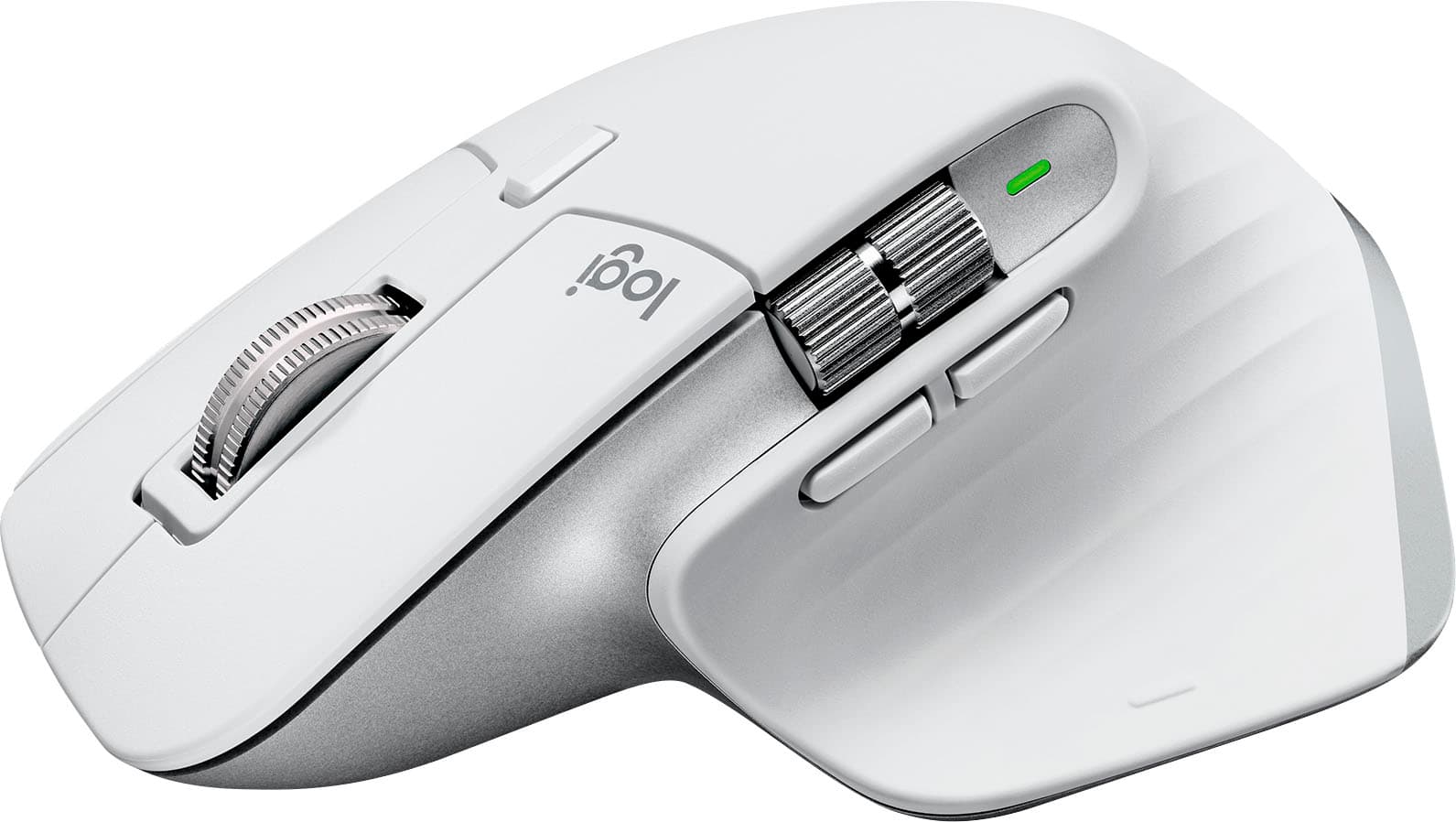
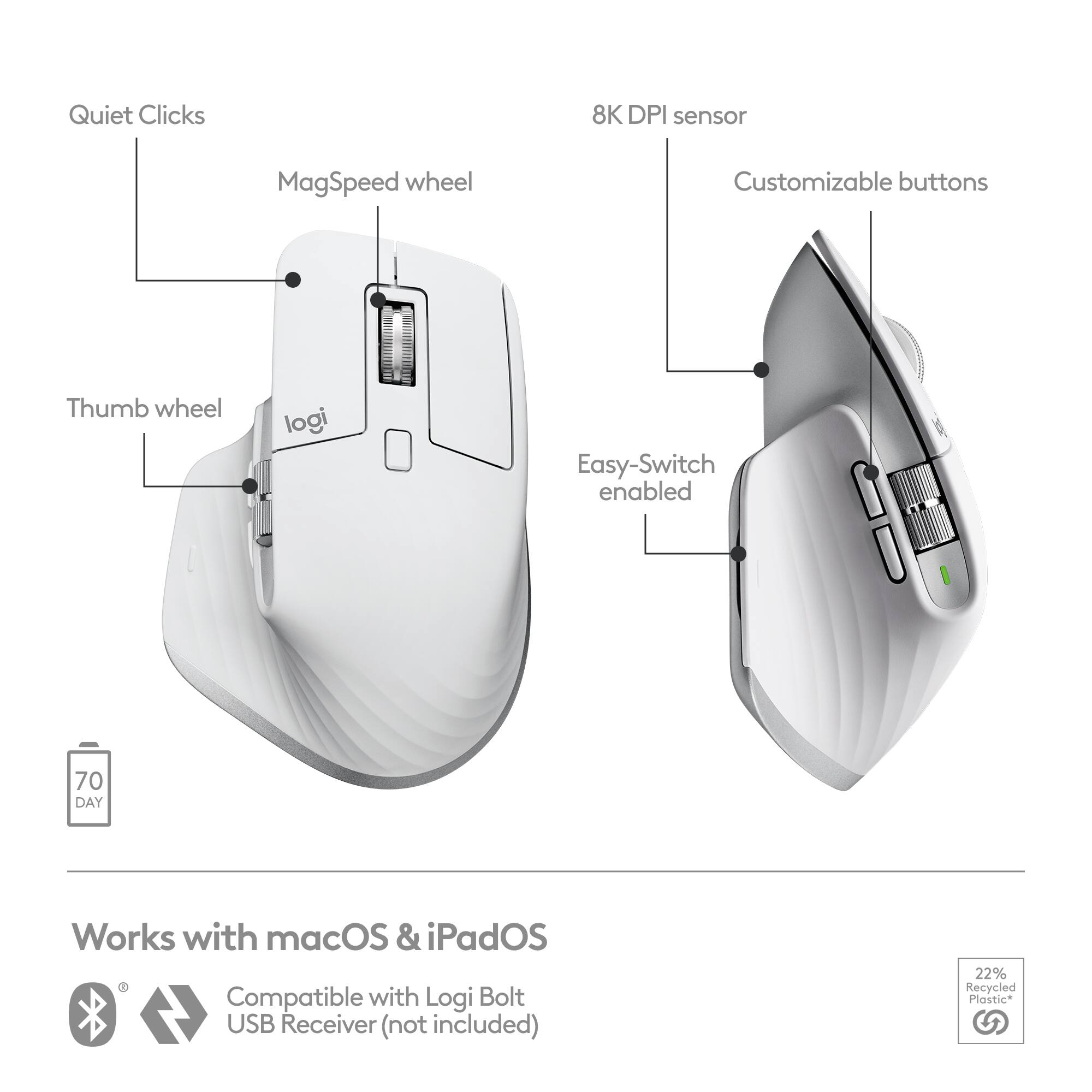
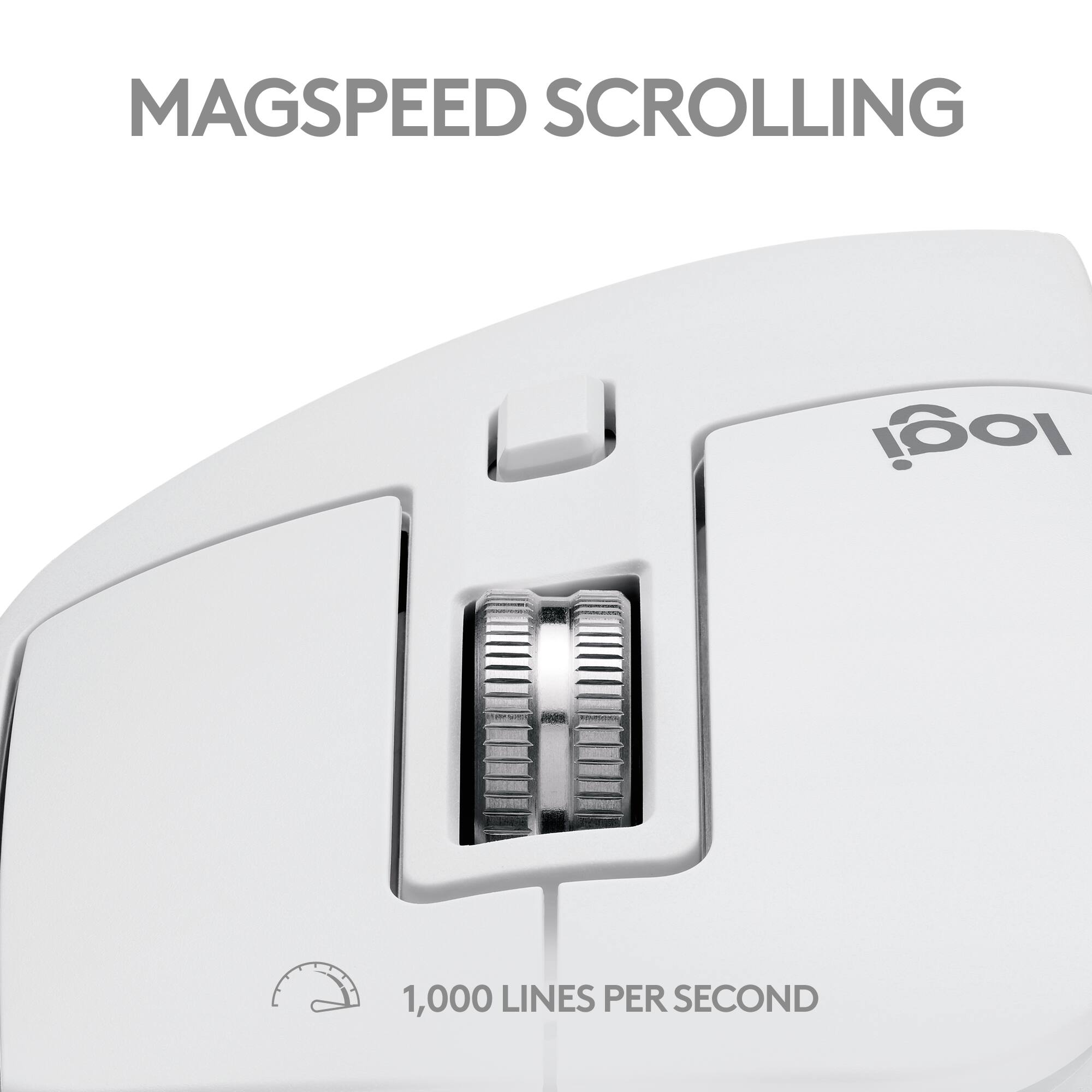
|Posted .This reviewer received promo considerations or sweepstakes entry for writing a review.Pros Scrolls smooth Solid build Near silent clicks Works on iPads MagSpeed scroll wheel feels solid Fits larger hands nicely Cable is USB-C on both ends Can switch between 3 connection profiles 8000DPI sensor easily supports high resolution screens Button profiles configurable per application Flow software allows use on multiple systems at one time Cons No left-handed version No pinky rest Gesture button hard to find quickly Mouse sometimes jumps around Flow option still needs refinement Design and Features The Logitech MX Master 3S is the updated version of the Master 3. Overall, the design has changed little from the previous generation with the new focus being on silent operation. The light gray accent colors have been darkened in what looks to be an attempt to match Space Gray. It is still the same larger, more sculpted mouse designed for right-handed users. The sensor resolution has been increased from 4000dpi to 8000dpi to accommodate higher resolution screens. The Logitech Bolt receiver included in previous models is absent, presumably since this edition is targeted at Mac and iOS users which most likely don’t have a USB-A port on their computer. That said, it still works with the Bolt Receiver. This does not seem to be much of a problem as the Master 3S supports 3 independent connection profiles and includes a cable that is USB-C on both ends. Setup and Performance While the master 3S can work right away once connected via cable or wirelessly, you need to install the software to take advantage of all the features. If you have used Logitech Options in the past, you will be instructed to upgrade to Logitech Options +. With the same name it would be logical to assume it replaces the original Options software but at this time it does not. After installing Options + I could see my Craft Keyboard, but the software said it wasn’t supported yet. What was strange was the Master 3S did not show up at all even though it was paired and working. However, the standard Logitech Options could see the Master 3S but said it was unsupported and to use Options +. It took several attempts at pairing and two restarts before Options + could not only see the Master 3S but configure it. After the Master 3S was finally visible in Options + the settings were straightforward to configure. It shows a picture of the mouse and a name of each button that is clickable for configuration. For productivity work you can configure custom profiles for installed software to change the behavior of the different buttons depending on which application you are currently in. For instance, you could set the side scroll wheel to zoom in Safari but to scroll sideways when in Excel to further extend the versatility of the buttons. While the new sensor is capable of 8000dpi the default resolution is much lower and thankfully more manageable. Setting the resolution to the 8000 max on a 4K 32inch monitor resulted in an unusably fast speed. The max usable speed on this monitor was about 4000 so it seems like there is plenty of headroom for those with 5K and 8K monitors. If you think this high DPI setting would mean it could serve double duty for work and gaming, you will likely be disappointed. While the resolution is high, polling rate is low. The Master 3S was targeted, for the most part, solely at productivity power users. Some occasional strange behavior was observed where the mouse pointer would jump suddenly, usually near the end of moving the cursor. The behavior was like when you are trying to use a mouse on a less than ideal surface and it has trouble tracking. Changing surfaces had no effect. Testing for wireless dropout also yielded no improvements. The only thing that seemed to lesson this was turning the dpi setting down further. The final cause of this is uncertain. Hopefully it is just a matter of a driver or firmware update. That said, keeping the dpi setting on the lower side makes it only a minor issue. The sculpted design has a thumb rest so you can glide across surfaces without dragging your thumb. However, depending on the size of your hand and your grip you may find yourself dragging the top of your pinky on a regular basis. The thumb rest also has a gesture button preconfigured to use Mac gestures. It takes a bit of getting used to, but it helps stop you from constantly reaching for the trackpad to do things like access Mission Control. The button feeling is a little soft and the nub to locate the button is a bit small creating a steeper learning curve. The MagSpeed wheel works very well. At slower speeds it has a subtle but recognizable click feel to the wheel allowing you to move in discrete steps. Spin the wheel fast enough and it switches to smoothly glide. The point this switch happens is configurable. You can also switch it to continuous smooth scrolling with a button directly behind the wheel. If you have used previous Logitech mice with smooth scrolling, you have likely encountered where the scrolling will go backwards as the wheel slows down. Thankfully the Master 3S doesn’t seem to exhibit this behavior. If you are the type of person who prefers to work with quiet keyboards and mice during productivity work, the new quiet buttons are a nice touch. While they don’t have the strong tactile feel of louder clicky mouse buttons you can still feel a distinct activation point but near silent. The best way to describe it is like the feeling of newer silent mechanical keyboards. The activation is more distinct than cheap silent mice, but more subdued than more gaming-oriented mice. It really helps those who tend to get more distracted by the clicking sounds when trying to work. The Master 3S can work on iPads as well but the effect goes even further. With Apple Universal Control you can just set your iPad next to your Mac and the Master 3S seamlessly moves over and controls the iPad. The process works smooth and seamlessly. The Master 3S for Mac might sound like it only works on Apple devices but at its heart it is still the same mouse as the original Master 3. The drivers for Windows indicated that it is for Mac, but ones paired Options + allows you to configure it in Windows the same way. Options + goes a step further to offer what is called Flow. This allows you to use the Master 3S between multiple computers without the need to switch Bluetooth connection profiles. The mouse just needs to be previously paired with the system, Options + installed on each, and each computer is on the same network. The idea is much like Universal Control. It does allow you to switch between multiple Macs or Windows computers without the need to touch any buttons, but currently it has one main quirk. In the software you choose how the computers are sitting related to one another so that you can just move the mouse to that side of the screen, and it should switch to the next system. The issue is currently it usually stays on the side of the first computer for a while before switching. Sometimes flicking the mouse several times to the edge of the screen works but it still needs some fine tuning to be seamless. This is a software issue that hopefully Logitech will fine tune with future updates. Final Thoughts The Logitech MX Master 3S for Mac is more evolutionary than revolutionary, but that isn’t a bad thing considering how well liked the original version was. While there are some minor software refinements that need to be added the overall design feels well-built and the Mac specific changes, such as the cord with USB-C on both ends are a welcomed change. If you are in the market for a wireless productivity mouse for MacOS or even for Windows and particularly prefer quiet peripherals, the Logitech MX Master 3S should be on your short list of options.
I would recommend this to a friend - Pros mentioned:Overall performance
The best
||Posted . Owned for 2 weeks when reviewed.This reviewer received promo considerations or sweepstakes entry for writing a review.The best computer mouse! It's better than I thought
I would recommend this to a friend Great mouse but not this variant
||Posted . Owned for 1 week when reviewed.This reviewer received promo considerations or sweepstakes entry for writing a review.I'm exchanging for the Logitech MX Master 3S in black. IMHO it's a better deal. You only get a USB C cable with the Mac version and a cheesy grey color that does not match my Space Grey MacBook. With the standard MX Master 3S you get the adapter but no cable. I have a boatload of USB C cables. Each 3S mouse is identical except for the color and the included accessories.
No, I would not recommend this to a friendVery Comfortable
||Posted . Owned for 2 weeks when reviewed.This reviewer received promo considerations or sweepstakes entry for writing a review.I prefer the Razer mouse that has mapping options for buttons, but the fact that this interfaces so easily with the mac balances it out.
I would recommend this to a friendBrand response from Logitech
Posted .Thank you for choosing us and for the incredible rating. Your feedback motivates us to keep raising the bar and sets the standard for excellence in everything we do.
Absolute BEST!!
||Posted . Owned for 3 weeks when reviewed.This reviewer received promo considerations or sweepstakes entry for writing a review.This mouse has provided me with the absolute BEST experience and is worth every penny. Every option you need to navigate your screen is at your fingertips.
I would recommend this to a friendBrand response from Logitech
Posted .Absolutely! The MX Master 3S is a winner for productivity users, with top marks for comfort, customization, and battery life. Sounds like it's a perfect fit for you!
Perfect
||Posted . Owned for 2 months when reviewed.This reviewer received promo considerations or sweepstakes entry for writing a review.This is the best nouse ive ever used. The only thing its missing is the touch gestures of the magic mouse
I would recommend this to a friendBrand response from Logitech
Posted .Thank you for taking the time to share your feedback on the Logitech - MX Master 3S! We're thrilled to hear you find it the best mouse you've ever used.
Works great!
||Posted . Owned for 2 weeks when reviewed.This reviewer received promo considerations or sweepstakes entry for writing a review.Love it. Not a huge fan of the scroll wheel. It’s not as smooth as I’d like it to be. I’m a web designer so seamless scrolling is a must for me. But aside from that it works well.
I would recommend this to a friendBrand response from Logitech
Posted .Hey there! Thanks for sharing your experience with the MX Master 3S for Mac. We appreciate your honest feedback! We're glad to hear that you love the mouse overall. It's designed to be an ergonomic and efficient tool for professionals like you.
Just a mouse
||Posted .This reviewer received promo considerations or sweepstakes entry for writing a review.It’s just a mouse. No sure if it’s worth over $100
No, I would not recommend this to a friendBrand response from Logitech
Posted .We're sorry to hear you feel the MX Master 3S for Mac isn't worth the price. We're always looking for ways to improve, and we appreciate your feedback.

Great Mouse for a MacBook but not for an iPad
||Posted . Owned for 3 weeks when reviewed.This reviewer received promo considerations or sweepstakes entry for writing a review.I wish I would have went with the Magic Mouse. This mouse has a delay but overall it gets the job done. I think it will work better with a MacBook since you can actually download the app to set up the app to customize the mouse. The mouse cannot be customized with the iPad but it does work.
No, I would not recommend this to a friendBrand response from Logitech
Posted .We appreciate your feedback on MX Master 3S. While it offers broad compatibility, advanced features like full customization are optimized for macOS through our Options+ software. For a seamless iPad experience, you might consider our Logitech mice designed specifically for iPads.
- Pros mentioned:Battery life, Ergonomics
Smooth operator
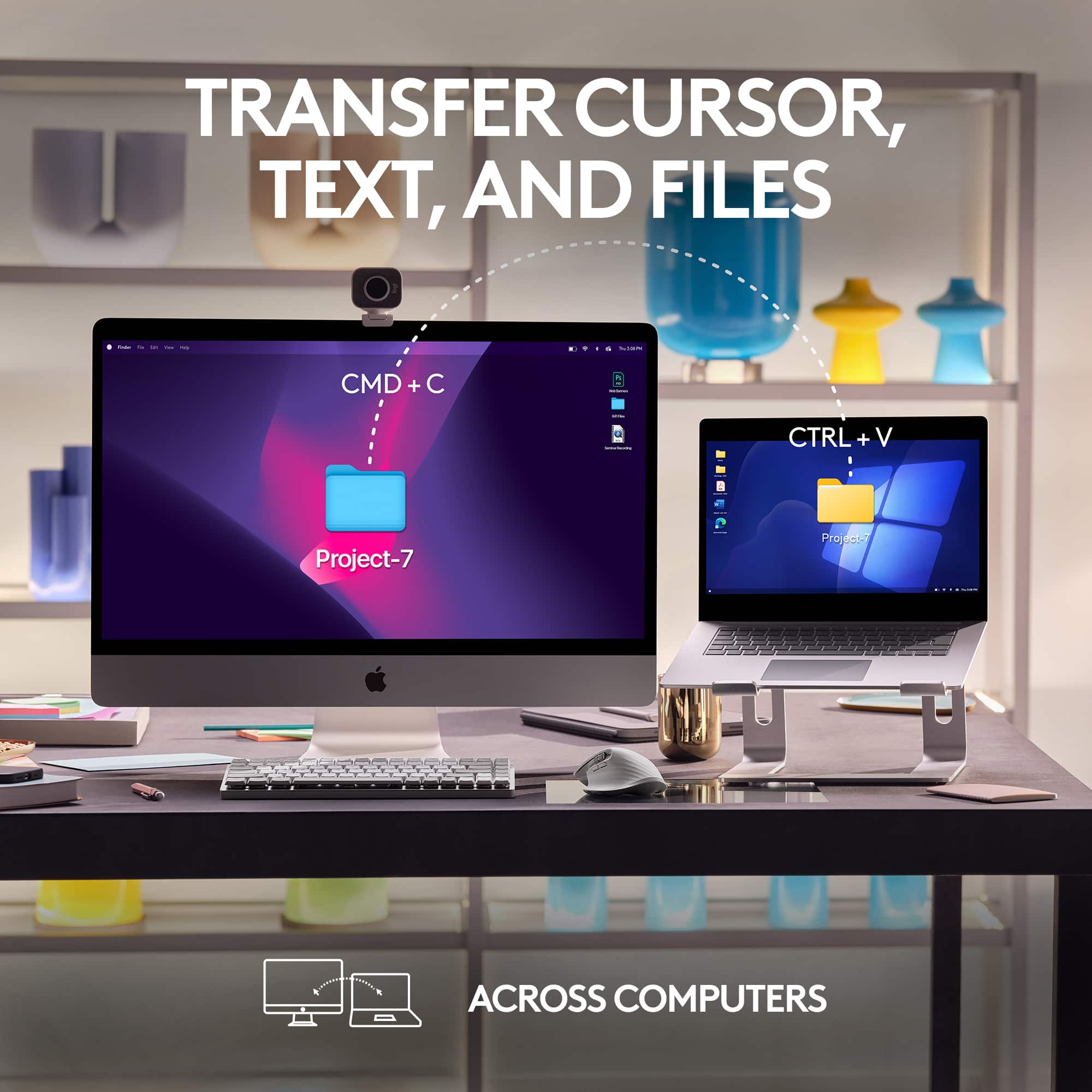
|Posted .This reviewer received promo considerations or sweepstakes entry for writing a review.I'm a fan of Logitech mice and we have several models in different computers through the house. The MX series are Logitech's premier line, and so the MX Master is their flagship. Other mice I normally use are the MX Anywhere 3 for portability and I also regularly use the MX Vertical which is an ergonomic version. The 'S' to me is for 'Silent': A distinctive new feature is that the main buttons on the mouse no longer make the 'Click' sound: They have the same satisfying tactile feedback, but they're almost silent. Another major difference with the previous model is that this supports the new 'Bolt' transceiver as Logitech seems to be phasing out the older 'Unifying' receiver. The reasons being that the Bolt transceivers use a newer Bluetooth standard and with higher radio encryption. Multiple keyboards and mice can be paired to a single Bolt receiver. This is the 'Mac' version of the mouse. The differences with the 'Non Mac' version are mostly cosmetic: The Mac version has a silver finish plastic on the base instead of being all black, the charging cable is USB-C to USB-C where on the general version is USB-C to USB-A, and most importantly, it does not come with the Bolt receiver, which it does come with the non-Mac version. The adapter can be bought separately, but I happen to have one already that came with a keyboard. A Mac will see the mouse as USB instead of Bluetooth when using the adapter, so the laptop works with it during the initial boot. So to the many features on this mouse: High DPI sensor is very smooth. I'm using it on a black table with no issues. It also works on glass, and the precision is adjustable up to an unheard of 8000 DPI (Recommended when using High-DPI displays). The sliding pads on this are very smooth, and it's easy to clean. Besides the main and left buttons that feature the silent click, clicking on the top wheel acts as a middle button. Then there is another button on the center body that's configured to control the wheel spin. On the left side there are two more function buttons below an horizontal wheel. And then there is a hidden gesture button on the thumb rest. While there is no software required to use the mouse, on macOS and Windows it's best to install the Logitech Option+ software that controls all the newer Logitech keyboards and mice, including the optional Bolt receiver. All the buttons and wheels are configurable and the software supports configurable actions per application (For example, side buttons can control Mic mute and video sharing on Zoom, or page navigation gestures on Word, etc. Both wheels are all metal, and the center wheel can be configured to ratchet, freewheel or automatically shift between ratcheting and freewheeling depending on the speed it's rotated. Internally the mouse uses magnets to control the ratcheting and one can feel when the mouse 'brakes' the wheel with its magnets. The gestures button is something that's taking me some time to get used to: One press on the rubber body of the mouse right where the thumb rests launches mission control. Holding the button while dragging the mouse down launches App Expose. Hold and left/right changes the virtual desktops. Ergonomics: It's a healthy middle-ground between the natural position of an ergonomic mouse but it's not flat. The angle on this mouse makes it easier to transition between the mouse and the keyboard, as the hand would rest in a similar angle. Battery: It's rechargeable, and it charges with a standard USB-C cable. The mouse can be used while charging, but the USB-C connector is for charging only. Multiple devices: Keyboards and mice in the MX series, this included, can be paired with three computers. The button on the base serves to switch between computer 1,2,3 or pairing. To make this simpler, if one plans on using two or three computers side-by-side, and the computers have the Logitech Options+ installed, an optional 'Flow' mode makes switching seamless once the mouse is dragged to the edge of the monitor. It also enables Copy/Paste and file transfer. The computers have to be on the same network, and also works between Windows and macOS. iPad: Basic mouse functionality works on iPads. No app needed. The extra buttons come with pre-defined navigation functions. Overall: It's as good as it gets. However I would've considered the standard MX Master 3S for the sole reason that it includes the bolt receiver, so it ends up being cheaper if one plans on using it. Also I don't have a strong preference with the base painted metallic gray. The standard All-Black also complements Mac hardware very well.
I would recommend this to a friend - Pros mentioned:Ergonomics, Scroll wheelCons mentioned:Size
Worth every penny
|Posted .This reviewer received promo considerations or sweepstakes entry for writing a review.Best mouse I've ever used period. I have only one negative thing to say about this mouse and even that isn't really that big a negative for me. This mouse is on the bigger side and heavier than most mouse. But truth is, I like weight. It feels sturdier and for me, makes moving the mouse more "precise"? LOL, I don't know if that's the correct term. The size makes it not as portable as some others, so putting it in a bag or briefcase could be a problem. Let's start off with feel. The palm and thumb rest has a really nice rubber feel while the main buttons feel like a flat plastic. I never felt uncomfortable using this even after long duration. I love how the buttons themselves don't make a loud clicking noise like my other mouses. The ergonomics is perfect for my medium size male hands. Covered my palms so it rested on the mouse, no fatigue even after long uses. Set-up was super easy on the mac like most mac accessories. The Logitech app is awesome and has so many options to configure this mouse. On the bottom of the mouse there is the on/off switch and a button for you to switch between 3 devices on this mouse. You can hook it up to 3 different device, awesome! The scroll wheel has a precise tactile click with every movement, but you can also press the center button to make the scroll wheel go into free spin mode. Great option when you have a lot to move through on a screen and want to move it quickly. And the real star of this mouse for me is where the thumb rest. You have the normal back and forth button and a cool horizontal scroll wheel. At first, I was worried that the scroll wheel would get in the way of the back and forward button and vise versa, but that never really happened. There's also a button right where your thumb rest that can be programmed for anything you need. That button takes a firm press to activate so you never have to worry about pressing it by mistake. And the most impressive thing so far, this mouse works on so many surfaces. As you can see in my picture, I actually use the mouse on my sofa. Ha, that is so cool. I highly highly recommend this mouse
I would recommend this to a friend - Pros mentioned:Ergonomics
An Updated Flagship
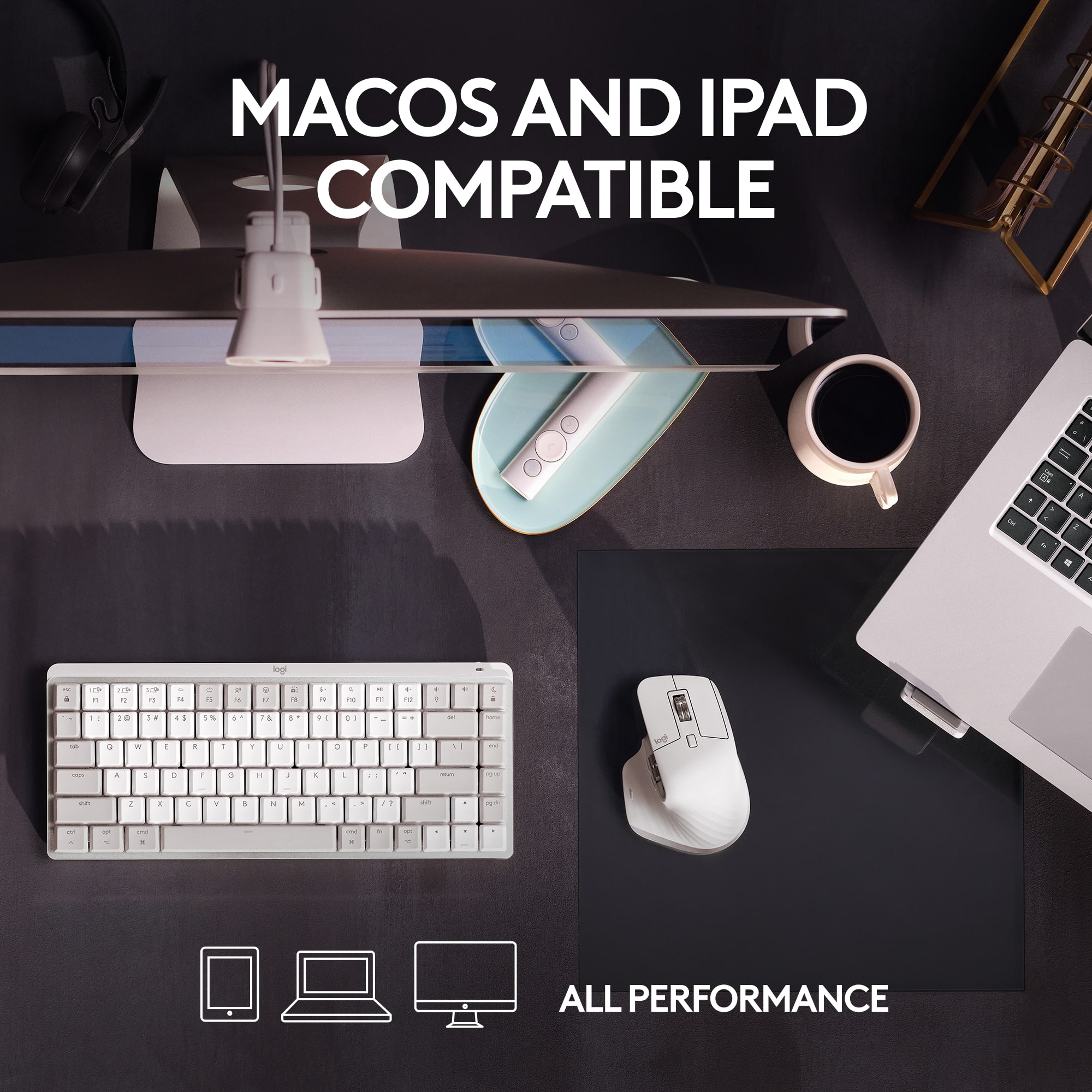
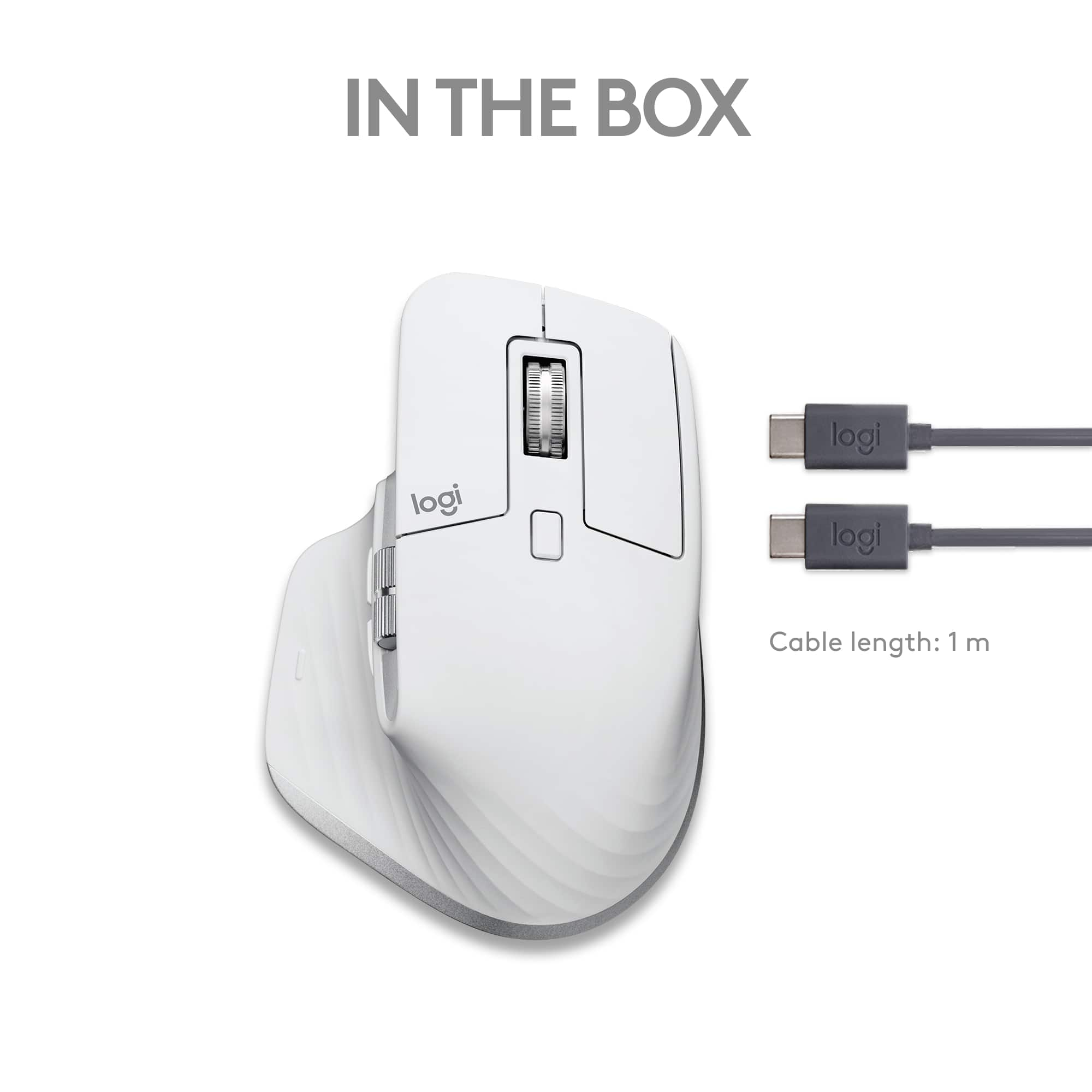
|Posted .This reviewer received promo considerations or sweepstakes entry for writing a review.I'm a (very) satisfied user of a Logitech MX Master 3. It has a comfortable design, premium fit-and-finish, and lots of features (when used with Logitech's companion software). Plus… I still the think the MagSpeed wheel is really cool. Logitech has since released an updated version, the Master 3S, which comes in a "regular" version as well as this "For Mac" edition. The Master 3S basically avoids messing with perfection. It carries forward all the great things from the original Master 3, while adding some improvements that (in my opinion) do not significantly alter the experience of using it compared to the Master 3. One improvement - a higher-resolution, 8000 DPI sensor - was not a remarkable upgrade for me personally. But another improvement - quieter buttons - is definitely noticeable. I was happy with the feel and sound of the Master 3 buttons, but I will admit that the buttons on the Master 3S just feel a little more damped. Personally, I think it lends an slightly more "premium" feeling to the Master 3S. (Of course, when I talk about a great design for this mouse, I speak as a right-handed mouse user. If you prefer using a mouse with your left hand, the Master 3S also has the same, completely right-hand-oriented design that is likely an instant deal-breaker.) The "For Mac" edition of the Master 3S is really just a marketing ploy. The mouse itself is physically identical, except that you can get it in some "exclusive" colors that seem intended to complement the typical light- and dark-gray finishes of Apple's devices. Since this is one of the main selling points of this edition, I've attached a picture of a Space Gray Master 3s next to both a Space Gray and Silver MacBook Pro. It looks fine, but in my opinion, the "basic" Master 3S colors seem like they'd complement just as well. (The color scheme might be a bigger selling point of the "For Mac" edition if Logitech was color matching the array of M1 iMac colors, or at least some of Apple's more recent shades like Midnight and Starlight.) In addition to the color, the included USB cable (for charging the Master 3S) has a USB Type-C connector on both ends (instead of one Type-A and one Type-C), and there is also no USB Type-A dongle included. I don't mind the cable choice, and I guess I understand that logic behind leaving out the dongle when the mouse is being marketed to Mac (and iPad/iPhone) users (since Bluetooth availability can basically be assumed, and not all Macs even have Type-A ports). However, one of the great features of the Logitech MX series is the ability to easily use the device with multiple computers, regardless of OS. The Master 3S is no different in that regard, so for someone that may want to pair it someday with a non-Apple computer that has no Bluetooth, a dongle will need to be purchased separately. (I'll also note that the Master 3S now uses the newer "Logi Bolt" dongle, instead of the older "Unifying" dongle that Logitech used for years. Since I didn't get a Logi Bolt dongle, I can't say whether it's a change for the better or not - but it's a little bit of a bummer to lose backwards compatibility when I have several of the older Unifying receivers already.) In all other respects, the "For Mac" edition operates identically to the "standard" version. If you like one of the "For Mac" color schemes, you also shouldn't be afraid to buy one to use with a PC (so long as you have Bluetooth, and either a USB Type-C port for charging or a spare Type-A/Type-C cable). The price has remained the same from the Master 3 to the Master 3S (which is not insignificant in light of economic inflation between the product launches.) It's still very much a premium price tag, but if you'll use it daily, I think it can be justified. I have used my Master 3 daily since I got it, and it's held up quite well (even the soft-touch finish, which I usually find to wear away quickly on my mice). I have no reason to expect otherwise with the Master 3S, which I'll likely also use daily now (and now bring my Master 3 to use while at work).
I would recommend this to a friend - Pros mentioned:Battery life, Ergonomics, Scroll wheel
Excellent Mouse for Mac Productivity
|Posted .This reviewer received promo considerations or sweepstakes entry for writing a review.The Logitech MX Master 3S for Mac is my new favorite mouse for productivity. The ergonomics are great, and I really like the vertical and horizontal scroll wheels. I can easily scroll through 1 line of code or hundreds in VS Code as the scroll wheel will transition from having precise 1-line resistance to completely freewheeling based on how fast you move it. The horizontal scroll doesn’t offer the same feature as it’s just a single speed but it’s smooth and works well especially for those crazy big Excel sheets. My absolute favorite feature is the customizable gesture button which you may not even realize is there, but you can press it and move the mouse up, down, left, or right to do various tasks. I have mine set up to open Mission Control, Launchpad, App Expose, or move to the left or right desktop. Yes, the “magic” mouse that Macs come with has this same functionality through multitouch gestures but it’s in a very thin and light package that my bigger hands have never gotten used to when working. The 3S works well and it's very hard to accidentally trigger a gesture unintentionally. Both the button clicks and scroll wheels are near silent, perfect for an office. The 8K DPI sensor tracks well on my high resolution 4K monitors. This mouse is customizable with the Logi Options+ software. You can remap all the buttons including the gestures, as well as adjust scrolling behavior, and set up Logi Flow which I’ll get to below. There is per-application configuration, and some will be setup for you automatically such as in Photoshop, where the back button becomes undo and forward turns into redo. On Chrome or Safari for example, the horizontal scroll wheel moves between tabs. You can of course customize the application specific configurations as well as create your own for applications that don’t have an out of the box configuration. This mouse doesn’t come with a Logitech Bolt receiver like the Windows MX 3S does but I’m not sure if it’s even needed. I haven’t had any issues using the Bluetooth technology with my Mac or iPad. In addition, you can pair up to three different devices and switch instantly with a button on the bottom of the mouse. The only downside I could find is maybe specific to me and anyone who is using Apple’s Universal Control which allows you to seamlessly work between multiple Apple devices using the same mouse and keyboard. I use a Mac and an iPad Pro and have been using Universal Control since it was in beta nearly a year ago. It has worked fine except for with this mouse. When paired to my Mac, and moving over to the iPad, I cannot scroll with either wheel as the Logi Options+ software is still “owning” the scrolling functions. If I uninstall Options+ then Universal Control works but I lose access to the gestures, customization, and other benefits of having it installed. So frustratingly, it’s a software problem, not hardware. As of today it's still an issue, although Logitech claims to support Universal Control since an April 2022 release of Options+. Logitech provides a feature with this mouse called Logi Flow which does something like Universal Control but unfortunately it only supports Windows and Mac, not iOS. Another thing I should note is that although the box says it supports iPad there is no software available so it would be the same as not having Options+ installed. No button customization or gestures, however, standard scrolling both horizontal and vertical works on iOS. Pros Bluetooth Wireless Great Ergonomics Electromagnetic Scrolling Wheel Horizontal Scroll Wheel Customizable Gesture Buttons Application Specific Customization Long battery life Quiet clicks Cons: Right hand only No Software support for iPad Universal Control support Overall – it's a fantastic mouse for my daily work use except for the Universal Control issue but hopefully that gets fixed soon.
I would recommend this to a friend - Pros mentioned:Battery life, Ergonomics, Scroll wheel
Unleash Your Productivity
||Posted . Owned for 3 weeks when reviewed.This reviewer received promo considerations or sweepstakes entry for writing a review.The Logitech MX Master 3S for Mac is a productivity powerhouse that deserves all the praise. Here's why I highly recommend this exceptional mouse: Superior Performance: The MX Master 3S offers precise tracking and lightning-fast scrolling that enhances productivity. The Darkfield™ sensor works flawlessly on any surface, including glass, making it extremely versatile. It glides effortlessly, ensuring smooth and accurate cursor control for both work and creative tasks. Ergonomic Design: Logitech has perfected the ergonomic design of the MX Master 3S. It fits comfortably in the hand, providing excellent support during long hours of use. The contoured shape and thumb rest alleviate any strain, allowing for a more natural grip. Working with this mouse feels comfortable and effortless. Customizability at Its Best: With programmable buttons and gestures, the MX Master 3S empowers you to personalize your workflow. The Logitech Options software allows for easy customization, enabling you to assign functions, shortcuts, and macros to the buttons. It adapts to your specific needs, making tasks more efficient and saving precious time. Multi-Device Connectivity: Seamlessly switch between multiple devices with the MX Master 3S. The mouse can connect via Bluetooth or the included USB receiver, ensuring a reliable and stable connection. It effortlessly transitions between your Mac, iPad, and even Windows devices, enabling effortless multitasking. Impressive Battery Life: The MX Master 3S boasts an exceptional battery life that keeps you going for weeks on end. It eliminates the hassle of frequent recharging, allowing you to focus on your work without interruptions. When it's time to recharge, the USB-C port ensures fast and convenient charging. Premium Build Quality: The MX Master 3S exudes quality with its premium construction. The sleek design, durable materials, and attention to detail make it a joy to use and a true statement piece on your desk. Logitech has crafted a mouse that not only performs exceptionally but also looks and feels luxurious. In conclusion, the Logitech MX Master 3S for Mac is a top-notch mouse that enhances productivity and comfort. Its superior performance, ergonomic design, customizability, multi-device connectivity, impressive battery life, and premium build quality make it a must-have for Mac users. Whether you're a professional, creative, or casual user, this mouse is a game-changer. I highly recommend it for anyone looking to unleash their productivity to new heights.
I would recommend this to a friend - Pros mentioned:Battery life, Ergonomics
One of the Greatest Mac Mice Around Gets Better
|Posted .This reviewer received promo considerations or sweepstakes entry for writing a review.Pros: * Great ergonomic feel * Excellent button layout * Matches Apple hardware Space Grey * 3 Bluetooth profiles for pairing to multiple devices * Works on any platform (Windows, MacOS, ChromeOS, Android, iOS, iPadOS) * Uses the new Options + software * 2 scrolling modes, one for more precision (clicks when you scroll) and a smoother constant scroll * pre-defined button settings for mac (this is why it's a "mac edition") but these can also be changed * Buttons be edited to * USB C to charge * USB A dongle cuts down on the wireless lag you get from Bluetooth and instead, uses proprietary and less interference 2.4ghz * Quiet mouse clicks * Nice high 8000 DPI sensor for precision tracking Cons: * Bluetooth is laggy. While this isn't fault of the logi mouse specifically, it is a flaw in the technology used. Thankfully, they supply a 2.4ghz dongle, which, should be used whenever possible. * "Mac Edition" is simply marketing. Sure this has "presets for mac" but these could be set, and changed, so this is really just more "out of the box" configured. Seems like a very, very long stretch to have justified making this some secondary edition compared to the primary edition. * No dongle storage on the mouse itself. It would be nice to have added this so when travelling, you have a place to keep the dongle so it doesn't get lost. * This mouse is made exclusively for right hand use only. If you are left handed, you either have to use this in your right hand, or, chose another option entirely. Bottom Line: Logitech has consistently produced a top tier wireless mouse with the MX series. This new MX3s keeps refining a great all around mouse. The S has added the excellent Option+ software, an even better high DPI sensor (great for 5k displays) and stellar battery life. This is hands down one of the best mouse options for mac and also a top contender in the PC space. Content professionals (who are likely a target audience for Macs anyway) will specifically enjoy all the customization features, higher precision, and comfortable ergonomics. All in all, this mouse should be on anyone's consideration when shopping for a wireless mouse for use on their mac, or, multi-device setups.
I would recommend this to a friend - Pros mentioned:Battery life, Ergonomics, Scroll wheel
The Best Creative Mouse Made Better
||Posted . Owned for 3 weeks when reviewed.This reviewer received promo considerations or sweepstakes entry for writing a review.If you are a creative, I believe the only reason not to get this mouse is if you prefer a trackball. This has been my favorite conventional mouse for both 2D and 3D design work. I have owned every version of the MX Master since it was introduced, and there are several improvements in this version I really enjoy. One is the doubled resolution (from 400 to 800 dpi). The reduced sound of clicks is also nice. Scroll Wheel One of my favorite features is the weighted wheel that lets you switch between incremental or free-spinning scrolling. You can also set it to a hybrid mode which switches from incremental to free when you give the wheel a harder spin. The threshold for this switch can also be adjusted in the Logitech software. Gesture Buttons Controlling media, windows, and other things becomes very intuitive and quick with gestures. Horizontal Scroll Wheel The ability to scroll horizontally independent of the vertical scroll wheel makes 3D navigation more enjoyable. It also makes a huge difference when editing video and audio. Ergonomics I prefer the ergonomics of the MX Master over any other conventional mouse I’ve used. Battery Life This mouse lasts a lot longer than you would expect it to and also works while charging. Conclusion Logitech made a solid improvement on a mouse that was already the best (conventional) option for creative workflows.
I would recommend this to a friend