Customer Ratings & Reviews







- Model:
- 910-006570
- SKU:
- 6516288
Rating by feature
- Value
Rating 4.6 out of 5 stars
- Quality
Rating 4.9 out of 5 stars
- Ease of Use
Rating 4.8 out of 5 stars
Customers are saying
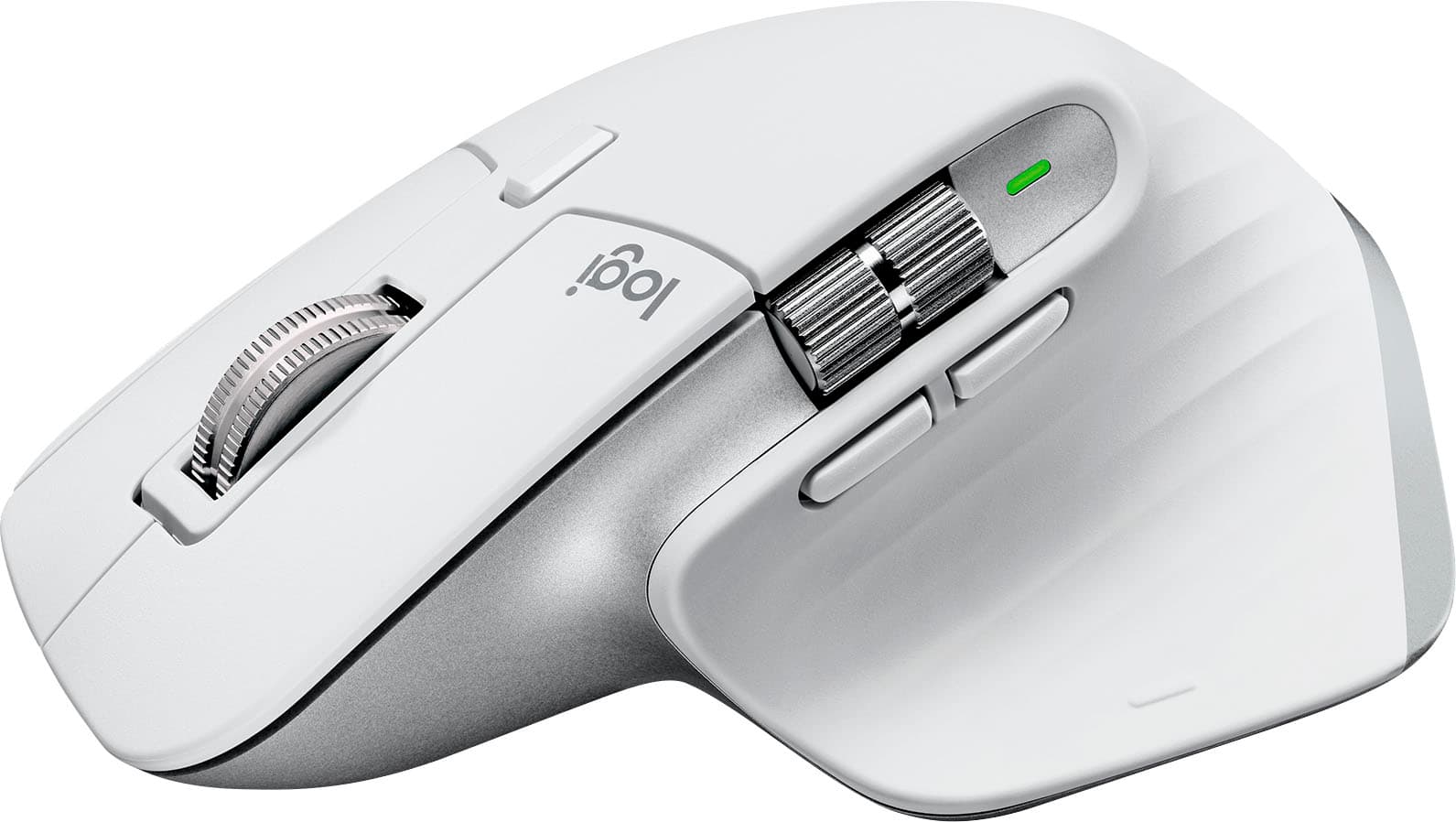
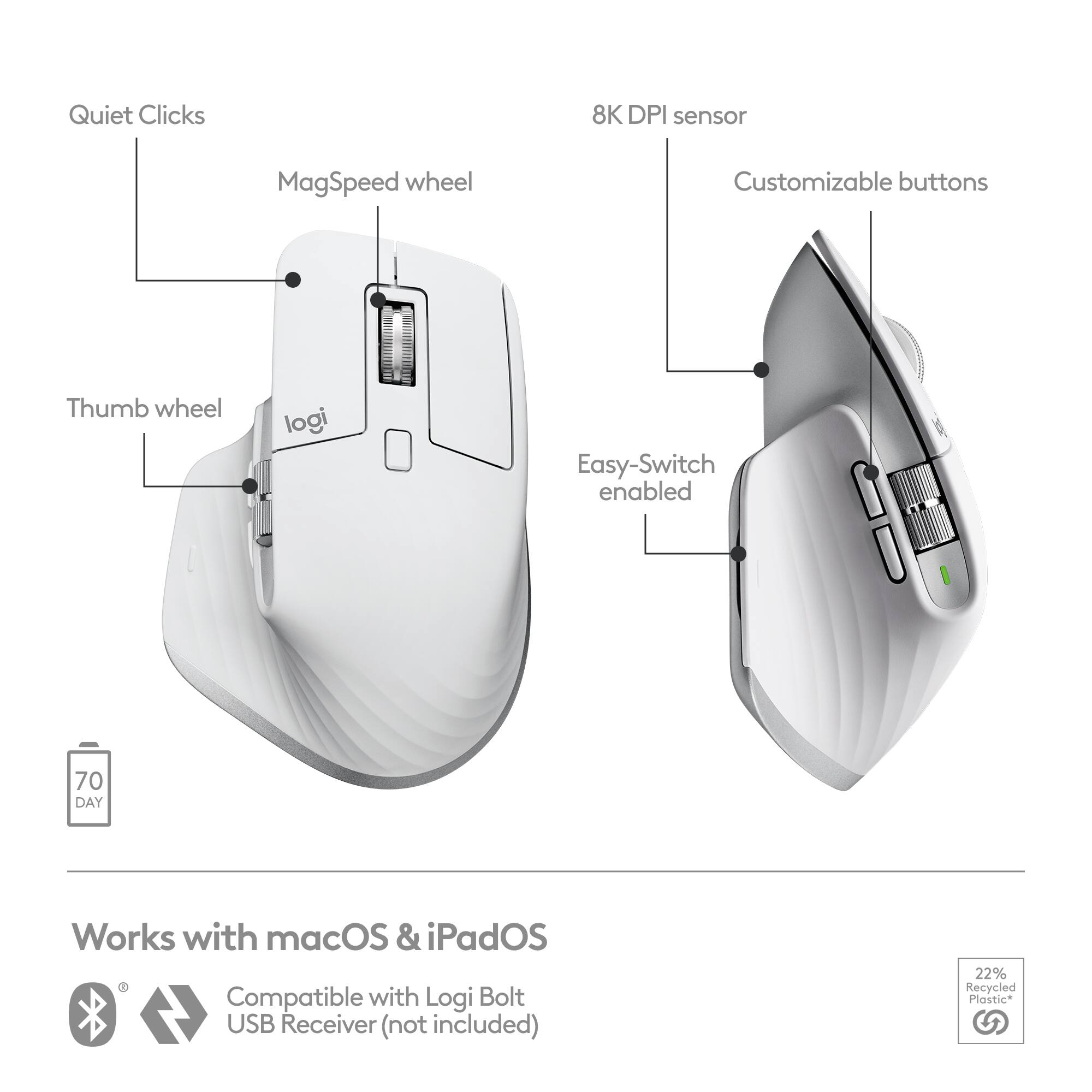
Customers are pleased with the MX Master 3S for Mac, highlighting its excellent ergonomics, long battery life, and smooth scroll wheel functionality. Users also appreciate its overall performance with Macs, ease of use, and seamless compatibility with macOS gestures. Some customers have noted the mouse's larger size and weight, while others have reported concerns regarding the software and occasional lag.
This summary was generated by AI based on customer reviews.
- Pros mentioned:Overall performance
Awesome mouse for Macbook Pro
||Posted . Owned for 1 month when reviewed.This reviewer received promo considerations or sweepstakes entry for writing a review.The Logitec MX-3S for mac. The mouse works flawlessly, the keys are easy to program. The setup with the Apple Macbook Pro was super simple via bluetooth. The Logitec software interacts well with this the mouse and Macbook. I bought the same mouse for Windows for my office i liked it so much. Great buy!
I would recommend this to a friendBrand response from Logitech
Posted .It's truly wonderful to hear how flawlessly it's performing for you, from the smooth key programming to the super simple Bluetooth setup with your Apple MacBook Pro. We're especially chuffed that our software is playing nice with both the mouse and your Mac. Knowing you liked it so much you bought another one for your Windows office setup is the ultimate compliment! Enjoy both your MX Master 3S mice!

- Pros mentioned:Ease of use, Ergonomics
My favorite mouse ever!
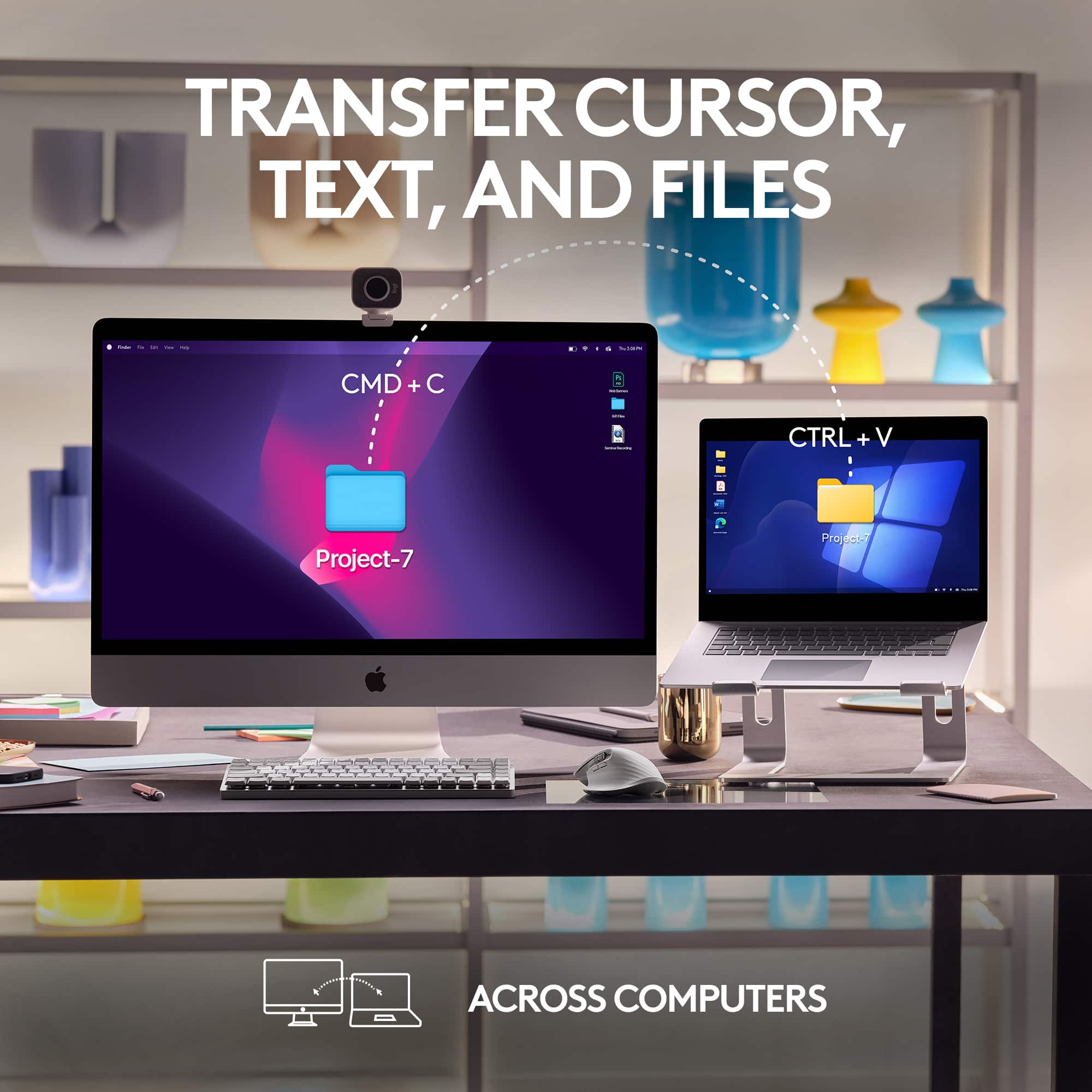
||Posted . Owned for 4 months when reviewed.This reviewer received promo considerations or sweepstakes entry for writing a review.I love this mouse! It is so comfortable to use and very reliable. I love that I can use it with multiple devices. I would personally prefer for the device switching button to be somewhere other than the bottom of the device as I frequently switch between my iPad and my MacBook. I would also like for the battery to last a smidge longer. While I did knock a star off for these complaints, I do feel that they are very minor and will not bother the average user. I've tried many computer mice and this is by far my favorite due to its comfortable ergonomics, multiple function buttons/scroll wheels, and ease of use and setup. To note, I do consider myself a power user as I am a heavy user for media (photography mostly) switching through many applications and multiple devices throughout my day. I think this mouse is an easy five star for your everyday user.
I would recommend this to a friendBrand response from Logitech
Posted .Thank you for your detailed review of the Logitech - MX Master 3S. We appreciate your feedback on the device switching button and battery life. We'll consider your suggestions for future product improvements. We're glad you enjoy the mouse's ergonomics and features.
- Pros mentioned:Battery life, Scroll wheel
Great Business Mouse
||Posted . Owned for 1 month when reviewed.This reviewer received promo considerations or sweepstakes entry for writing a review.I have used many different mice. From the original 2013 rendition of the FinalMouse, to being one of the first adopters of the G Pro Superlight. Safe to say I have a particular taste in mice. So when the time came to get a mouse specifically for my new IT job, i picked up this bad boy since Logitech has been my go to as of recent. Talk about incredible! I have had it for 3 months now and it hasnt dropped below 50% battery, its light enough to use for 6-8 hours continuously with no issues, and i particularly like the vertical scroll wheel as it makes my asset management that much easier! If your looking for a mouse for business, particularly a lot of Office 365 work, this one right here is the best of the best!
I would recommend this to a friend - Pros mentioned:Ergonomics, Scroll wheel
Best mouse out there
||Posted . Owned for 2 weeks when reviewed.This reviewer received promo considerations or sweepstakes entry for writing a review.The mouse is amazing and because of the economic shape, it is comfortable for the hand and the wrist for extended use, and it has some nice features like the infinite scrolling.
I would recommend this to a friendBrand response from Logitech
Posted .Thank you so much for your wonderful feedback on the Logitech - MX Master 3S! We’re thrilled to know it’s meeting your expectations. Your support means a lot to us. We appreciate you taking the time to share your thoughts and help us improve our products.
- Pros mentioned:Battery life, Scroll wheel
Worth every penny!
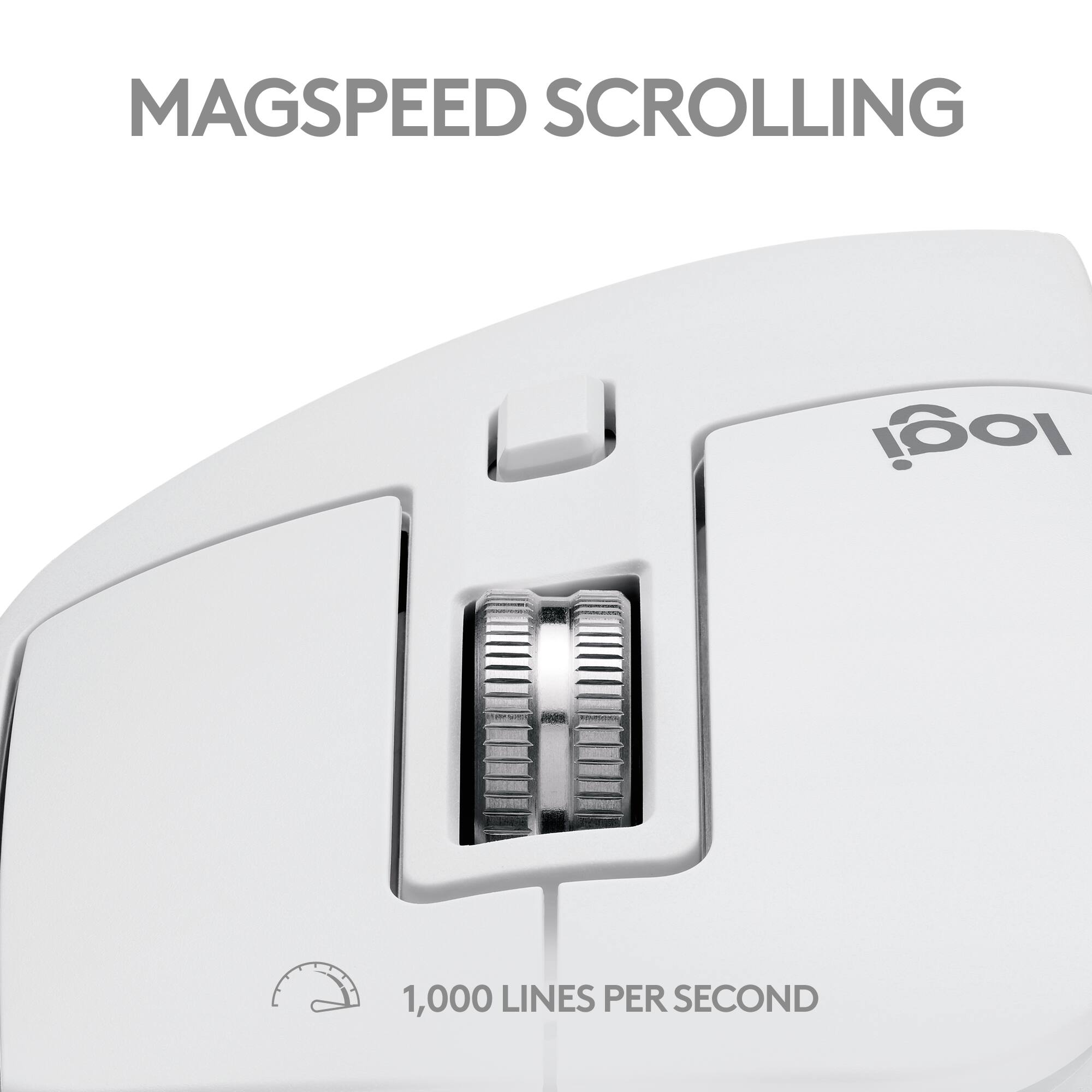
||Posted . Owned for 1 month when reviewed.This reviewer received promo considerations or sweepstakes entry for writing a review.I LOVE this mouse. The ergonomic design is better than any I've tried before. I use it on a glass desktop without a mouse pad, and it actually WORKS perfectly! The buttons click just right, and i never get a false click. I use this with my MacBook Pro and it is great for Illustrator. When browsing the web, the scroll wheel senses when I scroll fast, and it releases to allow free spin until I stop, then it returns to clicking. I've charged the battery once when i first got the mouse, about a month ago, and it is still showing 2/3 full on my Mac desktop widget. I have no complaints about this mouse!
I would recommend this to a friend - Pros mentioned:Battery life, Ergonomics
Comfortable and long battery life.
||Posted . Owned for 1.5 years when reviewed.This reviewer received promo considerations or sweepstakes entry for writing a review.This mouse fit my hand, easy to use, and the battery will last a very long time without needing to be recharged. The battery is rechargeable and can be used while charging.
I would recommend this to a friendBrand response from Logitech
Posted .Thanks for the great feedback! We're glad the MX Master 3S delivers the control and solid feel you were looking for. It’s designed to fit comfortably and perform smoothly, so it’s awesome to hear it’s hitting the mark. Enjoy every click!
- Pros mentioned:Battery life
Top notch production mouse
||Posted . Owned for 8 months when reviewed.This reviewer received promo considerations or sweepstakes entry for writing a review.Bought to replace an older model which was beginning to show its age. This is a fantastic upgrade. The quiet clicks are a huge improvement. No more incessant clicking noises. Very reliable and the battery lasts quite a while while easily recharging with a USB-C cable. Mistakenly bought this Mac version to use with Windows but it doesn't not matter. Works fine.
I would recommend this to a friend Good product
||Posted . Owned for 2 months when reviewed.This reviewer received promo considerations or sweepstakes entry for writing a review.The Logitech mouse is renowned for its ergonomic design, ensuring comfort during long periods of use. Its precision tracking technology provides smooth and accurate cursor movement, enhancing productivity and gaming experiences. The battery life is impressively long-lasting, reducing the hassle of frequent replacements or charges. While it may come at a premium price, the durability and reliability justify the investment. A minor drawback is its software, which can be complex for new users. Overall, it's a top-tier choice for both professional and casual users.
I would recommend this to a friend- Pros mentioned:Battery life
AMAZING MOUSE
||Posted .This reviewer received promo considerations or sweepstakes entry for writing a review.This mouse is something else! Its so light and helps with my productivity. The ease of connectivity and being able to switch between multiple devices quickly is a game changer. The battery life is out of this world...I only have to charge it about once a month sometimes every other.
I would recommend this to a friendBrand response from Logitech
Posted .Thank you for sharing such positive feedback on the MX Master 3S for Mac! It's fantastic to hear how its lightweight design, seamless multi-device switching, and exceptional battery life are boosting your productivity. We appreciate you highlighting these key benefits.
- Pros mentioned:Battery life, Scroll wheel
Improvement over the 2S, this feels more premium.
||Posted . Owned for 3 weeks when reviewed.This reviewer received promo considerations or sweepstakes entry for writing a review.I think I liked my 2S better, but I really can't complain about the 3S. PROS: - I was able to get almost a full month on a single charge with daily use (8-9hrs 5x work days, a few hours on the weekends). - Just as comfortable as the 2S. I like the metal scroll wheels since they don't collect "gunk" and get sticky. - Bluetooth switching is seamless and feels faster than the 2S. I've only used two macOS laptops though, so I can't comment on the Windows Bluetooth performance CONS: - The scrolling doesn't feel as smooth as the previous 2S mouse.
I would recommend this to a friendBrand response from Logitech
Posted .Thank you for your detailed feedback on the MX Master 3S. We appreciate your insights into the battery life, comfort, and Bluetooth performance. It's helpful to know that the 3S offers improvements in certain areas while maintaining the comfort of the 2S.
- Pros mentioned:Battery life, Ergonomics
Love it
||Posted . Owned for less than 1 week when reviewed.This reviewer received promo considerations or sweepstakes entry for writing a review.I purchased this mouse to scroll charts as I am a trader overall the Logitech MX Master 3S is an exceptional wireless mouse that truly raises the bar for productivity. Its ergonomic design ensures comfortable usage even during long work sessions. The precision and customizable buttons make it perfect for professionals and creative tasks. The impressive battery life and quick recharging are a big plus. It seamlessly connects to multiple devices, streamlining workflow. Overall, the MX Master 3S is a top-tier mouse for those who demand efficiency and versatility and highly recommend..
I would recommend this to a friend - Pros mentioned:Ergonomics, Scroll wheel
Mouse
||Posted . Owned for 2 months when reviewed.This reviewer received promo considerations or sweepstakes entry for writing a review.I recently got the Logitech MX Master 3S for Mac, and it’s fantastic. The ergonomic design is super comfortable, the MagSpeed scroll wheel is smooth, and the precision tracking works perfectly on any surface. It’s a bit pricey, but the customizable buttons and seamless macOS integration make it worth it. Highly recommend for anyone looking to boost productivity!
I would recommend this to a friendBrand response from Logitech
Posted .We're thrilled to hear that you're loving the Logitech MX Master 3S for Mac! Your positive feedback about its ergonomic design, performance, and macOS integration is fantastic. We're glad it's enhancing your productivity. Thank you for choosing Logitech!
- Pros mentioned:Battery life
Give it a try! I’m sold!
||Posted . Owned for 4 months when reviewed.This reviewer received promo considerations or sweepstakes entry for writing a review.Love this mouse. Fits nice into my hand and pairs well with my Mac. Very customizable. Can use for hours at a time when editing video with no problem. I recommend this buy.
I would recommend this to a friend - Pros mentioned:Battery life
Great update
||Posted . Owned for 2 weeks when reviewed.This reviewer received promo considerations or sweepstakes entry for writing a review.This is an iterative update on the original MX master mouse, which I’ve had series one and series 2. This mouse seems more sensitive and seems to hold its connection to the computer better. Battery life is good, comfortable to use.
I would recommend this to a friendBrand response from Logitech
Posted .That's excellent to hear you're finding the Logitech MX Master 3S for Mac to be a great iterative update from your previous MX Master series mice! It sounds like the increased sensitivity and improved connection stability are significant enhancements for your workflow. It's also great to know the battery life and comfort are still top-notch. Enjoy the upgraded experience!
Very comfortable and quiet mouse
||Posted . Owned for more than 2 years when reviewed.This reviewer received promo considerations or sweepstakes entry for writing a review.I was dealing with a crappy apple mouse for so many years that it just started hurting my hand Let's not talk about the charging port design. Since I've had this Logitech mouse, I've had no issues in my hand. It's very extremely comfortable due to the natural resting place of your thumb. You can connect it to to 3 devices at once and press the button to toggle through so it's on multiple computers. I forgot to mention how great the clicking feels and how quiet it is
I would recommend this to a friend- Pros mentioned:Overall performance
Great mouse
||Posted . Owned for 8 months when reviewed.This reviewer received promo considerations or sweepstakes entry for writing a review.Overall great mouse, really like the ability to connect to multiple devices and alternate between with one button.
I would recommend this to a friendBrand response from Logitech
Posted .Thank you for the wonderful review! We're thrilled to hear you're enjoying the MX Master 3S and especially appreciate your feedback on the multi-device connectivity feature. It's designed to make your workflow seamless. We're glad it's working well for you!
Good replacement
Posted .This reviewer received promo considerations or sweepstakes entry for writing a review.Old mouse died and bought this as a replacement. Really like how smooth it glides and the Bluetooth connection. Charging was also pretty quick, really happy with this.
I would recommend this to a friendBrand response from Logitech
Posted .Hi, Good day! Sounds like the MX Master 3S for Mac is a great replacement! We're glad you find it smooth, easy to connect with Bluetooth, and charges quickly. Those are all important features for a productive workflow. Thanks for letting us know about your positive experience!
- Pros mentioned:Ease of use
Best mouse in the world
||Posted . Owned for 1 month when reviewed.This reviewer received promo considerations or sweepstakes entry for writing a review.Lose any other thp of mouse you have. This is the only one you will ever need or want. I know its tough taking someones word online over feeling something like a mouse, but I just know the best product for everywhen i see it. It is expensive and they dont put it on sale much, ever. They dont put it on sale because everyone that is in control of sales knows there is no better mouse. Now you know. For real though, dont worry, small hands, big hands, this mouse is right for you. Good for gaming? Okay, check this out. I learned over ten years ago when I started undergrad college that gaming peripheral’s are mostly junk. Even the $100+ peripheral’s are mostly junk. Dont get me wrong, there are good ones, but it is only few and good luck because marketing might get the better of you a few times over before you find a good one. Computer office industry is much older than any kind of professional computer gaming industry. That is many many more years to innovate products meant for people to use. Things like carpal tunnel syndrome would have been thought of for the office line of peripherals. Anyway, i tried to help you. What about the clicking a million tines over? Does it work on an office mouse for gaming? Yes, yes, yes. Better, better, better. Gaming mice audible clicking is another marketing tool. Good luck and enjoy. If you cant afford this mouse then get the triathlon. I had that in college and never thought I needed anything better. I wish I prioritized a more expensive mouse, much sooner in life.
I would recommend this to a friendBrand response from Logitech
Posted .Wow, that's a strong endorsement of the MX Master 3S! Your passion for the product is evident. We appreciate your insights on gaming peripherals vs. office-focused tools. It's clear you've found the perfect mouse for your needs. Thanks for sharing your experience!
- Pros mentioned:Ergonomics, Scroll wheel
Great mouse for the newer Mac user
||Posted . Owned for 3 weeks when reviewed.This reviewer received promo considerations or sweepstakes entry for writing a review.Love this mic. It’s perfect for video editing as the side track wheel allows you scan horizontally across video timelines. Love the soft clicks and the semi ergo design.
I would recommend this to a friendBrand response from Logitech
Posted .We're so glad to hear you love the MX Master 3S for Mac! It's fantastic that the side track wheel is perfect for your video editing, and that you appreciate the soft clicks and ergonomic design. Thank you for sharing your positive experience!
Buy it. Solid Choice
Posted .This reviewer received promo considerations or sweepstakes entry for writing a review.I believe this is an excellent all-around mouse for mac. It's quick and nifty with reasonable customizable options. The shortcuts are awesome, you can change them if you want. However, I must be honest about the ergonomics of this mouse. it's pretty decent but nothing revolutionary or earth-shattering compared to most mice on the market it's one of the top choices for daily use or work and stuff but if you are looking to game you might want to explore other options. If you are hesitant about buying this please don't be this is a solid purchase.
I would recommend this to a friendBrand response from Logitech
Posted .Thanks for this fantastic review of the MX Master 3S for Mac! It sounds like you're a big fan of its speed, customizability, and shortcut options - a true all-arounder for Mac users. We appreciate the honest feedback about ergonomics - while it may not be revolutionary, it excels for daily use and work.