Customer Ratings & Reviews




- Model:
- 910-006569
- SKU:
- 10732324
Rating by feature
- Value
Rating 4.6 out of 5 stars
- Quality
Rating 4.9 out of 5 stars
- Ease of Use
Rating 4.8 out of 5 stars
- Pros mentioned:Battery life, Ergonomics, Scroll wheel

Logitech MX Master 3s for Mac Has NO RIVAL - NONE
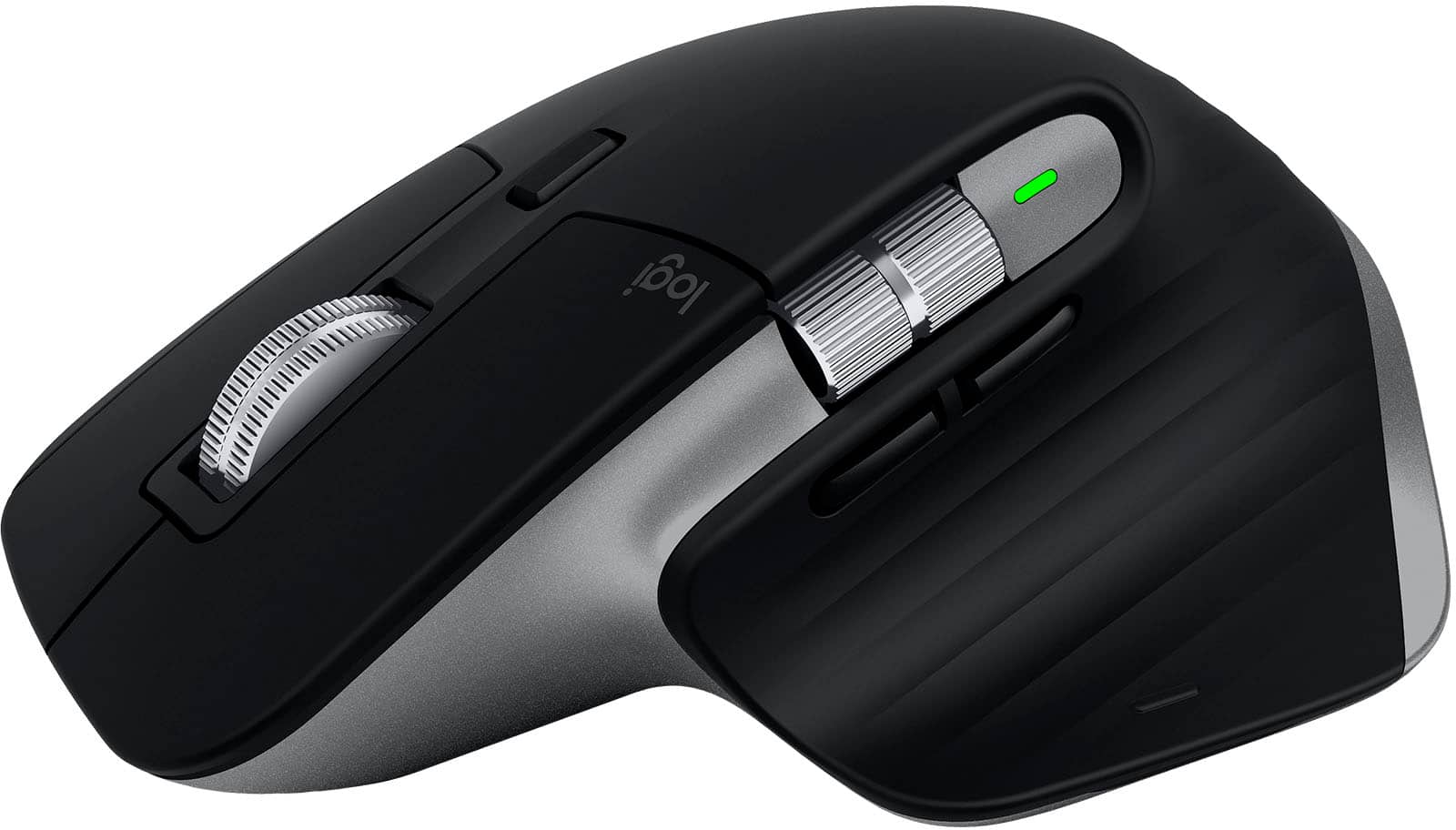
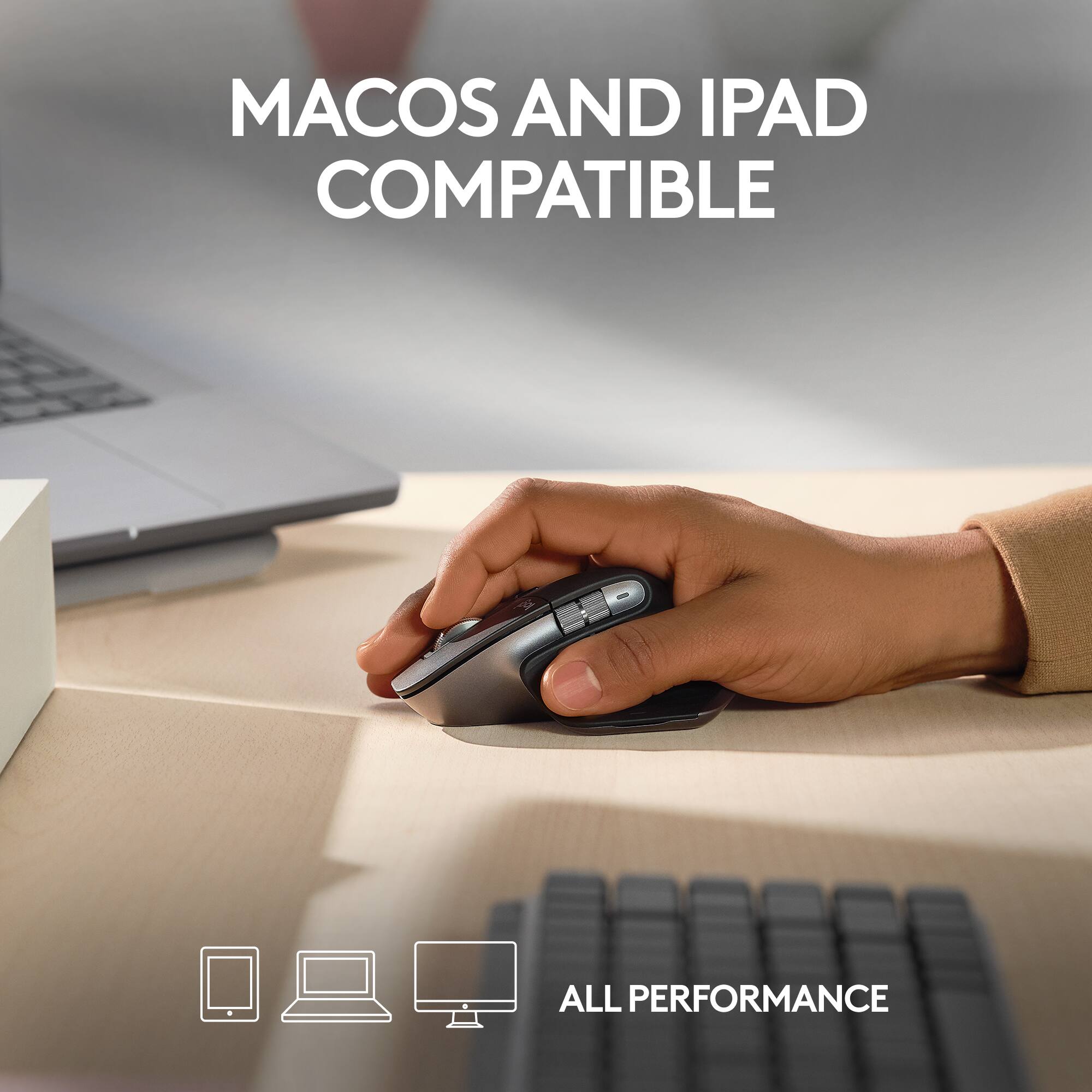
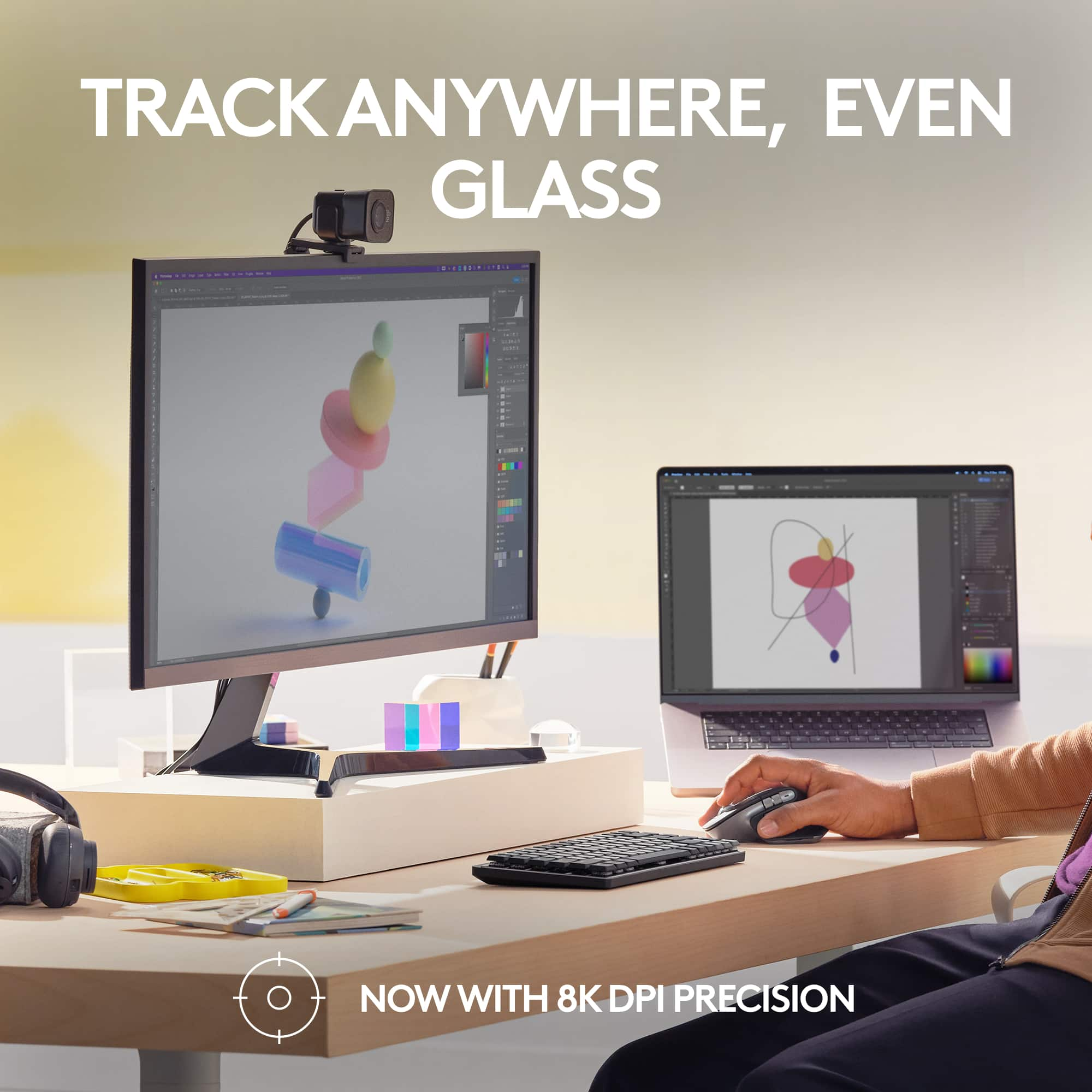
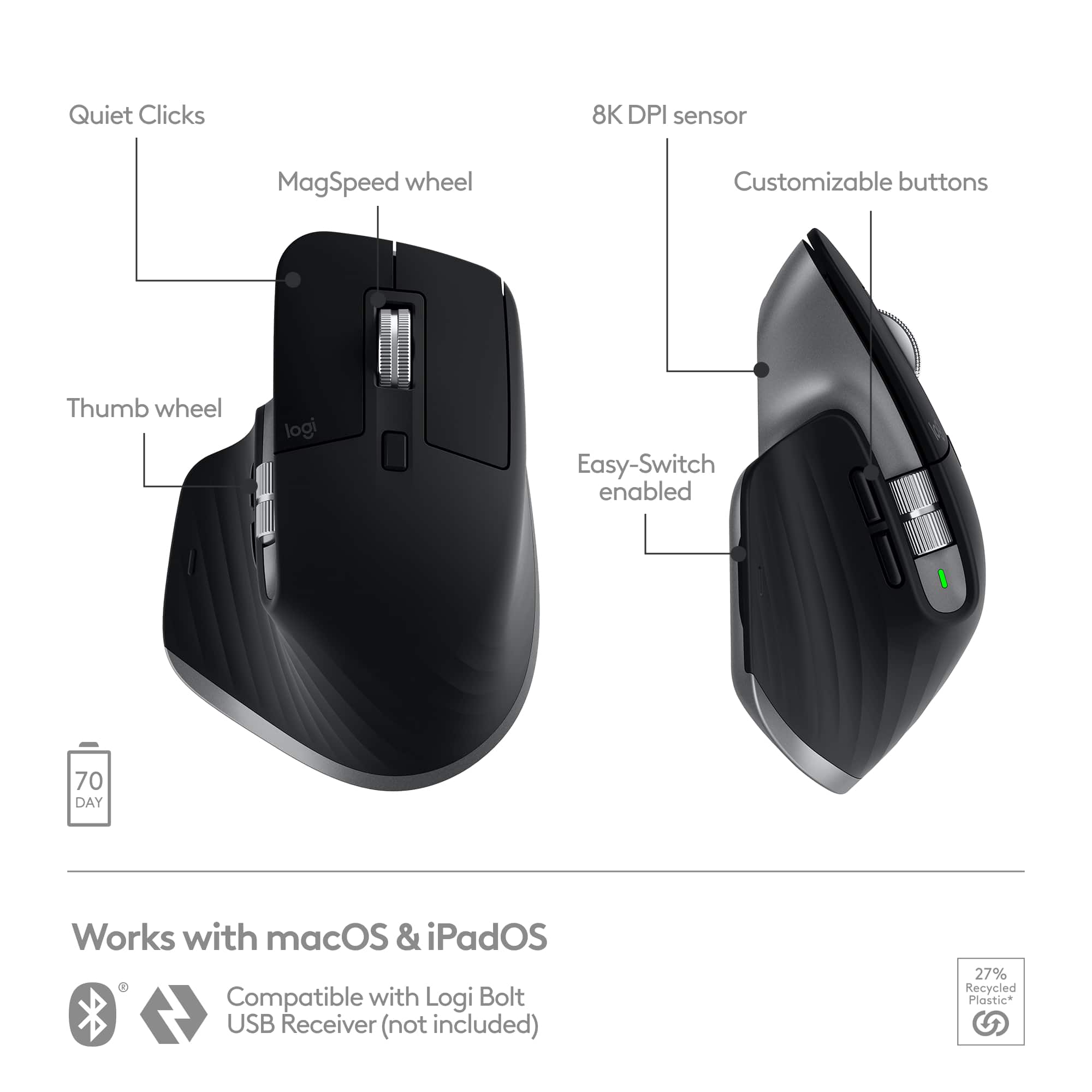
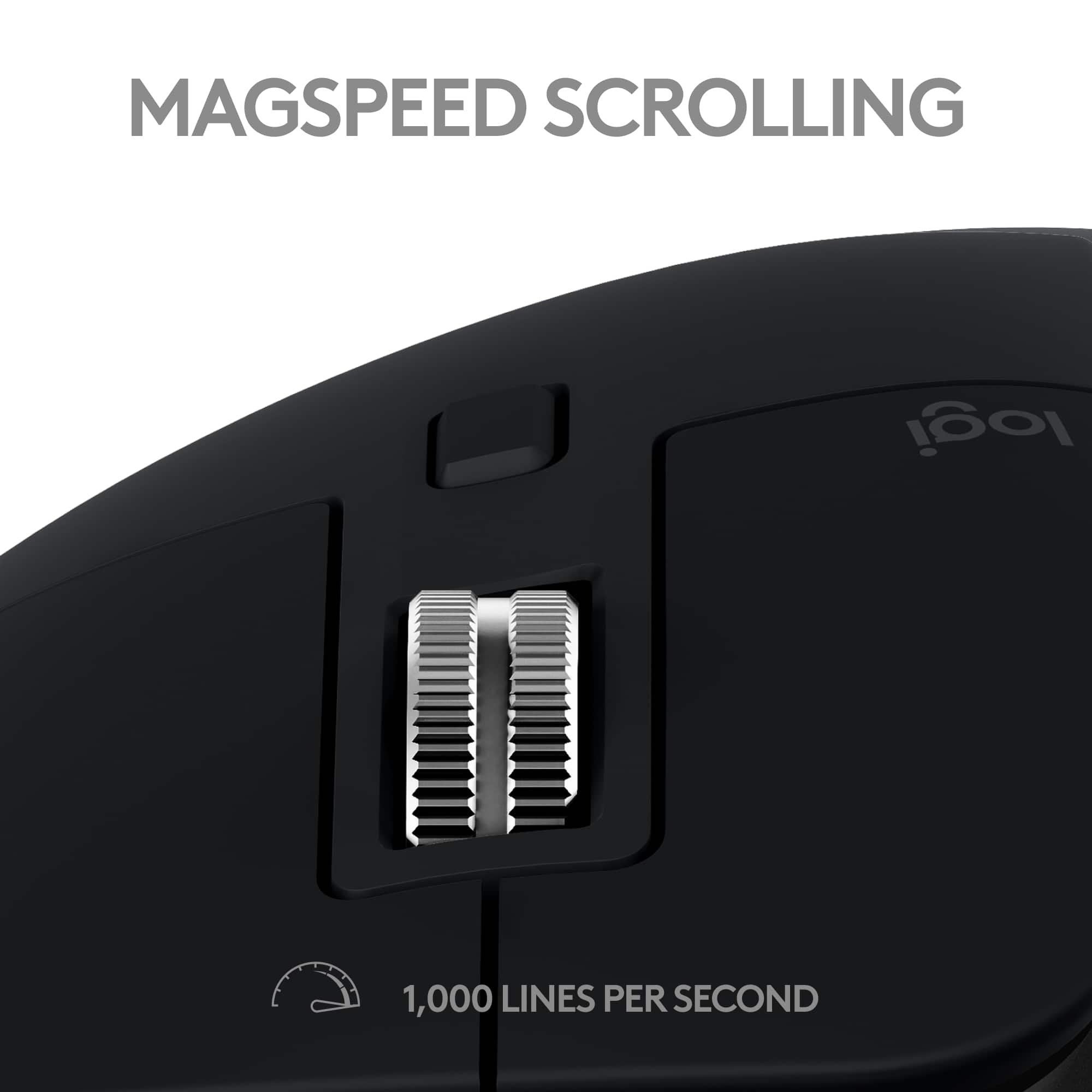
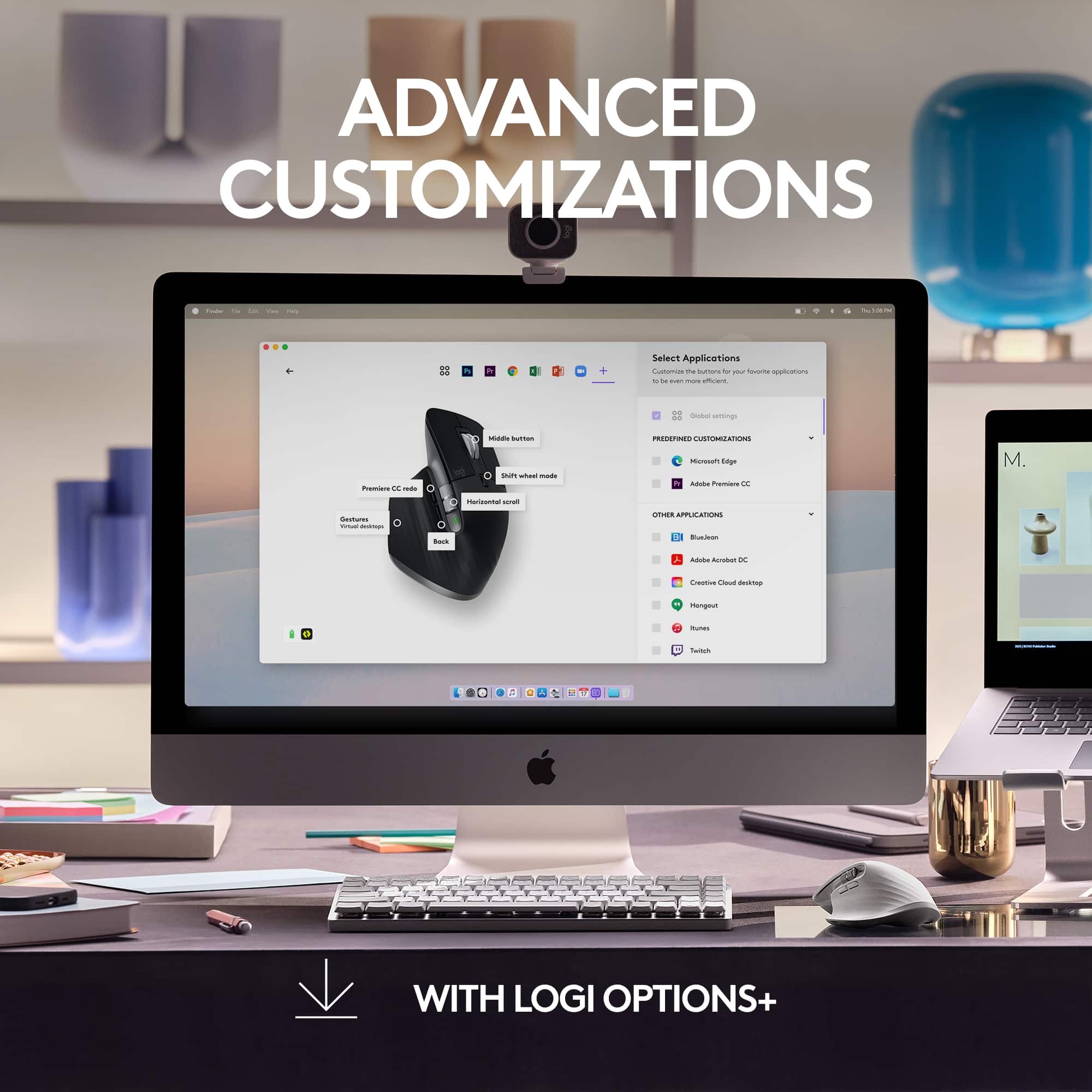
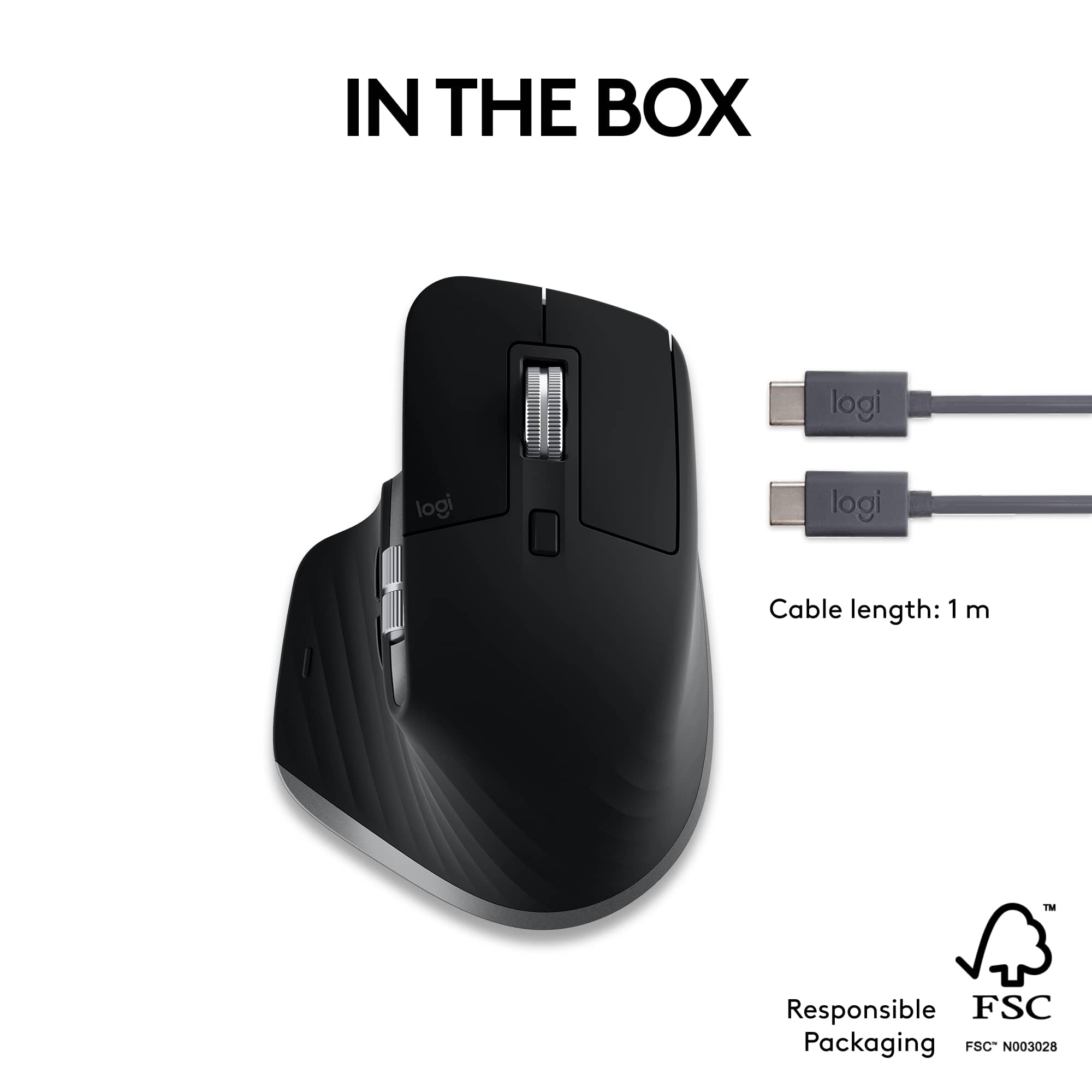
|Posted .This reviewer received promo considerations or sweepstakes entry for writing a review.Hands down, the Logitech MX Master Series of mice are simply the best, without rival. I bought my first MX Master when the first generation was released a few years ago and that mouse is still in service today. I moved up to the MX Master 3s when it first came out, which is used on a PC. And now I have the great pleasure to use the MX Master 3s for Mac on my MacBook Pro 2021 M1 Pro. It differs in appearance by a Space Gray stripe down the side of the mouse (to better match the appears of a MacBook Pro), but otherwise looks identical. It also doesn't come with a USB Dongle, which isn't needed nor would it work on a modern Mac anyway. This is a Bluetooth Mouse exclusively. If you’ve never had the pleasure of owning a Logitech MX Master Mouse, you simply have no idea what you’re missing. It may seem odd to wax enthusiastic over a mouse, but the MX Master is worthy of such praise. And this newest MX Master 3s for Mac even more so. Compared to my original MX Master, the MX Master 3s lighter and its way more ergonomic. It fits your hand so perfectly, as though it were an extension of it. I'm on my computer all day (and most nights) and the design ensures absolutely no mouse fatigue in any way. Logitech uses Premium Plastics, which seem virtually impervious to showing finger prints (Apple needs to take a lesson here for the plastic keys on their MacBook Pro keyboards, which are fingerprint magnets). When you get MX Master 3s for Mac, it's packaged nicely, with the mouse nicely protected, and includes some little pamphlets, with print so small, you might need reading glasses to read. But no worries, it's so easy to set up and use, you really don't need anything. After removing the stuck on diagram for the features on the underside of the mouse, use the supplied USB C to USB C cable and plug it in to charge. It took about 1.5 hours to charge fully. There is a green light on the side, which blinks when charging and goes off when the mouse is fully charged. Speaking of charge, depending on how much time you use the mouse daily, it can last 70 or more days between charges. My experience with the MX Master 3s I already own is spot on in this regard. The next thing to do is go to Logitech.com and download the Logitech Options App and choose the download for Mac. It's simple to download and you simply turn on the mouse using the power button on the underside of the mouse and light over number 1 (of three buttons) blinks and the Logitech Options, app will guide you through pairing it with your Mac. It was simple and paired immediately. From there, you click on the mouse and this is where the MX Master series shines above all other mice, you can then program every button and wheel to do exactly what you'd like them to do. The top wheel, not only moves up and down the page, but it also functions as a button by depressing it. I programmed the button in the wheel to bring up the calculator. But there are many - MANY other options you could choose from, including taking a screenshot. Behind the scroll wheel is a rectangular button, which when depressed, lets the wheel spin freely without clicks. And when I say the wheel spins freely. IT SPINS FREELY, with no friction. You'll be able to move up and the down a page with speed unlike anything you have EVER experienced with any mouse. I don't think I could ever use a mouse wheel with clicks again. Nope. I just don't think I can. There is a wheel on the side of the mouse, which I have programmed for volume up and down. Below that wheel are two elongated buttons, which I've programmed as forward and back. And finally, where your thumb rests, if you press there, it clicks and can be programmed as well, which I've set to open all open windows in one click to make it easier to move between open pages. There's just no mouse out there with this much customization. The MX Master 3s for Mac, can be paired to operate three different devices. It's perfectly matched to Mac and iPad. To switch between paired devices, you simply press the 1, 2 or 3 buttons on the underside of the mouse. This mouse can scan up to 8000 DPI, for ultra-smooth and accurate scrolling. One of the best upgrades over previous MX Master Mice is how incredibly quiet the 3s is. You can’t hear the wheels scroll. More importantly, you can’t hear the right or left mouse clicks. How refreshing to have a mouse which does so much, yet so quietly. Simply said Logitech MX Master 3s for Mac has no rival. NONE. ZIP. NADDA. The original MX Master was fantastic. The 3s even more amazing. Can you buy decent mice for less money? Sure, but if you want the best there is, the price of admission is more than worth it and the fact my original MX Master is still going strong more than 3 years later, the 3s should live as long and provide even more amazing performance.
- Pros mentioned:Ergonomics
Amazing mouse
||Posted . Owned for 1 week when reviewed.This reviewer received promo considerations or sweepstakes entry for writing a review.Its silly to think of a mouse as amazing but this mouse is pretty great. I cant say its worth the money logitech asks for it but i was looking for a virtually silent mouse. It also feels great in the hand.
I would recommend this to a friend Great Mouse
||Posted . Owned for 2 months when reviewed.This reviewer received promo considerations or sweepstakes entry for writing a review.Great mouse but I wish it came with the universal USB so I can connect it to my older mac. Other than that, it works great.
I would recommend this to a friendAmazing for multi computer use
||Posted . Owned for 2 weeks when reviewed.This reviewer received promo considerations or sweepstakes entry for writing a review.Amazing office mouse. Amazing for multi computer use
I would recommend this to a friend- Cons mentioned:Software
Promising yet ultimately useless
||Posted . Owned for 1 month when reviewed.This reviewer received promo considerations or sweepstakes entry for writing a review.For the first few days, this mouse was a designer's dream come true. I customized it to work seamlessly with Photoshop and Illustrator and was really enjoying all of the advanced features. Then, Photoshop started acting really weird. Button presses would result in seemingly random results, until I found out there's an unfixable error with the mouse software and Photoshop. All of those custom settings were causing my Macbook to think the option key was held down, rendering my keyboard uselss until I either restarted or turned off Bluetooth. The very program I bought this mouse for makes it completely uselss.
No, I would not recommend this to a friendBrand response from Logitech
Posted .Hello JoeyO, we are sorry to hear that the MX Master 3s is not working for you properly. At Logitech, it is our goal to ensure you are completely satisfied with your Logitech purchase. We take pride in the products and services we offer, and want our customers to enjoy them just as much as we do. It seems to be a hardware issue. Please click the link at the end of this message to submit a warranty ticket. One of our warranty specialists will then reach out to get everything settled for you. We apologize for any inconvenience we may have caused. Thank you for being part of the Logitech family, we can't wait to hear an updated review from you. -Ricky from Logitech. https://support.logi.com/hc/en-us/articles/5218049598743-Warranty-MX-Master-3S
- Pros mentioned:Battery life
Great mouse
||Posted . Owned for 1 month when reviewed.This reviewer received promo considerations or sweepstakes entry for writing a review.Love this mouse. Very quiet and long lasting battery is no joke. It can be the one for Mac or not, its the same thing. This is my 4th MX Master mouse and my second MX Master 3.
I would recommend this to a friend love this mouse
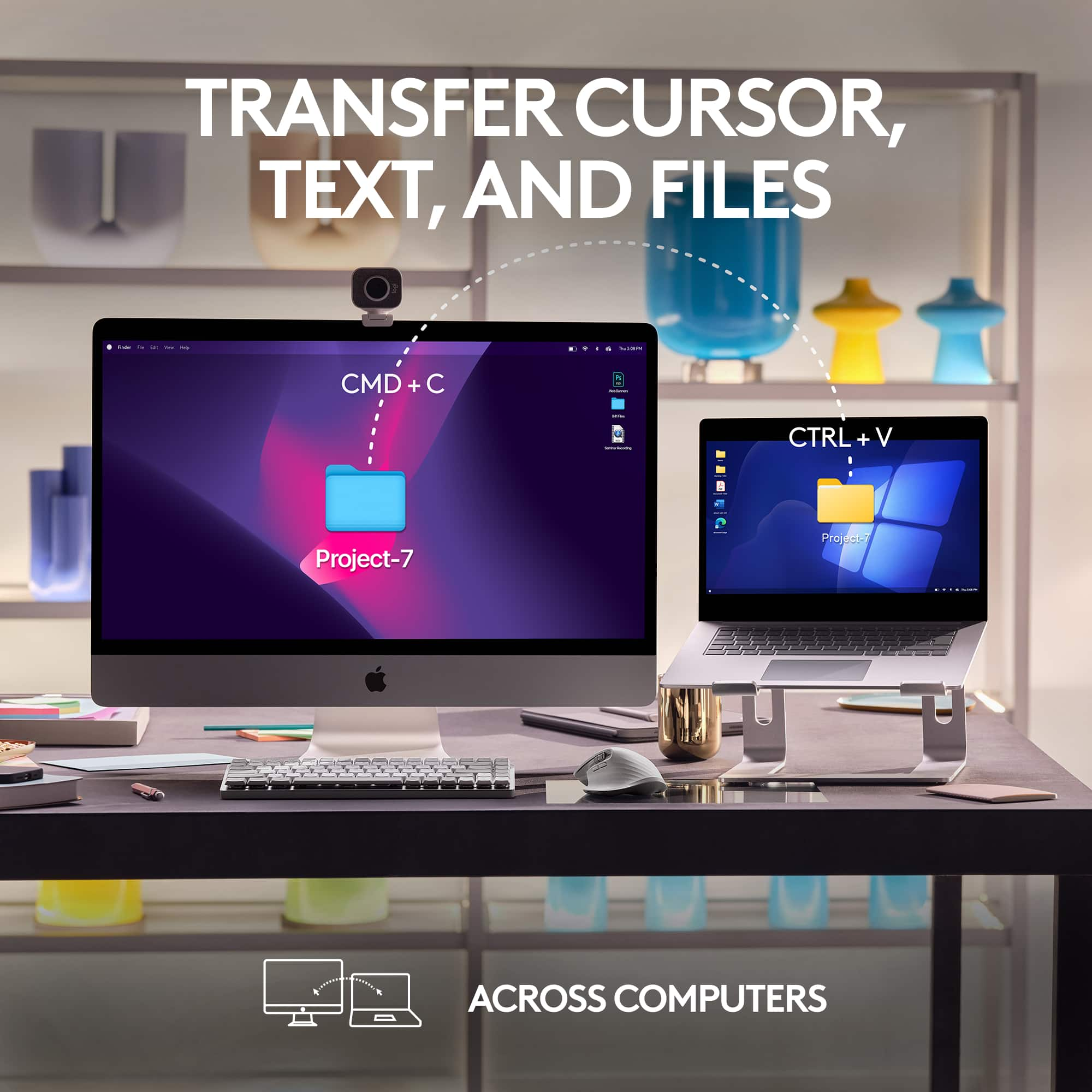
||Posted . Owned for 2 weeks when reviewed.This reviewer received promo considerations or sweepstakes entry for writing a review.My productivity has skyrocketed since using this mouse. It seemlessly switches between my mac and windows PC. The customization available is incredible
I would recommend this to a friend- Pros mentioned:Battery life, Ergonomics, Scroll wheel
Continues industry leading productivity tradition
|Posted .This reviewer received promo considerations or sweepstakes entry for writing a review.The Logitech MX Master series of mice is among the best I’ve ever used. The MX master 3S continues the tradition Logitech has set. The MX Master 3S has 2 quiet click buttons and a nearly silent Scroll wheel.The scroll wheel defaults to ratcheting one line at a time but if you give it a good push it will autoswitch to a flywheel which allows you to scroll hundreds of lines at a time. The mouse itself is very comfortable and it spreads your fingers out to be ergonomic. There is a thumb wheel on the side for horizontal scrolling.The standard forward and back buttons are under the wheel for easy access. All of the MX Master Series mice also have a thumb rest button which can be used to activate gesture mode or can be programmed to nearly any other productivity shortcut. I have mine set for one click to close windows when I don't need them. The Mac version is available in Apple's classic space gray color scheme. To further highlight that it's designed for Apple machines,the mouse is packaged in a plainish looking white box. In reality, this mouse is nearly identical to the generic MX Master 3S. Logitech has upgraded their mouse control software to Options+, which is a nice visual redesign from what’s been used up until now. Options + is, unfortunately, not compatible with some of Logitech's earlier mice in the MX Master family. Fear not, the original Options software will still work with the MX Master 3S. Another difference with this version is it comes with a USB-C to USB-C charging cable. It will be easy to charge this mouse from your standard Macbook charger. well this is a nice shift, you end up losing the Logitech Bolt receiver, which is included in the other packaging. Well I like the aesthetics of the space graymouse, the receiver has some extra security and lowers latency in crowded environments .While most of the time I use the mouse with a bluetooth connection, It would be nice to have that flexibility. This mouse will also work Windows machines or Chromebooks using bluetooth. The ease of use for this mouse can't be overlooked.Hooking it up to my machine was as easy as turning it on and waiting for the computer to ask if I wanted to pair. Battery life is impressive. The charge barely declined from full after using it in normal office work for a day. Reportedly, it will last 71 days with average usage. The high resolution made it a cinch to use, even on large screens. It worked equally well on my Ipad as it did on my laptop. I would recommend this in a heartbeat to anyone looking to improve their productivity.
I would recommend this to a friend Very useful
||Posted . Owned for 1 week when reviewed.This reviewer received promo considerations or sweepstakes entry for writing a review.For mac this definitely helps with freedom and mobility
I would recommend this to a friendAwesome mouse
||Posted . Owned for 1 week when reviewed.This reviewer received promo considerations or sweepstakes entry for writing a review.By far the best mouse. I like the flow functionality so can swich from my mac to my pc flawlessly
I would recommend this to a friendA little laggy
||Posted . Owned for 1 week when reviewed.This reviewer received promo considerations or sweepstakes entry for writing a review.The Mac connection is a little slow. I can feel that it lags in comparison to a corded mouse
No, I would not recommend this to a friendBrand response from Logitech
Posted .We appreciate you sharing your feedback on the MX Master 3S for Mac. We'll take your comments into consideration for future improvements. To address this issue, we recommend reaching out to our social care team via email at socialcare@logitech.com with your
- Name:
- Email Address:
- Country:
- Product Name:
- Brief description of issue:
- Pros mentioned:Ergonomics
More Ergonomic than Magic Mouse!
||Posted .This reviewer received promo considerations or sweepstakes entry for writing a review.Perfect ergonomic mouse for mac that supports all the macos gestures
I would recommend this to a friend - Pros mentioned:Ease of use
Excellent
||Posted . Owned for 1 month when reviewed.This reviewer received promo considerations or sweepstakes entry for writing a review.Absolutely Love it. EASY OF USE. High quality and Amazing product.
I would recommend this to a friend - Pros mentioned:Ease of use
Great mouse
||Posted . Owned for 2 weeks when reviewed.This reviewer received promo considerations or sweepstakes entry for writing a review.Couldnt pick a better mouse for data entry, editing, sound mixing.
I would recommend this to a friend This is my second MX Series mouse - I recommend it
||Posted . Owned for 2 weeks when reviewed.This reviewer received promo considerations or sweepstakes entry for writing a review.This is my second MX Master of this series - the scroll wheel on the 1st one started becoming intermittent after 4+ years of daily use including getting beat up during international travel. Both of these mice have been the best and most comfortable I have ever used and this 3S model has little improvements that are very nice. I recommend it!
I would recommend this to a friend- Pros mentioned:Ergonomics, Scroll wheel
The Logitech MX Master 3s is the Master of Input
|Posted .This reviewer received promo considerations or sweepstakes entry for writing a review.The Logitech MX Master, Logitech MX Master 3, and the Logitech MX Master 3s including the Mac versions are superb office mice (and in my opinion very suitable for casual style gaming) belong to the same lineup. The Master 3s is the third updated version of the original and has a functional increase in usability along with retaining the existing superb human factors of interface design utilized in the design for the preceding two versions. Logi has retained the premium-feeling scroll wheels, the thumb rest and convenient scroll wheel and buttons. It connects wirelessly through Bluetooth or the included USB receiver and can pair with up to three devices simultaneously for easy switching between them. Note: Just for gamers, competitive people, and those needing a short escape from whatever – the 8000 dpi sensor of the 3s (better for casual gaming) – allows you to play a game now and then – you do don’t you? The added precision also allows for better more precise drawing. The much quieter key clicks (along with the same effort) for me equals less aural fatigue. The overall design ergonomics and construction provide a mouse that is a true pleasure to use that should be serviceable for many years. This mouse truly puts you on the fast-track.
I would recommend this to a friend Perfect for editing on mac
||Posted . Owned for 1 month when reviewed.This reviewer received promo considerations or sweepstakes entry for writing a review.Great for video editing and custom button mapping.
I would recommend this to a friendComfortable but feels very cheap.
||Posted . Owned for 1 month when reviewed.This reviewer received promo considerations or sweepstakes entry for writing a review.Great mouse but i believe way overhyped. It is comfortable but the materials feel very cheap and plasticky.
No, I would not recommend this to a friendBrand response from Logitech
Posted .We appreciate your feedback on the Logitech MX Master 3S for Mac. We understand your concern about the perceived build quality. We'll continue to refine our product design and material choices to ensure a premium experience for our customers.
Ok but not great
||Posted . Owned for 3 weeks when reviewed.This reviewer received promo considerations or sweepstakes entry for writing a review.The mouse and pad have helped my wrist somewhat, but I still struggle with carpal tunnel
No, I would not recommend this to a friendDoes Not Work With Mac
||Posted . Owned for 1 month when reviewed.This reviewer received promo considerations or sweepstakes entry for writing a review.I have 2 of these mice. Also 2 Logitech webcams and a pointer. They all require Logi Options + to take full advantage of the functionality in Apple OSX. The software does not not work. It does not launch. The forums are full of people with this issue going back a log time. Their customer support is awful. I mean awful. I would seriously consider doing your homework before buying any Logitech items to use with Apple products.
No, I would not recommend this to a friendBrand response from Logitech
Posted .We appreciate you sharing your experience and sincerely apologize for the frustration you've encountered with the software not working on your Mac, impacting the functionality of your MX Master 3S for Mac and other devices. To address this issue, we recommend reaching out to our social care team via email at socialcare@logitech.com with your
- Name:
- Email Address:
- Country:
- Product Name:
- Brief description of issue: