Customer Ratings & Reviews










- Model:
- 910-006556
- SKU:
- 10115840
Rating by feature
- Value
Rating 4.6 out of 5 stars
- Quality
Rating 4.8 out of 5 stars
- Ease of Use
Rating 4.8 out of 5 stars
- Pros mentioned:Battery life

A refinement of a refinement - a great mouse.
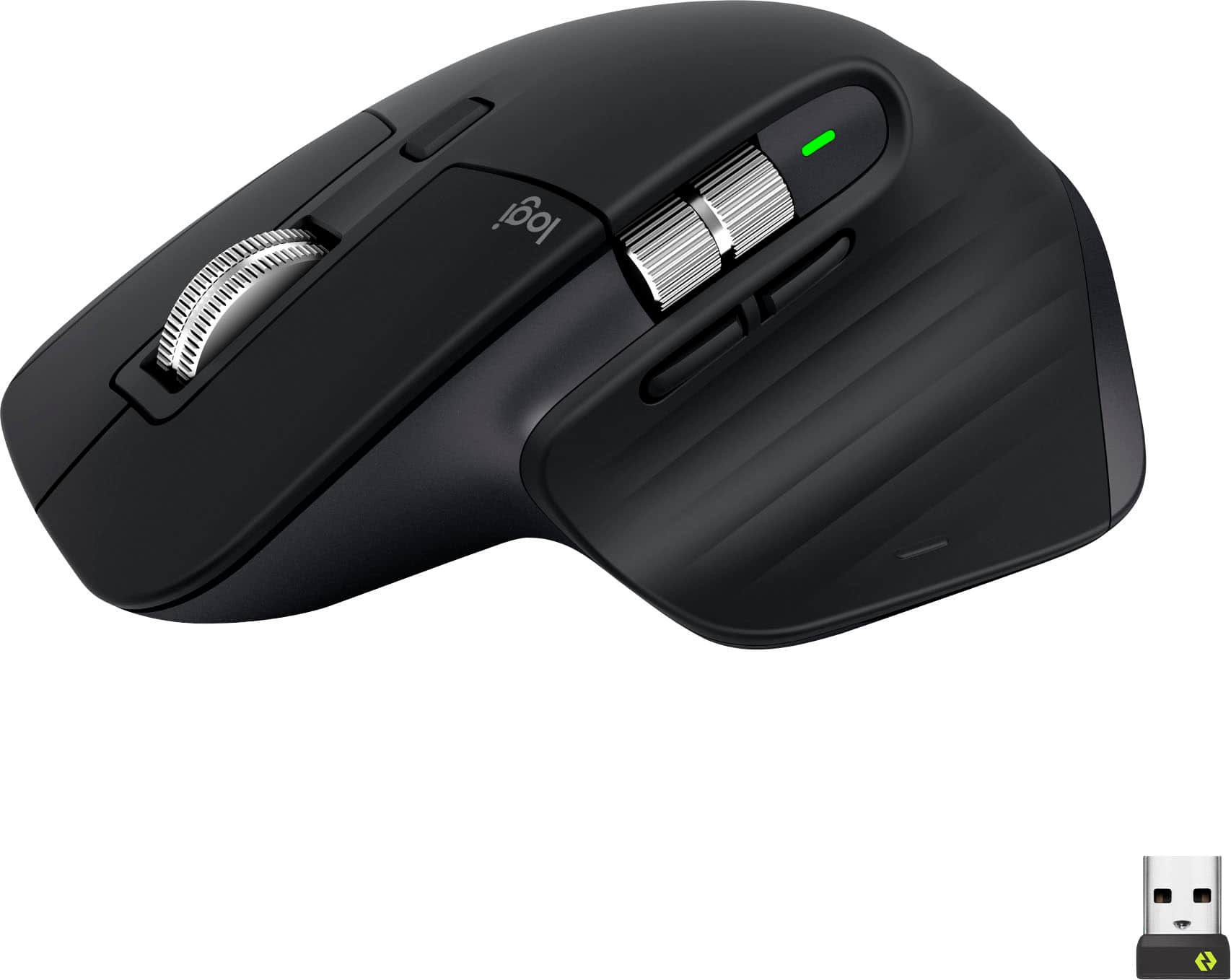
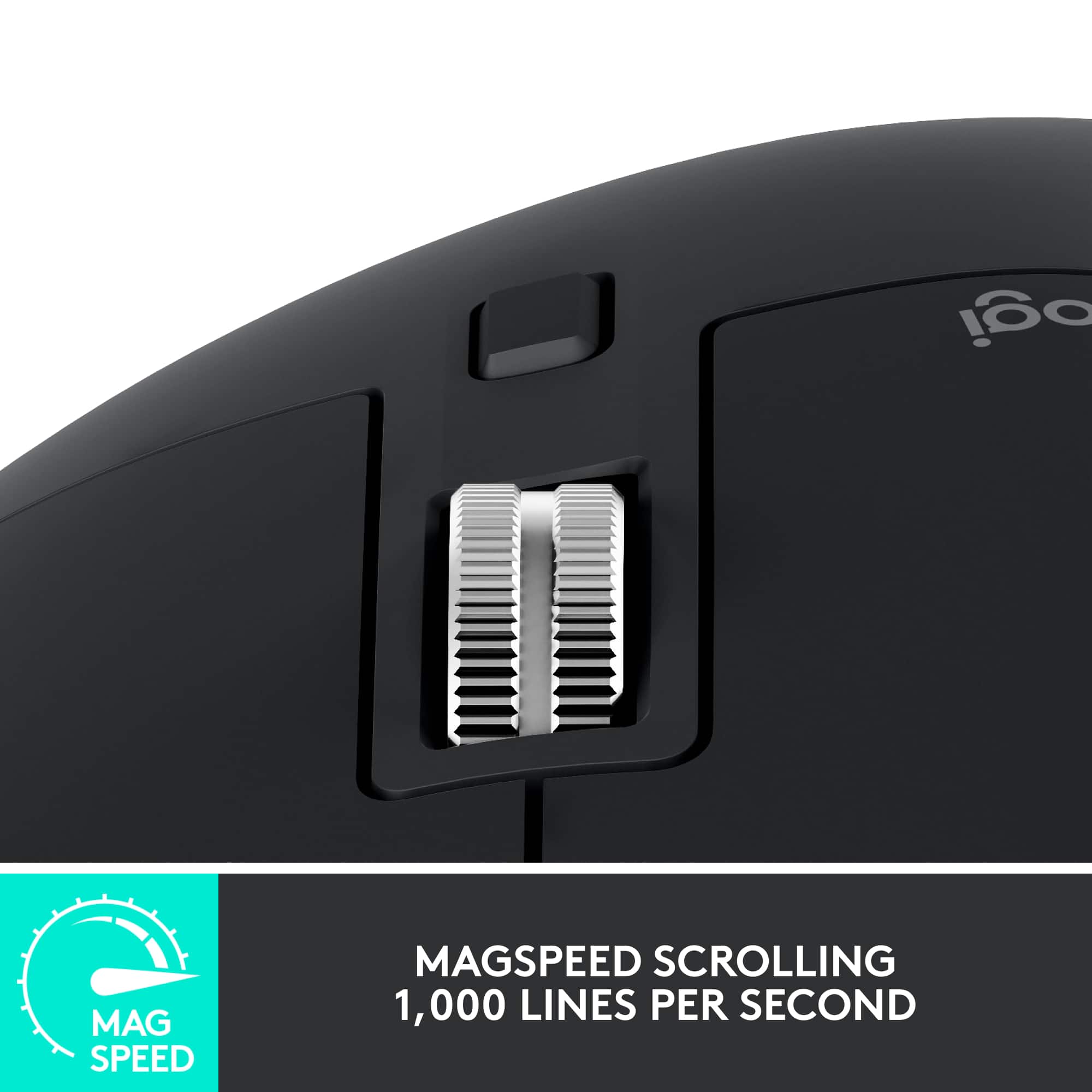
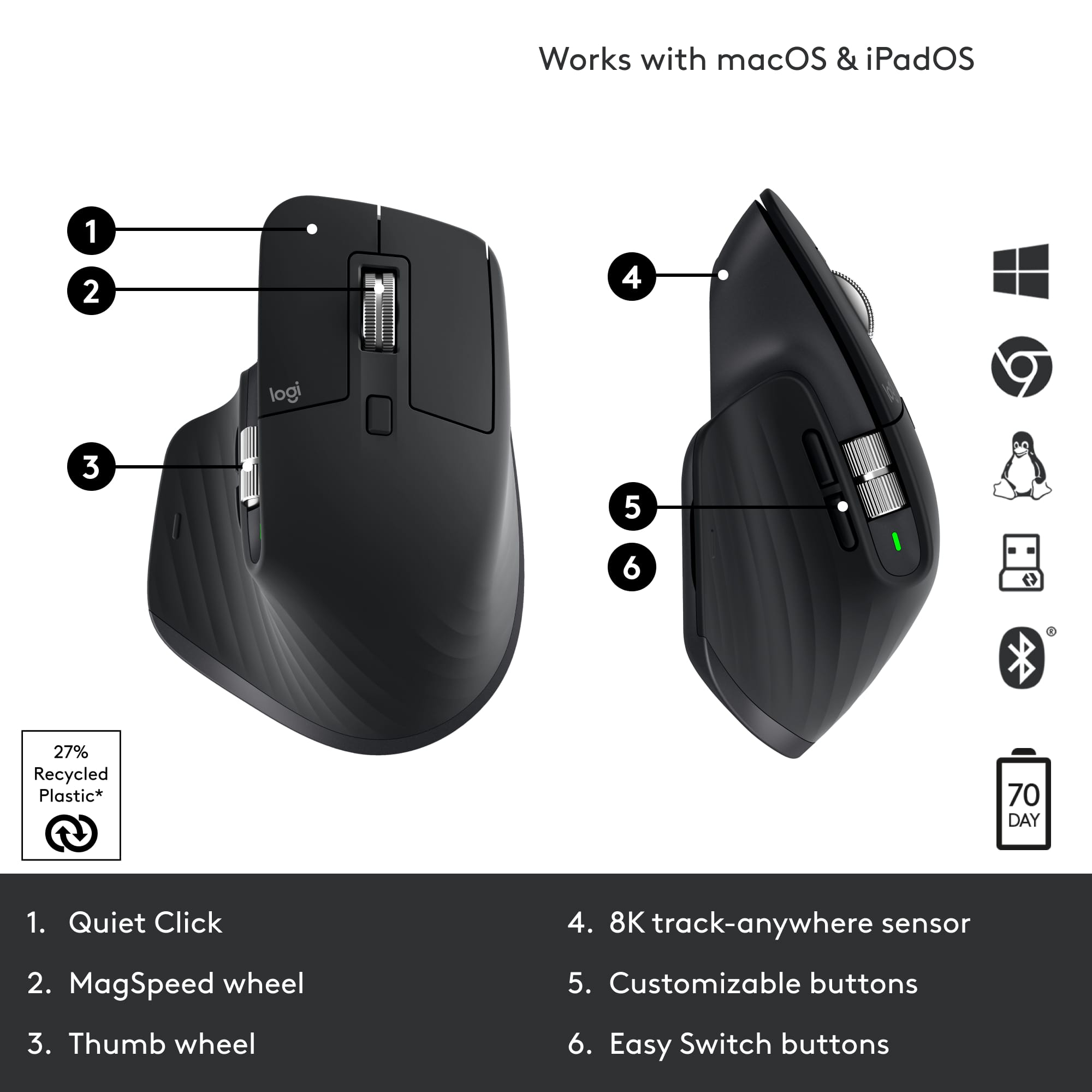
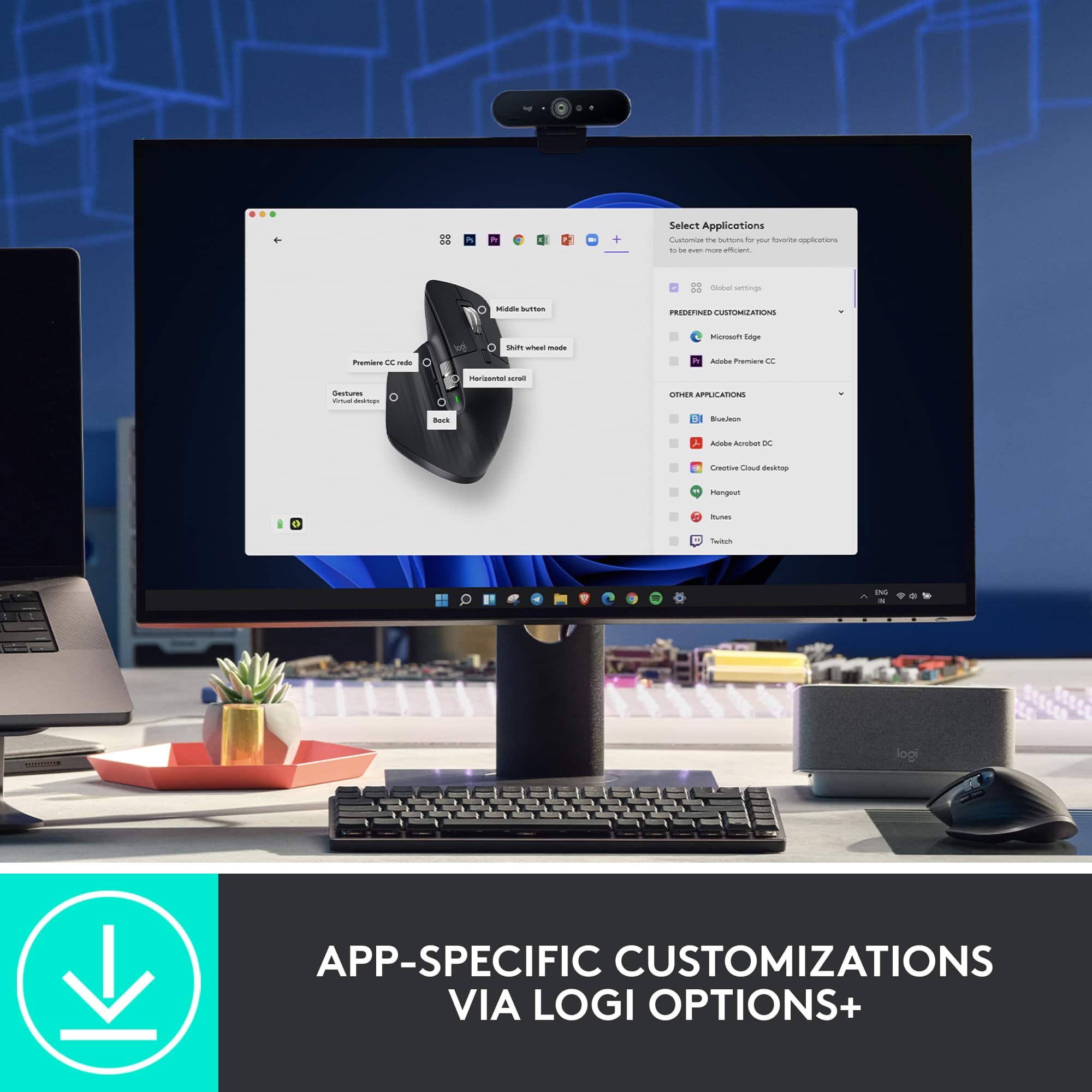
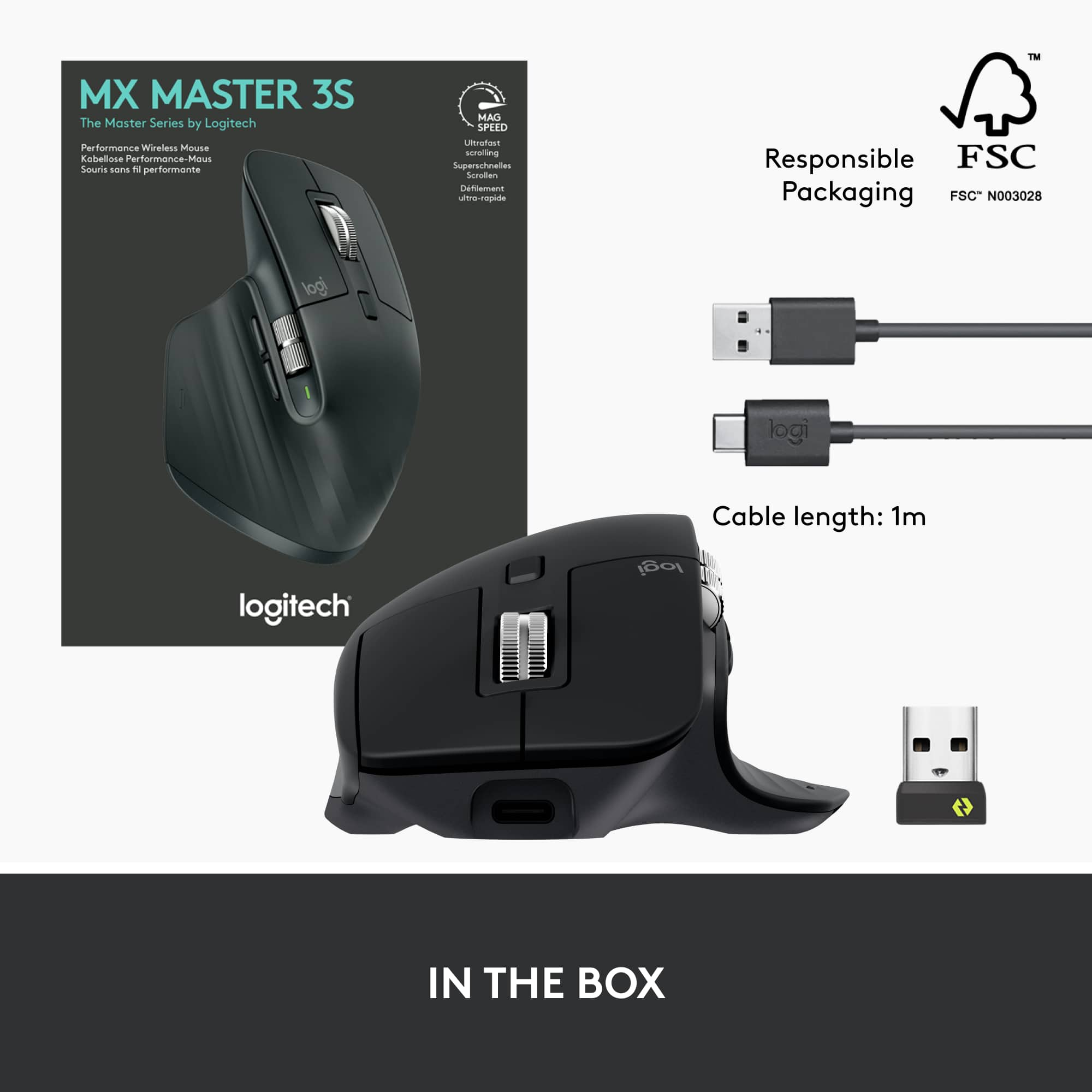
|Posted .This reviewer received promo considerations or sweepstakes entry for writing a review.Logitech’s MX Master 3s mouse represents the pinnacle of the MX series mice. It offers refinement in materials, buttons, noise, connectivity, and ergonomics that set it apart from its predecessors. As a long time fan of the MX series this mouse tops the Master/Performance series by a good margin. First of all, I’ll lead with the fact that Logitech has gone a long way to making their packaging more environmentally friendly. Practically all the packaging was made of cardboard that’s easily recyclable instead of the “I’m going to cut you” plastic of yesteryear. I appreciate this movement, and it means I can recycle or keep the box. The mouse itself feels even more durable and the materials in use feel like this mouse will last a good long while. While it does not include a user serviceable battery, I can attest that my 10 year old Performance MX can hold enough charge to be useful to this day, so I’m not concerned about this mouse becoming e-waste. Now, a few things to know about this mouse: It’s a continuation of the original MX Performance mouse, but really it’s a reimagined MX Master 3. The Master 3s adds a new 8K sensor, super quiet buttons and an even quieter scroll wheel without messing with the existing ergonomics and connectivity already associated with the MX Master 3. If you have a Master 3, you may not want to upgrade, but if you’re an OG or Master 2 mouse user, this is a worthy upgrade for sure. Included in the box is a Bolt receiver which can be used with the first channel, and the other two channels can use Bluetooth (or another receiver). Finally a USB-C to USB-A cable is included for charging. Speaking of charging, Logitech claims 3 hours of use from a single minute of charging. 70 days is possible from a full charge. While I can’t verify those claims, almost a week of use hasn’t dented the battery significantly. USB-C charging means this guy is pretty universally chargeable. One thing I noticed is that it didn’t seem to be able to operate as a wired mouse when plugged in (and no receivers or connections). If you’re new to the MX Series, what really sets these mice apart is the scroll wheel. Designed to be able to flick through an Excel spreadsheet at lightning speed (Logitech claims 1000 lines per second), the free spinning scroll wheel was an experiment that really did catch on with those that adopted the performance MX. Originally a click in on the scroll wheel would change between free scrolling and clicky, but the later Master mice swapped to an automatic trigger (although the button right behind the wheel swaps modes). If you scroll with enough force, the clicky scrolling gives way to free scrolling. The MagSpeed scroll wheel is unique and functional. This, combined with the larger shape, and plethora of buttons is what made the MX Performance/Master mice popular amongst business/software professionals. With the MX Master a horizontal scroll wheel was added, and this eventually turned into a more prominent feature. While some pros do use the horizontal scroll wheel to move about in their enormous excel spreadsheets, I love Logitech’s Options+ software. Not only can I set the primary feature to be volume control, in which the horizontal scroll wheel's heavy weighted feel is quite natural at, but the software also installs profiles: for instance in chrome, I can simply swap tabs using the horizontal scroll wheel, or use it for zoom in a powerpoint presentation. Another big feature that’s unique to the MX series is the darkfield sensor. While Logitech has dropped the marketing wording around it, it’s still quiet the achievement in laser technology. The ability to track on glass is still not the most universal feature, and this mouse basically will track on any surface pretty accurately. The big differentiator for the 3s is the quiet click buttons. It delivers its promise. While being nearly inaudible, the buttons still maintain a satisfying click feel. Logitech made sure every button had this feel, which is a nice touch. The thumb base button also feels quite soft. I was impressed that button included gestures for multi-tasking that map very naturally into Windows 10/11 and Mac OS. Speaking of, the Logitech MX Master 3s fits right in a Mac environment. Logitech Options+ software works well on both Mac and Windows and enables things like Flow, which can transfer text, images, and even files between computers. It even allows swapping between computers by moving the mouse to the edge of the screen. Logitech has really done an amazing job nailing the software, as Flow is super slick. Overall the MX Master 3s is a refinement upon several refinements. I’ve long been a fan of these mice, and despite what some may say, I’ve successfully played twitch shooters on these mice for years to great effect. The ability to trace anywhere is one of my favorite features. I’ve been a long time user of the smaller Anywhere MX series, but this full size MX feels more natural than any of the other full size MX mice I’ve used in the past (Performance MX, Master MX). For productivity, it’s hard to imagine a better mouse. Logitech continues to deliver the best mice in the industry.
I would recommend this to a friend Left Click Button Issues
||Posted . Owned for 1 month when reviewed.This reviewer received promo considerations or sweepstakes entry for writing a review.Never had a mouse with this problem. Could not drag and highlight text using left mouse button and would only register single click. Very strange.
No, I would not recommend this to a friendBrand response from Logitech
Posted .Thanks for sharing your experience. That’s definitely not how the MX Master 3S should perform. Please reach out to our support team or email socialcare@logitech.com so we can help resolve this for you.

The mouse wheel is loose
||Posted . Owned for 3 weeks when reviewed.This reviewer received promo considerations or sweepstakes entry for writing a review.I wanted to like this mouse, but the mouse wheel is loose and moves on its own. Drives me crazy.
No, I would not recommend this to a friendBrand response from Logitech
Posted .Hey! We're sorry to hear about the loose mouse wheel on your MX Master 3S. We understand how frustrating that can be, and it definitely disrupts the smooth experience you expect with an MX Master mouse. Our apologies for the inconvenience this has caused. In order to help you effectively, please provide your information to our support team via email at socialcare@logitech.com with your
- Name:
- Email Address:
- Country:
- Product Name:
- Brief description of issue:
Unreliable Junk
||Posted . Owned for 1 year when reviewed.This reviewer received promo considerations or sweepstakes entry for writing a review.I have two of these, both failed right after warranty expired.
No, I would not recommend this to a friendBrand response from Logitech
Posted .I am truly sorry to hear that both of your Logitech MX Master 3S Wireless Mice failed shortly after their warranties expired. It is completely unacceptable for a product to be unreliable, especially when purchased in duplicate. We sincerely apologize for this frustrating experience and the inconvenience caused by these failures.
DO NOT BUY THIS MOUSE
||Posted . Owned for 1 year when reviewed.This reviewer received promo considerations or sweepstakes entry for writing a review.DO NOT BUY THIS MOUSE. It will stop working a few months after the warranty expires and there is nothing logitech will do for you. Do a Google search of random charging/dead battery issue and you will see your future issues. There is a reason this mouse is only 1 year warranty while many others offer more. Wish I had seen a review that mentioned this issue and I would have saved myself the money.
No, I would not recommend this to a friendBrand response from Logitech
Posted .We apologize to hear about your experience with the Logitech MX Master 3S. We value your feedback and will use it to improve our products and services. To address this issue, we recommend reaching out to our social care team via email at socialcare@logitech.com with your
- Name:
- Email Address:
- Country:
- Product Name:
- Brief description of issue:
Probably not worth the price
||Posted . Owned for 3 weeks when reviewed.This reviewer received promo considerations or sweepstakes entry for writing a review.Scroll wheel not fast enough. Expected better for the price.
No, I would not recommend this to a friendSadly Broken
||Posted . Owned for 2 weeks when reviewed.This reviewer received promo considerations or sweepstakes entry for writing a review.Have had this mouse for 1 day after the return policy (2 weeks)-dropped 1 time off couch onto carpeted floor. Clicks and scroll wheel now make noise, no longer a 'silent' mouse. Very disappointed in this mouse for the price point. Would not buy again.
No, I would not recommend this to a friendExcellent response
||Posted . Owned for 1 week when reviewed.This reviewer received promo considerations or sweepstakes entry for writing a review.This mouse lives up to the expectations. Solidly built, easy to setup (windows computer). Multi functionality. I’m a logitech fan for a reason. They never let me down!
I would recommend this to a friendLooses connection
||Posted . Owned for 6 months when reviewed.This reviewer received promo considerations or sweepstakes entry for writing a review.If you are a mac user: every week or two you’ll need to restart your macbook to be able to use your mouse again. It seems to be a common problem for a long time (google it).
No, I would not recommend this to a friendBrand response from Logitech
Posted .Thank you for sharing your experience. We sincerely apologize for the inconvenience caused and appreciate your feedback. To address this issue, we recommend reaching out to our social care team via email at socialcare@logitech.com with your
- Name:
- Email Address:
- Country:
- Product Name:
- Brief description of issue:
Junk. Do not buy.
||Posted . Owned for 3 months when reviewed.This reviewer received promo considerations or sweepstakes entry for writing a review.Total piece of garbage. Quit working 2 months after the purchase. Chatted with Logitech via the support portal, they want to take weeks to replace this. Have to verify I knew how to charge the device. Said they'd replace. Now a week later, they want me to send the device in for inspection. Each time they delay they say it will be another 72 hours for a response. I can get a nice gaming mouse from New Egg for about 50% less than this junk. That is what I am doing.
No, I would not recommend this to a friendBrand response from Logitech
Posted .We sincerely regret if our product provided you with a subpar experience. We understand your displeasure and apologize for any issues that arise. We value your input, therefore we will forward it along to the appropriate team so they can look into it.
Very unconfortable
||Posted . Owned for less than 1 week when reviewed.This reviewer received promo considerations or sweepstakes entry for writing a review.Right out of the box, it felt horrible in my hand. The arch is in the wrong place. And the material is weirdly coarse, and retains my hands heat signature. Far leas comfortable than the ergonomic mouse was using. In every other way, it is fantastic, technically. But try before you buy. Because its the least comfortable mouse Ive used. I returned it immediately.
No, I would not recommend this to a friendBrand response from Logitech
Posted .While the Logitech MX Master 3S is often praised for its advanced features and sleek design, it's important to remember that comfort is subjective. In your case, the mouse's ergonomic shape and material didn't align with your preferences.
AVOID. Left mouse button fails after ~ 1 year.
||Posted . Owned for 1 year when reviewed.This reviewer received promo considerations or sweepstakes entry for writing a review.AVOID. My left mouse button is failing after just over a year after purchase. Click and drag is very unreliable and it'll drop things early or not even start dragging the file or folder to begin with. Very disappointed.
No, I would not recommend this to a friendBrand response from Logitech
Posted .Thank you for sharing your experience with the Logitech MX Master 3S. We apologize that you're encountering issues with the left mouse button failing and the unreliability of click and drag after just over a year of use. To address this issue, we recommend reaching out to our social care team via email at socialcare@logitech.com with your
- Name:
- Email Address:
- Country:
- Product Name:
- Brief description of issue:
What A Mouse!!
||Posted . Owned for 1 week when reviewed.This reviewer received promo considerations or sweepstakes entry for writing a review.This is hands-down the best mouse I've ever owned. Horizontal scrolling, silent click, all the buttons, notched/endless vertical scrolling,
I would recommend this to a friendGreat mouse, just buy it
||Posted . Owned for 2 months when reviewed.This reviewer received promo considerations or sweepstakes entry for writing a review.Has the best feel out of any Logitech mouse I've ever purchased, which has been quite a few. Good ergonomics and feels high quality.
I would recommend this to a friendNot happy
||Posted . Owned for 2 months when reviewed.This reviewer received promo considerations or sweepstakes entry for writing a review.It fit my hand great. Worked great for a couple months. Then three days past the returnable date, it died. Not happy.
No, I would not recommend this to a friendBrand response from Logitech
Posted .We apologize for the inconvenience caused by the premature failure of your MX Master 3S mouse. We understand how frustrating it is to experience a product malfunction so soon after purchase. To get that issue resolved, we recommend reaching out to our social care team via email at socialcare@logitech.com with your
- Name:
- Email Address:
- Country:
- Product Name:
- Brief description of issue:
Bad Mouse can't last more than 1 year
||Posted .This reviewer received promo considerations or sweepstakes entry for writing a review.I've only had this mouse for one year, and it can't be charged anymore.
No, I would not recommend this to a friendBrand response from Logitech
Posted .We are very sorry to hear that your Logitech mouse stopped charging after only one year of use. We value your feedback and apologize for the inconvenience this has caused. To help resolve this, we recommend contacting our social care team at socialcare@logitech.com. Please include the following information in your email:
- Name:
- Email Address:
- Country:
- Product Name:
- Brief description of issue:
Great addition to my Mac
||Posted . Owned for 1 month when reviewed.This reviewer received promo considerations or sweepstakes entry for writing a review.I got this to upgrade a very old Logitech mouse and I wish I had done it sooner. It’s great and works perfect with my Mac
I would recommend this to a friendExcellent mouse for all your apps
||Posted . Owned for 1 month when reviewed.This reviewer received promo considerations or sweepstakes entry for writing a review.Logitech makes some of the best mice out there and this one did not disappoint. Very ergonomic and tacking is superb.
I would recommend this to a friendBest mouse
||Posted . Owned for 2 weeks when reviewed.This reviewer received promo considerations or sweepstakes entry for writing a review.I love this mouse! Very ergonomic and feels great! Inhave paired it with the logitech mx mini and its the best combo!
I would recommend this to a friendShe loves it!
||Posted . Owned for 2 weeks when reviewed.This reviewer received promo considerations or sweepstakes entry for writing a review.We bought this mouse for my daughter for Christmas and she loves it! She really likes all the features with it.
I would recommend this to a friend