Customer Ratings & Reviews











- Model:
- 910-006556
- SKU:
- 10315527
Rating by feature
- Value
Rating 4.6 out of 5 stars
- Quality
Rating 4.8 out of 5 stars
- Ease of Use
Rating 4.8 out of 5 stars
to a friend
Silent and large
||Posted . Owned for 1 week when reviewed.This reviewer received promo considerations or sweepstakes entry for writing a review.This mouse is silent and fits my large hand perfectly.
I would recommend this to a friendGreat for the price
||Posted . Owned for 3 weeks when reviewed.This reviewer received promo considerations or sweepstakes entry for writing a review.Great precision and works well on multiple devices.
I would recommend this to a friendPoor connectivity
||Posted . Owned for 1 week when reviewed.This reviewer received promo considerations or sweepstakes entry for writing a review.Pointer was very laggy for me. Never had an issue with a wireless device prior to this one. Returned.
No, I would not recommend this to a friendGreat mouse, but just not in white/gray
||Posted . Owned for 4 months when reviewed.This reviewer received promo considerations or sweepstakes entry for writing a review.I love the mouse itself, but after 3 months of use, it started yellowing. If you want this mouse, get the black one instead.
No, I would not recommend this to a friendPeak performance. Poor build
||Posted . Owned for 1.5 years when reviewed.This reviewer received promo considerations or sweepstakes entry for writing a review.Works really well Died in a year though which should not be the case with logitech products. Never abused. Never dropped. Just died one morning
No, I would not recommend this to a friendBrand response from Logitech
Posted .We apologize that your Logitech MX Master 3S Wireless Laser Mouse stopped working after a year. We understand the frustration of a product failing prematurely, especially considering Logitech's reputation for quality. To address this issue, we recommend reaching out to our social care team via email at socialcare@logitech.com with your
- Name:
- Email Address:
- Country:
- Product Name:
- Brief description of issue:
returned
||Posted .This reviewer received promo considerations or sweepstakes entry for writing a review.The silence click is design for office use but is a no-go for me, they should offer a silence version and a normal version for this mouse.
No, I would not recommend this to a friendBrand response from Logitech
Posted .Hello, I am sorry if there was any confusion regarding this mouse. We do offer a version that has a clicking sound. That will be the Mx Master 3. Here is the link for it: https://www.logitech.com/en-my/products/mice/mx-master-3.910-005698.html?irclickid=Q4XzRhS0ixyLRhuTw3SRMwTdUkDzcp3hxw%3AaSI0&utm_source=radius&utm_medium=affiliate&irgwc=1. I hope this helps!
-Danielle from Logitech
Best buy is a scam
||Posted . Owned for 2 months when reviewed.This reviewer received promo considerations or sweepstakes entry for writing a review.Best buy geek squad are incompetent. Best buy service is terrible.
No, I would not recommend this to a friendBrand response from Logitech
Posted .We understand your frustration with your experience. We apologize for any inconvenience you encountered.

Dont worth
||Posted . Owned for 1 month when reviewed.This reviewer received promo considerations or sweepstakes entry for writing a review.Expensive and not good. It doesn't work nicely. It has a delay.
No, I would not recommend this to a friend
Very Customizable, Tracks glass, and now Silent!
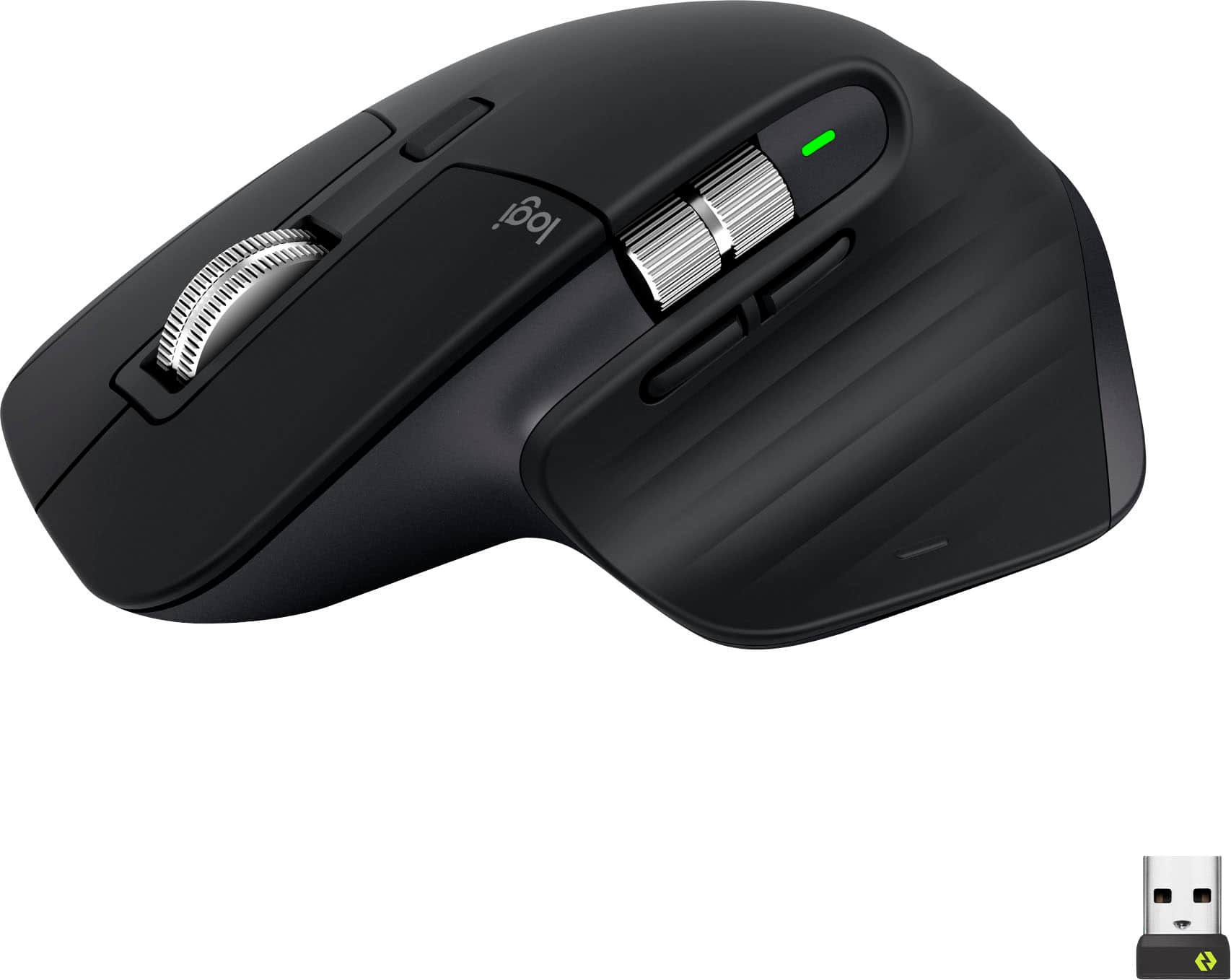
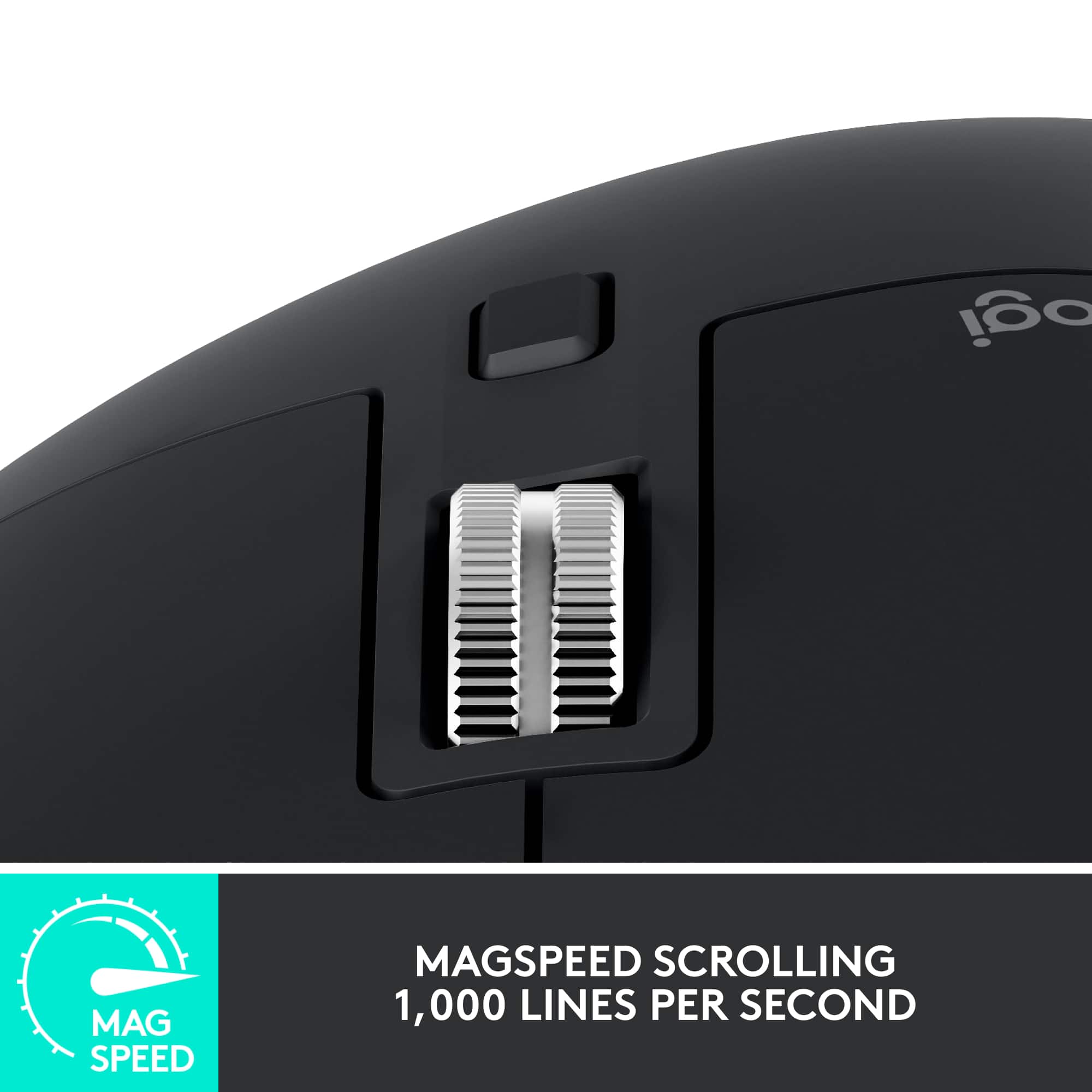
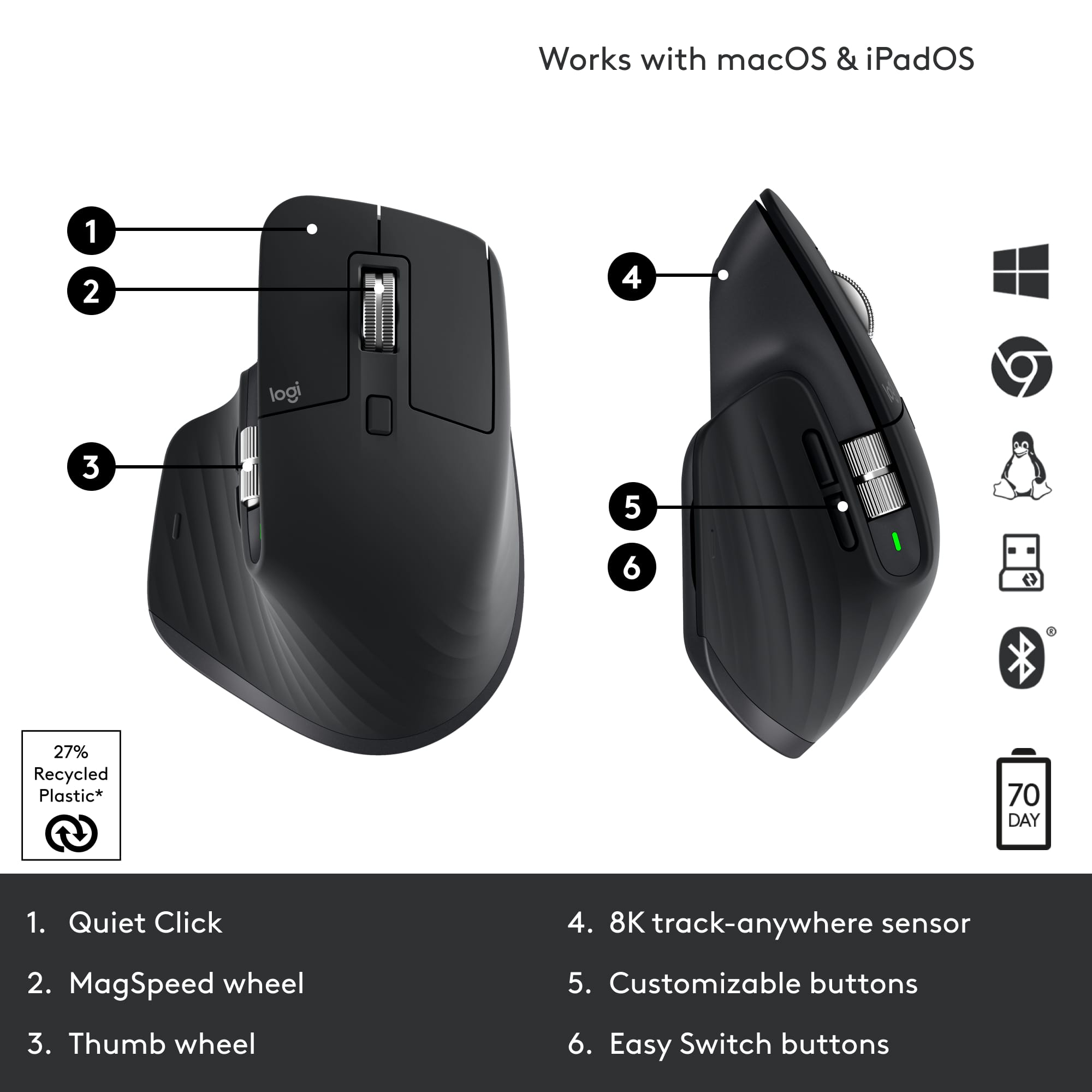
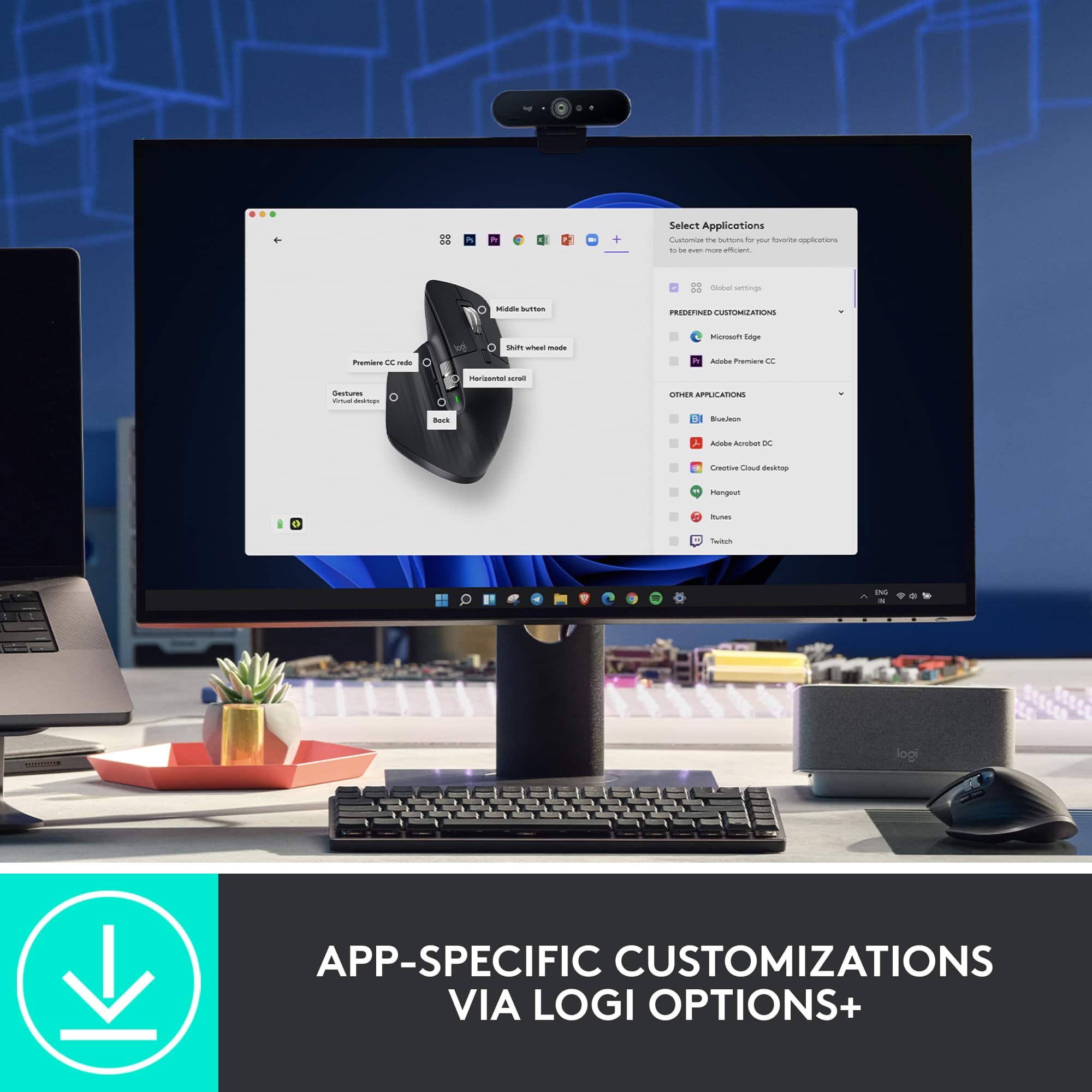
|Posted .This reviewer received promo considerations or sweepstakes entry for writing a review.Pros: -Mouse can be used on virtually any surface, including glass -Ergonomic; comfortable with any grip -Very silent -Pairs with up to 3 devices so you can switch between them (can only use with one device at a time) -Long battery life -Very smooth scroll and thumb wheels -Extremely customizable when used with Logitech's Options+ software -Logitech Flow allows use of mouse between up to 3 PCs at the same time and copy/paste across them -8000DPI sensor for quicker movement on high resolution displays Questionable Pro: -Uses Bolt receiver, which supposedly provides a more reliable connection Cons: -May be jarring to users of the older MX Master series mice at first due to all the changes they made -Bolt receiver is not backwards compatible and doesn't support Unifying receiver devices -145Hz polling rate means it's not made for serious gamers -Flow only compatible with Windows and MacOS -(for left-handed people) It's a right-handed mouse Questionable Con: -Battery indicator is now just one bigger LED, no longer showing levels For some reason in 2022, Logitech appears to be the only brand with mice on the market that tracks on glass. So if you have a glass table to use your mouse on like I do, and don't want to use a mouse pad, Logitech's MX series of mice appear to be your only option. Thankfully, Logitech does an amazing job with the MX Master line making it feel like a premium device that it's worth. Thanks to its ergonomic design, it never feels uncomfortable using the MX Master 3S. It's tall enough and curved in the right way to allow your hand and fingers to naturally rest on it. The soft rubberized texture of the base provides a comfortable feel. I've used the mouse all day and my wrist never feels tired from it. What's new to the MX Master 3S that was absent from the Master MX 3 that preceded it are the silent left and right click buttons. What was once the loudest parts of mouse, on the 3S it's now the most quietest. The amazing thing is, it still feels tactile. It doesn't feel mushy or suppressed. You'll feel the click like you always do. It's just A LOT less noisy. The change is so dramatic that you may hate initially, like I did. I wanted a silent mouse, but when I first used the 3S I instantly felt regret and frustration. My brain was so used to expecting a sound when I click that when I didn't with the 3S it felt extremely jarring to me. I think I may have been clicking harder than I needed to out of reflex. Fortunately, within a half hour, maybe an hour at most, I got used to the silent click and wound up falling in love with it like I thought it would. Oh my GOD, I *WISH* I had this 20 years when I was up using a computer during late hours when my parents expected me in bed. The left/right click buttons aren't the only thing that's gone quieter. The scroll wheel is also a lot more quiet, even in ratchet mode, where the wheel has tactile "steps" when you spin it. The back/forward side buttons are also relatively quiet. All in all this mouse seems to be designed to work quietly. The loudest part of the mouse is probably the thumb button. None of the buttons feel cheap. They all have a pleasant tactile responsive feel. No soft mushy feel. No sticky feel. The thumb button is easier to find and on the MX Master 3S than the 2S and older because it has a very slight bump to help feel your way to locating it. It also feels easier to press because there is now a groove on the side of the mouse to allow the button to be pressed deeper. You won't accidentally press it while resting your thumb there because of where the button is placed, in the center of the base of mouse on the left side. It's hard for me to explain. It's not easy to press the button by accident, but it's easy to press the button when you need to. There are 2 wheels on the mouse, the scroll wheel in between the left/right click buttons for scrolling with your index finger, and the thumb wheel on the side for scrolling with your thumb. There is no longer the rubberized coating on the wheels but they still have a good feel to them. I like this change as I imagine the wheel will be easier to clean over time as it collects dirt and grime. The rubber from the older versions made it tougher to clean as dirt would stick to it. Now it's just all steel. The thumb scroll wheel is now placed above the back/forward buttons instead of beside them. Thanks to this, the thumb scroll wheel is in its own row and the wheel is now wider making it more easier to use than ever before. The scroll wheel has SmartShift, which automatically switches the scroll wheel from line-by-line scrolling to hyper-fast scrolling when you scroll faster. Or you can use the Shift wheel mode button below the scroll wheel to switch between Ratchet (tactile steps) and Free spin (no tactile steps) immediately. With the use of Logitech's Options+ software, the mouse is extremely customizable. Every button on the mouse can be remapped. You can even map buttons for specific applications only, instead of making the changes global. With Options+ you can also change the speed of both wheels, as well as change the direction of the scrolling of the wheels. You can also change the pointer speed by changing the sensor range. The range is from 200DPI to 8000DPI by steps of 50 DPI. The default DPI out of the box, and without the Options+ software is 1000DPI. I found 8000DPI way too fast and frenetic for me to be precise with it with my use case, even though I have a 3 monitor setup with 4K monitors, but this may be helpful for others with a more expensive setup like a multi-monitors using 8K monitors which have twice as many pixels, making the average mouse pointer feel slower with the default sensor. The higher DPI sensor would allow the mouse pointer speed to move faster. The Options+ software is also where you can set up the MX Master 3S with Flow. Flow allows you to use and control multiple computers with Options+ also installed seamlessly. Switch to another computer by simply moving your cursor to the edge of the screen. Flow also allows your to copy and paste content between those computers. However, since Flow is dependent on the Options+ software, it's only compatible with Windows and MacOS. So there is no first-party solution from Logitech for Linux, Android, or iOS. Whereas "MX" meant the mouse employs Darkfield technology to allow tracking on virtually any surface, the "Master" means the mouse is able to pair with up to 3 devices. With a button found under the mouse, you can switch between those 3 devices. Out of the box, "1" is paired to the included Bolt receiver. What may comes as unfortunate news to loyal Logitech users is that the Bolt receiver is not compatible with devices that use the older Unifying receiver. First introduced with Logitech's business line of products, it was designed to be more secure and perform better under busy environments that would typically cause interference with the wireless connection. Typically when this happens, users are advised to get a USB extension cable to connect the USB receiver to, so you can bring it closer to the mouse for a more reliable connection. In theory, Bolt should help prevent this. Unfortunately, I'm not in an environment with that kind of interference so I can't test this claim. Logitech claims it has a battery life of *up to* 70 days, carefully wording it so that 70 days is their claim max point. So don't expect 70 days. The reality is, how long it lasts will vary depending on the user and how they use it. For example, with me, I'm on the computer almost all day and night, over 8 hours a day. I haven't owned the 3S long enough to test its battery life in real time to see it go from 100% to 0% but I've seen it lose 10% of battery in my 3 days of use. That would amount to about 30 days, which is the same amount of battery life I got with my MX Master 2S, which Logitech also claimed "up to 70 days". So, if you're a previous MX Master 2S or Master 3 user, expect the same amount of battery life as that. To me, this is very good battery life, as I'm an abnormal user. I spend way too much time on the computer. Perhaps the average user will get 45-50 days out of it. For someone like my mom, who is elderly and not on the computer as much, 70 days is definitely possible. This is thanks to how power efficient the mouse is. It goes into sleep mode after a long period of inactivity. I have never felt the need to power my mouse off. The mouse charges via USB-C, and Logitech claims 3 minutes of charging will give you about a full day's worth of use.I haven't been able to test this yet because I'm still working with the initial charge that it came with out of the box, which was 45%. In 5 days of use, I've only lost a reported 10%. That's a notable thing about the battery reporting with the MX Master 3S. You can only see the battery percentage through the Options+ app or bluetooth if you have it connected via bluetooth. And it only reports the battery percentage in intervals of 5%. So the 35% battery I'm seeing now actually means 31% to 35%. The battery indicator on the MX Master 3S is just a single LED, albeit larger and easier to see. On the MX 2S and older, there were 3 LEDs so you could see the battery level. With one LED, you can now only see whether the battery is above 10% (green), below 10% (red), or charging (blinking). I honestly don't think this is that bad because when it turns red, that's your reminder to charge it or else it will die. And being in the red with 10% will give you 3 days of extensive usage to do it, which is plenty of time. For loyal MX Master mouse users coming from the 2S or older, you may be in for a real unpleasant shock from all the changes they've made to the 3S. But give it time and you'll fall in love with it like I did. Bolt is the future, and Unifying will get phased out. Got to start somewhere. 3S is a great start.
I would recommend this to a friendTerrible service
||Posted . Owned for 1 month when reviewed.This reviewer received promo considerations or sweepstakes entry for writing a review.Order it with same day delivery. Order was picked up and then cancelled. Best buy support has refused refund or send a different. I have no product I paid for!
No, I would not recommend this to a friendBrand response from Logitech
Posted .We're truly sorry to hear about your disappointing experience. We recommend reaching out to BestBuy's customer support for further assistance regarding your order. They should be able to address your concerns and help provide a resolution.
Returned item
||Posted . Owned for less than 1 week when reviewed.This reviewer received promo considerations or sweepstakes entry for writing a review.Bestbuy sold me a returned item even I paid full price.
No, I would not recommend this to a friendBrand response from Logitech
Posted .We appreciate you bringing this to our attention. We're truly sorry to hear you received a returned item when you expected a brand-new product. That's not the experience we want for our customers, and we apologize for any inconvenience this caused.
Don't buy
||Posted . Owned for 3 weeks when reviewed.This reviewer received promo considerations or sweepstakes entry for writing a review.Wireless receiver broke within a week of purchasing, For a $100 mouse you think it would be a little more robust, I ended up just returning it and saving the money. Beyond that the gesture button really isnt that use full, and using the horizontal scroll wheel is weird since it feels nothing like the regular scroll wheel.
No, I would not recommend this to a friendGood product but has developed discoloration
||Posted . Owned for 1 month when reviewed.This reviewer received promo considerations or sweepstakes entry for writing a review.Product works well but has developed discoloration and is disappointing for a 100$ mouse
No, I would not recommend this to a friendBrand response from Logitech
Posted .Hey there, I'm so sorry to hear about that on your MX Master 3S. If you aren't satisfied with your mouse, please feel free to contact us via our support site for assistance as well as warranty information. -Weston from Logitech
Dont do it only lasts alittle past a year
||Posted . Owned for 1 year when reviewed.This reviewer received promo considerations or sweepstakes entry for writing a review.Got a razer basilisk that has 2 or 3 years on the mx 3s trash smh
No, I would not recommend this to a friendBrand response from Logitech
Posted .Thanks for your feedback on the MX Master 3S. We understand your disappointment with the reported short lifespan. Your insights are valuable for us as we continuously strive to improve our offerings.
Stay away from the white option (IMO)
||Posted . Owned for 1 month when reviewed.This reviewer received promo considerations or sweepstakes entry for writing a review.Returned the white colour version after few weeks of use because it gets stained easily and won't get cleaned no matter how hard to try to clean it. Overall the mouse us a great mouse, and I totally recommend the black/grey coloured option.
I would recommend this to a friendBrand response from Logitech
Posted .Thanks for your valuable feedback and inputs. We regret to know that the product did not meet your expectations. We'll make sure to share it with the right team so they can look into it.
Broken Scrolling on this mouse
||Posted .This reviewer received promo considerations or sweepstakes entry for writing a review.Scrolling is broken on this mouse. You can refer to reddit for users complaining on this product. When you scroll up , the mouse does not register it and skips scrolling. I realized it after i got the mouse.
No, I would not recommend this to a friendBrand response from Logitech
Posted .That sounds like an issue. We'd recommend to get in touch with the Logi Support Team in this case and the team will definitely walk you through all the available options, next steps, and best possible solution.
White color review
||Posted .This reviewer received promo considerations or sweepstakes entry for writing a review.The mouse it self it good, I haven’t had any issues using full-time for work. The white however as other have mentioned is horrible! Even with cleaning it often still has stains. 5 stars if you buy black color.
No, I would not recommend this to a friendScroling lags
||Posted . Owned for 3 weeks when reviewed.This reviewer received promo considerations or sweepstakes entry for writing a review.This was a bad muse, didnt reapond or lagged on my mac.
No, I would not recommend this to a friendBrand response from Logitech
Posted .That's unfortunate! In order to assist you effectively, please provide your information to our support team by emailing socialcare@logitech.com. Name – Email address – Country – Product name – Brief description of the issue –
Too difficult to set up
||Posted . Owned for 1 month when reviewed.This reviewer received promo considerations or sweepstakes entry for writing a review.It was too complicated to get set up correctly. I didn't have a working mouse so how could I do that myself?
No, I would not recommend this to a friendBrand response from Logitech
Posted .Sorry about that. Please refer to the below link to set up the mouse correctly.
https://support.logi.com/hc/articles/5218056588311-Getting-Started-MX-Master-3S
Not the best one
||Posted . Owned for 2 weeks when reviewed.This reviewer received promo considerations or sweepstakes entry for writing a review.It really did not make a difference from previous mouse, i will try the lift maybe my wrist stop hurting.
No, I would not recommend this to a friendBrand response from Logitech
Posted .Thanks for you feedback. Your feedback is important to us, and we'll make sure to share it with the right team.