Customer Ratings & Reviews








- Model:
- 910-006556
- SKU:
- 10315527
Rating by feature
- Value
Rating 4.6 out of 5 stars
- Quality
Rating 4.8 out of 5 stars
- Ease of Use
Rating 4.8 out of 5 stars
to a friend
Nice mouse, but uncomfortable
||Posted . Owned for 1 month when reviewed.This reviewer received promo considerations or sweepstakes entry for writing a review.Good features and build quality. Something about the design hurt my hand/wrist/arm, so I returned it.
No, I would not recommend this to a friend
Improvement on an already good product
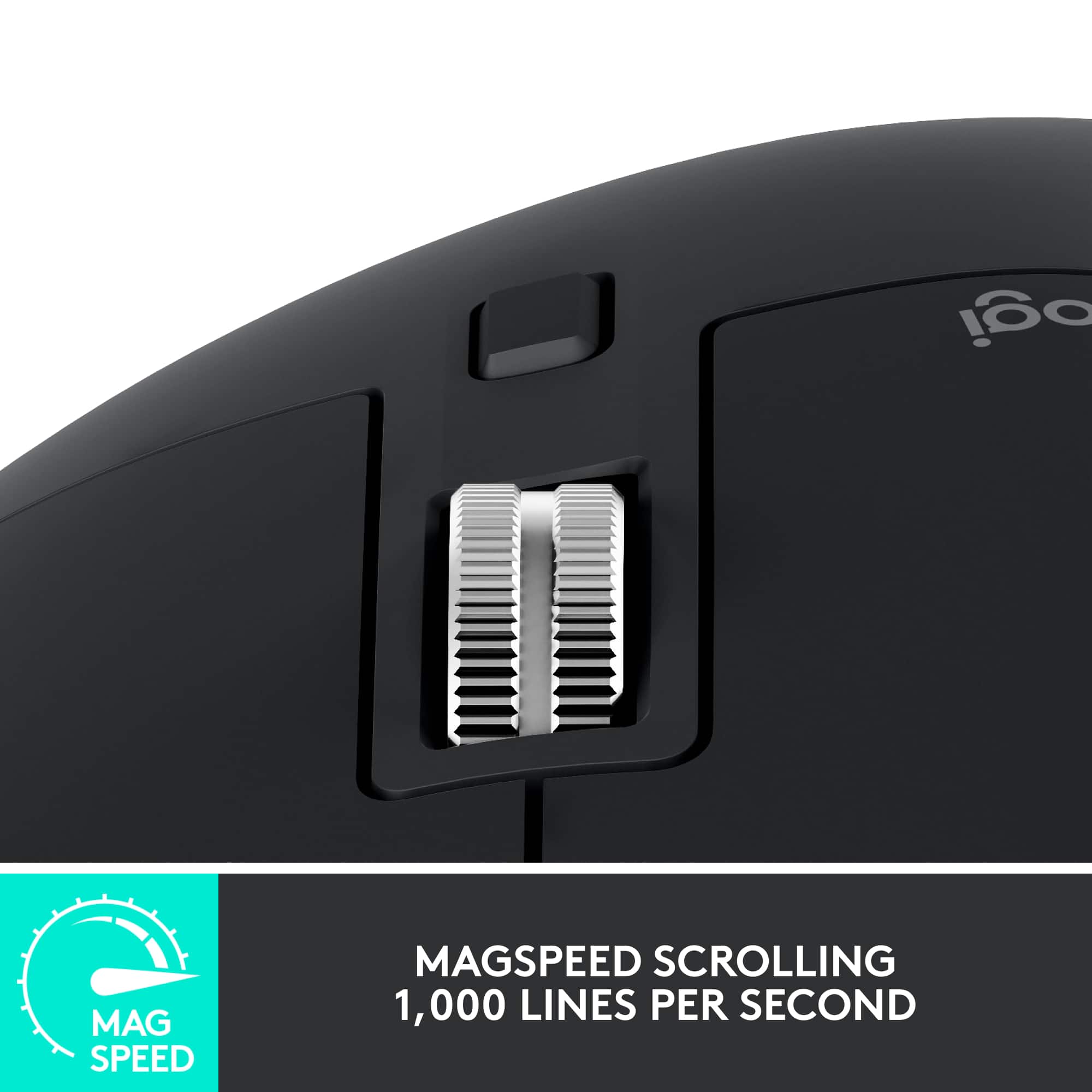
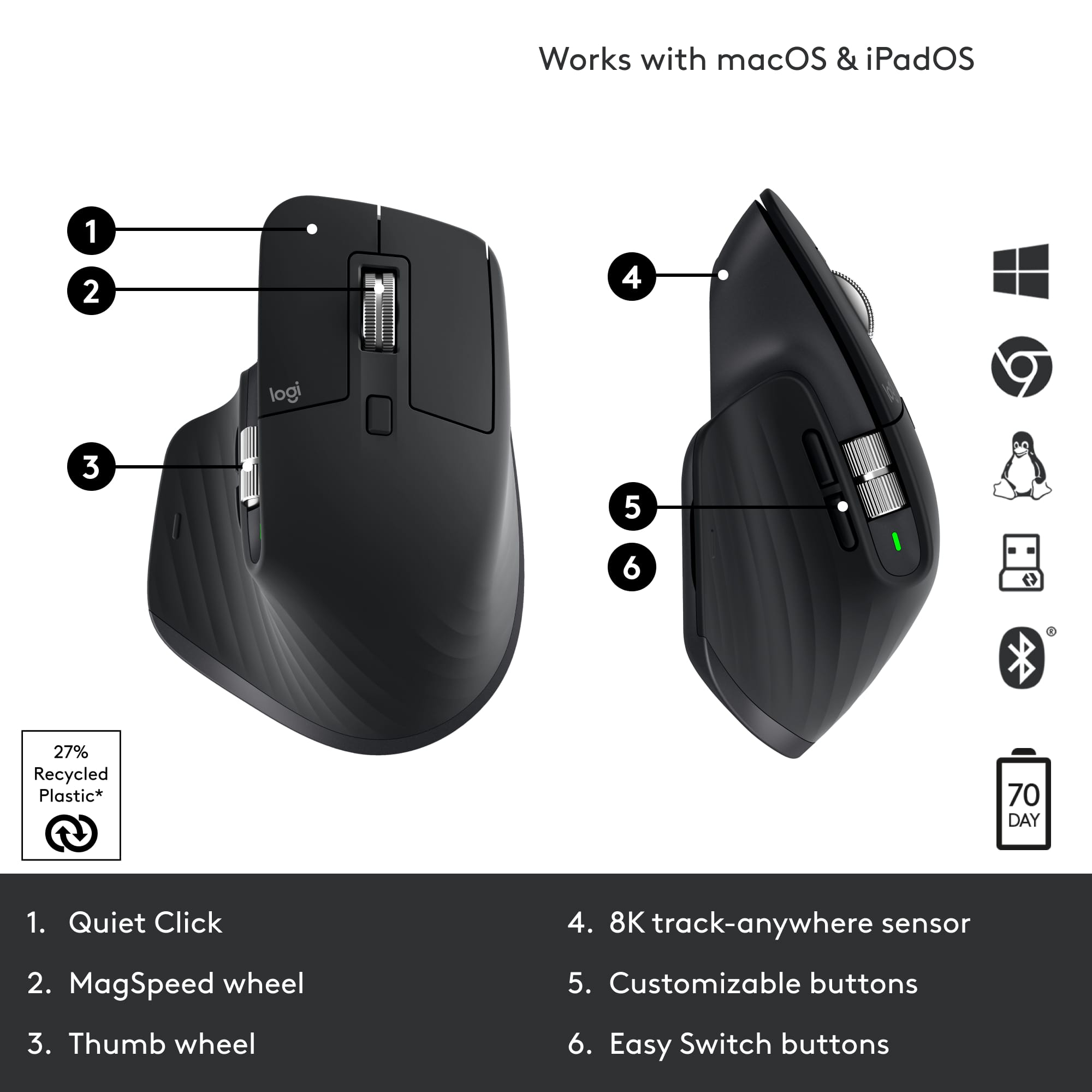
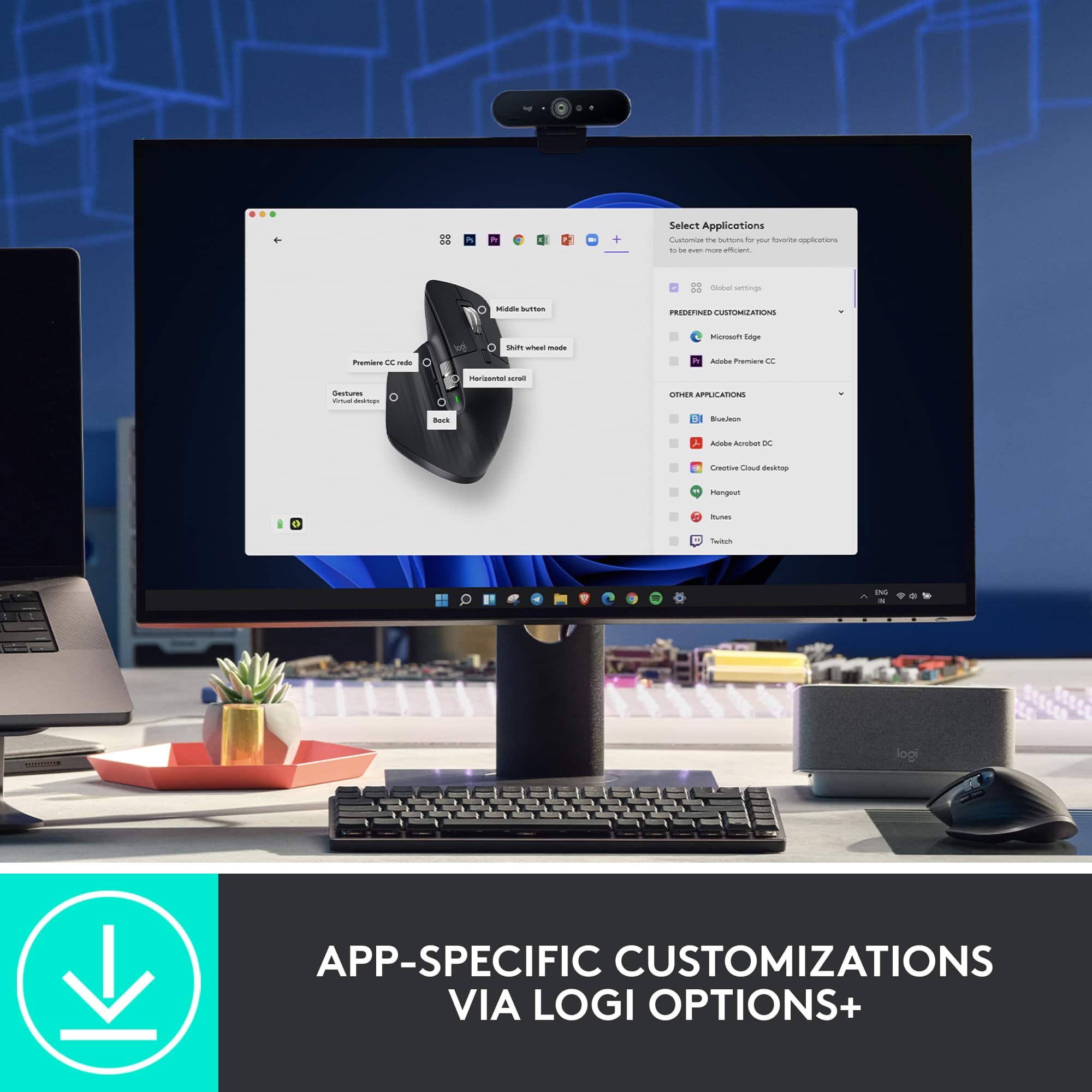
|Posted .This reviewer received promo considerations or sweepstakes entry for writing a review.If you're familiar with the MX Master line of mice, then this will be entirely familiar. It was already a good product, but Logitech has still managed to find way to tweak the design. First, the Logo Options + software is now out of beta, and the minor issues have been fixed. Besides giving you enhanced ability to redefine what each button does, the software also allows you to assign functions to buttons depending on which app you're currently using. So, for example, the side scroll wheel could switch between tabs in your browser but scroll side to side in your Excel workbooks. The main applications that come with preset tailored functions are Chrome, Edge, Excel, PowerPoint, Teams, and Word, but you can add just about any application on your computer for customized settings. The main scroll wheel still does its thing where it will sense when you're trying to scroll a lot and start to spin freely for extended scrolling. You can also turn that "clicking" off and on for the scroll wheel just by clicking it, but I found that it still scrolls in small jumps on the screen, so I prefer to leave those magnetic "clicks" on for regular use. I also really appreciate the presence of that side scroll wheel over having to use buttons or push the center scroll wheel side to side. It's just better ergonomically. And overall, the ergonomics of the mouse are still superb. The main left and right click buttons are quieter, as advertised, but I'm not sure how important that really is. If you haven't updated your mouse in awhile, this is good option.
I would recommend this to a friendExcellent
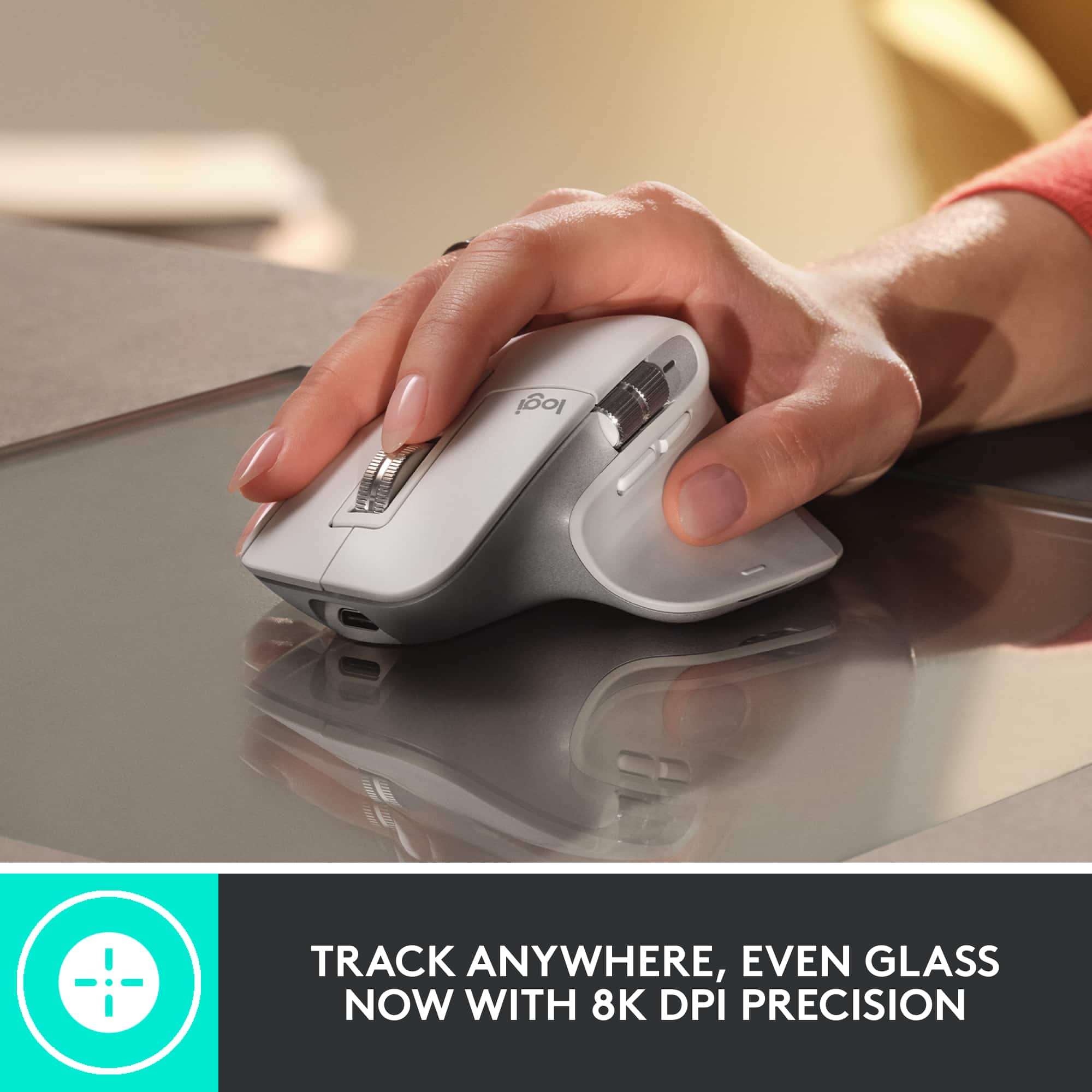
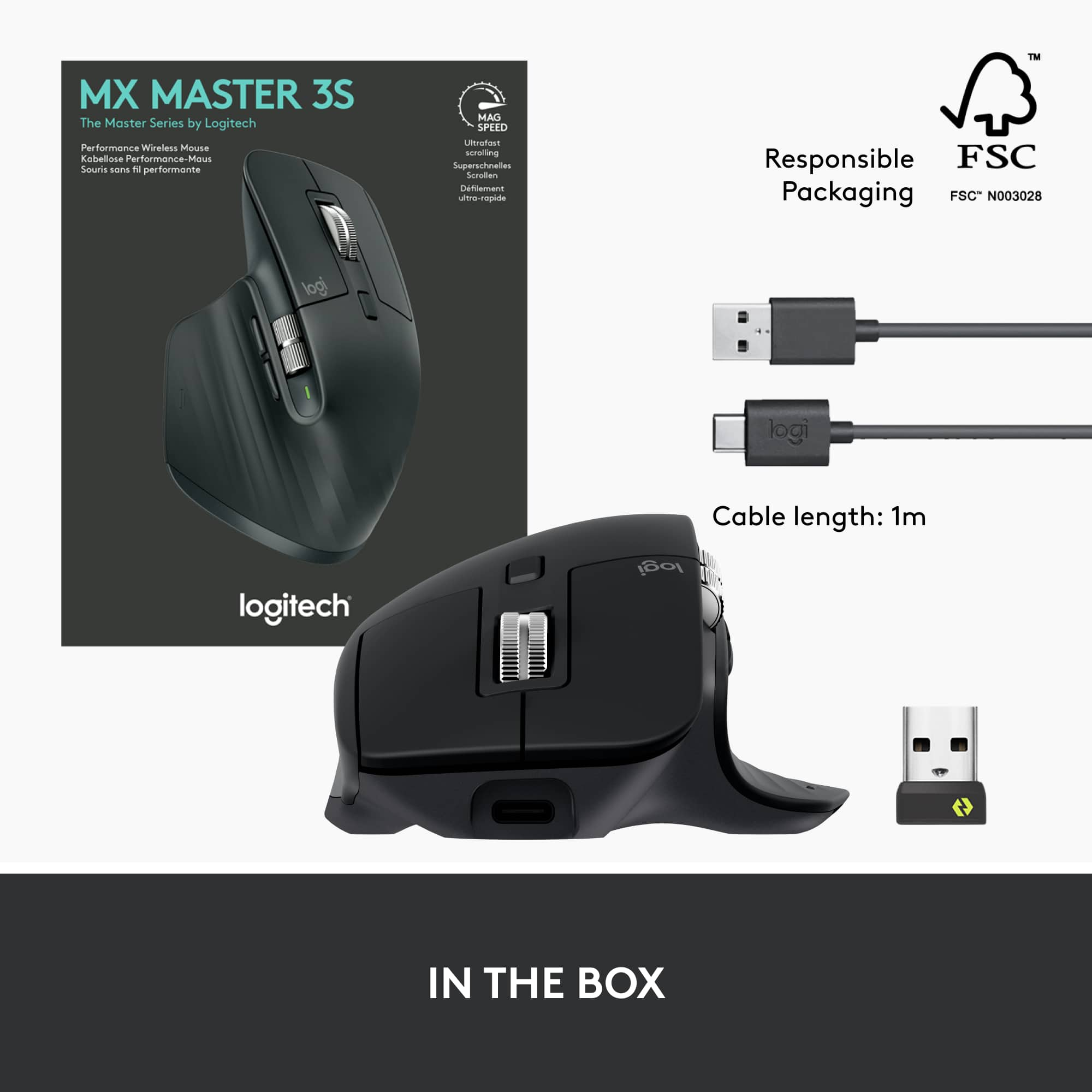
|Posted .This reviewer received promo considerations or sweepstakes entry for writing a review.I have used every iteration of the MX Master series mice and was looking forward to getting this newest version. It definitely does not disappoint, and I highly recommend this mouse. Packaging is typical for Logitech and refreshingly simple. It comes with the mouse, USC C charging cable and the Logi Bolt USB receiver (I have never needed this for any version of this mouse as I connect via Bluetooth). The only issue I came across was with setting this mouse up. I had been using the MX master 2S mouse for a year and it connected immediately. This one took about 20 minutes as my 3 month $2700 laptop would not pair with the product. I then tried to connect through the Logi Options software but came to find out this mouse needed a different software called Logi Options + in order to unwrap all the great features, assign buttons, etc. Had to remove Logi Options, install Logi Options +, then reboot and then it connected quickly. It would have been nice to know it needed a different software from the beginning – would have saved a lot of time. Operation of this mouse is flawless and unbelievably works on ANY surface, even a clear glass top table. Programming the buttons through the software was simple and of course you can change the speeds of the cursor movement as well as the 2 buttons near the thumb under the thumb scroll to your liking. Ergonomically, this is the best feeling, most comfortable mouse of the MX series. Overall – I highly recommend this mouse as it does what it touts and does it extremely well.
I would recommend this to a friendBest Mouse for your home office.
|Posted .This reviewer received promo considerations or sweepstakes entry for writing a review.I've been using this new MX Master for the past couple days of work, syncing this both to my work computer and personal computer. I have the original MX Master from 2017 and its been nice noticing the upgrades and changes that have come along in the last 5 years. The form factor feels better in my hand and I like the visual aesthetic with some harder edges that the original. There were two major features that Logitech highlighted with the release of the 3S: Softer click buttons and a finer DPI laser that allows you to use the mouse on any surface. I'm not sure if I were buying this in a vacuum I would notice how soft the buttons are, but when comparing to the original Master the sound of clicking is night/day different and allows my to click around through documents while on calls without my mic picking it up. While I confess that I did not try the mouse on glass, I was really impressed with how smooth this mouse moves on cork, leather and wood. I feel confident that it would be smooth on any conference room table or office setup and allows you to move exactly where you want. In short this mouse will work with any device - I've connected it to my work ChromeOS and MacOS machines and my personal Windows 11 machine, provides high quality movement on any surface, is extremely (ALL DAY) comfortable in your hand, and has made notable improvements on what was already a great platform. I highly recommend this as the best mouse you can buy for a home office
I would recommend this to a friendGreat, comfortable, multi-device mouse
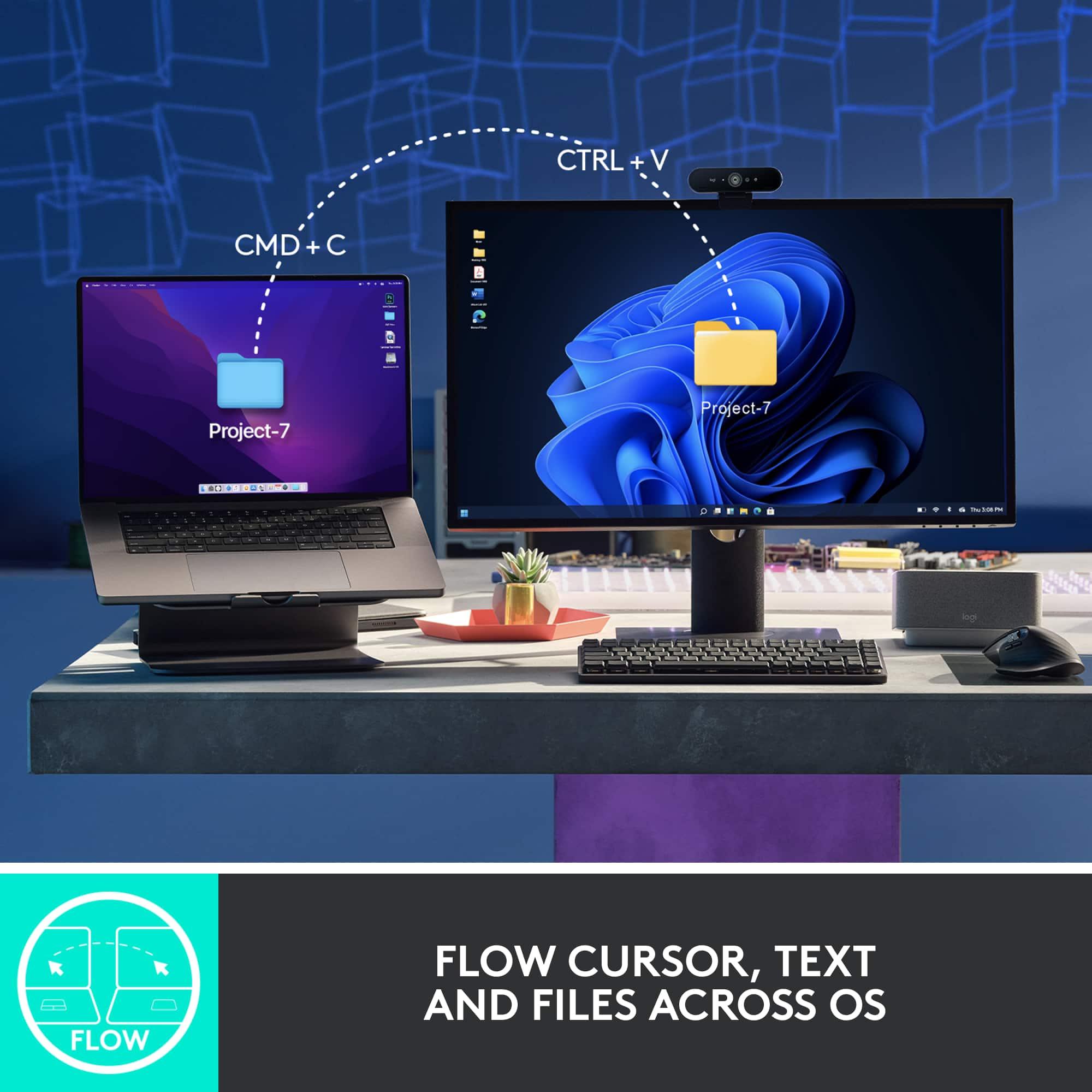
|Posted .This reviewer received promo considerations or sweepstakes entry for writing a review.Great mouse. I also have a MX Master 3 which is almost the same, and find it super comfortable in my hand. Smooth and responsive on my Mac Mini, MacBook Air and Windows laptop, and I love the option for multiple devices (up to 3) via the USB dongle or bluetooth. Simply flip it over and tap the button. Super convenient since I have multiple computers connected to the same monitor and keyboard setup as well. The side thumb roller wheel is great for panning large Excel files or CAD drawings. Top roller wheel smooth as well. Great battery life, and easy to connect to a charge cord and still use like an "old-time" wired mouse. Definitely recommend!
I would recommend this to a friendWell worth it
Posted .This reviewer received promo considerations or sweepstakes entry for writing a review.The device works well. It is a bit pricey for a mouse. The value is in how it works. The setup was smooth. This can connect to three devices. Definitely will enjoy using this.
I would recommend this to a friendBrand response from Logitech
Posted .Thanks so much for your thoughtful review! We're glad to hear the MX Master 3S is living up to its reputation—versatile, smooth to set up, and packed with features that make it well worth the investment. Enjoy the multi-device magic and ultrafast scrolling!

Great features, not as comfy as I’d hoped.
|Posted .This reviewer received promo considerations or sweepstakes entry for writing a review.I’ve owned many logi mice over the years, and they tend to be my go to brand for work and school. I wanted this mouse for my work from home setup, in lieu of the wired one provided to me. As always out of the box it was an easy setup, you really can just plug in and go for basic features. Had no problems with my work laptop connecting once I put the provided USB into it. First thing I noticed was how incredibly quiet it was while right, or left clicking. The Quiet Click feature is literally silent, and I can say I’ve never experienced such a genuinely quiet mouse click. The next thing I noticed was the scroll wheel, which is advertised as Magspeed, and once again something I’ve never seen before. The way it smoothly, and quickly can spin in a full rotation off of one stroke of the finger is super impressive. There are plenty of customizable options literally at your fingertips which I feel a lot of people will appreciate. The design is sleek, and visually appealing. The cons for me was although Logitech advertises a track glass, 8K dpi sensor that will work on any surface, that wasn’t the case for me. I have a gaming mousepad that spans my entire desk, and it literally felt like a workout moving the mouse around, despite the previous one by logi I used had no issues. I don’t want to have to rearrange my setup, just to accommodate this mouse. Also, it wasn’t as comfortable in my hand, and after only 10 minutes of use I felt some discomfort. I’m not sure if it was from having to exert so much energy to move the mouse around, or the design, but I feel both. The thumb pad is a nice ergonomic feature, but it just was not as comfortable to me in hand and I cannot use this everyday, for 8 hours at work which was disappointing. Maybe this would be better for other people, with different ergonomic needs than I. Overall, I would recommend this to the right person, and right setup, but may not work for everyone.
No, I would not recommend this to a friendGreat product!
Posted .This reviewer received promo considerations or sweepstakes entry for writing a review.• Extremely comfortable on the hand, even for extended periods of time • Great build quality and materials • Long-lasting battery • Simple and easy to set-up and use (even with lots of customization options and features)
I would recommend this to a friendBest bang for your buck
Posted .This reviewer received promo considerations or sweepstakes entry for writing a review.Best mouse I have owned so far. Love the fast scrolling and silent clicking. I have owned it for over 2 weeks and still have not needed to charge it. Very comfortable to use. Would highly recommend to others.
I would recommend this to a friendLogitech - MX Master 3S
|Posted .This reviewer received promo considerations or sweepstakes entry for writing a review.This mouse was very easy to get working with my laptop! I pulled it out of the box, turned it on, and my laptop immediately asked me if I wanted to connect to it using Bluetooth. I didn't have all of the functionality that the software provides, but it worked immediately as a standard mouse. The software allows you to customize the buttons on the mouse to have quick-click functionality for whatever environment you're using it in. I like scrolling through tabs with the thumbwheel, personally. The design of the mouse feels more ergonomically correct than most mice I've used over the last 28 years, and it has a fantastic weight, giving it a solidity that they have often been lacking. The texture of the surface is pleasant, and it really looks and feels like they put a lot of thought into the aesthetics. The battery seems like it will last a long time, but the fact that the USB-C port is on the front of it will make using as a "wired" mouse while it's charging will not be a problem in the slightest.
I would recommend this to a friendActually premium
Posted .This reviewer received promo considerations or sweepstakes entry for writing a review.The best Logitech product I've owned. Which admittedly isn't a high bar. The freescroll wheel makes it hard to go to a stiff, clicky, normal one. Being able to re-assign the middle "freescroll" button to something else shows that the engineers designing it actually use this thing. I had two of the MX Master 1 but Im going on 3 years with this one and it still feels premium. I figured with my history that the Scroll would get messed up and start being janky, Thankfully I was wrong. One of the few times a premium item from Logitech is worth the recommendation. Higher DPI would be nice but doesn't really affect my usage of it. It has really just disappeared into my desk and usage, and only calls attention to itself when I have to use other "lesser" mice, Which is exactly what you want from any peripheral.
I would recommend this to a friendBest mouse
Posted .This reviewer received promo considerations or sweepstakes entry for writing a review.Great for productivity. Pairs great with 3 different computers. Switchs profile really fast. Tons of configurations in logi+ app to customize your mouse.
I would recommend this to a friendMight be the perfect mouse
Posted .This reviewer received promo considerations or sweepstakes entry for writing a review.My Apple Magic Mouse was driving me nuts with the multi-gesture feature - I couldn't rest my fingers on top or it would cause bizarre, erratic behavior. I tried several cheaper Logitech mice and wasn't happy with them but one is comfortable, with a natural hand position, responsive, easy to control - everything I'd hoped for. I also like that the USB plugin tab isn't needed for Bluetooth connection, as these newer Macs don't have a lot of extra ports.
I would recommend this to a friendMy biggest tech regret
Posted .This reviewer received promo considerations or sweepstakes entry for writing a review.I had this mouse for too short of a time, yet it’s my favorite mouse of all time. I made the mistake of returning this mouse for an Apple Magic Mouse thinking I’d prefer the “Apple” ecosystem experience and the multi-touch controls, but I was so wrong and have been living with the wrong mouse since. I’ll likely be buying another of these before the year ends and seling my Apple Mouse 2. Definitely buy if youre a multi-tasker and need/want multi device switching on the fly. Programability of the functions is nice as well. 10/10 great design. Oh, and it was comfortable too!
I would recommend this to a friendMeh...Not impressed.
Posted .This reviewer received promo considerations or sweepstakes entry for writing a review.My 3-star rating is based on three negatives.... 1) Logitech Options software. It's terrible, uses way more system resources than should be needed, and has way too much needed updates. Seems like almost every time I log into the computer it starts bothering me for a needed update. 2) I don't like that the button to switch between devices is on the bottom. It should be like the M720, and be located near your thumb. 3) Price is too high for what it is
No, I would not recommend this to a friendBrand response from Logitech
Posted .Thank you for your feedback on the Logitech MX Master 3S is valuable. It's clear that while it's a high-quality product, it has some areas that could be improved.
Love This Mouse!
Posted .This reviewer received promo considerations or sweepstakes entry for writing a review.This mouse is absolutely worth every penny. It can be a little frustrating when it disconnects, however...that is part of the reason why it can last so long on a charge and it quickly reconnects. Other than that, this is as close as it gets to perfection when it comes to a mouse.
I would recommend this to a friendBrand response from Logitech
Posted .We're glad to hear that you're enjoying the ultrafast scrolling and overall performance. Thank you for your positive feedback on the MX Master 3S Wireless Laser Mouse!
Mx master 3s review
Posted .This reviewer received promo considerations or sweepstakes entry for writing a review.Great mouse, make sure to get the software to customize it.
I would recommend this to a friendBrand response from Logitech
Posted .That's great to hear you're enjoying the Logitech MX Master 3S Wireless mouse! We agree that utilizing the software truly unlocks its full potential for customization and a tailored experience.
Great work mouse
Posted .This reviewer received promo considerations or sweepstakes entry for writing a review.Always like Logitech products, but this one is the best mouse I've ever used for work.
I would recommend this to a friendBrand response from Logitech
Posted .It's great to hear the MX Master 3S has become your favorite work mouse! Feedback like this truly validates the effort put into our products. If you'd like to share more about what makes it the best for you, please feel free to email [socialcare@logitech.com] with your name and country.
great production mouse
Posted .This reviewer received promo considerations or sweepstakes entry for writing a review.I bought this mouse for production. I have a separate gaming mouse, though this one would not be horrible at it. It is a little pricey, but if you use it all day like I do, you might find it worth the cost. I do.
I would recommend this to a friendBrand response from Logitech
Posted .Hey! Thanks for the insightful review of the MX Master 3S! We appreciate you highlighting its strengths for productivity tasks. It's definitely a great choice for users who value comfort and efficiency during long workdays. The point about its usability for some gaming applications is also valuable to consider!
Great hardware, as usual, buggy software install
|Posted .This reviewer received promo considerations or sweepstakes entry for writing a review.Logitech has pretty much cornered the market for excellent quality mice, trackballs and keyboards. I can't really think of any other brand to consider when I'm in the market for one of these devices. And, this holds true for the latest MX Master 3S mouse. I normally use a trackpad with my Mac, but wanted to give the Logitech mouse a spin. The build quality is excellent and the configurability options are almost endless. You can literally change every button and the scroll wheels to do almost anything you want when picking from a very long list of possibilities. Although the default options for each button/scroll wheel make the most sense, I changed a few to suit my needs and workflow better. The only real issue I had and I have with any of these Logitech products is the software. It tends to be a bit buggy, especially at the time of original installation. I already had Logitech Options installed on my Mac, but to use this mouse ones needs Options+. The Options software told me I needed to update to Options+, but didn't tell me how. Any other software will have an "update" option in one of the drop down menus, but Options did not. After about 15 minutes of trying to figure out what to do, I finally realized I just need to go the website and download the latest version of regular Options after which I would be guided to update to Options+. None of that made any sense, but I finally got it figured out. However, I can imagine someone who is not as techy as me would probably need to contact Logitech support.
I would recommend this to a friend