Customer Ratings & Reviews
- Model:
- 910-006556
- |
- SKU:
- 10735933
Customer reviews
Rating 4.8 out of 5 stars with 2251 reviews
(2,251 customer reviews)Rating by feature
- Value4.6
Rating 4.6 out of 5 stars
- Quality4.8
Rating 4.8 out of 5 stars
- Ease of Use4.8
Rating 4.8 out of 5 stars
to a friend
Rated 5 out of 5 stars
Logitech Best Mouse
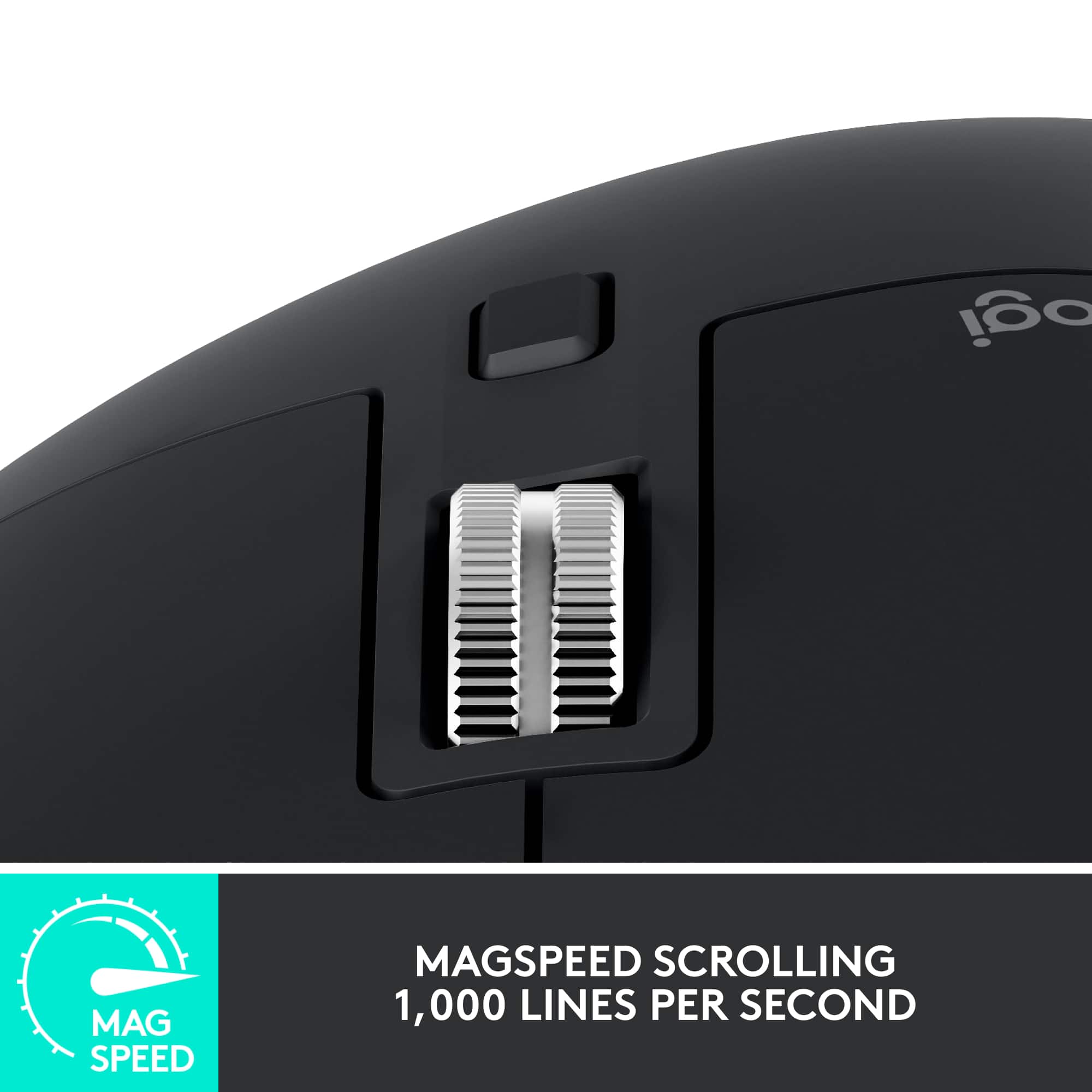
||Posted . Owned for 1 month when reviewed.This reviewer received promo considerations or sweepstakes entry for writing a review.This is the best mouse out right now. Very customizable with the application. Out of the box bt works like a charm on 3 different devices. The buttons have a nice tactile feel to them. The scroll bar can be tactile or speed scroll at the press of a button. The thumb buttons can be customized but work out of the box for going forward/ on the web. Battery life is very good. After you try this you wont be able to use another mouse.
This review is from Logitech - MX Master 3S Wireless (USB-A) Laser Mouse with Ultrafast Scrolling - Wireless - Black
I would recommend this to a friendBrand response from Logitech
Posted .We're absolutely thrilled to hear you consider the Logitech MX Master 3S the "best mouse out right now"! Your detailed praise for its customizability, seamless multi-device Bluetooth, tactile buttons, versatile scroll wheel, and excellent battery life is fantastic. We're delighted it's revolutionized your mouse experience!
Rated 5 out of 5 stars
Great for graphic designers
||Posted . Owned for 1 month when reviewed.This reviewer received promo considerations or sweepstakes entry for writing a review.The Logitech MX Master 3S is a powerhouse mouse tailored perfectly for graphic designers seeking precision and customization. Its ergonomic design fits comfortably in hand for extended periods, minimizing fatigue during intensive design sessions. The standout feature is its unparalleled customization options, allowing users to program buttons and gestures to streamline workflows, whether it's switching between design tools or executing complex commands with a flick of a finger. The high-precision sensor ensures smooth and accurate cursor movement, crucial for intricate design work, while the adaptive scroll wheel adjusts to the task at hand, whether it's scrolling through lengthy design documents or navigating pixel-perfect illustrations. For graphic designers, the Logitech MX Master 3S is a game-changer, offering a seamless blend of comfort, precision, and customization. Its ergonomic design reduces strain during long hours of use, while its extensive customization options empower users to tailor the mouse to their unique workflow needs. With its precise sensor and adaptive scroll wheel, navigating intricate design projects becomes effortless, making the MX Master 3S an indispensable tool for any creative professional's arsenal. Whether you're crafting intricate illustrations or fine-tuning typography, this mouse elevates the design experience to new heights, setting a new standard for productivity and comfort in the digital workspace.
This review is from Logitech - MX Master 3S Wireless (USB-A) Laser Mouse with Ultrafast Scrolling - Wireless - Black
I would recommend this to a friendBrand response from Logitech
Posted .Thank you for your enthusiastic review of the Logitech MX Master 3S! Your in-depth analysis highlighting its benefits for graphic designers is incredibly valuable. We appreciate you taking the time to share your positive experience with the product. Your feedback is a testament to the mouse's exceptional design and functionality.
Rated 5 out of 5 stars
Excel product
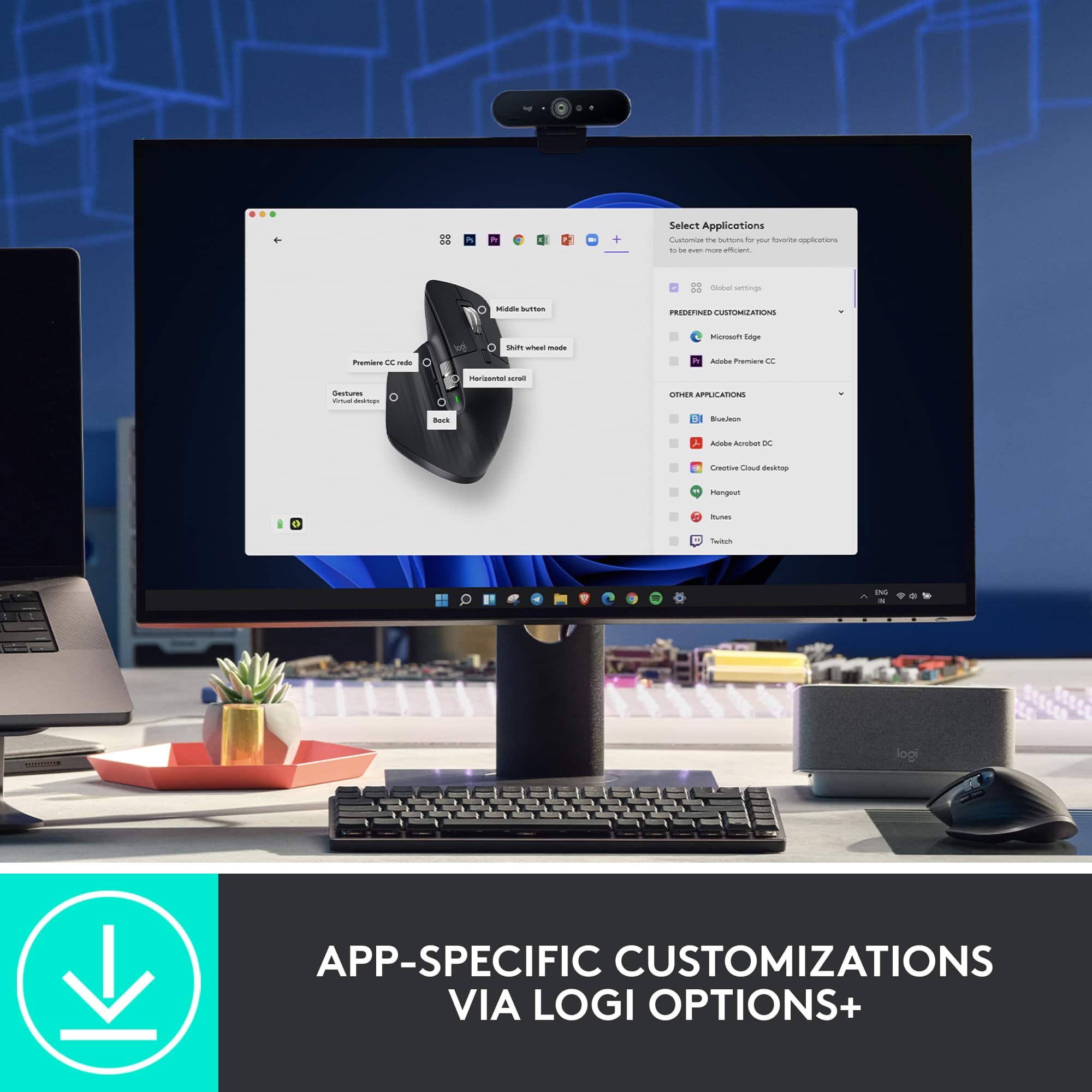
||Posted . Owned for 2 months when reviewed.This reviewer received promo considerations or sweepstakes entry for writing a review.The mouse is, without a doubt, a game-changer for anyone seeking a high-performance, customizable mouse that enhances both productivity and comfort. After using it for a while, I can confidently say that it checks all the boxes for what a professional or power user needs. Design and Comfort The MX Master 3S features an ergonomic design that perfectly fits in the hand, ensuring comfort even during long work sessions. The contours of the mouse are designed with precision, making it ideal for palm grip users. The smooth, matte finish feels premium, and the textured rubber sides give extra grip, making it easy to hold without fatigue. Performance and Speed What really sets this mouse apart is its performance. The Darkfield high-precision sensor allows for seamless tracking on any surface, including glass, which is a huge plus for me. Whether you're navigating through a spreadsheet or switching between multiple applications, the MX Master 3S is incredibly responsive, with **up to 8,000 DPI** sensitivity that can be adjusted to suit different tasks. Customization and Features Logitech’s Options+ software gives users an almost limitless array of customization options, letting you program each button to suit your workflow. This is especially useful for those who use complex shortcuts or multiple applications. For instance, the thumb wheel allows for horizontal scrolling, which is perfect for navigating long documents or wide design files. Additionally, the side buttons can be mapped to anything from media controls to specific app functions. Battery Life and Charging Battery life is another highlight. With up to 70 days on a full charge, you can rely on this mouse for long periods without needing to worry about frequent charging. When it does run low, a quick 1-minute charge using USB-C gives you up to 3 hours of use, which is incredibly convenient. Multi-Device Pairing It shines in its ability to easily switch between multiple devices with just a click of a button. Whether you're working on your laptop, desktop, or tablet, you can seamlessly transition between them without missing a beat, thanks to its **Bluetooth** and **Logitech Unifying Receiver** compatibility. Quiet and Smooth Clicking The quiet click feature is a notable improvement over its predecessors. The tactile feedback is satisfying but much quieter, which is great if you work in shared spaces. The smooth scroll wheel also provides a pleasant experience, whether you’re flying through pages or fine-tuning a design. Conclusion Overall, this mouse is a fantastic investment for anyone who needs a versatile, high-performance mouse. Its comfort, customization options, and performance make it perfect for professionals, designers, and tech enthusiasts alike. If you're looking for a reliable, feature-rich mouse that will last for years, the MX Master 3S is definitely worth considering.
This review is from Logitech - MX Master 3S Wireless (USB-A) Laser Mouse with Ultrafast Scrolling - Wireless - Black
I would recommend this to a friendBrand response from Logitech
Posted .Thank you for your detailed and insightful review of the MX Master 3S! We're thrilled to hear that it's become a game-changer for your productivity and comfort. We appreciate you highlighting key features like the ergonomic design, Darkfield sensor's performance on any surface (including glass!), the extensive customization options via Logitech Options+, the impressive battery life with quick charging, and the seamless multi-device pairing. It's also great to know you appreciate the quiet click feature and smooth scrolling we put a lot of effort into those details. We're committed to providing high-quality, innovative products, and feedback like yours helps us continue to improve. We're so glad you're enjoying the MX Master 3S!
Rated 4 out of 5 stars
Effortless Comfort and Precision
||Posted . Owned for 4 months when reviewed.This reviewer received promo considerations or sweepstakes entry for writing a review.I’ve been using the Logitech MX Master 3S for a few months, and it’s made my work so much easier. It feels really comfortable to use, even when I’m at my desk for hours. My hand doesn’t get tired, which is a big deal for me. The scroll wheel is amazing! Switching between the smooth and clicky modes is super easy, and it’s so precise. I also love how I can switch between my laptop and desktop with just one button—it’s so convenient and saves a lot of time. The silent clicks are nice, especially in quiet spaces, but they took a bit of getting used to since they don’t have the usual clicky feel. The customization options in the app are great, but the app itself could be easier to use. Overall, this mouse is awesome. It’s not perfect, but it’s definitely worth it if you want something comfortable and reliable for work.
This review is from Logitech - MX Master 3S Wireless (USB-A) Laser Mouse with Ultrafast Scrolling - Wireless - Black
I would recommend this to a friendBrand response from Logitech
Posted .It sounds like the Logitech MX Master 3S has been a great addition to your workspace! The ergonomic design and comfortable grip are definitely standout features, especially for long hours of use. The scroll wheel with its ability to switch between smooth and ratchet modes is indeed a game-changer for productivity.
Rated 5 out of 5 stars
Works with a silent click of a button
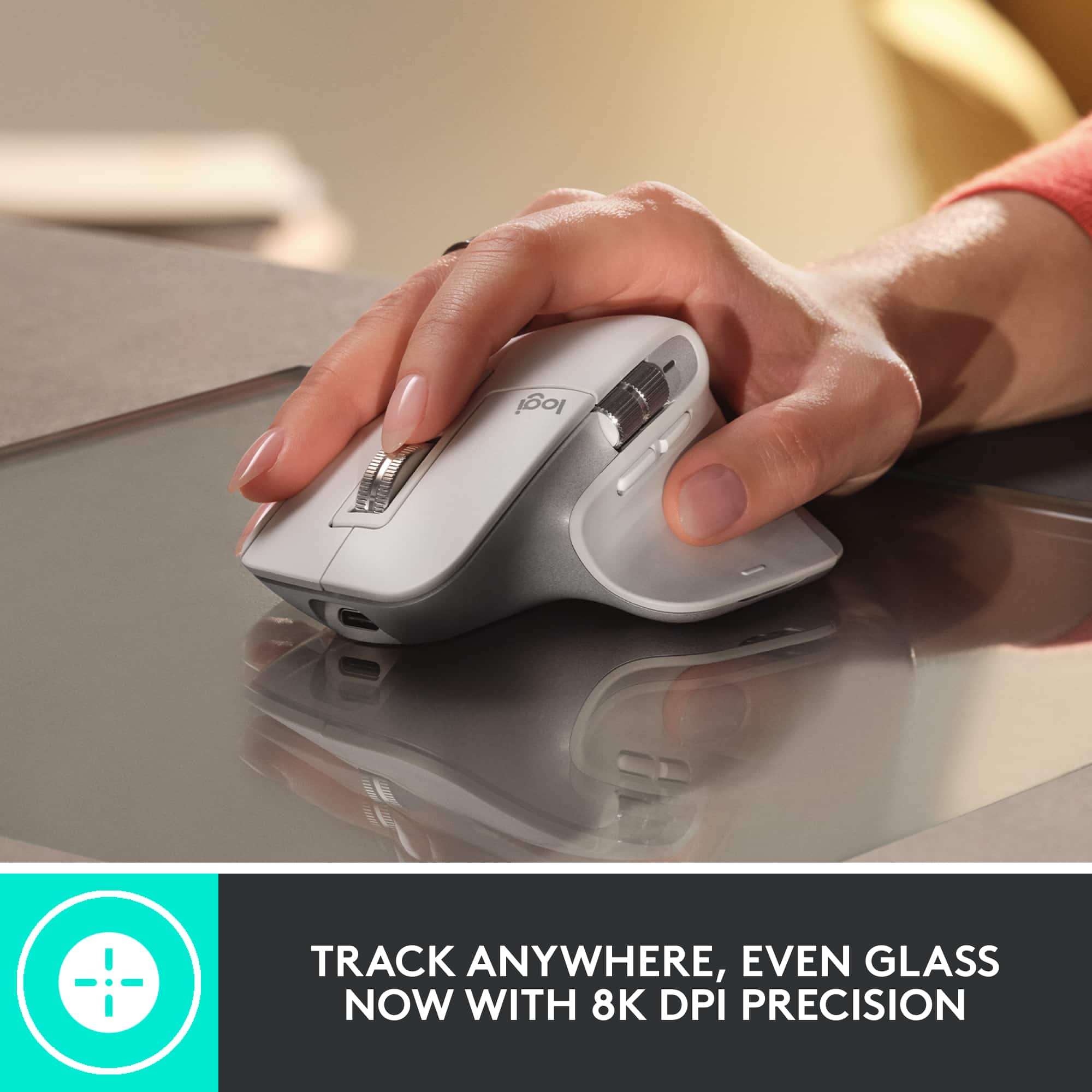
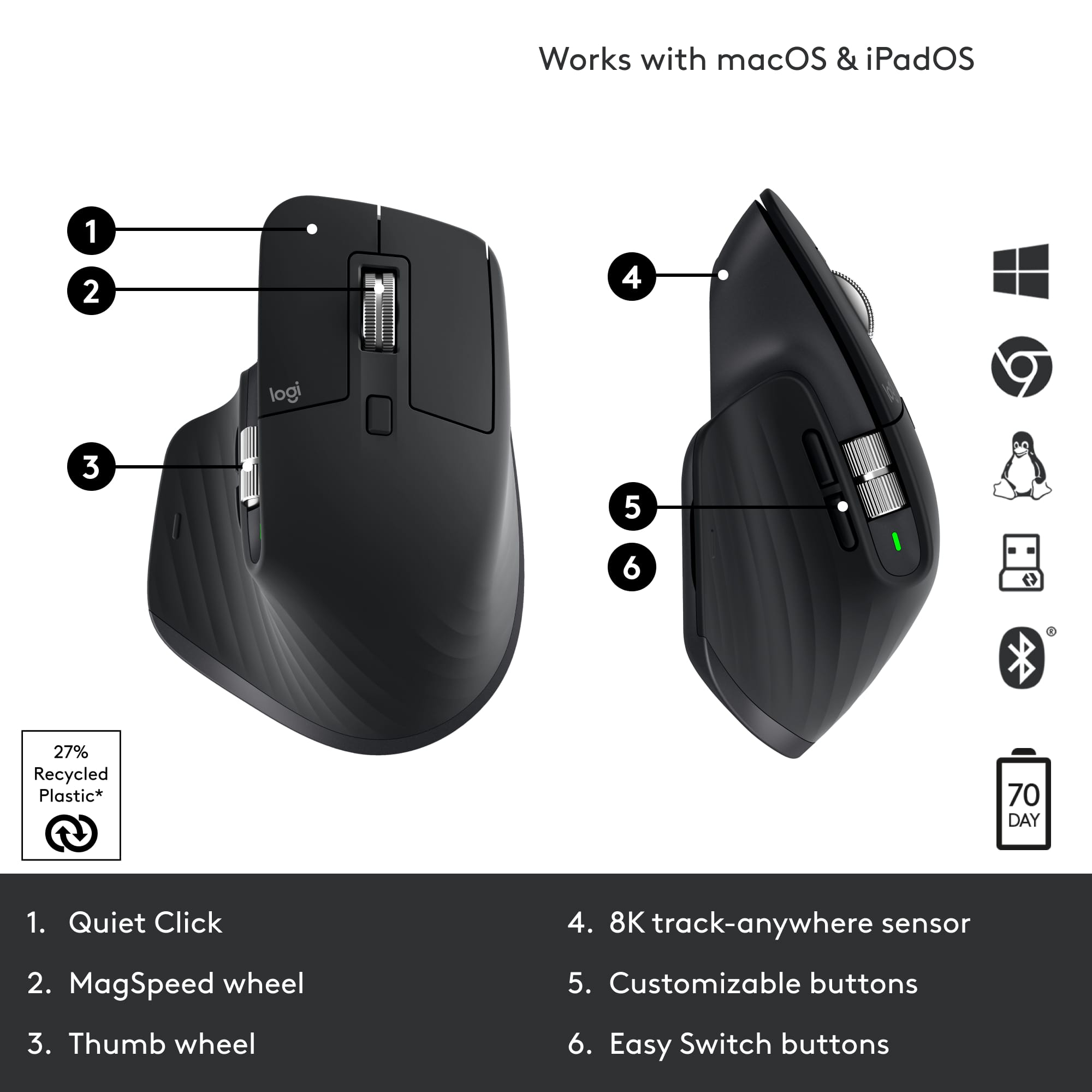
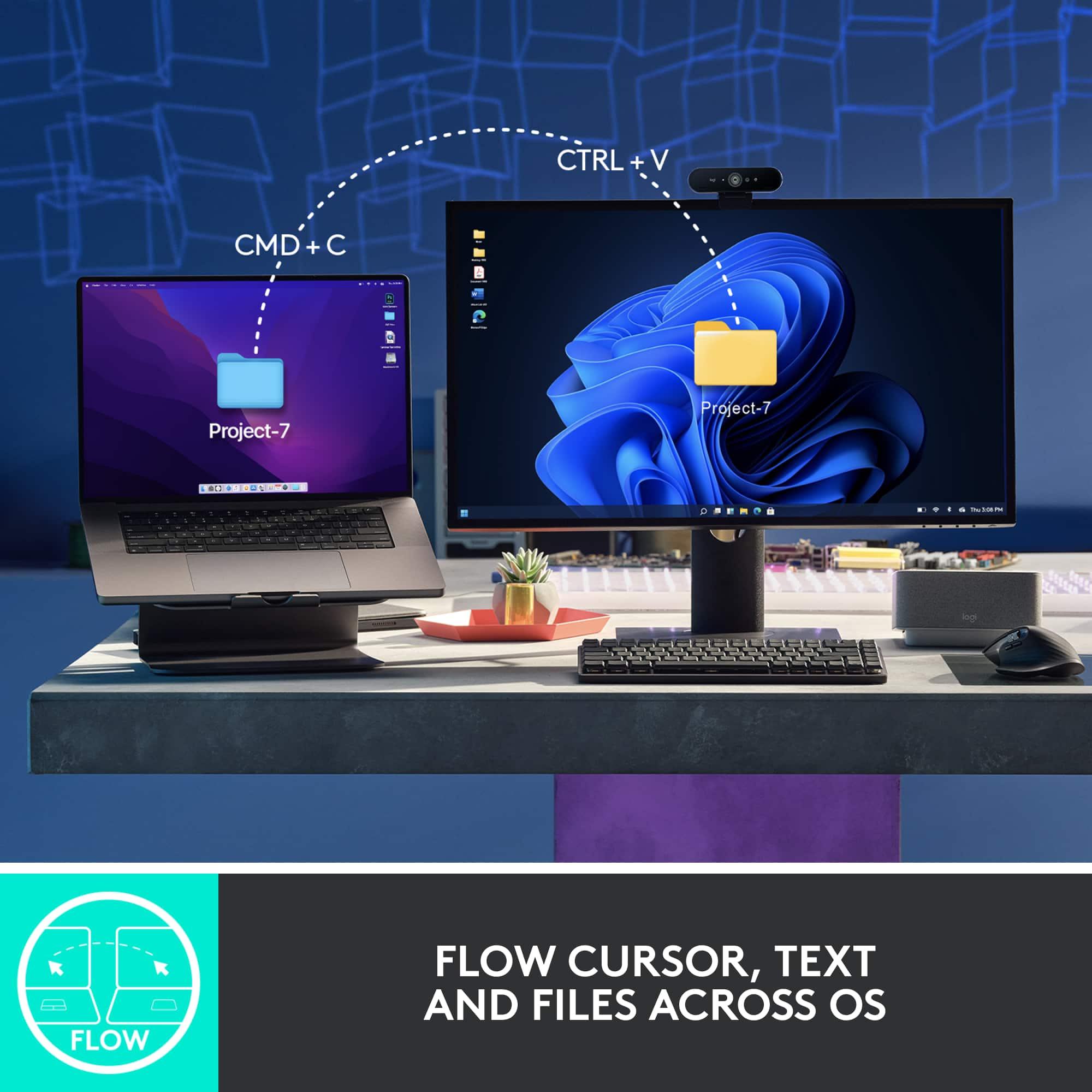
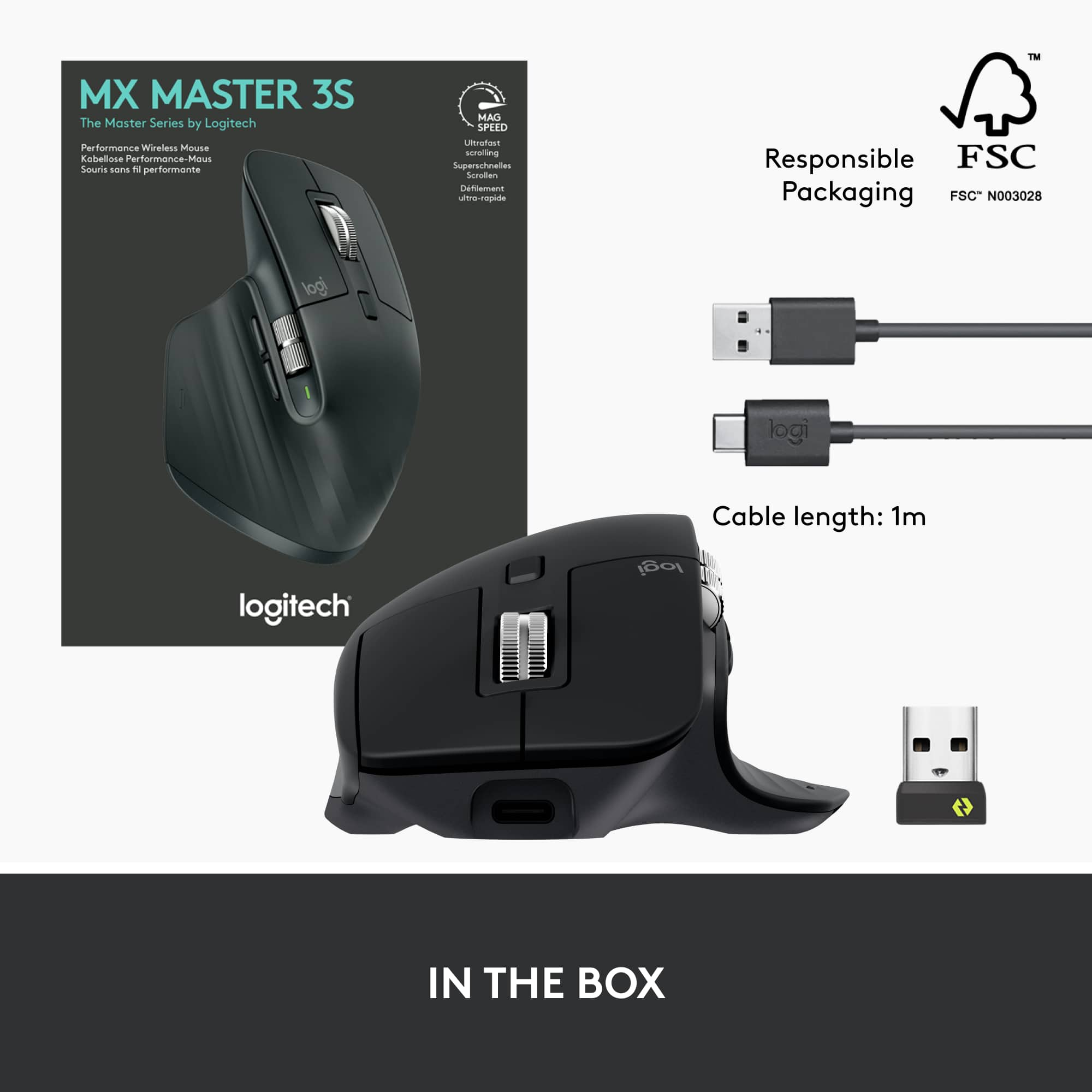
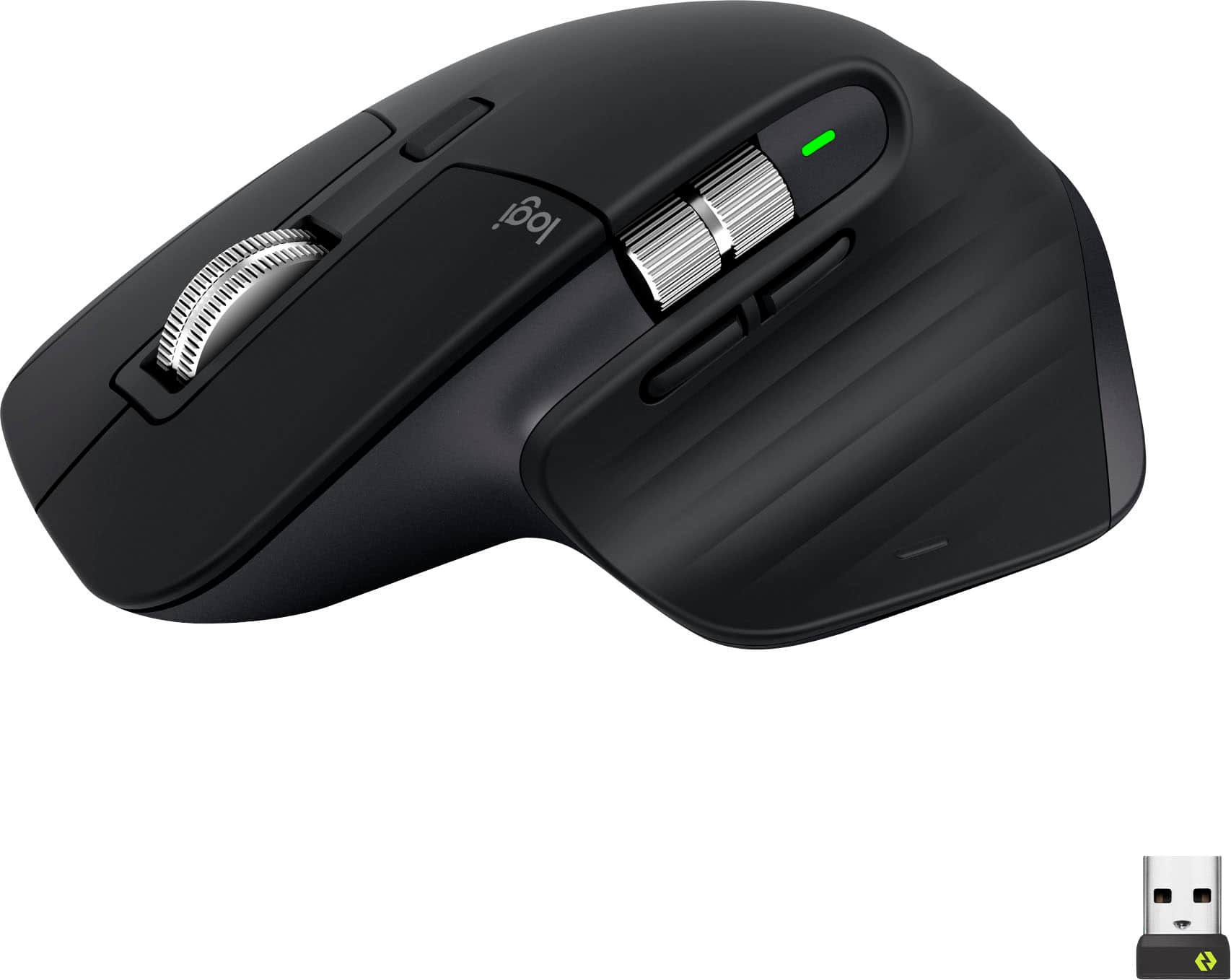
|Posted .This reviewer received promo considerations or sweepstakes entry for writing a review.I’m a big fan of Logitech computer accessories and I have owned a bunch of their MX line of products. I currently use the MX Master 2S and still working great for me. I expect the same from this next generation MX Master and it hasn’t disappointed me. It now uses USB-C instead of microUSB for charging. The charging port is still located on the front of the mouse so you can use it while it is charging not like the Apple mouse. It lost the 3 LED battery level indicator that was on the 2S which was helpful and it is now replaced with one LED battery indicator. The location of the two side buttons is moved to just under the side scroll wheel. The button click is virtually noiseless. It is that quiet. The scroll wheel in the ratchet mode is also quieter than the previous. It is also faster and more precise. It works on any surface with the upgraded 8000 DPI sensor compared to the 2S that had 4000 DPI. You can customize the sensitivity through the app. Whether it be wood, metal, cloth, mousepad or even my glass sliding door, it works on all of those surfaces. The glide strips makes for a very smooth movement across the surface. I am using this mouse on Apple devices and they have this feature called Universal Control which lets you use one keyboard and mouse to control your Apple devices simultaneously. With Logitech Options+ and this Flow enabled mouse, you can now control a Mac and Windows computers with one mouse. You can transfer files, copy on one and paste on the other. Wait what? Mac and Windows working together? Yep It’s true! This Logi Flow cross-computer control works pretty seamless too but I think Apple’s Universal Control is more seamless. It still has the ability to connect to three different devices with the easy switch button on the bottom of the mouse The ergonomic design feels the same as the 2S and the build quality is just as good. The color scheme changed from a gray two tone to a black two tone. The scroll wheels no longer have the rubber outer layer but it doesn’t affect the grip in my opinion. This Master 3S looks and feels great and it works great too. It comes with a Logi Bolt USB receiver and a USB-A to USB-C cable. This mouse is not compatible with the USB Unifying receiver.
This review is from Logitech - MX Master 3S Wireless (USB-A) Laser Mouse with Ultrafast Scrolling - Wireless - Black
I would recommend this to a friendBrand response from Logitech
Posted .Hello neio11,
I am glad that you are enjoying the MX Master 3S. Thanks for leaving such a detailed product insight, I will record it and pass it along. Logitech appreciates your product review. - Leo from Logitech
Rated 5 out of 5 stars
Great mouse, definitely recommend
||Posted .This reviewer received promo considerations or sweepstakes entry for writing a review.Excellent mouse! Very comfortable to use, excellent battery life, and no cables or usb stubs. Has lots of features I haven't used with software but just wanted a high quality mouse and it delivers!
This review is from Logitech - MX Master 3S Wireless (USB-A) Laser Mouse with Ultrafast Scrolling - Wireless - Black
I would recommend this to a friendBrand response from Logitech
Posted .Thank you for the wonderful review! We're thrilled to hear you're enjoying the MX Master 3S, especially the comfort, excellent battery life, and overall quality. It's great to know it's delivering on what you wanted in a high-quality mouse. We appreciate your recommendation!
Rated 5 out of 5 stars
Would Buy Again!
||Posted .This reviewer received promo considerations or sweepstakes entry for writing a review.The best mouse on the planet. Great battery life, great hand feel, easy pairing, good glide. Just a bit heavy, but expected.
This review is from Logitech - MX Master 3S Wireless (USB-A) Laser Mouse with Ultrafast Scrolling - Wireless - Black
I would recommend this to a friendBrand response from Logitech
Posted .Now that’s a glowing endorsement—thank you! The MX Master 3S really does pack a punch with its smooth glide, ergonomic design, and effortless pairing. We hear you on the weight, and totally agree it’s part of the premium feel. Appreciate you calling it the best on the planet!
Rated 5 out of 5 stars
Good Mouse for Work
||Posted . Owned for 4 months when reviewed.This reviewer received promo considerations or sweepstakes entry for writing a review.Bought this mouse for work. I can go over a week without charging it and I use it every day for 8 hours. Very comfortable and high quality. The fast scrolling works really well. I’m on excel all day and works great for that. The clicking is silent. Price is pretty steep though for a non gaming spec mouse.
This review is from Logitech - MX Master 3S Wireless (USB-A) Laser Mouse with Ultrafast Scrolling - Wireless - Black
I would recommend this to a friendRated 5 out of 5 stars
Logi MX Master 3S: A User's Balanced Perspective
||Posted . Owned for 3 weeks when reviewed.This reviewer received promo considerations or sweepstakes entry for writing a review.As a user of the Logitech MX Master 3S, I've found it to be a high-quality productivity mouse with a comfortable, ergonomic right-handed design. Its wireless connectivity options, including Bluetooth and the BOLT USB receiver, allow me to pair it with three devices simultaneously. I particularly enjoy the adjustable sensor settings, programmable custom gesture controls, and remappable buttons. The mouse has two independent scroll wheels for horizontal and vertical scrolling which I find very useful. However, I did notice that the mouse is quite large and bulky, which can be a challenge if you have smaller hands or need something more portable. While I've tried using it for gaming, it's clearly not specifically designed for this, as the click latency is decent but not on par with dedicated gaming mice, and the CPI range is lower compared to many gaming options. One of the highlights for me is the rechargeable battery which lasts up to 70 days, and its quick charge feature which provides 3 hours of use from just a 1-minute charge is fantastic for when I'm in a rush.
This review is from Logitech - MX Master 3S Wireless (USB-A) Laser Mouse with Ultrafast Scrolling - Wireless - Black
I would recommend this to a friendRated 5 out of 5 stars
MX Master 3 Review
||Posted .This reviewer received promo considerations or sweepstakes entry for writing a review.Got this as a gift for my Mother and she loves it. Battery life is excellent and very comfortable for her. The tracking sensor works flawlessly on her desk even without a mouse pad. The mouse clicks are also quiet but still feel clicky when using the mouse. All in all an excellent mouse for office work.
This review is from Logitech - MX Master 3S Wireless (USB-A) Laser Mouse with Ultrafast Scrolling - Wireless - Black
I would recommend this to a friendBrand response from Logitech
Posted .Hey! Your feedback helps us understand what we’re doing right. We’re pleased our product is meeting your needs. Thanks for being part of our journey.
Rated 5 out of 5 stars
Elevate Your Productivity with this mouse!
||Posted . Owned for 2 weeks when reviewed.This reviewer received promo considerations or sweepstakes entry for writing a review.As someone who spends a significant amount of time working on a computer, finding the right mouse is crucial for maximizing productivity and comfort. After trying out the Logitech MX Master 3S Wireless Laser Mouse in Black, I can confidently say that it's a game-changer. Right out of the box, the MX Master 3S impresses with its sleek and ergonomic design. It fits comfortably in my hand, allowing for hours of use without any strain or discomfort. The textured thumb rest adds an extra level of support, ensuring a secure grip during extended work sessions. The standout feature of this mouse is its ultrafast scrolling capability. Whether I'm navigating through lengthy documents or browsing the web, the hyper-scrolling wheel makes it effortless to zip through content with precision and speed. It's a game-changer for anyone who values efficiency and workflow optimization. Furthermore, the customizable buttons and gestures provide a level of control and customization that enhances my workflow. I can easily assign functions to the buttons based on my preferences and streamline repetitive tasks with just a click. The precision of the laser sensor is another highlight of the MX Master 3S. It tracks smoothly on a variety of surfaces, ensuring accuracy and responsiveness in every movement. Whether I'm editing photos or fine-tuning spreadsheets, I can rely on this mouse to deliver precise cursor control. The wireless connectivity is seamless, with the mouse effortlessly pairing with multiple devices via Bluetooth or the included Unifying USB receiver. The long-lasting battery life is also impressive, allowing me to work for days on a single charge without any interruptions. Overall, the Logitech MX Master 3S Wireless Laser Mouse is a versatile and powerful tool that elevates productivity to new heights. Its ergonomic design, customizable features, and smooth performance make it a must-have for anyone looking to enhance their computing experience. I wholeheartedly recommend it to professionals, creatives, and anyone who values precision and efficiency in their work.
This review is from Logitech - MX Master 3S Wireless (USB-A) Laser Mouse with Ultrafast Scrolling - Wireless - Black
I would recommend this to a friendBrand response from Logitech
Posted .Hey there! We're thrilled to hear such amazing feedback about the MX Master 3S! It's designed to be an extension of your hand, boosting productivity and comfort. We're glad you've experienced the difference the ergonomic design, MagSpeed scrolling, and customizable buttons make.
Rated 5 out of 5 stars
Awesome update to the MX Master mouse!
||Posted . Owned for 1 week when reviewed.This reviewer received promo considerations or sweepstakes entry for writing a review.I have only owned the original MX Master mouse, which finally stopped working recently and would no longer charge. This new version of the mouse was my replacement purchase for that, and it's an awesome update to the original model. It is very comfortable in the hand, and doesn't feel all that different from the original model. The original MX mouse also needed to be recharged every few days for me, which was often quite annoying. I have owned this new 3S mouse for a couple of weeks now and the original charge is still at 65% despite heavy use every day. So it doesn't appear that I will need to recharge this mouse very often at all. Another thing I really like about this new version is the nearly silent clicks. You literally can barely hear it when you click on the buttons, and it just seems flawlessly smooth in operation. Another nice upgrade is the increased 8K DPI resolution tracking. If you have a large 4K display connected, you can literally just zip the cursor from one corner of the screen to another super fast with this enabled. The scroll wheel is also far smoother to operate, and you can use hyper-scrolling. And yes, it literally can track on a glass surface. I'm extremely pleased with this new 3S mouse!
This review is from Logitech - MX Master 3S Wireless (USB-A) Laser Mouse with Ultrafast Scrolling - Wireless - Black
I would recommend this to a friendRated 5 out of 5 stars
Hesitant to buy at first, now cant work without it
|Posted . Owned for 2 months when reviewed.This reviewer received promo considerations or sweepstakes entry for writing a review.I LOVE this mouse. The clicks are soft but satisfying, the ergonmic is perfect for my larger hands(small hands would fit fine as well). The horizontal wheel scroll is a game changer. It saves so much time in excel moving back and forth. No accidental clicks on cells or moving the mouse around to scroll left and right. The logitech software was approved on my work computer so i was able to do custom button setups and other customizarion through the Logi software. The unlocked scrollwheel is very smooth as well. Its different than a razer or their gaming 502 scroll where, and it feels so much better. This has weight to it, which makes scrolling so satisfying and accurate. Initially i did not want to spend $80+ dolllars on a work mouse, but i realized the amount of hours I use it, and if it helps me get work done faster, then its totally worth it!
This review is from Logitech - MX Master 3S Wireless (USB-A) Laser Mouse with Ultrafast Scrolling - Wireless - Black
I would recommend this to a friendBrand response from Logitech
Posted .We're absolutely thrilled to hear how much you love the MX Master 3S! It's fantastic that it's become indispensable to your workflow, especially with the horizontal scroll wheel and customizable buttons. We appreciate you sharing your initial hesitation and how it's now a must-have tool for you. Thank you for your detailed review!
Rated 5 out of 5 stars
Excellent Product
Posted .This reviewer received promo considerations or sweepstakes entry for writing a review.The Logitech MX Master 3S is arguably the best mouse I have ever had the pleasure of using. I used this on a daily basis at my job and it's just as good 3 years later as it was when I first used it. I love it so much so that I'm thinking about getting a second one for my home office. I would highly recommend this for anyone in search for a "do it all" mouse.
This review is from Logitech - MX Master 3S Wireless (USB-A) Laser Mouse with Ultrafast Scrolling - Wireless - Black
I would recommend this to a friendBrand response from Logitech
Posted .This is fantastic to hear! It's wonderful that the MX Master 3S has been such a reliable and enjoyable tool for your daily work over the years. Your consideration of getting a second one for your home office speaks volumes about its quality and performance. Thanks for sharing your positive experience!
Rated 5 out of 5 stars
The best mouse there is.
||Posted . Owned for 3 weeks when reviewed.This reviewer received promo considerations or sweepstakes entry for writing a review.First off, if you already own an MX Master 3, then bother with this. It’s pretty much the exact same thing, but the mouse buttons are silent instead of clicky. That might actually be a dealbreaker for some. However, if you’re in the market for a great mouse then I can tell you that this thing is worth every single penny. Mice come in all shapes and sizes, but none of them hold up to the comfort, quality, and sheer production value of this thing. It handles like a dream, has plenty of buttons for amazing productivity (i.e. the side scroll wheel for excel spreadsheets and website navigation), and that scroll wheel is absolutely amazing. I personally use it for scrolling endless amounts of PDF pages for work. I laugh whenever I hear my colleagues continuously scroll using those cheap plastic mice that come with their computers. This mouse just changes the way that you use a computer. Now that I’ve used one, I can’t imagine what life would be like not having it. Everyone should have this mouse.
This review is from Logitech - MX Master 3S Wireless (USB-A) Laser Mouse with Ultrafast Scrolling - Wireless - Black
I would recommend this to a friendRated 5 out of 5 stars
MX Master 3S USBC - Great piece of technology
||Posted . Owned for 3 months when reviewed.This reviewer received promo considerations or sweepstakes entry for writing a review.I’ve been using the Logitech MX Master 3S for three months, and it’s been a reliable tool for my daily work. The mouse is comfortable and responsive, with near-silent clicking that’s ideal for quiet environments. It handles scrolling, zooming, and frequent clicking without issues. Battery life is excellent, and you can continue using it while it’s charging, which minimizes downtime. A dependable wireless mouse that performs consistently well. Recommended purchase
This review is from Logitech - MX Master 3S Wireless (USB-A) Laser Mouse with Ultrafast Scrolling - Wireless - Black
I would recommend this to a friendBrand response from Logitech
Posted .It's truly rewarding to hear that your MX Master 3S has been such a consistently reliable tool for your daily work over the past three months! We're thrilled that its comfortable design, near-silent clicking, and excellent battery life are all contributing to a seamless and productive experience for you. It sounds like it's performing exactly as we intended, minimizing downtime and maximizing efficiency.
Rated 4 out of 5 stars
Amazing Button Mapping -- BIG HANDS BEWARE
||Posted . Owned for 9 months when reviewed.This reviewer received promo considerations or sweepstakes entry for writing a review.I have always had gigantic hands. It has made it hard to use hardware like the apple magic mouse or any desktop mouse for that matter– the MX Master 3s is no exception. PRO:Ergonomically, it excels in its button layout. Everything i need is extremely accessible, CON: the thumb-down button is easy to accidentally press. PRO: The tools logitech provides for users to create unique button-maps for many high-demand apps is incredibly helpful CON: the lack of firmware support for this model is worrisome, I'm left wondering when I will need to upgrade. PRO: the two modes for the scroll wheel (flywheel and segmented scrolling) make scrolling the web, zooming and fine adjustments extremely accurate and easy. It also has a satisfying WHOOSH. PRO: The battery life is exceptional. The only reason I bought this one over other wireless options from Logitech is the USB-C charging, which is less wasteful and much more convenient than old-school cell batteries. CON:Again, for large hands, it feels a bit small. And with such a high profile, your wrist is at an awkward angle. I would recommend investing in a mousepad with a wrist rest or in Deltahub's Carpio or other wrist support devices.
This review is from Logitech - MX Master 3S Wireless (USB-A) Laser Mouse with Ultrafast Scrolling - Wireless - Black
I would recommend this to a friendRated 5 out of 5 stars
Best mouse ever
||Posted . Owned for 8 months when reviewed.This reviewer received promo considerations or sweepstakes entry for writing a review.Sincerely, the best mouse I've ever had, the scroll wheel is amazing, and the connectivity is too. Ergonomy a 10/10. Battery endless. swap between computers, of course.
This review is from Logitech - MX Master 3S Wireless (USB-A) Laser Mouse with Ultrafast Scrolling - Wireless - Black
I would recommend this to a friendBrand response from Logitech
Posted .It's fantastic to hear the MX Master 3S is your best mouse yet! The amazing scroll wheel, connectivity, ergonomics, and battery life are exactly what we aim for. Should you ever need assistance, we're here to help.
Rated 4 out of 5 stars
Great mouse, not so great scroll wheel
||Posted . Owned for 3 weeks when reviewed.This reviewer received promo considerations or sweepstakes entry for writing a review.It's a really good mouse. Excellent battery life and connectivity, though I have only tried using it with one computer at a time. The silent clicks are fun too! One of it's best features is probably the software, which is intuitive and super easy to use. Although, it is sometimes unnecessarily limited (like you have limited options for the horizontal scroll wheel). One of my main nitpicks though is that while the scroll wheel is physically the best I have used, and I like the ability to switch between two modes. The scroll effect on screen does not always match the scrolling I do on the wheel. I don't know if it's a software issue, but it is not smooth or consistent as I'd have expected.
This review is from Logitech - MX Master 3S Wireless (USB-A) Laser Mouse with Ultrafast Scrolling - Wireless - Black
I would recommend this to a friendBrand response from Logitech
Posted .Thanks for your detailed feedback on the MX Master 3S Wireless Laser Mouse! We're glad you're enjoying its battery life, connectivity, silent clicks, and software. We appreciate your feedback on the horizontal scroll wheel and the scrolling effect. We'll take your suggestions into consideration for future improvements.
Rated 5 out of 5 stars
MX Master 3 is great for work!
Posted .This reviewer received promo considerations or sweepstakes entry for writing a review.Its a great feeling mouse with functional wheels and buttons. It is on the big/heavier side in terms of size/weight. Clicks are muted and very pleasant. Love the mag wheel!
This review is from Logitech - MX Master 3S Wireless (USB-A) Laser Mouse with Ultrafast Scrolling - Wireless - Black
I would recommend this to a friendBrand response from Logitech
Posted .Thank you for your positive feedback on the MX Master 3S Wireless Laser Mouse! We're glad to hear that you appreciate its comfortable feel, functional buttons, and quiet clicks. Your review is valuable to us.