Customer Ratings & Reviews










- Model:
- 910-006556
- SKU:
- 10839841
Rating by feature
- Value
Rating 4.6 out of 5 stars
- Quality
Rating 4.8 out of 5 stars
- Ease of Use
Rating 4.8 out of 5 stars
Great mouse, but just not in white/gray
||Posted . Owned for 4 months when reviewed.This reviewer received promo considerations or sweepstakes entry for writing a review.I love the mouse itself, but after 3 months of use, it started yellowing. If you want this mouse, get the black one instead.
No, I would not recommend this to a friend- Pros mentioned:Battery life, Ergonomics, Scroll wheel

The best office mouse just got better!
|Posted .This reviewer received promo considerations or sweepstakes entry for writing a review.I have been using the original MX Master mouse for a handful of years. I use it daily, especially since working from home for the past couple years. It is not a high-performance gaming mouse. It does not have 15,000 dpi, a sub 60g weight, or on-the-fly dpi switching. What it does have is incredible battery life, ergonomics, and the best scroll wheel I have ever used. This new 3S model takes everything I love about daily driving the MX Master for work, and adds to it. Button presses still have a positive bump, but the switches are near silent. No more click-clacking around a spreadsheet. The buttons are super quiet. The shape has changed a bit and does not feel as wide as my original MX, but it is still every bit as comfortable. It's a joy to use on a daily basis, with a good weight for productivity tasks. It's a heavier mouse, but again this is not an ultralight gaming mouse, which is fine. Also, this new model charges via USB-C instead of the micro-USB on the older model, which is always a welcome change. Overall I would highly recommend this new MX model for anybody looking for a high quality comfortable mouse that does not need to be charged very often.
I would recommend this to a friend returned
||Posted .This reviewer received promo considerations or sweepstakes entry for writing a review.The silence click is design for office use but is a no-go for me, they should offer a silence version and a normal version for this mouse.
No, I would not recommend this to a friendBrand response from Logitech
Posted .Hello, I am sorry if there was any confusion regarding this mouse. We do offer a version that has a clicking sound. That will be the Mx Master 3. Here is the link for it: https://www.logitech.com/en-my/products/mice/mx-master-3.910-005698.html?irclickid=Q4XzRhS0ixyLRhuTw3SRMwTdUkDzcp3hxw%3AaSI0&utm_source=radius&utm_medium=affiliate&irgwc=1. I hope this helps!
-Danielle from Logitech
Not for me. Uncomfortable and Painful
||Posted . Owned for 3 weeks when reviewed.This reviewer received promo considerations or sweepstakes entry for writing a review.Not comfortable for me. It causes me pain a few minutes after I started using it. It's a shame because I really hoped it would be a good replacement for the G602 I had.
No, I would not recommend this to a friendBrand response from Logitech
Posted .We're truly sorry to hear that the Logitech MX Master 3S has caused you discomfort. We understand that a comfortable mouse is essential for productivity, and we apologize for any pain it may have caused. We'll take your feedback into consideration to improve our product design.
- Pros mentioned:Ergonomics, Scroll wheel
Ergonomically perfect mouse!
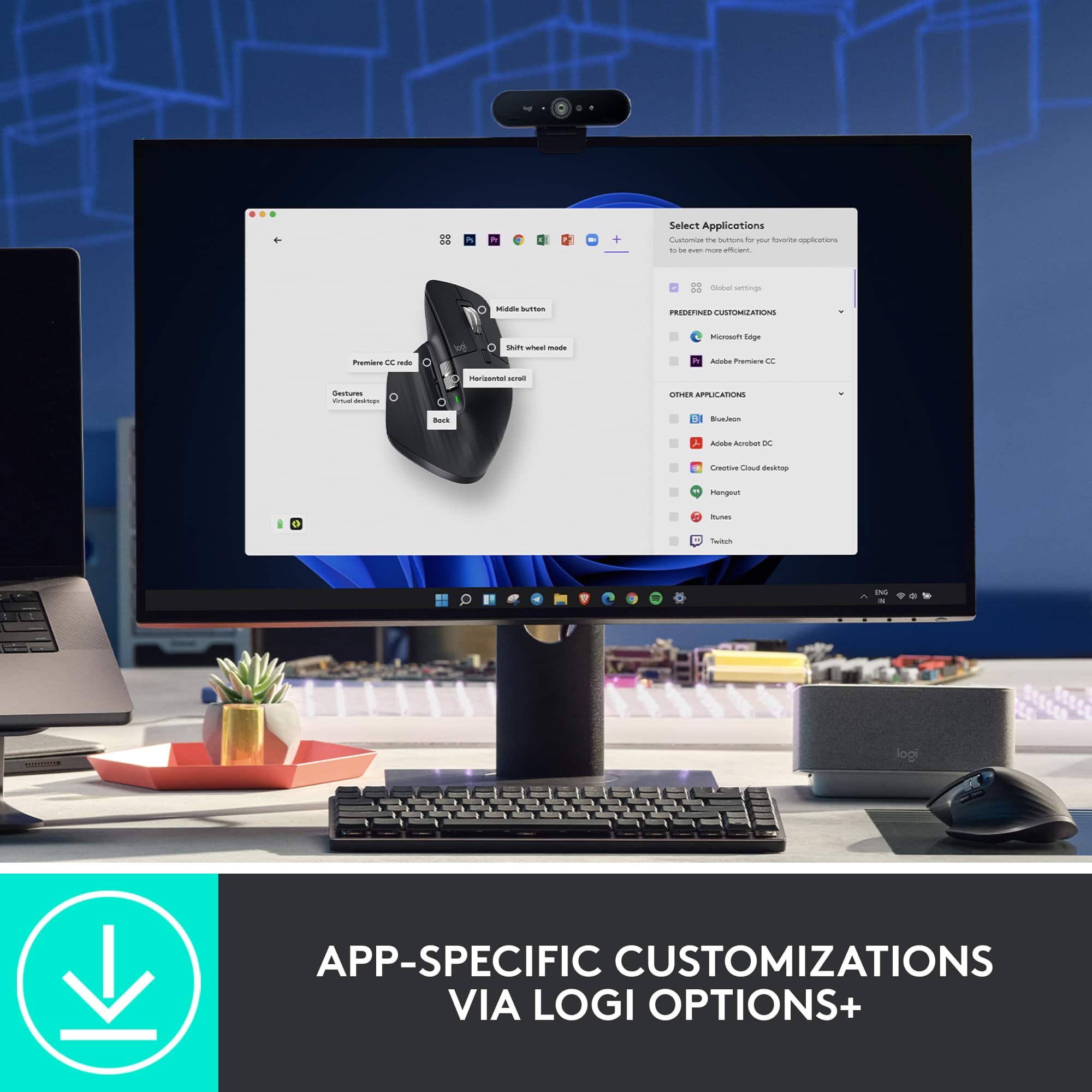
|Posted .This reviewer received promo considerations or sweepstakes entry for writing a review.Logitech MX Master 3S is One of the best sculpt mouses available in the market today. It is a very solid mouse with high quality thumb scroll wheel and it is very easy to spin around. The main scrollwheel has also been made quieter, and somehow even more fun to use. However; the scroll has been very smooth and super responsive. I adjusted the default scroll speed to high as I would like to scroll faster. One thing i have noticed is that the scroll wheel has not been super silent, especially during ratcheting mode. Ergonomically perfect, very comfortable to use and play with. The mouse works on pretty much all kinds of surfaces, can easily connect to 3 devices, and can connect by using bluetooth or a USB dongle. The one thing I haven’t figured out yet is, when installing the custom profiles so that the mouse switches behavior based on the application you are using. I wouldn’t think this mouse would possibly suit gamers. This is a great mouse for daily users, professionals.I have a MacBook for work and this works great with my Mac at my office. I would highly recommend this to anyone.
I would recommend this to a friend - Pros mentioned:Battery life, Ease of use, Ergonomics
Logitech - MX Master 3S
|Posted .This reviewer received promo considerations or sweepstakes entry for writing a review.This mouse was very easy to get working with my laptop! I pulled it out of the box, turned it on, and my laptop immediately asked me if I wanted to connect to it using Bluetooth. I didn't have all of the functionality that the software provides, but it worked immediately as a standard mouse. The software allows you to customize the buttons on the mouse to have quick-click functionality for whatever environment you're using it in. I like scrolling through tabs with the thumbwheel, personally. The design of the mouse feels more ergonomically correct than most mice I've used over the last 28 years, and it has a fantastic weight, giving it a solidity that they have often been lacking. The texture of the surface is pleasant, and it really looks and feels like they put a lot of thought into the aesthetics. The battery seems like it will last a long time, but the fact that the USB-C port is on the front of it will make using as a "wired" mouse while it's charging will not be a problem in the slightest.
I would recommend this to a friend Dont worth
||Posted . Owned for 1 month when reviewed.This reviewer received promo considerations or sweepstakes entry for writing a review.Expensive and not good. It doesn't work nicely. It has a delay.
No, I would not recommend this to a friendPeak performance. Poor build
||Posted . Owned for 1.5 years when reviewed.This reviewer received promo considerations or sweepstakes entry for writing a review.Works really well Died in a year though which should not be the case with logitech products. Never abused. Never dropped. Just died one morning
No, I would not recommend this to a friendBrand response from Logitech
Posted .We apologize that your Logitech MX Master 3S Wireless Laser Mouse stopped working after a year. We understand the frustration of a product failing prematurely, especially considering Logitech's reputation for quality. To address this issue, we recommend reaching out to our social care team via email at socialcare@logitech.com with your
- Name:
- Email Address:
- Country:
- Product Name:
- Brief description of issue:
Don't buy
||Posted . Owned for 3 weeks when reviewed.This reviewer received promo considerations or sweepstakes entry for writing a review.Wireless receiver broke within a week of purchasing, For a $100 mouse you think it would be a little more robust, I ended up just returning it and saving the money. Beyond that the gesture button really isnt that use full, and using the horizontal scroll wheel is weird since it feels nothing like the regular scroll wheel.
No, I would not recommend this to a friendGood product but has developed discoloration
||Posted . Owned for 1 month when reviewed.This reviewer received promo considerations or sweepstakes entry for writing a review.Product works well but has developed discoloration and is disappointing for a 100$ mouse
No, I would not recommend this to a friendBrand response from Logitech
Posted .Hey there, I'm so sorry to hear about that on your MX Master 3S. If you aren't satisfied with your mouse, please feel free to contact us via our support site for assistance as well as warranty information. -Weston from Logitech
Terrible service
||Posted . Owned for 1 month when reviewed.This reviewer received promo considerations or sweepstakes entry for writing a review.Order it with same day delivery. Order was picked up and then cancelled. Best buy support has refused refund or send a different. I have no product I paid for!
No, I would not recommend this to a friendBrand response from Logitech
Posted .We're truly sorry to hear about your disappointing experience. We recommend reaching out to BestBuy's customer support for further assistance regarding your order. They should be able to address your concerns and help provide a resolution.
Stay away from the white option (IMO)
||Posted . Owned for 1 month when reviewed.This reviewer received promo considerations or sweepstakes entry for writing a review.Returned the white colour version after few weeks of use because it gets stained easily and won't get cleaned no matter how hard to try to clean it. Overall the mouse us a great mouse, and I totally recommend the black/grey coloured option.
I would recommend this to a friendBrand response from Logitech
Posted .Thanks for your valuable feedback and inputs. We regret to know that the product did not meet your expectations. We'll make sure to share it with the right team so they can look into it.
- Pros mentioned:Battery life, Scroll wheel
A refinement of a refinement - a great mouse.
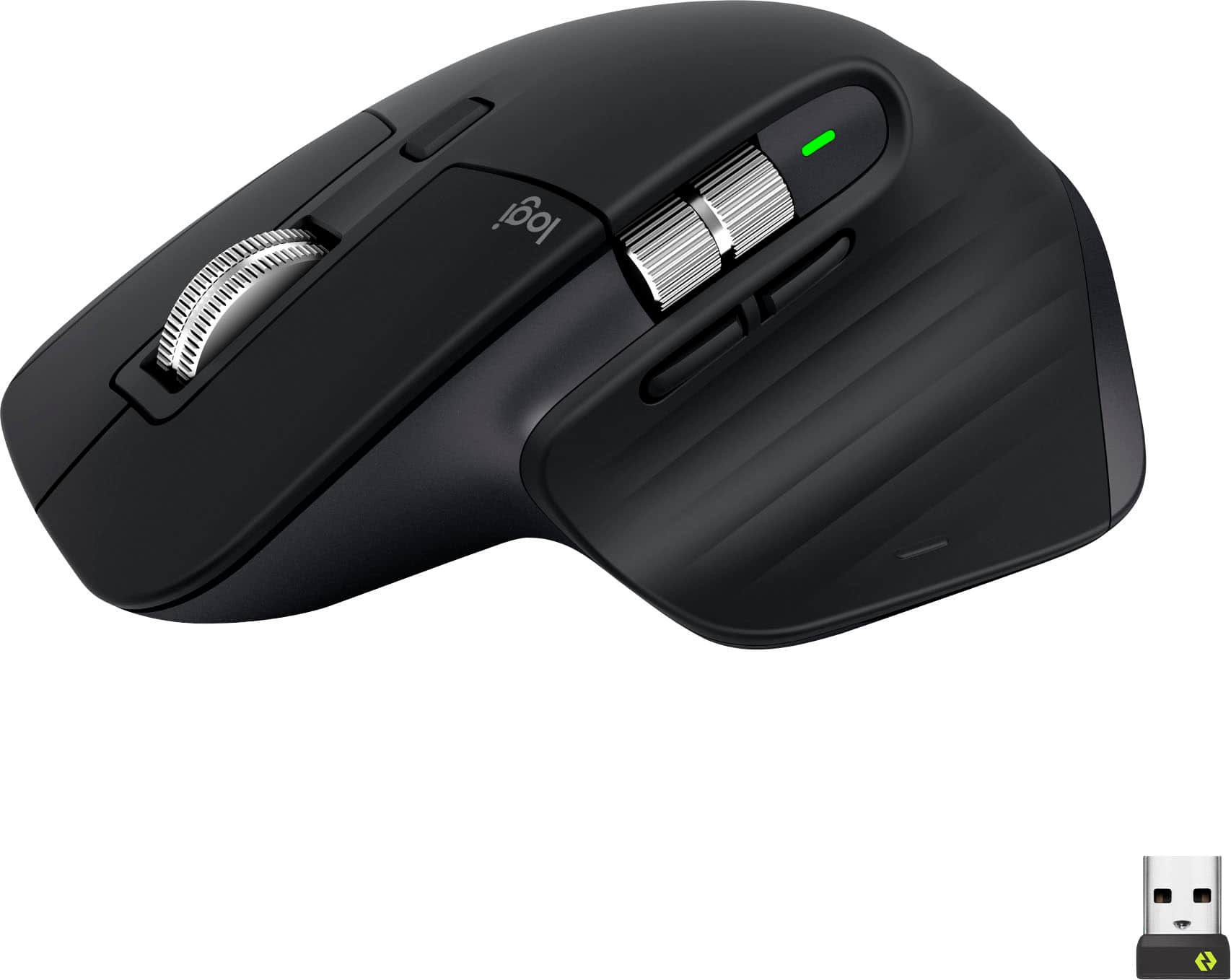
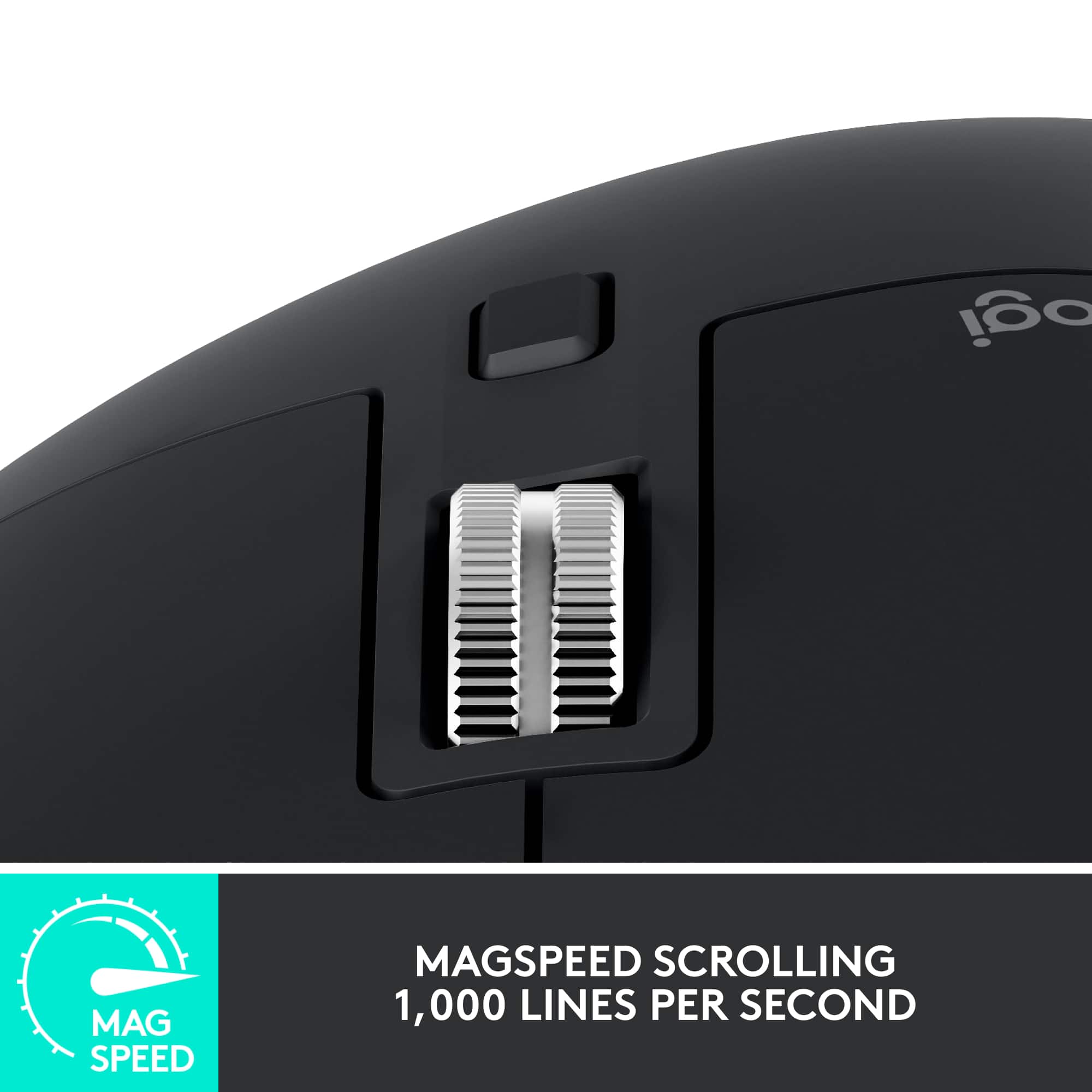
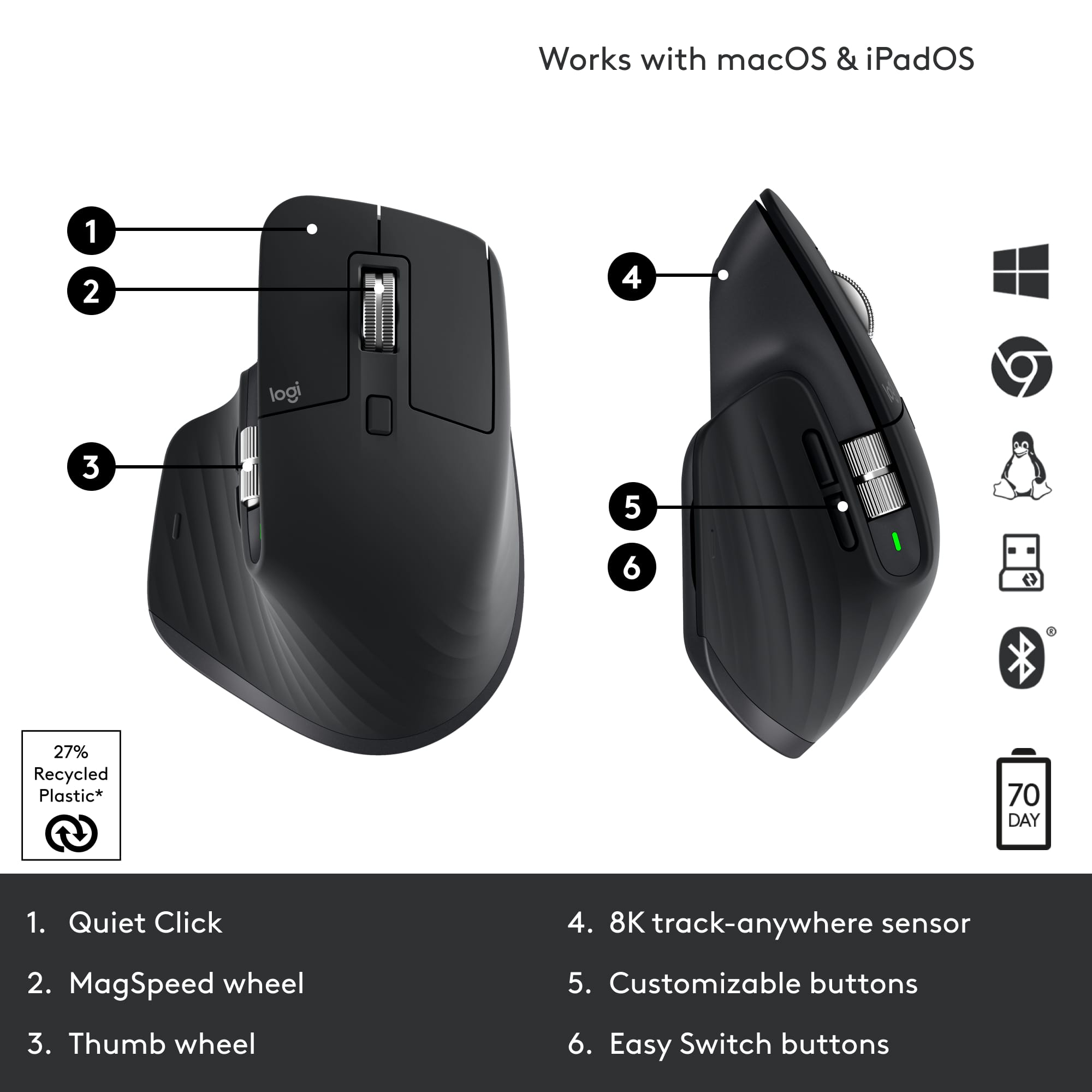
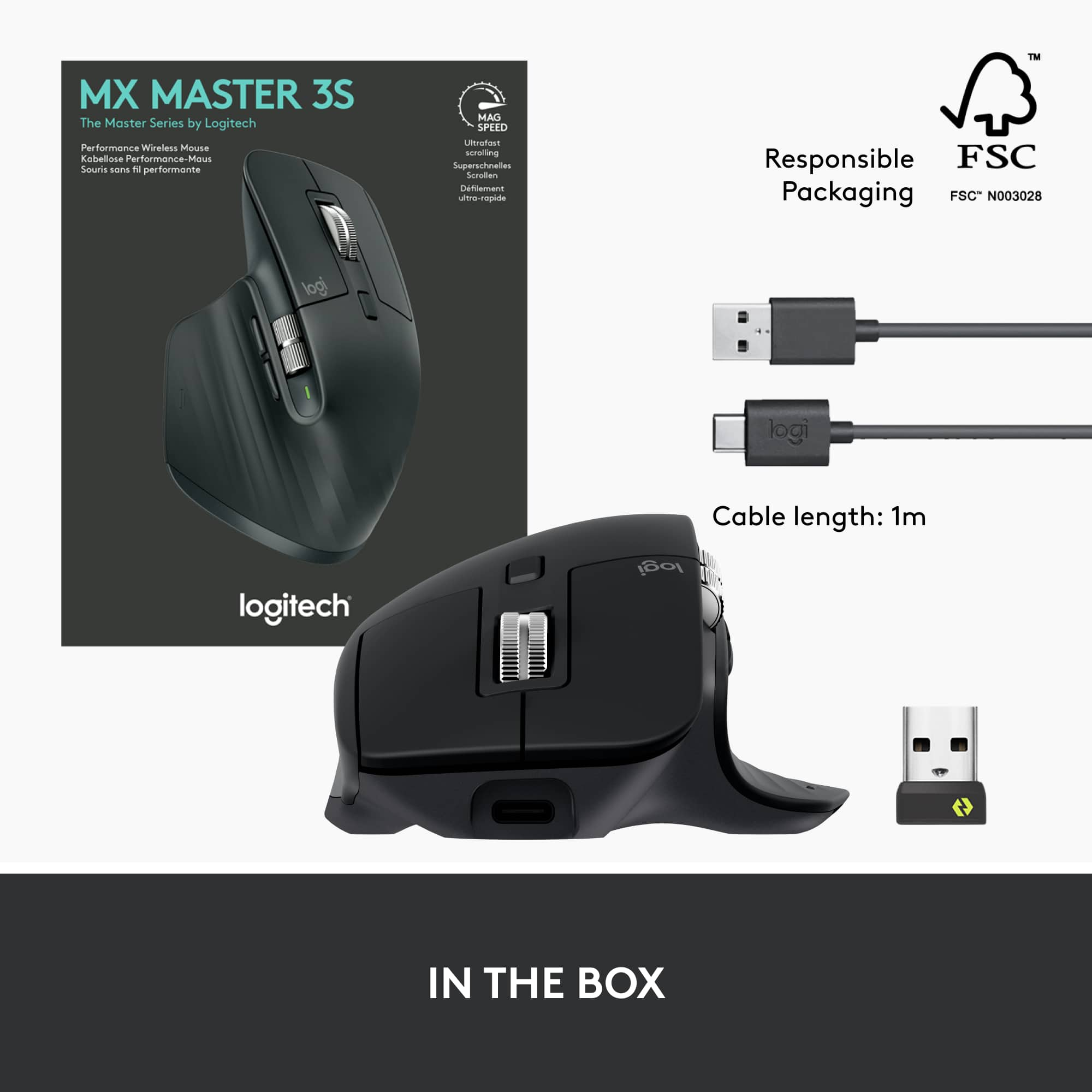
|Posted .This reviewer received promo considerations or sweepstakes entry for writing a review.Logitech’s MX Master 3s mouse represents the pinnacle of the MX series mice. It offers refinement in materials, buttons, noise, connectivity, and ergonomics that set it apart from its predecessors. As a long time fan of the MX series this mouse tops the Master/Performance series by a good margin. First of all, I’ll lead with the fact that Logitech has gone a long way to making their packaging more environmentally friendly. Practically all the packaging was made of cardboard that’s easily recyclable instead of the “I’m going to cut you” plastic of yesteryear. I appreciate this movement, and it means I can recycle or keep the box. The mouse itself feels even more durable and the materials in use feel like this mouse will last a good long while. While it does not include a user serviceable battery, I can attest that my 10 year old Performance MX can hold enough charge to be useful to this day, so I’m not concerned about this mouse becoming e-waste. Now, a few things to know about this mouse: It’s a continuation of the original MX Performance mouse, but really it’s a reimagined MX Master 3. The Master 3s adds a new 8K sensor, super quiet buttons and an even quieter scroll wheel without messing with the existing ergonomics and connectivity already associated with the MX Master 3. If you have a Master 3, you may not want to upgrade, but if you’re an OG or Master 2 mouse user, this is a worthy upgrade for sure. Included in the box is a Bolt receiver which can be used with the first channel, and the other two channels can use Bluetooth (or another receiver). Finally a USB-C to USB-A cable is included for charging. Speaking of charging, Logitech claims 3 hours of use from a single minute of charging. 70 days is possible from a full charge. While I can’t verify those claims, almost a week of use hasn’t dented the battery significantly. USB-C charging means this guy is pretty universally chargeable. One thing I noticed is that it didn’t seem to be able to operate as a wired mouse when plugged in (and no receivers or connections). If you’re new to the MX Series, what really sets these mice apart is the scroll wheel. Designed to be able to flick through an Excel spreadsheet at lightning speed (Logitech claims 1000 lines per second), the free spinning scroll wheel was an experiment that really did catch on with those that adopted the performance MX. Originally a click in on the scroll wheel would change between free scrolling and clicky, but the later Master mice swapped to an automatic trigger (although the button right behind the wheel swaps modes). If you scroll with enough force, the clicky scrolling gives way to free scrolling. The MagSpeed scroll wheel is unique and functional. This, combined with the larger shape, and plethora of buttons is what made the MX Performance/Master mice popular amongst business/software professionals. With the MX Master a horizontal scroll wheel was added, and this eventually turned into a more prominent feature. While some pros do use the horizontal scroll wheel to move about in their enormous excel spreadsheets, I love Logitech’s Options+ software. Not only can I set the primary feature to be volume control, in which the horizontal scroll wheel's heavy weighted feel is quite natural at, but the software also installs profiles: for instance in chrome, I can simply swap tabs using the horizontal scroll wheel, or use it for zoom in a powerpoint presentation. Another big feature that’s unique to the MX series is the darkfield sensor. While Logitech has dropped the marketing wording around it, it’s still quiet the achievement in laser technology. The ability to track on glass is still not the most universal feature, and this mouse basically will track on any surface pretty accurately. The big differentiator for the 3s is the quiet click buttons. It delivers its promise. While being nearly inaudible, the buttons still maintain a satisfying click feel. Logitech made sure every button had this feel, which is a nice touch. The thumb base button also feels quite soft. I was impressed that button included gestures for multi-tasking that map very naturally into Windows 10/11 and Mac OS. Speaking of, the Logitech MX Master 3s fits right in a Mac environment. Logitech Options+ software works well on both Mac and Windows and enables things like Flow, which can transfer text, images, and even files between computers. It even allows swapping between computers by moving the mouse to the edge of the screen. Logitech has really done an amazing job nailing the software, as Flow is super slick. Overall the MX Master 3s is a refinement upon several refinements. I’ve long been a fan of these mice, and despite what some may say, I’ve successfully played twitch shooters on these mice for years to great effect. The ability to trace anywhere is one of my favorite features. I’ve been a long time user of the smaller Anywhere MX series, but this full size MX feels more natural than any of the other full size MX mice I’ve used in the past (Performance MX, Master MX). For productivity, it’s hard to imagine a better mouse. Logitech continues to deliver the best mice in the industry.
I would recommend this to a friend Best buy is a scam
||Posted . Owned for 2 months when reviewed.This reviewer received promo considerations or sweepstakes entry for writing a review.Best buy geek squad are incompetent. Best buy service is terrible.
No, I would not recommend this to a friendBrand response from Logitech
Posted .We understand your frustration with your experience. We apologize for any inconvenience you encountered.

Broken Scrolling on this mouse
||Posted .This reviewer received promo considerations or sweepstakes entry for writing a review.Scrolling is broken on this mouse. You can refer to reddit for users complaining on this product. When you scroll up , the mouse does not register it and skips scrolling. I realized it after i got the mouse.
No, I would not recommend this to a friendBrand response from Logitech
Posted .That sounds like an issue. We'd recommend to get in touch with the Logi Support Team in this case and the team will definitely walk you through all the available options, next steps, and best possible solution.
Dont do it only lasts alittle past a year
||Posted . Owned for 1 year when reviewed.This reviewer received promo considerations or sweepstakes entry for writing a review.Got a razer basilisk that has 2 or 3 years on the mx 3s trash smh
No, I would not recommend this to a friendBrand response from Logitech
Posted .Thanks for your feedback on the MX Master 3S. We understand your disappointment with the reported short lifespan. Your insights are valuable for us as we continuously strive to improve our offerings.
Returned item
||Posted . Owned for less than 1 week when reviewed.This reviewer received promo considerations or sweepstakes entry for writing a review.Bestbuy sold me a returned item even I paid full price.
No, I would not recommend this to a friendBrand response from Logitech
Posted .We appreciate you bringing this to our attention. We're truly sorry to hear you received a returned item when you expected a brand-new product. That's not the experience we want for our customers, and we apologize for any inconvenience this caused.
White color review
||Posted .This reviewer received promo considerations or sweepstakes entry for writing a review.The mouse it self it good, I haven’t had any issues using full-time for work. The white however as other have mentioned is horrible! Even with cleaning it often still has stains. 5 stars if you buy black color.
No, I would not recommend this to a friendScroling lags
||Posted . Owned for 3 weeks when reviewed.This reviewer received promo considerations or sweepstakes entry for writing a review.This was a bad muse, didnt reapond or lagged on my mac.
No, I would not recommend this to a friendBrand response from Logitech
Posted .That's unfortunate! In order to assist you effectively, please provide your information to our support team by emailing socialcare@logitech.com. Name – Email address – Country – Product name – Brief description of the issue –
Too difficult to set up
||Posted . Owned for 1 month when reviewed.This reviewer received promo considerations or sweepstakes entry for writing a review.It was too complicated to get set up correctly. I didn't have a working mouse so how could I do that myself?
No, I would not recommend this to a friendBrand response from Logitech
Posted .Sorry about that. Please refer to the below link to set up the mouse correctly.
https://support.logi.com/hc/articles/5218056588311-Getting-Started-MX-Master-3S