Customer Ratings & Reviews









- Model:
- 910-006556
- SKU:
- 6502577
Rating by feature
- Value
Rating 4.6 out of 5 stars
- Quality
Rating 4.8 out of 5 stars
- Ease of Use
Rating 4.8 out of 5 stars
Customers are saying
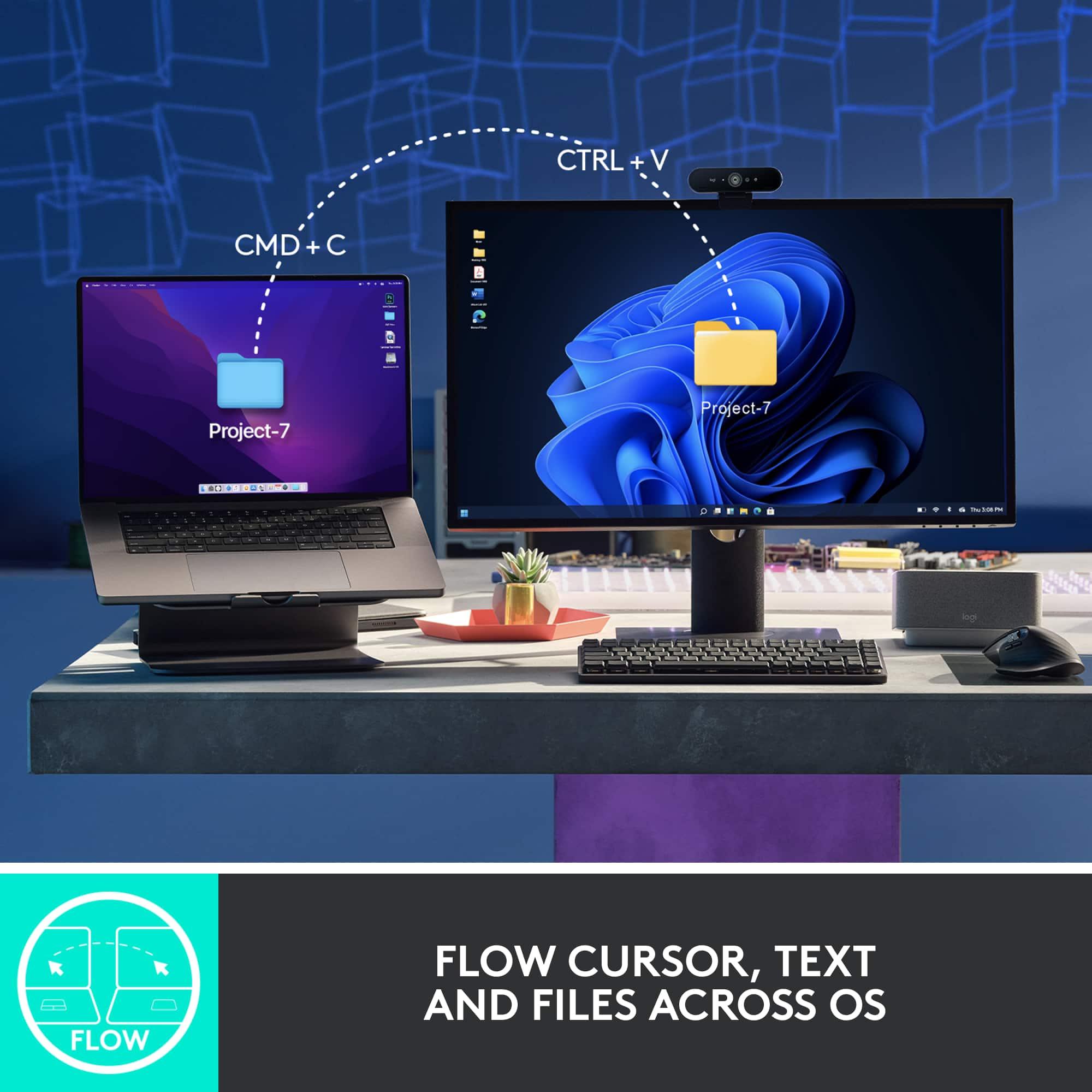
Customers recognize the MX Master 3S Wireless mouse for its comfort, excellent battery life, and amazing scroll wheel. Many appreciate its overall performance and customization options, as well as its reliable connectivity and quiet click. Some users find the size and weight less than ideal, and a few consider the price to be a bit high. While a small number of users dislike the software, most do not experience any lag.
This summary was generated by AI based on customer reviews.
Stopped charging
||Posted . Owned for more than 2 years when reviewed.This reviewer received promo considerations or sweepstakes entry for writing a review.Brand new mouse - I noticed that the USB-C connectors seem to look “burnt” or there is some sort of debri there. This was literally a brand new, and I must say, expensive mouse. The newer one has been “cheapified” and states resists stains. This 3s Mouse stains easily.
No, I would not recommend this to a friendBest mouse
||Posted . Owned for 3 weeks when reviewed.This reviewer received promo considerations or sweepstakes entry for writing a review.Can’t live without it now. I don’t know how I didn’t go without this all my life
I would recommend this to a friendLogitech Mx Master
||Posted . Owned for 3 weeks when reviewed.This reviewer received promo considerations or sweepstakes entry for writing a review.it is very easy to use. its tactile control is superb. it works seamlessly on any surface with great precision.
I would recommend this to a friendGreat for Mac and PC
||Posted . Owned for 3 weeks when reviewed.This reviewer received promo considerations or sweepstakes entry for writing a review.Great mouse! Works really well on my PC when gaming and my Mac when I am video editing.
I would recommend this to a friendThe Perfect Mouse for Creatives and Professionals
||Posted . Owned for 1 month when reviewed.This reviewer received promo considerations or sweepstakes entry for writing a review.Great mouse for productivity and creative work. Why don't all mouses have horizontal scroll wheels?!
I would recommend this to a friendGreat product overall, but
||Posted . Owned for 3 weeks when reviewed.This reviewer received promo considerations or sweepstakes entry for writing a review.Great product but The horizontal scrolling is weird, a little hard to control. I got the white one, it stains yellow from my thumb and ring finger, i'm not sure why.
I would recommend this to a friendBest mouse for working in IT feild
||Posted . Owned for 1 week when reviewed.This reviewer received promo considerations or sweepstakes entry for writing a review.Just upgraded to this mouse from a razer, mu productivty has increased by 30 percent
I would recommend this to a friend
Scroll so sensitive
|Posted . Owned for less than 1 week when reviewed.This reviewer received promo considerations or sweepstakes entry for writing a review.I like the way it feels weighty but the scroll wheel is too sensitive.
I would recommend this to a friendBrand response from Logitech
Posted .We appreciate your feedback on the MX Master 3S. The scroll wheel sensitivity is adjustable through the Logitech Options software. You can customize the scroll speed to your preference, including switching between ratchet and free spin modes. Let us know if you need further assistance with these settings.
Best mouse ever
||Posted . Owned for less than 1 week when reviewed.This reviewer received promo considerations or sweepstakes entry for writing a review.This was great. One of the best products I have ever purchased from Best Buy
I would recommend this to a friendHardware Bug- One LED always ON - Dries up battery
||Posted . Owned for more than 2 years when reviewed.This reviewer received promo considerations or sweepstakes entry for writing a review.I bought logitech MX Master 3s mouse 2years ago. Now, The led indicator at the bottom always shows 2nd led ON. Even when i switch off the mouse, 2nd led stays up. And it dries up the battery within just 2 days
No, I would not recommend this to a friendBrand response from Logitech
Posted .Thanks for sharing your experience—we’re really sorry to hear about the issue with the LED staying on. That’s definitely not how things should work, and we understand how frustrating it must be to deal with battery drain like that.
We’d love to help get this sorted. Please reach out to our social care team at **socialcare@logitech.com** and include the following details:
- Name
- Email Address
- Country
- Product Name
- Brief description of the issue
We’re here to support you and get your mouse back to performing the way it should.
Great product. Highly recommend!
||Posted . Owned for 1 week when reviewed.This reviewer received promo considerations or sweepstakes entry for writing a review.Great product. Highly recommend. Price is decent as well.
I would recommend this to a friendDefective After a year and a half
||Posted .This reviewer received promo considerations or sweepstakes entry for writing a review.Stopped working after a year and a half. Will not turn on. Their warranty is also only 1 year so I don't know if customer support can help but I will give it a shot.
No, I would not recommend this to a friendNot so great after all
||Posted . Owned for 5 months when reviewed.This reviewer received promo considerations or sweepstakes entry for writing a review.One of the most acclaimed mice. So much for all the hype. Does not work with a cable. Only works on Bluetooth. With Bluetooth does not really work well on a Mac. It’s erratic. Low DPI. Works great in Windows. But given the price tag not worth it. Disappointed with this purchase. I want to return this. I will say the ergonomics are good, but without the basic functionality it does not feel like a good mouse
No, I would not recommend this to a friendBrand response from Logitech
Posted .We apologize for the inconvenience and disappointment you've experienced with the Logitech MX Master 3S. To ensure you have a satisfactory resolution, we recommend reaching out to our social care team via email at socialcare@logitech.com with your
- Name:
- Email Address:
- Country:
- Product Name:
- Brief description of issue:
- Pros mentioned:Battery life, Comfort, Scroll wheel
Best mouse there is.
||Posted . Owned for 1.5 years when reviewed.This reviewer received promo considerations or sweepstakes entry for writing a review.I love this mouse. It feels perfect in my hand. The scrolling wheels are precise and have a premium feel. The battery lasts a very long time (months) between charges. I've had this mouse for a year now and haven't had any issues. I use it to connect to both my PC and my Macbook and switches between the two with ease (there's a button on the bottom).
I would recommend this to a friend Fast Running Mouse
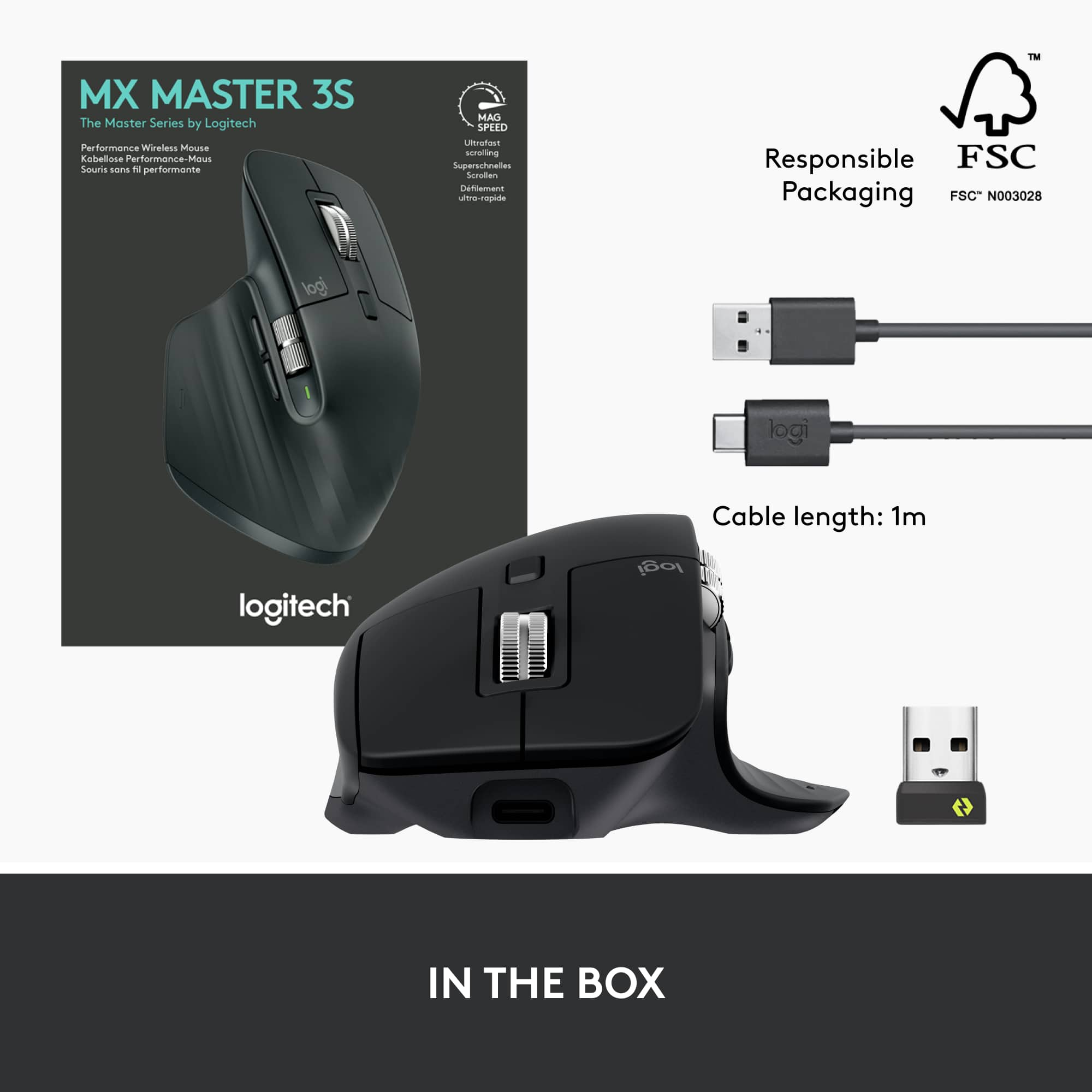
||Posted . Owned for 1 week when reviewed.This reviewer received promo considerations or sweepstakes entry for writing a review.Just bought this for pairing with a new laptop. Incredibly easy to use and fast. Plenty of buttons to use as needed for your installed apps. No need to worry about batteries. Comes with charging cable.
I would recommend this to a friend- Pros mentioned:Battery life, Customization, Scroll wheel

Still the best mouse for productivity.
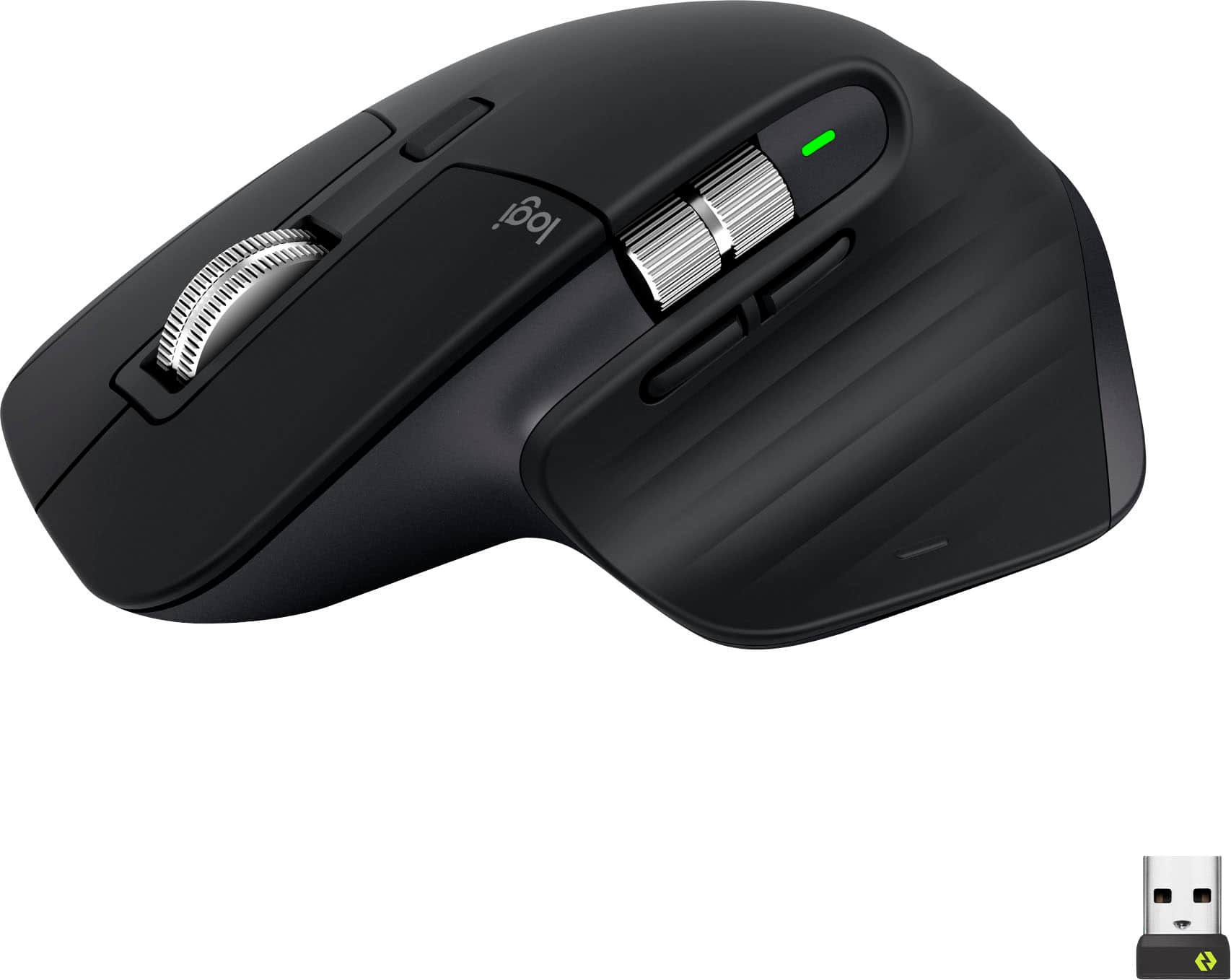
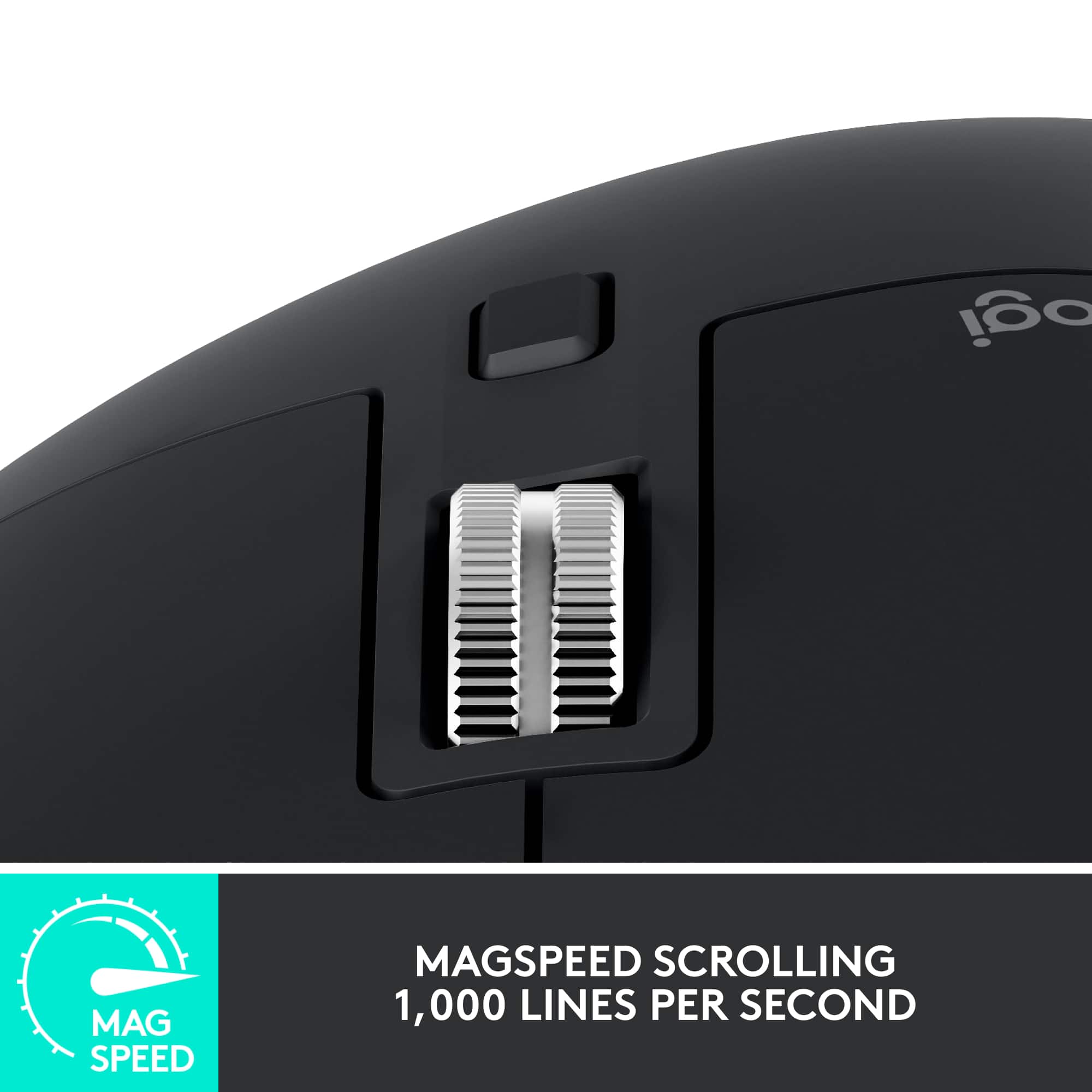
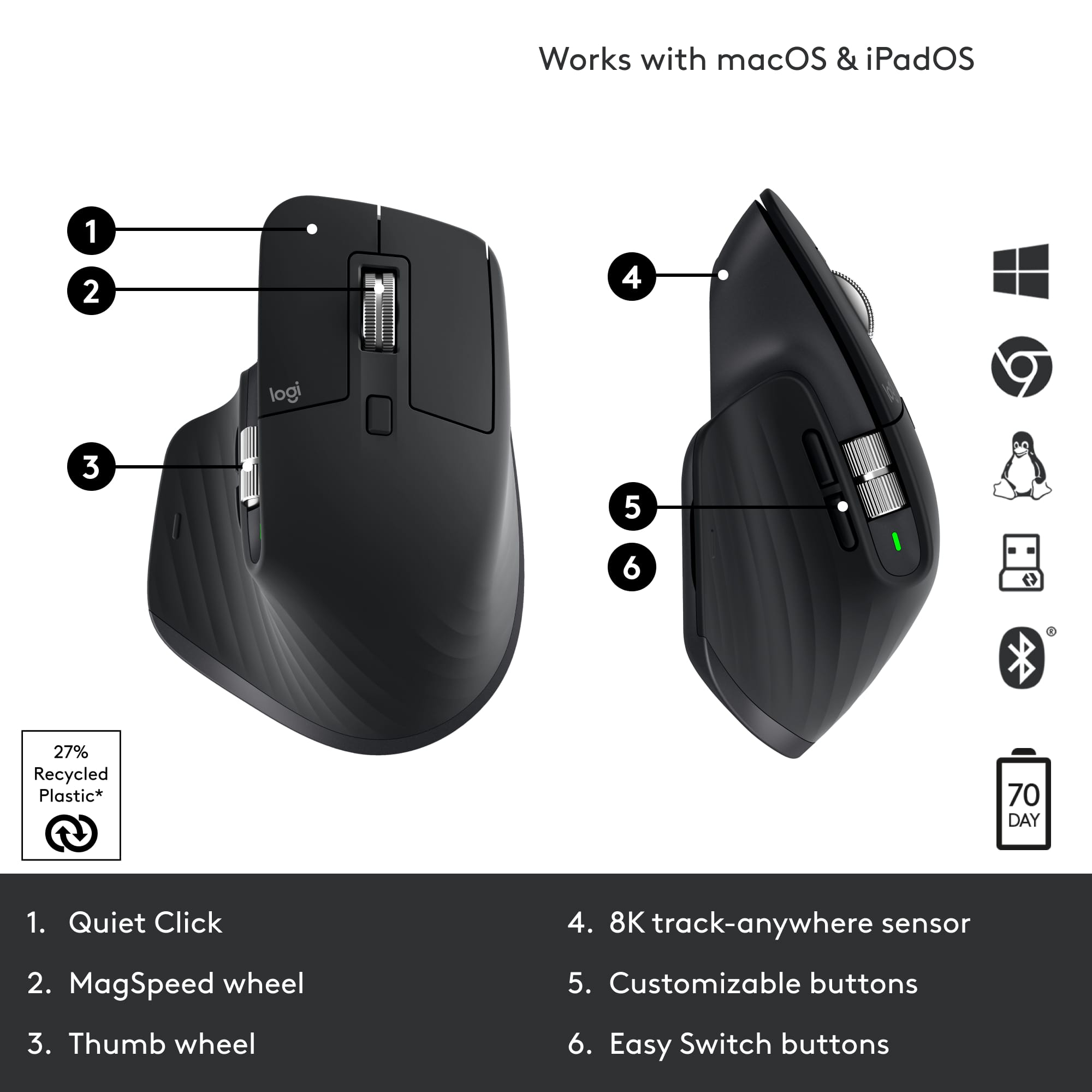
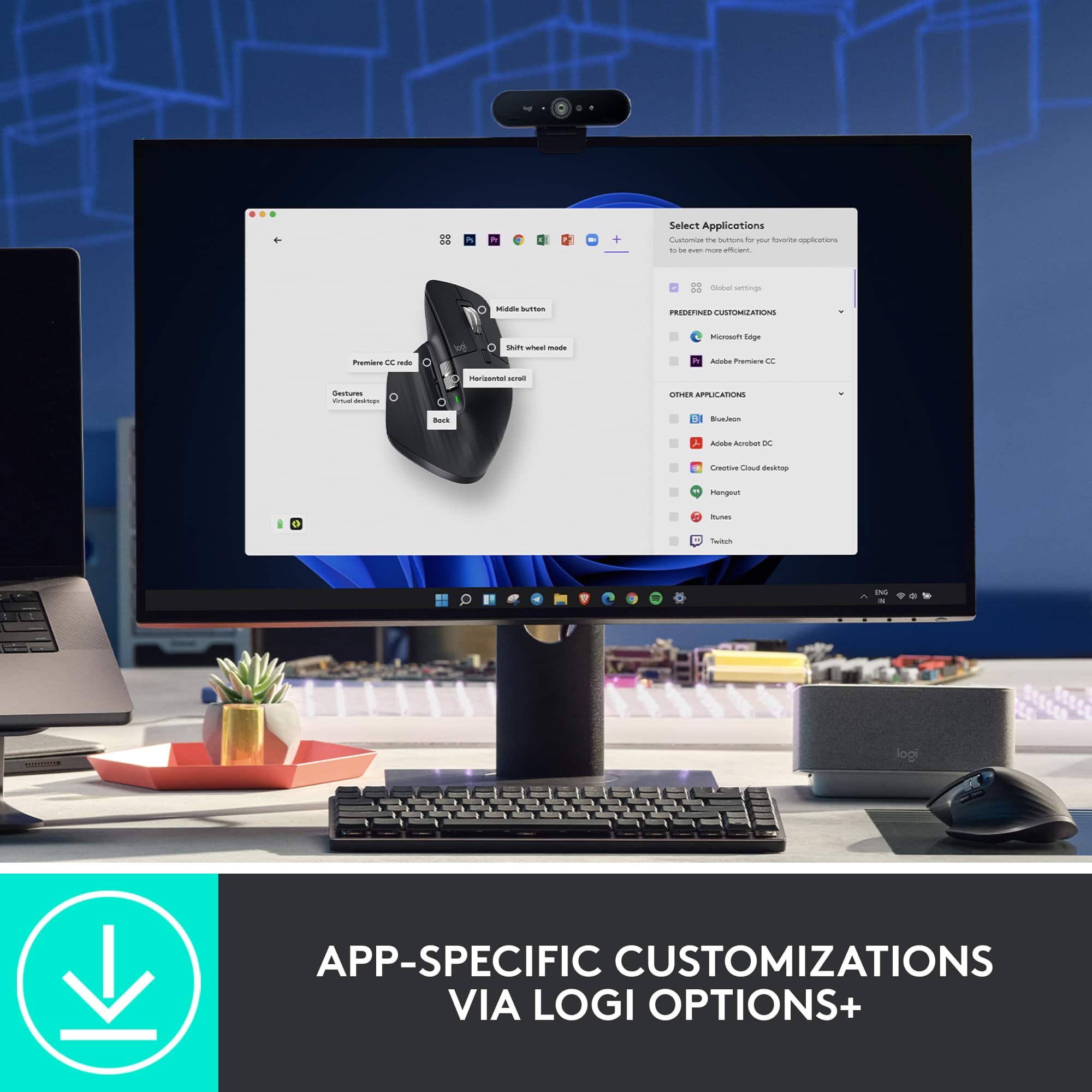
|Posted .This reviewer received promo considerations or sweepstakes entry for writing a review.I have been using the original MX Master since it came out a few years ago as my daily driver for work. I have also skipped the past versions as well. So, on first impressions, the fundamental design remains almost the same. It is still for right-handed people, the thumb rests comfortable on the rubber “winglet”, it promotes a “palm rest” use, and has similar weight. There are also significant changes. The side-scroll wheel is larger, the back-forward buttons are now below it, and the scroll wheel is larger and all metal. I will say that I do prefer the back-forward buttons on the side as they seem a bit out of place under the side-wheel. The right-left buttons are smaller but are pushed forward a bit more and the right one protrudes further. I had to get used to it, but it only took a few hours before things became second nature. Overall, I find the ergonomics comfortable for my medium-sized hands. I tried connecting via USB-C wired, Bluetooth, and the included 2.4Ghz receiver across a Windows laptop, an iOS tablet, and an Android tablet. All connected properly with no issues. Switching between them is a breeze by pressing the buttons below the mouse. According to Logitech, the battery life can last for 70 days, and it seems that this may be true since I’ve been using it for days and it still shows up as full. Plus, the mouse features quick-charging where 1 minute provides 3 hours of use -very nice! The buttons and wheels are very responsive, and I am grateful that they are very quiet -useful while late night browsing! The underside allows for easy gliding across several surfaces (hard or soft). The mouse is easy to pick up and drop easily as well. While I might not be fully sold on the placement of the forward-back buttons, they make it easy to move between web pages. Since I work heavily with spreadsheets and data, the MagSpeed scroll wheel is of great benefit. The same goes with the side-scroll wheel. Managing long websites, text, and video editing becomes so much easier. Just in case the stock settings do not do it for you, Logitech provides the Logi Options app, where you can easily customize the buttons, add macros, adjust the gesture button and scroll wheels specific to the software or program, and even device being used. I especially appreciate changing the DPI. There you can manage all compatible Logi devices as well. At the end of the end Logitech has got a great thing going with the MX Master series. While there’s nothing wrong with the original, I am glad that now the MX Master 3s features USB-C, great battery life, and super quiet buttons. It may be pricier than other options, but what it brings to the table is well worth it in my opinion.
I would recommend this to a friendBrand response from Logitech
Posted .Hello insomniak1,
I am glad that you are enjoying the MX Master 3S. Thank you for writing a detailed review of your experience with the MX Master 3. Logitech appreciates your product review. - Leo from Logitech
- Pros mentioned:Battery life, Customization, Scroll wheel
The Ultimate Productivity and Gaming Mouse
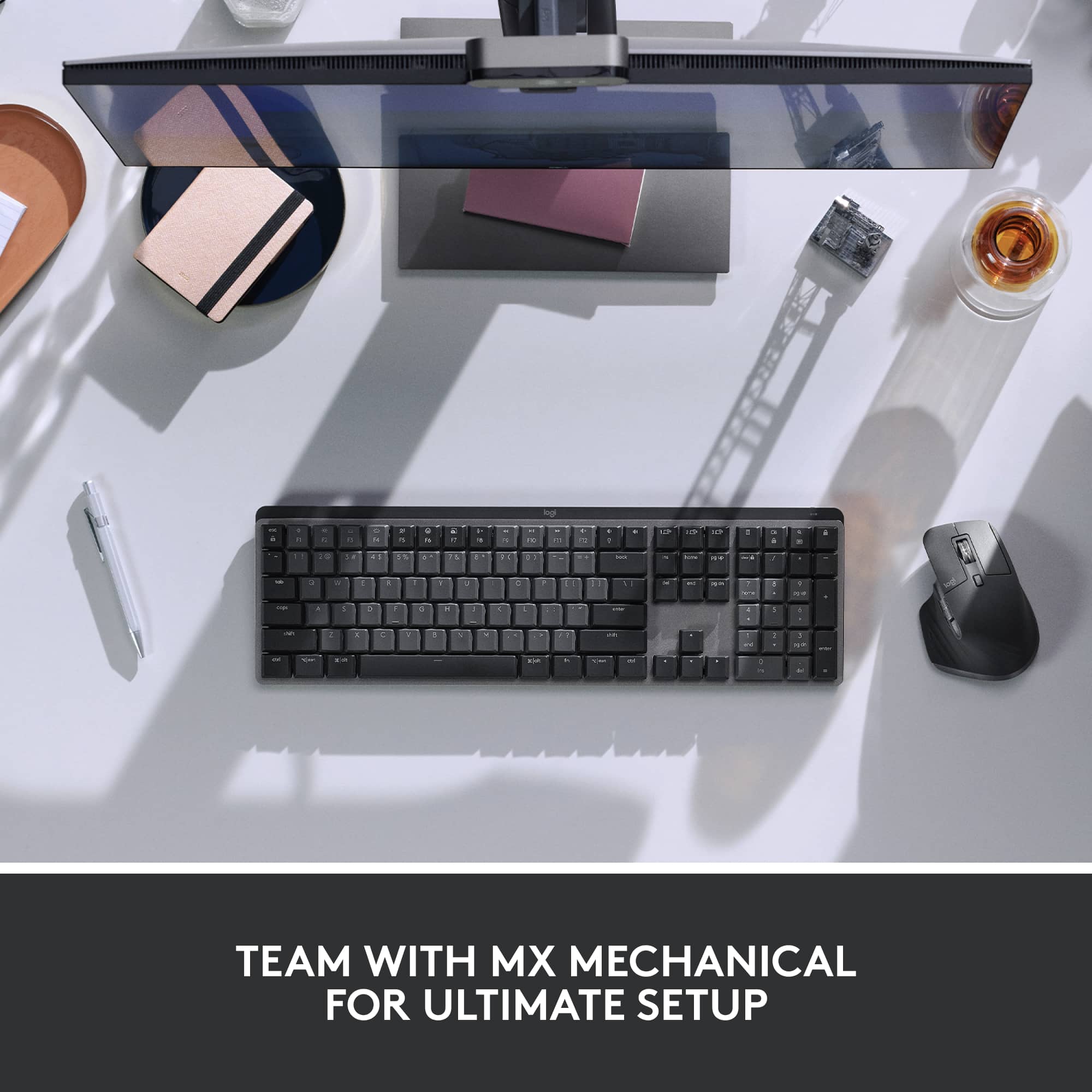
||Posted . Owned for 1 month when reviewed.This reviewer received promo considerations or sweepstakes entry for writing a review.I bought this mouse as a late Christmas gift after debating which brand and model to choose as a replacement for my Microsoft Explorer Mouse. After reading many reviews, I decided on the Logitech MX Master 3S Wireless Laser Mouse, and I must say—it has exceeded my expectations. This mouse is fast, responsive, and incredibly smooth. The MagSpeed scroll wheel allows for precise scrolling or lightning-fast navigation when needed, making it great for both productivity and gaming. I also appreciate the plentiful buttons and customization options, which let me open applications and execute shortcuts using button combinations with mouse movements—just like the mouse it replaced. One thing to be aware of is hand placement as the scroll wheel is sensitive and can be easily spun. The Logi Bolt USB receiver included with the mouse is a great addition, as it allows multiple Logi Bolt-compatible devices to connect without taking up extra USB ports. Additionally, the mouse supports Bluetooth connectivity, making it useful for pairing with presentation devices, tablets, or other non-USB devices. While I haven’t had the need to use Bluetooth mode yet, it’s nice to have that flexibility. One of the key reasons I chose this mouse is its built-in rechargeable battery, which is charged via a USB-C port located at the front. Thanks to this placement, the mouse remains fully functional while charging. Battery life is excellent—at the time of writing this review, it’s still at 70% charge, and I haven’t had to recharge it since fully charging it on the first day of use. Only time will tell how many cycles the battery lasts, but so far, I’m impressed. I have large hands, and I find this mouse comfortable to use. The ergonomic design fits naturally in my palm, reducing hand fatigue even during long work or gaming sessions. The build quality feels premium, with a nice weight that gives it a solid, high-end feel. I paired this mouse with the Logi MX Mechanical Full-Size Wireless Mechanical Keyboard (Tactile Switches), and together, they create a seamless, efficient, and comfortable setup for both productivity and gaming. If you're looking for a high-performance wireless mouse with customizability, great battery life, and ergonomic comfort, the MX Master 3S is worth the investment.
I would recommend this to a friendBrand response from Logitech
Posted .Thank you for such a thorough and thoughtful review of the MX Master 3S! We're thrilled to hear it's exceeded your expectations and is proving to be a worthy replacement for your previous mouse. We're especially glad you're enjoying the MagSpeed scroll wheel, customization options, and ergonomic design. Your insights on hand placement, the Logi Bolt receiver, Bluetooth connectivity, and battery life are incredibly helpful. We're also delighted to know it pairs perfectly with your MX Mechanical keyboard. We appreciate your detailed feedback and are confident you'll continue to enjoy your MX Master 3S for a long time!
- Pros mentioned:Battery life
This mouse is an absolute must!
||Posted .This reviewer received promo considerations or sweepstakes entry for writing a review.This mouse is easily the most important productivity upgrade I’ve ever made, mostly because of that thumb depress button. One quick click and all your apps "explode" so you can see everything at once, or you can hold it and swipe to fly between different desktops. The actual feel of using it is top-tier too. The clicks are near silent, which is great if you're working around other people, and the scrolling is incredibly fast for flying through long documents. Just like the keyboard, the battery life is a total beast, so you rarely have to think about charging it. I go months without charging mine. The only small thing is that the rubber finish can get a bit grimy after a while, but it’s not a big deal since you can just hit it with a quick wipe and it’s good as new. Seriously, if you want a setup that just works and makes you faster, this mouse is the move. If you're getting this mouse, you should absolutely also get the matching keyboard. It's a game-changer!
I would recommend this to a friend - Pros mentioned:Battery life, Comfort, Customization
Performance with Comfort
||Posted . Owned for 3 weeks when reviewed.This reviewer received promo considerations or sweepstakes entry for writing a review.The MX Master 3S has been a game changer for my daily workflow. As someone who works long hours at a desk, I appreciate how comfortable and well designed this mouse is. The ergonomic shape fits naturally in the hand and the quiet clicks make it ideal for a focused work environment. The MagSpeed scroll wheel is incredibly smooth and accurate, perfect for navigating through large documents and spreadsheets. I also really value the customizable buttons and the seamless device switching. It’s clear this mouse was built with productivity in mind. The battery life is impressive. I charged it once when I got it and haven’t had to worry about it since. It took a couple of days to adjust from a standard mouse but now I can’t imagine going back. If you're looking for a reliable high performance mouse that delivers comfort and control, the MX Master 3S is absolutely worth it.
I would recommend this to a friendBrand response from Logitech
Posted .We're delighted to hear the MX Master 3S has significantly enhanced your workflow with its comfort and precision. Your detailed feedback on the ergonomic design, quiet clicks, and MagSpeed scroll wheel truly highlights what makes this mouse a productivity powerhouse. It's fantastic to know the seamless device switching and impressive battery life have also made such a positive impact.
Light Version gets nasty
||Posted . Owned for 3 weeks when reviewed.This reviewer received promo considerations or sweepstakes entry for writing a review.The mouse is absolutely great but do not get the white/gray/light version. Certain areas turn orange and does not clean off. I use the mouse in my office only and keep my work area very clean. I’ve only had the product for 3 weeks. The mouse looks disgusting. Especially when my workspace is light and clean. It’s like armpit stains.
No, I would not recommend this to a friend