Customer Ratings & Reviews









- Model:
- 910-006556
- SKU:
- 6502577
Rating by feature
- Value
Rating 4.6 out of 5 stars
- Quality
Rating 4.8 out of 5 stars
- Ease of Use
Rating 4.8 out of 5 stars
Customers are saying
Customers recognize the MX Master 3S Wireless mouse for its comfort, excellent battery life, and amazing scroll wheel. Many appreciate its overall performance and customization options, as well as its reliable connectivity and quiet click. Some users find the size and weight less than ideal, and a few consider the price to be a bit high. While a small number of users dislike the software, most do not experience any lag.
This summary was generated by AI based on customer reviews.
Decent mouse with connection issues
||Posted . Owned for 2 weeks when reviewed.This reviewer received promo considerations or sweepstakes entry for writing a review.Comfortable mouse with constant disconnection issues using the provided USB dongle. Bluetooth connection is much more reliable.
No, I would not recommend this to a friendBrand response from Logitech
Posted .Hey there RR89, I'm sorry to hear that you had some issues with your MX Master 3s. If you can, try to use a different USB port on your computer, perhaps one closer to the mouse and with fewer obstructions. -Weston from Logitech
Very nice
||Posted . Owned for 2 weeks when reviewed.This reviewer received promo considerations or sweepstakes entry for writing a review.I like the buttons are fully customizable. Works on any surface. Great size for my hands (medium size ).
I would recommend this to a friendNice except.........
||Posted . Owned for 1 week when reviewed.This reviewer received promo considerations or sweepstakes entry for writing a review.Had to return it. The shape and position of the wheel is awkward. The finger pads are slanted but the wheel sticks straight up in stead of sitting perpendicular to the plane of the buttons. This causes the finger to have to rest on the edge of the wheel, which unfortunately is not rounded. It is a flat/hard edge. This became quite uncomfortable rather quickly. A rounded edge on the wheel would've been perfect.
No, I would not recommend this to a friendBrand response from Logitech
Posted .We regret to hear that you had to return the product and we apologize for all the inconvenience caused. We'll surely take this feedback and make sure to share it with the right team. Thanks for bringing it to our notice.
Got to a better mouse?
||Posted . Owned for 1 month when reviewed.This reviewer received promo considerations or sweepstakes entry for writing a review.Mouse is ok, but scroll wheel is not as convent as cheaper models and mouse has to be reset often.
No, I would not recommend this to a friend- Cons mentioned:Weight
Mouse not worth a price
||Posted . Owned for 1 month when reviewed.This reviewer received promo considerations or sweepstakes entry for writing a review.Not an excellent but worth the price It’s heavy and battery drains fast. Looks good , the Feel is not that great
No, I would not recommend this to a friendBrand response from Logitech
Posted .Hello Tausif,
I am sorry that the MX Master 3S did not exceed all your expectations. Try updating the device's firmware using the Logitech options + app to improve battery life. I will record your product insight and pass it on for further investigation. Logitech appreciates your product review. - Leo from Logitech
Shop Amazon.
||Posted .This reviewer received promo considerations or sweepstakes entry for writing a review.Garbage. Failed after two months of use. To make matters worse, even though I bought this online, Best Buy require I go to a store to get service. It's literally cheaper if I throw it in the trash and buy a new one - on Amazon.
No, I would not recommend this to a friendBrand response from Logitech
Posted .Thank you for sharing your experience. We're sorry to hear about the trouble with the mouse and understand how that affects the overall usability. To address this issue, we recommend reaching out to our social care team via email at socialcare@logitech.com with your
- Name:
- Email Address:
- Country:
- Product Name:
- Brief description of issue:
Disconnect Issues.
||Posted . Owned for 1 month when reviewed.This reviewer received promo considerations or sweepstakes entry for writing a review.Will sometimes randomly loose connection, unsure of a bug in the bolt software, Will update if any fix comes.
I would recommend this to a friendquality Good quality
||Posted . Owned for 2 weeks when reviewed.This reviewer received promo considerations or sweepstakes entry for writing a review.Very nice mouse, really enjoy using it, only thing I would change is make it a bit smaller.
I would recommend this to a friend- Pros mentioned:Battery life, Ergonomics
Review: Logitech MX Master 3S
Posted .This reviewer received promo considerations or sweepstakes entry for writing a review.The Logitech MX Master 3S is a stellar evolution of its predecessor, the MX Master 3, and delivers a near-perfect experience for anyone seeking a high-performance mouse for productivity. Here’s a breakdown of its key features: Design and Build The MX Master 3S retains the ergonomic design that Logitech is renowned for, making it extremely comfortable for extended use. Its contoured shape supports the hand naturally, minimizing strain. The premium materials and soft-touch matte finish elevate its build quality, and the mouse feels solid and durable. Performance The standout feature of the 3S is its upgraded 8000 DPI sensor, which offers unparalleled precision and responsiveness. This makes it suitable for professionals working with high-resolution displays or intricate tasks like video editing and graphic design. It also works flawlessly on virtually any surface, including glass. The Silent Clicks are another subtle but excellent improvement. While retaining the satisfying tactile feedback, the clicks are nearly inaudible, making it ideal for quiet environments like offices or shared workspaces. Customization and Features Logitech’s Options+ software allows extensive customization of the buttons and gestures, letting users tailor the mouse to their workflow. The standout MagSpeed electromagnetic scroll wheel continues to impress, switching effortlessly between ratchet and free-spinning modes. The horizontal thumbwheel adds even more versatility, especially for navigating spreadsheets or timelines. The 3S also supports Logitech Flow, enabling seamless multi-device control across up to three devices, even across different operating systems. This feature, paired with its USB-C fast charging and exceptional battery life (up to 70 days on a full charge), makes it a powerhouse for multitaskers. Conclusion The Logitech MX Master 3S takes everything great about the MX Master 3 and refines it further. Its enhanced sensor, silent clicks, and robust productivity features make it one of the best mice on the market for professionals. Although it comes at a premium price, its performance and features justify the investment. Rating: 9.5/10 Pros: Ergonomic design, silent clicks, high-precision sensor, customizable buttons, excellent battery life. Cons: Price may be steep for casual users.
I would recommend this to a friendBrand response from Logitech
Posted .This is an excellent review of the Logitech MX Master 3S! We appreciate you taking the time to provide such a detailed and insightful assessment. Your review accurately captures the strengths of the mouse, including its ergonomic design, high-precision sensor, silent clicks, and advanced features. We're glad you found it a worthy investment despite the premium price.
Not as good as older models
||Posted . Owned for 1 week when reviewed.This reviewer received promo considerations or sweepstakes entry for writing a review.Pretty good, tracking seems average. Don’t particularly like the feel of the silicone
No, I would not recommend this to a friendBrand response from Logitech
Posted .Your feedback is important to us and we'll make sure to share it with the right team.
Very quiet
||Posted . Owned for 1 week when reviewed.This reviewer received promo considerations or sweepstakes entry for writing a review.I got this as a rplacemnt for the previous model and very pleased with how quiet it is vs the chaniclal mouse click sound of the previous model. Its always been a very nice natural feeling fit to the hand and a nice refresh in design and feel.
I would recommend this to a friendGood for mac
||Posted . Owned for 1 week when reviewed.This reviewer received promo considerations or sweepstakes entry for writing a review.Love the extra functionality built for the Mac, but it does seem a but laggy sometimes
I would recommend this to a friendToo much
||Posted . Owned for 6 months when reviewed.This reviewer received promo considerations or sweepstakes entry for writing a review.Im just getting old i guess. Kept hitting buttons on accident.
No, I would not recommend this to a friend- Pros mentioned:Battery life

very comfortable, versatile, quiet
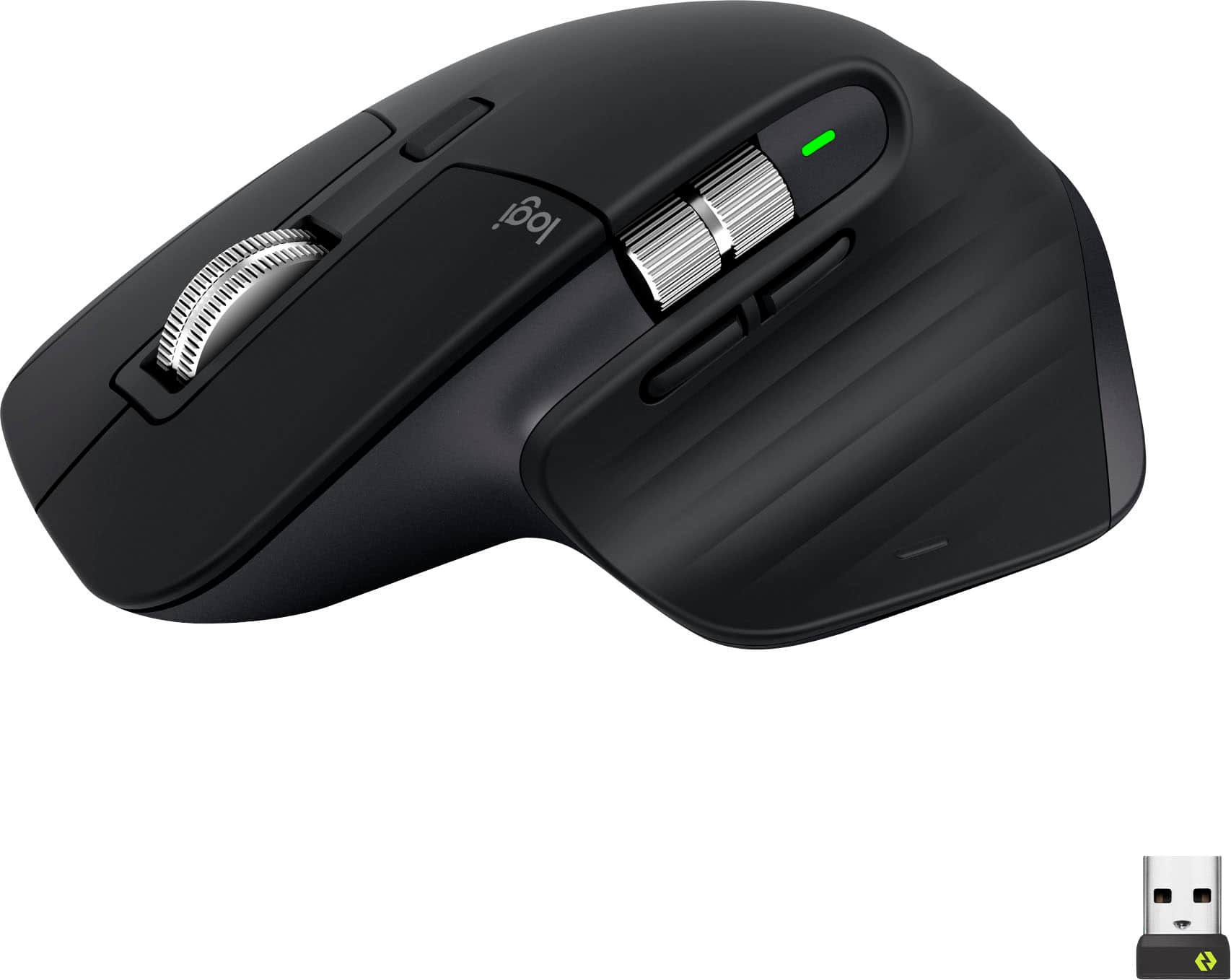
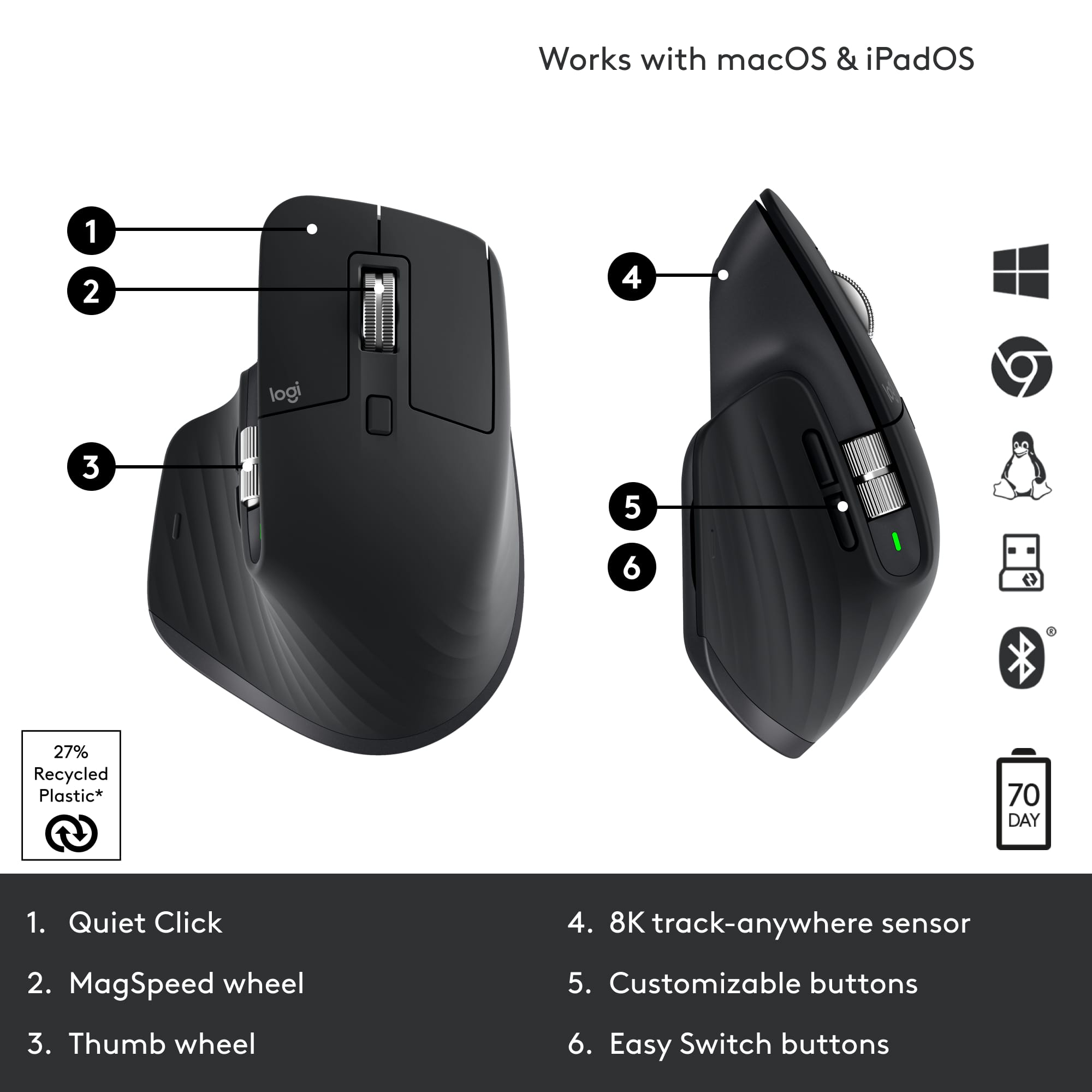
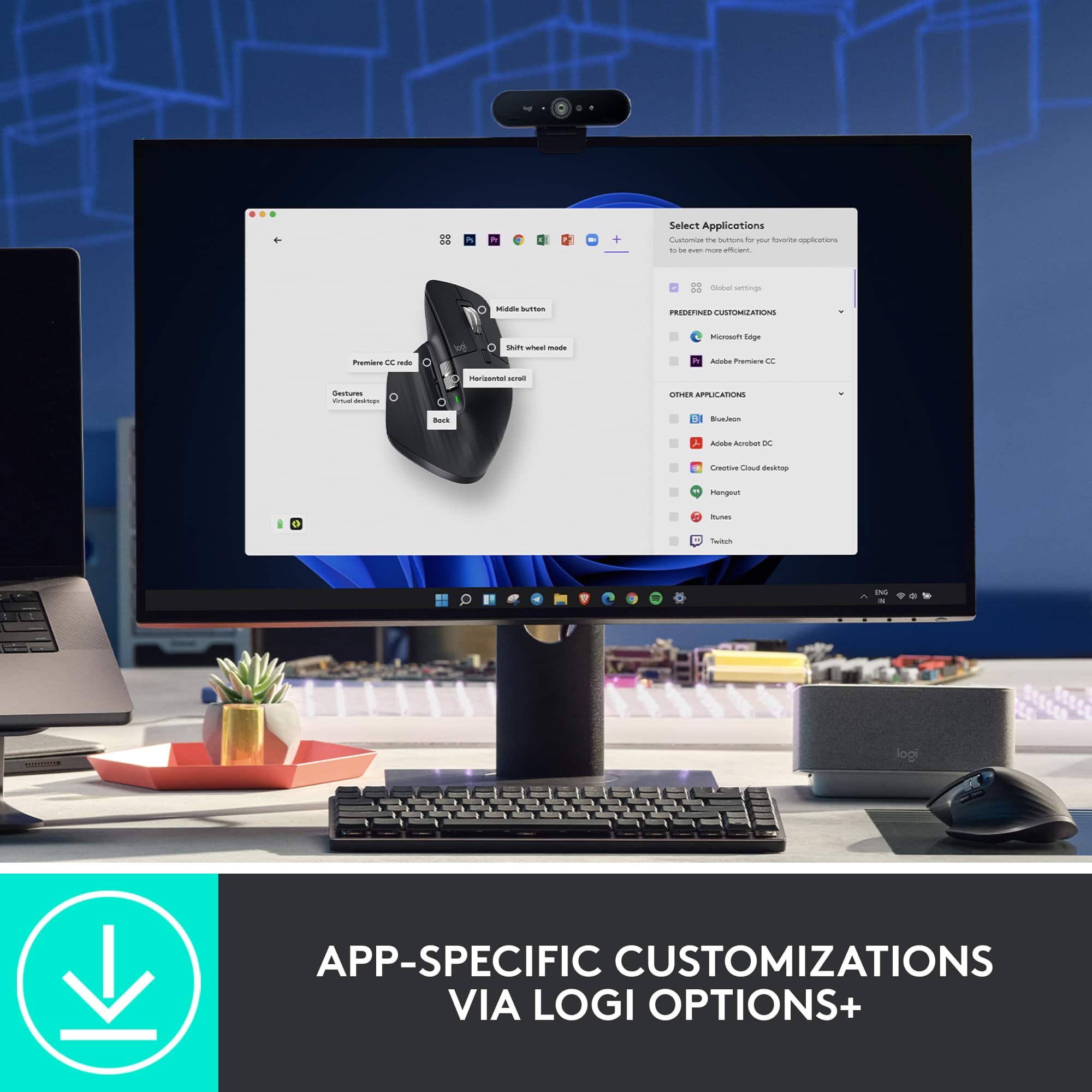
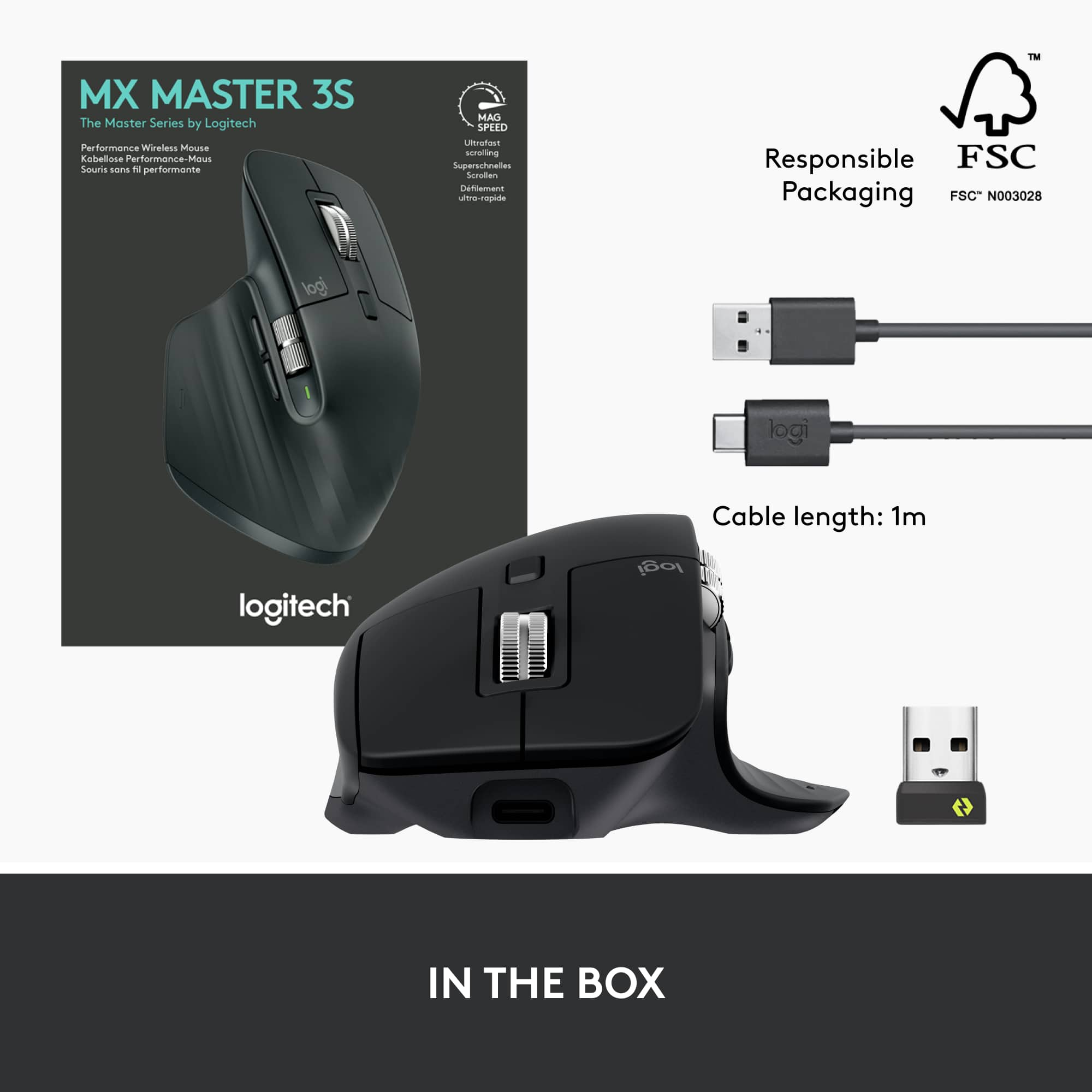
|Posted .This reviewer received promo considerations or sweepstakes entry for writing a review.I want to talk about the Logitech MX Master 3S Mouse in two parts: as a mouse first and foremost and then with regard to its particular features. Mice have been around for a long time, and just like people are always trying to build a better mousetrap, they’re also always trying to build a better mouse. The “original” modern mouse, if you want to call it that, and I do, can be traced back to the kidney-shaped, two-button, Microsoft Serial Ball Mouse. Everything since then has been an improvement, or an attempt to improve, on this basic design. Most mice since then have stayed with the standard oval or kidney shape, and most of these can work for either right- or left-handed people. Later mice have incorporated useful things like more buttons which can be separately programmed, scroll wheels, and a change from mechanical to optical tracking. But most improvements nowadays are incremental. The mouse clicks are a little quieter. The scroll-wheel is more sensitive. The tracking sensor is more precise. There are extra buttons for customization. Connection can be by more different ways now, too, like USB and Bluetooth, and wireless mice are now everywhere. But it’s still a mouse. So let’s start with the basics. This mouse starts off being very non-standard by being specifically designed for right-handed people. It is highly non-symmetrical, with a large, low flange on the left side to hold your thumb. You can actually rest your thumb on this while using the mouse, not that keeping your thumb off the table is very difficult or tiring with a more conventional mouse. But still, the little thumb support ledge feels just a bit more comfortable to hold. This is not a small mouse. There are mice that tout that they are for small hands or large hands, and I’ve used both. I have large hands, and large-hand mice, while not all that much larger, really, than “regular” mice, do feel slightly more comfortable. As it sits on the table, the mouse is angled downward to the right, so your index finger sits a little above your middle finger. This shape conforms better to the natural shape of your hand, and, again, makes this mouse just a little more comfortable to hold and use. Overall, as a basic mouse, the MX Master 3S succeeds and then some. It is very comfortable to hold and has a nice heft and feel to it. Now lets get to the specifics of this mouse. 1. The claim is that it can track on any surface. As any seasoned optical mouse user surely knows, optical mice typically have a hard time with reflective or clear surfaces such as glass. I encounter this problem often when traveling and am sitting at the desk in the hotel room, and the desk has a glass platen over the top of it to protect the wood finish. Unless I remember to bring a mouse pad with me, which I never do, I end up having to get something opaque like a magazine or a folded newspaper and run the mouse over that. This mouse eliminates this problem, a welcome feature. To add to the benefit, the sensor is 8000 DPI and is customizable, making scrolling on any surface, glass or otherwise, more efficient. 2. Less click noise. Not really a big deal. I compared the click noise on this mouse with my previous mouse and the collection of mice I have in my cabinet. None of them make much of a click noise, and I think the last time this was an issue was about 1990. 3. Fast scrolling. Yes, the main scroll wheel between the two main button is large, sculpted, and easy to use. Sometimes I need to quickly get to page 16 of a 35 page Word document, and being able to scroll quickly to get there is greatly appreciated. 4. Customizable buttons. To access this, you need to download and install the Logi Options+ software. Customizable buttons are nothing new, and having to download software to program them is also nothing newr. In addition to the two main mouse buttons and scroll wheel, there are two buttons, one in front of the other, just above where your thumb sits, a smaller scroll wheel just above those two buttons, also designed to be operated by your thumb, and a much smaller button just behind the main scroll wheel. Program these for your favorite software. I have to admit that I’ve never been much of a mouse button programmer for the simple reason that I can never remember what I programmed a particular button to do. If I did some action often enough in some piece of software, I could see programming a button to quicken this process, but I normally don’t. But it’s there if I need it. 5. Connectivity is by USB or Bluetooth. In both situations, the mouse can be programmed to work with up to three different devices. Being able to use the same mouse at home on my desktop and then away from home on my laptop can be particularly useful if I have programmed one or more buttons to work with specific software. I just have to remember to take the mouse with me when I travel! The mouse can be also be connected to different operating environments, such as Window OS on this computer MacOS on that computer, Linux on another computer, and so forth. This can be very handy for some people. One thing that threw me for a loop briefly when I first took the mouse out of the box was powering it. I assume I would have to insert one or maybe two AA batteries, which is common for wireless mice. But I quickly found that there was no battery compartment, and a quick check of the box revealed that the battery is permanent and is rechargable through a USB-C port on the front edge of the mouse. There is no mention of this in the paper documentation, only on the exterior of the box. It says that a one-minute charge yields three hours of use while a full-charge can last 70 days. I have not tested the latter claim, and I decided to simply charge the mouse for an hour before using it the first time. I’ve been using it since then for about four days, and I’ve had no power issues. I do switch the mouse off when not using it to conserve battery life. A USB-2 to USB-C cable is included, so the mouse can be charged from most any USB-2 wall adapter, not to mention a computer with a USB-2 port. I used my cell-phone’s USB-C wall charger and cable to charge this mouse. While not intended to be accessed regularly, instructions are provided on removing the lithium battery should it ever need to be replaced. This mouse has become my main mouse. I would like it if it had nothing more than the unusual, hand-shaped design with thumb rest. I have used unusually-shaped mice before, but none have been comfortable enough to become my main mouse. But this one is different. Highly recommended if for no other reason than that. The rest is gravy.
I would recommend this to a friend MX Master 3s
||Posted . Owned for 1 year when reviewed.This reviewer received promo considerations or sweepstakes entry for writing a review.Great mouse but unable to update firmware via Logi Options+
No, I would not recommend this to a friendOne Major Issue
||Posted . Owned for 1 week when reviewed.This reviewer received promo considerations or sweepstakes entry for writing a review.This is an amazing mouse, but keep in mind that since it is Bluetooth…there is still a decent amount of lag time sadly.
I would recommend this to a friendThe best mouse I have ever used
||Posted . Owned for 4 months when reviewed.This reviewer received promo considerations or sweepstakes entry for writing a review.This thing is amazing. 100% buy it. Never thought i needed horizontal scroll and button customizations on my mouse before, but now can’t live without it. Huge increase to productivity specifically for work.
I would recommend this to a friendMajor Scrolling Up Inconsistency
||Posted .This reviewer received promo considerations or sweepstakes entry for writing a review.This mouse has a major design flaw with the scrolling feature. Scrolling up is very inconsistent and stops working or fails to scroll up randomly. This happened to me on MAC M3 PRO Sillicon. Not sure if this is an issue with this specific hardware but it is unusable. At first I though it was an issue with the unit I received but after changing it the problem persisted. After trying everything and google online I discovered many other users have the same issue.
No, I would not recommend this to a friendBrand response from Logitech
Posted .That's unfortunate! In order to help you effectively, please provide your information to our support team by emailing socialcare@logitech.com. Name – Email address – Country – Product name – Brief description of the issue –
- Pros mentioned:Battery life
A refinement of a refinement - a great mouse.
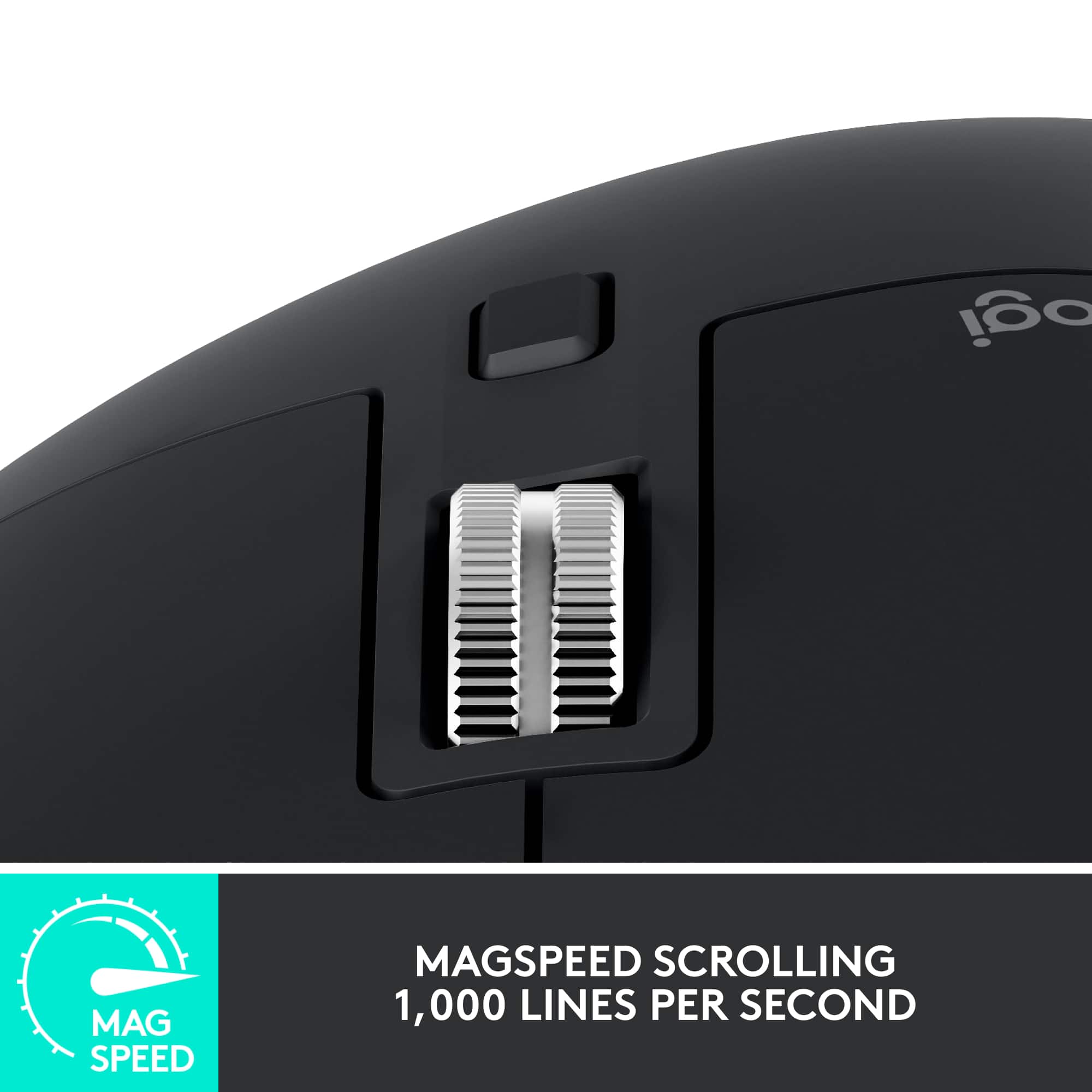
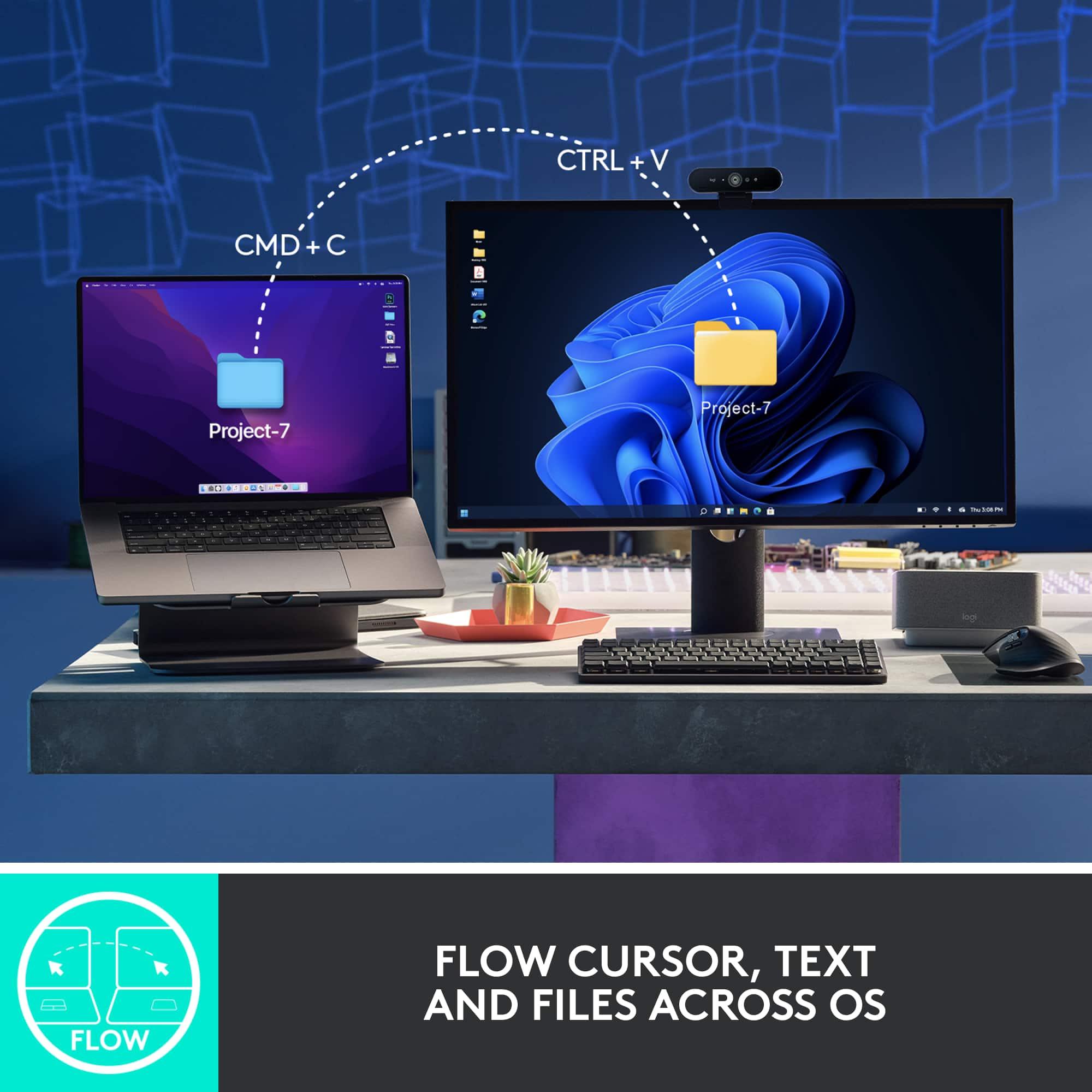
|Posted .This reviewer received promo considerations or sweepstakes entry for writing a review.Logitech’s MX Master 3s mouse represents the pinnacle of the MX series mice. It offers refinement in materials, buttons, noise, connectivity, and ergonomics that set it apart from its predecessors. As a long time fan of the MX series this mouse tops the Master/Performance series by a good margin. First of all, I’ll lead with the fact that Logitech has gone a long way to making their packaging more environmentally friendly. Practically all the packaging was made of cardboard that’s easily recyclable instead of the “I’m going to cut you” plastic of yesteryear. I appreciate this movement, and it means I can recycle or keep the box. The mouse itself feels even more durable and the materials in use feel like this mouse will last a good long while. While it does not include a user serviceable battery, I can attest that my 10 year old Performance MX can hold enough charge to be useful to this day, so I’m not concerned about this mouse becoming e-waste. Now, a few things to know about this mouse: It’s a continuation of the original MX Performance mouse, but really it’s a reimagined MX Master 3. The Master 3s adds a new 8K sensor, super quiet buttons and an even quieter scroll wheel without messing with the existing ergonomics and connectivity already associated with the MX Master 3. If you have a Master 3, you may not want to upgrade, but if you’re an OG or Master 2 mouse user, this is a worthy upgrade for sure. Included in the box is a Bolt receiver which can be used with the first channel, and the other two channels can use Bluetooth (or another receiver). Finally a USB-C to USB-A cable is included for charging. Speaking of charging, Logitech claims 3 hours of use from a single minute of charging. 70 days is possible from a full charge. While I can’t verify those claims, almost a week of use hasn’t dented the battery significantly. USB-C charging means this guy is pretty universally chargeable. One thing I noticed is that it didn’t seem to be able to operate as a wired mouse when plugged in (and no receivers or connections). If you’re new to the MX Series, what really sets these mice apart is the scroll wheel. Designed to be able to flick through an Excel spreadsheet at lightning speed (Logitech claims 1000 lines per second), the free spinning scroll wheel was an experiment that really did catch on with those that adopted the performance MX. Originally a click in on the scroll wheel would change between free scrolling and clicky, but the later Master mice swapped to an automatic trigger (although the button right behind the wheel swaps modes). If you scroll with enough force, the clicky scrolling gives way to free scrolling. The MagSpeed scroll wheel is unique and functional. This, combined with the larger shape, and plethora of buttons is what made the MX Performance/Master mice popular amongst business/software professionals. With the MX Master a horizontal scroll wheel was added, and this eventually turned into a more prominent feature. While some pros do use the horizontal scroll wheel to move about in their enormous excel spreadsheets, I love Logitech’s Options+ software. Not only can I set the primary feature to be volume control, in which the horizontal scroll wheel's heavy weighted feel is quite natural at, but the software also installs profiles: for instance in chrome, I can simply swap tabs using the horizontal scroll wheel, or use it for zoom in a powerpoint presentation. Another big feature that’s unique to the MX series is the darkfield sensor. While Logitech has dropped the marketing wording around it, it’s still quiet the achievement in laser technology. The ability to track on glass is still not the most universal feature, and this mouse basically will track on any surface pretty accurately. The big differentiator for the 3s is the quiet click buttons. It delivers its promise. While being nearly inaudible, the buttons still maintain a satisfying click feel. Logitech made sure every button had this feel, which is a nice touch. The thumb base button also feels quite soft. I was impressed that button included gestures for multi-tasking that map very naturally into Windows 10/11 and Mac OS. Speaking of, the Logitech MX Master 3s fits right in a Mac environment. Logitech Options+ software works well on both Mac and Windows and enables things like Flow, which can transfer text, images, and even files between computers. It even allows swapping between computers by moving the mouse to the edge of the screen. Logitech has really done an amazing job nailing the software, as Flow is super slick. Overall the MX Master 3s is a refinement upon several refinements. I’ve long been a fan of these mice, and despite what some may say, I’ve successfully played twitch shooters on these mice for years to great effect. The ability to trace anywhere is one of my favorite features. I’ve been a long time user of the smaller Anywhere MX series, but this full size MX feels more natural than any of the other full size MX mice I’ve used in the past (Performance MX, Master MX). For productivity, it’s hard to imagine a better mouse. Logitech continues to deliver the best mice in the industry.
I would recommend this to a friend Left Click Button Issues
||Posted . Owned for 1 month when reviewed.This reviewer received promo considerations or sweepstakes entry for writing a review.Never had a mouse with this problem. Could not drag and highlight text using left mouse button and would only register single click. Very strange.
No, I would not recommend this to a friendBrand response from Logitech
Posted .Thanks for sharing your experience. That’s definitely not how the MX Master 3S should perform. Please reach out to our support team or email socialcare@logitech.com so we can help resolve this for you.