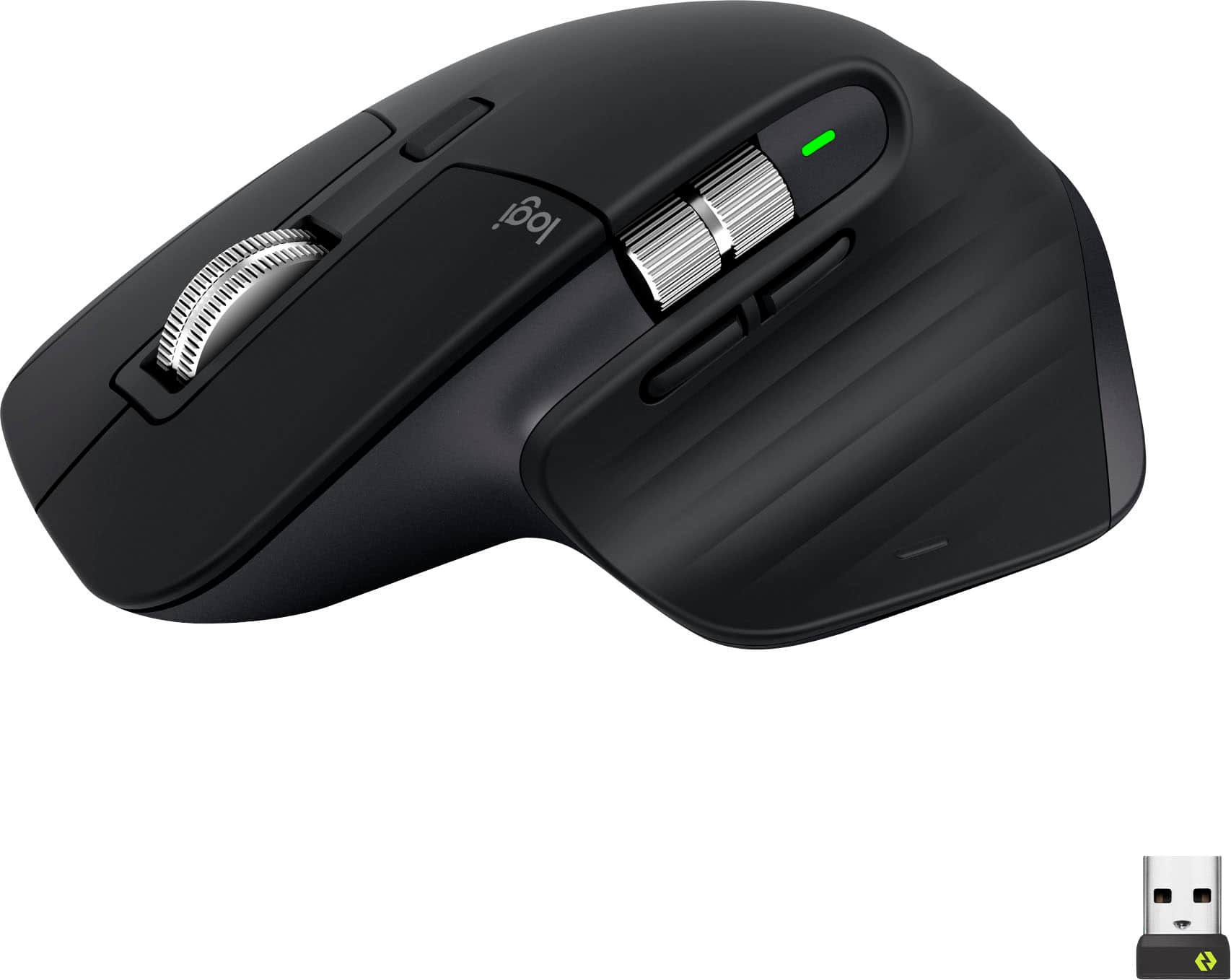
Customers value the comfort, long battery life, and smooth scrolling of the MX Master 3S mouse, frequently praising its high-quality build and extensive customization options. Many appreciate the quiet clicks and responsive buttons, along with the convenience of Bluetooth connectivity. However, some users noted concerns about the mouse's color being prone to staining and its relatively heavier weight.
This summary was generated by AI based on customer reviews.
The vast majority of our reviews come from verified purchases. Reviews from customers may include My Best Buy members, employees, and Tech Insider Network members (as tagged). Select reviewers may receive discounted products, promotional considerations or entries into drawings for honest, helpful reviews.
Page 9 Showing 161-180 of 2,237 reviews
Rated 5 out of 5 stars
Elevate Your Productivity
|
|
Posted . Owned for 11 months when reviewed.
This reviewer received promo considerations or sweepstakes entry for writing a review.
The Logitech MX Master 3S Wireless Mouse has truly transformed my computing experience. This mouse is a productivity powerhouse with its impressive features and sleek design.
Design and Comfort:
The MX Master 3S boasts an ergonomic design that fits perfectly in my hand. The sculpted shape and soft-touch materials make it comfortable to use for hours on end. The mouse's build quality is exceptional, exuding a premium feel.
Ultrafast Scrolling:
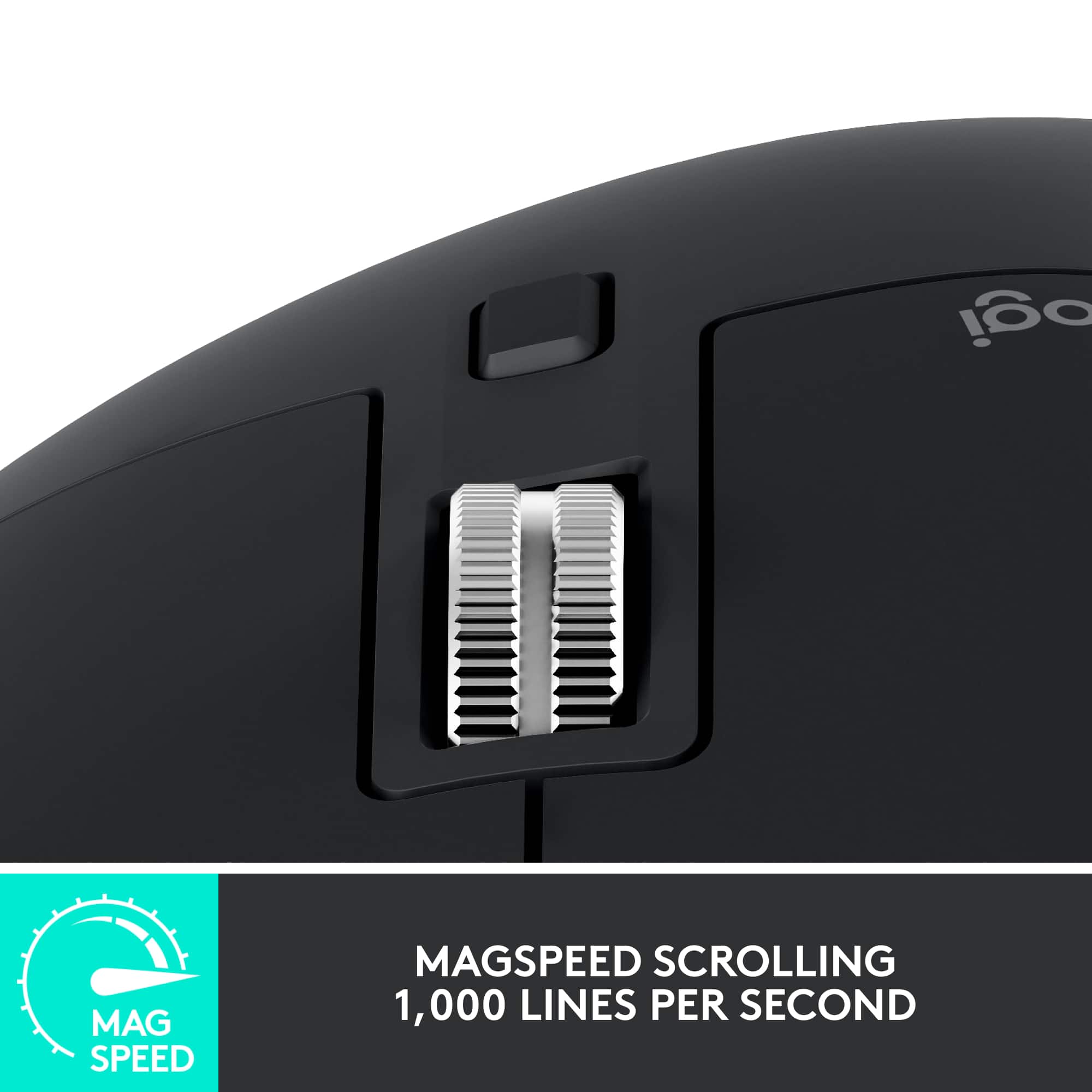
The standout feature of this mouse is its ultrafast scrolling capability. Navigating through lengthy documents or web pages is a breeze with the hyper-scrolling wheel. The option to switch between ratchet and free-scroll modes adds versatility to its usage.
Precision and Customization:
The laser tracking technology ensures precise cursor movement on various surfaces. The customizable buttons and programmable gestures are a game-changer, allowing me to tailor the mouse to my workflow. The ability to switch between multiple devices seamlessly is a boon for multitasking.
Long Battery Life:
The MX Master 3S's battery life is remarkable. A single charge lasts for weeks, and the quick recharge feature means I never have to worry about downtime. The convenience of USB-C charging is a welcomed modern touch.
Versatility and Performance:
Whether I'm working on spreadsheets, editing photos, or simply browsing the web, this mouse adapts effortlessly. The software provides ample customization options, and the smooth scrolling and responsive buttons enhance my efficiency.
Conclusion:
In a world where productivity matters more than ever, the Logitech MX Master 3S Wireless Mouse stands out as an exceptional tool. Its comfort, precision, and advanced features make it a must-have for professionals and enthusiasts alike. While it may come at a slightly higher price point, the enhanced productivity and seamless performance it offers make it worth every penny. If you're looking to elevate your computing experience, this mouse is an investment you won't regret.
I would recommend this to a friend
Pros mentioned:
Battery life
Rated 5 out of 5 stars
Logitech MX Master 3S
|
|
Posted . Owned for 1 month when reviewed.
This reviewer received promo considerations or sweepstakes entry for writing a review.
This mouse has been fantastic. I think it's worth the money because it's high functioning and seems to be durable. The side scroll is nice, the buttons don't make any noise when you click them and it feels good in the hand. You'll also save on batteries because you can connect through bluetooth which also extends the batter life; it's also rechargeable. I don't see myself purchasing another mouse after this one. Worth the money.
I would recommend this to a friend
Brand response from Logitech
Posted .
Wow, that's a glowing review for the MX Master 3S! It's wonderful to hear that you're finding it to be such a fantastic and high-functioning mouse, and that you feel it's a worthwhile investment. We're especially glad you're enjoying the quiet clicks, comfortable feel, and the convenience of both Bluetooth connectivity and the rechargeable battery. It's the kind of feedback we love to hear – thank you for sharing your positive experience and your loyalty!
Rated 5 out of 5 stars
Awesome Mouse
|
Posted .
This reviewer received promo considerations or sweepstakes entry for writing a review.
Logitech has long been known for quality PC mice and keyboards and the MX Master 3S does not disappoint. It balances style and comfort, looking great on the desk while comfortable in your hand.
The Logitech MX Master 3S connects to the PC using either Bluetooth or a small USB device called the Logitech Bolt receiver. Most laptops will have Bluetooth and even many desktops and so that’s likely your preferred method of connecting.
If using a PC that doesn’t support Bluetooth you can use the supplied Logitech Bolt USB receiver. Note that this is the traditional style USB-A and not the more recent USB-C. Arguably this is understandable as more devices still use the older style USB ports so it increases compatibility, especially with devices that do not support Bluetooth.
Charging the mouse is done with the supplied USB-A to USB-C cable and it charges quickly. One nice feature is that the port on the mouse is on the front and so it can be used while the device is charging.
Overall, if you’re looking for a great mouse for home, work or school, this is an excellent option that will not disappoint.
I would recommend this to a friend
Pros mentioned:
Customization
Rated 5 out of 5 stars
Great for graphic designers
|
|
Posted . Owned for 1 month when reviewed.
This reviewer received promo considerations or sweepstakes entry for writing a review.
The Logitech MX Master 3S is a powerhouse mouse tailored perfectly for graphic designers seeking precision and customization. Its ergonomic design fits comfortably in hand for extended periods, minimizing fatigue during intensive design sessions. The standout feature is its unparalleled customization options, allowing users to program buttons and gestures to streamline workflows, whether it's switching between design tools or executing complex commands with a flick of a finger. The high-precision sensor ensures smooth and accurate cursor movement, crucial for intricate design work, while the adaptive scroll wheel adjusts to the task at hand, whether it's scrolling through lengthy design documents or navigating pixel-perfect illustrations.
For graphic designers, the Logitech MX Master 3S is a game-changer, offering a seamless blend of comfort, precision, and customization. Its ergonomic design reduces strain during long hours of use, while its extensive customization options empower users to tailor the mouse to their unique workflow needs. With its precise sensor and adaptive scroll wheel, navigating intricate design projects becomes effortless, making the MX Master 3S an indispensable tool for any creative professional's arsenal. Whether you're crafting intricate illustrations or fine-tuning typography, this mouse elevates the design experience to new heights, setting a new standard for productivity and comfort in the digital workspace.
I would recommend this to a friend
Brand response from Logitech
Posted .
Thank you for your enthusiastic review of the Logitech MX Master 3S! Your in-depth analysis highlighting its benefits for graphic designers is incredibly valuable. We appreciate you taking the time to share your positive experience with the product. Your feedback is a testament to the mouse's exceptional design and functionality.
Rated 4 out of 5 stars
A great mouse with some flaws
|
Posted .
This reviewer received promo considerations or sweepstakes entry for writing a review.
I've been using this mouse at work and home for several days, and I really want to love it.
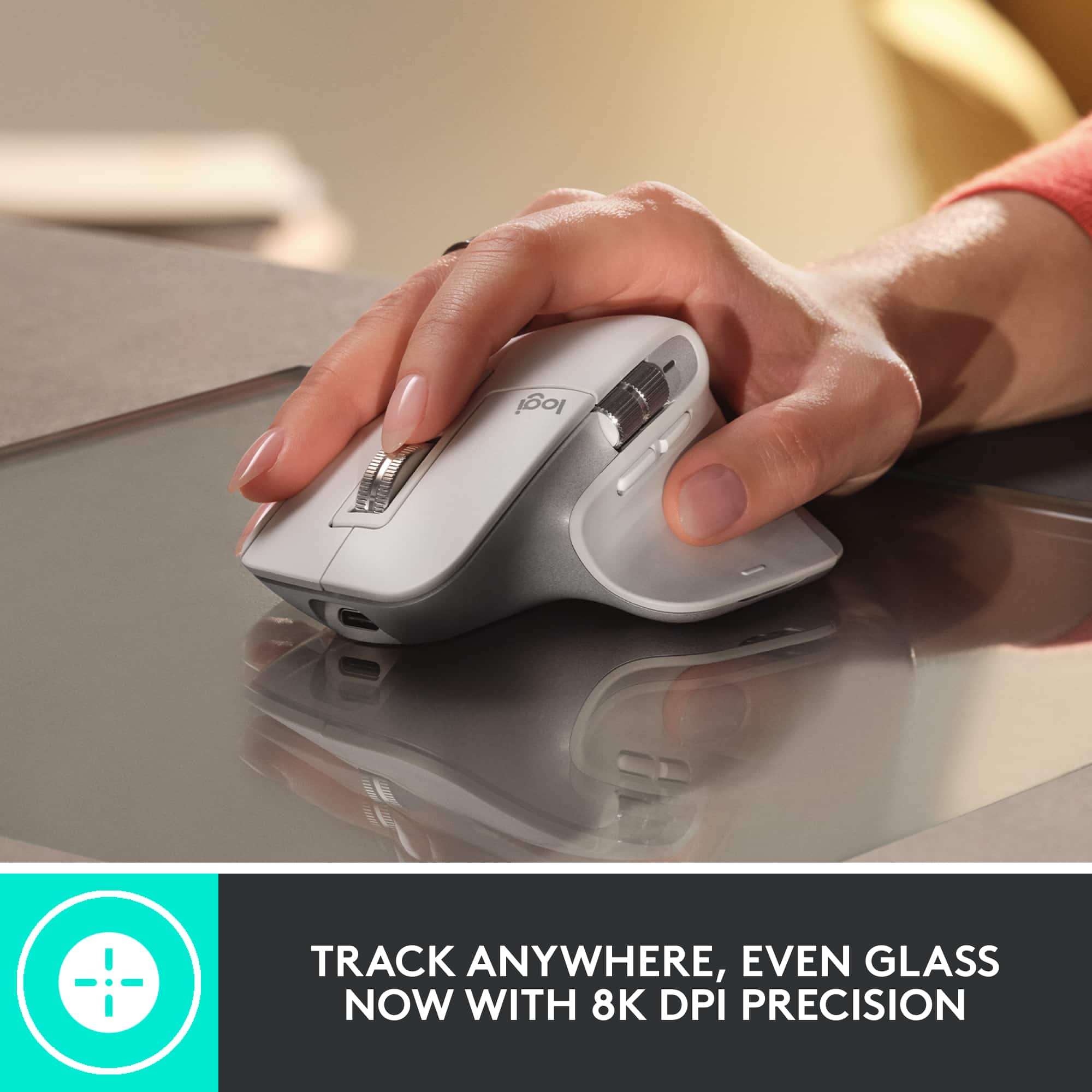
To start with, there's a lot of good here. The tracking sensor is very accurate and works on every surface I've tried, from a glass tabletop to a bedsheet that always gives other mice trouble when using my laptop in bed. It's got a variety of DPI settings from 200 to 8k that make working on high resolution displays or small surfaces a breeze. I'm still figuring out all of the stuff a horizontal scoll wheel is useful for. I was surprised when I found it allows me to quickly zoom in and out or adjust the size of brush in photoshop, for example. The buttons and scroll wheels are near silent, which is interesting, but not particularly useful to me, so I can take it or leave it. As quiet as they are, they still have enough tactile feedback that it doesn't feel strange.
In general, this mouse feels different to other mice I have, and I'm not entirely sure why. I feel like it sits higher overall, but fits to my hand in much the same way. It's not really any more or less comfortable, just different.
Battery life so far is great. I've been using it for five days and haven't had to recharge it yet. The wireless mouse I normally use needs to be plugged in about every two or three days to charge with moderate use.
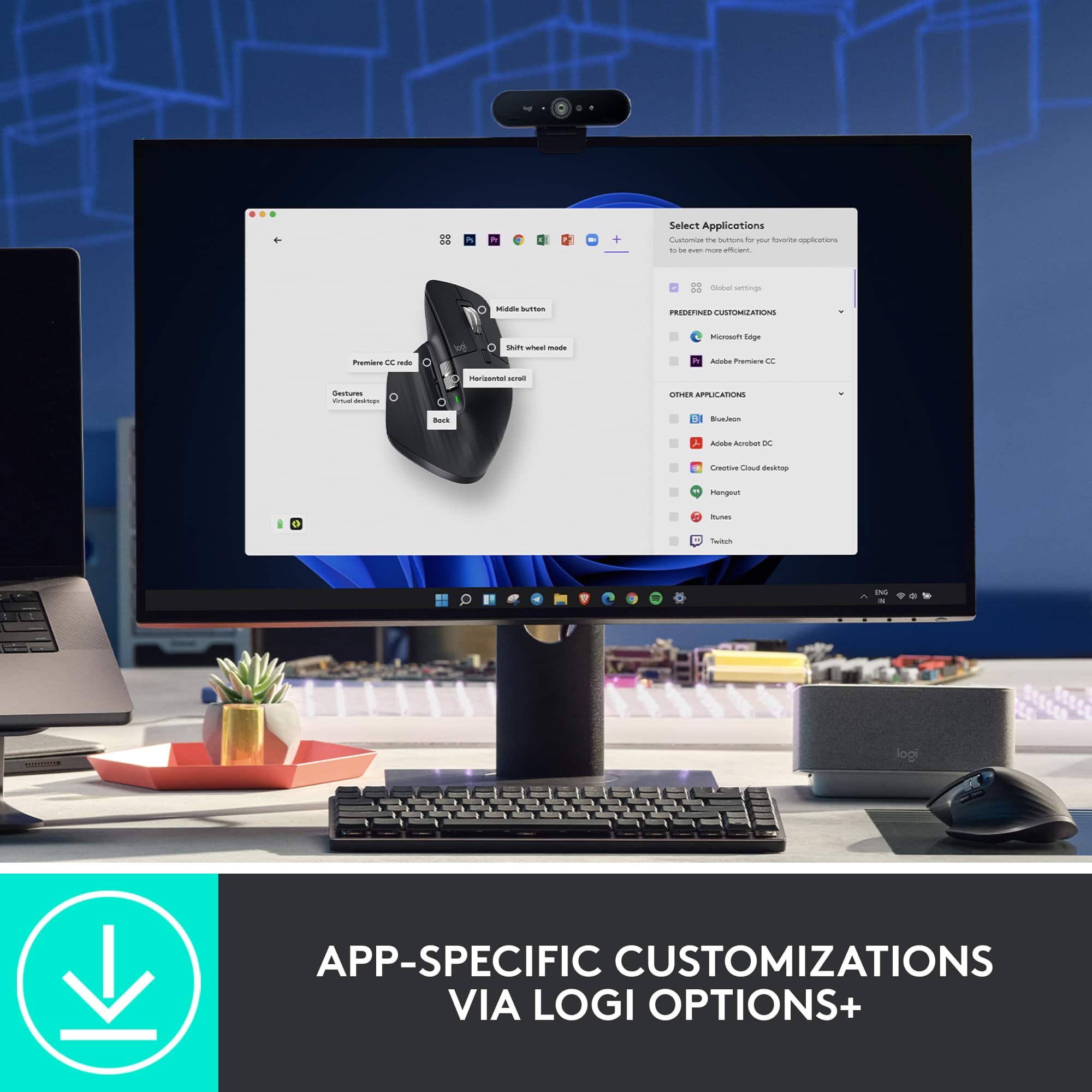
Unfortunately, it's got a bit of a problem with the vertical scroll wheel. It's just not accurate. Sometimes I'll wheel down a "notch" and nothing happens, or I'll be scrolling down and it'll just stop for a moment before it starts registering again. It's noticeable when it happens, and it happens often enough to be annoying. Even the cheapest of basic mice don't tend to have this problem, so I really don't expect it to happen with a premium product like this. I tried the Logi Options+ software to see if there was a firmware update available, but it said the mouse was up to date. Hopefully a future update can fix it.
All things considered, it's a great mouse in a lot of ways, and Logitech products are generally high quality, so I'll recommend it under the assumption that that mine just has a rare defect.
I would recommend this to a friend
Rated 5 out of 5 stars
Have a 2S? You will love this upgrade!
|
Posted .
This reviewer received promo considerations or sweepstakes entry for writing a review.
Logitech doesn't need any introduction and I have been an avid user of Logitech computer accessories for as long as I can remember. I have been working as a Mechanical Design Engineer for more than 10 years now and Logitech is the only brand that I use for my mouse. I spend 90% of my time at job using mouse to 3D design stuff on software such as Creo, NX and SolidWorks. I cannot even imagine using any other brand mouse. I started with G602 that had 9 programmable buttons and anyone with even a little design experience can understand how much of a life saver that mouse is. Unfortunately, that started giving some issues after more than 5 years of service and I replaced it with MX Master 2S and OMG, that was a game a changer too. I agree, it didn't have as much programmable buttons but I still was able to make full use of few that are provided.
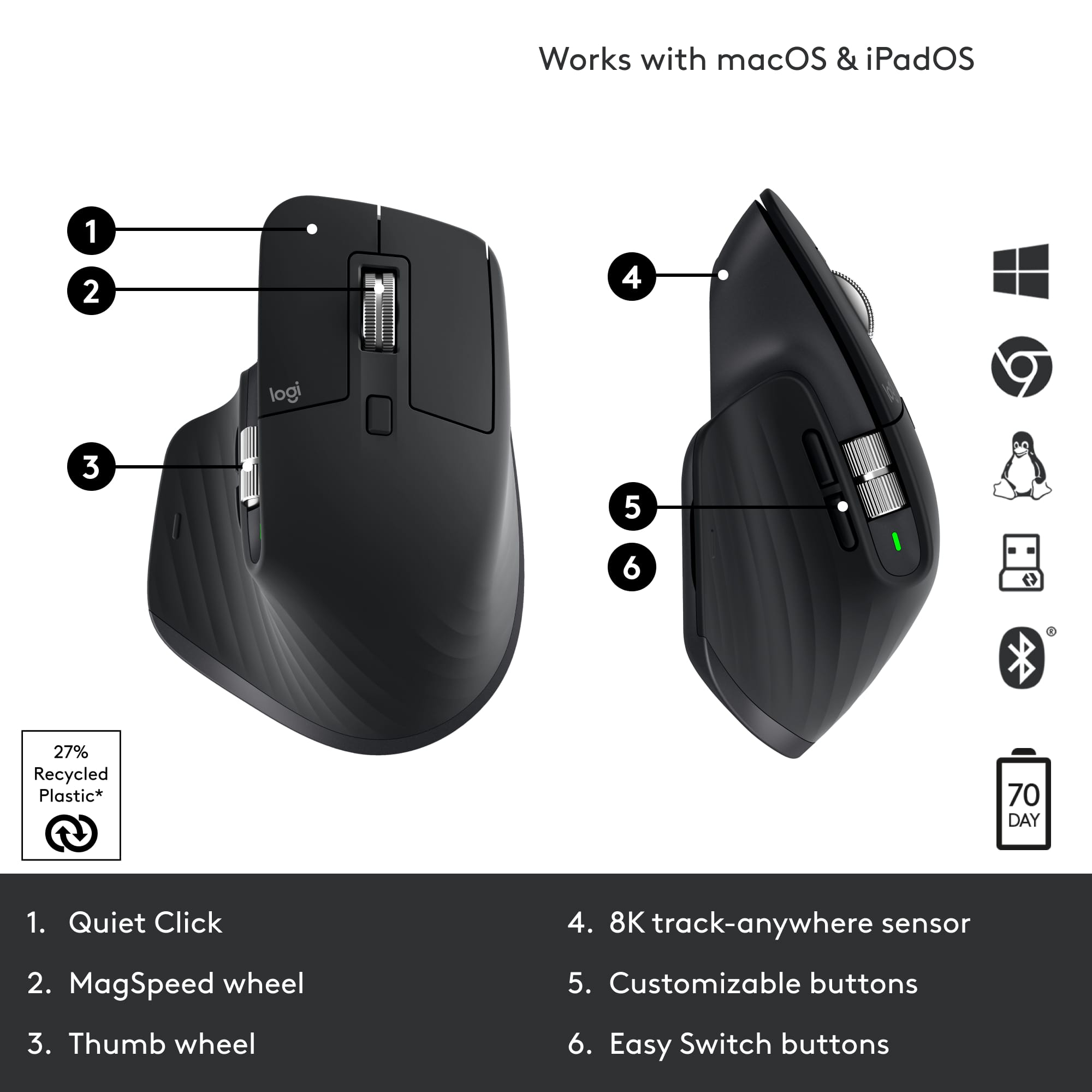
The MX Master 2S was a fantastic mouse, but I had two complaints about it: 1) It used Micro USB instead of Type C and 2) the thumb wheel and navigation buttons were hard to use. The MX Master 3S fixes both those problems. The thumb wheel now has a very high quality feel to it and is very easy to spin around, and they've moved the navigation buttons lower down to make them easier to press with your thumb. The main scroll wheel has also been made quieter, and somehow even more fun to use. As before, this mouse works on pretty much all surfaces, can connect to 3 devices, and can connect by either bluetooth or a USB dongle. I've had no issues using it on both a Mac and PC. Logitech claims a battery life of 70 days, and while I obviously haven't been able to test that out yet, if the MX Master 2S is anything to go by, you can expect great battery life on this mouse too. The 3S has significantly better placement for my average sized hands. On the 2S, it required pulling my thumb so far back, that it initially felt like my thumb was going to dislocate. On the 3S that isn’t a problem.
The vertical scroll wheel is great. Feels much better than the scroll wheel on the 2S, but it may take some fiddling with the Logitech Options program to get it to automatically switch to free scrolling based on your desired speed. The default setting switches it too easily, and the jump from ratcheted scrolling to free scrolling speed is significant. You might find yourself wanting to just scroll a few lines faster, and then suddenly you’re all the way at the bottom of a webpage.
It's a big upgrade from Master 2S. However, if you own a Master 3, getting a 3S would not be much of an upgrade for you. The only difference between the two are that 3S has a 8000 DPI sensor where as 3 has 4000 DPI sensor. The other difference is that Logitech claims that 3S has 90% quieter clicking than 3.
There is no question the placement of the back and forward buttons has been improved as well as the horizontal scrolling wheel as compared to 2S. The tracking also seems more precise. The gesture button is also vastly improved and now has an actual physical button. This mouse unequivocally earns a high five stars rating from me, along with my honest and very hearty recommendation. You will never see a mouse more ergonomic and comfortable to use than this one!
I would recommend this to a friend
Brand response from Logitech
Posted .
Hello MacUser, I am glad that you are enjoying the MX Master 3S. Thank you for writing a detailed review of the product. I agree, the added features such as 8K DPI and USB type C are great. I will record your product insight and pass it on. Logitech appreciates your product review. - Leo from Logitech
Rated 5 out of 5 stars
Logitech MX Master 3S Wireless Laser Mouse – A Gam
|
|
Posted . Owned for 1 month when reviewed.
This reviewer received promo considerations or sweepstakes entry for writing a review.
Logitech MX Master 3S Wireless Laser Mouse – A Game-Changer for Productivity
The Logitech MX Master 3S is, without a doubt, one of the best wireless mice available for power users, professionals, and anyone who demands precision, comfort, and efficiency from their tech tools.
Design and Comfort:
Right out of the box, the MX Master 3S impresses with its sleek, ergonomic design. The mouse fits naturally in your hand, with soft-touch materials and a contoured shape that offers excellent support for long hours of use. The button layout is intuitive and easily customizable, and the thumb rest adds to the overall comfort, making it a great choice for both casual and extended use.
Performance:
The 3S version comes equipped with Logitech’s advanced 8,000 DPI sensor, which offers smooth, precise tracking on nearly any surface. Whether you're working on a desk, a glass tabletop, or a wooden surface, the sensor adapts seamlessly. The mouse also features the signature ultra-fast scrolling wheel, which is a dream for navigating long documents or web pages. With just a flick of the wheel, you can move through content at lightning speed—ideal for productivity tasks.
Battery Life & Connectivity:
Battery life is impressive, lasting up to 70 days on a full charge (depending on usage), and recharges quickly via USB-C. The mouse can be connected via Bluetooth or the included USB receiver, making it versatile for different setups. The ability to switch between multiple devices (up to 3) with the Easy-Switch buttons is a huge productivity boost, especially for those who work across computers, tablets, or even a combination of devices.
Customization & Features:
The MX Master 3S offers a lot of customization options through Logitech’s Options software. You can assign specific functions to each button, set gestures for easy access to tasks, and fine-tune the scroll speed. Plus, the Quiet Click buttons provide a satisfying yet silent click experience, which is a big plus for users who work in shared spaces.
Conclusion:
If you're looking for a premium, versatile, and comfortable wireless mouse that offers incredible precision and useful features, the Logitech MX Master 3S is hard to beat. Whether you're a designer, developer, or just someone looking for a reliable mouse for daily tasks, this mouse delivers performance, comfort, and style in spades. Highly recommended!
I would recommend this to a friend
Brand response from Logitech
Posted .
We're delighted that you appreciate the ergonomic design and the comfort it provides during long work sessions. Our focus on user comfort is paramount, and we're glad you find the soft-touch materials and contoured shape to be a winning combination.
Pros mentioned:
Comfort
Rated 5 out of 5 stars
You want this mouse. Trust me.
|
|
Posted . Owned for 4 months when reviewed.
This reviewer received promo considerations or sweepstakes entry for writing a review.
This is by far the best mouse I've ever used for daily use. It's quiet, the quick change connection options are perfect for wherever you need to use this mouse; it's comfortable, quiet, and the scroll wheel options are perfect for quick reads of long webpages and documents. My only issue is that there's not a built in USB receiver holder which I think is an oversight. Fortunately I only use the receiver on one device. Otherwise it's an almost perfect mouse for general usage.
I would recommend this to a friend
Brand response from Logitech
Posted .
Thank you for your detailed feedback on the MX Master 3S. The lack of a USB receiver holder is noted, and we understand how that could impact convenience. We appreciate you highlighting the mouse's strengths for others considering it.
Rated 5 out of 5 stars
The king for a reason.
|
|
Posted . Owned for 1 month when reviewed.
This reviewer received promo considerations or sweepstakes entry for writing a review.
With still no announcement of an MX master 4, the master 3S is often headlined as the best wireless mouse on the market.
And theres a reason for that.
+ Exeptional battery life. It claims 70 days. But if youre like me and turn off everything before you sign off for the day, and you can get up to 3 months of use out of this before you get the notification that you need to plug it in. I have a wireless keyboard and this mouse. Both use USB-C to charge. Simple and easy, one cable for everything. Flawless. *cough* APPLE *cough*.
+ Great feel in the hand. This is not a perforated ultralightweight gaming mouse. Its an "everything" mouse for leisure, business, and noncompetitive gaming. Feels great ergonomically and fits your whole hand. If you have very small hands, this could be a little bit of a learning curve, but it should still be very easy to use once youre used to it.
+ silent clicking. Go watch a youtube video between click sound of the MX 3 vs MX 3S. That will explain itself.
+ two scroll wheels. Logitech has mastered (...lol) scroll wheels. Their metal, magnetic scroll wheels feel buttery smooth. And for you Excel users, horizontal scrolling is a life changing addition.
+ 3 devices at once. I only use two, my desktop and laptop. And being able to quickly switch in between them is very nice. But this is not unique to this device as many wireless mice can do this.
Bottom line is, if you have $100 and youre looking for the best wireless mouse available, theres no debate. Its this one. If youre a competitive gamer though.......your needs and expectations are different and you may want to look elsewhere depending on what youre looking for. But you already knew that.
But for everyone who is NOT a competitive gamer, even for you casual gamers like me, you simply cannot go wrong with this mouse. Treat yo self.
P.S..........................sorry left handers......
I would recommend this to a friend
Pros mentioned:
Battery life, Comfort
Rated 5 out of 5 stars
Pricey but worth every penny
|
|
Posted . Owned for 3 weeks when reviewed.
This reviewer received promo considerations or sweepstakes entry for writing a review.
I really like this mouse. It is comfortable and love the fact that it has a rechargeable battery. Its not super sensitive like other brands and works amazing with or without a mouse pad. This mouse is priceier than others but worth it in ky opinion.
I would recommend this to a friend
Brand response from Logitech
Posted .
That's excellent to hear! We're thrilled you're really liking your Logitech MX Master 3S Wireless Mouse! It's great that you find it comfortable, appreciate the rechargeable battery, and value its reliable performance with or without a mouse pad. We're glad you feel its features make it worth the investment. Thanks for sharing your positive feedback!
Rated 4 out of 5 stars
Effortless Comfort and Precision
|
|
Posted . Owned for 4 months when reviewed.
This reviewer received promo considerations or sweepstakes entry for writing a review.
I’ve been using the Logitech MX Master 3S for a few months, and it’s made my work so much easier. It feels really comfortable to use, even when I’m at my desk for hours. My hand doesn’t get tired, which is a big deal for me.
The scroll wheel is amazing! Switching between the smooth and clicky modes is super easy, and it’s so precise. I also love how I can switch between my laptop and desktop with just one button—it’s so convenient and saves a lot of time.
The silent clicks are nice, especially in quiet spaces, but they took a bit of getting used to since they don’t have the usual clicky feel. The customization options in the app are great, but the app itself could be easier to use.
Overall, this mouse is awesome. It’s not perfect, but it’s definitely worth it if you want something comfortable and reliable for work.
I would recommend this to a friend
Brand response from Logitech
Posted .
It sounds like the Logitech MX Master 3S has been a great addition to your workspace! The ergonomic design and comfortable grip are definitely standout features, especially for long hours of use. The scroll wheel with its ability to switch between smooth and ratchet modes is indeed a game-changer for productivity.
Pros mentioned:
Customization
Rated 5 out of 5 stars
Silent Mouse...
|
|
Posted . Owned for 2 months when reviewed.
This reviewer received promo considerations or sweepstakes entry for writing a review.
The Logitech MX Master 3 Advanced Wireless Mouse is a game-changer! With its ultrafast scrolling and ergonomic design, it has transformed my computer experience. The 4000 DPI sensitivity allows for precise control, whether I'm working on detailed design projects or navigating through documents.
The ergonomic shape of the MX Master 3 fits perfectly in my hand, providing comfort and support even during long hours of use. The customizable buttons and intuitive software make it easy to personalize the mouse to suit my specific needs and workflow. The standout feature of this mouse is the ultrafast scrolling. It's a true time-saver, allowing me to breeze through long documents and web pages effortlessly. The precision scroll wheel is a joy to use, offering both speed and accuracy.
The wireless connectivity is reliable, and the battery life is impressive. I rarely have to worry about recharging, even with heavy daily use. The mouse seamlessly connects to my computer, and the overall performance is smooth and lag-free. The Logitech MX Master 3 is not only functional but also aesthetically pleasing. The sleek design and premium build quality make it a pleasure to use and show off on my desk.
In summary, the Logitech MX Master 3 Advanced Wireless Mouse is a top-notch choice for anyone seeking a powerful, ergonomic, and feature-rich mouse. It has enhanced my productivity and comfort while working on my computer. I highly recommend this mouse to professionals, gamers, and anyone in need of a reliable and versatile input device.
I would recommend this to a friend
Pros mentioned:
Battery life, Comfort
Rated 5 out of 5 stars
Great mouse, definitely recommend
|
|
Posted .
This reviewer received promo considerations or sweepstakes entry for writing a review.
Excellent mouse! Very comfortable to use, excellent battery life, and no cables or usb stubs. Has lots of features I haven't used with software but just wanted a high quality mouse and it delivers!
I would recommend this to a friend
Brand response from Logitech
Posted .
Thank you for the wonderful review! We're thrilled to hear you're enjoying the MX Master 3S, especially the comfort, excellent battery life, and overall quality. It's great to know it's delivering on what you wanted in a high-quality mouse. We appreciate your recommendation!
Pros mentioned:
Battery life, Scroll wheel
Rated 5 out of 5 stars
Best Mouse for work and causal use
|
|
Posted . Owned for 3 months when reviewed.
This reviewer received promo considerations or sweepstakes entry for writing a review.
MX Master 3s is the best controller I've used, it's ergonomic and very capable and precise for work. I recommend leveraging the Logi options app to see all of the programs and shortcuts that are available for each of them.
Battery lasts a long time and the scrolling wheel is one of the best parts
The button to allow you to do gestures is a huge win for Mac users
I would recommend this to a friend
Brand response from Logitech
Posted .
We're thrilled to hear the MX Master 3S is your best controller yet! It's fantastic that you're enjoying the ergonomics, precision, and especially the customizable features through Logi Options+. We appreciate you highlighting the long battery life, scroll wheel, and Mac gesture button – all key features we're proud of!
Rated 5 out of 5 stars
Great high performance mouse
|
|
Posted . Owned for 2 months when reviewed.
This reviewer received promo considerations or sweepstakes entry for writing a review.
Lots of great features to this mouse. I have slightly larger hands and this fits comfortably. I have the side wheel configured to quickly change zoom level which works on most applications. The ability to have the mouse configured on multiple devices actually sounds quite useful but haven't configured yet to say how well it works. Lasts a long time on a charge and if necessary, can use while plugged into USB.
I would recommend this to a friend
Pros mentioned:
Scroll wheel
Rated 5 out of 5 stars
Love the mouse
|
|
Posted . Owned for 2 weeks when reviewed.
This reviewer received promo considerations or sweepstakes entry for writing a review.
The mouse feels great, is much better than my previous one. Particularly, love the quiet clicks, the unlocked scroll wheel, and the side scroller. Would definitely buy again.
I would recommend this to a friend
Brand response from Logitech
Posted .
Thank you for your feedback on the Logitech MX Master 3S! We're thrilled to hear you're enjoying the quiet clicks, smooth scrolling, and overall feel. It's great to know it’s made such a positive difference—happy clicking!
Rated 5 out of 5 stars
Good Mouse for Work
|
|
Posted . Owned for 4 months when reviewed.
This reviewer received promo considerations or sweepstakes entry for writing a review.
Bought this mouse for work. I can go over a week without charging it and I use it every day for 8 hours. Very comfortable and high quality. The fast scrolling works really well. I’m on excel all day and works great for that. The clicking is silent. Price is pretty steep though for a non gaming spec mouse.
I would recommend this to a friend
Rated 5 out of 5 stars
Works with a silent click of a button
|
Posted .
This reviewer received promo considerations or sweepstakes entry for writing a review.
I’m a big fan of Logitech computer accessories and I have owned a bunch of their MX line of products. I currently use the MX Master 2S and still working great for me. I expect the same from this next generation MX Master and it hasn’t disappointed me.
It now uses USB-C instead of microUSB for charging. The charging port is still located on the front of the mouse so you can use it while it is charging not like the Apple mouse. It lost the 3 LED battery level indicator that was on the 2S which was helpful and it is now replaced with one LED battery indicator. The location of the two side buttons is moved to just under the side scroll wheel. The button click is virtually noiseless. It is that quiet. The scroll wheel in the ratchet mode is also quieter than the previous. It is also faster and more precise.
It works on any surface with the upgraded 8000 DPI sensor compared to the 2S that had 4000 DPI. You can customize the sensitivity through the app. Whether it be wood, metal, cloth, mousepad or even my glass sliding door, it works on all of those surfaces. The glide strips makes for a very smooth movement across the surface.
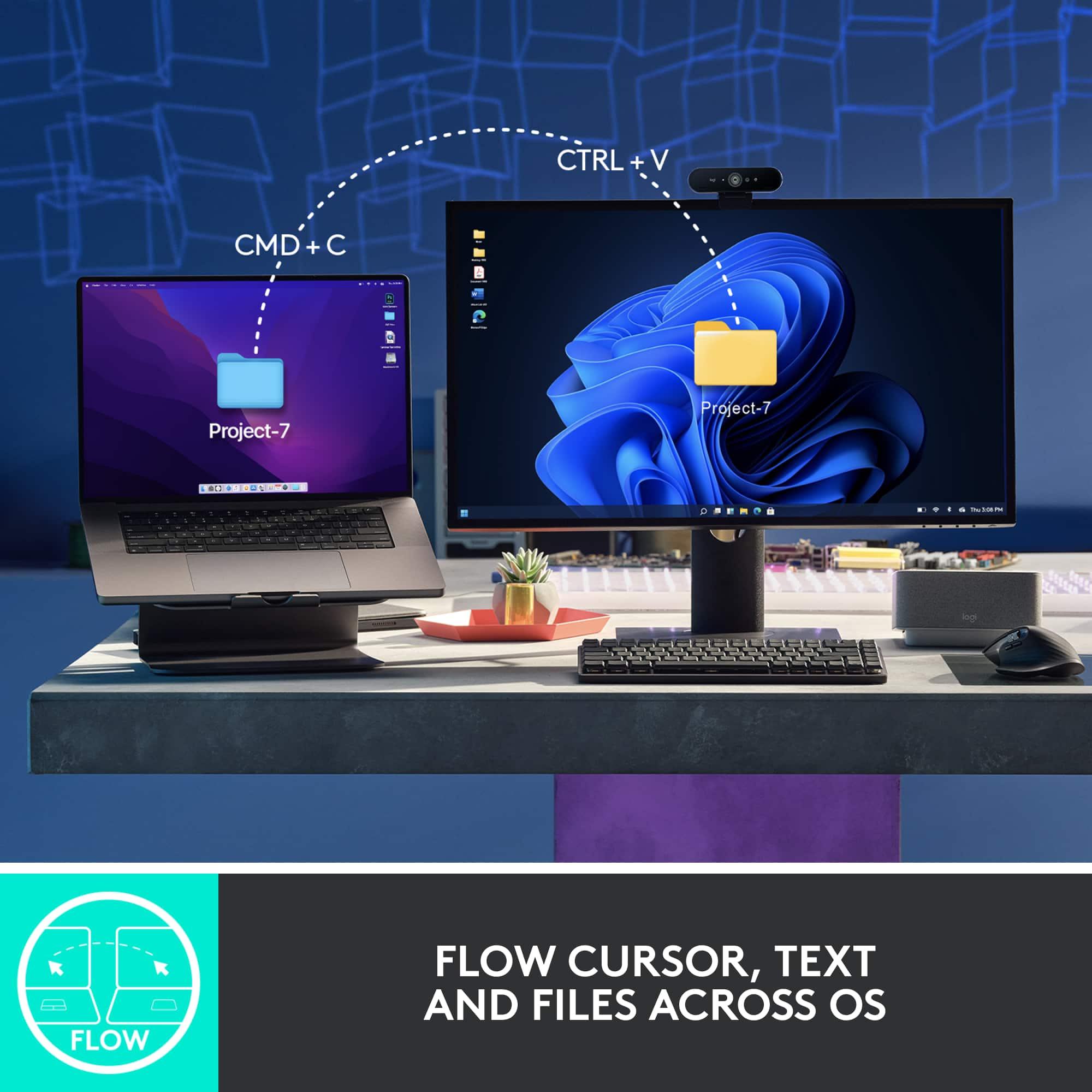
I am using this mouse on Apple devices and they have this feature called Universal Control which lets you use one keyboard and mouse to control your Apple devices simultaneously. With Logitech Options+ and this Flow enabled mouse, you can now control a Mac and Windows computers with one mouse. You can transfer files, copy on one and paste on the other. Wait what? Mac and Windows working together? Yep It’s true! This Logi Flow cross-computer control works pretty seamless too but I think Apple’s Universal Control is more seamless. It still has the ability to connect to three different devices with the easy switch button on the bottom of the mouse
The ergonomic design feels the same as the 2S and the build quality is just as good. The color scheme changed from a gray two tone to a black two tone. The scroll wheels no longer have the rubber outer layer but it doesn’t affect the grip in my opinion. This Master 3S looks and feels great and it works great too.
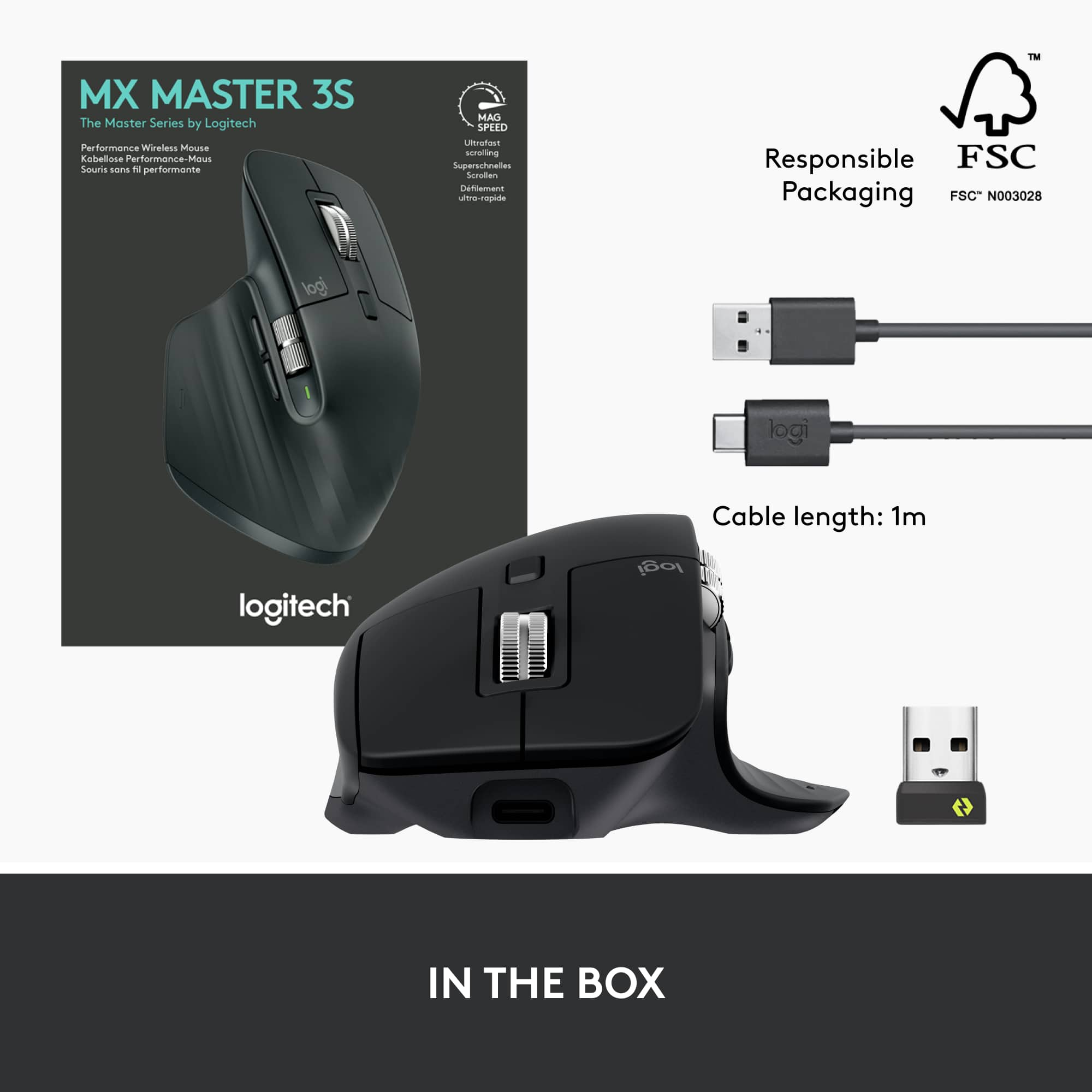
It comes with a Logi Bolt USB receiver and a USB-A to USB-C cable. This mouse is not compatible with the USB Unifying receiver.
I would recommend this to a friend
Brand response from Logitech
Posted .
Hello neio11, I am glad that you are enjoying the MX Master 3S. Thanks for leaving such a detailed product insight, I will record it and pass it along. Logitech appreciates your product review. - Leo from Logitech
Rated 5 out of 5 stars
My new daily driver with a few friendly quirks
|
|
Posted . Owned for 1 month when reviewed.
This reviewer received promo considerations or sweepstakes entry for writing a review.
This mouse has great precision cursor movement and comfort for the hand. The primary right and left buttons are slightly forward which only took 2 minutes to adjust to and seem to improve comfort and hand posture. The horizontal scroll wheel is a new and useful that makes me excited to see if could master diagonal scrolling by using the vertical scroll wheel at the same time. I enjoy using this mouse every day. I do have two challenges with the mouse. First, if you vertical scroll woth force, it keeps going and scrolls VERY far. Second, I have observed the cursor start skipping or jumping around, almost as if the mouse is half asleep. Switching the mouse off and on returns the cursor to full precision. A firmware update may correct both of thes issues. I have used and replaced my previous logitech mouse several times for 10 years and look forward to mastering my new daily driver!
I would recommend this to a friend
Brand response from Logitech
Posted .
Thank you for the detailed feedback on your MX Master 3S. The observations regarding the scrolling behavior and cursor movement are valuable, and the team is looking into these areas for potential improvements. We appreciate your long-term loyalty and are glad to hear you're enjoying many aspects of the mouse.
Rated 5 out of 5 stars
Would buy again
|
|
Posted . Owned for 5 months when reviewed.
This reviewer received promo considerations or sweepstakes entry for writing a review.
Comfortable and battery lasts a long time. Can use while charging. Easy to connect to 3 different devices and switch between them. Somewhat portable though not designed for it.
I would recommend this to a friend
Brand response from Logitech
Posted .
Hello, Thanks for the detailed review of the Logitech MX Master 3S! We appreciate you mentioning the comfortable design, long battery life, and multi-device connectivity with easy switching. It sounds like a great productivity booster for your workflow! While not specifically designed for portability, we're glad you find it somewhat portable for when you need to take it on the go.