Customer Ratings & Reviews







- Model:
- 910-006558
- SKU:
- 10116915
Rating by feature
- Value
Rating 4.6 out of 5 stars
- Quality
Rating 4.8 out of 5 stars
- Ease of Use
Rating 4.8 out of 5 stars
to a friend
Awesome but dirty
||Posted . Owned for 3 weeks when reviewed.This reviewer received promo considerations or sweepstakes entry for writing a review.love it. It's very comfortable and has great customization. I love the fact I can have it connected to 3 different computers and switch easily between them without having to plug in and out all the time. Good battery life. The only thing I dislike is how easily this color gets stained. It looks fantastic but over time it looks dirty and hard to clean.
I would recommend this to a friendIdeal for everything except heavy gaming
||Posted . Owned for 1 month when reviewed.This reviewer received promo considerations or sweepstakes entry for writing a review.Really comfortable to use. I’ve had it for about a month now and can confidently say it was worth the purchase. The only issue it would have would be its weight but besides that everything works out perfectly. If your someone with a bit hand I highly recommend as that was basically what sold this to me. When looking for a mouse i was looking for a greater size as well as a comfortable hand/finger placement. This mouse does both. The response time is also fine you’d only notice a delay if you’re an fps gamer. And finally battery life. I completely forgot that i needed to charge it as two weeks later after much use it died on me. BUT since then i’ve charged it for about thirty min and comfortably been using it for 2+ weeks at a time. For reference i use the mouse 3-6h a day. Cahoots to the team well made product.
I would recommend this to a friendGame changer
||Posted . Owned for 8 months when reviewed.This reviewer received promo considerations or sweepstakes entry for writing a review.Super smooth and comfortable to use! The clicks are responsive, and it works perfectly for everyday tasks. Great value!
I would recommend this to a friendBrand response from Logitech
Posted .It’s fantastic to hear you’re enjoying the MX Master 3S Wireless. We truly appreciate you taking the time to share your experience!

Perfect
||Posted . Owned for 2 months when reviewed.This reviewer received promo considerations or sweepstakes entry for writing a review.This mouse is fantastic! It’s incredibly comfortable to use, with a sleek design and responsive buttons. The precision tracking is flawless, making it perfect for work or gaming. Wireless connectivity is seamless, and the battery life is impressive. Compact yet durable, it’s a reliable and stylish addition to any setup. Highly recommend!
I would recommend this to a friendBrand response from Logitech
Posted .Thank you for your enthusiastic review of the Logitech - MX Master 3S! We're delighted to hear you're enjoying its comfort, precision, and seamless connectivity. Your positive feedback on its design and durability is greatly appreciated.
Good mouse not for me
||Posted . Owned for 1 year when reviewed.This reviewer received promo considerations or sweepstakes entry for writing a review.Mouse works very well, I didn’t personally like the way it fit in my hand but it’s got great battery life.
I would recommend this to a friendThe Logitech MX Master 3S
||Posted . Owned for 1 year when reviewed.This reviewer received promo considerations or sweepstakes entry for writing a review.The Logitech MX Master 3S is one of the most polished and capable productivity mice you can buy — especially if you spend long hours working at a computer. It’s designed first and foremost for comfort, efficiency, and smooth control, and in most areas it delivers exceptionally well
I would recommend this to a friendBrand response from Logitech
Posted .Thanks for the positive feedback! We’re happy to hear the Logitech MX Master 3S Wireless Mouse is performing well. Your support helps us keep improving.
ogitech MX Master 3S MUST have
||Posted .This reviewer received promo considerations or sweepstakes entry for writing a review.The Logitech MX Master 3S is widely regarded as the best productivity mouse available today, offering silent clicks, an upgraded 8,000 DPI sensor, and Logitech’s signature MagSpeed scroll wheel. It’s ideal for professionals with complex workflows, though it remains pricey and is designed only for right-handed users
I would recommend this to a friendBrand response from Logitech
Posted .It’s great to hear your experience has been positive. Your feedback helps us refine and improve our products. Thanks for choosing Logitech!
Best. Mouse. Ever.
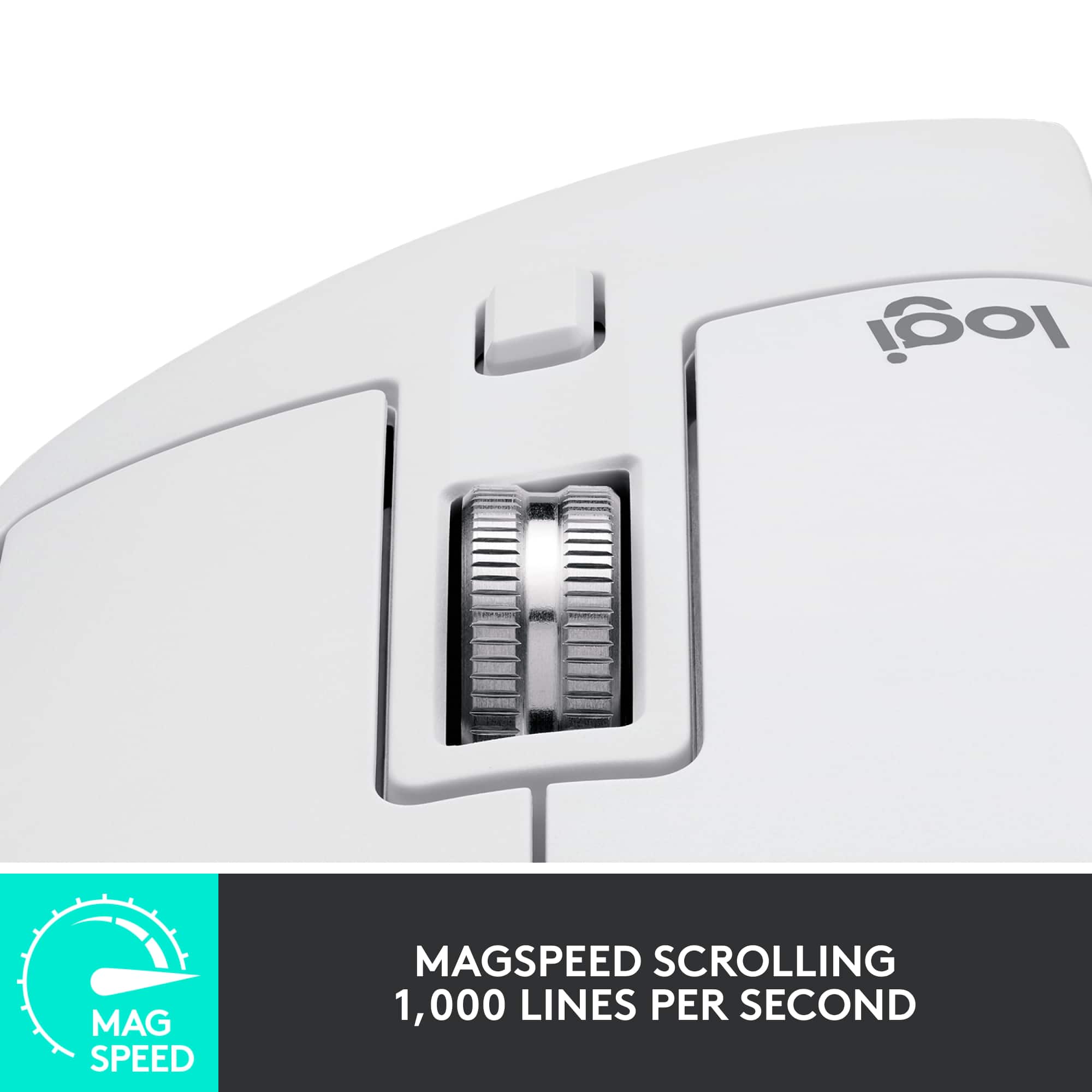
||Posted . Owned for 3 weeks when reviewed.This reviewer received promo considerations or sweepstakes entry for writing a review.This mouse is the best I've ever had. I immediately had a "where have you been all my life" moment upon first use. The shape is good. I have big hands and the body is allows for various hand positions. It would be good for a small handed person, too. Maybe even better. The scroll wheel is unlike anything I've used before. There is a "brake" on it, and when engaged, it has those small clicks like a normal mouse scroll wheel. You'd want to use that for scrolling down a web page, for example. Whenever you want a lot of control. But the best part is if you spin that scroll wheel hard, or disengage the brake, it will just spin...for a very long time. You could scroll down 1000 pages with one flick of your finger. No joke. The scroll wheel must have a little weight to it because it will spin forever. If you find yourself scrolling large distances in large documents or code, you will love this mouse. Battery life is outstanding. There's no RGB but that's okay. Best. Mouse. Evar.
I would recommend this to a friendPerfect
||Posted . Owned for 3 weeks when reviewed.This reviewer received promo considerations or sweepstakes entry for writing a review.This mouse is exactly what I was looking for. Rechargeable, wireless and Bluetooth. Even the clicking is quiet. It feels robust and fits in my hand perfectly. I definitely recommend this to people looking for a premium mouse.
I would recommend this to a friendDoes The Job
||Posted . Owned for 1 month when reviewed.This reviewer received promo considerations or sweepstakes entry for writing a review.After having a gaming mouse with a perpetually broken scroll wheel, the MX master 3S is a welcome change. It just works and the LogiOptions+ software is straight forward and gives you a ton of customization options. Returning to Logitech's scroll wheel that can either click or spin makes me wonder how I ever got work done without it. Battery life is outstanding too and you can use it while charging (I'm looking at you Apple). All around a good product and not too pricey.
I would recommend this to a friendBrand response from Logitech
Posted .Thank you for sharing your positive experience with the MX Master 3S. We're glad to hear that the scroll wheel and battery life have been a game-changer for you. Happy Clicking!
Logitech MS Master 3S
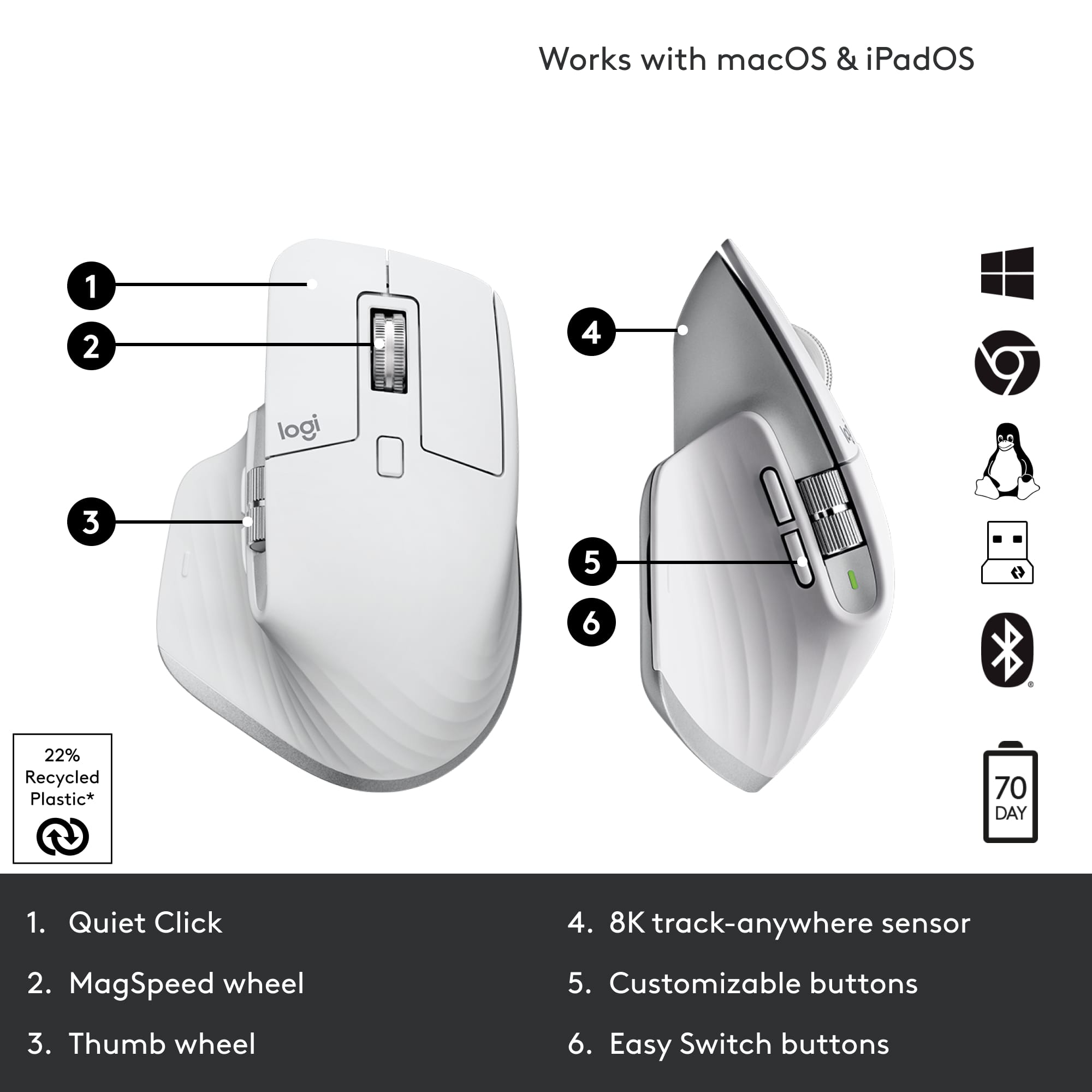
||Posted . Owned for 1 week when reviewed.This reviewer received promo considerations or sweepstakes entry for writing a review.Coming from the Logitech MX Master mouse (which is still working and being used for my PC), the MS Master 3S was a nice addition, which is being used for my Mac. The two main differences compared to the Master 3 are the quiet clicks and the 8,000 DPI over the previous 4,000 DPI. It works well, and the horizontal scroll wheel is such a nice thing to have, especially in applications horizontal movement. Two things that I'm not too fond of with the newer design is 1.) The horizontal scroll wheel is recessed in slightly, making ever so slightly annoying to use. On the original MX, it was much more easier to access and use. 2.) The thumb controls buttons are not as easy to use either (in my opinion). You have to extend your thumb to really reach the forward button. Other than that, it's worked well, with the quiet clicks being my most favorite feature of the mouse. There are other features as well that make it of more versatile use, and will continue to use the MX series if they keep up the good record.
I would recommend this to a friendBest mouse for productivity and everyday use!
||Posted . Owned for 3 weeks when reviewed.This reviewer received promo considerations or sweepstakes entry for writing a review.Comfortable, high-quality mouse that is worth every penny. The software is easy to use and the customizable buttons add a lot to the user experience.
I would recommend this to a friendBrand response from Logitech
Posted .Logitech loves you're enjoying the MX Master 3S! Sounds like it delivers exceptional comfort, premium quality, and a user-friendly experience - customizable buttons and easy-to-use software make it a worthy investment. Happy clicking

Very Comfortable mouse
|Posted . Owned for 2 months when reviewed.This reviewer received promo considerations or sweepstakes entry for writing a review.The mouse is very comfortable. I love the fast scroll and strict scrolling options. Would definitely buy again. A little heavier than most mouses ive used in the past but i have nit noticed fatigue from the increased weight
I would recommend this to a friendPretty efficient
||Posted . Owned for 1 year when reviewed.This reviewer received promo considerations or sweepstakes entry for writing a review.Really good for a office mouse, especially if you need to scroll to the side and the infinite scroll can help out, and really like the weight of the mouse and the silent mouse click, the biggest downsides the feet of the mouse wear really quickly and if there are multiple wireless mouse the connection can be unsteady but that is an uncommon occurrence
I would recommend this to a friendProductivity king, highly customizable!
||Posted . Owned for 2 months when reviewed.This reviewer received promo considerations or sweepstakes entry for writing a review.Tons of programable buttons and scroll wheel make this a great choice for busy productivity people. Great for everything from video editing to spreadsheets. Logitech software makes it easy to program buttons. Only issue for me was the size which was a bit large for my small hands. Highly recommend.
I would recommend this to a friendBrand response from Logitech
Posted .Thanks for the feedback! We're glad you find the MX Master 3S's programmability and scrolling useful for your work. For users with smaller hands, we also offer the MX Anywhere 3S which might be a more comfortable size.
My new daily driver with a few friendly quirks
||Posted . Owned for 1 month when reviewed.This reviewer received promo considerations or sweepstakes entry for writing a review.This mouse has great precision cursor movement and comfort for the hand. The primary right and left buttons are slightly forward which only took 2 minutes to adjust to and seem to improve comfort and hand posture. The horizontal scroll wheel is a new and useful that makes me excited to see if could master diagonal scrolling by using the vertical scroll wheel at the same time. I enjoy using this mouse every day. I do have two challenges with the mouse. First, if you vertical scroll woth force, it keeps going and scrolls VERY far. Second, I have observed the cursor start skipping or jumping around, almost as if the mouse is half asleep. Switching the mouse off and on returns the cursor to full precision. A firmware update may correct both of thes issues. I have used and replaced my previous logitech mouse several times for 10 years and look forward to mastering my new daily driver!
I would recommend this to a friendBrand response from Logitech
Posted .Thank you for the detailed feedback on your MX Master 3S. The observations regarding the scrolling behavior and cursor movement are valuable, and the team is looking into these areas for potential improvements. We appreciate your long-term loyalty and are glad to hear you're enjoying many aspects of the mouse.
Great ergonomic mouse
||Posted . Owned for 1 month when reviewed.This reviewer received promo considerations or sweepstakes entry for writing a review.Love this product; it connects instantly and is customizable to your needs in terms of the what you want buttons to execute. I should have bought this years ago; but it is a bit pricey. I would definitely recommend this product.
I would recommend this to a friendGreat on PC, Mac too but …
||Posted . Owned for 3 weeks when reviewed.This reviewer received promo considerations or sweepstakes entry for writing a review.I got this because you can switch easily between different computers, that part works like a charm. Also read lots of reviews That said the extra buttons are very helpful when using Davinchi Resolve (video editor) I have not used it yet for that so I can’t comment there. On my Mac — everything works but the vertical scrolling is not as smooth as my apple Magic Mouse. It’s a line by line scroll, so as you scroll it jumps from one line to the next, which makes the scrolling appear choppy. It’s more Like the scroll on a PC — and nothing wrong with that really, I’m just used to the pixel perfect smooth scrolling I’ve gotten used to on my Mac. Overall though, love this mouse!
I would recommend this to a friendBrand response from Logitech
Posted .Thank you for your valuable feedback on the Logitech MX Master 3S! We're thrilled to hear that its easy multi-computer switching works like a charm and that you love the mouse overall. We appreciate your detailed comparison of the vertical scrolling experience on Mac versus PC, and your insights regarding its potential use with DaVinci Resolve.
Must buy!!
||Posted . Owned for 3 weeks when reviewed.This reviewer received promo considerations or sweepstakes entry for writing a review.Love the natural ergonomic feel. Quality materials and build. Excellent battery life with USB C quick charge. The magnetic scroll wheel is absolute money. Highly recommended all around.
I would recommend this to a friendGreat Mouse
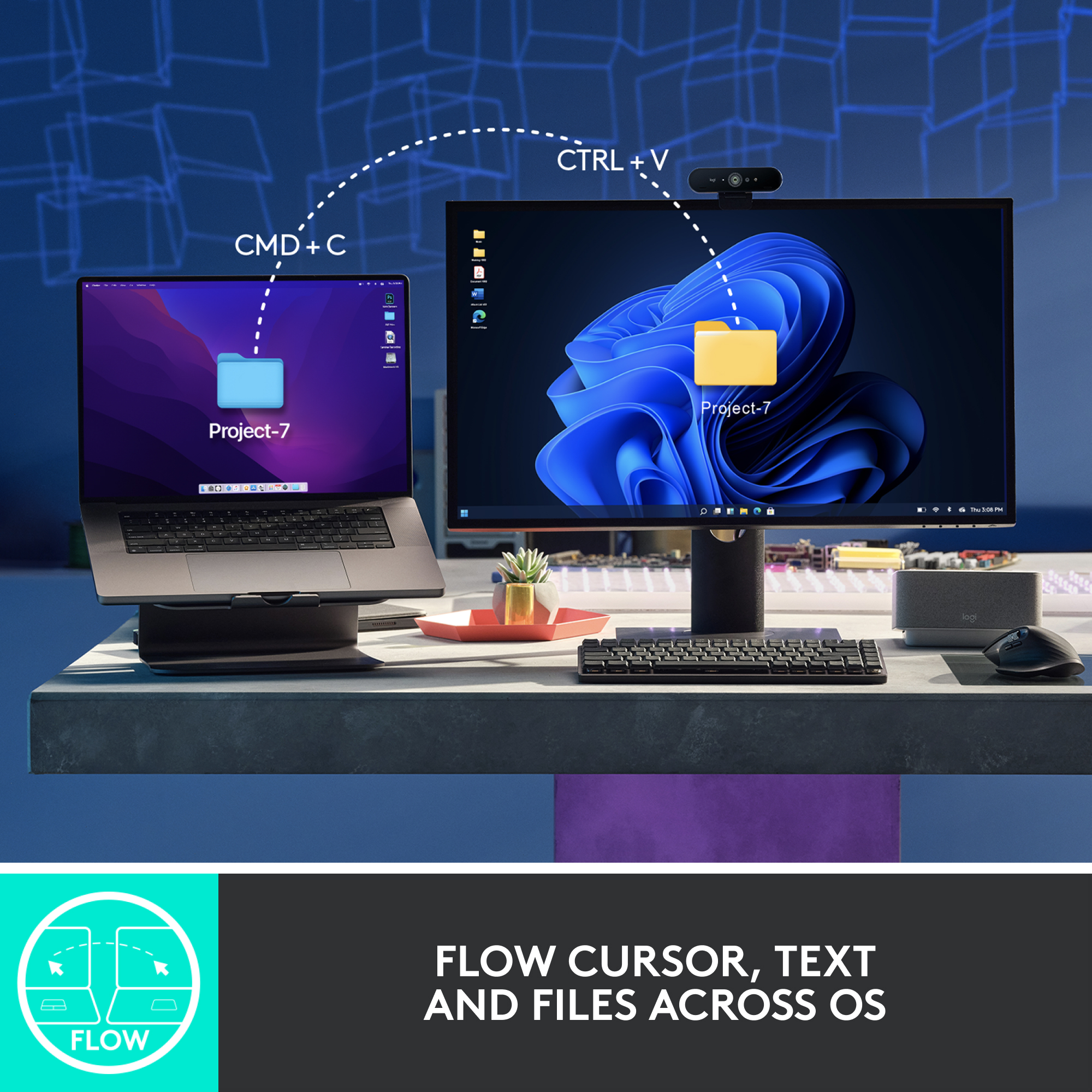
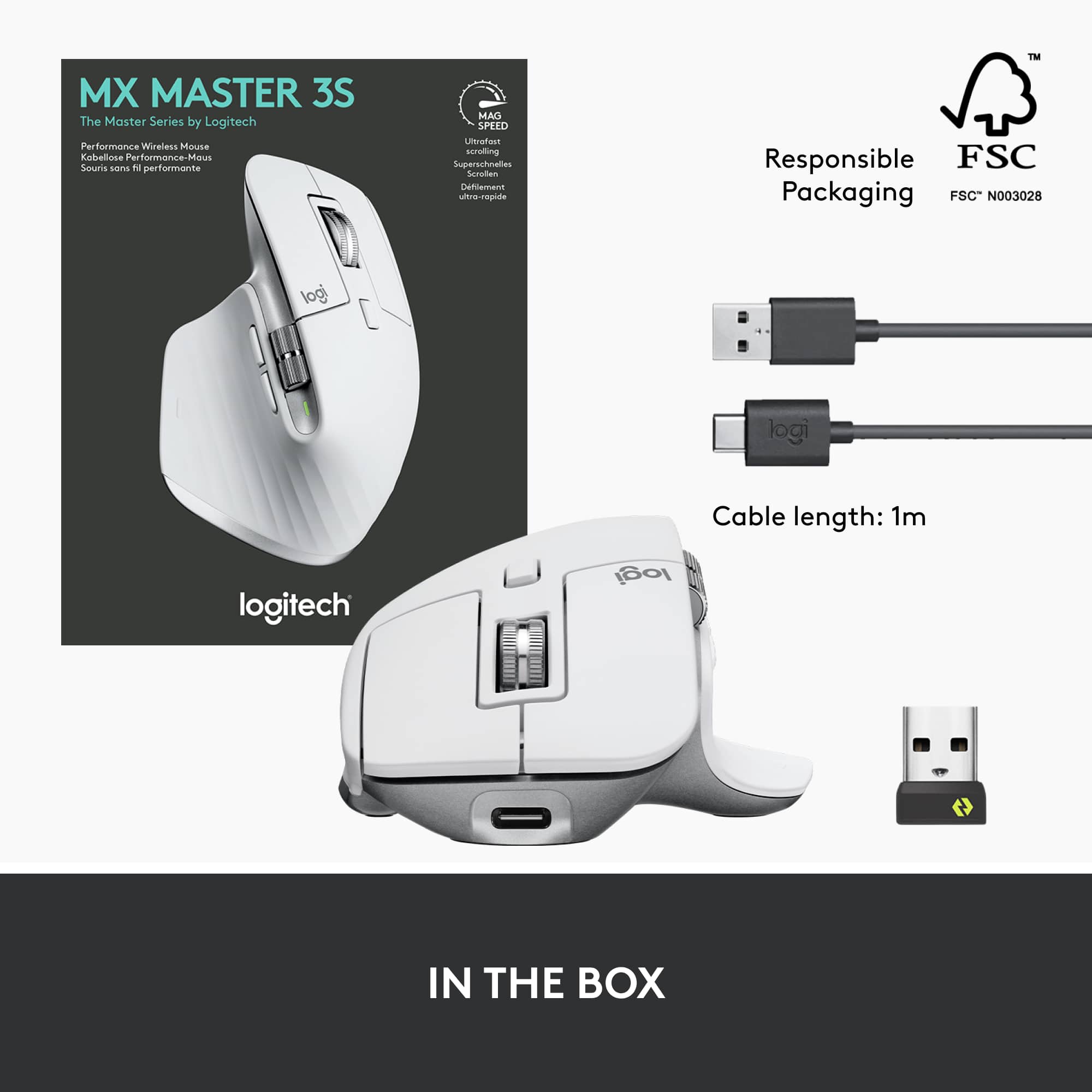
||Posted . Owned for 1 month when reviewed.This reviewer received promo considerations or sweepstakes entry for writing a review.I'd like to leave a review for this mouse. I've learned a few things during my use: When utilizing the Flow feature, I've noticed a delay when using Bluetooth with both the keyboard and mouse. However, when I use the USB dongle that came with the mouse, there’s no delay at all. You can switch between computers (Windows and Mac) if one is connected via the dongle and the other via Bluetooth, but keep in mind that this also results in a delay. To achieve the best switching experience, I recommend connecting both devices using the supplied dongle. Other than that, the mouse is excellent—it feels comfortable in the hand, and the keyboard works well too. I've used several mice and keyboards in the past, and this one stands out."
I would recommend this to a friendBrand response from Logitech
Posted .Thank you for taking the time to share such a detailed review of your MX Master 3S and its Flow feature! We really appreciate you highlighting your findings regarding the Bluetooth and USB dongle connections for seamless switching between your Windows and Mac computers. Your recommendation to use both dongles for the best experience is valuable feedback for other users. We're glad to hear that overall, you find the mouse excellent and comfortable, and that the keyboard is working well for you. It's fantastic to know it stands out compared to your past experiences!