Customer Ratings & Reviews







- Model:
- 910-006558
- SKU:
- 10840606
Rating by feature
- Value
Rating 4.6 out of 5 stars
- Quality
Rating 4.8 out of 5 stars
- Ease of Use
Rating 4.8 out of 5 stars
ogitech MX Master 3S MUST have
||Posted .This reviewer received promo considerations or sweepstakes entry for writing a review.The Logitech MX Master 3S is widely regarded as the best productivity mouse available today, offering silent clicks, an upgraded 8,000 DPI sensor, and Logitech’s signature MagSpeed scroll wheel. It’s ideal for professionals with complex workflows, though it remains pricey and is designed only for right-handed users
I would recommend this to a friendBrand response from Logitech
Posted .It’s great to hear your experience has been positive. Your feedback helps us refine and improve our products. Thanks for choosing Logitech!

- Pros mentioned:Battery life, Overall performance
Good mouse not for me
||Posted . Owned for 1 year when reviewed.This reviewer received promo considerations or sweepstakes entry for writing a review.Mouse works very well, I didn’t personally like the way it fit in my hand but it’s got great battery life.
I would recommend this to a friend - Pros mentioned:Battery lifeCons mentioned:Size
Logitech - MX Master 3S Wireless Laser Mouse
||Posted .This reviewer received promo considerations or sweepstakes entry for writing a review.I have 2 of these. I have been using one for work for over a year. It is fast and comfortable. It doesn't need batteries as it charges like a phone. When my old personal use mouse needed to be replaced, I purchased this one again. Probably not good for small hands as it is larger than my previous mice. It is expensive, but worth it.
I would recommend this to a friendBrand response from Logitech
Posted .We appreciate your kind words about the MX Master 3S! It’s designed for comfort and efficiency. Glad you’re enjoying its features like fast scrolling and rechargeable battery.
The Logitech MX Master 3S
||Posted . Owned for 1 year when reviewed.This reviewer received promo considerations or sweepstakes entry for writing a review.The Logitech MX Master 3S is one of the most polished and capable productivity mice you can buy — especially if you spend long hours working at a computer. It’s designed first and foremost for comfort, efficiency, and smooth control, and in most areas it delivers exceptionally well
I would recommend this to a friendBrand response from Logitech
Posted .Thanks for the positive feedback! We’re happy to hear the Logitech MX Master 3S Wireless Mouse is performing well. Your support helps us keep improving.
- Pros mentioned:Battery life, Ergonomics
Fantastic
||Posted . Owned for 1 month when reviewed.This reviewer received promo considerations or sweepstakes entry for writing a review.The quality, the ergonomics, everything just feels top notch. After using the MX Master 3S I promise you won’t want to go back to a normal mouse. The click is so quiet and feels seamless, it has just the right weight to it. Feels good in the hands. And the battery is fantastic. I’ve had this mouse for about a month now, and with me using it everyday for at least 5-6 hours, I haven’t had to charge it yet. I couldn’t be more impressed with this purchase if I tried to! …Lol I promise this isn’t sponsored!
I would recommend this to a friend - Pros mentioned:Scroll wheel
Fantastic mouse for work and hobby
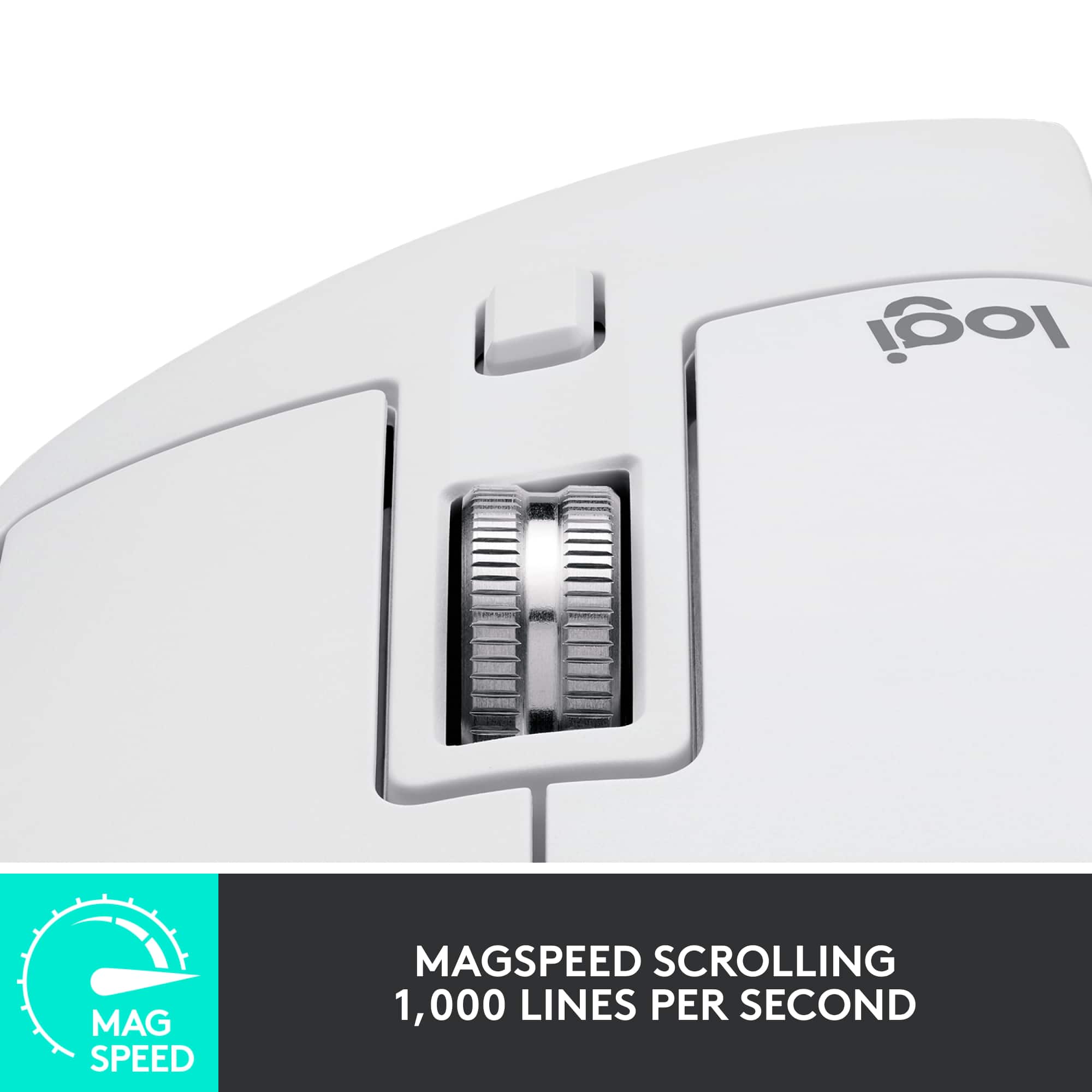
||Posted . Owned for 1 week when reviewed.This reviewer received promo considerations or sweepstakes entry for writing a review.I work in IT and do photo work as a hobby. Looking for a mouse that meets my standards limits me to those above the $100 mark. I run Mac with virtualized Windows for work. I didn’t buy the Mac version of this mouse as the non Mac version had the cable I needed and came with a wireless dongle too. I turned on the Bluetooth and paired it to my Mac effortlessly. I love the feel, size, and silent clicking. The wheel has a magnetic catch, which is amazing. If you give the wheel a good spin it spins freely. If you spin it slowly it has graduated clicks. As far as mice go for work and hobby purposes, I think you be hard pressed to find anything better. For gaming, the DPI is low, but still far higher than most mice. I’ve only run it with Minecraft, so I can’t comment on gaming with it. Logitech is a solid brand that I’ve trusted over the years and usually am pleased with their products.
I would recommend this to a friendBrand response from Logitech
Posted .We appreciate your detailed review of the Logitech MX Master 3S. Your feedback on its versatility and performance is valuable. Thank you for sharing your experience!
- Pros mentioned:Ergonomics, Scroll wheel
Great mouse, highly recommend
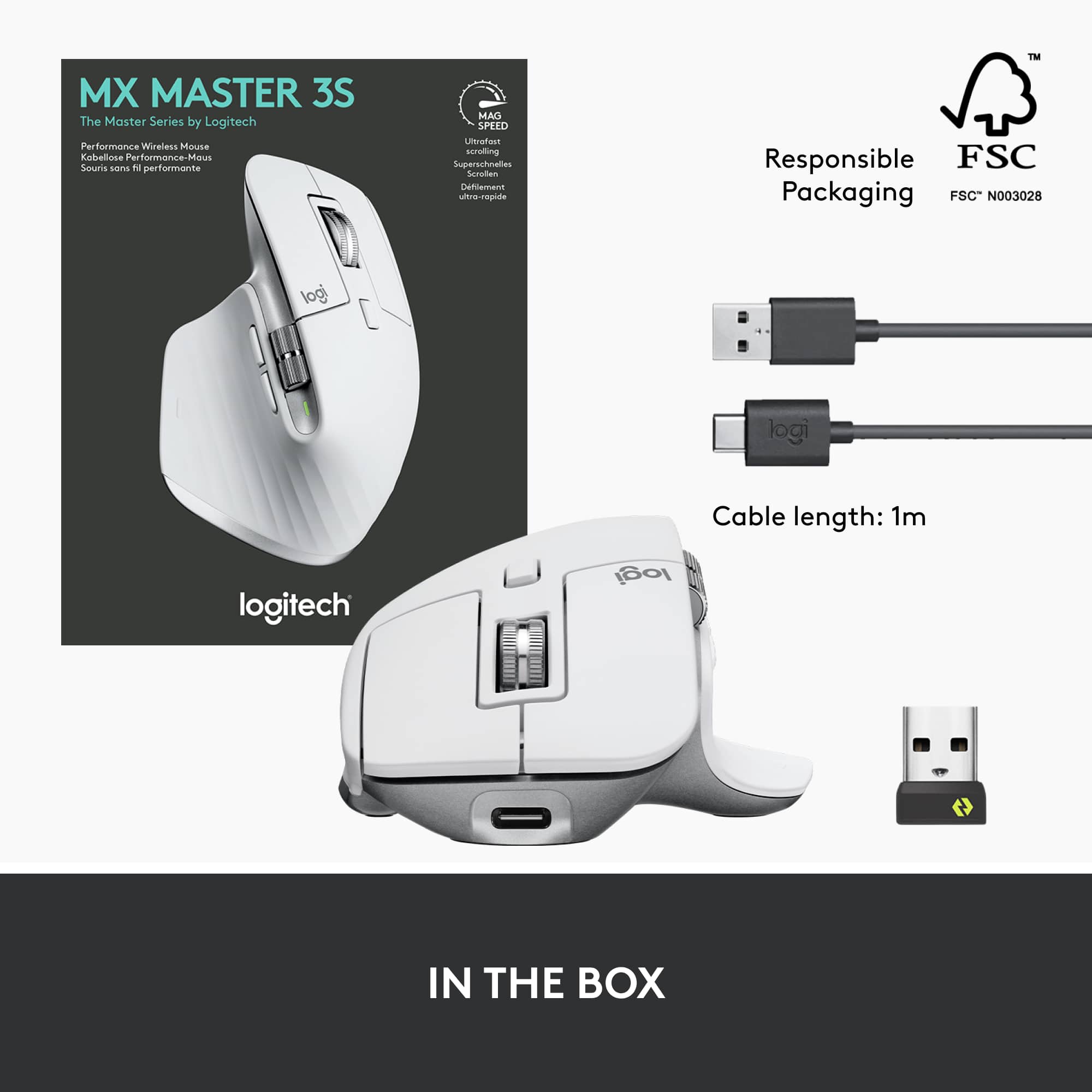
||Posted . Owned for 1 month when reviewed.This reviewer received promo considerations or sweepstakes entry for writing a review.I am a long-time user of the MX Master series 1, so I am fully comfortable using the latest version. The design is lighter, scrolling wheeling is clean but I do miss the clunker stops when in step mode. If you're an on-the-go power user, I highly recommend this one. The only drawback is no insert for the USB receiver, very easy to lose if you need to use it on the go and do not leave in a computer.
I would recommend this to a friendBrand response from Logitech
Posted .It's interesting to hear your comparison to the previous model. The lighter design is a common point of discussion, as is the missing USB receiver storage.
- Pros mentioned:Ease of use, Scroll wheel
Fantastic Mouse for Multi Platform Use
||Posted . Owned for 9 months when reviewed.This reviewer received promo considerations or sweepstakes entry for writing a review.It's so easy to use, as a designer the extra scroll wheel on the side comes in handy especially. It's my favorite mouse that I've ever used for productive work and will continue to use it for years to come. If you're looking for a good brand, something to move between multiple devices, and has programmable buttons. Look no further
I would recommend this to a friendBrand response from Logitech
Posted .Hey! Thanks for the great review of the MX Master 3S! We're thrilled to hear that you find it so easy to use and that the extra scroll wheel is a helpful feature for your design work.
Great Ergonomic comfort!
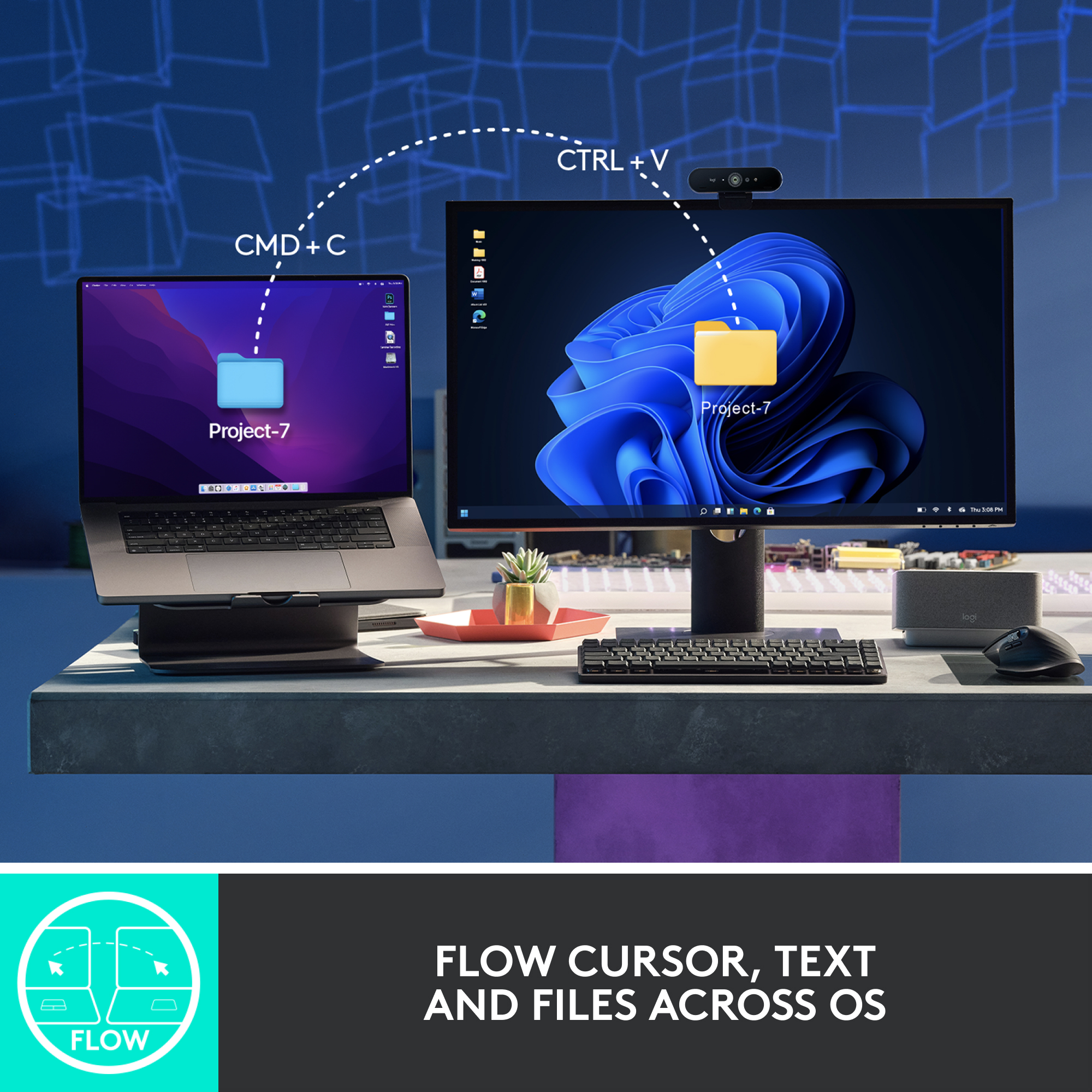
||Posted . Owned for less than 1 week when reviewed.This reviewer received promo considerations or sweepstakes entry for writing a review.Very comfortable to use; quiet clicking and can conveniently hold connections to 3 different devices that can be switched with one click on back of mouse when using multiple devices. No more disconnecting and connecting when using for more than 1 device!
I would recommend this to a friendBrand response from Logitech
Posted .The Logitech MX Master 3S is a fantastic mouse, offering comfort, precision, and multi-device connectivity. Its ergonomic design and quiet clicks make it a joy to use. The ability to switch between devices seamlessly is a huge time-saver. We're glad you're enjoying it!
- Pros mentioned:Ergonomics
Most versatile and comfortable mouse ever!
||Posted . Owned for 1 month when reviewed.This reviewer received promo considerations or sweepstakes entry for writing a review.Since using Apple Magic Mouse for years I needed a new mouse that was ergonomically comfortable, especially for video editing. I am extremely happy with this purchase. This mouse can connect via bluetooth or usb wireless. In addition, I can continue to use the mouse while it is plugged in for usb-c charging, which I can't do with the Apple Magic Mouse!
I would recommend this to a friendBrand response from Logitech
Posted .We hear you! Switching from the Magic Mouse can take some adjustment, but the MX Master 3S is a great choice for video editing, especially with the ergonomic design. The fact that you can use it wired while charging is a big plus too. Hope you enjoy your new mouse!
- Pros mentioned:Scroll wheel
Great mouse for productivity
||Posted . Owned for less than 1 week when reviewed.This reviewer received promo considerations or sweepstakes entry for writing a review.Great mouse, geared towards business and office productivity over gaming. Initially I had trouble where the mouse would not pair with my PC's Bluetooth so I used the included dongle that worked better but still not great as the action was not smooth and movements stuttered. I had to shut off my PCs Bluetooth to resolve what I believe was some RF interference or conflict. Still it was not perfectly smooth so I needed to move the mouse USB dongle transmitter up to my monitor's integrated USB hub to get it up off the floor where my PC was sitting and up close to the mouse on my desk and now it works great. I feel that the mouse is a bit costly but I was able to get some sales discount as well as a trade in for an old mouse I had around that brought the cost down about 30% less than retail so very happy witht this mouse at that price! I think my favorite clever trick that is has is the magnetic wheel. Typically I like the clicky wheel that scrolls 3-4 lines at a time which is default behavior but if you scroll quickly the magnet that makes it 'clicky' releases and the wheel freely spins to quickly scroll with out you needing to change scroll mode. I really enjoy this auto fast scroll.
I would recommend this to a friendBrand response from Logitech
Posted .Thank you for your review of the Logitech MX Master 3S Wireless Laser Mouse! We're glad to hear that you've found the MX Master 3S to be a valuable tool for your productivity. The magnetic wheel is indeed a unique feature that offers both precise control and quick scrolling.
- Pros mentioned:Scroll wheel
Logitech MX MASTER 3S Mouse Issue, BUT read on:
||Posted . Owned for 3 weeks when reviewed.This reviewer received promo considerations or sweepstakes entry for writing a review.This mouse initially displayed erratic lagging and freezing on my Windows 11 computer, even at lower dpi settings. I tried using different USP ports on the computer. I even reinstalled the "LogiOptions+.exe "software more than once with no improvement. Finally after several days I found the only true fix in a Reddit forum.... This mouse does NOT like using USB 3.0 ports for some reason. Their suggested and proven fix was to plug an older USB 2.0 HUB into the computer (I already had one) and the mouse "LogiBolt USB receiver" (a.k.a. dongle) into the USB 2.0 HUB. Wow, PROBLEM now SOLVED! Now this mouse works perfectly with no lagging or freezing at any dpi setting in the software. Just GOOGLE search "MX MASTER 3S lagging and freezing" to go down the rabbit hole of reading about it. On to my Review of the mouse itself AFTER the fix above: The magnetic scroll wheel is EXCELLENT, very SMOOTH. Tracking is perfect at my chosen setting of 2500 dpi. It tracks OK on glass, but BEST on a mouse pad; very precise compared to glass. The thumb wheel is handy set to "Zoom IN/OUT" in the software; works in web pages, .pdf readers and more. The shape feels great in my hand and the left/right button clicks are almost silent and very precise. I would have given the mouse 5 stars if not for this well known lagging glitch that Logitech knows about. BUT, I definitely WOULD still buy the Logitech-MX Master 3S mouse again because of the overall feel of quality.
I would recommend this to a friendBrand response from Logitech
Posted .We appreciate your detailed review of the Logitech MX Master 3S and your troubleshooting efforts to resolve the initial lagging issue. In order to help you effectively, please provide your information to our support team via email at socialcare@logitech.com with your
- Name:
- Email Address:
- Country:
- Product Name:
- Brief description of issue:
Best mouse for my type of work.
||Posted . Owned for 8 months when reviewed.This reviewer received promo considerations or sweepstakes entry for writing a review.This is the best mouse I have used- and I have tried too many. I’m buying a second one for my home office. The size fits my large hands (her/she/me) and I love the flexibility to use the different button and scroll functions that work the way I work. I used Adobe, Word, graphic design programs and Excel every day.
I would recommend this to a friend- Pros mentioned:Battery lifeCons mentioned:Weight
Productivity boost!
||Posted . Owned for 1 month when reviewed.This reviewer received promo considerations or sweepstakes entry for writing a review.At first, I thought that this mouse felt heavy, and would be more difficult to maneuver, coming from a smaller, lighter mouse. Shortly thereafter though, I am not going back. The mouse's design is extremely comfortable, and the sensor makes it easy to accurately target items on the screen, even at higher resolutions. It's increased my productivity immensely. Battery life is good, and it charges up quickly so you can get back to work. Well worth the cost - I would highly recommend!
I would recommend this to a friend Most comfortable mouse ever
||Posted . Owned for 1 year when reviewed.This reviewer received promo considerations or sweepstakes entry for writing a review.I've been using this as my main mouse for a bit now and it is far and away the best mouse I have ever used. So comfortable, precise, and responsive. Love the buttons and the logi software makes it easy to re-map. The silent option is a game changer. The regular one was SO loud and clicky. I have noticed it has an issue with smooth scrolling though where it can cause a stutter every so often in Win10&11 so I turn that setting to the ratchet mode.
I would recommend this to a friend- Pros mentioned:Ease of use

Beyond Expectations
|Posted .This reviewer received promo considerations or sweepstakes entry for writing a review.[Employee of bestbuy] I looked online at what a good mouse for programming would be and this mouse came up. At first I was skeptical but after using it for a few days it is more then amazing. It’s not only good for programming but just about everything else too. whether its school work or just scrolling online it is amazing. Definitely worth the money. The app also gives great customization over your keybinds.
I would recommend this to a friend - Pros mentioned:Battery life
The Best Mouse I’ve Used
||Posted . Owned for 5 months when reviewed.This reviewer received promo considerations or sweepstakes entry for writing a review.This Mouse is absolutely fantastic. It’s so silky smooth and comfortable to use, I honestly can’t think of a complaint. Used specifically on a work computer, and I’ve enjoyed it greatly. Connectivity is instant and never waivers, battery life is fantastic. I can’t think of a con honestly.
I would recommend this to a friendBrand response from Logitech
Posted .Thank you for your kind words about the MX Master 3S mouse. We're so glad to hear that you're enjoying using it for work. Your feedback is invaluable to us as we continue to improve our products.
- Pros mentioned:Battery life
Great mouse
||Posted . Owned for 3 weeks when reviewed.This reviewer received promo considerations or sweepstakes entry for writing a review.Solid, nice feel, plenty of customizable buttons. Connects easily and decent battery life
I would recommend this to a friendBrand response from Logitech
Posted .Hey! Thanks for the solid endorsement of the MX Master 3S USB-A edition! We're glad it's delivering that premium tactile feel, effortless connectivity, and customizable control, precision meets personalization in a mouse built to keep up with your pace.
- Pros mentioned:Overall performance, Scroll wheel
Best mouse!
||Posted . Owned for less than 1 week when reviewed.This reviewer received promo considerations or sweepstakes entry for writing a review.I'll make it short. This is the best mouse I have ever used. It is the best productivity mouse. It has smooth scrolling and the tracking is top notch. It feels like a luxury mouse. I have used many Mice in the past. Anything from high end gaming mice to low end E-waste dell optiplex bundles. Spend the extra money and buy this. You will thank yourself everytime you go to grab and use it.
I would recommend this to a friend - Pros mentioned:Battery life, Scroll wheel
Amazing mouse (used for CAD modeling)
||Posted . Owned for 3 weeks when reviewed.This reviewer received promo considerations or sweepstakes entry for writing a review.Best mouse I’ve ever used. Super comfortable, responsive, battery life is great, and connects without delay upon startup of computer. Variable scroll wheel is also a feature I have come to love and wouldn’t go without at this point. I use this mouse daily for my CAD modeling job and it has improved work flow.
I would recommend this to a friendBrand response from Logitech
Posted .Thank you for taking the time to share your experience. It's fantastic to know that it's become an essential tool for your CAD modeling workflow.