Customer Ratings & Reviews
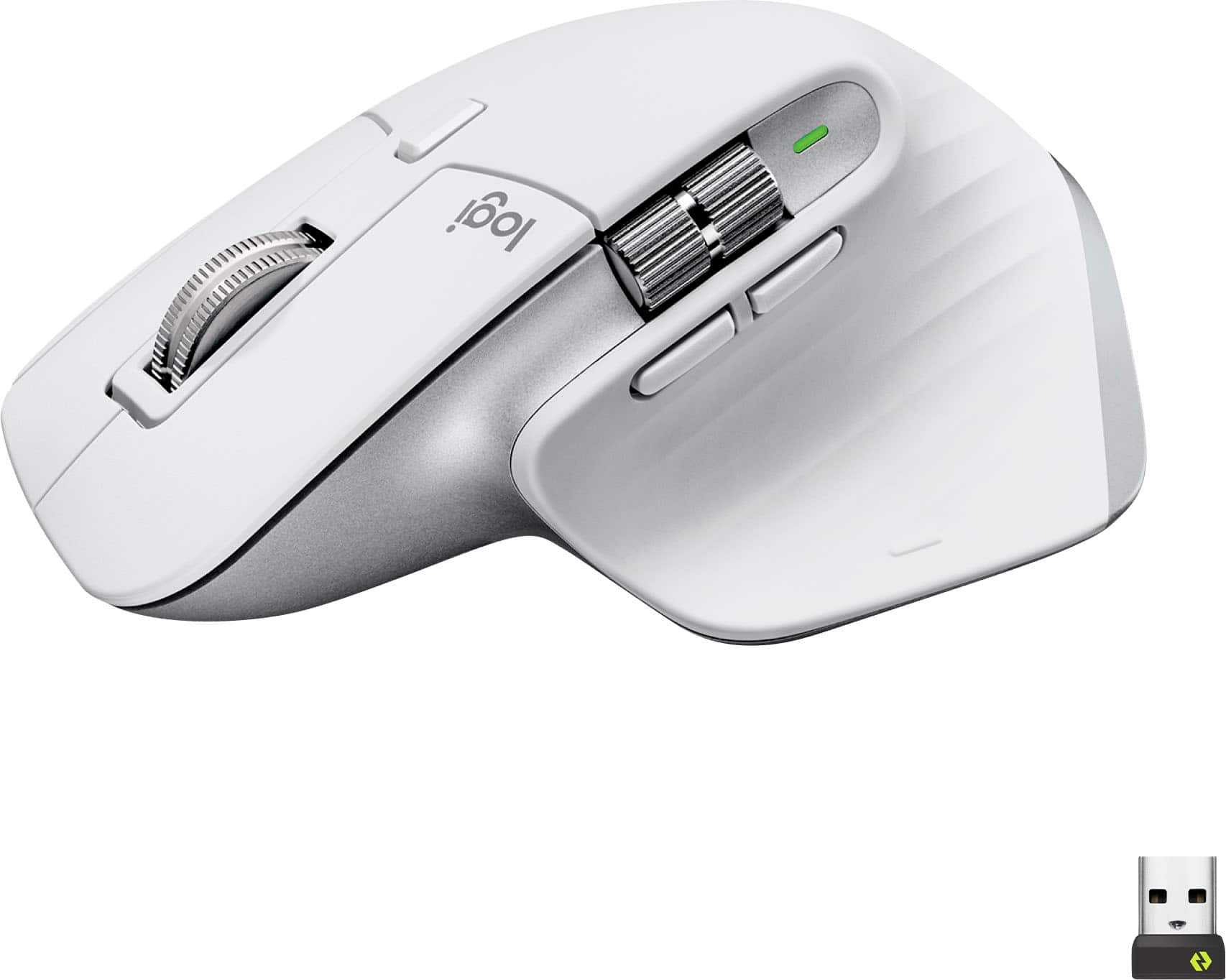
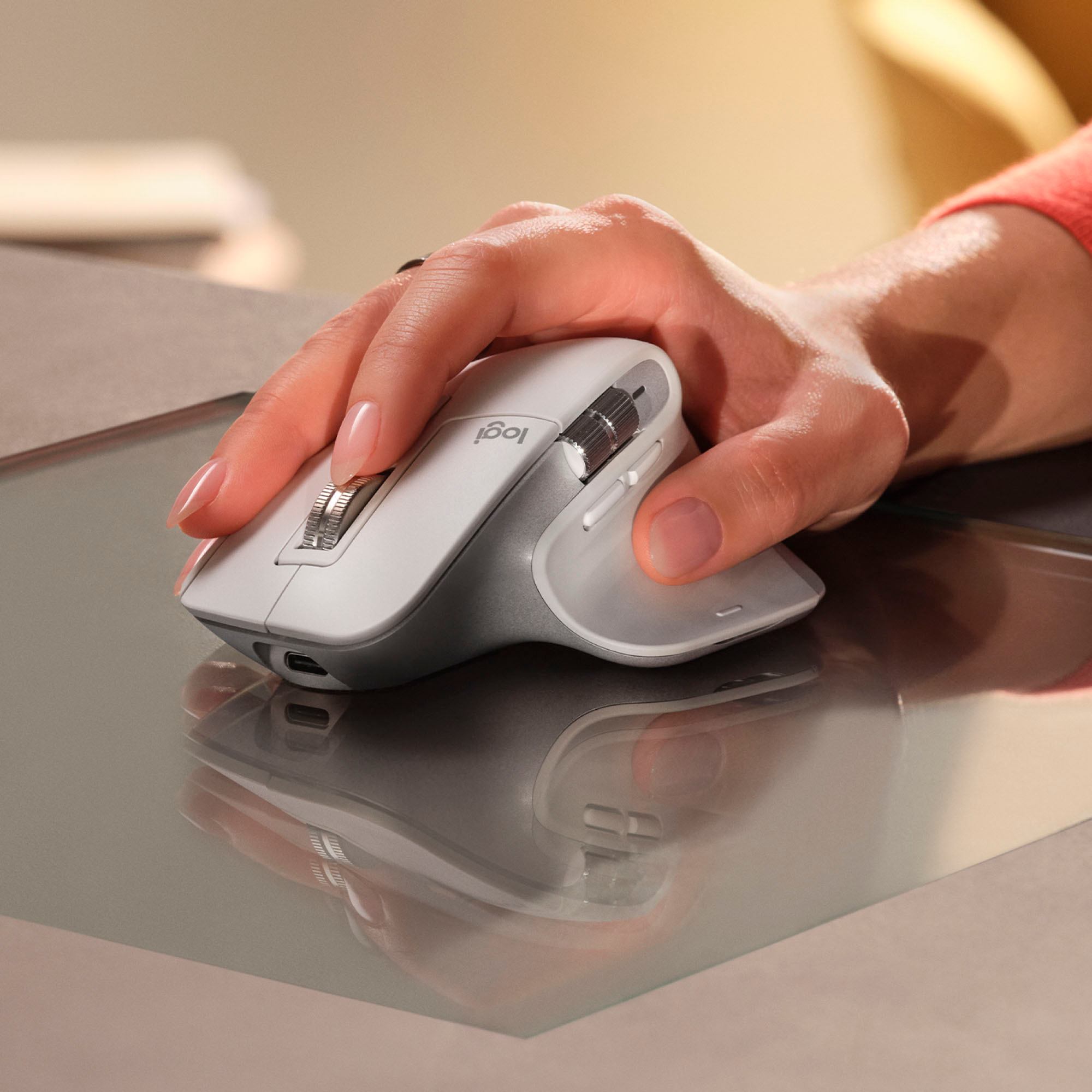

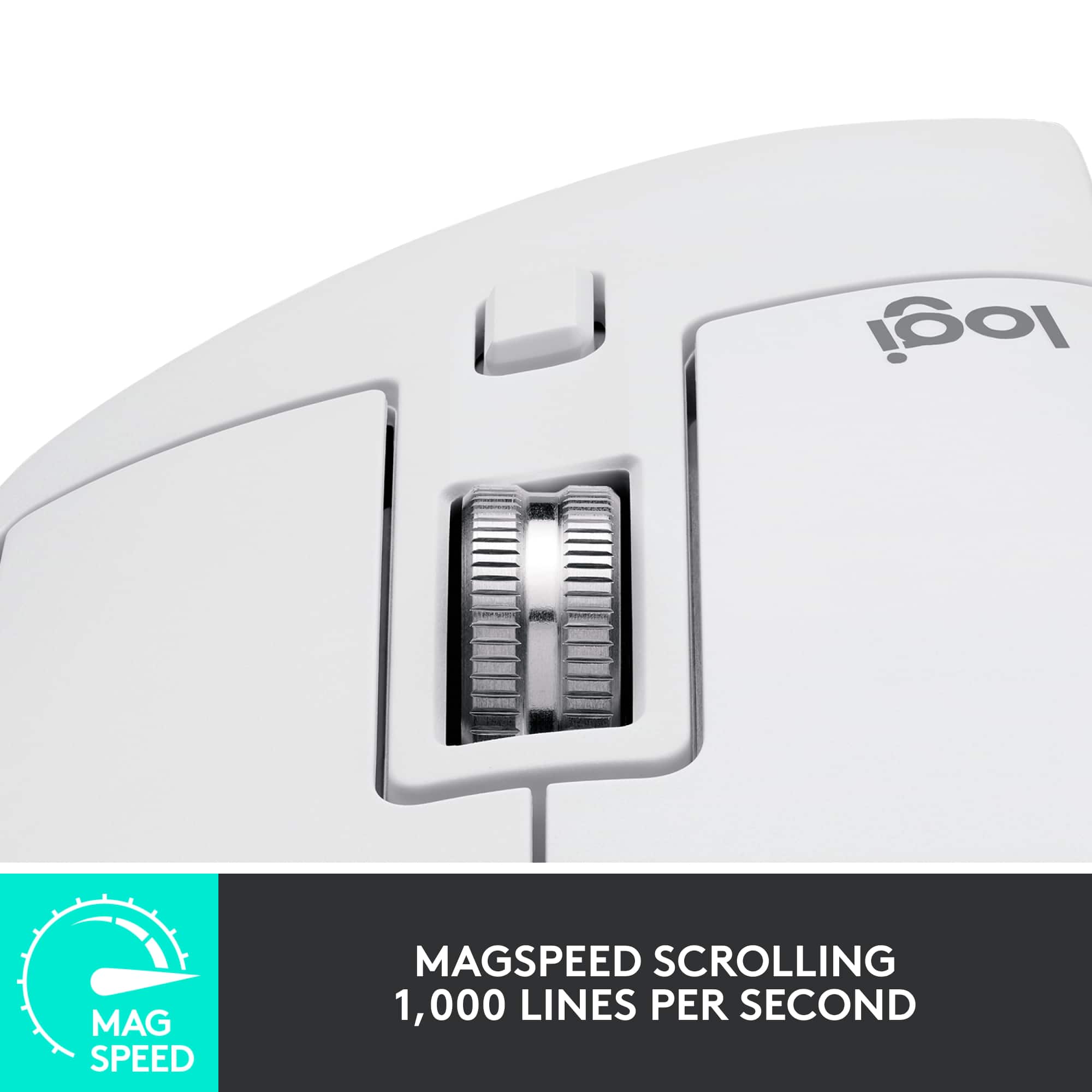

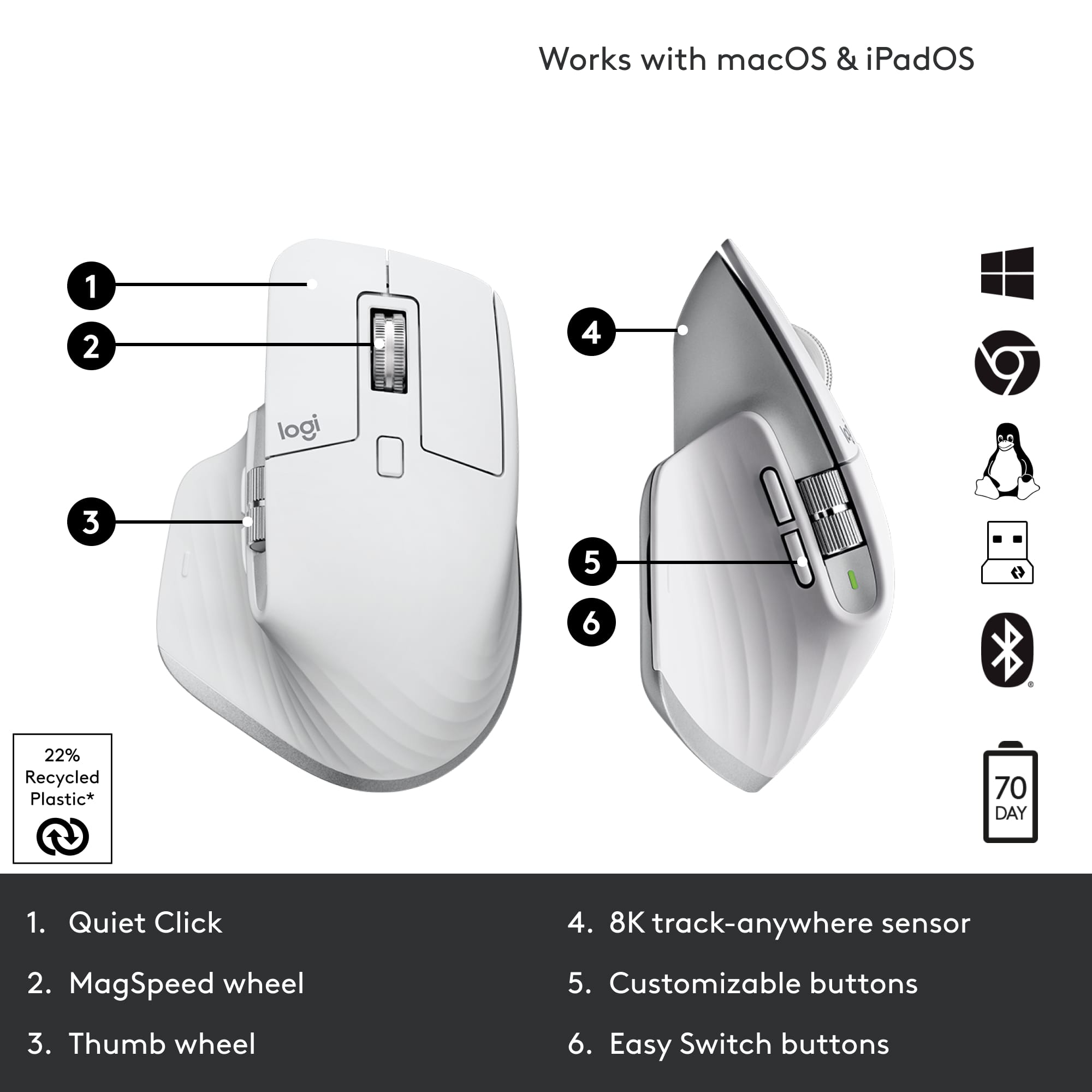






- Model:
- 910-006558
- SKU:
- 11068535
Rating by feature
- Value
Rating 4.6 out of 5 stars
- Quality
Rating 4.8 out of 5 stars
- Ease of Use
Rating 4.8 out of 5 stars
- Cons mentioned:Size
Great mouse but big
||Posted . Owned for 3 weeks when reviewed.This reviewer received promo considerations or sweepstakes entry for writing a review.I love almost everything about this mouse. Tracking awesome, customizable buttons, multi point Bluetooth, usb-c and side scroll (main reason I wanted this mouse). All great, just a little taller than I'm used to. Sometimes when moving from keyboard back to mouse my hand hits the top of the mouse and pushes it away, not a huge concern but takes some getting used to. That's my only complaint, if you're stepping up from a cheap Logitech keyboard and mouse bundle it takes a couple weeks to get used to.
I would recommend this to a friend Bluetooth connection stops working from time to ti
||Posted . Owned for 1 month when reviewed.This reviewer received promo considerations or sweepstakes entry for writing a review.Overall I like the design, it’s very comfortable, and laser works on any surface which is convenient the biggest downfall for me is that connection fails from time to time which is annoying as I have to turn the mouse off go to the blue tooth settings and turn Bluetooth off wait about 30seconds turn the Bluetooth and mouse back on and reconnect im not sure if mine is defective but I’ve had it for maybe two month and started doing it about two weeks in from purchase and for being sold as a quality product and at its price point I would expect a better connection
No, I would not recommend this to a friendThe best
||Posted . Owned for 3 weeks when reviewed.This reviewer received promo considerations or sweepstakes entry for writing a review.Best mouse I've ever had! Hands down. Was questioning spending this much but trust me, its worth it
I would recommend this to a friendCan't go back to any other mouse
||Posted . Owned for 8 months when reviewed.This reviewer received promo considerations or sweepstakes entry for writing a review.The horizontal scroll is a total game changer. The overall build quality is great!
I would recommend this to a friendBest mouse
||Posted . Owned for 3 weeks when reviewed.This reviewer received promo considerations or sweepstakes entry for writing a review.Can’t live without it now. I don’t know how I didn’t go without this all my life
I would recommend this to a friend- Pros mentioned:Ergonomics
Not so great after all
||Posted . Owned for 5 months when reviewed.This reviewer received promo considerations or sweepstakes entry for writing a review.One of the most acclaimed mice. So much for all the hype. Does not work with a cable. Only works on Bluetooth. With Bluetooth does not really work well on a Mac. It’s erratic. Low DPI. Works great in Windows. But given the price tag not worth it. Disappointed with this purchase. I want to return this. I will say the ergonomics are good, but without the basic functionality it does not feel like a good mouse
No, I would not recommend this to a friendBrand response from Logitech
Posted .We apologize for the inconvenience and disappointment you've experienced with the Logitech MX Master 3S. To ensure you have a satisfactory resolution, we recommend reaching out to our social care team via email at socialcare@logitech.com with your
- Name:
- Email Address:
- Country:
- Product Name:
- Brief description of issue:
The Perfect Mouse for Creatives and Professionals
||Posted . Owned for 1 month when reviewed.This reviewer received promo considerations or sweepstakes entry for writing a review.Great mouse for productivity and creative work. Why don't all mouses have horizontal scroll wheels?!
I would recommend this to a friendStopped charging
||Posted . Owned for more than 2 years when reviewed.This reviewer received promo considerations or sweepstakes entry for writing a review.Brand new mouse - I noticed that the USB-C connectors seem to look “burnt” or there is some sort of debri there. This was literally a brand new, and I must say, expensive mouse. The newer one has been “cheapified” and states resists stains. This 3s Mouse stains easily.
No, I would not recommend this to a friendGreat product overall, but
||Posted . Owned for 3 weeks when reviewed.This reviewer received promo considerations or sweepstakes entry for writing a review.Great product but The horizontal scrolling is weird, a little hard to control. I got the white one, it stains yellow from my thumb and ring finger, i'm not sure why.
I would recommend this to a friendBest mouse for working in IT feild
||Posted . Owned for 1 week when reviewed.This reviewer received promo considerations or sweepstakes entry for writing a review.Just upgraded to this mouse from a razer, mu productivty has increased by 30 percent
I would recommend this to a friend
Scroll so sensitive
|Posted . Owned for less than 1 week when reviewed.This reviewer received promo considerations or sweepstakes entry for writing a review.I like the way it feels weighty but the scroll wheel is too sensitive.
I would recommend this to a friendBrand response from Logitech
Posted .We appreciate your feedback on the MX Master 3S. The scroll wheel sensitivity is adjustable through the Logitech Options software. You can customize the scroll speed to your preference, including switching between ratchet and free spin modes. Let us know if you need further assistance with these settings.
- Pros mentioned:Battery life, Ergonomics, Scroll wheel

Have a 2S? You will love this upgrade!
|Posted .This reviewer received promo considerations or sweepstakes entry for writing a review.Logitech doesn't need any introduction and I have been an avid user of Logitech computer accessories for as long as I can remember. I have been working as a Mechanical Design Engineer for more than 10 years now and Logitech is the only brand that I use for my mouse. I spend 90% of my time at job using mouse to 3D design stuff on software such as Creo, NX and SolidWorks. I cannot even imagine using any other brand mouse. I started with G602 that had 9 programmable buttons and anyone with even a little design experience can understand how much of a life saver that mouse is. Unfortunately, that started giving some issues after more than 5 years of service and I replaced it with MX Master 2S and OMG, that was a game a changer too. I agree, it didn't have as much programmable buttons but I still was able to make full use of few that are provided. The MX Master 2S was a fantastic mouse, but I had two complaints about it: 1) It used Micro USB instead of Type C and 2) the thumb wheel and navigation buttons were hard to use. The MX Master 3S fixes both those problems. The thumb wheel now has a very high quality feel to it and is very easy to spin around, and they've moved the navigation buttons lower down to make them easier to press with your thumb. The main scroll wheel has also been made quieter, and somehow even more fun to use. As before, this mouse works on pretty much all surfaces, can connect to 3 devices, and can connect by either bluetooth or a USB dongle. I've had no issues using it on both a Mac and PC. Logitech claims a battery life of 70 days, and while I obviously haven't been able to test that out yet, if the MX Master 2S is anything to go by, you can expect great battery life on this mouse too. The 3S has significantly better placement for my average sized hands. On the 2S, it required pulling my thumb so far back, that it initially felt like my thumb was going to dislocate. On the 3S that isn’t a problem. The vertical scroll wheel is great. Feels much better than the scroll wheel on the 2S, but it may take some fiddling with the Logitech Options program to get it to automatically switch to free scrolling based on your desired speed. The default setting switches it too easily, and the jump from ratcheted scrolling to free scrolling speed is significant. You might find yourself wanting to just scroll a few lines faster, and then suddenly you’re all the way at the bottom of a webpage. It's a big upgrade from Master 2S. However, if you own a Master 3, getting a 3S would not be much of an upgrade for you. The only difference between the two are that 3S has a 8000 DPI sensor where as 3 has 4000 DPI sensor. The other difference is that Logitech claims that 3S has 90% quieter clicking than 3. There is no question the placement of the back and forward buttons has been improved as well as the horizontal scrolling wheel as compared to 2S. The tracking also seems more precise. The gesture button is also vastly improved and now has an actual physical button. This mouse unequivocally earns a high five stars rating from me, along with my honest and very hearty recommendation. You will never see a mouse more ergonomic and comfortable to use than this one!
I would recommend this to a friendBrand response from Logitech
Posted .Hello MacUser,
I am glad that you are enjoying the MX Master 3S. Thank you for writing a detailed review of the product. I agree, the added features such as 8K DPI and USB type C are great. I will record your product insight and pass it on. Logitech appreciates your product review. - Leo from Logitech
Hardware Bug- One LED always ON - Dries up battery
||Posted . Owned for more than 2 years when reviewed.This reviewer received promo considerations or sweepstakes entry for writing a review.I bought logitech MX Master 3s mouse 2years ago. Now, The led indicator at the bottom always shows 2nd led ON. Even when i switch off the mouse, 2nd led stays up. And it dries up the battery within just 2 days
No, I would not recommend this to a friendBrand response from Logitech
Posted .Thanks for sharing your experience—we’re really sorry to hear about the issue with the LED staying on. That’s definitely not how things should work, and we understand how frustrating it must be to deal with battery drain like that.
We’d love to help get this sorted. Please reach out to our social care team at **socialcare@logitech.com** and include the following details:
- Name
- Email Address
- Country
- Product Name
- Brief description of the issue
We’re here to support you and get your mouse back to performing the way it should.
- Pros mentioned:Battery life, Ergonomics, Scroll wheel
Still the best mouse for productivity.
|Posted .This reviewer received promo considerations or sweepstakes entry for writing a review.I have been using the original MX Master since it came out a few years ago as my daily driver for work. I have also skipped the past versions as well. So, on first impressions, the fundamental design remains almost the same. It is still for right-handed people, the thumb rests comfortable on the rubber “winglet”, it promotes a “palm rest” use, and has similar weight. There are also significant changes. The side-scroll wheel is larger, the back-forward buttons are now below it, and the scroll wheel is larger and all metal. I will say that I do prefer the back-forward buttons on the side as they seem a bit out of place under the side-wheel. The right-left buttons are smaller but are pushed forward a bit more and the right one protrudes further. I had to get used to it, but it only took a few hours before things became second nature. Overall, I find the ergonomics comfortable for my medium-sized hands. I tried connecting via USB-C wired, Bluetooth, and the included 2.4Ghz receiver across a Windows laptop, an iOS tablet, and an Android tablet. All connected properly with no issues. Switching between them is a breeze by pressing the buttons below the mouse. According to Logitech, the battery life can last for 70 days, and it seems that this may be true since I’ve been using it for days and it still shows up as full. Plus, the mouse features quick-charging where 1 minute provides 3 hours of use -very nice! The buttons and wheels are very responsive, and I am grateful that they are very quiet -useful while late night browsing! The underside allows for easy gliding across several surfaces (hard or soft). The mouse is easy to pick up and drop easily as well. While I might not be fully sold on the placement of the forward-back buttons, they make it easy to move between web pages. Since I work heavily with spreadsheets and data, the MagSpeed scroll wheel is of great benefit. The same goes with the side-scroll wheel. Managing long websites, text, and video editing becomes so much easier. Just in case the stock settings do not do it for you, Logitech provides the Logi Options app, where you can easily customize the buttons, add macros, adjust the gesture button and scroll wheels specific to the software or program, and even device being used. I especially appreciate changing the DPI. There you can manage all compatible Logi devices as well. At the end of the end Logitech has got a great thing going with the MX Master series. While there’s nothing wrong with the original, I am glad that now the MX Master 3s features USB-C, great battery life, and super quiet buttons. It may be pricier than other options, but what it brings to the table is well worth it in my opinion.
I would recommend this to a friendBrand response from Logitech
Posted .Hello insomniak1,
I am glad that you are enjoying the MX Master 3S. Thank you for writing a detailed review of your experience with the MX Master 3. Logitech appreciates your product review. - Leo from Logitech
- Pros mentioned:Battery life, Ergonomics, Scroll wheel
The Ultimate Productivity and Gaming Mouse
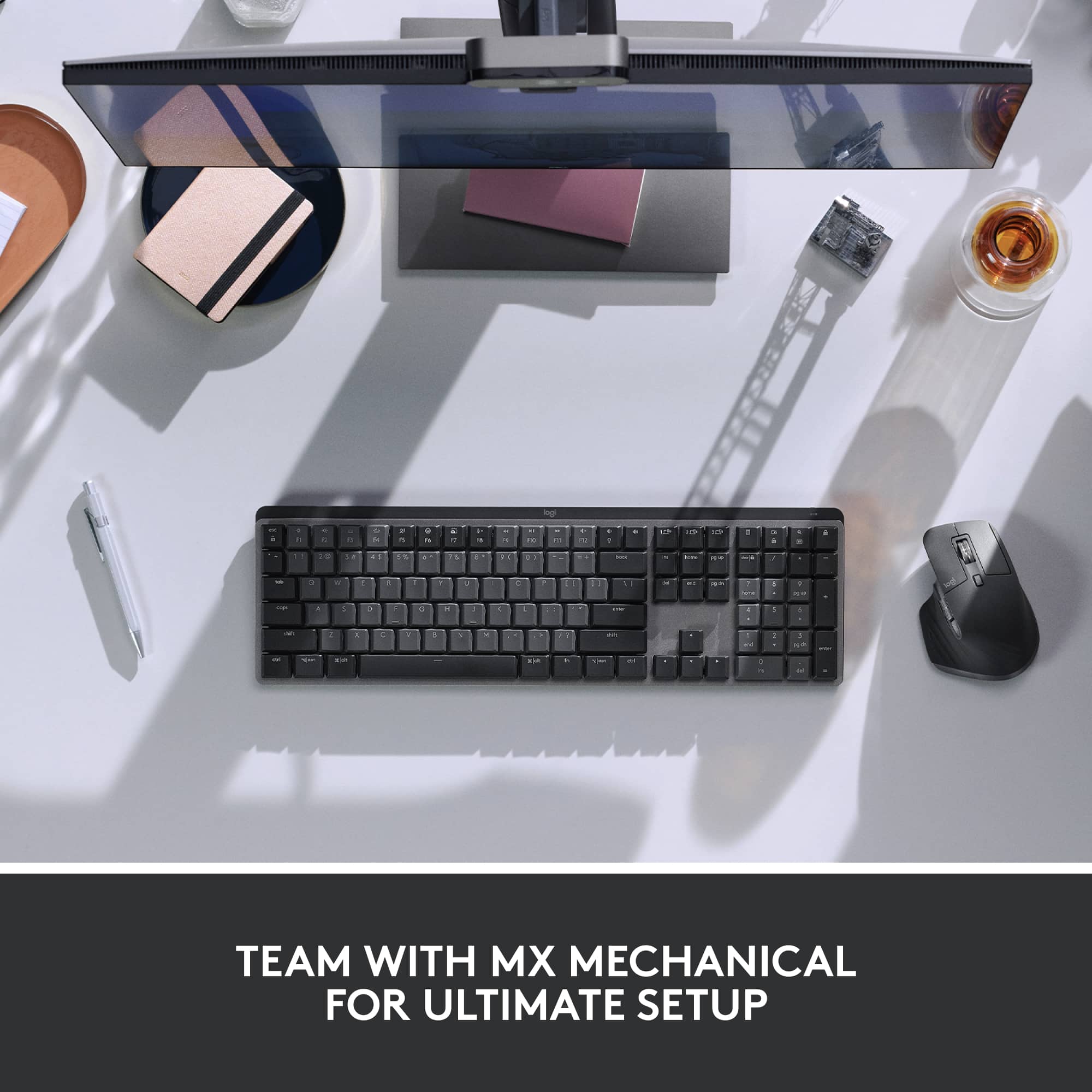
||Posted . Owned for 1 month when reviewed.This reviewer received promo considerations or sweepstakes entry for writing a review.I bought this mouse as a late Christmas gift after debating which brand and model to choose as a replacement for my Microsoft Explorer Mouse. After reading many reviews, I decided on the Logitech MX Master 3S Wireless Laser Mouse, and I must say—it has exceeded my expectations. This mouse is fast, responsive, and incredibly smooth. The MagSpeed scroll wheel allows for precise scrolling or lightning-fast navigation when needed, making it great for both productivity and gaming. I also appreciate the plentiful buttons and customization options, which let me open applications and execute shortcuts using button combinations with mouse movements—just like the mouse it replaced. One thing to be aware of is hand placement as the scroll wheel is sensitive and can be easily spun. The Logi Bolt USB receiver included with the mouse is a great addition, as it allows multiple Logi Bolt-compatible devices to connect without taking up extra USB ports. Additionally, the mouse supports Bluetooth connectivity, making it useful for pairing with presentation devices, tablets, or other non-USB devices. While I haven’t had the need to use Bluetooth mode yet, it’s nice to have that flexibility. One of the key reasons I chose this mouse is its built-in rechargeable battery, which is charged via a USB-C port located at the front. Thanks to this placement, the mouse remains fully functional while charging. Battery life is excellent—at the time of writing this review, it’s still at 70% charge, and I haven’t had to recharge it since fully charging it on the first day of use. Only time will tell how many cycles the battery lasts, but so far, I’m impressed. I have large hands, and I find this mouse comfortable to use. The ergonomic design fits naturally in my palm, reducing hand fatigue even during long work or gaming sessions. The build quality feels premium, with a nice weight that gives it a solid, high-end feel. I paired this mouse with the Logi MX Mechanical Full-Size Wireless Mechanical Keyboard (Tactile Switches), and together, they create a seamless, efficient, and comfortable setup for both productivity and gaming. If you're looking for a high-performance wireless mouse with customizability, great battery life, and ergonomic comfort, the MX Master 3S is worth the investment.
I would recommend this to a friendBrand response from Logitech
Posted .Thank you for such a thorough and thoughtful review of the MX Master 3S! We're thrilled to hear it's exceeded your expectations and is proving to be a worthy replacement for your previous mouse. We're especially glad you're enjoying the MagSpeed scroll wheel, customization options, and ergonomic design. Your insights on hand placement, the Logi Bolt receiver, Bluetooth connectivity, and battery life are incredibly helpful. We're also delighted to know it pairs perfectly with your MX Mechanical keyboard. We appreciate your detailed feedback and are confident you'll continue to enjoy your MX Master 3S for a long time!
Defective After a year and a half
||Posted .This reviewer received promo considerations or sweepstakes entry for writing a review.Stopped working after a year and a half. Will not turn on. Their warranty is also only 1 year so I don't know if customer support can help but I will give it a shot.
No, I would not recommend this to a friend- Pros mentioned:Battery life, Ergonomics, Scroll wheel
Performance with Comfort
||Posted . Owned for 3 weeks when reviewed.This reviewer received promo considerations or sweepstakes entry for writing a review.The MX Master 3S has been a game changer for my daily workflow. As someone who works long hours at a desk, I appreciate how comfortable and well designed this mouse is. The ergonomic shape fits naturally in the hand and the quiet clicks make it ideal for a focused work environment. The MagSpeed scroll wheel is incredibly smooth and accurate, perfect for navigating through large documents and spreadsheets. I also really value the customizable buttons and the seamless device switching. It’s clear this mouse was built with productivity in mind. The battery life is impressive. I charged it once when I got it and haven’t had to worry about it since. It took a couple of days to adjust from a standard mouse but now I can’t imagine going back. If you're looking for a reliable high performance mouse that delivers comfort and control, the MX Master 3S is absolutely worth it.
I would recommend this to a friendBrand response from Logitech
Posted .We're delighted to hear the MX Master 3S has significantly enhanced your workflow with its comfort and precision. Your detailed feedback on the ergonomic design, quiet clicks, and MagSpeed scroll wheel truly highlights what makes this mouse a productivity powerhouse. It's fantastic to know the seamless device switching and impressive battery life have also made such a positive impact.
- Pros mentioned:Battery life, Ergonomics, Scroll wheel
Logitech MX Master 3s Mouse Simply Rocks!
|Posted .This reviewer received promo considerations or sweepstakes entry for writing a review.I’m very experienced with the MX Master Mouse (having owned the original MX Master), which worked perfectly on Windows. I recently bought a brand-new MacBook Pro M1 Pro with the Silicon ARM Chip, and I also bought the MX Master 3 Mouse. Unfortunately, the Logitech Options software you download in order to program the mouse didn’t work with the MacBook Pro, which was a major disappointment. Until just recently, Logitech still hadn’t optimized the Intel based software for the Logitech Options App (the app you use to program functionality on the mouse) to run on the Silicone ARM technology of a MacBook Pro, so sadly, even with Logitech Technical support help, I had to return it. To Logitech’s credit, days after returning the mouse they sent me an updated link they said would work with an MX Master 3 on a Silicon ARM Based MacBook Pro. I stored the link hoping I’d get another opportunity to use a MX Master. That day came when I got the newest MX Master 3s. So, did it work? Yes, yes it did! Using the updated Logitech Options Installer, it installed perfectly, and I was able to program the mouse to my specific needs. To say I’m a Happy Camper is an understatement. Now that I’ve gotten the pre-story out of the way, let’s talk about this mouse. If you’ve never had the pleasure of owning a Logitech MX Master Mouse, you simply have no idea what you’re missing. It may seem odd to wax enthusiastic over a mouse, but the MX Master is worthy of such praise. And this newest MX Master 3s even more so. It’s now even more ergonomic. It just fits your hand so perfectly. It’s made of premium plastics (recycled to save the planet) and this version doesn’t show fingerprints. They come with a battery which lasts a LONG time. A very LONG time. The new MX Master 3s can go up to 70 days on a single charge. My original MX Master lasted a long time as well, so I have every expectation the 3s will live up to what Logitech claims. You need to go to Logitech.com and download the Logitech Options App. It is very easy to use and lets you customize so many aspects of the mouse. You can change the pointer speed. You can Program the second scroll wheel on the side of the mouse. I use it as volume up and down. You have two buttons underneath the second scroll wheel, which I have programmed as forward and back. And there’s yet another button where your thumb rests, which I’ve set up for Universal Control. You can choose from many other options to suit your workflow. The primary scroll wheel is magical. There’s the traditional mouse click we’re all used to. And a tap of the button behind the wheel, releases what Logitech calls Magspeed. The wheel is magnetic and has no, none, zip friction. You can scroll faster than you’ve ever scrolled before. And the scroll wheel also can be clicked and programmed for a number of functions. I have mine programmed to zoom, which is very cool. The mouse can be paired with up to three different devices and all you need to do is tap the pairing button on the bottom of the mouse to switch between paired devices. This mouse can scan up to 8000 DPI, for ultra-smooth and accurate scrolling. The mouse can connect with Windows, Chrome, Linux, iPadOS , Android and MacOS. And if you don’t have Bluetooth, it does come with a USB Receiver. One of the best upgrades over previous MX Master Mice is how unbelievably quiet the 3s is. You can’t hear the wheels scroll. More importantly, you can’t hear the right or left mouse clicks. How refreshing to have a mouse which does so much, yet so incredibly quiet. If you haven’t gathered from what I’ve written, I’m quite enamored with the Logitech MX Master 3s. They took everything that was already good in previous MX Master Mice and improved it significantly. And now, I’m able to use it on a MacBook Pro M1 Pro Silicon ARM Based laptop. Is it worth the price of admission? Yes, yes it is. Just get one. You simply won’t regret it.
I would recommend this to a friendBrand response from Logitech
Posted .Hello RBrylawski,
I am glad that you are enjoying the MX Master 3S. Thanks for being patient and working with the Logitech support team to finmd a solution to your issues. Also, thank you for taking the time to write a detailed review of your experience with Logitech's product and customer service. Logitech appreciates your product review. - Leo from Logitech
Fast Running Mouse
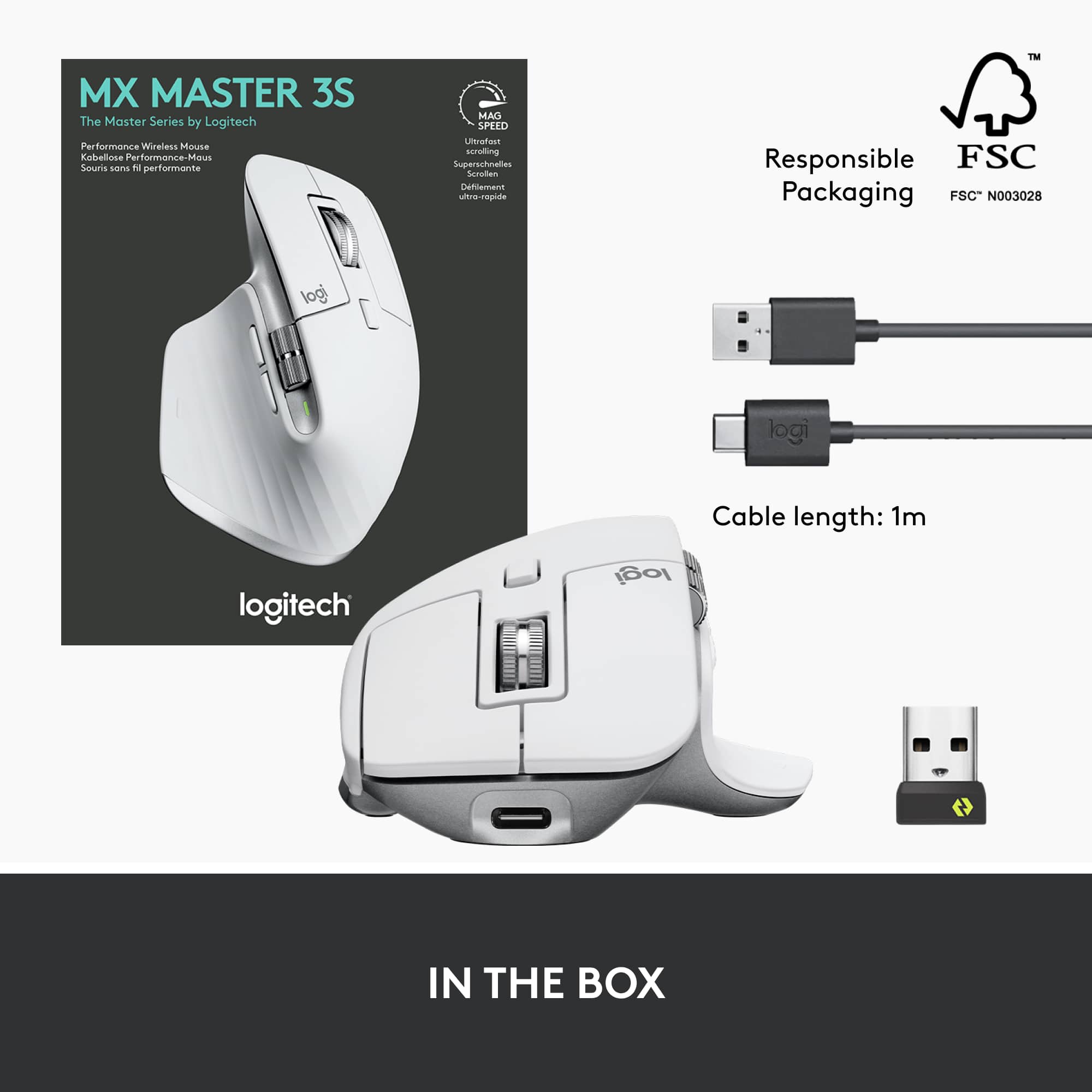
||Posted . Owned for 1 week when reviewed.This reviewer received promo considerations or sweepstakes entry for writing a review.Just bought this for pairing with a new laptop. Incredibly easy to use and fast. Plenty of buttons to use as needed for your installed apps. No need to worry about batteries. Comes with charging cable.
I would recommend this to a friend- Pros mentioned:Battery life, Ergonomics, Scroll wheel
Logitech MX Master 3S Wireless Laser Mouse – A Gam
||Posted . Owned for 1 month when reviewed.This reviewer received promo considerations or sweepstakes entry for writing a review.Logitech MX Master 3S Wireless Laser Mouse – A Game-Changer for Productivity The Logitech MX Master 3S is, without a doubt, one of the best wireless mice available for power users, professionals, and anyone who demands precision, comfort, and efficiency from their tech tools. Design and Comfort: Right out of the box, the MX Master 3S impresses with its sleek, ergonomic design. The mouse fits naturally in your hand, with soft-touch materials and a contoured shape that offers excellent support for long hours of use. The button layout is intuitive and easily customizable, and the thumb rest adds to the overall comfort, making it a great choice for both casual and extended use. Performance: The 3S version comes equipped with Logitech’s advanced 8,000 DPI sensor, which offers smooth, precise tracking on nearly any surface. Whether you're working on a desk, a glass tabletop, or a wooden surface, the sensor adapts seamlessly. The mouse also features the signature ultra-fast scrolling wheel, which is a dream for navigating long documents or web pages. With just a flick of the wheel, you can move through content at lightning speed—ideal for productivity tasks. Battery Life & Connectivity: Battery life is impressive, lasting up to 70 days on a full charge (depending on usage), and recharges quickly via USB-C. The mouse can be connected via Bluetooth or the included USB receiver, making it versatile for different setups. The ability to switch between multiple devices (up to 3) with the Easy-Switch buttons is a huge productivity boost, especially for those who work across computers, tablets, or even a combination of devices. Customization & Features: The MX Master 3S offers a lot of customization options through Logitech’s Options software. You can assign specific functions to each button, set gestures for easy access to tasks, and fine-tune the scroll speed. Plus, the Quiet Click buttons provide a satisfying yet silent click experience, which is a big plus for users who work in shared spaces. Conclusion: If you're looking for a premium, versatile, and comfortable wireless mouse that offers incredible precision and useful features, the Logitech MX Master 3S is hard to beat. Whether you're a designer, developer, or just someone looking for a reliable mouse for daily tasks, this mouse delivers performance, comfort, and style in spades. Highly recommended!
I would recommend this to a friendBrand response from Logitech
Posted .We're delighted that you appreciate the ergonomic design and the comfort it provides during long work sessions. Our focus on user comfort is paramount, and we're glad you find the soft-touch materials and contoured shape to be a winning combination.