Customer Ratings & Reviews








- Model:
- 910-006558
- SKU:
- 11068535
Rating by feature
- Value
Rating 4.6 out of 5 stars
- Quality
Rating 4.8 out of 5 stars
- Ease of Use
Rating 4.8 out of 5 stars
- Pros mentioned:Battery life, Scroll wheel

The most comfortable mouse for work so far
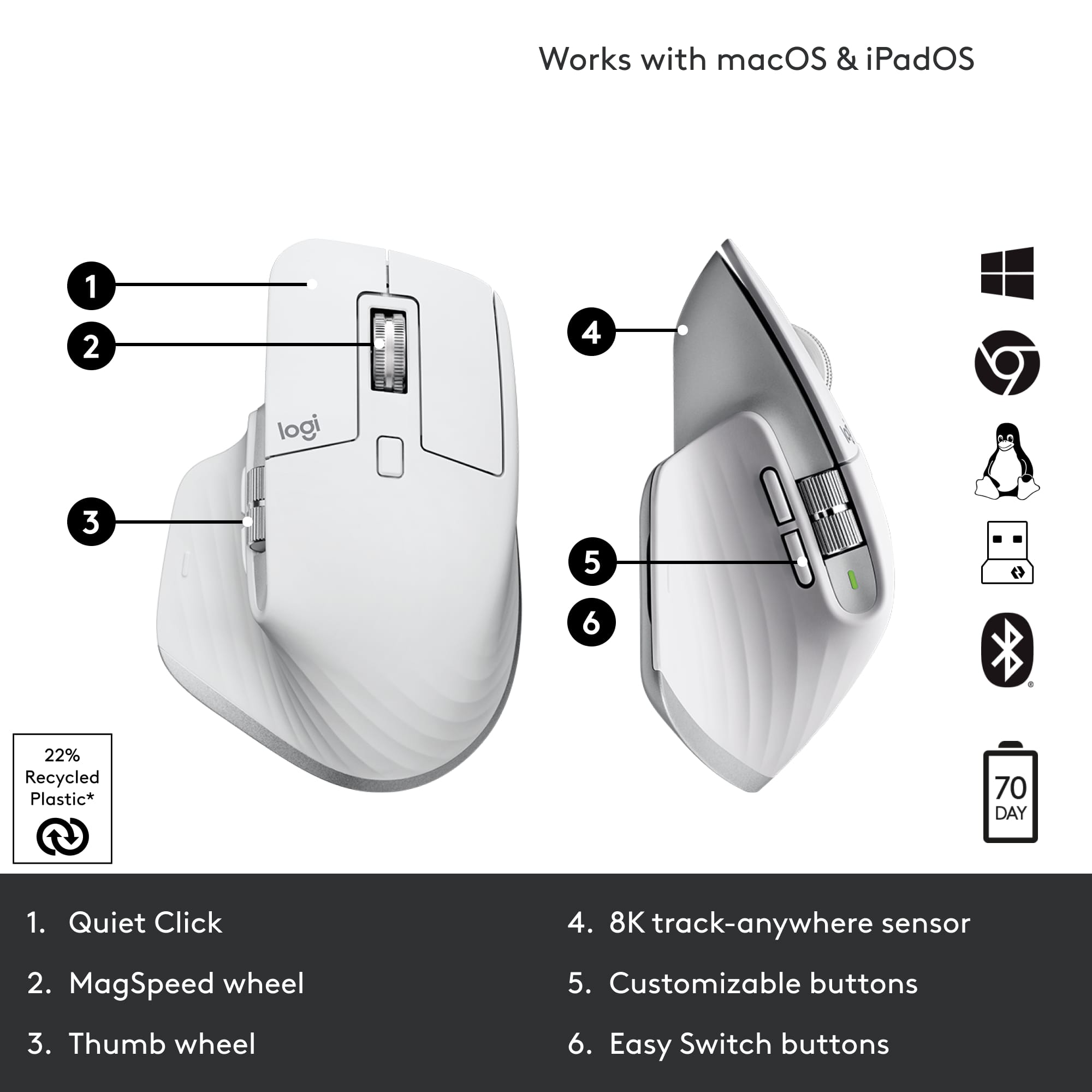
|Posted .This reviewer received promo considerations or sweepstakes entry for writing a review.I spend a ton of time at the computer screen - easily 12+ hours a day and always looking for ways to improve ergonomics. This mouse is as close to ideal as it gets. Amazingly precise sensor that is tracking at 8k DPI resolution and able to work on most surfaces, scroll wheel with ability to unlock it for "free wheeling" and scroll thru huge documents and customizable side wheel, side buttons and a thumb button! Side buttons can be programmed for a standard Forward/Back in browsers to Audio Mute/UnMute + Camera On/Off in teleconferencing applications. Thumb button combines with the mouse movement so you can decide what happens when you press it and then move up, down and side to side. Battery life is impressive - I've used this mouse for a week of everyday work - had not have to charge it yet. Charging is done via the USB-C port and allows you to continue working. Software - mouse is configurable via Logitech Option Plus (not the older Logitech Options) and Options Plus is not compatible with the previous generation devices so you might need both until you upgrade all gear. Same goes for a receiver - it's a new kind (not a Unifying receiver anymore) so you may need both or just use this mouse in a Bluetooth connectivity mode. Overall - I'm loving it, no wrist pain, super sensitive, comfortable and VERY quiet! No mouse click sound, but still have a great tactile feedback.
I would recommend this to a friendBrand response from Logitech
Posted .Hey there, thanks for this great, and very detailed, review! We really appreciate your feedback. Let us know if you have any issues in the future, and thanks for choosing Logitech! -Weston from Logitech
Light Version gets nasty
||Posted . Owned for 3 weeks when reviewed.This reviewer received promo considerations or sweepstakes entry for writing a review.The mouse is absolutely great but do not get the white/gray/light version. Certain areas turn orange and does not clean off. I use the mouse in my office only and keep my work area very clean. I’ve only had the product for 3 weeks. The mouse looks disgusting. Especially when my workspace is light and clean. It’s like armpit stains.
No, I would not recommend this to a friendLogitOptions+ Software is a joke.
||Posted . Owned for 1 month when reviewed.This reviewer received promo considerations or sweepstakes entry for writing a review.Nice hardware, shame it does not work reliably on Apple Silicon.
No, I would not recommend this to a friendBrand response from Logitech
Posted .That's disappointing. Try reinstalling the software and if the issue persists don't hesitate to connect with Logi Support, where our dedicated team is ready to find the perfect solution for you.
- Pros mentioned:Battery life, Scroll wheel
Perfect Mouse for Work
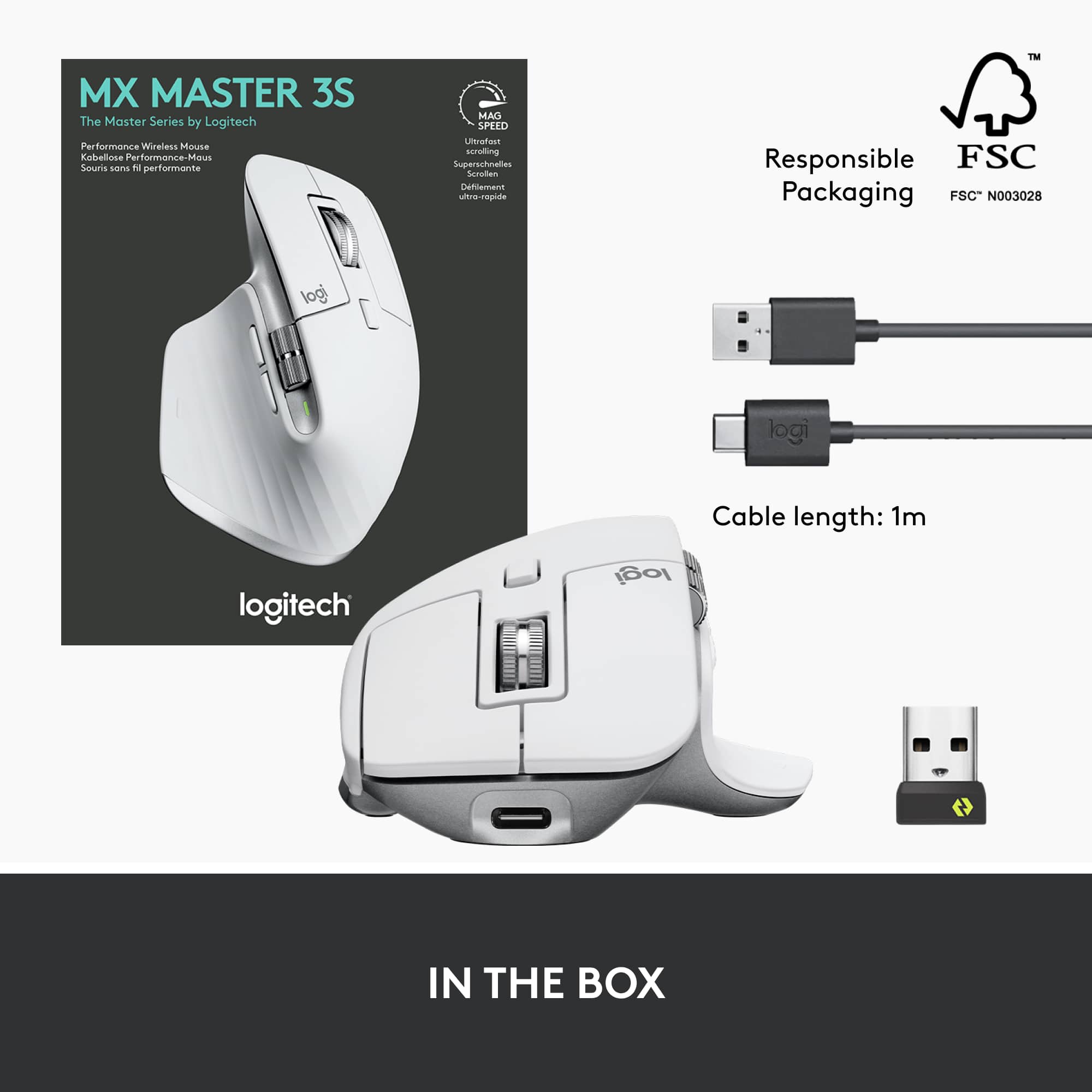
|Posted .This reviewer received promo considerations or sweepstakes entry for writing a review.The MX Master 3S is my new favorite mouse for work. It’s extremely comfortable to use, has solid performance over Bluetooth or Logi Bolt, the side scroll wheel has a lot of convenient uses, and the battery lasts long enough that I never have to worry about charging. For productivity focused work it feels like the peak. Getting into the box, you get the mouse, a charging cable, and a Logi Bolt receiver. It should be noted the Logi Bolt receiver is somewhat new and not compatible with older Logitech devices that used the Unifying receiver. Something to keep in mind if you are already using other Logitech devices with an existing receiver. I set the mouse up first using the Logi Bolt receiver and the mouse appears to be pre-paired to it out of the box, so there was nothing for me to do but plug it into an existing USB-A port. Running the setup through the Logi Options+ software I was able to make assignments on each button and set up application-specific profiles. It is unfortunate that the Logi Options+ software isn’t compatible with all of Logitech’s mice and keyboards; currently I still need to use the older Logitech Options for my K680 keyboard. I’ve been using the MX Master 3S for a couple of weeks now and have used it as my primary work mouse for about a week. I’ve used it interchangeably over Bluetooth and with the Logi Bolt receiver in a relatively crowded office environment and the performance has been flawless in both cases. I cannot really point to a difference in using the mouse with the Bolt receiver or over Bluetooth. I think I might notice a little bit less latency over Bolt, but the difference is almost imperceptible. The first thing I noticed was how comfortable it was. It feels like it’s perfectly sculpted for my hand and the soft-touch plastic helps a lot as well. The side scroll wheel feels well positioned and I don’t have to strain my hand to get to it. The main scroll wheel feels similar to the MX Anywhere 3 and transitions seamlessly from stepping scrolling to free-wheeling and it felt really easy to dial in exactly the speed I wanted for the email or document I was working on. The primary left and right click buttons are very quiet, but there’s a tactileness to them that never makes me question whether or not I’ve clicked. With the software installed, the mouse will automatically switch profiles for applications you have loaded, which I think might work well for some people, but for me it was a little jarring to have the side scroll wheel flipping between tabs on Chrome only to then be adjusting volume or changing cells somewhere else. Thankfully, this is easy to turn off. There is also a button on the thumb rest that opens up some gesture controls. I didn’t get much use out of the gesture controls myself, but they work well enough. The cursor tracks smoothly across a variety of surfaces, though I can’t say I noticed too much of a difference turning the 8K sensor mode on. The standard mode (which is what the previous MX Master 3 has) is probably what most would use I’d imagine. The battery life has been excellent for me. I’ve used it for several full days and not seen the percentage drop at all. It’s quoted at 70 days by Logitech and I’m inclined to believe that. It’s certainly long enough that charging is never really on my mind. Before the MX Master 3S I was using the MX Vertical ergonomic mouse. I like that mouse a lot and ergonomics are important to me, but I’m considering switching to the MX Master 3S full time now just for the sheer amount of productivity features it gets me.It’s no gaming mouse and if you’re a lefty you’re out of luck, but for work I haven’t used anything better.
I would recommend this to a friendBrand response from Logitech
Posted .Hello SamG,
I am glad you are happy with your new MX Master 3s. Thanks for taking the time to leave such a detailed product insight for others to refer to. I agree, the MX Master 3S is comfortable and has all the productivity features that most users need. Logitech appreciates your product review. - Leo from Logitech
Gray Turns Yellow. Disgusting.
||Posted . Owned for 4 months when reviewed.This reviewer received promo considerations or sweepstakes entry for writing a review.Within 3 months this mouse is once again, just like the 2s, a total waste of money. It turns a disgusting yellow color. This is totally unacceptable and things like this should never be put up for sale. I don't care how quality the product is otherwise. It's ridiculous.
No, I would not recommend this to a friend- Pros mentioned:Battery life, Ergonomics, Scroll wheel
Excel product
||Posted . Owned for 2 months when reviewed.This reviewer received promo considerations or sweepstakes entry for writing a review.The mouse is, without a doubt, a game-changer for anyone seeking a high-performance, customizable mouse that enhances both productivity and comfort. After using it for a while, I can confidently say that it checks all the boxes for what a professional or power user needs. Design and Comfort The MX Master 3S features an ergonomic design that perfectly fits in the hand, ensuring comfort even during long work sessions. The contours of the mouse are designed with precision, making it ideal for palm grip users. The smooth, matte finish feels premium, and the textured rubber sides give extra grip, making it easy to hold without fatigue. Performance and Speed What really sets this mouse apart is its performance. The Darkfield high-precision sensor allows for seamless tracking on any surface, including glass, which is a huge plus for me. Whether you're navigating through a spreadsheet or switching between multiple applications, the MX Master 3S is incredibly responsive, with **up to 8,000 DPI** sensitivity that can be adjusted to suit different tasks. Customization and Features Logitech’s Options+ software gives users an almost limitless array of customization options, letting you program each button to suit your workflow. This is especially useful for those who use complex shortcuts or multiple applications. For instance, the thumb wheel allows for horizontal scrolling, which is perfect for navigating long documents or wide design files. Additionally, the side buttons can be mapped to anything from media controls to specific app functions. Battery Life and Charging Battery life is another highlight. With up to 70 days on a full charge, you can rely on this mouse for long periods without needing to worry about frequent charging. When it does run low, a quick 1-minute charge using USB-C gives you up to 3 hours of use, which is incredibly convenient. Multi-Device Pairing It shines in its ability to easily switch between multiple devices with just a click of a button. Whether you're working on your laptop, desktop, or tablet, you can seamlessly transition between them without missing a beat, thanks to its **Bluetooth** and **Logitech Unifying Receiver** compatibility. Quiet and Smooth Clicking The quiet click feature is a notable improvement over its predecessors. The tactile feedback is satisfying but much quieter, which is great if you work in shared spaces. The smooth scroll wheel also provides a pleasant experience, whether you’re flying through pages or fine-tuning a design. Conclusion Overall, this mouse is a fantastic investment for anyone who needs a versatile, high-performance mouse. Its comfort, customization options, and performance make it perfect for professionals, designers, and tech enthusiasts alike. If you're looking for a reliable, feature-rich mouse that will last for years, the MX Master 3S is definitely worth considering.
I would recommend this to a friendBrand response from Logitech
Posted .Thank you for your detailed and insightful review of the MX Master 3S! We're thrilled to hear that it's become a game-changer for your productivity and comfort. We appreciate you highlighting key features like the ergonomic design, Darkfield sensor's performance on any surface (including glass!), the extensive customization options via Logitech Options+, the impressive battery life with quick charging, and the seamless multi-device pairing. It's also great to know you appreciate the quiet click feature and smooth scrolling we put a lot of effort into those details. We're committed to providing high-quality, innovative products, and feedback like yours helps us continue to improve. We're so glad you're enjoying the MX Master 3S!

- Pros mentioned:Battery life, Ease of use, Ergonomics
Best Mouse I've ever Used
||Posted . Owned for 2 weeks when reviewed.This reviewer received promo considerations or sweepstakes entry for writing a review.Got myself the Logitech MX Master 3S in slick black, and it's a game-changer for my setup. This mouse is like the James Bond of peripherals – sleek, stylish, and totally on point! First off, the feel is top-notch. Matte black, ergonomic design, and a cool textured thumb rest – it's like Logitech read my mind on what makes a mouse comfy. No more hand cramps during those marathon work sessions! But the real star here is the tracking. The sensor is a wizard; it glides on glass like it's nothing. Switching between devices is a breeze with the Easy-Switch button – perfect for toggling between my laptop, desktop, and tablet without missing a beat. Customizing buttons is a snap with Logitech's Options software, and that horizontal scroll wheel? Genius move for jumping through long docs effortlessly. And don't even get me started on the battery life – 70 days on one charge is a game-changer. In a nutshell, the Logitech MX Master 3S is the boss mouse for your desk. It's got style, it's got substance, and it's got my vote as the ultimate productivity sidekick! Logitech nailed it again!
I would recommend this to a friendBrand response from Logitech
Posted .Thank you for your enthusiastic feedback on the MX Master 3S Wireless Laser Mouse. We're delighted to hear that you're impressed with its design, performance, and features. Your positive review is a testament to the quality of our product. We appreciate your support and look forward to providing you with exceptional computing experiences in the future.
- Pros mentioned:Battery life, Scroll wheel
The Only Productivity Mouse You Need!
||Posted . Owned for 1 month when reviewed.This reviewer received promo considerations or sweepstakes entry for writing a review.This is perhaps the best mouse for everyday computing and productivity, hands down. I had previously used lower-end Logitech mice, be it from the Logitech G line or mainstream line, and transitioning to this mouse gave me a very noticeable increase in productivity. However, be warned that this is not a mouse for gaming, as it has a low poll rate and DPI range isn't that high. For any task other than gaming, this mouse has no comparison. Pros: - Toggleable fast and clicky scrolling - Side scroll wheel makes horizontal scrolling and other actions extremely convenient - Long battery life - Plugs in to computer using USB-C so you can work while it charges - Easy pairing and between three devices - Many possible configurable gestures using the side thumb button - Every button is programmable using Logitech Options+ - Works across different OS's - Bluetooth and wireless dongle compatibility - Grippy back area to rest your palm on - Extremely quiet clicking noise Cons: - It is not very practical for left handed users or small hands - Software can be a bit buggy at times - Noticeably lower poll rate than other mice, but after getting used to the feel of the mouse, it did not bother me
I would recommend this to a friend - Pros mentioned:Battery life, Ergonomics, Scroll wheelCons mentioned:Size
Logi MX Master 3S: A User's Balanced Perspective
||Posted . Owned for 3 weeks when reviewed.This reviewer received promo considerations or sweepstakes entry for writing a review.As a user of the Logitech MX Master 3S, I've found it to be a high-quality productivity mouse with a comfortable, ergonomic right-handed design. Its wireless connectivity options, including Bluetooth and the BOLT USB receiver, allow me to pair it with three devices simultaneously. I particularly enjoy the adjustable sensor settings, programmable custom gesture controls, and remappable buttons. The mouse has two independent scroll wheels for horizontal and vertical scrolling which I find very useful. However, I did notice that the mouse is quite large and bulky, which can be a challenge if you have smaller hands or need something more portable. While I've tried using it for gaming, it's clearly not specifically designed for this, as the click latency is decent but not on par with dedicated gaming mice, and the CPI range is lower compared to many gaming options. One of the highlights for me is the rechargeable battery which lasts up to 70 days, and its quick charge feature which provides 3 hours of use from just a 1-minute charge is fantastic for when I'm in a rush.
I would recommend this to a friend Logitech MX Master 3: A Comprehensive Review for P
||Posted . Owned for 5 months when reviewed.This reviewer received promo considerations or sweepstakes entry for writing a review.As a productivity enthusiast and avid user of the Logitech MX Master 3 wireless mouse, I've had the opportunity to experience its exceptional performance and versatility firsthand. Here's a comprehensive review of this highly regarded productivity mouse, highlighting its strengths, potential areas for improvement, and overall value proposition for those seeking to enhance their workflow. Strengths: Unparalleled Comfort and Ergonomics: The Logitech MX Master 3 is designed with exceptional ergonomics, providing a comfortable and supportive grip even during extended periods of use. Its contoured shape, sculpted thumb rest, and soft-touch materials make it a pleasure to use, reducing hand fatigue and promoting productivity. Precision and Accuracy: The MX Master 3 boasts a high-precision Darkfield sensor that tracks flawlessly on virtually any surface, even glass. Its 4000 DPI sensitivity allows for precise cursor control, making it ideal for demanding tasks like graphic design, video editing, and intricate photo editing. Customization and Versatility: The MX Master 3 is highly customizable, allowing users to tailor its performance and functionality to their specific needs and preferences. Logitech's MX Options software provides extensive options for button customization, gesture control, and app-specific profiles, making it a versatile tool for a wide range of tasks. Wireless Connectivity and Multi-Device Pairing: The MX Master 3 utilizes Logitech's proprietary Logi Bolt wireless technology, ensuring a stable and secure connection with your computer, even in crowded environments. It also supports multi-device pairing, allowing you to seamlessly switch between up to three devices with a single button press. Long-Lasting Battery: The MX Master 3 features a rechargeable battery that provides up to 70 days of use on a single charge. It also supports quick charging, providing a full day of use in just three minutes of charging time. Areas for Improvement: Weight and Portability: While the MX Master 3 is not excessively heavy, its size and weight may deter some users who prioritize portability. Its sculpted shape and thumb rest also make it slightly less compact than some other wireless mice. Cost: The Logitech MX Master 3 falls on the premium end of the wireless mouse spectrum, which may make it less accessible to budget-conscious users. However, its exceptional performance and features justify its cost for those seeking a high-end productivity mouse. Gesture Control Learning Curve: While gesture control offers a unique and convenient way to interact with the mouse, mastering the gestures can require some practice and may not suit all users. Overall, the Logitech MX Master 3 is an exceptional wireless mouse that delivers unparalleled comfort, precision, and versatility. Its customizable features, long-lasting battery, and multi-device pairing make it an ideal companion for productivity-focused individuals seeking to enhance their workflow. While its weight and cost may deter some users, the MX Master 3's overall value proposition is undeniable for those who demand the best in productivity tools. Rating: 4.8 out of 5 stars Recommendation: I wholeheartedly recommend the Logitech MX Master 3 to productivity enthusiasts, graphic designers, video editors, and anyone seeking a premium wireless mouse that combines exceptional comfort, precision, and versatility. Its ability to enhance productivity and reduce hand fatigue makes it a worthwhile investment for those who spend significant time working on their computers.
I would recommend this to a friend- Pros mentioned:ErgonomicsCons mentioned:Size, Weight
Best productivity mouse
||Posted . Owned for 1 month when reviewed.This reviewer received promo considerations or sweepstakes entry for writing a review.Flawless connectivity and great design. Unique horizontal scroll is helpful for some applications. Upgrade to silent click makes it suitable for quiet environment. Comfort use even in long period on time. But kind of heavy and large. Good for large and medium hands. Not recommended for heavy gaming.
I would recommend this to a friend - Pros mentioned:Battery life, Ergonomics, Scroll wheel
Elevate Your Productivity
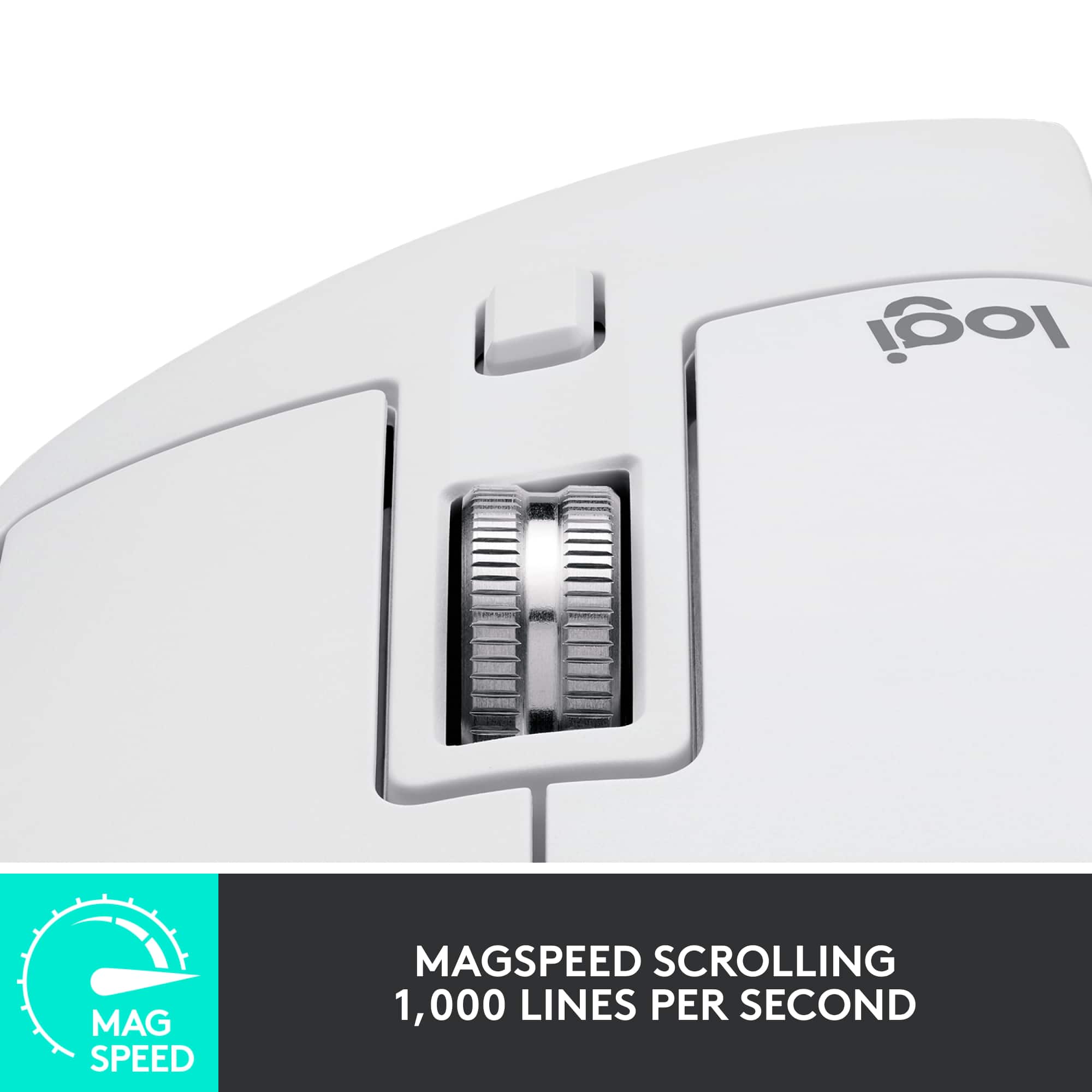
||Posted . Owned for 1 month when reviewed.This reviewer received promo considerations or sweepstakes entry for writing a review.The Logitech MX Master 3S Wireless Laser Mouse in sleek black is a masterpiece of ergonomic design and functionality. After using this mouse for an extended period, I can confidently say that it's a game-changer for productivity and comfort. Ergonomic Excellence (5/5): The MX Master 3S is an ergonomic masterpiece. It fits comfortably in your hand, with a sculpted shape that supports your hand and wrist, making long hours of work a breeze. The textured thumb rest adds an extra level of comfort and grip, ensuring that the mouse feels like an extension of your hand. Ultrafast Scrolling (5/5): The standout feature of this mouse is the ultrafast scrolling wheel. It allows you to scroll through documents and web pages at lightning speed or switch to a precise click-to-click mode when needed. The MagSpeed scrolling technology is incredibly smooth and precise, making it a joy to use. Customizable Buttons (5/5): With a generous number of customizable buttons, the MX Master 3S caters to your individual needs. Whether you're a designer, programmer, or power user, you can configure the buttons to perform specific functions and streamline your workflow. The ability to switch between devices with the Easy-Switch button is particularly handy. High-Precision Sensor (5/5): The laser sensor on this mouse is incredibly accurate, tracking on virtually any surface with precision. Whether you're using it on a mouse pad, a glass table, or even your jeans, it delivers a smooth and consistent tracking experience. Impressive Battery Life (5/5): The MX Master 3S boasts an impressive battery life that keeps you working without interruptions. With a full charge, it can last for weeks, even with heavy daily use. The USB-C charging port ensures fast and convenient recharging. Cross-Platform Compatibility (5/5): This mouse seamlessly works with multiple devices and operating systems, including Windows, macOS, and Linux. The Logitech Options software enhances the customization and functionality, allowing you to fine-tune the mouse to your preferences. Premium Build Quality (5/5): The MX Master 3S exudes quality in its build. It feels solid and durable, and the scroll wheel and buttons have a satisfying click and tactile feedback. The matte finish on the mouse not only looks elegant but also resists fingerprints and smudges. Conclusion: In conclusion, the Logitech MX Master 3S Wireless Laser Mouse in black is a versatile and ergonomic powerhouse that redefines the way you work and interact with your computer. Its ergonomic design, ultrafast scrolling, customizable buttons, and remarkable precision make it an essential tool for professionals, creatives, and anyone who values productivity and comfort. The MX Master 3S is not just a mouse; it's a productivity enhancer that elevates your computing experience to new heights. Whether you're navigating through spreadsheets, editing photos, or just browsing the web, this mouse is a true game-changer.
I would recommend this to a friend - Pros mentioned:Battery life
This mouse is an absolute must!
||Posted .This reviewer received promo considerations or sweepstakes entry for writing a review.This mouse is easily the most important productivity upgrade I’ve ever made, mostly because of that thumb depress button. One quick click and all your apps "explode" so you can see everything at once, or you can hold it and swipe to fly between different desktops. The actual feel of using it is top-tier too. The clicks are near silent, which is great if you're working around other people, and the scrolling is incredibly fast for flying through long documents. Just like the keyboard, the battery life is a total beast, so you rarely have to think about charging it. I go months without charging mine. The only small thing is that the rubber finish can get a bit grimy after a while, but it’s not a big deal since you can just hit it with a quick wipe and it’s good as new. Seriously, if you want a setup that just works and makes you faster, this mouse is the move. If you're getting this mouse, you should absolutely also get the matching keyboard. It's a game-changer!
I would recommend this to a friend - Pros mentioned:Battery life, Scroll wheel
The Ultimate Productivity Mouse
||Posted . Owned for 4 months when reviewed.This reviewer received promo considerations or sweepstakes entry for writing a review.The Logitech MX Master 3S Wireless Laser Mouse has quickly become an essential part of my daily workflow. From its ergonomic design to its advanced features, this mouse truly stands out as one of the best productivity tools I’ve ever used. Comfort and Design: The ergonomic design is one of the first things you’ll notice. It’s incredibly comfortable, fitting perfectly in my hand, which makes long hours at the computer much easier. The textured surface provides a secure grip, and the overall build quality is excellent, with a sleek and professional look. Performance: Performance-wise, the MX Master 3S is outstanding. The ultra-fast scrolling feature is a game-changer, allowing me to breeze through long documents and web pages with ease. The scroll wheel is smooth and responsive, and the ability to switch between ratcheted and free-spinning modes with a click is extremely convenient. The laser sensor is precise and works flawlessly on a variety of surfaces, including glass, which is a huge plus for those who don’t always use a mousepad. The customizable buttons and gesture controls are incredibly useful for multitasking, and they significantly speed up my workflow. Battery Life: The battery life is another highlight. It lasts for weeks on a single charge, and when it does need charging, the process is quick and easy with the included USB-C cable. Plus, you can use the mouse while it’s charging, so there’s no downtime. Connectivity: The Bluetooth and USB receiver options provide flexibility in how you connect, and switching between devices is seamless. I use it across multiple devices, and the transition is smooth every time. Verdict: Overall, the Logitech MX Master 3S is an exceptional wireless mouse that excels in every category. Whether you’re a professional looking for a reliable productivity tool or simply someone who appreciates quality peripherals, this mouse is well worth the investment. I highly recommend it to anyone in need of a top-tier wireless mouse.
I would recommend this to a friendBrand response from Logitech
Posted .Thank you for your in-depth review of the Logitech MX Master 3S wireless mouse. We're delighted to hear that it has become an essential part of your daily workflow. Your positive feedback on its comfort, performance, battery life, connectivity, and overall value is greatly appreciated. We're proud to know that the MX Master 3S is exceeding your expectations.
- Pros mentioned:Battery life, Ergonomics, Scroll wheelCons mentioned:Size
Amazing Button Mapping -- BIG HANDS BEWARE
||Posted . Owned for 9 months when reviewed.This reviewer received promo considerations or sweepstakes entry for writing a review.I have always had gigantic hands. It has made it hard to use hardware like the apple magic mouse or any desktop mouse for that matter– the MX Master 3s is no exception. PRO:Ergonomically, it excels in its button layout. Everything i need is extremely accessible, CON: the thumb-down button is easy to accidentally press. PRO: The tools logitech provides for users to create unique button-maps for many high-demand apps is incredibly helpful CON: the lack of firmware support for this model is worrisome, I'm left wondering when I will need to upgrade. PRO: the two modes for the scroll wheel (flywheel and segmented scrolling) make scrolling the web, zooming and fine adjustments extremely accurate and easy. It also has a satisfying WHOOSH. PRO: The battery life is exceptional. The only reason I bought this one over other wireless options from Logitech is the USB-C charging, which is less wasteful and much more convenient than old-school cell batteries. CON:Again, for large hands, it feels a bit small. And with such a high profile, your wrist is at an awkward angle. I would recommend investing in a mousepad with a wrist rest or in Deltahub's Carpio or other wrist support devices.
I would recommend this to a friend - Pros mentioned:Battery life, Ergonomics
The Ultimate Productivity Mouse
||Posted . Owned for 1 month when reviewed.This reviewer received promo considerations or sweepstakes entry for writing a review.It's safe to say that I'll never touch another mouse (besides for gaming). This mouse is so ergonomic and comfortable. Coming from an Apple Magic Mouse that is arguably the most unnatural shape, this feels like heaven and I no longer have wrist cramps. The silent clicks keep my environment quiet and peaceful, the infinite scrolling is so smooth, and the programmable buttons on the side of the mouse have improved my workflows a lot. Also, the battery life is incredible. So far, I charge it every 1.5 - 2 months and it charges very quickly.
I would recommend this to a friendBrand response from Logitech
Posted .Thank you for your awesome feedback on the Logitech MX Master 3S! We're thrilled its ergonomic design, silent clicks, smooth infinite scrolling, programmable buttons, and long battery life have transformed your workflow. If you need tips to optimize your setup, we're here to help. Enjoy!
- Pros mentioned:Scroll wheel
The Ultimate Productivity Mouse
||Posted .This reviewer received promo considerations or sweepstakes entry for writing a review.The Logitech MX Master 3S is hands-down the best mouse I’ve ever used. It’s incredibly comfortable for long hours of work, and the build quality feels premium. The ultrafast scrolling feature is a game-changer for navigating long documents or spreadsheets — super smooth and efficient. It connects flawlessly via USB-A, and the wireless performance is rock solid with zero lag. The customizable buttons and ergonomic design make multitasking and switching between apps seamless. Plus, it’s nearly silent when clicking, which is a huge bonus in a quiet work environment. If you're serious about productivity and want a mouse that can keep up, this is the one to get. Logitech nailed it.
I would recommend this to a friendBrand response from Logitech
Posted .Thank you so much for your truly outstanding and detailed feedback on the Logitech MX Master 3S Wireless Mouse!
We are absolutely thrilled to hear that you consider it "the best mouse you’ve ever used" and "The Ultimate Productivity Mouse." It's incredibly rewarding to know that the comfort for long hours, premium build quality, the game-changing ultrafast scrolling, and flawless wireless performance are making such a significant difference in your daily work.
We're also delighted that you appreciate the customizable buttons, ergonomic design, and the bonus of nearly silent clicking in your work environment.
Your strong recommendation that "Logitech nailed it" truly means a lot to our team. We're so happy the MX Master 3S is keeping up with your serious productivity needs!
We hope you continue to enjoy a seamless and efficient experience with your mouse.
- Pros mentioned:Battery lifeCons mentioned:Weight
Best mouse for work
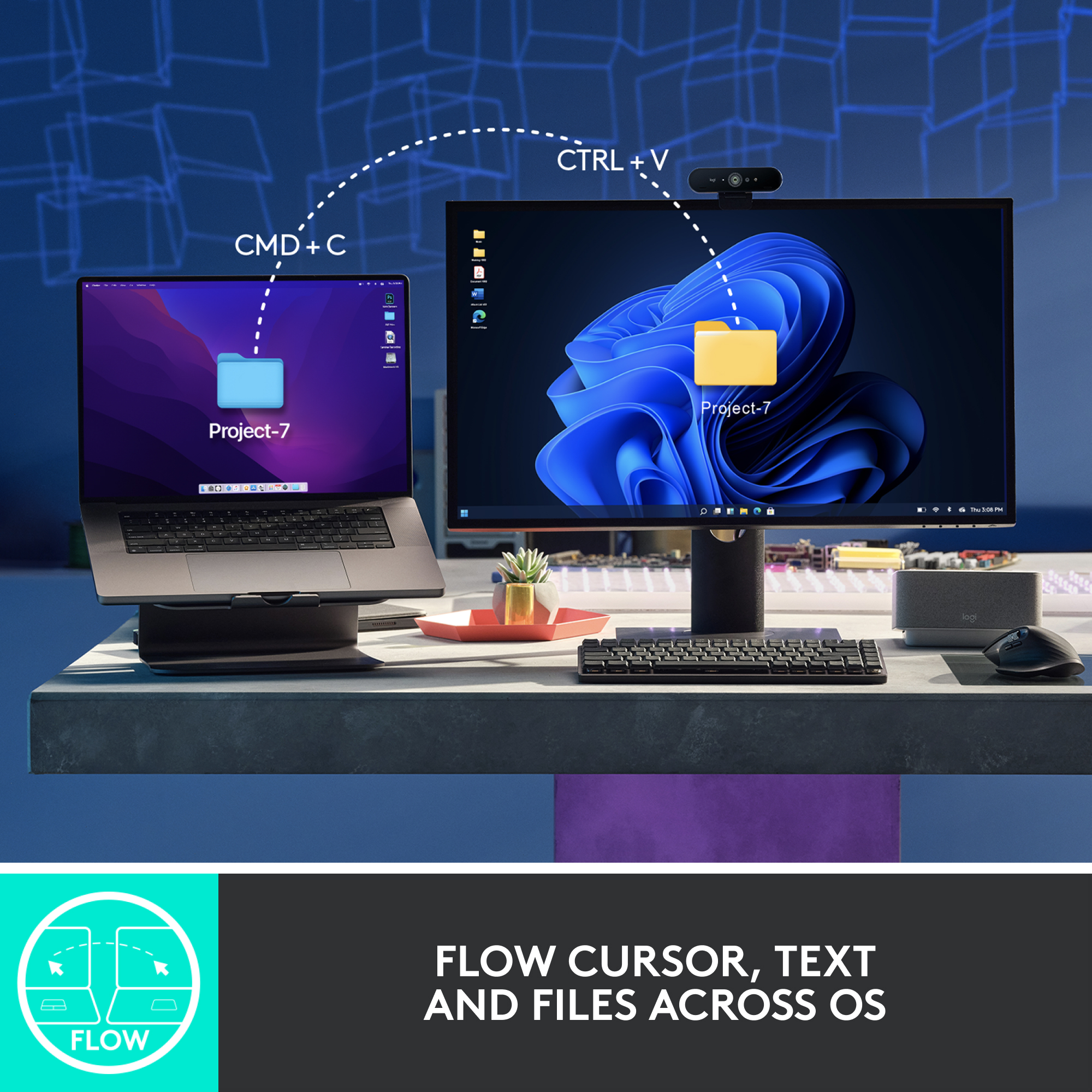
||Posted . Owned for 1 year when reviewed.This reviewer received promo considerations or sweepstakes entry for writing a review.Easily the best mouse for office work. The second scroll wheel makes navigating through Excel super easy. It’s highly customizable and has plenty of buttons to handle pretty much anything you need. The battery life is solid, and it charges quickly too. You can use it for light gaming, but it’s on the heavier side—so if you care about your wrist, maybe not ideal for long sessions. One of my favorite features is the ability to copy and paste between multiple connected devices (you can pair up to 3 at once). Super handy!
I would recommend this to a friendBrand response from Logitech
Posted .Thanks for the detailed review. We're thrilled the MX Master 3S is hitting the mark for your office workflow—from the precision of the second scroll wheel to the seamless multi-device control. It's built for power users who value customization, speed, and smart functionality. Appreciate you sharing how it fits into your day.
- Pros mentioned:Battery life, ErgonomicsCons mentioned:Weight
Would Buy Again!
||Posted .This reviewer received promo considerations or sweepstakes entry for writing a review.The best mouse on the planet. Great battery life, great hand feel, easy pairing, good glide. Just a bit heavy, but expected.
I would recommend this to a friendBrand response from Logitech
Posted .Now that’s a glowing endorsement—thank you! The MX Master 3S really does pack a punch with its smooth glide, ergonomic design, and effortless pairing. We hear you on the weight, and totally agree it’s part of the premium feel. Appreciate you calling it the best on the planet!
- Pros mentioned:Scroll wheel
Feels premium, okay battery.
||Posted .This reviewer received promo considerations or sweepstakes entry for writing a review.It feels high quality with good weight. Buttons are quiet and the metal scroll wheels are super smooth. The the software is easy to program, but can get annoying with notifications. My only complaint is the mediocre battery life. I use it for about 8 hours per day and have to recharge it every couple of weeks. At least the charge port is in a good location.
I would recommend this to a friendBrand response from Logitech
Posted .That's wonderful to hear! We're thrilled you find the Logitech MX Master 3S to feel premium with its high quality, good weight, quiet buttons, and super smooth metal scroll wheels. We're also glad the software is easy to program, and we appreciate your feedback on the battery life, even while acknowledging the convenient charge port location.