Customer Ratings & Reviews
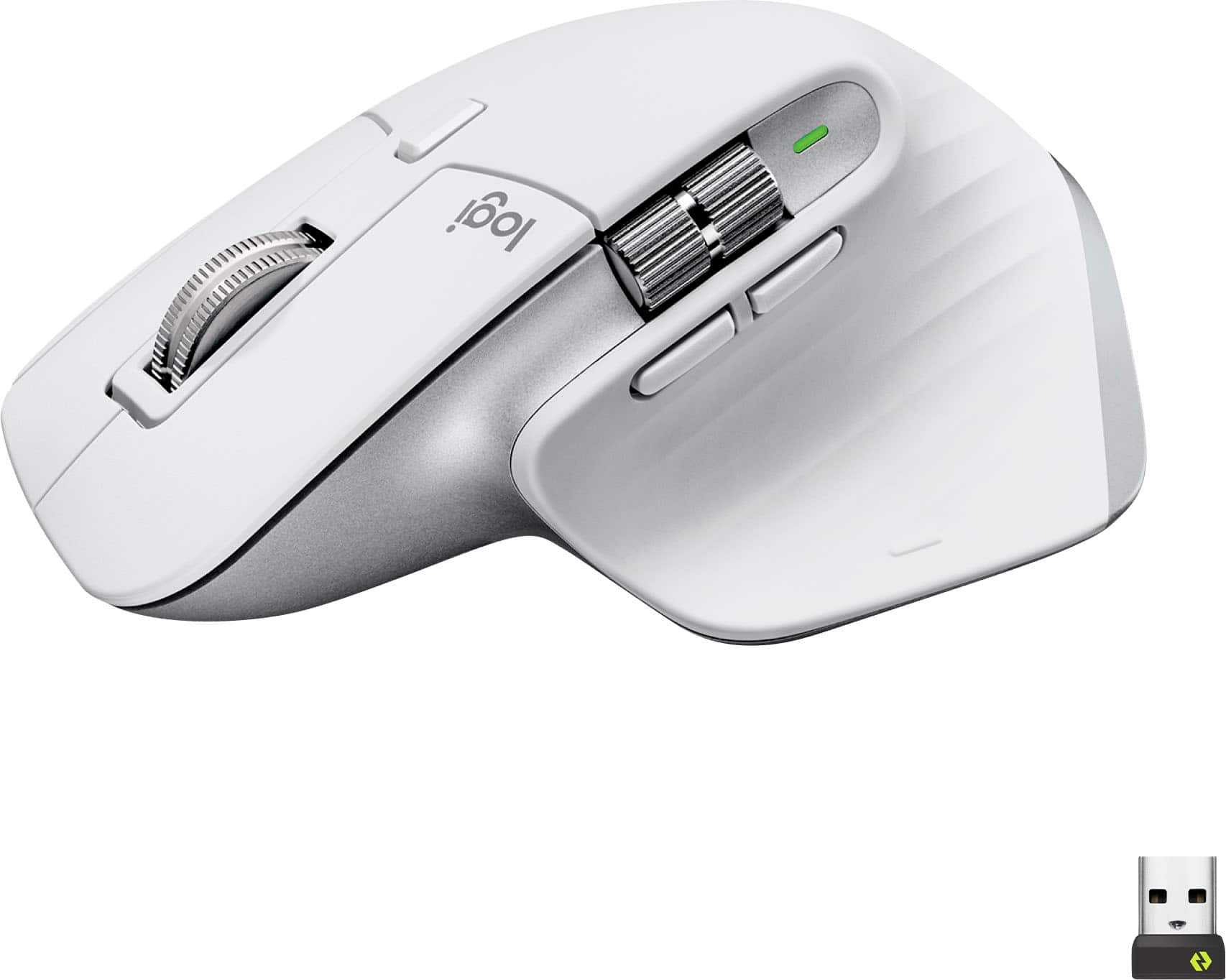
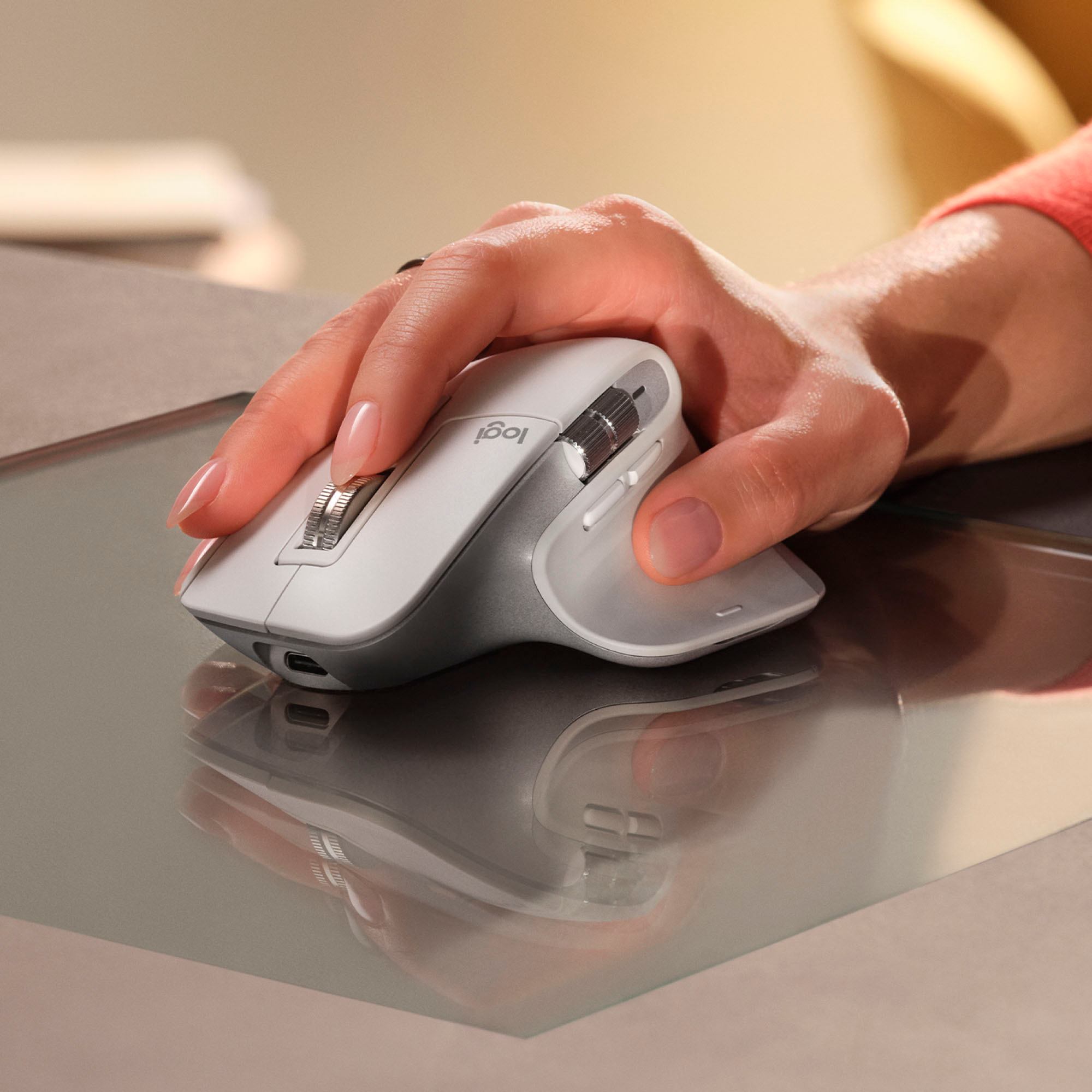








- Model:
- 910-006558
- SKU:
- 11068535
Rating by feature
- Value
Rating 4.6 out of 5 stars
- Quality
Rating 4.8 out of 5 stars
- Ease of Use
Rating 4.8 out of 5 stars
- Pros mentioned:Battery life, Ergonomics, Scroll wheel
Elevate Your Productivity
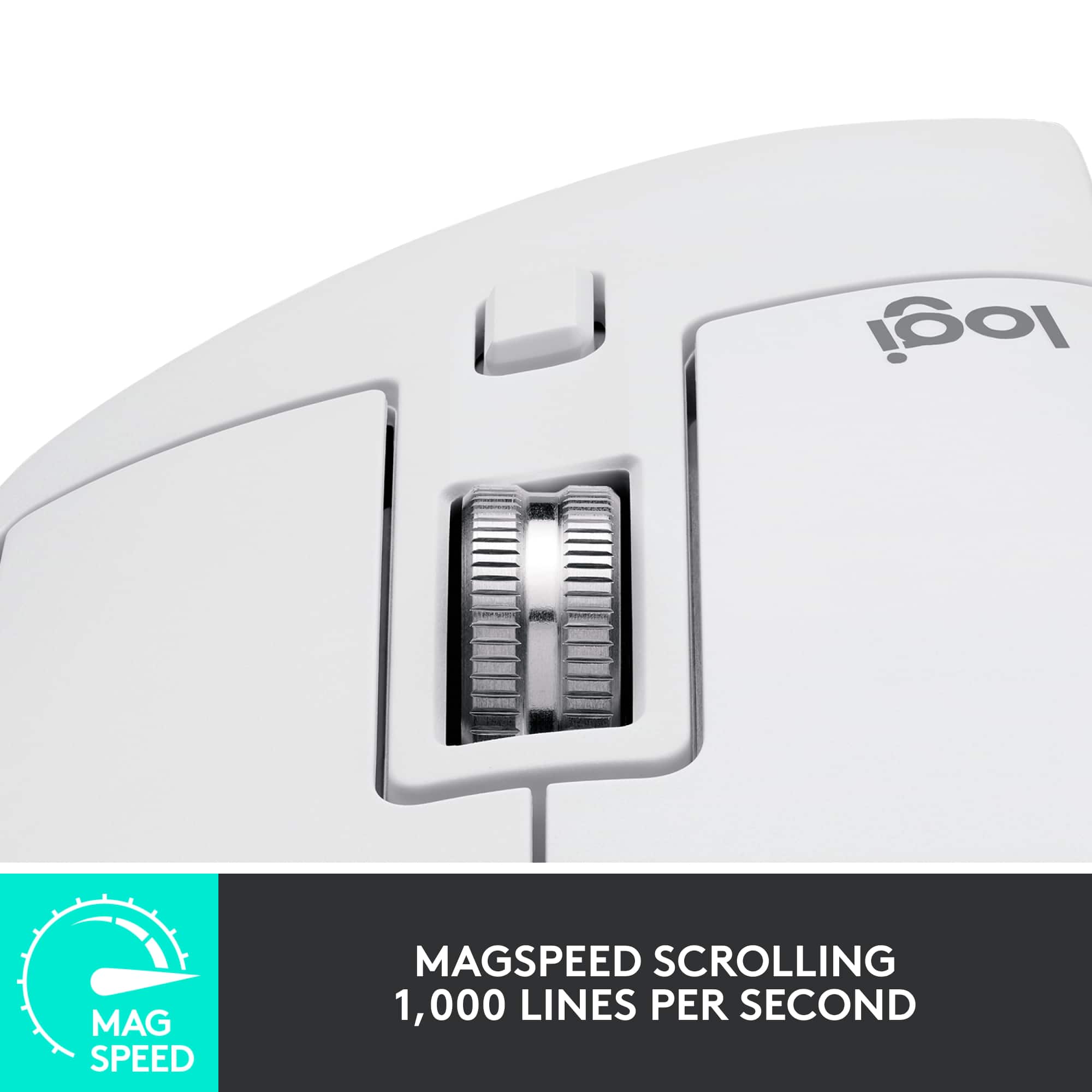
||Posted . Owned for 11 months when reviewed.This reviewer received promo considerations or sweepstakes entry for writing a review.The Logitech MX Master 3S Wireless Mouse has truly transformed my computing experience. This mouse is a productivity powerhouse with its impressive features and sleek design. Design and Comfort: The MX Master 3S boasts an ergonomic design that fits perfectly in my hand. The sculpted shape and soft-touch materials make it comfortable to use for hours on end. The mouse's build quality is exceptional, exuding a premium feel. Ultrafast Scrolling: The standout feature of this mouse is its ultrafast scrolling capability. Navigating through lengthy documents or web pages is a breeze with the hyper-scrolling wheel. The option to switch between ratchet and free-scroll modes adds versatility to its usage. Precision and Customization: The laser tracking technology ensures precise cursor movement on various surfaces. The customizable buttons and programmable gestures are a game-changer, allowing me to tailor the mouse to my workflow. The ability to switch between multiple devices seamlessly is a boon for multitasking. Long Battery Life: The MX Master 3S's battery life is remarkable. A single charge lasts for weeks, and the quick recharge feature means I never have to worry about downtime. The convenience of USB-C charging is a welcomed modern touch. Versatility and Performance: Whether I'm working on spreadsheets, editing photos, or simply browsing the web, this mouse adapts effortlessly. The software provides ample customization options, and the smooth scrolling and responsive buttons enhance my efficiency. Conclusion: In a world where productivity matters more than ever, the Logitech MX Master 3S Wireless Mouse stands out as an exceptional tool. Its comfort, precision, and advanced features make it a must-have for professionals and enthusiasts alike. While it may come at a slightly higher price point, the enhanced productivity and seamless performance it offers make it worth every penny. If you're looking to elevate your computing experience, this mouse is an investment you won't regret.
I would recommend this to a friend - Pros mentioned:Battery life, Ergonomics, Scroll wheel
Best mouse ever
||Posted . Owned for 8 months when reviewed.This reviewer received promo considerations or sweepstakes entry for writing a review.Sincerely, the best mouse I've ever had, the scroll wheel is amazing, and the connectivity is too. Ergonomy a 10/10. Battery endless. swap between computers, of course.
I would recommend this to a friendBrand response from Logitech
Posted .It's fantastic to hear the MX Master 3S is your best mouse yet! The amazing scroll wheel, connectivity, ergonomics, and battery life are exactly what we aim for. Should you ever need assistance, we're here to help.

- Pros mentioned:Battery life
Ergonomic, Quiet, and Super Precise
||Posted .This reviewer received promo considerations or sweepstakes entry for writing a review.The Logitech MX Master 3S is hands down my favorite mouse for work and creativity. It’s super comfortable with a perfect ergonomic design, and the quieter clicks are a nice upgrade. The scroll wheel is smooth and precise, making long scrolling sessions effortless. Battery life lasts forever, and switching between multiple devices is seamless. Worth every penny if you want a premium, reliable mouse.
I would recommend this to a friendBrand response from Logitech
Posted .Pleased to know that the MX Master 3S is a favorite mouse for work and creativity. Its ergonomic design is crafted to support the hand and fingers throughout the day. The quieter clicks were a focus during development, which makes for a less distracting work environment.
- Pros mentioned:Battery life, Ergonomics, Scroll wheel
The king for a reason.
||Posted . Owned for 1 month when reviewed.This reviewer received promo considerations or sweepstakes entry for writing a review.With still no announcement of an MX master 4, the master 3S is often headlined as the best wireless mouse on the market. And theres a reason for that. + Exeptional battery life. It claims 70 days. But if youre like me and turn off everything before you sign off for the day, and you can get up to 3 months of use out of this before you get the notification that you need to plug it in. I have a wireless keyboard and this mouse. Both use USB-C to charge. Simple and easy, one cable for everything. Flawless. *cough* APPLE *cough*. + Great feel in the hand. This is not a perforated ultralightweight gaming mouse. Its an "everything" mouse for leisure, business, and noncompetitive gaming. Feels great ergonomically and fits your whole hand. If you have very small hands, this could be a little bit of a learning curve, but it should still be very easy to use once youre used to it. + silent clicking. Go watch a youtube video between click sound of the MX 3 vs MX 3S. That will explain itself. + two scroll wheels. Logitech has mastered (...lol) scroll wheels. Their metal, magnetic scroll wheels feel buttery smooth. And for you Excel users, horizontal scrolling is a life changing addition. + 3 devices at once. I only use two, my desktop and laptop. And being able to quickly switch in between them is very nice. But this is not unique to this device as many wireless mice can do this. Bottom line is, if you have $100 and youre looking for the best wireless mouse available, theres no debate. Its this one. If youre a competitive gamer though.......your needs and expectations are different and you may want to look elsewhere depending on what youre looking for. But you already knew that. But for everyone who is NOT a competitive gamer, even for you casual gamers like me, you simply cannot go wrong with this mouse. Treat yo self. P.S..........................sorry left handers......
I would recommend this to a friend - Pros mentioned:Battery life, Ergonomics, Scroll wheel
Exceptional Performance and Comfort, but macOS Ap
||Posted . Owned for 3 months when reviewed.This reviewer received promo considerations or sweepstakes entry for writing a review.The Logitech MX3 is a remarkable wireless mouse that combines top-notch performance, ergonomics, and advanced features to enhance your productivity and elevate your computing experience. With its sleek design and impressive capabilities, this mouse is a game-changer for both casual users and professionals alike. Let's start with the highlights of the Logitech MX3. Its ergonomic shape fits comfortably in the hand, ensuring a natural grip that minimizes strain during long hours of use. The customizable buttons are conveniently placed, allowing for quick access to frequently used commands and functions, and the scroll wheel offers smooth and precise scrolling. One of the standout features of the MX3 is its exceptional tracking accuracy. Equipped with Logitech's high-precision sensor, this mouse effortlessly glides across various surfaces, providing precise cursor control and responsiveness. Whether you're editing images, gaming, or simply browsing the web, the MX3 delivers an unparalleled level of accuracy and fluidity. Wireless connectivity is seamless with the MX3, thanks to its advanced technology that ensures a stable and reliable connection. The included USB receiver allows for a hassle-free setup, while Bluetooth compatibility provides the flexibility to connect to multiple devices effortlessly. The long-lasting battery life further enhances its convenience, allowing you to focus on your tasks without worrying about frequent recharging. Despite its remarkable qualities, there is one aspect that could use improvement: the compatibility of the macOS app. While the Logitech MX3 integrates seamlessly with macOS devices, there have been instances where the accompanying app encounters functionality issues or fails to work altogether. This inconsistency can be frustrating, especially for users who heavily rely on customizing the mouse's features through the app. Logitech should address this issue promptly to ensure a smooth and consistent experience across all platforms. In conclusion, the Logitech MX3 is a superb wireless mouse that delivers outstanding performance, ergonomic comfort, and an array of advanced features. Its precision tracking, customizable buttons, and durable design make it a top choice for users seeking a versatile mouse that excels in both productivity and entertainment tasks. Although the macOS app's occasional shortcomings are a drawback, they don't overshadow the overall excellence of this remarkable device.
I would recommend this to a friend - Pros mentioned:Battery life
Best mouse there is.
||Posted . Owned for 1.5 years when reviewed.This reviewer received promo considerations or sweepstakes entry for writing a review.I love this mouse. It feels perfect in my hand. The scrolling wheels are precise and have a premium feel. The battery lasts a very long time (months) between charges. I've had this mouse for a year now and haven't had any issues. I use it to connect to both my PC and my Macbook and switches between the two with ease (there's a button on the bottom).
I would recommend this to a friend - Pros mentioned:Battery life, Scroll wheel
Logitech Best Mouse
||Posted . Owned for 1 month when reviewed.This reviewer received promo considerations or sweepstakes entry for writing a review.This is the best mouse out right now. Very customizable with the application. Out of the box bt works like a charm on 3 different devices. The buttons have a nice tactile feel to them. The scroll bar can be tactile or speed scroll at the press of a button. The thumb buttons can be customized but work out of the box for going forward/ on the web. Battery life is very good. After you try this you wont be able to use another mouse.
I would recommend this to a friendBrand response from Logitech
Posted .We're absolutely thrilled to hear you consider the Logitech MX Master 3S the "best mouse out right now"! Your detailed praise for its customizability, seamless multi-device Bluetooth, tactile buttons, versatile scroll wheel, and excellent battery life is fantastic. We're delighted it's revolutionized your mouse experience!
- Pros mentioned:Scroll wheel

Works with a silent click of a button
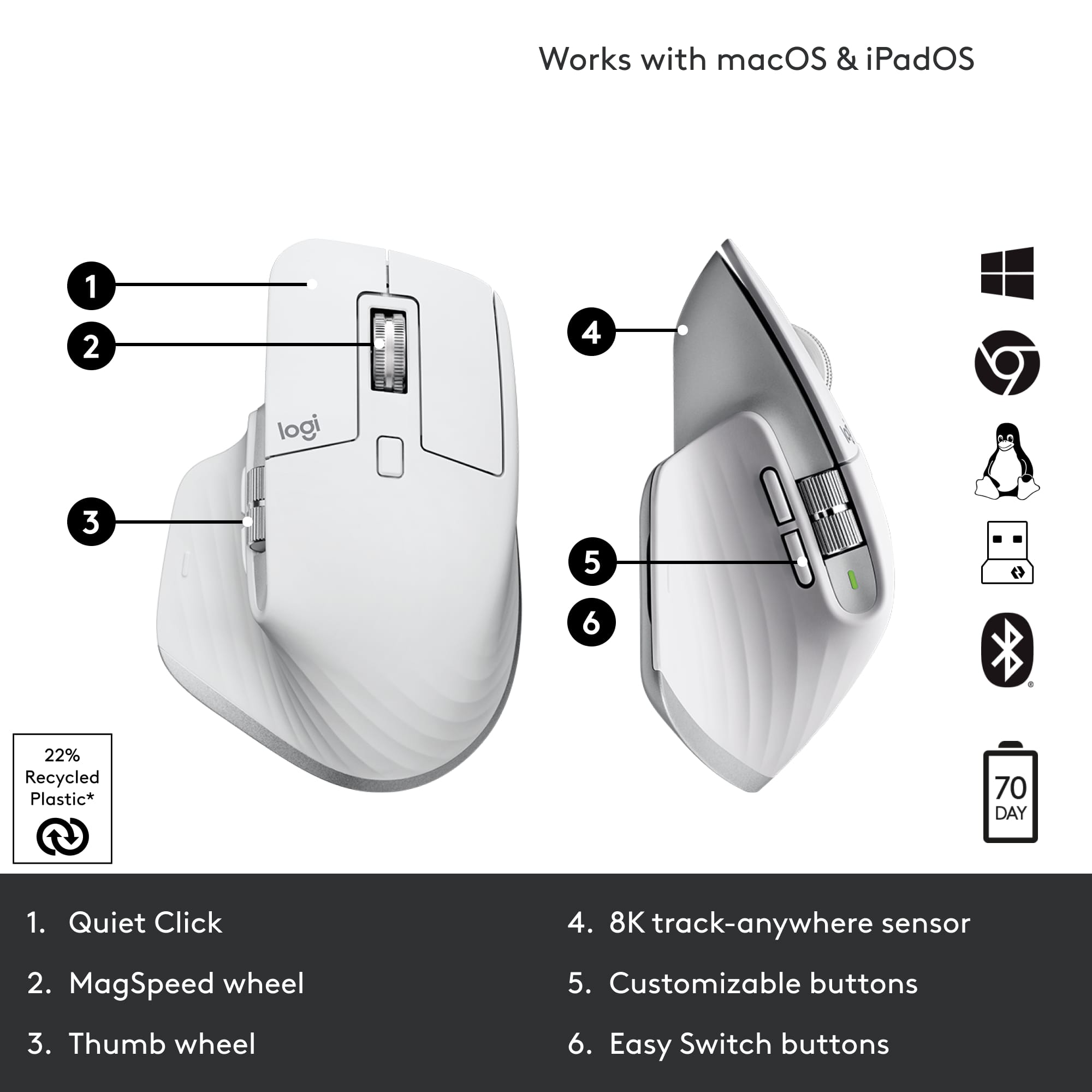
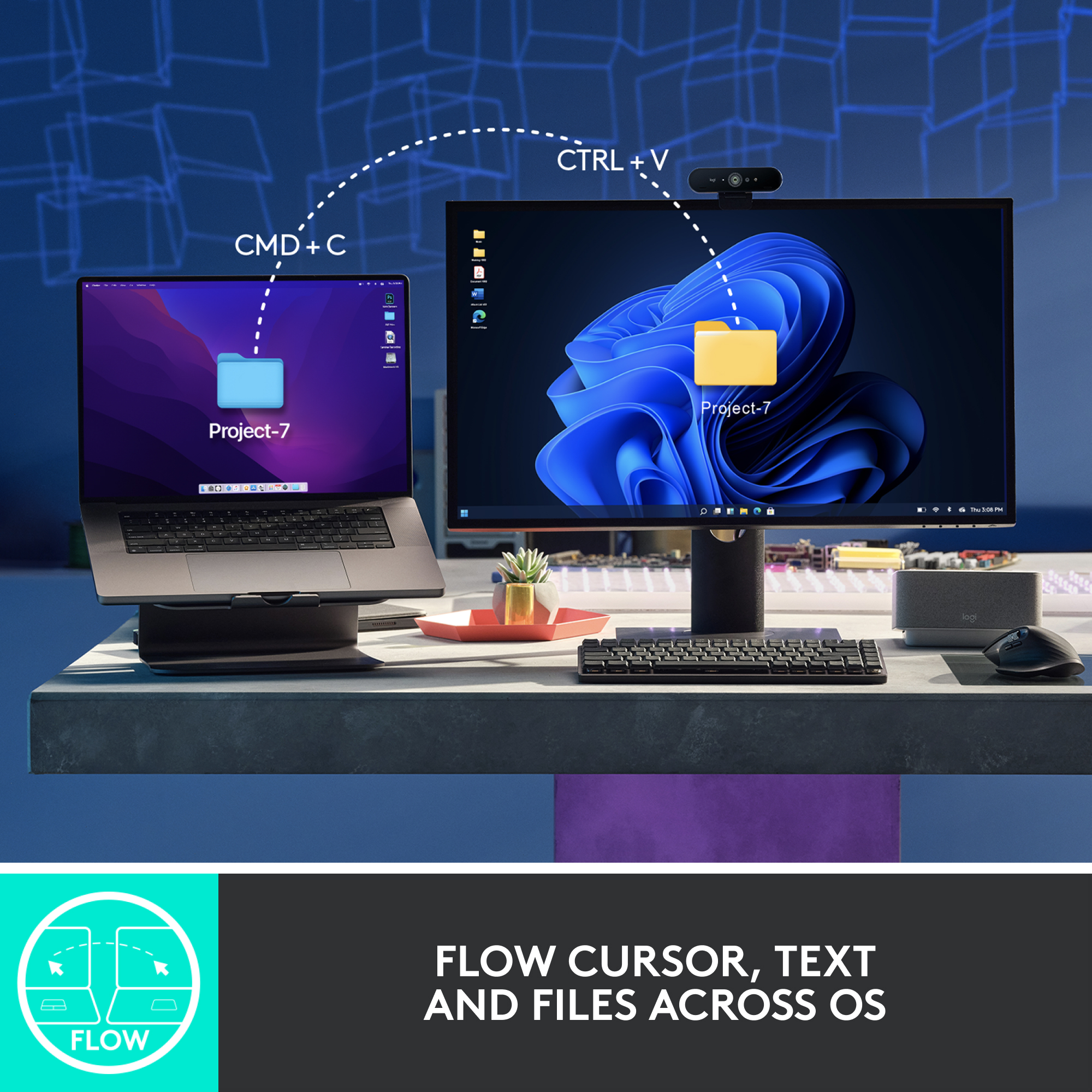
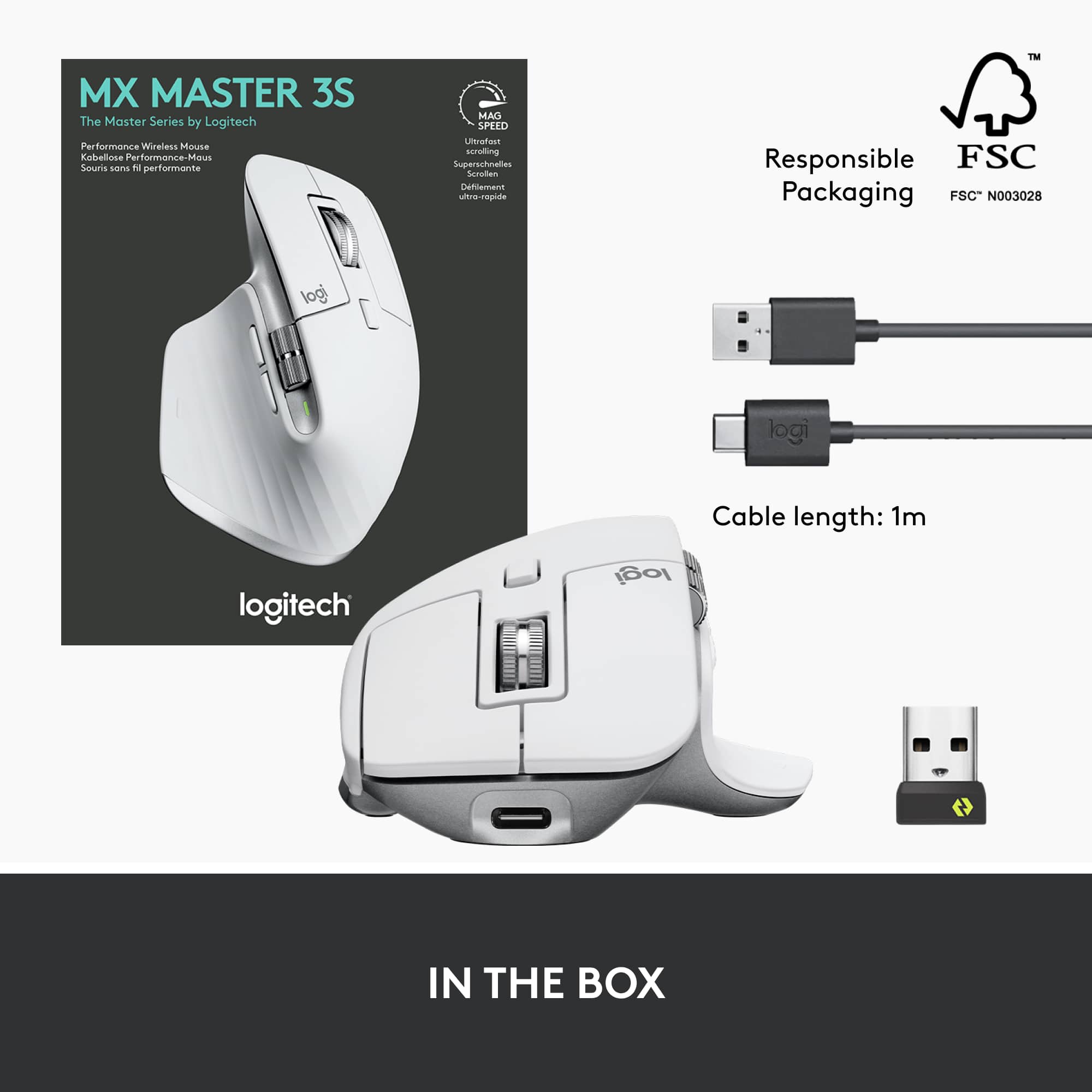
|Posted .This reviewer received promo considerations or sweepstakes entry for writing a review.I’m a big fan of Logitech computer accessories and I have owned a bunch of their MX line of products. I currently use the MX Master 2S and still working great for me. I expect the same from this next generation MX Master and it hasn’t disappointed me. It now uses USB-C instead of microUSB for charging. The charging port is still located on the front of the mouse so you can use it while it is charging not like the Apple mouse. It lost the 3 LED battery level indicator that was on the 2S which was helpful and it is now replaced with one LED battery indicator. The location of the two side buttons is moved to just under the side scroll wheel. The button click is virtually noiseless. It is that quiet. The scroll wheel in the ratchet mode is also quieter than the previous. It is also faster and more precise. It works on any surface with the upgraded 8000 DPI sensor compared to the 2S that had 4000 DPI. You can customize the sensitivity through the app. Whether it be wood, metal, cloth, mousepad or even my glass sliding door, it works on all of those surfaces. The glide strips makes for a very smooth movement across the surface. I am using this mouse on Apple devices and they have this feature called Universal Control which lets you use one keyboard and mouse to control your Apple devices simultaneously. With Logitech Options+ and this Flow enabled mouse, you can now control a Mac and Windows computers with one mouse. You can transfer files, copy on one and paste on the other. Wait what? Mac and Windows working together? Yep It’s true! This Logi Flow cross-computer control works pretty seamless too but I think Apple’s Universal Control is more seamless. It still has the ability to connect to three different devices with the easy switch button on the bottom of the mouse The ergonomic design feels the same as the 2S and the build quality is just as good. The color scheme changed from a gray two tone to a black two tone. The scroll wheels no longer have the rubber outer layer but it doesn’t affect the grip in my opinion. This Master 3S looks and feels great and it works great too. It comes with a Logi Bolt USB receiver and a USB-A to USB-C cable. This mouse is not compatible with the USB Unifying receiver.
I would recommend this to a friendBrand response from Logitech
Posted .Hello neio11,
I am glad that you are enjoying the MX Master 3S. Thanks for leaving such a detailed product insight, I will record it and pass it along. Logitech appreciates your product review. - Leo from Logitech
- Pros mentioned:Battery life, Ergonomics
Comfortable, no wrist pain after long sessions
||Posted .This reviewer received promo considerations or sweepstakes entry for writing a review.I switched over to this from a wired razor mouse, and I can’t complain. Battery life is super long, I usually only have to charge it about once a month at most. I mainly use it for super long gaming sessions or 3D design, and I can say that I don’t get any tightness or soreness in my wrist or fingers when I’m finished. There’s also an app that allows you to configure inputs and outputs for the extra couple buttons, which is nice. I wouldn’t program them for software macros but it can be helpful for W11 workflows.
I would recommend this to a friendBrand response from Logitech
Posted .It’s fantastic to hear you’re enjoying the Logitech - MX Master 3S Wireless Mouse. We truly appreciate you taking the time to share your experience!”
- Pros mentioned:Scroll wheel
Comfortable and Quiet
|Posted .This reviewer received promo considerations or sweepstakes entry for writing a review.Truly one of the most comfortable mice I've ever used. I've been using Logitech's MX Master Mouse 2 for a few years now, and I've had nothing but good experience with it. This updated version is no different. The first thing that really jumps out at you is just how quiet it is. While you may not necessarily think about how loud mouse clicks are, this mouse will make you realize just how loud they used to be. Each click feels great but is very quiet. It's almost inaudible. That's not to say that there's any question as to whether you've clicked though, it is still very easy to tell when you've clicked the buttons, they're just almost silent. The material of the mouse is very nice too. It has an almost soft touch feel that's very nice. That along with the quietness gives the mouse a very premium feel. The position of the side wheel has taken a little getting used to, as I was so used to the MX Master Mouse 2, and this one is positioned a bit higher it seems. If you've used an MX Master before, you'll know they also have this great feature of where you can kind of spin the middle mouse button wheel quickly and it will switch from a click-y type of scrolling to a free-moving wheel for quicker scrolling. This new one has the same option, but again, the operation of the switch between types is very quiet. It has other great features too, like being able to connect to 3 different devices and quickly switching between them. Logitech's software for customizing the mouse is also great and easy to use. If there is anything that I can maybe complain about with this mouse, is that the soft touch material is kind of a magnet to dust and fuzz. Pros: Premium feel, extremely quiet, very precise and responsive, great software and customization Cons: Soft touch can be a magnet for dust/fuzz
I would recommend this to a friendBrand response from Logitech
Posted .Hello dustinw,
I am glad that you are enjoying the MX Master 3S. Thanks for leaving such a detailed product insight. I agree, the MX Master 3S is quiet, precise, and the Logitech Option+ gives excellent customization options. Logitech appreciates your product review. - Leo from Logitech
- Pros mentioned:Battery life, Overall performance, Scroll wheel
Love it!
||Posted . Owned for 1 year when reviewed.This reviewer received promo considerations or sweepstakes entry for writing a review.Works as expected. Long battery life and love the scrolling options.
I would recommend this to a friend - Pros mentioned:Battery life, Ergonomics, Scroll wheel
Best Mouse for work and causal use
||Posted . Owned for 3 months when reviewed.This reviewer received promo considerations or sweepstakes entry for writing a review.MX Master 3s is the best controller I've used, it's ergonomic and very capable and precise for work. I recommend leveraging the Logi options app to see all of the programs and shortcuts that are available for each of them. Battery lasts a long time and the scrolling wheel is one of the best parts The button to allow you to do gestures is a huge win for Mac users
I would recommend this to a friendBrand response from Logitech
Posted .We're thrilled to hear the MX Master 3S is your best controller yet! It's fantastic that you're enjoying the ergonomics, precision, and especially the customizable features through Logi Options+. We appreciate you highlighting the long battery life, scroll wheel, and Mac gesture button – all key features we're proud of!
- Pros mentioned:Battery life
Elevate Your Productivity with this mouse!
||Posted . Owned for 2 weeks when reviewed.This reviewer received promo considerations or sweepstakes entry for writing a review.As someone who spends a significant amount of time working on a computer, finding the right mouse is crucial for maximizing productivity and comfort. After trying out the Logitech MX Master 3S Wireless Laser Mouse in Black, I can confidently say that it's a game-changer. Right out of the box, the MX Master 3S impresses with its sleek and ergonomic design. It fits comfortably in my hand, allowing for hours of use without any strain or discomfort. The textured thumb rest adds an extra level of support, ensuring a secure grip during extended work sessions. The standout feature of this mouse is its ultrafast scrolling capability. Whether I'm navigating through lengthy documents or browsing the web, the hyper-scrolling wheel makes it effortless to zip through content with precision and speed. It's a game-changer for anyone who values efficiency and workflow optimization. Furthermore, the customizable buttons and gestures provide a level of control and customization that enhances my workflow. I can easily assign functions to the buttons based on my preferences and streamline repetitive tasks with just a click. The precision of the laser sensor is another highlight of the MX Master 3S. It tracks smoothly on a variety of surfaces, ensuring accuracy and responsiveness in every movement. Whether I'm editing photos or fine-tuning spreadsheets, I can rely on this mouse to deliver precise cursor control. The wireless connectivity is seamless, with the mouse effortlessly pairing with multiple devices via Bluetooth or the included Unifying USB receiver. The long-lasting battery life is also impressive, allowing me to work for days on a single charge without any interruptions. Overall, the Logitech MX Master 3S Wireless Laser Mouse is a versatile and powerful tool that elevates productivity to new heights. Its ergonomic design, customizable features, and smooth performance make it a must-have for anyone looking to enhance their computing experience. I wholeheartedly recommend it to professionals, creatives, and anyone who values precision and efficiency in their work.
I would recommend this to a friendBrand response from Logitech
Posted .Hey there! We're thrilled to hear such amazing feedback about the MX Master 3S! It's designed to be an extension of your hand, boosting productivity and comfort. We're glad you've experienced the difference the ergonomic design, MagSpeed scrolling, and customizable buttons make.
- Pros mentioned:Battery lifeCons mentioned:Color
Awesome but dirty
||Posted . Owned for 3 weeks when reviewed.This reviewer received promo considerations or sweepstakes entry for writing a review.love it. It's very comfortable and has great customization. I love the fact I can have it connected to 3 different computers and switch easily between them without having to plug in and out all the time. Good battery life. The only thing I dislike is how easily this color gets stained. It looks fantastic but over time it looks dirty and hard to clean.
I would recommend this to a friend - Pros mentioned:Battery life, Ergonomics, Scroll wheel
The best productivity mouse you can get
||Posted . Owned for 2 weeks when reviewed.This reviewer received promo considerations or sweepstakes entry for writing a review.This is the second MX Master 3s that I have purchased from Best Buy. This is my daily work mouse. Super comfortable. The build quality is premium. This mouse has by far the best clicking and scrolling feel of any mouse i have used to date. The quiet clicking is super smooth and the scroll wheel is smooth and adjustable. The battery life was better than expected and I charge it every other month or so maybe sooner
I would recommend this to a friendBrand response from Logitech
Posted .We're glad to hear the MX Master 3S is your go-to productivity mouse! We appreciate your feedback on its comfort, premium build quality, smooth clicking and scrolling, and excellent battery life.
- Pros mentioned:Battery life, Ergonomics, Overall performance
Best mouse I ever had!
||Posted . Owned for more than 2 years when reviewed.This reviewer received promo considerations or sweepstakes entry for writing a review.Works great, feels great and got rid of the wrist pain I had. Battery lasts almost 3 months with daily 9-5 use.
I would recommend this to a friendBrand response from Logitech
Posted .We’re grateful for your kind words. It’s wonderful to know our product is helping you out. Thanks for choosing Logitech!
- Pros mentioned:Ergonomics

Hesitant to buy at first, now cant work without it
|Posted . Owned for 2 months when reviewed.This reviewer received promo considerations or sweepstakes entry for writing a review.I LOVE this mouse. The clicks are soft but satisfying, the ergonmic is perfect for my larger hands(small hands would fit fine as well). The horizontal wheel scroll is a game changer. It saves so much time in excel moving back and forth. No accidental clicks on cells or moving the mouse around to scroll left and right. The logitech software was approved on my work computer so i was able to do custom button setups and other customizarion through the Logi software. The unlocked scrollwheel is very smooth as well. Its different than a razer or their gaming 502 scroll where, and it feels so much better. This has weight to it, which makes scrolling so satisfying and accurate. Initially i did not want to spend $80+ dolllars on a work mouse, but i realized the amount of hours I use it, and if it helps me get work done faster, then its totally worth it!
I would recommend this to a friendBrand response from Logitech
Posted .We're absolutely thrilled to hear how much you love the MX Master 3S! It's fantastic that it's become indispensable to your workflow, especially with the horizontal scroll wheel and customizable buttons. We appreciate you sharing your initial hesitation and how it's now a must-have tool for you. Thank you for your detailed review!
- Pros mentioned:Overall performance
Excellent Product
Posted .This reviewer received promo considerations or sweepstakes entry for writing a review.The Logitech MX Master 3S is arguably the best mouse I have ever had the pleasure of using. I used this on a daily basis at my job and it's just as good 3 years later as it was when I first used it. I love it so much so that I'm thinking about getting a second one for my home office. I would highly recommend this for anyone in search for a "do it all" mouse.
I would recommend this to a friendBrand response from Logitech
Posted .This is fantastic to hear! It's wonderful that the MX Master 3S has been such a reliable and enjoyable tool for your daily work over the years. Your consideration of getting a second one for your home office speaks volumes about its quality and performance. Thanks for sharing your positive experience!
- Pros mentioned:Battery life, Ease of use, Scroll wheel
Gold standard mouse
||Posted . Owned for 1 week when reviewed.This reviewer received promo considerations or sweepstakes entry for writing a review.Its comfortable and tracks on anything. There are features that i dont see in any other mouse but now cant be without: horizontal scroll wheel, super smooth wheel thst can be set to free roll (no click), thumb buttons and middle top button that can easily be set to any shortcut or gesture (mac or windows), and rechargable with a long life. I guess the only complaint i can think of is all black is boring and the white one supposedly stains easy. But there is no way i csn consider another mouse.
I would recommend this to a friendBrand response from Logitech
Posted .We're thrilled to hear about your positive experience with the MX Master 3S and we are grateful that you took the time out to leave us a review. We appreciate all the insights that you have shared. At Logitech, our goal is to make sure that our customers enjoy the products as much as we do. Thanks so much!
- Pros mentioned:Ergonomics
Great Mouse
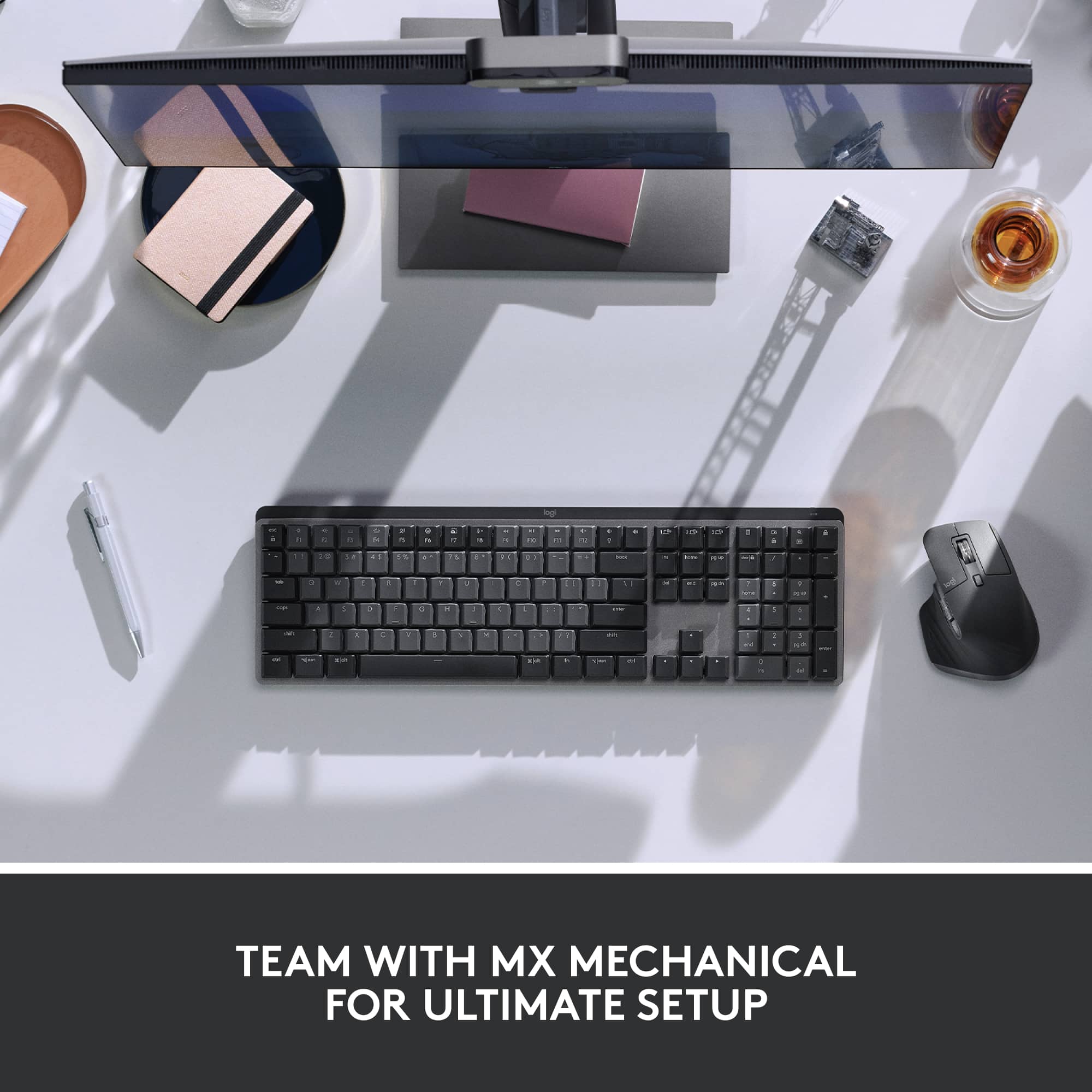
||Posted . Owned for 1 month when reviewed.This reviewer received promo considerations or sweepstakes entry for writing a review.I'd like to leave a review for this mouse. I've learned a few things during my use: When utilizing the Flow feature, I've noticed a delay when using Bluetooth with both the keyboard and mouse. However, when I use the USB dongle that came with the mouse, there’s no delay at all. You can switch between computers (Windows and Mac) if one is connected via the dongle and the other via Bluetooth, but keep in mind that this also results in a delay. To achieve the best switching experience, I recommend connecting both devices using the supplied dongle. Other than that, the mouse is excellent—it feels comfortable in the hand, and the keyboard works well too. I've used several mice and keyboards in the past, and this one stands out."
I would recommend this to a friendBrand response from Logitech
Posted .Thank you for taking the time to share such a detailed review of your MX Master 3S and its Flow feature! We really appreciate you highlighting your findings regarding the Bluetooth and USB dongle connections for seamless switching between your Windows and Mac computers. Your recommendation to use both dongles for the best experience is valuable feedback for other users. We're glad to hear that overall, you find the mouse excellent and comfortable, and that the keyboard is working well for you. It's fantastic to know it stands out compared to your past experiences!