Customer Ratings & Reviews









- Model:
- 910-006558
- SKU:
- 11068535
Rating by feature
- Value
Rating 4.6 out of 5 stars
- Quality
Rating 4.8 out of 5 stars
- Ease of Use
Rating 4.8 out of 5 stars
- Pros mentioned:Overall performance
GREAT PURCHASE
||Posted . Owned for 1 year when reviewed.This reviewer received promo considerations or sweepstakes entry for writing a review.This mouse has been great. I’ve been thinking about getting the latest model because of how good this one was
I would recommend this to a friendBrand response from Logitech
Posted .We appreciate your support and are happy to hear the product is serving you well. Your feedback helps us improve every step of the way.

- Pros mentioned:Battery life
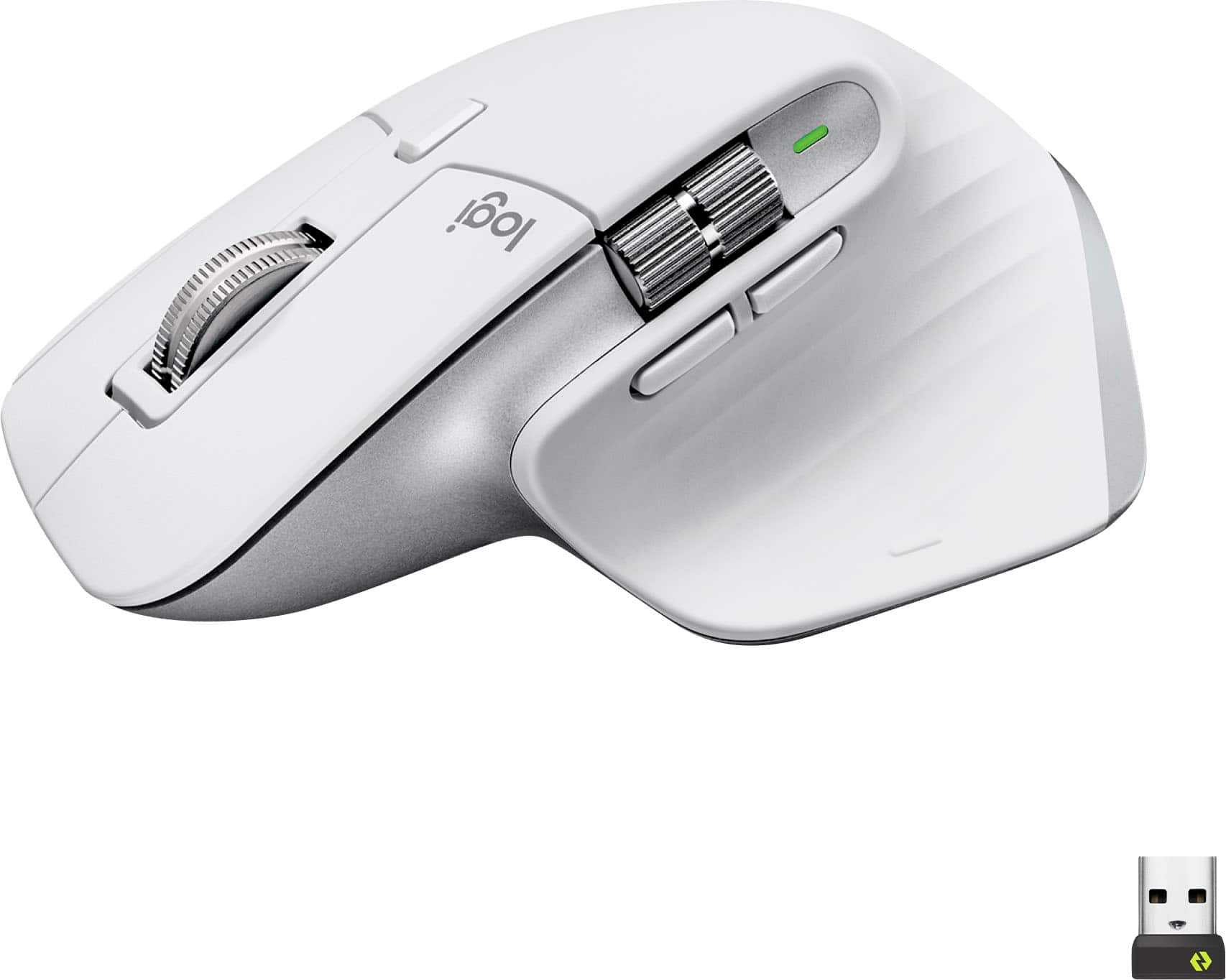
MX Master 3S wireless mouse
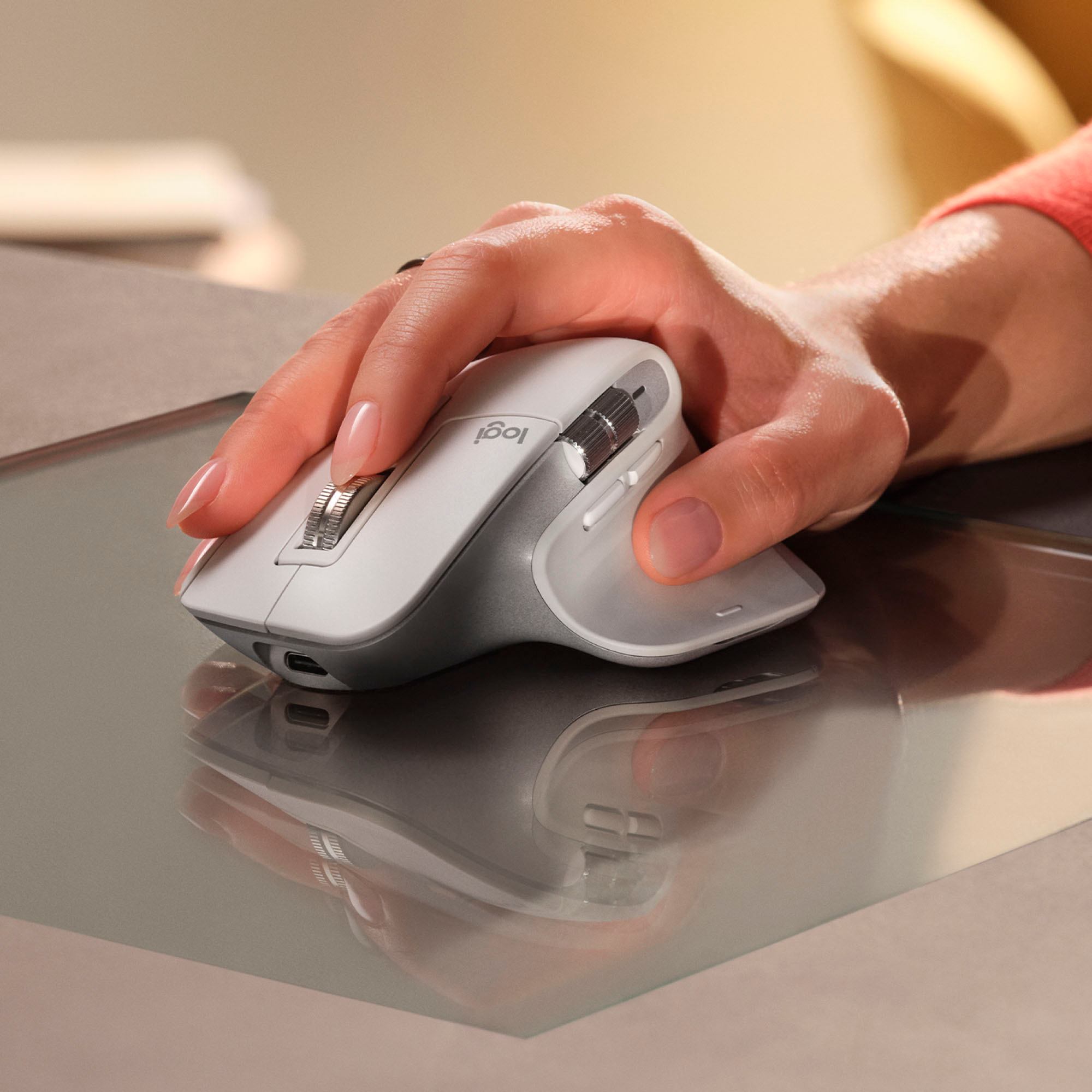
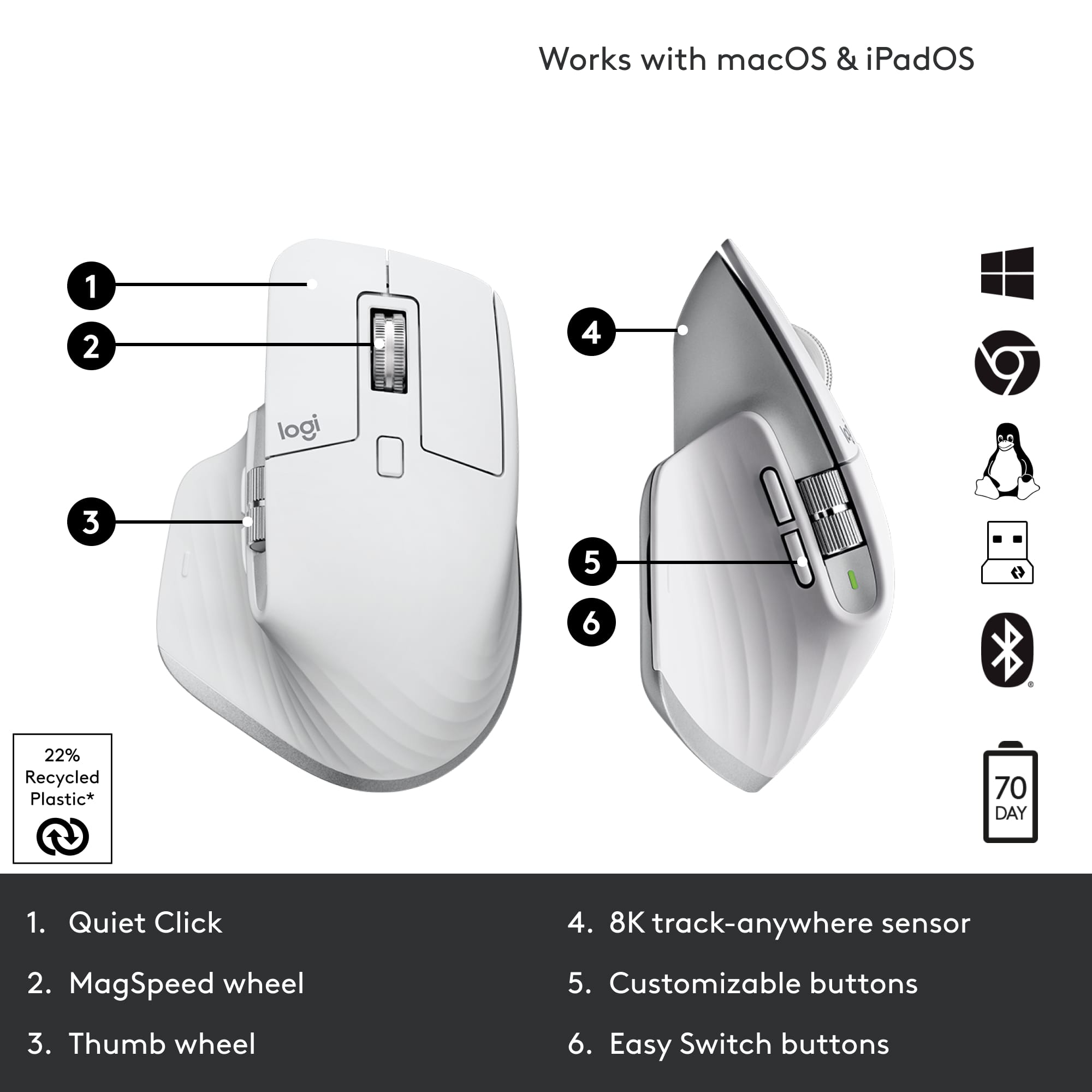
||Posted . Owned for 5 months when reviewed.This reviewer received promo considerations or sweepstakes entry for writing a review.This mouse is the ultimate example of comfortably for long productivity sessions. Not only is it comfortable but its productivity capabilities with various controls and combinations for remapping buttons is immaculate. Battery life is unreal, can last a week and a half depending on work flow on just a single charge!
I would recommend this to a friendBrand response from Logitech
Posted .That's fantastic to hear! We're thrilled the MX Master 3S is the ultimate example of comfort for your long productivity sessions, with its immaculate remapping capabilities and unreal battery life. Thanks so much for sharing your amazing feedback!
- Pros mentioned:Ergonomics
Definite recommend.
||Posted . Owned for less than 1 week when reviewed.This reviewer received promo considerations or sweepstakes entry for writing a review.When my MX died last month, I bought a cheaper "ergonomic" mouse from JLab JBuds to save money, However, I returned it and replaced my MX 3S with a new one. Well worth the cost not only in terms of function, but ergonomically the MX eliminated the hand discomfort cause by the other mouse. Good value; good mouse.
I would recommend this to a friendBrand response from Logitech
Posted .Thanks for the strong endorsement! 🖤 We're glad the MX Master 3S rose above the rest—combining ergonomic comfort with top-tier functionality. Here's to many more pain-free, precision-packed days ahead!
- Pros mentioned:Ergonomics
shopping experience at Best Buy
||Posted . Owned for 3 weeks when reviewed.This reviewer received promo considerations or sweepstakes entry for writing a review.Amazing product that has transformed the way I approach my daily tasks. Its innovative design and user-friendly interface make it a joy to use. I've noticed a significant increase in my productivity since I started incorporating it into my routine. I can't imagine going back to my old methods now that I've experienced the benefits it offers.
I would recommend this to a friendBrand response from Logitech
Posted .That's absolutely fantastic to hear! We're thrilled that the Logitech MX Master 3S has been such an amazing product for you, transforming your daily tasks and significantly increasing your productivity. It's wonderful to know that its innovative design and user-friendly interface make it a joy to use, and we're delighted you can't imagine going back to your old methods!
Works great for windows parallels
||Posted . Owned for less than 1 week when reviewed.This reviewer received promo considerations or sweepstakes entry for writing a review.Okay, I just thought that I would mention something that I haven't heard anywhere else: Works great for windows parallels. Overall, this mouse is an amazing mouse, the customization features are great, the buttons feel really nice and it is comfortable to use, however, I do notice a slight lag when on my Mac, this is mostly solved by turning up the sensitivity, and it's not really a deal breaker, but I thought I'd mention it. There are zero issues when on a windows OS, and for some strange reason, that includes windows parallels (a Mac app). I don’t know why that is, but it's true. TL;DR: 4/5 Mac, slight lag. 5/5 windows, including virtual machines.
I would recommend this to a friendBrand response from Logitech
Posted .Thanks for the detailed feedback! It's interesting to hear about the experience with macOS and Windows Parallels. We appreciate you letting us know about the slight lag on your Mac.
Great All Rounder Mouse
||Posted . Owned for 3 months when reviewed.This reviewer received promo considerations or sweepstakes entry for writing a review.The best mouse for all types of computer activity. Whether it’s gaming or productivity type apps, this can be customized for each scenario. Quiet clicks and seamless switching between up to 3 computers
I would recommend this to a friendBrand response from Logitech
Posted .Thank you for your insightful review of the Logitech - MX Master 3S! We're thrilled to hear how it's enhancing your development workflow. Your feedback motivates us to continue delivering innovative products that empower users like you.
- Pros mentioned:Scroll wheel
Premium feel with a reasonable price tag.
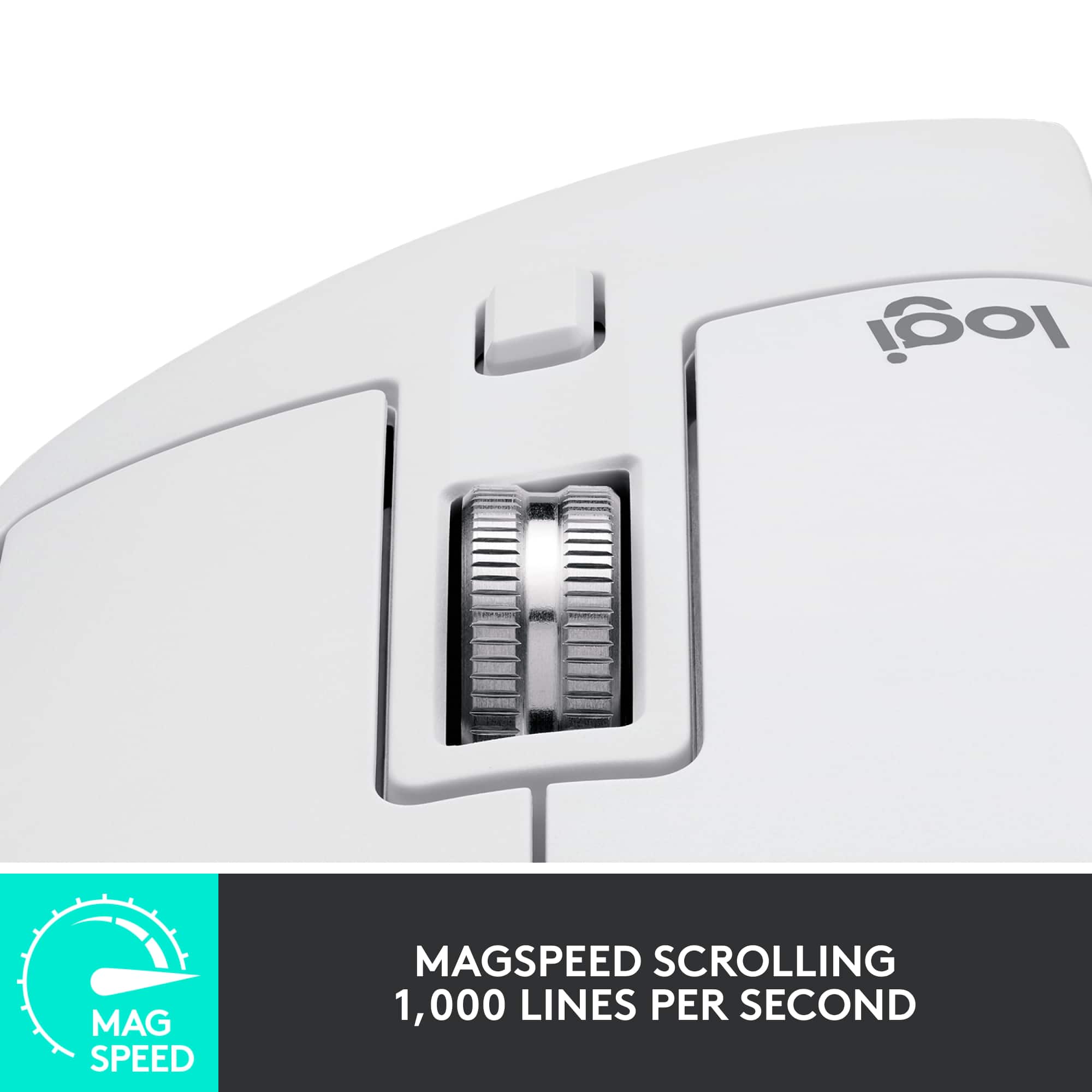
||Posted . Owned for 3 weeks when reviewed.This reviewer received promo considerations or sweepstakes entry for writing a review.I've been eyeing this mouse for several years now, but I'm glad I finally took the leap. The software is pretty user friendly if you want to set up custom profiles by app, and the functionality is great. Also, both of the scroll wheels feel premium, and the infinity scroll feature is great for big spreadsheets/emails/IM systems.
I would recommend this to a friendBrand response from Logitech
Posted .It's fantastic to hear that finally acquiring your Logitech MX Master 3S after eyeing it for years has proven to be a rewarding decision! We're pleased that you find the software user-friendly for custom app profiles and appreciate its overall great functionality. Your positive comments on the premium feel of both scroll wheels and the benefit of the infinity scroll for large documents and systems truly highlight the design's intent.
LOVE
Posted .This reviewer received promo considerations or sweepstakes entry for writing a review.I love it. Super comfortable, easy to set up, very cool looking, and it’s so smooth in every way.
I would recommend this to a friend- Pros mentioned:Overall performance
Worth it
||Posted .This reviewer received promo considerations or sweepstakes entry for writing a review.Really an amazing mouse worth the money especially with other Logitech peripherals
I would recommend this to a friend - Pros mentioned:Battery life
Great choice for multi-platform, multi-device
||Posted . Owned for 2 weeks when reviewed.This reviewer received promo considerations or sweepstakes entry for writing a review.I use this at a WFH personal and professional setup as a software engineer. I spend my day swapping between devices and between macOS and Windows and this has been a bit time-saver compared to some other standard bluetooth options I’ve used in the past. Battery life and connectivity both seem strong to this point.
I would recommend this to a friend - Pros mentioned:Ergonomics, Scroll wheel
The Best Work Mouse
||Posted . Owned for 3 weeks when reviewed.This reviewer received promo considerations or sweepstakes entry for writing a review.It's the best I have ever sampled. Quiet clicks, amazing scroll wheel and side scroll. I could use it all day and night, and my wrist wouldn't hurt thanks to its ergonomics.
I would recommend this to a friendBrand response from Logitech
Posted .Thank you for your excellent review of the Logitech MX Master 3S mouse! We're thrilled to hear that you find it to be the best work mouse you've ever used. Your positive feedback about its quiet clicks, amazing scroll wheel, side scroll, and ergonomic design is invaluable to us.
- Cons mentioned:Color
Best Mouse there is.
||Posted . Owned for 1 month when reviewed.This reviewer received promo considerations or sweepstakes entry for writing a review.Best productivity mouse you can buy. Feels good in hand and more customizations in the app than one could need. Word of advise- opt for the black over the white/gray as the lighter color is much more prone to picking up dirt/oils and is impossible to remove once happens.
I would recommend this to a friend Outstanding Productivity and comfort
||Posted . Owned for 3 weeks when reviewed.This reviewer received promo considerations or sweepstakes entry for writing a review.It ıs an exceptional productivity mouse. Its ergonomic design ensures comfortable use for extended periods, and the precision of its laser sensor makes it perfect for detailed tasks. The customizable buttons and scroll wheel provide great flexibility, while the smooth, quiet clicks are a very welcome. The ability to switch between devices seamlessly and the excellent battery life make it a top choice for professionals who need efficiency and comfort in one package. Highly recommended for anyone looking to enhance their workflow! Especially wonderful for the one s who use mouse intensively
I would recommend this to a friendBrand response from Logitech
Posted .Thank you for your amazing review of the Logitech MX Master 3S mouse! We're thrilled to hear that it's transformed your productivity and workflow. Your positive feedback means a lot to us as we continue to create exceptional products that elevate your computing experience.
I have been working and playing with this mouse fo
||Posted . Owned for 1 year when reviewed.This reviewer received promo considerations or sweepstakes entry for writing a review.It is hard to find a mouse that feels comfortable after a few hours of work. This one nails it. I like the weight, i like the placement of the buttons... The BATTERY is AMAZING! It makes my work easier. I've bout 7 so far as gifts for friends and co-workers!
I would recommend this to a friend- Pros mentioned:Battery life
Flawless Work Mouse
||Posted . Owned for 5 months when reviewed.This reviewer received promo considerations or sweepstakes entry for writing a review.This is the best mouse I've ever used for work, hands down. The battery lasts quite a while, the extra buttons are perfectly placed and do wonders for producitivity, the sensor is accurate and glitchless, and it feels like a dream to handle for long periods of time. I'll never use another mouse for work again. Bonus points for the sound it makes when you spin the scroll wheel really fast while the mouse is off.
I would recommend this to a friendBrand response from Logitech
Posted .We're absolutely delighted to hear the MX Master 3S has become your go-to work mouse! It's fantastic that you're experiencing such productivity gains with the extra buttons and enjoying its comfortable handling. We especially appreciate the bonus anecdote about the scroll wheel sound! Thank you for your glowing review and for choosing the MX Master 3S.
- Pros mentioned:Battery life, Scroll wheel
Worth the investment for your office
||Posted . Owned for less than 1 week when reviewed.This reviewer received promo considerations or sweepstakes entry for writing a review.Great for heavy excel users or just office productivity. I even tried it for gaming and it seems to hold its own for the games I play. Scrolling is very smooth and fits great if you have big hands. Battery life seems great and USB charging is a huge bonus.
I would recommend this to a friend Great mouse
||Posted . Owned for 3 weeks when reviewed.This reviewer received promo considerations or sweepstakes entry for writing a review.This mouse has transformed my daily workflow. Its comfortable grip and responsive controls make every click a joy. The customizable features cater perfectly to my preferences. A reliable companion for work and play, I can't imagine using anything else!
I would recommend this to a friend- Pros mentioned:Ergonomics, Scroll wheel
Perfect wireless work mouse
||Posted . Owned for 3 weeks when reviewed.This reviewer received promo considerations or sweepstakes entry for writing a review.Upgraded to this from a Logitech MX Ergo, I was getting tired of using a trackball all the time. This thing fits perfectly in my hand and I love the endless scroll wheel as well as the horizontal scroll, since a lot of my work requires me inside of spreadsheets.
I would recommend this to a friend - Pros mentioned:Overall performance
Great Mouse
||Posted .This reviewer received promo considerations or sweepstakes entry for writing a review.Wow what a mouse this is. Anyone that does any work on a computer should own atleast one.
I would recommend this to a friendBrand response from Logitech
Posted .Thank you for your amazing feedback on the Logitech MX Master 3S! We’re thrilled to hear it’s been such a game‑changer and a must‑have for your computer work.
Solid, but issues
||Posted . Owned for 2 months when reviewed.This reviewer received promo considerations or sweepstakes entry for writing a review.It's a good, solid feeling mouse. It connected easily and stays connected. The scroll wheel is the pain point. It has no precision, frequently switches between free scrolling and single line, and almost always goes further than expected. Try zooming in or out and it jumps at least 20-30% more in each direction. The center button is also far too sensitive and sends the mouse into full scroll mode and nothing else can be clicked on. It's the most solid mouse I've found in a long time; too bad it's lacking that extra precision for such an expensive mouse. The software is just so-so. It gives very little control over the buttons. I'd turn off the center button if I could, but there is no option to do so. There are plenty of extra buttons to use, and the side scroller is much more solid, but even that can't be reprogrammed. I may just keep this as a backup and upgrade to something more useful in a production setting.
No, I would not recommend this to a friendBrand response from Logitech
Posted .Hi! We appreciate your feedback on the Logitech MX Master 3S. We apologize for the inconvenience caused by the scroll wheel and center button precision issues. Your insights about the software limitations are valuable as well. To get that issue resolved, we recommend reaching out to our social care team via email at socialcare@logitech.com with your
- Name:
- Email Address:
- Country:
- Product Name:
- Brief description of issue: