Customer Ratings & Reviews








- Model:
- 910-006558
- SKU:
- 11068535
Rating by feature
- Value
Rating 4.6 out of 5 stars
- Quality
Rating 4.8 out of 5 stars
- Ease of Use
Rating 4.8 out of 5 stars
- Pros mentioned:Ergonomics

A premium mouse for those who like ergo mice
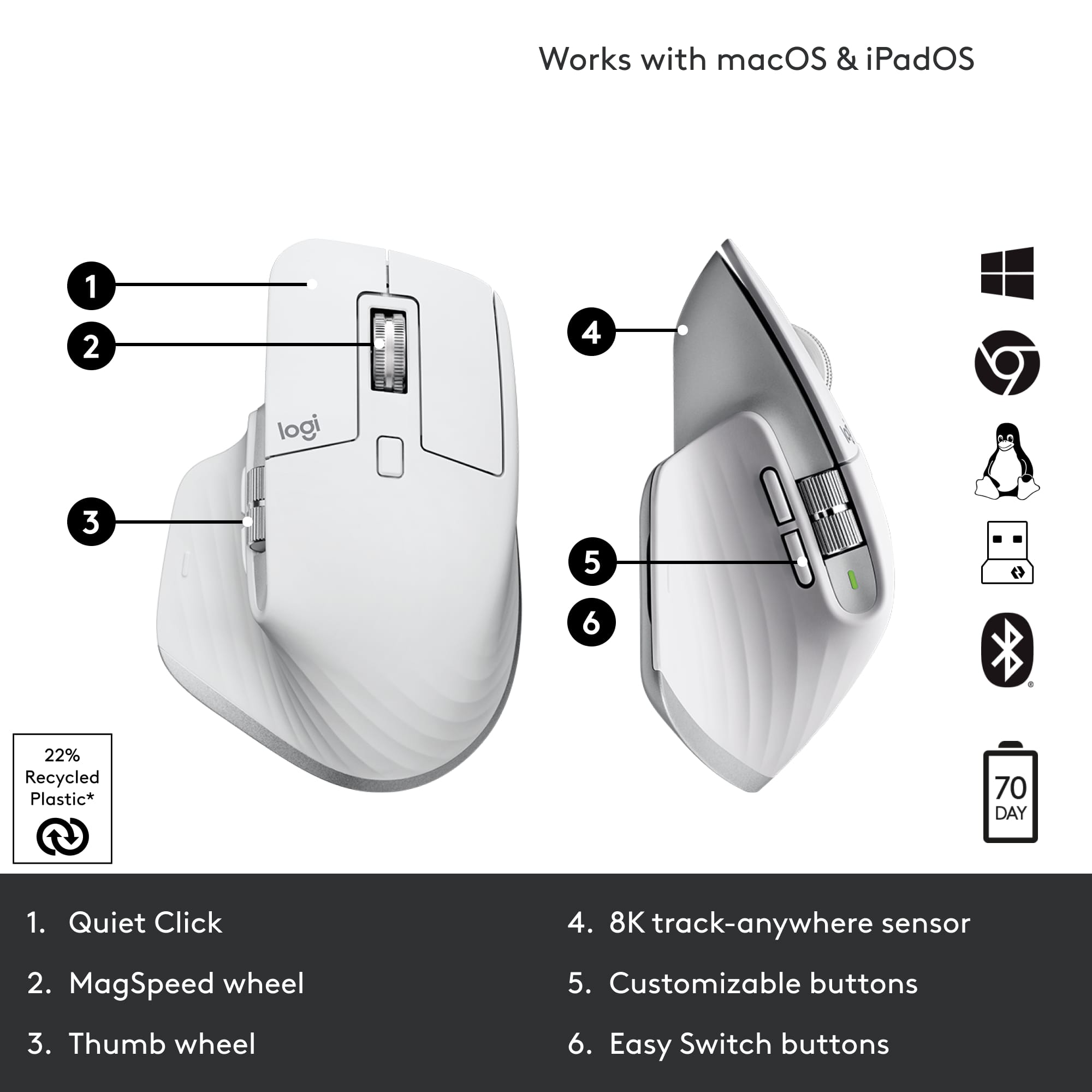
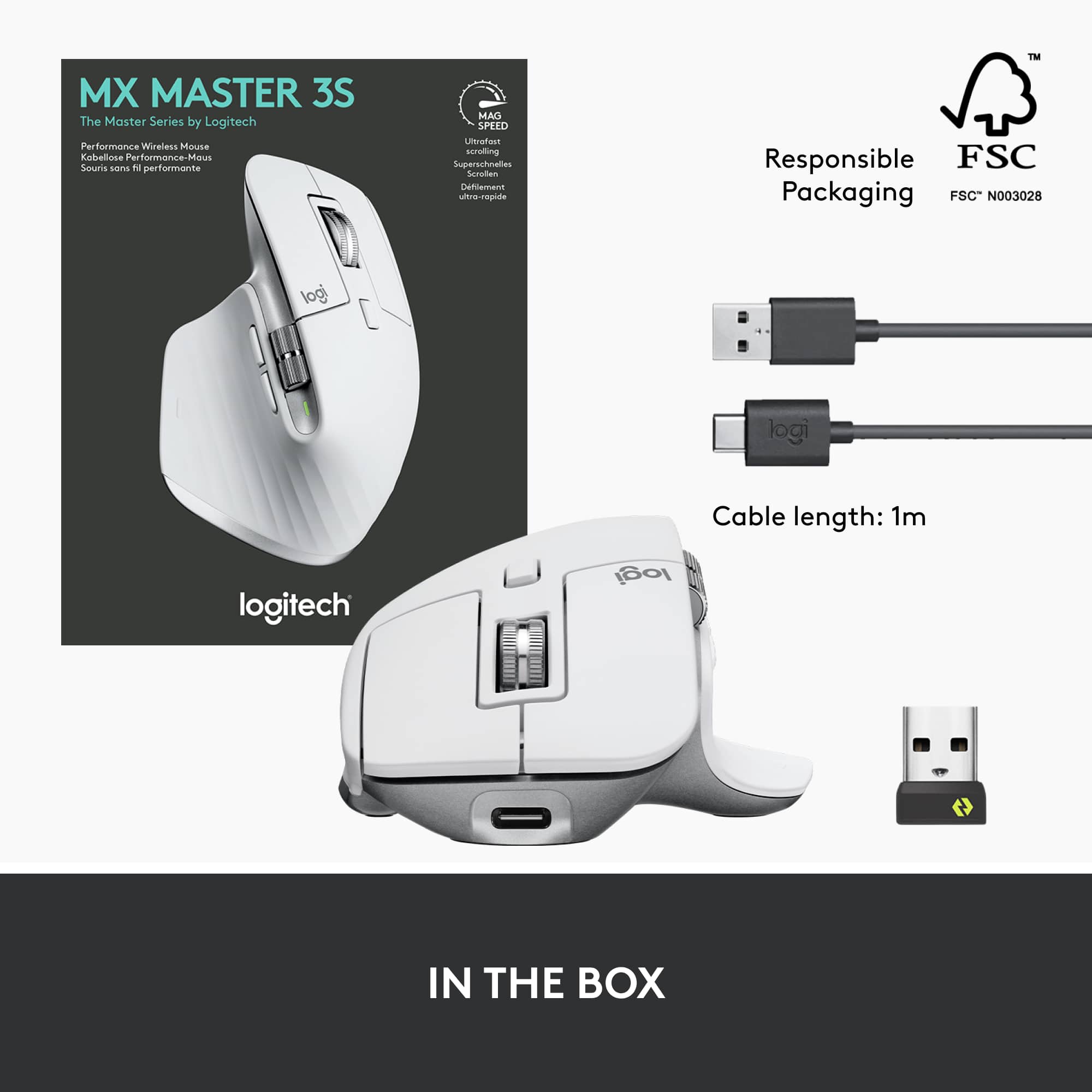
|Posted . Owned for 1 week when reviewed.This reviewer received promo considerations or sweepstakes entry for writing a review.Excellent ergonomic mouse. I use it for my MacBook and it pairs seamlessly via Bluetooth, however it also comes with a USB 2.4GHz dongle if you want to connect it that way to a non-MacOS device. It is quite a heavyweight mouse, which contributes to the high quality feel. The silent click threw me off at first, but it is easy to get used to and quite satisfying. It also uses USB-C charging which is great because everything seems to be moving to that standard, one cable for everything right? My only quarrel with it is that it doesn't have internal storage for its USB dongle, so I have to throw that in my backpack and pray it doesn't get lost. Otherwise a 10/10 mouse.
I would recommend this to a friend - Pros mentioned:Ease of use, Ergonomics
Versatile mouse for work and 4X gaming
||Posted . Owned for 9 months when reviewed.This reviewer received promo considerations or sweepstakes entry for writing a review.Excellent mouse. Easy pairing with a PC and corresponding keyboard. Cleaning is straightforward and listed in the manual. Comfortable to use all day for work and 4X gaming.
I would recommend this to a friend - Pros mentioned:Battery life
Precise and Simple
||Posted . Owned for 1 month when reviewed.This reviewer received promo considerations or sweepstakes entry for writing a review.Love the feel in the palm of my hand and find all the buttons easy to use. Quieter than the previous MX and holds power longer.
I would recommend this to a friendBrand response from Logitech
Posted .Glad you love the comfortable design, easy-to-use buttons, quieter clicks, and longer battery life of the MX Master 3S!
- Pros mentioned:Ergonomics, Scroll wheel
Best Mouse Ever
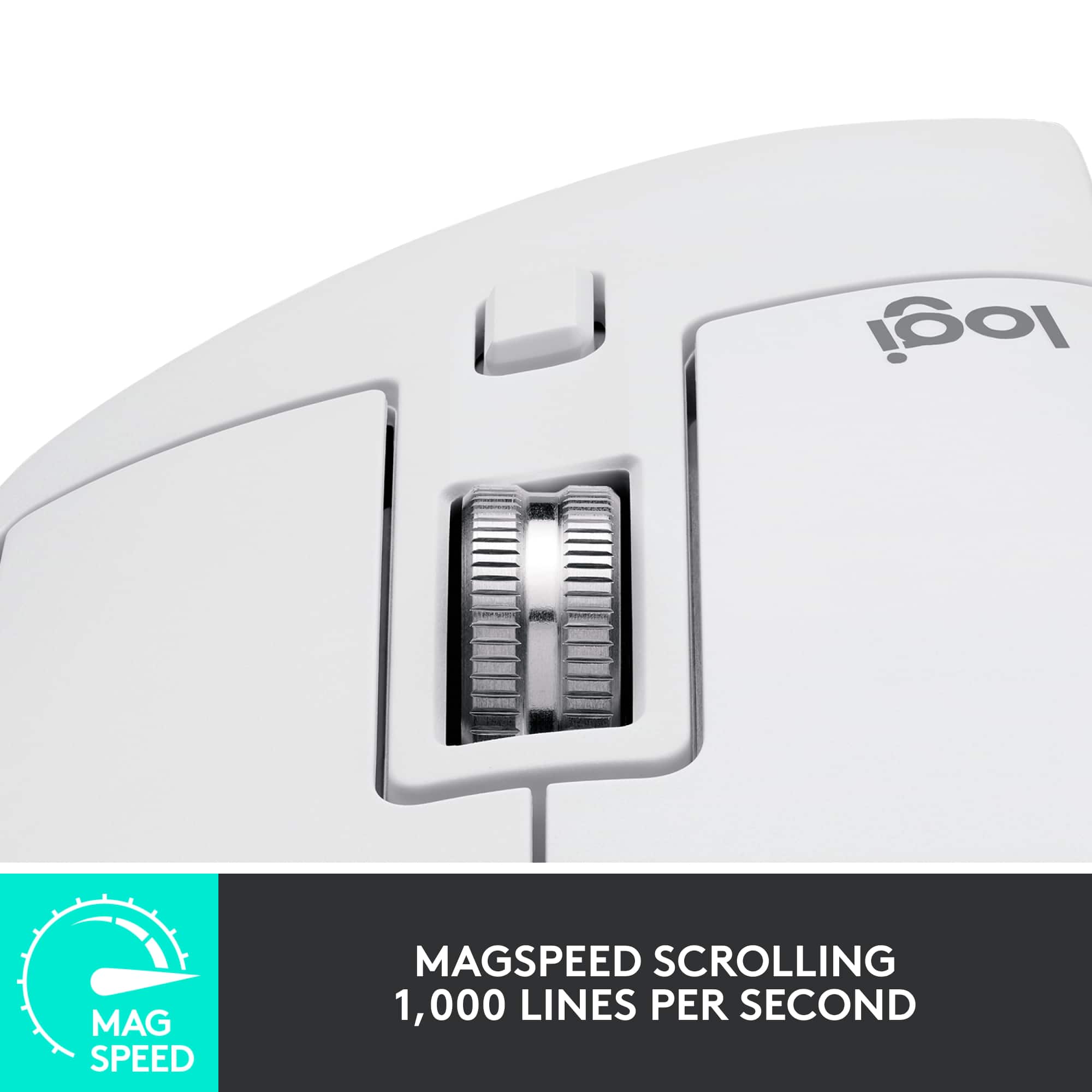
||Posted . Owned for 1 week when reviewed.This reviewer received promo considerations or sweepstakes entry for writing a review.This is the best mouse I've ever used. The ability to program all of the buttons, and there are several of them, makes this a super versatile product. Additionally, the fast-scroll wheel and the ergonomics make this a perfect 5 out of 5 stars.
I would recommend this to a friend Great for Work Tasks
||Posted . Owned for 8 months when reviewed.This reviewer received promo considerations or sweepstakes entry for writing a review.Very comfortable to use as well as feeling very quality. Both the regular as well as the side scroll wheels are incredibly useful if you're doing any kind of spreadsheet work. The clicks are also quiet and satisfying.
I would recommend this to a friendBrand response from Logitech
Posted .We're so glad to hear you're enjoying the MX Master 3S! It's fantastic that the ergonomic design and premium build quality are making a difference in your daily use. We designed the MagSpeed electromagnetic scrolling and the thumb wheel to be incredibly intuitive for tasks like spreadsheet navigation, so your feedback truly highlights their intended benefits. We also put a lot of thought into the quiet click technology, aiming for a satisfying user experience without distractions. Thank you for sharing your positive experience!

- Pros mentioned:Battery life, Scroll wheel
Must buy!!
||Posted . Owned for 3 weeks when reviewed.This reviewer received promo considerations or sweepstakes entry for writing a review.Love the natural ergonomic feel. Quality materials and build. Excellent battery life with USB C quick charge. The magnetic scroll wheel is absolute money. Highly recommended all around.
I would recommend this to a friend One of the best mice I have purchased
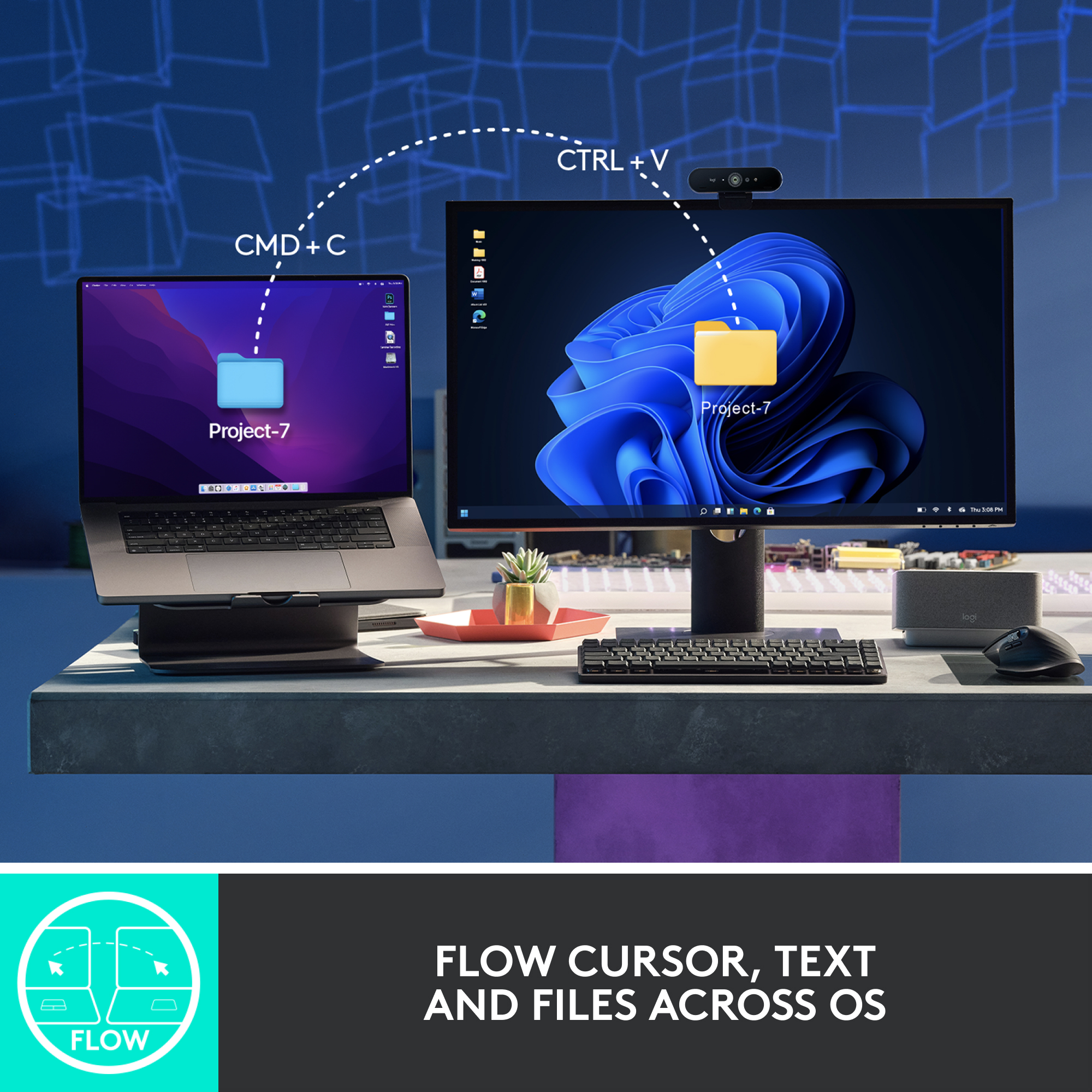
||Posted . Owned for 3 months when reviewed.This reviewer received promo considerations or sweepstakes entry for writing a review.Love logitech devices (keyboards and Mice) I like the look and feel of th MX series and I like the added bonus that this mouse can connect to and switch between 3 different devices (Desktop / Laptop / Tablet / Cell Phone).
I would recommend this to a friendBrand response from Logitech
Posted .We're thrilled to hear you're such a fan of Logitech, especially our MX series! It sounds like the MX Master 3S is a perfect fit for your needs, offering that premium look and feel you appreciate.
- Pros mentioned:Overall performance
This Mouse Has Spoiled Me
||Posted .This reviewer received promo considerations or sweepstakes entry for writing a review.I've never had a mouse like this. I don't know if I'll ever take full advantage of all of its features. But what I can say is what a difference a great mouse can make.
I would recommend this to a friendBrand response from Logitech
Posted .We're thrilled to hear the Logitech MX Master 3S Wireless Mouse has "spoiled" you! It's fantastic to know you're experiencing what a difference a great mouse can make, even if you're still discovering all its features.
- Pros mentioned:Battery life
This mouse wont quit
||Posted . Owned for 1 month when reviewed.This reviewer received promo considerations or sweepstakes entry for writing a review.This mouse just wont die. I have been beating on it for months upon months and i havent had to charge it once.
I would recommend this to a friendBrand response from Logitech
Posted .Thanks for taking a moment to share your experience. We’re so glad the product is working well for you. Your support means a lot and helps us keep improving.
Highly recommend
||Posted . Owned for 1 month when reviewed.This reviewer received promo considerations or sweepstakes entry for writing a review.This is such a great mouse. This is the third one we purchased for my offices. Zero lag time , great connection and most importantly extremely comfortable to use all day. This is such a great mouse. This is the third one we purchased for my offices. Zero lag time , great connection, and most importantly, extremely comfortable to use all day.
I would recommend this to a friendBrand response from Logitech
Posted .Thank you for your kind words about the Logitech MX Master 3S! We're thrilled to hear that it's been a great choice for your office setup. The MX Master 3S is designed to provide a premium experience, with features like MagSpeed scrolling, silent clicks, and multi-device connectivity. We're glad it's meeting your needs and enhancing productivity.
Excellent!
||Posted . Owned for less than 1 week when reviewed.This reviewer received promo considerations or sweepstakes entry for writing a review.Great quality and performing mouse ! I just recently switched over from using a wireless gaming mouse for the last 4 years and this thing is awesome. I highly recommend if your main use for it is daily task browsing or productivity.
I would recommend this to a friendBrand response from Logitech
Posted .We're so glad to hear you're enjoying the MX Master 3S! It's fantastic that it's proving to be such a great fit for your daily tasks and productivity after switching from a gaming mouse. Thanks for the recommendation! We appreciate you sharing your positive experience.
Mx master 3s
||Posted . Owned for 2 weeks when reviewed.This reviewer received promo considerations or sweepstakes entry for writing a review.Absolutely! The MX Master 3S mouse from Logitech is a game-changer. Its ergonomic design ensures comfortable usage for hours, reducing wrist strain. The precision and responsiveness of its controls are exceptional, providing a seamless experience for both work and leisure. The customizable buttons and gestures add a new dimension to productivity, allowing users to personalize their workflow. Overall, the MX Master 3S is a top-tier mouse that combines comfort, precision, and versatility, making it a standout choice for professionals and enthusiasts alike.
I would recommend this to a friend- Pros mentioned:Battery life, Ergonomics
Excellent (but small) upgrade from earlier version
||Posted . Owned for 1 month when reviewed.This reviewer received promo considerations or sweepstakes entry for writing a review.Two small improvements over the Master S: the sensor has double the resolution and there are no "clicks" from using the mouse. Great ergonomics, long battery life, extremely customizable. Best mouse on the market for Mac or Windows.
I would recommend this to a friend - Pros mentioned:Ergonomics, Scroll wheel
Comfortable
||Posted . Owned for 1 week when reviewed.This reviewer received promo considerations or sweepstakes entry for writing a review.Comfortable and customizable. scrolling is much better than the triathalon model. One feature missing is the side click on the scroll wheel for switching windows. Also the bolt usb receiver doesn't work with my MX Keys keyboard. So I need to plug in the bolt and the unifying receivers or use bluetooth.
No, I would not recommend this to a friend Slow Scrolling and Kept Losing Mouse Settings
||Posted . Owned for 1 week when reviewed.This reviewer received promo considerations or sweepstakes entry for writing a review.I can see why people like this mouse but it's not for me. It's great for those who use their whole palm to grip their mouse, but I only use my fingertips which pushes my hand further back than what the mouse is designed for. I honestly need a pinkey rest for the way I hold my mouse too. The main issue I had was with the software. You NEED the logi options app to customize your mouse buttons. Even if you change your settings on one computer, those settings are saved in the app and not on the mouse, so if you're changing to another computer, you'll have to download logi options and login to get your settings back. My settings never saved so I had to go into the logi options settings and restore a backup everytime I turned on my laptop. The horizontal scroll wheel had this smoothing effect I don't like that just takes too long to stop moving. I would open excel, use the horizontal scroll wheel, and then use my regular scroll wheel before the horizontal "smoothing" was finished. This would cause the regular scroll wheel to move the page both vertically and horizontally. There's no way to turn this smoothing off in the app either. Something to mention is that logi options did work well with my personal computer, but not with my work computer. I have no idea why it wouldn't save my settings on my work laptop, even after uninstalling and resintalling several times. This would have a higher rating if I could turn off the horizontal smoothing and could save the settings locally on my mouse, but it was just so troublesome for me I'd rather just hold ctrl + shift with my old mouse to scroll horizontally.
No, I would not recommend this to a friendBrand response from Logitech
Posted .We appreciate your detailed feedback on the MX Master 3S. We understand your concerns regarding the grip style, reliance on Logi Options for settings, the horizontal scroll wheel's smoothing effect, and the software inconsistencies between your personal and work computers. We'll be sure to pass this information along to our product development team.
Fantastic Mouse!
||Posted .This reviewer received promo considerations or sweepstakes entry for writing a review.Fantastic mouse. Everything you need in a mouse. Especially great for working on wide spreadsheets.
I would recommend this to a friendGreat mouse for multitasking
||Posted . Owned for 1 month when reviewed.This reviewer received promo considerations or sweepstakes entry for writing a review.I use this mouse primarily for work. Jumping between PDFs, CAD models, and emails. It has software that allows program specific functions for the buttons and wheels. This feature makes the MX Master 3S an incredibly versatile tool.
I would recommend this to a friendBrand response from Logitech
Posted .It's great to hear how the customizable controls and ultrafast scrolling enhance your workflow across different applications. This versatility is a key aspect of the MX Master 3S design.
Highly Programmable Quality Mouse from Logitech
||Posted . Owned for 2 months when reviewed.This reviewer received promo considerations or sweepstakes entry for writing a review.It's highly programmable, It's silent, you won't hear clicks. And can be connected to multiple devices at the same time. Also, connectivity has been improved compared to the last generation. But they all come at a premium price.
I would recommend this to a friendGOAT
||Posted . Owned for 1 month when reviewed.This reviewer received promo considerations or sweepstakes entry for writing a review.Best Mouse out there. I am able to customize so much on this device and sync multiple computers to one device. Endless possibilities with all the short cuts on each button.
I would recommend this to a friendBrand response from Logitech
Posted .🔥 GOAT status confirmed! Thanks for the stellar review of the MX Master 3S—it's awesome to hear how the advanced customizations and multi-device sync are unlocking endless productivity for you. Logitech shortcuts FTW! 🚀🖱️
- Pros mentioned:Ergonomics
Best office mouse
||Posted . Owned for 3 weeks when reviewed.This reviewer received promo considerations or sweepstakes entry for writing a review.The Logitech MX Master 3S is an exceptional wireless mouse designed for professionals, creatives, and anyone seeking an ergonomic and highly functional input device. It builds upon the success of its predecessor, the MX Master 3, with subtle yet impactful upgrades.
I would recommend this to a friendBrand response from Logitech
Posted .We're incredibly pleased to hear you consider the Logitech MX Master 3S the "best office mouse!" Your detailed description of its professional and ergonomic design highlights exactly what we aimed to achieve. Thank you for recognizing the impactful upgrades and sharing your positive experience.