Customer Ratings & Reviews







- Model:
- 910-007574
- SKU:
- 6640816
Rating by feature
- Value
Rating 4.6 out of 5 stars
- Quality
Rating 4.7 out of 5 stars
- Ease of Use
Rating 4.7 out of 5 stars
Customers are saying
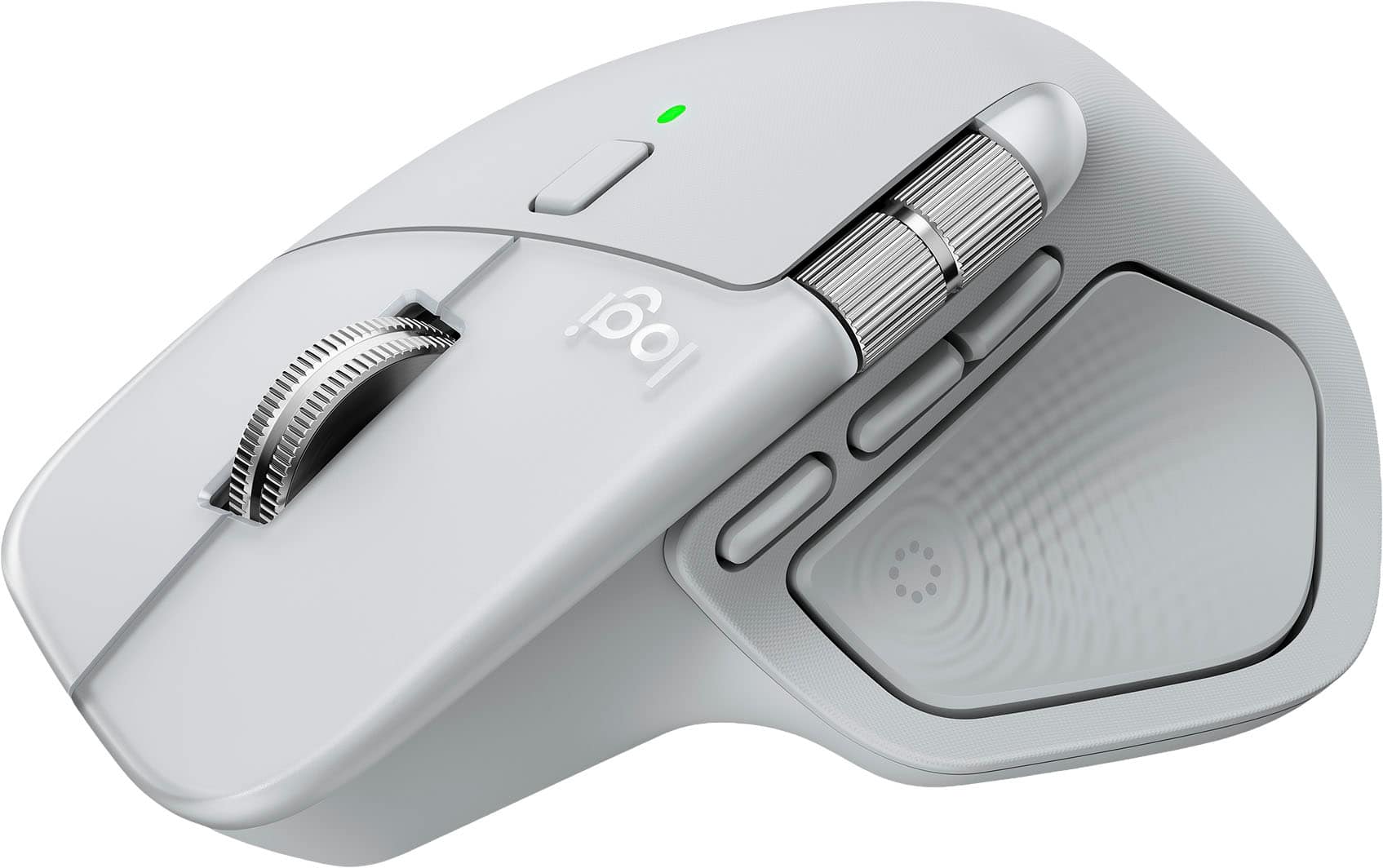
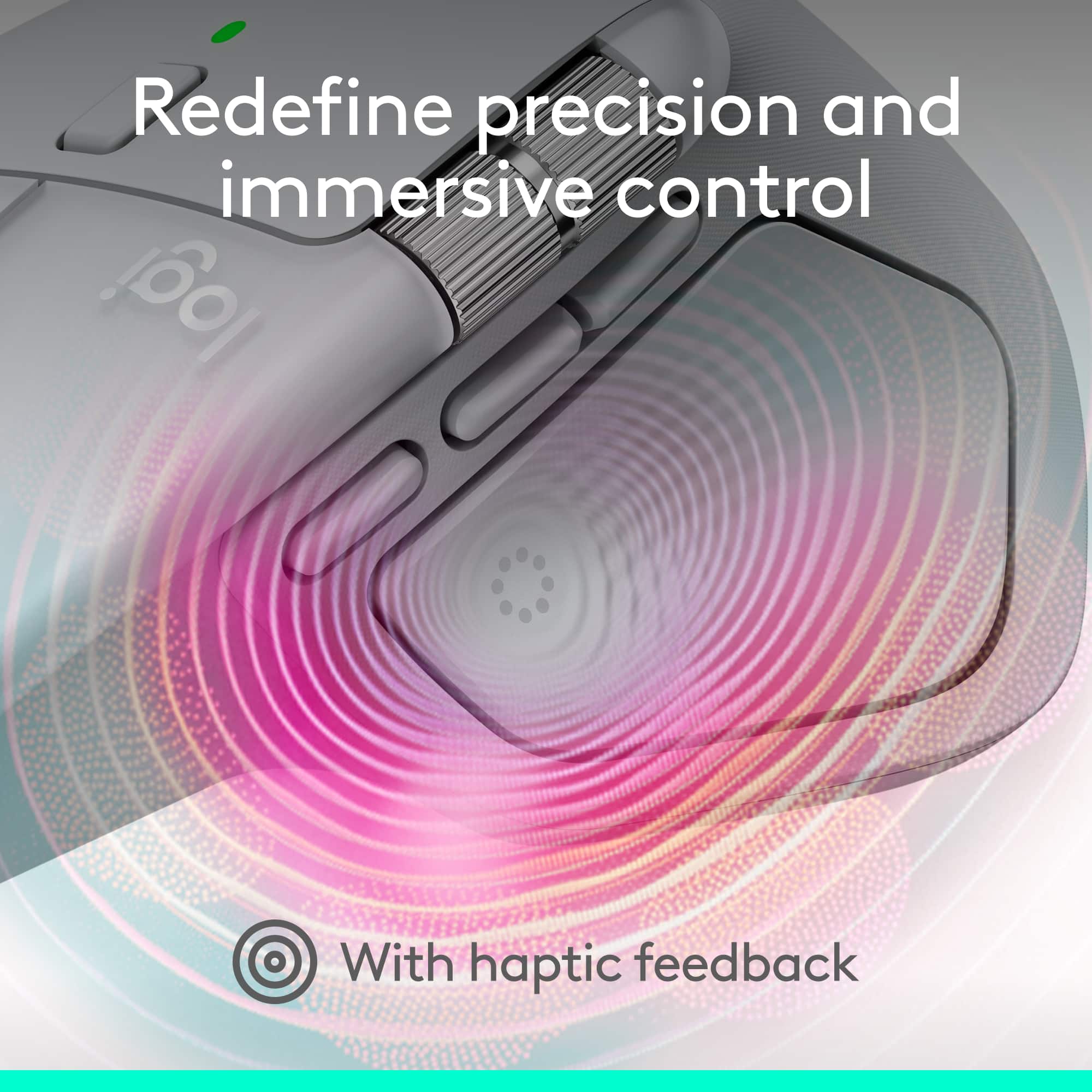
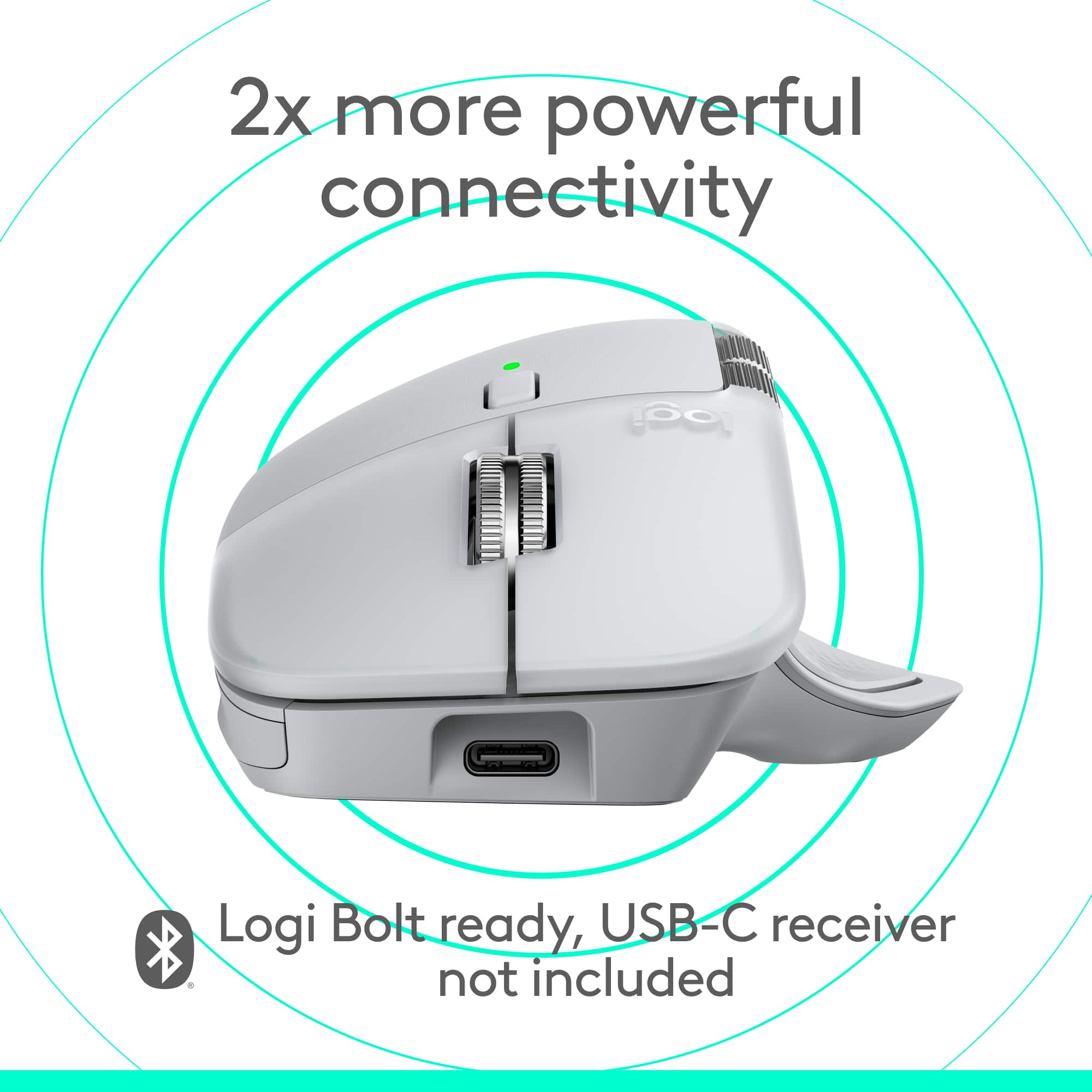
Customers are satisfied with the MX Master 4 for Mac, highlighting its precise movements, decent ergonomics, and premium build quality. The customizable button functionality and flawless connectivity with Mac devices contribute to enhanced productivity. Users also appreciate the haptic feedback, long battery life, and MagSpeed scroll wheel. Additionally, the quiet click noise is a welcomed feature.
This summary was generated by AI based on customer reviews.
Practical Mouse
||Posted . Owned for less than 1 week when reviewed.This reviewer received promo considerations or sweepstakes entry for writing a review.It's comfortable, easy to use, it helps your joints, practical. I recommend this product.
I would recommend this to a friendBrand response from Logitech
Posted .Thanks for the great review! We’re thrilled our product is meeting your expectations. Your support helps us continue to innovate and improve.

Awesome mouse!
||Posted . Owned for 2 weeks when reviewed.This reviewer received promo considerations or sweepstakes entry for writing a review.Great mouse with great features! Logitech never disappoints!
I would recommend this to a friendBrand response from Logitech
Posted .Hey! We’re grateful for your thoughtful feedback. It’s encouraging to know our product is meeting your expectations. Thanks for being part of our journey.
Drummer's Buddy
||Posted . Owned for 3 weeks when reviewed.This reviewer received promo considerations or sweepstakes entry for writing a review.Fits under high hit on small table while taking online drumming lessons
I would recommend this to a friendBrand response from Logitech
Posted .We're delighted to hear that the Logitech Pebble 2 Combo has been a great fit for your drumming setup! Its compact size and performance make it a convenient choice for online lessons. Thank you for sharing your positive experience.
Perfect sized for little hands
||Posted . Owned for 3 weeks when reviewed.This reviewer received promo considerations or sweepstakes entry for writing a review.Perfect size for little hands. Very responsive. Was best deal could find for this model.
I would recommend this to a friendBrand response from Logitech
Posted .Hi there! Thanks for letting us know about your experience with the Logitech Pebble 2 Combo! We're glad to hear it's a perfect fit for users with smaller hands.
Great updated look for my desk!
||Posted . Owned for 1 month when reviewed.This reviewer received promo considerations or sweepstakes entry for writing a review.Love the look! I wanted something other than black for my desk—love the color!
I would recommend this to a friendBrand response from Logitech
Posted .Hey! We’re so pleased to hear that our product is meeting your needs. Your feedback helps guide our future improvements. Thank you for your continued support.
Keyboard combo
||Posted . Owned for 1 month when reviewed.This reviewer received promo considerations or sweepstakes entry for writing a review.This product is easy to use and portable. I wish it was a little bigger because I have big hands. All together a great product..
I would recommend this to a friendBest Mouse ever
||Posted .This reviewer received promo considerations or sweepstakes entry for writing a review.The best Mouse ever. Best buy send to me next day. Was perfect .
I would recommend this to a friendBrand response from Logitech
Posted .Hey! We're truly grateful for your feedback. It's great to know our product is meeting your expectations. Thanks for being part of the Logitech journey.
Perfect for SteamDeck
||Posted . Owned for 1 month when reviewed.This reviewer received promo considerations or sweepstakes entry for writing a review.Love it for what I purchased for. I got this to use with my Steam Deck. It's not the best mouse or keyboard I've used, but they're light and have a long battery life.
I would recommend this to a friendBrand response from Logitech
Posted .Hey, That's a great point! Thanks for sharing your experience with the pebble 2 Combo on your Steam Deck. While it might not be the top-of-the-line keyboard and mouse combo, it's perfect for portability and battery life, exactly what you need for on-the-go gaming. We appreciate you choosing Logitech for your Stam Deck setup!
It’s just OK, but not goo smooth key functionality
||Posted . Owned for 1.5 years when reviewed.This reviewer received promo considerations or sweepstakes entry for writing a review.It’s OK moves around a lot while typing key functionality not as smooth as I would have wanted it
No, I would not recommend this to a friendBrand response from Logitech
Posted .Thanks for your feedback! We’re glad you like the Logitech - Pebble 2 Combo Compact Wireless Scissor Keyboard and Mouse Bundle, and we appreciate your input to help us get even better.
Logitech
||Posted . Owned for 2 weeks when reviewed.This reviewer received promo considerations or sweepstakes entry for writing a review.works perfectly on the iPad. My grandson really enjoys being able to use it like a lap top.
I would recommend this to a friendBrand response from Logitech
Posted .Your feedback means a lot to us. We’re glad the product is serving you well and your nephew is enjoying them too. Thanks for choosing Logitech!
Not the best
||Posted . Owned for 1 month when reviewed.This reviewer received promo considerations or sweepstakes entry for writing a review.Coming from a previous MX, one was expensive and not very impressive with the features. It also does not feel as comfortable.
No, I would not recommend this to a friendBrand response from Logitech
Posted .We appreciate your honest feedback. It helps us identify where we can improve and provide a better experience with the Logitech - MX Master 4 for Mac
Great mouse
||Posted .This reviewer received promo considerations or sweepstakes entry for writing a review.Always great. Big upgrade over MX Master 3. Works great
I would recommend this to a friendBrand response from Logitech
Posted .Thank you for your kind words! We’re delighted the product is performing well for you. Your feedback inspires us to keep pushing forward.
Keyboard mouse and power cube
||Posted . Owned for 2 weeks when reviewed.This reviewer received promo considerations or sweepstakes entry for writing a review.Amazing product. It goes beyond expectations. Awesome!!
I would recommend this to a friendBrand response from Logitech
Posted .Thank you so much for taking the time to share your experience. We're thrilled to hear that the product is working well for you and meeting your expectations. Your feedback helps us continue to improve and innovate. We truly appreciate your support of Logitech.
Easy to set up
||Posted . Owned for 1 month when reviewed.This reviewer received promo considerations or sweepstakes entry for writing a review.Very user friendly, easy to switch between devices. Might be a little cramped for people with big hands.
I would recommend this to a friendFeels good
||Posted . Owned for 3 weeks when reviewed.This reviewer received promo considerations or sweepstakes entry for writing a review.Very easy to install. Small enough to stay out of the way but large enough keyboard to be able to use!
I would recommend this to a friendspeed texting
||Posted . Owned for 3 weeks when reviewed.This reviewer received promo considerations or sweepstakes entry for writing a review.My son loves it, connected up to his Iphone with ease. The mouse is a little small but it good quality
I would recommend this to a friendUltimate Productivity Tool
||Posted . Owned for 3 weeks when reviewed.This reviewer received promo considerations or sweepstakes entry for writing a review.This is an amazing product. The combo comes with support for 3 devices on both the mouse and keyboard for easy switching between 3 registered devices. The mouse comes with a unifying receiver inside that connects both the mouse and keyboard to the device using a single dongle. Furthermore, the Logi Options + software can be installed in macOS and Windows and allows for a plethora of customizations.
I would recommend this to a friendBrand response from Logitech
Posted .Thanks for the świetne review! We love that the Pebble 2 Combo simplifies multi-device use with easy switching and a single receiver. The Logi Options+ software adds a great layer of customization. Glad you enjoy it!
- Pros mentioned:Connectivity

Great Features, Battery Life, and Multi-PC Support
|Posted .This reviewer received promo considerations or sweepstakes entry for writing a review.The Pebble 2 Combo is a great travel combo with a low profile, but solid, keyboard and a good mouse, each that can be paired with up to three devices that you can easily switch between. Design I expected a very light and almost flimsy keyboard, like another travel one that I have. This one is not that way at all. It has some weight to it and feels much more solid, have little to no flex. There's no flex when typing and it has a good feel. The keyboard feels a bit smaller to me but I can type on it. There are no feet that flip down on the bottom to angle it but there's a built-in slant that feels comfortable to me. There's a compartment in the bottom that holds the two AAA batteries. The mouse is a good size, not too small, and still feels very comfortable for me to use. The click is very good, firm and clear but quiet. Instead of having the USB receiver storage under the mouse, there's USB storage that's accessed by taking the top off the mouse. It lifts off easily but doesn't fall off. It's held on by magnets. It takes one AA battery that goes in the same area. The keyboard has a power on/off switch on the left side. The mouse has a power on/off switch on the bottom along with the three-way toggle "Easy-Switch" button on the bottom to switch between connected computers. The keyboard uses <F1>, <F2>, and <F3> for this, which works well. It's just like media button keys on function keys. You can press the <FN> button and <ESC> to change which is locked/default. The other function can be accessed by pressing the <FN> key while you push the function key for the function you want. There is a mini but ok inverted T arrow key layout. It's not perfect but I like it better than when the <left> and <right> arrow keys are the same height as the <up> and <down> arrow keys together. It's easy for my fingers to find all four keys without looking and ok to use even though they are half-height keys. I think the keyboard and mouse look cool with their soft, rounded, lines. Features Both the keyboard and mouse support being paired with up to three devices at a time. They come paired to the USB Bolt receiver that comes with them (one paired to both) but the connections can be established with a Bolt receiver or by Bluetooth. I had no problems pairing them either way, even establishing a useless second connection from the Keyboard to the USB Bolt receiver works just fine. You'll want to install the Logi Options+ software to fully utilize and configured the keyboard and the mouse, as well as get firmware updates for them. I've found the Logi Options+ software to be easy to use. For the keyboard, you can re-map a number of keys and assign specific functions to them. You can even have it automatically change the custom functions based on the application you open. So you can have tit set one way for everything and then have it reconfigure the keyboard when you switch to given application. The mouse lets you adjust the resolution by percent with the max being 100% or 4000 dpi (the minimum it supports is 400 dpi). Besides configuring and updating the keyboard and mouse, you can view battery levels and it gives easy access to the support site for each device. There is a setup wizard that it takes you through first to walk you through the available configuration options. Options + is also needed to enable Flow, which I'll talk about more later. One other feature that has a lot of potential is called "Smart Actions". There are pre-made templates or you can start from scratch, but all you choose a trigger, like clicking a button or opening an app, and then you define the action that you want to be completed. On the mouse for instance, the only trigger you can modify the action for is the middle mouse button. Then you can set it so it will do something like type a bunch of text for you, open an application, playback recorded keystrokes, or do a system action like play/pause, change brightness, cut, paste, etc. Flow Flow is a very cool feature you can use to use the keyboard and mouse on two or three computer's (Mac or PC) at one time! You just move the mouse between the computer displays and it moves not only the mouse input but the keyboard too - automatically! I tested this with two PCs and it works very well. It works with some other Logitech devices. It seems the mouse needs to officially support Flow. I tested it with a keyboard that didn't say anything about Flow in the info that came with it and was able to use it with Flow. The way it works is both keyboard and mouse need to be paired to the two or three machines on separate easy switch inputs, using either a USB receiver or Bluetooth. Once they are, you go into Logitech Options + and into the mouse settings to enable Flow. Then in the Flow settings you can pair the mouse with a keyboard. After that, the mouse and keyboard will Flow between the two or three computers automatically as you move the mouse. Bolt USB Receiver While I'm not a fan of having different adapters that are not compatible, I can understand some reasons for the Bolt receiver. If you've been using Logitech devices for many years you will know that they had USB receivers that just worked with the one device they came with. Then they came out with the Unifying USB receiver that would allow you to connect up to six devices to one Unifying USB receiver. That was great so you didn't need to use two USB ports for a keyboard and mouse anymore and you could even use the same adapter for more than one keyboard or mouse. The Bolt Receiver can also pair up to 6 devices to a single Bolt USB receiver but it also uses a more secure wireless connection and has lower latency and I think lower power usage. Because of the security it implements, some people may be able to use the Bolt receiver where they are otherwise required to use a wired keyboard or mouse due to their job. Anyway, I'm glad the Pebble 2 Combo comes with a Bolt Receiver! It works great! Battery life 2 years for the mouse and 3 years for the keyboard...that's fairly incredible I think. Of course I couldn't test this but I should be good for a while. The fact that you can just through in standard batteries when you do have one that's dead it's such a bad thing either in this world where I feel like I need to keep everything charged. The down-side is these devices cannot be used over a corded connection, only wireless, so you will need good batteries or you'll have to keep spares on hand - Again, with the battery life it shouldn't be much of a problem. You can also trade out the Alkaline batteries for Lithium. The lithium should last quite a bit longer and they weigh less! So if you want a lighter mouse you can do that and you'll probably notice the weight difference. I doubt you'll notice the weight difference with the keyboard because it weighs more in general. Overall For me, the Pebble 2 Combo is a great solution to provide good input devices that don't take up a lot of space. It's ideal for a PC connected to a TV for presentations or things like that. I like it in the living room. It's very easy to switch the mouse or keyboard to a different paired computer, just by selecting 1, 2, or 3 - or by moving the mouse if using Flow. It's even space saving on a table if you have a 2-in-1 PC or Chromebook, like I do, and put it in tent mode. This takes up less space on a table, front to back, than a laptop usually does and I prefer the mouse to a touchpad. It could be an excellent option for someone who travels and likes to take a keyboard and mouse along.
I would recommend this to a friend Great
||Posted . Owned for 1 month when reviewed.This reviewer received promo considerations or sweepstakes entry for writing a review.Nice and compact for a small office space. Just what I looking for.
I would recommend this to a friendBrand response from Logitech
Posted .Hey! We're glad to hear you're considering the Pebble 2! It's a great choice for small office spaces thanks to its compact design.
- Pros mentioned:Connectivity
Great addition to iPad
||Posted . Owned for 1 month when reviewed.This reviewer received promo considerations or sweepstakes entry for writing a review.Connected easily to my iPad and iPhone. Works great
I would recommend this to a friendBrand response from Logitech
Posted .Thank you for your positive feedback about the Pebble 2 combo! We're glad you're enjoying it. We're always working to improve our products, so your feedback is appreciated. We hope you continue to enjoy using the Pebble 2 combo!