Customer Ratings & Reviews




- Model:
- 920-010547
- SKU:
- 6502579
Rating by feature
- Value
Rating 4.3 out of 5 stars
- Quality
Rating 4.7 out of 5 stars
- Ease of Use
Rating 4.7 out of 5 stars
Customers are saying
Customers praise the product's extremely solid keyboard quality, impressive battery life, and satisfying mechanical key feel. They also highlight its reliable connectivity and overall ease of use. However, the price is frequently mentioned as a significant drawback, with some users also noting the keys can be a bit loud and expressing minor concerns about software limitations for key modification.
This summary was generated by AI based on customer reviews.
Great Keyboard & Unify Dongle
||Posted . Owned for 1.5 years when reviewed.This reviewer received promo considerations or sweepstakes entry for writing a review.Wonderful keyboard with a bunch of customization. Also the unify dongle is awesome with the mx master mouse.
I would recommend this to a friendBrand response from Logitech
Posted .Thank you for your review! We're delighted you're enjoying the customization and the Unifying dongle's compatibility with your MX Master mouse.

Love them
||Posted . Owned for 1 month when reviewed.This reviewer received promo considerations or sweepstakes entry for writing a review.You do not need another keyboard… this is my second one only because my wife stole my first set… Absolutely love them and do not forget to pickup the mouse to go with match made in heaven
I would recommend this to a friendBrand response from Logitech
Posted .We hear you loud and clear! The MX Mechanical's tactile keys and comfortable design are a winning combo. Glad you love it so much, and thanks for recommending the matching MX Master mouse too!
Best keyboard for mac and windows
||Posted .This reviewer received promo considerations or sweepstakes entry for writing a review.I love it! The sound on it is great! If you are a windows user and a mac user this is everything you will ever need!
I would recommend this to a friendBrand response from Logitech
Posted .Thank you for your amazing review of the Logitech MX Mechanical keyboard! We're thrilled to hear that it's the best keyboard you've ever used for both Mac and Windows and that you love the sound quality. Your satisfaction is our top priority.
Love It
||Posted . Owned for 3 weeks when reviewed.This reviewer received promo considerations or sweepstakes entry for writing a review.i use it for work, very good. works great with mx master 3s
I would recommend this to a friendBrand response from Logitech
Posted .The Logitech MX Mechanical is a popular choice for those who want a high-quality mechanical keyboard. It's known for its premium build quality, tactile keys, and customizable features.
Excelentt keyboard
||Posted . Owned for 3 weeks when reviewed.This reviewer received promo considerations or sweepstakes entry for writing a review.Excelent keyboard is amazing and beautiful. My purchase is fantastic
I would recommend this to a friendProductivity keyboard
||Posted . Owned for 1 week when reviewed.This reviewer received promo considerations or sweepstakes entry for writing a review.Well worth the buy, handles multiple devices with the click of the button
I would recommend this to a friend- Pros mentioned:Battery life, Key feel, Keyboard quality

My new favorite Logitech keyboard!
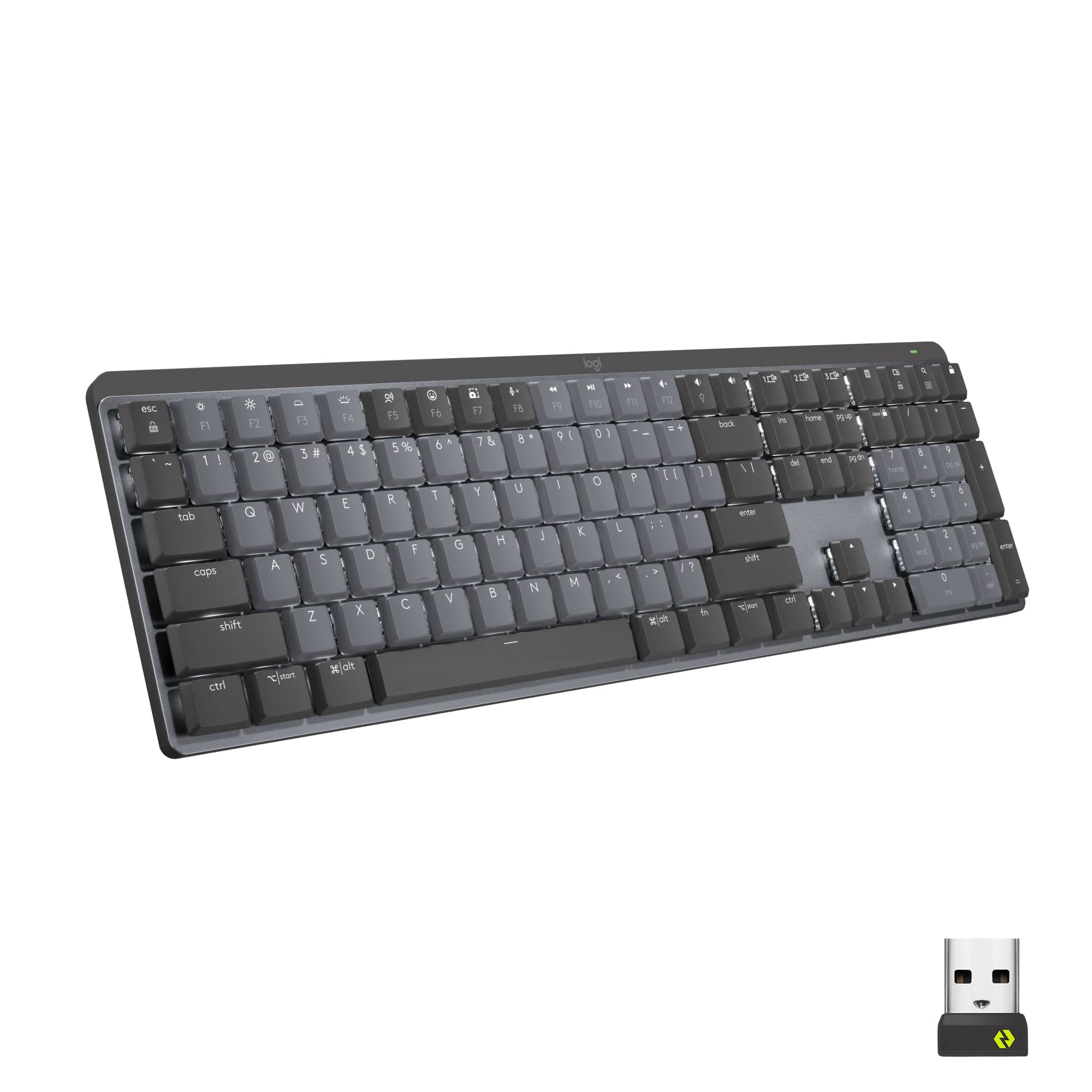
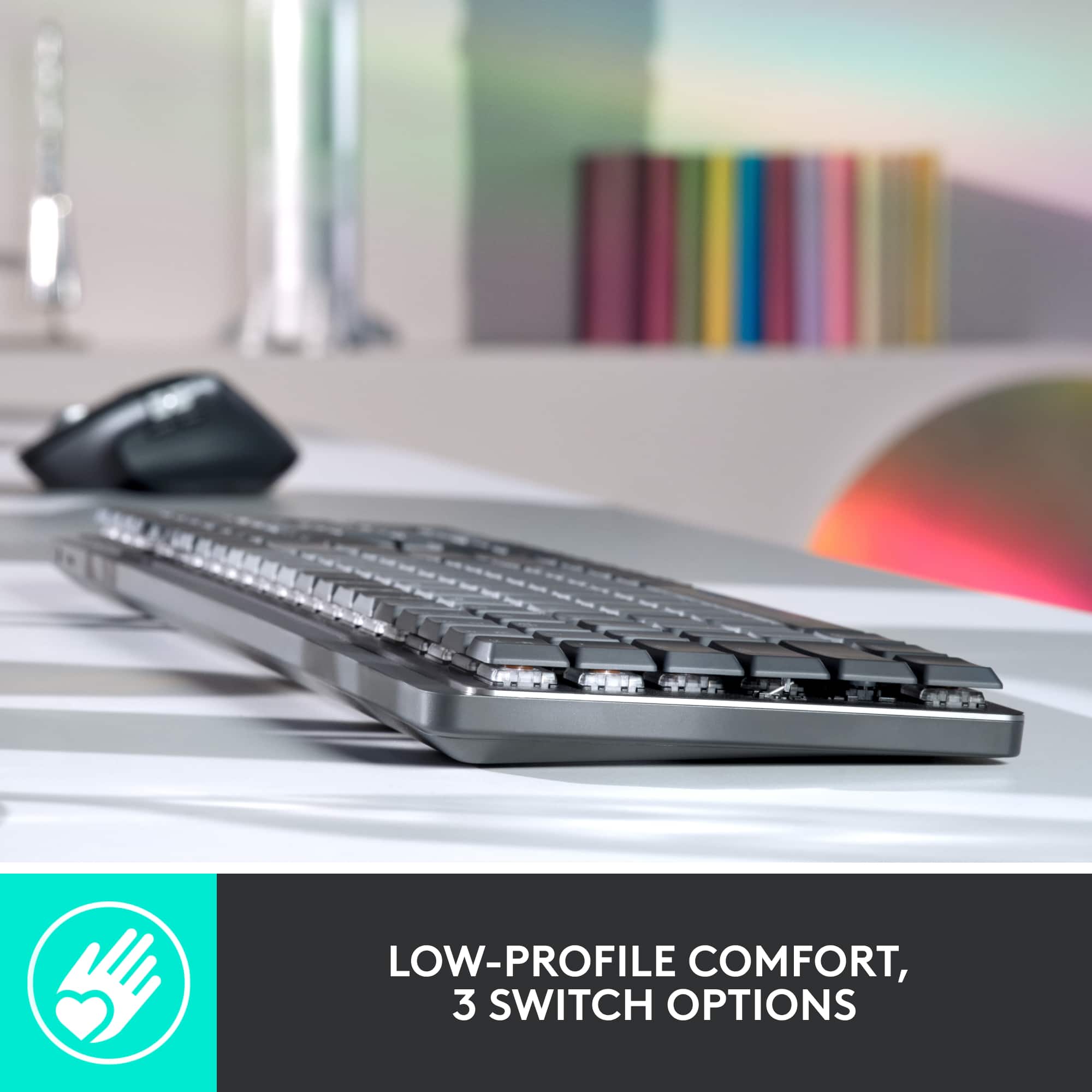
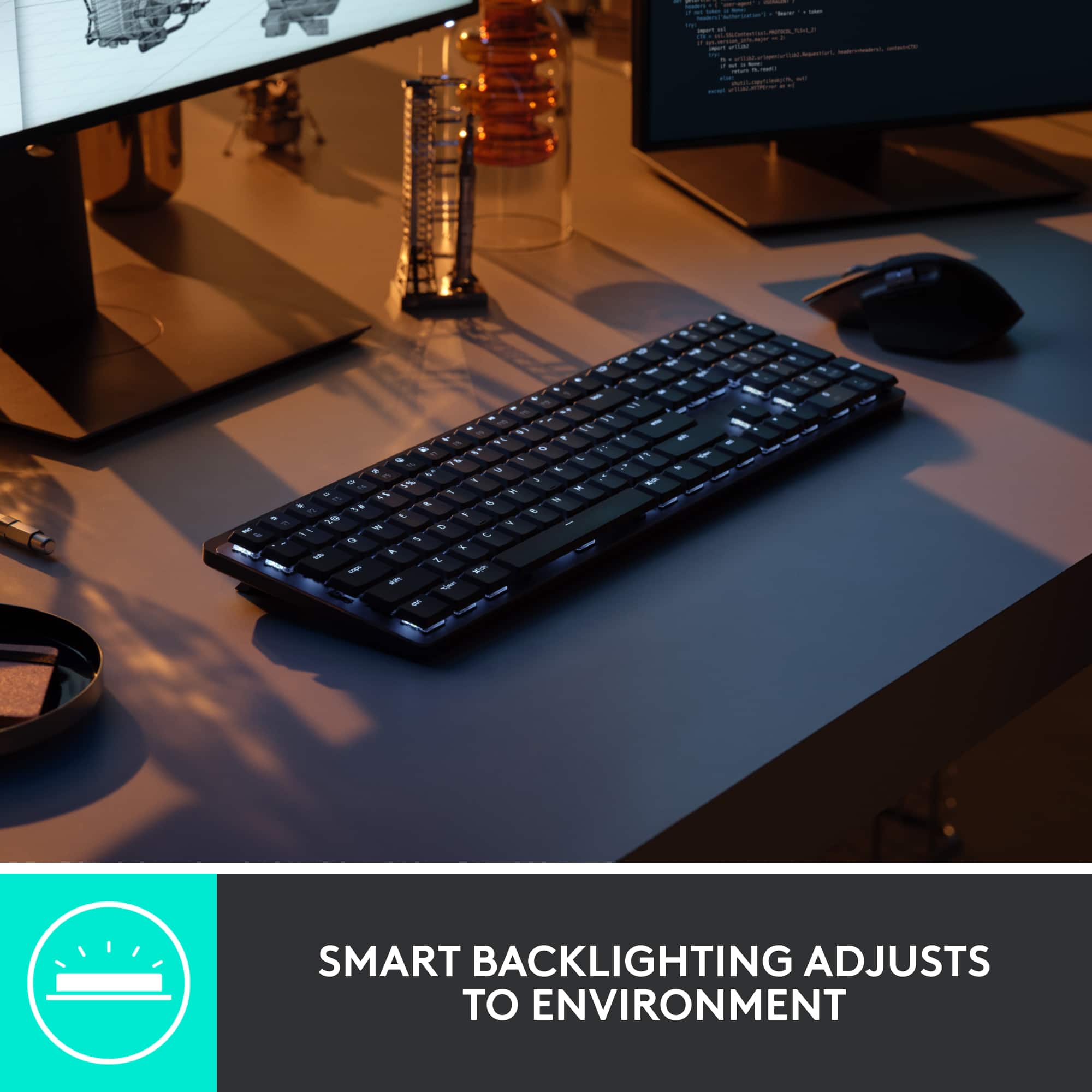
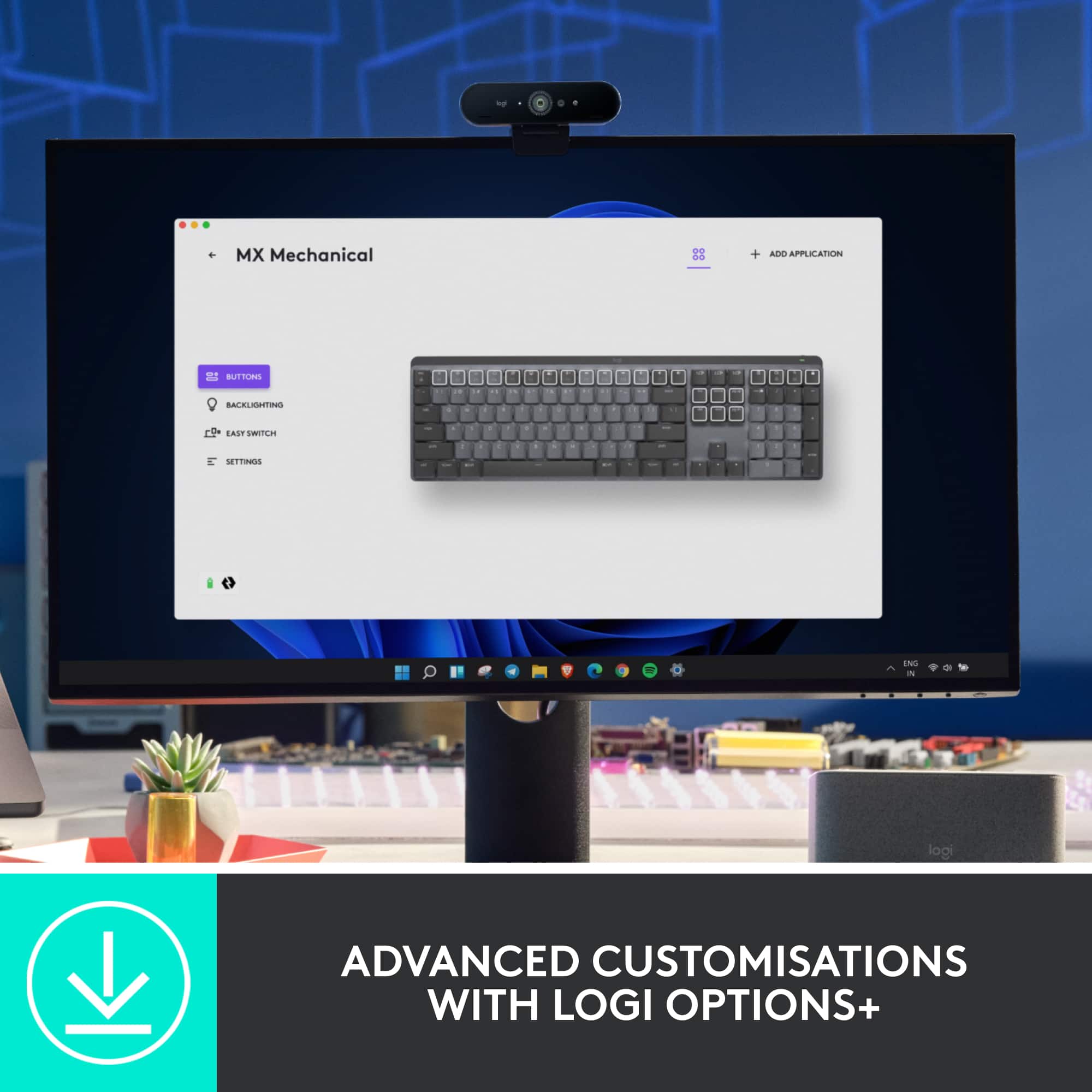
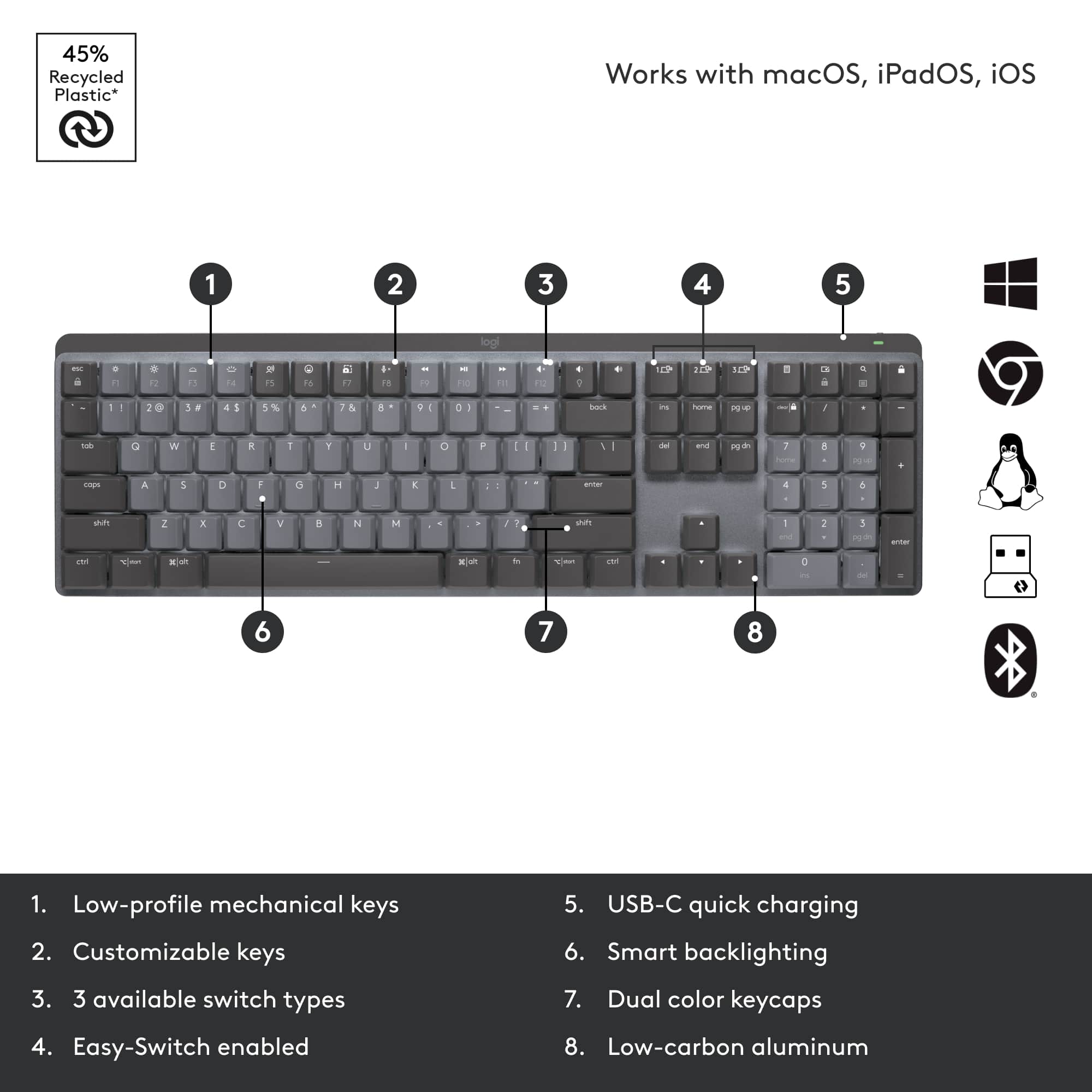
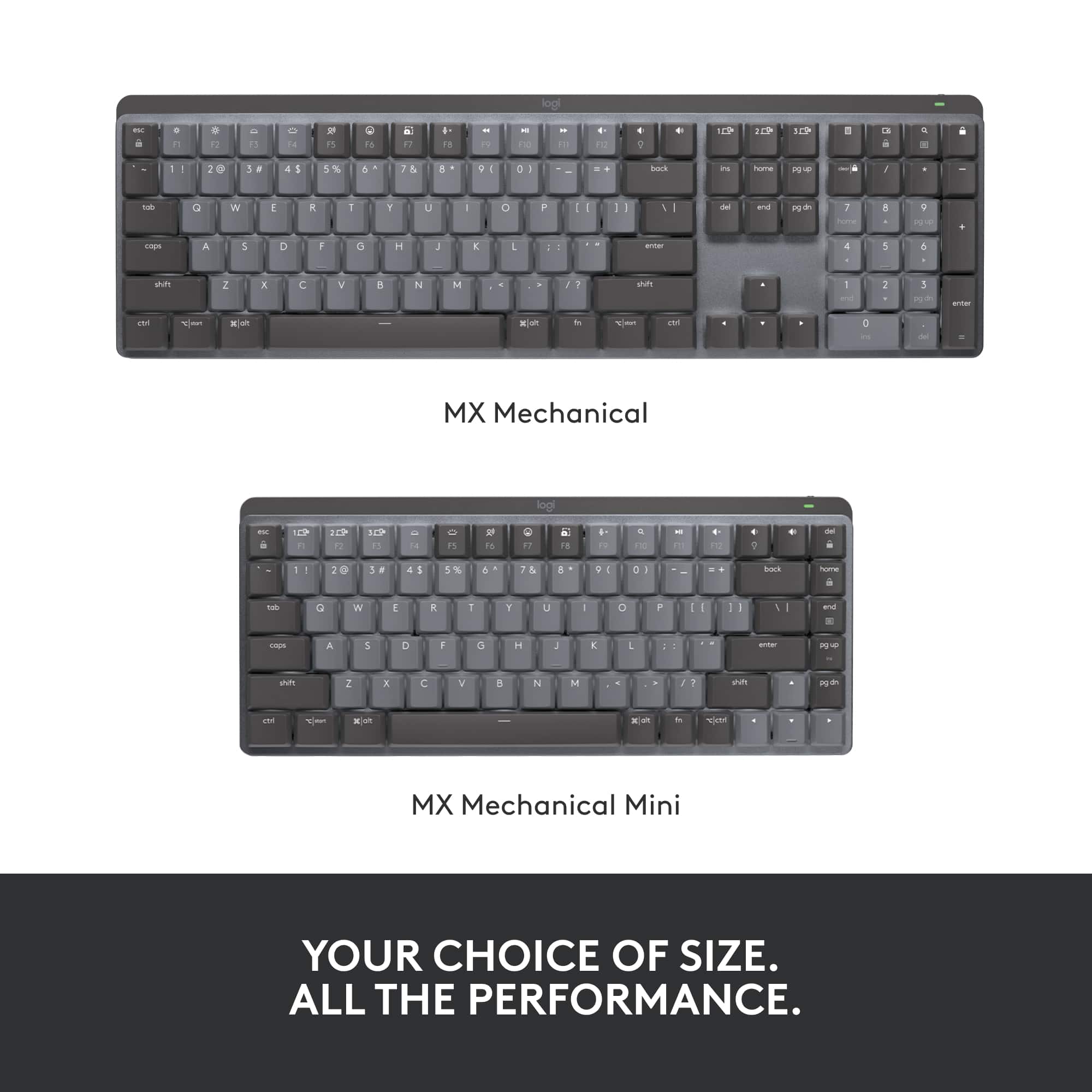
|Posted .This reviewer received promo considerations or sweepstakes entry for writing a review.I think this is an outstanding keyboard! I’m not sure how it would perform for gaming but if you type a lot of documents, then the MX Mechanical Tactile is perfection. Connecting it to a computer, tablet or phone via Bluetooth is simple and straightforward. Or you can use the included USB wireless “Bolt” dongle. It can be set up to remember 3 different devices. I paired the keyboard with a Windows PC, iPad and Android phone via Bluetooth, very easily. I could easily switch between the devices just by hitting one of the labeled selection keys on the keyboard. I tested with the Bolt USB receiver and that worked as well. Be sure and download Logitech Options+ to get the most out of your MX Mechanical. It will show you battery status and gives a few other options for themes and such. The lighted keyboard is nicely illuminated and motion activated. Just wave your hand over it and it lights up. The letters on the keys are easy to read. The light doesn’t shine too bright around the keys either. There are 8 levels of illumination. From off, to full on. The feel is outstanding. Solid and quiet. Tactile quiet to be exact. Logitech offers three versions of this keyboard: Tactile Quiet, Linear and Clicky. I’m reviewing the Tactile Quiet version. It feels like a quality typewriter or word processor from the 80s. Not quite the feel of a classic IBM Selectric typewriter from the 60s and 70s but not too far off. The Selectric pretty much set the standard for the perfect feel for typing. I used those in high school and college, and loved them! I have 5 in my collection. I enjoy typing because I probably associate typing with playing piano. How something feels has a lot to do with making it enjoyable to use. Easier usually means more accurate results. The keys are dished and slightly sculpted. They look similar to the typical square keys on a laptop keyboard but with the feel of a high-end gaming keyboard. There are raised notches on the F, J and 5 on the keypad for helping you find the “Home Position”. I popped off some key caps and took some macro photos of the switches. See photos. I have several Logitech keyboards that I compared the MX to. Like the G910 Spark gaming keyboard. It’s a bit of an old school design with tall typewriter style sculpted keys. Its feel is very similar to the MX, but I like the feel of the MX keyboard a little better. Its keys are about a third of the height of the keys on the G910, but feel to have the same amount of travel. The G910 is wired and has full RGB lighting whereas the MX is wireless. Compared to the feel of the basic gaming G105, the MX Mechanical beats it too. I think the G105 uses the rubber dome membrane caps under the keys so it feels noticeably different. It's a wired keyboard and its keys are illuminated blue with smaller lettering. And the last one is a Logitech K480 Bluetooth keyboard primarily meant for tablets as it has a slot to put them in. The feel is very good but the keys do not light up and there is no numeric pad. Concerning battery life Logitech says: “MX Mechanical keyboards stay powered up to 15 days on a full charge – or up to 10 months with backlighting turned off. Battery life may vary based on user and computing conditions. Just one quick 15 minute charge using the included USB-C cable powers a full day of non-stop performance” CAPS LOCK (caps) Key flashes when enabled, but there’s no indication for Num Lock. However, Options+ does the lock states on the screen, but only temporarily when you press those keys. Options+ shows the battery’s charge condition, software update state and some theme choices. The deck under the keys is aluminum but the bottom is plastic. It has the power switch on the back behind the keypad and the USB-C charging port is next to it. Feels very solid and No twisting or creaking. The bottom has a rubber foot strip that runs the length of the front of the keyboard and two feet at the rear that also flip out with rubber on the bottoms too. This keyboard isn’t going anywhere. So, is this keyboard worth it? Absolutely!!! All the Logitech products I have, including 2, MX Master 2S mice, have never failed me. This is now my new favorite Logitech keyboard! Very highly recommended!!
I would recommend this to a friendBrand response from Logitech
Posted .Hello! Thank you so much for being a Logitech customer and taking the time to write this awesome review for us. We really appreciate it! Just to let you know, this keyboard does come with a 1 year warranty through Logitech should anything happen to it down the road. Simply just visit the support page for this device on the Logitech site. I hope you have an amazing day!
-Danielle from Logitech
- Pros mentioned:Battery life, Key feel, Keyboard qualityCons mentioned:Price
Solid minimalist mechanical keyboard
|Posted .This reviewer received promo considerations or sweepstakes entry for writing a review.Got this keyboard due to the size and look. The desk I have my daughters gaming laptop and streaming setup isn't large but wanted a nice full-size mechanical keyboard without all the additional macro buttons. This one fit the bill for what I was looking for and matched the aesthetics for her current setup. I liked this one for the fact that since she doesn't need all the additional macro buttons and really didn't care about flashing or glowing lights like her sisters keyboard but it still has a nice backlight effect for when she is using it at night. A lot of the features can be controlled/adjusted via the software you download as well fairly quickly. First impressions when I took it out of the box was how solid it felt. Even for being smaller than a few of our other gaming keyboards this one had some solid weight to it. You can tell from when you first pick it up it was made with quality parts and aluminum/metal. The keys feel great and response so far has been lightening fast with it connected via Bluetooth. The battery life so for has been great but comes with a USB-C cable to chare up within a few hours once it does die. It does come with the dongle if needed but within about a minute I had it connected via Bluetooth without any issues. It also has a pretty cool feature to pair it with up to three different devices which we don't have a need for but could see that being useful for other techies or those with a computer/laptop/tablet that only want to have to use one keyboard. Overall this is a solid keyboard with some specific functionality and the only reason I don't give it 5 stars is purely due to the price. It is in the top range of other keyboards I have purchased the last few years. It doesn't have some of the other features they do but again that could also be part of its appeal depending on what you want to use it for. It looks great, feels rock solid, and definitely has its pros with my only con being how much it is.
I would recommend this to a friend - Pros mentioned:Battery life, Connectivity, Keyboard quality
ONE TO RULE THEM ALL!!!
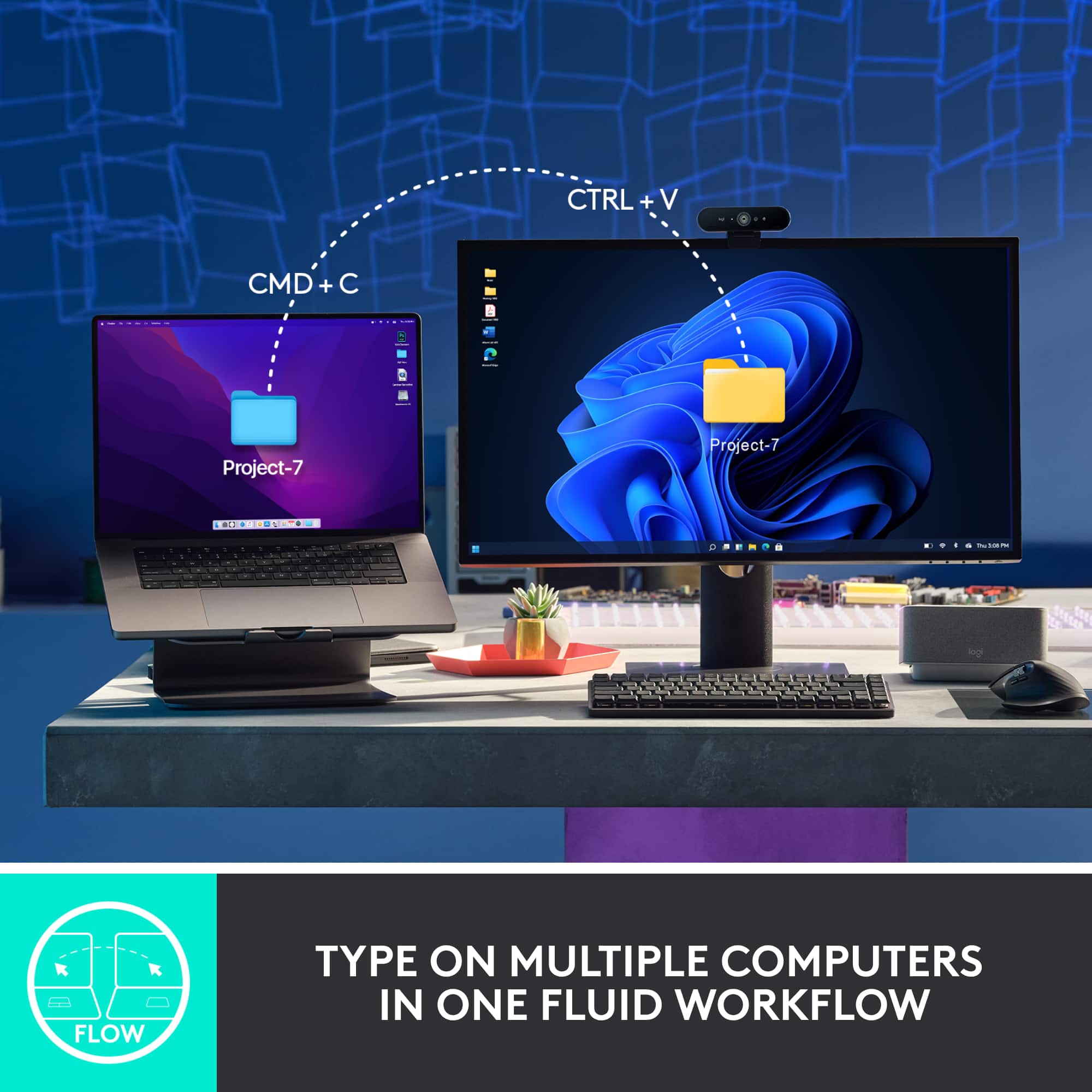
|Posted .This reviewer received promo considerations or sweepstakes entry for writing a review.ONE TO RULE THEM ALL!!! The Logitech MX Mechanical Keyboard that Is made for productivity. This is a tactile keyboard with amazing feel, performance along with a solid construction. This keyboard has a low-profile design allowing for more comfortable and precision typing. The tactile keys are quiet and provide nice feedback. The MX Mechanical keyboard can be paired up to 3 devices via Bluetooth or a USB Dongle. Switching between devices is as simple as pressing a button. Simply press the easy switch key associated with the device and you are ready to go. Connecting the devices was simple as well. My Windows 11 laptop picked up the keyboard immediately after I powered it on and was ready to go. The MX Keyboard incorporates sort of gamer-style aesthetics into the design of this keyboard with its white multi-pattern and smart illumination and with its aluminum construction. The keyboard lights up as your hands approach the keys and then automatically adjusts the lights based on the lighting conditions. Although some key come pre-programed for your convenience such as the mic mute button, volume controls, brightness controls, screenshot key and voice dictation control, all these keys can be re-programed to your liking using the Logitech Option+ application. The most important thing and my personal favorite feature is that this keyboard has a built-in battery and is recharge via provided USB cable. The keyboard has a 15-day battery life with the lighting feature on and a 10-month battery life with the lighting off. I hate running around trying to find batteries for stuff when you need them to work. Overall, this has become my new keyboard for working from home or even at work. I love the feel, design and the ability to be able to connect one keyboard to multiple devices. I currently have this connected to 2 laptops and my android phone. The only thing I would change is that at this price point, I think a wrist pad should have been included. PRO: Aluminum Construction Low Profile Design Nice Feedback Quiet, Performance Multiple OS – Multiple Device connection (up to 3) Bluetooth and USB connection Long Batter Life CON: No wrist pad – At this price point, I believe a wrist pad should have been included with the keyboard.
I would recommend this to a friendBrand response from Logitech
Posted .Hello, I am so glad to hear you are loving all the features of the new Mx Mechanical. Thank you for being a Logitech customer and taking the time to write this detailed review for us. We do sell wrist pads if you are interested in one. Here is the link: https://www.logitech.com/en-us/products/keyboards/mx-palm-rest.956-000001.html. Also, this keyboard does come with a 1 year warranty through Logitech should anything happen to it down the road. Simply just visit the support page for this device in order to file a claim. I hope you have a great day!
-Danielle from Logitech
Ehhh…Not For Me
||Posted . Owned for 2 weeks when reviewed.This reviewer received promo considerations or sweepstakes entry for writing a review.I wanted to love it but at last I wasn’t able to. I ultimately returned because I wasn’t able to update with my work computer and the keys we’re responding extremely strange. The keys also weren’t comfortable for me, even after three weeks of us, it felt like I had to push extra hard to active keys. I ended up exchanging for the MX S Keys and I’m loving the new one so far.
No, I would not recommend this to a friendBrand response from Logitech
Posted .Hey! Sorry to hear the MX Mechanical updates & keystrokes weren't ideal for you on your work PC. We appreciate you sharing & are glad the MX Keys fit better!
- Pros mentioned:Battery life, Key feel, Keyboard quality
Quality, full function keyboard
|Posted .This reviewer received promo considerations or sweepstakes entry for writing a review.Set up was easy. You have a choice to use the USB dongle or Bluetooth. Once connected you can download the Logi Options + App. I connected my work computer with the USB dongle and my personal PC via Bluetooth. You can connect up to three computers to this keyboard which is great. To connect via Bluetooth, you simply hold down one of the computer buttons for a couple of seconds which puts it in pairing mode. Your computer will then recognize it and ask you to type in a pair code, that simple. not the first things I noticed what's the weight and quality feel this keyboard. it's made with an aluminum plate which gives it a solid feel. The backlighting is fantastic. Lighting will go out go when not in use to save battery life, but when your fingers even approached the keys, the lights go back on to your desired setting. This backlighting will also auto adjust to your lighting conditions. The F3 and F4 Key allow you to the brightness of the keys or turn them off completely. The Logi Options + App allows you to also choose a couple color patterns if you so desire. Static (My Preference) Contrast Breathing Waves Reaction Random The software also provides the option to program specific keys. Love this feature as it gives you the ability to program keys, or a combination of keys to launch a program or perform those frequently used tasks. The tactile feel of the keys is great. I personally love mechanical keys as you get nice feedback when pressing them, but don’t like it if they are really loud. These keys are fairly quiet. Battery Life - I've only been using this for a few days, but my battery is still at 95%. Easy to charge with the furnished USB-C Cable. You are supposed to be able to get up to 15 days on a full charge or up to 10 months by turning off the backlight. So far I have no ‘Cons’ at all. Home run on looks, backlit keys, all the optional programing offered and no wires. Very nice keyboard.
I would recommend this to a friend - Pros mentioned:Battery life, Connectivity, Keyboard quality
Logitech MX Mechanical Keyboard: Premium Comfort a
||Posted . Owned for 11 months when reviewed.This reviewer received promo considerations or sweepstakes entry for writing a review.Having used the Logitech MX Mechanical Full-size Keyboard (paired with the MX Master 3S mouse) for nearly a year, I can confidently say this combo is a game-changer for productivity and comfort. Long-Term Performance & Reliability The standout feature is the incredible battery life. After a full year of consistent use, I have only had to charge the keyboard three times. This outstanding battery endurance means zero frustration and maximum convenience, making it truly "wireless" in the best sense of the word. The connectivity has been rock-solid and completely non-restrictive, allowing for a comfortable and dynamic workspace. Comfort and Typing Experience The Tactile Switches are fantastic, providing that satisfying, responsive feedback that makes typing a pleasure. While I'm still adjusting my form—sometimes resulting in typos due to my larger hands when typing quickly—this is simply a matter of practice and getting accustomed to the layout, not a flaw of the keyboard itself. Overall, the keyboard is very comfortable for long working sessions. Software and Functionality The comprehensive Logitech software is the hidden strength of this setup. It provides ample options and features per application, allowing for deep customization. Although I haven't fully explored every feature yet, the ones I have used have made my workflow noticeably smoother. The potential for application-specific behaviors offers tremendous value for power users. Conclusion This Logitech keyboard and mouse combination is an exceptionally well-engineered piece of technology. It delivers a premium, reliable, and comfortable typing experience, backed by truly phenomenal battery life and powerful, flexible software. If you're looking for a high-quality mechanical keyboard that excels in a professional, wireless environment, this is an easy recommendation.
I would recommend this to a friendBrand response from Logitech
Posted .Thank you so much for taking the time to share your experience. We're thrilled to hear that the product is working well for you and meeting your expectations. Your feedback helps us continue to improve and innovate. We truly appreciate your support of Logitech.
- Pros mentioned:Battery life, Keyboard quality
One of the best keyboards I've ever owned. Love it
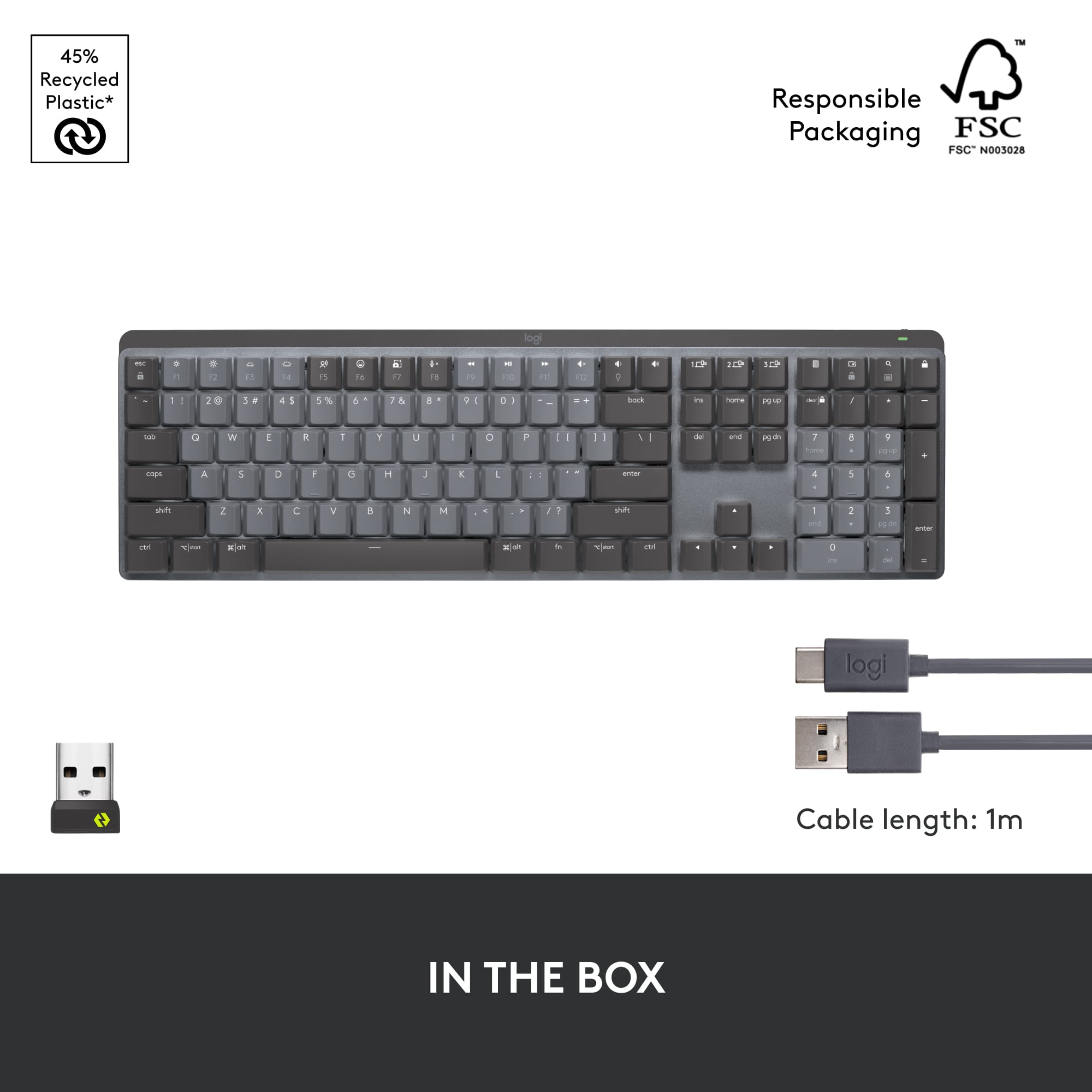
|Posted .This reviewer received promo considerations or sweepstakes entry for writing a review.It’s been a while since I’ve upgraded my keyboard, and boy did I get an upgrade with this new MX mechanical keyboard, part of the Master Series by Logitech. As soon as I removed this keyboard from the box I could feel the quality. It’s a little heavier than a standard keyboard this size and feels like it’s built with higher end, durable materials. The keyboard comes nicely packaged in a cardboard box with the quick set up instructions printed on the inner lid of the box. Also included are the Logi Bolt Receiver, or dongle, and a 3 ft USB-A to USB-C charging cable and a couple info booklets. Setting up the keyboard was really easy. Just turn the keyboard on, plug the Logi Bolt into the computer or ensure the computer’s Bluetooth is on and connect to “MX MCHNCL”. That’s basically it. You can visit MXsetup.logi.com for more information about setup. This keyboard has a lot of fun and functional features. A feature I really like is the ability to pair it with up to three devices on nearly any operating system via Bluetooth or the included receiver. There are three dedicated buttons on the keyboard that you can use for each device you pair. Just hold the button for three seconds and it switches to a different device. This is really handy for me because, working from home on my laptop, while also using another laptop with its own keyboard and another computer in the living room, means that I have three keyboards to feed batteries. Not anymore, I can now store or sell those other keyboards, and use this one rechargeable keyboard for all three computers! Saving space and money not having to buy batteries for those other keyboards. Speaking of batteries, this keyboard doesn’t need any. It’s rechargeable via USB and can last up to ten months on one charge, if the backlighting is disabled. With the backlighting running full time, it should last at least fifteen days on one charge. The only thing that would make this rechargeable keyboard better is if it could be recharged wirelessly. Then I would be able to put it on the base of my computer, which has a wireless charger built into it. That would be really cool and might be something that Logitech could include in a future release. Another great feature is the quiet mechanical typing. Typing really is a delight, with an exceptional feel and flow while producing less noise. The keys just feel good to type on. And the coating on them is comfortable as well, providing a smooth but also matte-like surface that grips your fingertips as you type. This is the type of keyboard that will spoil you, with the best of both worlds, mechanical and quiet, you won’t want to go back to a standard keyboard again. The backlighting is really handy and both functional and fun! There are a few different preprogrammed backlighting effects available to choose from and the overall backlighting level can be lowered or raised by using the function keys. The available backlighting effects are: Static, always on. Contrast, gray keys are dimmer than black keys. Breathing, the illumination intensifies then dims, to create a breathing effect. Waves, a wave of bright light sweeps over the keys, from left to right in repetition. Reaction, only the keys you press, as you press them, illuminate, then slowly dim to off in about one second. Random, a sort of twinkling effect, with random keys lighting up then dimming to off, over the entire keyboard. I really love this keyboard and am so happy that I got it. The only things that would improve it, IMO, would be if it were more ergonomic and capable of wireless charging, but that’s a wish list. As is, it’s one of the best keyboards I’ve ever used. I highly recommend this to anyone looking to own a high-performance wireless keyboard that doesn’t need to consume batteries and can be used on multiple devices.
I would recommend this to a friendBrand response from Logitech
Posted .Hello Orion, I am so happy to hear you are loving the new MX Mechanical keyboard! Thank you for being a Logitech customer and taking the time to write this amazing review for us. We really appreciate it! Just to let you know, the keyboard does come with a 1 year warranty through Logitech should anything happen to it down the road. Simply just visit the support page for this device in order to file a claim. I hope you have an amazing day!
-Danielle from Logitech
Primary Enter key failed after 3 weeks!
||Posted . Owned for 3 weeks when reviewed.This reviewer received promo considerations or sweepstakes entry for writing a review.Work from home, this is my 2nd logitech mechanical keyboard and the enter key failed after 3 weeks! Bestbuy return policy is within 2 weeks :(
No, I would not recommend this to a friendBrand response from Logitech
Posted .That's unexpected! In order to help you effectively, please provide your information to our support team by emailing socialcare@logitech.com. Name – Email address – Country – Product name – Brief description of the issue –
- Pros mentioned:Battery life, Key feel
Logitech MX Mechanical Full Size Wireless Keyboard
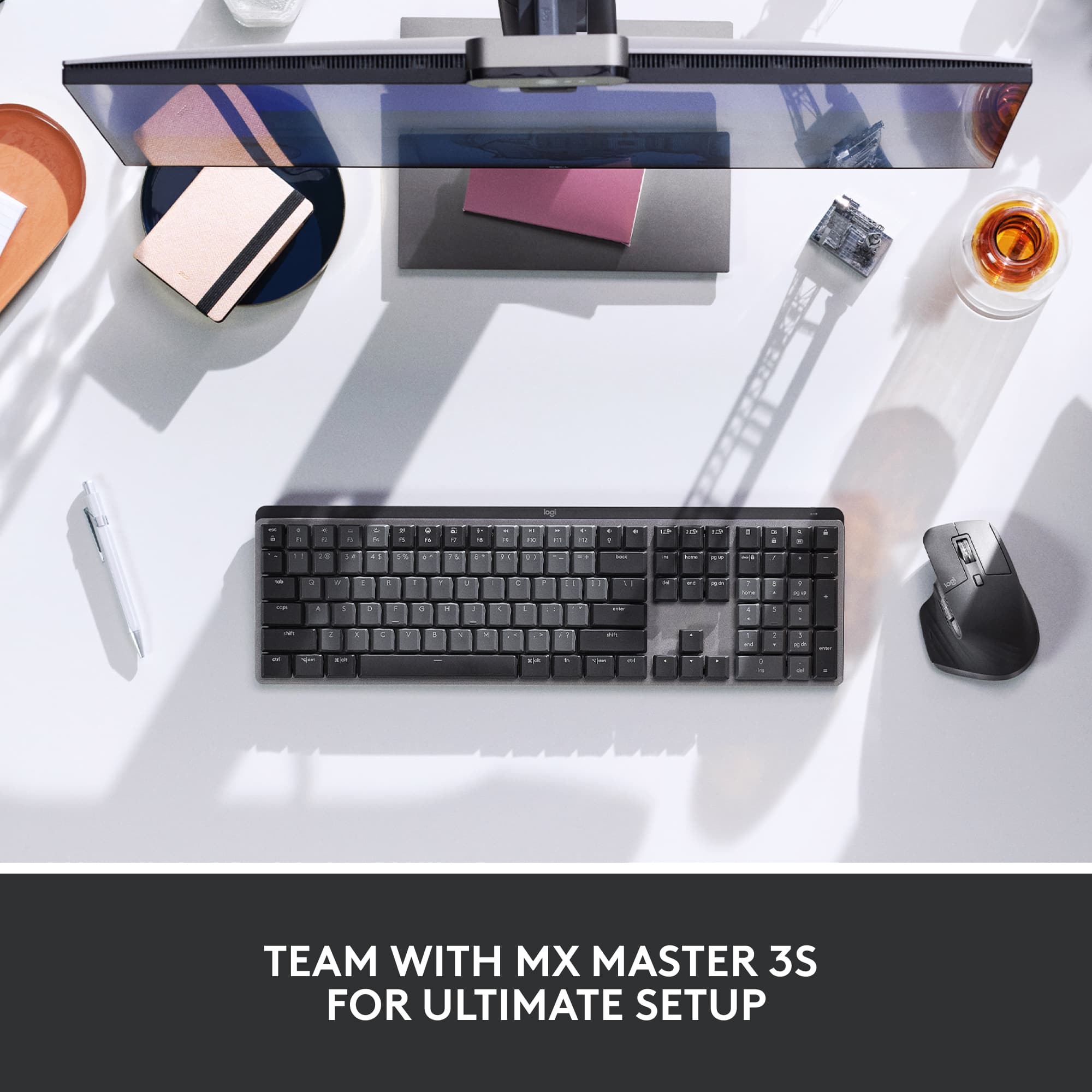
||Posted . Owned for 1 month when reviewed.This reviewer received promo considerations or sweepstakes entry for writing a review.I bought the Logitech MX Mechanical Full Size Wireless Keyboard and Mouse because I needed an additional keyboard and mouse that was different looking from the Logitech MX Keys S keyboard that is being used with my work laptop ( I work from home) and I didn't want to get the two keyboards confused. I only have one device connected even though three devices can be connected and by a push of a button, the other devices can be used from the same keyboard and mouse. This Mechanical keyboard performs very well with no lag in interacting with the computer. I use the wireless dongle and it is a very small footprint (as can be seen in the photo). It extends maybe a 1/8 in. from the USB port. The connection was instant and has never failed. I used the keyboard and mouse combo for two weeks at a time without charging and the battery has kept up with heavy usage without an issue. Since I use this for work I haven't gone further than two weeks without charging because it would be bad if the battery died during my work day! I have the setting on Tactile Quiet, but there's still an auditable "click" when the keys are pressed. As the picture shows the alpha keys are a different color from the rest of the keys, which is nice for me to tell the difference from the two keyboards that I use. The keys on the MX Keys S are all black. The feel of the keys are nice and I don't have any fatigue at the end of the day. The optional footies on the bottom of the keyboard to change the angle is a nice option too. They can be extended or collapsed for individual comfort. The mouse is really comfortable to use and fits really well in the hand. The response and pressure to click the buttons is extremely comfortable as well. There are configurable buttons on the side of the mouse for scrolling and other operations. I used a button for the "back" button so I don't have to go the top of the page and click the back arrow. It's a small thing, I know, but it does make it more comfortable to move around a page. Overall, this keyboard and mouse are really nice.
I would recommend this to a friendBrand response from Logitech
Posted .Thank you for such a detailed review! We’re glad the MX Mechanical’s distinct design and tactile feel help you navigate your dual-setup with ease. It’s fantastic to hear that the reliable battery life and customizable mouse shortcuts are making your workday more efficient and comfortable!
- Pros mentioned:Keyboard qualityCons mentioned:Software
Excellent keyboard with some software hurdles
|Posted .This reviewer received promo considerations or sweepstakes entry for writing a review.Logitech’s MX Mechanical keyboard has every option I can possibly want in a wireless, mechanical, work-oriented keyboard. USB-C charging, the ability to swap between computers or laptops with a push of a button, backlit keys that aren’t too bright, it works on multiple operating systems, the keys are pleasant, and keystrokes do not deliver a loud or high-pitched sound when depressed. I, personally, can’t ask for much more from this unit. The MX Mechanical comes with a new proprietary receiver called Logi Bolt. This is an improved design that also has new software with the same name to go with it. Within this new program you can manage older your devices even if they are connected through a unifying receiver. You can see from the photos that I have full support for a MX575 mouse within the Logi Bolt program and what receiver it is using. What I didn’t see is the keyboard I am reviewing. And that’s where I am torn on this device. It’s fantastic. It works really well. But the bloatware feels wildly unnecessary. The support for my devices is not uniform with the software support offered by Logitech. The MX Mechanical uses Logi Options+ where my mouse uses Logi Options. Both programs offer little to the customizing experience. But they are required to update the firmware for the devices. As much as I love this keyboard, I must remove a star for the software runaround. I’d love this so much more if that was tightened up.
I would recommend this to a friendBrand response from Logitech
Posted .Hello Caladbolg,
I am sorry that you are not completely satisfied with the Logitech apps for your devices. Thanks for leaving an honest product insight and taking the time to write a positive review. Logitech appreciates your product review. - Leo from Logitech
- Pros mentioned:Keyboard quality
Great clicky feel
|Posted .This reviewer received promo considerations or sweepstakes entry for writing a review.## Design I’m a big fan of Logitech’s MX Keys keyboard, but it has more of a “mushy” feel as it is a membrane keyboard. This Logitech MX Mechanical keyboard has a more “clicky” feel to it compared to the MX Keys and still maintains the low-profile and comfortable typing experience that Logitech’s MX keyboards are known for. This keyboard does have backlighting but only in the white color (same as MX Keys). If you’re looking for RGB (multi) color lighting, you won’t find it here. There are several lighting effects you can access by pressing the “fn” key and the “lightbulb” key (volume down). ## Performance Like the MX Keys, the MX Mechanical keyboard is very comfortable and a joy to type on. It’s louder than MX Keys, but shouldn’t be a major distraction, but the “clicky” is somewhat muted and shouldn’t be a huge distraction to co-workers (or family members, if working from home). There are additional keys for dictation, emoji, search and muting the microphone, but some of these functions require the Logi Options+ software to work. The Logi Options+ is a bit bloated and slow to come up (and it loads at each reboot, grrrrr). The MX Mechanical keyboard can connect to your computer (or tablet or smartphone) via Bluetooth or via the Logi Bolt (more on that below) USB receiver. ## Logi Bolt vs Logi Unifying Receiver One “gotcha” I’ve since learned about: Logitech devices using “Bolt” receivers do not mix with Logitech devices using “Unifying” devices. Previously, if you purchased a Logitech wireless mouse and keyboard over the past few years, they likely included a small “Unifying” receiver for each device, and you could use Logitech’s software to pair the mouse and keyboard to one receiver to save a USB port. The Logitech MX Mechanical keyboard uses a Logi “Bolt” receiver which is not compatible with the popular “Unifying” receiver from the past few years. They can not be mixed and matched. If you want to pair this keyboard with a mouse on one receiver, you’ll need to pick up one of Logitech’s newer mice that also uses a “Bolt” receiver. You can then combine the keyboard and mouse to one Bolt receiver using the Logi Bolt app on a computer. Of course, if your computer supports Bluetooth, you can pair the keyboard via Bluetooth instead of using the Logi Bolt receiver and avoid the drama altogether. ## Battery Life The keyboard saves battery power by only lighting up when it senses your hands approaching, but I’ve walked by the room and noticed the keyboard lighting up on its own (similar to my MX Keys keyboard). Despite this, the battery seems to last up to a week or so depending on how much I use it. The keyboard is recharged with in included USB-C cable, but data is not passed through the cable. Therefore, this keyboard cannot be used as a “wired” keyboard. ## Summary The MX Mechanical keyboard is very comfortable to type on, but is a little louder (and “clickier”) than the MX Keys. You can switch between 3 devices, but this keyboard uses Logitech’s newer “Bolt” nano receiver (instead of the popular “Unifying” receiver used previously) and Bolt devices cannot be paired together with Unifying devices (nor vice versa) on the same receiver.
I would recommend this to a friend - Pros mentioned:Battery life, Connectivity, Keyboard quality
My Take on the Logitech MX Mechanical Keyboard
||Posted . Owned for 1 month when reviewed.This reviewer received promo considerations or sweepstakes entry for writing a review.Alright, folks, let's dive into something that's been lighting up my desk and my heart these past weeks: the Logitech MX Mechanical Keyboard. Now, this isn't just any keyboard. It's like the Swiss Army knife of keyboards, designed for both Windows and macOS users, and it's been an absolute blast to use. First Impressions: It’s Got the Looks Straight out of the box, this keyboard grabbed my attention with its sleek, graphite finish. It's full-sized, which means you're getting a numpad, and for someone who juggles spreadsheets and games, that's a big plus. The backlit keys are not just cool to look at but super practical for those late-night typing or gaming sessions. No more squinting or guessing where the @ key is when you're typing in the dark. Feeling the Clicks: Tactile Switches for the Win Now, let's talk about what makes this keyboard feel as good as it looks: the tactile switches. Each keypress is satisfyingly clicky, without being too loud to annoy your roommate or your cat. It's a fine balance that Logitech has nailed, giving you that mechanical keyboard experience that's just right for both typing up reports or diving into your favorite games. Wireless Freedom and Compatibility One of my favorite features is how effortlessly it switches between my devices. Whether I'm working on my Windows PC or doing something on my MacBook, the MX Mechanical doesn't skip a beat. And yes, it's wireless, which means my desk looks cleaner than ever without all those extra cables. Plus, the battery life? Stellar. I've gone weeks without needing a recharge, and when I do, it's back to full strength in no time. Why It’s a Keeper Beyond just the typing experience and the versatility, it's the little things that make the MX Mechanical stand out. The customizable backlit keys are not just for show; they make it easy to find your way around, no matter the lighting. And the full-size layout means you're not sacrificing functionality for form. Bottom Line: Worth It? Absolutely. If you're on the fence about grabbing the Logitech MX Mechanical Keyboard, here's my two cents: go for it. Whether you're typing up a storm, gaming into the night, or just want a reliable keyboard that looks and feels great, this keyboard is a solid choice. It's become a staple of my desk setup, and I can't see myself going back to anything else anytime soon. Cheers to Logitech for knocking it out of the park with this one!
I would recommend this to a friendBrand response from Logitech
Posted .Thanks for your detailed review of the MX Mechanical Full size Wireless Mechanical Tactile Switch Keyboard! We're glad to hear that you're so impressed with its features and performance. We appreciate your feedback on its design, tactile switches, wireless capabilities, and overall value. It's great to know that the MX Mechanical has become a staple of your desk setup.
- Pros mentioned:Battery life, Keyboard quality
Fantastic keyboard for work and productivity
||Posted . Owned for 4 months when reviewed.This reviewer received promo considerations or sweepstakes entry for writing a review.I've used many mechanical keyboards over the years, and this one has become my favorite for everyday use. The tactile switches feel great without being overly loud, typing is comfortable even during long sessions, and the backlighting is excellent. The ability to switch between multiple devices is incredibly convenient, and battery life has been excellent. Premium quality and well worth the investment.
I would recommend this to a friendBrand response from Logitech
Posted .Thank you for your kind words! We’re delighted the product is performing well for you. Your feedback inspires us to keep pushing forward.
- Pros mentioned:Ease of use, Keyboard quality
Best keyboard ever
|Posted .This reviewer received promo considerations or sweepstakes entry for writing a review.I think I have tried most of the Logitech MX series and it's become my preferred series for business and personal use. My original MX keyboard was the best I had ever used...until now. I cannot stress enough how much I love this keyboard. While the key strokes are louder, I have to say, I missed the sound of a mechanical keyboard. I find it much easier to type on this and might have to buy another one for my office setup. Logitech makes their products really easy to set up and use. With Windows 11, all I had to do was put one of the keyboards 3 input options into pairing mode and the OS detected it and added it via bluetooth within seconds. I also use the Options to manage my MX devices as well which lets me customize Fn keys. There are some cool new features on this MX, aside from the awesome mechanical keys; the voice typing shortcut is really handy, as is the mute button for the microphone and an emoji button. The backlighting is the best I've seen on a wireless keyboard and I appreciate the lighting on the space bar as well. I type a lot for work and this keyboard has been an absolute pleasure to use.
I would recommend this to a friend