Customer Ratings & Reviews



- Model:
- 920-010547
- SKU:
- 6502579
Rating by feature
- Value
Rating 4.3 out of 5 stars
- Quality
Rating 4.7 out of 5 stars
- Ease of Use
Rating 4.7 out of 5 stars
Customers are saying
Customers praise the product's extremely solid keyboard quality, impressive battery life, and satisfying mechanical key feel. They also highlight its reliable connectivity and overall ease of use. However, the price is frequently mentioned as a significant drawback, with some users also noting the keys can be a bit loud and expressing minor concerns about software limitations for key modification.
This summary was generated by AI based on customer reviews.
- Pros mentioned:Battery life, Key feel
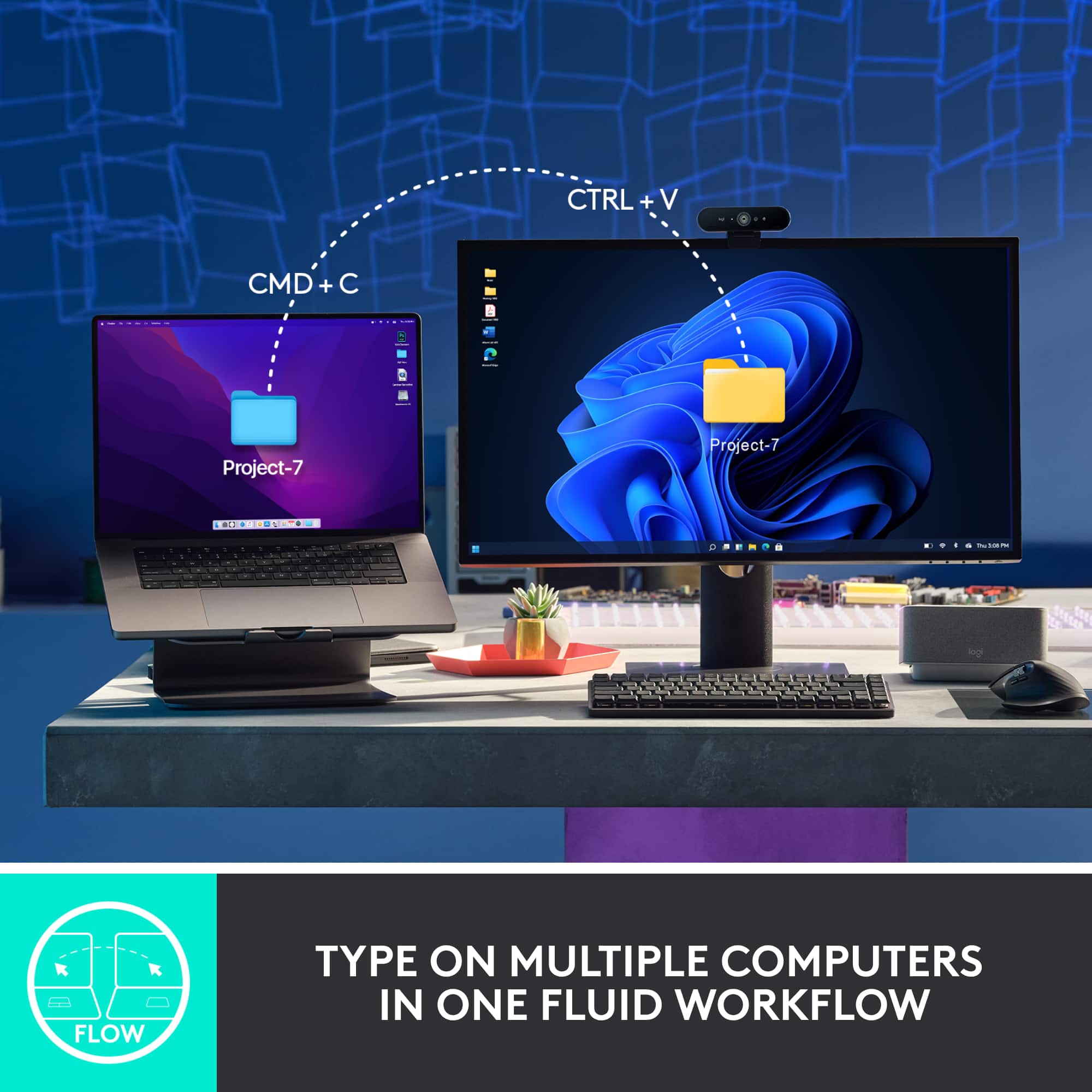
Great for connecting multiple devices
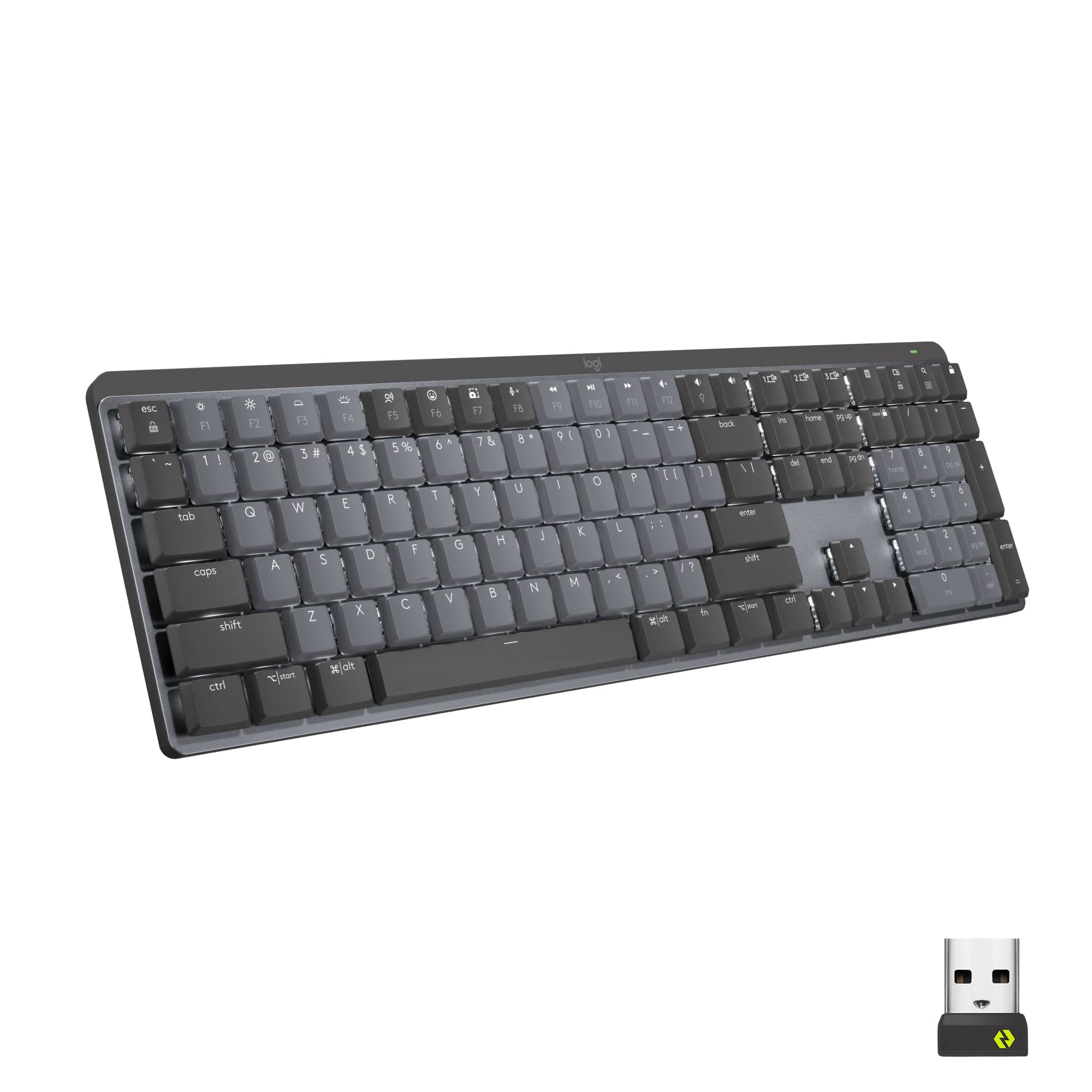
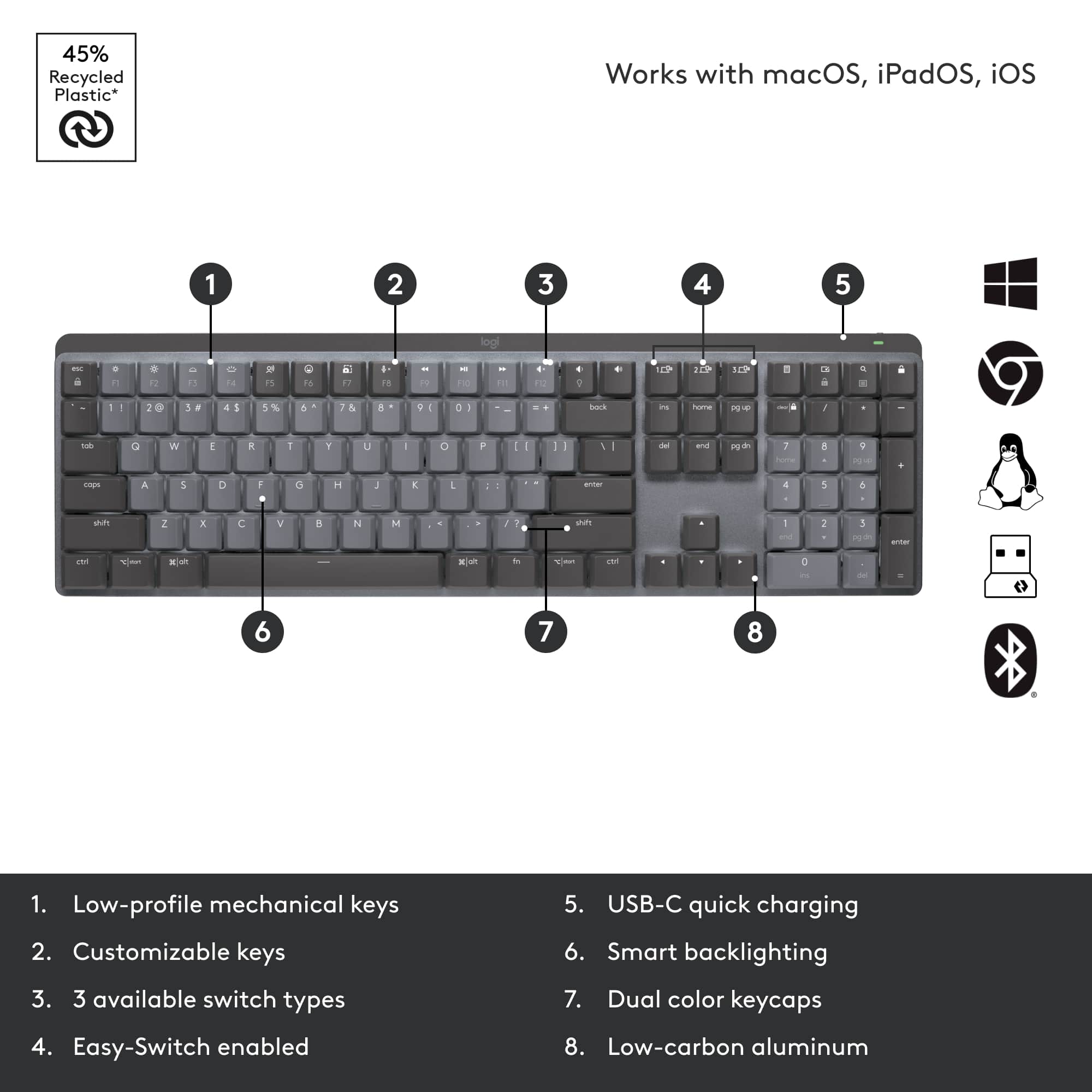
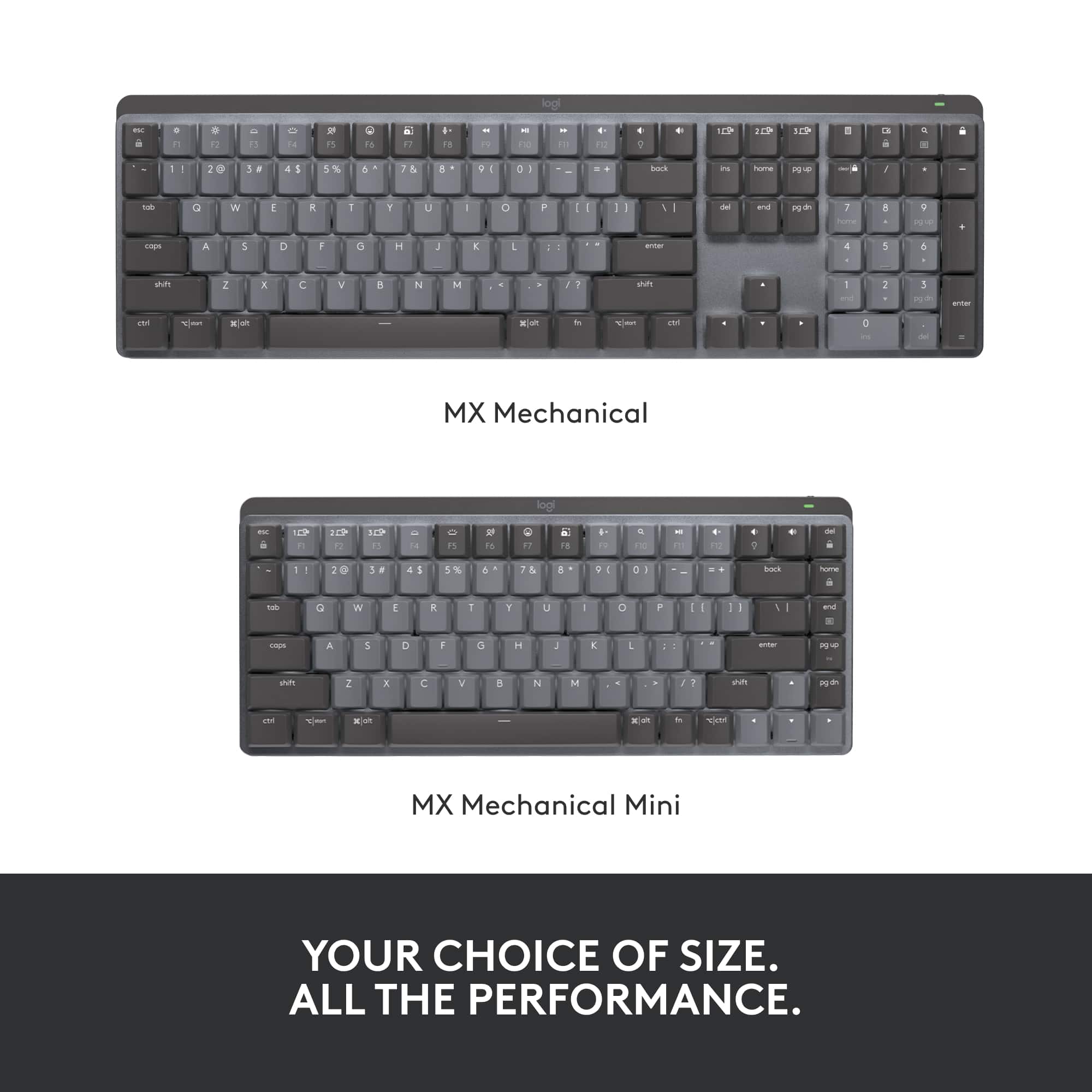
Posted .This reviewer received promo considerations or sweepstakes entry for writing a review.This keyboard is a little pricey, but it's worth. I hate a cheap feeling keyboard. I have the full size with the num pad and tactile switches, and have been using it for work with my Logitech Signature M650 mouse which has the matching bolt receiver. The keys are smooth like butter and silent enough to where it doesn't bother my coworkers when I'm in the office! Love the backlit keys and battery life is good. I've had it for maybe 6 months now and only had to charge it twice. I just paired it via bluetooth for my desktop at home and the setup was extremely simple. The 3 keys above the ins, home, and pg up keys allow me to easily to switch back and forth between my desktop and work laptop when I'm working from home. The only downside is that since this is a full size keyboard, it's hard to fit in my work bag when I come and go from the office - but I guess it's expected with a full size keyboard
I would recommend this to a friend - Pros mentioned:Key feel, Keyboard quality

A+ Keyboard
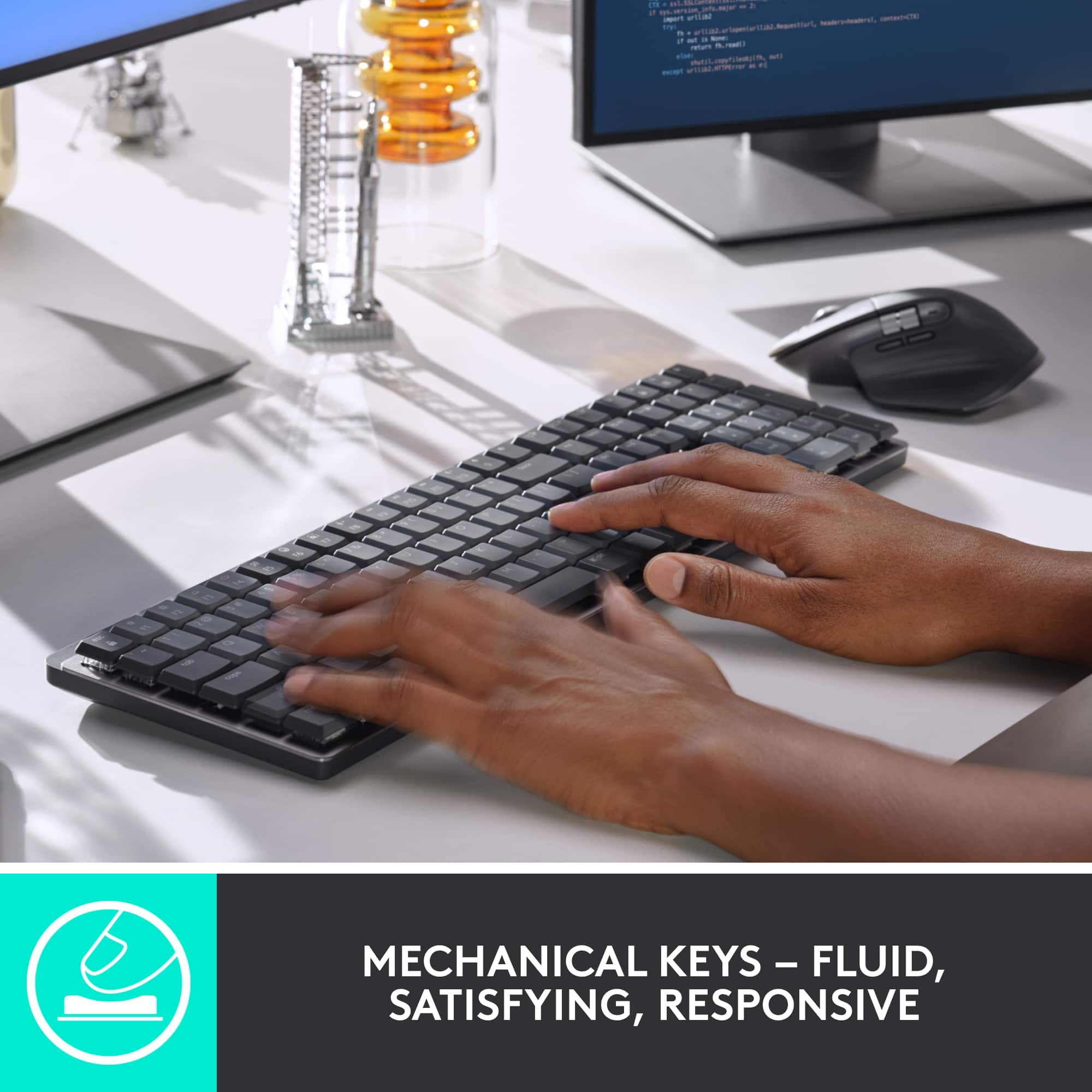
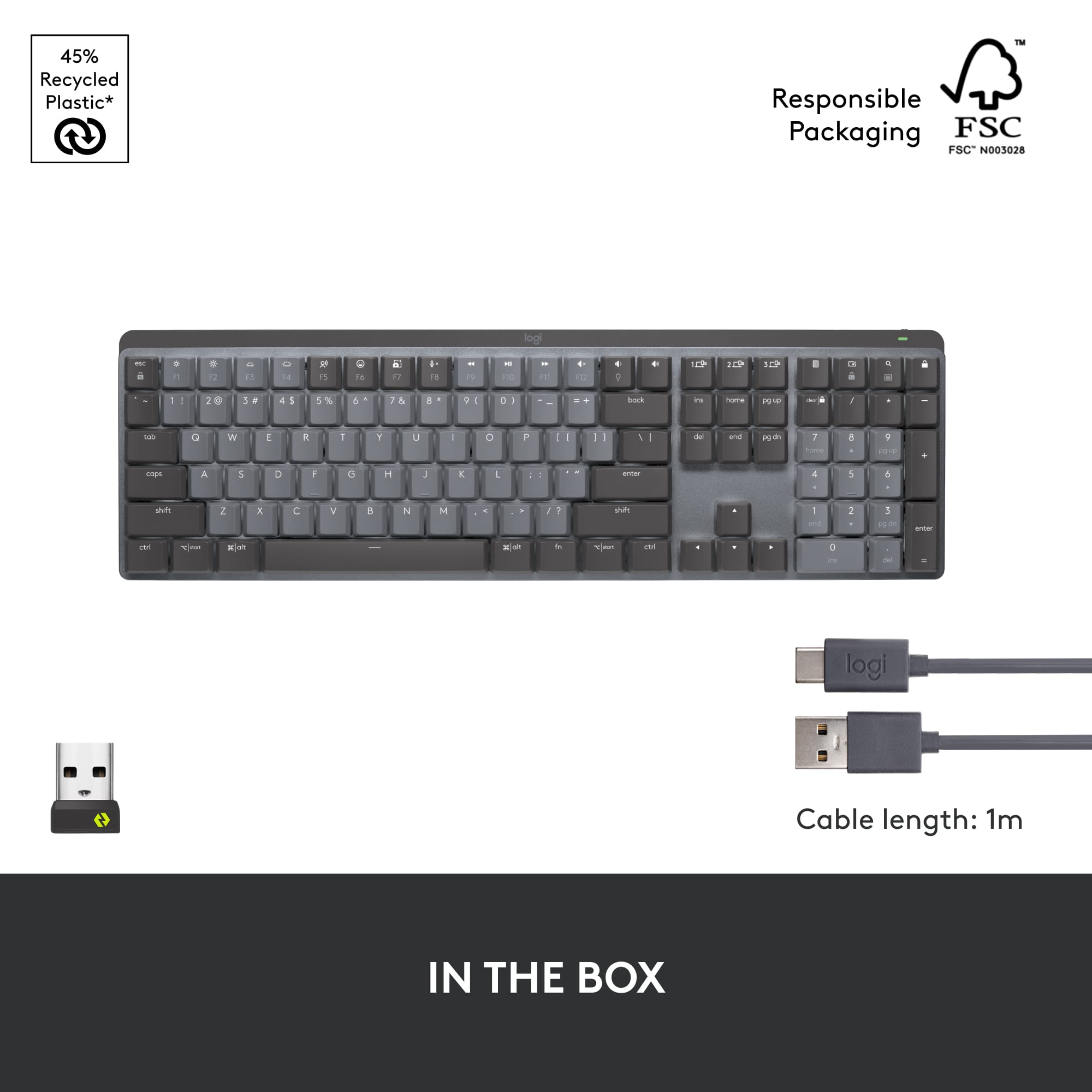
|Posted .This reviewer received promo considerations or sweepstakes entry for writing a review.The MX is a fantastic keyboard. It has substantial weight, making it feel premium. It also looks very nice, with an aluminum faceplate that oozes high-end quality. It has the ability to sync with three different computers, although I've only used it for one. The keys have a very nice, tactile feel, without feeling like you have to exert a lot of energy to press them. The MX is backlit, rechargeable, and Bluetooth capable. It does come with the typical Logitech USB connector in case your computer does not come with Bluetooth. I used the Bluetooth connection, which my computer saw immediately upon turning it on. It has plenty of function keys, which can be used with Macs or PCs. In use, I liked the keyboard. The keys are a tad close together and thus I found myself often hitting two of the keys at the same time. After using the MX for a few hours, however, I got used to the way they felt and the spacing and was back up to my 50-60 words a minute typing. This keyboard is not ergonomic in anyway- There is no wrist support, the keyboard is not broken up into two sections, and the keyboard is just flat (not wavy like some of Logitech's offerings. But it is a premium piece, with good looks, substantial weight, and a satisfying clicking noise while typing that is not overly obnoxious. I am glad I got the MX Mechanical, and it is my go-to keyboard for my work computer.
I would recommend this to a friend - Pros mentioned:Battery life, Keyboard quality
Great option for Work or Gaming
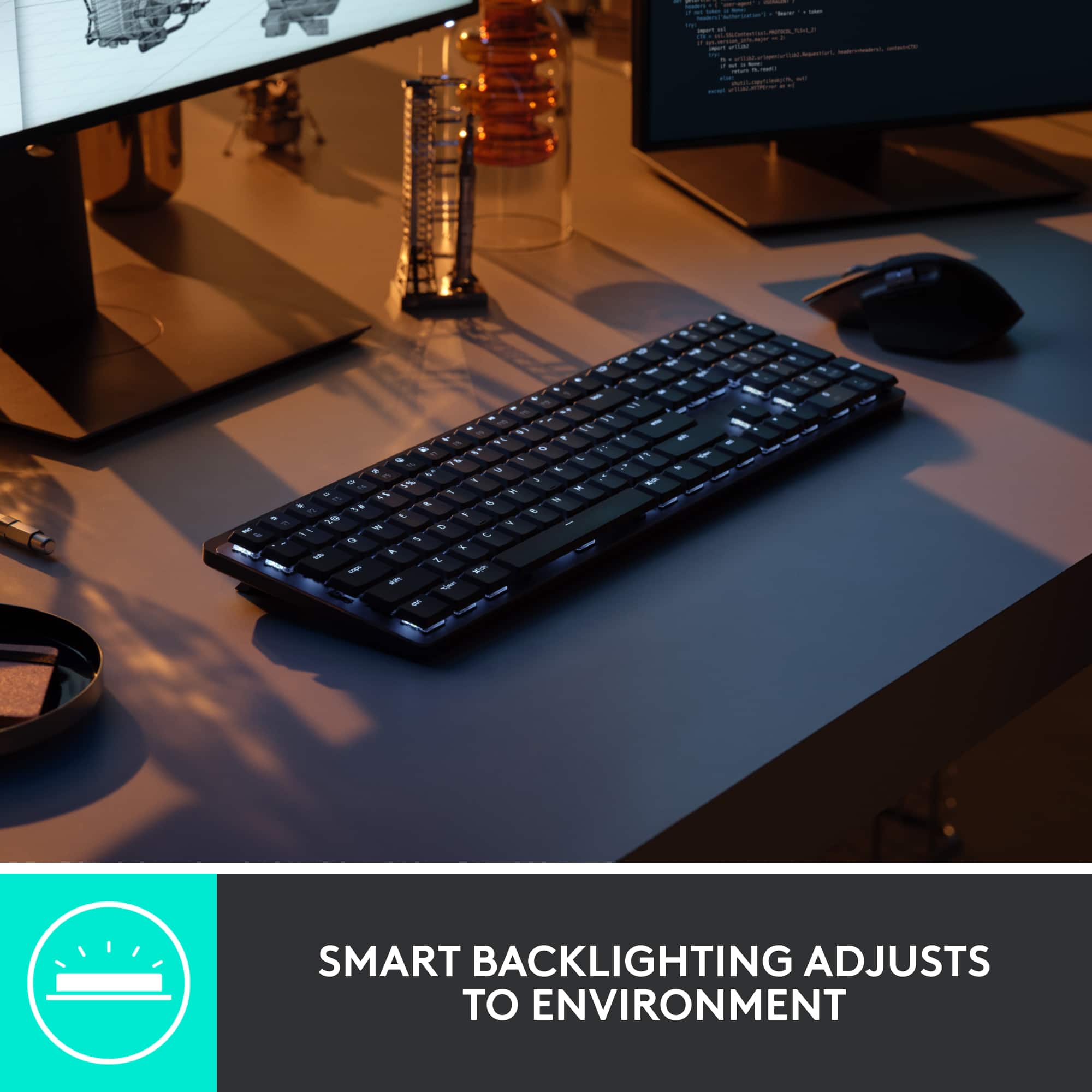
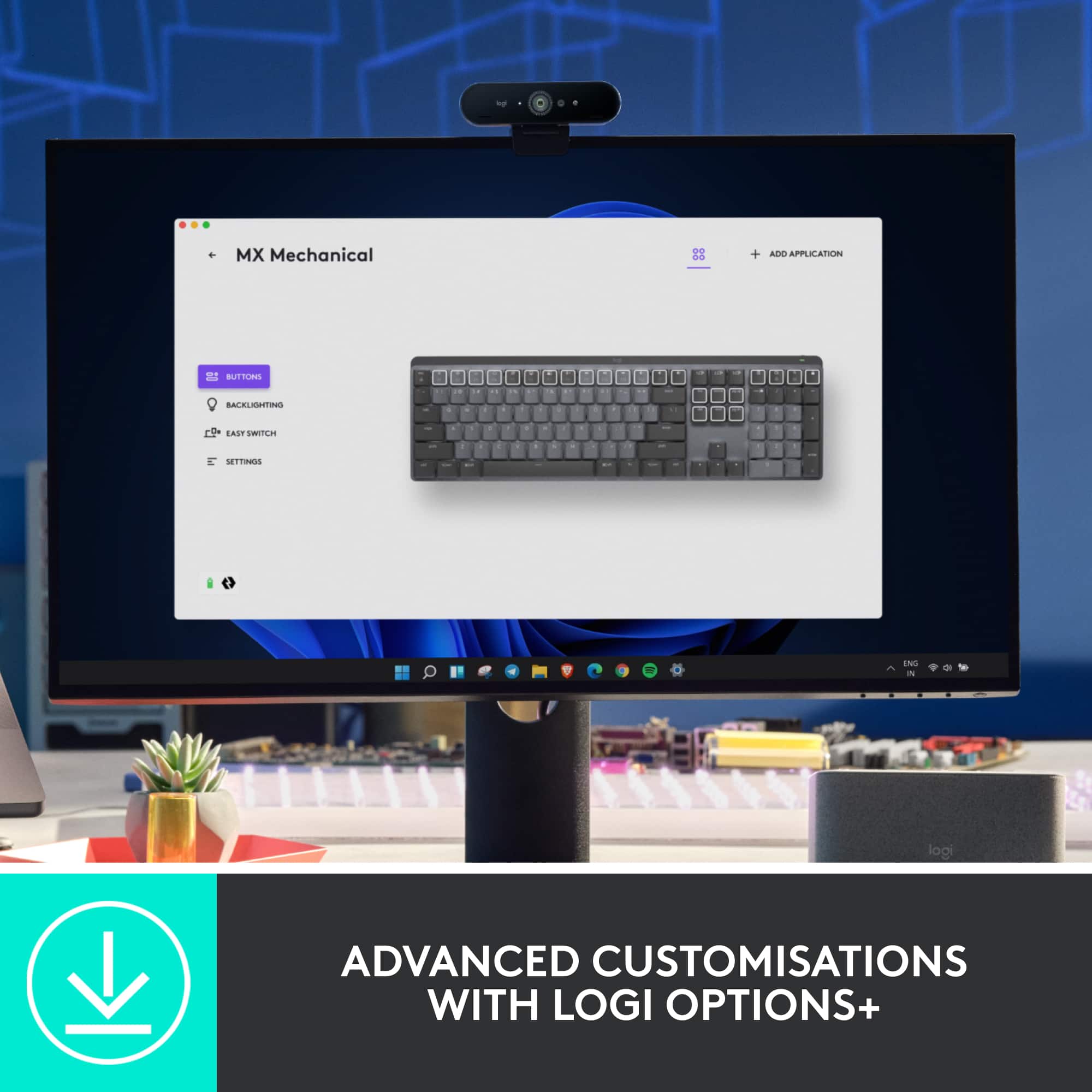
|Posted .This reviewer received promo considerations or sweepstakes entry for writing a review.This new option from logitech seems like a great option for work or gaming. I opted to use it at work, which is a cubical style IT dept. Connection is simple enough over the included usb dongle or bluetooth. The simple on/off switch on the top right corner makes it easy to help save the battery life. You can also charge it with the included usb c port on the back. The keyboard is back lit which is nice. I was worried about the noise from the mechanical type switches but I think it's plenty quiet and I have had no complaints in the office. You can customize alot of the keyboard using the logitech options app. One thing I would have liked to see is a little extra space on the outer edge of the keyboard but that's just an aesthetics thing. Alot of the keys can be customized in the app to suit your specific needs. You can also customize the brightness of the backlit keyboards through the app. The battery life is great boasting a full 10 months with the backlight turned off but who are we kidding we love the back light nowadays. This is still a very viable wireless option and charges quickly over the usb c connection. You can also manage connecting it to several devices at once for easy moving back and forth between devices. All in all very happy with it and would recommend it to someone.
I would recommend this to a friend - Pros mentioned:Keyboard qualityCons mentioned:Software
Mechanical keyboard for professionals
|Posted .This reviewer received promo considerations or sweepstakes entry for writing a review.The MX Mechanical is Logitech's first mechanical keyboard in their MX line. As a user of the MX mouse for a few years, having a new keyboard with mechanical keys peaked my interest. The keyboard can be paired to your PC using either a bluetooth connection, or the included USB dongle. I chose to go the bluetooth route. Pairing was pretty easy, but it did take a few attempts for it to complete with my PC. Once connected, you can download the Options+ software that allows you to customize the keyboard. The software is pretty easy to use, but It does seem to crash every so often on my Windows 11 device. Besides customizing the function keys, you can also customize the way the backlighting functions. I played with all of them a little bit, but found the one that lights up the depressed key the most useful one. As a software developer I need to make use of the FXX keys, and I am glad to see the keyboard includes full size keys on the top row. I also like that the volume up and down keys are not associated with any FXX key, so I can change the volume without needing to press the Fn key. While there are many things to like about the keyboard, unfortunately I find that it isn't the best for me. As a user of ergonomic keyboards for many years, I find that the layout is just a little cramped for my liking. The keyboard does not come with a wrist pad (which is disappointing for the price point). I really wish Logitech would make a mechanical version of the Ergo K860. In the end, if you are the type of person that likes a more compact keyboard and you don't want the multi-colored lights that many other mechanical keyboards have, this one might be the right keyboard for you. But if you have larger hands and prefer a more ergonomic layout, you might want to pass.
- Pros mentioned:Battery life, Key feel
Smooth function, a pleasure for touch typists!
|Posted .This reviewer received promo considerations or sweepstakes entry for writing a review.Review for Logitech - MX Mechanical Full size Wireless Mechanical Tactile Switch Keyboard for Windows/macOS with Backlit Keys This keyboard is so adaptable. I like the height settings that allow you to set the angle of typing. It’s very simple to install; I connected mine to my Mac in seconds via Bluetooth. If you prefer there is a (super small!) USB dongle that you can use instead that allows two other devices to be used as well. The backlight feature is excellent at night or in low light conditions. If you don’t need it, you can turn it off and the keyboard should run on a single charge for 10 months! If you keep the backlight future on, the keys light up as you move your hands near them, and the charge is good for two weeks. It’s easy to recharge with the included USB Cable. The motion of the keys is smooth and comfortable. They are not too squishy or too loud; just right! The top row of function keys can be programmed to your needs and little things like a blinking caps lock button are extra nice touches. A very well thought out, designed, and engineered keyboard.
I would recommend this to a friend - Pros mentioned:Keyboard quality
All the features of MX series with mechanical!
|Posted .This reviewer received promo considerations or sweepstakes entry for writing a review.Finally - All the features of MX series with mechanical characteristics! I'm already a BIG fan of the MX series, owning a full-size MX Keys keyboard and a separate Craft keyboard for my second workstation at my desk (for my creative work!). I also have both an MX Master 3 and 3S mouse, an MX Vertical mouse, and the MX Anywhere portable mouse for travel (spoiler alert, I'm a Logitech peripheral fan!). Alas, I loved the MX series, but the keyboards required a compromise to take advantage of their build quality, backlighting, and reliability - Chiclet keys (low profile keys like a Laptop has!) The MX Mechanical doesn't disappoint. It has smooth, reliable key travel with a satisfying, but not-too-loud "clack" feedback that mechanical keyboard users crave. ALL of the MX Keys features are here, including customizability, EXCELLENT backlighting, and compatibility with Logitech's own receiver format, and bluetooth PCs, tablets, phones and other compute devices. There are a few new features specific to the mechanical keyboard that I thought were great: - The keys are two-tone, separating alphanumeric keys from functional counterparts - ABCDEFG1234 etc are all in a lighter gray cast, while SHIFT, ALT, CTRL, TAB, SPACE, etc are a darker color - It just gives the keyboard some style without losing the professionalism of the MX line - It would fit in with a business PC on an office desk, or in front of the latest gaming PC and frame sync monitor. It really bridges the two worlds. - The keys aren't just backlit, but customizable... There are multiple backlight settings available - Not just brightness adjustments... A few of note include a "wave" pattern to show off the variable backlighting in a wave pattern across the keyboard, and "breathe" pulse of all the keys, and a "contrast" feature (my favorite) where the functional keys are highlighted vs the alphabetical keys - Something that makes a difference for me in finding my way around the keyboard in my peripheral vision in a dark office. There are a few quirks as well, mostly due to a generational leap that Logitech is making: - This keyboard is NOT compatible with Logitech's UNIFYING receivers that they've been including with peripherals for YEARS now. They have upgraded it to a new technology called Logitech BOLT which will replace UNIFYING in their lineup. BOLT has some technical advantages, such as reduced USB bandwidth and I believe better coverage/reduced latency but this will disappoint those who are only upgrading one peripheral and expected backwards compatibility with their other desktop components. BOLT is the new UNIFYING at Logi, but you'll need to upgrade everything to take advantage. - Just as with the hardware, the software is being replaced also- Gone is support for Logitech Options, the keyboard and mouse customization software for the rest of the MX series, to be replaced by Logitech Options+, which gets nary a mention on their Options website. I spent about 30 minutes troubleshooting how I had the latest version of Options and STILL couldn't see my MX Mechanical in its configuration screen. The good news here is that Options+ DOES support many of the older MX series items also, so upgrading to it in a mixed estate should be no problem. All in all this is a generational change, which will delight some and infuriate others, but I'm so happy to have this device, no doubt inspired by Logitech's gaming division and enabled as well as the rest of the EXCELLENT MX Series, in the stable. I loved it so much I went out and added an MX Master 3S to the set (which I will review separately) just to have everything on my station on BOLT and Options+ and to take advantage of its improvements.
I would recommend this to a friend - Pros mentioned:Key feel, Keyboard quality
Very cool product
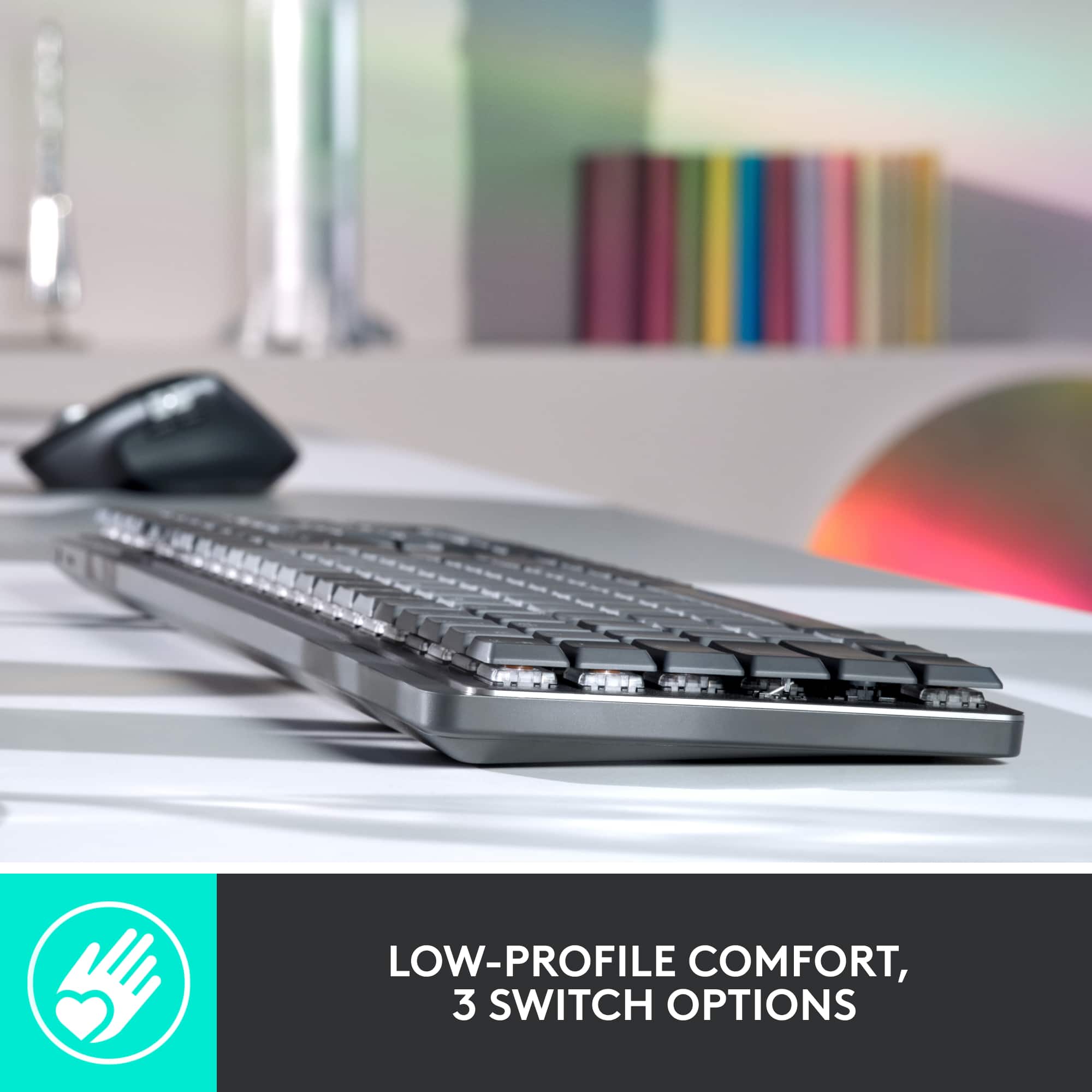
|Posted .This reviewer received promo considerations or sweepstakes entry for writing a review.I want to start this off by saying that I love the sound and feel of mechanical keyboards. I needed a new keyboard for work and this one has been great so far. I started by charging it. I left it charging for about an hour before using it. You are able to use it while its plugged in. The overall appearance of the keyboard is good. I like the subtle greys and the backlit keys. The aluminum casing is a nice touch and seems very durable. It is pretty lightweight compared to others I have had in the past. The easy switch keys are a first for me. I have not had a keyboard that allowed me to switch between paired devices. I have not really dug into this function yet but I am excited to test it out. The ability to switch the switch types is also a new one for me. It does switch well. I personally prefer the clicky type. Each one feels smooth and the feeling of the keys is great. Just like most keyboards out there, there are feet on the back so you can adjust the height up and down to help with keyboard angle. Overall this is a very cool product. I enjoy using it.
I would recommend this to a friend - Pros mentioned:Battery life
Super high expectations
|Posted .This reviewer received promo considerations or sweepstakes entry for writing a review.I've used all sorts of Logitech gear over the years and much of it is fantastic. I had really high expectations for this keyboard so I'm going to be a little hard on it. First the good stuff. As advertised, the key click feel is fantastic for a non-gaming keyboard, and the keys are pretty quiet for such a great action. The battery life is amazing, I've used it for three weeks and there's still plenty of charge. The illuminated keys are a great bonus. There's enough contrast between the keys and their labels that it's easy to see what you're doing no matter what the light level is. Another nice thing is that you don't lose a keystroke when waking up your computer -- the first key you press will register. I've used this keyboard as a work keyboard for a couple of weeks now and some things really bother me about how it's designed. My biggest issue with it is it's not awesome if you're always touch-typing. It is difficult to put my hand in the right place without looking, and 9]g4 67-p4r p;9ool4 6ujh9oe ,p054 6ujhwm pmf4/ (I've typed like that more than once and had to go back and correct it.) Sure there's speed bumps on the F and J keys, but the function key row and the number key row are right against eachother, there's no gap between them, so it's easy for me to end up on the wrong row. Why is it so shallow from front to back? It looks sleek and modern, but it gives up some usability. At first I thought it was for portability, but the keyboard is too long to fit in my computer backpack comfortably. Maybe it's designed for airplane tray tables? And to make it extra challenging, I use long and complex passwords. There's no indicator lights for caps lock and num lock. The caps lock key does get a little brighter, but the num lock has no indicator. I realize that the keyboard is designed to be inclusive for Windows and Mac users, but the symbols on the start buttons are cryptic for me. It took a moment to figure out which key would have had the windows symbol.
I would recommend this to a friend - Pros mentioned:Key feel, Keyboard quality
Second one, still the best on the market!
Posted .This reviewer received promo considerations or sweepstakes entry for writing a review.This is an excellent, mechanical keyboard. It is the appropriate size, the keys are a joy to type on. It’s aesthetically beautiful. I would definitely recommend this keyboard. In fact, this is my second one. And I may buy a third.
I would recommend this to a friend Squeaky Space Bar
Posted .This reviewer received promo considerations or sweepstakes entry for writing a review.This is the best keyboard I've ever owned, but that comes at a price, and I don't mean money. I've had to buy two of these keyboards, as the first one came with a defective space bar that squeaks. Took it back to the store, they ordered me a new one without any trouble. When it finally comes in, go figure: it too had the same problem. Logitech support has not been helpful either, but I do intend to take it apart, grease the wheel so to speak, and hopefully make it better. As far as typing, functionality, and quality in other : 10/10 , 5 stars. But my experience (at no fault to Best Buy) I think warrants a -1 star. Would definitely recommend if you type all day, love a tactile yet quiet feel, and I even bought the associated mouse, recommend it too.
I would recommend this to a friend- Pros mentioned:Keyboard quality
Lit keyboard is great!
Posted .This reviewer received promo considerations or sweepstakes entry for writing a review.Works great, especially like this lighted keyboard!
I would recommend this to a friendBrand response from Logitech
Posted .We’re grateful you took the time to share your thoughts. It’s wonderful to know our product is meeting your expectations.

- Pros mentioned:Battery life, Keyboard quality
MX Mechanical Keyboard (WOW)
Posted .This reviewer received promo considerations or sweepstakes entry for writing a review.This is the best mechanical keyboard I've owned. It's designed to be durable. The response time is excellent and the battery life is great. I have zero complaints.
I would recommend this to a friend - Pros mentioned:Keyboard quality
Expensive, but worth it if you use it often
Posted .This reviewer received promo considerations or sweepstakes entry for writing a review.The value of the key board can be questioned. It is a lot of money for a keyboard! But for me it is a great keyboard and if you use it every single day and if it lasts,..who is to say it isn't worth the money. The connection process was easy. The added functionality of connecting to multiple computers is a great feature. I love it, and I would get it again!
I would recommend this to a friend - Pros mentioned:Key feel
Responsive and well made but not good for office
Posted .This reviewer received promo considerations or sweepstakes entry for writing a review.Purchased this to replace my non mechanical ergonomic k350 and at first i thought this keyboard was awesome. But after a week of use this keyboard is very accurate in key press but but intuitive for business use. The keys are too close to each other and constant input mistakes. Will go back to my k350b for now. Was just bummed out about this.
No, I would not recommend this to a friendBrand response from Logitech
Posted .Thank you for sharing your experience with the Logitech MX Mechanical keyboard. We understand your disappointment that the key spacing led to frequent input errors and affected your business use, despite the keyboard's accuracy. We apologize that it wasn't a good fit for your needs and appreciate you letting us know.
- Pros mentioned:Keyboard quality
Awesome keyboard
Posted .This reviewer received promo considerations or sweepstakes entry for writing a review.Really nice keyboard, although I got so use to non mechanical ones that ended up switching.
I would recommend this to a friendBrand response from Logitech
Posted .Thanks for the honest feedback! The MX Mechanical is a great keyboard for those who love the tactile feel of mechanical keys. We understand it might take some getting used to if you're accustomed to non-mechanical keyboards. If you're ever looking for a mechanical option again, the MX Mechanical is definitely a top contender.
- Pros mentioned:Keyboard quality
10/10
Posted .This reviewer received promo considerations or sweepstakes entry for writing a review.great! very useful and great typing experience. Would recommend.
I would recommend this to a friend - Pros mentioned:Key feel
Logitcech
Posted .This reviewer received promo considerations or sweepstakes entry for writing a review.Great keyboard with great features and greatvfor anyone needing a great feeling keyboard
I would recommend this to a friend - Pros mentioned:Connectivity
Nice package, but harder to type than a laptop
|Posted .This reviewer received promo considerations or sweepstakes entry for writing a review.Overall, I'd say that this keyboard, at least with the tactile quiet keys, is worse than you'll experience with your average laptop keyboard. There are some nice features, so lets go over everything... THE GOOD: This is easy to clean, has a nice modern style, can connect to three different devices which you can switch between, and has some nice functionality for media through the function keys - including controlling system settings like screen brightness and other audio and track controls. THE BAD: The worst part of this keyboard is actually the switches they've selected. The quiet tactile keys should be like Cherry Brown switches. They are not. These are much more difficult to type on than Cherry Brown switches. They feel nicer than a laptop keyboard, but they also offer more resistance while typing which actually makes the typing harder than it would be on the laptop alone. Another point is that, unless I'm missing something, there are no options to adjust. The paperwork that came with this keyboard says that you can change the back-light light-up options and the functionality of the function keys. I've connected the keyboard to the required software, but no options come up. OVERALL: This is a nice package, and I can only hope that the other switch options are better, because I don't think this is very usable as it is.
No, I would not recommend this to a friendBrand response from Logitech
Posted .Hello Murphy, thank you for taking the time to write this review, we really appreciate the feedback. I will be passing it along. Lets fix this issue about the customization of the keyboard keys. First, you will need to download the Logitech Options+ software. Here is the link for that: https://support.logi.com/hc/en-us/articles/5216332417815-Download-MX-Mechanical. This should allow you to make all those adjustments. If you have any further question here is the webpage fo the software: https://www.logitech.com/en-us/software/logi-options-plus.html. I hope this helps!
-Danielle from Logitech
- Pros mentioned:Keyboard quality
Best keyboard
Posted .This reviewer received promo considerations or sweepstakes entry for writing a review.Smoothest keyboard I have ever used. Great quality and great typing feeling.
I would recommend this to a friend - Pros mentioned:Keyboard quality
Solid
Posted .This reviewer received promo considerations or sweepstakes entry for writing a review.This keyboard has a solid build and a bit of a learning curve.
I would recommend this to a friendBrand response from Logitech
Posted .The MX Mechanical is a durable mechanical keyboard with a learning curve. Customize its settings using Logitech Options to tailor it to your preferences.