Customer Ratings & Reviews
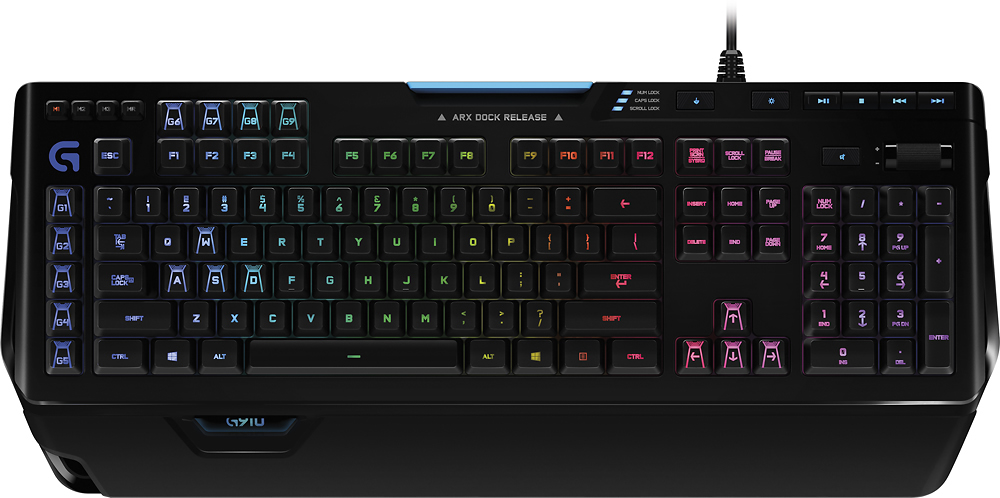
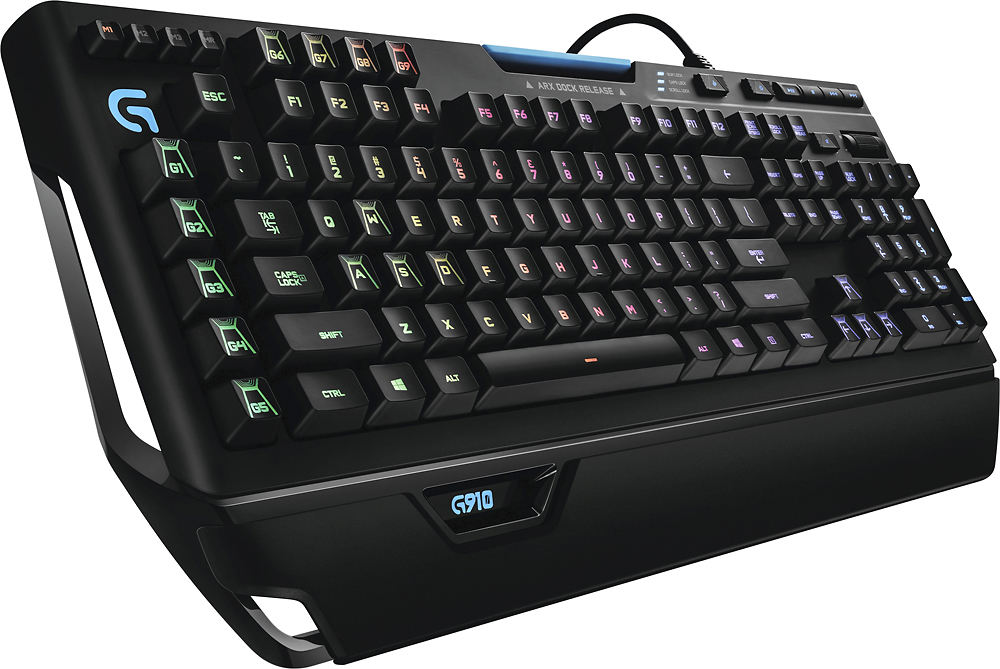
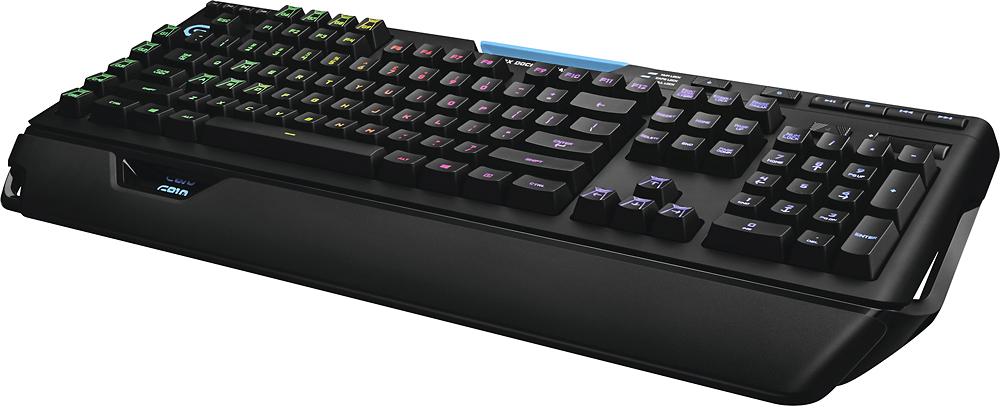
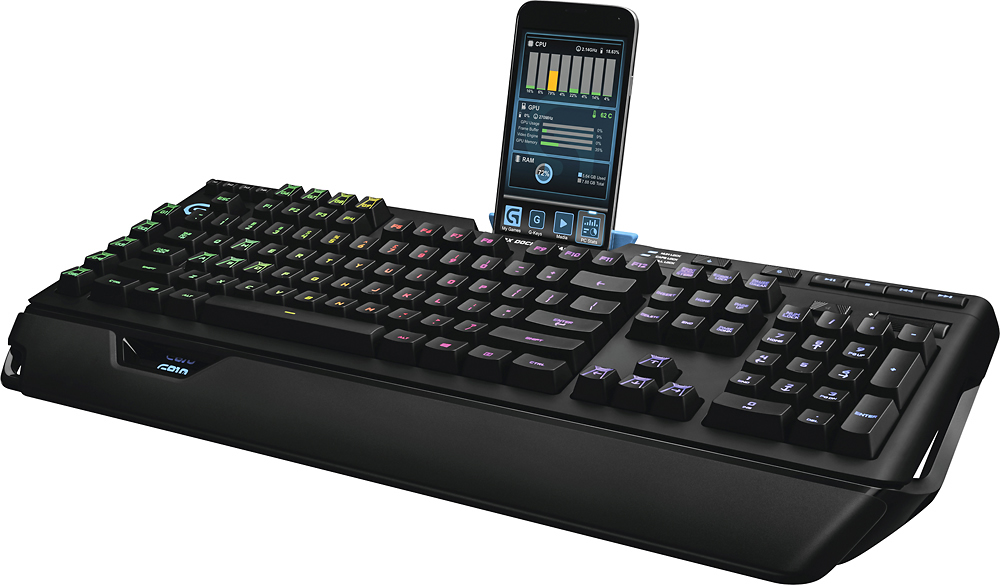

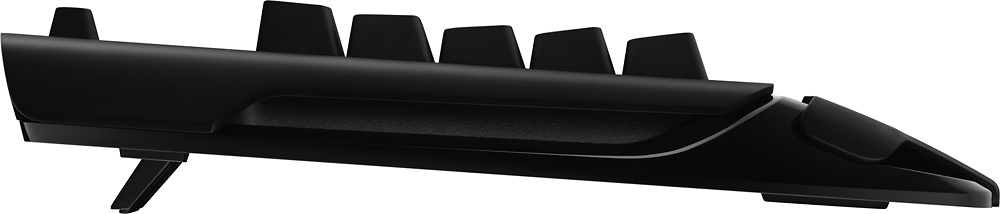
- Model:
- 920-008012
- |
- SKU:
- 5053501
Customer reviews
Rating 4.7 out of 5 stars with 2298 reviews
(2,298 customer reviews)Rating by feature
- Value4.4
Rating 4.4 out of 5 stars
- Quality4.6
Rating 4.6 out of 5 stars
- Ease of Use4.6
Rating 4.6 out of 5 stars
Customers are saying
Customers regard the Orion Spectrum G910 keyboard highly, praising its build quality, RGB backlighting, and satisfying key feel. Many appreciate the ease of use and extensive customization options, along with the positive comments on the software and lighting effects. However, some users express dissatisfaction with the wrist rest, finding it uncomfortable or poorly designed. The lack of a USB passthrough is another frequently cited drawback.
This summary was generated by AI based on customer reviews.
- Pros mentioned:Key feel, Keyboard quality
Rated 4 out of 5 stars
Great Keyboard, Software a Bit Flaky, Price High
||Posted .This reviewer received promo considerations or sweepstakes entry for writing a review.The keyboard lights up great, the fonts are clear and the keys include the sub items on them as well! I have been using a Logitech K800 keyboard for years and love the feel of it so this keyboard did have some getting used but I love it now. The keys all feel comfortable and just right amount of force and feedback. The use of the software is a bit confusing though and I had to check YouTube for guidance on how to use it. I also have a Logitech Gaming mouse and headset which also use the software. Under the mouse I can select the game .exe file and make changes to the files but under the keyboard all I can do is select the game .exe file. See Pic. I love how bright the keyboard is and how I can control each key individually. I am only giving the four stars because the software can be flaky. Sometimes it works and sometimes it doesn't. Also the cable could be a bit longer and braided. The keyboard does sit really high compared to the K800 keyboard but I have place my 3M Gel wrist pad right on the bottom of the keyboard and raised the back up about an inch to get it to an angle that is comfortable for me. Overall I would recommend this keyboard and love gaming on it. With the lights down I can see all the keys clearly. I bought this on sale and do believe the regular price is too high. Thanks
I would recommend this to a friend - Pros mentioned:Key feelCons mentioned:Wrist rest
Rated 4 out of 5 stars
Good at it's current price
||Posted . Owned for 2 weeks when reviewed.This reviewer received promo considerations or sweepstakes entry for writing a review.This is my first mechanical keyboard so I'm used to the old clicky style membrane keyboards. I feel like the Roma-G is a good compromise of clicky feel without being super obnoxiously loud. Where this keyboard falls short is the palm rest, or 1/2 palm rest. Either do a full soft rest or none at all. Almost took it back for this reason and was going to spend another $100 on the Corsair K100 and hope I got used to the linear keys. Luckily I found it comfortable with an aftermarket rest, even though it sits further back and I didn't have to double the cost of a keyboard just to get a good palm rest. PS the Kingston Hyper palm rest is AMAZING!
I would recommend this to a friendBrand response from Logitech
Posted .Hello Jeremy, thank you so much for the 4-star review. At Logitech, it is our goal to ensure you are completely satisfied with your Logitech purchase. We take pride in the products and services we offer, and want our customers to enjoy them just as much as we do. Make sure you download the Logitech G-Hub software to further enhance your G910 keyboard experience. Thanks for being part of the Logitech Family, have a great day. -Ricky | Logitech
- Pros mentioned:Rgb backlighting
Rated 4 out of 5 stars
Solid keyboard
||Posted .This reviewer received promo considerations or sweepstakes entry for writing a review.I have been using the keyboard for a couple weeks now and overall I am satisfied. Pros: Each key can change light color, complete with unique customized designs of your choice or use previously designed layouts using the free software download. The "arx dock release" aka the phone holder, works well and perfectly sized for my Note 9 (with bumper case) I have not used the suggested phone app as the reviews were poor and didn't have a need. Small Con: Un-customizable/always-on blue light is displayed for each: num lock, caps lock, scroll lock when turned on; plus the blue lights for the volume button and music control buttons in top right corner. Pro or Cons (depending on you): the keys hug your fingers (in my case this lead to my fingers tripping over other keys when typing fast, adjusting just fine) With this mechanical keyboard your typing will be heard by anyone in the room. Don't expect to add much height with the kickstand. Overall 4.5 out of 5 and would recommend; will adjust if anything goes wrong. Paid just under one-hundred USD(including tax) during sales for the general public in NOV'18. I have never owned an RGB mechanical keyboard until this G910 and dont regret it yet.
I would recommend this to a friend Rated 4 out of 5 stars
Good keyboard
||Posted . Owned for 1 week when reviewed.This reviewer received promo considerations or sweepstakes entry for writing a review.So I was in the market for a good keyboard with Marco keys. This g910 passes all my criteria but 1. The lighting is very extensive but not complex to use. It has a nice arm rest but could be better. Also has a phone stand which I like. Every button can be a different color of your choice which is awesome. All the buttons I use the most are blue (photo). My only grape about this keyboard is the Romer-G Tactile switches that Logitech has. They just don’t feel good typing. I always have to go back and erase something because I didn’t push hard enough . But that’s the only down fall for ME about this keyboard. All in all I love it.
I would recommend this to a friend- Pros mentioned:Key feel, Keyboard quality, SoftwareCons mentioned:Usb passthrough, Wrist rest
Rated 4 out of 5 stars
Great keyboard!
||Posted .This reviewer received promo considerations or sweepstakes entry for writing a review.This is a great board and won't disappoint! Pros: -Romer-G switches feel great -backlighting looks awesome -easy software Cons -can't remove wrist rest -I would have liked to see aluminum body at this price point -no usb pass through
I would recommend this to a friend Rated 4 out of 5 stars
Excellent Gaming Key Board
Posted .This reviewer received promo considerations or sweepstakes entry for writing a review.The G910 Spectrum is an excellent keyboard. I came from a Steel Series Merc Stealth. Lighting is fantastic, Really quiet for a mechanical Keyboard. Software documentation is mediocre so it loses one star there. I had an issue with it loading my custom profiles. After a day of researching and trying different suggestions, I found a Logitech's on-line advice to delete the software, and reinstall AS AN ADMINISTRATOR this was my whole problem all along and an easy fix just took forever to find it PROS: Sleek design, great key action, bright RGB lights, Can configure to different games. CONS: Would have preferred a braided cord rather than the stiff plastic one provided. Better documentation or at least a trouble shooting guide for configuration issues
I would recommend this to a friend- Pros mentioned:Keyboard qualityCons mentioned:Wrist rest
Rated 4 out of 5 stars
Not a good value for the price
Posted .This reviewer received promo considerations or sweepstakes entry for writing a review.I have owned 4 of the Logitech G910 Orion Spark keyboards since the first day they came out, and they have the angled keycaps on it, and comes in a nice heavy duty storage box with outer sleeve, 2 wrist rests that are mainly left hand part covering the skeleton like frame of the bottom. The reason I've owned 4 is the R key has mysteriously shorted out on each and every one using for general gaming and coding. This cost me 46 more for the keyboard not counting warranty, and for 1 less wrist rest, and flat keys, no nice packaging(same as G810 packaging), and even the back of the keyboard still says G910 Orion Spark, with that referenced model number, rather than like the images would have you believe it should be G910 Orion Spectrum with its own model number. Still no sleeved cable, and only flat or 1 height adjustment, where the G810 Orion Spectrum is $20 less, has a sleeved cable, and 3 height adjustments counting flat. The lack of 9 G macro keys is the only difference other than the wrist rest, and it feeling a lot more solid. This costing more, and not even having a Tom Clancy's The Division code with it, really makes it an almost embarassing package to purchase for just the keyboard. Logitech has the flat Romer-G mechanical keysets on their website with a pull for $40, or just the angled key replacements for $24.99 that are on the Orion Spark. To tell me that the keyboard(same base design and make as the Orion Spark) costs $20 more without a wrist rest or keys on it at all, before adding the cost just isn't a justifiable cost for this purchase. Otherwise, if you can get it on sale for less than $140, do that, and order the keycaps and buy or 3d print a full length wrist rest and save yourself nearly $15 overall.
No, I would not recommend this to a friend - Pros mentioned:Keyboard quality, Rgb backlighting, Software
Rated 4 out of 5 stars
Great keyboard
||Posted .This reviewer received promo considerations or sweepstakes entry for writing a review.Large, brightly lit, and well made. Logitech has been doing keyboards really well for a long time and the 910 is another fantastic product. Large comfortable layout, all the macro keys and media controls you could want, and individual per key lighting control. Additionally the software and game profiles work well.
I would recommend this to a friend - Pros mentioned:Key feel, Keyboard quality, Rgb backlighting
Rated 4 out of 5 stars
Great Gaming Keyboard
||Posted .This reviewer received promo considerations or sweepstakes entry for writing a review.T he Logitech G910 is a great gaming keyboard. I find that the keys are responsive and excellent just for normal typing in addition to using it for gaming. This is the Second one in the house. When we set up a new computer for my son, he tried other keyboards but didn’t like the feel compared to my G910 so we purchased one for his computer. The Software is why I knocked one star off this otherwise great keyboard. Pros: -Great feel without having to look at the keys. -Very responsive -Dedicated audio buttons. -Button to lock on the Windows key so you don’t pop up the start menu in the middle of a game. -I really like that you can set the color of the keys different colors based on the game or program you are in running. -Additional G1 – G9 buttons, you can have them set up to launch some common apps like the calculator, password wallet program, email program, Visual Studio or you can set them up to do key combos like copy, cut and paste. -Volume Control is a scroll wheel which makes it easy to turn up/down the volume without looking at the keyboard. -Switch to shut off the backlighting when the computer is on but not in use. (more on this in cons) -Two-year warranty! Cons: -The software sometimes glitches and you have to go into and “enable per profile backlighting” to get your specific Default keyboard profile working again. -Could use more special effect modes. -Program Profiles could be easier to manage. -On my first G910, some of the blue LEDs on a few keys faded to the point where you could barely tell that the blue was lit. example if you selected purple for the whole keyboard, those select keys would be red while the rest were purple. This is an issue of RGB LED and not specific to just Logitech’s RGB keyboards. (The keyboard was about 20 months old when I contacted Logitech and after jumping through there diagnostic hoops the replaced it) I now shut the back light off when I am done using the computer to prevent this on the replacement keyboard.
I would recommend this to a friend - Pros mentioned:Key feel, Keyboard quality, Rgb backlighting
Rated 4 out of 5 stars
Great Keyboard
||Posted .This reviewer received promo considerations or sweepstakes entry for writing a review.Upgrading from a $20 dollar keyboard. The Logitech G910 is awesome! It's not perfect, and I'm not fully used to it yet but it feels great. The keys are clicky and make a satisfying click noise. The lights are cool and the macro keys are useful.
I would recommend this to a friend - Pros mentioned:Key feelCons mentioned:Usb passthrough, Wrist rest
Rated 4 out of 5 stars
Solid keyboard
||Posted .This reviewer received promo considerations or sweepstakes entry for writing a review.I was interested in this keyboard for a while finally caught it on sale and have been pleased with it. This keyboard offers a ton options that can be customized. Having different configuration for games is great although it can be time consuming to get them set up. The keys have a nice feel to them. The RGBs have a high brightness level. My two cons would be no USB passthrough and rather have a soft wrist rest instead of plastic. It was easier to over look my cons at the price I paid.
I would recommend this to a friend - Pros mentioned:Keyboard quality, Rgb backlightingCons mentioned:Wrist rest
Rated 4 out of 5 stars
RGB Goodness!
||Posted . Owned for 1 month when reviewed.This reviewer received promo considerations or sweepstakes entry for writing a review.Been eyeing this keyboard for a while. I gotta say, the mechanical feel of this is very satisfying. Just the right amount of clickyness with the responsiveness to match. The customization of the lighting is killer. Especially when switching between apps. Programmed a keyboard color layout for my main desktop, one for Premiere Pro, and other custom configs for games, and it switches the lighting and the functions seamlessly when switching apps. The ARX dock is pretty nice too for your phone. There were some downsides to this I ran into. First off is the ARX app needs a freakin update! Although it works fine, Logitech hasn't updated the app in years! So it looks dated and lacks functionality. Another thing is the palm rest. It was fine at first, but use for long periods of time got the base of my palms sore from lack of support. Guess thats the drawback of having a cool looking hightech bulky keyboard vs getting one with a slimmer form factor. Last is the finish. Althought the matte finish on the keyboard is very nice and sleek, I did notice that it attracted finger prints. Mainly the natural oils from your finger would smudge on the finish and is pretty hard to clean and make it look back to new. But other than those minor things, I love it and would totally recommend this for anyone who wants a keyboard thats gots some body, RGB goodness, and great integrated macro programming functionality amongst many apps!
I would recommend this to a friend - Pros mentioned:Keyboard quality, SoftwareCons mentioned:Usb passthrough
Rated 4 out of 5 stars
Would be great with a bit more thought ....
||Posted .This reviewer received promo considerations or sweepstakes entry for writing a review.I love the keyboard! I am a fan of the Romer G Switches. I prefer them to the MX speed. I do like the silent a little more. I recommend trying the different switches. Much is personal taste. Two things keep this from a five star. The big one is no USB pass through. Really ... a $100 something gaming keyboard with no pass through? The kicker is it has a dock for a phone that can't be charged or synced. Easy enough to run a hub, but more stuff. Just seems sort sighted, The other thing is there is no way this keyboard is able to do 16.8 million colors. There is no yellow. It shows as green There is no white it is blue, The color it can produce are great and bright. Software is very good. Easy to use and straight forward. Syncs with my other Logetech products and one piece, of software. Does have presets for games. Not a lot, but works well for the few there is. I really like typing on this keyboard. I was using a rely nice brown switch keyboard. Just left my hands fatigued. I use a membrane at work and there is less of a transition to this keyboard. I love it even with the few short comings.
I would recommend this to a friend - Pros mentioned:Key feel, Keyboard quality, Rgb backlighting
Rated 4 out of 5 stars
Great keyboard
||Posted . Owned for 3 weeks when reviewed.This reviewer received promo considerations or sweepstakes entry for writing a review.Exactly what I was wanting in a keyboard. Macro keys and a little splash of style(rgb keys) at a reasonable price compared to other keyboards with similar abilities. The keys work great for me in both gaming and everyday use.
I would recommend this to a friend - Pros mentioned:Key feel, Software
Rated 4 out of 5 stars
Feels OK
||Posted .This reviewer received promo considerations or sweepstakes entry for writing a review.Its a pretty nice keyboard for sure, and the software is easy to use. I love the phone dock and the keys feel great and aren't that loud. My only gripe is it feels kind of cheap the media scroll feels cheap and the USB cord is thin and isn't braided. Also kind of bummed there isn't a USB pass through. Overall I'd still recommend the keyboard the keys feel good and it looks nice with all its pretty colors.
I would recommend this to a friend - Pros mentioned:Ease of use, Keyboard quality
Rated 4 out of 5 stars
Love this keyboard - my second
||Posted .This reviewer received promo considerations or sweepstakes entry for writing a review.The fact that I bought one for my office in addition to the one at home should say it all. If the software was a bit more intuitive I would give it 5 stars. While it is primarily a gaming keyboard the mechanics allow me to type faster. The macro keys are very useful for office type applications.
I would recommend this to a friend - Pros mentioned:Key feel, Keyboard quality
Rated 4 out of 5 stars
Almost perfect keyboard unless you use linux.
||Posted .This reviewer received promo considerations or sweepstakes entry for writing a review.This keyboard is almost perfect in what I want in a mechanical gaming keyboard. Unfortunately there is one con for my exact situation. On the pros: It has adjustable back light that completely lights up all the keyboard symbols, The keys are mechanical, There are extra keys for media and programing, And it looks nice and feels solid. Unfortunately, there is one con: The keyboard does not let you use any on-board programmable storage. Instead of on-board programmable storage, the keyboard uses ram. This means that whatever adjustments are programmed into the keyboard, they are reset every time the keyboard is disconnected from power. Now, if you are using Windows or a Mac with logitech gaming software, those adjustments are loaded back into the keyboard the next time you boot up. However, I use Ubuntu and therefor I do not have excess to logitech gaming software. Usually with logitech devices, you can program them in windows or a mac before disconnecting them from that computer and connecting them to a Linux one if you want a specific configuration. But with the G910, those configurations are lost the moment the G910 loses power. Now, it would be actually fine to use it in its default state except that the default configuration has the back light as a flowing rainbow which becomes an eye strain very quickly. The only way to change the configuration of this keyboard for a Linux system would be to program it in windows or an apply OS before transferring it to a Linux OS without letting the keyboard lose power during the transfer, either by connecting it to a USB 3 output that is set to give power even when the computer is turned off or by connecting the keyboard through a USB hub that is connected to an external power supply. If you are a windows or mac user, then this keyboard will work fine for you; however, if you use Linux like me, then heads up on the programming issue.
I would recommend this to a friend - Cons mentioned:Wrist rest
Rated 4 out of 5 stars
A worthy successor to the 'Spark'
||Posted .This reviewer received promo considerations or sweepstakes entry for writing a review.The Logitech G910 'Spark' was a very ambitious keyboard, but had a few complaints by the consumer ...which Logitech listened to and re-released as the 'Spectrum'. It's a great keyboard, with unique-to-Logitech switches that I love the feel of. However, I still have a few nit-picks worth mentioning, robbing it of a 5th star: - The RGB logo's may not match the RGB keys, after setup. - The media keys aren't RGB and can't be changed from the default blue. - Despite an updated wrist-rest, it's so small and the front of the keyboard is so tall, that having one hardly matters - what happened to the two different sizes that came with the Spark?. *These 'problems' were once again 'fixed' in regards to next gen G810.
I would recommend this to a friend - Pros mentioned:Rgb backlightingCons mentioned:Wrist rest
Rated 4 out of 5 stars
Could be better
||Posted . Owned for 1 month when reviewed.This reviewer received promo considerations or sweepstakes entry for writing a review.The Logitech G910 is a wonderful keyboard to game with, especially for CSGO, with 4 extra G keys on the top of the function keys. But, considering this keyboard costs 180$ MSRP (I got it for ~120$ new), I have some expectations, such as a USB port, or even a soft wrist rest. I am particularly affected by the USB port, since my laptop only has 2 USB Type-A ports, and 2 USB Type-C (Thunderbolt) ports. I use both my Type-A ports for the G910 and a G403 mouse, 1 Thunderbolt for eGPU (no extra I/O ports unfortunately) and the last Type-C port for my external SSD for games. As you can probably tell, I am USB port limited, and adding a Thunderbolt dock would solve the issue. At more cost. Aside from the no USB passthrough, the RGB features on this keyboard are really cool! I can even sync some of the features with my mouse. The G910 in the wrist rest looks like its an illuminated glass pane, it is really beautiful. I do wish that the wrist rest was soft, as this is a 180$ keyboard, and at that point, if I am not getting a USB port, I do expect a soft wrist rest, or even a grippy one. Just not hard plastic. As for the switches and keycaps, no complaints there, as I am not a keyboard guru, but other than that, I personally think this was a great keyboard, and while it could be better, it certainly is an amazing gaming/streaming keyboard!
I would recommend this to a friend - Pros mentioned:Keyboard quality, Rgb backlighting
Rated 4 out of 5 stars
Great keyboard
||Posted .This reviewer received promo considerations or sweepstakes entry for writing a review.I love the colors one of the reasons I got it. I wanted one with colors and the macro keys. I haven't set them up yet but keyboard is great to type on.
I would recommend this to a friend