Customer Ratings & Reviews
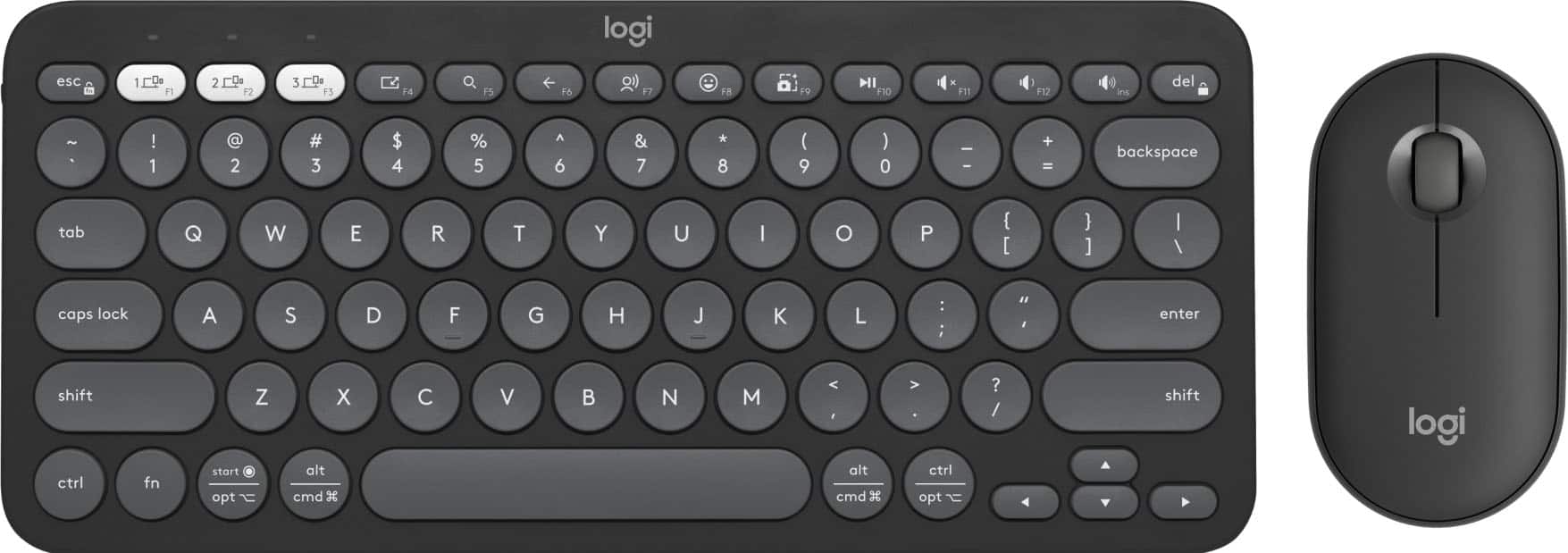
- Model:
- 920-012061
- |
- SKU:
- 6554350
Customer reviews
Rating 4.6 out of 5 stars with 334 reviews
(334 customer reviews)Rating by feature
- Value4.6
Rating 4.6 out of 5 stars
- Quality4.7
Rating 4.7 out of 5 stars
- Ease of Use4.7
Rating 4.7 out of 5 stars
Customers are saying
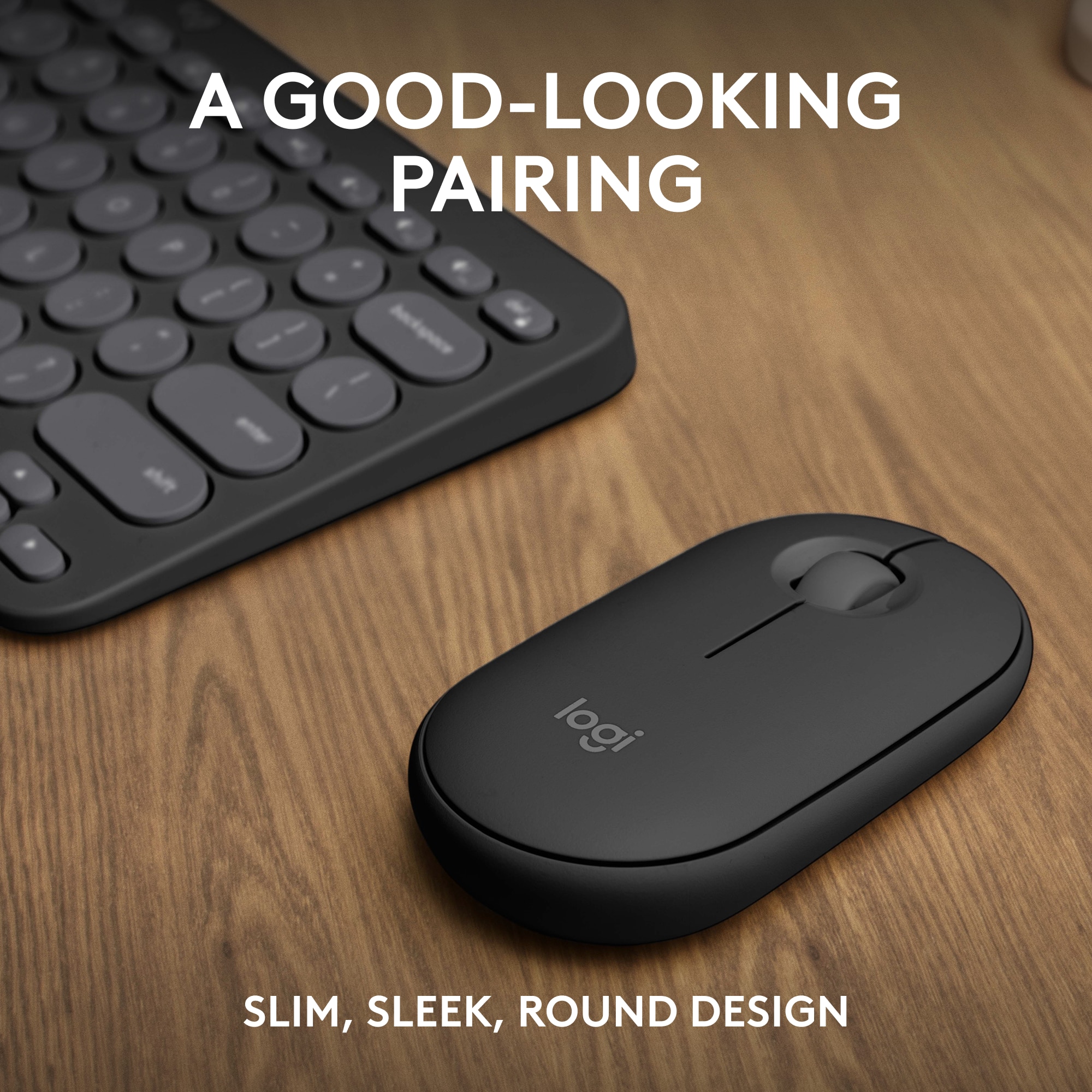
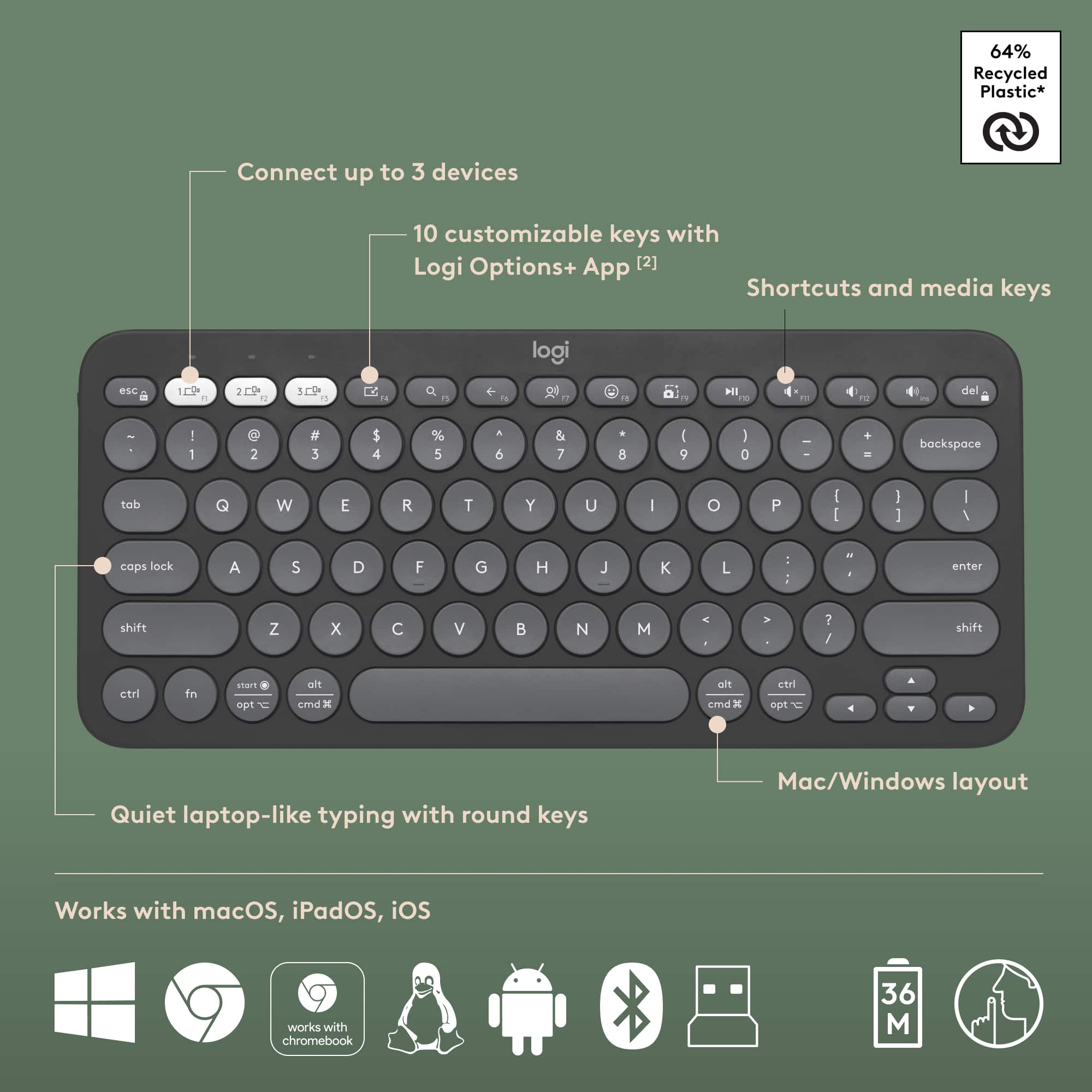
Customers have good things to say about the Pebble 2 Combo Compact Wireless Scissor Keyboard and Mouse Bundle, especially its portability and size, making it ideal for laptop use. The keyboard's quality and multiple connectivity options are also appreciated. Users also praise its outstanding battery life, compatibility with various operating systems, quiet operation, and sleek design.
This summary was generated by AI based on customer reviews.
Rated 2 out of 5 stars
Not good.
||Posted . Owned for 2 weeks when reviewed.This reviewer received promo considerations or sweepstakes entry for writing a review.I'll never understand making a keyboard that doesn't tell you when caps lock is on. I can get a full sized keyboard for half the price with this basic function.
This review is from Logitech - Pebble 2 Combo Compact Wireless Scissor Keyboard and Mouse Bundle for Windows, macOS, iPadOS, Chrome - Rose
No, I would not recommend this to a friendBrand response from Logitech
Posted .Thank you for sharing your feedback regarding the Pebble 2 Combo. We’re sorry for any inconvenience caused and appreciate you highlighting the importance of a caps lock indicator. Your input will help guide future product enhancements.
Rated 1 out of 5 stars
I like the brand. But..
||Posted . Owned for 3 weeks when reviewed.This reviewer received promo considerations or sweepstakes entry for writing a review.This product is difficult to install it works sometimes often not. The directions are bunch pictures instead of language. A waste of money. I should have taken it back instead, the time passed by days.
This review is from Logitech - Pebble 2 Combo Compact Wireless Scissor Keyboard and Mouse Bundle for Windows, macOS, iPadOS, Chrome - Rose
No, I would not recommend this to a friendBrand response from Logitech
Posted .We apologize that you had a difficult time setting up the Logitech Pebble 2 Combo. We understand the frustration of unclear instructions and inconsistent performance. Your feedback is valuable to us as we strive to improve our products and user experience. We will work to enhance future product documentation and ensure a smoother setup process.
Rated 1 out of 5 stars
Defective and non-ergonomic
||Posted . Owned for 7 months when reviewed.This reviewer received promo considerations or sweepstakes entry for writing a review.got this product last year in August from best buy after reading mostly positive reviews. Latest today April 06, 2025 the keyboard won’t even be recognized on my macbook air or even my windows laptop. I wouldn’t recommend the keyboard at all, however choose the mouse at your risk since its not at all ergonomic and will cause wrist pain after only a few hours of use
No, I would not recommend this to a friendBrand response from Logitech
Posted .Thank you for sharing your experience with the combo. We're sorry to hear that the keyboard is no longer being recognized on your devices after less than a year of use. We also appreciate your feedback regarding the ergonomics of the mouse and the potential for wrist discomfort. We apologize for the inconvenience this has caused. To address this issue, we recommend reaching out to our social care team via email at socialcare@logitech.com with your
- Name:
- Email Address:
- Country:
- Product Name:
- Brief description of issue:
Rated 3 out of 5 stars
You get what you pay for
||Posted . Owned for 3 weeks when reviewed.This reviewer received promo considerations or sweepstakes entry for writing a review.Keyboard work mouse doesn’t connect but it was not expensive so is fine
No, I would not recommend this to a friendRated 2 out of 5 stars
Keyboard
||Posted . Owned for 1 week when reviewed.This reviewer received promo considerations or sweepstakes entry for writing a review.I returned it cause I got it for work n it was too small for work but it would of been ok at home but I just bought a different one for home before this one
I would recommend this to a friendBrand response from Logitech
Posted .Hey! Thanks for the feedback on the Logitech Pebble 2 Combo. We understand it was too small for your work needs and you returned it. It's great that you found a better fit for work and enjoy the Pebble 2 Combo at home!
Rated 1 out of 5 stars
Returning
||Posted . Owned for 1 week when reviewed.This reviewer received promo considerations or sweepstakes entry for writing a review.I have no idea how this keyboard and mouse have such good reviews. This is the most frustrating thing I have ever purchased from Best Buy. First of all, the mouse randomly lags. When you scroll it'll scroll SO slow at first and then jump halfway down the page. The keyboard is awful because the keys are circular. Who thought that was a good idea? Anyways, not happy with purchase and will be returning.
No, I would not recommend this to a friendBrand response from Logitech
Posted .So sorry to hear about the trouble with your Pebble 2 Combo! The laggy mouse and circular keys sound frustrating. We appreciate your feedback to help us improve.
Rated 1 out of 5 stars
Not worth it
||Posted . Owned for 1 year when reviewed.This reviewer received promo considerations or sweepstakes entry for writing a review.The battery dies too fast.. there's better options
No, I would not recommend this to a friendBrand response from Logitech
Posted .Thanks for sharing your experience—we’re really sorry to hear about the battery issue. That’s definitely not what we want for your setup. If you’d like us to take a closer look and help out, please reach out to our social care team at **socialcare@logitech.com** with the following details:
- Name
- Email Address
- Country
- Product Name
- Brief description of the issue
We’d love to help make things right and get you back to a smoother experience.
- Pros mentioned:Battery life, Keyboard quality, Portability
Rated 5 out of 5 stars
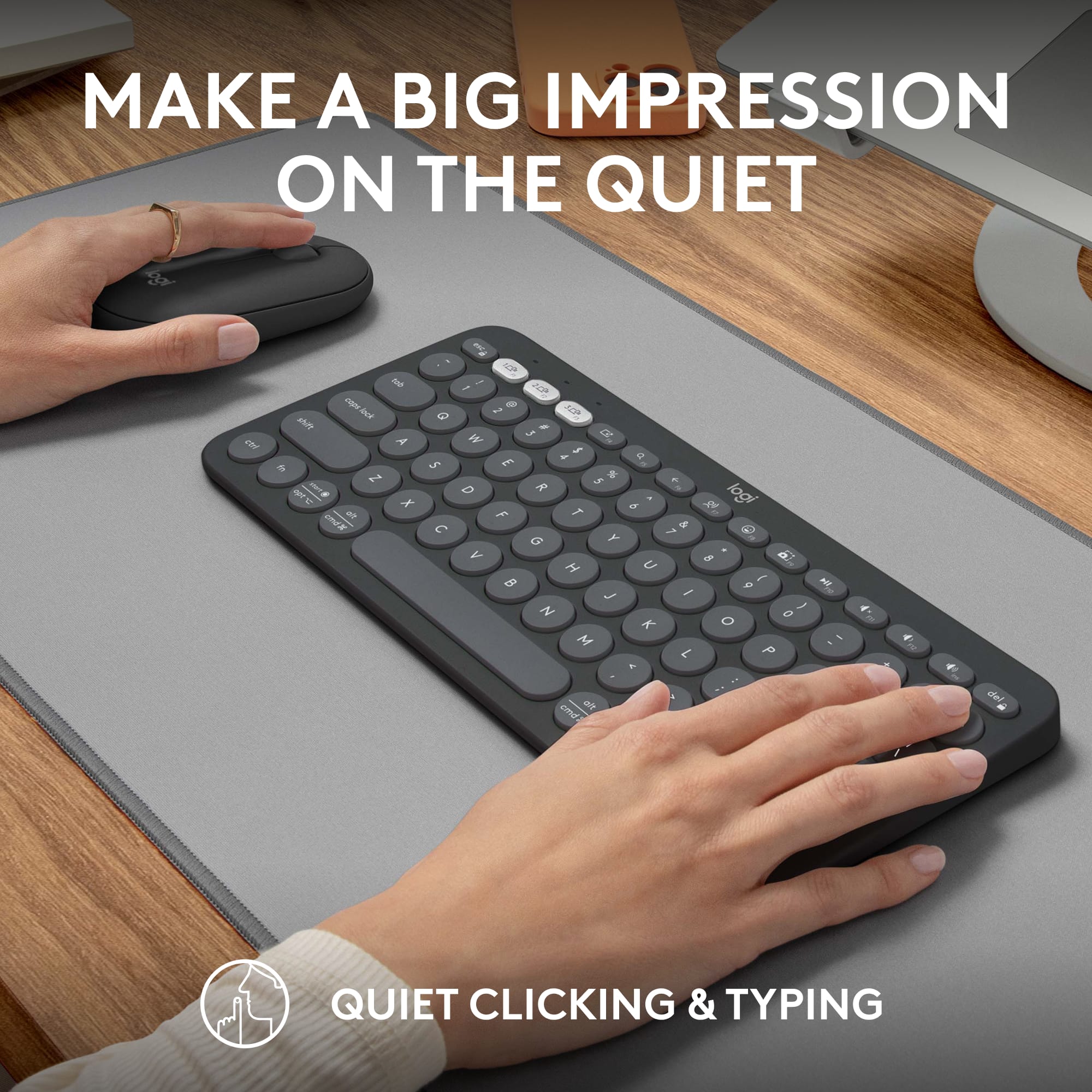
Silent clicks, Silent clacks, Battery lasts years!
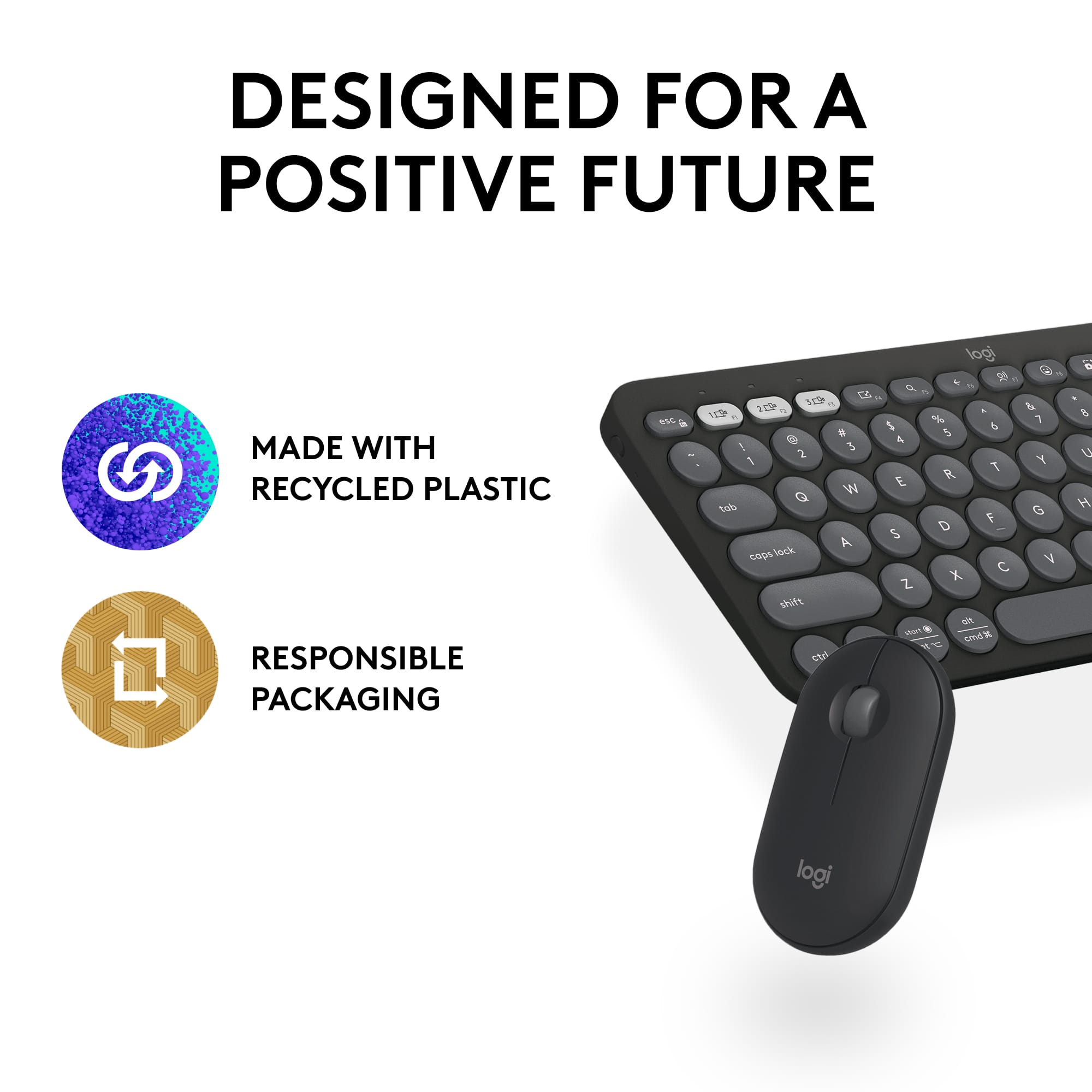
|Posted .This reviewer received promo considerations or sweepstakes entry for writing a review.As someone who was already using a Logitech keyboard and mouse this was what i assumed would be a great upgrade. Turns out i was right of course. So the standout features of this keyboard and mouse besides its amazing portability is that they are SILENT. Like actually silent which is amazing because I’m a clacker and like to type like the wind but bang the keys lol so not only is the keyboard silent the mouse clicks are too which if you haven’t had before is a really really weird concept. That said this is a fully featured full keyed Keyboard and mouse that can connect to up to 3 devices via Bluetooth (logi bolt USB receiver included). Selections and adjustments are easy and you can use the options app to make any sort of adjustments you need to make or use regarding which platform you are using them with and it will save your settings. Since i was already using a similar combo this was very easy to swap right over to these. Portability wise they are perfection. This gives the apples devices a run for their money because they fit perfectly in my bag when I’m on the go and the fact that they last apparently 2 and 3 years respectively on the included batteries which is nutty. Certified carbon neutral packaging and recycled plastics used to make these give me that good feeling that I’m using a product from a company that cares. Thank you Logitech and i will never use another brand.
I would recommend this to a friend Rated 2 out of 5 stars
Mr.
||Posted . Owned for 3 weeks when reviewed.This reviewer received promo considerations or sweepstakes entry for writing a review.Would not connect with my IMac computer, felt kind of flimsy
No, I would not recommend this to a friendBrand response from Logitech
Posted .Hello there, We're sorry to hear about the connection issues and quality concerns you experienced with the Logitech Pebble 2 Combo on your iMac. The keyboard and mouse should be compatible and feel sturdy.
To troubleshoot the connection, we recommend reaching out to our social care team via email at socialcare@logitech.com with your
- Name:
- Email Address:
- Country:
- Product Name:
- Brief description of issue:
Rated 1 out of 5 stars
Worst product
||Posted . Owned for 3 months when reviewed.This reviewer received promo considerations or sweepstakes entry for writing a review.Some keys of the keyboard are not working with in 2 month. This is the worst keyboard I’ve ever used.
No, I would not recommend this to a friendBrand response from Logitech
Posted .We apologize that your Logitech Pebble 2 Combo Compact keyboard is experiencing issues after only 2 months of use. We understand how frustrating this is and appreciate your feedback. To address this issue, we recommend reaching out to our social care team via email at socialcare@logitech.com with your
- Name:
- Email Address:
- Country:
- Product Name:
- Brief description of issue:
Rated 1 out of 5 stars
Color is nice
||Posted . Owned for 1 month when reviewed.This reviewer received promo considerations or sweepstakes entry for writing a review.Color is nice but i didnt like tge way it felt. Returned it
This review is from Logitech - Pebble 2 Combo Compact Wireless Scissor Keyboard and Mouse Bundle for Windows, macOS, iPadOS, Chrome - Rose
No, I would not recommend this to a friendBrand response from Logitech
Posted .Thank you for your feedback on the Logitech Pebble 2 Combo. We appreciate your comments about the color and your decision to return the product. We'll continue to work on improving our products to meet the diverse needs and preferences of our customers.
Rated 1 out of 5 stars
Missing part
||Posted . Owned for 1 month when reviewed.This reviewer received promo considerations or sweepstakes entry for writing a review.Missing keyboard and bby didn’t issue me a refund after I sent it back ! Never buying anything from this store
This review is from Logitech - Pebble 2 Combo Compact Wireless Scissor Keyboard and Mouse Bundle for Windows, macOS, iPadOS, Chrome - Rose
No, I would not recommend this to a friendBrand response from Logitech
Posted .Hey! So sorry to hear about the missing keyboard and refund issue with your Pebble 2 Combo at Best Buy. While we can't handle returns directly, contact Best Buy again for an update on the refund or replacement.
- Pros mentioned:Portability, Size
Rated 3 out of 5 stars
Compact? Yes. Fully Capable? Not so much.
|Posted .This reviewer received promo considerations or sweepstakes entry for writing a review.The Logi Pebble 2 Mouse and Keyboard combo is an adequate compact, and decently portable work station setup. Things I Liked: - Using this with my iPad pro was my favorite use case for these devices. I like that the keyboard is nearly the same width as the 12” iPad Pro in landscape mode, so it looks tailor made for the iPad. Plus, the grayscale coloring of the mouse & keyboard combo pairs well with the space gray color of my iPad. - The ability to switch between 3 devices is something I really appreciate about the Pebble 2 devices as it’s a feature I grew to love on my Logi MX Keys keyboard and MX Master mouse. The ability to quickly and efficiently switch between my iPad, Mac, and work PC is critical for my personal workflow. It works just as expected, and you can pair with either 2 Bluetooth devices and another non-Bluetooth device via a USB-a unifying nano receiver, or with simply 3 Bluetooth devices. - The keyboard isn’t too cramped, and I felt as though I could type comfortably with it. The circular keys each have a slightly indented curvature that seem to conform to your fingertips. - The design is fun. It’s a device that doesn’t look too serious, yet somehow screams with personality while being perfectly minimalistic. I don’t know how to put it, but I like the way the mouse and keyboard combo looks. - The setup is compact, and I wouldn’t hesitate to take it with me when traveling with my iPad for a make-shift laptop alternative. What I Didn’t Like: - The lack of a 10-key number pad may not be ideal for some students and professionals. I use a 10-key daily for work, and usually use it personally when working on family budgeting spreadsheets. This setup is not ideal for me simply because doesn’t have a 10-key. - The mouse is terribly uncomfortable, especially in periods of extended use. I do have slightly larger hands, but even so, it’s not well ergonomically designed and is rather flat. - The mice and keyboard do not have rechargeable batteries. This is a missed opportunity in my opinion because that would have made them even more suited to be a compact travel workstation. I hate tracking down batteries, and using a convenient standard USB or USB-C cable to recharge the device would eliminate this hassle. - The plastic build quality is okay, but not my favorite. All in all, the Pebble 2 mouse/keyboard combo could provide a decent setup for those with relatively simple needs, or serve as a perfect portable setup for iPads and tablets. I wouldn’t recommend it to students or most professionals I know.
No, I would not recommend this to a friend - Pros mentioned:Battery life, Size
Rated 4 out of 5 stars
Very Portable, Great Battery, a Bit Small for me
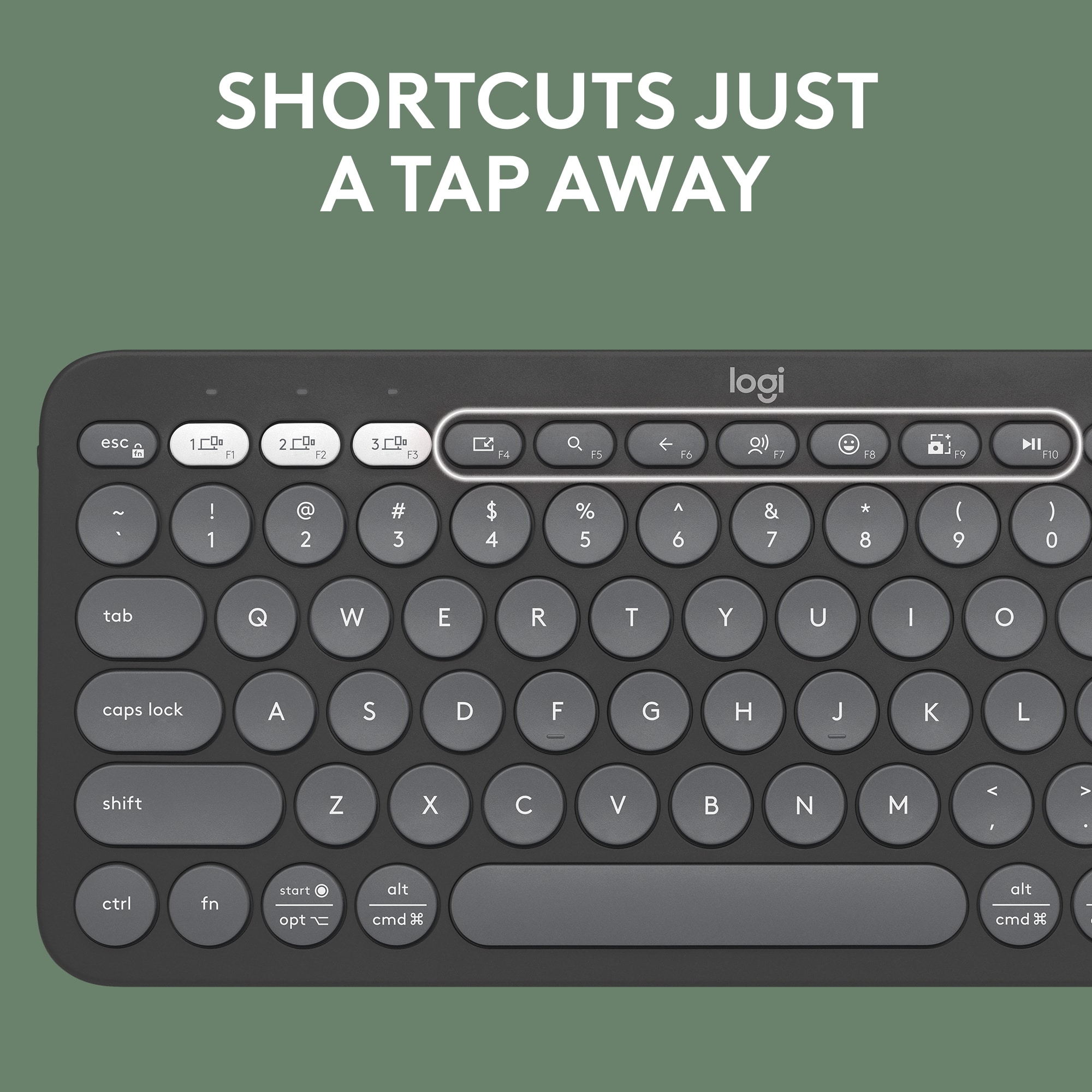
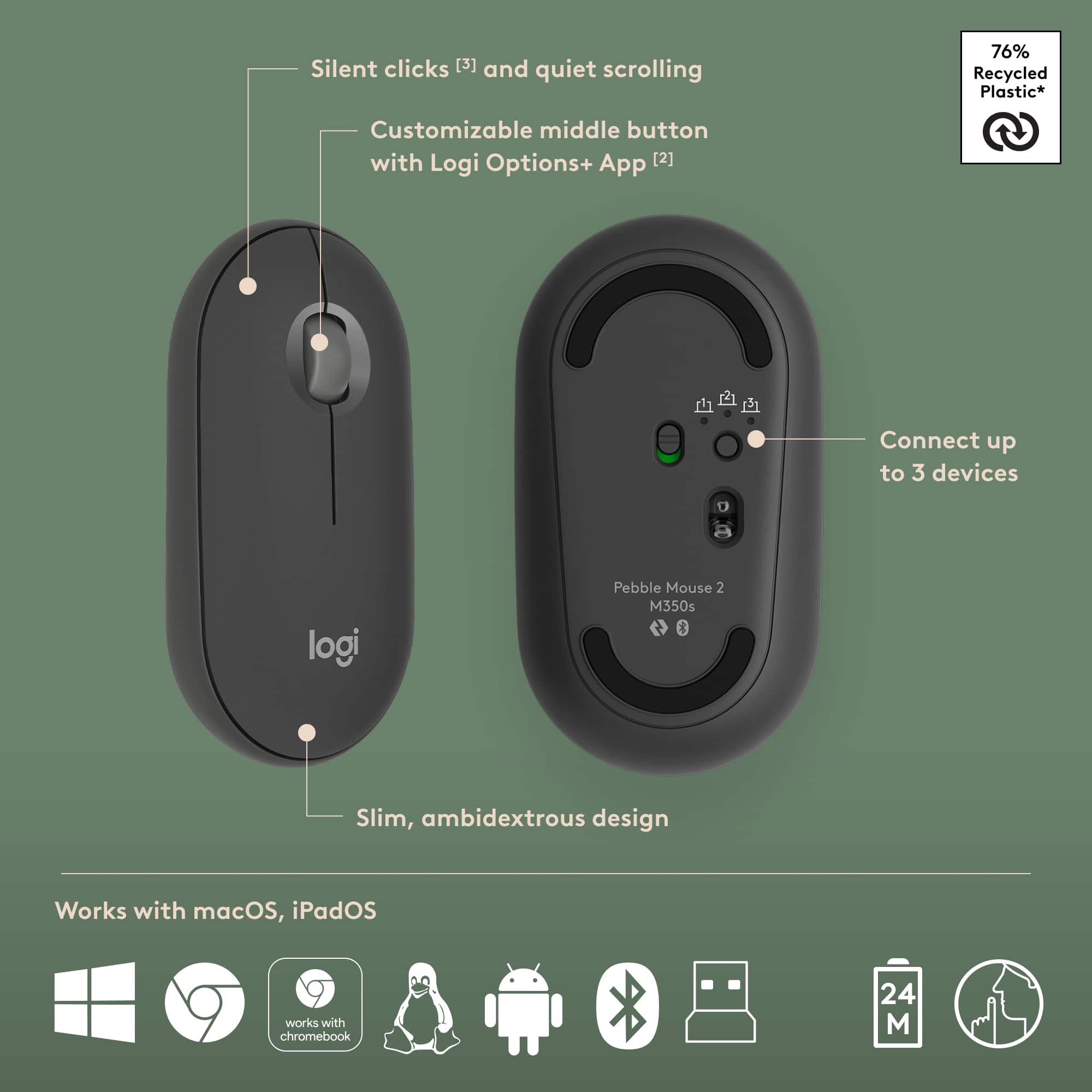
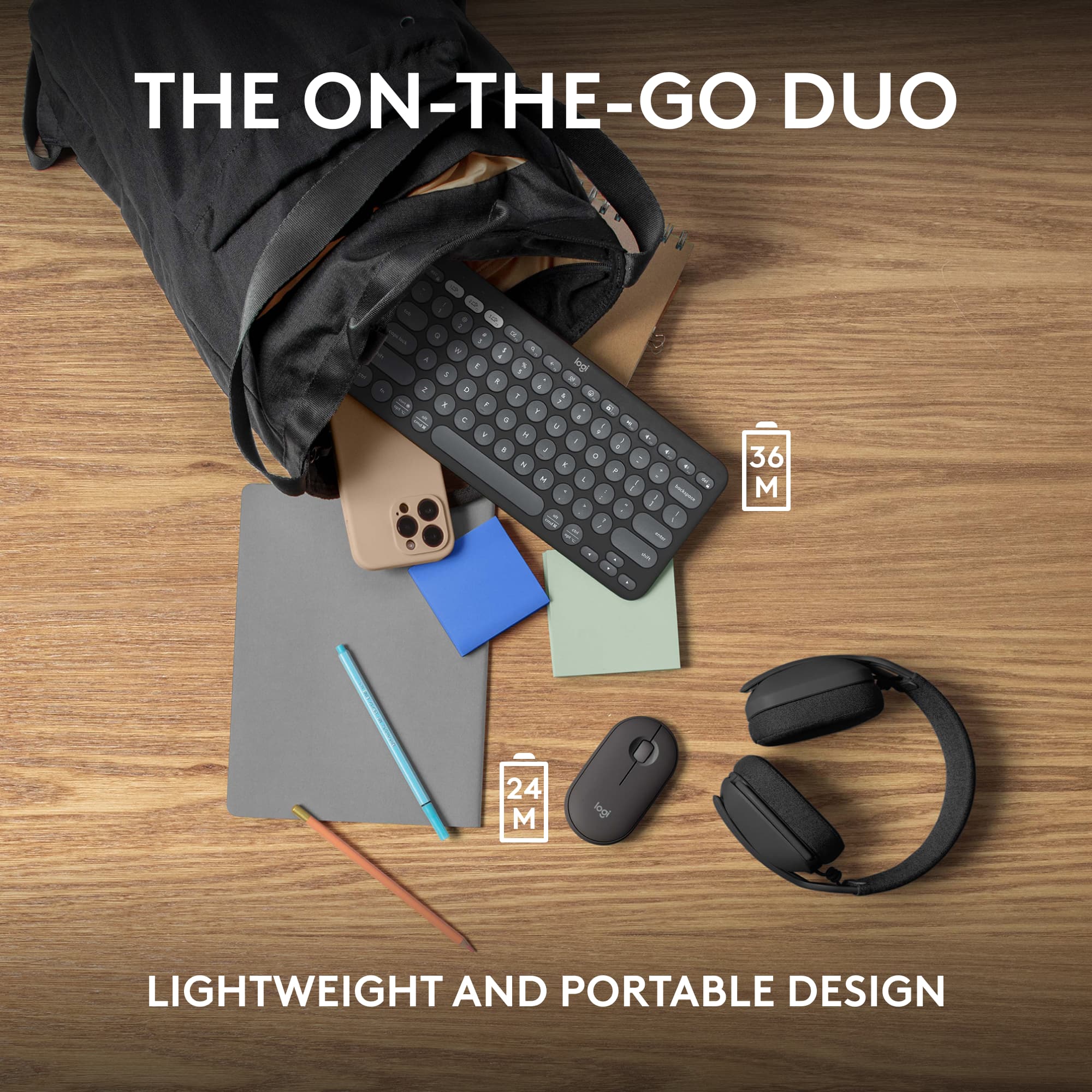
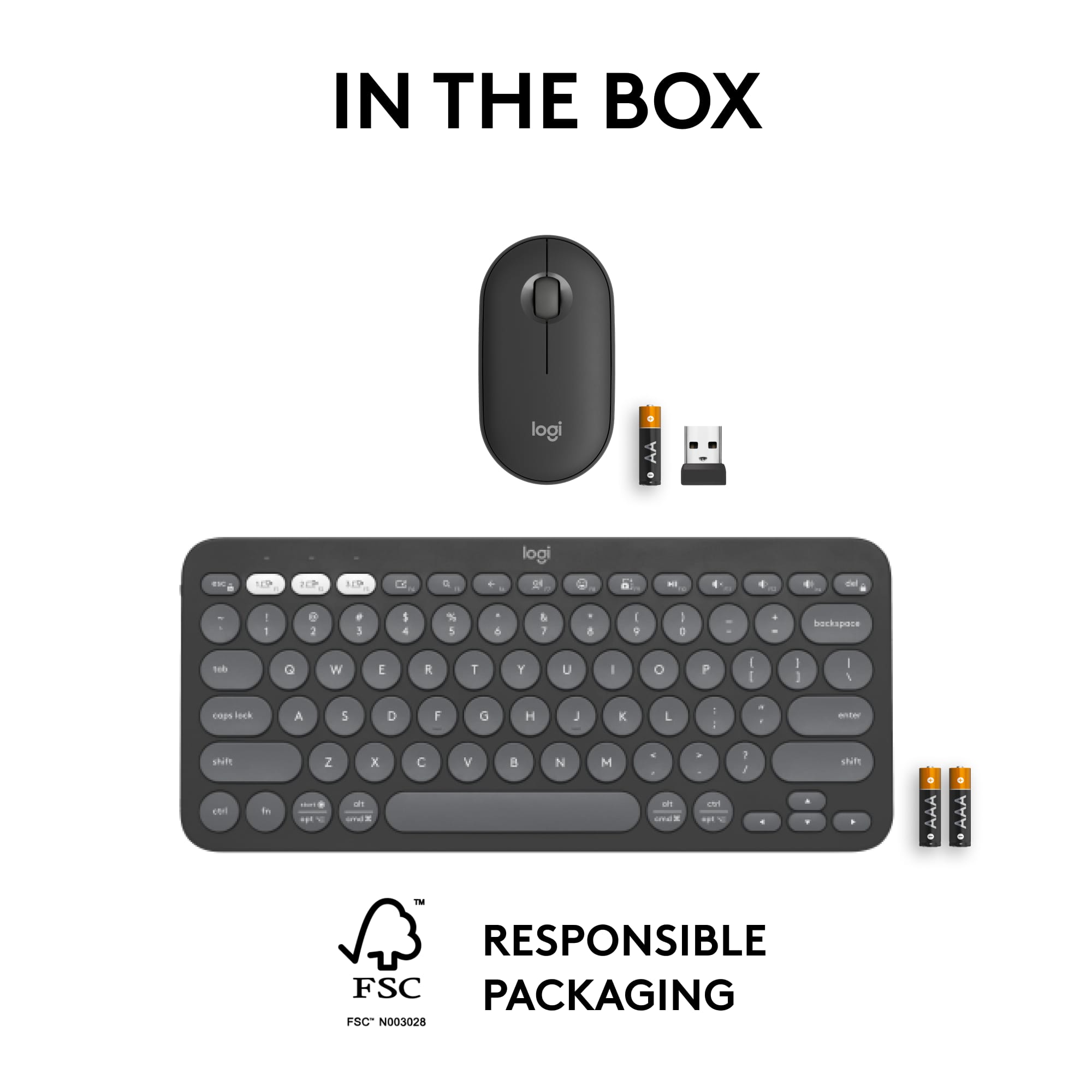
|Posted .This reviewer received promo considerations or sweepstakes entry for writing a review.I mostly work from home but occasionally I will travel to my local site or other sites to have in person meetings or participate in projects within my company. Also I use mainly a company laptop, but also tote my personal laptop and an iPad for quick notes, entertainment, and taking calls. What’s great is having a portable keyboard that works with them all just by pushing a button on the mouse and keyboard. What’s great about each of these is the size. You can throw these into a backpack or bag. They’re very slender and portable. They keyboard is tapered and without a number pad or any other non-necessary keys, it doesn’t take up much room lengthwise either. The keys being rounded doesn’t really change how I type and they still managed to get some additional functionality out of the keyboard by including secondary functions such as screenshots, volume control, and a search button. Also, I don’t have to mess with adapters or cables. Each device can connect up to 2 devices blue tooth and one device with an adapter. The adapter uses Logitech’s newer Bolt technology which advertises lower latency and higher compatibility. Based on the Bluetooth standard, the connection is encrypted so no chance someone is going to snag your keystrokes over the Bluetooth connection. The adapter can be kept under the mouse cover which is also used to access the battery. Each device does operate on disposable batteries. The keyboard uses two AAA batteries while the mouse uses a single AA battery. Even though there’s not a way to recharge them through the device, I recommend getting rechargeable AA and AAA batteries. I’m not sure how long you’ll have to wait to need them as it advertises 3 years of life on the keyboard and 2 years on the mouse. I think that pairs well with the portability of the device in that you don’t need to worry about taking additional cables with you and it’s not hard to find a battery when you need it as most hotels and gas stations carry them. The mouse has a slim design as well and is mostly flat, tapering from larger to smaller starting at the palm. It’s quite a bit small for my hands. I find that my fingers drag on the mouse pad and if I want my fingers on the clicker, I have to make a claw shape with my hand. It has nice drag with an on/off switch and mode button on the bottom that are both easy to get to and use. The cover pops off easily and is held in place magnetically. The cover also serves as the finger rests for the left and right click so don’t lose it, or you won’t be able to use the mouse properly. Overall this will be handy for travel and using with multiple devices. I would say that it is a bit subjective as whether or not you’ll find it comfortable to use. The keyboard being a bit smaller and the mouse being on the flat side, ergonomically it gets uncomfortable using after a while. I would have reservations about using this as my daily driver for that reason, but if you have smaller hands, you may find this is a non issue for you.
I would recommend this to a friend - Pros mentioned:Battery life, Keyboard quality
Rated 5 out of 5 stars
This is the combo of combos (up to 3 devices)
|Posted .This reviewer received promo considerations or sweepstakes entry for writing a review.When you are in search of a keyboard and a mouse, it seems that you don’t have many options and all models could be made equal. I found how wrong I was with this assumption with the Pebble 2 combo. Yes, the basic seems the same, but the difference between a bulky one and a Portable Design is, to change the available space in your desk and the aesthetics of it. A great thing about this keyboard is that it is very portable in design. It won’t be too clunky on your desk and can give room for anything else you need. It is also possible to bring this keyboard on any trips you are going on that would request you to bring your computer. But the big special about this keyboard is that you can pair up to 3 devices with Bluetooth. You might ask, “How is this useful?” Well, if you have multiple PCs or a tablet, close to your working station you can connect them to the keyboard which would allow you to quickly switch between them. In my case, the laptop, the desktop, and the phone are regular devices that I use to work or to design so having a unique keyboard for the three at the same time is a game changer. Because your needs are not the same for a working laptop as for a phone, something else I like about the keyboard is that each key and click on both the keyboard and the mouse. I like this because it helps me personalize my typing experience, which I love. Typing in a shared space like your office is something that relates to noise. In this case, the noise, or for better words, lack thereof, is amazing. For someone like me who likes working through the early mornings to the late nights, the quiet of the keyboard helps me not annoy anyone around the house. The final element to indicate is based on the specs. This keyboard offers a 3 year battery capacity that could be one of the best in the market. I have the combo for 6 days, so this is not fully tested. For me is a great option that I recommend.
I would recommend this to a friend - Pros mentioned:Battery life, Portability
Rated 4 out of 5 stars
Premium Portability with a Few Key Considerations
|Posted .This reviewer received promo considerations or sweepstakes entry for writing a review.I recently got my hands on the Logitech Pebble 2 Combo Keyboard and Mouse, and I must say, I'm quite impressed with this compact and versatile peripheral set. Right off the bat, the premium feel of these devices is evident. The sleek design and matte finish give them a modern and sophisticated look. One standout feature that immediately caught my attention is the incredible battery life. Logitech claims that the keyboard can last for nearly 36 months on just two AA batteries, while the mouse can go for an impressive 24 months with AA batteries. While I haven't had the chance to test this extensively, it's reassuring to know that I won't be constantly changing batteries. The real game-changer for me is the ability to seamlessly connect to multiple devices on the fly. With dedicated buttons on the keyboard and mouse, I can effortlessly switch between my laptop, tablet, and even my smartphone. It's a huge time-saver, especially when I'm working on multiple projects simultaneously or need to respond to messages quickly. Portability is another strong suit of this combo. Both the keyboard and the mouse are incredibly small and lightweight, making them perfect companions for my on-the-go lifestyle. They easily slip into my bag, and I can take them from home to the office without any hassle. However, there is one aspect of the Pebble 2 Combo that took some getting used to—the key shape and spacing. The rounded keys and their layout initially felt a bit unfamiliar, and I found myself making more typing errors than usual. It's a matter of personal preference, but if you're used to a more traditional keyboard layout, it might take some time to adjust. In conclusion, the Logitech Pebble 2 Combo Keyboard and Mouse offer a premium, long-lasting, and highly functional solution for those who need to stay connected across multiple devices. Its portability is a significant advantage, and the only minor downside I found was the unique key shape and spacing, which may require a brief adjustment period. Despite this, it's a great choice for anyone seeking a reliable and versatile keyboard and mouse combo.
I would recommend this to a friend - Pros mentioned:Size
Rated 5 out of 5 stars
Perfect for my living room
|Posted .This reviewer received promo considerations or sweepstakes entry for writing a review.I was excited to get this keyboard/mouse set to use in my living room because it can connect to three items, I can use it for my television (who likes using tv controller to type in streaming passwords ?). Also handy with my tsblet which sits next to my recliner. Just a flip of the selector and you are on a new machine. I also have a desktop wired to the television, so now I am set. The size and weight of the set is small and featherlight. But typing on Logitech keyboard is always smooth, with no jitters and double letters. I really e joy using it with my tablet because I can ga e the keyboard in my lap and the tablet on the table. This feels more natural to me than using a case keyboard while in a recliner. Blue tooth connections were a snap and li can see other uses for the set, such as throwing in the backpack with a laptop when giving a presentation at a conference or at a work training. Being untethered from the lsptop (which is usually cabled to the projector) allows me to stand to the side and not block participants view. This set is perfect for folks who are connected to lots of devices even phones! It’s easy to take a device off and add another. Get this set and you won’t regret it!
I would recommend this to a friend - Pros mentioned:Portability
Rated 5 out of 5 stars
small, light, quiet, easy to set up
|Posted .This reviewer received promo considerations or sweepstakes entry for writing a review.The combo shipped well packaged and "batteries on board". The usb / bluetooth dongle plugged right into the tablet and after pulling the battery tabs it was ready to go. The mouse is light and both the shape and the size are good. The keyboard design and layout is very portable and it easily fit into the pocket of my backpack. Switching between devices was seamless as well with dedicated keys on the keyboard - this was a very nice feature. The keyboard layout is meant to conserve space and people with somewhat larger hands my need to get used to this. I have large hands and found that It was a bit of an adjustment and I found the backspace key pretty quickly. The low profile keys are quiet - if you are used to a mechanical keyboard this may bother you or seem an improvement. I do find myself missing the 'home' and 'end' keys though - maybe there is a hot key combo to do that but I have not found it yet. For a quick and easy option when travelling or working at a restaurant, this is a very handy combination. I am very happy with this.
I would recommend this to a friend - Pros mentioned:Battery life, Keyboard quality
Rated 5 out of 5 stars
light, small and great!
|Posted .This reviewer received promo considerations or sweepstakes entry for writing a review.The Logitech Pebble 2 combo came with both the keyboard and mouse. We attached it to my husbands work computer and his personal one. The Key points: the keyboard and mouse are both super light, making it easy to take with you on a trip, or move around the room. Both devices can switch between 3 different devices with the press of a button. it hooks up with either Bluetooth or the USB receiver. Bluetooth was super easy to set up and took just seconds to complete! it typing sounds are very quiet and you definitely do not hear clicking of keys or the clicking of the mouse like you do in other systems. the battery is suppose to last 3 years, I am excited to try this out. we all know the pain of the mouse jumping around on our screen screaming at you to change the battery! The only downfall is that it is compact and small, so it is missing the key pad to the right side. this is OK for my husband since he can key numbers quickly from above. But this would be a turn off for me considering how much I use the Keypad in my day to day career.
I would recommend this to a friend - Pros mentioned:Size
Rated 4 out of 5 stars
Good on the go solution
|Posted .This reviewer received promo considerations or sweepstakes entry for writing a review.A sweet spot solution when you need a keyboard and mouse on the go. I don't see this as something to use instead of a laptop or desktop keyboard although the form factor of the mouse is ideal for tossing in a backpack. The compact nature of the keyboard however would make me lean more towards using a standard laptop or desktop keyboard. If using for a desktop it there are probably better solutions out there... including many from Logitech. However if you only want to invests in a single keyboard/mouse combo then you could do much much worse than this economy offering by Logitech. What I would use this keyboard for is a great solution for tablets and smartphones. I hate screen typing on those devices, especially smartphones. With the ability to pair to 3 different devices it's perfect for my use because I have an iPhone for my personal phone, an Android phone for work and an Android tablet. 3 devices and I can use the same keyboard and mouse! The combo does come with a 2.4mHz transmitter/receiver to connect to a USB-A port on your laptop or desktop. I haven't checked to see if that still counts towards your 3 device connectivity. The little adapter resides in the mouse next to the battery. A quick pop of the mouse cover and everything is neatly stowed away. Once you pair with up to 3 devices it's really easy to switch between them with the quick select keys (F1, F2, F3). I did have issues with pairing and finally found by accident the method to reset the keyboard so it would take pairing mode. To reset the keyboard press Esc and letter O, and then Esc and letter O, and then Esc and letter B. Info may be in the manual but who looks at a manual when you have Youtube videos :) The Logi Options+ software has some slick macros pre-loaded and you can create your own on the fly. By programming a "trigger" Options will load applications, like go to your email, start up Youtube or your favorite music app, or at work you may have a trigger open up Outlook and Teams and a spreadsheet. Pretty slick and have usually been done with macro software however Options+ makes it really easy to do so. The keyboard takes 2 AAA batteries while the M350s has a single AA battery... hmmm... why not the same? I know AA is pretty standard for wireless mice and the keyboard uses AAAs to keep the thickness down. It would have been more convenient to have them the same size battery so you don't need to lug around different size batteries. This actually might be a great solution for college or high school students that are space limited but need a solid performing input combo. It's small enough to toss in a backpack for on the go folks, especially if you are using a tablet. Some of the tablet keyboards can be pretty pricey so this combo would be a great fit. All in all the perfomance is good, the size is great for on the go and the Logi Options+ app adds a lot of convenience for PC (and assuming the Mac). I don't see Options+ for Android so maybe Logitech can make that happen.
I would recommend this to a friend


![A customizable pair ... I <3> - - - + d a - - a - . e - . - . - + d - - 1 1 O B a . . 1 I N CUSTOMIZABLE KEYS & BUTTON WITH LOGI OPTIONS+ APP [2]](https://pisces.bbystatic.com/image2/BestBuy_US/images/products/840917da-8639-4794-b1a0-6aed4b1b949c.png;maxHeight=54;maxWidth=54;format=webp)