Customer Ratings & Reviews

![A customizable pair ... I <3> - - - + d a - - a - . e - . - . - + d - - 1 1 O B a . . 1 I N CUSTOMIZABLE KEYS & BUTTON WITH LOGI OPTIONS+ APP [2]](https://pisces.bbystatic.com/image2/BestBuy_US/images/products/840917da-8639-4794-b1a0-6aed4b1b949c.png)


- Model:
- 920-012061
- SKU:
- 6554350
Rating by feature
- Value
Rating 4.6 out of 5 stars
- Quality
Rating 4.7 out of 5 stars
- Ease of Use
Rating 4.7 out of 5 stars
Customers are saying
Customers have good things to say about the Pebble 2 Combo Compact Wireless Scissor Keyboard and Mouse Bundle, especially its portability and size, making it ideal for laptop use. The keyboard's quality and multiple connectivity options are also appreciated. Users also praise its outstanding battery life, compatibility with various operating systems, quiet operation, and sleek design.
This summary was generated by AI based on customer reviews.
Product
||Posted . Owned for 1 month when reviewed.This reviewer received promo considerations or sweepstakes entry for writing a review.Great product! Works no issues great if no USB ports
I would recommend this to a friendBrand response from Logitech
Posted .Thank you so much for taking your time and providing your valuable feedback for the product. At Logitech, our goal is to ensure that our customer enjoy our products as much as we do.
Cute Keyboard
||Posted . Owned for 4 months when reviewed.This reviewer received promo considerations or sweepstakes entry for writing a review.Its a great keyboard but it would be better with a number keyboard added.
I would recommend this to a friendBrand response from Logitech
Posted .Thank you for your feedback on the Pebble 2 Combo. We appreciate you taking the time to share your thoughts. We'll consider your suggestion for future product development.

- Pros mentioned:Battery life

MX Master 4 sets the bar for usability & features
|Posted .This reviewer received promo considerations or sweepstakes entry for writing a review.Pros: • Customizable and powerful out of the box, with new buttons to control gestures, Smart Actions, and a new on-screen Actions Ring that makes your most-used functions available without moving your mouse. • Comfortable, with a "just-right-for-most" hand position and every button within reach. • Great battery life, around 40 days of regular office use. • Even more customization in the Logi Options+ app, which offers control over every aspect of mouse functionality, and allows users to create new Smart Actions and set Actions Panel functions for every app on their computer. Cons: • Hand position is relatively natural, but may not appeal to those who prefer vertical mice. • Not for left-handed users. Full review: The MX Master 4 is Logitech's latest and most profoundly usable entry in their famous MX Master series. The latest and greatest features are a dedicated Gestures button and the new Haptic Sense Panel, located on the thumb rest pad, which provides physical feedback for certain mouse actions, and is used to open the new on-screen Actions Ring that allows immediate app-level control of 8 different customizable functions without lifting your hand off the mouse. The MX Master 4 is every bit as comfortable to use as its predecessors, and the addition of the soft-touch, padded Haptic Sense Panel increases the comfort just a bit. Three large skates on the bottom of the mouse allow it to glide over surfaces both soft and hard, and it tracks cleanly over mouse pads, desktops, and even glass surfaces. The DPI is customizable from 200 to 8000, allowing you to dial in your perfect cursor movement speed. As with previous MX Master offerings, the mouse rises to a crest at the center of your palm, and the button area is tapered forward and to the right, allowing your right hand to rest naturally over it. Yes, this is a right-hand-only mouse. Logitech does make some ambidextrous mice, but none in its MX series. Before the MX Master 4, my daily-use mouse was a Logitech MX Vertical, which has a hand position I slightly prefer. The Master retains about a third of the verticality of its older sibling, which might not be good for someone who really loves the vertical position. The Master 4 is well suited to people with different-sized hands. My hands are quite large, and my middle finger rests all the way to the edge of the right mouse button, which feels comfortable to me. My partner has smaller hands, and says the mouse feels quite comfortable for her as well. Perhaps the most important feature of the MX Master 4 is its customizability. There are copious button-level control options, and programmable Smart Actions that can open apps, control media, and even remake your desktop for work, game playing, or entertainment. Clicking on the Haptic Sense Panel opens the Actions Ring, which offers eight special functions that can be customized depending on the app you're using. It comes programmed with common functions in software like Photoshop and Illustrator, and can be customized in the Logitech Options+ software. Battery life has been quite good, with only 10% consumed after 5 days of heavy usage. This is honestly excellent for a mouse with built in haptics. Speaking of haptics, the Haptic Sense Panel offers little motorized bumps whenever you activate the Actions Panel or hover over one of the functions. These bumps can be set to 4 different levels of sensitivity. For those who prefer not to feel the haptics, they are easy to disable in Options+. Overall, this mouse is simply excellent, and offers the most ways to customize your experience of any on the market. Only left-handed people and those who demand a more vertical hand position will be unable to find a combination of settings on the MX Master 4 that makes them happier and more productive in their digital lives.
Brand response from Logitech
Posted .Thank you so much for your wonderful feedback on the Logitech - MX Master 4 for Mac! We’re thrilled to know it’s meeting your expectations. Your support means a lot to us.
Flawless Connections
||Posted . Owned for 4 months when reviewed.This reviewer received promo considerations or sweepstakes entry for writing a review.Works flawlessly between multiple devices to keep them running.
I would recommend this to a friendBrand response from Logitech
Posted .Great point about the Pebble 2's multi-device functionality! It effortlessly connects to up to three devices, making switching between your desktop, laptop, and tablet a breeze. This is perfect for multitaskers who need a smooth workflow
Real Nice
||Posted . Owned for 3 weeks when reviewed.This reviewer received promo considerations or sweepstakes entry for writing a review.Pretty awesome and convenient for my work from home set up
I would recommend this to a friendBrand response from Logitech
Posted .Sounds like the Pebble 2 Combo is a perfect fit for your work-from-home setup! We love that you find it convenient and awesome. The compact size and wireless connection are great space savers, and it works seamlessly across multiple devices. Happy clicking and typing!
Great multi PC keyboard!
||Posted . Owned for 3 weeks when reviewed.This reviewer received promo considerations or sweepstakes entry for writing a review.Great combo, the only gripe is the round keys. But using it on two PC's is a breeze.
I would recommend this to a friendBrand response from Logitech
Posted .Your feedback is important to us, and we'll make sure to share it with the right team. Thank you so much! 😃
worth the money
||Posted . Owned for 1 month when reviewed.This reviewer received promo considerations or sweepstakes entry for writing a review.Perfect for multi device (worth the money). Good compact design.....
I would recommend this to a friendPerfect Keyboard on the fly
||Posted . Owned for 1 month when reviewed.This reviewer received promo considerations or sweepstakes entry for writing a review.Affordable, convenient, and comfortable. I like the cupped-round keys
I would recommend this to a friendCheap
||Posted . Owned for 3 weeks when reviewed.This reviewer received promo considerations or sweepstakes entry for writing a review.The price is what you are here for. Functional, but not built for comfort or longevity. Low quality. Mouse has very short bluetooth range before dropping out.
No, I would not recommend this to a friendBrand response from Logitech
Posted .Thank you for sharing your experience regarding the comfort, longevity, and mouse connectivity range. Your feedback is important and helps us understand areas for improvement in future designs.
GREAT
||Posted . Owned for 1 month when reviewed.This reviewer received promo considerations or sweepstakes entry for writing a review.Excellent product, glad I made my purchases. Will buy again
I would recommend this to a friendGood value
||Posted . Owned for less than 1 week when reviewed.This reviewer received promo considerations or sweepstakes entry for writing a review.Excellent...................... ............. .....
I would recommend this to a friendDon't leave home without the logi bolt
||Posted . Owned for 2 weeks when reviewed.This reviewer received promo considerations or sweepstakes entry for writing a review.Did not work wirelessly with my new Chromebook. I was on a trip and did not bring the plugin adapter.
No, I would not recommend this to a friendBrand response from Logitech
Posted .We note your experience with the Pebble 2 Combo's wireless connectivity on your Chromebook, especially while traveling. Our aim is to provide reliable performance across all compatible devices. Your input is valuable as we continuously refine our products.
Just perfect
||Posted . Owned for 3 weeks when reviewed.This reviewer received promo considerations or sweepstakes entry for writing a review.Loved by my niece, just what she was looking for especially the color.
I would recommend this to a friendBrand response from Logitech
Posted .The Logitech Pebble 2 is a great choice for those looking for a sleek and portable mouse. Its compact design and stylish colors make it a popular option, especially among younger users.
One of the Best Mice for Your Desk
|Posted .This reviewer received promo considerations or sweepstakes entry for writing a review.The latest in the lineup of MX Master mice, the MX Master 4. The mouse design is very much the same as previous generations, but with a little twist. Logitech has added yet another button to the mouse; the button under your thumb now corresponds to a haptic feedback enabled actions ring button (more on that later). The button that it replaced (the gestures button) still exists on the mouse as a distinct button near the back/forwards buttons and still works just fine. The important part with any mouse is “how does it feel in the hand?” After all, you’re going to be using it all day and if it hurts to use it it’s not a good fit. From a purely ergonomic perspective, the mouse forces your hand in a certain way that is comfortable and well-suited for long-term use. Click noise is super quiet and the scroll wheel maintains the smart-shift scrolling option where if you scroll fast enough, the wheel unlocks to spin freely (one of my favorite features in this series of mice). In the hand though, this new design feels weird – specifically where your thumb rests. The MX Master 3 had a little divot behind the horizontal scroll wheel that was a nice place for your thumb to rest. The 4 instead has a protrusion behind the wheel which forces your thumb to rest on the back/forwards buttons. The way it rests on the buttons feels weird – almost like feeling the underside of a plastic injection-molded part. It’s not a terrible feeling, just unusual. One other offering that Logitech has placed in this mouse is the concept of haptic feedback. Actions on your computer like navigating the action wheel (I know, I’m getting to it) result in the mouse vibrating. It’s “cool,” but given that the only application that currently can use it is the one by Logitech, it feels a tad bit too gimmicky. Where Logitech wants this mouse to shine is through the app you install on your computer, Logi Options+. When you install that application and set up the mouse through it, the button under your finger becomes a sort of macro button. Tapping it will result in an action wheel launching, offering you options to control your computer like changing music tracks, taking screenshots, or controlling full applications like the Adobe suite or Figma. It is very clearly oriented to the creative professional type. As a software developer, I _want_ to find a use for the action wheel, but I have found other shortcuts to achieve similar results and frequently just forget about the action wheel. Excluding the action wheel, the Logi Options+ software is what makes this mouse truly shine. It provides the ability to remap almost any button on the mouse to do what you want in the program you want. For instance, if you wanted the “gesture” button to launch an emoji picker when you are in your web browser, that is an option. If you wanted that same button to then be a play/pause music button when you’re in your word processor of choice, that is also an option that will be seamlessly followed as you change applications. The mouse will work fine without this application installed; it just won’t be as powerful as what the people at Logitech designed it to be. I have mixed feelings about needing to install an application for a mouse to work fully, but I see the power it offers. One big question in my mind is “what makes this mouse ‘for Mac’?” The mouse is labeled as “for Mac” on the bottom and even shows up that way as its identifier, but it works well everywhere. My primary computer is a Mac and the family laptop is a PC – testing on both (and even my Android phone for giggles) resulted in no issues whatsoever. I am a huge fan of the MX Master series of peripherals – they have graced my desk for several years at this point. I was excited when I heard that Logitech was updating the Master series again. This keeps all the prestige of the previous versions, but the way my thumb sits feels more like a downgrade than an upgrade. If you have the choice between the Master 3 and 4 and can try both out, I strongly encourage you to feel which one you would like more and pay special attention to where your thumb naturally rests. If you don’t have the choice, you can’t go wrong with the MX Master 4. It is a best-of-breed mouse and belongs on any computer users desk.
I would recommend this to a friendBrand response from Logitech
Posted .Thank you so much for your detailed feedback on Logitech - MX Master 4 for Mac! We’re thrilled to know it’s meeting your expectations. We truly appreciate you taking the time to share your experience! Your support means a lot to us.
Serves the purpose .
||Posted . Owned for 2 weeks when reviewed.This reviewer received promo considerations or sweepstakes entry for writing a review.Its fast and vey responsive irs worth the money. And that was not bad either
I would recommend this to a friendBrand response from Logitech
Posted .Thank you for your positive feedback on the Pebble 2 Combo Compact Wireless Scissor Keyboard and Mouse Bundle! We're glad to hear that you appreciate its speed, responsiveness, and value.
Logitech and the MX Master line wins again
|Posted .This reviewer received promo considerations or sweepstakes entry for writing a review.I have been a fan of the Logitech brand for almost twenty years and whenever I am in the market for a new computer accessory, it is the brand I am sure to stick with and check out their latest products to add to my arsenal. That is no different with this Logitech MX Master ergonomic mouse for Mac products. My work recently switched my work laptop from a PC to a Mac so I found myself wanting a Mac specific mouse to help me get back to the efficiency I was used to. Logitech knocked it out of the park with this one when it comes to efficiency and advanced features, one of those being the ability to switch between up to three different Apple devices with the Actions ring button, which is of course in a very convenient spot right under the tip of the thumb. Even with my shorter fingers, I am still able to reach it and press it with no issues. It has been an excellent new tool with photo editing, helping me speed up my process just a little bit more which counts for everything. When Logitech claims this mouse is ergonomic, they truly mean it, as I said my hands are on the smaller side but I am still very comfortable using this mouse. The new and improved texture and materials on this mouse also feel high end and luxurious, even after using it for eight to ten hours at a time, my hand is still comfortable and no signs of sweaty irritated hands. I also absolutely love the metal scroll ring, not only does it feel like such a high quality, but the weight of it really helps you get some speed and get a quick scroll easily going. I never realized how much time I used to waste scrolling until I had such an efficient new way to do it. Overall, I cannot recommend Logitech products, and specifically their MX Master line of products, whether you spend all day every day on your computer, or just a casual Mac user, this product is sure to elevate the experience.
I would recommend this to a friendBrand response from Logitech
Posted .Hey! We’re grateful for your thoughtful review. It’s encouraging to know our product is making a positive impact. Thank you for being part of our journey.
Good
||Posted . Owned for 1 month when reviewed.This reviewer received promo considerations or sweepstakes entry for writing a review.Good, very sensitive but so small for someone who has bigger hand
I would recommend this to a friendBrand response from Logitech
Posted .Hey! Thanks for the feedback on the Logitech Pebble 2 Combo! We appreciate you mentioning that it's good and very sensitive. It's valuable to know that the size might be small for users with larger hands. Thanks for sharing your experience with us.
- Pros mentioned:Battery life, Connectivity, Keyboard quality
Excellent Compact Wireless Combo
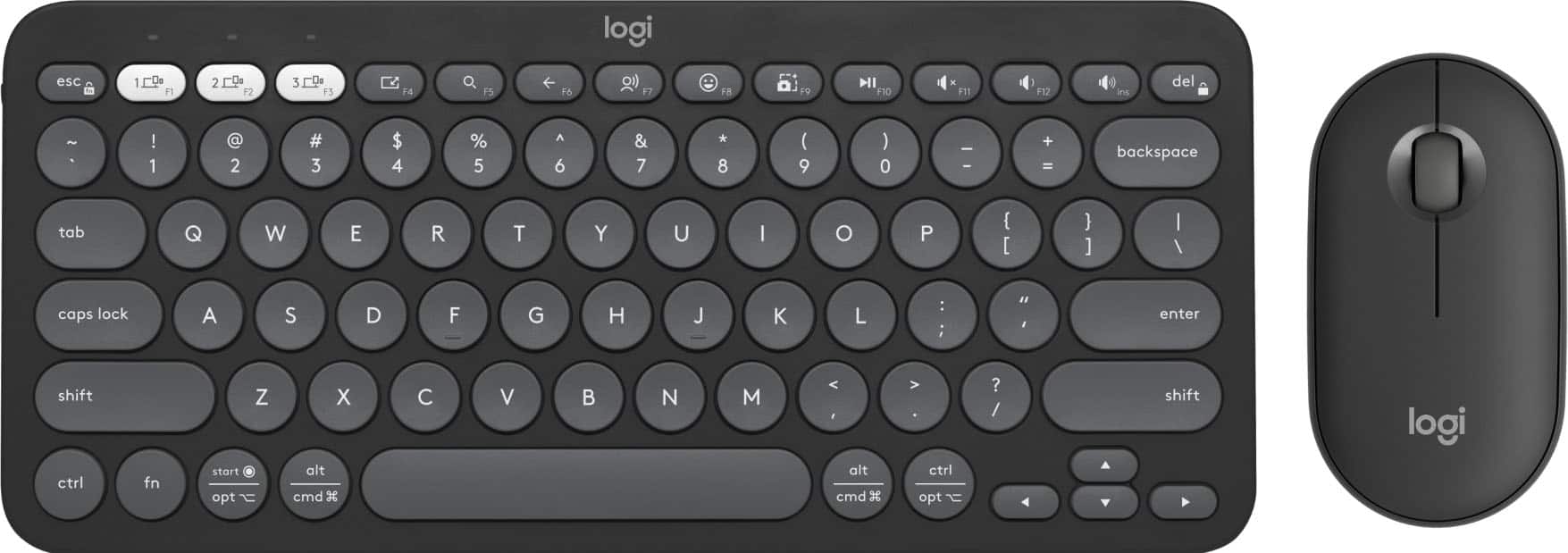
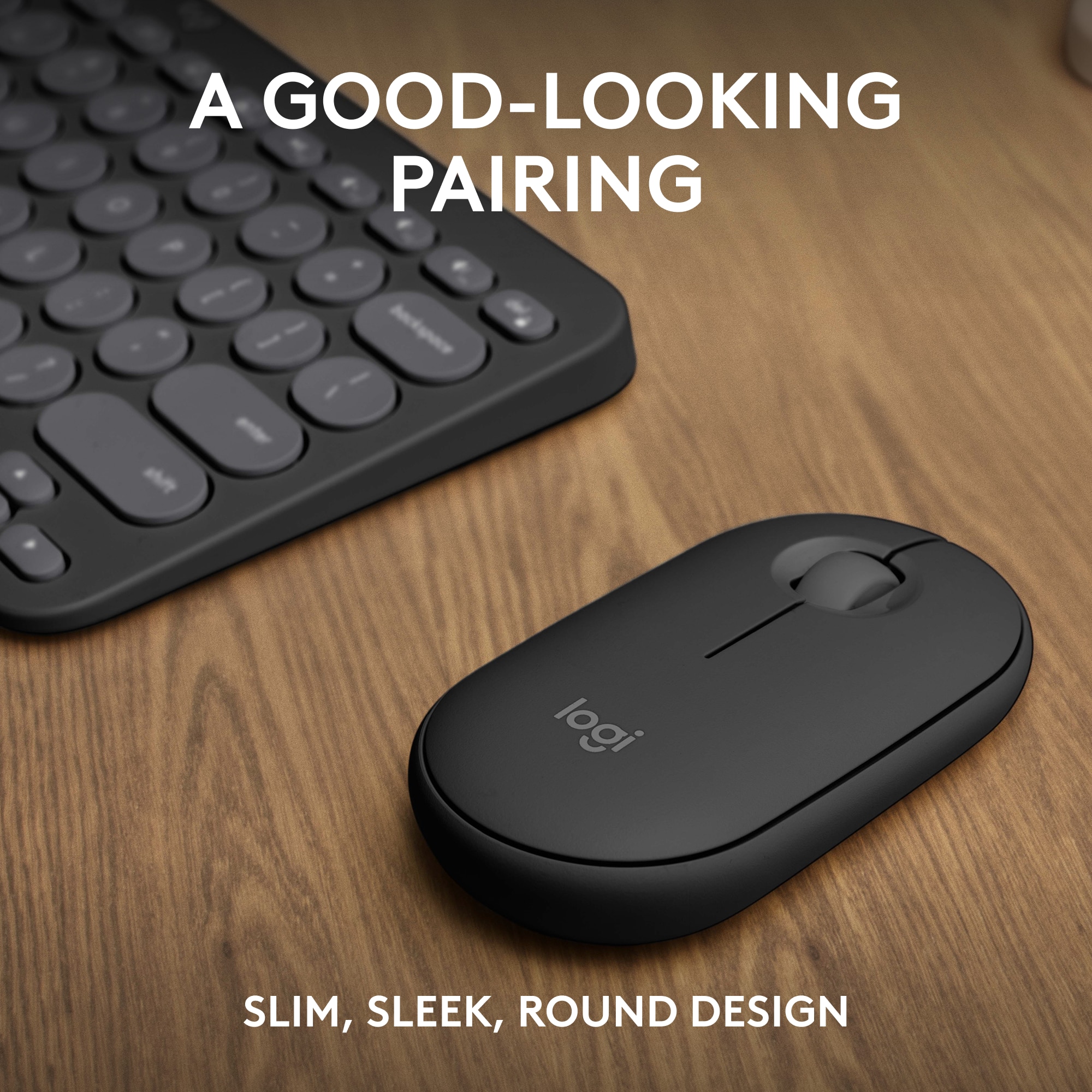
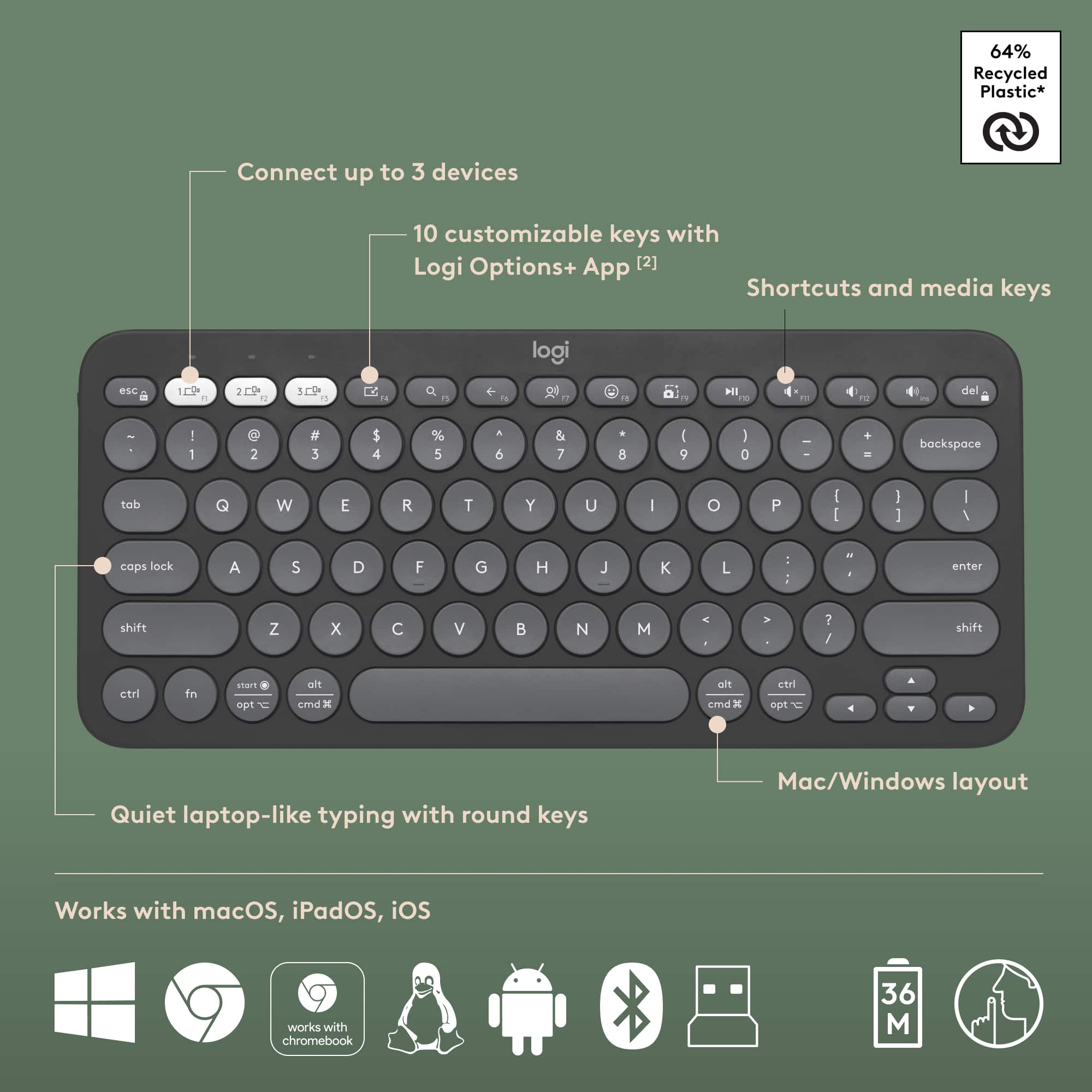
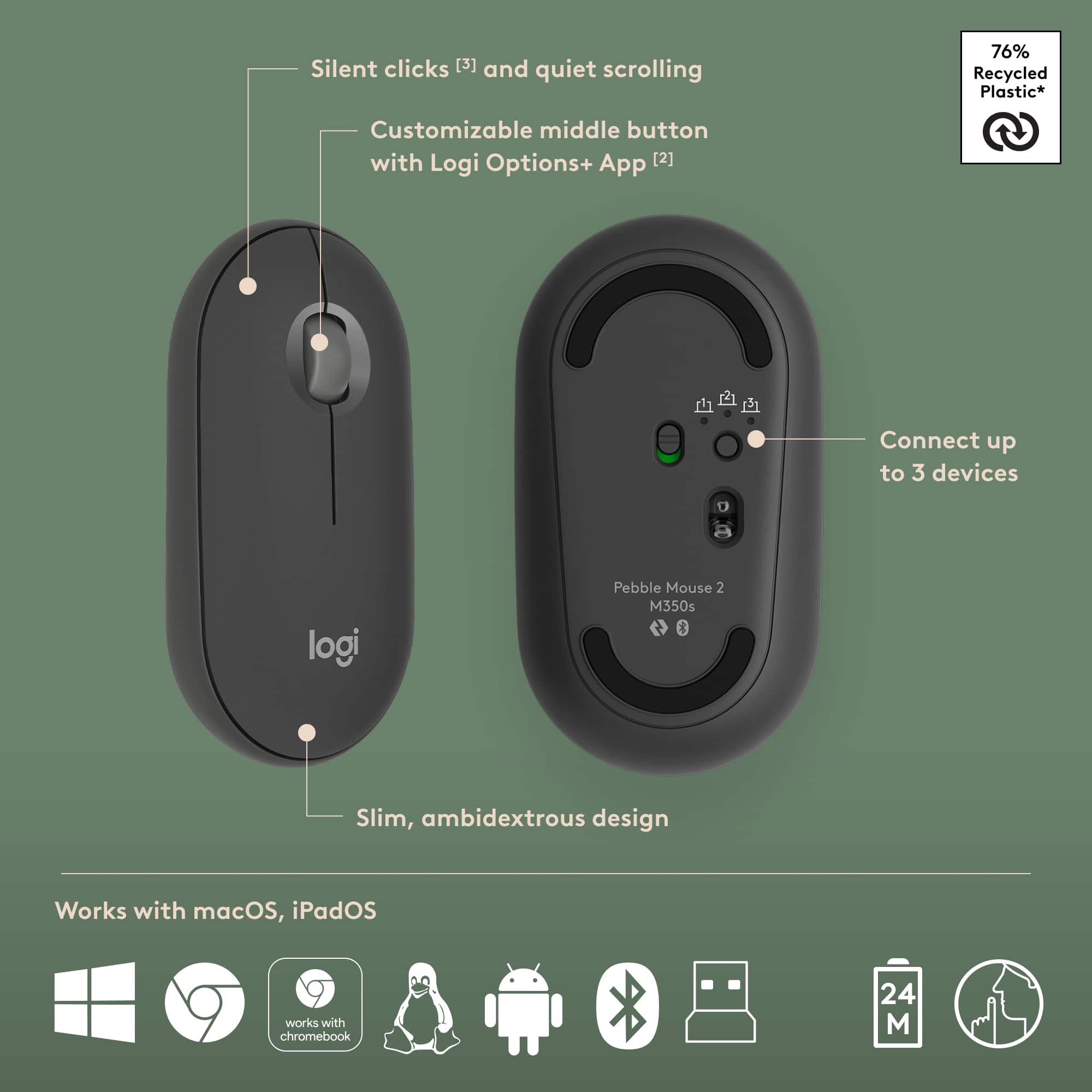
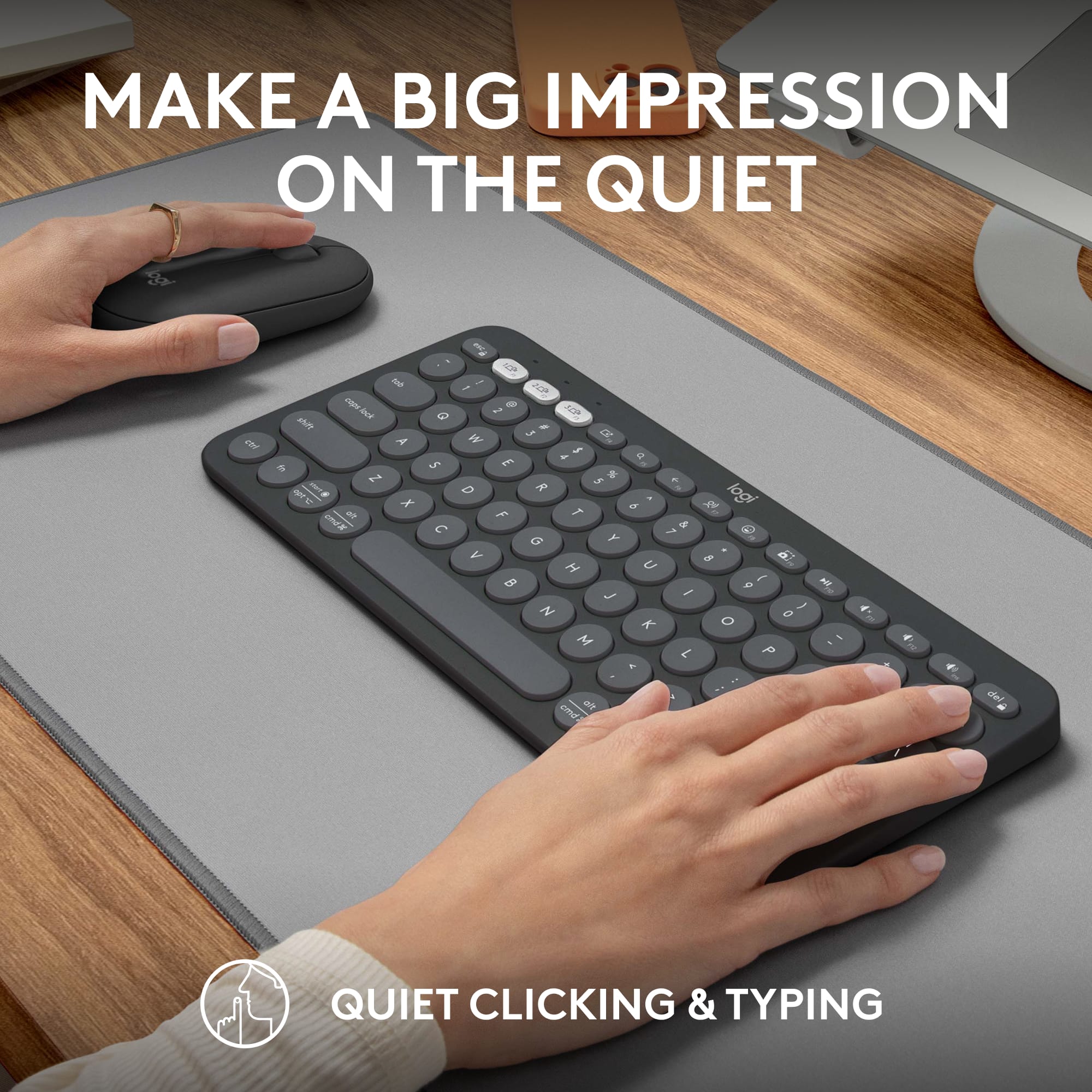
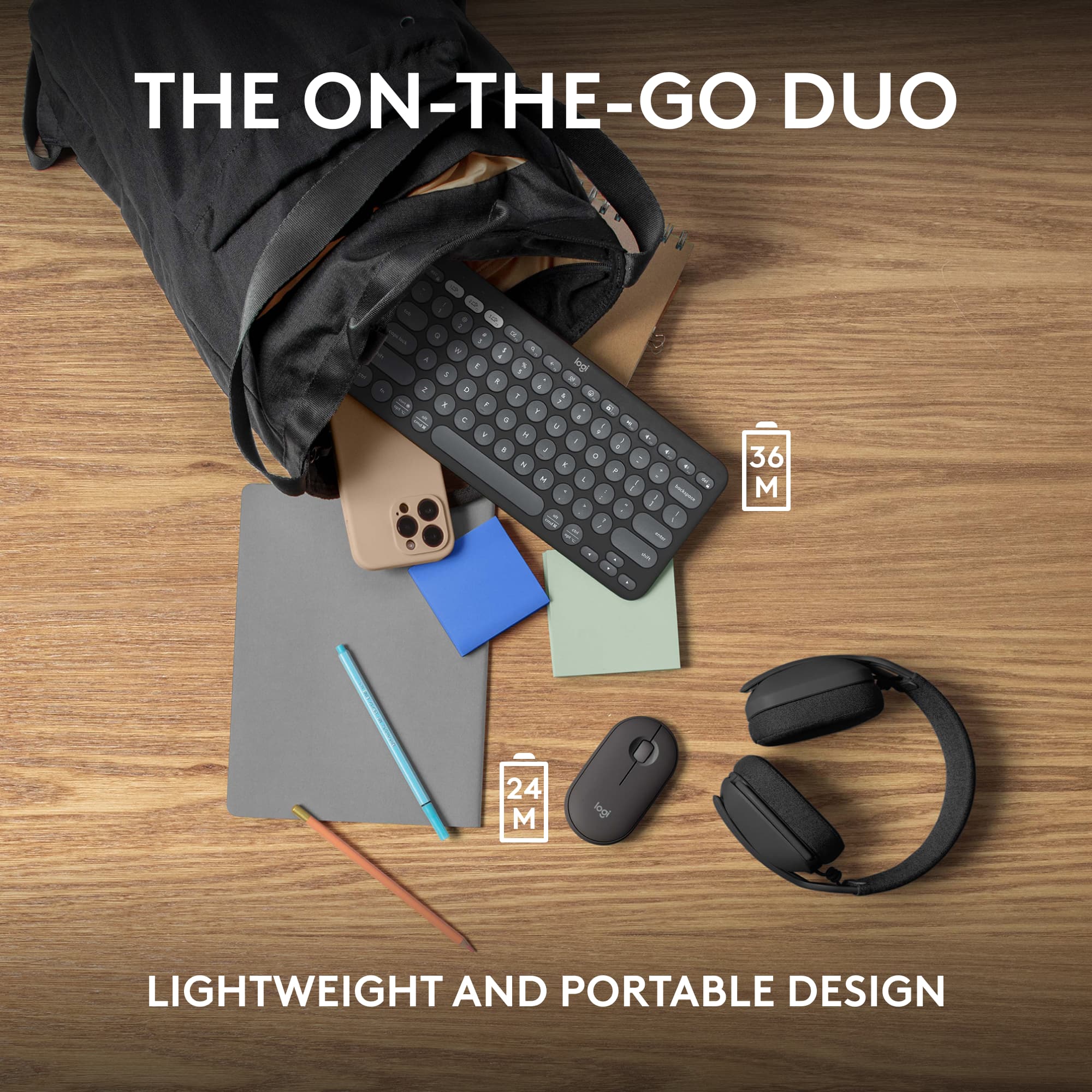
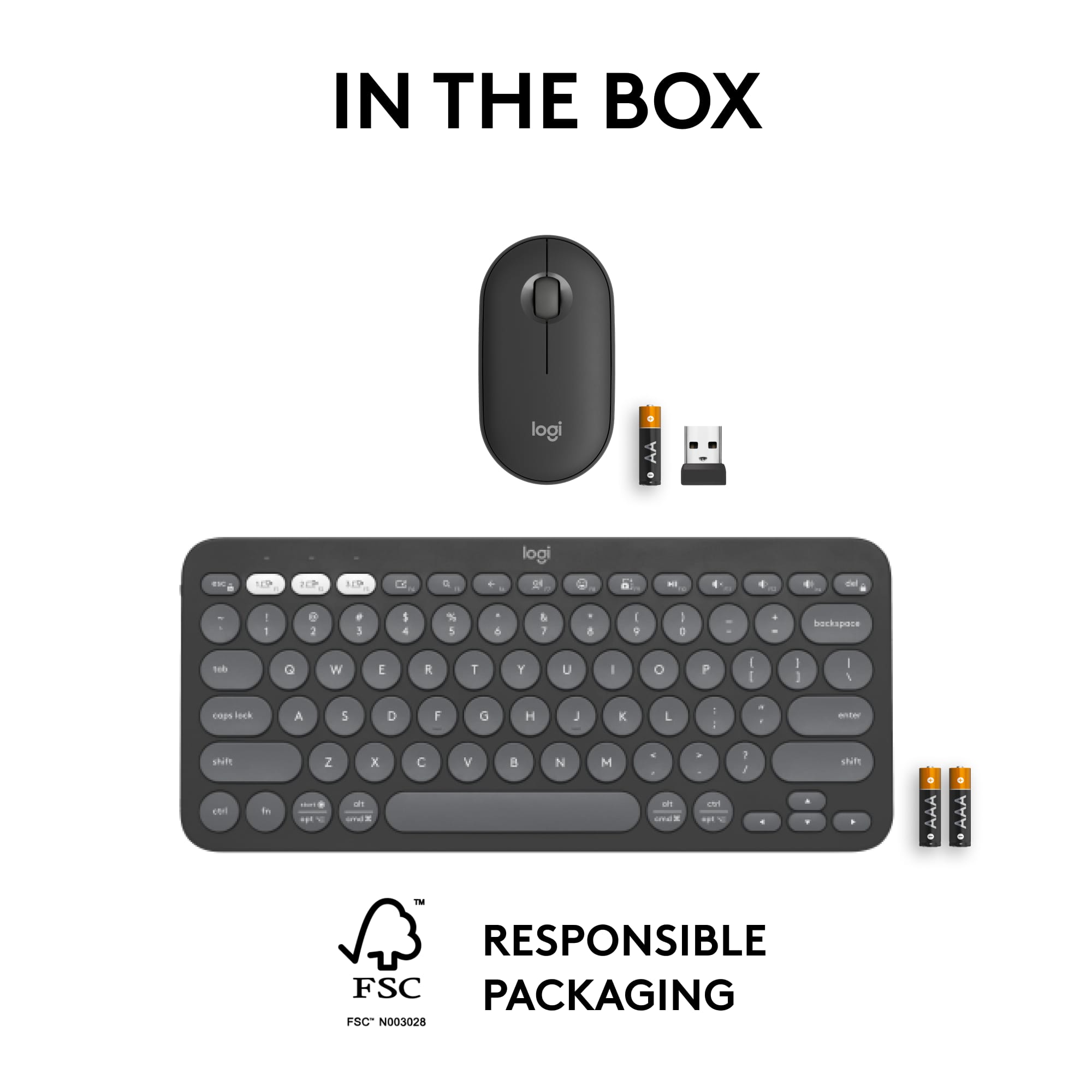
|Posted .This reviewer received promo considerations or sweepstakes entry for writing a review.I have enjoyed using the Logitech Pebble 2 Combo (Keyboard and Mouse) over the past week on a variety of devices. The keyboard is dark gray with primarily lighter gray keys with white lettering. It is compact sitting at 11 inches wide, 5.25 inches deep and about 3/8 inches at the tallest. It uses 2 AAA batteries that are included and are advertised to last three years. There is a sliding power toggle on/off located on the left side. It is a QWERTY style board with 12 function keys across the top and no ten key. The keys have a rounded design of either circles or ovals, and is practically silent to use unless your fingers really pound down on the keys. It can use Bluetooth or the included Logi Bolt USB receiver to connect to devices. I tried both ways of connection and they both worked flawlessly. The keyboard has 3 white buttons across the top that allows quick switching to other paired devices. The mouse is also compact and is shaped like an oval. It is about 4.5 inches long, 2 3/8 inches wide, and about an inch tall. It is the same dark gray as the keyboard except for a lighter 'logi' logo on top. It uses a single AA battery which is accessed by taking the top half of the mouse off. The Logi Bolt USB receiver is housed in there, too, and can be removed. The battery is advertised to last 2 years. The scroll wheel is smooth to the touch with a fairly light scroll bump indicator. The width of the scroll wheel is quite nice; it is wider than the scroll wheel of any other mouse I have but is located in such a way that it never gets in the way. Clicking the mouse is silent with slight resistance. It glides very nicely. There is a sliding power on/off toggle on the bottom and a push button which allows quick changing between three paired devices. I paired both the keyboard and mouse with my personal computer and my Steam Deck. For my computer, I used the Bolt receiver and for the Steam Deck I used Bluetooth. Once paired, I was able to assign my computer as Device 1 and the Steam Deck as Device 2 and use the white quick connect buttons to move between devices easily and flawlessly. There is optional software, Logi Options+, that allows some customization of the Function keys and firmware updates. There is no backlighting on the keyboard, and no RGB on either unit. I would say I have large hands and I was impressed with how easy it was to type. I held the Logi keyboard above my normal keyboard and the space from the left edge of the left-most keys to the right edge of the right-most keys is only half an inch shorter. The keys on the Logi keyboard are barely raised above the bezel so if you're used to key travel it can take some getting used to how little there is to push down to type. There are no legs but is slightly taller in the back and slants down at a slight angle which I appreciated. The mouse sits just slightly taller in the palm area but fit pretty well into my hands. There is not much click travel down for either left or right clicks. I was impressed that it worked with the Steam Deck. You could use the Logi Pebble 2 combo for any purpose but the compact size, portability, and quick connection really lend it to being used on the go or at least in alternative locations. As my Steam Deck docks to my living room TV, it is very convenient and inconspicuous to keep the combo on the coffee table in case they are needed. But it could easily be used for business and coffee shop meetings as it has that no frills look and understandably so. I typed with it quite easily and the mouse is perfect. I thought I would find some flaw in the design or limitation in usage, but the only thing I can say is that you can't use it in the dark. I would recommend the Logitech Pebble 2 combo wireless keyboard and mouse for all uses, all locations, and for any hand size.
I would recommend this to a friend Too small
||Posted .This reviewer received promo considerations or sweepstakes entry for writing a review.I knew the keyboard was small but it is a little too small. Very cramped typing experience.
No, I would not recommend this to a friendBrand response from Logitech
Posted .We appreciate your honest feedback on the Pebble 2 Combo keyboard. We understand that while you knew it was compact, it turned out to be a bit too small for a comfortable typing experience, leading to a cramped feeling. Your input is valuable as we continually strive to improve our designs.
Small Wireless keyboard
||Posted . Owned for 3 weeks when reviewed.This reviewer received promo considerations or sweepstakes entry for writing a review.Better instructions on how to sync to external computer
I would recommend this to a friendBrand response from Logitech
Posted .That's a great suggestion! We'll definitely consider providing more detailed instructions for syncing the Pebble 2 Combo to external computers in future versions. Thank you for your feedback!