Customer Ratings & Reviews

![A customizable pair ... I <3> - - - + d a - - a - . e - . - . - + d - - 1 1 O B a . . 1 I N CUSTOMIZABLE KEYS & BUTTON WITH LOGI OPTIONS+ APP [2]](https://pisces.bbystatic.com/image2/BestBuy_US/images/products/840917da-8639-4794-b1a0-6aed4b1b949c.png)


- Model:
- 920-012061
- SKU:
- 6554350
Rating by feature
- Value
Rating 4.6 out of 5 stars
- Quality
Rating 4.7 out of 5 stars
- Ease of Use
Rating 4.7 out of 5 stars
Customers are saying
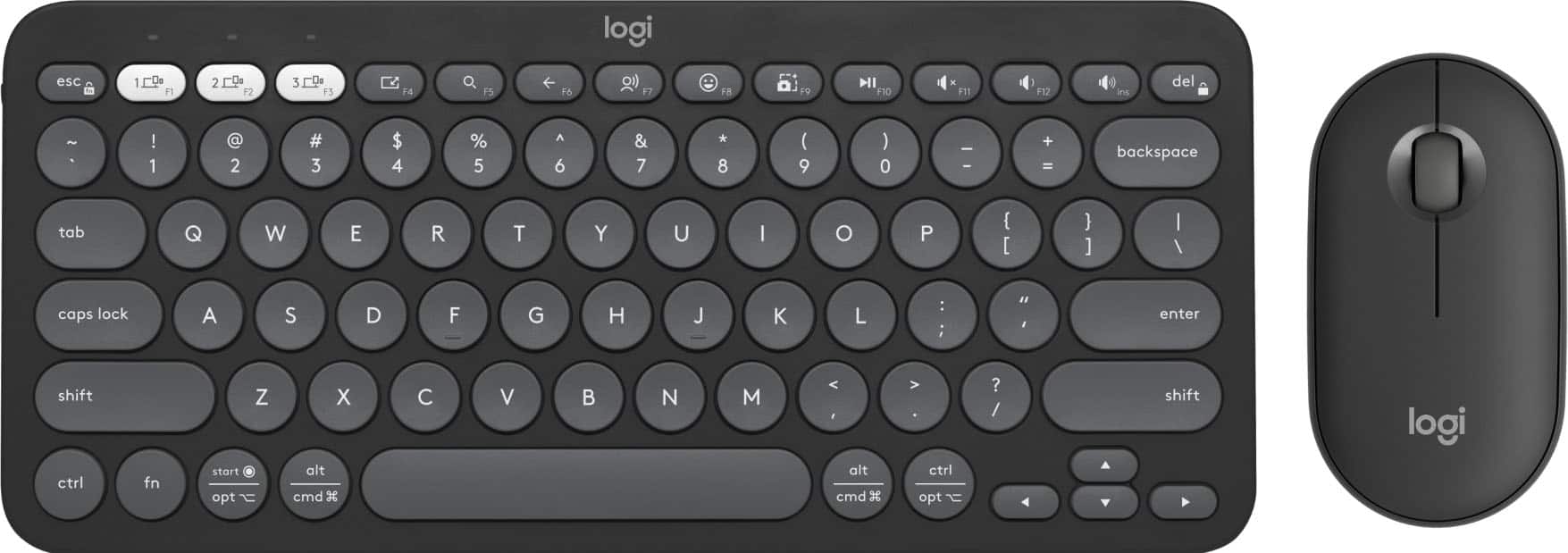
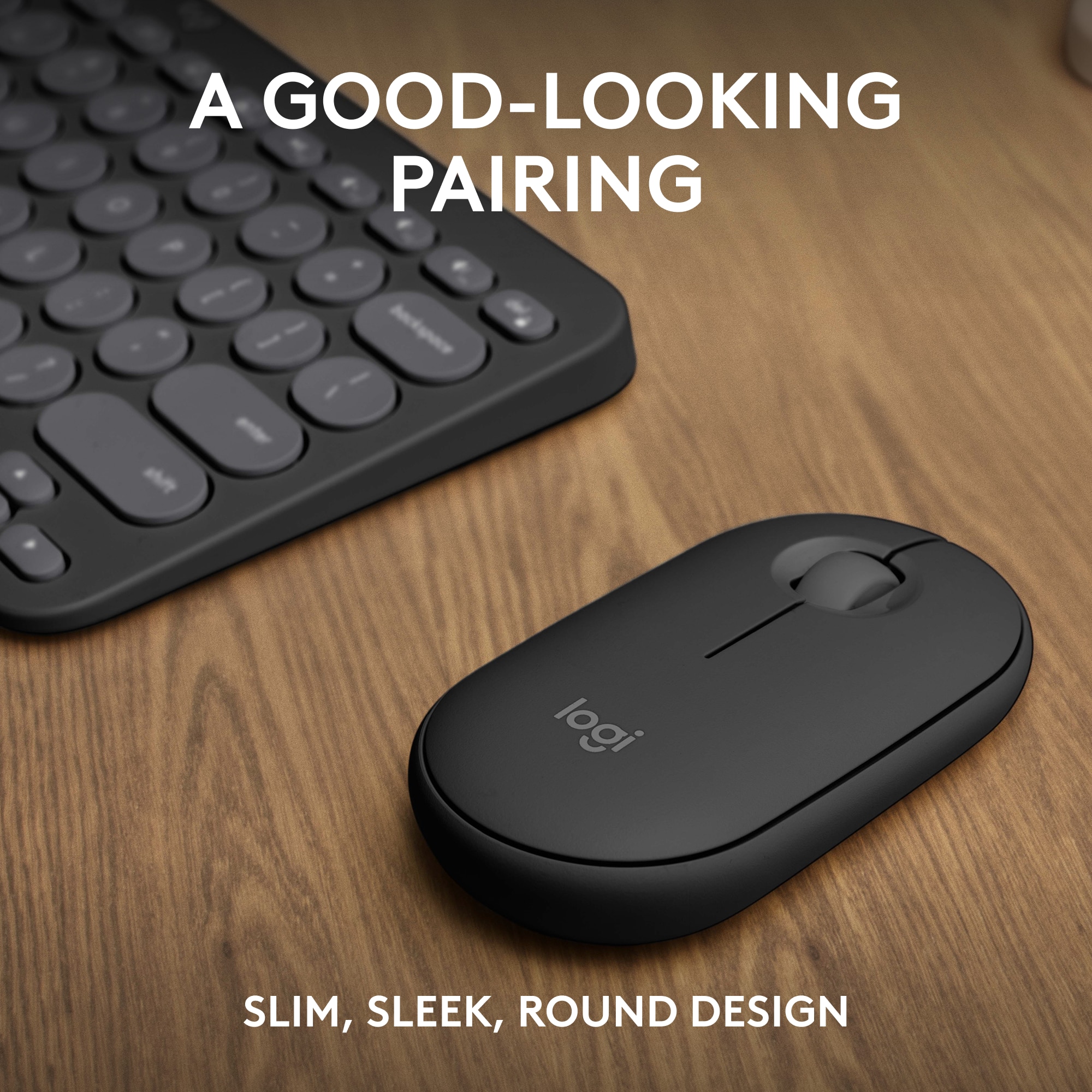
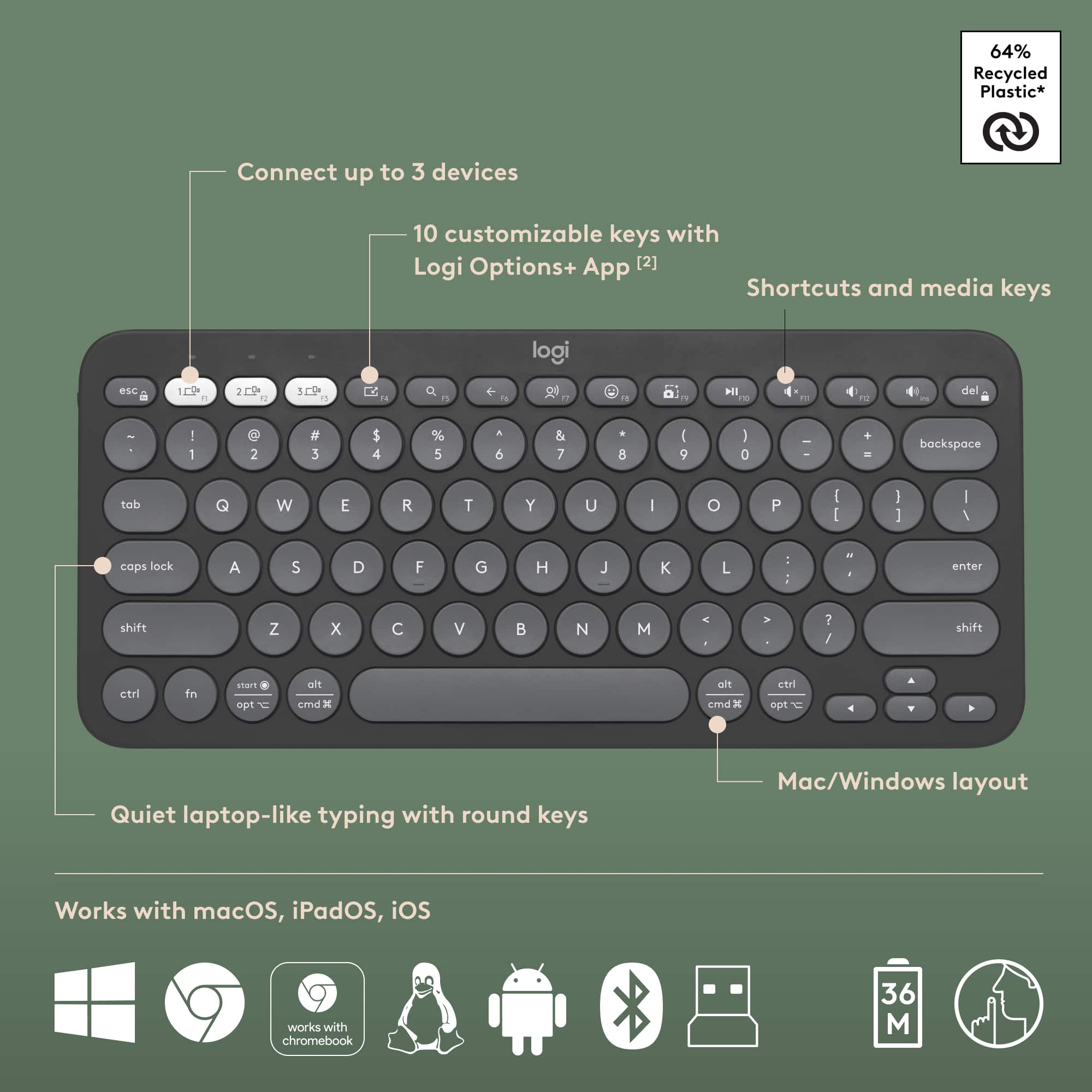
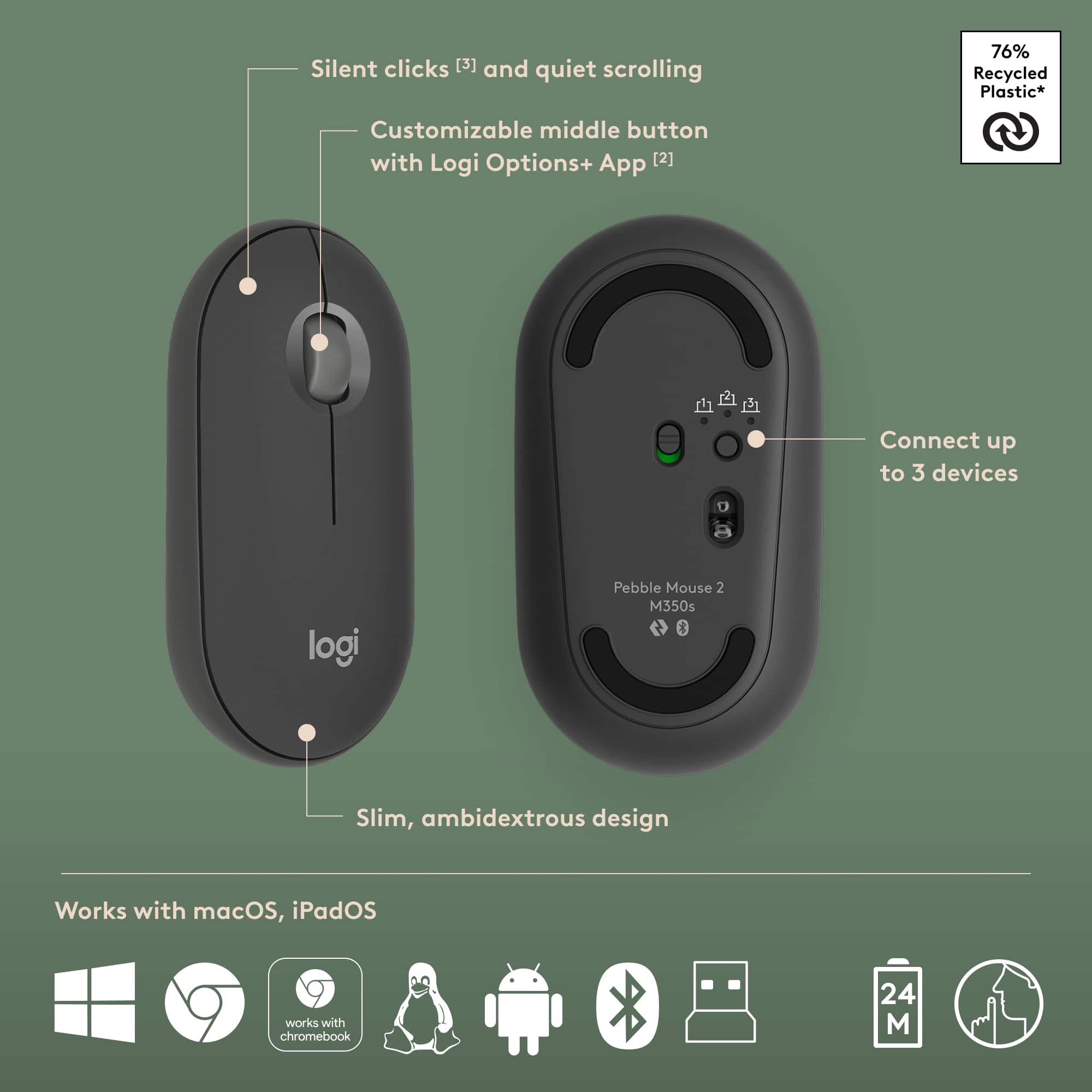
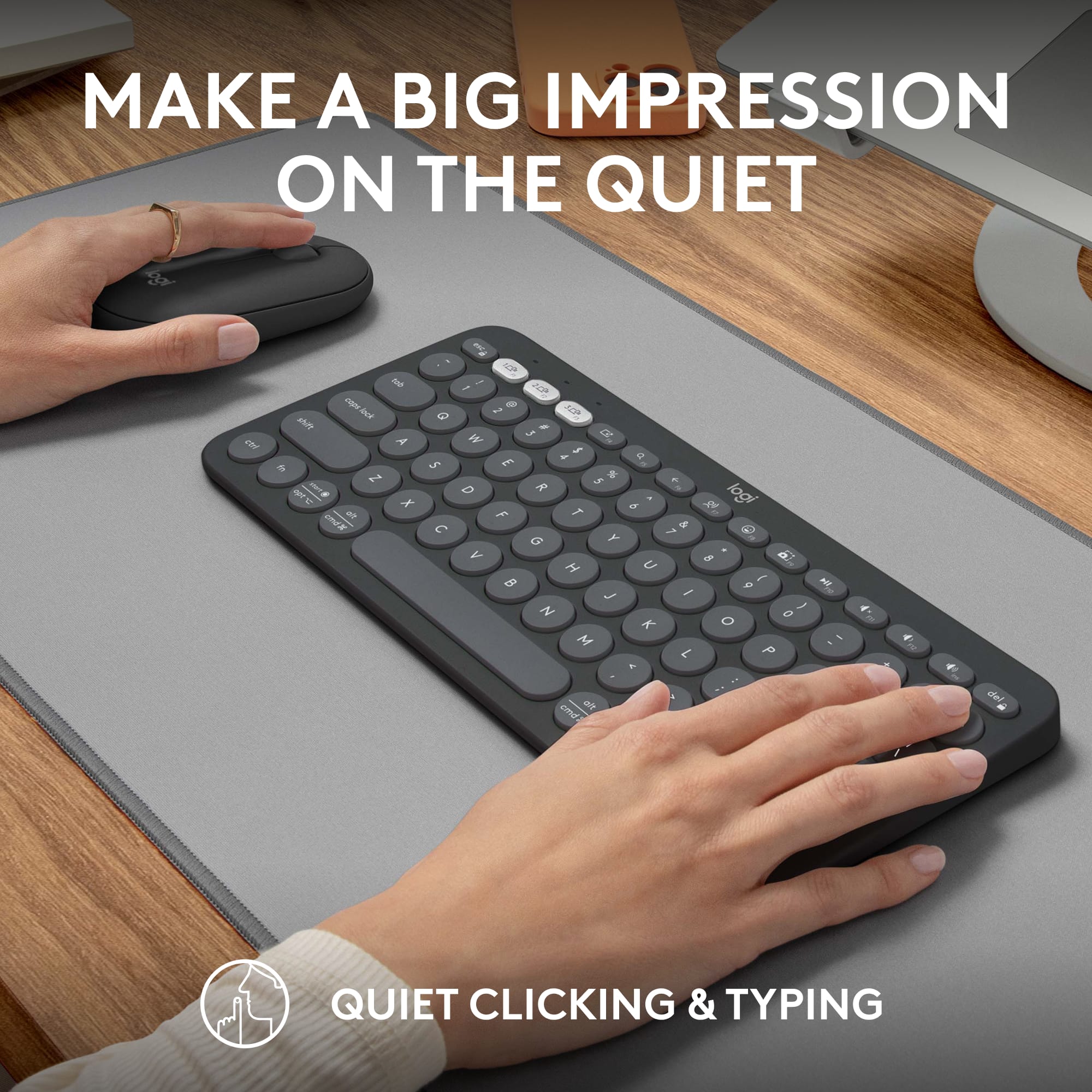
Customers have good things to say about the Pebble 2 Combo Compact Wireless Scissor Keyboard and Mouse Bundle, especially its portability and size, making it ideal for laptop use. The keyboard's quality and multiple connectivity options are also appreciated. Users also praise its outstanding battery life, compatibility with various operating systems, quiet operation, and sleek design.
This summary was generated by AI based on customer reviews.
Not Great- Returning
||Posted . Owned for less than 1 week when reviewed.This reviewer received promo considerations or sweepstakes entry for writing a review.I found this to be a very cute set but that is about it. It is so small that my wrist hurt while using it. The keyboard, although very small, is actually a little heavy for what I would expect it to be. The mouse is not very comfortable either and I didn't really like how it felt on my hands. Typing on the keyboard also didn't feel very natural to me and I am usually pretty adaptable when it comes to keyboards. Also, the price point is also a little high. I have found better combos out there for cheaper. I ended up buying the Logi Wave keys instead.
No, I would not recommend this to a friendBrand response from Logitech
Posted .We apologize that the Pebble 2 Combo didn't meet your expectations. We understand that comfort and typing experience are crucial. Your feedback about the size, weight, and price point is valuable to us. We appreciate you sharing your experience and are glad you found a better fit with the Logi Wave Keys.

Logitech Delivers! Incredible Mouse for Mac
|Posted .This reviewer received promo considerations or sweepstakes entry for writing a review.Logitech has delivered again with the MX Master 4 for Mac, a laser ergonomic mouse designed to deliver incredible precision with comfort for all day use. Logitech has taken the incredible design of the MX Master mouse and added customizable haptic feedback for your most important actions, shortcuts, and notifications. Customizations are available with the powerful Logi Options+ app. With haptic feedback you’ll never miss a beat while working, playing, or studying on your Mac. The Logitech MX Master 4 for Mac is rechargeable with USB-C and connects to your Mac with Bluetooth Low Energy (BLE). Take your Logitech MX Master 4 on the go and use it with iPadOS. The Logitech MX Master 4 will keep up with the most demanding users, scrolling up to 1000 lines per second and works on virtually any surface, even glass. Incredible precision is delivered with the 8,000 DPI sensor. Put simply, this mouse is simply incredible and will quickly become the only mouse you’ll want to use with your Mac or iPad.
I would recommend this to a friendBrand response from Logitech
Posted .That is fantastic feedback! We are thrilled to hear you find the MX Master 4 for Mac to be an "incredible" mouse that delivers both precision and all-day comfort. Your appreciation for the customizable haptic feedback and high-performance features is great to hear.

- Pros mentioned:Connectivity
Logitech - MX Master 4 for Mac - Laser Ergonomic
|Posted .This reviewer received promo considerations or sweepstakes entry for writing a review.Logitech - MX Master 4 for Mac - Laser Ergonomic Mouse is awesome. Easy to setup and configure with the logitech software. Customizable beyond imagination. Each button can be setup to do custom actions. The action button on the left side of the mouse is crazy. It will open up your AI from MS, ChatGPT, etc. Launches instantly and without fail. You can also use the action button to play or pause music, etc. Scroll wheel is effortless. I was using an apple mouse prior and love it, but this is a step above to say the least. Easy to connect using bluetooth and within seconds for it to connect and be used as a standard mac mouse device. I installed the Logitech app software for the mouse specifically for Mac and within minutes I had it setup with custom actions, switching between desktops, launching AI agents and changing my world forever. Cannot say enough about this mouse. Effortless and amazing all in one swift motion. Scrolling through web pages and clicking into the advanced options of my apps so quickly on my 49” widescreen monitor. There is truly nothing like this device. Absolutely and thoroughly enjoying it.
I would recommend this to a friendBrand response from Logitech
Posted .Thank you for the amazing review! We're thrilled to hear how much you're enjoying the MX Master 4 for Mac and that it has exceeded your expectations. It's wonderful to know that the customization options, ease of use, and performance are making your workflow so much smoother. We appreciate you sharing your positive experience!
Not good.
||Posted . Owned for 2 weeks when reviewed.This reviewer received promo considerations or sweepstakes entry for writing a review.I'll never understand making a keyboard that doesn't tell you when caps lock is on. I can get a full sized keyboard for half the price with this basic function.
No, I would not recommend this to a friendBrand response from Logitech
Posted .Thank you for sharing your feedback regarding the Pebble 2 Combo. We’re sorry for any inconvenience caused and appreciate you highlighting the importance of a caps lock indicator. Your input will help guide future product enhancements.
- Pros mentioned:Connectivity
One of the best mice out there!
|Posted .This reviewer received promo considerations or sweepstakes entry for writing a review.For me, there really isn't a better brand for input devices than Logitech. I have been using their mice and keyboards for well over 20 years, and they always seem to improve on their already great designs with their new releases. While it has been quite a while since I have used their MX line (got a MX1000 about 19 years ago with its rather large charging cradle), I decided to try out the new MX Master 4 when the left button on one of my Triathlon M720 started doing the multi-click when clicking one (I tend to wear the buttons out quickly with being a programmer and graphic designer (hobbyist)). Having used the M720 as my main mouse for work and home the last 7 years, there are certain requirements I have for any mouse. One being multi-device connectivity as I work from home 60% of the time (well, more including the evening after working in the office) and switch my mouse, keyboard and monitors between my work laptop and personal computer. The other is having programmable buttons in certain locations (I am a creature of habit and "need" those buttons in those locations). The MX Master 4 not only meets those requirements but have thrown in a few extra buttons/wheel. The overall design is just right for me, even though I was a little worried at first since it is a little bigger than the M720 and the left button being slightly higher, but it didn't take long to get used to it. For the grip rubber on both size, that did take a little while as it was almost too smooth at first, but it good now. It is a little heavier, but I can't really tell when moving it around. One thing (of many) I do really like is the quietness of the left and right buttons. As I click a lot (have I mentioned I wear out mouse buttons!), being much quieter is great! For the buttons, there is the normal forward and back thumb buttons, clickable center scroll wheel, but it also has an extra thumb button towards the front, along with a thumb scroll wheel. While they all have their default functions assigned, everything, and I mean EVERYTHING (OK, well, except for the left and right click buttons) can be changed to whatever is desired using the LogiOptions+ application. New to the list of functionality that can be programmed (or at least to me) is Gestures, which is assigned to that new front thumb button. You'll press and hold the button and move in any of the 4 directions to activate an assigned function. There is a list of function types to choose from or go to Custom to make them do anything any of the other buttons can do. Also, Gestures can be assigned to any other button, except for the thumb scroll as it isn’t a button that can be pressed. And a few days after getting the MX Master 4, Logitech updated the Options+ app to provide Gestures to their previous devices (which I have set up on my remaining M720). The wheel mode button, which on my M270 physically changes the center scroll from line-by-line to free scroll, isn't only physically tied to the scroll mode anymore and itself is also a programmable button. While I would normally change to free scroll while going through emails to skim through things faster, the center scroll can be configured to automatically change to free scroll (or hyper-fast scrolling) when to move it faster, so I really don't need to switch anymore (which that button on the M720 is louder than I would like). Also, as the mechanism that provides the stopping effect for line-by-line scrolling isn't physically controlled by a button, an adjustable force level, which I'm really liking! Also new (at least to me) in the Options+ app, is when setting up different button assignments for different applications, for most applications, it has App Specific actions that can be assigned (with different suggestions for what button/wheel is being set up). For me, that means no longer having to find the equivalent keyboard shortcut to assign. The thumb rest button is haptic feedback capable, which plugins can be installed from the Logitech Marketplace. Personally, I have it disabled and have the button press assign to a keystroke (which I use it for Enter since I hit that so much). The pressing of that button has a Sensitivity setting, from Light to Firm. I use light since I use it so much and don't want the extra effort. It does have a warning about using Light as it could lead to accidental clicks, but I don't see it and it still takes some effort and I don't normally squeeze with my thumb that hard. So, for me, the only thing that was missing was the tilt activation of the center scroll wheel, which I had certain keystrokes assigned. I was at least able to compensate with the gestures. Connection to other devices (up to 3 in total) is simple as always (if you are used to previous multi-device mice). The button to assign and change the connected device is on the bottom, near the back. The locations is the only other thing I have a slight issue with as I am used to it being on the top near the thumb buttons on the M720. That location doesn't require needing to lift the mouse up to change devices (just a minor thing for me). The rechargeable battery should have a decent amount of time between charges. With my almost all day, almost every day use, I'm seeing about 7-8% used every 5 days, so I should get a little over 60 of use before needing to charge again. It charges with a USB-C cable plugged in the front and is still usable while charging (unlike that very old MX1000 that sat in the charging cradle). If you are looking for a mouse with almost endless configuration possibilities with multi-device connectivity, this is definitely one that should be considered. Oh, I almost forgot to mention that even though this is the "for Mac" version, it still works just as great with PCs (if you have a mixed device setup).
I would recommend this to a friendBrand response from Logitech
Posted .Thank you so much for your detailed feedback on the Logitech - MX Master 4 for Mac! We’re thrilled to know it’s meeting your expectations. Your support means a lot to us.
I like the brand. But..
||Posted . Owned for 3 weeks when reviewed.This reviewer received promo considerations or sweepstakes entry for writing a review.This product is difficult to install it works sometimes often not. The directions are bunch pictures instead of language. A waste of money. I should have taken it back instead, the time passed by days.
No, I would not recommend this to a friendBrand response from Logitech
Posted .We apologize that you had a difficult time setting up the Logitech Pebble 2 Combo. We understand the frustration of unclear instructions and inconsistent performance. Your feedback is valuable to us as we strive to improve our products and user experience. We will work to enhance future product documentation and ensure a smoother setup process.
Defective and non-ergonomic
||Posted . Owned for 7 months when reviewed.This reviewer received promo considerations or sweepstakes entry for writing a review.got this product last year in August from best buy after reading mostly positive reviews. Latest today April 06, 2025 the keyboard won’t even be recognized on my macbook air or even my windows laptop. I wouldn’t recommend the keyboard at all, however choose the mouse at your risk since its not at all ergonomic and will cause wrist pain after only a few hours of use
No, I would not recommend this to a friendBrand response from Logitech
Posted .Thank you for sharing your experience with the combo. We're sorry to hear that the keyboard is no longer being recognized on your devices after less than a year of use. We also appreciate your feedback regarding the ergonomics of the mouse and the potential for wrist discomfort. We apologize for the inconvenience this has caused. To address this issue, we recommend reaching out to our social care team via email at socialcare@logitech.com with your
- Name:
- Email Address:
- Country:
- Product Name:
- Brief description of issue:
You get what you pay for
||Posted . Owned for 3 weeks when reviewed.This reviewer received promo considerations or sweepstakes entry for writing a review.Keyboard work mouse doesn’t connect but it was not expensive so is fine
No, I would not recommend this to a friendThey've Only Made It Better
|Posted .This reviewer received promo considerations or sweepstakes entry for writing a review.I've been using MX Master mice for many years and they keep getting better. This MX Master 4 is definitely and improvement, but takes a little getting used to - particularly if, like me, you've been a 3S user. The 4 weighs just a little bit more than the 3S (150g vs. 141g), and I noticed it immediately. The surface of the 4 also has some subtle texture, which should help prevent the greasy wear we've seen on the previous iteration. All of this makes the MX Master 4 feel more substantial in my hand while maintaining fantastic control. The MX Master 4 also has a revamped thumb-action button. Out of the box, it's linked to the new "Actions Ring" available in the Logi Options+ companion software. I love this updated button - and coupled with the 4's new haptic feedback (!!!), the mouse is simply a pleasure to use. The release of the MX Master 4 is coupled with the update Logi Options+ software. The biggest addition is the Actions Ring that presents a round pop-up window from which you can open apps and shortcuts, run macro routines, etc. All of it is configurable to what you want - and you can even change its activation from the 4's thumb-action button to something else. To me, what's incredible significant about this new functionality is that you can now execute multiple Easy-Switch devices. That is, when you change inputs on the mouse, you can also have it change the input on an MX keyboard or other compatible device. Now I don't have to click multiple buttons to switch from one computer to another. This is a game changer for my workflow!
I would recommend this to a friendThe King of Mice and Men
|Posted .This reviewer received promo considerations or sweepstakes entry for writing a review.Upgraded from a MX Master 3, and while I expected it to be similarly as amazing, the new gen definitely surprised me in a good way. First of all, if any of you out there don't know about the scroll wheel on this thing...not sure what you are doing with your lives, but go out and buy this mouse! When working and scrolling through 50 plus pages to get through docs fast, no more moving your finger over and over and over again, just give the wheel a spin, and it effortlessly does the scrolling for you. If you give it a good spin, it will scroll for a good ten seconds until you hear the click of it stopping. You will be amazed at how it increases productivity with no scroll strain. I'd buy it just for that, however there is so much more. The horizontal side scroll is awesome for those excel docs with columns for dayz. No more clicking the right or left arrows, just get your thumb into the game and you won't ever go back. I do love the haptic feedback of this generation which the 3s did not have. Just gives you that little extra warm fuzzy feeling when taking care of business!! Don't shop around, and don't think about it too long because you are missing out if you aren't hoping on the MX Master 4 Train!!
I would recommend this to a friendBrand response from Logitech
Posted .We’re really grateful for your thoughtful review. It’s wonderful to know that our product is delivering the performance and ease of use you were hoping for. Hearing from satisfied users like you keeps us motivated. Thanks for choosing Logitech!
Keyboard
||Posted . Owned for 1 week when reviewed.This reviewer received promo considerations or sweepstakes entry for writing a review.I returned it cause I got it for work n it was too small for work but it would of been ok at home but I just bought a different one for home before this one
I would recommend this to a friendBrand response from Logitech
Posted .Hey! Thanks for the feedback on the Logitech Pebble 2 Combo. We understand it was too small for your work needs and you returned it. It's great that you found a better fit for work and enjoy the Pebble 2 Combo at home!
Returning
||Posted . Owned for 1 week when reviewed.This reviewer received promo considerations or sweepstakes entry for writing a review.I have no idea how this keyboard and mouse have such good reviews. This is the most frustrating thing I have ever purchased from Best Buy. First of all, the mouse randomly lags. When you scroll it'll scroll SO slow at first and then jump halfway down the page. The keyboard is awful because the keys are circular. Who thought that was a good idea? Anyways, not happy with purchase and will be returning.
No, I would not recommend this to a friendBrand response from Logitech
Posted .So sorry to hear about the trouble with your Pebble 2 Combo! The laggy mouse and circular keys sound frustrating. We appreciate your feedback to help us improve.
Darn near perfection
|Posted .This reviewer received promo considerations or sweepstakes entry for writing a review.While the computer company for whom this mouse is made for can't even figure out how to move the charging port on their own mouse to a more practical location, Logitech keeps on iterating on their already excellent mouse. One can really tell that their engineers put a lot of thought into what they can do to preserve the mouse functions that MX Master fans know and love but also add on to those pre-existing functions with new and unique features. I'm referring to things like the haptic feedback the mouse gives you along with the actions ring that allows you to perform 'shortcuts' very easily. Yes it's true, very true, that this mouse, along with the Logitech software, can be overwhelming - especially for the novice or non-techie user but don't let that dissuade you from giving this mouse a shot. You can definitely just perform basic functions if that's all you want, but at least you'll have room to grow into this mouse and all its features if and when the time comes. My only gripe, as was true with the previous version, is the lack of an included receiver in the box. You have to use Bluetooth, at least to begin with.
I would recommend this to a friendBrand response from Logitech
Posted .Thank you for the fantastic review! We're thrilled to hear you're enjoying the MX Master 4 and appreciate the positive feedback on the haptic feedback and action ring. We agree it can seem a bit much at first, but we're glad you're finding the mouse easy to use for basic functions and that it has room to grow with you. We'll keep your feedback about the receiver in mind.
- Pros mentioned:Connectivity
I really love this mouse.
|Posted .This reviewer received promo considerations or sweepstakes entry for writing a review.This really is a fantastic mouse. First off, it connects to the computer with Bluetooth and no extra dongle or app needed. The mouse itself is really precise. First, it glides across about any surface and still reads fine. The other mouse I had seemed to skip a bit and need a mouse pad, this one doesn’t. The center wheel has a cool feature that you can click it and it spins free. I don’t use it a lot, but if you’re doing something like CAD or other design work and are trying to use the wheel to be very precise, it is nice to not have the wheel click and jump a little more than you would have wanted. The second wheel next to your thumb is really nice too when you zoom in on design work and realize you’re over too far to the left or right. For gaming its great too, but doesn’t have some of the special features a dedicated gaming mouse would have. It also has USB charging which is nice since I never have batteries with me when I need them and since it’s a pretty standard connector I don’t have to worry about packing a special cable in my laptop bag just for charging the mouse. Overall I’m really happy with this mouse.
I would recommend this to a friendBrand response from Logitech
Posted .Thank you so much for taking the time to share your experience. We're thrilled to hear that the product is working well for you and meeting your expectations. Your feedback helps us continue to improve and innovate. We truly appreciate your support of Logitech.
Best Productivity Mouse
|Posted .This reviewer received promo considerations or sweepstakes entry for writing a review.I've owned MX mice for years and absolutely love them. There really isn't a better mouse for all day work use. I was really excited to see what was new on the new MX 4 version and have found it a pretty good upgrade. Overall if you've used an MX mouse before you'll feel at home with this one. It has a great ergonomic feel, a very satisfying vertical scroll wheel that can either click like a normal wheel or be completely free to move without friction. The side scroll on this mouse is a little different than the previous model, with a more convex feel as opposed to the concave side scroll on the mx 3. I don't love the new feel of the side scroll on this mouse near as much as the older version. The biggest change on this mouse is the big thumb button. Logitech has introduced an entire software package around this button that creates a shortcut wheel for endless functionality. I have definitely used this way more than the one function thumb button on the previous version. Though the software seems not quite ready for prime time. It was somewhat hard to use and confusing and I couldn't get the plugins to load most of the time. I was able to map software shortcuts to the snipping tool and to lock my laptop which has come in handy. Overall this is a great mouse with tons of features. The clunky software is the only downside, but I wouldn't say that is a deterrent from getting the mouse.
I would recommend this to a friendBrand response from Logitech
Posted .Thank you for sharing your detailed feedback on the Logitech MX Master 4! We appreciate you taking the time to highlight both the positive aspects and areas for improvement.
- Pros mentioned:Battery life, Portability
Premium Portability with a Few Key Considerations
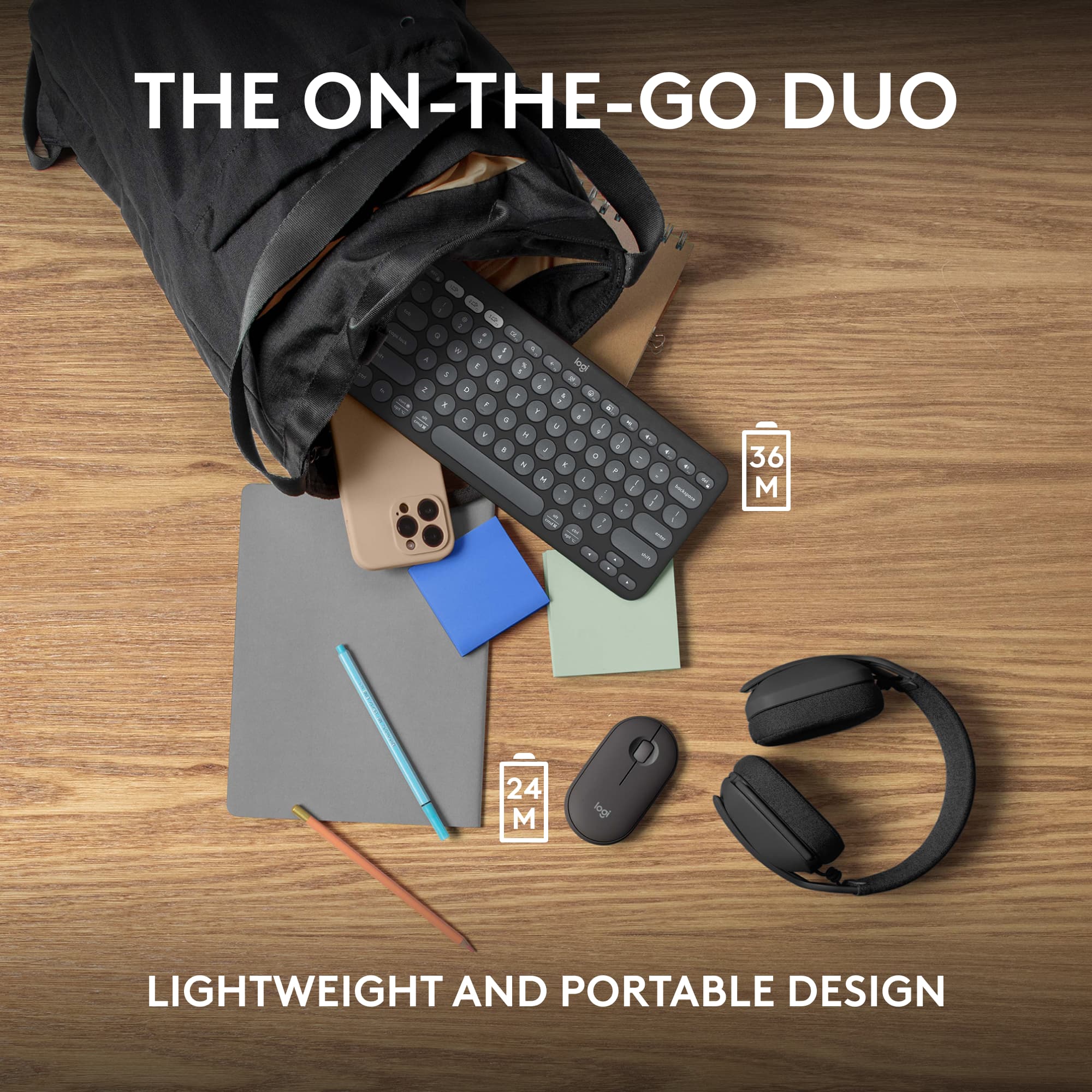
|Posted .This reviewer received promo considerations or sweepstakes entry for writing a review.I recently got my hands on the Logitech Pebble 2 Combo Keyboard and Mouse, and I must say, I'm quite impressed with this compact and versatile peripheral set. Right off the bat, the premium feel of these devices is evident. The sleek design and matte finish give them a modern and sophisticated look. One standout feature that immediately caught my attention is the incredible battery life. Logitech claims that the keyboard can last for nearly 36 months on just two AA batteries, while the mouse can go for an impressive 24 months with AA batteries. While I haven't had the chance to test this extensively, it's reassuring to know that I won't be constantly changing batteries. The real game-changer for me is the ability to seamlessly connect to multiple devices on the fly. With dedicated buttons on the keyboard and mouse, I can effortlessly switch between my laptop, tablet, and even my smartphone. It's a huge time-saver, especially when I'm working on multiple projects simultaneously or need to respond to messages quickly. Portability is another strong suit of this combo. Both the keyboard and the mouse are incredibly small and lightweight, making them perfect companions for my on-the-go lifestyle. They easily slip into my bag, and I can take them from home to the office without any hassle. However, there is one aspect of the Pebble 2 Combo that took some getting used to—the key shape and spacing. The rounded keys and their layout initially felt a bit unfamiliar, and I found myself making more typing errors than usual. It's a matter of personal preference, but if you're used to a more traditional keyboard layout, it might take some time to adjust. In conclusion, the Logitech Pebble 2 Combo Keyboard and Mouse offer a premium, long-lasting, and highly functional solution for those who need to stay connected across multiple devices. Its portability is a significant advantage, and the only minor downside I found was the unique key shape and spacing, which may require a brief adjustment period. Despite this, it's a great choice for anyone seeking a reliable and versatile keyboard and mouse combo.
I would recommend this to a friend Not worth it
||Posted . Owned for 1 year when reviewed.This reviewer received promo considerations or sweepstakes entry for writing a review.The battery dies too fast.. there's better options
No, I would not recommend this to a friendBrand response from Logitech
Posted .Thanks for sharing your experience—we’re really sorry to hear about the battery issue. That’s definitely not what we want for your setup. If you’d like us to take a closer look and help out, please reach out to our social care team at **socialcare@logitech.com** with the following details:
- Name
- Email Address
- Country
- Product Name
- Brief description of the issue
We’d love to help make things right and get you back to a smoother experience.
Mr.
||Posted . Owned for 3 weeks when reviewed.This reviewer received promo considerations or sweepstakes entry for writing a review.Would not connect with my IMac computer, felt kind of flimsy
No, I would not recommend this to a friendBrand response from Logitech
Posted .Hello there, We're sorry to hear about the connection issues and quality concerns you experienced with the Logitech Pebble 2 Combo on your iMac. The keyboard and mouse should be compatible and feel sturdy.
To troubleshoot the connection, we recommend reaching out to our social care team via email at socialcare@logitech.com with your
- Name:
- Email Address:
- Country:
- Product Name:
- Brief description of issue:
Worst product
||Posted . Owned for 3 months when reviewed.This reviewer received promo considerations or sweepstakes entry for writing a review.Some keys of the keyboard are not working with in 2 month. This is the worst keyboard I’ve ever used.
No, I would not recommend this to a friendBrand response from Logitech
Posted .We apologize that your Logitech Pebble 2 Combo Compact keyboard is experiencing issues after only 2 months of use. We understand how frustrating this is and appreciate your feedback. To address this issue, we recommend reaching out to our social care team via email at socialcare@logitech.com with your
- Name:
- Email Address:
- Country:
- Product Name:
- Brief description of issue:
Color is nice
||Posted . Owned for 1 month when reviewed.This reviewer received promo considerations or sweepstakes entry for writing a review.Color is nice but i didnt like tge way it felt. Returned it
No, I would not recommend this to a friendBrand response from Logitech
Posted .Thank you for your feedback on the Logitech Pebble 2 Combo. We appreciate your comments about the color and your decision to return the product. We'll continue to work on improving our products to meet the diverse needs and preferences of our customers.