Customer Ratings & Reviews
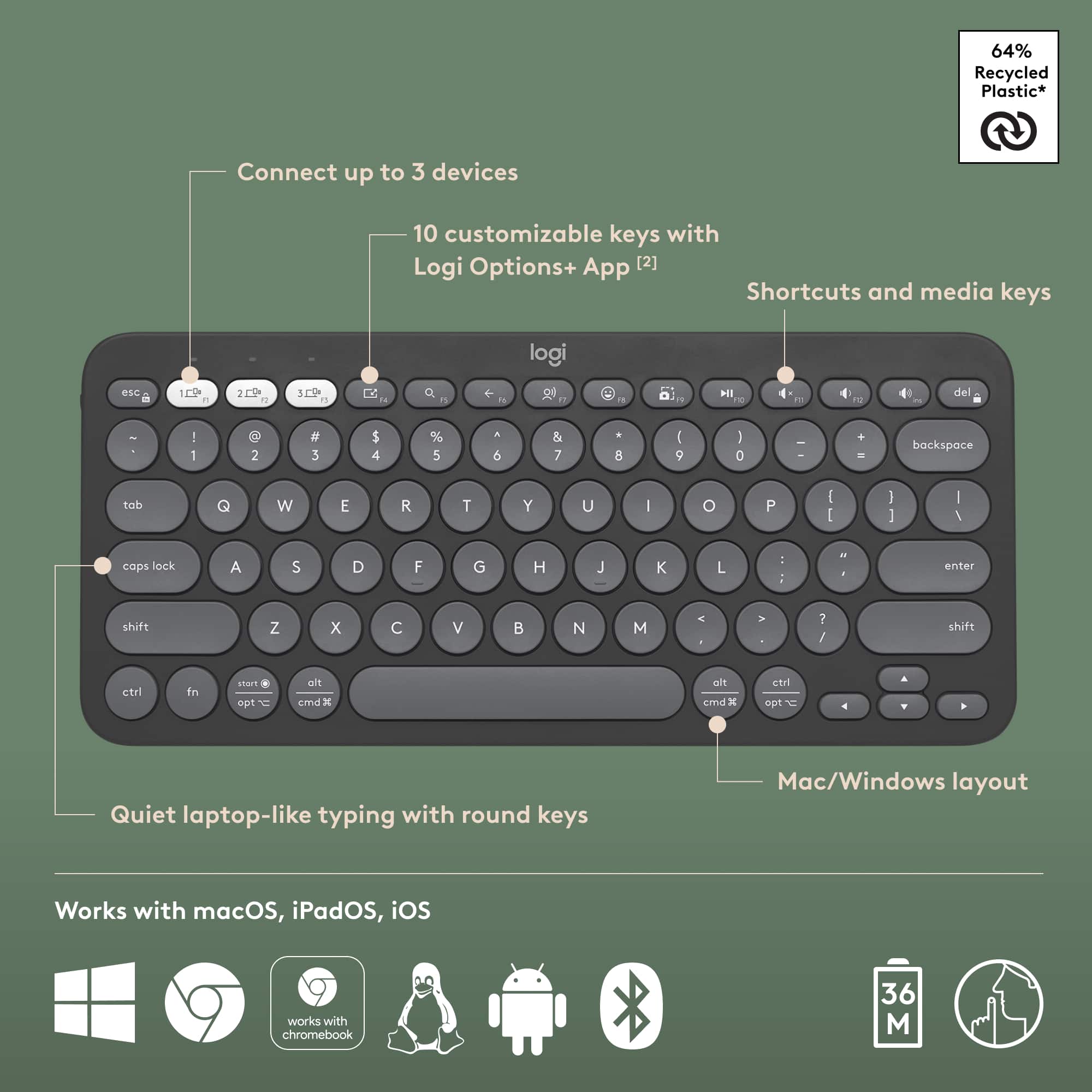
![GET MORE DONE ... I - - : + - . . - - - | - te d + 1 - - 1 .NO 1 + . . J I CUSTOMIZE 10 KN KEYS WITH LOGI OPTIONS+ APP [2]](https://pisces.bbystatic.com/image2/BestBuy_US/images/products/b9b0e9f6-95e2-4f89-ac0f-842e4fbc4872.png)

- Model:
- 920-011775
- |
- SKU:
- 11968339
Customer reviews
Rating 4.6 out of 5 stars with 303 reviews
(303 customer reviews)Rating by feature
- Value4.7
Rating 4.7 out of 5 stars
- Quality4.7
Rating 4.7 out of 5 stars
- Ease of Use4.7
Rating 4.7 out of 5 stars
Rated 4 out of 5 stars
Good soup
Posted .This reviewer received promo considerations or sweepstakes entry for writing a review.Works as advertised. Keys have so far survived being pressed by the other random crap in my backpack
This review is from Logitech - Pebble Keys 2 Slim TKL Wireless Scissor Keyboard for Windows, macOS, iPadOS, Chrome - Graphite
I would recommend this to a friendRated 4 out of 5 stars
Compact
Posted .This reviewer received promo considerations or sweepstakes entry for writing a review.A little small but nice and compact if that’s what you want. Clean look.
This review is from Logitech - Pebble Keys 2 Slim TKL Wireless Scissor Keyboard for Windows, macOS, iPadOS, Chrome - Graphite
I would recommend this to a friendRated 1 out of 5 stars
Worthless as a multi-system keyboard
Posted .This reviewer received promo considerations or sweepstakes entry for writing a review.Worthless for a reliable Bluetooth keyboard. The Bluetooth often fails when more than one system is paired with it. And once it fails, it takes an act of Congress to make it work again
This review is from Logitech - Pebble Keys 2 Slim TKL Wireless Scissor Keyboard for Windows, macOS, iPadOS, Chrome - Graphite
No, I would not recommend this to a friendBrand response from Logitech
Posted .That's unfortunate! Refer the mentioned steps and check if that helps to resolve the issue: 1. Verify the product or receiver is connected directly to the computer and not to a hub, extender, switch or something similar. 2. Move the device closer to the USB receiver. If your receiver is in the back of your computer, it may help to relocate the receiver to a front port. In some cases the receiver signal gets blocked by the computer case, causing a delay. 3. Keep other electrical wireless devices away from the USB receiver to avoid interference. 4. Try on a different computer.