Deals Worth GiftingShop now

Skip to content
Gift Ideas
Main Content

Customer Ratings & Reviews
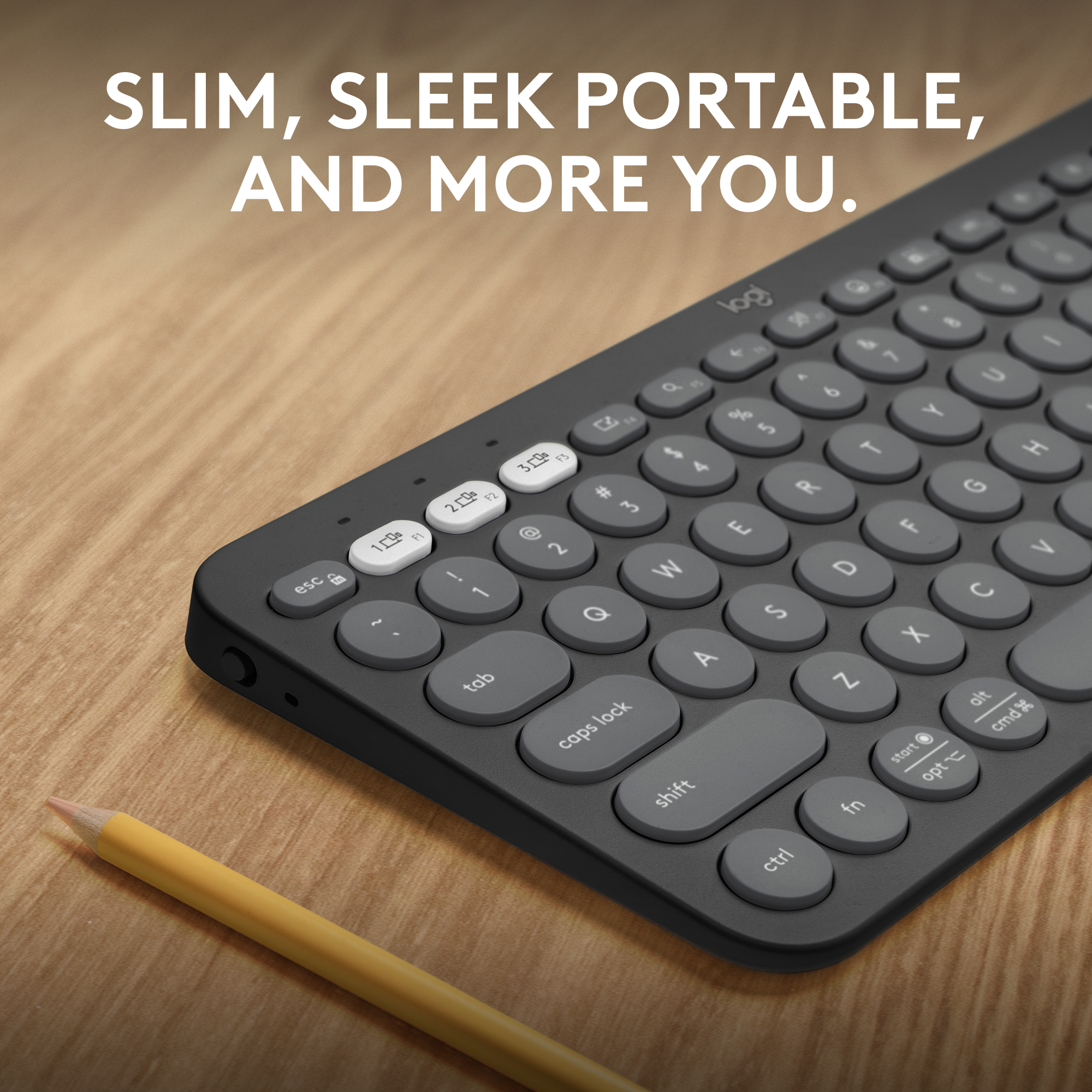
Your price for this item is $39.99

Customer reviews

Rating 4.7 out of 5 stars with 244 reviews

Rating Filter

Rating by feature

  • Value

    Rating 4.7 out of 5 stars

  • Quality

    Rating 4.8 out of 5 stars

  • Ease of Use

    Rating 4.7 out of 5 stars

Pros mentioned filter

Cons mentioned filter

95%would recommend to a friend

Customers are saying

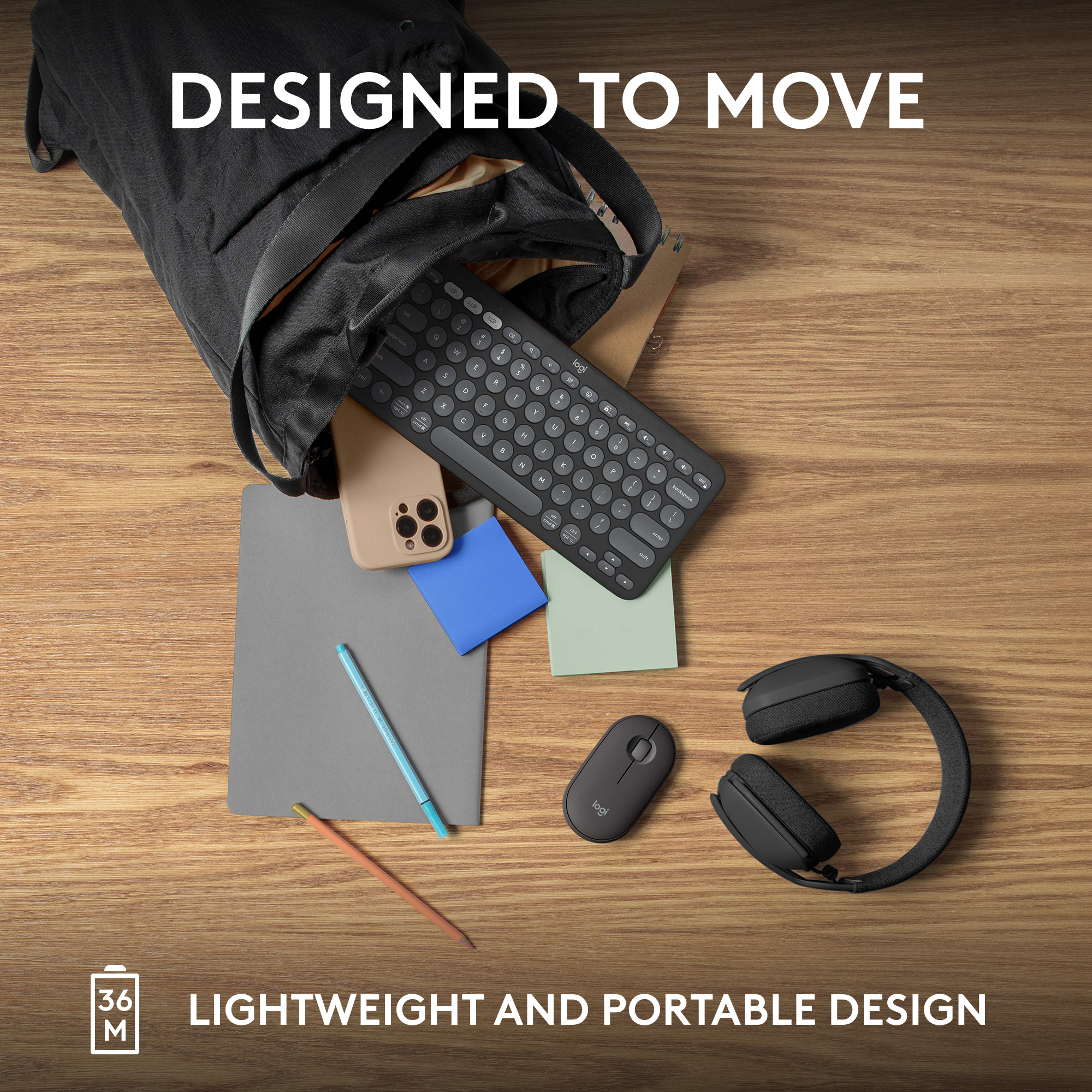
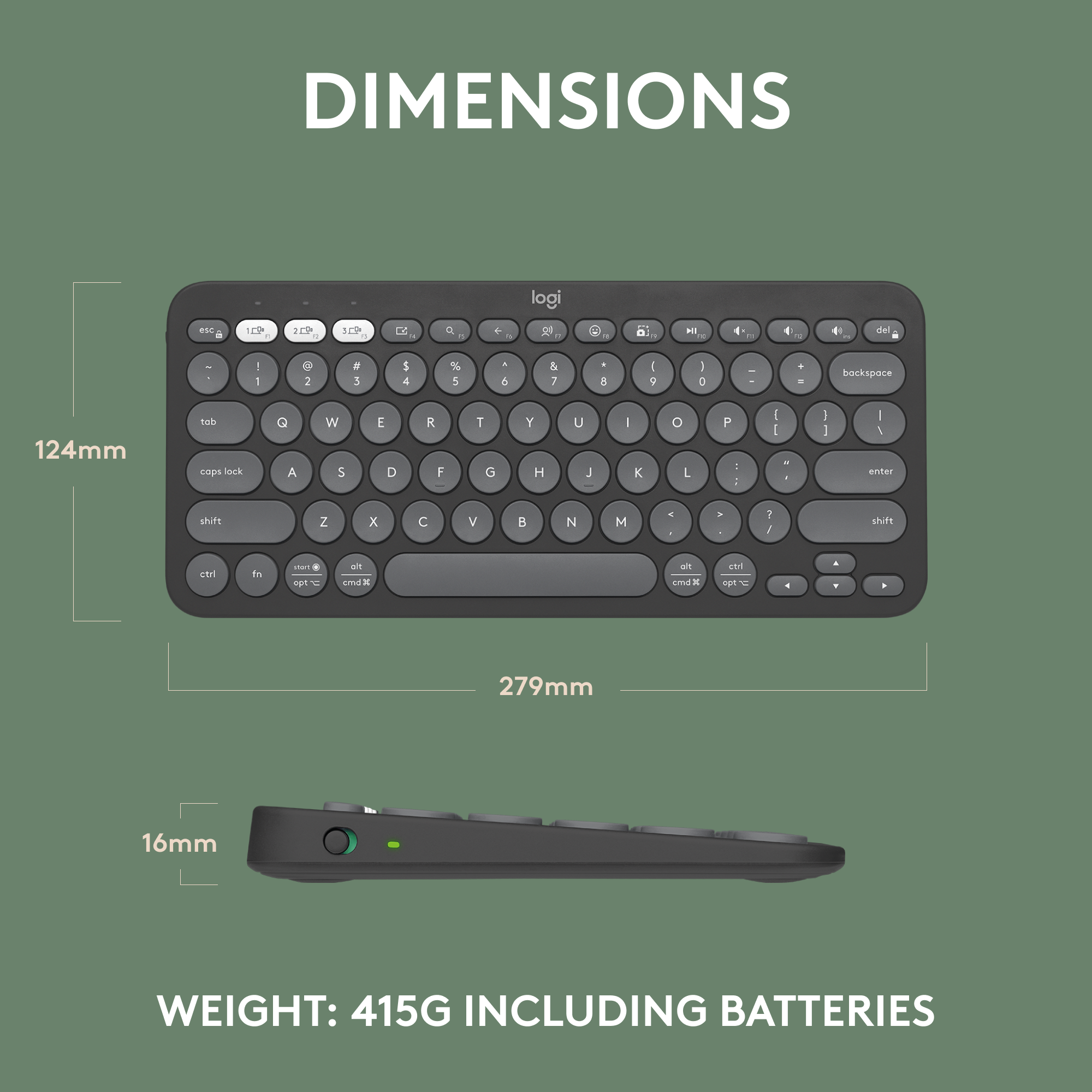
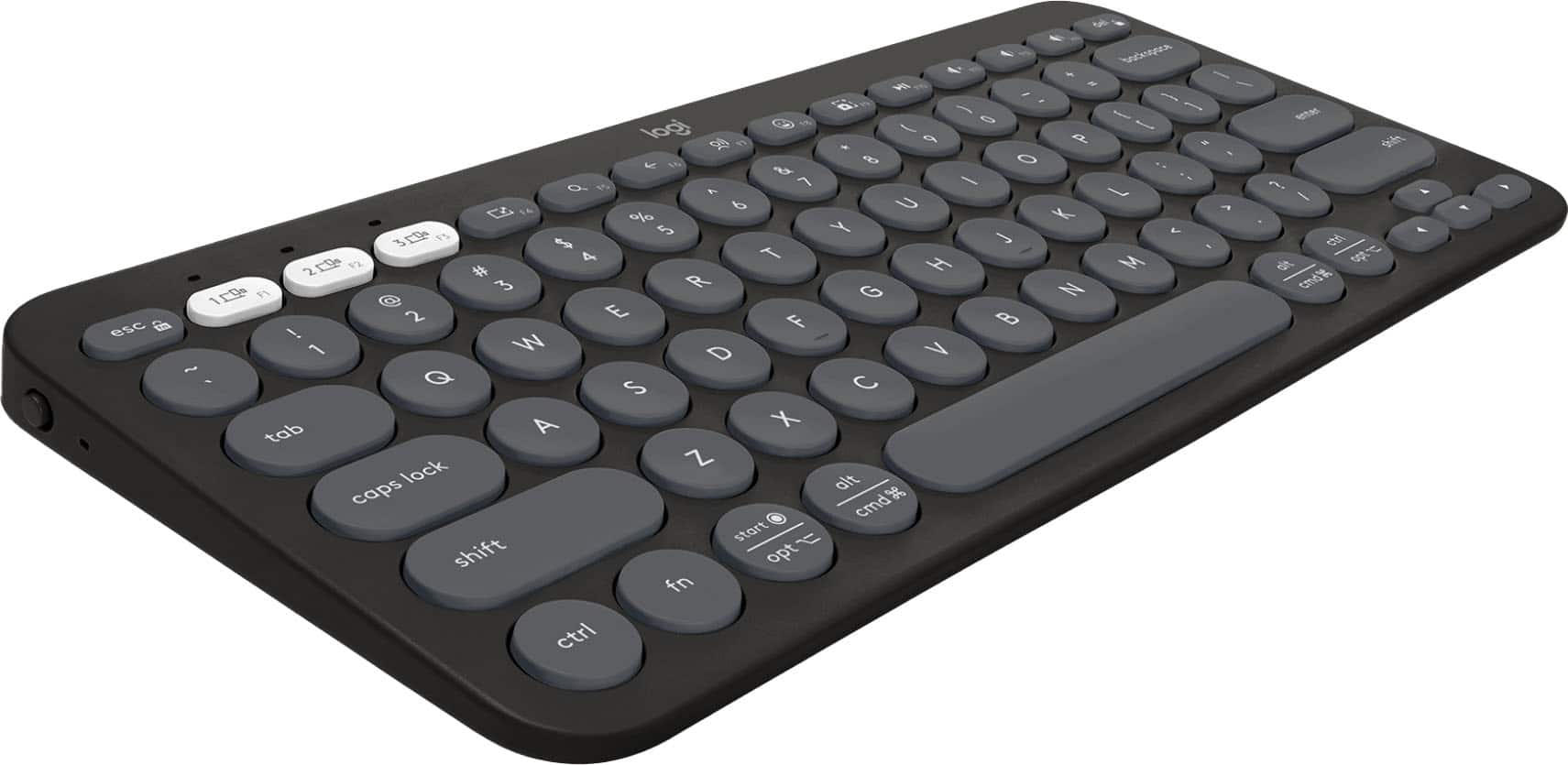
Customers enjoy the Pebble Keys 2 Slim TKL Wireless Keyboard for its portability and quality, making it a good fit for small desks. The keyboard's size and battery life are appreciated, along with its connectivity and key feel. The only drawback mentioned by customers is the absence of a number pad.

This summary was generated by AI based on customer reviews.

The vast majority of our reviews come from verified purchases. Reviews from customers may include My Best Buy members, employees, and Tech Insider Network members (as tagged). Select reviewers may receive discounted products, promotional considerations or entries into drawings for honest, helpful reviews.
Page 12 Showing 221-240 of 244 reviews
  • Pros mentioned:
    Battery life, Keyboard quality
    Tech Insider Network Member

    Rated 5 out of 5 stars

    Keyboard A Silent Win

    |
    Tech Insider Network Member
    Posted .
    This reviewer received promo considerations or sweepstakes entry for writing a review.

    I have too many keyboards, but I’m glad to add this one to my collection! I guess I’ve been looking for the perfect keyboard to replace my Logitech k810 built 10 years ago. It’s travel sized, but has an internal battery, backlighting, fairly quiet keys, and solid bluetooth. It's still going strong, but it has micro USB and the battery doesn’t last much longer than a week. I think it was the first of a long developed series of keyboards from Logitech that have been a class above all of the other keyboards in the travel size and price range. The Pebble 2 keyboard has almost all the features I could want in a travel keyboard: - Easy switching between devices - Battery power that lasts a month or longer - Durable case and keys to survive being stashed in a backpack - Non-existant sound from keypresses without feeling mushy or unresponsive Coming from a virtually silent K810, I'm AMAZED at how quiet it is, yet it still retains the tactile keyboard feel that you want from a Logitech keyboard. The Pebble line really is something amazing in this regard. Once you use a Pebble mouse, you'll never go back to another travel mouse. I feel the same way about this keyboard for travel. It won't annoy your seat mate on the plane, and you know that's easy to do! After setup and getting it connected with the new Logi Options+, I truly think it’s a solid choice to replace my K810. Options+ replaces the old Logitech Options application. Although it was good, the interface was getting fairly old and it was annoying because it had 10 years ago’s UX sensibilities. Options+ adds an interface to the management and customization of the keyboard, and is intended to be the new hub for devices going forward. It’s a cool interface and easy to use. I am able to see the devices that are paired with my Pebble Keys 2 and adjust the multimedia keys to scripts or other preselected functions. I wish that there were a few generic function keys on the keyboard because you’ll have to give up one of the predetermined multimedia keys on the Pebble Keys 2 to reassign. And, speaking of smart actions, it’s pretty deep. If you like to make macros, you’ll really like smart actions because you can have OS integrated automations such as opening and closing several applications at once or controlling These kinds of features aren’t normally included on keyboards of this price range. With this and many other customizations, you can dictate they apply globally or PER APP which can be amazing if you macro your productivity apps (like I do). One of the best things from Options+ (and the previous app) is that there is seamless (almost magical) cloud save of all of your settings between devices. If you use any of the customization features, you’ll be glad to know you won’t have to keep configuring as long as you have Options+ on each of the laptops. It’s cross platform too, but doesn’t seem to have an Xbox version. Are you hearing me, Logitech? Computers aren’t the only devices we use with your keyboards! There are a few features I wish were included which would make it perfect for me: BACKLIGHT, Li-ion battery support, USB-C connection for wired use… BACKLIGHT! And, BACKLIGHT! So has it replaced my K810 in my travel bag? Yes! I highly recommend this keyboard!

    I would recommend this to a friend
  • Rated 2 out of 5 stars

    Okay product

    |
    |
    Posted . Owned for 1 week when reviewed.
    This reviewer received promo considerations or sweepstakes entry for writing a review.

    Okay product didn’t use it long before I had to return it to the store

    No, I would not recommend this to a friend
    • Brand response from Logitech
      Posted .

      We understand you returned the Logitech Pebble Keys 2 Slim TKL after a short period of use. We apologize for any inconvenience this may have caused. Logitech

  • Pros mentioned:
    Battery life, Connectivity, Portability
    Tech Insider Network Member

    Rated 5 out of 5 stars

    Lots of features packed in small mobile package

    |
    Tech Insider Network Member
    Posted .
    This reviewer received promo considerations or sweepstakes entry for writing a review.

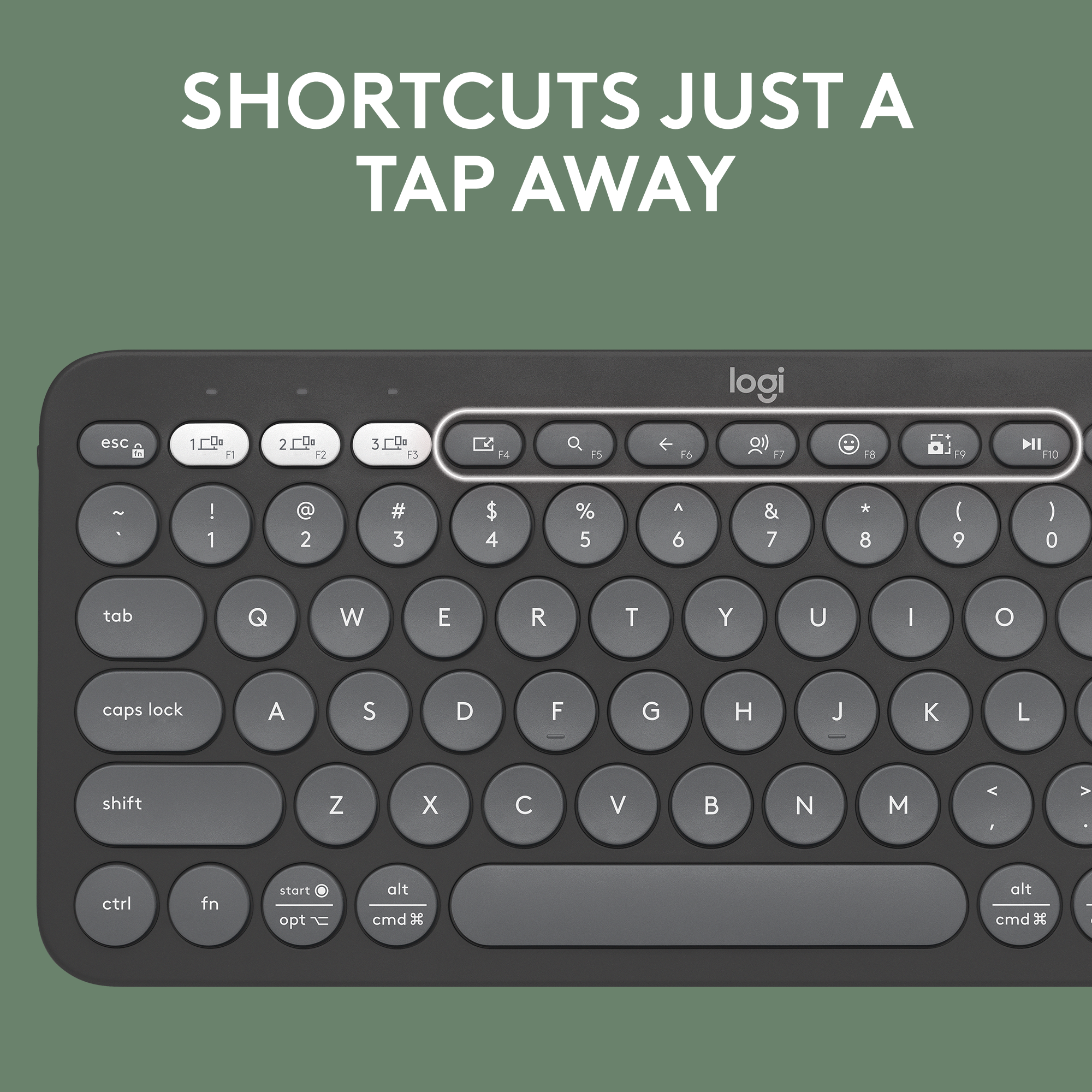
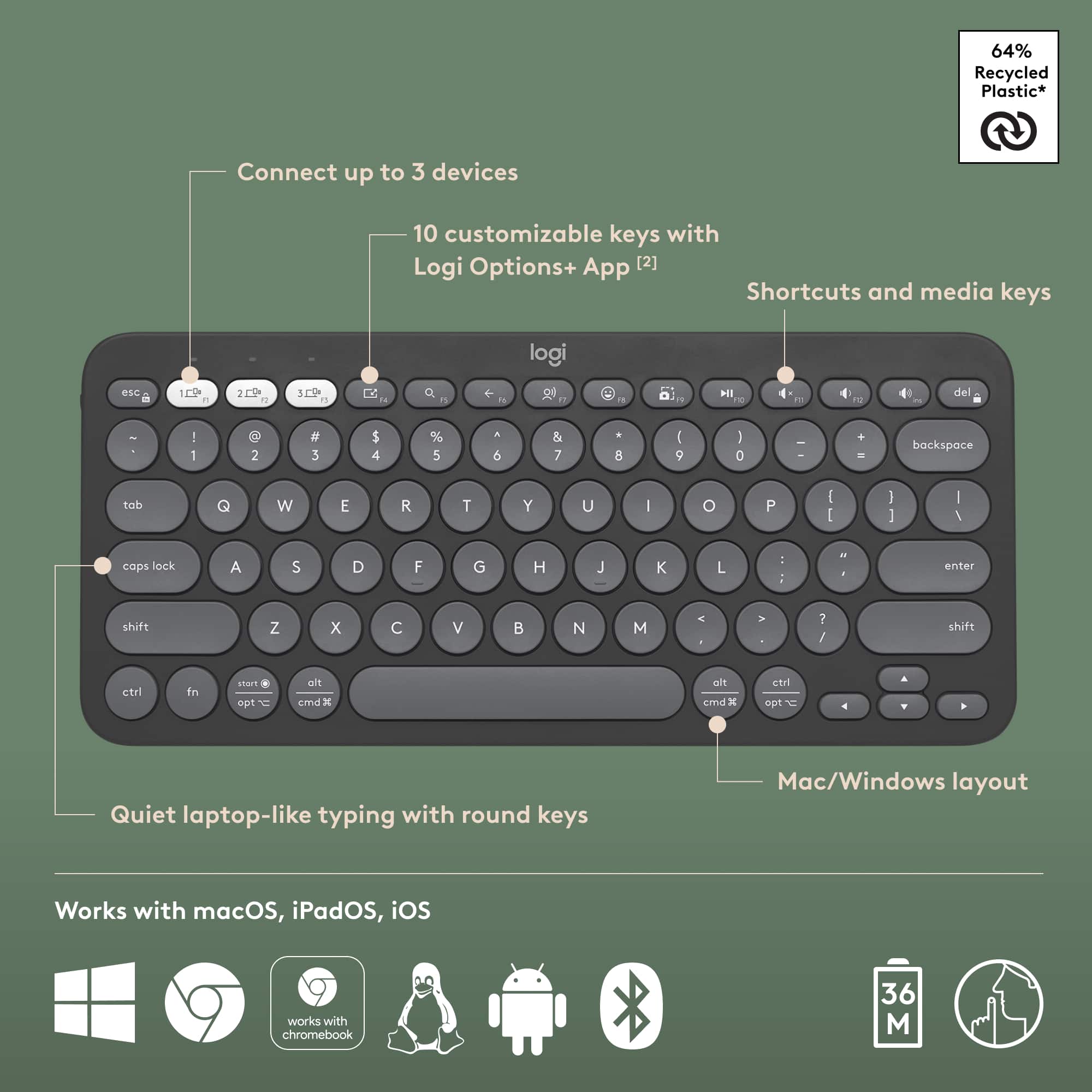
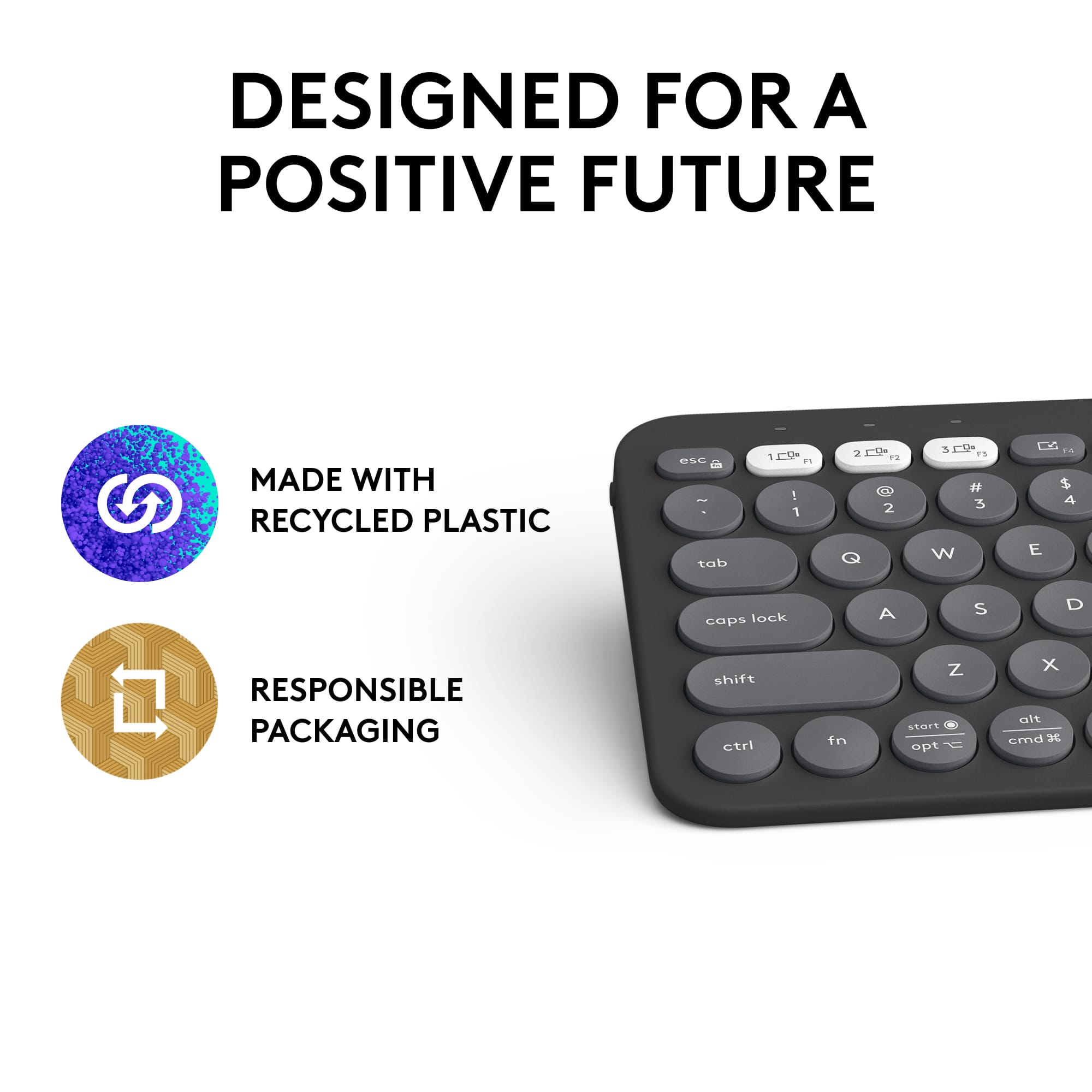
    Excellent little keyboard with a lot of features packed into a small, lightweight package. Design and Build Quality: Another sleek and stylish designs brought to you by Logitech. The "Pebble" series seems to be associated with minimalism. The build quality is quite good, with durable materials and greater than 50% recycled plastic. This keyboard is a super fit compact form factor making it suitable for travel with ease of portability and very lightweight. Scissor Mechanism: This keyboard’s scissor-switch key carry a fantastic low-profile and are deliver a pleasantly quiet typing experience. This scissor style offers a nice balance between the flatness of a membrane keyboard and the tactile feedback of a mechanical keyboard. Wireless Connectivity: Has excellent range and connectivity utilizing standard Bluetooth low energy technology. Quick connect and swapping between 3 devices with the simple press of a button. Can also be used with the separately available Logi Bolt USB receiver – but this is not included. Battery Life: Logitech claims an insanely long battery life of THREE YEARS on 2 triple A batteries, making this little keyboard incredibly efficient and super eco-friendly. Compatibility: this works with everything. I’ve used it on my desktop, laptop, ipad, even phone just to try it. Pretty cool. Additional Features: has multiple standard function incorporated keys such as desktop, search, back, voice command, emoji, and screen capture. But also additional customizable keys from F4-F12 to set up your own special function keys and macros. Fully customizable using the user friendly and intuitive Logi Options + app. Overall I think this is a really great keyboard for the everyday typing, general use, mobile user. It’s super portable, super friendly and super customizable to be whatever you need it to be. Works great and looks even better. A nice aesthetic addition to any workspace without taking up too much real estate on the desk. Connects to anything and quick swappable with the 3 device pairing and instant switching on the fly. You won’t be disappointed.

    I would recommend this to a friend
  • Pros mentioned:
    Battery life, Keyboard quality, Size
    Tech Insider Network Member

    Rated 5 out of 5 stars

    Easy to Pair & Type Logitech Bluetooth Keyboard

    |
    Tech Insider Network Member
    Posted .
    This reviewer received promo considerations or sweepstakes entry for writing a review.

    The Logitech Pebble Keys 2 K380s Bluetooth Keyboard is a small yet easy-to-use (keys are comfortably placed) keyboard that can pair with multiple Bluetooth devices. When I set it up, my initial test was pairing with my MacBook Air, and with all three devices I paired, the pairing was the same process: You long hold the button (1, 2, or 3 – white buttons) and immediately the device shows up in the pairing list. Next, when selecting to pair the keyboard, it gives you a 6-digit code to type into the keyboard, and then you press enter – about 5 seconds later, the pairing is complete. The second device I paired was a Samsung Galaxy S23 Ultra phone; the third was an iPad (9th generation). All were paired without issue. I’m a developer of a mobile app which, about once per year, will require a bunch of data entry for set-up, and for me, using a Bluetooth keyboard, such as this one, makes that process quicker and easier. Typing on this keyboard felt natural, and there was no adjustment time. I did try the screenshot button, and it worked by letting me highlight a portion of the screen to capture, then saved the screenshot on my desktop. While I might’ve preferred if this included a touchpad, as an older model Logitech keyboard I have offers, this one is much more compact so that I could throw it into a backpack for travel, for example. If it had a touchpad, the battery probably wouldn’t last three years, as is claimed here. It has an outstanding battery life.

    I would recommend this to a friend
  • Rated 1 out of 5 stars

    keyboard

    |
    |
    Posted . Owned for 1 month when reviewed.
    This reviewer received promo considerations or sweepstakes entry for writing a review.

    Way smaller than I thought. Still could have been a good key board I just like mine layed out different

    No, I would not recommend this to a friend
    • Brand response from Logitech
      Posted .

      We appreciate your feedback on the Logitech Pebble Keys 2 Slim TKL. We understand it was smaller than you anticipated and that the layout doesn't quite suit your preferences. We apologize for any inconvenience this has caused. We design our products with various needs in mind, and we appreciate you sharing your experience. Logitech

  • Best Buy Employee

    Rated 2 out of 5 stars

    Great but small

    |
    Best Buy Employee
    Posted . Owned for 2 weeks when reviewed.
    This reviewer received promo considerations or sweepstakes entry for writing a review.

    Easy to connect but a bit small for extensive use.

    I would recommend this to a friend
  • Rated 1 out of 5 stars

    Okayish.

    |
    |
    Posted . Owned for 2 months when reviewed.
    This reviewer received promo considerations or sweepstakes entry for writing a review.

    Not comfortable to code and type. I guess circular keys are not good for typing.

    No, I would not recommend this to a friend
    • Brand response from Logitech
      Posted .

      We appreciate your feedback on the Logitech Pebble Keys 2 Slim TKL keyboard. We understand that keyboard layout and key feel are personal preferences, and it's important to find a keyboard that suits individual needs. We'll continue to explore different keyboard designs and features to cater to a wider range of user preferences.

  • Pros mentioned:
    Battery life, Keyboard quality
    Tech Insider Network Member

    Rated 5 out of 5 stars

    Quality Hardware and Experience. Ridiculous Value.

    |
    Tech Insider Network Member
    Posted .
    This reviewer received promo considerations or sweepstakes entry for writing a review.

    To get it out of the way, I really like this keyboard. Thin, compact, light, and a surprising solid feel. I like the looks, although, admittedly, I am still slowly coming over to the round keys. I like the color choices and it is all done well. I don’t have the most desk space, and it always ends up being a mess. Small footprint. No wires. Both wins for me. Setup was very simple, and I have zero issues with connectivity. Rock solid. Seamless transitions across devices. I am not sure how many people will take advantage of the switching feature, but as someone who uses Windows, Mac, Android, and iOS, across far too many devices, I am not sure if I can really get across how awesome this has been for me. As for the keyboard itself, and how it is to use. In a couple of words, it is great. As I said earlier, I am still not sure how I feel about the “looks” of the round keys, but the whole thing is great to type on and use. I like the feel and spacing, and I think the keys have the right amount of give. Beyond that though, the function keys give a lot of…functionality, and the Logitech software, which might just be the sneaky hero here, opens up even so much more. It is absolutely worth the time to dig in and explore what you can do. All in all, it is just a great keyboard to use. Battery life, well, has been all I could ask for. It is “rated” as “hours of use with a 3-year battery.” I can’t really say how that will go or what that means, but from what I am seeing I do not think it will be an issue at all going forward. Ultimately, I like this keyboard. It hits on so many things, but it just really comes down to being a good, solid keyboard that is nice to use. To get all that you get here, at this price, is, frankly, a ridiculous value to me.

    I would recommend this to a friend
  • Pros mentioned:
    Battery life
    Tech Insider Network Member

    Rated 5 out of 5 stars

    Great little keyboard

    |
    Tech Insider Network Member
    Posted .
    This reviewer received promo considerations or sweepstakes entry for writing a review.

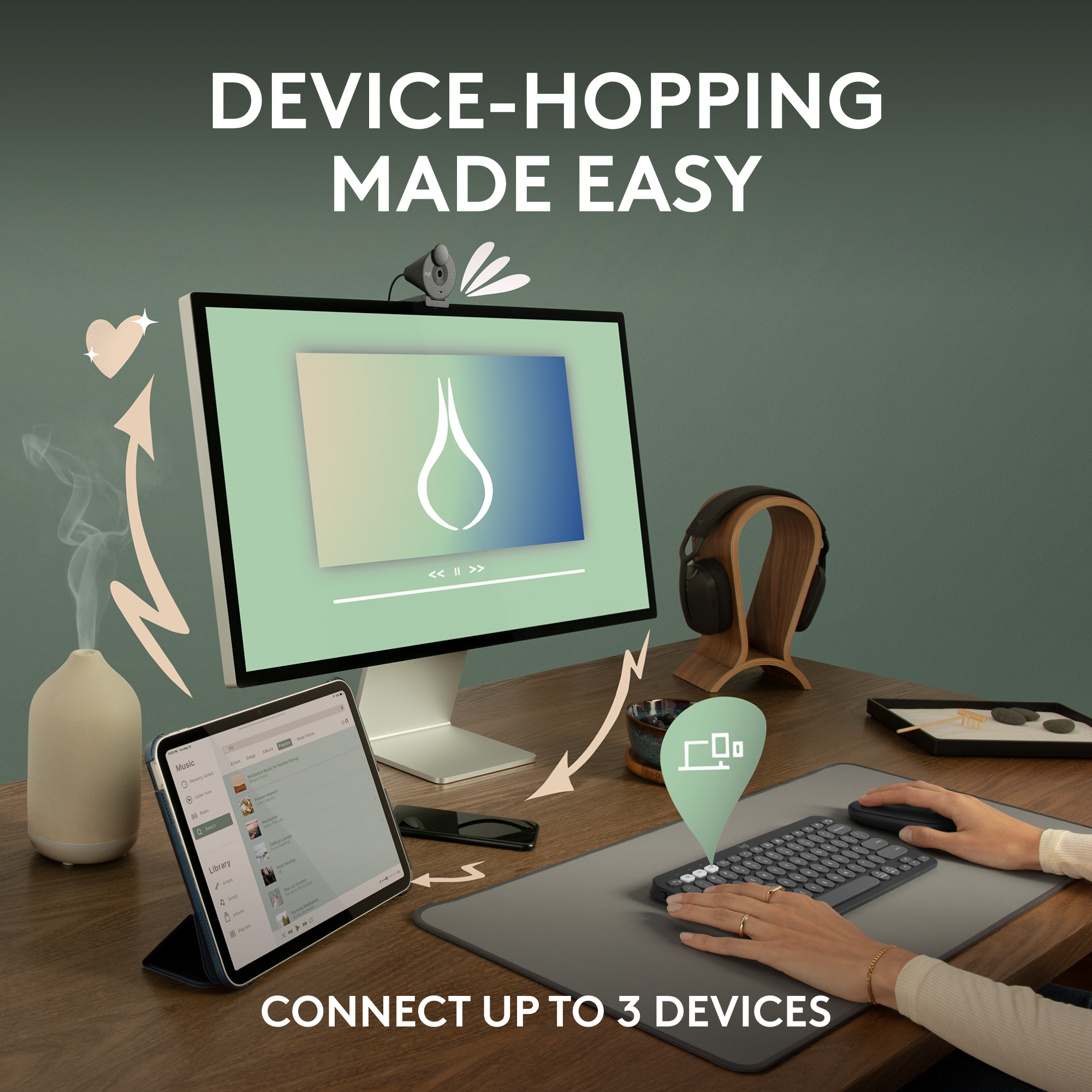
    I recently received the Logitech Wireless Keyboard from the Pebble 2 Collection, and I must say, it exceeded my expectations, especially considering its price point. The design is sleek and looks very nice for a minimalist desk or just fits in your lap well. One standout feature is its ability to connect to three devices seamlessly. This means I can switch between my windows laptop and tablet very easily with just a click of the Easy-Switch buttons. The keyboard itself is satisfying enough to use although very small compared to a traditional keyboard. The keys have a nice click, and I don’t get tired of using it after a day of work. I particularly enjoy using it with my tablet as it has a good bit of options to easily search, take screenshots, and more with the customizable buttons. It can do the same on Windows devices, but I appreciate more it with my tablet. The battery life is hard for me to gauge since I haven’t had this product long enough to need to replace the batteries, but it does have an auto-off that turns it off after a small time. In summary, the Logitech Wireless Keyboard from the Pebble 2 Collection is a fantastic addition to my workspace. Its performance, versatility, and design make it a standout product in its price range.

    I would recommend this to a friend
  • Pros mentioned:
    Battery life, Size
    Tech Insider Network Member

    Rated 5 out of 5 stars

    Awesome portable keyboard lots of features!

    |
    Tech Insider Network Member
    Posted .
    This reviewer received promo considerations or sweepstakes entry for writing a review.

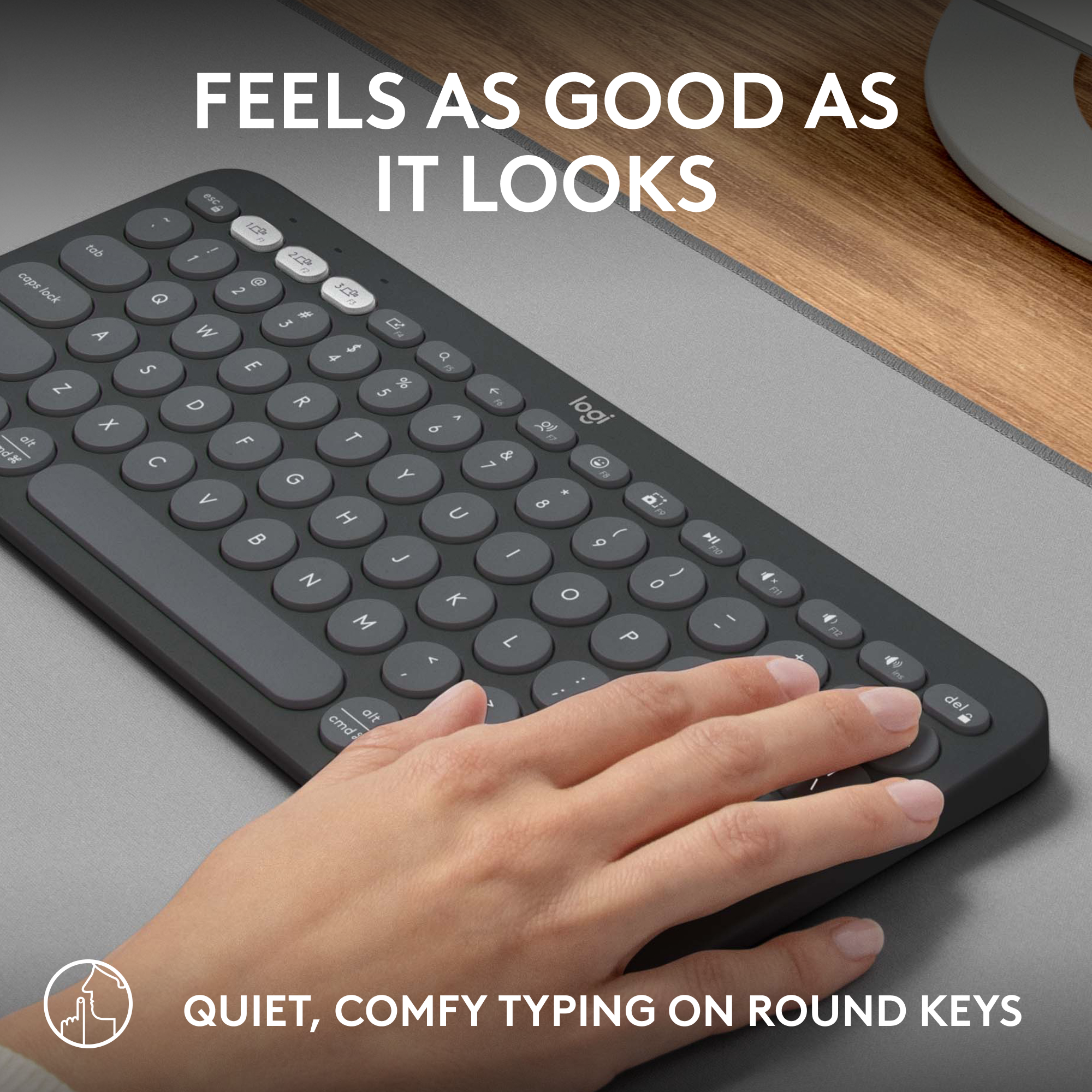
    Logitech did a nice job with this keyboard. You can use it on so many different devices from ios, android and windows. It has to be through Bluetooth. There is no usb dongle, but you can purchase one of you like . The size of the keyboard is just right you can definitely throw it in a backpack and take it with you if you need to. The keys are round but are comfortable to type on and they are quiet keys no clicking noises if that bothers you. Another nice feature is that you can personalize keys and shorcuts with the Logi app. You can have 3 paired devices saved and switch with ease with using f1, f2 and f3. So let's say you jave a windows desktop and you like using a keyboard for your Mac you can just use the shortcut keys to switch back and forth. You don't need to have multiple keyboards taking up space on your desk. The keyboard is not rechargeable it uses 2 AAA batteries that are suppose to last 36 months. I had no lag issues typing on android windows and mac . I even use it on my tv when i want to search for something on youtube or a specific movie because typing on a remote control is annoying you have to use the on screen keyboard

    I would recommend this to a friend
  • Rated 1 out of 5 stars

    DUPED

    |
    |
    Posted . Owned for 3 weeks when reviewed.
    This reviewer received promo considerations or sweepstakes entry for writing a review.

    WOULD NOT CONNECT. RETURNED FOR REFUND. DUPED AGAIN.

    No, I would not recommend this to a friend
    • Brand response from Logitech
      Posted .

      We regret to hear that you had to return the product and we apologize for any inconvenience caused. We'll surely take this feedback and make sure to share it with the right team. Thanks for bringing it to our notice.

  • Pros mentioned:
    Keyboard quality, Portability
    Tech Insider Network Member

    Rated 5 out of 5 stars

    Easy to use and absolute solid design! Great!

    |
    Tech Insider Network Member
    Posted .
    This reviewer received promo considerations or sweepstakes entry for writing a review.

    I have used plenty of keyboards and literally only purchase Logitech as an add on keyboard for all my PC, both work and home. What I usually look for in a keyboard is sturdiness, key movement and all around accessibility. This keyboard is similar in quality to all the Logitech products I have ever owned, solid casing, easy to use and user friendly and Logitech just knows how to make computer peripherals. Not only is this a solid keyboard, its portability and small scale make it easy to toss in my laptop bag and use as an extension of my Microsoft Laptop. I am even typing on this now and its simple to set up and sync with bluetooth and its small design does not take away from its quality and sturdiness and easy of key pressure. Most portable keyboards, Apple included, just dont feel like a real keyboard, however this one does and its an absolute pleasure to use this device. I may sync this with other devices as well to see how easy it works and will be sure to use this with my work laptop as well. Way to go Logitech!

    I would recommend this to a friend
  • Pros mentioned:
    Battery life, Keyboard quality
    Tech Insider Network Member

    Rated 4 out of 5 stars

    Portable Keyboard for Multiple Devices

    |
    Tech Insider Network Member
    Posted .
    This reviewer received promo considerations or sweepstakes entry for writing a review.

    I have used several Logitech keyboards over the years and I am alway happy with how they work. This compact keyboard is similar to others, but is missing some of the nice functionality of their past models. Overall, it functions well. The ability to connect to multiple devices is what really makes this keyboard handy. It can switch from my Windows' laptop to my MacBook Pro and then to my iPad Pro with just a simple pressing of a button. Pairing with each device is straight forward and very fast. The keys are soft and responsive to touch, providing for a very comfortable experience while typing. It provides a nice lineup of functions on the top row of the keyboard, such as volume control, search, screen capture and several other options. The function keys can be configured by using the Logi Options+ application. While the keyboard is not rechargeable, the battery life is rated at 3 years due to an automatic sleep mode. The form factor is very small and compact. The keyboard is not backlit. Overall, this is a very good product and it works well,

    I would recommend this to a friend
  • Pros mentioned:
    Battery life
    Tech Insider Network Member

    Rated 5 out of 5 stars

    Logitech has the Keys 2 my Heart!

    |
    Tech Insider Network Member
    Posted .
    This reviewer received promo considerations or sweepstakes entry for writing a review.

    Logitech has once again delivered a stellar accessory. Out of the box you will immediately notice how lightweight the keyboard is. This, combined with the small form factor make it perfect for travel. I paired this keyboard with my iPad Pro 12.9 in a Targus folio case, and wow! It's like these were made to go together. I also have my Logitech mouse paired with the same iPad, and I love this setup more than my Apple Magic Keyboard. So much more versatility, and considerably lighter. While not the most important factor, but aesthetics matter to me, and Logitech doesn't disappoint in this area either. Compact, nice rounded corners, and the circular keys which add a unique look and feel. As with other Logitech products, this keyboard can be paired with up to three devices and switch between them with incredible ease. Pairing is easy, fast, and stable. I've not had any devices fail to pair or become unpaired. Pressing the device selection button quickly switches to that device. I paired this keyboard with an iPad Pro 12.9, MacBook Pro, and iMac all with stellar results. Key travel is excellent, and the keys produce minimal noise. It did take me a minute to become accustomed to the rounded keys, versus square keys I'm familiar with. Utilizing the Logi Options+ app you can customize the F keys to whatever shortcuts you prefer. Logitech advertises 36 months of battery life from the two AAA batteries, which I can neither confirm or deny. Overall I am very happy with my Keys 2 keyboard from Logitech. Excellent weight, size, and quality. Very portable and reliable. Programmable function keys and multiple device compatibility. I would happily recommend this to anyone.

    I would recommend this to a friend
  • Pros mentioned:
    Battery life
    Tech Insider Network Member

    Rated 5 out of 5 stars

    Great solution for BYOD work!

    |
    Tech Insider Network Member
    Posted .
    This reviewer received promo considerations or sweepstakes entry for writing a review.

    My family utilizes a large number of Logitech devices, and we own the K380 keyboard for Mac, which is very well liked in our household. The Pebble Keys 2 is extremely similar to that keyboard - actually, it feels exactly the same as the K380, down to the switching features, Logi Options+ support and finish. The increased battery life is always welcome - a full extra year over the two offered by the older keyboard. The reason I jumped at the chance to review this one is because we liked the first so much - it's a nice, quiet, not-super-premium-but-not-cheap feeling keyboard with very thin key travel. It's not for people who love to hear a major clacking sound and hammer away at the keys - it's really for light, very quiet typing. But it's much appreciated in a shared office space, and more so, its easy switching is where it really shines. I work in a job where I have a personal and a work device, and have to lug both items with me wherever I go. The keyboard is exceptionally helpful here, because it lets me switch incredibly quickly between each device. There is a very slight beat of delay when returning to a computer after several minutes and pressing the keyboard to wake it, but it's an unfortunate reality with Bluetooth that you really can't get around. Otherwise, I love the fact that I can nearly seamlessly switch between handling work items and pressing questions from my family members. When paired with a Logitech mouse that has a similar switching button (most of them do now), it's such an easy and affordable workflow upgrade that does wonders for efficiency and keeps you from really breaking your flow. I love it and will take it in my work bag everywhere. Would highly recommend.

    I would recommend this to a friend
  • Pros mentioned:
    Portability
    Tech Insider Network Member

    Rated 5 out of 5 stars

    Portable and Flexible

    |
    Tech Insider Network Member
    Posted .
    This reviewer received promo considerations or sweepstakes entry for writing a review.

    The Logitech Pebble Keys 2 (K380S) keyboard is a small and portable bluetooth keyboard capable of working with multiple operating systems including Windows, MacOS, IOS, Ipad OS, Android, Linux, and Chrome OS. It is especially useful when traveling (or moving within the house) or when space is at a premium. It has three switches/keys on the keyboard that allows it to change between any three devices/operating systems with just the pressing of a key. I use the keyboard primarily with my Asus Rog Ally, Ipad Pro, and Galaxy S22 Android phone. These are all small devices with touch screens that can sometimes benefit from the use of a physical keyboard. The Pebble Keys 2 easily pairs with these devices and can be switched among them easily by pressing the above mentioned keys. Key travel/feedback is reliable for typing and the keyboard can be extremely useful in games. Apps are also provided to customize and control for Mac and Windows. In summary, I highly recommend the Pebble Keys 2 to anyone looking for a small, reliable keyboard that works with many operating systems/devices and can easily be switched among three of those devices.

    I would recommend this to a friend
  • Pros mentioned:
    Keyboard quality
    Tech Insider Network Member

    Rated 5 out of 5 stars

    Great keyboard!

    |
    Tech Insider Network Member
    Posted .
    This reviewer received promo considerations or sweepstakes entry for writing a review.

    The Logitech Pebble Keys 2 K380s is hands down the best wireless keyboard I have come across. It is sleek, small, and lightweight. It is very easy to use. Out of the box, you get the basics: keyboard, battery, manual, but that is where the basics stop. This keyboard has the capability to link to 3 different devices and can be changed between them with the touch of a button. It also has 10 programmable function keys which is such a help to me as I can access apps or program repetitive taks. The only minor drawback is the Logi Options+ app. I just didn't find it to my liking. It is a little clunky and I found it a little difficult to use. I will say to make sure you go through the intro. It's not exciting but it definitely helps. This drawback is worth half a star, but not a whole one so I will mot deduct. The keyboard itself performs flawlessly! Switching between pc and a couple of tablets is as easy as it gets. Logi always makes a good product and this one meets the mark. It weighs less than a pound and is very compact. I was surprised that my hands did not feel cramped because of the narrow size. It sits nicely on the lap, and the keys feel good and responsive. This one is a win sr.

    I would recommend this to a friend
  • Pros mentioned:
    Portability, Size

    Rated 5 out of 5 stars

    Great keyboard!

    Posted .
    This reviewer received promo considerations or sweepstakes entry for writing a review.

    Keyboard is so easy to use! I have it for work and i love how small and compact it is.

    I would recommend this to a friend
    • Brand response from Logitech
      Posted .

      Hey there! We're glad to hear you're loving your Pebble Keys 2 TKL keyboard! It's perfect for folks on the go, and the scissor keys are known for their comfortable, quiet typing experience.

  • Rated 5 out of 5 stars

    Easy to use, very light weight :)

    Posted .
    This reviewer received promo considerations or sweepstakes entry for writing a review.

    Easy to use and portable, not heavy and easy to connect to all my devices

    I would recommend this to a friend
    • Brand response from Logitech
      Posted .

      We’re so glad to hear you’re enjoying your Logitech experience. Your input helps us continue to deliver quality and reliability. Logitech

  • Pros mentioned:
    Keyboard quality

    Rated 5 out of 5 stars

    Exceptional Buy

    Posted .
    This reviewer received promo considerations or sweepstakes entry for writing a review.

    This is a swell little product; connects easily and can "serve 2 masters" via simple switching, is very compact, and has a nice touch to the keys. I bought it to pack for a trip, and I'm delighted at how well it works overall, especially at such a low price point.

    I would recommend this to a friend
    • Brand response from Logitech
      Posted .

      Thank you for your fantastic review about Logitech - Pebble Keys 2! We're delighted to hear the product's portability, multi-device compatibility, and user-friendly design exceeded your expectations. We appreciate you highlighting its value at its price point.