Customer Ratings & Reviews


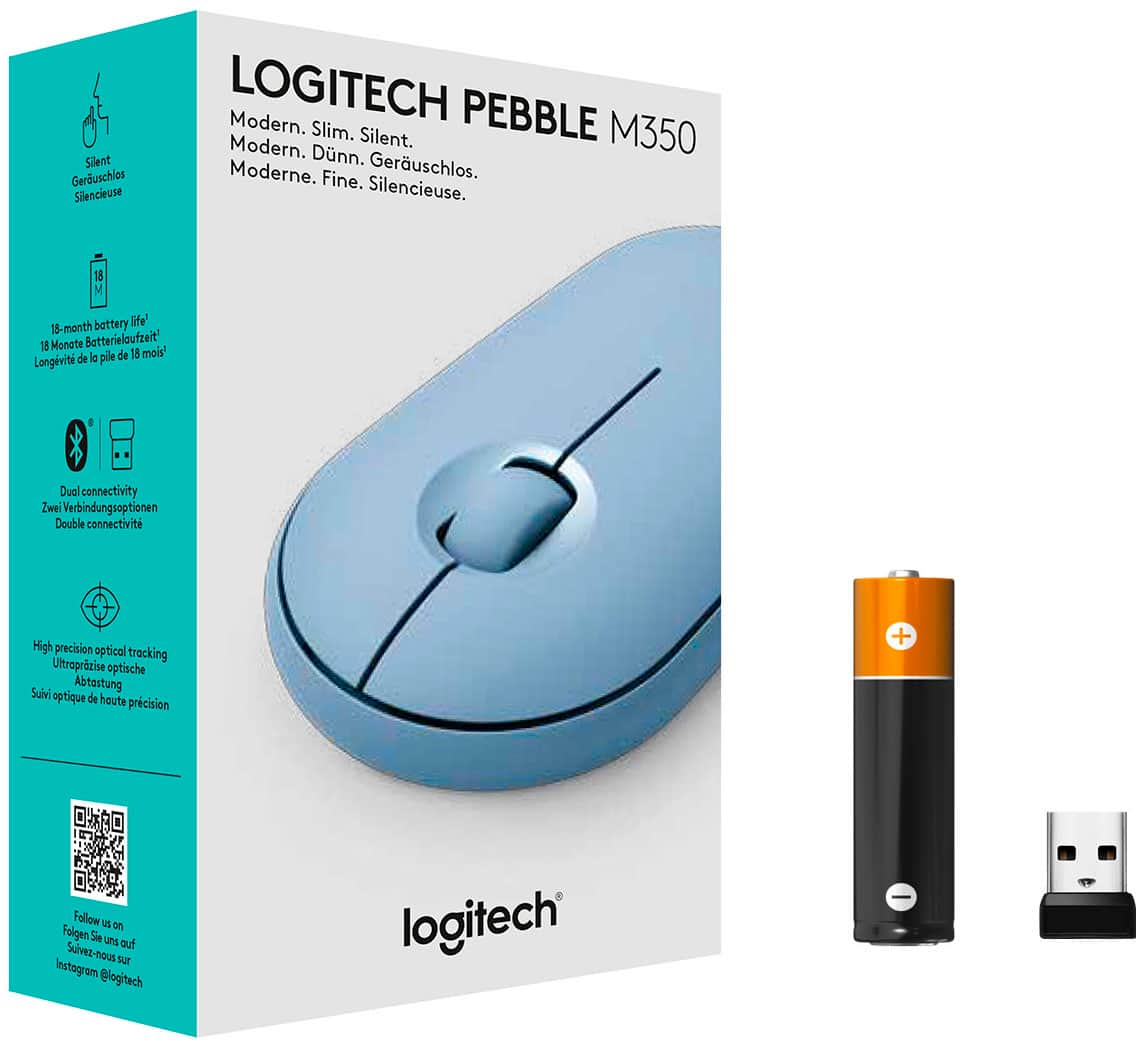
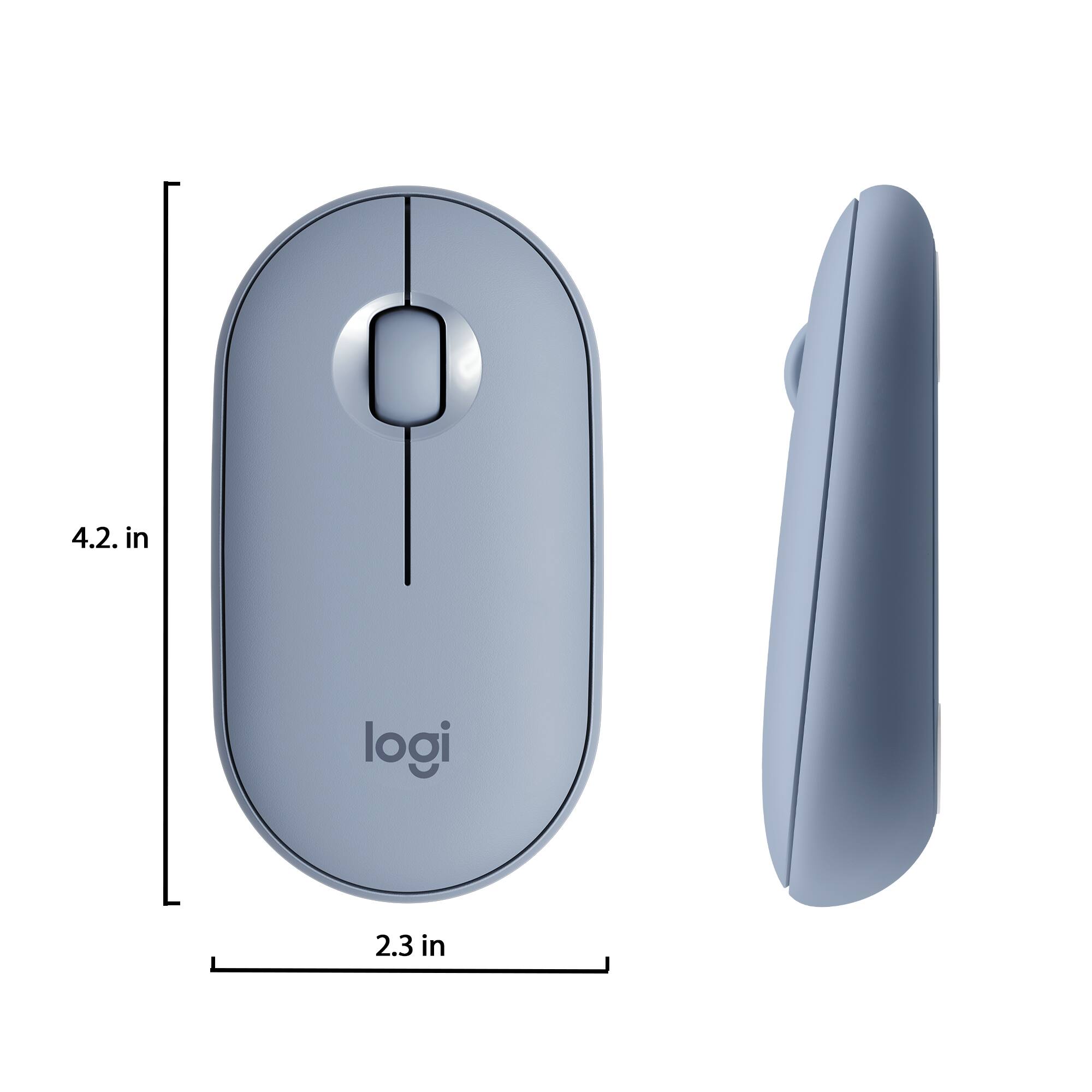

- Model:
- 910-005773
- SKU:
- 6383731
Rating by feature
- Value
Rating 4.7 out of 5 stars
- Quality
Rating 4.7 out of 5 stars
- Ease of Use
Rating 4.8 out of 5 stars
Customers are saying
Customers are impressed with the Pebble M350 mouse's ease of use, size, and Bluetooth connectivity. Many appreciate its lightweight design, long battery life, and the attractive color options. While some users noted minor issues with scrolling, the overall consensus points to a positive user experience. The quiet clicking mechanism is also frequently praised.
This summary was generated by AI based on customer reviews.
Cheap
||Posted . Owned for 3 weeks when reviewed.This reviewer received promo considerations or sweepstakes entry for writing a review.Poor usb connection. C
No, I would not recommend this to a friendBrand response from Logitech
Posted .Hi Easydrive, we're sorry to see you're having some connectivity related issues with your Pebble M350 Wireless mouse. You do have a 1 year limited warranty that can be used to have a replacement sent to you. You can do that here: https://support.logi.com/hc/en-us/articles/360026503773-Warranty-Pebble-M350. Hope that helps. -N from Logitech
Poor quality
||Posted . Owned for 3 months when reviewed.This reviewer received promo considerations or sweepstakes entry for writing a review.Stopped connecting to Bluetooth after 2 months. Poor quality.
No, I would not recommend this to a friendBrand response from Logitech
Posted .Hello, thank you for sharing your experience with the M350 Pebble. I'm sorry that you have had issues with the Bluetooth connection. You may want to try repairing the device with your computer. To start this process go into your computers Bluetooth settings and disconnect the M350. Once disconnected you can long press the button on the bottom till it flashes the blue light quickly. This will override the previous Bluetooth connection and be back in search mode. You would then go back into your computers Bluetooth settings and pair the device to your computer. I hope this helps fix the problem. If you have more questions you can visit the support page for the M350 by visiting: https://support.logi.com/hc/en-us/articles/360026246633-FAQs-Pebble-M350 Thank you for being a Logitech customer. Kristi from Logitech
Tech
||Posted . Owned for 6 months when reviewed.This reviewer received promo considerations or sweepstakes entry for writing a review.Not very useful because it will skip movement. Hard to grasp.
No, I would not recommend this to a friendBrand response from Logitech
Posted .Hi Jabosaw, we're sorry to see you're unsatisfied with the comfort of your Pebble M350 Wireless mouse. Luckily Logitech makes a variety of mice options to suit anyones needs. If you haven't already, check out the new Pop Mouse! It has a similar look and feel of the M350 mouse. But it has a slightly thicker body and is still a silent mouse! Hope that helps. -N from Logitech
Not worth the $20
||Posted . Owned for 2 weeks when reviewed.This reviewer received promo considerations or sweepstakes entry for writing a review.The biggest issue with this mouse is that the top cover is held on by weak magnets. I bought this mouse for my wife to go with her new MacBook. Since she's a teacher, she needed something nice. This is a piece of junk. Wish I could take it back
No, I would not recommend this to a friendBrand response from Logitech
Posted .Hi TanSuperman, So sorry to hear about your disappointment with the M350 Bluetooth Optical Mouse.
If you want something really nice for your wife's MacBook, might I suggest the MX Anywhere 3 which also comes in Rose color and can be found at Best Buy. Here's a link to the product page https://www.logitech.com/en-us/products/mice/mx-anywhere-3.910-005985.html. In regards to the M350, Logitech stands behind the quality of all of their products and this mouse does have a 1-Year Limited Hardware Warranty. Hope you found this helpful and that it finds you well. - Richard from Logitech
not recommended for work
||Posted . Owned for 2 months when reviewed.This reviewer received promo considerations or sweepstakes entry for writing a review.too flat and can't use it even for an hour. is good only for style.
No, I would not recommend this to a friendBrand response from Logitech
Posted .Hello, I am sorry the design of this mouse was not for you. I hope you were able to find something else hat suited your needs. Thank you for taking the time to write this review, we appreciate the feedback.
- Pros mentioned:Silent click

Great mouse for travel with laptop
|Posted .This reviewer received promo considerations or sweepstakes entry for writing a review.I have tested this mouse out and it's great. The buttons are incredibly quiet but solid and you know exactly when you're pushing them from touch, not sound. The wheels scrolls smooth and quietly. It glides smoothly across multiple surfaces and tracks precisely. It has a good speed to the cursor movement out of the box. And it linked up to my laptop through bluetooth in a matter of seconds. The design is nice with internal storage for the USB doggle. The battery is claimed to last 18 months and if it's even half that I'd have no problem with it. The only thing to keep in mid is this is a flat mouse, not contoured. I have large hands and it is a little uncomfortable for me for long periods not having the hump on the back of the mouse to rest on. My fiance has smaller hands and said it was not the most comfortable but was not uncomfortable for her. All in all I think it is an awesome mouse for the right situation. I don't need a mouse constantly for our laptop, only when I'm sitting at a desk is it nice to have, I use the trackpad the rest of the time. This mouse is perfect as the flat design will make it much easier to pack and carry. I would highly recommend this.
I would recommend this to a friend - Pros mentioned:Silent click
Quiet, Smooth and Quality Feel
|Posted .This reviewer received promo considerations or sweepstakes entry for writing a review.The Pebble mouse is a ‘horse of another color’ in terms of overall feel and also has a smooth-quiet feedback from the left and right mouse buttons. I loved the little bugger not so much for an everyday mouse, but for a nice change of pace and also for travel. The clicks are intentionally very low volume and this is a useful feature especially on an airplane when you don’t want to disturb your neighbors. It is smaller and does fit under your hand which some may find not as comfortable as a “full size” mouse. I must say for me that a larger mouse does let your hand drape over it with more comfort. Having said the above, I found that when traveling this mouse is ideal. I do not like touchpads so to have a mouse that fits in a small travel bag and is wireless provides me with a great option at a very small price for a solid and Bluetooth mouse. It does come with a USB dongle but I preferred the Bluetooth connection and it paired easily. I do recommend this mouse for those with smaller hands, want a little change of pace and definitely for those who travel a lot and prefer a mouse to a touchpad.
I would recommend this to a friend - Pros mentioned:Silent click
Fast, quiet, great for small hands
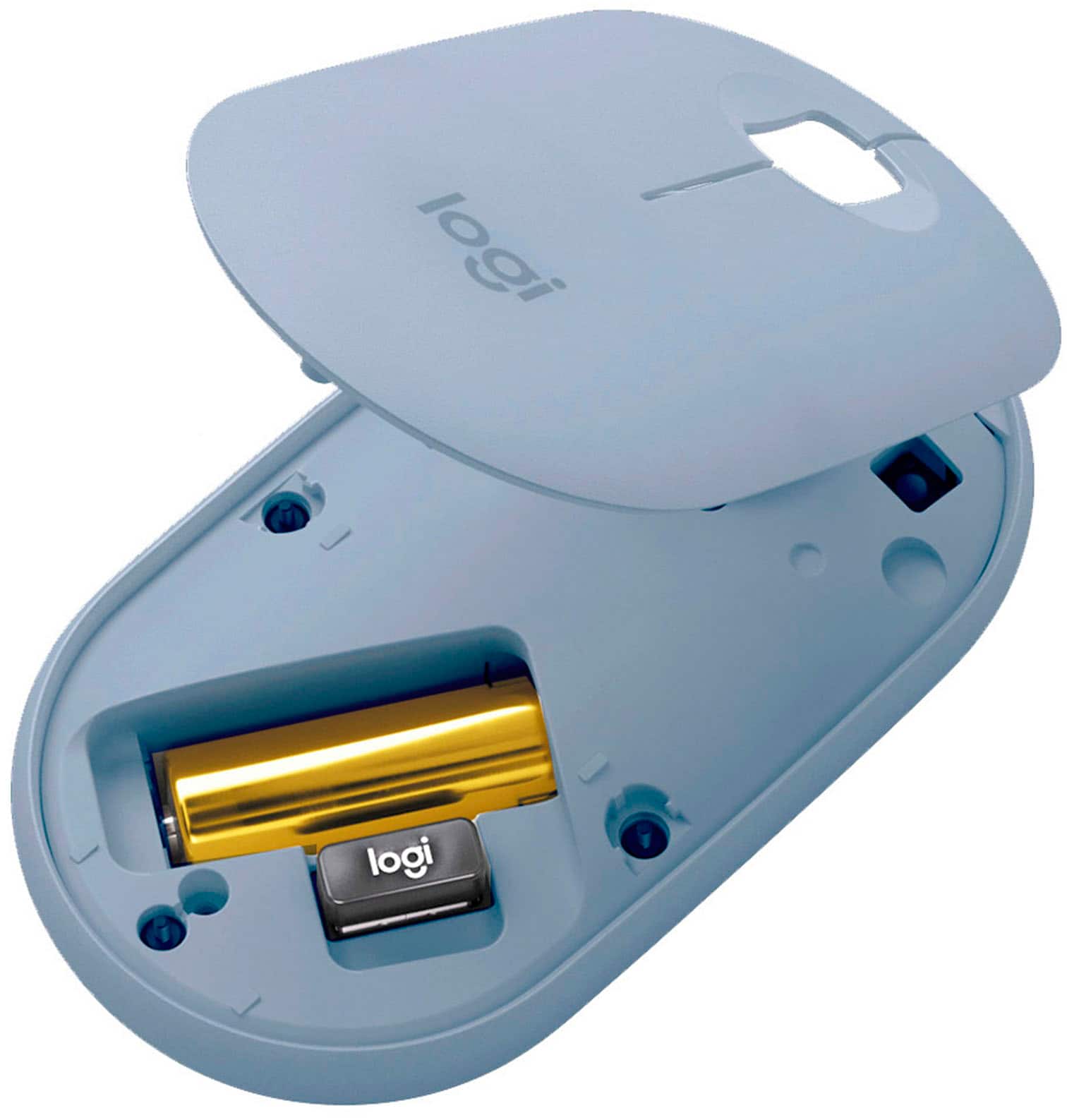
|Posted .This reviewer received promo considerations or sweepstakes entry for writing a review.This mouse is small, compact, great for small hands like mine. It is super quiet, you don't hear the loud clicking. You can connect by usb or Bluetooth, I used Bluetooth & the connection was quick & smooth. I used it on a MacBook & it even stayed connected when I used the computer a few days later. The top cover is magnetic & houses the usb & battery compartment. There is an on/off switch on the bottom. I used this on a kitchen table without a mousepad & it moves around super easy without sticking. Very fast & responsive. The mouse is slanted & very compact, it fits nicely in my laptop sleeve along with the computer . The battery is suppose to last 18 months & go into sleep mode when not in use, time will tell if it lasts that long. I wanted a wireless mouse for my laptop without the large price tag attached & this is a great alternative.
I would recommend this to a friend - Pros mentioned:Portable
Quiet,Comfortable, Classy mouse clocks competition
|Posted .This reviewer received promo considerations or sweepstakes entry for writing a review.Tl;dr: This quiet, comfortable mouse brings Bluetooth to a crowded market. Pairs with Mac, Windows, or Chromebook with equal facility and complete control. Logitech continues to be the king of peripherals in large measure due to their attention to detail. I’ve owned several of their mice and keyboards. The Pebble 350 Bluetooth lives up to the reputation that Logitech has built for itself. It was easy to get out of the package, with a notch at the top and perforated plastic to get it out of the blister pack quickly. The mouse is very smooth on various different surfaces. I used it on a mouse pad as well as on a tabletop. In both cases it was equally accurate. This mouse is much quieter than others I've used. The buttons make no noise and the wheel spins silently. It effectively has three buttons, with the wheel putting mouse into scroll mode. The mouse paired quickly with my desktop and separately with the Chromebook that I'd gotten it for. You can only pair a single device at a time. I really like the magnetic cover. It's easy to pull off for accessing the included USB-A dongle or changing the battery. You won't be changing the battery often as it claims to have an 18 month battery life. It's extremely portable with a low profile. I have medium-size hands and found it comfortable to use, even for an extended time. As flat as it is, it fits in my laptop bag very easily and is a nice, lightweight addition to my standard set up. The only thing I felt it was missing is programmability. I have a Logitech MX master for my desktop and I love how I can program the individual buttons for different functions. Even with only three buttons, it would be nice to have gesture support for a little bit of extra efficiency. Overall, I'm happy with this mouse and expect to be using it for several years.
I would recommend this to a friend - Pros mentioned:Portable
Good Portable Mouse
|Posted .This reviewer received promo considerations or sweepstakes entry for writing a review.This is a great little portable mouse! I appreciate the inclusion of the USB receiver and Bluetooth both in the same package. The size is nice and in my opinion a better configuration than the folding style mice. Modern colors to match modern laptop designs. This one is going in my bag and staying there for when I work on the go. Quiet clicking is a plus for working on planes/in shared places for not being intrusive. I would recommend to others.
I would recommend this to a friend There is much better in this price range
||Posted . Owned for 1 month when reviewed.This reviewer received promo considerations or sweepstakes entry for writing a review.This mouse wasnt right for my wife. It felt cheap, lightweight plastic, small and the middle roller/button of the mouse was irritating her finger. Returned it the next day.
No, I would not recommend this to a friend- Pros mentioned:Portable
Very well designed mouse
|Posted .This reviewer received promo considerations or sweepstakes entry for writing a review.This mouse is an incredible value. The design and features make this an incredible value. Starting with the design, it's portable, comfortable, fast and very quiet. My daughter immediately wanted it for her Macbook Pro. The battery is rated to last up to 18 months which is incredible. It comes preinstalled and you'll need to remove a tag to engage it with the device. The connection can be made with the enclosed dongle or by bluetooth. I have used the bluetooth and it was fast and worked great. Most devices make you use one or the other. For the reasonable price of this mouse, it was a very nice feature. This works as expected, has some very nice features that are usually only found with more expensive devices, is portable, quiet and is attractive. You can't go wrong with this. Grab one for your laptop bag!
I would recommend this to a friend - Pros mentioned:Silent click
straightforward and simple
|Posted .This reviewer received promo considerations or sweepstakes entry for writing a review.This mouse is all around a great buy. Pro- light weight comfortable slim design takes AA battery simple set up inexpensive works with any system receptive LED light, not track ball like the old ones Con- nothing really, but would prefer other colors I used this mouse with my Macbook Pro. It was very easy to set it up with the laptop, it has a dongle that plugs into a USB port and you're good to go! After using the mouse on and off for a few hours, it still felt comfortable in my had. It's light and slim and easy to maneuver for the task at hand. I used it for normal web browsing and Microsoft word and it was perfectly receptive for what I was doing. I wouldn't recommend for online gaming. A heavier mouse is best for that.
I would recommend this to a friend - Pros mentioned:Silent click
Modern, beautiful mouse w/ silent clicks
|Posted .This reviewer received promo considerations or sweepstakes entry for writing a review.The organic design of this mouse is outstanding. Its a pleasure to hold, feeling absolutely fantastic in small-to-average sized hands. Ideal size for on the go travel too...the dual connectivity for bluetooth is very helpful as you don't need to use a dongle if your tablet, laptop, PC, etc has BT onboard. It also works for your mobile phone (tested on Note 10+). Great battery life, precise as can be on every device I've tried it on. Best feature is the silent clicks. If I could afford to buy these for everyone in my office, I would!
I would recommend this to a friend Logitech Pebble
||Posted .This reviewer received promo considerations or sweepstakes entry for writing a review.Unable to connect with the Mac Book Air I do not have a doggle tried connecting wifi.
No, I would not recommend this to a friendNot worth it
||Posted . Owned for 2 weeks when reviewed.This reviewer received promo considerations or sweepstakes entry for writing a review.Works horrible with mac book Pro. Has a hard time staying connected via Bluetooth
No, I would not recommend this to a friendLogitech
||Posted . Owned for 2 months when reviewed.This reviewer received promo considerations or sweepstakes entry for writing a review.Not good. Sensor not sensitive and hard to be recognized by Microsoft Surface
No, I would not recommend this to a friendBrand response from Logitech
Posted .Hello. Thank you for taking the time to write your review of the Pebble mouse. I'm sorry to hear that you're unhappy with the performance of the mouse with your Microsoft Surface. This mouse uses the same sensor as our other mice, but it does need a solid surface- preferably a mousepad. As far as connectivity, are you trying to connect via Bluetooth or the USB receiver? When using Bluetooth, make sure both the mouse and device are in pairing mode by holding down the button on the bottom until it is blinking rapidly. You will also need to make sure the switch on the bottom is selecting the correct method (Bluetooth or USB).
-Charlton at Logitech
- Pros mentioned:Silent click
High Quality Mouse, Great for Smaller Hands
|Posted .This reviewer received promo considerations or sweepstakes entry for writing a review.Logitech was kind enough to send me this mouse for testing and it sure did not disappoint. As usual, the quality is quite good, the mouse feels well constructed and solid. I gave it to my 13 year old daughter for use with her computer and she likes it a lot. I personally found it a bit small for my admittedly larger hands but for her hands, its perfect. Connection was a breeze, just plug the dongle into an open USB port and that is all. The cursor moves around smoothly. The color is perfect for my daughter's taste, now I just need Logitech to send me the matching keyboard!!! Buy with confidence!
I would recommend this to a friend Replacement for a mistake
||Posted . Owned for 1 week when reviewed.This reviewer received promo considerations or sweepstakes entry for writing a review.Same it doesn’t work if you don’t have an USB port on an iPad another waist of my fuel. Does anybody know what there doing at Bestbuy
No, I would not recommend this to a friendInsufficient instructions
||Posted .This reviewer received promo considerations or sweepstakes entry for writing a review.I have been unable to figure out how to use the mouse with my computer, Instructions were poor.
No, I would not recommend this to a friendBrand response from Logitech
Posted .Hi MJ42, we're sorry to see you're having some difficulty with the setup of the M350 Pebble Wireless mouse. This mouse has two ways to connect to your device: Bluetooth or with the included USB receiver. The USB receiver can be found in the battery compartment of the mouse. To connect via Bluetooth, you have to push the button on the underside of the mouse until it blinks. Then you can find it on the Bluetooth settings of your intended device. Hope that helps.