Customer Ratings & Reviews


- Model:
- 910-005773
- SKU:
- 6383731
Rating by feature
- Value
Rating 4.7 out of 5 stars
- Quality
Rating 4.7 out of 5 stars
- Ease of Use
Rating 4.8 out of 5 stars
Customers are saying
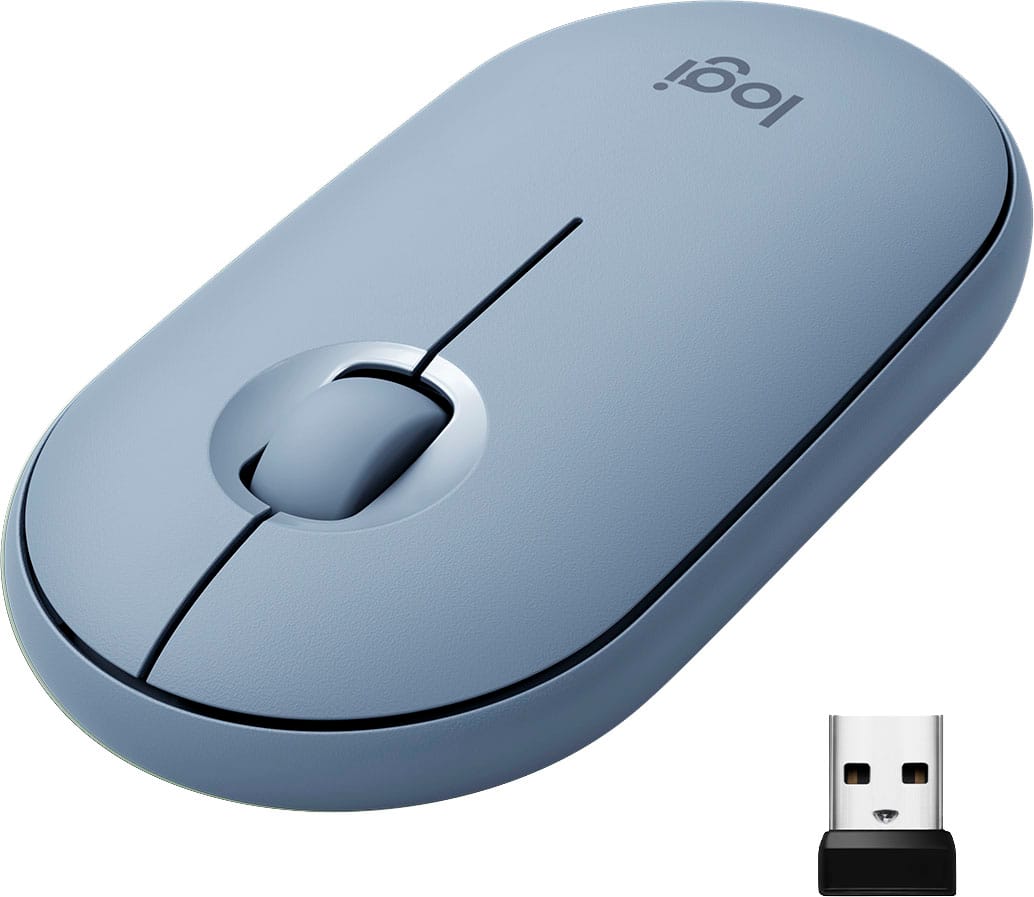
Customers are impressed with the Pebble M350 mouse's ease of use, size, and Bluetooth connectivity. Many appreciate its lightweight design, long battery life, and the attractive color options. While some users noted minor issues with scrolling, the overall consensus points to a positive user experience. The quiet clicking mechanism is also frequently praised.
This summary was generated by AI based on customer reviews.
Great iPad mouse!!!
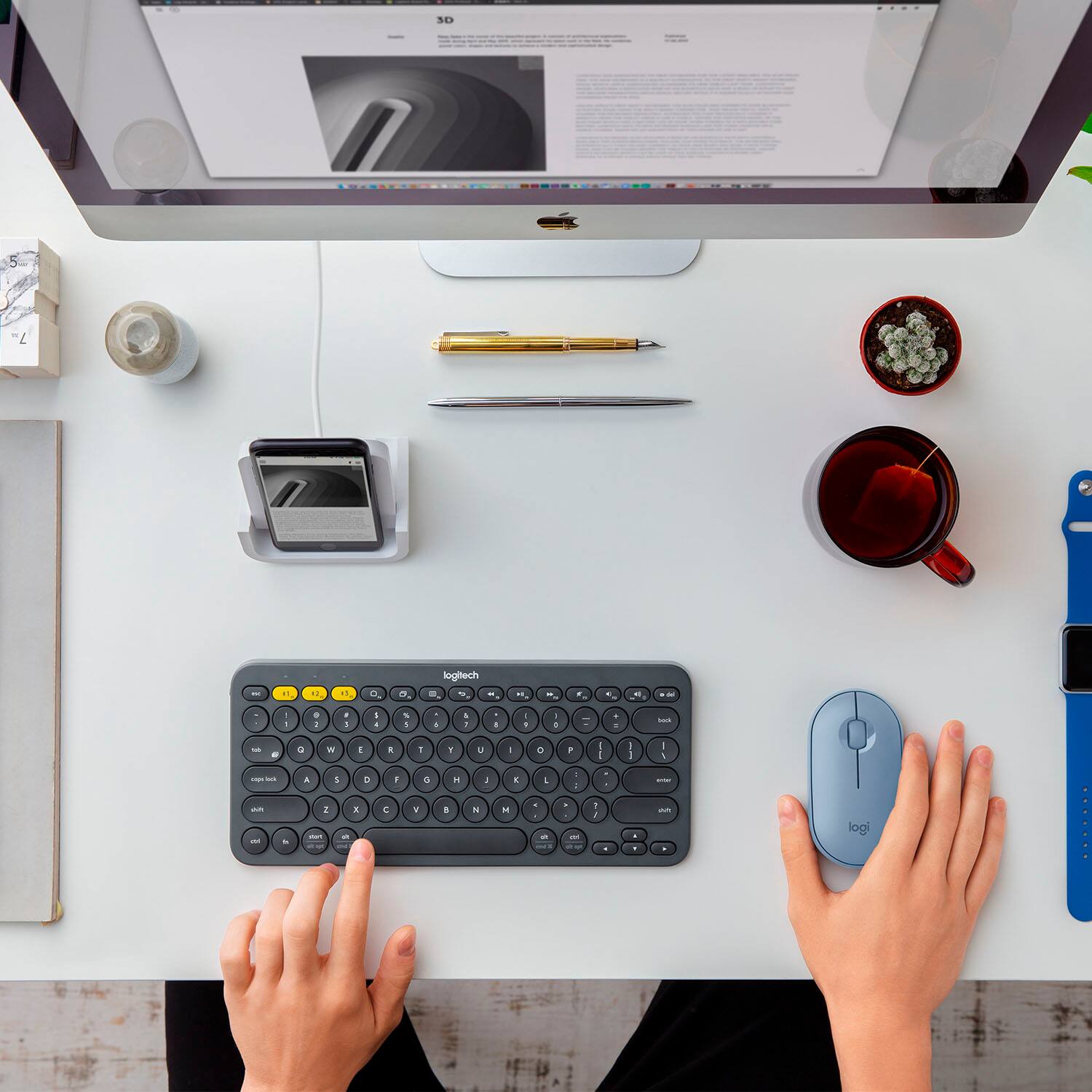
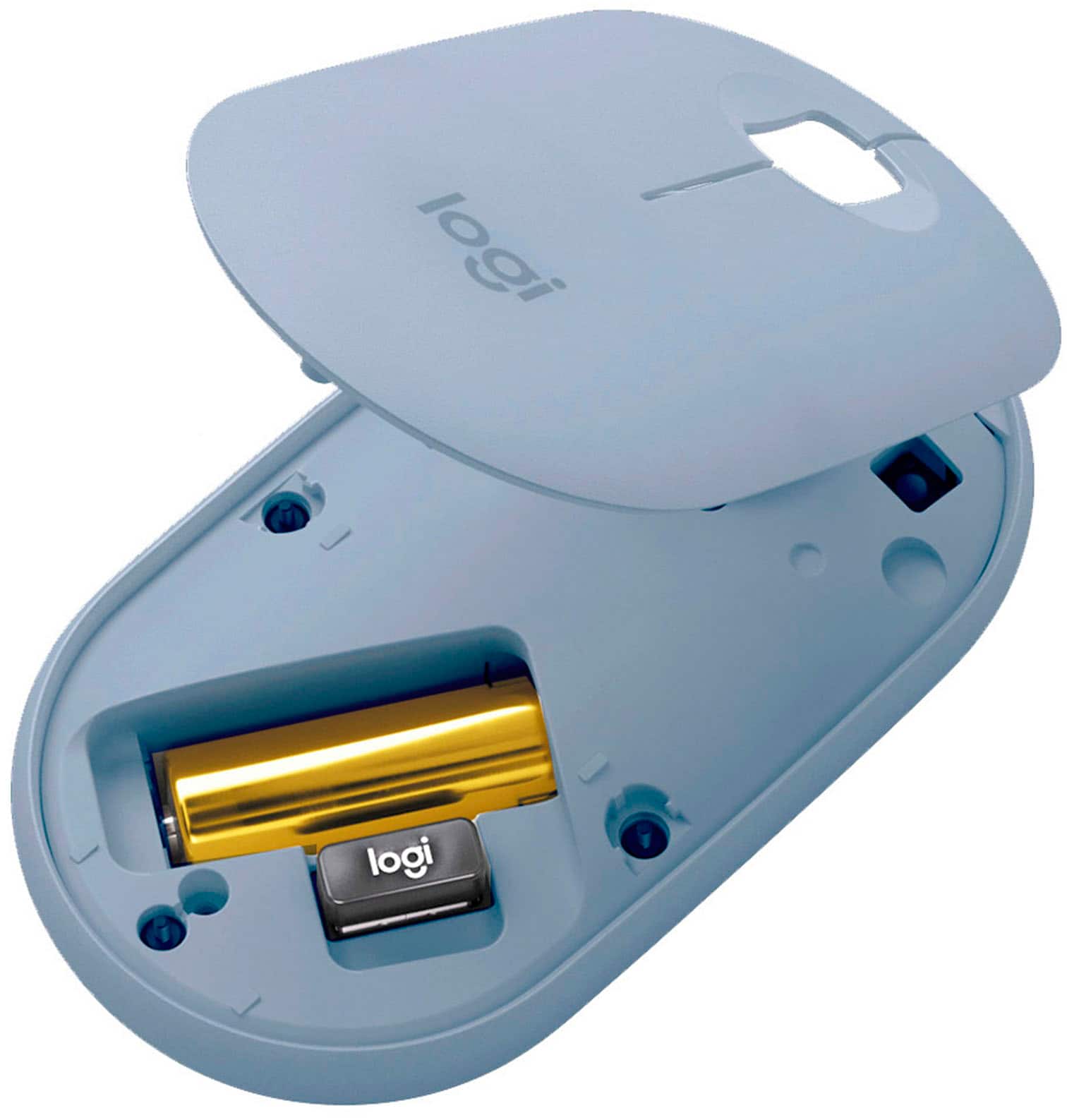
||Posted . Owned for 1 month when reviewed.This reviewer received promo considerations or sweepstakes entry for writing a review.I bought this for use with my iPad Pro and with the Logitech keyboard it feels like a I have a laptop!!! I also use with my work computer via the Bluetooth USB that has a place to hide in the mouse.
I would recommend this to a friendGood for my daughter and her virtual learning
||Posted . Owned for 3 weeks when reviewed.This reviewer received promo considerations or sweepstakes entry for writing a review.Kid said she’s loving it. We have it connected to our Lenovo laptop but cannot get it to connect to the chrome book, which is mostly used for the schooling.
I would recommend this to a friendComfortability and color!
||Posted . Owned for 1 month when reviewed.This reviewer received promo considerations or sweepstakes entry for writing a review.Great alternative to Magic Mouse if you just need a simple solution. Got this for my wife to work from home and she loves the comfortability and color!
I would recommend this to a friendWireless Mouse
||Posted . Owned for 1 month when reviewed.This reviewer received promo considerations or sweepstakes entry for writing a review.Very sleek and quiet! Fun to use. Smooth scroll and the color is amazing!
I would recommend this to a friendWireless mouse
||Posted . Owned for 1 month when reviewed.This reviewer received promo considerations or sweepstakes entry for writing a review.Very slim and easy to use! Roller works great and very sleek design.
I would recommend this to a friendGreat Mouse for Young ladies
||Posted . Owned for 3 weeks when reviewed.This reviewer received promo considerations or sweepstakes entry for writing a review.I bought this mouse for my daughter & she loves the way it handles & the smooth way it glides across the screen.
I would recommend this to a friendWireless mouse
||Posted . Owned for 1 month when reviewed.This reviewer received promo considerations or sweepstakes entry for writing a review.Love the ease of this mouse. Moderately priced and worth the value. Sleek looking.
I would recommend this to a friend- Pros mentioned:Silent click

Stylish, light, and quiet
|Posted .This reviewer received promo considerations or sweepstakes entry for writing a review.=== Summary === Logitech is well-known for making great computer mice for various different categories and price points. For those who want lightness, quietness, long battery life, and a touch of playful style, the Pebble M350 is a great choice. _____ *Pros: -Small and stylish design. -Very light and slim. -Button operations are very quiet. -Accurate and tracks well. -Needs just one AA battery. -Comes with optional Bluetooth adapter underneath the top cover. -Top cover pops off easily and frustration-free. -Fast and easy Bluetooth pairing. _____ *Cons: -None === Design & Performance === True to its name, the Pebble M350 has a smooth, curved, and rounded design that fits comfortably in the hand. Even after using it the whole day while working in front of a computer, I felt no hand fatigue or discomfort. It is also very light and easy to swipe around with despite carrying a USB Bluetooth adapter dongle underneath the top cover as well as a single AA battery. Mouse clicks are VERY quiet and responsive - perfect for quiet settings like a library or other places where you wouldn't want to be intrusive to others. The scroll wheel felt a bit stiff initially but after prolonged use, it did get loosened up. In terms of tracking over different types of surfaces, that was very satisfactory as well. Even with a modest 1,000 dots per inch sensitivity (my gaming mouse has 12,000 dpi), the Pebble worked perfectly fine on top of my white desk that has a thin sheet of glass on top. Instead of the boring gray color, I chose the pale pink tone and my wifey loves it! It goes well with her white HP Spectre 13 laptop. === Should you buy it? === Yes! The Pebble M350 looks stylish and cute, button operations are super quiet, and it tracks accurately and well. It's also very portable and easy to pack thanks to its slim design and lightness. And thanks to that AA battery, it is one less device you have to remember to plug in to charge.
I would recommend this to a friend Love it
||Posted . Owned for 2 weeks when reviewed.This reviewer received promo considerations or sweepstakes entry for writing a review.Easy to use, so cute and goes nicley with my computer lap desk.
I would recommend this to a friendHighly recommended!
||Posted . Owned for 1 month when reviewed.This reviewer received promo considerations or sweepstakes entry for writing a review.Best mouse i ever had! Very convenient for travel.
I would recommend this to a friendLightweight
||Posted . Owned for 2 weeks when reviewed.This reviewer received promo considerations or sweepstakes entry for writing a review.Easy to connect to laptop and change battery. Lightweight.
I would recommend this to a friend- Pros mentioned:Portable
The Quiet Mouse That Didn't Need To Roar
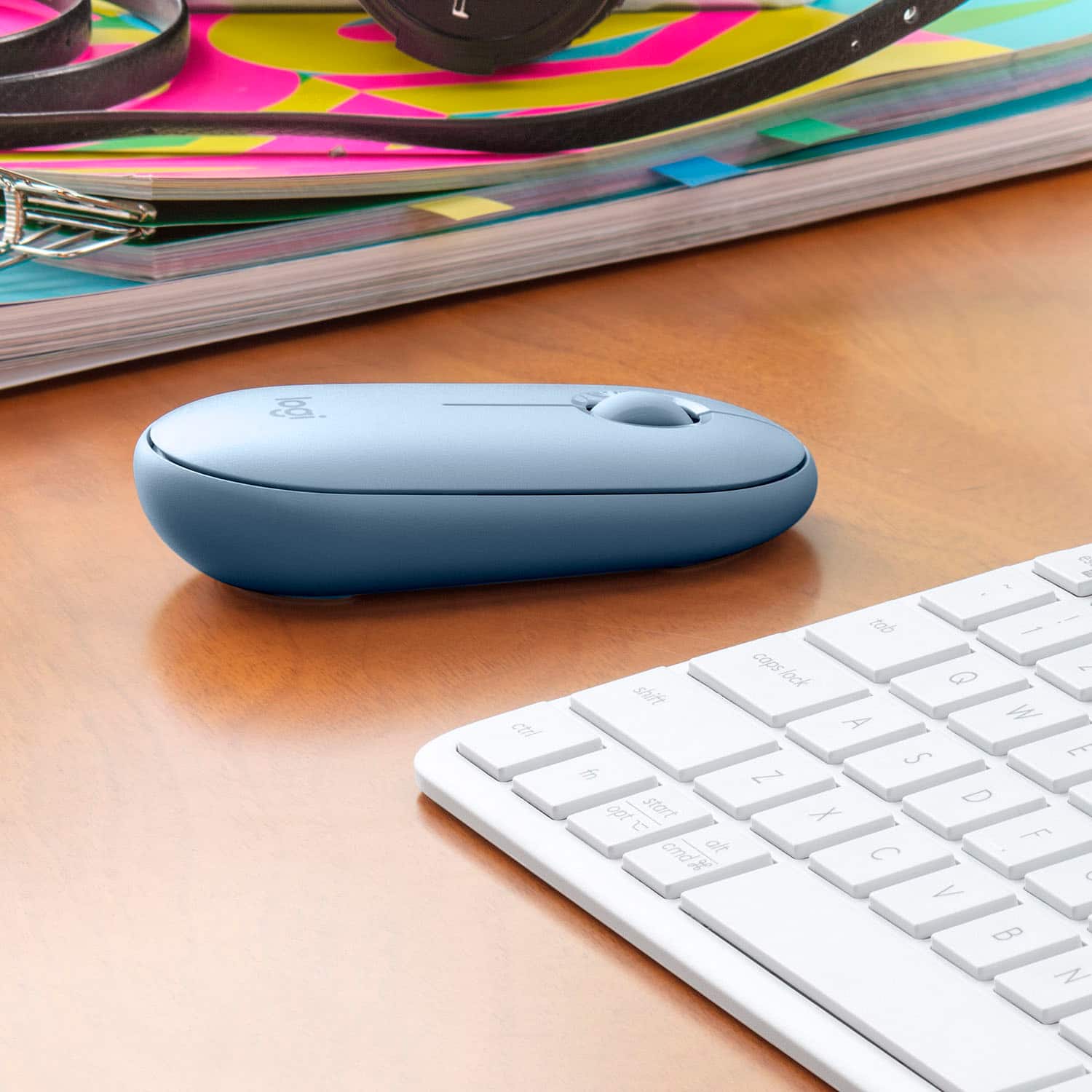
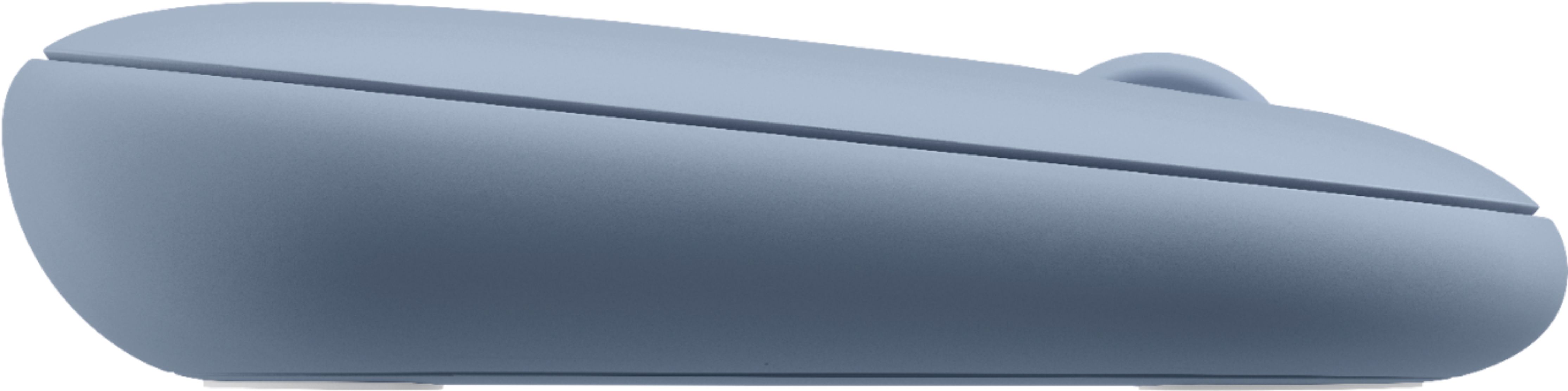
|Posted .This reviewer received promo considerations or sweepstakes entry for writing a review.This Logitech Pebble M350 Bluetooth Optical Mouse was a fun product to review in exchange for the actual product. Its unique design took me by surprise. I was immediately impressed how comfortably it fit into my hand. All the other mice I have ever used were much more elevated at the back and sloped deeply downwards towards the wheel and front. The Logitech Pebble is just slightly elevated at the back and gently sloped downwards toward the wheel and front. Placing my old mouse and the Pebble side by side, and using them for the same functions was very telling. Because of the more ergonomic fit the Pebble allowed me to move freely in unrestricted motion from the left or right, likewise from front to backwards. My main motivation for using a mouse over my laptop's trackpad was for freedom of movement and control. The majority of my computer activity is creating status and report documents and data entry into my specialized spreadsheets. A mouse over my trackpad has proven to be much more comfortable, accurate and efficient for me to use in my work. So, using the Logitech Pebble for the last three weeks has presented these advantages over my standard-styled mouse: * Design & Build – The Pebble is basically made of a rugged plastic material. I have dropped my Pebble several times and it suffered no damage. The top shell and bottom pieces are held together in place by tiny magnets. Both the AA battery and USB dongle are on-board in the bottom shell piece. The 'clicks' and scrolling are amazingly quiet as they can be. All the surface edges of the Pebble are gently rounded for use and appearance. I especially like the depressed scrolling wheel, which is housed in a depressed circle for accurate and speedy actions. It is user-friendly and makes it more comfortable to use my index finger for scrolling over longer periods of time. * Relaxed Fit – I have a large hand and the ergonomic build of the Pebble does not stress my hand even after hours of use. It is slimmer then my other mice, and allows my hand the agility to move about on any work surface I am using at the time. * Responsive & Time Saving – Because of its unique Pebble design I don't waste a lot of valuable time moving the mouse around to get the cursor exactly where I want to. The Pebble allows me to be so nimble I can move this mouse anywhere I need to with accurate tracking and pinpoint, optical quality. Point, click, and drag is accelerated using the Pebble. WooHoo! * Lightweight & Portable – The Pebble only weighs approximately 3.5 oz and even with the on-board AA battery it is effortless to move. Because of its natural fit there was no learning curve for my hand to get accustomed too. Although I am predominately right-handed, the Pebble also allows me to casually use my left hand when needed. It is only one inch high and conveniently slips into any space I can put my laptop into. Because of its thin profile I can even put the Pebble in my pocket with ease. YooHoo! * Long Battery Life – The Pebble uses a AA battery, which the manufacturer claims can last up to 18 months (depending on usage). There is an ON and OFF switch on the bottom of the mouse, which I turn OFF when traveling. However, a battery-saving feature is that this Pebble goes to 'sleep' when not in use. How cool is that? * Connection Options – The Pebble M350 is directly connected to my laptop through 2.4 GHz Bluetooth. I could also use the included, on-board, USB Dongle. I used the BT connection, because it frees up my laptop USB ports for an additional storage device and portable printer when I am on the road. * Set-Up - For Bluetooth connection this Pebble is quick and simple to set up. By depressing the BT button on the bottom of the mouse pairing was instant to my laptop. Did not use the USB dongle, but expect it is just as expedient. Yes the Pebble can be adjusted for personal preferences in your 'settings'. I honestly believe Logitech has hit upon the design of all future mice. Great fit, accurate, and fast. I highly recommend this Logitech M350 Pebble. It is inexpensive and is eye-opening how a slim and sleek BT mouse can make a difference in my/your everyday computer use.
I would recommend this to a friend - Pros mentioned:Silent click
An excellent, compact, portable mouse!
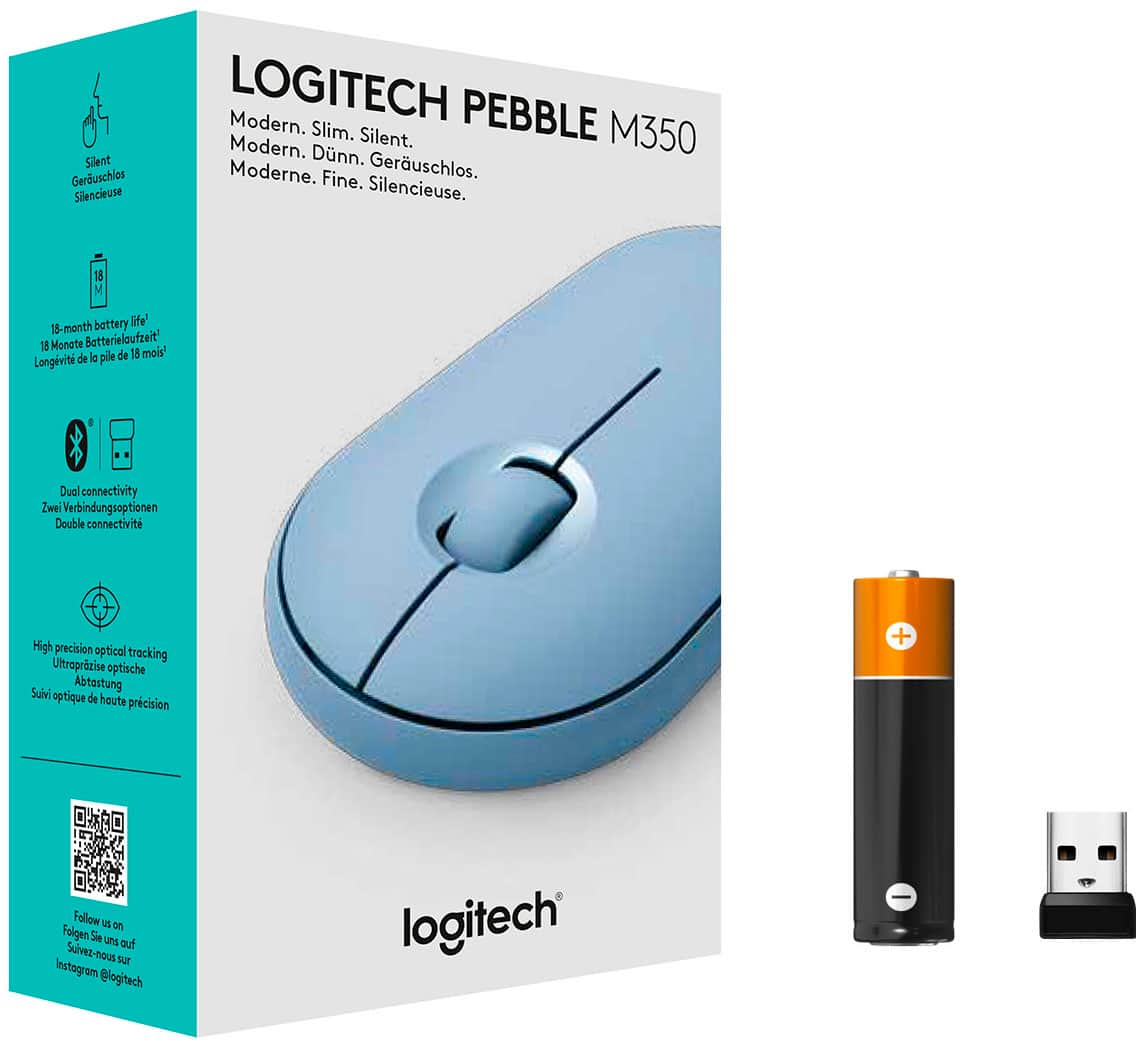
|Posted .This reviewer received promo considerations or sweepstakes entry for writing a review.This mouse is so simple yet so well designed in its form factor and usefulness. I am pretty hard on my mice normally. I expect them to hold up well to being tossed in my laptop bag or backpack, connect, and work everytime. This mouse is doing exactly that. So far, I have found no issues with the tracking of the mouse. On all smooth surfaces I have placed it on, it tracks super well. Operating system wise, I have used this on MacOS and Windows and the mouse is also designed to work with Chromebooks, Android 5.0 and newer, as well Surface; talk about versatile! The form factor is perfect for the traveling individual. It is so slim that it can disappear into a pouch or pocket, and a detail that I love is how it has built in storage for the USB-A transmitter if you need to use this mouse with a device that does not have bluetooth. Switching between modes is easy with the button on the bottom of the mouse and the included instructions offer further clarity on that. The ergonomics of the mouse are great. It is a palm grip type mouse where small, medium, and large hands should be able to rest the top of the palm and extended fingers over the mouse and achieve a relaxed, flat position while using the mouse. The mouse is as quiet as promised. I prefer to be unobtrusive in lecture halls and quiet coffee lounges as I am someone who is easily distracted by frequent clicks and other repetitive noises. This is very quiet yet the clicking action is not mushy at all. Each click is firm with a short travel and nice rebound so double clicks and click and drags feel precise. As for battery, this uses a single (included) AA battery. Apparently, it has up to an 18-month battery life based on it going into an automatic sleep mode when not in use. There is a toggle switch on the bottom for on and off if you want to be even more certain you are getting maximum battery life. Overall, this mouse does everything promised and fits perfectly into my active, on the go lifestyle with my electronics. I cannot recommend it enough. Thanks for reading!
I would recommend this to a friend - Pros mentioned:Silent click
LOVE IT! Great Portable Mouse
|Posted .This reviewer received promo considerations or sweepstakes entry for writing a review.Truth be told, when the opportunity to get this little mouse was presented, I was in need of a good travel mouse so I took the chance and got it. In all honesty, I was not super-excited about the color, but hey, we live in an enlightened society so no biggie, I figured I’d make it work. Now that I have it, the color is actually not half bad. My wife and daughter LOVE the color, so ladies, this might be a winner for you. Pre-amble out of the way, on receipt of this little unit, I was initially disappointed. I HATE clamshell packaging, but this was not bad at all. A couple simple cuts from the handy Spyderco belt knife and it was freed from its plastic coffin! It was literally 30 seconds to get it out. Out of the package, set up was ridiculously easy. Pull the battery protect tab and you are good to go. Bluetooth hookup was a 30 second endeavor. I was less than one minute from out of package to full use. When I first looked at the pictures, I was a little concerned… I was so used to the classic “hump-back” wireless mouse, that I was on the fence as to this smaller, lower design. After a couple days use, I can honestly say this is a superior design and I may never go back. It is incredibly low-profile yet ergonomic and comfortable. I am impressed. As for features, here are my thoughts: Pros: + Great ergonomics, very easy in the hand + Portability is awesome. Other portable mice present a “lump” in carry-on laptop bags, not this one + Connectivity is either Bluetooth or 2.4 with included USB adapter. I connected BT and its been rock solid. I have no doubt the 2.4 is excellent as well. The USB adapter hides under the magnetic top cover + Mouse wheel is pleasant to the touch, ergonomic, accurate and dead silent. You can use in a library without worry your clicks will disturb others Equals: = The manufacturer claims the battery will last 18 months. While I can not comment after 2 days of solid use, I have no reason to doubt the claim The cons: - I have none. Literally none End of the day, this is a GREAT mouse. I looked for reason to complain and found none. I was kinda’ bummed. I hoped for something to complain about and found none. I would whole-heartedly recommend to a friend. Great little product! **PLEASE NOTE** This product was provided to me at no cost in exchange for an honest and unbiased review. This review is exactly that: Honest and unbiased. The price played no role in the tone or honesty of this review.
I would recommend this to a friend - Pros mentioned:Silent click
Portable, functional and affordable!
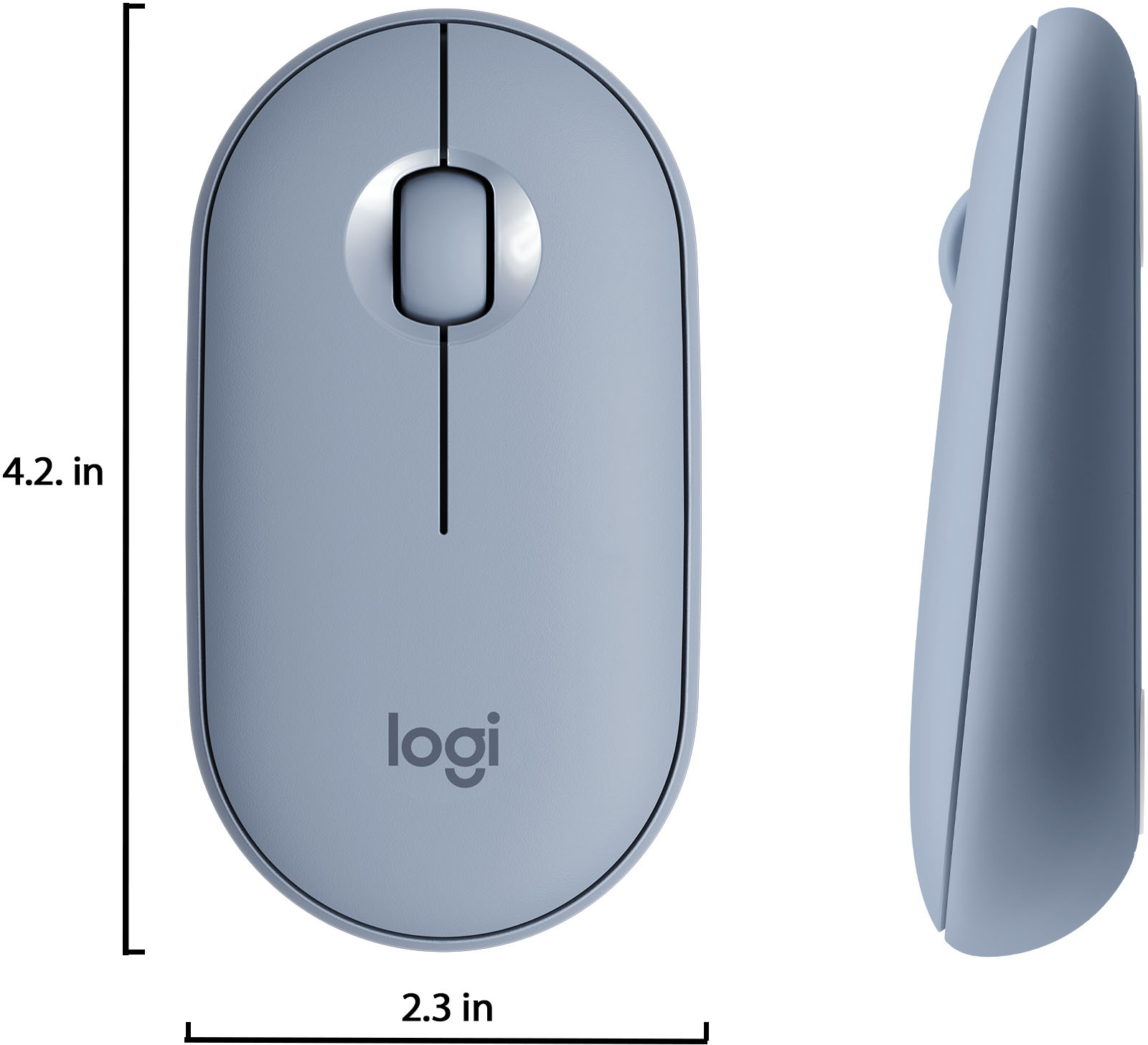
|Posted .This reviewer received promo considerations or sweepstakes entry for writing a review.I am used to full-size mice -mostly for gaming and for the full features. Now that I am using a 2-1 tablet, I am hoping that the Logitech Pebble M350 will complement the portability factor. My first impression is that this mouse is compact and light. It is made of plastic with a fingerprint-resistant matte finish. The build seems to be of good quality. It is similar to the Magic mouse in shape and size, except that the Pebble has a raised “back” which makes it much more ergonomic and comfortable. I also have the Arc Mouse, which would compete with the Pebble for portability but is incredibly awkward to use in my experience. The Pebble features a familiar, simplistic design with no gimmicks. It offers the traditional left and right buttons and a scroll wheel. No touch controls and no gyroscope. I do wish the mouse would’ve featured side buttons, but it does not break the deal. One must keep in mind that this is at least one third the price of these other minimalistic mice. As I mentioned, the shape fits nicely on my medium size hands and allows my fingers to rest on top without adopting a claw-like handle. Being so light at only 100g, it did take some time to get used to moving it around, scrolling and clicking with accuracy as it is quite responsive (1000dpi). One of the selling points is that this mouse is silent. In reality, the clicks do make a “dull” sound but the scroll wheel rolls rather quietly. This is great in an office environment or if you work late at night and don’t want to bother anyone. However, if you are looking for satisfying clicks, this is not for you. The Pebble is powered by a AA battery which is included and, according to Logitech, can last up to 18 months. This is achieved by the “sleep” mode if it is not being used and by Bluetooth Low Energy technology. The battery compartment and USB dongle can be found by removing the magnetically sealed top (no screws!) easily. Speaking of which, the Pebble can be connected by an included USB receiver or Bluetooth. In fact, it can be “linked” to two devices at once using both connections and can switch between them by pressing a button at the underside. I have not experienced any disconnects even at about 10 feet from the tablet. In the end, I would definitely recommend the Pebble M350 just because it is comfortable, functional, quiet, easy on the eyes, portable and most importantly (to me at least), affordable.
I would recommend this to a friend Both USB and Bluetooth support
|Posted .This reviewer received promo considerations or sweepstakes entry for writing a review.## Design This mouse is compact and easy to transport. It’s fairly flat, however, I wish it was a little longer so my whole hand could rest on it. I find my hand fatigues fairly quickly while using this mouse. ## Performance The mouse performs very well and it works fine on multiple surfaces, whether it’s a desk or a couch cushion. I’ve actually been using this mouse with my iPad Air (thanks to iOS 13’s mouse support) and it has performed great. ## Features One of the biggest benefits of this mouse is that it works with both Bluetooth and a USB dongle. Therefore, if your laptop already has built-in Bluetooth, there’s no need to plug in the USB dongle. The USB dongle stores nicely inside of the mouse beside the battery. One alkaline AA battery (included) powers the mouse for several months. There is a power switch on the bottom so you don’t needlessly waste the battery while the mouse is being transported (and would otherwise keep “waking up” from the movement). Tip: If you find the wireless USB dongle is not performing well (mouse skips across the screen) and you mostly use the mouse on a desktop computer, pick up a USB 2.0 extension cord for the dongle and attach the dongle under the desk near where your mouse sits. Unfortunately, most ports on computers/laptops are USB 3.0 and can cause interference with the wireless signal.
I would recommend this to a friend- Pros mentioned:Bluetooth
This is the mouse I thought I didn’t need
|Posted .This reviewer received promo considerations or sweepstakes entry for writing a review.The Logitech Pebble mouse is really a hidden gem of a mouse. I didn’t really think I needed a bluetooth mouse but I’d give it a try for the other features I liked. But it turns out the bluetooth connection option is really nice to have. I like that I can easily connect to a PC without having to dig out the tower and find a USB port in back to put the wireless plug like most mouses and I like that I can pair with a small two in one device I have and not lose the only USB port on the device. So right out the gate, the pebble mouse was winning my approval. FEATURES: The pebble has a lot of “common features” that are on almost every mouse, I’ll spare you those, but some highlight features I like are the aforementioned bluetooth connectivity, stealth mode buttons, the shape, and the magnets. I know I know, what is he talking about, I'll explain. So what I call stealth mode is what Logitech calls 90% more quiet buttons. These things are legit though, they really are whisper soft. Even the scrolling wheel is quiet. Ethan Hunt could have taken this with him breaking into the CIA building and would have had no problems. What that means to you is you can go to a library or a coffee shop and not be the annoying person clicking away. Even when I’m alone I can annoy myself with mouse clicks, so that’s definitely a nice feature. The shape is pretty self explanatory, I won’t go deep into that but It does have a nice small pocket size shape to it. It’s also very lightweight which is great for on the go. One thing to note though is I don’t have very big hands yet it does take some getting used to the smaller size of the mouse. It’s not TOO small but maybe if you have bigger hands you might have an issue feeling comfortable using it. The last feature I’d point out is the magnetic top. I know it doesn’t seem that important but it really is nice that the cover comes off so easy. Especially if you’re going to use the USB connection and on the go because the USB plug sits under the cover, therefore you will be opening it a lot. But I’ve had mouses in the past that “snap” or “slide” off to uncover the switches/usb/whatever and those little plastic grabbers can break easy, or just wear out over time and next thing you know the cover is never staying on and you’re just putting tape all over the thing real classy like. The magnets won’t fail anytime soon and it makes popping the cover off so much easier. Battery life is another thing to mention in the win column though I can only comment on what Logitech claims because I haven’t had the device for 18 months yet. But it does say it will last about 18 months and this is partially due to it going into battery saver mode automatically when you’re not using it. Which is a nice win column mention as well that you don’t have to remember to turn off the switch if you’re using it more permanently at a desk. It takes 1 AA battery. That’s about all the important things you need to know about this mouse. It works as a mouse should and it excels in areas a Logitech mouse should on top of that. The extra perks that come with this mouse make it a good budget friendly, portable mouse for anyone who needs a little help moving that pointer around.
I would recommend this to a friend - Pros mentioned:Silent click
My new favorite little guy!
|Posted .This reviewer received promo considerations or sweepstakes entry for writing a review.I honestly love this mouse. I can’t stop using it! It’s not only slim and quiet but perfectly well constructed/engineered. It can be used either by Bluetooth or the usb fob (which is always ready to go inside the mouse). I use the Bluetooth. I enjoy how when I grip the mouse the part in your palm is really angled up. You have to feel it for yourself to understand but at first it felt weird but after 5 minutes I fell in love with it. The cool part of how this mouse is designed is how the top of the mouse is actually held on magnetically. You can see this in my pictures. It pops off and holds the battery and usb chip (if your storing it or only using Bluetooth). It’s really cool that I no longer have to worry about some dumb battery compartment on the bottom. This allows the bottom of the mouse to be perfectly rounded and smooth with out the battery compartment. I use this on my windows 10 laptop but it states that it works on chromeOS and macOS. The mouse nearly silent which is amazing and something I wasn’t expecting. Believe me it makes a difference.. I don’t think I can go back.... I might need this for my desktop as well.
I would recommend this to a friend MIGHTY MINI MOUSE
|Posted .This reviewer received promo considerations or sweepstakes entry for writing a review.MIGHTY MINI MOUSE REVIEW: Logitech M355 Portable Wireless Mouse BEST BUY Tech Insider Network SUMMARY: Dual Connectivity (Bluetooth and USB Dongle) has you covered no matter what. It is small and pocketable. Not as ergonomic as some other larger mice, but for the size it can’t be beat. If need something to grab and go this is the one, great for traveling road trips. BACKGROUND I’m very picky about my mice, especially the ergonomics and usability. My everyday desk mouse is a much bigger ergonomic model. Meanwhile I think this M355 will be strong contender for travel. I am a nut about packing as little as possible for travel and I try to carry as few as items as possible. Since my travel 2 in 1 notebook has very few USB ports, I definitely want Bluetooth connectivity where possible. As a bonus, the USB Dongle (if ever needed) is built in under the battery cover. UNBOXING / INITIAL IMPRESSIONS: It was easy to remove from the packaging without needing a sharp knife or scissors. I would have preferred a more of a cardboard box for recycling purposes, but even so it was not overly packaged so that was good. I was quickly able to pair it to my desktop and laptop computers (Win 10) and start using it immediately. It feels well built and I have hopes it will last a long time. It does have some weight to it (due to the batteries), which is good as far as I’m concerned. Batteries were already built in. PERFORMANCE / EASE OF USE: It took 1-2 minutes of use to get used to the movement, but that is normal with any mouse. Soon I was clicking away with silent precision. (it is very quiet). It did a good job at everything I tossed at it (mostly office apps, browsing, and few games). SUMMARY: I would recommend this to anyone looking for a good all-around / travel mouse. Since I work at a computer all day, I need a more ergonomic model for all day everyday use. I could this as ideal for travel or note taking at school, etc. I would recommend it overall.
I would recommend this to a friend- Pros mentioned:Portable, Silent click
Good mouse, just a bit small
|Posted .This reviewer received promo considerations or sweepstakes entry for writing a review.I've been on the lookout for a portable mouse to toss in my bag and have been happy with most Logitech mice I've tried, so I was glad to give the Pebble a try. The most unique part of this mouse is its click mechanism - it's quiet and has the perfect amount of travel. I've never used a mouse quite like it, and it's a joy to use. The scrolling wheel is appropriately clicky as well - it's not too stiff to be annoying, and not too loose that it doesn't give enough feedback. My only criticism comes on its overall size. Granted, I have large hands, but it became a little uncomfortable to use after about 2 straight hours of use (my ring and pinky fingers end up resting on the table while I'm using it - see picture). If your use case is short bursts or if you've got normal-to-small-sized hands, the Pebble is rock solid. And even if you've got larger hands like me, it's still a great mouse that I'd have no problems recommending.
I would recommend this to a friend