Customer Ratings & Reviews
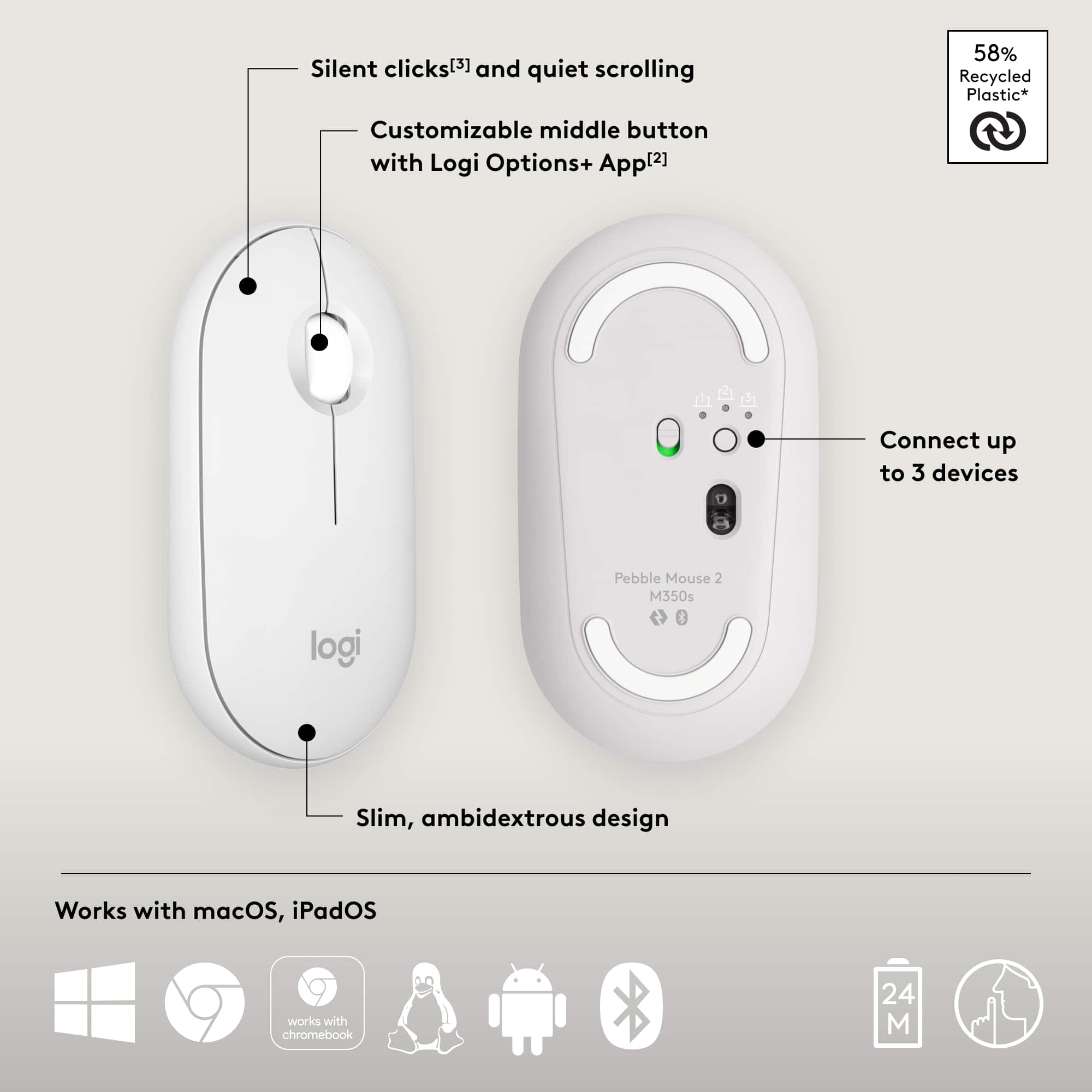
![Customizable Middle Button with Logi Options+ App [2].](https://pisces.bbystatic.com/image2/BestBuy_US/images/products/bb7bf4fe-6670-44dc-adc2-e2f606c876a0.png)



Rating by feature
- Value
Rating 4.8 out of 5 stars
- Quality
Rating 4.8 out of 5 stars
- Ease of Use
Rating 4.8 out of 5 stars
to a friend
Blue tooth mouse
||Posted . Owned for 1 month when reviewed.This reviewer received promo considerations or sweepstakes entry for writing a review.Very slow responder's responder responder responder
No, I would not recommend this to a friendBrand response from Logitech
Posted .That's disappointing to hear and it's surely not what we expect to deliver. We understand your displeasure and apologize for any issues that arise. We value your input, therefore we will forward it along to the appropriate team so they can look into it. Thanks a lot!
Never recieved my mouse.
||Posted .This reviewer received promo considerations or sweepstakes entry for writing a review.0 stars... never recieved my order. Delivery company delivered to the wrong address. When I reached out to customer service they were terrible as well. Was told they would help me with a replacement in store pick up. Followed up a couple days later to find out I was fully reimbursed. Usually I wouldn't complain but I Iost a $15 reward.
No, I would not recommend this to a friendBrand response from Logitech
Posted .Thank you for sharing your experience. We sincerely apologize that your Logitech Pebble Mouse 2 M350s order was not received due to an incorrect delivery and for the unsatisfactory customer service you encountered. We understand your frustration with the delivery issue and the loss of your reward. For updates on your reimbursement or to explore options regarding a replacement, we recommend reaching out directly to the place where you made the purchase.

Nice
||Posted . Owned for 3 weeks when reviewed.This reviewer received promo considerations or sweepstakes entry for writing a review.It’s okay I cannot say anything else about te product
I would recommend this to a friendBrand response from Logitech
Posted .Thanks for the feedback! While we'd love to hear more about your experience, we appreciate you sharing your thoughts on the Pebble M350s.

Redefining Mouse Experience
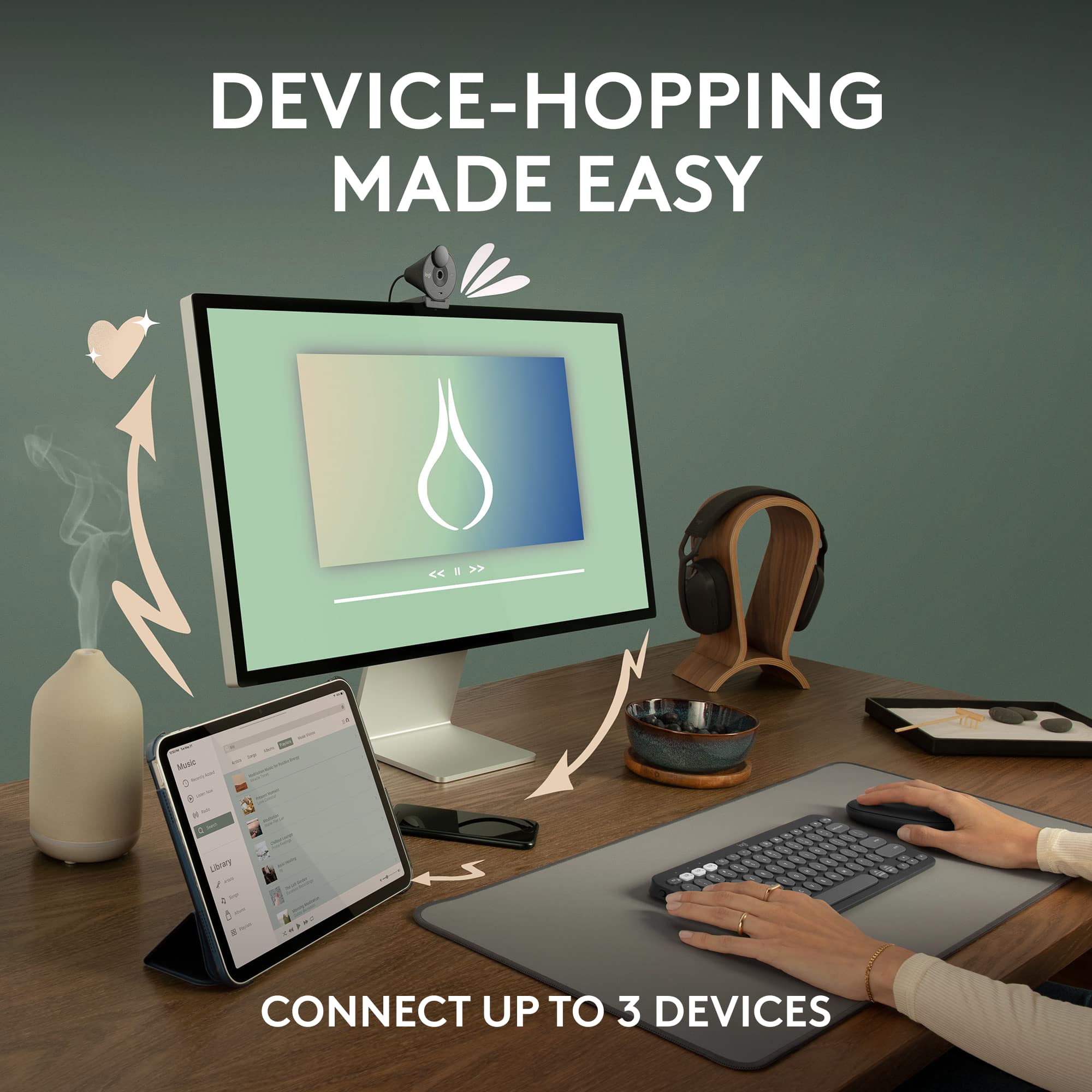
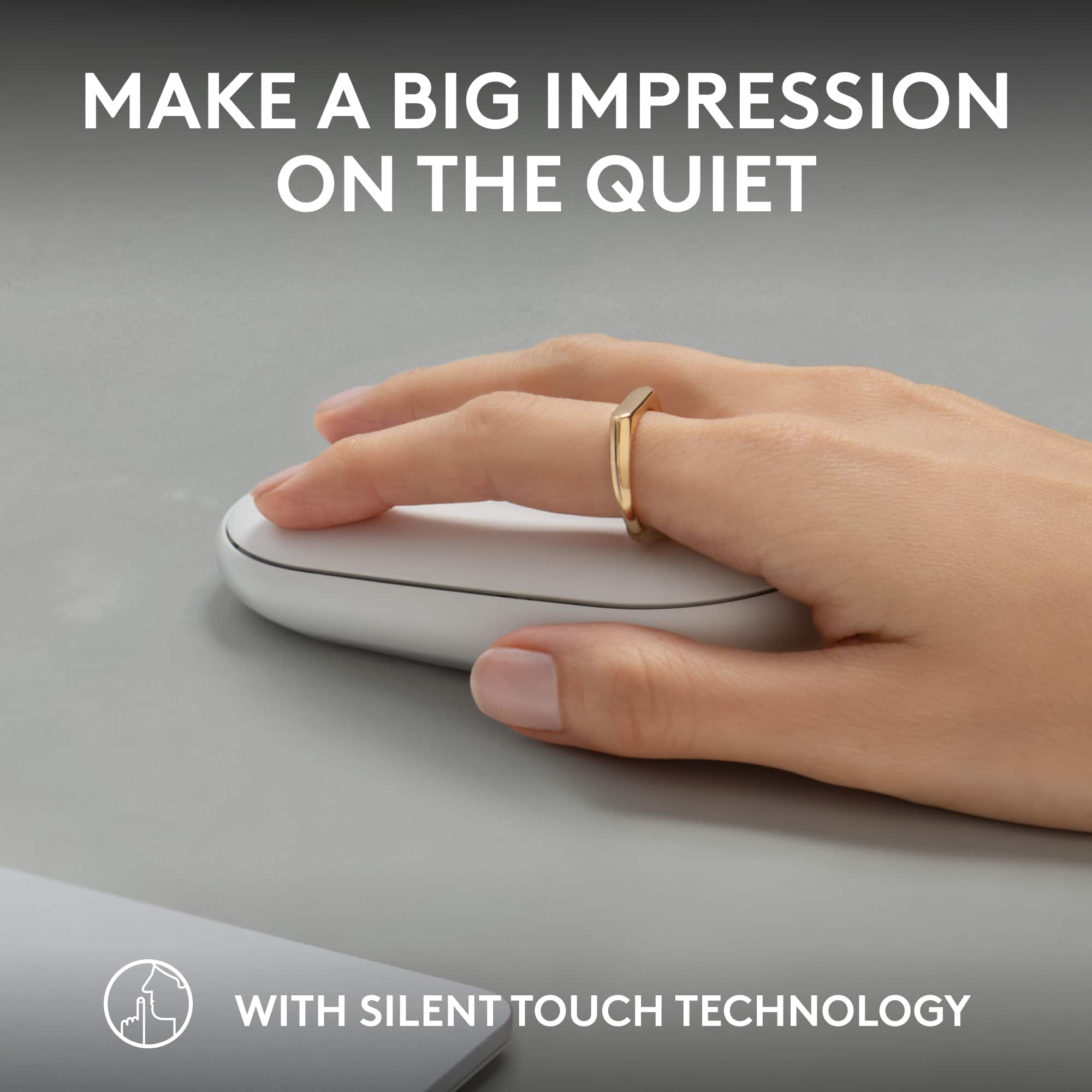
|Posted .This reviewer received promo considerations or sweepstakes entry for writing a review.In an era where the aesthetics of minimalism and the demands for highly functional technology are merging, the Pebble Mouse 2 M350s represents a paradigmatic shift in peripheral devices. Its innovative design and functionalities surpassed my expectations, making it more than just a tool for cursor navigation. The Pebble Mouse 2 M350s seamlessly integrates into diverse computing environments—Windows, macOS, iPadOS, or Android—while offering unparalleled performance and flexibility. Design: The Pebble Mouse 2 M350s captivates your attention at first glance with its minimalist, slim, and round shape. The design is not just visually compelling but ergonomic, encouraging a natural hand position that can reduce strain during extended use. The ambidextrous design adds to its inclusivity, ensuring comfortable use regardless of hand dominance. Multi-Device Compatibility: The Pebble Mouse 2 M350s's Easy-Switch button is a godsend. I can switch between three devices with a single button press, ensuring a fluid transition from my laptop to my tablet to my desktop. This functionality is further enhanced by its extensive compatibility across various operating systems, including Windows, macOS, Linux, Chrome OS, Android, and iPadOS. Silent Touch Technology: The device incorporates Silent Touch Technology, reducing the click noise by over 90% compared to its predecessor, the Logitech M185. Verified by independent lab testing, the dBa levels at a meter's distance from the mouse were deficient for both left clicks and typing. This feature proves invaluable in environments where noise minimization is critical. Personalization: The Logi Options+ App is another remarkable addition to the Pebble Mouse 2 M350s's feature set. The app allows you to customize the middle button for tasks like copy/paste, screen capture, or opening applications, thereby reducing keystrokes and maximizing productivity. Battery Life: Another striking feature is the device's exceptional battery life. With up to 24 months of use before requiring a change, this mouse promises longevity that is seldom seen in comparable products. Scrolling and Tracking: The line-by-line scrolling wheel ensures high precision, whether navigating through lengthy documents or zooming into high-resolution images. The high-precision optical tracking further ensures that hand movements are mirrored with pinpoint accuracy on the screen. Connectivity: The Bluetooth-enabled Pebble Mouse 2 M350s ensures that connectivity is instantaneous and reliable, a critical feature for those working in dynamic, fast-paced environments. Conclusion: The Pebble Mouse 2 M350s does more than stand out for its aesthetic appeal; it raises the bar for what users should expect from a modern mouse. Its feature-rich functionality, extensive compatibility, and user-centered design emphasize how far we have come in human-computer interaction technology. It is not just a device you use but an extension of your computing experience. It is highly recommended for anyone who values both form and function in their technological interactions.
I would recommend this to a friendAbsolute Trash
||Posted . Owned for 1 month when reviewed.This reviewer received promo considerations or sweepstakes entry for writing a review.Absolute trash. Constantly disconnects. I’ve had to remove and re-pair at least 10 times. Now it won’t pair at all, returning as soon as possible.
No, I would not recommend this to a friendBrand response from Logitech
Posted .That sounds like an issue. In order to assist you effectively, please provide your information to our support team by emailing socialcare@logitech.com. Name – Email address – Country – Product name – Brief description of the issue –
Great Compact Mouse
|Posted .This reviewer received promo considerations or sweepstakes entry for writing a review.My job and lifestyle require me to constantly be on the go. Whether it be on planes, trains, or a variety of other places. I am always in need of a mouse. Prior to this I was using the original pebble mouse. Honestly, it was great and I did not really have any complaints. It is hard to believe that Logitech could improve on such an already great mouse, but I can confirm they did. The pebble 2 mouse has features that make it a great all-around mouse. First is being the size. Its sleek and compact design means that you can carry it with you anywhere. It is easy to throw in any backpack, purse, or even a laptop sleeve. Therefore, it has become my favorite mouse for travel and commuting. One of my favorite new features is that it can connect with up to three devices. There is a switch on the back that easily allows you to switch from one device to another. Logitech estimates the battery life of 2 years on a single AA battery because of its auto sleep power saving function. This makes it convenient and you are not constantly having to charge it. Since it is an AA battery, you can easily replace it and keep going. The last new feature is has a silent clicking feature that removes almost the entire clicking noise. Personally, this is not a big deal to me, but it is nice if you are using it in meeting so you do not disrupt others. The previous pebble was able to connect via Bluetooth or USB. However, the pebble 2 did not come with a USB but it has a spot inside it for one. I am not sure if this is by mistake, but I mainly connect via Bluetooth, anyway. If you are someone who is constantly on the go and needs a sleek and compact mouse, then this is the one for you. I believe this is a great mouse for college students and people who work on a laptop.
I would recommend this to a friendmouse not moving
||Posted .This reviewer received promo considerations or sweepstakes entry for writing a review.stopped working after 5 months try many different batteries but it was out for the count
No, I would not recommend this to a friendBrand response from Logitech
Posted .Thanks for sharing your experience—we’re really sorry to hear your Pebble Mouse 2 stopped working. That’s definitely not what we want for you. If you’re open to it, our support team would love to help look into this further. Please reach out via email at socialcare@logitech.com with the following details:
- Name
- Email Address
- Country
- Product Name
- Brief description of issue
We’d be happy to assist and see what can be done to make things right.
Not Apply
||Posted . Owned for 3 weeks when reviewed.This reviewer received promo considerations or sweepstakes entry for writing a review.I never used this Product I have no Experience with this product, It An unopened product
No, I would not recommend this to a friendBrand response from Logitech
Posted .Thank you for letting us know that the product is unopened and that you haven't had a chance to use it yet. We appreciate you taking the time to share this. If you have any questions once you do start using it, feel free to reach out!
Comfortable, customizable, but a little sluggish
|Posted .This reviewer received promo considerations or sweepstakes entry for writing a review.Small, comfortable, customizable, but a little sluggish. I really like the size and shape of this mouse. It's small and lightweight. It's a comfortable fit for me. There's no strain to my hand or wrist which happens with the larger, rounder mice I've used. The buttons are easy to reach and use. Connection is fast and can be connected to up to 3 different Bluetooth devices for easy switching. Customizing the action button with the Logi Options+ app is easy. There are ready made templates that can be used as is or customized to personal preference or actions can be set from scratch and saved. Open a specific webpage, zoom and a spreadsheet with one click, leave a pre-made message or open your favorite apps with one click. Lots of options to suit specific needs, change as needed. It's a very nice mouse, however, I've had a problem with it being sluggish. It just seems to freeze sometimes while I'm moving it across the screen, I have to click the left button to wake it back up which can cause problems with clicking things I don't want, for example closing a page I'm using. It's enough I've been tempted to go back to my previous mouse, but so far I've resisted because I really like the comfort of this one.
A favorite for years
Posted .This reviewer received promo considerations or sweepstakes entry for writing a review.I’ve purchased 3 of these, 2 in sets with a keyboard (recommed it as well). I’ve had 1 mouse fail, but it got constant (work) use for 2 years before I needed to replace it; these are very nicely priced so I wasn’t upset at the lifespan. I replaced it with the same model and use it daily. It travels very well, the battery is very easy to repace and lasts a very long time. It’s lightweight, takes up very little space, and my wrist has never felt any distress. I hope this model continues to be in their line.
I would recommend this to a friendBrand response from Logitech
Posted .Logitech Pebble Mouse 2 is a reliable, affordable, and comfortable option. Great for work and travel!
Hurts my hand
||Posted . Owned for 4 months when reviewed.This reviewer received promo considerations or sweepstakes entry for writing a review.The ergonomics were terrible and literally hurt my hand to use it. I returned it.
No, I would not recommend this to a friendBrand response from Logitech
Posted .We apologize for the discomfort caused by the Logitech Pebble Mouse 2 M350s. Ergonomics are important. Try adjusting your grip or exploring other Logitech mouse models for better comfort.
Disappointed
||Posted . Owned for 1 month when reviewed.This reviewer received promo considerations or sweepstakes entry for writing a review.Wrong item was shipped to me, it was a charger & i realized after spending it to another country without unpacking it. Very disappointing but happy about the lenovo laptop purchase.
No, I would not recommend this to a friendBrand response from Logitech
Posted .That's disappointing to hear and it's surely not what we expect to deliver. We understand your displeasure and apologize for any issues that arise. We value your input, therefore we will forward it along to the appropriate team so they can look into it. Thanks a lot!
Needs a wire
||Posted . Owned for 1 month when reviewed.This reviewer received promo considerations or sweepstakes entry for writing a review.had to return this item as it either didn't work or was difficult to connect to my wifi
No, I would not recommend this to a friendBrand response from Logitech
Posted .Truly sorry to hear about your negative experience and you had to return the product. This is surely not what we intend to deliver. Your feedback is valuable. Hence, we'll share it with our team for them to review for the future consideration. Thanks so much!
Smooth as Butter, Quiet as a...Mouse!
|Posted .This reviewer received promo considerations or sweepstakes entry for writing a review.I've said it before and I'll say it again, Logitech is the best when it comes to tech peripherals such as keyboards and mice. This mouse works seamlessly with all the various operating systems I tried it out with, such as the PC's/Windows and Chromebooks my family utilizes, as well as the macOS/Macs and iPadOS/iPads which I use on a daily basis. I really appreciate its ability to pair with multiple devices at once (as well as the easy setup process), but its other features are what stood out to me; namely, its smoothness and quietness when in use. When physically moving around the mouse, its light weight and low profile contribute to its smooth, gliding movement, which translates into the smooth virtual movement of the cursor on screen. But it's not too light or small either; it's just right for portability as well as being ergonomically comfortable to use. And the clicking is SO quiet! You can barely hear it, and I'm not exaggerating. My husband frequently does a lot of work either late at night or early in the morning when the rest of the family is asleep and the house is super quiet; many times we can hear the clicking of his computer mouse. I had him use this mouse instead and it was a world of difference--the clicking is barely audible! This Logitech Pebble Mouse 2 M350S is worth every one of the 5 Stars I'm rating it.
I would recommend this to a friendSlim design
Posted .This reviewer received promo considerations or sweepstakes entry for writing a review.This product is fantastic! It works seamlessly with my iPad Pro, and I particularly appreciate its sleek design.
I would recommend this to a friendBrand response from Logitech
Posted .We're thrilled to hear you're finding the Pebble Mouse 2 M350s fantastic! It's great that it works seamlessly with your iPad Pro and that you appreciate its sleek, slim design. Thank you for your feedback!
Small Light Travel/Office Mouse
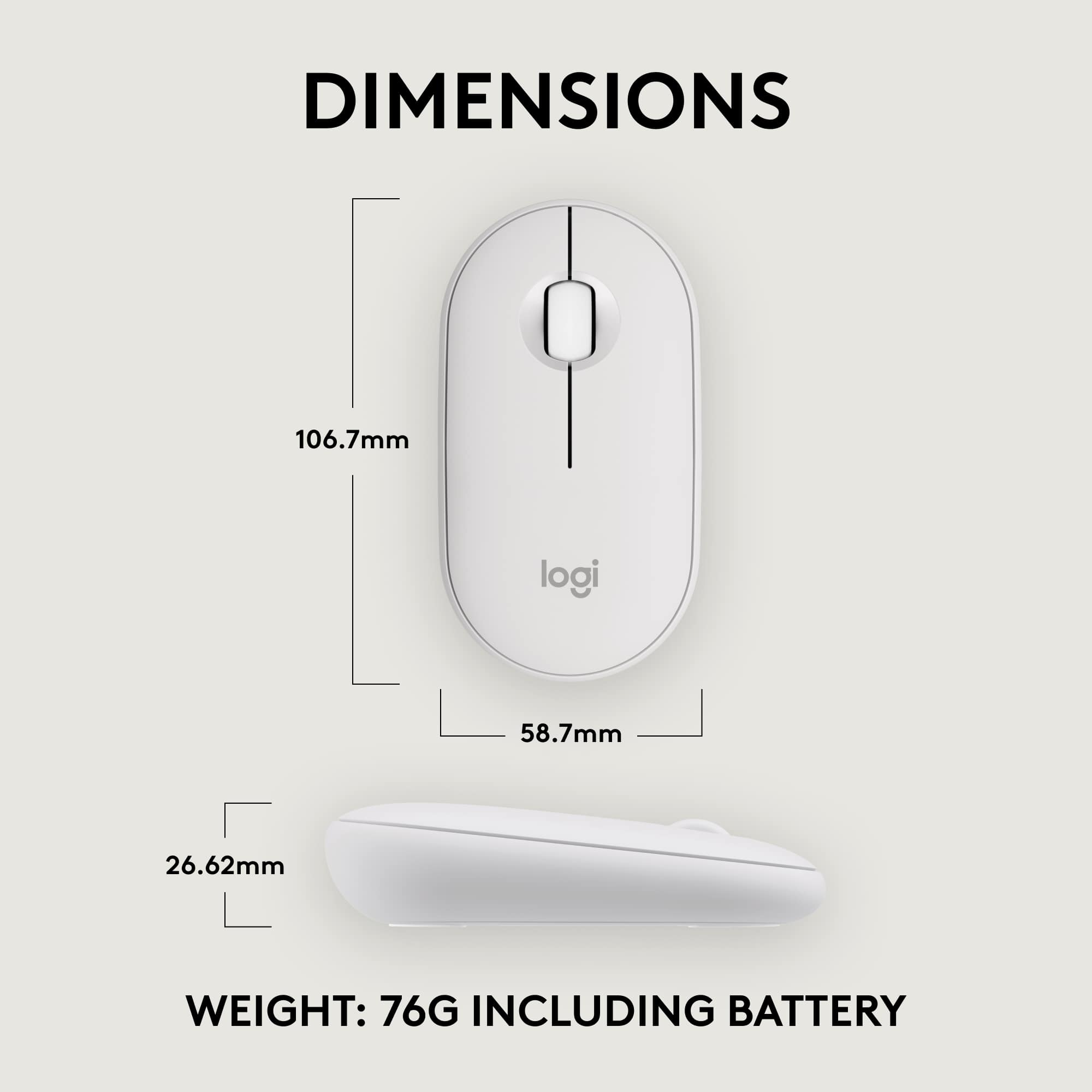
|Posted .This reviewer received promo considerations or sweepstakes entry for writing a review.This is a light-weight AA Battery Operated Mouse. The company says one AA Battery will last 24 months, which is great, because this is definitely a mouse I keep in my travel bag now and not worrying about battery going out is a huge plus. Pairing is super easy, didn't have an issue on the 3 different laptops I paired this with. I appericate that as I don't always have the same laptop with me as I travel, so being able to have one mouse in the bag for all 3 without swapping dongles is great. I do wish the button to switch was more accessible then on the bottom as sometimes I'll have two laptops next to each other and switching means flipping it over so, seamlessly switching it between both isn't seamless, have to flip it over, however its a minor annoyance that only needing one mouse is a win. It is a small mouse though. I have slightly larger then normal hands and wish it was a bit bigger at times, but overall I'm able to grip and use it all day on the road without issues. For a simple, lightweight long lasting battery powered mouse this is a win.
I would recommend this to a friendFlimsy feel but surprisingly durable
|Posted .This reviewer received promo considerations or sweepstakes entry for writing a review.Well I can say the battery life is great as to years of life on a single battery, only time will tell. But used for over 25 days and no issue on power. I like where the button is to switch between devices. Less accidental mistake of switching, you have know what you’re doing to be switching due to where the switch is now located on the bottom of the mouse. I feel the mouse feels very flimsy in that the smoothness of the material makes me feel that. But so far extremely durable, forgiving on how you man handle it during transport in pockets, bags and backpacks. I love the ability to connect to my iPad, Chromebook, and iMac and windows devices. I wish that these companies realize today’s consumers have multiple devices in excess of 3 but I will gladly take 3. The mouse is very light and easy to transport without any damage to date. The dpi of 4000 is just so very accurate and tracking is so precise especially for gaming and graphic design. I really think for the price that is now my go to mouse.
I would recommend this to a friendTruly a great mouse. It's an absolute workhorse.
|Posted .This reviewer received promo considerations or sweepstakes entry for writing a review.The Pebble Mouse is a versatile Bluetooth mouse that can easily be used for a variety of different use cases. The mouse is very sleek and modern looking. It has a very symmetrical design that allows it to be easily used by both left-handed and right-handed individuals. Sure, it sacrifices some ergonomic comfort for this, but I wouldn’t go so far as to say that it’s uncomfortable to use. There is a button on the bottom of the mouse that allows you to switch between using it on 3 different devices with just a click. I have it paired to my smart TV, my laptop, and my steam deck; and I find it quite easily to switch back and forth as needed. After installing the Logi Options software, you can customize the middle button for a variety of different effects. If you’re heavily into social media, then you can program it to pull up an emoji menu. If you’re heavily into productivity, then you can program it to pull up task view to easily switch between applications. It really is quite versatile. You can even program some custom commands for individual applications (handy for things like video editing, photo editing, or gaming). The mouse also supports Logitech’s “flow” software. This allows you to use the mouse on two computers simultaneously, and you can copy and paste files between them seamlessly. I really have no complaints whatsoever about this mouse. It works great for all of my needs.
I would recommend this to a friendGreat Compact Mouse
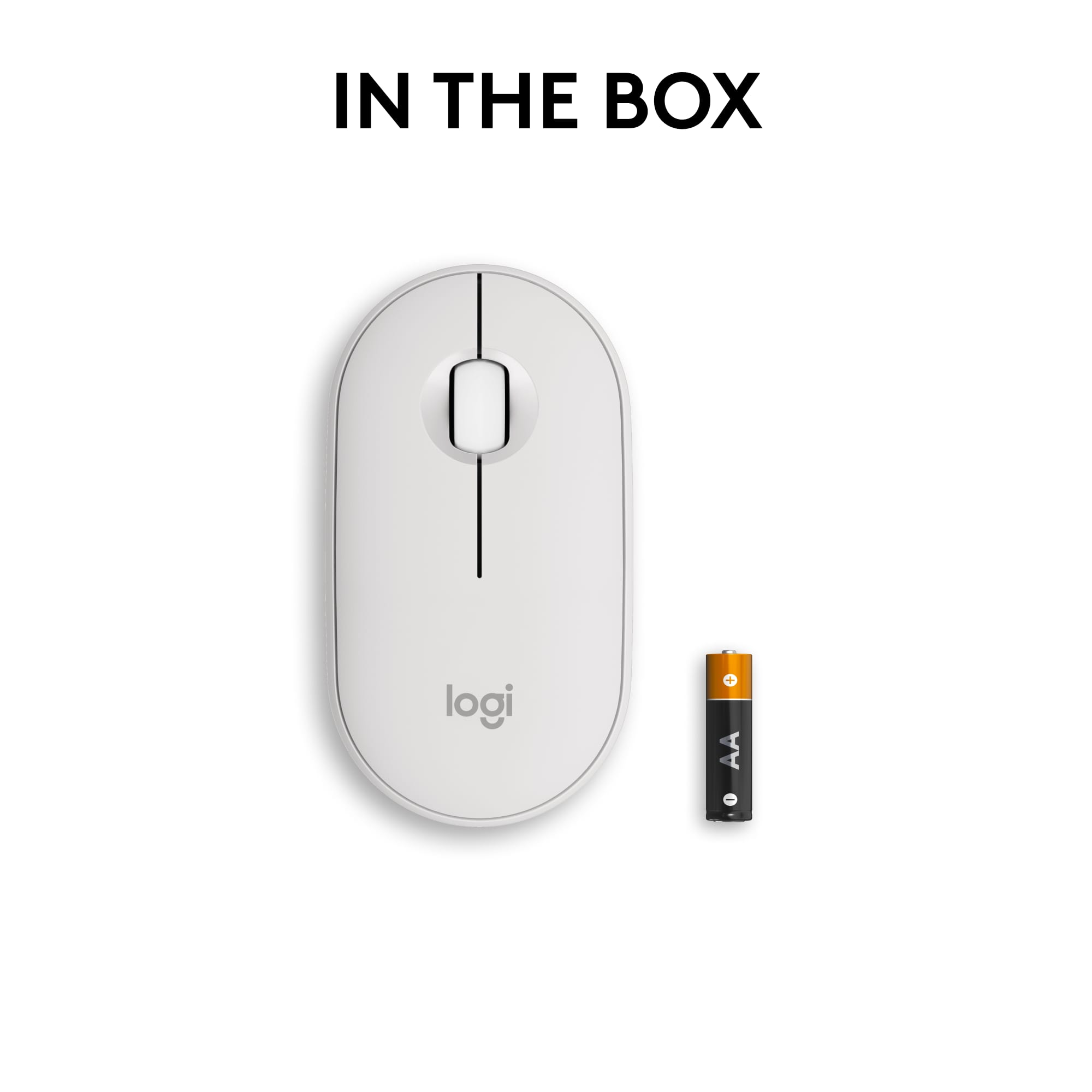
|Posted .This reviewer received promo considerations or sweepstakes entry for writing a review.The Pebble Mouse 2 M350s Connectivity | I pulled out the plastic tab and the mouse turned on immediately. The light was rapidly flashing and I could tell it was in pair mode. I was like, oh man, I hadn't even turned on my laptop. As soon as I logged on on my Windows 11 laptop, I immediately got a notification that there was a new bluetooth connection and did I want to pair to the mouse. I did and it connected and starting working right away. Side note: I have the Logitech MX Anywhere 3 mouse for use at home. I loved it because it can be paired with up to 3 devices, it charges via usb-c, and the battery is long lasting. That mouse is pricy but works very well. I chose THIS mouse- Pebble Mouse 2 M350s- to use at work because I have 3 computers that I use and don't want to have to keep up with three mice. I love that this one does not require a usb port in order to connect to your device. I have two work devices that only have usb-c ports and the other device uses the regular usb port. All of them are bluetooth capable, so this was important in choosing a new mouse. I have not owned the mouse long enough to be able to provide an honest opinion on the battery. I do wish it had a rechargable usb battery. I have seen some bluetooth mice that recharge on Amazon for less money, but they didn't offer multi-device stored connections. The packaging boasts a 24 month battery, so we'll see. I haven't figured out how to access the battery compartment in order to replace it. The packaging shows it needs one AA battery, so it has to be accessible. The clicks are quiet! I love that. If the sound of a mouse clicking is satisfying to you, then you might not like that fact. There is no observable lag with responsiveness. I gave 4 stars instead of 5 because it needs to have a rechargeable battery- its 2023.
I would recommend this to a friendPairs great with my iPad Air.
Posted .This reviewer received promo considerations or sweepstakes entry for writing a review.This thing is awesome for the price. It can quickly connect to 3 devices with a tap of a button, and is light and clicky. It’s perfect for my iPad Air and makes it feel just like a laptop.
I would recommend this to a friendBrand response from Logitech
Posted .Thanks for the encouraging feedback! We’re glad the product is working well for you. Your support helps us keep innovating.