Customer Ratings & Reviews
- Model:
- 910-001105
- |
- SKU:
- 9423493
Customer reviews
Rating 4.6 out of 5 stars with 784 reviews
(784 customer reviews)Rating by feature
- Ease of Use4.5
Rating 4.5 out of 5 stars
Customers are saying
Customers are impressed with the Performance Mouse MX's long battery life, comfortable ergonomics, and ease of use. Many appreciate its ability to work on various surfaces and its accurate tracking. While some find the price a bit high and the scroll wheel could be improved, the overall user experience is positive. The mouse's weight is also a point of contention for some users.
This summary was generated by AI based on customer reviews.
Rated 2 out of 5 stars
wasn't pleased with this mouse
||Posted .This reviewer received promo considerations or sweepstakes entry for writing a review.The mouse was a weird shape so it made it harder to use it.
No, I would not recommend this to a friend- Pros mentioned:Long battery life
Rated 5 out of 5 stars
Logitech Rocks It!
Posted .This reviewer received promo considerations or sweepstakes entry for writing a review.A proud fan of Logitech and for some time. I own over 4 mice, my last was the dominant, Marathon Mouse that after 4 years of unconditional service the feet began to wear out completely. It was time to order a new replacement. I did so with this model. I see that some people complain about batter-life per charge. The battery is the weak spot in this product. This battery is a common rechargeable AA Nickel Battery. Check your documentation. I looked at the battery and immediately replaced it with my Energizer AA and not a single problem. I don't know why no one figured it out. After a while these batteries are limited to how many charges it can take. I put in the Energizer that I usually zap it up on my Energizer Charger for about 5 to 7 minutes and I get about 30 days of heavy use between charges. So the argument about battery life especially from engineers and CAD Designers seems like a lot of unnecessary complaining. READ THE DOCUMENTATION and replace the inferior Nickel Battery and make darn sure it is the right type.
I would recommend this to a friend - Pros mentioned:Rechargeable
Rated 5 out of 5 stars
Best mouse I've had, BEWARE the DEFECTIVE ONES!
Posted .This reviewer received promo considerations or sweepstakes entry for writing a review.No need to repeat what others have said. This mouse is highly accurate and rechargeable. I've had MANY mice over the last 20 odd years from the old ball mice, to optical, wireless, and even Microsoft's best ergonomic. This is the best. Great for gaming, graphics editing, and everything else. Now I did have one of the DEFECTIVE ones at first, and had to swap. So if you get one that falls asleep every 10 sec. and takes 3 seconds to wake back up, and drains batteries in 3 hours, TAKE IT BACK IMMEDIATELY and swap. Logitech will take a week of emailing just to get them to admit it is defective, and take days to weeks to swap it via UPS. Despite a bad batch of these mice on the market (quickly vanishing) I would still recommend it. I took mine back as soon as I realized this was not normal and talking to Logitech's lame customer support. Best Buy swapped it for me, and got the exact same mouse. But it was on sale for $20 less than I just paid for it, and the guy at Best Buy gave me the $20 and change difference! So it was very worth it to get a GREAT mouse. Don't let the defective ones scare you. If you get one, just swap. The mouse is WORTH IT!
I would recommend this to a friend - Pros mentioned:Ergonomic, Rechargeable
Rated 5 out of 5 stars
Worth the Price.
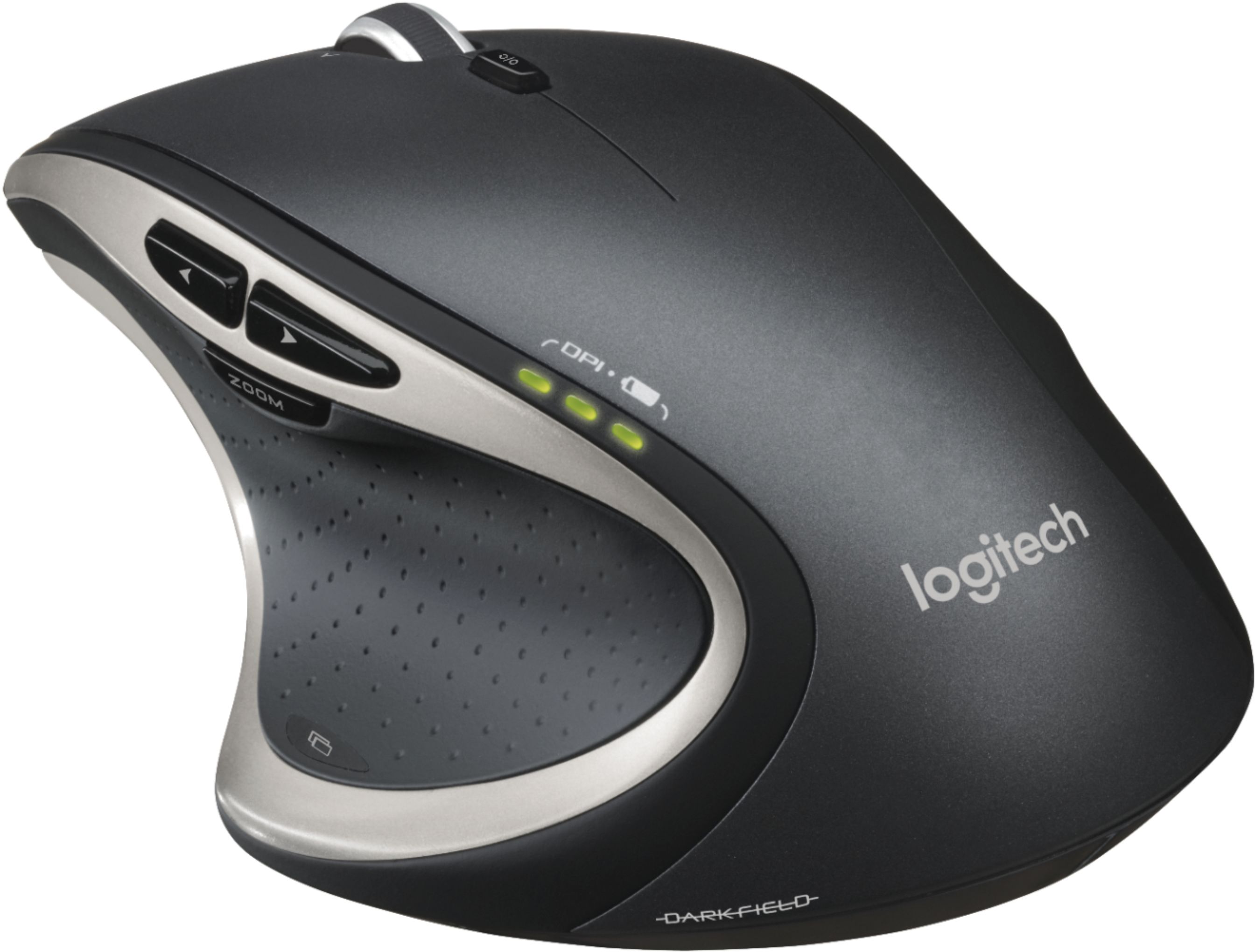
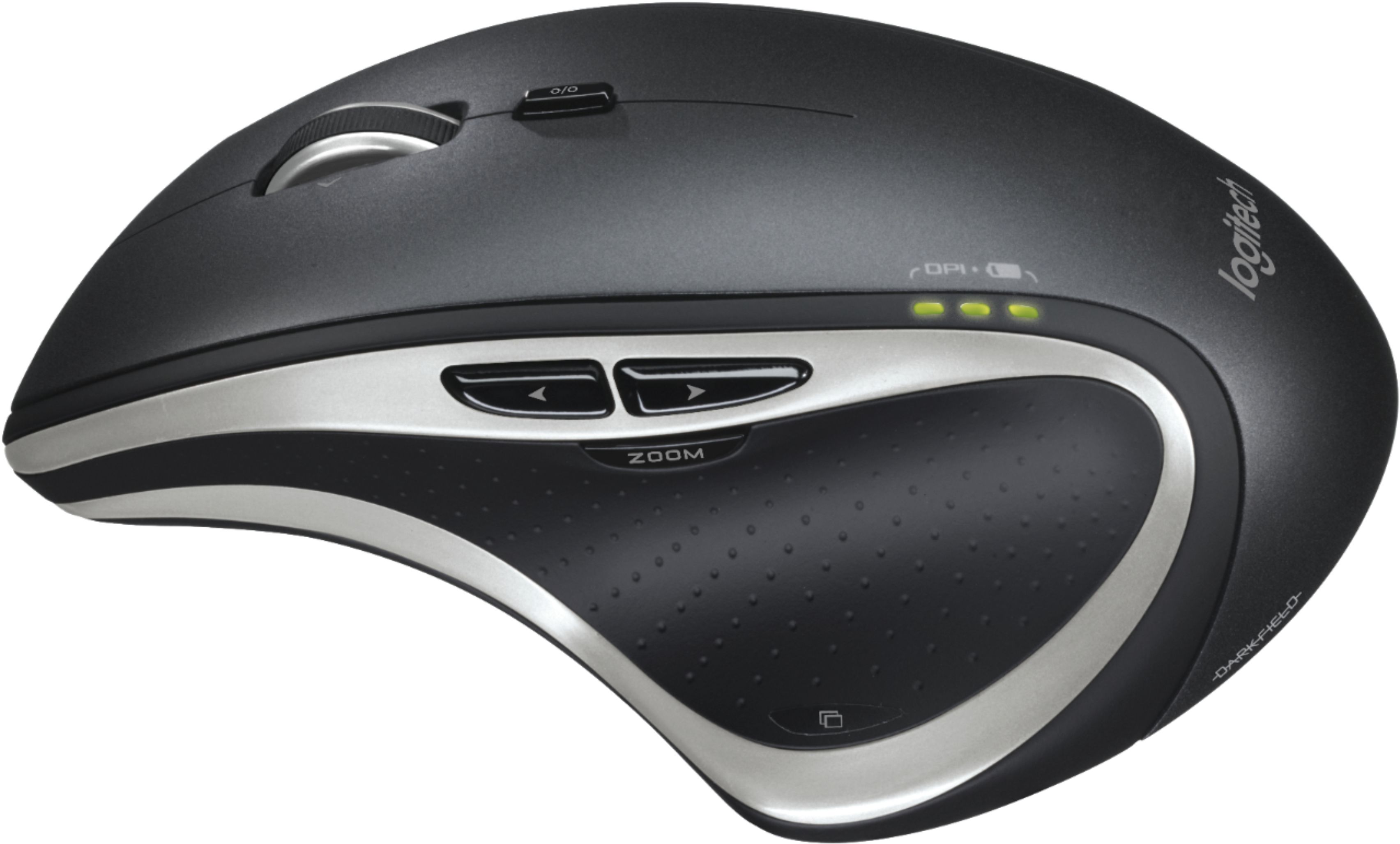
Posted .This reviewer received promo considerations or sweepstakes entry for writing a review.I am a long time Logitech mouse user and purchased this mouse to replace my previous Logitech MX Revolution mouse which suffered an untimely death after I accidently dropped it down my hardwood stairs. If you have big hands and a big wallet this is the mouse to get. It just feels right in the hand (assuming you're a "righty") and tracks accurately and smoothly even on glass surfaces. The new recharging system is a big plus. When the mouse finally needs to be recharged (it ships already charged) you can simply connect it to your USB port to charge while you still use the mouse. No more charging cradles like came with the Revolution which render the mouse unusable while charging in the cradle. All buttons are programable using the supplied software and the super fast hyperscroling mouse wheel works like a charm. Even the speed of hyperscroling is programable. My only issue, to be a nit-picker, is that I sometimes find myself hitting the zoom button with my thumb instead of the forward/back buttons which are directly above it. This will improve as I become more familiar with the mouse. To be clear - this is a well constructed, high-end mouse which is stylish as well as extremely functional. Is it worth $100 -yes! If you can find it on sale - even better!
I would recommend this to a friend - Pros mentioned:Ergonomic, Rechargeable, Wireless
Rated 5 out of 5 stars
Ergonomic and Well Made
Posted .This reviewer received promo considerations or sweepstakes entry for writing a review.I haven't had a wireless mouse in a long time usually due to poor battery life, lack of features, jumpy/laggy mouse movement. And I've been using an original right handed design version 1 wired Microsoft IntelliMouse Explorer for those exact reasons. But when I finally needed a new mouse and came across this one I had to get it, and am glad I did! Has 5 programmable buttons, right handed ergonomic design, rechargeable even when in use with provided USB OTG cable, and comes with a rechargeable battery for immediate use. Feels really well made and durable, will be using this for years to come!
I would recommend this to a friend - Pros mentioned:Ergonomic, Rechargeable
Rated 5 out of 5 stars
Not one regret
Posted .This reviewer received promo considerations or sweepstakes entry for writing a review.I like it all. The mouse fits my hand nicely, the buttons are easily used and it has great signal reception. I can lye in my bed and use the mouse on my comforter with no problems! Then you add in the rechargeable aspect and it gets better. What I did not know when I bought it is that it comes with a little case to carry the cords for recharging, which includes USB cable, USB extension cable and an adapter so you can charge it in a standard household electrical outlet. One of the coolest features I found was totally unexpected. My desktop is set to go to sleep mode after a few hours. Naturally, when I am done, I turn off the mouse. If my computer goes to sleep mode I can turn the mouse back on and it brings my computer from sleep.
I would recommend this to a friend - Pros mentioned:Long battery life
Rated 5 out of 5 stars
Performance is right! Also, fix for battery issue
Posted .This reviewer received promo considerations or sweepstakes entry for writing a review.I bought my Performance Mouse MX after hearing about it on a podcast. I love the friction-less scroll wheel. It has a button right below the wheel that will turn this feature on and off. So you can move quickly to the bottom of a page, or slowly for reading. The mouse feels just right (for a right handed user anyway). It is also light, and works from pretty far away from the computer. I've never had a problem with wireless connectivity with any Logitech products. I even have a similar mouse working perfectly plug-n-play with my Linux Desktop at work. To be fair, I was frustrated with this mouse at first. As I noted, I have a similar mouse at work, that is not rechargeable. The non-rechargeable mouse and keyboard have yet to need replacement batteries, in over a year! This rechargeable was dying every other day. I called support, and was able to get right through to a technician. Many years in IT have taught me to be skeptical of some of the tricks they make you go through, but sometimes they work. I was told that I should try an odd sounding technique, and then give them a call back if it didn't work. So, I followed the instructions. "Remove the batteries from your mouse. With the batteries removed, press and hold both of the mouse buttons for approximately 15 seconds. This will drain all of the residual power stored in the mouse causing the mouse to be reset. Install new batteries in the mouse and try again. " It worked!!! I haven't had a single problem with battery life since! I almost never plug it in anymore. I use this mouse on my gaming rig, and since the fix, I've been completely satisfied with the performance and feel. I highly recommend this mouse.
I would recommend this to a friend Rated 1 out of 5 stars
Terrible
||Posted .This reviewer received promo considerations or sweepstakes entry for writing a review.Would not hold a charge for more than one hour. I have used these for years but this was would not work
No, I would not recommend this to a friend- Pros mentioned:Long battery life
Rated 5 out of 5 stars
Best mouse ever
Posted .This reviewer received promo considerations or sweepstakes entry for writing a review.Best computer mouse I have ever used. I do CAD/ drafting work & use this 8-10 hrs a day & with my old mouse my hand would get sore at the end of every day. not with this mouse. have had this for around a year now. solid built product. no issues. reading reviews before i bought it some people said center scroll wheel click was an issue & it was for the first hour I used it. (just need to push a bit right when pushing down) battery lasts around 30-40 hrs for me before recharging for an hr or 2. the Logitech performance MX mouse is the Best I've ever used
I would recommend this to a friend - Pros mentioned:Ergonomic
Rated 5 out of 5 stars
Best mouse I have ever owned
Posted .This reviewer received promo considerations or sweepstakes entry for writing a review.I have owned numerous high end mice over the years. To name a few within the past 3 years: Microsoft - Wireless Mobile Mouse 6000 Logitech MX518 Logitech MX Revolution Razer Mamba I didn't like using the Microsoft mouse but I put up with it for 2 months. I only kept the Razer Mamba for 3 days before I couldn't stand it anymore. I wanted to like the mouse but I just couldn't get used to the design of it. Every Logitech I have ever owned I used for over a year and have been extremely happy with my purchases. This latest mouse Logitech came up with raises the bar. This thing is very responsive, tracks well and fits perfectly in my "RIGHT" hand. I even use this mouse to play CS and Call of Duty. I have not noticed any lag during First Person Shooters and the Button that your thumb rests on really comes in handy during gaming sessions. I like the software that came with the mouse. It's not anything special but it is simple to use and does what it's supposed to. Lastly I have not had any of the LAG problems when the mouse wakes up from being idle that others have reported. Maybe there low end computers are their problem and not the mouse. I will be using this mouse for at least another year or until Logitech comes out with an upgraded version. I will only buy Logitech Peripherals from now on as none of them has ever failed me. PS. Logitech, please do not get rid of the lower button that your thumb rests on and I would love to see this button on other models as well.
I would recommend this to a friend - Pros mentioned:Ergonomic, Long battery life
Rated 5 out of 5 stars
The BEST mouse ever...
Posted .This reviewer received promo considerations or sweepstakes entry for writing a review.As everybody else, we are always looking for style, comfort and efficiency when using our desktops, laptops, Macs or PC's, and after years of jumping from one mouse to the other in both words (PC's and Mac's) I have found that there is no better Mouse than the Logitech Performance Mouse MX ... it simply fits and embrace your hand and offers diversity of options for different fingers and positions, not to forget that regardless of all features and positions, its best feature is that is the best Mouse I have ever have. First I try it in the office on my PC and it was so good, that immediately after I bought another for my home Mac and both are just performing the best. From the first mouse created by XEROX back in the 80', this mouse is the top of that creation, honestly believing that whatever surpass this mouse will not be a mouse, it will be something different, maybe "minded driven"... The style is attractive, the weight is the perfect, the slide is smooth, your hand will fit into it like if the mouse was crafted around it, the battery last enough, the options are practical and the functions are very helpful, I simply cannot think of any improvement, although there must be one because there is always room for it, but I cannot think of any.
I would recommend this to a friend - Pros mentioned:Ergonomic, Wireless
Rated 5 out of 5 stars
Wouldn't use any other mouse!
Posted .This reviewer received promo considerations or sweepstakes entry for writing a review.I have carpal tunnel & broke my hand badly once. Using most mice is painful after a while. I got this one because it's wireless and has an ergonomic design. It fits the shape of your hand perfectly. There is no stress on my wrists. I use a regular mouse pad and just lay my arm against the table. You can move it easily with you if you have a laptop. I had a PC laptop previously (which is what I bought the mouse for) and it worked flawlessly there. I upgraded to a MacBook Pro and the mouse works perfect with it too! I also have a Logitech solar wireless keyboard. When you plug both USB wireless receivers in the first time, both Windows & Mac will ask if you want to use one receiver. So, I only need one receiver for both my mouse and keyboard! This is the only mouse I will ever use again!
I would recommend this to a friend - Pros mentioned:Long battery life
Rated 5 out of 5 stars
Winner
Posted .This reviewer received promo considerations or sweepstakes entry for writing a review.I've owned this mouse for three years it has work through all types of use and surfaces. Never even had to replace the battery. It is just now starting to fail, not from a battery issue, or a mechanical one. The RF receiver is becoming flaky. Nothing last forever, this has worked so well in a 8+ hour graphic design office environment I am going to purchase another.
I would recommend this to a friend - Pros mentioned:Rechargeable
Rated 5 out of 5 stars
LOVE IT!
Posted .This reviewer received promo considerations or sweepstakes entry for writing a review.This mouse makes working on the computer all day much more efficient. The multitude of programmable buttons (which you can program to function differently in various programs) is very neat, pinpoint screen accuracy is responsive and customizable, and the ability to recharge is icing on the cake. I also really enjoy the 'view all windows' button - what a nice addition. I do not have one complaint about the mouse or the software and I have been using the device for two weeks. it is a little big for my grip (I am a female) but I have gotten used to it. I absolutely love and highly recommend this neat little tool.
I would recommend this to a friend - Pros mentioned:Rechargeable
Rated 4 out of 5 stars
Good Mouse, Bad Price
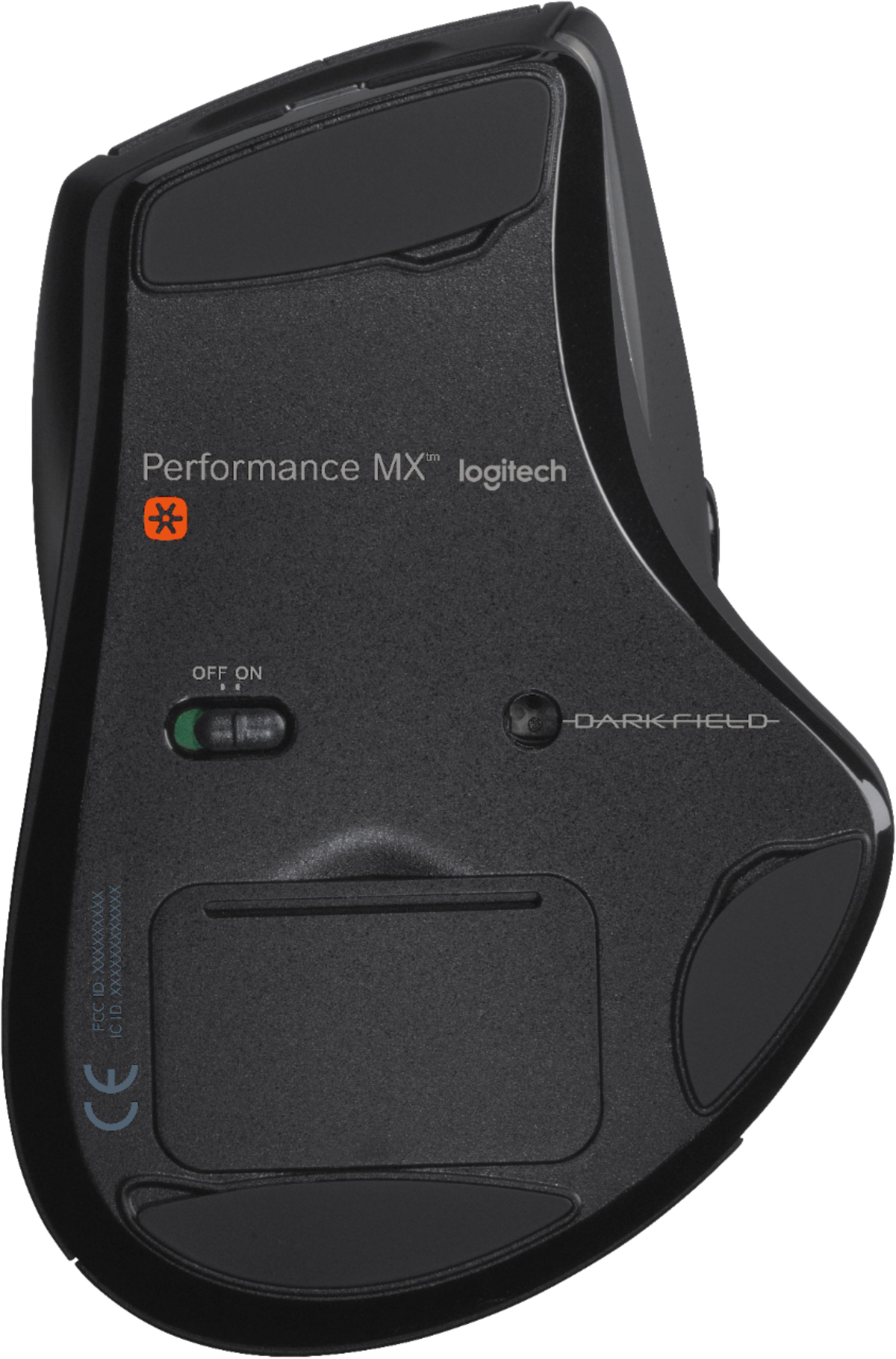
Posted .This reviewer received promo considerations or sweepstakes entry for writing a review.What I consider pluses for the Logitech Performance MX mouse. *Is rechargeable; Battery can be charged using an AC adapter (included) or USB cable (also included). If you find your mouse low on power it can be used while the USB cable is connected to USB port. *Fairly large; as a female with smaller hands I was concerned I may have a problem using it but after several days of use I have not encountered any difficulties. *Unifying; the “plug it in and forget about it” technology does make it easier to connect keyboards, mice, etc… however older devices may not be able to take advantage of this feature. *Back/Forward/Zoom; these are all present for those who have become accustom to their benefits. Personally I won’t buy a mouse unless it has back/forward buttons. *Thumb button; ranks as a very useful element. The default is application switcher but can be changed to suit your own needs. *Scrolling/Hyper; Located on the top of the mouse is a button used for typical scrolling or what Logitech refers to as Hyperfast scrolling. Pushing the button down enables you to view web pages, documents, etc… extremely fast. Nice feature however, programming the scroll wheel when pushed down activates auto scroll the only difference between the two; one you use your hand and the other you use your finger. And what I consider minuses; *The ads for this mouse show a glowing green light indicating your battery is charged. Unfortunately, these lights do not stay on. According to Logitech after a few seconds they go out to conserve battery power. Okay, I’m all for conserving power but now I must guess at the battery level. And yes there is a power on/off switch located on the bottom of the mouse but I can’t trust myself to remember to turn it off when I’m not using it. So to keep tabs on the power level I installed Logitech’s SetPoint software. At least this way when faced with the inevitable question; is it time for a charge I will know. *Zoom Button; is directly below the back/forward buttons. I have hit this button several times assuming it was the back button. Because I do not use the zoom button it will be necessary for me to learn how to adjust my thumb so this doesn’t continue to happen. *Cost Aside from the over inflated price tag and features I feel are overlapping, I do like the Logitech Performance MX mouse and hope it serves me as well as my last Logitech mouse did.
I would recommend this to a friend - Pros mentioned:Long battery life
Rated 5 out of 5 stars
Easy to Install and Easy to Use
Posted .This reviewer received promo considerations or sweepstakes entry for writing a review.I actually purchased this mouse to replace one that I had previously owned that was damaged in a mishap. I use this particular mouse for gaming primarily and the quick response time is a must. This mouse is easy to use, the way it is designed is fantastic. The way that it fits the hand is very comfortable not to mention it holds a charge for a good long time.
I would recommend this to a friend - Pros mentioned:Wireless
Rated 5 out of 5 stars
Fantastic mouse! Works great for gaming!
Posted .This reviewer received promo considerations or sweepstakes entry for writing a review.I bought two mice recently, the Razer Mamba and the Logitech Performance MX. I actually had no intention of buying the Logitech until I took the Razer mamba home and realized that it's large bulky charging dock also coupled as a transmitter! What is the point of developing a wireless mouse if the user is forced to attach a wired bulky charging station? For gaming the Mamba was clearly the better mouse, it was lighter, had higher DPI, more comfortable to use and it had <1ms lag time. The downside of course was it's bulky charger which made me go for the Logitech performance mx. The logitech mouse has 1500 dpi which for me is good enough and the design is fairly comfortable. The biggest problem I have with it is the weight and the small side buttons, they're difficult to reach at. It would be better if logitech got rid of the large thumb button and instead made the two side buttons bigger and added 2 DPI controls to the top of the mouse like their other mice. A slightly thinner profile would also be nice. The scroll wheel on the logitech is excellent, I like the fact that it offers a dual function between glide scrolling and click scrolling. As I mentioned, the micro transmitter is perfect for someone like me that uses a notebook and doesn't want to be tied down to a bulky charger like the Razer has. Until Razer offers a mamba with bluetooth or mini USB transmitter, I'd recommend the logitech performance mx to anyone that likes to use their notebook with a full sized mouse, especially for gaming.
I would recommend this to a friend - Pros mentioned:Hand fit, Long battery life
Rated 5 out of 5 stars
Love, love, love Logitech Mice
Posted .This reviewer received promo considerations or sweepstakes entry for writing a review.Being a tech lover, I've tried numerous mice including some of the higher end gaming mice such as the Razor's. No other mouse fits better in my hand with solid control and functionality as this logitech. It's my mouse of choice. I also have the older version of this mouse in the same price point and like it as well, however this current model has much improved ergonomics and functionality as well as battery life.
I would recommend this to a friend - Pros mentioned:Long battery life, Wireless
Rated 5 out of 5 stars
Go all out or stay Home
Posted .This reviewer received promo considerations or sweepstakes entry for writing a review.I have owned and used many types of pointing devices and can honestly say I wish I had found this one first. No stupid wires to plug-in, I use this with my laptop, on the go. I do everything on the laptop as it is my desk top replacement. I edit Photographs, do web edits and other normal internet stuff. The Mouse works on any surface it comes incontact with. I charge it every few days, it has never let me down. It cost more than I wanted to pay but as is true with most things. You get what you pay for.
I would recommend this to a friend - Pros mentioned:Ergonomic, Rechargeable
Rated 5 out of 5 stars
Spectacular Performance on Glass, great scroll whe
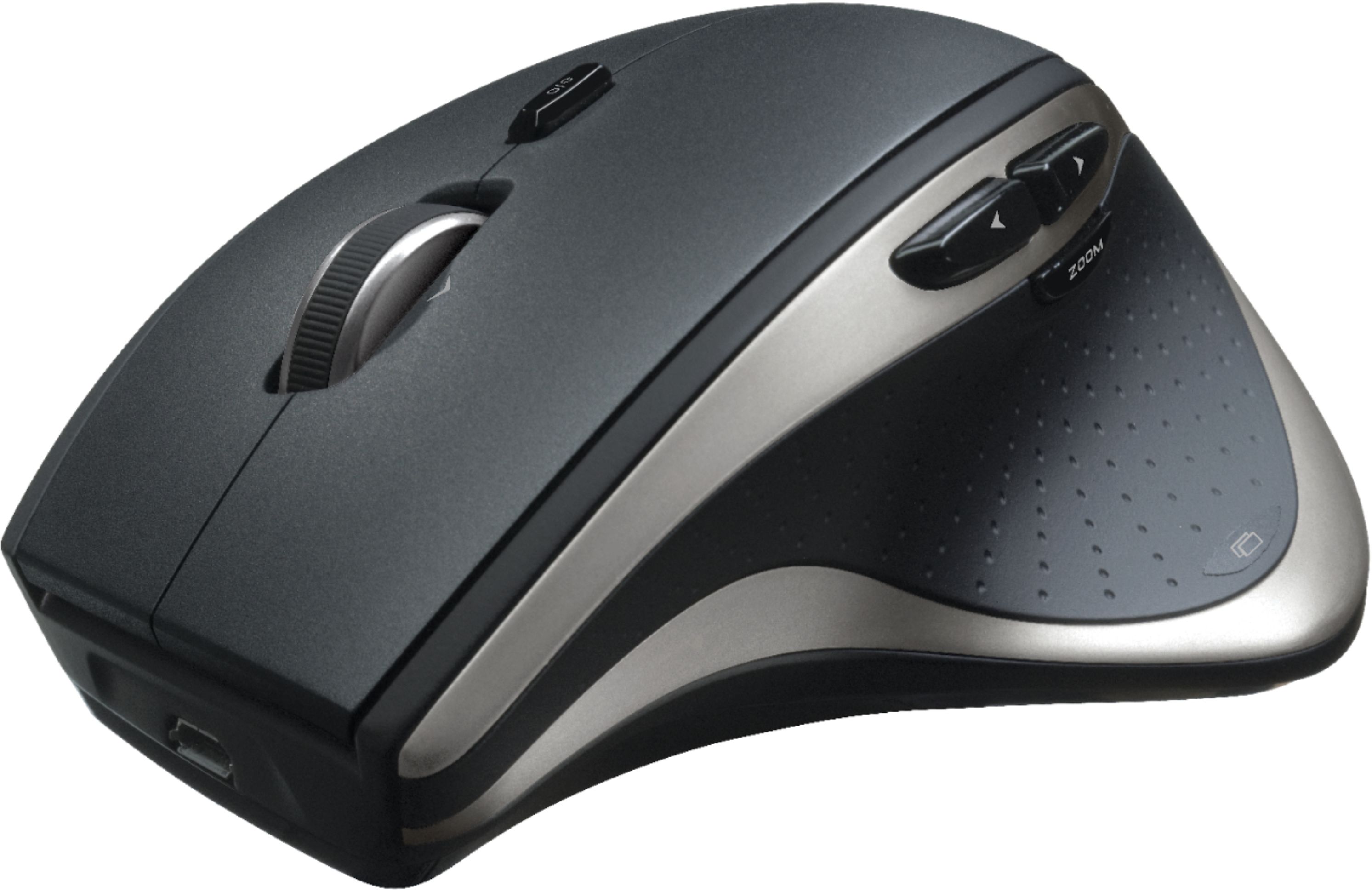
Posted .This reviewer received promo considerations or sweepstakes entry for writing a review.Great product. I was surprised by how well it works on glass, I'm never using a mousepad again. USB port is the front, so if battery gets low, you can recharge it while still using it. Includes very large glide pads, so they won't wear out (I've had that happen before and it makes the mouse useless). Buy THIS mouse, not the Logitech Revolution. I really liked the look of the Revolution's side scroll wheel, but it doesn't work on glass.
I would recommend this to a friend