Skip to contentGo to Product SearchGo to Footer
Main Content

Customer Ratings & Reviews

Your price for this item is $29.99

Customer reviews

Rating 4.7 out of 5 stars with 656 reviews

Rating Filter

Rating by feature

  • Value

    Rating 4.7 out of 5 stars

  • Quality

    Rating 4.7 out of 5 stars

  • Ease of Use

    Rating 4.8 out of 5 stars

Pros mentioned filter

Cons mentioned filter

95%would recommend to a friend

Customers are saying

Customers highly value the ease of use, comfortable size, and Bluetooth connectivity of the POP Mouse. Many appreciate its attractive color options, quiet clicks, and long battery life. Positive feedback also highlights its lightweight design and responsive performance. However, some customers find the price to be a drawback.

This summary was generated by AI based on customer reviews.

The vast majority of our reviews come from verified purchases. Reviews from customers may include My Best Buy members, employees, and Tech Insider Network members (as tagged). Select reviewers may receive discounted products, promotional considerations or entries into drawings for honest, helpful reviews.
Page 32 Showing 621-640 of 656 reviews
  • Rated 2 out of 5 stars

    Mouse

    |
    |
    Posted . Owned for 1 month when reviewed.
    This reviewer received promo considerations or sweepstakes entry for writing a review.

    Really dont need with labtop. Hard to connect to apple product

    No, I would not recommend this to a friend
    • Brand response from Logitech
      Posted .

      That sounds like an issue. In order to assist you effectively, please provide your information to our support team by emailing socialcare@logitech.com. Name – Email address – Country – Product name – Brief description of the issue –

  • Rated 1 out of 5 stars

    DIDN'T WORK FOR ME

    |
    |
    Posted . Owned for 3 weeks when reviewed.
    This reviewer received promo considerations or sweepstakes entry for writing a review.

    I exchanged an identical mouse after 2 weeks. It was having issues staying connected w/Bluetooth to new Acer laptop. Have already exchanged the 2nd one for Logitech mouse that doesn't used Bluetooth. I'm happy now.

    No, I would not recommend this to a friend
    • Brand response from Logitech
      Posted .

      Thanks for your valuable feedback and inputs. We regret to know that the product did not meet your expectations. We'll make sure to share it with the right team so they can look into it.

  • Rated 1 out of 5 stars

    Great until it quit working

    |
    |
    Posted . Owned for 1 month when reviewed.
    This reviewer received promo considerations or sweepstakes entry for writing a review.

    It worked fine for about 15 days, then it quit working for a while. After about 29 days it quit working altogether. It is no longer discoverable by Bluetooth. Also, I don't like the fact that there is no printed guide for pairing or other features.

    No, I would not recommend this to a friend
    • Brand response from Logitech
      Posted .

      That's unexpected! In order to help you effectively, please provide your information to our support team by emailing socialcare@logitech.com. Name – Email address – Country – Product name – Brief description of the issue –

  • Rated 1 out of 5 stars

    Seems to Have Lost its Blue Teeth!

    |
    |
    Posted . Owned for 1 month when reviewed.
    This reviewer received promo considerations or sweepstakes entry for writing a review.

    Purchased several weeks ago. Stopped working this morning. No amount of Bluetooth pairing, connecting, reconnecting, rebooting, reinstalling can solve it. Keep getting message to try reconnecting. Now outside return period. Will go to Logitech website for support on manufacturer 1 year warranty.

    No, I would not recommend this to a friend
    • Brand response from Logitech
      Posted .

      That's unfortunate and we apologize for the inconvenience. Please get in touch with Logi Support and our team will take it up from there.

  • Best Buy Employee

    Rated 1 out of 5 stars

    Buy something else

    |
    Best Buy Employee
    Posted . Owned for 1 week when reviewed.
    This reviewer received promo considerations or sweepstakes entry for writing a review.

    This mouse is absolute trash don't buy it. Literally buy anything else

    No, I would not recommend this to a friend
    • Brand response from Logitech
      Posted .

      I'm sorry to hear that you're having trouble with your device. I understand your frustration, and I want to do everything I can to help you. Please provide your information to our support team by emailing socialcare@logitech.com. Name – Email address – Country – Product name – Brief description of the issue –

  • Pros mentioned:
    Bluetooth
    Tech Insider Network Member

    Rated 5 out of 5 stars

    Precise and Works with Multiple Operating Systems

    |
    Tech Insider Network Member
    Posted .
    This reviewer received promo considerations or sweepstakes entry for writing a review.

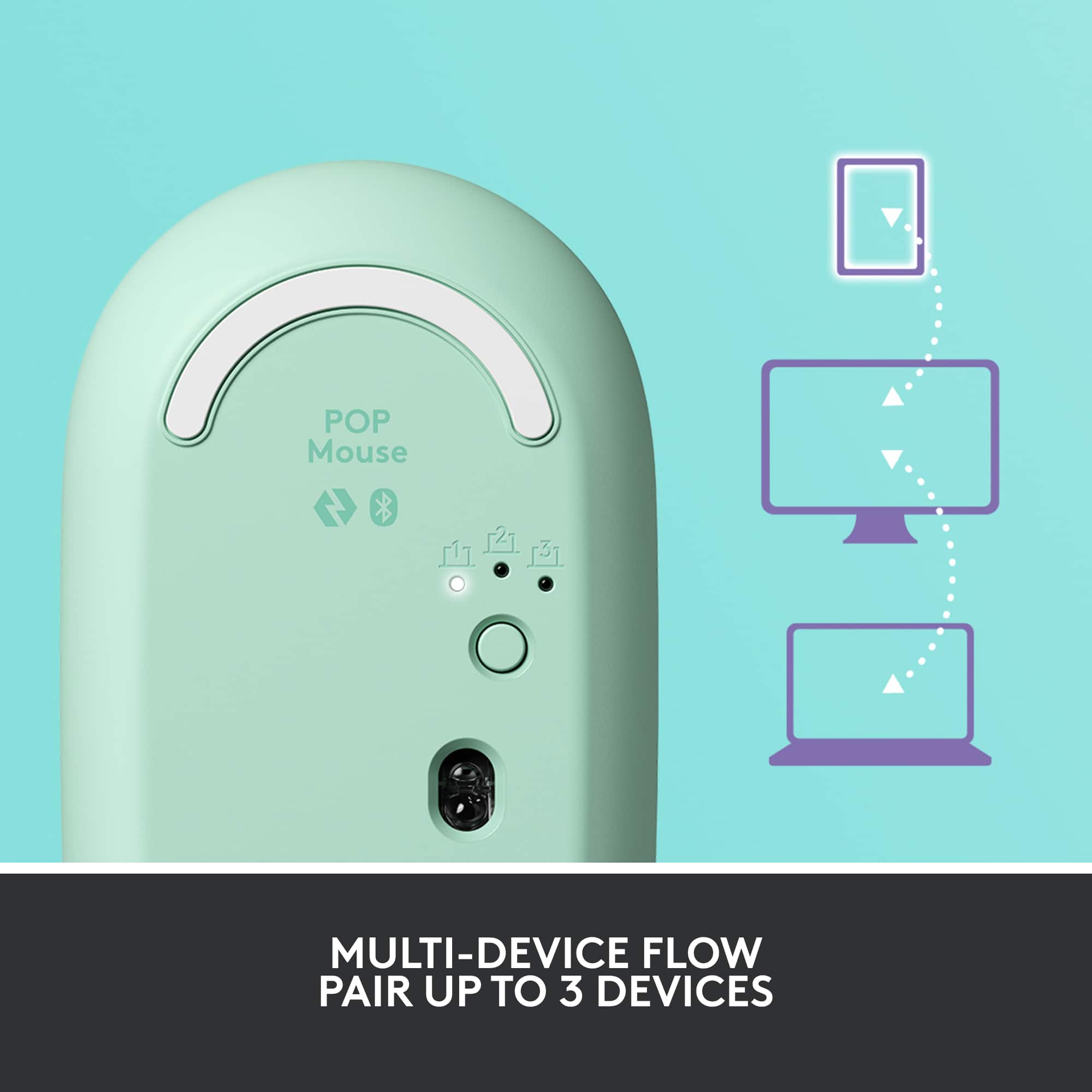
    The Logitech POP Silent Scroll Mouse with Customizable Emojis is a high quality, precision mouse that works with multiple operating systems and uses Emojis to enhance communications in modern social environments. The mouse is also able to be paired to up to 3 devices at a time through either Bluetooth or LogiBolt wireless making it useful in a multi device environment. I used the mouse with the Logitech POP keyboard. The combination works well and creates a very useful and versatile arrangement especially with its included apps. If you are looking for a unique looking mouse that is high quality and allows you to communicate better in todays world, I recommend the Logitech POP mouse.

    I would recommend this to a friend
    • Brand response from Logitech
      Posted .

      Hello TheHodster, Very glad to hear how much you're liking the POP Silent Scroll Mouse. For some added value and benefit, I highly suggest using Logitech's Options software which lets you customize your devices' settings. Here's a link to the download:  https://support.logi.com/hc/en-us/articles/4404835600023-Download-POP-Mouse. Hope that you found this helpful and that all continues to go well. Thank you for being a Logitech customer. - Richard from Lgoitech

  • Pros mentioned:
    Color
    Tech Insider Network Member

    Rated 5 out of 5 stars

    Fun and adorable mouse

    |
    Tech Insider Network Member
    Posted .
    This reviewer received promo considerations or sweepstakes entry for writing a review.

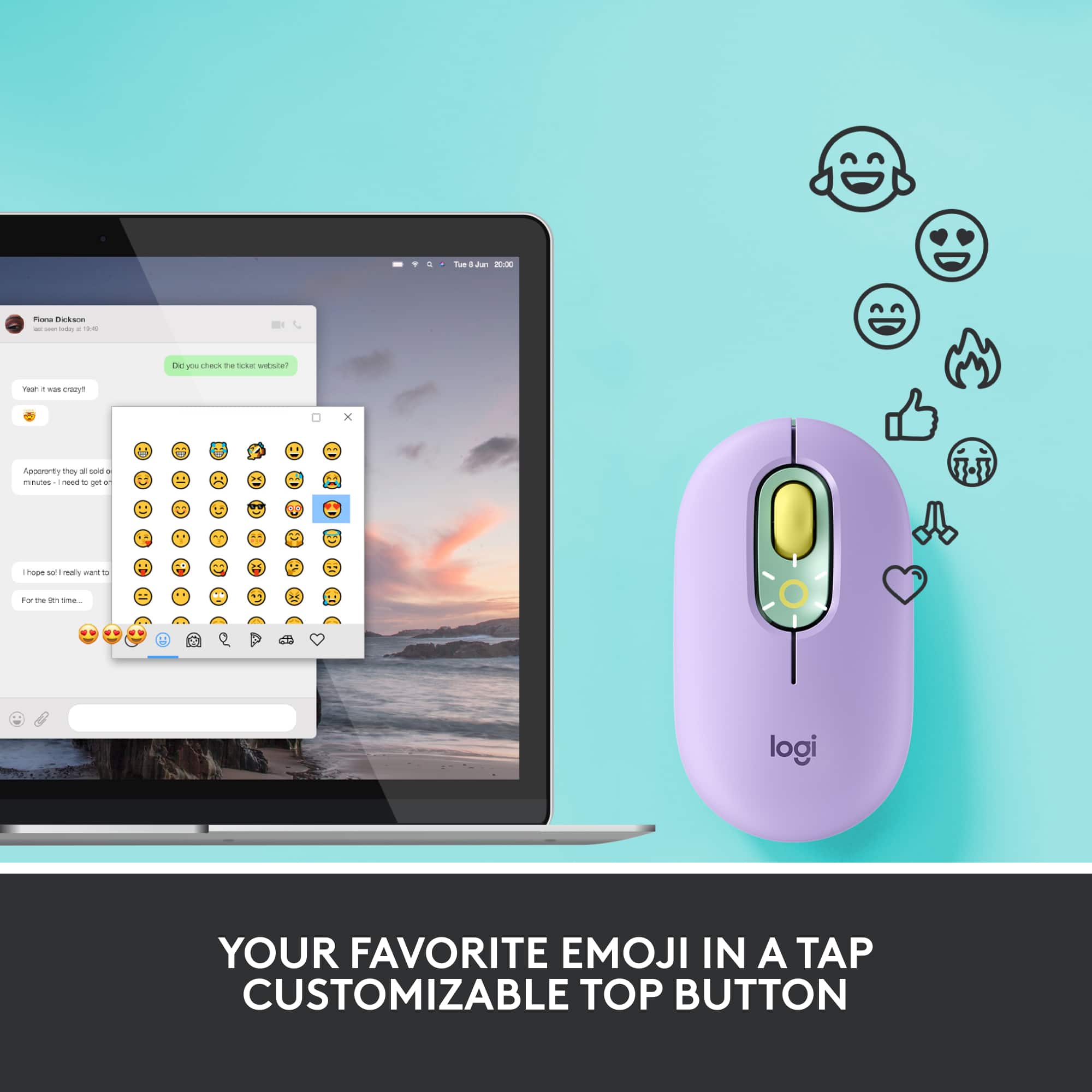
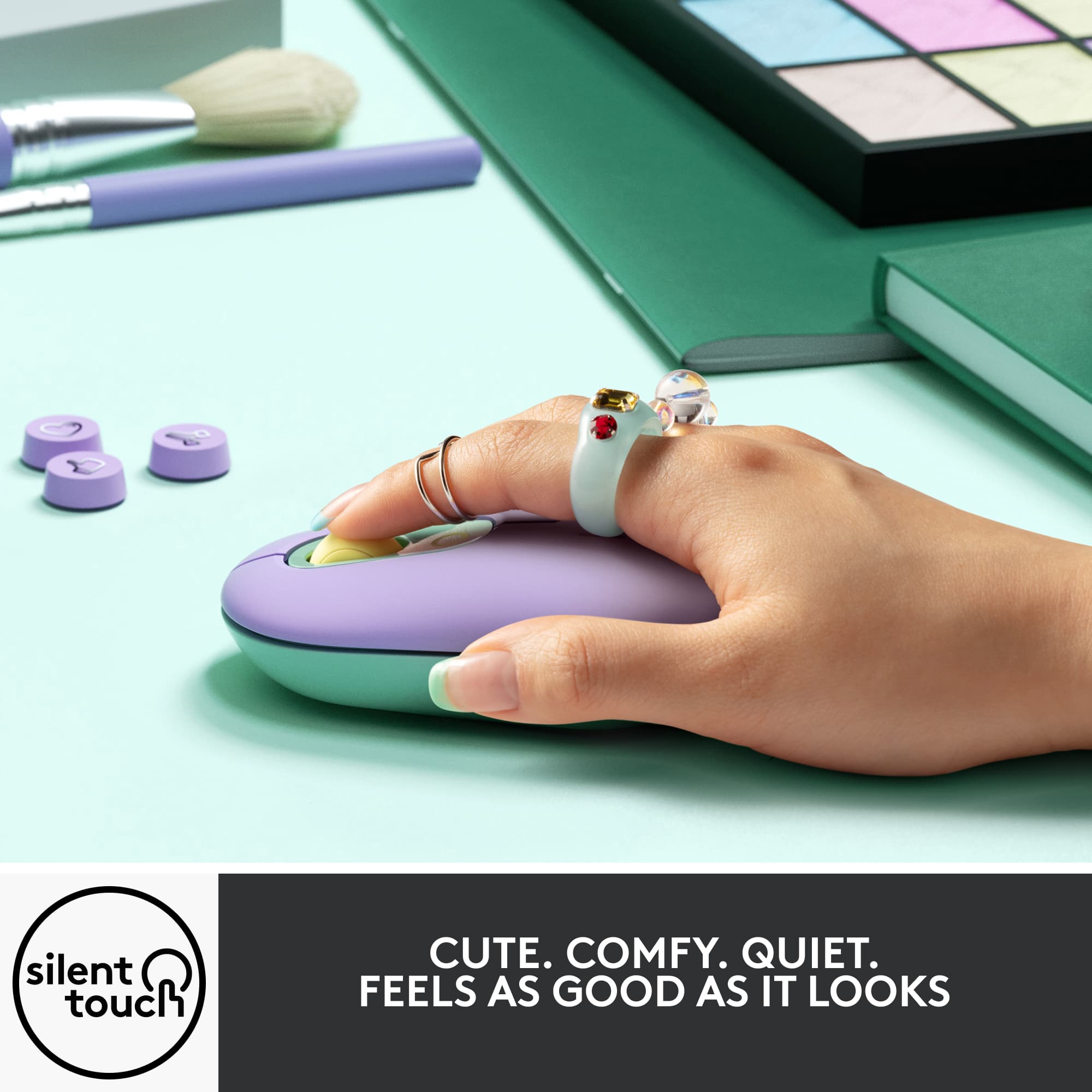
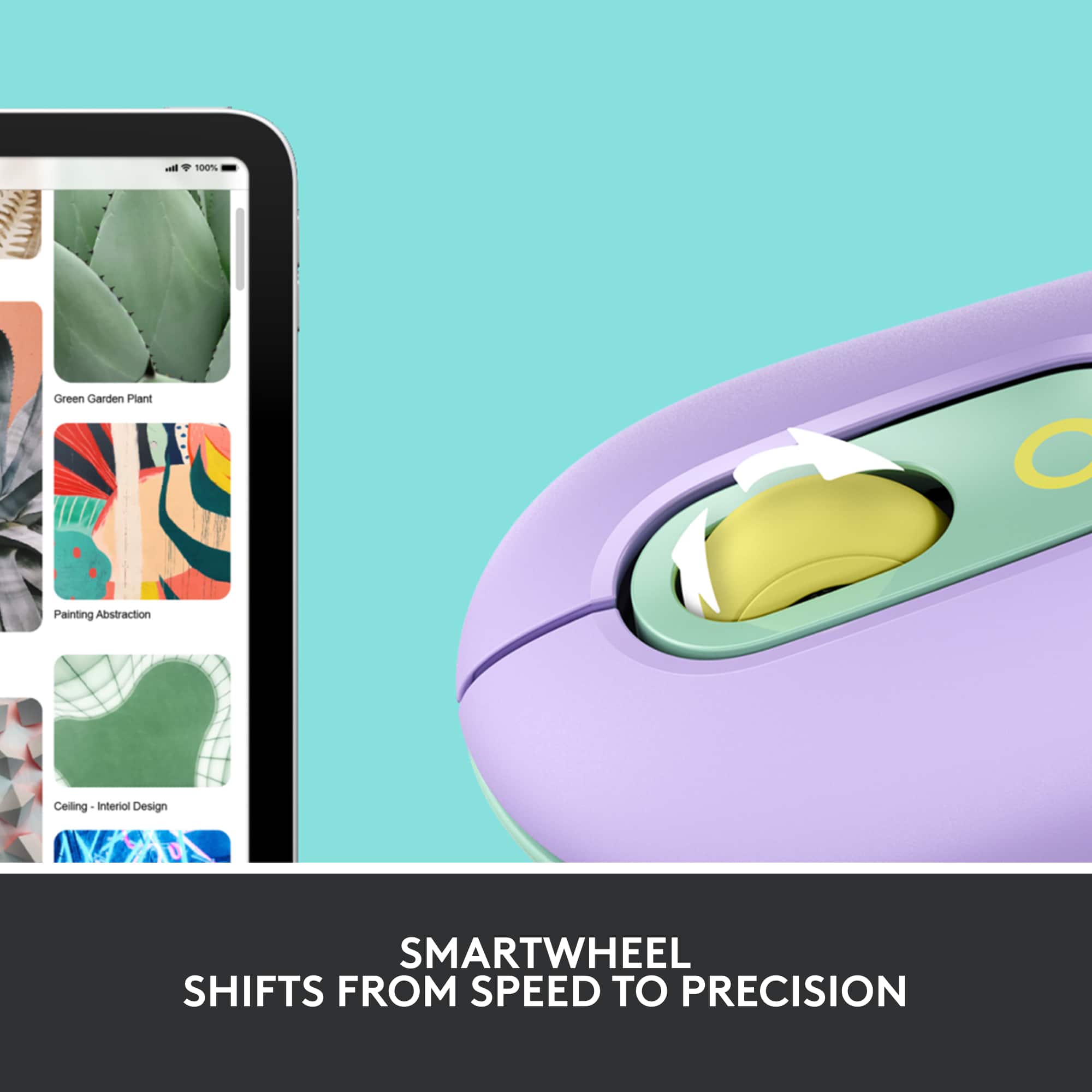
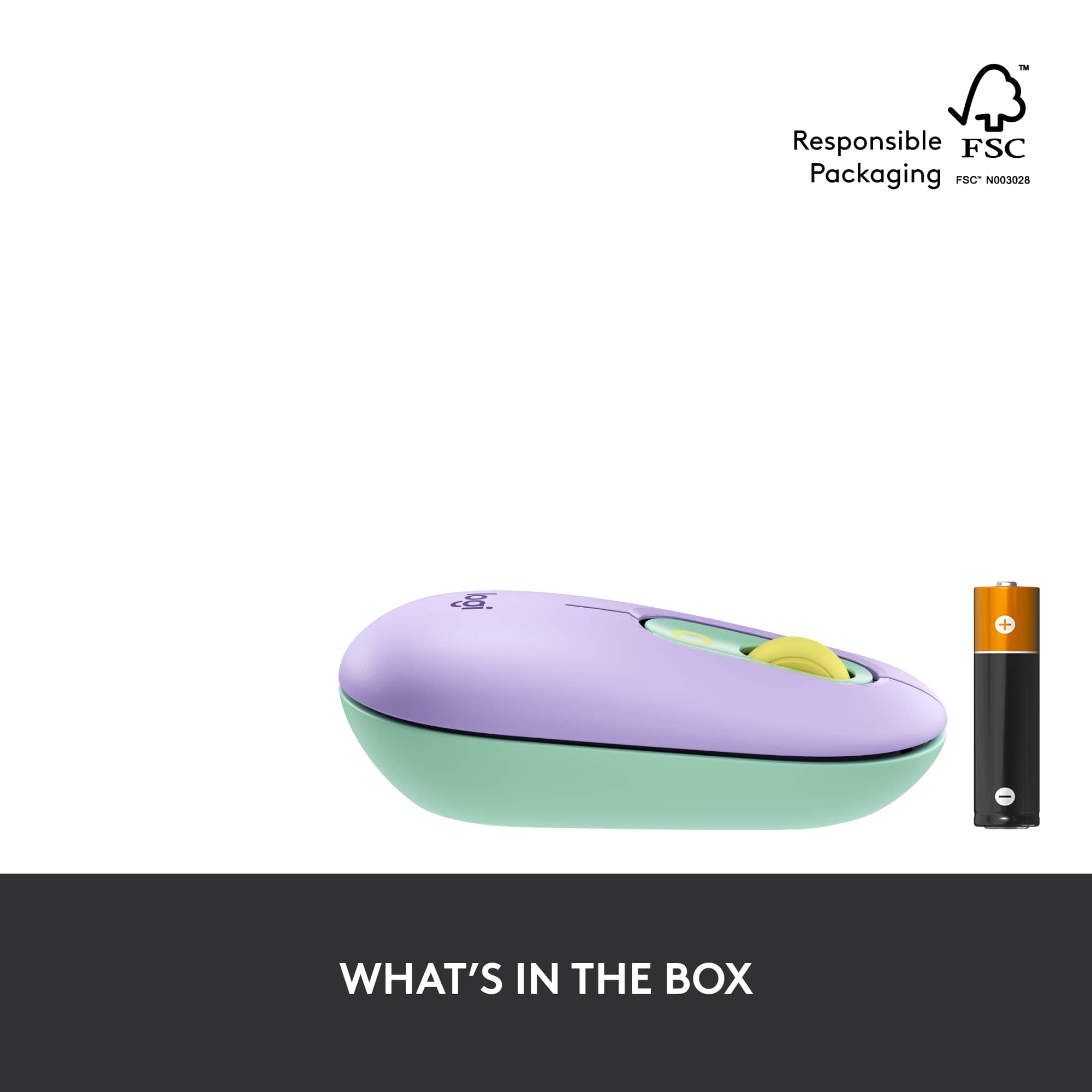
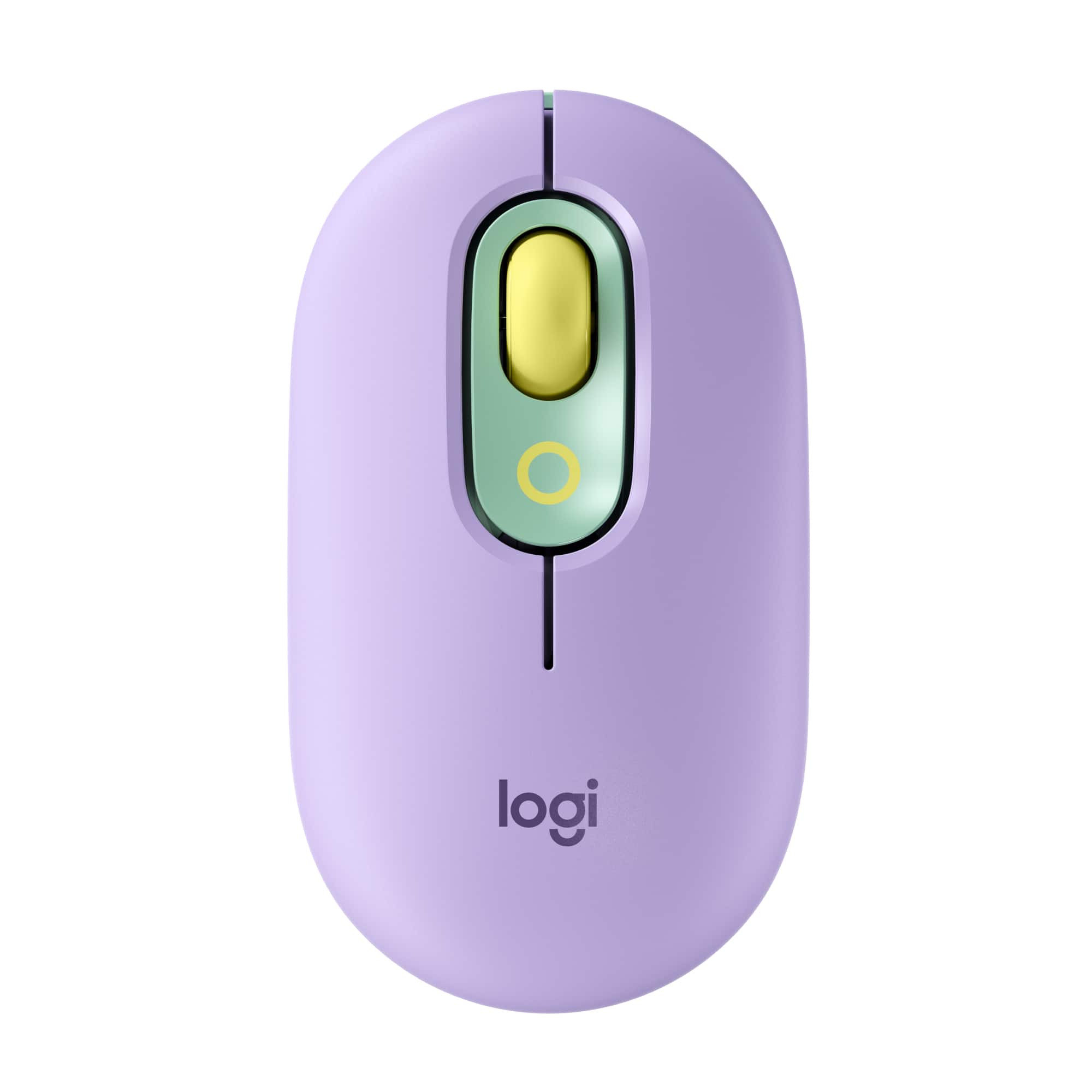
    The Logitech - POP Mouse Bluetooth Silent Scroll Mouse with Customizable Emojis is incredibly fun to use. This is a comfortable in your hand, practically silent mouse with easily clicked right and left buttons. The scroll wheel is rubberized and is silent as well, and you can click a line at a time, or press down to make it scroll though a page or document in a flash. It worked on every surface I tried, including my pant leg under my laptop! This runs on 1AA battery placed under the magnetic mouse cover and connected very easily via Bluetooth. I guess they call this a POP mouse because the color pops - mine is daydream purple/mint - it is so cute! It comes in other colors as well, but this was my favorite. They have a keyboard that matches!! One of the most fun things about this mouse is that I can bring up an emoji menu with just the click of a button. I can insert whichever emoji I want from that onscreen menu. This mouse is fun and so very cute, oh and it works great! I would recommend this to anyone who wants to smile while they mouse!

    I would recommend this to a friend
  • Pros mentioned:
    Bluetooth, Size
    Tech Insider Network Member

    Rated 5 out of 5 stars

    Form and Function

    |
    Tech Insider Network Member
    Posted .
    This reviewer received promo considerations or sweepstakes entry for writing a review.

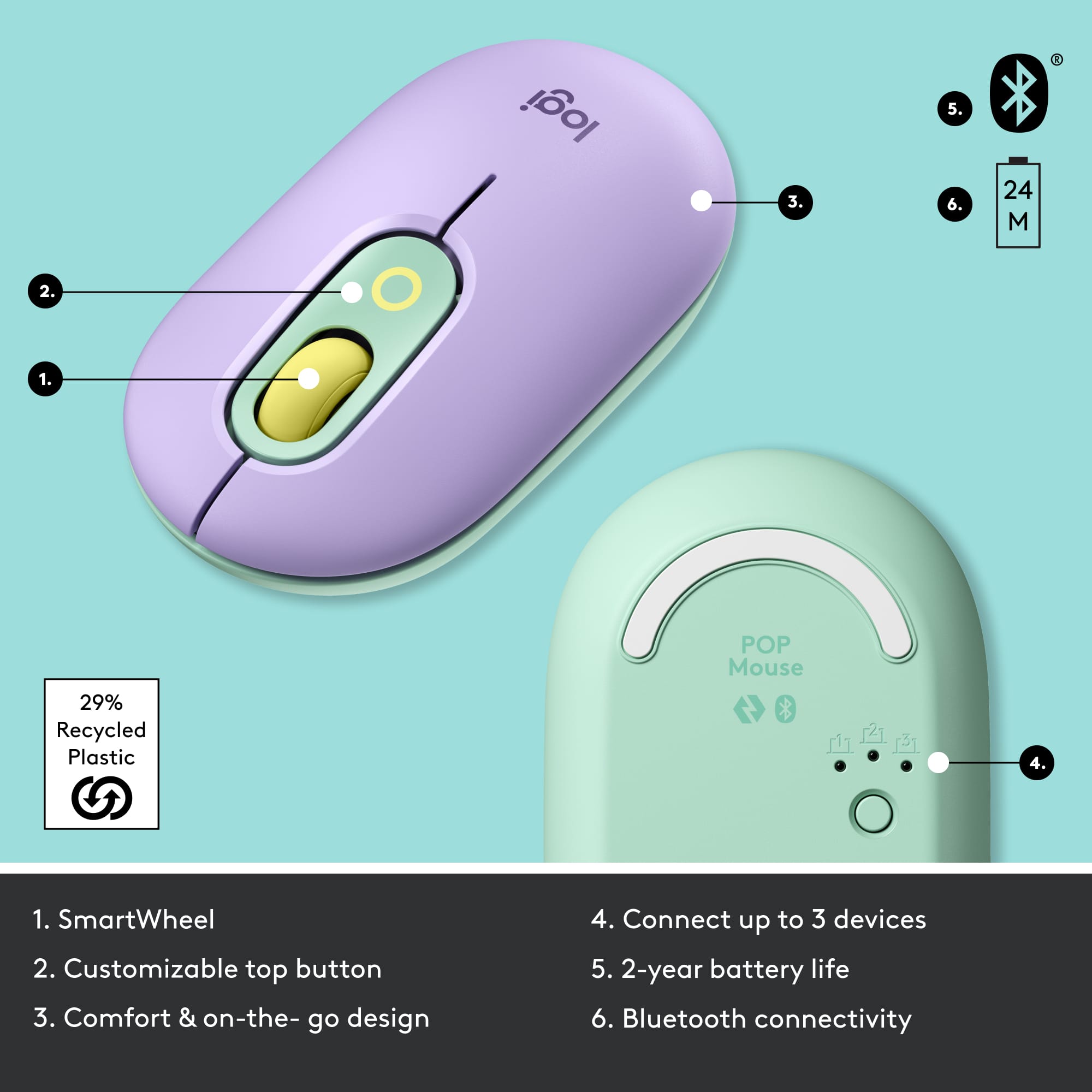
    The Pop mouse pairs with the Pop Key keyboard to add a visually striking look to your electronic devices. They come in three color combinations, I'm testing the mint and yellow version. The Pop mouse enables you to connect to your device using either Bluetooth or the USB receiver, which comes with the keyboard. A USB receiver is not included with the mouse. The mouse uses the "easy switch" system, which includes a small rotary switch enabling you to select one of three connected Bluetooth devices. The mouse is very comfortable to use, slightly larger than some of the recent Logitech mice. I prefer the Pop mouse and it's larger size. The mouse includes the usual scroll wheel, as well as an accent colored surround which includes the button for the emoji menu. Please note, the emoji button works only with Windows or macOS devices and not android devices such as the Chromebook that I'm typing this on.

    I would recommend this to a friend
  • Rated 1 out of 5 stars

    Junk

    |
    |
    Posted .
    This reviewer received promo considerations or sweepstakes entry for writing a review.

    Will not buy anything from this store again. Junk Stufg

    No, I would not recommend this to a friend
    • Brand response from Logitech
      Posted .

      Hello, Very sorry to hear about your disappointment with the POP Mouse. Since you weren't specific about the problem(s) that you're having with it, here's a link to the product support page where you'll find troubleshooting FAQs, Getting Started PDF guide, software downloads, warranty information, live technical chat support, and more:  https://support.logi.com/hc/en-au/articles/4404829098391-Getting-Started-POP-Mouse. Hope that you found this useful and that all is going better. Thank you for choosing Logitech. - Richard from Logitech

  • Tech Insider Network Member

    Rated 5 out of 5 stars

    It's fun and works well

    |
    Tech Insider Network Member
    Posted .
    This reviewer received promo considerations or sweepstakes entry for writing a review.

    I picked this up for my 17 year old daughter. She really likes it, but I wanted to use it myself before posting a review. I hooked it up to my home office and have been using it for work. Here's my 2 cents. The Logitech Pop Mouse is simple, comfortable and responsive. Plus it's just fun to have a peripheral that isn't black or white with LED's. Setup was super simple. As soon as I turned it on, it immediately went into BT pairing mode and a box popped up on my laptop asking me if I wanted to connect the mouse. Click connect and boom...it's up and running. The connections is stable and the mouse is responsive. No problems at all. The clicks are smooth and quiet, so if you are a mouse button smasher like me, it doesn't make a bunch of noise. I downloaded the Logi Options app and was quickly able to enter the configuration options for the mouse. You can pretty much do anything you want. The scroll wheel can be customized to do just about anything from a simple options list in the app. You can also set the emoji button up for quick access to a specific emoji, list of emojis, or some other function such as mute mic. It's pretty cool. I like the feel of the material. it is plastic of course, but has a matte finish that feels soft and smooth against my hand. It is a little on the small side for my bigger hands, but it would be perfect for smaller hands and will travel well. It does not have side buttons or anything super fancy. It isn't a high end gaming mouse, but for everyday productivity, social media, and surfing, and it's everything you need. It does not have LED lights, so don't expect to put on a dance party with your new mouse. That said, the multi color design of the mouse it fun and appealing. It can connect to three devices, so it's pretty easy to use it on multiple devices/platforms as long as they support BT. The battery life is supposed to be 2 years due to it's power saving features. We'll see on that one. Regardless, changing will be a snap. The whole top of the mouse easily pulls off to expose the battery for changing. The top is magnetic, so you don't have to worry about breaking any small clips or tabs. So there you have it. A fun mouse with basic button but some interesting customization and emoji options. I like it, and would definitely recommend it. Especially for people who don't need fancy button or LED's, but want something that stands out from the crown.

    I would recommend this to a friend
    • Brand response from Logitech
      Posted .

      Hello Waggly, So glad to hear how much you love the POP Mouse with this glowing and comprehensive 5-star review---your feedback is greatly appreciated. If you should come across any issues, here's a link to the product support page that will have troubleshooting FAQs, live technical chat support, warranty information, and more:  https://support.logi.com/hc/en-us/articles/4404829098391-Getting-Started-POP-Mouse. Hope that you found this helpful and that all is going well. Thank you for choosing Logitech. - Richard from Logitech

  • Pros mentioned:
    Ease of use
    Tech Insider Network Member

    Rated 4 out of 5 stars

    Nice mouse, but small

    |
    Tech Insider Network Member
    Posted .
    This reviewer received promo considerations or sweepstakes entry for writing a review.

    Fun colors. The size is slightly smaller and also lower in height. You barely have to click for the mouse to engage. The Smart Wheel works well and scrolls nicely. There is a button on top (none on the sides) that defaults to an emoji menu but can be programmed for a specific emoji or another function. More functionality would have been preferred here. Battery life is a projected 2 - 3 years. The best feature is that the mouse works well on any surface. Slippery or not it still offers full control. You can enable Flow software to move files, text or photos between connected devices. It does work well. More info can be found on the Logitech website. The mouse is cute and very portable for taking with you. I prefer more functionality and a larger size that fits better in my hand. This would be a perfect size for a child. NOTE: I received this product in exchange for my fair and unbiased review.

    I would recommend this to a friend
  • Pros mentioned:
    Ease of use

    Rated 5 out of 5 stars

    It's nice looking and does the job.

    Posted .
    This reviewer received promo considerations or sweepstakes entry for writing a review.

    Good mouse on the small side. Easy fit in a travel bag pocket. Maybe inconvenient to long fingers. Requires a battery but that battery lasts a good long while. There are cheaper brands but logitech is fairly priced has always worked out well for me.

    I would recommend this to a friend
    • Brand response from Logitech
      Posted .

      Hey! Thanks for the feedback on the POP Mouse! We're glad to hear you find it a good fit for travel and appreciate you mentioning its portability.

  • Tech Insider Network Member

    Rated 5 out of 5 stars

    Small but responsive

    |
    Tech Insider Network Member
    Posted .
    This reviewer received promo considerations or sweepstakes entry for writing a review.

    This POP mouse surprised me. At first, I thought it was too small, but after using it, it is very comfortable and I like many of the features. It's colorful and fun-looking, and the SmartWheel is very responsive. It has a quiet "click" noise which I really like. The battery will supposedly last for two years, which is great, although since there is no way to charge the mouse, it will be interesting to see how much the batteries are when it's time to replace them. Overall, a great mouse.

    I would recommend this to a friend
  • Pros mentioned:
    Color
    Tech Insider Network Member

    Rated 5 out of 5 stars

    Great Bluetooth Pop Mouse

    |
    Tech Insider Network Member
    Posted .
    This reviewer received promo considerations or sweepstakes entry for writing a review.

    The Logitech Pop Mouse Bluetooth Mouse is the perfect companion for the Logitech Pop Wireless Keyboad. I love the daydream, purple mint color combination between keyboard and mouse. Quick bluetooth connection allows the mouse to do its magic with emojis and messages. The Logitech Pop Mouse Smart wheel rivals none with in its smooth, quiet performance. With a battery that last up to 24 months what can be better.

    I would recommend this to a friend
  • Pros mentioned:
    Bluetooth
    Tech Insider Network Member

    Rated 5 out of 5 stars

    Good mouse

    |
    Tech Insider Network Member
    Posted .
    This reviewer received promo considerations or sweepstakes entry for writing a review.

    I received this pop mouse from logitech to test recently. It connected up very easily to my computer via Bluetooth, and matches the pop keyboard I received. It is very similar to my other logitech Bluetooth mouse that I have, except it does have an extra button around the dial that can program to fast movie emoji's. The feel is light and responsive, smaller by a little than my other mouse, but still comfortable. Supposedly this is more quiet than the other mice, it is, but does bit give up any button feel. There is no lag in input that I habe had using it. It is about 10 dollars more than the charcoal one I have, but the color and emoji function do add to it, and if the quirky color and look, and to match the keyboard you may have, expected and not unreasonable. I do recommend this mouse (and keyboard).

    I would recommend this to a friend
  • Rated 5 out of 5 stars

    smooth button clicks and speedy scrolling

    Posted .
    This reviewer received promo considerations or sweepstakes entry for writing a review.

    Logitech POP Mouse offers smooth button clicks and speedy scrolling, making it a solid choice for daily use. However, it feels a bit small for those with larger hands, so comfort might be an issue if you’re looking for something more ergonomic.

    I would recommend this to a friend
    • Brand response from Logitech
      Posted .

      It’s fantastic to hear that you’re satisfied with your Logitech product. We strive to deliver quality and reliability, and your feedback reassures us that we’re on the right path. Thanks for your continued support—we’re lucky to have you with us. Logitech

  • Tech Insider Network Member

    Rated 4 out of 5 stars

    Cute little mouse -good with coordinating keyboard

    |
    Tech Insider Network Member
    Posted .
    This reviewer received promo considerations or sweepstakes entry for writing a review.

    I will note that I received the mouse with the keyboard so the review contains information about both. The Logitech Pop Keys Mechanical Wireless Keyboard and mouse is a very pretty and yet, intelligent keyboard for your PC system (whether you are a Mac or Windows user). The keyboards' soft pastels of lavender, butter, mint, and white fit in perfectly with my wife's overall "pretty" theme (most of her equipment is pastel pink with glowing LED lighting). The most noticeable difference is the lack of a Numpad on the right side which is usually found in traditional keyboards. This is not a problem for my wife as she does not use that side of the keyboard with much frequency (although if you work with numbers regularly, you will miss the convenience of this numpad). This smaller, wireless size is a good option if you are limited on desk space and/or want to move this around with your other electronics (I'll get into that later). Despite the rounded shape of the keys, the majority of them were the same size in measurements as her popular brand traditional mechanical keyboard. Even though the overall size of this keyboard is 1/4 smaller than her old keyboard, the shape of the keys make it appear "roomier" between keys. Thankfully, she could not tell a difference when typing. Another major difference besides the smaller, round shape of this keyboard is the sound of the mechanical keys striking. The mechanical clack that draws people to these types of keyboards is less sharp in this Logitech. Like its soft pastel hues, the clack is a softer (albeit pleasing) sound. Now to the fun stuff. First, the setup. Connecting the keyboard was easy enough, it came with the USB adapter and it was immediately discovered and worked without issue on the PC. It can be connected via bluetooth as well and works that was done just as easily. Connecting the mouse was another issue, if connecting it to the existing Logitech adapter from the keyboard, it required you to jump through some hoops that were not very straightforward in the logitech app (required download if you connect in this method). It was also capable of being connected via bluetooth to avoid this, however when connecting to the PC the lower latency option is the adapter. This keyboard is very useful if you need to work with your PC, tablet, and your phone at the same time. You can switch between three types of electronics with the push of a button and type away. We found the emoji buttons quite useful when typing in popular applications with the keyboard. It comes with 8 keys (but you can only have 4 latched onto the board at a time) and 1 key to bring up more emoji and symbol options. The emoji button brings up 2 different types of emojis (standard faces, thumbs-up etc., drawn out "kaomoji" like ^_^) and your other symbols ($ = ã ¼). Being able to use this keyboard to communicate on her phone is a major draw! It made for very fast communicating and made it easier to type up longer, more thorough replies that are often nixed when texting on a cellphone's tiny keyboard. This is great if you're replying to emails or messages on your phone while using your PC for other tasks or hate using your tablet's flat glass keyboard. The coordinating mouse may be a problem if you have big hands. At just shy of five feet tall, this mouse was still on the smaller side for my wife's tiny hands. It's the size you expect for a laptop or tablet mouse. You press a flat button underneath the mouse to switch between your three linked electronics, making this like the keyboard, easy to use and move around. It had no problems tracking and has an inaudible click and mousewheel when using it to tap things around on your screen. There are no side buttons, however, there is a button below the mousewheel that brings up the emoji and symbol board. There was only one downside to this keyboard and mouse. Keep batteries with you. The battery life is very long, but they are not rechargeable. These two are truly wireless. There are NO ports on either of these. Zero. You can not connect anything to these physically. You are dependent on bluetooth connectivity to use these. Overall, this is a nice and unique keyboard and mouse. It's aesthetically pleasing, fun to use, and most of all, easy to work on multiple devices without fuss.

    I would recommend this to a friend
  • Pros mentioned:
    Ease of use
    Tech Insider Network Member

    Rated 5 out of 5 stars

    Nice Basic Mouse

    |
    Tech Insider Network Member
    Posted .
    This reviewer received promo considerations or sweepstakes entry for writing a review.

    It's a pretty basic mouse with a cute make-up job. It perfectly matches my Pop Keyboard. Point and click is reliable and the scrolling is smooth with no lag. It was easy to pair with my laptop. The programmable center button can be used to insert emojis, play or pause videos, enter a keystroke, and much more by customizing the button in the Logitech Options app, which is much easier to use than other keyboard/mouse software apps that I've used.

    I would recommend this to a friend
  • Rated 5 out of 5 stars

    Fantastic mouse!

    Posted .
    This reviewer received promo considerations or sweepstakes entry for writing a review.

    Love the mouse! It feels very comfortable in hand and has a very soft and pleasant sounding click. I got one for each member of my family and coworkers last year as a Christmas gift. It connects to three different devices, which surprisingly comes very handy.

    I would recommend this to a friend
  • Pros mentioned:
    Bluetooth
    Tech Insider Network Member

    Rated 4 out of 5 stars

    Fun Mouse

    |
    Tech Insider Network Member
    Posted .
    This reviewer received promo considerations or sweepstakes entry for writing a review.

    Green, purple and yellowish wheel... this mouse is colorful but feels good. Smooth and stylish all at once. I really like the rubbery feel. Its also extremely smooth and quiet. I have this mated with the matching POP keyboard and really liking it. The mouse has features such as allowing up to 3 devices paired at once, and emoji button menus. I had some difficult at 1st pairing the mouse, but figured it out and its now connected via Bluetooth which helps free up a USb port.

    I would recommend this to a friend