Customer Ratings & Reviews
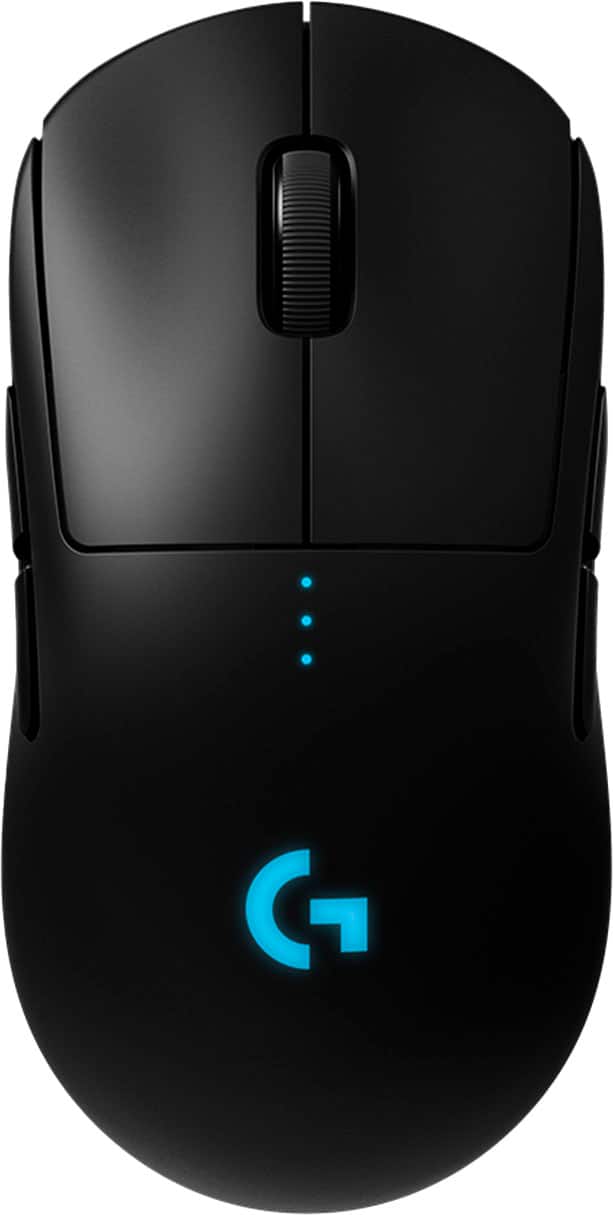

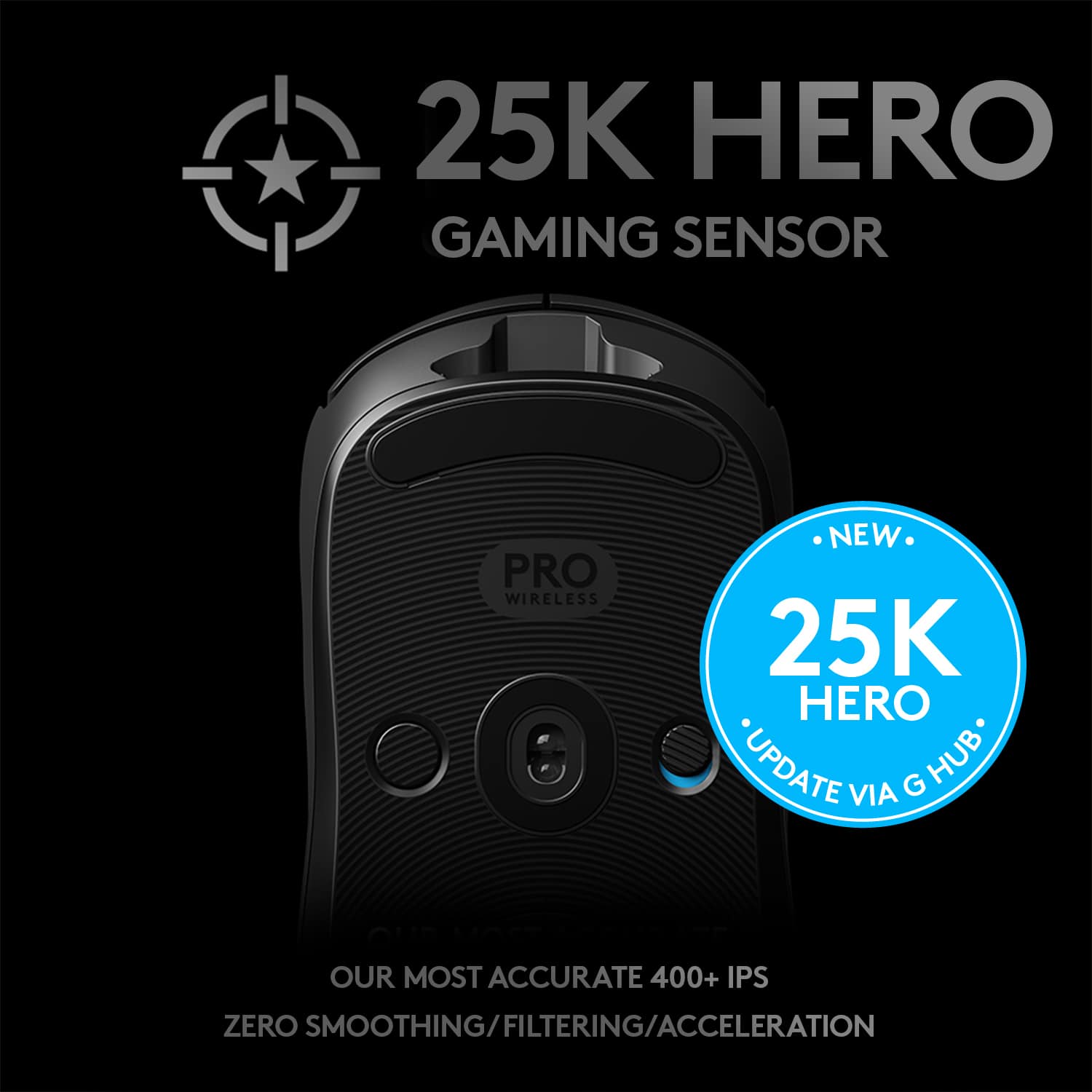
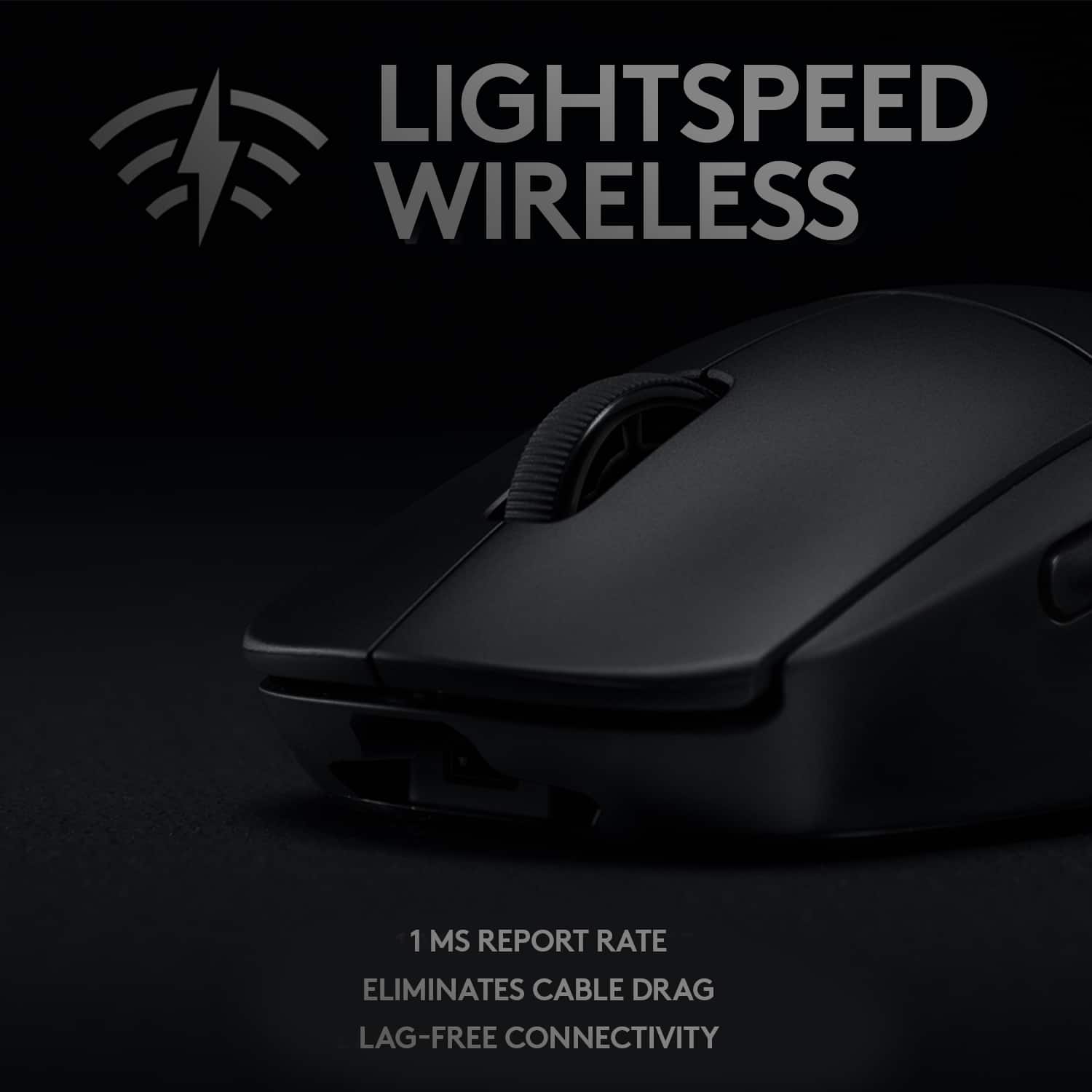
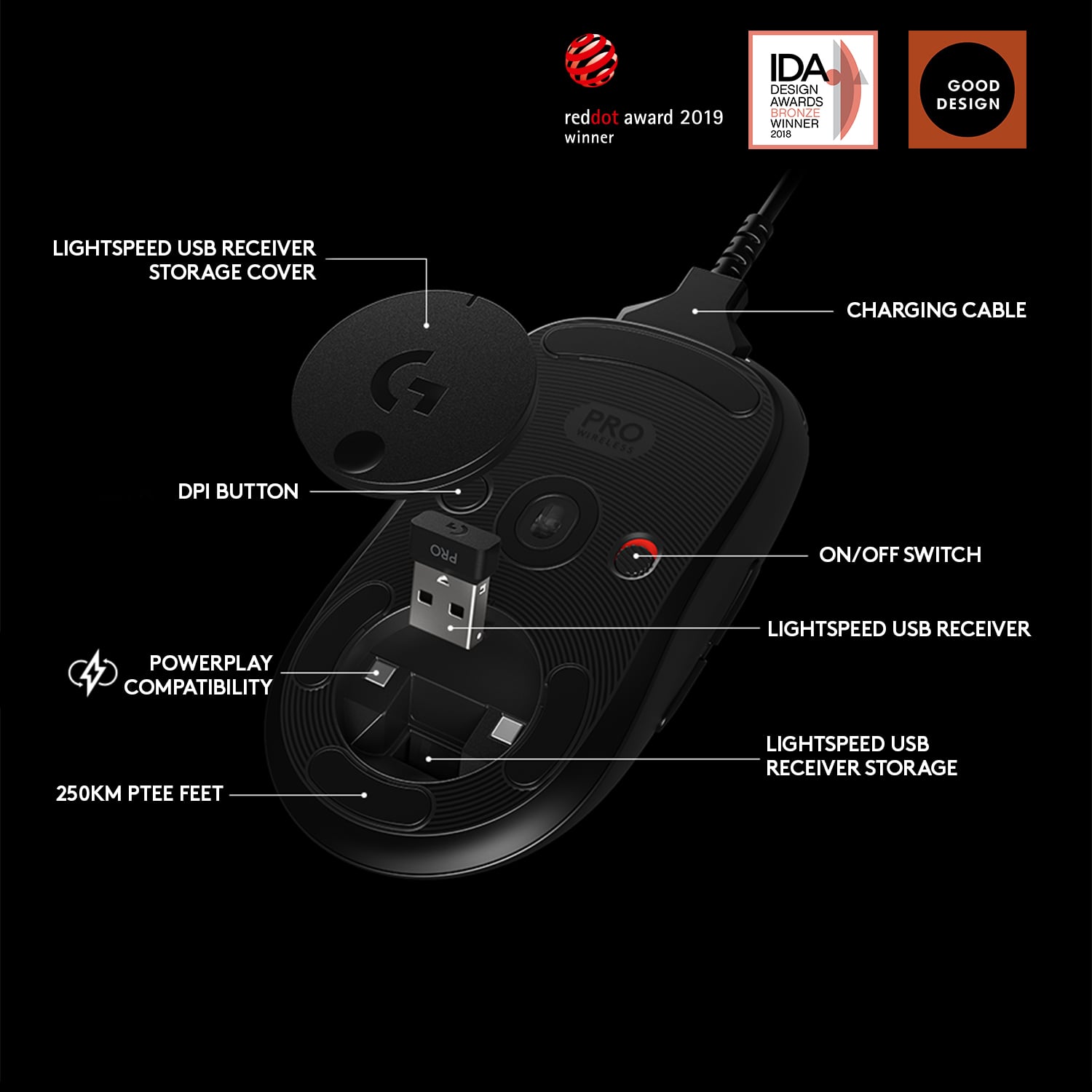

- Model:
- 910-005270
- |
- SKU:
- 12100429
Customer reviews
Rating 4.7 out of 5 stars with 2867 reviews
(2,867 customer reviews)Rating by feature
- Value4.5
Rating 4.5 out of 5 stars
- Quality4.8
Rating 4.8 out of 5 stars
- Ease of Use4.8
Rating 4.8 out of 5 stars
Rated 5 out of 5 stars
perfect
Posted .This reviewer received promo considerations or sweepstakes entry for writing a review.Best mouse I’ve ever used my entire life, would buy again, almost 5 years I purchased and using daily
This review is from Logitech - PRO Lightweight Wireless Optical Ambidextrous Gaming Mouse with RGB Lighting - Wireless - Black
I would recommend this to a friendBrand response from Logitech
Posted .We're thrilled to hear that the Logitech PRO Lightweight Wireless Optical Ambidextrous Gaming Mouse has been your go-to for almost five years! Its performance, comfort, and durability make it a top choice for gamers. Thank you for your continued loyalty.
Rated 1 out of 5 stars
Plagued by the known double clicking issue
Posted .This reviewer received promo considerations or sweepstakes entry for writing a review.I just bought this mouse for $150 dollars about a week ago and I'm already going to have to return it due to a known defect that a lot of G Pro Wireless mice are experiencing: The dreaded double/triple clicking issue. The issue started yesterday. I am a professional chess player and play in several online tournaments. This mouse not only made me lose the tournament because I lost all the games I played due to this double clicking crap (ironic considering this is marketed as an elite competitive e-sports mouse at $150), but I also ended up deleting a lot of files and wasting unnecessary time troubleshooting the issue in an attempt to find out what was causing it. Chess websites use a java based applet to present you with a board and pieces. I noticed as soon as I started playing in my tournament yesterday that the chess pieces felt "sticky" when moving them. When you move a chess piece you click and hold down the left mouse key and drag the piece to the square where you want to move it. Well, I immediately started noticing that several times when I tried to move a piece by dragging and dropping, the piece would land on a random chess square as if I had released the left mouse key. This is was extremely irritating as several chess pieces were being placed in the most random squares and completely losing moves were made because of it. I eventually had to withdraw from the tournament as this was unplayable. I couldn't move the pieces where I wanted as they kept landing on random squares as if I was pre-maturely releasing the left mouse key button. I didn't even entertain the idea that it was the mouse considering the mouse is BRAND NEW, it's a $150 dollar top of the line flagship mouse by a well known brand, and it's marketed for competitive e-sports use. There's no way it could be my new mouse right? Well, I gave Logitech too much credit. Since I didn't bother to even consider the possibility that this could be caused by my new flagship $150 e-sports logitech mouse, I began to troubleshoot. I figured maybe my java was corrupt and was the reason for the erratic pieces being moved on random squares on the chessboard. I re-installed my Java. Nothing. Ok, next possible culprit. It could possibly be some browser extension on my google chrome causing anything java based to act abnormally right? I did a fresh re-installation of google chrome and deleted all of my cached passwords, usernames, extensions, etc in the process. Still not fixed. Ok so at this point I know it's not Java and it's not google chrome. I try playing a game on a different well known online chess site with Internet Explorer. Same issue!!! Ok at this point I figure an application in the background has to be interfering with any interactive Java applet based websites causing the erratic moves. I uninstalled several programs on my computer that I thought could be the culprit. Nothing. Maybe it's a virus or some malware program running in the background? I do a complete scan of my computer. No anomalies detected. Then I thought to myself, what else on earth could it be?!?! I look at my mouse and immediately dismiss the idea. Nah there's no way a brand new $150 dollar flagship mouse from Logitech is the cause....is it? I connect a different mouse to my computer to test and VOILA issue is gone. I am in complete awe. I reconnect my Logitech G Pro wireless to my computer. I wonder why I only noticed it when playing chess (and it now started to make sense why I was also playing so badly at CS:GO the night before). I started dragging files around on my desktop and I was able to replicate the issue. I would hold the left click mouse button to drag a file in a circular motion around my desktop and sure enough within seconds the file would be released from the circular dragging motion as if I had physically released the left mouse button on the mouse. The next test I did was I started single clicking on files on my desktop and sure enough the mouse would start double clicking on files and executing them in the process due to the automatic double/triple click. The reason I had not noticed it when casually browsing the internet or watching youtube videos is because youre not doing any drag and drop motions and/or there isnt really a need to have to hold the left mouse button down. But as soon as you start performing tasks that require you to hold the left mouse button down (like in all games) that's when you're in trouble as it will start randomly double and triple clicking and thus prematurely releases the button in whatever it is that you're doing. That's why I only really noticed it when I started playing online chess and it also explains why I did so terribly on CS:GO the previous night. If you do a quick google search for "Logitech G Pro Wireless double clicking issue" you will immediately notice that this is a known and common QA issue that is plaguing this mouse. I instantly found several reddit threads with people complaining of the exact same issue when they had only had their new logitech pro wireless for a very short period of time. Users were reporting owning the mouse less than two weeks, less than a month, and less than two months. I also found several other forum posts and also found youtube videos of people with this double/triple clicking issue. Apparently, logitech is aware of the issue and has acknowledged this is a QA defect. This is unacceptable considering this is the most expensive mouse money can buy and is marketed as a flagship product for competitive e-sports. Well ,funny enough, this mouse cost me a competitive e-sports tournament due to its poor QA by Logitech. To top things off, not only did this mouse cost me to lose my tournament and also made me waste countless hours troubleshooting it and unnecessarily deleting files, but it's also a huge hassle that best buy doesnt even stock these in the store. Why?!?!?! At least if was able to walk into a best buy and exchange my G pro wireless for another one it would at least somewhat make the situation a little better. But no, for whatever reason, best buy and logitech have decided to only make this mouse available for purchase online. Lastly, as a slap in the face, I noticed that the price on this mouse just increased from $149.99 to $159.99...what?!?!?! Logitech, you're clearly aware that this mouse is having QA issues reported by several users and you decide to increase the price of the mouse by an additional ten dollars?! What a slap in the face. This has been such a negative experience that I don't think I'll be using Logitech mice in the future. And since I can't exchange it at the store since they're not stocked in the store for whatever reason, I have already picked up a Razer Mamba wireless and have been happy with it thus far. I'll simply be returning my Logitech G Pro wireless at my local best buy and will not be using a logitech mouse in the future. I'm also very active in several gaming communities, online platforms, and serve as a "technical expert" for a lot of my colleagues and friends and, unfortunately, I will no longer be able to recommend Logitech mice.
This review is from Logitech - PRO Lightweight Wireless Optical Ambidextrous Gaming Mouse with RGB Lighting - Wireless - Black
No, I would not recommend this to a friendBrand response from Logitech
Posted .Hello k1zit. I'm sorry to hear about your experience with the G Pro mouse. We will be taking this into consideration. Thank you for shopping Logitech. - Maggie from Logitech
- Pros mentioned:Overall performance
Rated 4 out of 5 stars
mmouse
Posted .This reviewer received promo considerations or sweepstakes entry for writing a review.10/10 mouse would recommend to anyone looking for one
This review is from Logitech - PRO Lightweight Wireless Optical Ambidextrous Gaming Mouse with RGB Lighting - Wireless - Black
I would recommend this to a friend Rated 5 out of 5 stars
Christmas gift
Posted .This reviewer received promo considerations or sweepstakes entry for writing a review.Awesome computer accessory that is a great deal for everyone.
This review is from Logitech - PRO Lightweight Wireless Optical Ambidextrous Gaming Mouse with RGB Lighting - Wireless - Black
I would recommend this to a friendRated 5 out of 5 stars
Color Mousse
Posted .This reviewer received promo considerations or sweepstakes entry for writing a review.it is very fast , comfy and easy to charge. easy to connect and love the color
This review is from Logitech - PRO Lightweight Wireless Optical Ambidextrous Gaming Mouse with RGB Lighting - Wireless - Black
I would recommend this to a friendRated 5 out of 5 stars
amazing
Posted .This reviewer received promo considerations or sweepstakes entry for writing a review.EXCELLENT ITEM EXCEPTING SERVICE THIS ITEM LASTS FOREVER
This review is from Logitech - PRO Lightweight Wireless Optical Ambidextrous Gaming Mouse with RGB Lighting - Wireless - Black
I would recommend this to a friendRated 5 out of 5 stars
Xmas Gift
Posted .This reviewer received promo considerations or sweepstakes entry for writing a review.My Son is Enjoying this Mouse for his Gaming Computer!
This review is from Logitech - PRO Lightweight Wireless Optical Ambidextrous Gaming Mouse with RGB Lighting - Wireless - Black
I would recommend this to a friendRated 5 out of 5 stars
Great mouse
Posted .This reviewer received promo considerations or sweepstakes entry for writing a review.New to pc gaming and was recommended this mouse. I absolutely love it and the clicks dpi everything about is great. I love it
This review is from Logitech - PRO Lightweight Wireless Optical Ambidextrous Gaming Mouse with RGB Lighting - Wireless - Black
I would recommend this to a friendRated 5 out of 5 stars
Great
Posted .This reviewer received promo considerations or sweepstakes entry for writing a review.My son loves it! It’s exactly what he wanted for his birthday!
This review is from Logitech - PRO Lightweight Wireless Optical Ambidextrous Gaming Mouse with RGB Lighting - Wireless - Black
I would recommend this to a friendRated 5 out of 5 stars
Good
Posted .This reviewer received promo considerations or sweepstakes entry for writing a review.Nice!!!!!!!!!!!!!!!!!!!!!!!!!!!!!!!!!!!!!!!!!!!!!!!
This review is from Logitech - PRO Lightweight Wireless Optical Ambidextrous Gaming Mouse with RGB Lighting - Wireless - Black
I would recommend this to a friendRated 5 out of 5 stars
Good mouse
Posted .This reviewer received promo considerations or sweepstakes entry for writing a review.Very good mouse, great battery, nothing really bad about it but you could get some new skates
This review is from Logitech - PRO Lightweight Wireless Optical Ambidextrous Gaming Mouse with RGB Lighting - Wireless - Black
I would recommend this to a friendRated 5 out of 5 stars
Amazing deal
Posted .This reviewer received promo considerations or sweepstakes entry for writing a review.Great deal looks okay. But yeah great deal. Best deal.
This review is from Logitech - G PRO Lightweight Wireless Optical Ambidextrous Gaming Mouse with RGB Lighting - League of Legends, Blue
I would recommend this to a friendRated 5 out of 5 stars
FPS Mouse
Posted .This reviewer received promo considerations or sweepstakes entry for writing a review.One of the best wireless mouse as money can buy good job Logitech!!
This review is from Logitech - PRO Lightweight Wireless Optical Ambidextrous Gaming Mouse with RGB Lighting - Wireless - Black
I would recommend this to a friendRated 5 out of 5 stars
Great mouse
Posted .This reviewer received promo considerations or sweepstakes entry for writing a review.The grandfather of all good gaming mice today. Buy it.
This review is from Logitech - PRO Lightweight Wireless Optical Ambidextrous Gaming Mouse with RGB Lighting - Wireless - Black
I would recommend this to a friendRated 1 out of 5 stars
Logitech customer support is atrocious.
Posted .This reviewer received promo considerations or sweepstakes entry for writing a review.I've had logitech products for years, mainly a wired mouse, so I decided to buy their "High end wireless gaming mouse" the G Pro wireless. Right out of the box it looked and felt great. I used it for a few months with no issues at all, it was great. After a few months of use the mouse began to have a double click issue where instead of one click it would register two. (A problem many people here seem to have, meaning it's a widespread hardware issue and should be covered under manufacturers warranty) The mouse would also randomly drop icons if I moved them around on my desktop. If you’re in a game this would result in arrows firing early if you needed to hold the left button to fire...very very annoying. ANYWAYS, I thought to myself “Obviously this is a hardware issue I’m sure customer support will be more than happy to provide support for their product”. After all, logitech is a HUGE company. Why wouldn’t they have great support for their top tier product? Oh boy...was I wrong. I first talked with Karl who ran me through a bunch of troubleshoots, when those didn’t work he started my “warranty” process. They sent me a list of items I needed to give them. Including: Receipt, Video of issue (including the ticket number written on a piece of paper at the beginning of the video), Serial number, and all the contact info. After providing ALL of the info I get a reply asking again...for ALL of that info and saying the S/N I provided was incorrect and that it would be in the weight compartment...the G Pro wireless doesn’t have a weight compartment...it’s made to be lightweight, so I told him that. 4 days later I received a reply asking for ALL the information again but this time saying the S/N would be under the magnet, under the mouse...there was nothing under my magnet so I called them hoping to speak to someone who actually knew what they were talking about. The new guy Patrick told me the S/N would be under the magnet on the mouse... Low and behold, my mouse didn’t come with a sticker under the magnet, so I didn’t have a S/N there. They acted like I was crazy so I sent them 4 photos of the USB compartment to show them my mouse didn’t have a sticker there (Not my issue, it came like that.) By this point I had provided the S/N on the USB dongle, S/N on the box, and a receipt with order number showing that this was a legitimate G Pro wireless. 2 weeks later after talking to 3 different people they sent me a generic “Warranty Void” email. With no explanation about what exactly voided the warranty. I went through every line item and explained how I didn’t void any of them. Logitech will use any excuse they can find, and they WILL actively look, for a reason to not support their manufacturer warranty. They’re hoping you purchased your mouse from a “non-supported” website, can’t recreate the double click issue in a video (which can happen on and off), or are missing a S/N to deny your claim. There is a reason their customer support is rated a 1.6 out of over a thousand reviews. When it comes to the S/N issue I still can’t fathom how they don’t know: Which mouse they shipped in the box, they have a S/N for. Which mouse they put the USB dongle in, that they have a S/N for. And how they can’t validate the mouse through the receipt. My only advice is to RUN from this company. Their product is crap and will have issues in less than 2 years (less than a year for me) and their customer support is abysmal.
This review is from Logitech - PRO Lightweight Wireless Optical Ambidextrous Gaming Mouse with RGB Lighting - Wireless - Black
No, I would not recommend this to a friendBrand response from Logitech
Posted .Hello Tris. Thank you for taking the time to write your review. I am so sorry you were put through the ringer by our support team, but please understand the amount of fraud and fake product we deal with every day. To their defense, there SHOULD be a sticker under the USB cover. This is one of the easiest ways for us to determine if a product is a fake. I would try to go back to the Best Buy where you purchased it and show them the issue. They may be able to replace the mouse. Again, I'm sorry things worked out this way, but they responded by the book in this case.
-Charlton at Logitech
Rated 3 out of 5 stars
Gaming Mouse
Posted .This reviewer received promo considerations or sweepstakes entry for writing a review.Mouse was OK while it lasted but seems to struggled while using the scrolling bar.
This review is from Logitech - PRO Lightweight Wireless Optical Ambidextrous Gaming Mouse with RGB Lighting - Wireless - Black
No, I would not recommend this to a friendBrand response from Logitech
Posted .Thank you for sharing your feedback on the Logitech - PRO Lightweight Wireless mouse. We apologize that you've encountered issues with the scrolling bar. Please reach out to our support team for further assistance. We value your input and will use it to improve future products.
Rated 3 out of 5 stars
Don’t buy this mouse unless your hands are dry
Posted .This reviewer received promo considerations or sweepstakes entry for writing a review.The mouse was good for a couple weeks but I then started to notice that my hand kept on slipping around on the mouse and I couldn’t grip the mouse and I don’t wanna buy grips for it cause I bought it for 150$ already but if you wanna buy grips for it then buy it but if you don’t-don’t get this mouse.
This review is from Logitech - PRO Lightweight Wireless Optical Ambidextrous Gaming Mouse with RGB Lighting - Wireless - Black
No, I would not recommend this to a friend- Cons mentioned:Side buttons
Rated 2 out of 5 stars
Not worth the price
Posted .This reviewer received promo considerations or sweepstakes entry for writing a review.It’s a very light mouse the problem I had was the side buttons were very awkward to press and didn’t really enjoy the mouse to much overall
This review is from Logitech - PRO Lightweight Wireless Optical Ambidextrous Gaming Mouse with RGB Lighting - Wireless - Black
No, I would not recommend this to a friend Rated 2 out of 5 stars
pretty bad
Posted .This reviewer received promo considerations or sweepstakes entry for writing a review.the mouse the first 4 months of using it was really good but today 4/19/21 something inside started ratteling out of nowhere no i did not rage or anything... its an alright mouse but the mouse feet SUCK also the mouse was made like 3 years ago so makes sence
This review is from Logitech - PRO Lightweight Wireless Optical Ambidextrous Gaming Mouse with RGB Lighting - Wireless - Black
No, I would not recommend this to a friendBrand response from Logitech
Posted .Hello, we are sorry to hear that you are having issues with your G Pro Wireless mouse. Our Logitech G products come with a two year warranty. You may reach us for support by opening a Technical Support ticket here: https://support.logi.com/hc/en-us/requests/new?ticket_form_id=360000621393
Rated 1 out of 5 stars
G Pro Wireless Fatal Flaw
Posted .This reviewer received promo considerations or sweepstakes entry for writing a review.This mouse would be a 4 or 5 stars if it didn't have a fatal flaw. This mouse is using the same internal switches as the wired Logitech mice. However, because this mouse is wireless, and the switches aren't grounded, static build up will cause this mouse to malfunction severely. Click and drag, double click, or sometimes failing to respond. This happens after dragging your mouse around the mouse pad in low humidity environments, specifically in the winter. Avoid this mouse if you can find the Razer Viper Ultimate. That mouse uses optical switches, and is an all around better mouse.
This review is from Logitech - PRO Lightweight Wireless Optical Ambidextrous Gaming Mouse with RGB Lighting - Wireless - Black
No, I would not recommend this to a friendBrand response from Logitech
Posted .Hello Shady! Sorry to hear you're having issues with your G PRO Wireless Optical Gaming Mouse. The PRO Wireless mouse has been designed to withstand pro esports players during training and tournaments, and has been tested for 50 million clicks, so it should normally last a long time! If you're having issues with your mouse clicks, whether it's double clicking, drag or even not responding at all, make sure you've downloaded the free G Hub software https://support.logi.com/hc/en-us/articles/360025298133 and checked for any firmware updates, and if that doesn't help, know that you have a 2-year warranty from Logitech on your mouse, so simply go on the product page https://www.logitechg.com/en-us/products/gaming-mice/pro-wireless-mouse.910-005270.html and click "Support" at the top should you need to. - Mathieu from Logitech