Winter SaleEnds 1/19. Limited quantities. No rainchecks.Shop now

Skip to contentGo to Product SearchGo to Footer
Main Content

Customer Ratings & Reviews

Your price for this item is $149.99

Customer reviews

Rating 4.8 out of 5 stars with 3753 reviews

Rating Filter

Rating by feature

  • Value

    Rating 4.5 out of 5 stars

  • Quality

    Rating 4.8 out of 5 stars

  • Ease of Use

    Rating 4.9 out of 5 stars

Pros mentioned filter

Cons mentioned filter

96%would recommend to a friend

Customers are saying

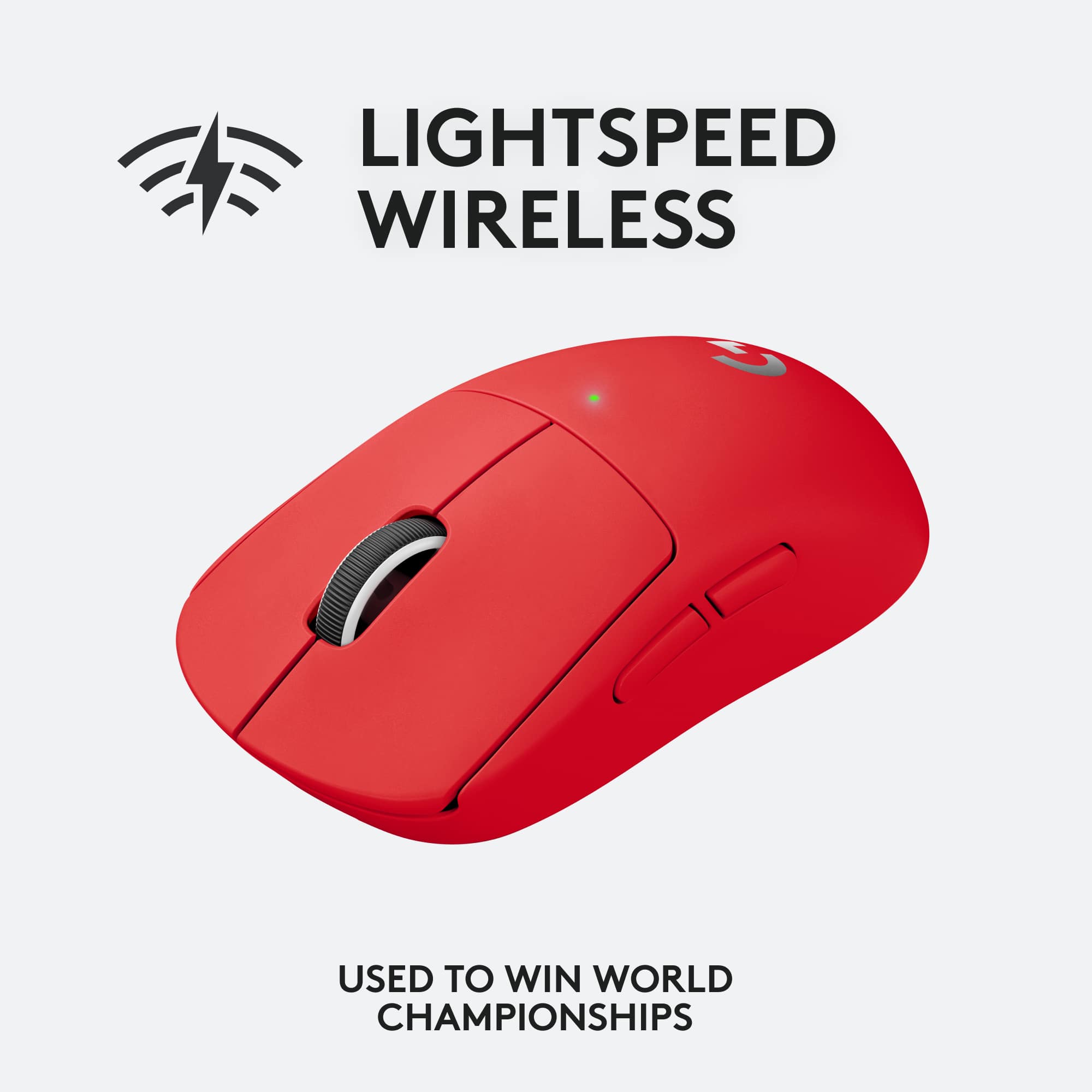
Customers regard the PRO X SUPERLIGHT mouse highly, praising its incredibly lightweight design, excellent battery life, and responsive sensor. Many appreciate the ease of use and high-quality build, while some users noted that the side buttons and scroll wheel could be improved. The software also received mixed feedback. Overall, the mouse is considered a top performer, but potential buyers should be aware of these minor drawbacks.

This summary was generated by AI based on customer reviews.

The vast majority of our reviews come from verified purchases. Reviews from customers may include My Best Buy members, employees, and Tech Insider Network members (as tagged). Select reviewers may receive discounted products, promotional considerations or entries into drawings for honest, helpful reviews.
Page 171 Showing 3,401-3,420 of 3,753 reviews
  • Rated 5 out of 5 stars

    Amazing

    |
    |
    Posted . Owned for 2 weeks when reviewed.
    This reviewer received promo considerations or sweepstakes entry for writing a review.

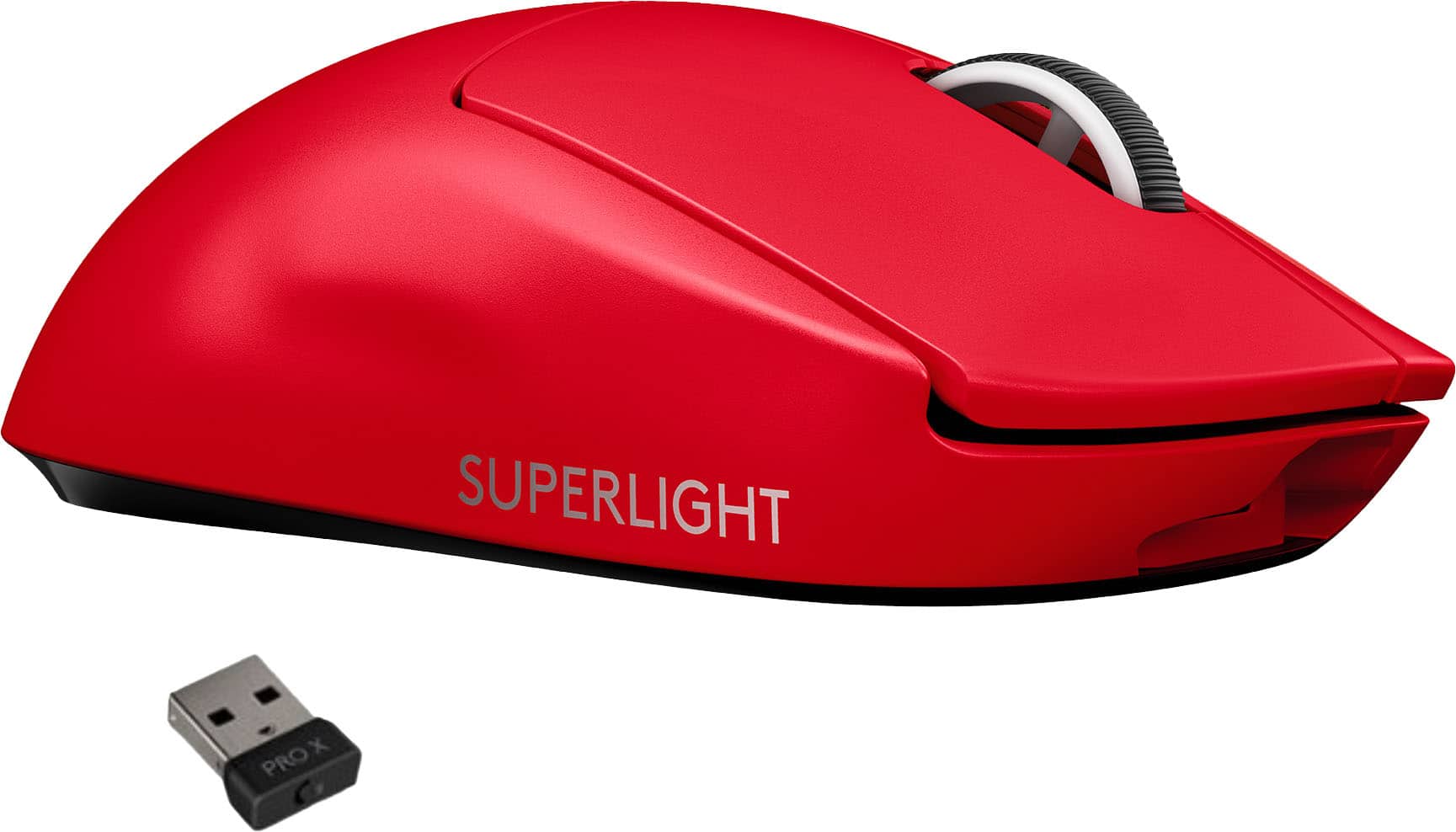
    Absolutely perfect, the red color is even better because it hides the wear that will eventually happen with other colors such as black and white

    I would recommend this to a friend
  • Pros mentioned:
    Battery life, Weight
    Tech Insider Network Member

    Rated 5 out of 5 stars

    Ultralight, Responsive, Fast, Refined

    |
    Tech Insider Network Member
    Posted .
    This reviewer received promo considerations or sweepstakes entry for writing a review.

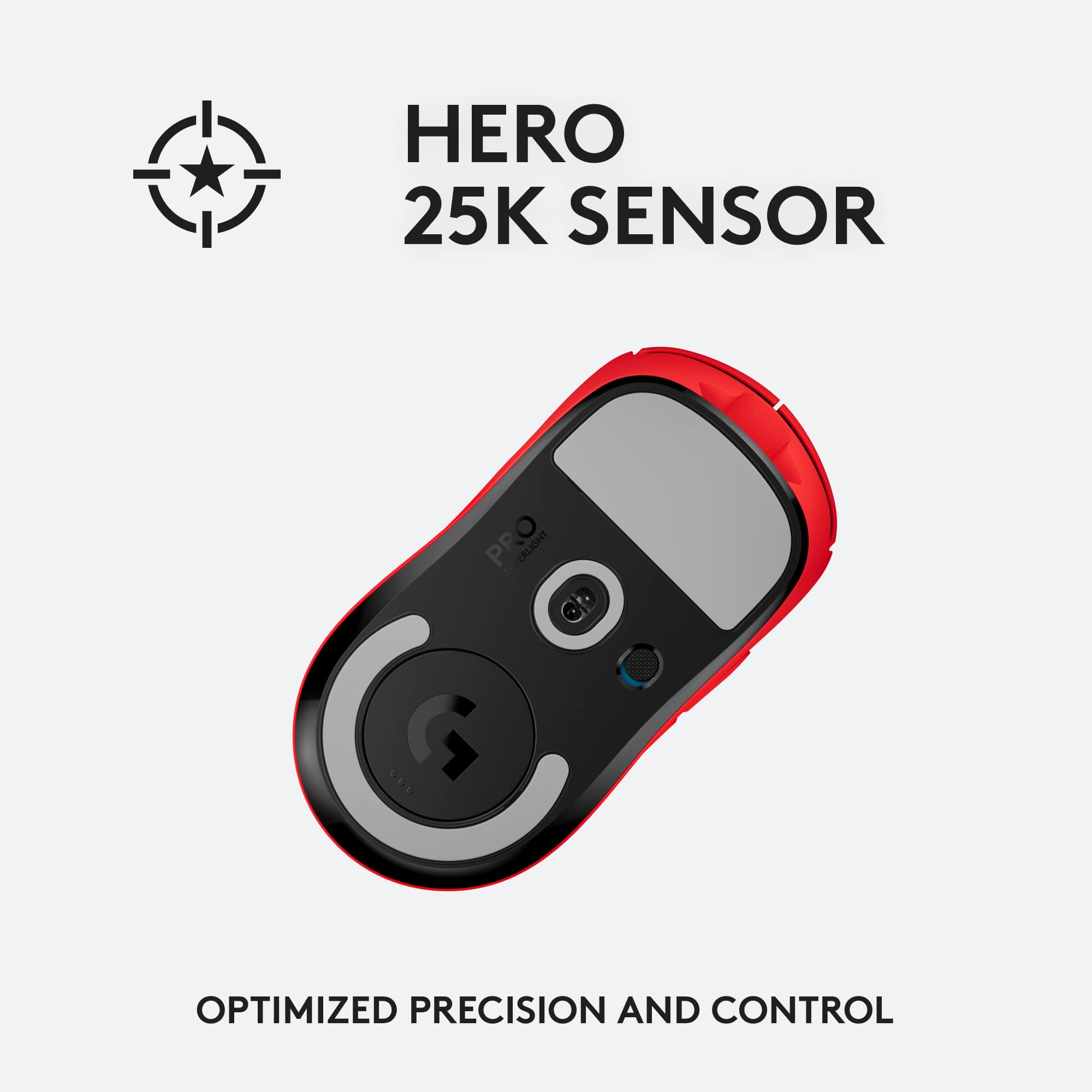
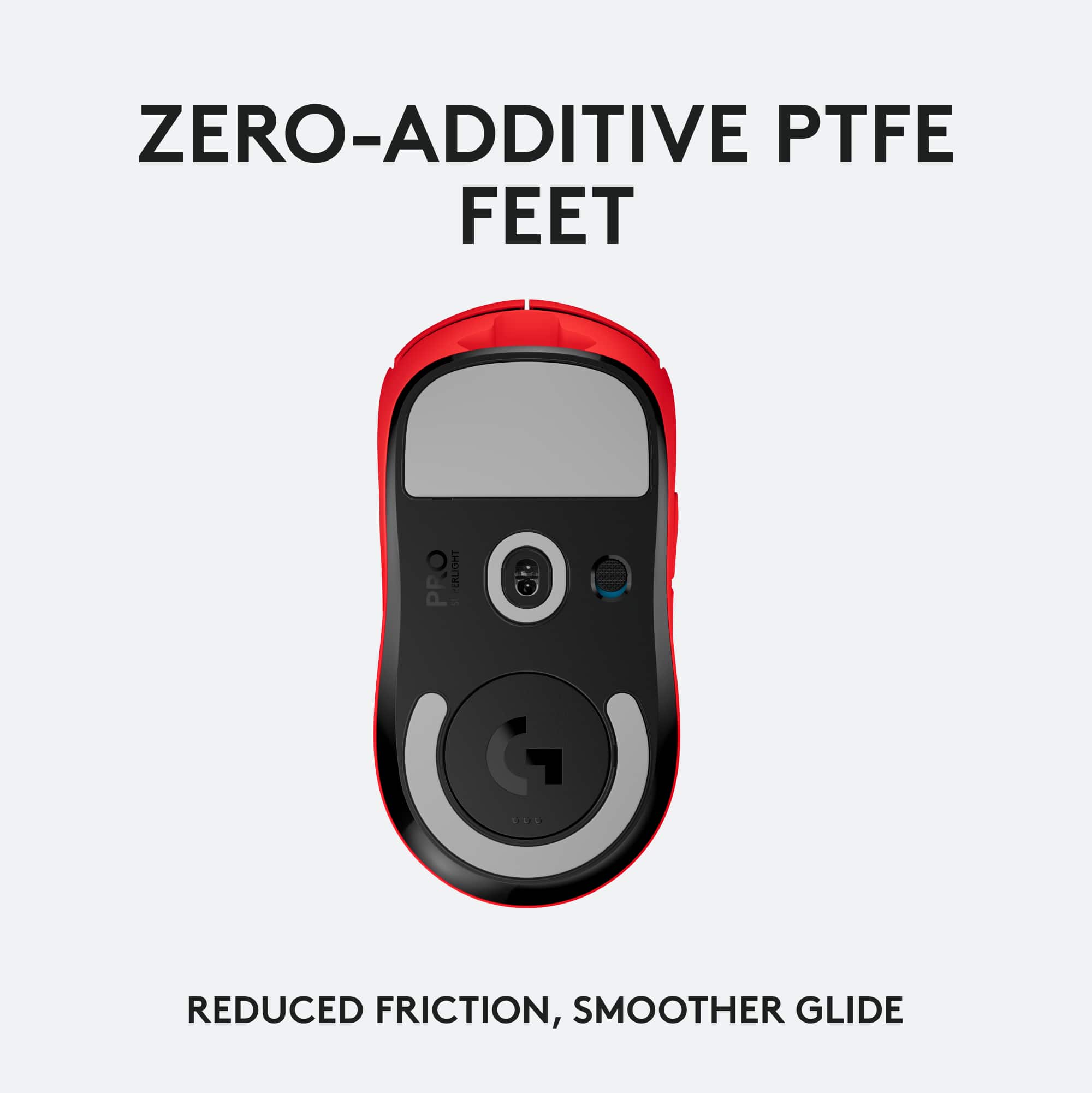
    I've been using Logitech peripherals for near twenty years and the Logitech - G PRO X SUPERLIGHT is something of a throwback. The form factor reminds me of mice from Logitech and Microsoft in the early 2000's. But the Logitech - G PRO X SUPERLIGHT is much lighter. The lightspeed receiver and Hero 25K sensor provides responsiveness and feedback a million times better than anything from back then. I've paired a few mice with my Surface Book and I like this mouse the best. This mouse doesn't come with many of the features of mice today, but if you're okay with no dpi button, fewer side buttons, lack of Bluetooth, and no scroll speed toggle, the Logitech - G PRO X SUPERLIGHT is a great mouse and easy to recommend. The mouse comes with grip tape. I didn't have much luck with that as I couldn't get it on straight and the first time you take it off, the tape will develop bubbles or edges. A nice touch, but not worth the hassle in my opinion. Should note that there is no Bluetooth connectivity. If you want to use this mouse, you will need an open USB port to plug in the wireless dongle. As a result, you probably won't be able to use this for your phone or tablet. The mouse is super light. If you want it even lighter, you can remove the aperture door from the bottom of the mouse. Speaking of that door, Logitech included another door with a PTFE coating. I couldn't tell a difference in my usage between the standard door and the PTFE coating, but perhaps marathon gamers hyper sensitive to the weight can tell a difference. It's nice that Logitech provides the options, but the tape and the extra PTFE door seemed a bit unnecessary in my opinion. A lot of Logitech mice will come with a DPI toggle button. But the Logitech - G PRO X SUPERLIGHT does not. If you want to change the DPI, you will need to launch G-Hub which can be downloaded from Logitech's website. I tend to keep my mice with a fixed DPI, but if you're a a big FPS gamer who likes adjusting your FPS on the fly for sniping, this could be a problem. But these are nitpicks. I really like the charging cable with this mouse. It hooks up very securely to the front of the mouse. If you wish to use the mouse wired, instead of wirelessly, you can hook up the cable and do that. Battery has been lasting me several days with heavy use. I didn't notice any speed difference between wired and wireless mode. I'm sure this review has been a bit of a ramble, but I hope it's helpful for folks. There are a lot of mice out there. This is easily the lightest mouse I have used. It doesn't have the most features, but it does everything I want very well. Easy to recommend. 5/5

    I would recommend this to a friend
    • Brand response from Logitech
      Posted .

      Hello RedScorpion! Thanks a lot for your very detailed feedback, and we're happy to hear you're enjoying your new G PRO X SUPERLIGHT Wireless Gaming Mouse! - Mathieu from Logitech

  • Pros mentioned:
    Weight

    Rated 4 out of 5 stars

    10/10

    |
    |
    Posted . Owned for 6 months when reviewed.
    This reviewer received promo considerations or sweepstakes entry for writing a review.

    great mouse thats light and fast to move. changed my life.

    I would recommend this to a friend
  • Cons mentioned:
    Software

    Rated 1 out of 5 stars

    logitech g pro x superlight

    |
    |
    Posted . Owned for 3 weeks when reviewed.
    This reviewer received promo considerations or sweepstakes entry for writing a review.

    I had the mouse for 2 weeks before the mouse buttons broke. the left button was right clicking, and the software constantly malfunctioned.

    No, I would not recommend this to a friend
    • Brand response from Logitech
      Posted .

      Sorry about the experience! In order to help you effectively, please provide your information to our support team by emailing socialcare@logitech.com. Name – Email address – Country – Product name – Brief description of the issue –

  • Rated 5 out of 5 stars

    Logitech PRO X SUPERLIGHT is a superlight mouse.

    |
    |
    Posted . Owned for 3 weeks when reviewed.
    This reviewer received promo considerations or sweepstakes entry for writing a review.

    One of the best gaming mouse I have ever used. It is very light and the response time is as fast as a wired mouse. I would highly recommend this mouse if you are into gaming.

    I would recommend this to a friend
  • Rated 3 out of 5 stars

    Bit pricey

    |
    |
    Posted . Owned for 5 months when reviewed.
    This reviewer received promo considerations or sweepstakes entry for writing a review.

    Great mouse but wasn’t as easy and sensitive as my Bluetooth logi that was half the price

    I would recommend this to a friend
  • Rated 3 out of 5 stars

    Ok

    |
    |
    Posted .
    This reviewer received promo considerations or sweepstakes entry for writing a review.

    Pretty expensive for a gaming mouse, would suggest other models of Logitech or even other brands.

    No, I would not recommend this to a friend
  • Pros mentioned:
    Battery life, Weight
    Cons mentioned:
    Software
    Tech Insider Network Member

    Rated 5 out of 5 stars

    Extremely Light, Professional Quality and WIRELESS

    |
    Tech Insider Network Member
    Posted .
    This reviewer received promo considerations or sweepstakes entry for writing a review.

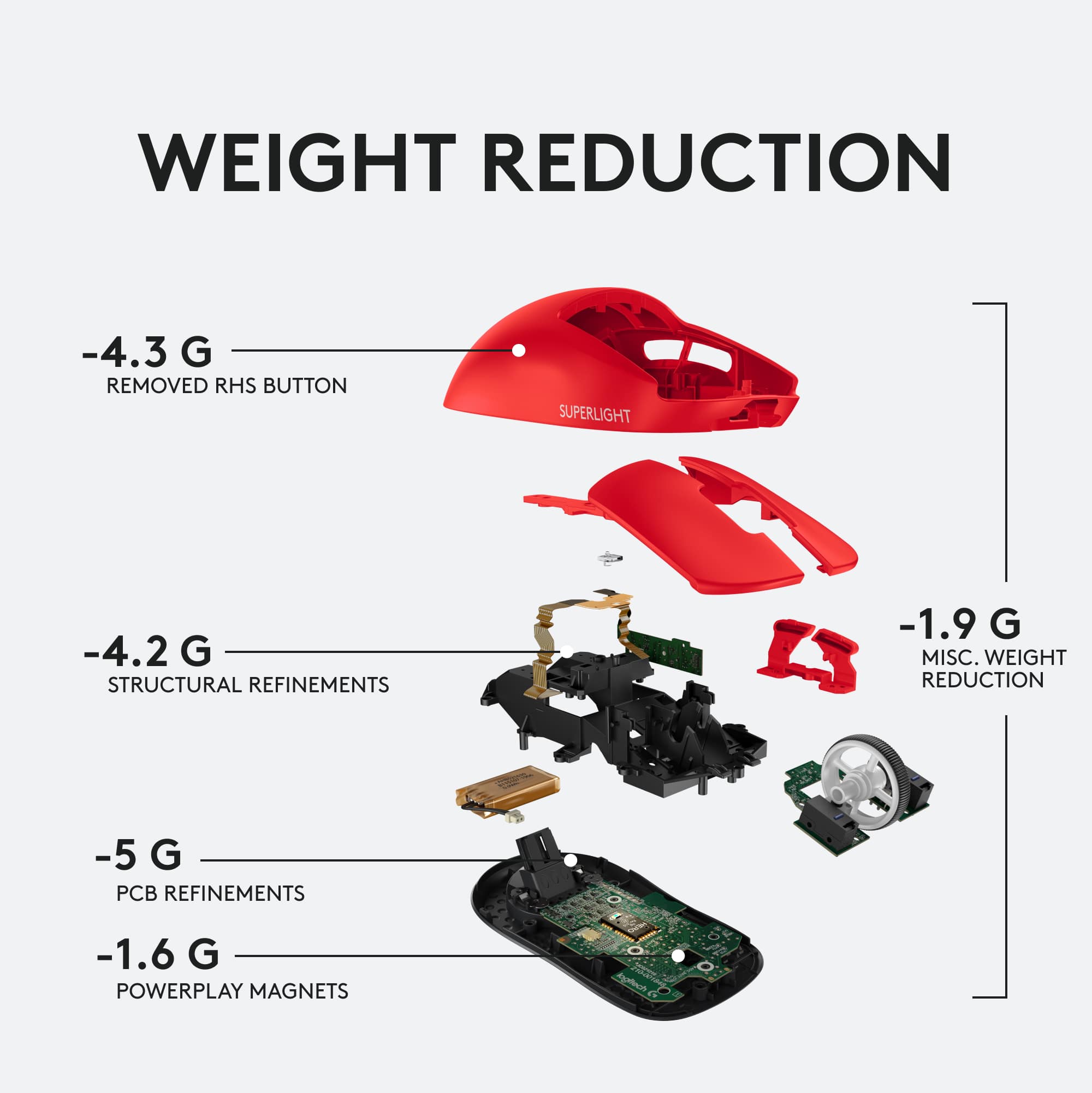
    This mouse is unbelievably light. It’s like they forgot the internal parts; but it’s all there. Logitech packed this mouse with all their latest technology: Hero sensor for accurate movement, the best wireless technology that leads to no lag, great battery life, on-board memory, and a very lightweight design of less than 63 grams. One of the features I really like about this mouse is its range of DPI (Dots per Inch). During game play, I can switch from a low DPI of around 500 to a much faster DPI of 3000. This comes in handy when I’m playing Fortnite and I want to switch from running around the map with extremely fast movements (3000 DPI), to slowing down my movement while looking trough the scope of bolt-action rifle (500 DPI). The precision is noticeable. Another feature I enjoy is the fact that it’s wireless and super light. I prefer wireless peripherals because of the ease of movement and lack of clutter. Back in the day, you couldn’t really game with a wireless mouse because it wasn’t reliable when sending your movement and commands back to the computer. This is no longer an issue with the wireless technology utilized today. This mouse uses a wireless 2.4 GHz radio that has imperceptible latency. Essentially, there isn’t any lag, and it registers commands just like a wired mouse. Also, the battery on this mouse is excellent. It won’t die when gaming for long hours. A cable is included just incase you need to charge and play at the same time. Another advanced feature that is included is the ability to save your mouse gaming profiles to the mouse itself. The mouse has onboard memory. So instead of installing the Logitech’s G Hub software onto multiple computers, your customized settings are always saved onto the mouse itself. One downside is the G Hub software isn’t all that intuitive. If you’re not familiar with loading profiles and managing onboard memory, you’ll need to look at a few YouTube videos to learn the specifics. For example, I still don’t know how to switch between profiles while solely using the onboard memory. My older mouse had a dedicated button to toggle between profiles. This mouse was designed without one. It’s not a big deal. I just wish the software had better help. I also think Logitech could have provided better instructions or guidance on what software should be downloaded after setting-up the mouse. If you’re not familiar with Logitech’s environment, you’ll be left guessing on which software to use. The software itself provides many ways to customize the mouse. Aside from the four main buttons (left click, right click, scroll wheel, and wheel click), there are two additional buttons on the left side. Within the software you can program the buttons to do almost anything. Using Fortnite again as an example, I programmed one of my buttons to instantly build a wall while allowing me to return to shooting. The other button is programmed to allow me to switch between my DPI settings. If you prefer more buttons, Logitech has other mice. But if you’re ever playing competitively, many leagues limit the use of macros to level the playing field. Since most people won’t ever be playing at that level, the main draw is the simplicity and lightness of this wireless mouse. In summary, here’s a list of my pros and cons. Pros: Extremely light Accurate clicking and no double clicking/false clicking Great battery life Smooth pads underneath with additional padding (puck) if preferred No lag while in wireless mode Extremely accurate sensor/movement Onboard memory to save and load gaming profiles 2 additional programmable buttons Cons: Charging is through micro-USB. USB-C could provide even faster charging Right-handed only (the buttons are only on the left) 2 additional programmable buttons. Some gamers prefer more, but then weight is added. Instructions are limited Premium price (the best does come with a cost) Overall, I am very happy with this mouse.

    I would recommend this to a friend
  • Rated 5 out of 5 stars

    Lightness

    |
    |
    Posted . Owned for 1 month when reviewed.
    This reviewer received promo considerations or sweepstakes entry for writing a review.

    Can’t go back to a heavier mouse after this. Only gripe is that the included USB cable feels cheaper than the braided cable that came with my previous Logitech G900.

    I would recommend this to a friend
  • Rated 3 out of 5 stars

    Left click doesn’t work

    |
    |
    Posted . Owned for 4 months when reviewed.
    This reviewer received promo considerations or sweepstakes entry for writing a review.

    Love this mouse, but after using it for about 3 months. The left clock doesn’t click anymore.

    No, I would not recommend this to a friend
  • Rated 5 out of 5 stars

    Great upgrade

    |
    |
    Posted . Owned for 3 weeks when reviewed.
    This reviewer received promo considerations or sweepstakes entry for writing a review.

    10 out of 10 a great purchase. I went from the larger Logitech 902 to this in both white and red and I’ve never loved it more.

    I would recommend this to a friend
  • Pros mentioned:
    Battery life, Weight
    Tech Insider Network Member

    Rated 5 out of 5 stars

    Professional grade mouse with 0 compromises

    |
    Tech Insider Network Member
    Posted .
    This reviewer received promo considerations or sweepstakes entry for writing a review.

    The Logitech G Pro X Superlight mouse is a pretty unique piece of kit. It shares a lot of similarities with the G Pro mouse, but it’s stripped down even further. There are no fancy multi-zone LEDs, superfluous buttons, or metal scroll wheel. Everything about this mouse exists to reduce weight while still offering a great feature set. While the G Pro was one of the lightest mice I had ever used, the G Pro X takes it to a new level. Any semblance of extra features have been removed. What is left makes the G Pro feel heavy. The G Pro X still offers the wireless charging found on the previous models, if you purchase the charging pad and insert the charging disc. Overall the mouse weighs 63 grams. This is significantly lighter than the 80 grams or so of the G Pro. In the box you’ll find the cord w/ adapter, lightspeed receiver, button covers, and of course the mouse itself. After plugging in the mouse using the cord, I appreciated a return to PVC mouse cords (as braided tend to drag, especially if you have a whole desk mouse pad). The mouse took a couple hours to charge up fully, but once charged, I’ve had really good battery life - rivaling the G Pro. Partially responsible for the excellent battery life is the new HERO 25K sensor. This sensor apparently uses a lot less power than the previous PMW3366 found in some earlier mice, but is functionally equivalent to the HERO 16k found in the G Pro and more recent HERO mice. Honestly I can’t tell the difference in feel - the PMW3366 has been my mainstay for years now, and the HERO sensor is even better. The feet of the mouse are teflon, and glide very well. They add to the weightless feeling this mouse exudes. The scroll wheel is quite hollow with white trim and a rubberized ring. The left and right mouse buttons feel great and near identical to the G Pro. The middle mouse button is much quieter and softer than before. Furthermore, the back and forward buttons on the side are much softer as well and offer a much quieter click and softer feel. I appreciate these small tweaks. Just like the G Pro, the G Pro X is ambidextrous. Feel wise, it is similar to many of the great ambidextrous mice. It doesn’t have that molded to your hand feel that the G703, G502 or other right hand mice have, but it also doesn’t get in the way of your preferred grip. The G Pro X Wireless can be effectively palmed, and clutched. It has a low back, so it’s not directly a palm mouse - especially for those with larger hands, but it can be palmed if your hands aren’t too big. If you clutch, you almost don’t even notice the weight of the mouse. In any case, it’s one of the most versatile mice I’ve used. It definitely is a notch above the almost any in movement. The G Pro X just glides around with so little effort it’s impressive. The only downside I see here is there is no quick way (without remapping buttons) to adjust DPI on the fly. Many won’t have any issue with this and I certainly didn’t. I rarely use such a feature on mice that have dedicated buttons for that. So is the G Pro X Wireless a good mouse? Definitely. Unless you’re a pro gamer, the price might be a hard pill to swallow. It’s hard to beat this mouse if cost is no object. Just like the G Pro, for the price I would have liked to see Logitech include a case for travel. If you are a pro gamer, you might appreciate protecting your investment in its own custom case. Overall this mouse is a refinement of the G Pro, subtracting the things that don’t matter to a pro gamer and returning less weight. This mouse is definitely one of the best on the market.

    I would recommend this to a friend
  • Rated 5 out of 5 stars

    Great

    |
    |
    Posted . Owned for 1 week when reviewed.
    This reviewer received promo considerations or sweepstakes entry for writing a review.

    I’m very impressed with Theo mouse eight it’s great I love the way it feels on my hand but I do recommend using the grip tape as it is made out of slick plastic

    I would recommend this to a friend
  • Rated 5 out of 5 stars

    Very responsive

    |
    |
    Posted . Owned for 3 weeks when reviewed.
    This reviewer received promo considerations or sweepstakes entry for writing a review.

    Usually not a big fan of wireless but this one is amazing! Super responsive and quick to jump your mouse across your screen.

    I would recommend this to a friend
  • Cons mentioned:
    Scroll wheel

    Rated 2 out of 5 stars

    Scroll wheel is goes extremely hard.

    |
    |
    Posted .
    This reviewer received promo considerations or sweepstakes entry for writing a review.

    Mouse is fine, shape is really good but my Scroll wheel is so hard to rotate for some reason. I will return this mouse and see if all of them are same or its issue.

    No, I would not recommend this to a friend
  • Rated 2 out of 5 stars

    The worst mouse I've used for gaming.

    |
    |
    Posted . Owned for 3 months when reviewed.
    This reviewer received promo considerations or sweepstakes entry for writing a review.

    I personaly did not like the mouse it felt extremely flimsy. My wife on the other hand loves hers and we both used them for gaming. I traded it in for the G502 x and love my new mouse!

    No, I would not recommend this to a friend
    • Brand response from Logitech
      Posted .

      Thank you for sharing detailed feedback. We apologize for any inconvenience caused. We'll make sure to share it with the right team.

  • Rated 4 out of 5 stars

    Overall, it's alright

    |
    |
    Posted . Owned for 5 months when reviewed.
    This reviewer received promo considerations or sweepstakes entry for writing a review.

    Overall good mouse. Would prefer USB-C charging, crazy Logitech seems stuck in the past on micro-usb. Also would be nice for bluetooth support for ease of use with laptops, but i get they were trying to save as much weight as possible.

    I would recommend this to a friend
  • Rated 2 out of 5 stars

    G pro x

    |
    |
    Posted . Owned for 1 year when reviewed.
    This reviewer received promo considerations or sweepstakes entry for writing a review.

    Played a few games on it and it just didnt feel very good to me after using razer viper ultimate

    No, I would not recommend this to a friend
    • Brand response from Logitech
      Posted .

      We apologize if the Logitech PRO X SUPERLIGHT didn't meet your expectations after using the Razer Viper Ultimate. It's understandable that personal preferences can vary. We appreciate your feedback and will continue to strive to offer a variety of options to cater to different user preferences.

  • Rated 5 out of 5 stars

    COMPUTER DEPARTMENT ROCKS

    |
    |
    Posted . Owned for 1 week when reviewed.
    This reviewer received promo considerations or sweepstakes entry for writing a review.

    The computer team was absolutely amazing. Cody and Mike were extremely helpful and had great attitudes when helping me with my purchase.

    I would recommend this to a friend
  • Rated 5 out of 5 stars

    Best wireless mice.

    |
    |
    Posted . Owned for 1 month when reviewed.
    This reviewer received promo considerations or sweepstakes entry for writing a review.

    Just started using it and it is seemless;using a wired and this wireless mouse feels the same. Really good product.

    I would recommend this to a friend