Customer Ratings & Reviews


- Model:
- 920-012154
- SKU:
- 6556756
Rating by feature
- Value
Rating 4.4 out of 5 stars
- Quality
Rating 4.8 out of 5 stars
- Ease of Use
Rating 4.8 out of 5 stars
Customers are saying
Customers recognize the product's high keyboard quality, impressive battery life, and speedy wireless connectivity as significant advantages. They also appreciate its customizable RGB lighting, compact and portable design, and the vibrant color options, along with a high-quality carrying case. However, some customers find the product to be a bit pricey, and there are mixed opinions regarding the brown switches.
This summary was generated by AI based on customer reviews.
Keyboard
||Posted . Owned for less than 1 week when reviewed.This reviewer received promo considerations or sweepstakes entry for writing a review.My son purchased this for his gaming PC. He says the response time is better than his wired one. Would highly recommend.
I would recommend this to a friendBrand response from Logitech
Posted .Thanks for the thoughtful review! It’s awesome to hear your son is impressed with the Pro X TKL Lightspeed’s lightning-fast response—especially outperforming a wired setup. Sounds like a winning choice for serious gaming!

Well done.
||Posted . Owned for 3 months when reviewed.This reviewer received promo considerations or sweepstakes entry for writing a review.Buttery smoothe keys strokes. Button layout is highly user friendly.
I would recommend this to a friendBrand response from Logitech
Posted .It’s great to hear your experience has been positive. Your feedback helps us refine and improve our products. Thanks for choosing Logitech!
I really liked this model. I recommend it to every
||Posted . Owned for 1 week when reviewed.This reviewer received promo considerations or sweepstakes entry for writing a review.I really liked this model. I recommend it to everyone.
I would recommend this to a friendBrand response from Logitech
Posted .Thanks for the recommendation! We're glad the PRO X TKL LIGHTSPEED keyboard impressed you—its tactile switches and LIGHTSYNC RGB make it a standout choice for gamers and pros alike.
the best keyboard
||Posted . Owned for 1 week when reviewed.This reviewer received promo considerations or sweepstakes entry for writing a review.This is the best keyboard I've ever had! Very comfortable and very functional and very quiet for a mechanic I recommend this keyboard to everyone
I would recommend this to a friendBrand response from Logitech
Posted .That's fantastic! We're thrilled you're loving the PRO X TKL. We hope you continue to enjoy the comfortable and functional typing experience!
- Pros mentioned:Keyboard quality

Logitech
|Posted . Owned for 1 month when reviewed.This reviewer received promo considerations or sweepstakes entry for writing a review.[Employee of bestbuy] Super nice keyboard it has been one of the best I’ve used
I would recommend this to a friend - Pros mentioned:Battery life, Keyboard quality, Rgb lightingCons mentioned:Price

A New Typing Experience For Me
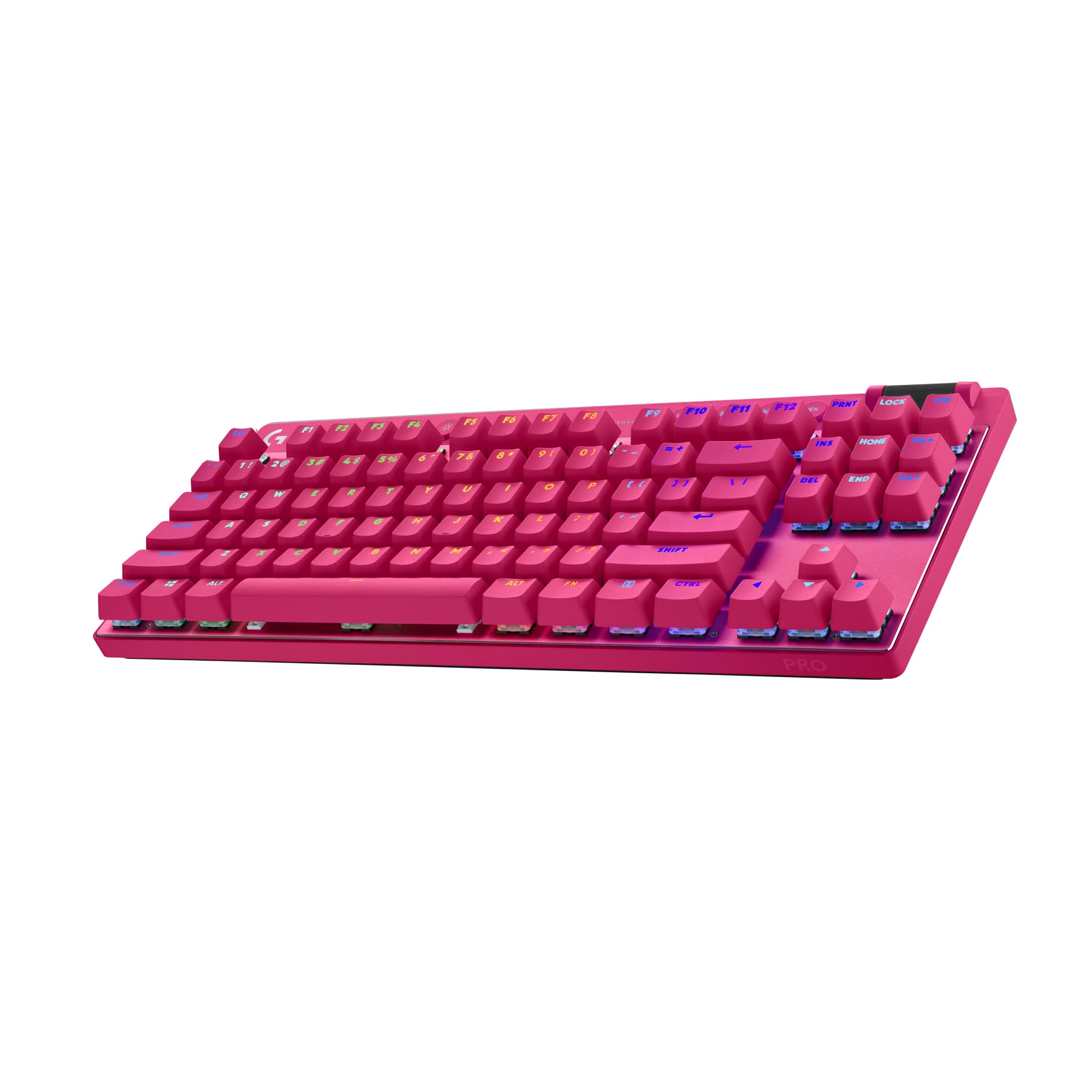
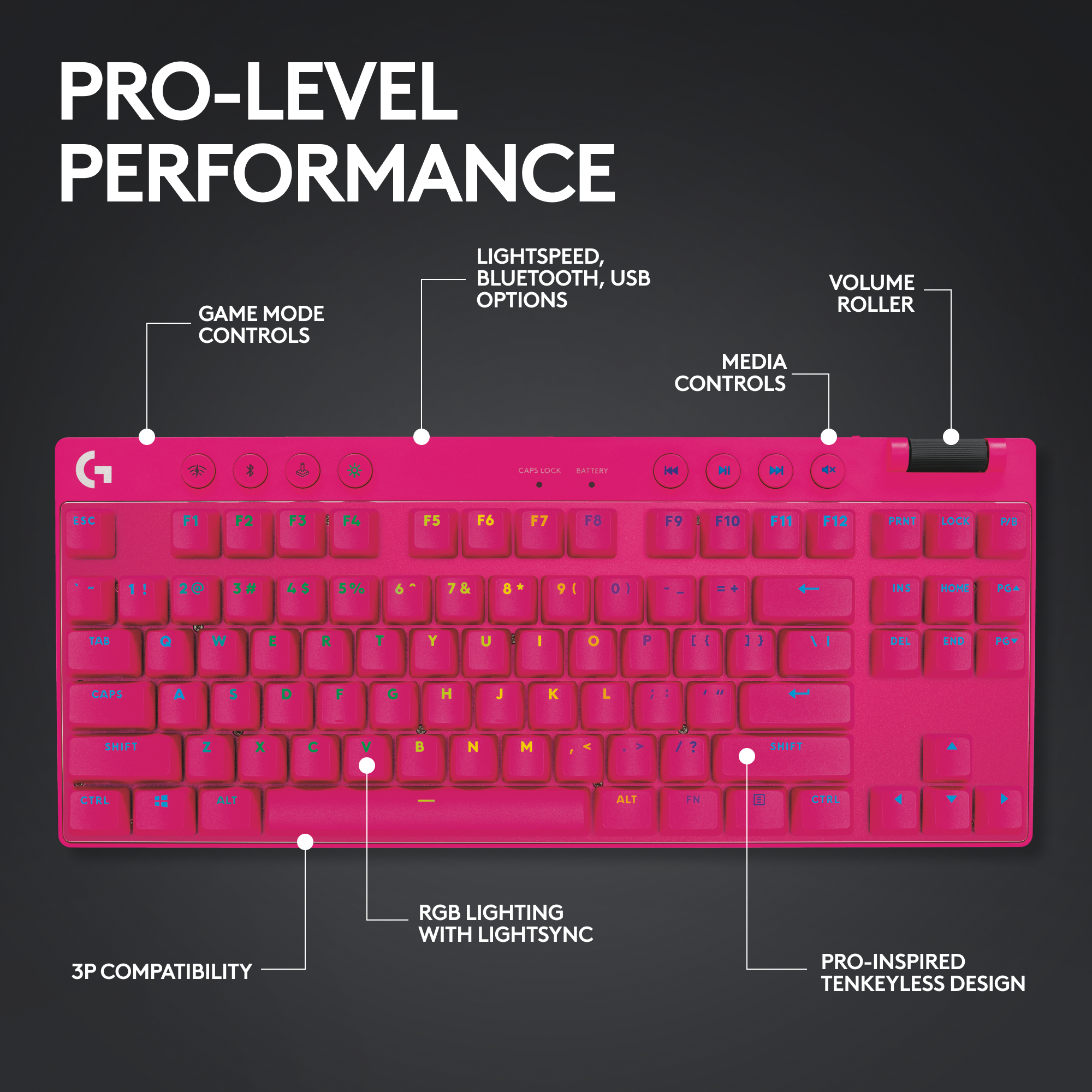
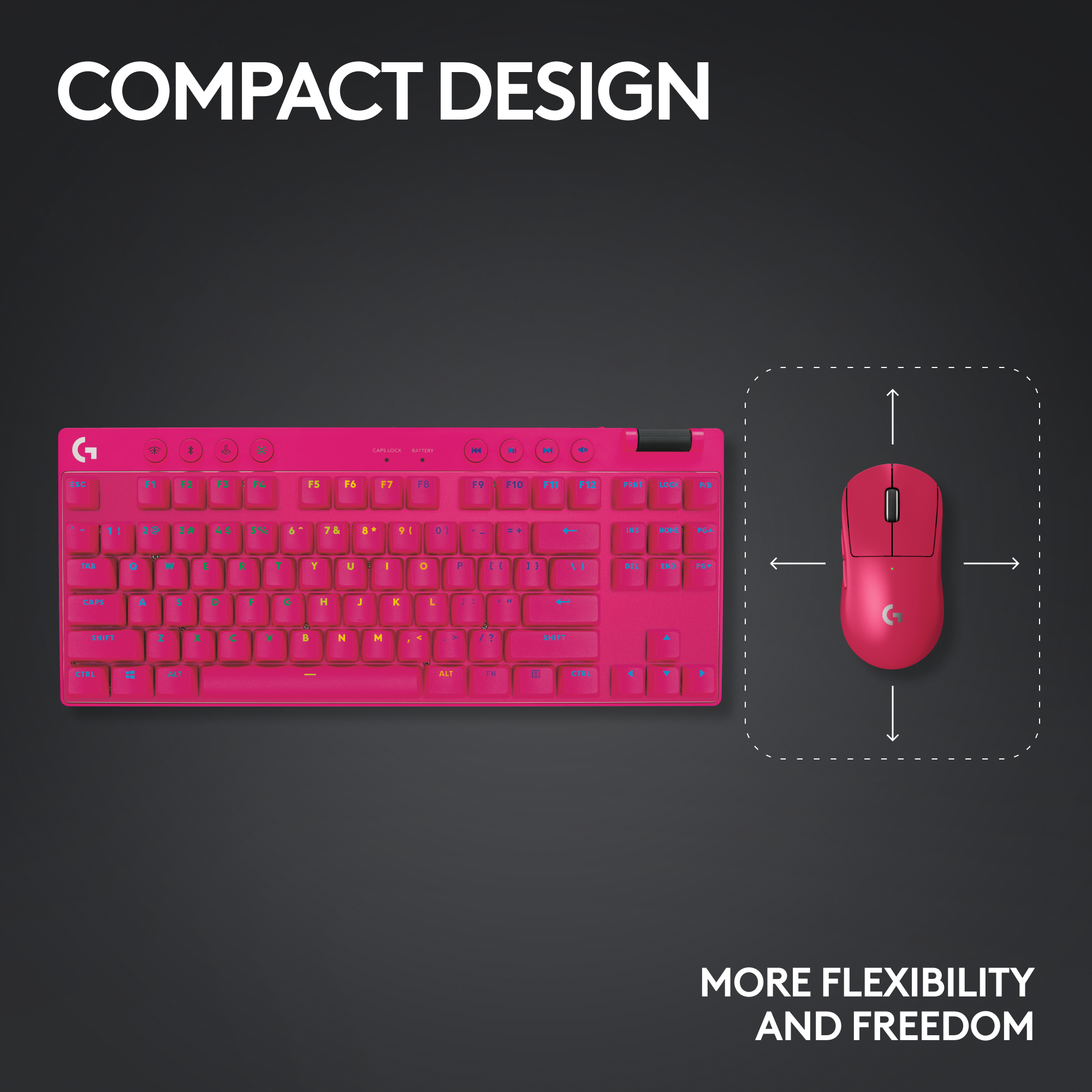
|Posted .This reviewer received promo considerations or sweepstakes entry for writing a review.The PRO X TKL is a refresh from the first generation of PRO keyboards. It uses mechanical key switches made by Kaihl despite Logitech calling it their GX Brown switches. The color connotation is similar or same as Kaihl and CherryMX. The “Brown” switches feature a tactile bump as you press down on the switch. The overall design is solid. It is oddly heavy as a keyboard. I do not know if that’s due to the extra materials used in the overall design or just the base materials for the keyboard itself. Like in the product name, this keyboard is a TKL (ten-key-less) design. This means that the keys that would feature the number pad on the right side are not there. On one hand, this makes the keyboard portable. But on the other hand, you miss out on using that number pad for things like additional keybinds or fast number input. I personally find the number pad to be useful when typing in numbers. But for gamers, this is probably something they won’t miss. The usual media keys are present, situated above the F9 to F12 keys and volume control is at the top right corner. Above the F1 to F4 are system buttons for connecting the keyboard to the Lightspeed receiver, Bluetooth mode, Game mode, and RGB brightness toggle. The sound profile for the PRO X TKL is a surprise for me. I have viewed some videos where people took their mechanical keyboards and added extra modifications to make the keyboard less clacky to type on. The end result sounds similar to how this keyboard sounds. I do like how it feels and sounds. Previous mechanical keyboards I’ve used have that distinct clacky noise that stems from either sup-par stabilizers or no gasket. The PRO X TKL has 12 macro keys which doubles as the Function keys. Thus in order to use these keys, you need to toggle between the two using the “Fn” key. I have mixed feelings about this. Some games allow or utilize the Function keys for certain actions and that can get in the way of using these keys to the fullest. I welcome being able to have macro keys in the first place. It is at least there for people to use should one need a macro mapped to a key. The RGB lighting for the keyboard is what you’d expect. Customizing it via the GHub software allows for some interesting and unique RGB lighting style that can suit your personal preference. While there are quite a number of customizations one can do with it, I use a more simplified lighting theme (rainbow wave as hardware default, ripple in Windows). I do miss being able to do zoned animations or layered RGB effects that a competitor does with their keyboard. But I can live with this for now until I really dive into customizing the lighting effects. As a wireless keyboard, one has to be aware of how much battery life is left on the keyboard before needing to recharge it. I managed to get about a week’s worth of usage before needing to recharge, which is acceptable for now and I do not see a problem with it. Charging is done using USB-C and you can potentially get additional usage time by turning the keyboard off as you turn off the computer. Using the Logitech GHub software is mostly straightforward. There are tabs for lighting effects, macro key assignments, and game mode for preferences. While there are some presets to choose from for a simplified approach, the freestyle and animation will take up much of your time to fine tune how you want your RGB to be. Between using the keyboard and limited time over the weekend, I am unable to truly dive into how much I can learn out of customizing the RGB effect. But other functions, like the macro key assignments and macro creations are straightforward and should take no time to figure out. Overall, I’m liking this keyboard a lot. It’s got a smooth and quiet feel to it and I’m not even using rubber o-rings yet on the keys, which I had done on previous mechanical keyboards. As for the price, that’s a bit of a tricky matter. A small company that got its start from crowdfunding recently released a gaming keyboard under a new gaming brand. That keyboard cost just a bit higher but has potential to offer a lot more in customizing in general. Included is being able to use any compatible switch on the market, even if it means using one switch brand for certain keys but something else for other keys. If having to choose between this and the other, I’d lean on that competitor as a choice because of those additional customization options. The Good: solidly built, quiet The Bad: no number pad, price a bit high, switch not swappable The Ugly: trying to utilize the macro key in an intense action game while keeping the function keys available Verdict: buy if you already have other Logitech products connected, otherwise pass
I would recommend this to a friend - Pros mentioned:Battery life, Keyboard quality, Wireless
Nearly a Stroke of Perfection
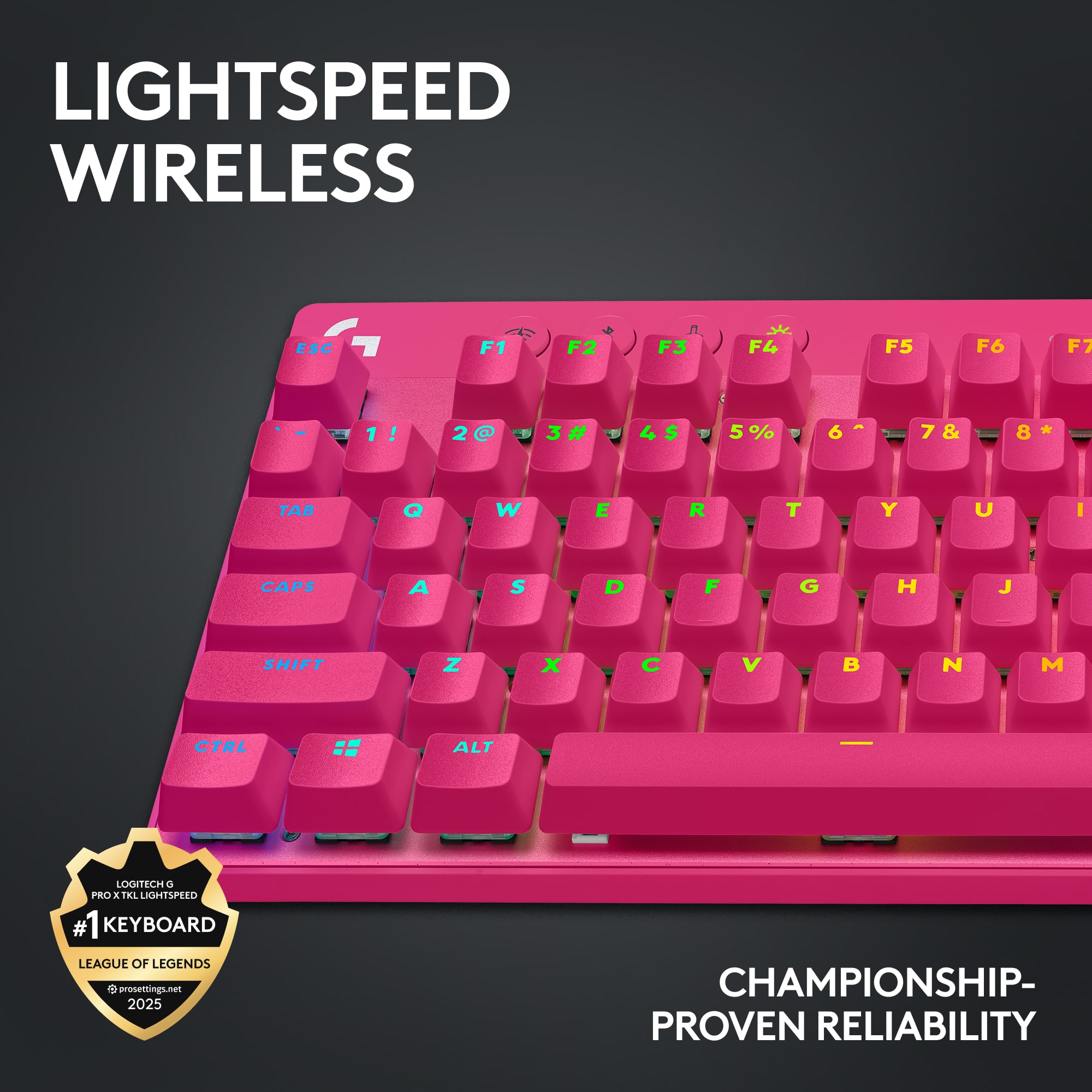
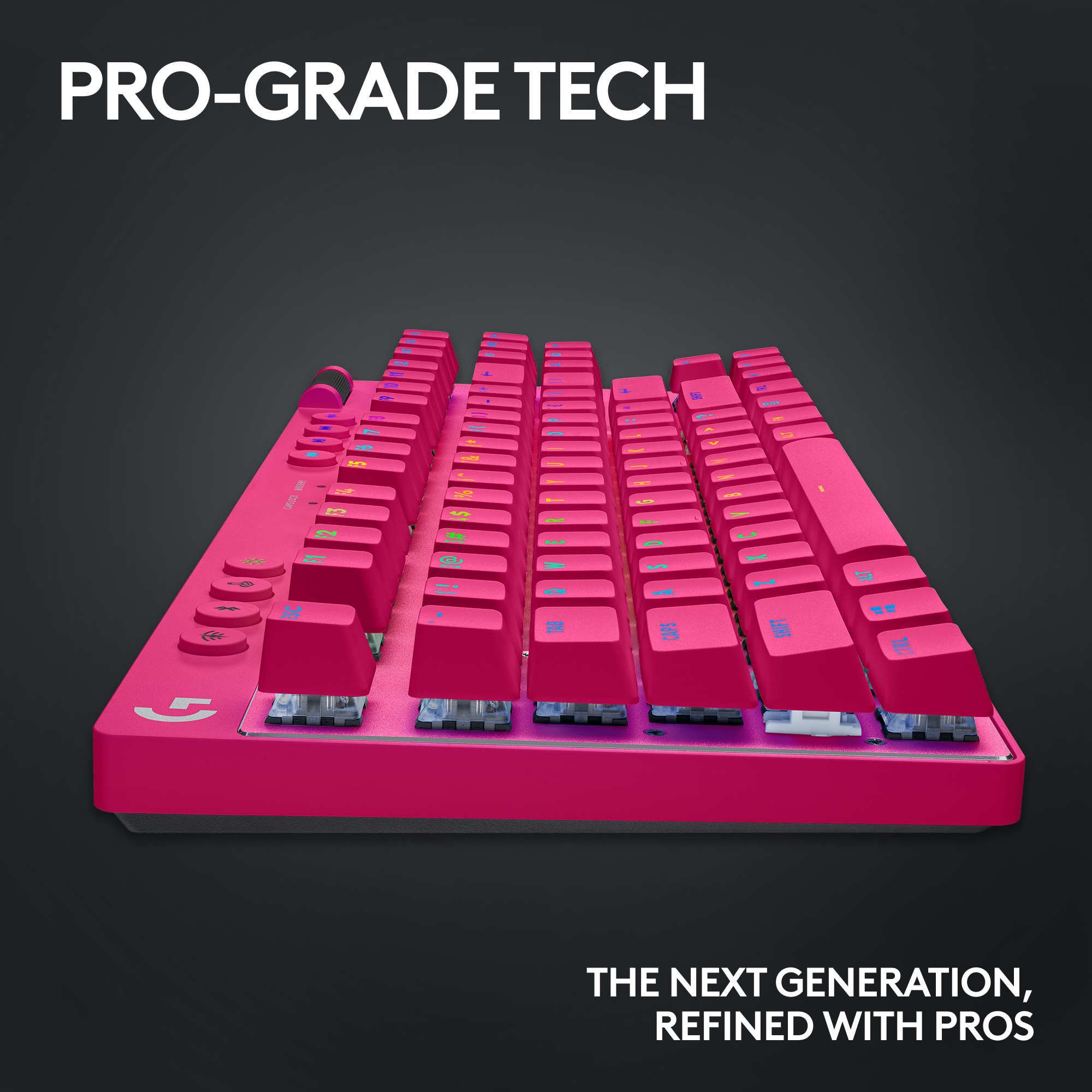
|Posted .This reviewer received promo considerations or sweepstakes entry for writing a review.The Logitech G Pro X TKL Lightspeed continues a long pedigree of Logitech gaming keyboards and peripherals that have kept them at the top of most gamers wish lists for close to two decades now. I've gone on that journey with Logitech even before they came up with the G line-up, and I've used their gaming keyboards since their first breakthrough product with G-keys, the legendary G15. The last frontier for gaming keyboards has been the relatively recent additions of wireless options. Logitech came out with the popular G915 full and TKL versions a few years ago that capitalized on their Lightspeed wireless technology and 1000Hz polling rate, along with excellent battery life even with RGB illumination. They also merged some of the best features of the G Pro X wired keyboards and together with the best of the G915 wireless, they've managed to get it almost perfect with the G Pro X TKL Wireless. I'm mainly going to compare against the G915 TKL since that is the keyboard this closest resembles from Logitech, but I also have the G715 TKL wired and some of the latest and greatest from Corsair, like the K70 RGB TKL with OPX switches. First, why TKL ie. TenKeyLess? For me, I just don't use the Numpad enough for gaming, or even work nowadays and the extra desk footprint is enough that it spreads my hands far enough apart that over long gaming sessions, I tend to get some fatigue and trigger point strain in my shoulders. TKL or 70% keyboards are the perfect size and retain the arrow keys which are useful for navigating menus and also have the Print, Home, INS, DEL, END keys which are useful for work but also good for gaming Macros now that many Logitech G keyboards no longer have G-keys. Also, a big reason I still prefer the TKL 70% keyboards to the most compact keyboards or 60% is that they retain the F-function keys without having to use multiple key combos, as well as the arrow keys and the same Home button cluster. TKL is still small enough to be portable and Logitech provides you a stunning case for securing and carrying this keyboard around if that is something you do frequently. Compared to the G915 TKL, the G Pro X has a hugely noticeable improvement in terms of wobble. The G915 was a big disappointment to me in how much the keys wobbled as well as the inconsistent feel of the stabilizers on the sides of big keys, like backspace, spacebar, shift and enter. They just all felt different even on the same keyboard. The G715 also has some wobble but it is generally better overall as a newer offering from Logitech. Also, the keycaps themselves are much nicer with tall doubleshot PBT on the G Pro X with a textured feel. The taller keycaps also mean more travel to bottom out an actuate. The G915 on the other hand are much shallower with less travel, almost like a hybrid laptop keyboard. The keycaps on the G915 are also slicker feeling and tend to get oily/shiny over time on the most used keys. The G715 keys are more similar to the G Pro X Wireless, although the G Pro X Wireless still feels better while typing. Both the G915 and G Pro X Wireless switches are flush to the face of the keyboard and the key caps are raised, meaning there is no "well" for gunk to get trapped in, so it is very easy to clean these keyboards with compressed air. The G715 on the other hand still has a well surrounding all the keys unfortunately. Another update, THANKFULLY, is that all new Logitech G devices are FINALLY using USB-C and the same is true for the G Pro X TKL wireless. I think this went into effect last year as the G715 and my G502 X Plus mouse are both USB-C. There's nothing more annoying than trying to plug in a 50/50 chance for micro-usb on a tiny connector. Battery life is excellent, it seems slightly better than the G915 even as I've been using mine for about a week and its still around 47% according to G Hub. One BIG advantage Logitech currently enjoys over wired competitors is the ability to toggle between RF dongle and BlueTooth with just a touch of the button. This is HUGELY beneficial if you also work at home like I do a few days a week as I can toggle between my desktop on RF dongle to my work laptop on Bluetooth. Press the button and not only is BT connected on the laptop, but it will also wake up the laptop. This is functionality that was ported over from the G915 and one of the major reasons I bought the G915 even despite its limitations and downsides. Like both the G915 TKL and G715 TKL, and new from the G Pro X wired is Logitech used some of that dead space at the top of the keyboard and brought over the dedicated media buttons as well as the volume rocker. These are great features especially if you are watching Youtube videos or something while playing, you can quickly adjust volume by just scrolling the wheel, playing the video etc. In terms of overall build quality, both the G915 and G Pro X weigh about the same, there's not much need for a weighted plate because both have substantial batteries. The G915 has a premium brushed aluminum face with rounded edges while the G Pro X a matte metal finish with a cut and polished silver edge border accent. Overall it looks really sharp. The G Pro X is also much thicker and taller than the skinny profile G915, it took me a minute to get used to it and you may need a wrist pad to help adjust. I typically use the legs on the back of the keyboard to tilt and raise the keyboard but on the G Pro X TKL I don't need it, its already raised and the keyboard keys are curved to like a U shape when viewed from the side. The key caps on the G Pro X are a little bit larger font and the special chars on the number buttons are also illuminated unlike the G915 they are just painted. There's less "ambient" lighting behind the keycaps compared to the G915, G715 and Corsair keyboards I have. Now to the less fortunate aspects of the G Pro X TKL Wireless. One of the biggest features of the G Pro X wired versions was the ability to change the keycaps and switches on the PCB on the fly. You could just buy different switches and then replace some or even all of your keycaps. Not only was this a great way to customize and try different switches depending on your preference, but it also meant easier maintenance and product longevity if you could just swap out the switch or keycaps if they started going bad. As a result, there are effectively NINE, yes count them 9 different versions of the G Pro X TKL Wireless, 3 different colors (Black, White, Pink) and 3 different kinds of switches (Red, Brown, Blue). Logitech could've cut down this number of SKUs by shipping with the most popular switches (Brown probably) and then making the keyboards compatible with the switch kits they already sell for the G Pro X wired version. I am using the Brown (tactile "tooth" about 50% travel) and while I typically prefer Reds (no actuation "tooth"), I am enjoying the satisfying and assuring typing of feeling the key actuate when the tooth catches. The lack of being able to change the switches is probably what allows this keyboard to be cheaper than the wired version despite the wireless ability and the design improvements with the media keys and such. Is the G Pro X TKL perfect? No. Is it my favorite Logitech keyboard and overall favorite keyboard to-date? Absolutely! It gets so much right and improves over the G915 in virtually every way, at a cheaper price point. All while retaining the most important features for me, wireless, BT/RF switching, and TKL compact sizing and also reducing the price as well. And...if you do ever need to take your keyboard with you, the carrying case is truly amazing looking and feeling. If you're in the market for a new high-end wireless keyboard and already enjoy Logitech products, look no further. If you already have one you like....well do what I did and take one to the office haha.
I would recommend this to a friendBrand response from Logitech
Posted .Thank you so much for taking your time and providing your valuable feedback for the product. We're super glad to hear that love our product. At Logitech, our goal is to ensure that our customers enjoy our products as much as we do.
- Pros mentioned:Battery life, Keyboard quality, Size
The BEST wireless mechanical keyboard.
|Posted .This reviewer received promo considerations or sweepstakes entry for writing a review.Logitech has long been one of my favorite manufacturers. I’ve been using their mice and keyboards since before the start of this century. While Logitech has had great gaming keyboards and great accessories over the years, they did fall into a gimmicky period. The PRO X series is anything but - pushing minimalist designs and top notch build quality with a focus on the essentials. The PRO X TKL Wireless is the epitome of this sporting Lightspeed wireless, per key assignments and macros for the F-row, a soft touch volume bar, and PBT keycaps. There are no extraneous buttons, displays, extra lighting. There’s a focus to the Pro X series, and it shows. Like many newer products, you’ll find the packaging minimal, cardboard, and clean. Opening this box up reveals a surprise: a hard shell nylon carry case. This case has a nice handle for lugging this between locations and perfectly fits the keyboard, cable, and receiver with some space to spare below the keyboard. I love this feature, as so many times we’re told these peripherals are for professions (who do travel with their input devices), and this is the first time I’ve seen a keyboard with a carry case included. Opening up the carry case you’ll find the keyboard, USB-A to USB-C cable, warranty pamphlets, and the Lightspeed receiver. The keyboard itself is an aluminum backplate wrapped in ABS plastic. The casing is strong with no flex, and has enough weight that it feels solid and in place without being too weighty. It’s a perfect TKL (Ten-KeyLess) form-factor, taking up under 14” of width. TKL sizes mean that you get most of the keyboard, but your mousing area is a lot closer - which is both ergonomic and convenient. Unless you’re addicted to a number pad, I recommend everyone from gamers to office workers use TKL’s these days. The USB-C charge port is located on the back left side, while the power switch is located on the back right side. The keyboard comes partially charged, but like most consumer electronics, it’s recommended to charge up before use. Curling around back on the right side you find the volume bar. This soft touch free flowing volume bar is great for making large or minor adjustments. Above the main keyboard are a selection of round, low profile buttons. From left to right you have Lightspeed connection, Bluetooth connection, game mode, and brightness/lighting buttons. There is also a set of media controls near the volume bar for previous, play/pause, next, and mute. Beyond those, the rest are normal 87 TKL keys. Moving to the keys, these are double-shot backlit PBT keycaps. It’s taking almost a decade, but what was once bespoke is now finally mainstream. PBT keycaps offer amazing durability, and don’t get shiny under your fingers like ABS plastic keys do. Their sheer durability and resistance to wear make this keyboard a long player. One of the first things I did with my old Pro X (non-wireless) was replace its keycaps with PBT, so it’s nice to see it from the factory like this. The choice in font, and location of the print are both well chosen. The font is thick and generous on the eyes. The backlights project near the top of the keys, and the printing is aligned appropriately to get the most out of this lighting. The layout is quite standard and let me, with the slick action of the keys, achieve my normal 75 wpm easily without errors. Speaking of keys, the Pro X TKL Wireless offers a choice of switch. My Nirvana is exactly this keyboard configuration: PBT, TKL, and Brown switches. Brown switches offer a tactile bump near the top of the actuation point to give you a slight feedback that you’ve hit the key without having to bottom the key out. They don’t have the boisterous click of the ‘blue’ keys, but do offer some feedback unlike ‘red’ keys. Due to the fact that I type more than I game, I find the brown keys to be a perfect balance of functionality and smoothness for gaming. Some may argue that reds are better for gaming, but my preference has always been brown keys. The battery life is excellent. In fact in the past two weeks I’ve not needed to charge the keyboard once. The backlight has been on when using and I’m still at 63% with daily use. This is truly a keyboard that only needs to charge about once a month. The included receiver paired up and immediately adopted my Pro X mouse, meaning I can keep a single cable on the desk for charging. I was skeptical of wireless keyboards in the past, as it’s really just one wire, but honestly, after having a super clean workspace with no wires, I don’t want to go back. It’s just very clean. The Logitech G Hub software has come a long way. It’s also quite minimal and lists your components in a well labeled and iconified list. There are two modes to select for the keyboard: on board memory, and G Hub connected. The amount of options and tweaks are more open on software enabled mode, but you can use the software to configure a hardware profile (basic lighting effects and macro assignments). On software mode there are a lot more lighting choices, including all of Logitech’s signature effects like Ocean Wave, and Ripple. The assignments are pretty helpful, and even include sound effects if you really want to include some wacky sounds for your streaming adventures. Unfortunately only the F keys can be assigned functions. I’d still like to see Caps lock remappable, as who uses it anyways? That said, the software is solid, stable, and a lot better than initial release a couple years back. I still love that I can see the power consumption of individual functions and get an estimate of battery life. Want to know exactly how much juice the backlight is taking up? It will tell you! I feel like they’ve hit their vision with the software - not quite as in your face as other manufacturers, but subtle, professional, and solid. I’ve started to really transition to Logitech accessories away from competitors since the software experience is simple, clean, and informative. Overall I’m quite impressed with the PRO X TKL Wireless. Logitech’s Pro X series is a godsend of solid, functional, practical, with just the right amount of creature comfort devices. Logitech finding a good manufacturer of cherry mx clones was a huge improvement over the in house Romer-G switches of last decade. I’m a huge fan of the direction Logitech has been going and I think you should be too. While some nerds will recommend their bespoke manufacturer of choice, I’ll say I’ll hop on the engineering of Logitech any day of the week when it comes to longevity and support. Highly recommended.
I would recommend this to a friend The perfect Keyboard
||Posted . Owned for 1 week when reviewed.This reviewer received promo considerations or sweepstakes entry for writing a review.Nice Keyboard, the brown switches sounds excellent and works perfect
I would recommend this to a friendBrand response from Logitech
Posted .Great review! The Logitech PRO X TKL sounds like a great choice for those who prefer brown switches and a compact design.
Keyboard is decent
||Posted . Owned for 6 months when reviewed.This reviewer received promo considerations or sweepstakes entry for writing a review.Not a comfortable keyboard for the price. It has many good features and a nice layout but it is very uncomfortable.
No, I would not recommend this to a friendBrand response from Logitech
Posted .Thanks for your feedback on the PRO X TKL LIGHTSPEED! We appreciate you acknowledging the features and layout, but understand comfort is important too. Your insights are valuable for us as we continuously strive to improve our offerings.
First white pro gaming keyboard
||Posted . Owned for 1 week when reviewed.This reviewer received promo considerations or sweepstakes entry for writing a review.Its the pro X, its logitech and its USB C charging. It sure is amazing.
I would recommend this to a friendHighly recommended
||Posted . Owned for less than 1 week when reviewed.This reviewer received promo considerations or sweepstakes entry for writing a review.This works perfectly with my superlight2 mouse. Highly recommended.
I would recommend this to a friend- Pros mentioned:Battery life, Keyboard quality, Rgb lighting
Lots of useful features and solid build quality
|Posted .This reviewer received promo considerations or sweepstakes entry for writing a review.I normally play FPS and my daughter loves action mystery/horror games. Coming from a wired gaming keyboard, I was worried about latency, but I have not noticed any change in reaction times with the lightspeed wireless adapter (I don't trust Bluetooth for gaming, but it is a nice backup for normal use). I have used many of Logitech's mice and keyboards over the years, and they have always been reliable. I love the fantastic build quality (solid feel, rubber bumpers), smart features (like Game Mode), the portability, and the configuration options in the Logitech G Hub application. Pros 1. Compact size works well with my desk configuration. 2. Lightspeed low latency wireless connection (also offers Bluetooth and it will work with no wireless connection if plugged in via USB-C cable, with Logitech G Hub installed). 3. Mechanical keys (GX Brown tactile with PBT caps) 4. Nice carrying case 5. 6ft long USB-C cable for wired use, charging, or extending the lightspeed USB adapter (USB-C to USB-A adapter included) 6. Two position tilt adjustment 7. Individually configurable RGB lighting and slick customization/animations via Logitech G Hub software. 8. Volume roller, brightness adjustment button, and media keys (Next, Back, Play/Pause, and Mute). 9. Game Mode (including a dedicated mode button) to lock out keys to prevent accidentally pressing them during game play (tilde and caps lock are 2 that get me every now and then). 10. On board setting profile storage - lets you keep key settings and a limited set of light effects in the keyboards built-in memory (allowing you to use other computers without losing your configuration). 11. Battery life of around 50hrs when fully charged - appears to be pretty accurate (handy estimates and consumption info are provided by the G Hub app). 12. Customizable key assignments in G Hub app. Things to Consider 1. No wrist rest included (required for me over any long period of use due to the height of the mechanical keys). 2. RGB lighting colors are very rich/deep, but not as bright as some of my other RGB accessories in my setup. 3. There are battery saving configuration options in the G Hub app (inactivity dimming and shut off), but without the backlight on the keyboard labels are very hard to read. 4. With such an expensive investment I am worried about battery degradation. The access screws to the battery compartment are hidden under the model info label on the back and it does not appear that it is meant to be serviced (although there may be an aftermarket option eventually).
I would recommend this to a friend - Pros mentioned:Battery life, Keyboard quality, Rgb lighting
Premium Tier
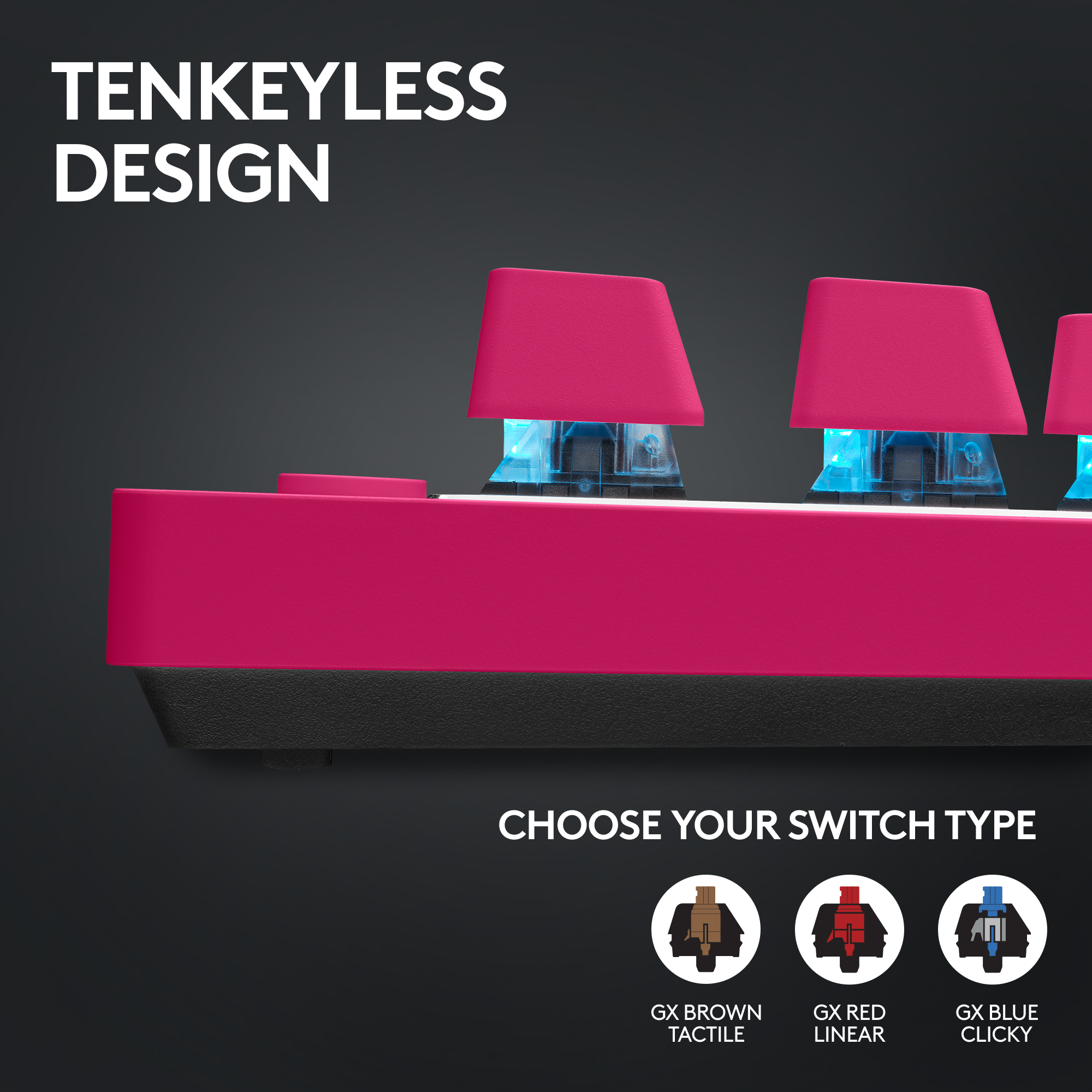
|Posted .This reviewer received promo considerations or sweepstakes entry for writing a review.Logitech has updated some of their top tier Pro series accessories, including the PRO X TKL keyboard. It has several changes from the previous wired entry – the biggest being the most obvious, it is wireless now, with connectivity via wireless dongle, Bluetooth, or wired. Lets take a look and see how this latest entry compares. Opening the box, you’ll find a very nice, high quality carrying case for the keyboard. This keyboard is designed with pro or serious gamers in mind who want to take their gear on the go, and including such a nice case is a great touch. I do wish it somehow held the keyboard in place a little more to keep pressure off of the keys if the case isn’t flat, but that is a minor concern. Inside of the case is the keyboard, and under that is the USB-A wireless dongle, a USB-A to C (female) converter, and the USB-A to C cable for charging the keyboard. The keyboard is equipped with USB-C for charging or wired connectivity. It is annoying that Logitech, even at this premium tier, doesn’t include a USB-C to C option, so you can connect to USB-C natively if those are the only ports you have available, like on a gaming laptop. The included cable is very flexible but not braided. This keyboard is equipped with “brown” tactile keys. Logitech offers “red” linear and “blue” clicky options as well. Personally, I like the little bump of resistance, but options are there for your personal preference. You won’t find optical or hall effect keys yet – Logitech still hasn’t embraced these newer technologies in their keys. Besides the wireless, there are new media control keys, lighting control keys, and in a big change, a roller bar for volume control. This finally brings up the quick access features of the “Pro” keyboard to other rivals and the other top tier Logitech offerings. The keycaps are double-shot PBT instead of painted single layer plastic, so they should last for a very long time. The lighting is smooth and vibrant, with lots of options for predefined or custom effects and animations. One odd thing, it doesn’t look like the keys are removable or swappable like the PRO X that came before it. I think the keycaps can be pulled, but I didn’t try it for this review. The feel of the keyboard is great. The keys are responsive and have a great typing feel. It also has an interesting design for the incline legs. A smaller interior leg flips out for 4 degrees of elevation, and a wider leg flips out for 8 degrees. The keyboard is extremely stable at any elevation and feels solid. For gaming, it is extremely responsive. Lightspeed wireless with a 1ms report rate means instant response in gaming. A dedicated gaming mode button also disables unused keys to prevent an accidental key press (like the dreaded windows button) while in the heat of the action. Profiles and macros can all be defined for different games or productivity tasks. It also has an onboard memory to save profiles and lighting configs for use on PCs that don’t have the G Hub software – which is key when using the Bluetooth connectivity option. This allows you to program the keyboard on a personal device, and then use Bluetooth to connect to a work or other device that doesn’t have the G Hub software installed, allowing for the features of the keyboard to still work. Battery life is excellent, lasting around 50 hours on wireless. It also reports battery level over Bluetooth, so you can still check in on how much capacity is there on devices that don’t have G Hub installed. Overall, this is a solid and well built keyboard. It is very portable and responsive and if you are looking for a wireless, pro grade gaming keyboard this one should be on your list to consider.
I would recommend this to a friend - Pros mentioned:Battery life, Wireless
Bulkier, But Same Great Logitech Features
|Posted .This reviewer received promo considerations or sweepstakes entry for writing a review.Logitech's latest Pro gaming keyboard adds several different mechanical keyboard switches and great features. The Logitech Pro X TKL Keyboard comes with a nice felt carrying case, USB C cable for charging, and a Logitech Lightspeed Receiver. The carrying case definitely helps with it being a tad bit bulkier and heavier when compared to other Logitech keyboards (and keyboards in general) and other TKL keyboards. The USB receiver, Logitech's dubbed Lightspeed Receiver, allows for you to use 2 compatible devices with it simultaneously. For example, one wireless receiver would be needed for both the Pro X keyboard and a compatible mouse like Logitech's Superlight mouse. The receiver is able to be slid into a compartment on the back of the keyboard for storage and travel as well. Logitech offers 3 different mechanical switches options for the Pro X keyboard, Clicky, Linear, or Tactile switches. Based on preference, I personally like the Tactile (brown) switches and they feel good under my fingers as I type. There is an audible clicking noise as each key is pressed down completely (will most likely have to go to the linear switches if you prefer less noise as you type). What the tactile switches mean is that the keyboard keys are not sensitive or as smooth as each key is pressed down and will have to press down the key a little farther to get it to register the key. As for the keys themselves, they have a smooth textured feel to them and feel nicer (do not get easily dirty as the G915, more on that below). Having both the Pro X TKL and the G915 Lightspeed TKL, I would like to compare the two as both are geared towards gamers but differ in look and feel. I believe it would also make it easier to explain differences in materials used for keyboards. For example, the keys look more legible and brighter on the Pro X when compared to the G915 (they can become even dimmer too). The buttons across the top for Wireless/Bluetooth mode, brightness, etc. are plastic, compared to the G915's that have a soft, rubber gummy feel. The volume roller is rubber compared to the G915's metal. Another difference is the G Logitech logo is not illuminated on the Pro X as is on the G915. Build wise, the G915 has an aluminum frame while the Pro X has a plastic body but aluminum frame under the keys themselves. Lastly, the Pro X touts 50 hours of battery life (depending on the keyboard brightness settings) while the G915 can do over 30 hours. In my opinion, other than the feel and quality build of Logitech's gaming keyboards, what really sets them apart is the look and customization. Through Logitech's G HUB software, you are able to fully customize the look and specific key functionality of the keyboard. The software also gives details on current battery percentage, approximate battery life with current settings, and customize the lighting effects while in use or inactive, add special key assignments such as macros or application specific accessible commands, and more. There are so many color effects animations that can be used on the keyboard and are what really sets it apart from the competition. To take customization further, there is a Game Mode button located on the top left corner (joystick looking icon) of the keyboard that allows for you to customize which keys you would like to disable to avoid accidentally pressing on any keys (especially while in a game). The Pro X also offers the ability to connect the keyboard to devices via the USB receiver or Bluetooth. Overall, I recommend the Pro X keyboard for those looking to have mechanical switches and even use their keyboard for gaming. In my opinion, the Pro X is a well built gaming keyboard that leans more for an office type of environment due to the feel and sound of the keys as you type. Since the keyboard is thicker (the keys sit higher), a wrist rest is recommended for extended typing sessions.
I would recommend this to a friend - Pros mentioned:Battery life, Rgb lighting
Loaded, comfortable and discreet gaming keyboard
|Posted .This reviewer received promo considerations or sweepstakes entry for writing a review.Logitech goes HAAM again with its latest edition of their G PRO X lightspeed wireless gaming keyboard. I’ve been using their previous model for over a year now and couldn’t wait to see what they were able to improve on. I needed to get a new wireless gaming keyboard since adding a new rig that will be plugged into our OLED and be sitting about 15 feet from the screen instead of at a desk. After switching to tactile keys instead of mechanical last year, I’m sticking with that style until something better comes out as it is much less loud and discreet. After a year of use with my last G PRO keyboard, I was reminded of why I don’t typically use white peripherals… dirt, sweat, grime, etc. transfer from my hands. The GX brown tactile is nearly black which shows well with the RGB lighting effects that show through the keys; in my opinion more so than the white version. As in all their previous versions and other peripherals, you can customize the color array via their software and even save lighting profiles onboard for quick switching. These are convenient and come in handy for gaming as to highlight specific keys to your liking. The other added bonus they included with this new model is a handy dandy protective carrying case for those who like to protect their devices, travel with their special keyboard or just look fancy. After the initial charge via the included six-foot USB-C cable, I felt right back in my comfort zone as the keyboard layout was nearly identical to the previous model I had been using. One major upgrade from the previous model is they claim the keyboard battery will last up to 50 hours on a single charge which is double what their last model was. They are still using the 2.4 GHz LIGHTSPEED technology using the included dongle and is also Bluetooth capable. Even wireless, the keyboard is very fast, responsive and easy on the fingers. There’s just something about it that makes it feel nice to the touch. In any case, whatever cat nip they have spun into this keyboard is working. Having invested in Logitech computer peripherals, amongst other devices, for over a decade, I will always be a loyal customer of theirs as I know their products are made very well, last long, handle just about any abuse you throw their way and are typically always a cut above the competition with the latest technology they use to improve on already great products. I would recommend this high-end gaming keyboard to anyone in the market for one.
I would recommend this to a friend - Pros mentioned:Battery life, Keyboard quality, Rgb lighting
Excellent Compact Gaming Keybord
|Posted .This reviewer received promo considerations or sweepstakes entry for writing a review.My initial impressions are great! The tactile feedback is excellent, the compactness of the keyboard is great, and the included carry case is perfect for on the go gaming. Battery Life I haven’t been monitoring my usage time vs standby time, but over nearly 2 weeks of usage the battery will last a long time. Charging is made simple with the included USB-C to USB-A cable. I charged out of the box, but I didn’t know what % it started at. To date with daily use I am just at 83% battery life. Customization Obviously there is the cool factor of RGB lightning and being able to customize each key color if you so choose. Getting used to Logi’s implementation took a bit, but I wouldn’t say the learning curve is steep. What is awesome is the ability to launch a game and it automatically switches your keyboard setup. Finished gaming…it will default back to your preferred normal usage settings. Connection Options Bluetooth, Lightning adapter, USB…if just connecting via bluetooth the keyboard defaults to a standard BT keyboard. The backlighting and some color changing options are available, but no programming keys, etc. To get full functionality the Lighting adapter or wired connection has to be used. GHub Software As already stated, I don’t think the learning curve on the GHub software is steep. I had it already installed for other Logi products I own, however, I did have issue out-of-the-box when trying to setup the keyboard. There was an issue with the firmware update and I ended up with a broken installation. Reached out to support with my issue and I had a step-by-step fix to fully uninstall the GHub software in under 24 hours. I don’t mess with the Registry Edit too ofen, but the step-by-step instructions were very simple to follow. Obviously no company wants software issues right out the gate, but if they are going to happen, at least have the support team ready, and Logi definitely has that! It would be cool if ASUS and Logi allowed crossover of their software to sync the laptop keyboard. It has Aura Sync, but that is proprietary for ASUS products and GHub for Logi, which makes since why neither company has the option, but still would be nice to at least sync the rhythm when in standby mode or some minimal crossover.
I would recommend this to a friend - Pros mentioned:Battery life, Keyboard quality, WirelessCons mentioned:Switches
Rock Solid Build Quality
|Posted .This reviewer received promo considerations or sweepstakes entry for writing a review.Logitech has just updated its G Pro gaming gear lineup with a new wireless keyboard, joining the headset released a few months ago. The new Pro X TKL Lightspeed keyboard offers some noteworthy improvements over its predecessor. This keyboard shares the same compact design as Logitech's recent tenkeyless models, meaning it doesn't have the number pad section. The new version comes with Lightspeed wireless technology, RGB lighting, Bluetooth connectivity, media control keys, and a volume roller. It also uses a USB-C connection instead of USB-A. Other than these additions, it's quite similar to the previous model and offers a choice of GX Blue (clicky), GX Brown (tactile), or GX Red switches with durable keycaps. You can easily switch between Lightspeed and Bluetooth connections, but it's worth noting that the buttons don't stay lit, so you might not know which connection is active if you step away briefly. You can customize the function keys with the G Hub software. The keyboard boasts an impressive battery life of approximately 50 hours, though it may vary slightly depending on usage. If you're like me and keep the keyboard's backlight at full brightness, it might be slightly less impressive. Compared to similar keyboards, I did feel the backlight could be brighter. The first thing you'll notice is the weight. For a compact keyboard, the weight is a bit surprising, but it's also a good thing. No flex in the keyboard whatsoever. The build quality is fantastic. This G Pro X TKL came with the GX Brown switches, and while they certainly feel rapid and responsive, coming from my G915 TKL daily driver, I can't say that I'm a big fan. For me personally, they feel a bit.. off? I don't know, maybe that feeling goes away once I become accustomed to them. You can choose between the GX Brown, GX Red linears, or GX Blue clicky switches. This brings up perhaps my biggest disappointment: Logitech has gone back to non-hot-swappable switches, which is extremely disappointing. This means whichever switches come with the board you purchase, they're the ones you're going to be stuck so make sure they're the ones you want. The keyboard comes with a multiple peripheral receiver which allows you to connect other periperhal, such as the G Pro X 2 Superlight mouse that was released along with the keyboard. The receiver slides into a slot underneath the keyboard, so you can keep track of it when you pack the keyboard into the included hard carry case. Nice touch. The Lightspeed wireless connection was rock-solid. The G Hub software has improved over time and is now more user-friendly, making it easier to manage settings. It's also worth mentioning that there's a Mac-compatible version available. Overall, the G Pro X TKL Lightspeed is generally a solid successor to Logitech's previous model. It's excellent build quality stands out, but the typing experience is a bit of a letdown for me compared to some of its competitors and even Logitech's own G915 TKL, and the lack of hot swappable switches seems inexcusable in a premium keyboard.
- Pros mentioned:Battery life, Rgb lighting, Wireless
Wireless+mechanical+RGB is perfect imo
|Posted .This reviewer received promo considerations or sweepstakes entry for writing a review.Made the jump from wired membrane to wireless mechanical keyboard with super clicks keys. And I’m loving it thus far. I have had Logitech keyboards in the past but never a true gaming one. This model is on the upper end as far as build and price. But definitely worth it. Very quick and precise keys while gaming and pleasant looking RGB make this keyboard perfect in my eyes. Plus it’s wireless and rechargeable that is small and portable if you wanna move it from a ne pc to the other. I have 2 pc set ups but this will definitely stay on my main set up in my gaming room. The Logitech software works very well. You can customize/update as needed. RGB looks super clean and can be changed to your liking. Logitech was even kind enough to include a hard case when you travel. It’s super nice and still so you won’t have to worry about damaging your pricey keyboard. A usb cable is also included and that’s how you charge. Battery has lasted me several days with about 4 hours of mixed used on battery mode. If I had to say I don’t like one thing, it’s the TKL part lol. I know that that is what you get on this model. But I thought I didn’t need the number keys and maybe I am old school but I miss them. Although this fits nicely in my set up so it’s a fair trade off. See pics for examples. If you have a decent set up I’d definitely recommend this gaming keyboard. I’m sure you will love it too.
I would recommend this to a friend - Pros mentioned:Battery life, Wireless
Premium Keyboard with Great Feel and Performance
||Posted . Owned for 1 year when reviewed.This reviewer received promo considerations or sweepstakes entry for writing a review.This Logitech keyboard has been excellent so far. The build quality feels premium, keys are responsive, and typing feels smooth and satisfying. The tactile switches give a nice feedback without being too loud, which is great for both gaming and everyday use. The wireless connection is fast and reliable, with no noticeable delay while gaming. Battery life has also been very good, and it’s convenient not having extra cables on the desk. The compact TKL layout gives more room for mouse movement while still keeping all the important keys. I also really like the white design and RGB lighting — it looks clean and modern. Overall, this is a high-quality keyboard that performs well and looks great. Definitely recommended.
I would recommend this to a friendBrand response from Logitech
Posted .We truly appreciate you sharing your thoughts. It’s fantastic to hear the product is delivering as expected. Your feedback helps us grow and refine what we do. Thanks for choosing Logitech!