Customer Ratings & Reviews



- Model:
- 920-007739
- |
- SKU:
- 4812800
Customer reviews
Rating 4.7 out of 5 stars with 483 reviews
(483 customer reviews)Rating by feature
- Value3.9
Rating 3.9 out of 5 stars
- Quality3.9
Rating 3.9 out of 5 stars
- Ease of Use4.3
Rating 4.3 out of 5 stars
Customers are saying
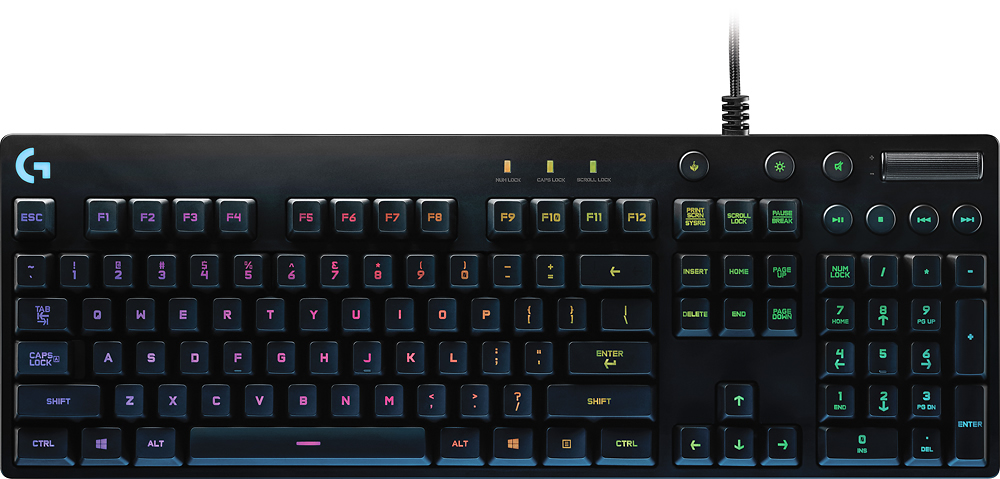
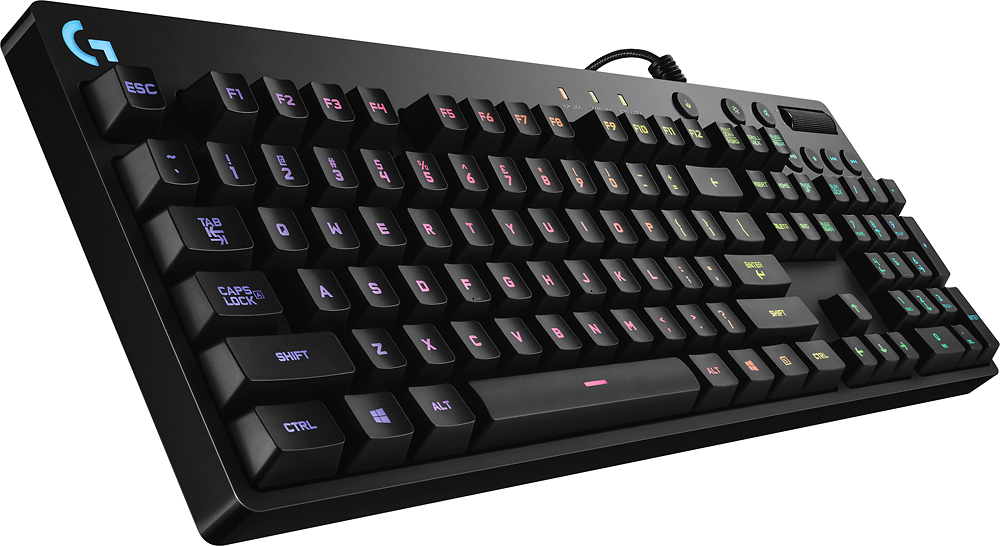
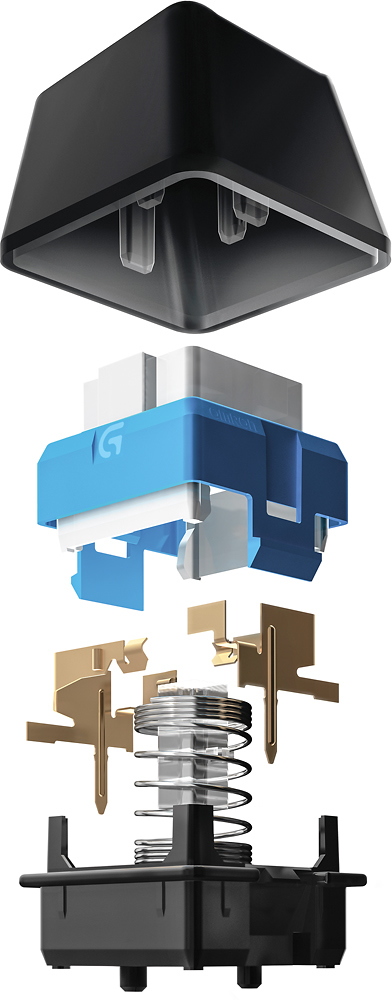
Customers often highlight the excellent RGB lighting, quiet and responsive keys, and sturdy build quality of the RGB G810 Orion Spectrum Gaming Keyboard. Many users also appreciate the Logitech software, affordable price, and Romer-G switches. While some customers wish it came with a wrist rest, the overall feedback is positive.
This summary was generated by AI based on customer reviews.
- Pros mentioned:Keyboard quality, Rgb backlighting, Volume control
Rated 5 out of 5 stars
Solid Keyboard
||Posted .This reviewer received promo considerations or sweepstakes entry for writing a review.I read different reviews on keyboards before making my purchase, and ended up going with the Logitech G810 and I’m glad I did! It feels well built and is super sturdy. The colors are great and the customization is fantastic. I love the turner for quick volume control as well. The only thing I wish you could do is create custom profiles for games it doesn’t recognize. But overall I’m extremely satisfied with this keyboard. The Logitech app makes it easy to make changes and it pairs nicely with my Logitech mouse and headset.
I would recommend this to a friend - Pros mentioned:Key feel, Rgb backlighting
Rated 5 out of 5 stars
Best Keyb I have used so far!
||Posted .This reviewer received promo considerations or sweepstakes entry for writing a review.I bounce around on many computer parts to include keyboards. I had a razer membrane to start and it wasnt bad but I wanted a mech without going as far as building one. I picked up the Corsair MX Silent and really enjoyed it. Then grabbed the K95 Platinum on sale which is a beast of a board but something was missing, or maybe TOO much RGB? I dont know.... I did not have any experience with Logitech peripherals but heard good things about the g810. Black friday comes around and couldnt pass up on the sale. Wow! I really like the tactile feedback each key gives me. It is somewhat loud when typing but I got used to it. Small amount of RGB that looks classy. The k95 keys were raised and led to a lot of bleed this keyboard keeps it looking nice and attractive. Software is a lot easier IMO than Corsairs Utility Engine, which I am not a fan of. With logitech I get in, change my settings, set my lights, and get out so fast. Overall - Great keyboard that looks classy and not gamerish with high levels of productivity. Highly recommend especially on sale!
I would recommend this to a friend - Pros mentioned:Key feel, Volume control
Rated 5 out of 5 stars
My first keyboard purchase!
||Posted .This reviewer received promo considerations or sweepstakes entry for writing a review.In love with this keyboard. Decently sounding, soft-touch keyboard. There is no backlight but the keys have light in them. Volume is a rolling key which is awesome! Function keys need not be pressed with Fn button (it is removed and replaced with right click button). 000
I would recommend this to a friend Rated 5 out of 5 stars
Quality Gaming Keyboard
||Posted .This reviewer received promo considerations or sweepstakes entry for writing a review.Not as "clicky" as some mechanical keyboards can be but you def know its one. Can be a little sensitive at times but overall great..RGB control took a little getting use to but overall great keyboard.
I would recommend this to a friend- Pros mentioned:Keyboard quality, Rgb backlighting
Rated 3 out of 5 stars
Logitech G810 Orion, poor key quality
||Posted .This reviewer received promo considerations or sweepstakes entry for writing a review.Pros: great experience typing/gaming. RGB is fun to use and keeps board illuminated in the dark. I love the roller volume wheel and will not get another keyboard without one. It has a very solid feel with no flex and is heavy. Cons: Only took a few months for the ost commonly used keypad's lettering to wear of off. After a year the E key and a couple other began double typing with a single keyless leading to an unusable experience.
No, I would not recommend this to a friend Rated 5 out of 5 stars
Amazing gaming keyboard!
||Posted .This reviewer received promo considerations or sweepstakes entry for writing a review.This is my first gaming keyboard and I have to say I absolutely love it! There are so many ways to customize it to your preference and the Logitech gaming software makes it super easy to configure with all your games. I've had Logitech peripherals for my computers for years and they never disappoint. Quality products
I would recommend this to a friendRated 4 out of 5 stars
Step in the Right Direction
||Posted .This reviewer received promo considerations or sweepstakes entry for writing a review.Would have been 5 star easily, but you know... price. Not your typical mechanical keyboard. Not as loud and clinky if that's your thing, this isn't your keyboard. The LED system is legit. It does a lot of colors and patterns. I had the mouse, and the headset I bought later.All of their LEDs are synced and which means I'm definitely going to win at online games now.
I would recommend this to a friend- Pros mentioned:Keyboard quality, Rgb backlightingCons mentioned:Switches
Rated 5 out of 5 stars
Great switches & build
||Posted .This reviewer received promo considerations or sweepstakes entry for writing a review.This is my 3rd keyboard. I have an HHKB Pro 2 with Topre domes, a Ducky shine with brown cherries, and this Orion 810 with Romer-G switches. **Switches & Keys** The switches are great, but take some getting used to. They activate at very short travel, but bottom out quicker and can feel less satisfying at first. This suits fps gamers well who want the twitch-trigger reaction times from their gear. They're not ideal for typing because presses do happen. That said, this is probably one of the most crisp-feeling keyboard to type on. Some people prefer deeper travels for their keys and found the feel of Romer-G's to be unsatisfying but I think this is a matter of taste. I personally like it :) It's worth mentioning that the space bar is loud, with rattly stabilizers. The keycaps are ABS plastic that have the letters etched off. The key surface picks up & displays oil very well, so you'll want to keep your hands clean while typing. **Aesthetics & Build** Solid build, no frills. It's a shame that the cord is not detachable because the cable, while high quality, is too long for my purposes and I would have liked to replace it. Keyboard looks very professional until the lights come on. The RGB lights are controllable on individual keys and they're absolutely beautiful. Recommendation: Buy if you want a gaming keyboard that doesn't look garish. Also hold off until it goes on sale. Logitech-G gear reliably get deep discounts during Black Friday.
I would recommend this to a friend - Pros mentioned:Key feel, Keyboard quality
Rated 5 out of 5 stars
Solid keyboard
||Posted .This reviewer received promo considerations or sweepstakes entry for writing a review.After going longer than 10 years since my last mechanical keyboard,(an old clicky blue IBM) I wanted to get back into one again, but not something quite so noisy. I researched various Cherry MX flavors & figured that I'd prefer something like the browns or blacks.(reds were just too mushy feeling for my taste) While out shopping & trying to get a real hands-on feel of a mechanical brown or black keyboard at a store,(something I was unable to accomplish, due to store model availability) I came across some Logitech Orion models, with their Romer-G mechanical keys. The feel was great, so I got the G810 & never looked back. I would imagine that the feel is somewhere between a MX brown and MX black... It's a solid-feeling board & I really like the dedicated media controls on it, especially the volume wheel, pause & mute button! They are very convenient compared to many of the other high-end boards that you have to hit a function key+ to achieve the same. Two very minor gripes - It's fairly high, so you might want to have a small wrist rest.(although I'd never want the one like on the G910) I got used to it just fine without any rest at all. The other beef is that there seems to be a little hollow resonance that comes from the mechanicals under certain keys as you type, especially from the space bar. If you're listening to music, or working in a non-quiet environment, you likely won't notice it as you type, but it may bother some in a perfectly quiet setting. It's not enough to make me change my mind about it, though - I really like this keyboard! The LGS software add-on does a good job of letting you customize your key-colors, & you can even scan for games located on your hard drive & it will auto-load an appropriate keycolor map from its extensive game profile library to give you a quick leg up on customizing your colors. Or, you can create your own profiles from scratch. You can pretty much do anything you want to the keys, including per-profile individual key color control. Overall, there's a lot to like about this keyboard, & the LGS gives you unlimited customization possibilities.
I would recommend this to a friend Rated 5 out of 5 stars
Awesome keyboard!
Posted .This reviewer received promo considerations or sweepstakes entry for writing a review.I just got a chance to unpack and set it up. I also had the G710+ and Razer Blackwidow Chroma. The Logitech G810 beats both of them hands down. I was nervous about the Romer-G switches as compared to the G710+, but I'm adjusting just fine. Overall the G810 is much quieter to type on. The only thing that I could think of that could be improved is that Razer has a mode to let you "layer" the lighting effects. For example, create different colored lighting zones, then add a layer of reactive lighting on top. The Logitech Gaming Software only lets you pick between zone lighting mode, effects mode, and freestyle (static color) mode. There is no way to currently turn off the "G" logo lighting in the effects modes. I'd rather not have a super bright logo shining into my face. Anyway, this is everything I hoped for in a spiritual, understated RGB successor to the G710+. They even made the volume scroller wider and moved the "game mode" key out of the way to prevent accidental presses. You won't regret buying it :)
I would recommend this to a friend- Pros mentioned:Keyboard quality, Rgb backlighting
Rated 5 out of 5 stars
The best gaming keyboard currently on the market
||Posted .This reviewer received promo considerations or sweepstakes entry for writing a review.I've tried most of all the higher end gaming keyboards. This includes the razor and the top end logitech. The Razer - BlackWidow Chroma is very nice but it has a huge flaw with key positions. Because of its design, your hands will naturally hit the Caps Lock key when you think it's the letter A key. If you look at a picture of the BlackWidow you can see how they adjusted the keys more from the left side of the keyboard frame to make room for the function keys. The high end Logitech is just too much. The keys have these weird corners that make it hard to land your finger on the center each time. It's way too big and just a bit ugly in my opinion. This model has everything you need (love that volume wheel) and it does it perfect. The keys feel amazing! The lighting is bright and diverse. It's build quality feels expensive. The logitech software is feature filled. I couldn't recommend this model more. If you're looking for the best gaming keyboard that's also great to type with, you've found the right one. Con worth noting - You can't download lighting setups from other users. You can either design your own key by key (with tons of possible effects and colors) or choose through a half a dozen of Logitech's presets. I've heard they might be adding downloadable user lighting configs later in the year. I hope so!
I would recommend this to a friend - Pros mentioned:Keyboard quality, Lighting
Rated 5 out of 5 stars
I enjoy the show as much as they feel
||Posted .This reviewer received promo considerations or sweepstakes entry for writing a review.Logitech - RGB G810 Orion Spectrum Gaming Keyboard is as much fun to sit and watch as it is to actually use. My friends kept complaining about the sound of my mechnical keyboard while gameing. It was working fine but to be fair I started to look for an alternative. I wasn’t using a Logitech keyboard at the time but I have many times in the past. Logitech is one of those compaines that just seem to get it and most of there products are of a very consistant quality. Although the lighting is very nice it’s the feel of the keys and how little noise they make compaired to my cherry blues keyswitches that make it so nice. I also like how there is no wasted space with macro keys but they still have the media keys. As a person who does office work and then normally plays FPS I am very happy with this change. And the color options now have me thinking of matching my PC case with some RGB goodness. I give Logitech a big thumbs up for staying on the edge with a very nice looking and quality feeling keyboard. And if you really want to you can map the function keys to macros. And the software gives you a lot of control over the RGB lighting and is done very well.
I would recommend this to a friend - Pros mentioned:Keyboard qualityCons mentioned:Switches
Rated 4 out of 5 stars
Fun effects, good feel, quality built, but..
||Posted .This reviewer received promo considerations or sweepstakes entry for writing a review.This is a quality keyboard. It is well made and the Romer-G switches have a nice feel and are very quiet, although I personally prefer the feel of the noisier Cherry MX Brown. This keyboard has a couple of flaws that would make it a poor choice for some people. The light effects are definitely something that most will want to customize and if you like custom light effects, then this keyboard really shines with all the lighting/effect options it has. By default, the lights animate a rainbow wave. That might be cool for a keyboard or computer on display, but for day-to-day use it is very distracting and obnoxious. A thing to note is that you must install the software to customize the light effect/animation. Also, customizing the light effect/animation through a KVM does not work. Lastly, the hues between the software and keyboard are a bit off/imbalanced. Getting a very bright white is impossible because a perfect white in the software actually gives the keyboard a pretty obvious color.
No, I would not recommend this to a friend - Pros mentioned:Key feel, Rgb backlighting, Volume control
Rated 5 out of 5 stars
Great RGB keyboard
||Posted .This reviewer received promo considerations or sweepstakes entry for writing a review.I was a bit hesitant after first unpacking this keyboard and trying out the Romer-G keys. I'd been used to Cherry MX Blacks, and then after those were a bit fatiguing for long gaming sessions and contemplating Reds, switched over to MX Browns. I've tried Blues too, yeah, but those will wake the dead. No thanks. Anyway, these feel good, but somewhat different than Cherry MX keys. Maybe somewhere between a red and a brown, without the tactile click, and an O-ring installed. Anyway, I got used to them after a day or so, and they feel great. That's the main thing here. I'm also glad this one comes with the cylindrical key caps that I'm more used to, and not that odd faceted cap choice. On to features. There's not a whole lot, but that's why I bought the 810 and not the 910. I don't need macro keys, but I would like volume control and mute. A volume roller is present and works great. As is a mute button. There's also media keys for playback control, and a game button to disable your OS keys so you're not accidentally launching things mid-game, but those are all for the extra keys. On to the RGB lighting! It looks great, but takes a bit to get used to. Going from an unlit to a disco party keyboard admittedly can be a bit distratcing. The built-in effects are really neat, and there's the option to program your own, if your'e up to it. I also can synchronize it with my G303 Daedalus Apex mouse for breathing or color cycle, but I wish the color wave had a way to choose a left/right mouse position and sync that in as well. Too much to ask, maybe? Oh well. It's a great keyboard. I watched and waited for it to go on sale, and I'm glad I bought it when I did.
I would recommend this to a friend - Pros mentioned:Rgb backlighting
Rated 5 out of 5 stars
The hyperbole is true
||Posted .This reviewer received promo considerations or sweepstakes entry for writing a review.I had read in a review for mechanical keyboards that buying one would "change my life." I've been a software developer for 20 years now, so I'm pretty familiar with a keyboard, and switches just did not seem as momentous as having your first child or taking a vow of silence in a monastery. I've used this keyboard for about 10 days and now feel qualified to make a comment about how changed my life has become. Frankly, I agree that mechanical switches has changed me. I'm not eating any better or exercising more, but I will definitely say that my typing has gotten faster and more accurate. I wish that I had purchased a mechanical keyboard long, long ago. The experience is that much better. When I was looking for a keyboard, I checked all of the sources to determine what switches to get. Web sites tell you how great Cherry MX switches are, so I was pretty set on getting Red or Brown until I went to Best Buy and tried the Romer-G switches. The Cherry switches felt decent, but I fell in love with the Romer-Gs. Cherry switches were REALLY loud (Red) or didn't feel satisfying (Brown). The Romer-G switches are not super-loud, but have a very satisfying actuation and overall feel. I'm really happy that I went with the Romer-G switches. As far as gaming goes, I can't say that I'm any better, but the lighting stuff in the Logitech Gaming software could really help. The ability to set colors for particular zones of keys is amazing. There are other bits that appear to be more of a gimmick, like waves of colors across the keyboard, that would be more distracting than anything else. I also use this keyboard to work, so maybe I'm a curmudgeon as well. Bottom line is that I wholeheartedly recommend a mechanical keyboard. I'm very pleased with Romer-G switches after checking out Cherry switches, but it would be a far better idea to see if you can try them all out before being forced to make a decision. I'm quite happy, however.
I would recommend this to a friend - Pros mentioned:Key feel, Lighting
Rated 5 out of 5 stars
Great Keyboard
||Posted .This reviewer received promo considerations or sweepstakes entry for writing a review.Purchased keyboard due to coffee being spelled on my Razer Black Widow Ultimate 2014. The keyboard is more responsive, has a better feel from the keys and has many cool feature. The lighting being able to adjust to color scheme based on the game's controls is awesome. Great functionality, doesn't take up a lot of space and only uses 1 usb plugin.
I would recommend this to a friend - Pros mentioned:Keyboard quality, Rgb backlighting
Rated 5 out of 5 stars
Excellent Gaming Keyboard at an Excellent Price
||Posted .This reviewer received promo considerations or sweepstakes entry for writing a review.I’ll keep this review short and sweet. I upgraded to this keyboard from a $20 Logitech K120, as I was looking to buy my first mechanical keyboard. I game quite often so having the tactile feel in my keystrokes is very important to me. The keyboard is quite robust as long as you aren’t tossing it around, but if you’re looking for something more portable, try the G Pro. Lastly, the software for the RGB, macros, etc. is a breeze to use. Logitech includes plenty of RGB profiles and a list of games that have specific lighting profiles for their respective keybinds. Overall, if you’re looking for a reliable keyboard for gaming or long typing sessions then this is the way to go.
I would recommend this to a friend - Pros mentioned:Key feel, Keyboard quality
Rated 4 out of 5 stars
Great keyboard
||Posted .This reviewer received promo considerations or sweepstakes entry for writing a review.Solid build, keys feel good, software is good. Can customize key colors for different games.
I would recommend this to a friend - Pros mentioned:Rgb backlighting, Volume control
Rated 4 out of 5 stars
Very good keyboard
||Posted .This reviewer received promo considerations or sweepstakes entry for writing a review.Love the keyboard for the most part. The lights on this are much more appealing to me than the Cherry MX keys that have all the light bleed between the sides. Volume control is nice and smooth, and the media keys feel solid as well. The only thing I dislike on this keyboard is the ping noise that can happen when you get typing a little harder on the keys (especially on the space bar).
I would recommend this to a friend - Pros mentioned:Key feel, Rgb backlightingCons mentioned:Price
Rated 4 out of 5 stars
Pricey, but great keys.
||Posted .This reviewer received promo considerations or sweepstakes entry for writing a review.Pros: - The mechanical tactile click of a cherry mx blue with about 1/3rd less clacking sound. - Super tough construction. The outside is plastic, but the internal construction feels like a solid chunk of metal. - Understated minimalist design. I'm a little tired of the crazy 'IM A GAMER!!!!!' type designs. - rgb backlights. Cons: - Exspensive. Logitech knows they have a good product. They are not shy about overcharging for their products. - The keys collect finger oil faster than any keyboard i have ever used. The surface of the keys i use the most became glossy within a week. (in contrast the original matte finish) - I wish they had a version with a few dedicated macro keys. (Although you can program the 'F1/2/3/etc..' Function keys.) Overall, great keyboard. The best balance of a mechanical tactile response with a little less noise and a grown up design. A little pricey though.
I would recommend this to a friend