Customer Ratings & Reviews


- Model:
- 910-006231
- SKU:
- 10154866
Rating by feature
- Value
Rating 4.7 out of 5 stars
- Quality
Rating 4.8 out of 5 stars
- Ease of Use
Rating 4.8 out of 5 stars
to a friend
Nice mouse
||Posted . Owned for 1 month when reviewed.This reviewer received promo considerations or sweepstakes entry for writing a review.Great mouse.fits nicely in my hand and buttons see perfect
I would recommend this to a friendWell Designed
||Posted . Owned for 2 months when reviewed.This reviewer received promo considerations or sweepstakes entry for writing a review.The mouse is very well built, uses batteries efficiently and is very silent.
I would recommend this to a friendnice a big O_O
||Posted . Owned for 1 week when reviewed.This reviewer received promo considerations or sweepstakes entry for writing a review.I had trouble getting the unifying receiver to work but all I had to do was download Logitech options+
I would recommend this to a friend
Smooth Operator
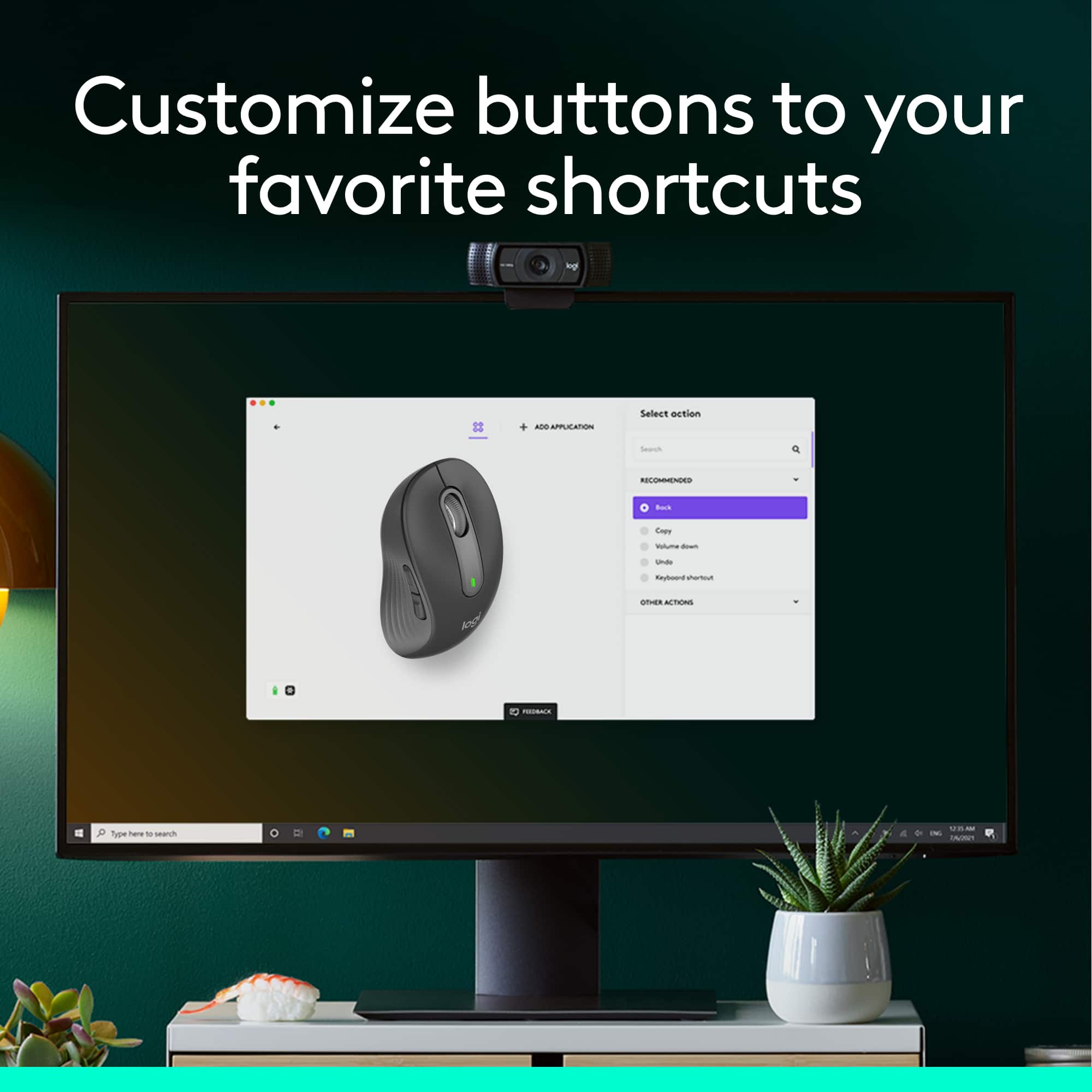
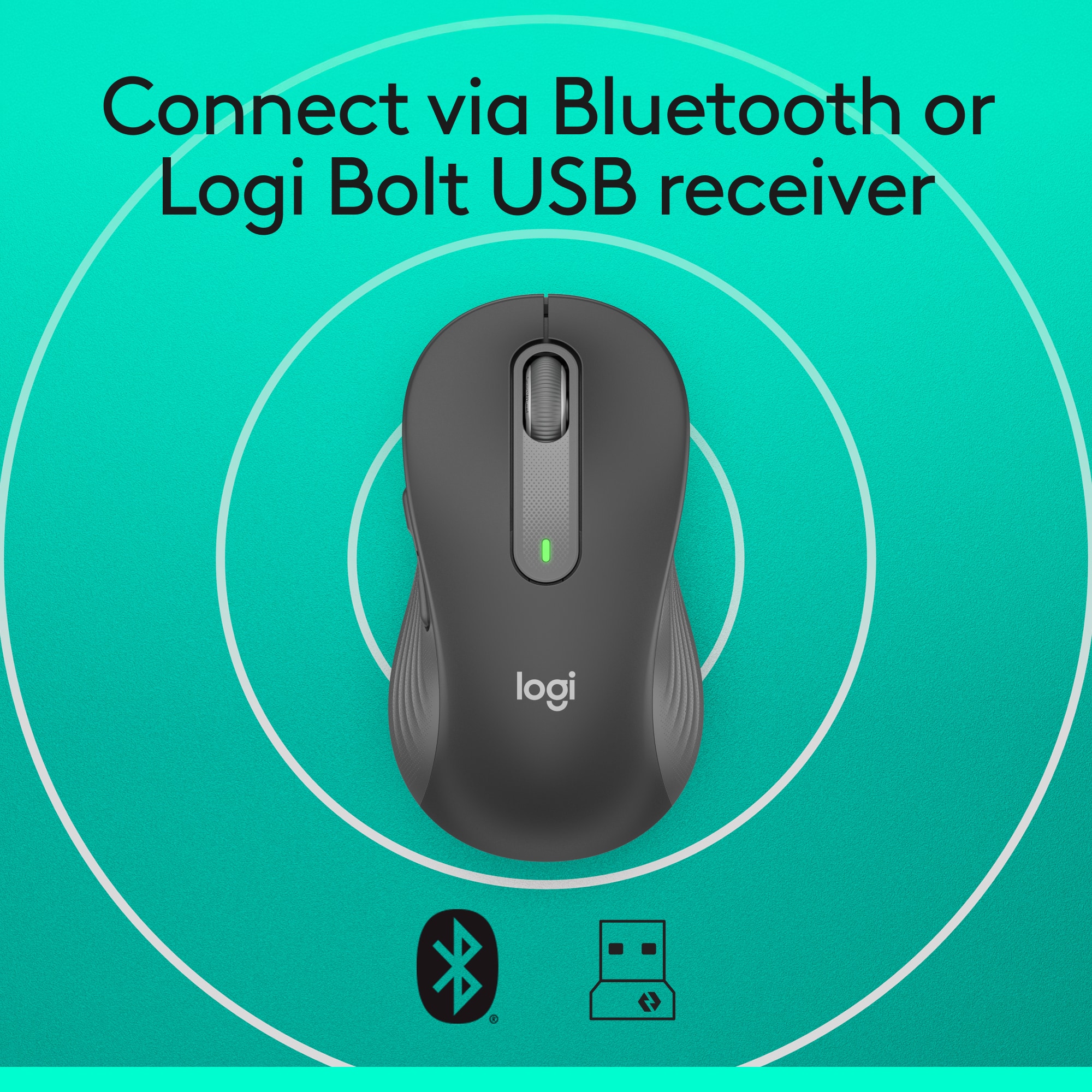
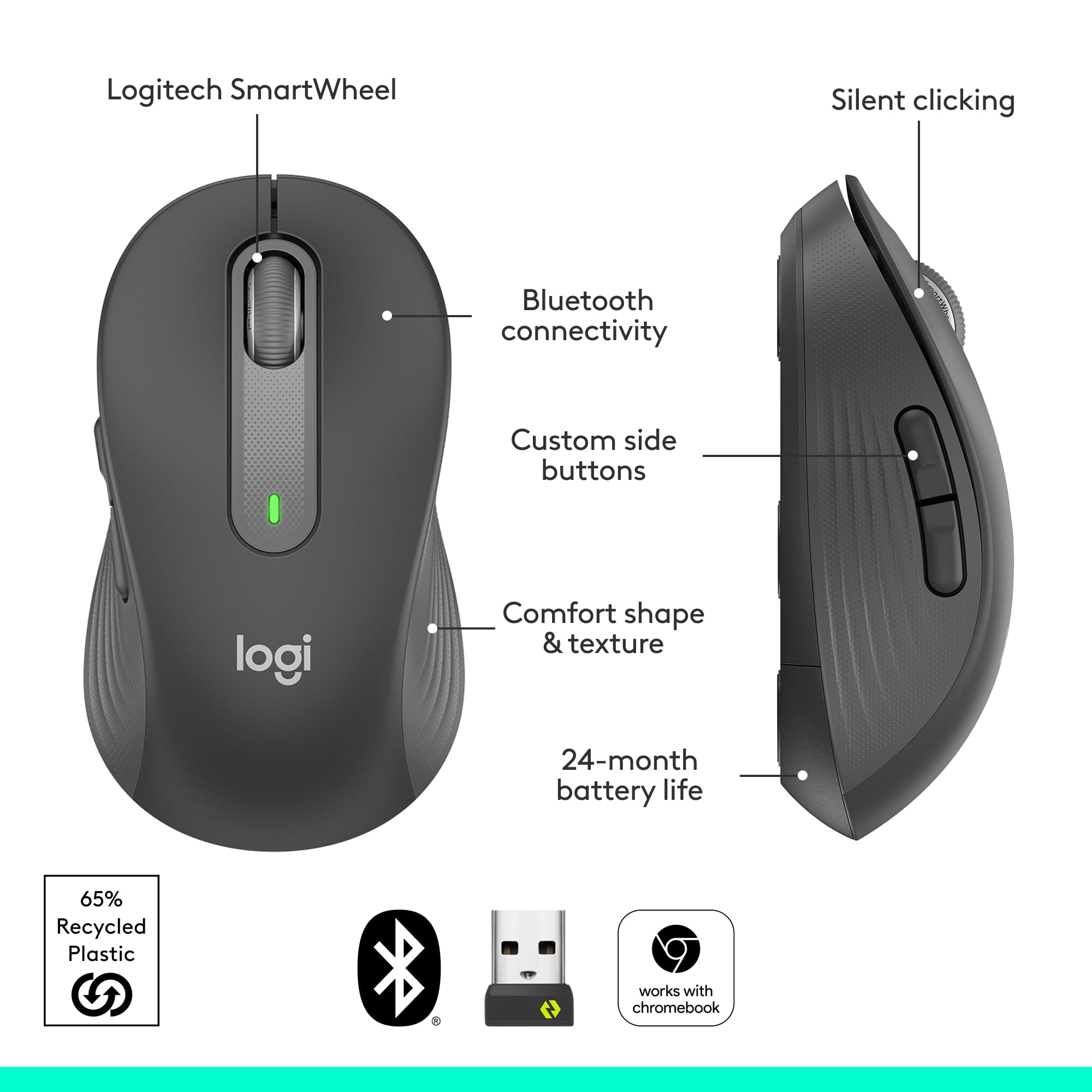
|Posted .This reviewer received promo considerations or sweepstakes entry for writing a review.The first thing I noticed about this mouse is how comfortable it is to use, and how naturally it fits in my hand. The quality and attention to detail is immediately noticeable. The performance and size of the Logitech Signature M650 wireless mouse makes it suitable for everyday use, while being compact enough to be easily put in a bag and taken on the go. The sharp optics make operating it smooth and precise. Tracking is spot on, and the scroll wheel operates perfectly. The comfort and precision make this Logitech mouse a distinct improvement over using a basic mouse. As advertised, the button clicks are silent. Logitech designed this mouse to work wirelessly by Bluetooth or with a USB receiver. There is a software App that allows the extra mouse buttons to be customized, but the App is not necessary to use the mouse. The USB receiver fits into a USB-A size port. After inserting the receiver, it took a few seconds for the computer to recognize and configure it. I tested the USB receiver in a few different docking stations and USB expansion adapters, and found the performance to be flawless whether it was connected directly or indirectly to my computer. The USB receiver can be stored in the body of the mouse under the battery cover. This mouse also works over Bluetooth. This is especially useful because more and more laptops are being equipped with USB-C ports only. Pairing this mouse via Bluetooth was simple and once done the connection was stable and reliable. The pairing process is similar to headphones or speakers. Simply select the mouse from the device list and you are done. I was able to use this mouse with Windows and Chromebooks laptops so I can confirm that it is fully compatible with both operating systems. The mouse is right hand oriented, so left handed users can get the left handed version, or use this one and compensate for the differences.
I would recommend this to a friendBrand response from Logitech
Posted .Hello, Kotor! I'm happy to hear that you're enjoying the M650 mouse! Feel free to reach out to our support team here https://support.logi.com/hc/en-us/requests/new?ticket_form_id=360000621393 if you ever need any assistance or if something happens in the 1-year limited hardware warranty. Thank you for the in-depth review and for shopping Logitech! - Maggie from Logitech
It's good for normal work
||Posted . Owned for 1 month when reviewed.This reviewer received promo considerations or sweepstakes entry for writing a review.It is a little hard to move on the bottom and move it around, especially if you're trying to game really fast it can be annoying. But it clicks nice and is silent so I can work at night, and it feels nice under my hand and has custom controls. I do not regret my purchase.
I would recommend this to a friendExcellent smaller travel mouse.
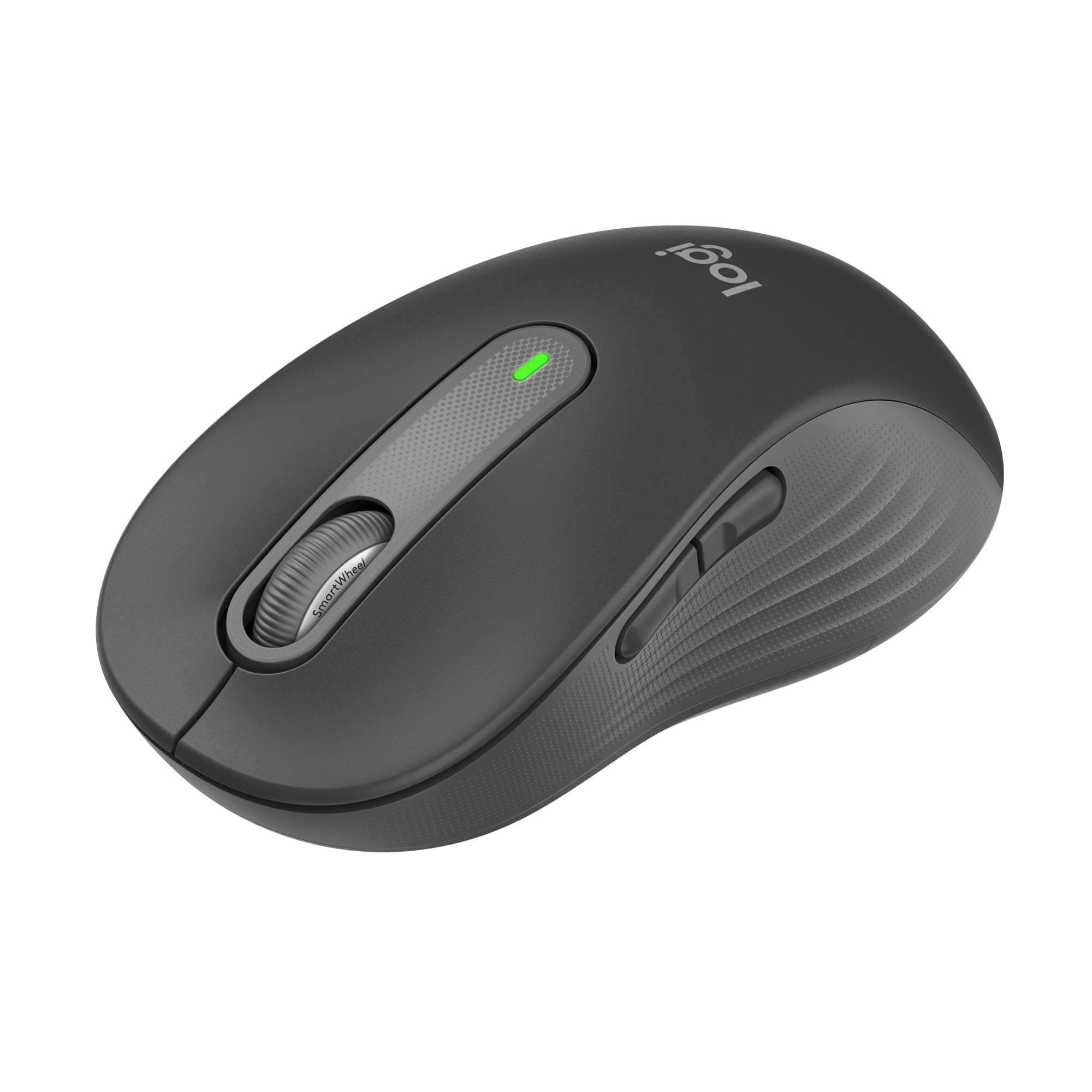
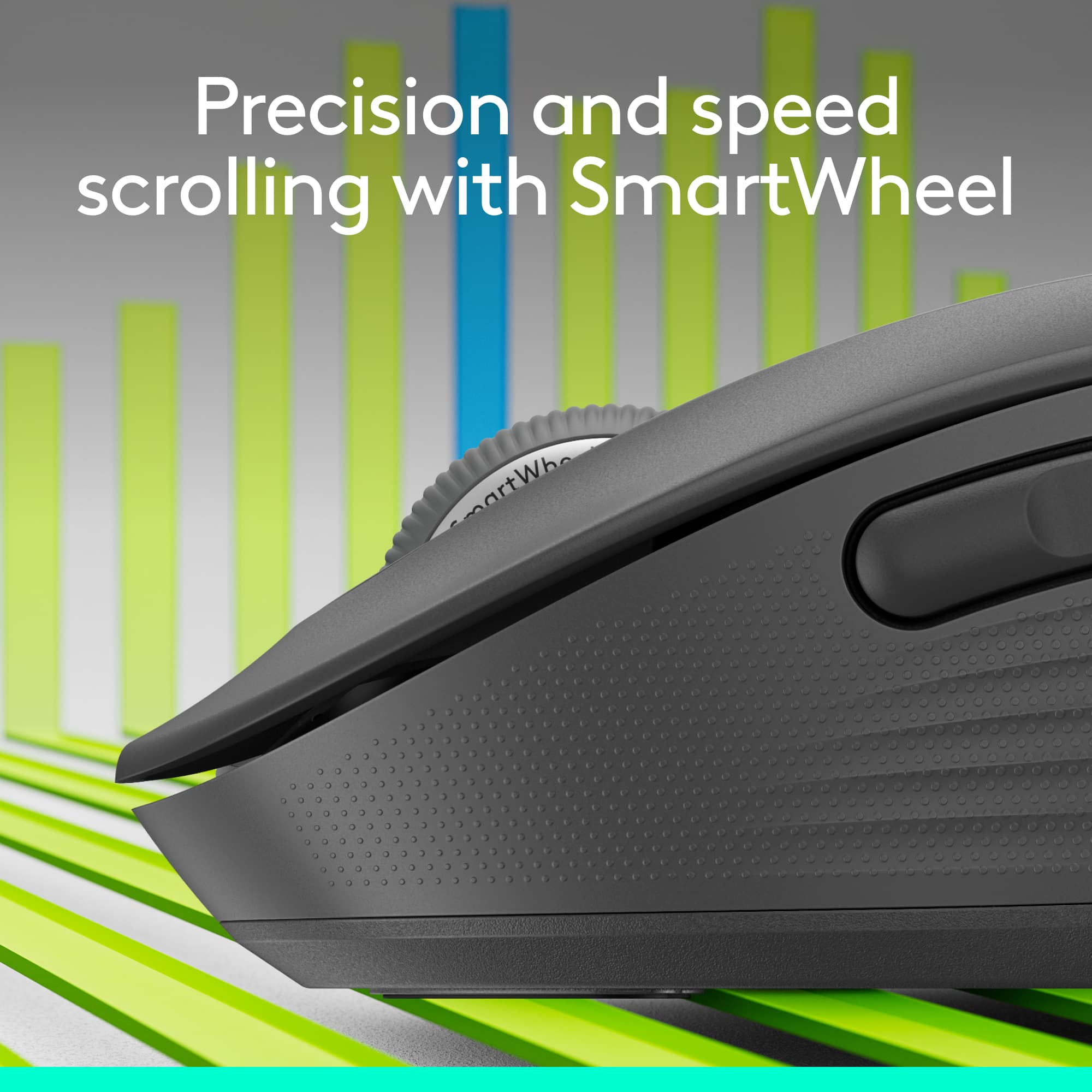
|Posted .This reviewer received promo considerations or sweepstakes entry for writing a review.Logitech mice have been one of my favorites for years, I wanted a smaller replacement mouse for my older Anywhere mouse as it goes through batteries fairly fast. And once I saw the new Signature M650 was available in a smaller size I had to grab it. Unboxing: The mouse comes in a plastic clamshell that’s very easily opened by the perforated back. Inside is the mouse, and inside the mouse is your wireless dongle. There’s a battery already installed and you just remove a pull tab so it can make contact. First thoughts: The mouse itself is about the same size as the Anywhere MX, it’s a good bit lighter and has more of a pronounced “arch” to the middle. The sides have a nice soft touch textured finish and is very grippy, the top area is a satin hard plastic, very smooth and feels great in hand “I prefer this over the Anywhere MX glossy finish”. The battery door is on the underside, it’s easy to remove and only uses a single AA battery, and next to the battery is a slot for the wireless dongle. Use: After installing the Logi Options software and plugging in the dongle the mouse was instantly available “after turning it on first”. The software allows you to assign different functions to the buttons and tracking speed. The mouse also supports Bluetooth but I’m going ahead and using the dongle as I’ve always preferred the performance with it over Bluetooth. I really like the wheel, their new “SmartWheel” works great, this is where instead of clicking a button or pressing the mouse wheel to engage free spin you just flick the wheel and it acts like it’s spinning freely so you can scroll up/down quickly, then when scrolling normally it scrolls slowly, I never used the free wheel option as I didn’t like having to press a button/wheel to engage it. Logitech says this has a silent click, and they aren’t kidding, there’s no click noise at all, just a nice tactile click to it, but the side buttons definitely have an audible click to them along with a good stout tactile click. Not sure why they didn’t make the side keys silent but it takes nothing away from the mouse quality and functionality wise. I’ve tried the mouse on different surfaces to see how it responds and so far it works great on pretty much anything, just a glossy white ceramic tile gave it some problems but it works fine on any mouse pad or mousing surface I have. Conclusion: I really like this mouse it’s small, comfortable “for the size”, and easily fits into my laptop bag. They state the battery can last up to two years “wow” and I guess it will be a long time till I have to replace them. The batteries in the Anywhere MX lasted a month or so and I go through a lot of batteries with that one, this one should help save some money if the batteries do last that long. So if you are looking for a new mouse and want to be able to pick your size and even L/R handiness, a mouse that works great for everyday use and won’t burn through batteries then the new M650 line is one you really want to take a look at.
I would recommend this to a friendBrand response from Logitech
Posted .Hello Steve! I am so glad to hear you are loving all the features of our new M650. Thank you for being a Logitech customer and taking the time to write this awesome review for us! Just to let you know, it does come with a 1 year warranty with us, should anything happen to it down the road. Have an awesome day!
-Danielle from Logitech
Smooth, Quiet Ergonomic Mouse
|Posted .This reviewer received promo considerations or sweepstakes entry for writing a review.I needed to replace a failing wired mouse on a deskside Windows system and decided to go wireless. The Logitech Signature M650 mouse is a wireless mouse that can be connected via Bluetooth or dedicated wireless dongle. The dongle is stored inside the battery compartment if not used. I disconnected the wired mouse and connected via Bluetooth. The transition was seamless, it took about 30 seconds to connect the mouse and it has worked flawlessly. Motion is very precise and smooth, the buttons are quiet, and life is very good! The real beauty of the M650 line are the number of ergonomic options available. It comes in two sizes and a left handed variant. There are two 'extra' programmable buttons on the side that sit high enough up on the side to prevent accidental clicks. The two side buttons and the 'roller' button are programmable via the Logi Options+ software along with the scroll and pointer speed. I think The large mouse is better for larger hands, or if you prefer more of a palm grip. I have medium large hands but prefer more of a 'claw' grip on the mouse so I opted for the smaller M650. It will be easy to find an Signature M650 mouse family member that will work well for you, check it out!
I would recommend this to a friendSilent at a budget
||Posted . Owned for 3 weeks when reviewed.This reviewer received promo considerations or sweepstakes entry for writing a review.M650 L full size is an excellent mouse for the price. I mainly purchased this because I work at night, and loud clicks started to get on my nerves; I looked for a silent mouse, and this was the best option at this price point. Cons: the scrolling wheel is noisy - which defeats the purpose! Not rechargeable. Pros: Comfortable and quiet. Easy to use. Two customizable buttons and a rubbery grip.
I would recommend this to a friendMouse
||Posted . Owned for 3 months when reviewed.This reviewer received promo considerations or sweepstakes entry for writing a review.Needed a mouse for my laptop as keyboard hard for me to use
I would recommend this to a friendQuiet and simple
|Posted .This reviewer received promo considerations or sweepstakes entry for writing a review.While it looks like a basic mice, it has a lot of improvements over older versions. First, this comes in different sizes and colors. Make sure you pick the best for you: Small/Medium size, right-handed (This mice), larger size, right-handed, and large left-handed. Then it comes in different colors, and different sizes have different color options. Note that left-handed version comes only in large size. The mice is straight and the right and left buttons can be reassigned via the Logi software, but the additional buttons are on the left side on this version, which in impractical on left hands. This color (Graphite / Black) is made with over 60% recycled plastic (Other colors vary). Due to improvements in the Bluetooth connection, it runs on a single AA battery that Logitech claims it lasts up to 2 years. I'm using it with a Logitech keyboard that makes similar claims and so far it's holding up. This is a Bluetooth LE mouse (LE for Low Energy), so if paired with an older computer, it might need to use the USB receiver instead. Most laptops in the past several years should work fine. It doesn't need any other software to run, but the Logitech Options Plus software (currently in extended Beta) allows for a lot of customization, and if using the USB receiver, there is an application to connect multiple devices (mouse and keyboards) to the same adapter. Note that the 'Bolt' receiver is a new design introduced in 2021 and replaces the 'Unifying' receiver that Logitech shipped for years. They're not interchangeable, so be aware. The receiver is USB-A only, and for USB-C connections it needs an optional adapter (not included). The center wheel has soft 'clicks' for precise tracking. One interesting feature is that the clicks of the buttons is almost silent. Unlike other mouses, there is no characteristic 'click' sound. It's almost imperceptible, more silent than most keyboards. It does retain that same feedback when pressing the button, just without the sound. The side buttons are programmable via the Option Plus software (Windows / Mac), and it supports per-application settings. I have it connected via an USB-C dock with the Bolt USB receiver, and used it with Windows, Mac and Linux computers. Logitech advertises that Windows, macOS, iPadOS, Chrome OS, Android and Linux are all supported. Note that this mice can connect to one device at a time. It doesn't support the 'Flow' and multipoint connection features of the more expensive MX line. Overall is a great mice for daily use and compact enough to carry.
I would recommend this to a friendGreat Mouse!
|Posted .This reviewer received promo considerations or sweepstakes entry for writing a review.I've got a general issue with being overly effusive in my praise of simple objects (e.g. mouse pads, reading glasses, computer mice...), but this little Logitech - Signature M650 Wireless Scroll Mouse impressed me from the very first moment I took it out of the box! I also have a general issue with popularity of "unboxing". That said, Logitech actually took the time & energy to make the normally horrendous clamshell packaging really easy to open (see picture); maybe I'm too easily impressed, but this says to me that a manufacturer spent at least a few minutes to get the little stuff right- which makes me hopeful for the more important items. I've been a long-time user of Logitech wireless mice & keyboards for both my old office & new work from home (WFH) set-ups. As such, I wasn't sure how much one could improve a mouse. Logitech did a great job making a couple key improvements that stand out: - The dual USB/Bluetooth connectivity meant that I was able to test the Logitech - Signature M650 Wireless Scroll Mouse on my most-used WFH laptop. Had it not been for the BT option, I don't have any extra USB ports to support both my keyboard and another mouse because I can't install the software that would allow pairing a new mouse to my existing USB receiver :( Side note: I HAVE done this on my personal computer with other Logitech products and it's a very easy process to un-pair/re-pair new devices to a Logitech USB receiver- it simply requires downloading a simple tool & following a few easy steps. - I wasn't sure why "silent clicks" would be an advantage, but I really like it! Primary reason? Stealth multi-tasking on conference & video calls- no more clicking to give you away. The Logitech - Signature M650 Wireless Scroll Mouse is available in regular, Large & Left-Handed varieties. I got the regular size because I'm generally a size-medium sort of person. Upon receipt, I realize that I must have been using larger options all along, so pay attention to the size of what you're used to before you rush out to get a new Logitech - Signature M650 Wireless Scroll Mouse when you next need this most critical interface device!
Right size and grip
|Posted .This reviewer received promo considerations or sweepstakes entry for writing a review.>> Overview I chose the Logitech M650 mouse version for small/medium sized hands, and after using it for several days I am very happy with it. My rating went from 4 stars to 5 stars during that period. It feels very comfortable, with the right size and grip, and very silent. The package with the Logitech M650 mouse came with a poster/quick-start-guide that presents a summary of the mouse features. I think it is worth giving it a look to know the characteristics and what this mouse is capable of. - Pros: excellent grip, comfortable, silent, right size. - Cons: a little heavier than desired. >> Fit and Comfort I have small hands, so I chose the version for small/medium sized hands. It ended up being a little smaller than the mouse I had been using, so I initially was not sure it was the right mouse for me, and I wondered if getting the larger version would have been the right thing to do. However, after using it on a continuous basis for a few days, I came to realize that it is just the right size for my hands. I think it is because of its weight that I found myself using the mouse in multiple ways (perhaps it has the right weight then): - Holding, moving and clicking on it with my fingers - Using my fingers and resting the middle part of my palm against the mouse, leaving the area towards my wrist free of contact. - Resting my whole hand on the mouse while using it. Undoubtedly, getting a new mouse needs some adjustment time, especially in my case where I had used my previous mouse for almost two years. >> Clicking When clicking, the Logitech M650 is very silent, which contrasts with my Logitech mechanical keyboard when I am working at my desk. A few times I felt like I didn’t push the button, well there is the tactile feeling that something got clicked. Just be careful about this little detail if you are the kind of person that focuses a lot on receiving audible feedback from actions you take on devices. >> Connectivity As shown in the start guide and the package itself, you can connect the mouse to your laptop/computer/etc. through Bluetooth or wireless with the USB adapter it comes with. I have used the device in both modes. I have a Surface docking station and I use the USB adapter to connect to it. If I want to move away from the desk, then I use the Bluetooth connectivity. Both modes have worked very well for me so far, no complaints. The only thing to be careful here is when connecting to Bluetooth to press and hold the little button on the bottom of the mouse until the light starts blinking rapidly, then it will be able to pair. >> Customize This device has default settings for the side buttons, for example in Microsoft Edge (or Chrome for that matter), the front side key navigates forward while the back side key navigates backwards. This is handy when browsing. You can leave your M650 with the default configuration it came with, but if you want to configure your mouse with some advanced features, you’d need to download the Options+ App. I downloaded the App (over 100MB download), and although it says Beta, it worked flawlessly for the most part. I was able to configure what actions the side buttons would perform on different apps. I am not expecting to have many applications customized (just remembering what actions the side buttons do on a couple of apps is already too much to remember). The only issue I found was not being able to customize the side buttons to work with Word on my Surface ARM64. It throws an error about not being able to configure the plugin. This might be a restriction on the ARM64 version of Word, I haven’t investigated though (but will). >> Scrolling The M650 mouse is advertised to achieve a line-by-line document scrolling, but I haven’t gotten to reach this line-by-line. I am not sure if it depends on the DPI of my monitor or other factor (yet to figure out). That being said, there is indeed a noticeable difference between scrolling in web pages for example and Word documents. In web pages the scrolling covers more lines than in Word documents, the latter goes a couple of lines on every scroll, while it covers multiple lines in web pages. I was very impressed by this capability, and I love it.
I would recommend this to a friendYou Won’t Hear a Squeak from this Mouse
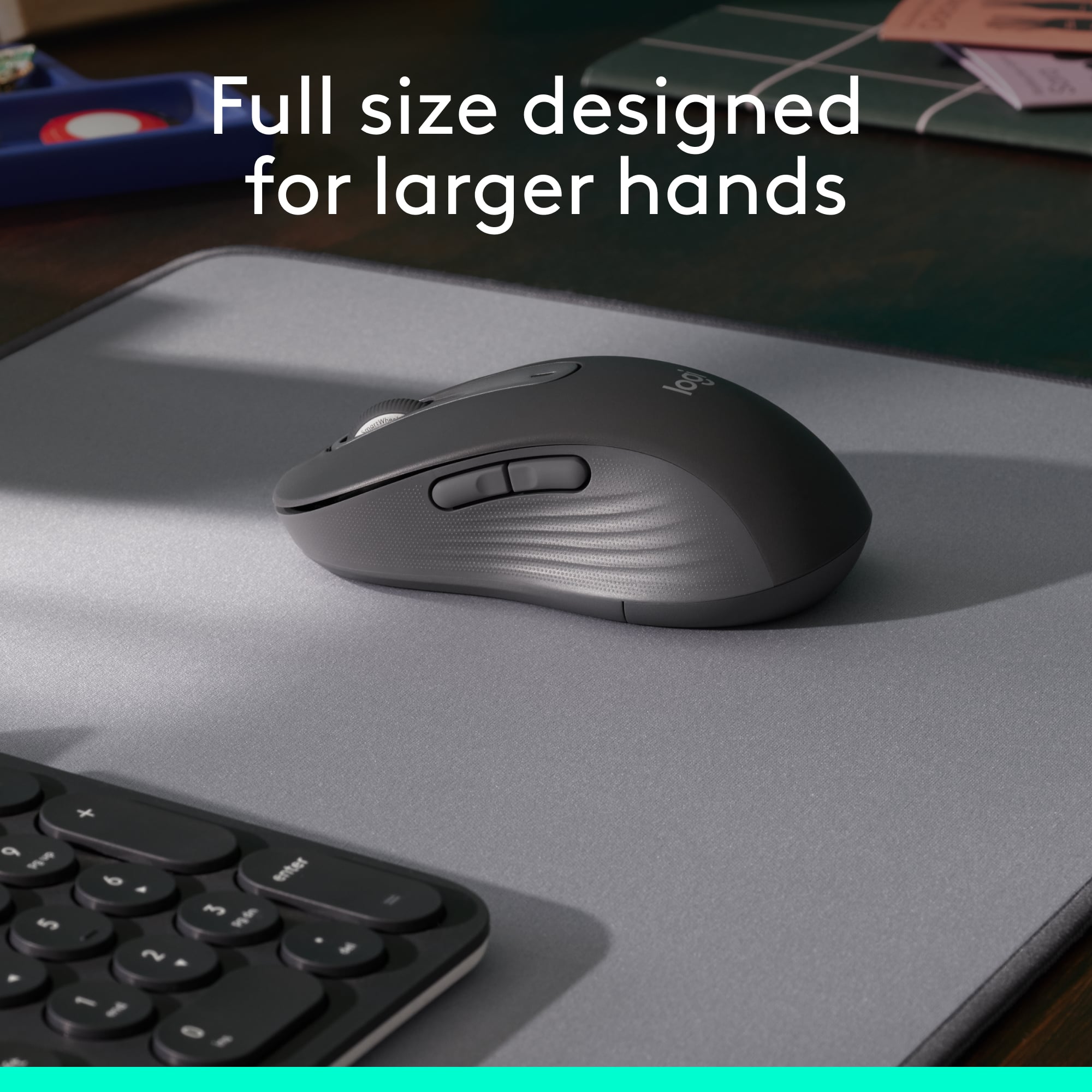
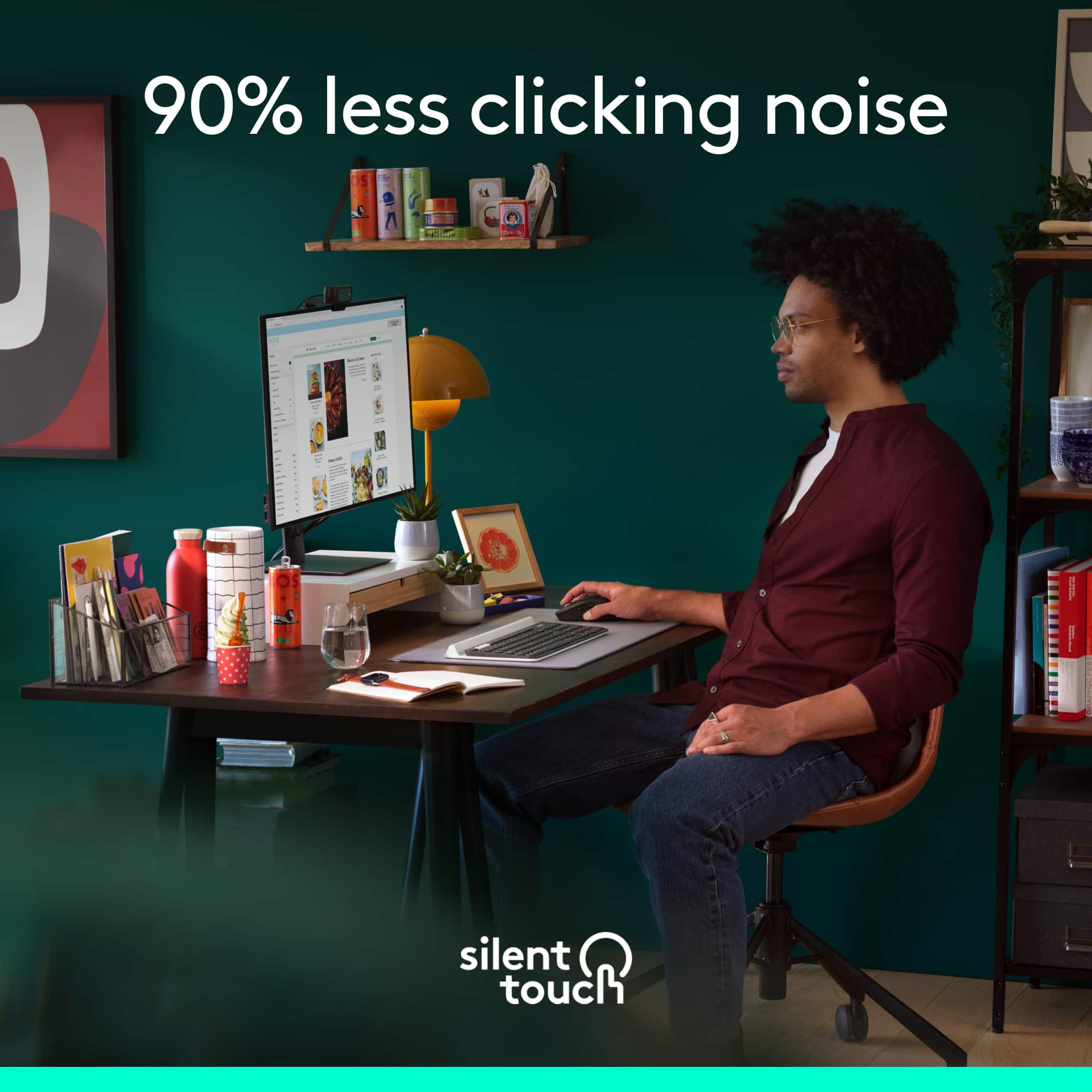
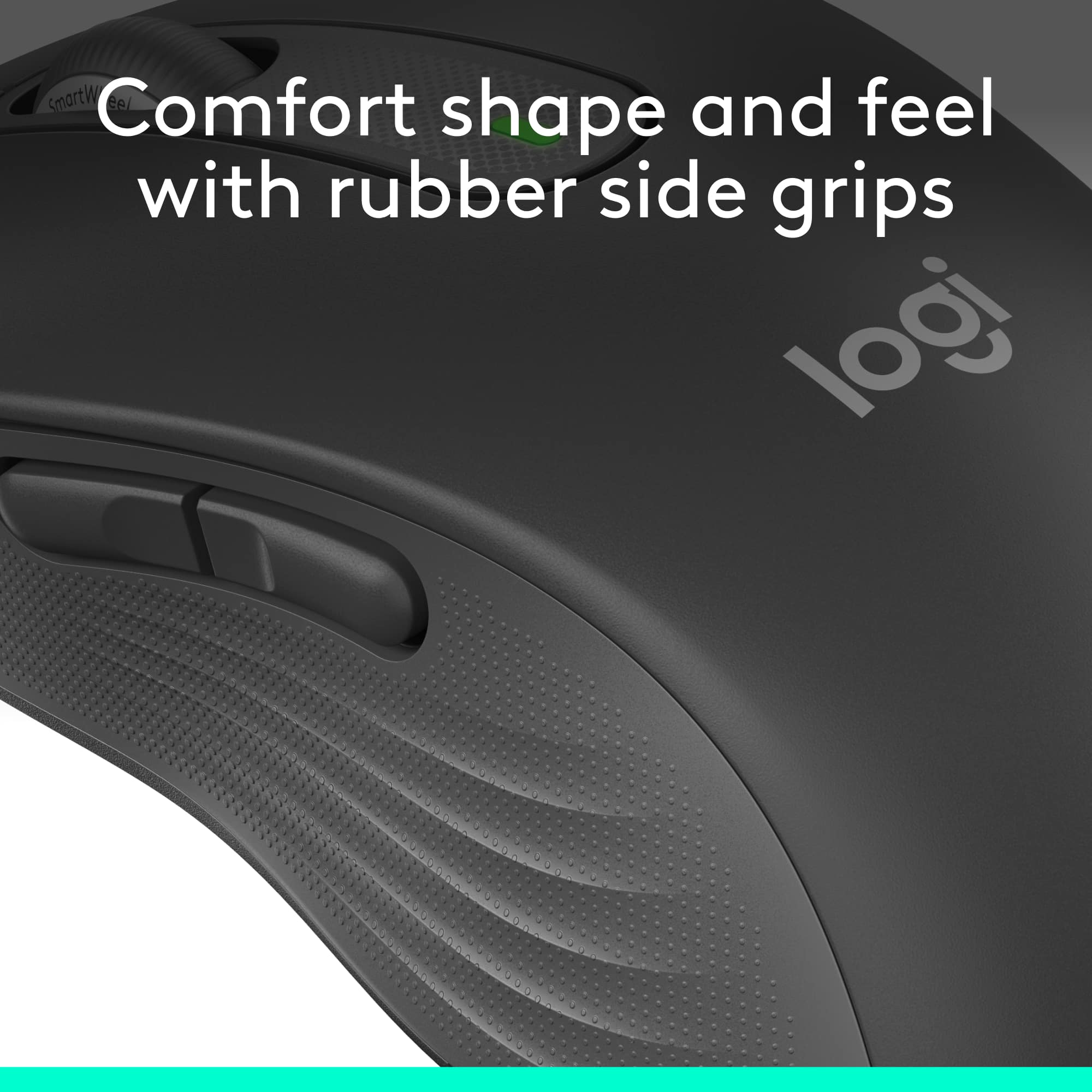
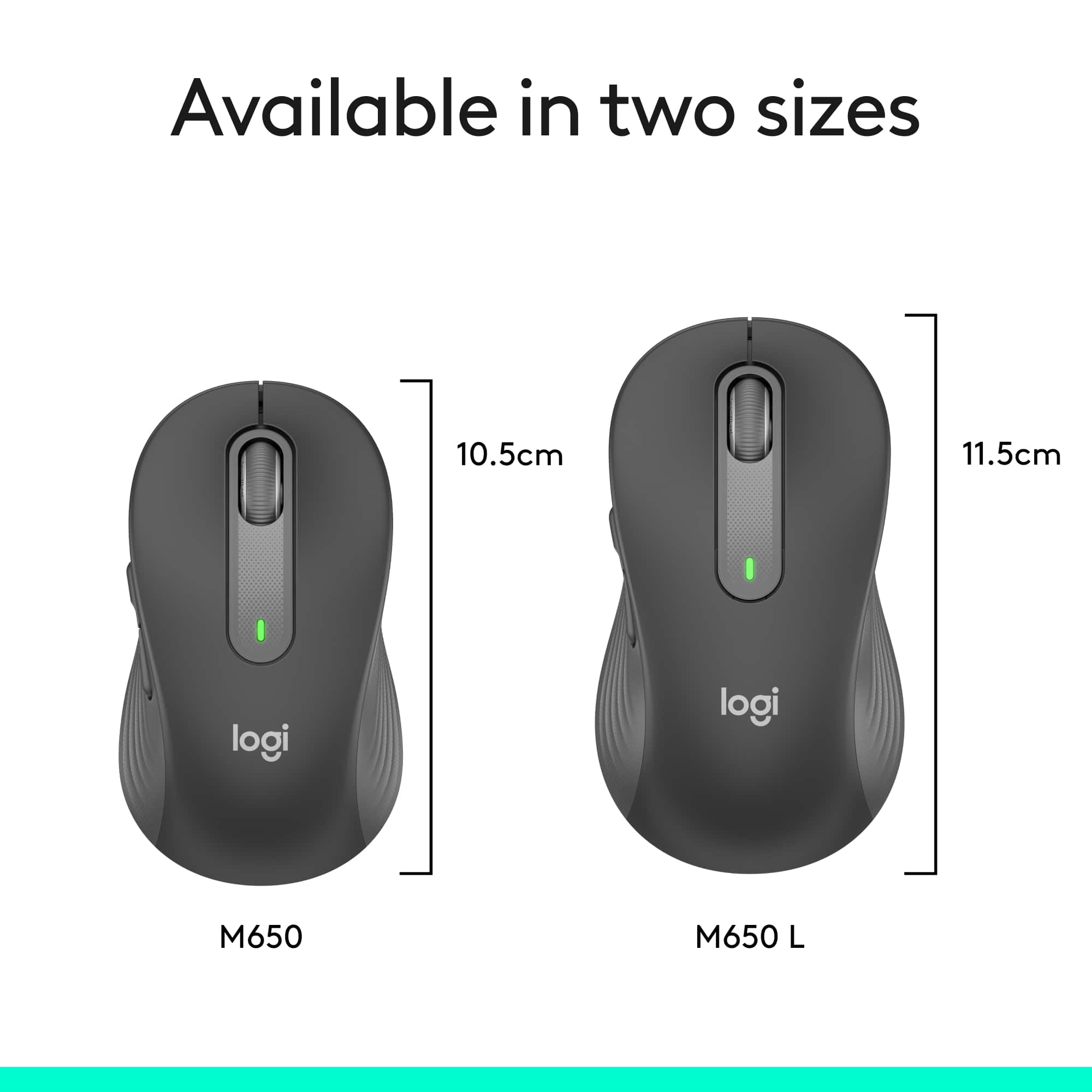
|Posted .This reviewer received promo considerations or sweepstakes entry for writing a review.The Logitech Signature M650 L wireless mouse is marketed as a mouse for larger hands, but honestly it is so well contoured and curved that folks with smaller hands would equally benefit from using it. In fact, even my eight year old daughter, who by no means has large hands, easily cupped her hand around it and had no issue clicking the side buttons and using the scroll wheel. I think Logitech should simply just categorize these mice as regular sized mice, and everything else as their compact line up. The M650 L wireless mouse is comfortable to hold. The top curve of the mouse gently cradles the palm of my hand while the sides have a tactile, soft rubbery grip for the thumb and fingers. No problem here with using it hours on end during a long haul work day. But what drew me to the M650 L is that it is a near silent mouse. Logitech’s SlentTouch technology is at work here. The clicks are dampened to be nearly inaudible to anyone more than a foot or two away. Unless you are in a super quiet environment, nobody will hear you using the mouse. Even the scroll wheel is silent. This is great for times when you don’t want to disturb others. Let’s talk about the scroll wheel. Logitech calls it a SmartWheel. It features precise line-by-line scrolling that automatically switches to super fast scrolling by flicking your finger to quickly spin the wheel. This will allow you to scroll down long web pages or scroll quickly through pages of a long document. Once you flick the scroll wheel with your finger, the wheel spins quickly, but is also just as quick to slow down and stop. The spinning wheel activates the super fast scrolling, and the scrolling stops when the wheel stops spinning or when the end of the webpage or document is reached. The faster you flick, imparting greater angular acceleration to the wheel, the longer and farther it will scroll. The super fast scrolling works for both scrolling down a page or scrolling up. You may be wondering about that other way of scrolling quickly through long web pages or documents where you click down on the center scroll wheel and a little directional cursor appears on the screen to allow you to move the mouse up or down in the direction of movement for hyper-scrolling. That feature is still available on this mouse if that is what you prefer to use for hyper-scrolling. Logitech is moving in new directions with the introduction of the new line up of mice. For one thing, the usb-a receiver is now called the Logi Bolt Usb receiver. It’s more than a simple change in the naming of the receiver. There is a whole new enterprise wireless secure encryption level protocol built into the mouse and receiver to allow better, more secure, and faster communication between the wireless mice/keyboards and the receivers. I don’t understand much of this technology and it probably takes an advanced degree to fully grasp the beauty of it, but you’ll need to be aware of what this means in practice if you have a bunch of existing Logitech wireless mice and keyboards lying around your house or business like I do. I would make a guess that for the majority of folks, you still have Logitech’s wireless products that use the Unifying receiver. Before you make the leap to upgrade to Logitech’s new products utilizing the Logi Bolt Usb receiver, you need to be aware that the new Logitech products that use the Bolt receiver are not compatible with Logitech’s products that use the Unifying receiver, and vice versa. It’s an entirely new ecosystem! For instance, you won’t be able to connect the new M650 L mouse to the unifying receiver that you are using for your Logitech wireless keyboard. The M650 L will have to be paired with new and upcoming Logitech wireless keyboards that use the Bolt receivers. Let me be clear. This is not to say that the new M650L will not work simultaneously while you are using the wireless keyboard on the computer with a unifying receiver. It’s just that you cannot connect it to the incompatible unifying receiver. You actually do not need to use the Bolt receiver if you don’t want to. The M650L can also be connected by bluetooth, so this will eliminate the need to use two wireless dongles (one Bolt, one Unifying) if you are planning to also use a Logitech wireless keyboard with a unifying receiver. With the new Bolt receiver, comes a new software platform as well. The familiar Logitech Options software is being replaced with the new Logitech Options Plus software for the products that are using the Bolt receiver. Just like the previous software, the Options Plus software allows customizations to the M650L mouse. You can customize the two side buttons and the middle button using the software. One new feature of the software is that now it enables app specific button customizations. This means that you can set the buttons to perform specific actions while in the Chrome browser (example forward or backward to a webpage), but have entirely different functions while working on your Microsoft Word document (example cut and paste). That is a cool feature. Here’s some other things to note about the M650 L in case you’re wondering. It uses a single AA battery and has a slot in the battery to store the Bolt receiver. Logitech claims the battery will last up to two years, but I always take these figures with a grain of salt since it will depend entirely on how much you use it. Finally, for those of you who already own Logitech’s M510 wireless mouse, you will feel right at home with the new M650 L. It has an uncanny resemblance, nearly down to the physical dimensions, contours, and curves as the M510. It appears that the Logitech engineers used the M510 as their basis for design. Do I recommend the M650 L? Yes, of course. Logitech crafted a mouse that will have a comfortable feel for the vast majority of users with the added bonus of having silent clicking and scrolling. On top of that, the SmartWheel scrolling works well and provides great control while scrolling through long documents and webpages. And if you’re not ready to give up your unifying receiver in favor of the new Bolt receiver, Logitech says that’s perfectly fine, too. You can still use the new M650 L with your good ole’ favorite Logitech unifying wireless keyboard, since you have the option to connect the M650 L to your computer using bluetooth. As Logitech introduces new products that use the Bolt receiver, we’ll probably start embracing the Bolt receiver. Until then, I’ll be placing my Bolt receiver where it belongs - tucked away in the battery compartment.
I would recommend this to a friendBrand response from Logitech
Posted .Hey lambda100, thanks for this great review! If you have any issues in the future, please feel free to visit our support site for troubleshooting tips and tricks as well as warranty information. Thank you for choosing Logitech! -Weston from Logitech.
Perfect for smaller hands
||Posted . Owned for 10 months when reviewed.This reviewer received promo considerations or sweepstakes entry for writing a review.Love this mouse. Great for my smaller hands. Works great, love the wireless. The no clicking took a bit to get used to but love it now.
I would recommend this to a friendBrand response from Logitech
Posted .We’re so pleased to hear you’re happy with your Logitech device. Your support means a lot, and we’re honored to be part of your tech experience.

Small wireless mouse
||Posted . Owned for 2 weeks when reviewed.This reviewer received promo considerations or sweepstakes entry for writing a review.Nice and small mouse. Works perfectly. Light weight
I would recommend this to a friendBrand response from Logitech
Posted .Thank you so much for your wonderful feedback on the Logitech - Signature M650 Wireless Optical Mouse! We’re thrilled to know it’s meeting your expectations. Your support means a lot to us.
Most comfortable mouse ever
|Posted .This reviewer received promo considerations or sweepstakes entry for writing a review.The Logitech Signature M650 wireless scroll mouse with silent clicks comes in a typical clamshell package. You open the clamshell and remove the mouse. Open the battery compartment to retrieve the Bluetooth transmitter and pull the tab for the Duracell batteries. Plug the Bluetooth transmitter into your device and you are ready to go. The first thing I noticed is how light and smooth it is moving the mouse. It is near effortless. And it is the quietest mouse I have ever owned. There are two customizable side buttons. They defaulted for me to switch a window which is a good choice for me. It is very nice to hold and the sides are soft and not hard plastic feeling. It is the most comfortable mice I have ever had. It is now my go to mouse for work. You can download the Logitech Options+ software if you want to customize the side buttons. The one AA Duracell battery is included. This is rated to last 2 years. The SmartWheel scrolling is a nice touch. You can move one row at a time or whiz through lots of information. I got the standard option. This fits fine in my hand. There is a large option and a left option. I rate this as 5 out of 5 stars. I would recommend this to anyone wanting the next level of comfort with a mouse device.
I would recommend this to a friendPerfect addition to your laptop
||Posted . Owned for 1 month when reviewed.This reviewer received promo considerations or sweepstakes entry for writing a review.Excellent blue-tooth connected mouse -- it tracks very well on just about any service, is lightweight and easy to use. It's been several years since I acquired a wireless mouse, and this is a great improvement over what was available in the past!
I would recommend this to a friendBrand response from Logitech
Posted .We truly appreciate you sharing your thoughts. It’s fantastic to hear the product is delivering as expected. Your feedback helps us grow and refine what we do. Thanks for choosing Logitech!
Logitech Signature M650 L, the right mouse
|Posted .This reviewer received promo considerations or sweepstakes entry for writing a review.No messing, er, mousing around, the Logitech M650 L is the right fit for everyday use for most hands. Why do I mention its size? Logitech pitches this model, the “L” is for Large, for large hands, but I must respectfully disagree. My hands are not gargantuan. In the hands of two male friends and two female friends, none commented that this mouse is too large. On the contrary, everyone commented on its just-right size. Compared with others in my Logitech mouse collection, some are tagged as portable, in that they are smaller and said to be ideal for travel. Travel mice lack some of the features and technology of larger mice in addition to the size differential associated with their lower cost. This M650 L features typical Logitech all-day comfort with its contoured shape and soft area where the thumb rests on the left side along with rubber side grips on the opposite side. As ports are at a premium on many newer PCs and laptops, it features dual connectivity options via Bluetooth Low Energy wireless technology as well as conventional plug-in dongle. In fact, the supplied Logi Bolt USB dongle is Logitech’s unified one so it can serve a dual role with both this mouse and a compatible Logitech keyboard. In other words, there would be no need for two dongles if the user has such a compatible keyboard. Another word about the “L” for large. Logitech offers this wireless mouse for righties as well as southpaws AND a smaller model for more dainty sized hands. With one for just about every user, Logitech has another winner. The side buttons are customizable for a variety of the user’s favorite shortcuts, including Copy/Paste and app launch, all through downloadable Windows and Mac software called Logitech Options Plus. Device basic functions are supported without software on Chrome OS and most popular Lunux distros. The Logitech SmartWheel scroll wheel is also newly designed. Unlike other models that feature a click to release the line-by-line motion in favor of freewheeling spin, the M650 works as follows. Scroll slowly, silently, line-by-line or flick to spin for super-fast scrolling up or down. With up to two years use on one AA alkaline battery (supplied) it is easy to see how well Logitech engineers designed this mouse to squeeze every ounce of performance out of the least amount of energy. **WHAT’S IN THE BOX** • M650 L, with included battery and USB dongle • Documentation **THE SETUP** Open the blister pack along perforated lines and remove the cardboard backing and the mouse. Remove the paper tab from the battery well. Read the simplified instructions, directing the user to remove the battery cover. Here, users have the choice to remove the dongle and insert it into a USB-A spot on the desktop or laptop, Windows, Mac or Linux computer OR connect using low-voltage Bluetooth. Using Bluetooth, this mouse is also compatible with iPad OS 13.4 and later and Android 5.0 and later. Download the and install Logitech Options Plus software using the provided link. Connect the mouse. Customize the buttons, if interested. Start mousing. Now, it’s time to . . . **PUT IT TO THE TEST** The Logitech M650 L is, at once, as easy to use as any other mouse, even easier, and can be customized with side button special features. Operation is as smooth and quiet as promised. It fits quite comfortably in the hand with no sign of fatigue the entire first day of use. On subsequent days the M650 L has been just as comfortable. The buttons are pre-programmed to jump forward and back in a browser. No modifiers were employed. The scroll wheel’s operation and the R and L clicker are virtually silent. Though the mouse is largely plastic, there is no feeling that this mouse is cheaply made. **CONCLUSION** Using the Logitech M650 L has been without any finding of, “I wish . . .” Logitech has delivered as expected, a modestly priced, full featured and high quality new mouse that is sure to please users for many years. Logitech’s excellent reputation in this category is well deserved. Highly recommended! **WARRANTY** One year manufacturer’s warranty.
I would recommend this to a friendQuiet and comfortable
|Posted .This reviewer received promo considerations or sweepstakes entry for writing a review.## Design Although this particular mouse is labeled as “Large - for large-sized hands”, it seems like a “regular” sized mouse to me. Many wireless mice are too compact and uncomfortable for me to use as a permanent fixture on my desk. Therefore, I was happy to find that this supposedly “large” mouse is the same size as the Logitech M190 (which does not have a “large” designation). Please refer to the picture attached to this review for a size comparison of the m650 and m190. ## Performance This mouse is very quiet! Clicking any of the buttons on the mouse makes almost no sound. The scroll wheel is also fairly quiet and smooth to use. You can download software to customize the side buttons, but I found that the basic functions of the mouse work without the software, and, by default, the side buttons work as forward and back buttons while browsing through web pages. Since I’m fine with this functionality, I didn’t load the software. The wireless signal works fine and I've had no issues with skipping or lag when it is plugged in directly to my laptop, but depending on your computer, you may find that your WiFi or Bluetooth chipset is too close to the USB port. In that case, I've found that using a USB 2.0 extension cord solves any issues caused by interference from internal wireless chips and USB 3.0 ports. So if you run into trouble with the mouse pointer jumping across the screen or hesitating, try using a USB 2.0 (note the “2”) extension cord with the nano receiver. You can find them fairly cheap online. The mouse can also connect via Bluetooth if your laptop has Bluetooth built-in and you don’t want to lose a USB port to the nano receiver. Also worth noting that the included nano receiver is USB-A. If your laptop only has USB-C ports, you’ll either need to use Bluetooth or a USB-C to USB-A adapter. ## Battery Life Logitech claims that this mouse can last up to 2 years on a single AA battery, which is included! I have yet to use the mouse that long, but I like the fact that it only requires one AA battery as this keeps the mouse lightweight and it glides easily across my desktop. Logitech notes that Bluetooth somewhat shortens battery life from 24 months down to 20. ## Summary Overall, the M650 L (for “Large”, not to be confused with the left-hand version) is full-sized and comfortable to use as your everyday mouse. The mouse buttons are very quiet and would be ideal for late-night clicking.
I would recommend this to a friendBrand response from Logitech
Posted .Hello, TechnicallyWell! I'm happy to hear that you're enjoying the M650 L mouse! Feel free to reach out to our support team here https://support.logi.com/hc/en-us/requests/new?ticket_form_id=360000621393 if you ever need any assistance or if something happens in the 1-year limited hardware warranty. Thank you for the in-depth review and for shopping Logitech! - Maggie from Logitech
Works great, annoying Logitech support screen
||Posted . Owned for 2 weeks when reviewed.This reviewer received promo considerations or sweepstakes entry for writing a review.I wanted a Bluetooth model since I haven't found a mouse with a USB-C dongle for my new MacBook Pro. The M650 comes in three sizes and I got the midsize one since I feel my hands are average to small. However, I found the midsize one is a little small and I would opt for the larger size if I had it to do over again. Not worth the hassle to return it, though. It is slightly smaller than the M510 mouse I used on my previous (10-year-old) MacBook Pro. Functionally it works great, I would give it 5 stars for that. I have not used the side buttons and frankly don't know how to activate them. Every time I start my laptop a Logitech screen comes up but seems to take me nowhere. When I click Cancel it reappears a few times before it gives up. Annoying. Someday I will take the time to figure out the Logitech "support" screen but since the mouse is working great for everything I need I haven't bothered. Great price.
I would recommend this to a friend