Skip to contentGo to Product Search
Gift Ideas
Main Content

Customer Ratings & Reviews
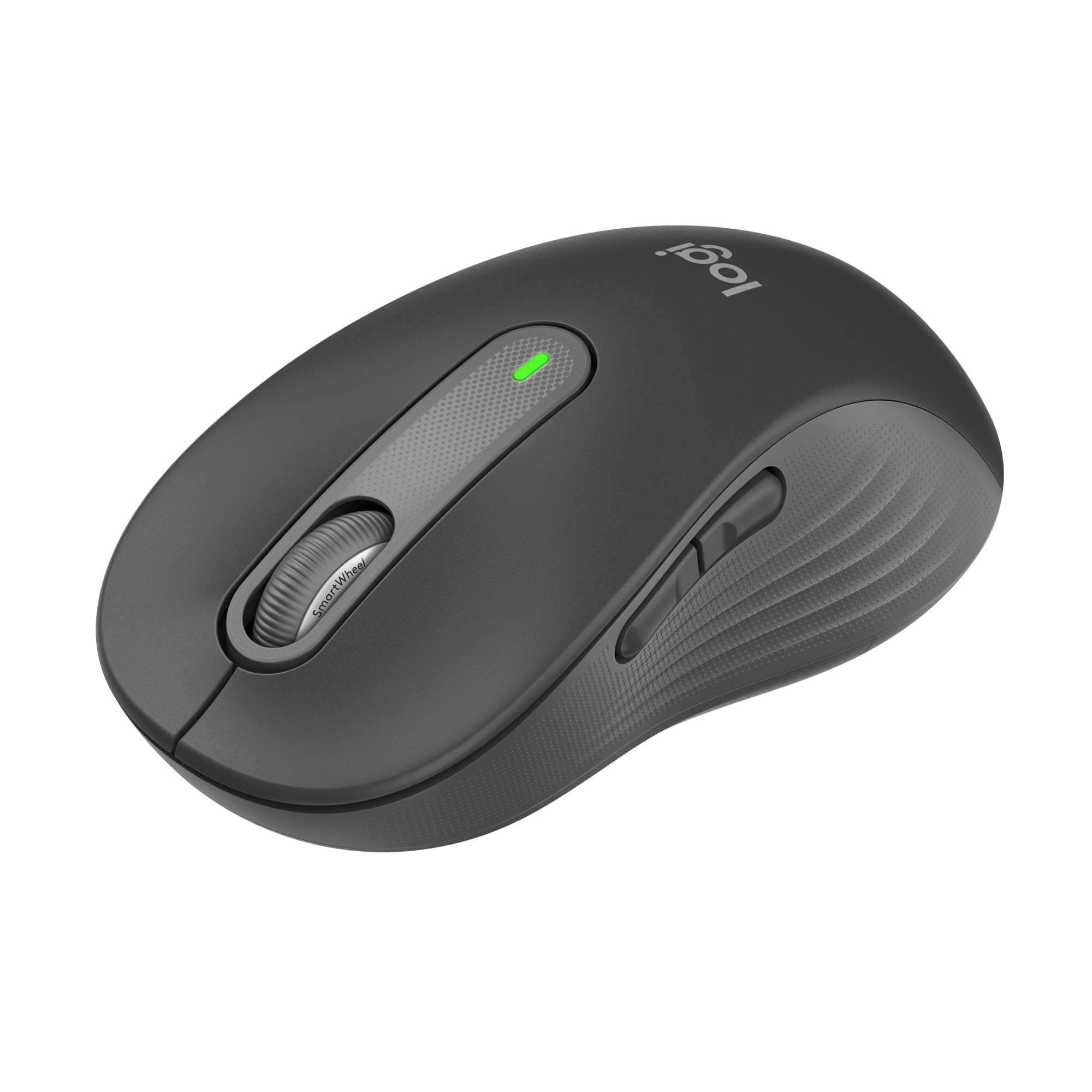
$39.99

Customer reviews

Rating 4.8 out of 5 stars with 2257 reviews

Rating Filter

Rating by feature

  • Value

    Rating 4.8 out of 5 stars

  • Quality

    Rating 4.8 out of 5 stars

  • Ease of Use

    Rating 4.8 out of 5 stars

Pros mentioned filter

Cons mentioned filter

96%would recommend to a friend

Customers are saying

Customers are enthusiastic about the Signature M650 L mouse, particularly its ease of use and comfortable size. Many appreciate the convenience of Bluetooth connectivity and the quietness of the silent clicks. While the side buttons are not silent, users are generally satisfied with the mouse's ergonomics, long battery life, and overall performance.

This summary was generated by AI based on customer reviews.

The vast majority of our reviews come from verified purchases. Reviews from customers may include My Best Buy members, employees, and Tech Insider Network members (as tagged). Select reviewers may receive discounted products, promotional considerations or entries into drawings for honest, helpful reviews.
Page 110 Showing 2,181-2,200 of 2,257 reviews
  • Rated 1 out of 5 stars

    Mouse

    |
    |
    Posted . Owned for 3 weeks when reviewed.
    This reviewer received promo considerations or sweepstakes entry for writing a review.

    Didn't work. Got full refund but had to drive 25 miles to return it.

    No, I would not recommend this to a friend
    • Brand response from Logitech
      Posted .

      Thank you for sharing your experience—it’s truly valuable to us. We’re sorry for the inconvenience and travel you had to go through, and we appreciate your patience throughout the process. Your feedback helps us work toward smoother solutions ahead. Logitech

  • Rated 2 out of 5 stars

    mouse does less

    |
    |
    Posted . Owned for 1 month when reviewed.
    This reviewer received promo considerations or sweepstakes entry for writing a review.

    Clicking my new mouse will NOT turn on my computer, whereas my old mouse DOEs turn on my computer. I had to hook my old mouse back up

    No, I would not recommend this to a friend
  • Pros mentioned:
    Ease of use
    Cons mentioned:
    Scroll wheel
    Tech Insider Network Member

    Rated 5 out of 5 stars

    Love how quiet it is!

    |
    Tech Insider Network Member
    Posted .
    This reviewer received promo considerations or sweepstakes entry for writing a review.

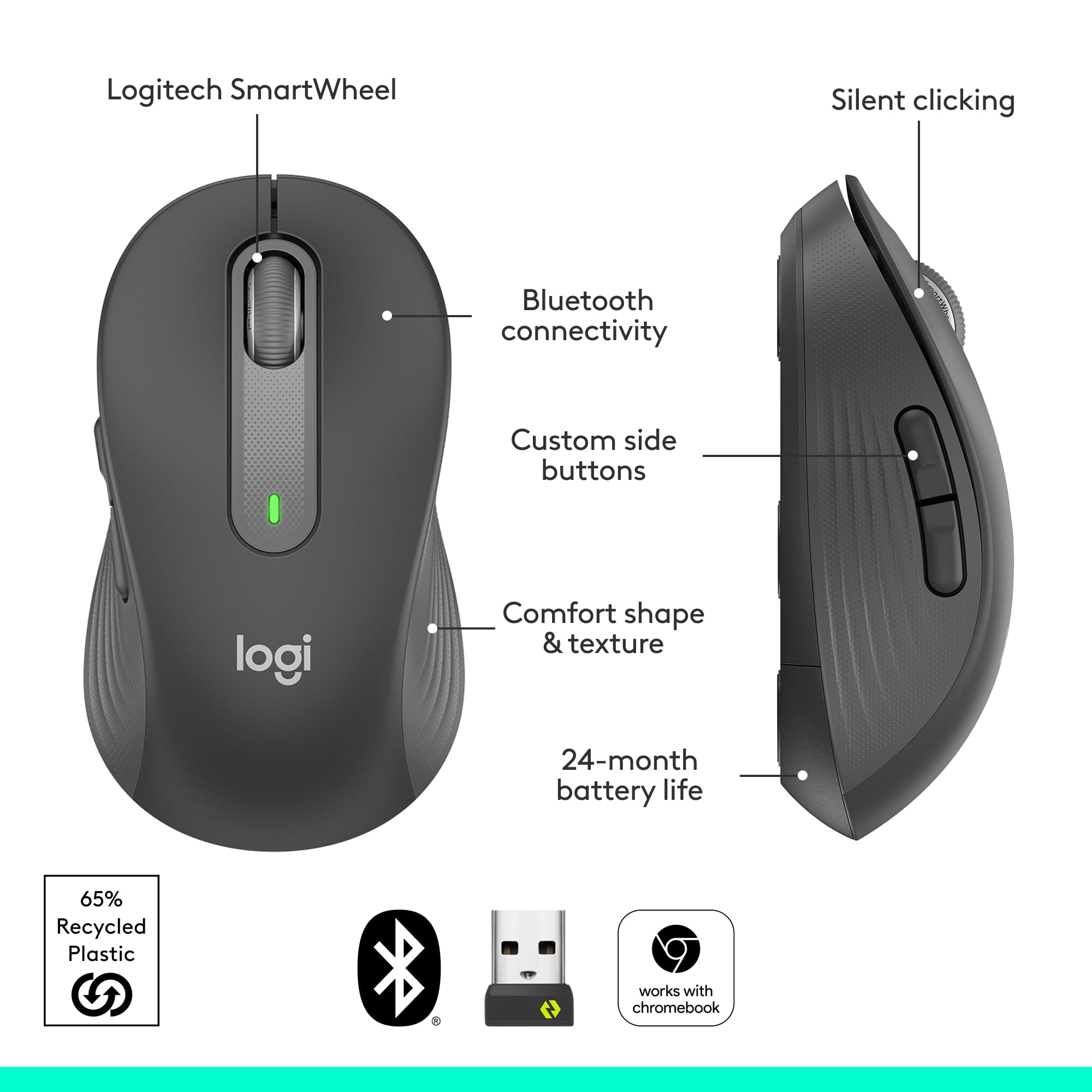
    I am giving this mouse a five star rating primarily for 1 reason, it’s quiet. That’s what I wanted and that’s what I got. You can still hear a very soft click when you press one of the buttons, but it is very quiet. Logitech claims there is 90% less click noise than that of a typical mouse and that sounds about right. How about the rest of the features? All in all this is a pretty solid basic wireless mouse. Connecting was incredibly easy. I attached the USB receiver to my PC and the mouse started working instantly. The feel and grip on the mouse are fine. The scrolling wheel might be just a touch on the sensitive side (or at least more sensitive than my last mouse), but I got used to it pretty quickly. The claim that really intrigues me is that single AA batteries will last 2 years. It will be a while before I know whether or not that claim is true, but either way I appreciate that it included the battery. All in all I am very happy with this mouse. I wanted something that works well, is wireless and is very quiet. I would definitely recommend this mouse to anyone looking for the same thing.

    I would recommend this to a friend
  • Rated 1 out of 5 stars

    dont waste money

    |
    |
    Posted . Owned for 1 month when reviewed.
    This reviewer received promo considerations or sweepstakes entry for writing a review.

    barely lasted a month of use tried changing battery it just doesnt work anymore

    No, I would not recommend this to a friend
  • Pros mentioned:
    Size
    Tech Insider Network Member

    Rated 4 out of 5 stars

    A Great Mouse For Any Office

    |
    Tech Insider Network Member
    Posted .
    This reviewer received promo considerations or sweepstakes entry for writing a review.

    The Logitech Signature M650L is a simple, but elegant mouse that would be a welcome addition to any desktop. Upon first glance, it doesn’t appear to be anything special. However, it feels terrific and performs well once out of the package. It connected quickly via Bluetooth and even notified my PC that it was ready. Of course, the USB receiver connects easily as well. Let’s start with the appearance and comfort of the M650L. The graphite coloring is a nice change from your standard black and the contrast in the color between top and sides. The button placements as well as the side contours really add to the design. Those same features add to the comfort as well. The size of the Logitech Signature M650L is just right for my hands and adding in these other pieces make it a great fit for long use. As far as the performance of the Logitech Signature M650L goes, I was pleasantly surprised by the silence that it brings. The buttons and scroll are super quiet, but also perform well. The ability to scroll quickly or precisely is a nice feature. With the addition of the programming for the other buttons, this mouse can hold its own when it comes to productivity and efficiency. The one thing that would improve the M650L is a DPI button. It’s a decent speed, but it would be nice to toggle it to be a tad faster. All in all, the Logitech Signature M650L is a good mouse for general computing and office work. With its design, one will definitely not have any issues with it. The advertised 20-24 month will be great too. That means comfort, function, and not having to worry about a battery for around 2 years. That’s a solid package.

    I would recommend this to a friend
  • Pros mentioned:
    Overall performance

    Rated 5 out of 5 stars

    I LOVE My New Logitech Mouse

    Posted .
    This reviewer received promo considerations or sweepstakes entry for writing a review.

    I LOVE this mouse!!!! Much better than my last mouse...new and improved! Quieter and quicker functionality...more robust!

    I would recommend this to a friend
    • Brand response from Logitech
      Posted .

      We appreciate your thoughtful review. It’s great to know our product is meeting your needs. Thanks for being a valued customer. Logitech

  • Rated 1 out of 5 stars

    Awful mouse

    |
    |
    Posted . Owned for 4 months when reviewed.
    This reviewer received promo considerations or sweepstakes entry for writing a review.

    This is a supposed to be a "silent click" mouse. My complaint is that it takes no effort to press the buttons. This means you are pressing the buttons whether you want to or not...and it makes this mouse completely unusable.

    No, I would not recommend this to a friend
  • Rated 4 out of 5 stars

    Works well

    |
    |
    Posted . Owned for 2 weeks when reviewed.
    This reviewer received promo considerations or sweepstakes entry for writing a review.

    Could track a little better, but otherwise well made.

    I would recommend this to a friend
  • Rated 1 out of 5 stars

    Worst Logitech I've ever owned

    |
    |
    Posted . Owned for 2 months when reviewed.
    This reviewer received promo considerations or sweepstakes entry for writing a review.

    It's a little too big and the left mouse click button does not work as it should.

    No, I would not recommend this to a friend
    • Brand response from Logitech
      Posted .

      Thank you for your feedback on the Signature M650 L Mouse. We sincerely apologize for the issues you've encountered, including the size and the left mouse button functionality. To get that issue resolved, we recommend reaching out to our social care team via email at socialcare@logitech.com with your
      - Name:
      - Email Address:
      - Country:
      - Product Name:
      - Brief description of issue: Logitech

  • Rated 3 out of 5 stars

    Bluetooth

    |
    |
    Posted . Owned for 1 month when reviewed.
    This reviewer received promo considerations or sweepstakes entry for writing a review.

    Drops blue tooth signal out often. Seems to occur if I move the cursor too much with the touchpad. I have an older laptop so that may be the issue, but other than signal issues its a good mouse.

    I would recommend this to a friend
  • Rated 3 out of 5 stars

    Not compatible with Logitech Unifying devices

    |
    |
    Posted . Owned for 3 weeks when reviewed.
    This reviewer received promo considerations or sweepstakes entry for writing a review.

    Disappointed that the logi Bolt technology is not backward compatible with Logitech Unifying devices. I have to use two usb dongles or replace my keyboard. And I’m not a fan of the silent click.

    No, I would not recommend this to a friend
  • Rated 1 out of 5 stars

    bad choice

    |
    |
    Posted . Owned for 3 weeks when reviewed.
    This reviewer received promo considerations or sweepstakes entry for writing a review.

    I didn't know the buttons by my thumb would be such a hinderance. I hit them by accident and lose all my work. It may just be me because I did not understand how the mouse would work.

    No, I would not recommend this to a friend
  • Pros mentioned:
    Size
    Tech Insider Network Member

    Rated 5 out of 5 stars

    Great connectivity, very comfortable

    |
    Tech Insider Network Member
    Posted .
    This reviewer received promo considerations or sweepstakes entry for writing a review.

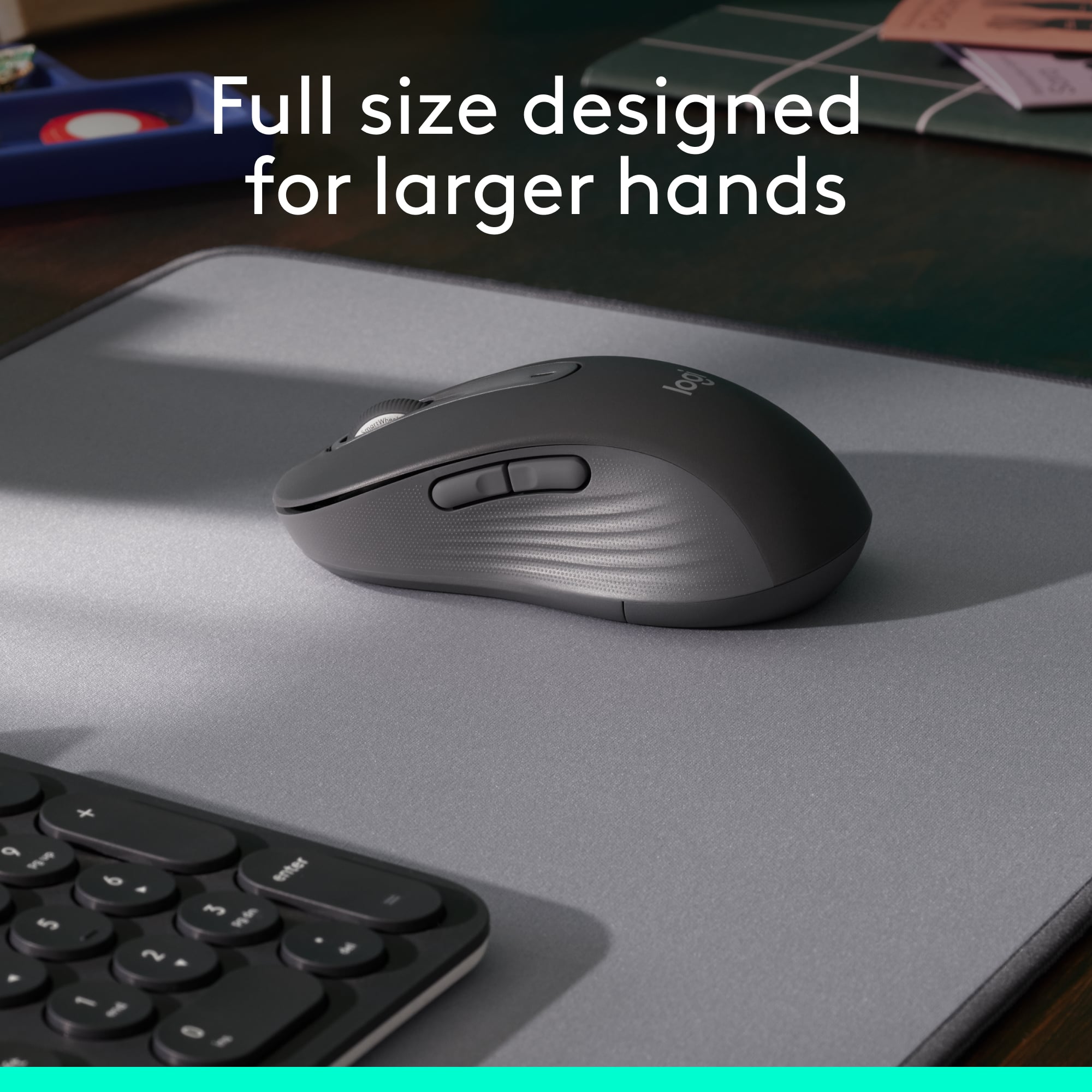
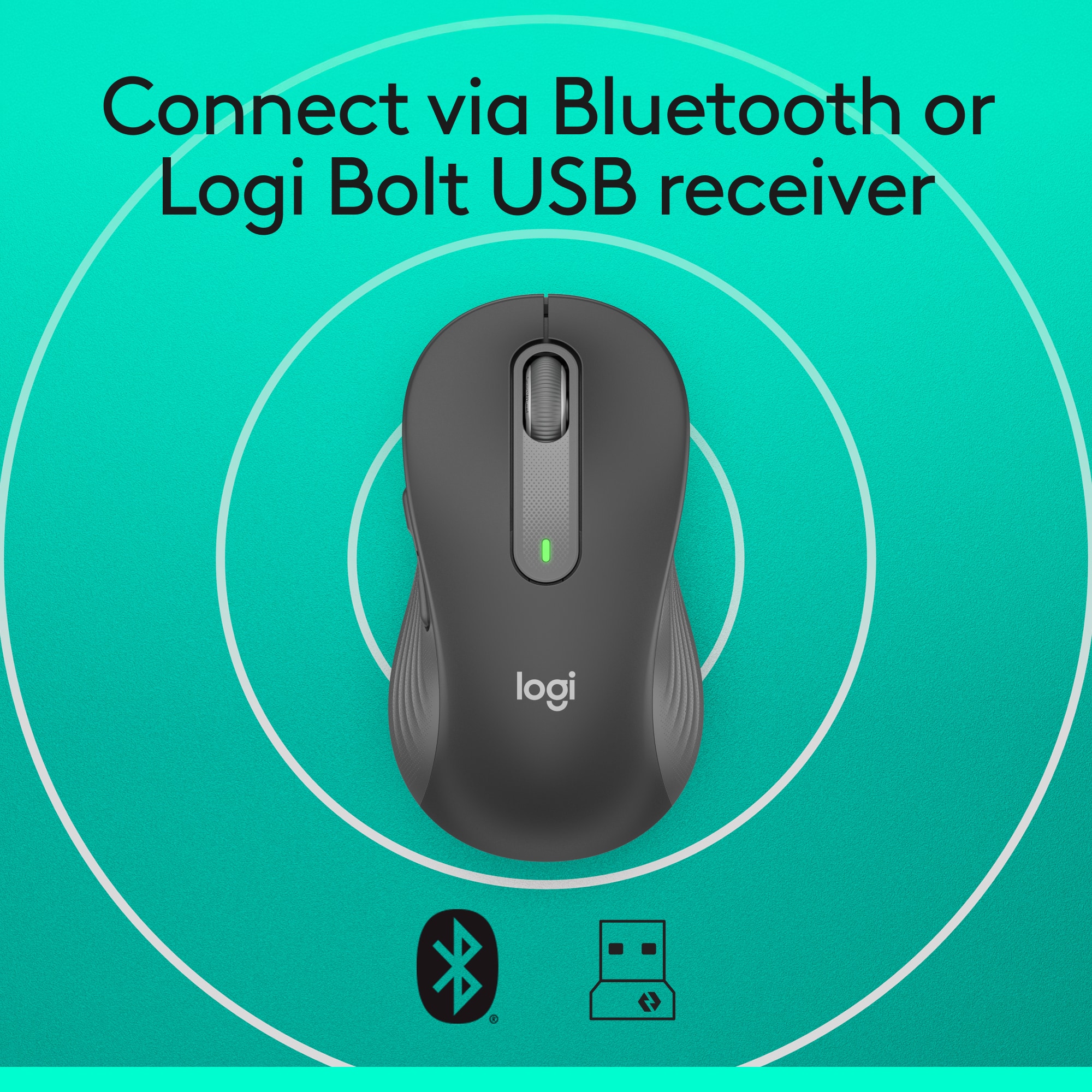
    Wow... finally. I remember when wireless mice came out and you always had to use a plug in dongle and response was slow and they had low DPI on top of that. The newer gen wireless mice are more adaptable. Yes, many still have the wireless dongle but response and DPI has improved. Bluetooth connectivity kicks it up a notch. With the new Logitech M650 you get both Bluetooth and also 2.4hz with an included USB wireless dongle for any devices that don't currently have Bluetooth capability. By far Bluetooth is the best way to connect if your computer is capable. With my Bluetooth enabled on my Windows laptop I turned on the M650 and my computer asked me if I wanted to connect the mouse… automatically… I didn’t have to go into settings and scan for device. This is the first Bluetooth device that I’ve owned that was recognized simply by turning it on. Bravo Logitech!!! While I haven’t tried it yet connectivity to different operating systems is supported and easy to connect. I love the quiet switches so clicking isn’t as pronounced as traditional mice. Much less annoying! Scrolling is a breeze as it seems to be proportional controlled between one line to more lines. It has the standard regiment of buttons: left, right, middle scroll and a couple of side buttons which can be programmed with the optional downloadable software. Logitech says an AA battery can last up to 2 years… very stingy on power. I have the M650 L which would be a great choice if you have a catcher’s mit for a hand like I do. The larger size has a great feel in my hand. The grip is very comfortable and I don’t have to crunch up my hand to access all of the buttons. It’s light weight so it zips quickly across my mouse pad. The M650 L is now my go to mouse for work. It’s perfect for what I need and at the end of the day I can grab my laptop off it’s dock, toss it in my backpack and toss the mouse in along with it. Highly recommended for most use.

  • Pros mentioned:
    Size
    Tech Insider Network Member

    Rated 5 out of 5 stars

    Versatile, Affordable, Perfect...

    |
    Tech Insider Network Member
    Posted .
    This reviewer received promo considerations or sweepstakes entry for writing a review.

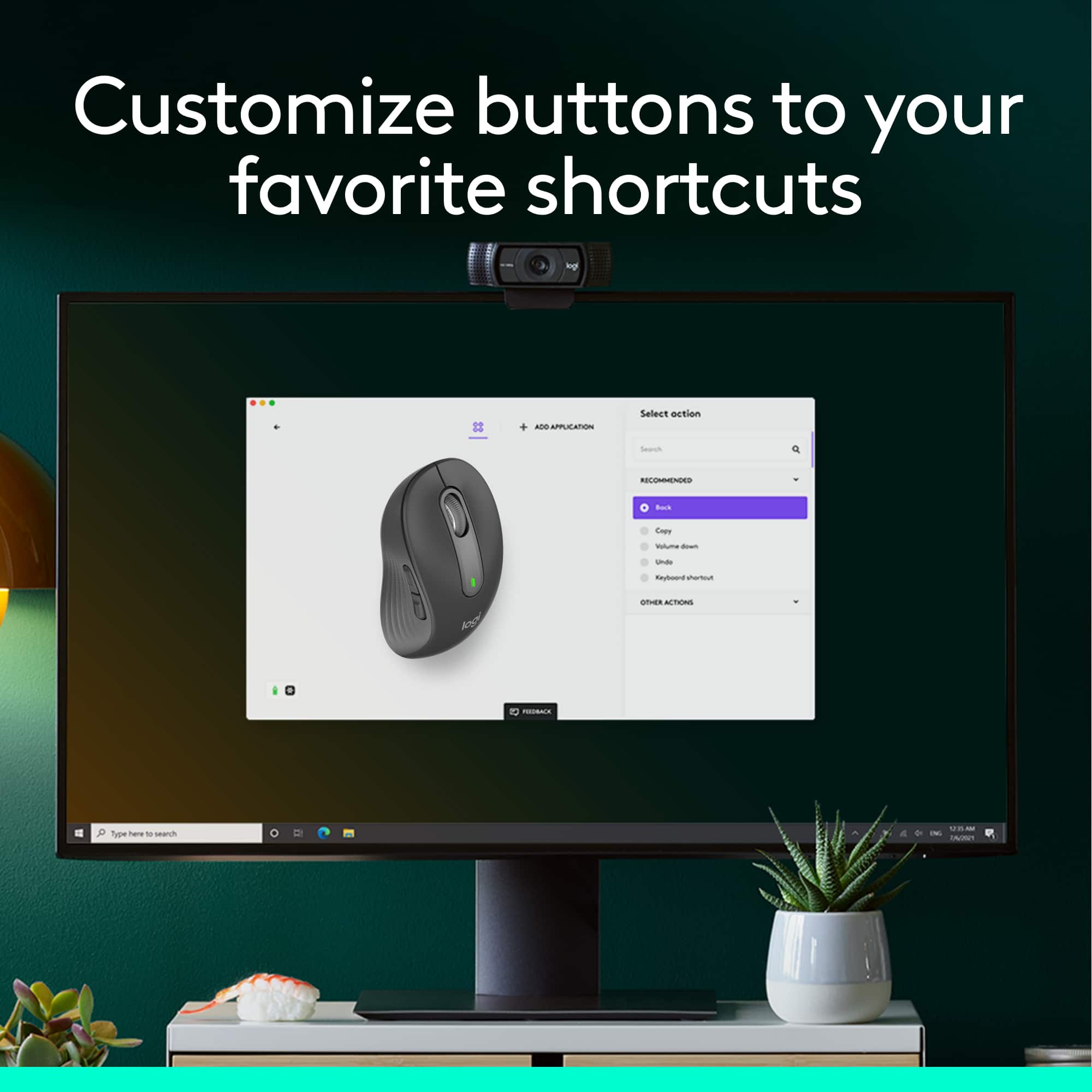
    Logitech have created a mouse that's perfect for all forms of work. M650 is a mouse that I'm actually using when I'm on the go or at work. For a mouse of this price point I'm generally impressed but all of the features they can fit in here while still beating other each products out there. The M650 is a mouse that's egomaniacally designed for larger hands while not being too flashy or bombarding you with useless things. This has accommodate me on all types of workflow throughout the day. There are tons of mini mouse out there for travel but this one fits my large hands just right so issues there. long hours and the M650 still provided a level of comfortability not many out there can do. The mouse also make very silent clicks with each use so you won't truly disturb those around you. For vertical monitors this thing is a dream as you have a "smart" scroll wheel on the mouse that helps freely control the scroll of webpages or other productivity. There are two buttons on the side of the M650 that you can customize for other uses. want them to Play/Pause music or Copy/Paste it can be done here. The Logitech.com/OptionsPlus is where you would go to download the app for windows or mac. Logitech's Signature M650 also can use Bluetooth or use a USB dongle so compatibility shouldn't be a problem. The best feature and the most defining thing for me here is that this mouse can last 2 years on two AA batteries which is AMAZING. 24 months of not charging is a god send. if the device actually last that long this will surely be a good product. I've been using it for DAYS and it doesn't have no signs of slowing down. I guess you can already tell I highly recommend this mouse to everyone. It it works, does the job its suppose to do, fast, silent and at a cheap price? this is the all around mouse I would gravitate to for all things outside of gaming. truly a consumer friendly product.

    I would recommend this to a friend
  • Pros mentioned:
    Size
    Tech Insider Network Member

    Rated 5 out of 5 stars

    Don't Be Deceived By The Description

    |
    Tech Insider Network Member
    Posted .
    This reviewer received promo considerations or sweepstakes entry for writing a review.

    Do not let the description deceive you into thinking this is a larger than normal mouse for those of us with monster hands. It is a normal sized desktop mouse. There is nothing wrong with that, but don't think this is a special build for big hands. It is larger than the M535 which I also like very much even though it is a small mouse. Both mice, the M535 and M650L, are great to throw in a book bag and take with you. The M650L is a normal sized mouse with both the dongle and Bluetooth support. They both work very well with excellent range. There is a slot inside the battery cover for the dongle if not being used, I always appreciate this little feature because these little dongles are lost so easily when there is not a storage compartment in the device. The mouse has a great feel and the buttons are in the perfect position, Logitech is usually very good with side button placement and they hit the sweet spot again. I can not attest to battery life but marketing says 2 years on one AA battery. No reason to doubt that considering Logitech's track record. The scrolling is smooth and accurate. Glide of the mouse is excellent. It seems to work on most none clear surfaces. So far I have used BT with Windows (10 and 11), Chromebook (Chrome OS) and Android. All have been spot on and perfect. With the dongle I have used on Chrome OS and Windows 11. Absolutely no issues anywhere. To switch between BT and dongle just hit the pair button while the dongle is powered. This is a solid full sized mouse that feels good in hand but is not oversized. A large hand claw grip may cause some cramping in the palm. Definitely recommended, this is yet another solid design from Logitech.

    I would recommend this to a friend
  • Rated 1 out of 5 stars

    Silent Mouse, I don't think so.

    |
    |
    Posted . Owned for 1 month when reviewed.
    This reviewer received promo considerations or sweepstakes entry for writing a review.

    I purchased this item because I really needed a silent mouse. There still seems to be some clicking feature still audible within this device. Very disappointed.

    No, I would not recommend this to a friend
    • Brand response from Logitech
      Posted .

      Hello lmcarthur24,
      I am sorry that the M650 L is not meeting your expectations. This is not a usual complaint, so feel free to contact the Logitech support team for a replacement if you think there is a manufacturer's defect. Logitech appreciates your product review. - Leo from Logitech

  • Rated 1 out of 5 stars

    Owner of business

    |
    |
    Posted . Owned for 1 month when reviewed.
    This reviewer received promo considerations or sweepstakes entry for writing a review.

    Doesn't respond. Waste of $$$ was recommended by geek squad.

    No, I would not recommend this to a friend
    • Brand response from Logitech
      Posted .

      Hey! We apologize for the inconvenience caused by the Logitech Unifying receiver not working as expected for your keyboard. Logitech unifying receiver allows you to connect up to six Logitech unifying devices, please do check if the product have orange color symbol or keyboard is listed as compatible with Unifying receivers. If pairing fails, contact our social care team via email at socialcare@logitech.com with your
      - Name:
      - Email Address:
      - Country:
      - Product Name:
      - Brief description of issue:

  • Pros mentioned:
    Size
    Tech Insider Network Member

    Rated 5 out of 5 stars

    Greatg for larger hands

    |
    Tech Insider Network Member
    Posted .
    This reviewer received promo considerations or sweepstakes entry for writing a review.

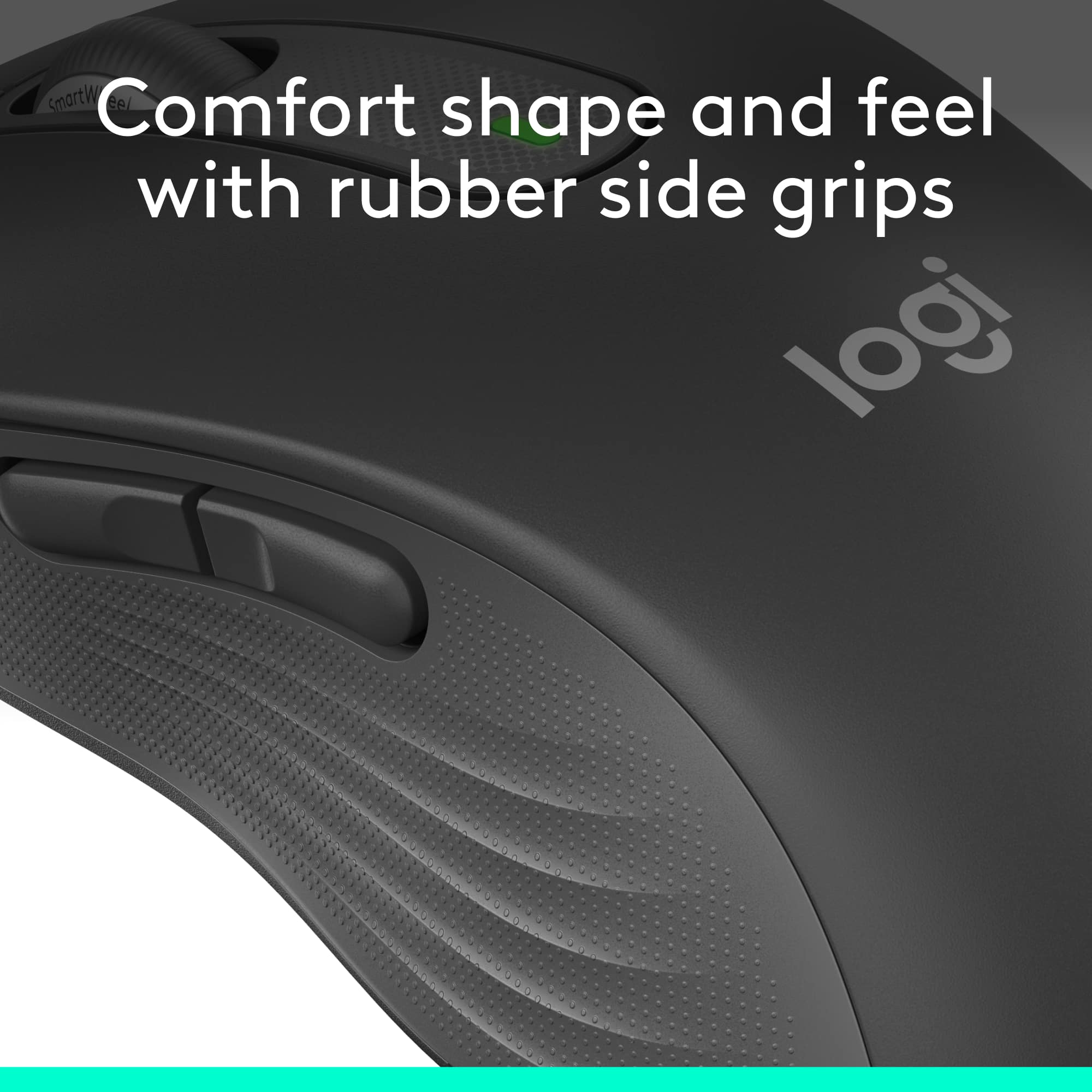
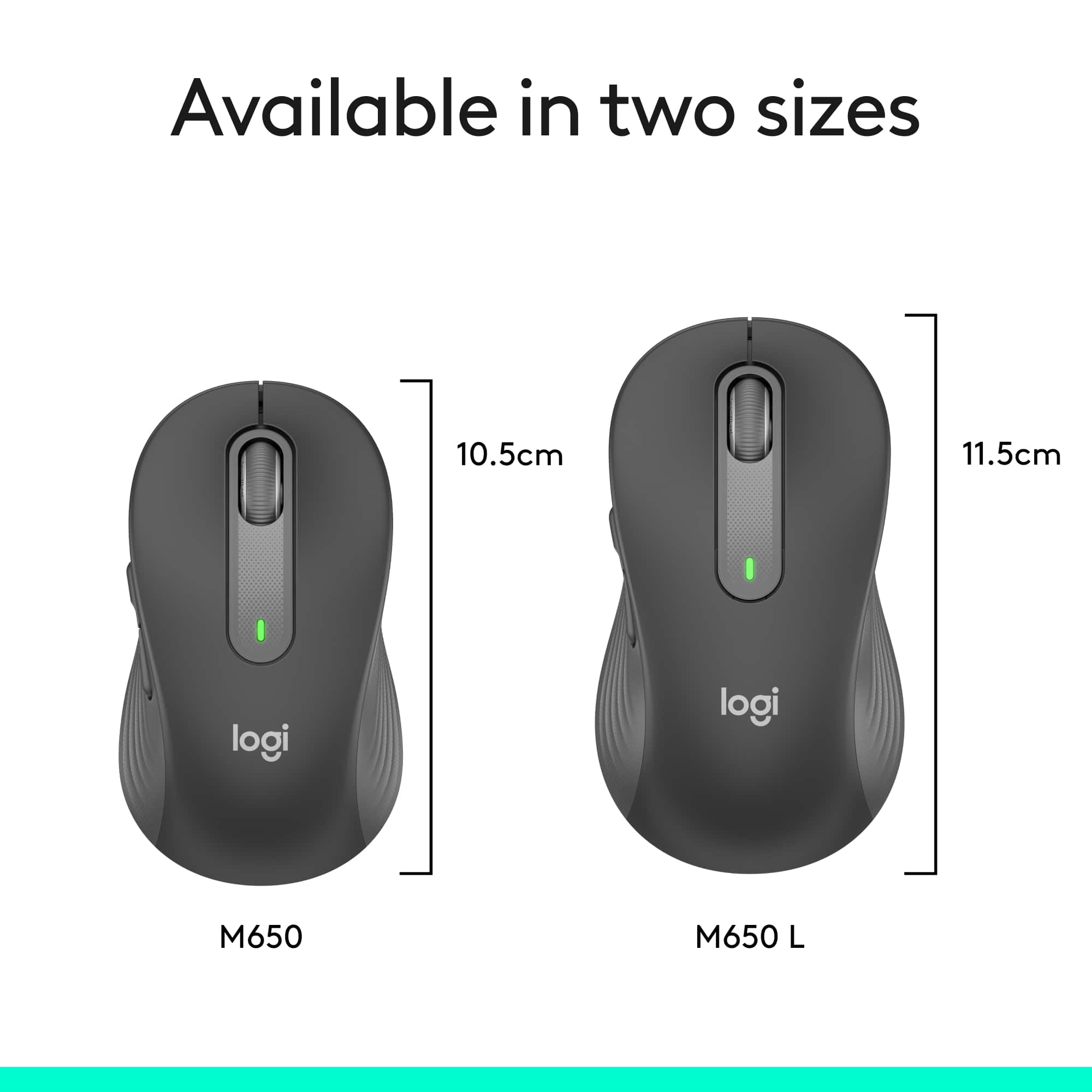
    The M650 L is a larger version of the M650. There is also a left-handed version. The L is for size, not handedness. It is one centimeter, just short of ½” longer than the regular M650. It has a scroll wheel/middle click, left and right click, as well as two thumb buttons. The top is smooth, and the sides are courser allowing for a good grip on the mouse. The scroll wheel moves freely. It feels good in since it's not compact, your figures and lay on the end of the mouse comfortably. It runs on one AA battery. It can be connected by Bluetooth to one computer or connect by the included Bolt receiver. Some things to note on the mouse and connections. It only connects with Bolt, not the unifying receivers. For software, if desired, it requires the newer Logi Options+. Depending on other Logitech devices you have, they may not be able to link to the new Bolt receiver, you'll need to use Bluetooth or another USB port to connect to the same computer. The mouse has a slot in the battery compartment to hold the receiver. The Logi Options+ lets you customize the mouse. You can change what the buttons do and the mouse speed. It goes up to 4000DPI. The software is intuitive and easy to setup and use. Responsiveness is like a wired mouse. Overall, the mouse is great, especially for larger hands. You can lay your fingers out and on the buttons. It’s responsive and easy to setup.

    I would recommend this to a friend
  • Rated 1 out of 5 stars

    Unhappy rezalts.

    |
    |
    Posted . Owned for 1 month when reviewed.
    This reviewer received promo considerations or sweepstakes entry for writing a review.

    I could not make it work. I wanted to use it in the WIFI mode and it would not set up for me. I plan to take it back.

    No, I would not recommend this to a friend
    • Brand response from Logitech
      Posted .

      Hello MeFromSD,
      I am sorry that the M650 L did not work as you expected. The M650L does not support WiFi connectivity, but it supports Bluetooth and wireless adaptor connectivity. I hope that you find this information useful. Logitech appreciates your product review. - Leo from Logitech

  • Rated 1 out of 5 stars

    No Mouse Needed

    |
    |
    Posted . Owned for 2 weeks when reviewed.
    This reviewer received promo considerations or sweepstakes entry for writing a review.

    Returned ... never opened. The store was out of keyboards so I ordered one online from Amazon which came with a mouse.

    I would recommend this to a friend