Customer Ratings & Reviews
![The text on the image is a keyboard layout, which includes the letters, numbers, and symbols typically found on a keyboard. The layout is as follows:
. a - I 1 2 # 3 $ 4 % 5 A 6 & 7 8 9 ) o = - delete tab W E R T Y U I O P [ ) ] I / cops lock S D F G H J K L : : return shift Z X C V B N M < > ? / shift ctrl - option x cmd x cmnd option](https://pisces.bbystatic.com/image2/BestBuy_US/images/products/6408/6408696_sd.jpg)



- Model:
- 920-009682
- SKU:
- 6408696
Rating by feature
- Value
Rating 4.5 out of 5 stars
- Quality
Rating 4.7 out of 5 stars
- Ease of Use
Rating 4.7 out of 5 stars
Customers are saying
Customers highly value the Slim Folio Pro keyboard's excellent typing experience, ease of use, and protective qualities. Many appreciate its convenient Apple Pencil holder and the overall good value for the price. While some find it a bit heavy, the majority find the added weight acceptable given the protection and functionality it offers. The secure fit and long battery life are also frequently praised.
This summary was generated by AI based on customer reviews.
Not a fan
||Posted .This reviewer received promo considerations or sweepstakes entry for writing a review.Did not care for the entire thing felt bulky. Not a fan.
No, I would not recommend this to a friendslim folio
||Posted . Owned for 1 month when reviewed.This reviewer received promo considerations or sweepstakes entry for writing a review.it was ok, it was a little expensive I purchased one one amazon for cheaper
I would recommend this to a friendIpad
||Posted .This reviewer received promo considerations or sweepstakes entry for writing a review.Very pricey for this item Color is nice but I wouldn’t buy it
No, I would not recommend this to a friendA great iPad keyboard
||Posted . Owned for 3 months when reviewed.This reviewer received promo considerations or sweepstakes entry for writing a review.Makes me feel like I'm using a laptop when on my iPad. The connection can sometimes lag when the iPad is first unlocked, but it isn't too bad.
I would recommend this to a friendNeeds to be charged separately from iPad.
||Posted .This reviewer received promo considerations or sweepstakes entry for writing a review.Does not come with a charger, it uses the same charger as the iPad Pro but that needs to be plugged in as well separately from the iPad for it to charge. Bluetooth info needs to be entered each time you want to use the keyboard. Do not recommend the product.
No, I would not recommend this to a friendBrand response from Logitech
Posted .Hi iPadie, thank you for your feedback! Take the keyboard anywhere without worrying about short battery life. Lasts 3 months on a single charge (based on 2 hours daily use). For support, please refer to: https://www.logitech.com/assets/65893/qsg-slim-folio-pro.pdf - Will, Logitech.
- Pros mentioned:Battery life, Keyboard quality, Protection

Great product from Logitech, I enjoy it!
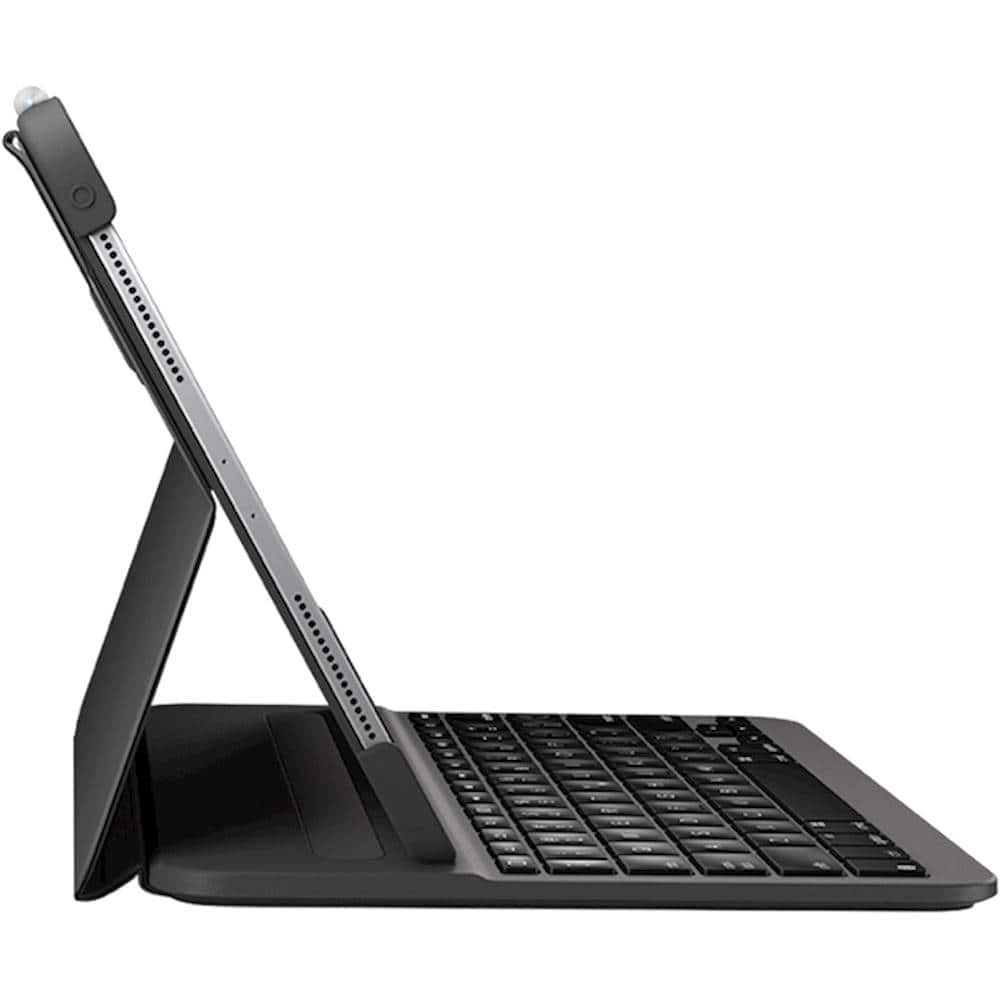
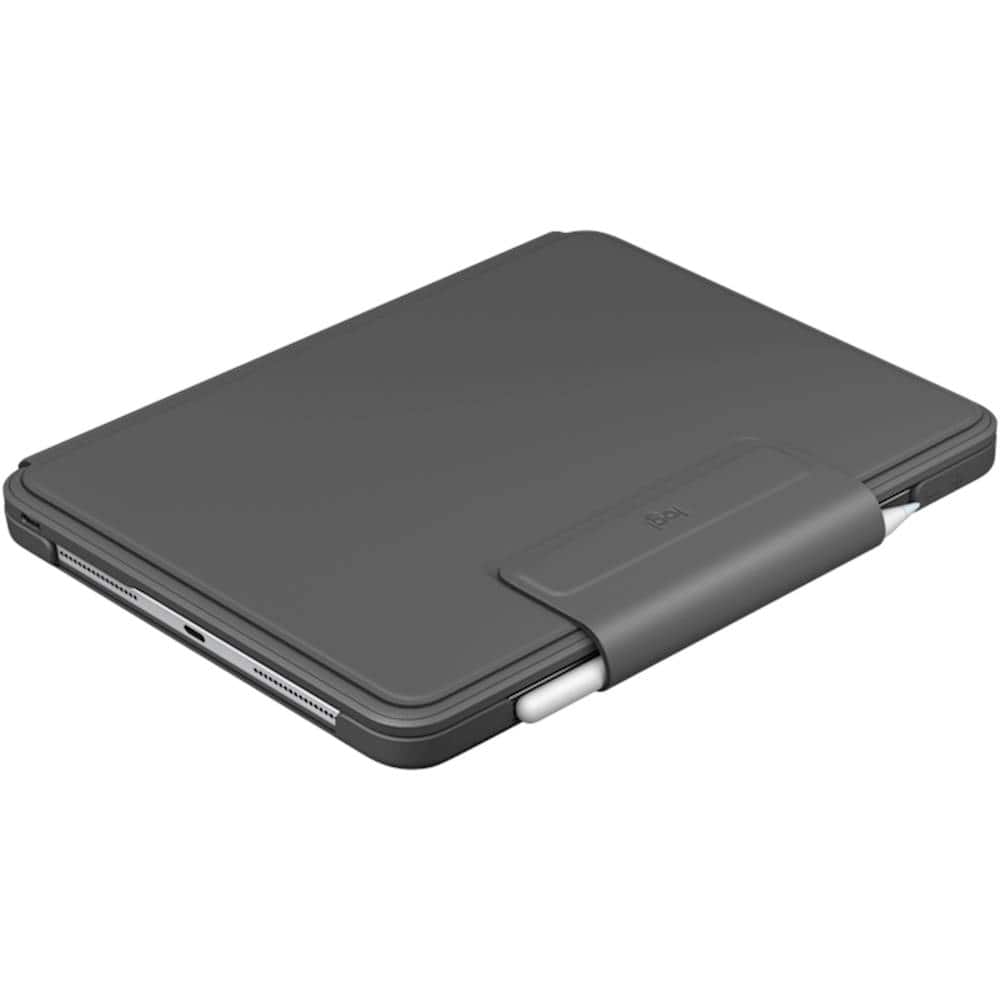
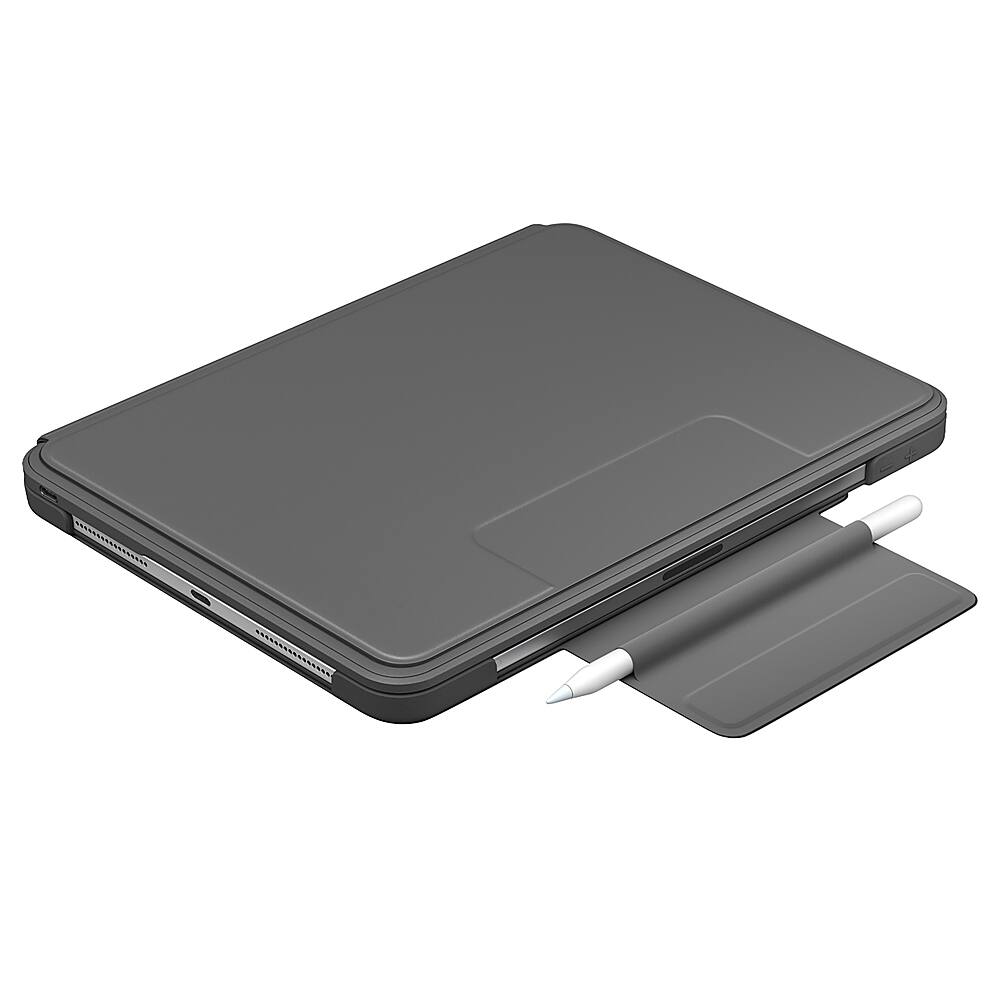
|Posted .This reviewer received promo considerations or sweepstakes entry for writing a review.Received the item Thursday, and these are just some thoughts on the experience so far. Packaging is minimal, and is pretty much the standard for Logitech . It is well packed and allows the customer to look at the item before the purchase. This is a Bluetooth connected keyboard, and that is where I ran into my first problem, albeit a temporary one. After getting it all ready, I went into my settings/ Bluetooth and the keyboard showed up right away (easy enough), but once I tried to connect it, I got a pop up telling me to enter a code into the keyboard for the pairing, just like most other Bluetooth devices. I was expecting another pop up so I could see and enter the pairing code, but none came up ( Even in the small instruction booklet that came in the box, it shows a pop up screen for text entry) . I decided to just enter the text, and wait to see what happens, and it took 3 tries before it decided to pair up, as the first 2 kept kicking me back to the main Bluetooth settings screen, and the keyboard was re-listed as an available device. After it connected though, it seems stable...so I will go with some pros and cons: Pros: -The rubber that is used to hold the iPad in the case by the corners is quite thick, which helps protect your device from falls -Uses USB-C for charging. A cable is not included in the box, but if you carry around the one that came with the iPad, you will be good to go! -Claims 3 months on a single charge, and as it is a low power Bluetooth connection, I can see this as being possible. It might be a tad less if one uses the back lit keys -Keys are akin to typing on a laptop. They are very responsive for a Bluetooth connection and have a satisfying tactile feel -There are 3 modes, according to the website. Type mode, Sketch mode, and Read mode. With past models , I read that when used it sketch mode, there was a small bit of wobble when pressure was applied with the Apple Pencil. There is still a tiny bit of wobble, but its nowhere near as bad as I was thinking. Read mode is pretty self explanatory, and typing mode is where I was rather impressed. There is a magnetic strip under the iOS shortcuts row, where the iPad (when placed into the top cover) attaches to the keyboard portion. When the top and bottom are connected, the keyboard “wakes up” and reconnects the devices. If the iPad is not placed on that magnetic strip, the keyboard stays in its sleep mode, so there is no need to worry about accidental key presses when in read or sketch mode, which I love! -the row of iOS shortcuts come in handy! There is a home button, light brightness up and down, search, on screen keyboard, media controls, screen lock, Bluetooth on and off and lastly battery status ( there is no display but a colored light). -I have never owned a dedicated Apple computer, so the command key is still foreign to me and after doing a little research, it seems that a lot of the Mac command key combinations available here as well. Looks like I have some learning to do :) -the keyboard enters a “sleep mode” 5 seconds of non use, which is great for battery conservation. And now the cons: -The rubber that holds the iPad in place (which I mentioned as a pro, from a protection standpoint), is quite thick, which makes pressing the power button, and the volume up and down buttons, a bit of a chore. -just experienced my 2nd connection drop today. While the lights were on, the keys were non responsive. Turning Bluetooth off and one again fixed that issue. -there is only 1 typing angle. The Logitech site lists this at 58 degrees, so if you want multiple angles, you are out of luck -no pass through charging. The keyboard does not connect to the iPad in any way besides Bluetooth. The case and the device must be charged separately . -I am a tad disappointed with the pencil solution. Under the magnetic strap that keeps the cover closed, there is a loop in which one is to place the pencil when not in use. Personally I like to keep my pencil connected to the iPad when its not in use, so I will not be using this “feature”. I would, however, reconsider that if had one simple ability, which I will mention as a suggestion at the end of this review. -does not support the smart connectors on the back of the iPad for power or charging. That would have made this case/keyboard combo a tad lighter and thinner, and would have been a very welcome addition! -lastly, and this is more of a personal preference, but there is only 1 color back light for the keyboard...white. I do prefer the ability to have multiple different colors, but I can work with just white. Overall it is a decent keyboard, not perfect, but close. It offers sufficient protection against drops while adding a bit of bulk and weight compared to other offerings from different companies. It is also 1 piece, so removing the keyboard from the rest is not a possibility, but it is very functional and I would recommend it to anyone looking for a cheaper alternative to the more expensive solution from that fruit named company. Logitech, if you read this, I have a suggestion. I am currently looking at that pencil loop that is underneath the magnetic strap. Has anyone considered making a hole or an oval cutout on it, and maybe moving the strap back a little, so when the pencil is inside the loop, it will make contact with the charging area of the iPad . Charging AND the extra protection while travelling
I would recommend this to a friend Eh
||Posted . Owned for 7 months when reviewed.This reviewer received promo considerations or sweepstakes entry for writing a review.I bought this for my IPad Pro 11. I had a LifeProof case for my last IPad and loved it. I thought I would like the keyboard. Didn’t returned it and got a Defender.
No, I would not recommend this to a friendBrand response from Logitech
Posted .Hello Mike, Very sorry that you didn't like the keyboard for the Slim Folio Pro for your iPad Pro 11". We appreciate your honest feedback and glad that you were able to find something more to your liking. Perhaps the Combo Touch would've been a better option since it has backlit keys, a trackpad, and connects seamlessly using the Smart Connector. All while providing all-around protection. Here's a link for you to check it out: https://www.logitech.com/en-us/products/ipad-keyboards/combo-touch-ipad.html. Hope that you found this helpful and that all is going well. Thank you for choosing Logitech. - Richard from Logitech
- Pros mentioned:Battery life, Keyboard quality
Still A Top Keyboard for iPad Pro
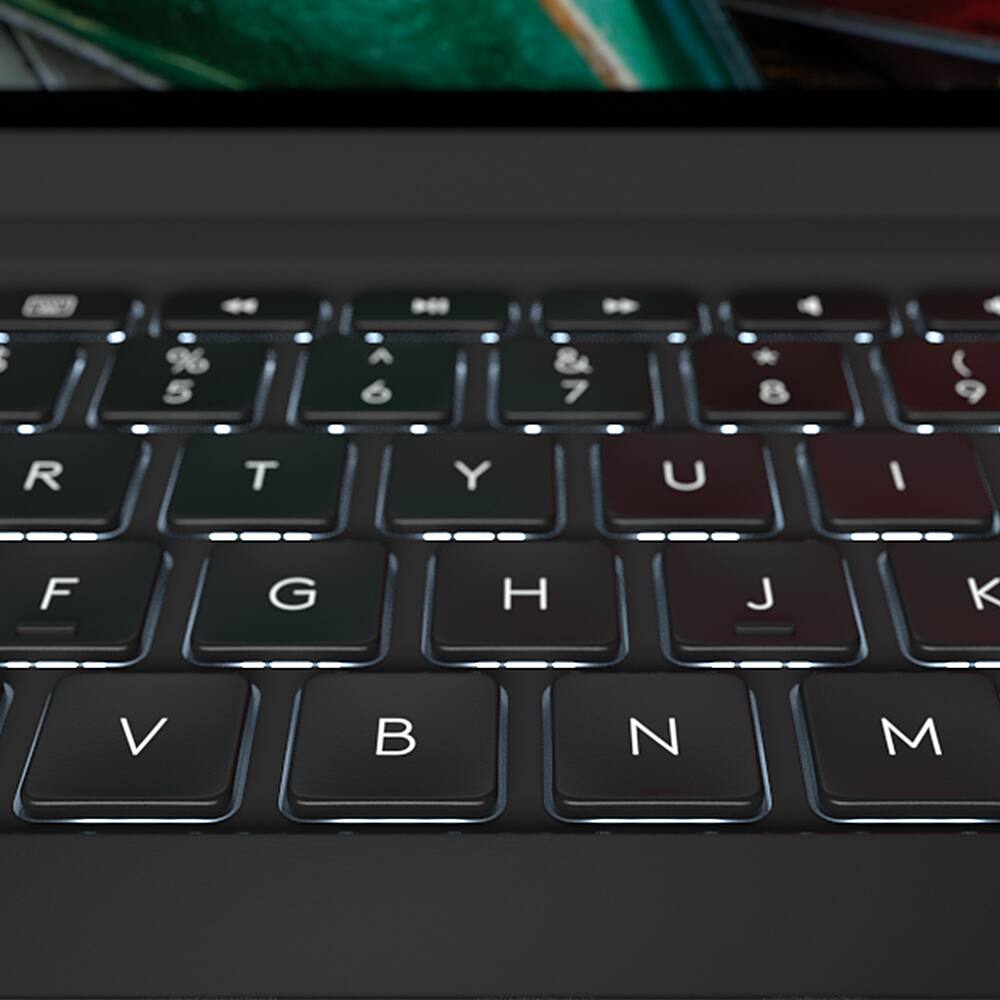
|Posted .This reviewer received promo considerations or sweepstakes entry for writing a review.Logitech is almost unbeatable when it comes to alternative keyboards for iPad and this model is another proof of that. This is very similar to last year’s model and I can attest that it is just as good. That is to say that unless you have the 2020 iPad 11 Pro model, you won’t find much difference. Actually, it seems that the only difference is the camera cutout, which will work for either iPad models while the former keyboard won’t fit the newer tablet. There is a lot to like about this keyboard. Backlighting is great in the dark and the flexibility of setting 3 different levels of dimming is great, especially when your significant other is sleeping and you want to use you iPad at night. There are two keys to control brightness. The magnet is very strong, keeping it closed when needed and the keyboard in place while typing, which feels like a regular laptop keyboard. It also secures the Apple pencil. A great feature is that if you just fold it behind the iPad, you can use the screen as if it wasn’t there. It automatically un-pairs and then pairs back instantly once the keyboard is in its typing position. I didn’t find the previous model very light at first but as I got used to it I changed my mind. This new model doesn’t seem to be any lighter but it is not heavy in any way. It feels comfortable and once you open your iPad, it is ready to use. To charge it, you only need the standard USB-C that comes with the iPad Pro. That means you need to carry just one cable and with the battery charge lasting for months, you will probably never need it when traveling. Yes, it lasts longer than the 3 months they say. In my experience, I only have charged my previous model twice in 11 months and I use my iPad a lot. I admit that I draw more than type, though, and that might help with the charge longevity. Still, you don’t need to worry about running out of power if you have charged it in the last couple of months. Also, it has a battery indicator that you can check at any time so you are not caught off-guard. Although not exclusive to Logitech, this keyboard has many useful shortcuts and control of volume and media. I do like the feel of the keys when typing, which is very comfortable. It does add some thickness but because of its clean and aesthetic design, it looks and feels nice.
I would recommend this to a friend - Pros mentioned:Keyboard quality
ipad pro keyboard
||Posted . Owned for 3 weeks when reviewed.This reviewer received promo considerations or sweepstakes entry for writing a review.Works great with Ipad Pro instead of using the pen or not having a keyboard.
I would recommend this to a friend Horrible set-up process and failed battery
||Posted .This reviewer received promo considerations or sweepstakes entry for writing a review.I returned my keyboard at the suggestion of the Geek Squad because the battery would not hold a charge. I did manage to charge the battery, no thanks to Logitech which has the worst product and set up information I have ever encountered. Thanks to a guy from a Commonwealth country on YouTube I was FINALLY able to properly connect keyboard to iPad after false starts, particularly on Logitech website. It's actually quite simple, once you have the information. I don't know how Logitech gets away with it.
No, I would not recommend this to a friendBrand response from Logitech
Posted .Hi MarjorieX, thank you for your feedback! Start typing instantly with a built in auto on/off feature, simply place iPad in type mode to turn the keyboard on. Then remove iPad Pro from the dock to put the keys to sleep. This conserves power so you’re able to type longer between charges. For support, please refer to: https://support.logi.com/hc/en-us/articles/360044742834 - Will, Logitech.
Don’t trust the online laptops.
||Posted . Owned for 3 weeks when reviewed.This reviewer received promo considerations or sweepstakes entry for writing a review.Worst product I’ve ever purchased from Best Buy. It was supposed to be refurbished but, even with the help of Apple Support could not be set up.
No, I would not recommend this to a friendBrand response from Logitech
Posted .Hey! We're very sorry to hear about the trouble you've had setting up your Slim Folio Pro Keyboard Folio for Apple iPad Pro 11. We understand your frustration, especially since you had a negative experience with a different product beforehand. In order to help you effectively, please provide your information to our support team via email at socialcare@logitech.com with your
- Name:
- Email Address:
- Country:
- Product Name:
- Brief description of issue:
excellent for class and field work notes.
||Posted . Owned for 3 weeks when reviewed.This reviewer received promo considerations or sweepstakes entry for writing a review.Works as advertised, nice design and quick setup. .
I would recommend this to a friendUser friendly keyboard
||Posted . Owned for 3 weeks when reviewed.This reviewer received promo considerations or sweepstakes entry for writing a review.Easy set up and compatible a long lasting battery.
I would recommend this to a friendGreat Addition
||Posted . Owned for 9 months when reviewed.This reviewer received promo considerations or sweepstakes entry for writing a review.This is a great addition to the iPad Pro making it more like a laptop
I would recommend this to a friendOkay
||Posted . Owned for 2 months when reviewed.This reviewer received promo considerations or sweepstakes entry for writing a review.Would have loved a tracker for same price. Otherwise great!
I would recommend this to a friend- Pros mentioned:Battery life, Keyboard quality
Best iPad Pro Keyboard - If there were six stars!
|Posted .This reviewer received promo considerations or sweepstakes entry for writing a review.This is my second Logitech keyboard for an iPad. I think these perform much better overall than the one sold by Apple. They make a good keyboard but the backlit lighting is probably the biggest overall win for me on this one. I would guess I’m like others and use their iPad at night maybe while watching a movie or something and it comes in handy when I want to look something up at odd times. Battery life is really good. I charge it using the USB-C cord that came with my iPad and gets at minimum a month out of it with medium to heavy use. It claims 3 months and I would imagine you could get that with only an hour or two of usage per day. The dedicated iOS keys are also really helpful. Home screen, lock, search, etc. all come in very handy when maneuvering between applications and screens. Additionally, volume, screen brightness, and music controls are always welcome when it comes to the keyboards I use. This case gives your iPad all-around protection. It covers all of the corners with a sturdy rubberized, plastic, and fits very snug. On the top is a nice cut out for your Apple Pencil and when the case is closed there is a magnetic flap that secures it to the device and locks the case in place. All around an excellent keyboard. Logitech continues to shine when it comes to top-performing peripherals for your personal tech.
I would recommend this to a friend - Pros mentioned:Battery life, Keyboard quality
Types well
|Posted .This reviewer received promo considerations or sweepstakes entry for writing a review.Well designed keyboard from Logitech. Tough to put the iPad into the case portion but once you do its very very secure. I wish the volume buttons were more pronounced than they are but that’s a small gripe compared to everything else this keyboard gets right. I find typing on it a pleasure and the keys have good travel and are clicky which I like, Some keyboards provide a mushy typing experience. I think most people will agree that a backlit keyboard can make all the difference where you decide to sit and bang out an email or write that paper. I only want one thing and that’s the option to leave the backlight on with a button to toggle instead of it timing out. But I understand the batter life saving aspects of having it time out. No biggy. The keyboard case itself has a 3 month battery life, I’m not sure what use case they used but that’s what is advertised. The Apple Pencil still has a spot to rest and charge but it is not secure until you close the case and latch it shut. Another thing I’d like to point out is like a 2 in 1 laptop you can fold the keyboard back and the keys turn off so you can use your iPad as a Tablet. Over all I give this 5 stars, Logitech knows how to make accessories and keyboards for many different applications, this one is no exception.
I would recommend this to a friend - Pros mentioned:Battery life, Keyboard qualityCons mentioned:Weight
Great option!
|Posted .This reviewer received promo considerations or sweepstakes entry for writing a review.After realizing that I spend a lot of time on my iPad versus my laptop I was excited to try this keyboard folio out. I had hesitated for awhile because of reviews I’ve read about keyboard accessories for the iPad not working great but this one definitely discredited those reviews. They keyboard function works flawlessly so far while the case provides great protection. I love folio style cases that allow for use as a stand so this one doesn’t disappoint. It does add a little weight to my iPad but it’s not a huge difference. The quality of the case appears to be something I can rely on for quite some time. The fit is a little snug....which is a good thing but you only want to keep your iPad in this case while you use the keyboard you might have a little bit of a struggle taking your iPad back out of the case. It’s not a deal breaker for me and it’s not a real difficult task but for some it may be a nuisance. I haven’t had it long enough to determine if the battery life lives up to the 3 month claim but I’m sure your use will dictate how accurate that is. Overall I think this is a great option for a quality keyboard/case at good price
I would recommend this to a friend Experience was very disappointing
||Posted . Owned for 1 week when reviewed.This reviewer received promo considerations or sweepstakes entry for writing a review.Product seems defective. Can’t get it to work. On the phone for over 40 minutes. Said a call back feature was available but would not accept my number when prompted. Can’t access support. Would not recommend this product to anyone.
No, I would not recommend this to a friendBrand response from Logitech
Posted .Hi Snappy, thank you for your feedback! For support, please refer to: https://support.logi.com/hc/en-us/articles/360044742834 - Will, Logitech.
Keys stop working after 3 weeks
||Posted . Owned for 1 week when reviewed.This reviewer received promo considerations or sweepstakes entry for writing a review.This was a horrible investment. I am very careful with my iPad and lost two keys on the keyboard within three weeks. Three other keys stopped working at all. Save your money for something else.
No, I would not recommend this to a friendBrand response from Logitech
Posted .Hi Magnumnu2, thank you for your feedback! This should not be the case, as the Slim Folio Pro keyboard case is backed with a 1-year limited hardware warranty. For support, please refer to: https://support.logi.com/hc/en-us?mID=13251 - Will, Logitech.