Customer Ratings & Reviews
![The text on the image is a keyboard layout, which includes the letters, numbers, and symbols typically found on a keyboard. The layout is as follows:
. a - I 1 2 # 3 $ 4 % 5 A 6 & 7 8 9 ) o = - delete tab W E R T Y U I O P [ ) ] I / cops lock S D F G H J K L : : return shift Z X C V B N M < > ? / shift ctrl - option x cmd x cmnd option](https://pisces.bbystatic.com/image2/BestBuy_US/images/products/6408/6408696_sd.jpg)



- Model:
- 920-009682
- SKU:
- 6408696
Rating by feature
- Value
Rating 4.5 out of 5 stars
- Quality
Rating 4.7 out of 5 stars
- Ease of Use
Rating 4.7 out of 5 stars
Customers are saying
Customers highly value the Slim Folio Pro keyboard's excellent typing experience, ease of use, and protective qualities. Many appreciate its convenient Apple Pencil holder and the overall good value for the price. While some find it a bit heavy, the majority find the added weight acceptable given the protection and functionality it offers. The secure fit and long battery life are also frequently praised.
This summary was generated by AI based on customer reviews.
Doesn’t Last Long
||Posted . Owned for 4 months when reviewed.This reviewer received promo considerations or sweepstakes entry for writing a review.Worked for less than 4 months. This is the second one I’ve tried, neither worked but a few months.
No, I would not recommend this to a friendPoor product
||Posted .This reviewer received promo considerations or sweepstakes entry for writing a review.Can’t get the dam thing to work. Called store waited for 45 minutes. No answer. No instructions sent with product. Basically expensive stand for I pad.
No, I would not recommend this to a friendBrand response from Logitech
Posted .Hi Maddie,
Thank you for your feedback. Sorry for the inconvenience you're experiencing. Here is the link with the instructions https://www.logitech.com/assets/65893/qsg-slim-folio-pro.pdf. Also the Slim Combo uses the Smart Connector to connect to your iPad — it doesn’t require Bluetooth in order to pair. Here’s how to connect your Slim Combo keyboard:
Align the three Smart Connector pins on your keyboard with the three Smart Connector pins on the right side of your iPad. Magnets help to guide the pins of the keyboard to make alignment easier.
After you’ve aligned the Smart Connector pins, you’re connected and ready to type.
If you need further assistance, please contact Logitech Support on the website. LaShonda from Logitech
Got but not the best
||Posted . Owned for 4 months when reviewed.This reviewer received promo considerations or sweepstakes entry for writing a review.It was a good mini laptop alternative instead of carrying my laptop. But after maybe 3-4 months, it stopped working.
No, I would not recommend this to a friendCharging issue
||Posted . Owned for 1 month when reviewed.This reviewer received promo considerations or sweepstakes entry for writing a review.Might have to return the product. It is not charging after a month of use!
No, I would not recommend this to a friendBrand response from Logitech
Posted .Hello, I am so sorry to hear the folio is not charging anymore. Fortunately, it does come with a 1 year warranty so we can get that replaced for you. Here is the link in order to file a claim: https://support.logi.com/hc/en-us/articles/360024918994-Warranty-SLIM-FOLIO-PRO-for-iPAD-Pro-11-inch-and-12-9-inch-3rd-gen-. I hope this helps! Thank you for taking the time to write this review, we appreciate the feedback.
-Danielle from Logitech
- Pros mentioned:Battery life, Keyboard quality

Great 1st and 2nd pro keyboard case
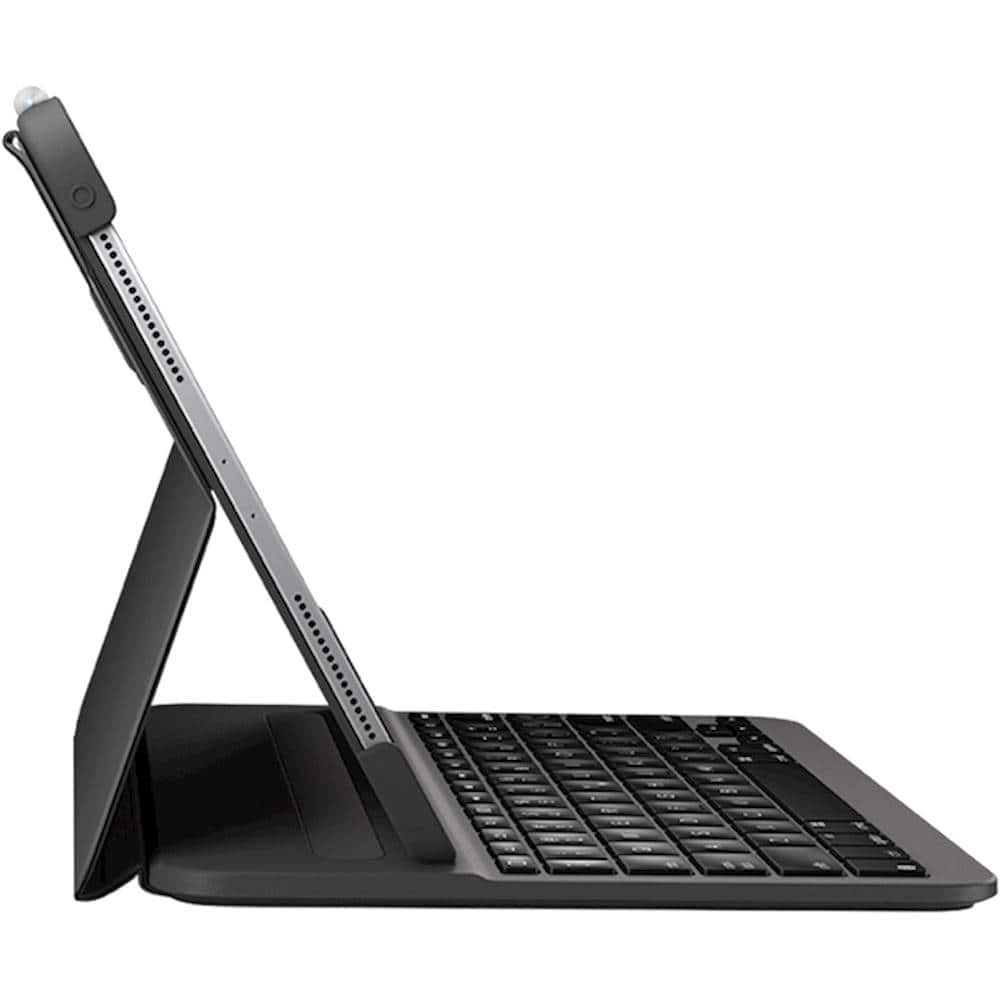
|Posted .This reviewer received promo considerations or sweepstakes entry for writing a review.1. Easy to charge good battery life and back lit 2. Keeps the iPad pro securely (second gen) 3. Place holder for the pen not completely hidden but the iPad does keep it in place. 4. Have not seen battery life information on charge level but seems to last long.( have not completely killed it yet.) 8 plus hours off an on use. 5. Instructions could be clearer on what buttons do what secondary functions. 6. Doesn't give you multiple positions, its either keyboard or flat closed.
I would recommend this to a friend - Pros mentioned:Keyboard quality, Protection
The Idea of an iPad for your primary device
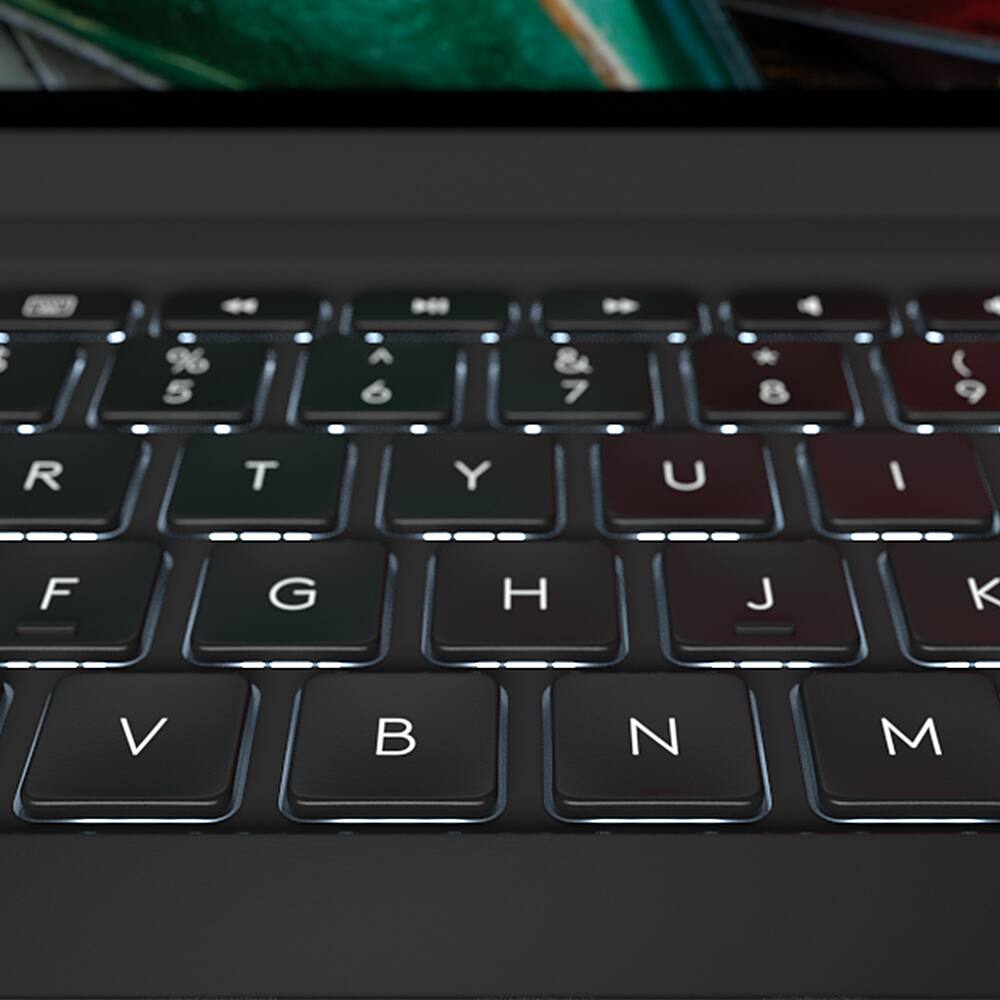
|Posted .This reviewer received promo considerations or sweepstakes entry for writing a review.As a long time iPad user and having had a number of cases and keyboards, this seemed like a good upgrade with my newest work provided iPad. Logitech has always made worthwhile and protective cases, and they've made decent portable keyboards, but I've resisted the combination of the two. The features and protectiveness of this Logitech product have me rethinking that, and when I'm traveling for work, it has me using my iPad as my primary computing device. If you've not used a keyboard with your iPad yet, the latest ipads and versions of IOS combined with a keyboard like this make that barrier even lower. From a protective perspective, this case is spot on. It feels like it could handle multiple drops and protect my iPad well. The folding is a double-edged knife for me, as it doesn't fold completely flat, and is designed to always keep your ipad as a shallow angle. This is convenient in an office setting, but less so if you use your iPad as an e-reader and you might find yourself taking it out of the case. As a keyboard, I've always loved the shape and feel of Logitech's keyboards. This one is no and exception and BACKLIT KEYS are amazing. This makes a big difference for working on a plane or at home in dim lighting. They also make the shortcut keys much more useful since those seem to not be intuitive. I would recommend this keyboard case to anyone that uses an iPad for work or would benefit from a keyboard.
I would recommend this to a friend - Pros mentioned:Fit, Keyboard quality
Great Keyboard for iPad, but
|Posted .This reviewer received promo considerations or sweepstakes entry for writing a review.This is a great alternative to the onscreen keyboard for those that need an external keyboard for their iPad. Basically makes your iPad feel more like a laptop. From that perspective, this is incredible. The case is very well built and the keyboard has a great feel to it. Installation is a breeze and literally only takes a few seconds. The illumination of the keyboard is very nice. Operating the keyboard was flawless. The case fits the iPad very snuggly and securely. The flip side is your iPad now feels more like a laptop and less like a tablet. The keyboard/stand is not very conducive to lap use. Much easier to use on a surface, such as a desk. Because it is a keyboard, the case only has one viewing angle versus other Logitech cases with multiple angles. Likewise, there is no swivel. The keyboard is only useable in landscape mode. Finally, the case doesn’t facilitate folding back to use the iPad as a tablet. When folded back in the open position, you will be holding your iPad with the keyboard exposed which makes it difficult to hold. Because of the very snug fit of the case, switching between the keyboard case and another is not really practical. In summary, if you need to use your iPad primarily as a laptop or are typing a lot, this keyboard is amazing. However, if you use your iPad primarily as a tablet, holding it or laying on your lap, this keyboard case may be more than you want.
I would recommend this to a friend - Pros mentioned:Battery life, Keyboard quality, Protection
Great Alternative Keyboard Cover
|Posted .This reviewer received promo considerations or sweepstakes entry for writing a review.If you are looking to save a few dollars over the OEM keyboard cover, this is a great alternative. It protects the iPad Pro as well and provides a very good quality typing experience. It does not have a touch pad so make sure you plan on using a mouse if you want to use something other than your finger. The battery life is amazing. I would highly recommend it.
I would recommend this to a friend Keyboard
||Posted . Owned for 8 months when reviewed.This reviewer received promo considerations or sweepstakes entry for writing a review.I bought this keyboard on July 7. 2021… Stopped working today… i didnt use everyday, and i was always take care of that so i am a little disappointed. Also some buttons were chipped.. Recommend to you is : Buy something else.
No, I would not recommend this to a friendBrand response from Logitech
Posted .Hello, Honestone! I'm sorry to hear about your experience with the Slim Folio Pro! I would recommend reaching out to our support team here https://support.logi.com/hc/en-us/requests/new?ticket_form_id=360000621393 to file a warranty claim. The Slim Folio Pro has a 1-year limited hardware warranty. Thank you for the feedback on the longevity of the keyboard! I will be passing this along. - Maggie from Logitech
- Pros mentioned:Keyboard quality
Convenient Keyboard Case for iPad
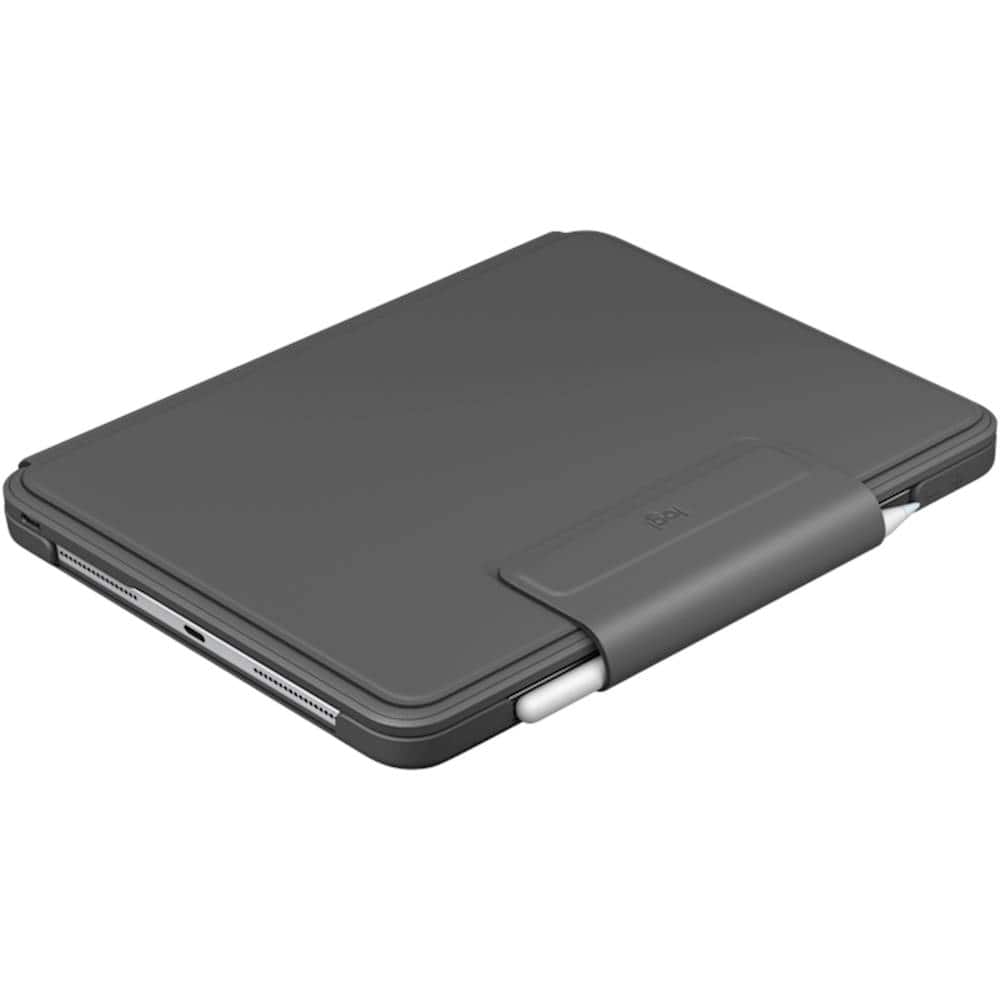
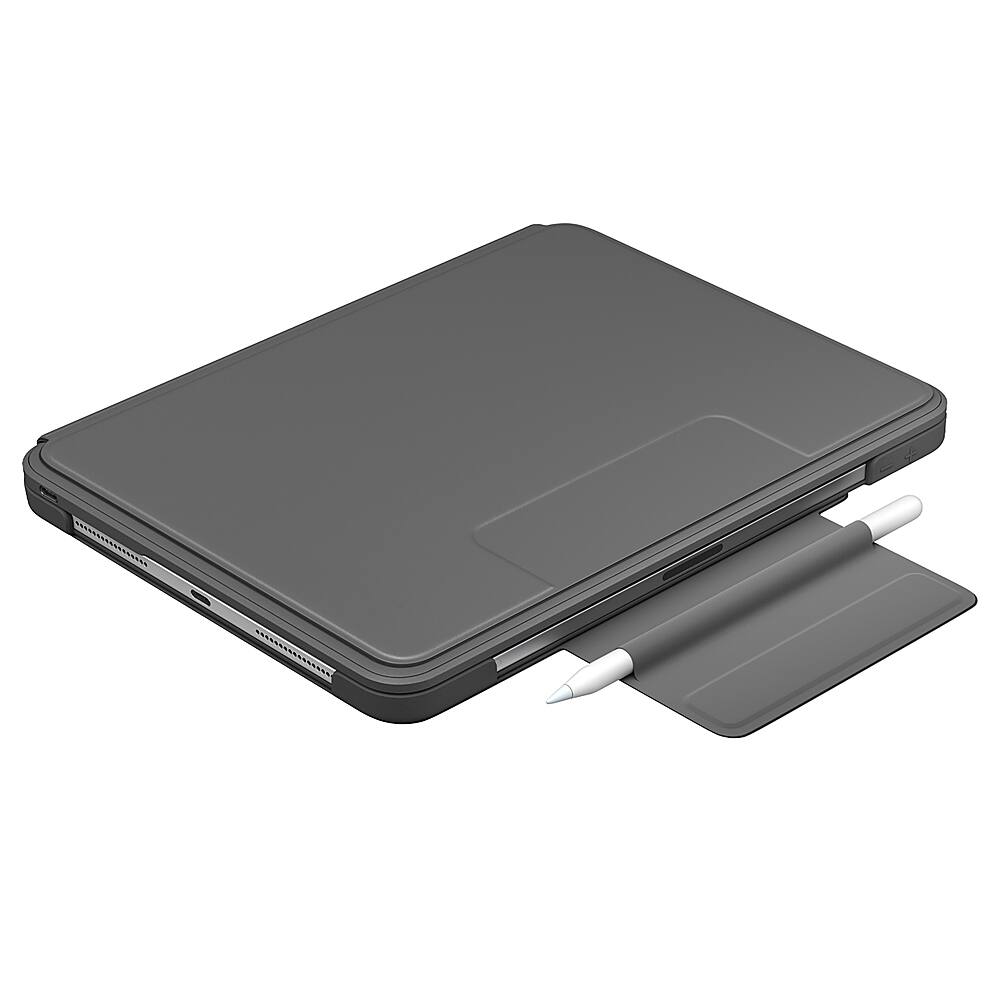
|Posted .This reviewer received promo considerations or sweepstakes entry for writing a review.I’ve said it before, and I’ll say it again here, Logitech is one of my main ‘go-to’ brands when it comes to personal home tech electronic accessories and peripherals. Wow, that was a bit of a mouthful. As far as this Logitech Slim Folio Pro goes, it does what it’s designed for, and does it well. Namely, the keyboard case protects your expensive tablet, while keeping your Apple Pencil charged and ready to go. Fitting the iPad into the case was an easy task by carefully “sliding” the tablet into place, saving the camera end for last as that part is the most flexible of the rubberized material. Before actually getting the Folio Pro and being able to try it out, one of my concerns had been if the area of the case for the rear-facing camera was going to measure up. But the camera cut-out fits perfectly. So that’s all good. Connecting this Logitech Slim Folio Pro to my iPad via Bluetooth was no problem at all. Plus, the keyboard case has a USB-C charging port, same as the iPad. Although the way this Folio is designed doesn’t allow you to position your iPad in both portrait or landscape mode to use with the keyboard, you can fold the case down and tuck away the keyboard so as to simply use your tablet as a tablet, to read, draw/sketch, or write using the Apple Pencil. The backlit keys are cool! And not just for the practicality of typing in low-light. This feature is just plain cool! However, I did find the size of the keyboard itself to be somewhat of an issue, and though I know I’ll get used to typing on it over time, I found myself accidentally hitting the ‘return’ key a lot, before I meant to. Yet, typing on the keyboard is nice as the keys are super responsive, and they make a muted sound that is rather pleasant when my fingers fly over the keys during my writing. With the iPad in the Folio carrying it around does feel heavier than I thought it would. Not that that poses a problem. Just my own personal observation. One “negative,” if you want to call it that, is that when the case is closed, I did find the magnetized flap which comes down over the Apple Pencil and sticks to the back of the keyboard side, doesn’t seem to fit on that area there as well as I would like, and sometimes doesn’t stay in place or stay shut. After only having the Folio Pro for a short amount of time, I do believe that the case will protect my iPad from getting scratched up, from minor drops, and even simple spills - for example, if I happen to knock over my drink if it’s somewhere nearby. By no means does this case provide full protection from water or accidental damage. But then, it’s not designed for that. Only time will tell on how long the keyboard will last between charges. It’s rated at 3-months per charge based on 2-hours a day usage, but mine is in use all day, so that won’t apply with regards to my experience. Even though I’ve only given it 4 stars instead of 5, I do highly recommend this Logitech Slim Folio Pro keyboard case.
I would recommend this to a friend - Pros mentioned:ProtectionCons mentioned:Weight
Really like it
Posted .This reviewer received promo considerations or sweepstakes entry for writing a review.So far very good. Nice response from the keys--quick and accurate. Keyboard a little small but that is because it fits the Ipad. Turns my Ipad into a small laptop. It is a little heavy but it feels substantial like it would protect the Ipad.
I would recommend this to a friend - Pros mentioned:Keyboard quality
Good keyboard but case needs improvement
|Posted .This reviewer received promo considerations or sweepstakes entry for writing a review.Ever since I purchased my iPad pro back in 2018, I have been on a mission to find the perfect case/keyboard combo. Then I was introduced to Logitech’s new Slim Folio Pro. First off, lets talk about the build quality. The Folio Pro, is constructed very nice. The case is made out of a soft leather while the keyboard is constructed out of a hard plastic. The keys themself are just like the ones on the MacBook pro, and the 3 levels of backlighting work very well. The top row are dedicated shortcut keys, which are very convenient, plus I love how they added the arrow keys. Typing feels great, although I am noticing a little bit of lag which is kind of bothersome. There are 3 positions that the Folio can rest in, the typing position, or you can lay it flat for the drawing position, lastly you can fold it over for the reading position. The case where the iPad fits in is made up of rubber, this is one of the parts I’m not crazy about as it becomes a pain to put it in and take it out of the case. The vol keys on the Ipad are also an annoyance as they are rather hard to push, meaning it’s not exactly a snug fit like you would get with a hard cover. The last thing is the strap that comes attached to the case. This is meant to hold the case closed with a magnetic attachment. I for one do not like this at all, I find it adds no real value to the case and just creates a huge waste of space, especially when you have it in reading mode. One of the coolest features of the Folio Pro (IMO), is the way it turn on.Once you Position the iPad in the typing position, the keyboard automatically lights up and turns on. It’s actually pretty amazing how fast it works too. It’s almost feels like it utilizes Apple’s magic connecter (even know it really only uses bluetooth). Overall. The Slim Folio Pro is solid case with some minor annoyances. The keyboard layout along with the keys themself are great, they feel really comfortable to type with and backlighting is fantastic. The 3 folding positions are very essential, especially when needing to draw or read. My biggest problems with the case is the fact that it becomes a chore to insert and remove the ipad from it. The power and volume buttons are not easy to push, it feels like they’re buried under a sponge. Lastly is the magnetic strap, that I would say, is my biggest complaint about the case. Other than that, this is a decent case and I would recommend it to anyone looking for a good keyboard for their iPad Pro.
I would recommend this to a friend - Pros mentioned:Keyboard quality, Protection
Turn your iPad Pro into a laptop
|Posted .This reviewer received promo considerations or sweepstakes entry for writing a review.Type on your iPad Pro as if its a laptop when its docked upright. Collapse your iPad and use your pencil to draw, or fold the case back to read and use as a tablet. The integrated keyboard is back-lit with adjustable brightness and the keys feel sturdy and have just the right feel to them when typing. With the slim folio your iPad is not only protected but much more versatile in its uses.
I would recommend this to a friend - Pros mentioned:Battery life, Ease of use
Pretty nice keyboard but........
|Posted .This reviewer received promo considerations or sweepstakes entry for writing a review.Let me start by saying that Logitech - Slim Folio Pro Keyboard Case is a very nice accessory for the IPAD PRO. But it lacks is a few places. I would have loved to see maybe an integrated mouse on the keyboard. Or maybe a USB port for a mouse. But other than its a blast to use. Very easy setup. And a great battery life. Stores my pencil well. Not to sure on drop protection thankfully I haven't dropped it.
I would recommend this to a friend - Pros mentioned:Keyboard quality
Excellent Keyboard Case for iPad with Trade-offs
|Posted .This reviewer received promo considerations or sweepstakes entry for writing a review.The Logitech - Slim Folio Pro Keyboard Case for Apple® iPad® Pro 11" (1st and 2nd Gen) is an excellent, protective case offering a superb typing experience for the iPad. Typing is solid and comfortable for extended use. The row of iPad function keys is very convenient and genuinely helpful. The levels of backlighting are nice and the Apple Pencil holder included with the magnetic latch gives a much-needed sense of confidence and security when bringing the Pencil along. The trade-offs come in two areas: - When using the iPad for reading in portrait mode or sketching, the case is bulky, loose and awkward. It is clearly intended for typing as it primary use. However, I often read with it on my lap in typing mode and that works fine. - The bulk added by this case eliminates the slim, light form-factor of the iPad and also makes using the iPad buttons difficult. However, if you want one of the best typing experiences on an iPad, this is the case to get.
I would recommend this to a friend - Pros mentioned:Keyboard quality
Nice board!
|Posted .This reviewer received promo considerations or sweepstakes entry for writing a review.So, I’ve had the keyboard for a few days now and I’ve done more typing on my IPad than I ever thought possible, including writing this review. Pros: * The keyboard is backlit while you type. It’s a really nice feature to have. * There’s a magnet in the case that locks the IPad in place. And it doesn’t easily come loose. Cons: * It took a while to connect the Bluetooth keyboard. I had to enter the 6 digit code several times before it actually connected. * Luckily I have two USB-C cords available to charge the keyboard. It would have been nice to have a USB-C cord included. *The keyboard and case are a little heavy. Obviously it’s because of the components inside, but it takes a while to get used to it. Overall, I would recommend this keyboard case.
I would recommend this to a friend The best iPad Pro keyboard for business and school
|Posted .This reviewer received promo considerations or sweepstakes entry for writing a review.The Logitech Slim Folio Pro Keyboard is upgraded version of Logitech's iPad keyboard compatible with the 2020 iPad Pro 11". The major change that I can see is that this keyboard has a wider cut out hole for the camera. That all said, since the size of the iPad Pro Pro 11" didn't change, this is also backward compatible the 1st Generation 11" iPad Pro. To get this setup, you insert your iPad Pro in the rubber case, then pair your iPad. Getting your iPad Pro 11" into the Logitech Slim keyboard requires a bit of effort. There are thick rubber protective gribs and while the one near the camera has some give but the other corner is very tight. It's not impossible, but it's not an easy on/off cover. So the good is your iPad is protected and held in tight, the downside, is if you're a casual keyboard user and want to be able to remove the keyboard when you don't need it - well this may not be right for you. It also adds some weight, but it's a trade-off given it's a very protective case and the keys have decent travel. Once paired which is done in bluetooth settings and tapping a confirmation pairing code on the keyboard you're ready to go. Which is how you find me now, tapping this review on the keyboard! As for the keyboard itself. I love it. Quality keys with good travel. It's comparable to a laptop keyboard and it's even backlit! I love a backlit keyboard. Logitech have also added dedicated buttons for the home screen, search, music playback and volume controls. There are also power on/off and bluetooth buttons. The keyboard turns on and off automatically. It turns on when it's in keyboard position thanks to some magnets in the case. The power button on the keyboard is just to check the battery. On the battery, the Slim Folio Pro charges by a separate USB C connection. The battery is rated for 3 months and I was getting that kind of life on my previous keyboard. You should know that there's only one viewing angle. This was fine for me. The keyboard and magnets are also solid enough that you can use this on your lap and it doesn't collapse. You can fold they keyboard in a way to use the iPad in tablet mode (with or without showing the keys) and the keyboard is smart enough to disable the keyboard - so you stil get true iPad tablet mode. Although if you are using the rear camera in anything other than keyboard mode, you have to let the keyboard dangle. One of the things I do like is that the Logitech Folio keyboard (and case) does have room for the Apple pencil. There's also a handy flap that keeps the cover close AND the pencil in place when not in use. Logitech have also been smart enough to use magnets on the flap, so when you're in keyboard mode there's not some flap hanging over the screen. Overall, love the keyboard. It's made working from home easier, good key travel, good viewing angle. Just remember it's not a quick on/off keyboard so it's best if you use your iPad more for work or school and less for watching movies. I would actually recommend this for work and school, especially if you travel, because the battery life is great and the protection of your iPad awesome. Finally, if you want to use the keyboard with a mouse, I'd recommend you pair (no pun intended) this with the Logitech i345, their iPad mouse.
I would recommend this to a friend- Pros mentioned:Keyboard quality
nice keyboard/case!
|Posted .This reviewer received promo considerations or sweepstakes entry for writing a review.Logitech once again comes through with a great keyboard/case! Its a bit heavier than I would normally like, but the keys have a great feel to them, and the nice backlighting is a big plus; and, it has great corner protection in case you drop your iPad on the ground! If you are looking for a lightweight, slim keyboard/cover, this isnt for you, but, if you want protection and a great keyboard feel and visibility, then you will really like this model!
I would recommend this to a friend - Pros mentioned:Keyboard qualityCons mentioned:Weight
Not good, not recommended
|Posted .This reviewer received promo considerations or sweepstakes entry for writing a review.I had high hopes for this keyboard folio. I own another Logitech keyboard case for a different iPad that I really love and recommend, but there are several aspects of this one that I do not like. First of all, it does not cover all four sides of the iPad. I understand why the one side is exposed--for the magnetic charging of the Apple Pencil--but the other two sides are needlessly exposed. Perhaps for the speakers, but that’s no excuse--Logitech could have had pinhole cutouts instead, and covered those sides. Second, there is one and only one angle placement for the iPad when it is in typing mode, so if you don’t like it, or would like to adjust it for different situations, too bad. There are plenty of times I wanted to change the angle but could not. And the biggest negative that really bugs me about this case is when it is closed. While the flap has a magnetic closure which adheres to the front, it is flimsy. The front cover (the keyboard part) does not have a magnetic closure to adhere to the iPad so when the case is closed, that front cover is constantly sliding back and forth. The front cover does not even stay aligned with the bottom (with the iPad); it is slightly off-center. I also do not like that it uses a Bluetooth connection. Although Logitech claims that a full charge lasts months, I do not like having to deal with charging it when Logitech could have done what they did with their other keyboard folio that I have--utilized the smart connectors on the back so no Bluetooth pairing is ever required and no charging is ever needed either. Also, unless you actively lift weights and have good arm/hand strength reserves, don’t expect to use the iPad in portrait mode for too long because it gets very heavy, very fast. And it’s very awkward, to say the least. The keyboard is just too bulky and my hand would keep pressing on the exposed keys on the back while holding it. Not to mention if you have the Apple Pencil stored in the magnetic flap, it adds to the bulk of the iPad in “flat” position--when either using it in portrait mode or landscape mode, giving it a weird uneven bulkiness because the Pencil is sandwiched between the keyboard cover and the back cover. You don’t want to take the Pencil out, because then what is the point of having the supposed convenient storage place for it, and if you place it on the charging spot on the iPad, you can’t hold the iPad in portrait mode because it’s in the way; plus I don’t always like to have the Pencil on the iPad when it’s all charged up already. The only good thing I somewhat liked about this case is the keyboard itself; the backlit keys are its number one feature. You can choose three levels of brightness--either off, medium, or high brightness. The only thing is that the backlight would turn off too fast all the time as I would be using it, so I would constantly need to press any key to get the backlight to turn back on, which was extremely annoying. But the typing experience was good; I type an average of 100 wpm and I was able to comfortably achieve that with this keyboard. The individual keys have good travel and feel, and are fairly quiet. The full row of iOS shortcut keys at the top are also a plus. But overall, I would not recommend this Logitech keyboard folio because it has too many negatives.
No, I would not recommend this to a friend - Pros mentioned:Keyboard quality
Good keyboard
Posted .This reviewer received promo considerations or sweepstakes entry for writing a review.This is my second one. The first one worked well for a couple of years, but eventually some of the keys quit working consistently. I like the fact it is backlit and the price was good
I would recommend this to a friend