Customer Ratings & Reviews


- Model:
- 910-004860
- SKU:
- 5749107
Rating by feature
- Value
Rating 4.4 out of 5 stars
- Quality
Rating 4.8 out of 5 stars
- Ease of Use
Rating 4.6 out of 5 stars
Customers are saying
Customers appreciate the Spotlight Presentation Remote's ease of use, impressive range, and long battery life. Many also highlight the device's spotlight feature, sleek design, and compatibility with various systems. Positive feedback frequently mentions the convenient size and functionality. While some find the price point high, and others experienced minor software installation challenges, the overall user experience is largely positive.
This summary was generated by AI based on customer reviews.
Best pointer
||Posted .This reviewer received promo considerations or sweepstakes entry for writing a review.Easy and simple to use, much more functional than traditional pointers!
I would recommend this to a friendLogicrap
||Posted . Owned for 3 weeks when reviewed.This reviewer received promo considerations or sweepstakes entry for writing a review.battery died within two months. So they would not accept it ; told me to deal with the manufacturer. Even worse than the product was the customer service.
No, I would not recommend this to a friendBrand response from Logitech
Posted .We apologize for the battery issue and the unsatisfactory customer service experience. Your feedback is important to us and will be taken into consideration.
Does not work well using PowerPoint on a Mac
||Posted .This reviewer received promo considerations or sweepstakes entry for writing a review.Does not work well using Microsoft PowerPoint on a Mac Although I love the features and the handling of the pointer, unfortunately it is behaving very erratically and is unreliable when using PowerPoint on a Mac running High Sierra. Even when using the installed software. I returned it.
No, I would not recommend this to a friendBrand response from Logitech
Posted .Hello DutchPT! We're sorry to hear the Spotlight Presentation Remote is not meeting your expectations. We do often release updates and fixes for our products as we gather feedback from our customers like yourself, so hopefully these issues would have been fixed by now. Should you still need more information, you can find all the detailed instructions for your product right here: https://support.logi.com/hc/en-us/articles/360023300194-Getting-Started-Spotlight-Presentation-Remote. At Logitech, we strive to make sure our customers always have a great experience with the products & services we make, so we definitely appreciate your feedback. Thanks! - Mathieu from Logitech
Not practical
||Posted . Owned for 1 month when reviewed.This reviewer received promo considerations or sweepstakes entry for writing a review.It didn’t match my needs Couldn’t use with Apple products
No, I would not recommend this to a friendDoes not work as advertised
||Posted .This reviewer received promo considerations or sweepstakes entry for writing a review.Logitech presenter has some critical problems. It's too slow and imprecise to activate the highlight function and, most important, sometimes it does not work - even if you are two meters away from computer. I have a new Macbook pro: I do not know if it works better in windows systems.
No, I would not recommend this to a friendBrand response from Logitech
Posted .Hi Fabio, sorry to see you're having some software related issues with your Spotlight Presenter Remote. I have one and use it with my Macbook Pro all the time! If you haven't already, please make sure it is on the latest firmware update for optimal use via the Spotlight companion desktop app. If that doesn't work, you do have a 1 year limited warranty that can be used to have a replacement sent out to you. But if you have any questions, check out the Logitech support page at https://support.logi.com/hc/en-us/articles/360023300194-Getting-Started-Spotlight-Presentation-Remote. Hope that helps.
Underwhelming
||Posted .This reviewer received promo considerations or sweepstakes entry for writing a review.The title of the review encapsulates the sentiment
No, I would not recommend this to a friendNot for Mac
||Posted . Owned for 2 weeks when reviewed.This reviewer received promo considerations or sweepstakes entry for writing a review.Not Mac compatible. Did not work with Mac laptop at all
No, I would not recommend this to a friendBrand response from Logitech
Posted .That's weird! The Spotlight presentation remote is compatible with macOS 10.2 or later. We'd recommend you to get in touch with Logi Support team and check for available options, next steps, and best possible solution in this case.
Difficult to work with your laptop
||Posted . Owned for 5 months when reviewed.This reviewer received promo considerations or sweepstakes entry for writing a review.Over all the software was easy to install but the overall product would not work with Power Point correctly.
No, I would not recommend this to a friendBrand response from Logitech
Posted .Hi Replevine,
Thank you for your feedback. It is greatly appreciated. Sorry for any inconvenience. If you ever need assistance, please contact Logitech Support on the website.
LaShonda from Logitech
Logitech told me timer will never work with Mac
||Posted .This reviewer received promo considerations or sweepstakes entry for writing a review.I spent hours messing with this and 3 seperate calls to support. After a several troubleshooting steps, Logitech told me they would escalate it to level 2 support. I google searched, “logitech spotlight timer doesnt work with mac” and read several postings of the same problem. I called back Logitech for a fourth time and specifically asked the tech to be honest with me and tell me if the timer will ever work with a Mac and he said, no it will never work. There website and marketing is false. They know it doesn’t work and they still post on their site that it does. I purchased this item specifically for the timer notification features for my MacBook Pro. How big companies make elementary mistakes is beyond me.
No, I would not recommend this to a friendBrand response from Logitech
Posted .Hello My2Cents,
I am sorry that the Logitech support team could not help you back then with your issue using the Spotlight Presenter with your Mac. Currently, the Spotlight Presenter is compatible with macOS®: 10.2 or later, and the timer feature for the vibration feedback work well. Logitech appreciates your product review. - Leo from Logitech

Premium Presentation Remote
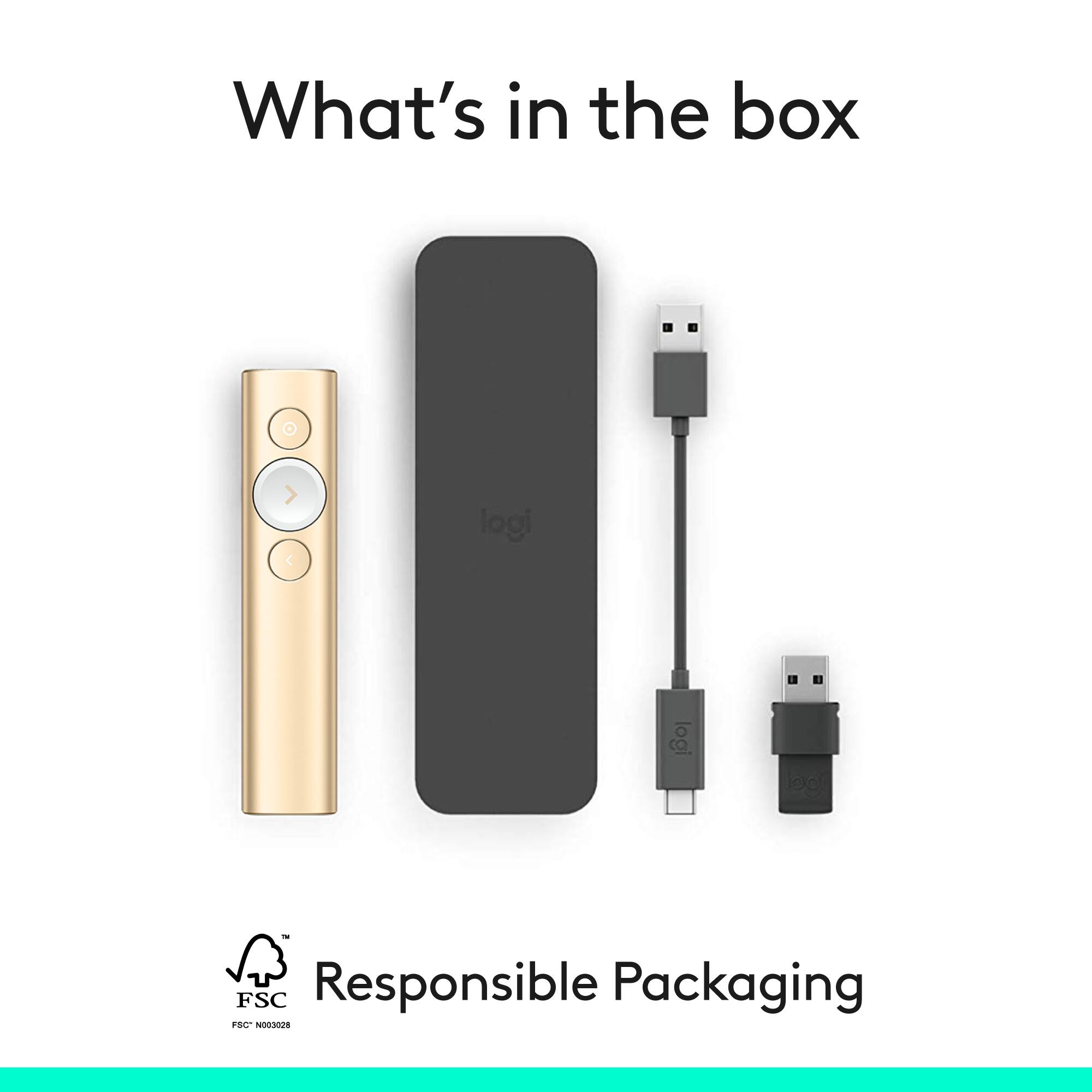
|Posted .This reviewer received promo considerations or sweepstakes entry for writing a review.The Logitech Spotlight Remote is an excellent premium presentation remote. I have frequently given CLE presentations to other attorneys, and the Spotlight Remote is an excellent tool. I paired the Spotlight with my Surface Pro 4, which is the device I generally use to give presentations. I had some initial issues installing the software because the corporate version of Norton on my computer believed the software contained a trojan. I presume Logitech must have updated the software, because I finally got it to work today and have spent some time testing Spotlight. Of course, it functions as a basic presentation tool, advancing and reversing slides. But it has a number of other cool features. First, as the name implies, you can use a button on the remote to create a highlighted "spotlight" on the presentation. This is a very nice feature, allowing you to really focus on specific parts of the slide. Second, you can set timers such that the remote will vibrate to give you a reminder. This can help you stay within an allotted time or encourage you to move along to the next slide. Also, you can use the remote to control video within the presentation. All features work perfectly. The Spotlight is a nice remote. It feels solid and substantial, but not overly heavy. In the box is a nice carry pouch, a charging cable, and a dongle you can use to connect to a computer that doesn't have BT. It is on the pricey side, but it is a clear step above other remotes used for presentations.
I would recommend this to a friendPricey But Worth it For Pros
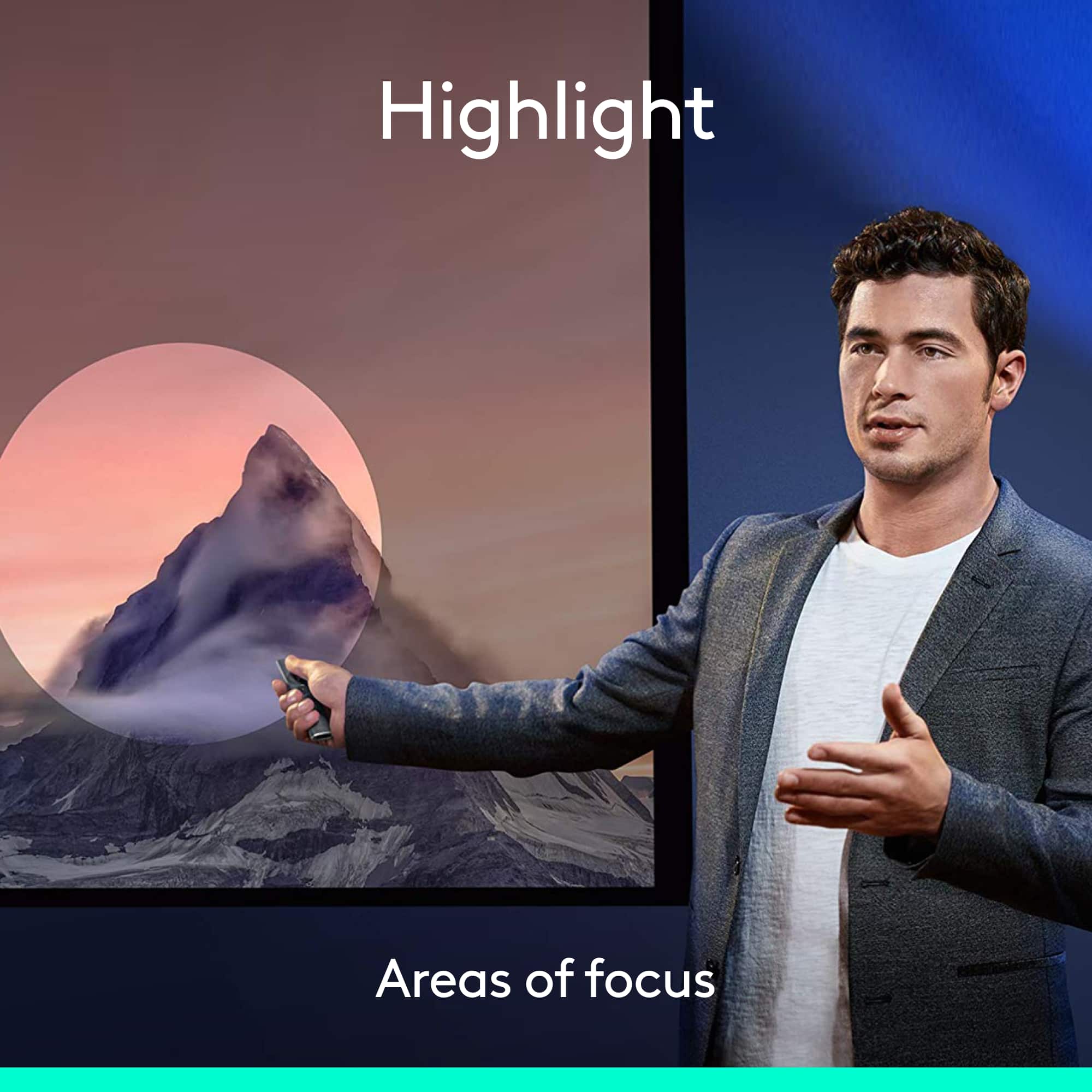
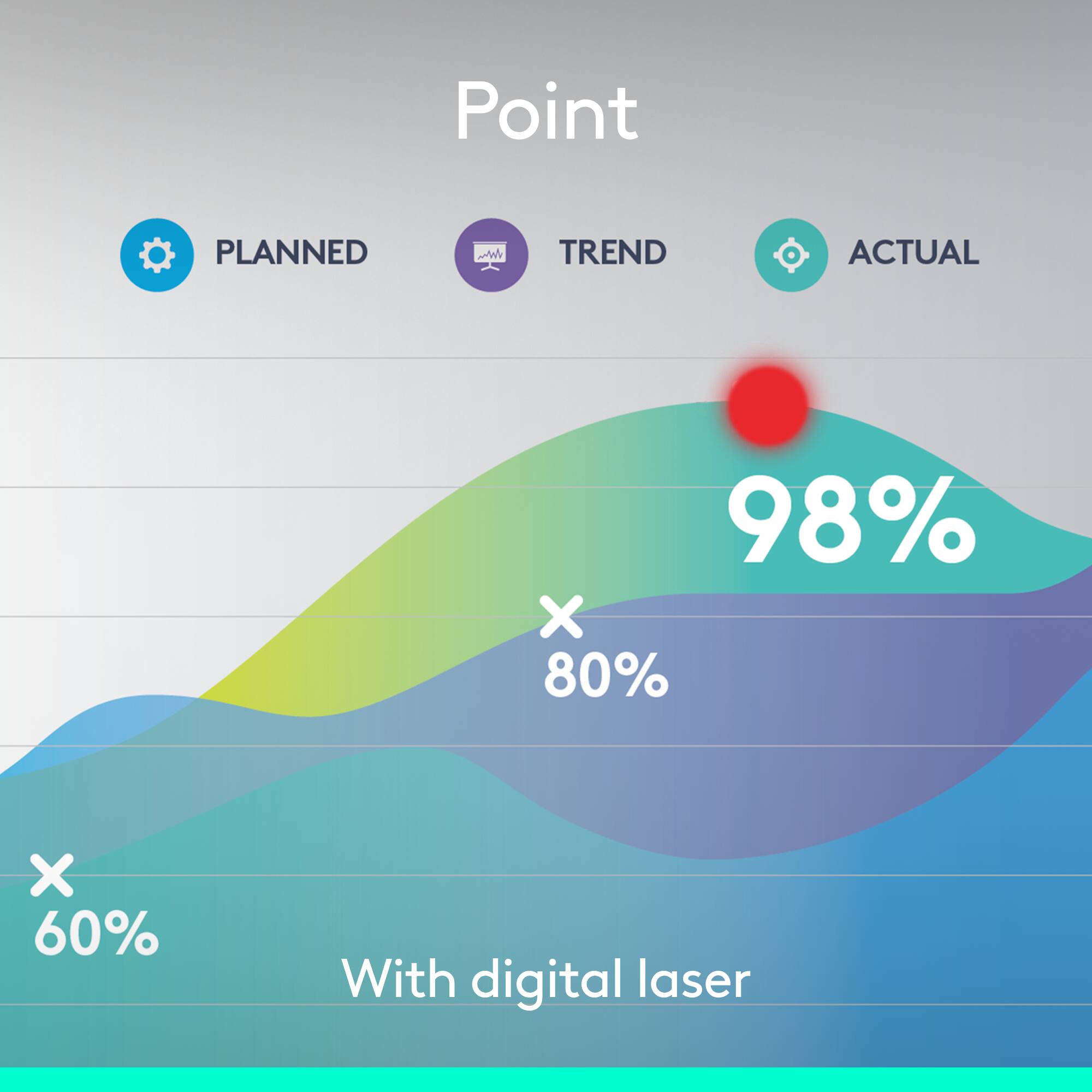
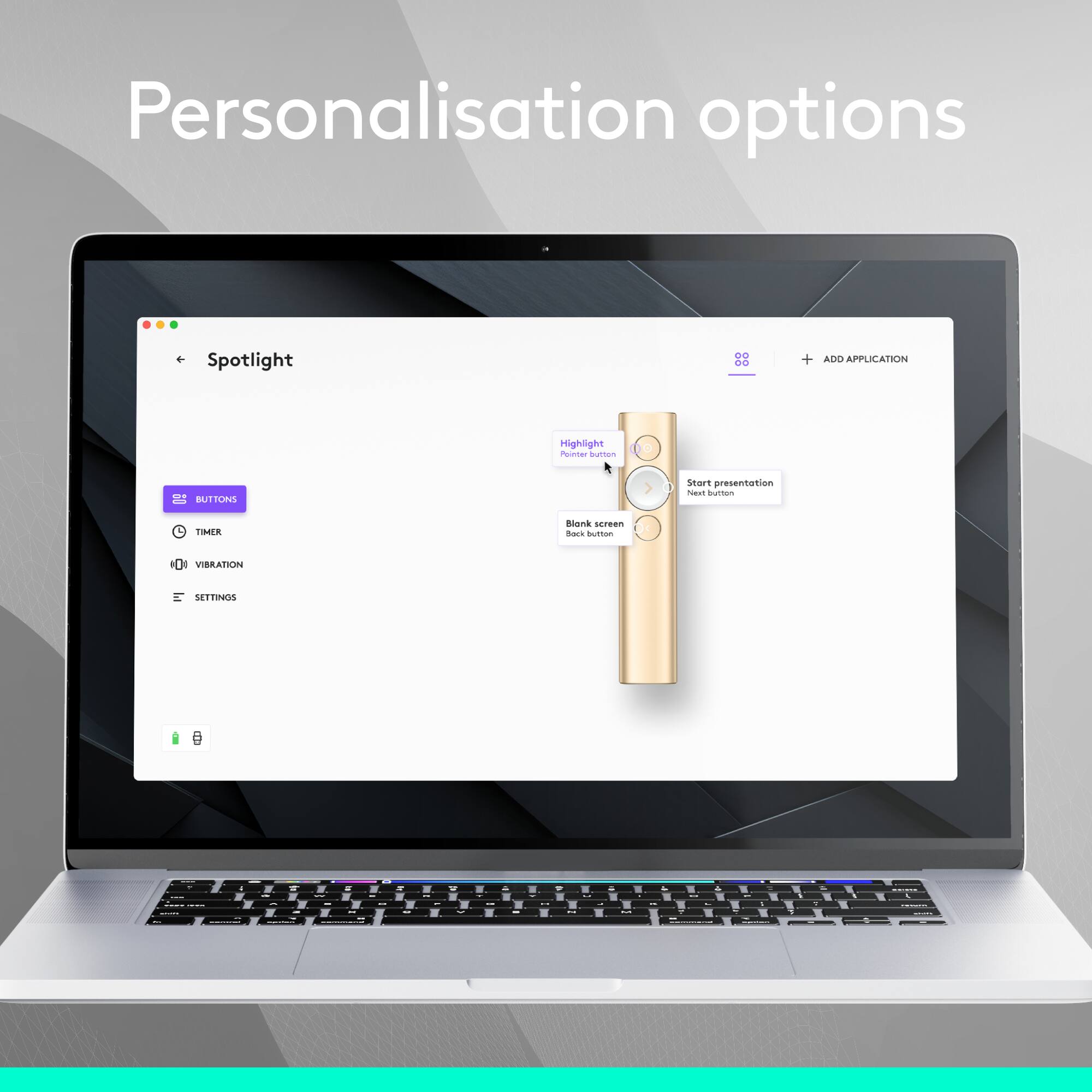
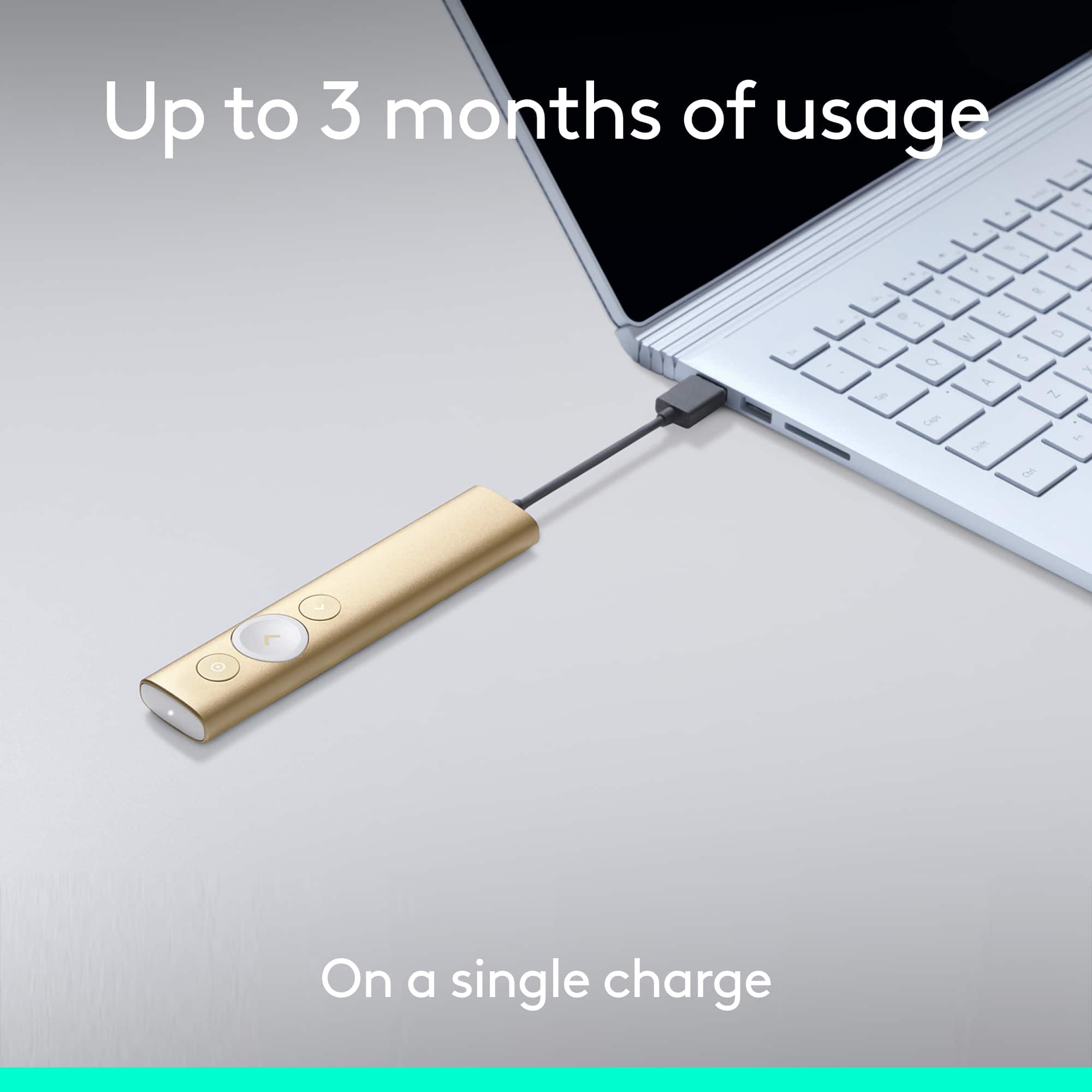
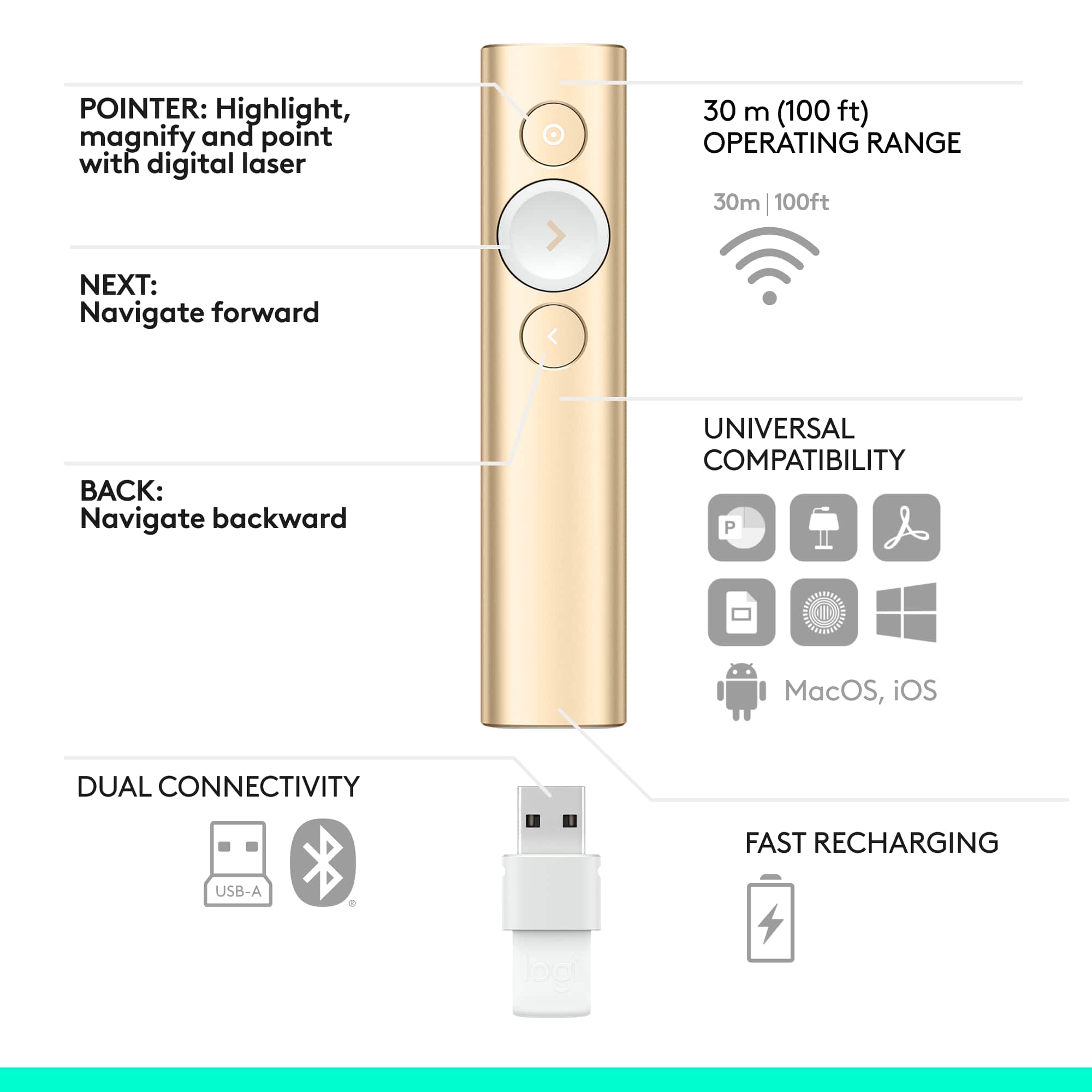
|Posted .This reviewer received promo considerations or sweepstakes entry for writing a review.First, I'll address the price point which is admittedly steep at $129.99. How much could a clicker really be worth? Well, the Logitech Spotlight answers that question. For those that frequently find themselves presenting and wishing there were more functionality (other than forward and back) built into your clicker, the wait is over. The Logitech Spotlight provides circular highlighting (via sensors in the Spotlight--not a projection or laser), zooming, media interaction, and cursor control from your fingertips--which can be up to 100 ft away from the laptop! An added benefit is that this functionality doesn't come in the form of a NASA worthy control panel. Instead, it comes in a very stylishly simple aluminum metal remote that fits comfortably in your hand. It feels professional and of such quality that it won't break apart if accidentally dropped or smashed around in a laptop bag. A large part of public speaking is confidence and this should boost anyone's confidence with it's added functions as well as style. Installation is simple and easy. If you only want the basics (clicks forward/backward), it's as fast as plug and play. To take advantage of all the tricks the Spotlight can do, you'll need to install the free app from Logitech. I found this to be extremely easy and fast. The app was simple and intuitive allowing you to customize the function of the Spotlight's buttons. This is great so if you have no need to interact with media and instead care more about highlighting and magnifying, you can set the buttons to do exactly what you need. This makes interacting with your presentation a breeze and intuitive without having to think or search in a haystack of buttons while providing your full attention to the presentation itself. Forgot to charge your Spotlight and are about to present? No problem. A 1 minute charge via USB will last for 3 hours. A full charge will last up to 3 months! As you can tell, I can be a bit long winded. This isn't a great thing when you have limited time to present. The spotlight has an answer for that as well. A vibrating alert can be configured through the Spotlight's app to mark milestones (10 min, 30 min, etc) in your presentation. This can help keep people like me on track. In addition, you can use the app to have a timer included on the screen for more real-time monitoring. In conclusion, I really enjoyed presenting with the Spotlight. The customizable functions come in REALLY handy as sometimes the needs of your presentation change. You may need more media interaction in one while only need zooming and highlighting in another. No matter what, you'll only have 3 buttons to contend with allowing you to maintain focus on dazzling your audience. Call me superficial, but the look and feel of the Spotlight made me feel more confident. It's stylish, quality, and clearly costs more than your average remote. It just says "Pro" to anyone who sees you wielding it. Your fellow presenters will be envious and immediately feel slightly inadequate with their plastic laser pointers on steroids. Pros: Look & Feel (Stylish) Build Quality Customizable Functions Wireless (Bluetooth or included dongle) Battery/Charge Life/Time Included Carrying Case Distance Cons: Price* *Any pro presenter should have the Logitech Spotlight. If you don't present frequently (or do extremely important presentations where style, flare, and seamless interaction matter), the Spotlight is still something that could revolutionize your presentations. Whether it's worth the price for the amateur/occasional presenter is up to you. I still think it's a neat gadget that will have your audience/co-presenters inquiring about your Spotlight.
I would recommend this to a friendLogitech has stolen the “Spotlight!”
|Posted .This reviewer received promo considerations or sweepstakes entry for writing a review.The new Logitech Spotlight is a presenter’s dream come true when it comes to presentations! The following is my review of this AWESOME product: Setup- Firstly, setup for this product was user-friendly. I followed the enclosed instructions by visiting Logitech’s website (Logitech.com/spotlight) and downloaded the software to get things rolling. After downloading the software which didn’t take very long, I paired a Bluetooth connection with my HP notebook; thereafter is when the fun began. Initially, I wanted to be assured of the functionality of this gadget; therefore, I tested the remote on some PowerPoint slides as such the show ran smooth as butter! I further tested the remote by setting the timer to notify me when 5 minutes were remaining and it delivered on point with ease. I love the “spotlight” feature because true to its name, it highlights your presentation wonderfully. For example, if there is something that you really need to emphasize while presenting this feature is an EXCELLENT source because it emphasizes visually with concise clarity what a presenter hopes to get across to his or her audience. Also, it isn’t harsh on the eyes in comparison to a gadget that may house an “infrared light!” Distance-I stood back at least 15 feet and my slideshow still progressed quite easily. Logitech has stated that the remote works up to 100 feet. Versatility-the “Spotlight” offers great versatility. I have an HP desktop that I wanted to pair the Bluetooth with for presentation usage; however, for some unknown reason after several failed attempts, I was unable to successfully pair. Thus, I used the USB dongle which achieved the needed results for a successful PowerPoint presentation. Moreover, if you’re needing to do a presentation to an online audience and /or small group and may not have the necessary audio visual equipment, this product will suffice fine in getting it done along with a laptop or tablet. As an educator, this product is a dream come true for me in many ways because of its compact design, user-friendliness, portability, versatility and overall quality. If you are in the market for a reliable product that will deliver excellent presentation results that will put you in touch with your audience, this is the product!!!
I would recommend this to a friendGood concept but poor performanse.
Posted .This reviewer received promo considerations or sweepstakes entry for writing a review.Before I jump in to reviw this let me say this - that i like the logitech products a lot their build quality and ergonomics. I own the mechanical mini for mac, two mx master mouse and mx keys and k695. All are wotking great and i am happy with thiir performance. I was looking for a pointer for the lcd ecreens because laser pointers are not useful because they are not visible to the audianse. So i got this spotlight presenter. Below is the detailed review. Build quality. Perfect and it fits very nicely with my macbook and i like the magnetic storage of the usb connector. It is usb a, it would have been great if it can also be usb c. Connection woth bluetooth is a plus because macbooks these days don’t have usb A. Leather cover and charging cabe is neat. It works with logitech options and installation and setup is easy. There are a few customization options that are a great plus like zoom, spotlight, and just laser pointer. Instruction mention that you can change mode by double clicking the button but that doesnt work. I enable all three functions and also only two function. Tried everything but it either do zoom ot spotlight and change only once then stuck on that mode. Something is broken in the programming. I contacted the logitech tech support and they were very prompt in respondign but the problem could not be resolved with the solution provided. I tried this on one windows 11 computer and intel mackbook pro and m3 mackbook pro. All have options installed and results are same. For using only one mode like either laser, zoom or spotlight it is great but interchanging mode does not work as it should. It works just one time then do not. Tried usb connection and also bluetooth. Overall it is a great concept good for general digotal presentation but not for power user until this problem is fixed. Lack of usb C is also a concern. I returned it because of these functionally reasons.
No, I would not recommend this to a friendBrand response from Logitech
Posted .Thank you for sharing your detailed feedback. It's clear the mode-switching issue is impacting your experience, and we appreciate you bringing it to our attention. That's valuable information for us as we continue to improve.

Simply amazing...
|Posted .This reviewer received promo considerations or sweepstakes entry for writing a review.The Logitech Spotlight Presentation remote is something new to me. I have always done presentations standing in front of a computer screen, and I may or may not have had a laser pointer to work with, depending on the venue. In my current position, I do a lot of presentations and typically they are very straight forward power point personations and I have videos in some of them. That said, based on my personal experiences in doing these presentations, this was a game changer for me. First things first, I tend to walk around a room when I present and get the audience involved. Usually it is not a large room, and the groups ranged between 25-50 people. Keeping that in mind, I can go anywhere in a room and control the presentation. I am not stuck behind a podium hitting the forward key on a keyboard or telling my assistant “next.” And it says 100 feet in the instructions manual, I think I got a little more than that when I was testing it out the first time. I think we tried it at about 120-125. So, when you use a typical pointer it is usually a laser style pointer. This one is a little different and gives more of a highlight or spotlight effect on the screen. To be honest, it is much more professional looking and gives your presentation a more polished look to it. The first time I tried it, I immediately got compliments on it. Also, my wife immediately stole it from me and is using it at her school in her presentations now! My favorite option is the ability to play the imbedded videos with ease. It seems like something so simple right? But all of us have seen presentations conducted by professional instructors when they minimize the presentation to play a video they can’t get to work in their hyperlink. Even when the hyperlink is connected properly, they still don’t work half the time. Why can’t you just make the video play right on the screen from a remote? You can with this remote and it is awesome. Again, giving it a polished look to your presentation that others just don’t have. Finally, depending one what I am presenting, sometimes I can be on a very specific schedule and that means finishing within the allotted time limit. Nothing makes me more upset then the jerk presenting in front of you taking an extra 15 minutes and eating into your time. It is not professional and it can always be avoided. With this remote, you can set reminders for yourself and they come in the form of the remote softly vibrating in your hand. It is not noticeable to your audience and you keep rolling without skipping a beat. So if you know you need to be on slide 20 when you feel the first vibration you placed for the half way marker, you know you are right on time or if you need to speed up or slow down a bit. This is my FAVORITE feature. So subtle, so helpful, and so discrete. In the beginning of my review, I stated this is a game changer for me. It truly is, and I consider myself to be a good presenter. This really just makes your presentation more interactive as far as bridging the gap between you and the screen it is showing on. Everything that seems logical is now easily done on a device that feels comfortable in your hand. So if you are a presenter, whether it is a regular thing for you or if you work on a team that does a lot of presentations such as HR or a training department. This is a must have tool to have in your tool box. I will never go back to the old way, it would be like taking back my iPhone and carrying a pager. I recommend this to anyone, it is an amazing product.
I would recommend this to a friendFor Frequent Presenters
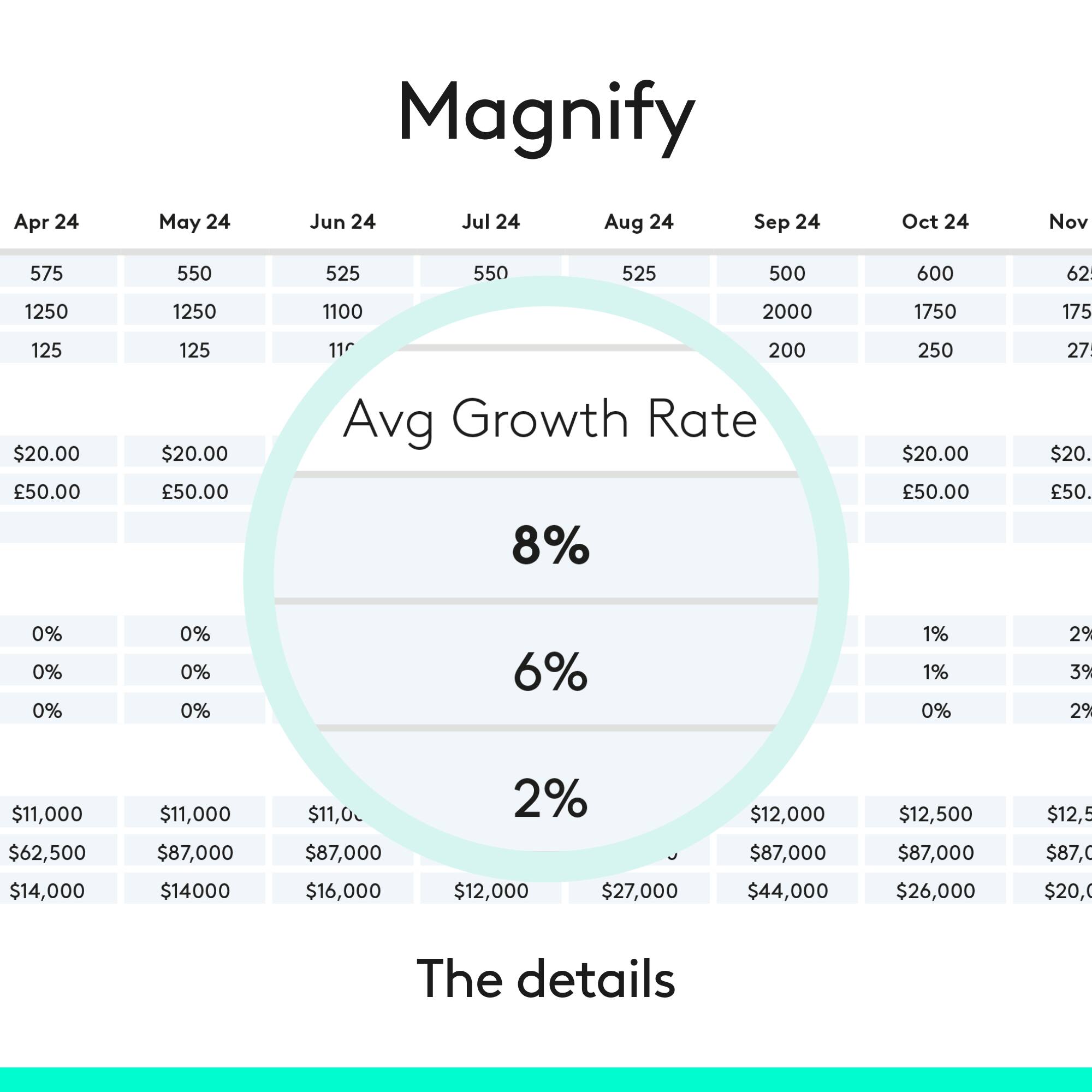
|Posted .This reviewer received promo considerations or sweepstakes entry for writing a review.The Logitech Spotlight Presentation Remote is the next step forward in presentation remotes. The slim silver/grey wand looks and feels great in the hand. It comes with it USB Type A wireless receiver which fits in the remote so that you don’t loose it and a USB type C fast charging cable to charge the remote and also a carrying case. It can also connect via Bluetooth to your PC. The Spotlight has three buttons, its motion-sensing air mouse function makes it a lot more flexible than a simple back/forward presentation remote. To use it as a mouse, just hold down the Spotlight button until the pointer appears on-screen, then wave the remote to move the pointer around. Release the Spotlight button to stop the pointer, then tap the button again to click. You can't right-click using the Spotlight, but you can configure several other useful features for presentations, including cursor-enhancing modes that can completely replace a laser or telescoping pointer. Highlight darkens the screen except for a circle around the mouse pointer; Magnify magnifies the area of the screen around the pointer; and Circle simply draws a white circle around the pointer. These modes can be individually enabled or disabled; when multiple modes are turned on, you can switch between them by double-tapping the Spotlight button. I have used the remote both with powerpoint and Prezi and it worked well and I had no issues. The remote has a long range and you can move around and still be connected to the computer. The only thing I will say is that the remote takes some time to getting used to, in order to use its advance features like magnification so you definitely practice these things before going to do your presentation. Don’t take it out of the box to a presentation, use it a couple of times to understand how it works. At $129 its expensive but provides features that no other remote currently provides.
I would recommend this to a friendAn excellent evolution of the Logitech Presenter
|Posted .This reviewer received promo considerations or sweepstakes entry for writing a review.First Impression: What a nice box. I think it fits the price point better than if it were delivered in a plastic shell! It is easy to open (even has small tabs on the tape) and has all the items packed in layers in the box. Besides the remote, dongle and the charging cord, it comes with a cover to hold the presenter and the cord – although things are pretty tight when both are in the sleeve. Installation: I plugged the dongle into an older Windows 7 laptop and it installed without any problems. Once I installed the software from Logitech’s website, the options were easy to configure to make it work just the way I wanted. Installation on a Windows 10 laptop worked the same way, even pairing with Bluetooth was quick and worked well. Installing on a Windows 10 desktop machine halted repeatedly at 91% so I had to disable Avast to get it to finish. All the other machines had been running other antivirus and had no problems. Use: I have been using an older Logitech R800 presenter. I was hesitant about the simplicity of the Spotlight because there are only three buttons. After installing the software, I can configure the buttons to do most of what the old one did as well as a few new things. The remote is just the right size to carry around and doesn’t get in my way when presenting. I miss the laser pointer for how quickly it worked since it had its own button, but the on-screen highlighter is an even better tool and will probably prove more useful as I get used to it. I really like being able to adjust the volume with just a simple movement up or down and have one of the buttons programmed to blank the screen when I need it. I quickly found that it works with Windows Explorer as well (so every application can utilize it to some extent), whereas the old one only worked in PowerPoint. As a teacher, I use my presenter several hours each day and I have been very happy with the Logitech R800 for years. It had just the right number of buttons and had a small screen to let me know the battery level and other information. The Spotlight does the same functions I used on the R800 and adds just the right mix of new features to make it even better. I can do without the screen, it probably used the battery anyway. Conclusion: Overall, I am very happy with the Spotlight and am sure that it will prove as useful as my other Logitech devices. I would have no problem recommending this to anyone looking for a very capable and flexible presenter that can connect to USB or Bluetooth.
I would recommend this to a friendExcellent presentation remote
|Posted .This reviewer received promo considerations or sweepstakes entry for writing a review.I do not have alot of experience with presentation remotes. I have done a few powerpoints here and there over the years. I have used the cheap-o remotes that have limited features. They get the job done, but always leave something lacking. Logitech has given us this spotlight presentation remote, and honestly it is a handy, all in one remote that is quite useful. The remote is tiny, and has 3 useful buttons on it. The large button in the middle moves the presentation forward, the below button moves the presentation backwards, and the top button is where you get the advantage of this remote. After all it is called spotlight, and it does just that. You can It can be set (via the Spotlight's app) to show up to three different onscreen pointers. 1. The spotlight feature highlights the area within a round "spotlight" and darkens the rest of the screen so that your area of concentration is more visible; the size of the spotlight can be adjusted. 2. The magnify feature does just what it says: It magnifies the content within a circular area. 3. The circle feature just shows an outlined circle without affecting the content any other way. You access these features by holding down the pointer button for a couple of seconds; you can then cycle through each of the activated features via a double-press. If the highlight is centered on a link or onscreen button, a single press will then act as a left-click. There is an app you will need to download which is quick and easy. The app is needed in order to assign different features to the top or bottom buttons on the remote. Includes Blanking the Screen, Volume Control, and Scrolling. Remote includes a usb dongle built into the base of the remote which has a micro usb port. Charge says it can last for 3 months. I did not test it that long. I also tested this on a PC, not a mac. It has the option to be used on either or. Overall if you are looking for a top notch presenter remote, and your job or lifestyle requires you to make multiple presentations frequently throughout the month, i would highly recommend this remote. If you only do a few presentations a year, or very infrequently, you are prolly better off spending half the price on a remote with the basic features that will work for you.
I would recommend this to a friendBest Presentation Remote Ever?
|Posted .This reviewer received promo considerations or sweepstakes entry for writing a review.Pros Simple design and very comfortable Can be used as a mouse in presentation mode Acts like a pointer but much better Excellent range Cons Not good as a mouse in non-presentation mode The forward button sometimes fails I just used this for a training class and was very happy with it, especially the virtual pointer that feels more like a spotlight - hence the name I think - than a laser pointer. The people attending the class was amazed with it. The spotlight is produced by the software but it feels real. I almost regretted I used it just because there were almost more questions about it than about the content of the training. Luckily the training was about technology so it turned up being a good thing. The most exciting part was that I was able to charge it from zero to full in about 30 seconds and it lasted the full 3.5 hours of presentation. That was really amazing. Logitec says it can last 3 hours but I believe you have to be pushing its buttons all the time. The things I didn't like about it were: . The "air" mouse function doesn't work very well outside presentations. But I'd rather use a mouse in that case anyway. . The main and bigger button used to move forward required me to push it multiple times even while being at a short distance from my laptop. It happened just a few times and it could be my unit. . You cannot use the main button to go to the previous slide. Being used to an Apple TV remote, I found myself pushing the right side of the button thinking I could go back that way. There is a dedicated smaller button to go to previous slides. It is just not as intuitive. Logitec should have implemented up/down/back/forward functions on the same button. Other features that I loved: very long range: I could walk the training room which is over 80 feet long and it still worked perfectly (it is supposed to reach 100 feet); motion sensor allows you to move the highlighting circle (or spotlight) and zoom in any area of the screen and it doesn't have to be running a presentation app to do that; you can customize the buttons; very comfortable. Despite the few minor quirks mentioned above, I don't think there is anything better out there. It is almost revolutionary. Highly recommended.
I would recommend this to a friendWorks as expected, with some cool extras
|Posted .This reviewer received promo considerations or sweepstakes entry for writing a review.I was really looking forward to trying this out, I wasn't disappointed. I received the package opened it and found the device packaged in a nice clean packaging. It contained the presentation remote, warranty info, end of life battery removal instructions, a proprietary USB cable, and a fake leather case. There are no user instructions at all anywhere in or on the box, I finally found install instructions on the Logitech site. First you must download the presentation software, I use windows 7 and had no issues. It downloaded and installed fast. You then open the software and follow the instructions on how to connect your remote. You are asked to plug it in for 1 minute for 3 hours usage, then after 1 minute you are Asked to plug in USB receiver and click connect on device. Once that is done you feel the remote vibrate and a nice bright "You are connected" appears on screen. You then use the remote to to access the installed software which gives you onscreen and interactive instructions on using and the features of the remote. I found this very easy and terribly useful in getting used to how the remote responds to the commands. There are 3 buttons on the remote, the top button is for the highlight feature, the large middle button is for moving to the next slide, and the smaller bottom button is for moving to the previous slide. Once you start your presentation a timer starts and will vibrate when there are five minutes left, and vibrate once again when it is finished. You can use the highlight button to highlight, magnify, and click with a mouse like pointer. The other two next and back buttons can be used to adjust volume up and down as well. All in all I found the us r experience to be flawless. The buttons worked without exception in every application I tried, the highlighter was the same with no problems. When you press a command button the reaction on screen is instantaneous and very smooth. I can and would highly recommend this remote without hesitation.
I would recommend this to a friendnice comftable presenter
|Posted .This reviewer received promo considerations or sweepstakes entry for writing a review.I love how it feels. simple to use once you get software installed. I am writing my review now and if need will update more later on. For the price, I do like the futures with it that other presenters don't offer. Things that I really like. I like that you can customize the buttons and what they do, however there are not to many options at the moment. still a nice future and can see potential in the future. I like that if you are presenting with multiple screens, this will show on each screen if they are synced. were as other presenters with a laser will only work on the screen the laser is pointing at. I like the little pouch and that the usb adapter fits in the bottom and you can use that as a tab to pull the presenter out of the pouch. I also like that you can use it like a mouse. a bit to get used to but you can change the sensitivity a bit for pointer speed. and then you just tap the top button for it to act as a left mouse click. my laptop did not come with a remote and so this is a nice handy remote. I can sit back when I want to and play movies and stop without having to get up. I can also adjust the volume up and down. a few things that I would suggest, like to see, or just not to fond about. the charging cord is about 6 inches. its as long as the presenter. so very short. I would love to see it longer so that you can easily plug into a computer, laptop, wall adapter etc and be able to place the presenter someplace safe. I rather have a disk for software so that you don't have to try and download from internet or have it built into the presenter. there are only 4 options for the pointer that replaces a laser. one of which is only available when the other 3 are not selected. and that is, just using the mouse pointer. if you have 1, 2 or all 3 of the other options selected (highlight, magnify or circle) to go between the 3 if all are selected you just double tap the top button. this is great, but I think the regular mouse pointer should also be a option with that. I would also love to see a red dot as an option as well. the if you want to use a red dot (like a laser) you have that option and if multiple screens are being used, it would show on all screens. I think it would also have been nice to have like a double tap of the forward and back buttons as well to be able to do functions. like double tap and hold after the second tap. or can have the double tap to go to a blank screen, can have it to mute the volume, etc. many options that I think or hope can get added in the future to make this even better. overall I think the price is worth it. have used a few cheaper presenters for half the price and they do not work as nice. and only have a few options for them. not to mention, those usually take a AA battery which cost over time. I cant wait to put this thru some more test and see how it handles after a few months, a year, etc. and I cant wait to possibly see what futures might get added in future updates, which is something that I also think could be a plus for this presenter.
I would recommend this to a friend