Customer Ratings & Reviews


- Model:
- 910-004860
- SKU:
- 5749107
Rating by feature
- Value
Rating 4.4 out of 5 stars
- Quality
Rating 4.8 out of 5 stars
- Ease of Use
Rating 4.6 out of 5 stars
Customers are saying
Customers appreciate the Spotlight Presentation Remote's ease of use, impressive range, and long battery life. Many also highlight the device's spotlight feature, sleek design, and compatibility with various systems. Positive feedback frequently mentions the convenient size and functionality. While some find the price point high, and others experienced minor software installation challenges, the overall user experience is largely positive.
This summary was generated by AI based on customer reviews.

BRAVO! A new twist on laser presentation pointers
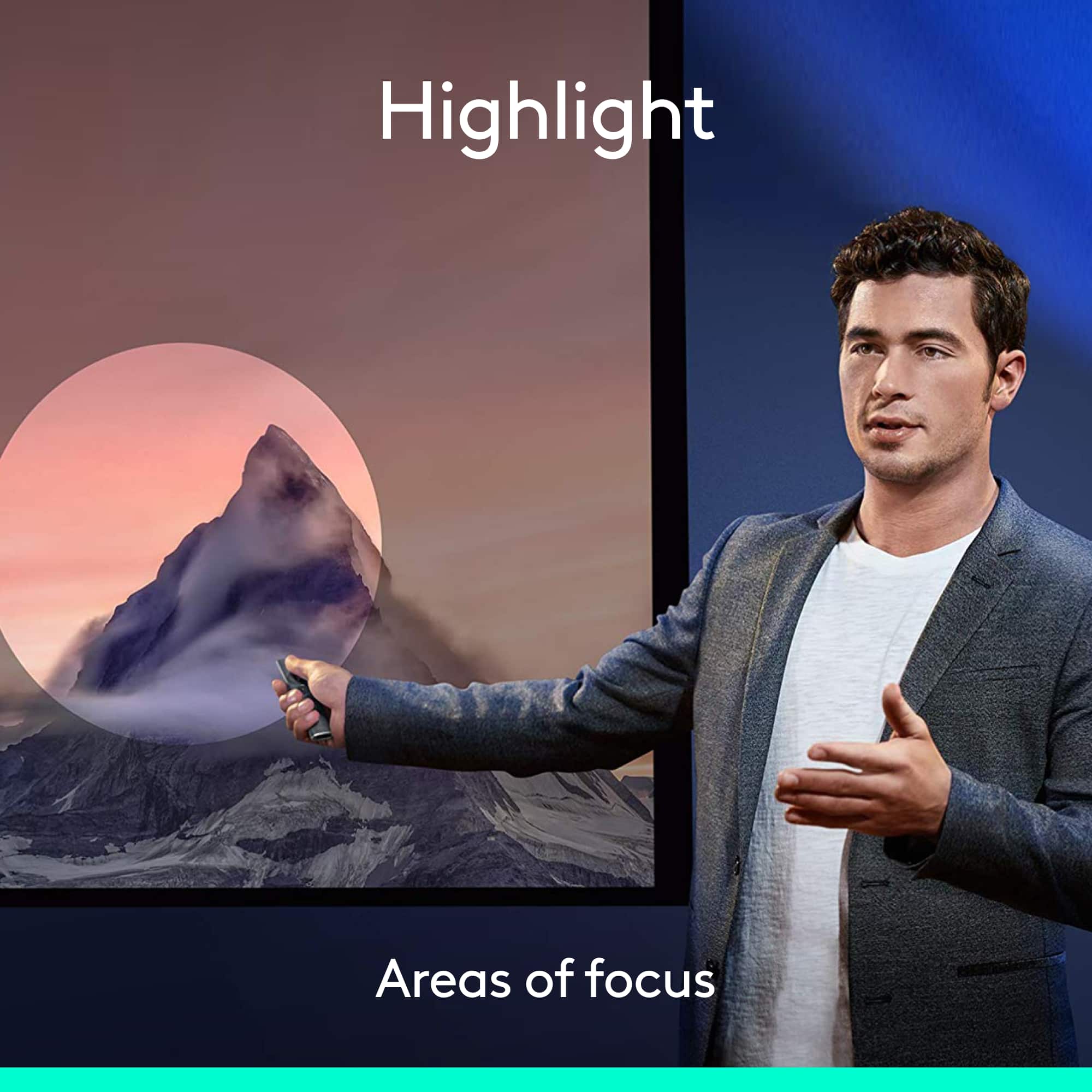
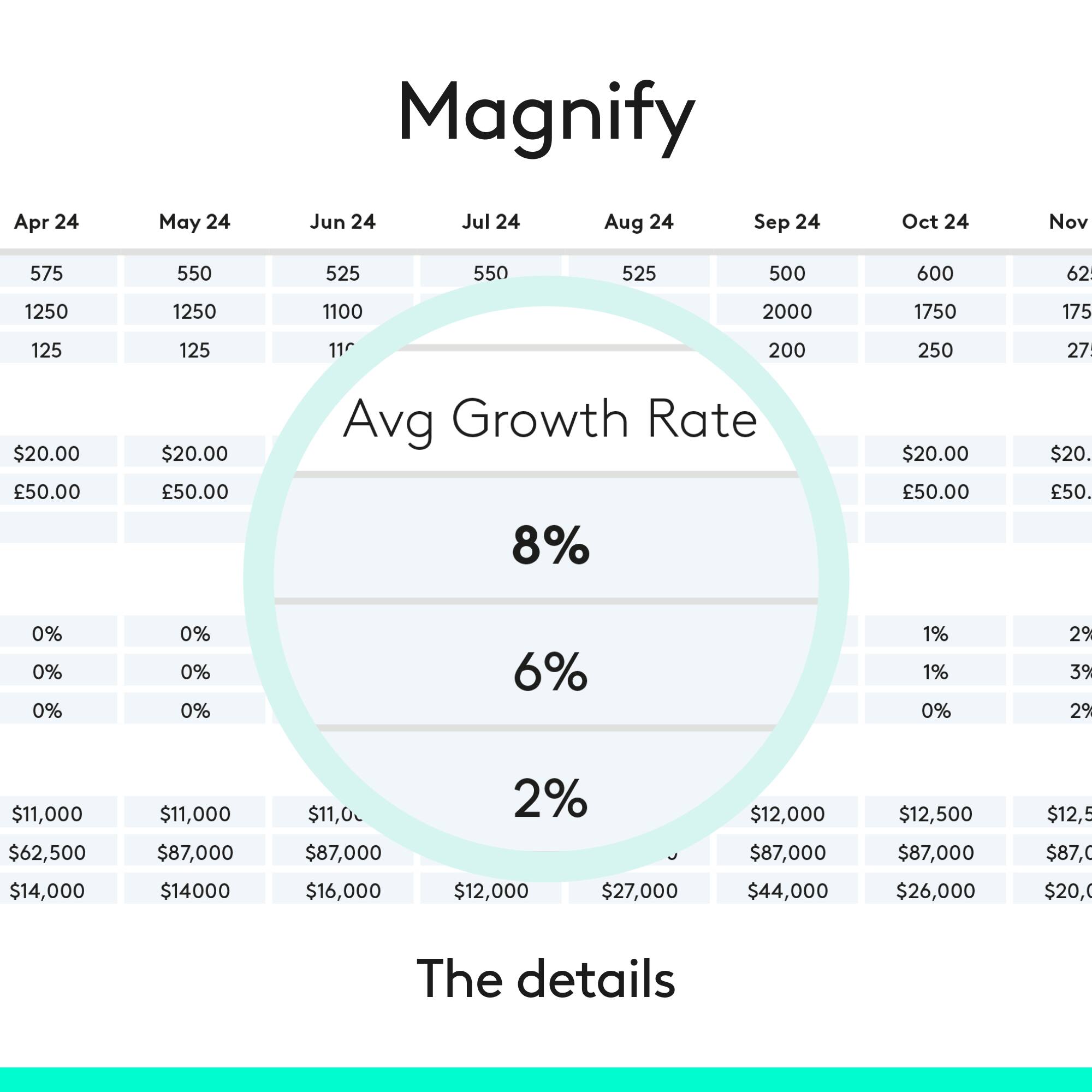
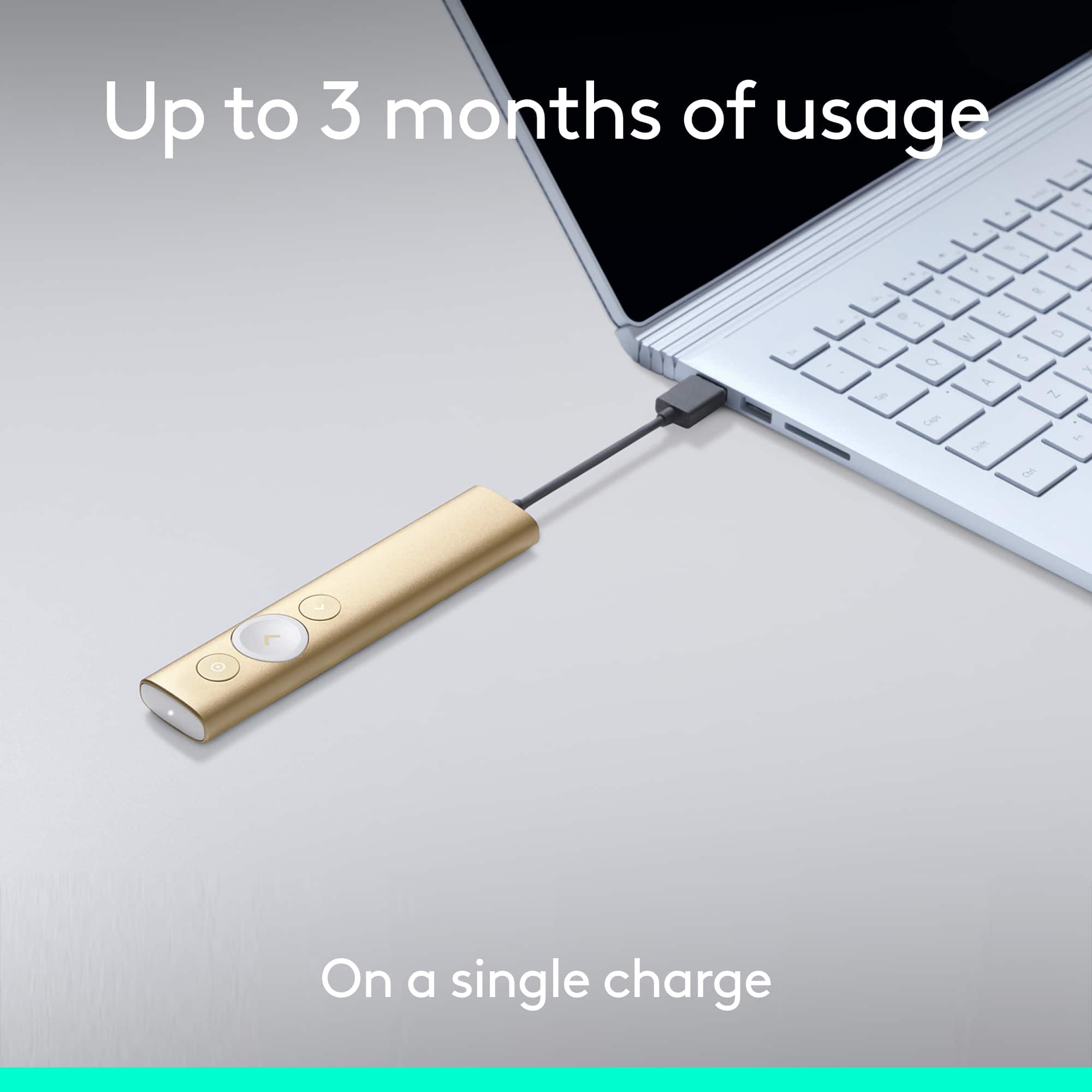
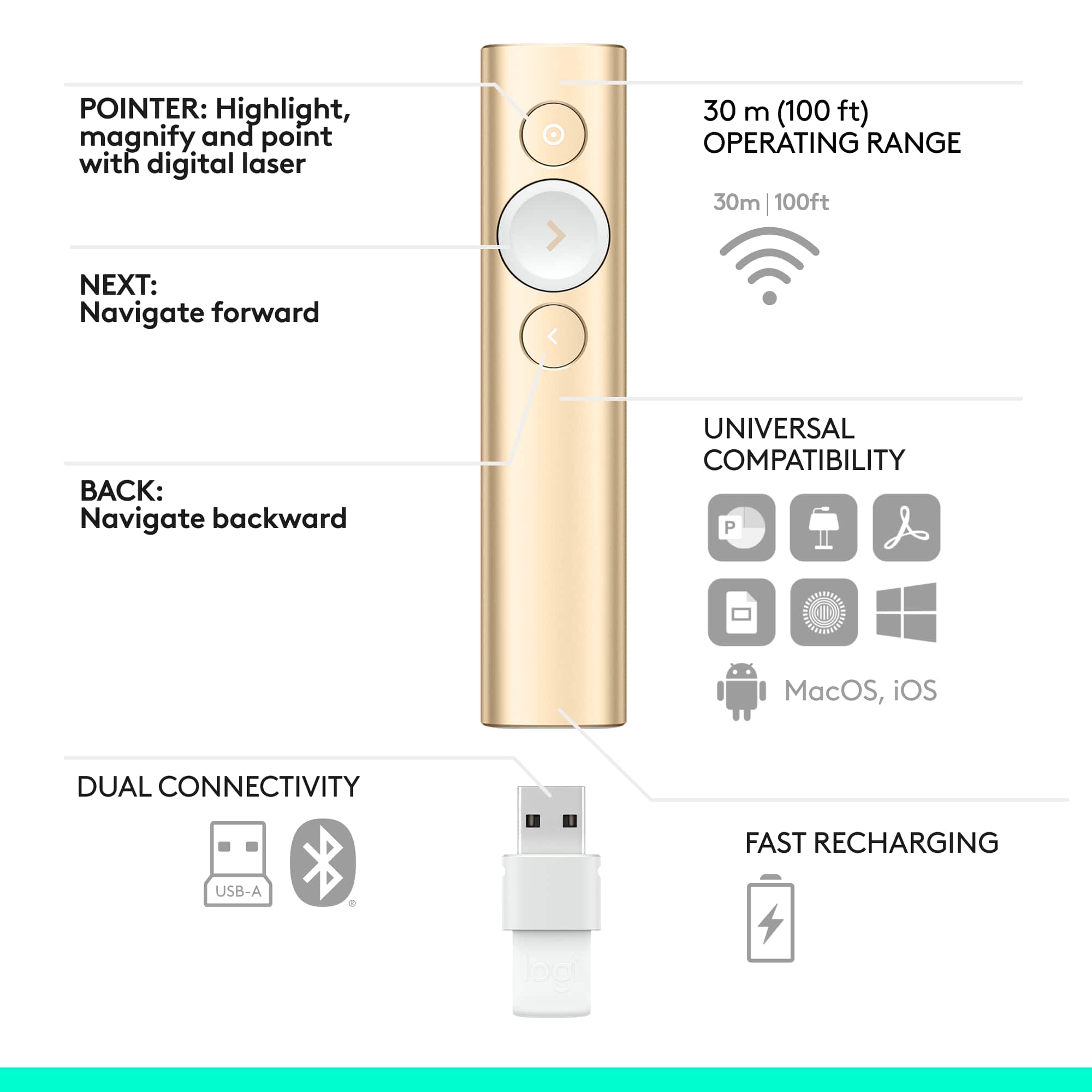
|Posted .This reviewer received promo considerations or sweepstakes entry for writing a review.This is a way to rope in those who drift off during presentations. I can say I've never seen anything like this before. It allows you to advance your slides, yes. But it also allows you to do multiple functions with the forward and back buttons - for example, press it normal to go forward, but then press and hold to go fast forward, or blank the screen, etc. You choose in the setup which you want to do. The real magic behind this device is the ability to do a spotlight for your presentation....think about those big spotlights you see in the sky during a new store opening, and think about doing that for your presentation. You press and hold, to highlight the area you want someone to see, OR you can program it to do other functions - like magnification of an on screen area, or simply to circle something. I have to admit the circle function isn't great, and I've turned that off. But I do plan to use the other two - spotlight and magnify. You can also set a timer, with a warning at a certain time, then when your presentation time is up. I used this with a MAC using the latest version of OS. I also connected to my MAC with bluetooth, but you can also use an included dongle that plugs into your USB port. And the unit comes with a power charging cable which you'll need, because it is a long reach to the charging port that is located under the removable dongle used to connect via USB vs. bluetooth. It comes with a great little carry pouch, and and is in a nice retail box, suitable as a gift box for someone. The literature states the charge can last for up to 3 months, though I'll charge it much more often so as not to wreck myself during a presentation if it were to run out of battery. This is the best thing to happen to presentations in years....I love this thing!
I would recommend this to a friendGreat Potential; Missed Opportunities
|Posted .This reviewer received promo considerations or sweepstakes entry for writing a review.Background: I'm a public school teacher. I was super excited about this product! I use a smartboard in my classroom, which is great... but I'm still actually quite tied to the front of the room. I was hoping that this device would help me be able to circulate more (which it does), while still being able to utilize some basic mark-up actions like highlighting and underlining vocab words on the smartboard due to the cursor function and customize-able buttons (which it does not). The overall verdict: This is a really helpful device, but not currently worth the price--I've used a number of MUCH cheaper remotes that do almost the same things. With the app, there is probably a lot of potential for expansion of this remotes abilities to make the OUTSTANDING cursor function more mouse-like (drag and drop/hold down left-click, right click), which would make this remote much more useful. Probably less likely with a software update, but important for presenters--the ability to save settings to the remote from a computer with the app for use on a computer WITHOUT the app... for traveling presenters using different computers, this function would make the Spotlight a homerun. The Good: - Beautiful design. I love the look and feel. The buttons all work well, the weight is good and the surface is sleek, but not slippery. - Surprisingly accurate cursor on the screen, even when the remote is not actually directly pointed at the screen. The sensor seems to detect relative movement. The cursor also works outside of presentation apps... rudimentary single and double-clicks work on any program, just like a mouse. This is by far the best thing about this remote--the cursor function, once you get used to the speed and relative motion, can be just as accurate as using a mouse pointer. Other mouse functions do not work (see "the bad.") - Fast charging, no changing batteries. USB-C connector is recessed into the remote, inside of the dongle bay. Neat design! - Strong connection to computer via USB dongle. Forward and back functions work well on apps with approved compatibility /especially Powerpoint). And for apps without "approved compatibility," the cursor function can work well just like a mouse as an improvised alternative--this worked well in my classroom for Nearpod presentations instead of touching the Smartboard. - I love that the USB dongle docks snugly into the remote for transport. And the protective slip case is a nice touch. - The option to use bluetooth or the USB dongle to connect to your device is really handy, especially if your computer/tablet lacks an open or standard USB port. The Meh: - The app was incredibly underwhelming. I like there are some options for customizing the buttons, but there are just so FEW options. Logitech thought of the basics, like holding down a button to black out the screen and holding it down to bring it back. There is also an option to enter a custom keystroke... but this one is a big question mark for me. You can only type in a literal key as the custom keystroke... it apparently can't be a mouse function. What a missed opportunity! Hold down a button as a right click? Why not? It would make this remote so much more useful. I could also see combinations of button presses being used for certain rare functions. There is so much potential in the app, and being able to customize the remote--but it's just not there right now. Very, very basic. - Many functions do not work on a computer without the app. For example, due to security on my school network, I was not able to download and install the app onto the computer that connects directly to the smartboard. When using the remote on this Windows 7 desktop with no app, only the cursor, forward and back basic functions work. When I installed the app on my Surface 3 (Windows 10) and projected a presentation via WiDi, even without having changed any settings in the app, I suddenly had highlighting too. Having the app vs. not having the app makes a difference in the features you're able to use out of the box. The Bad: - If you want to use your customizations, you need to have the app and the customizations set on the computer you're presenting on--they do not save to the remote. I realize that most pro presenters probably have their own laptops that they connect to whatever presentation equipment is in the room nowadays, in many buildings, that might not be the case. If you're in a situation where you have to present using different computers, but you love your customized settings, you'll have to download the app and redo your settings on any computer you present with. - The price is too high for what it is right now. With some expansion of capabilities to make the, again, really awesome and accurate cursor function the centerpiece of this tool to make it a functional distance-mouse with more practical use, I would consider it a more worthwhile investment. The bottom line: I waffled between three and four stars on this. The potential of this product and what I expect can come down the line in functionality thanks to having the app and the truly outstanding tracking of the cursor function made me want to give it a four... but the high price and half-baked mouse functionality (honestly, it made me almost angry to be able to click on things in my presentations, but not be able to move marker arrows in Powerpoint or use any other mouse functionality, even though every other element of this remote worked PERFECTLY as a mouse! It was actually frustrating!) led me to a three. The question I had to ask myself was... would I recommend to a teacher colleague to spend full price on this product as it is now? Sadly, the answer was no... hopefully some future updates will come down the line to improve the product's functionality (there is so much potential!) that would change that answer!
No, I would not recommend this to a friendBeautiful, Sleek, programmable presentation remote
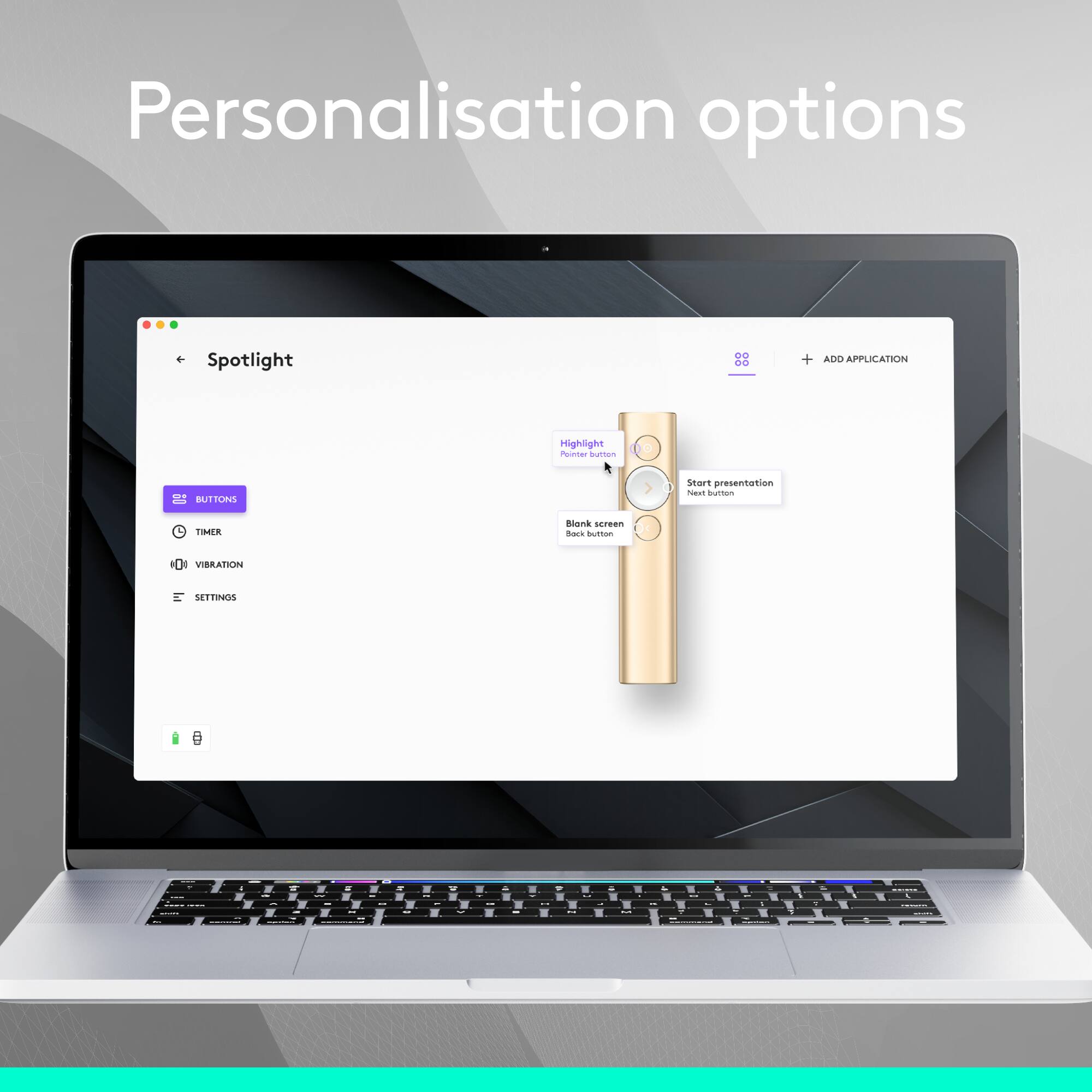
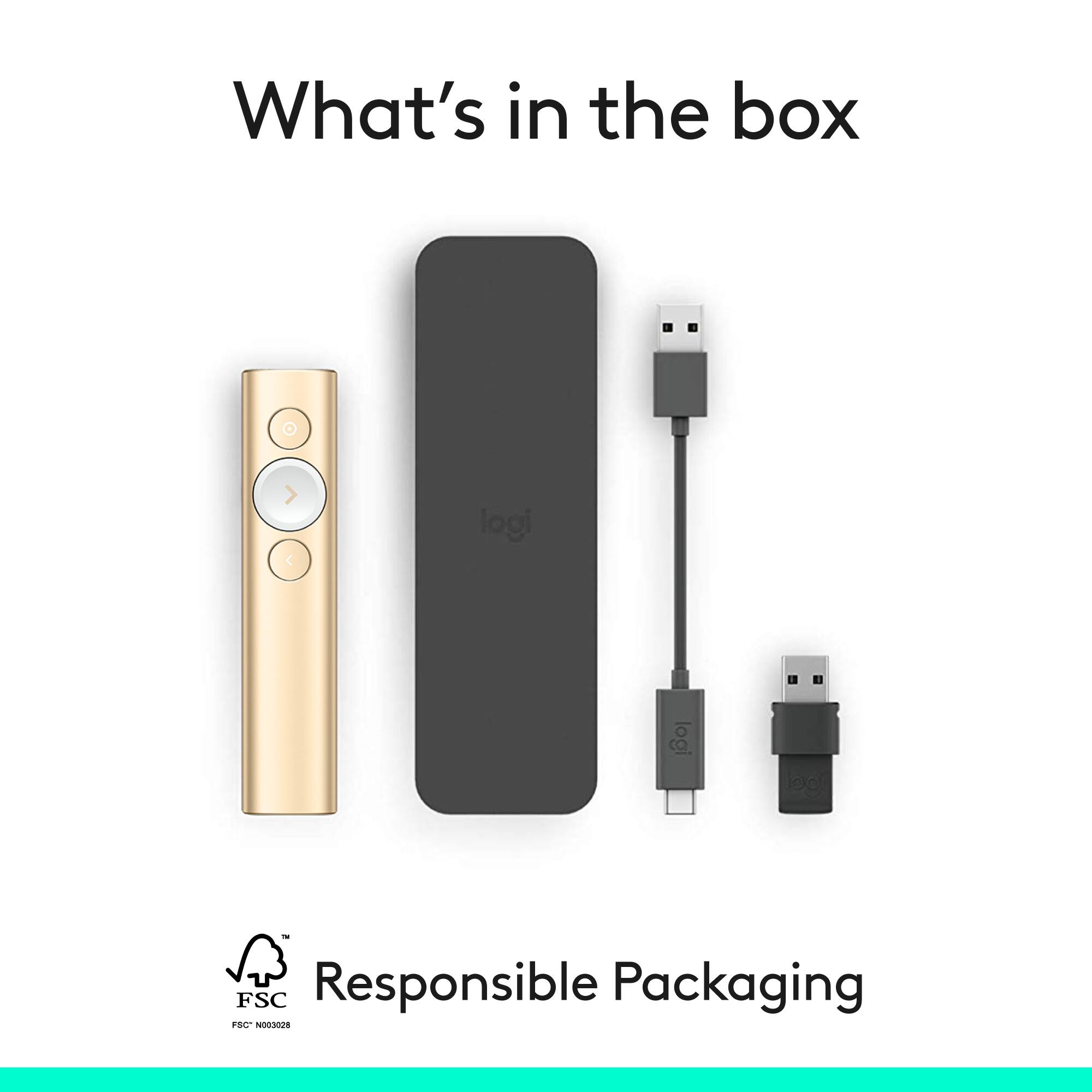
|Posted .This reviewer received promo considerations or sweepstakes entry for writing a review.This Logitech Spotlight Presentation Remote is a joy to use, and feels really good in your hand. It came very well packaged, and includes a nice carrying case. There is also a charging cable, and a USB dongle which fits into the end of the remote for storage. The Spotlight remote can connect to any PC via Bluetooth, and will work quite well to advance slides in programs like PowerPoint. The forward button is larger than the reverse button and the special programmable top button, so there should be no trouble using the remote without looking at it. Where the spotlight really shines is by using the included USB dongle, and downloading and installing the Logitech Spotlight software. This software allows you to customize how the buttons work. The top button can perform 2 of 3 special activities at a time (double-tapping the button switched modes) – Magnify, Highlight (a circular spotlight), or Circle pointer. The forward and backward buttons can also be programmed to handle other functions when held down – blank the screen, scroll, fast forward, volume control (which you use by pointing the remote up or down), or even custom keystrokes. I was very impressed when first unboxing this remote, and it felt and performed well upon first use. Once I installed the dongle and the software I was blown away. While there is no traditional “laser pointer” function, I didn’t miss it at all once I explored the options of this Spotlight Remote. The only downside I can see is that you don’t have the extra functionality when using a PC without the Logitech software loaded. However, if you travel with a laptop, or use a dedicated PC for presentations, you can’t do any better than the Logitech Spotlight Presentation Remote.
I would recommend this to a friendGreat Pointer/Bad Software
|Posted .This reviewer received promo considerations or sweepstakes entry for writing a review.This arrived the evening before a big presentation I had for work. The box included the pointer, USB receiver, short (5.5”) USB to proprietary connector for charging, a carrying case, and battery removal/disposal documentation. It took less than an hour to fully charge out of the box. The pointer is plug and play for all the basic functions on Win10 (forward, back, and mouse control). However; it requires additional software (Logitech Presentation App) to utilize many of the advertised features such as highlighting, magnifying, and the timer. Sadly, this software was not included with the device. Locating it online wasn’t a problem (http://support.logitech.com/en_us/software/logi-presentation). I’ll discuss the software in more detail below. In additional to working with a PowerPoint presentation on Win10, I tested the it on OpenOffice and MS PowerPoint on a Win7 machine plus OpenOffice on a Linux (Ubuntu16.10) machine. All worked flawlessly. I also connected it via bluetooth on Win10 without issue. The set up was easy and works just as smoothly as connecting via the included USB connection. As for the software, my anti-virus immediately identified it (from the Logitech website) as malware. Nervously trusting their website, I installed it anyways. Installation got stuck at 91%. I left the computer for a couple hours, tried restarting the installation, restarting the computer, and removing/connecting the receiver… nothing worked. I tried calling Logitech support but was put on hold for 5+ minutes so I hung up and ran the presentation with the basic features. It worked, but I expected to use more of it’s features. It’s a bit too costly for only having the basic features. For this reason, I only give it 4 stars. I would’ve given it 3.5 stars but am otherwise happy with it. I'll continue to make it work to it’s full potential and, if I am successful, I will update this review to include details. Another plus side is it's very stylish and fits comfortably in my hand. I tend to talk with my hands so I usually set the pointer down while speaking. Not so with this pointer. The buttons are simple and easily accessible and the design makes it nearly impossible to fat-finger the wrong key.
I would recommend this to a friendThe Ultimate Presentation Tool
|Posted .This reviewer received promo considerations or sweepstakes entry for writing a review.I present a lot, and as such, am always looking for better ways to present. My recent time with the Logitech Spotlight Presentation Remote has been nothing short of amazing. I set it up in a presentation hall, an was amazed with how fluid the remote was;I can casually use it at my side so that it doesn't distract from a presentation. I was able to move freely around the room without worrying if the remote would work. The Logitech Spotlight Presentation Remote is essentially an all-in-one presentation tool. It features fully-customization on-screen pointers featuring a spotlight effect, magnification, and more. You can also customize the operations of the remote's buttons. One of my favorite features of this remote is the timer feature. You can set a timer prior to starting your presentation, and the presentation remote will vibrate for each of these timers. This is especially helpful during Q&A sessions, so you can warn the audience when there are just a few minutes left. Too often, I have made presentations where I ran over without knowing it. The Quick Charge feature is also amazing. In just one minute of charging, you get three hours of charge. Also, once the device is fully charged, it will maintain a charge for up to 3 months, so you are always ready to present. Connectivity-wise, the Logitech Spotlight Presentation Remote can connect using either Bluetooth, or the supplied USB dongle. If you present often, the Logitech Spotlight Presentation Remote is worth its weight in gold.
I would recommend this to a friendFantastic
|Posted .This reviewer received promo considerations or sweepstakes entry for writing a review.This is a fantastic unit. It is very easy to download the app from the Logitech web site and immediately begin use of the device. The install gives you a very quick tutorial which is all that you need to effectively begin using it. I have used traditional pointer / presentation devices for years -- and this one immediately sets itself apart. It has the usual 'slide forward' and 'slide backward' functions, but the ability to highlight ("spotlight") a portion of the screen is very powerful. I run dual displays and quickly validated that the highlight capability effectively extends to both displays. The countdown timer for use when having a fixed presentation timeslot is quite slick also. The unit has an embedded battery and comes with a short USB cable for purposes of charging the battery. I need to be sure to set this cable in a known location so that I will not lose it. This is an all-around great device...
I would recommend this to a friendGreat product with a lot of functionality
|Posted .This reviewer received promo considerations or sweepstakes entry for writing a review.The logitech spotlight, is in my opinion a very versatile tool. I am not the usual clientele that would be associated with this product, but I've found great functionality in this little gizmo. I am a professional wedding photographer, I spend a lot of my time meeting with bride and grooms trying to convince them to work with me. Well recently I have incorporated the spotlight into my presentation. I've loaded photos into a slideshow presentation and use the spotlight to scroll through wedding and bridal portraits to demonstrate my work. With the ability of the spotlight to highlight and even magnify at the touch of a button makes for a very sleek and captivating experience. I can zoom in on my pictures and really impress upon the detail. Clients have responded to it very well and ask to actually hold the device. The fact that it can charge within 3 minutes for a 3 hour presentation is very impressive. Overall I am very happy with this product. It took less than 5 minutes to setup and was very easy to learn how to use. I would recommend this to anyone trying to gain an edge in digital presentation in any business marketplace.
I would recommend this to a friendPossibly the best I have used
|Posted .This reviewer received promo considerations or sweepstakes entry for writing a review.As a professional presenter, I rely on presentation remotes to stay engaged with my audience and NOT be stuck behind my laptop. Until now, I have always used the Logitech R400 and been very happy with it. The Spotlight raises the bar on remotes. My favorite feature? The highlight option. The top button can be configured to show a focus circle around any area on the screen (not just in presentations.) In my opinion this is much classier than using a red laser pointer. Of note are also the options to configure this via bluetooth - although I will probably continue to use the included dongle. Also included is the app which allows many of the features to be customized. This remote features a haptic feedback which alerts to both battery issues and presentation end times. Speaking of battery, it looks like a 1 minute USB charge of the remote gives you 3 hours of presentation time - a nice alternative to having dead batteries in the old unit. One nit - for the price, I would have liked to have seen this ship with some type of case or protective sleeve. But this is simply a personal preference.
I would recommend this to a friendCool way to point at slides
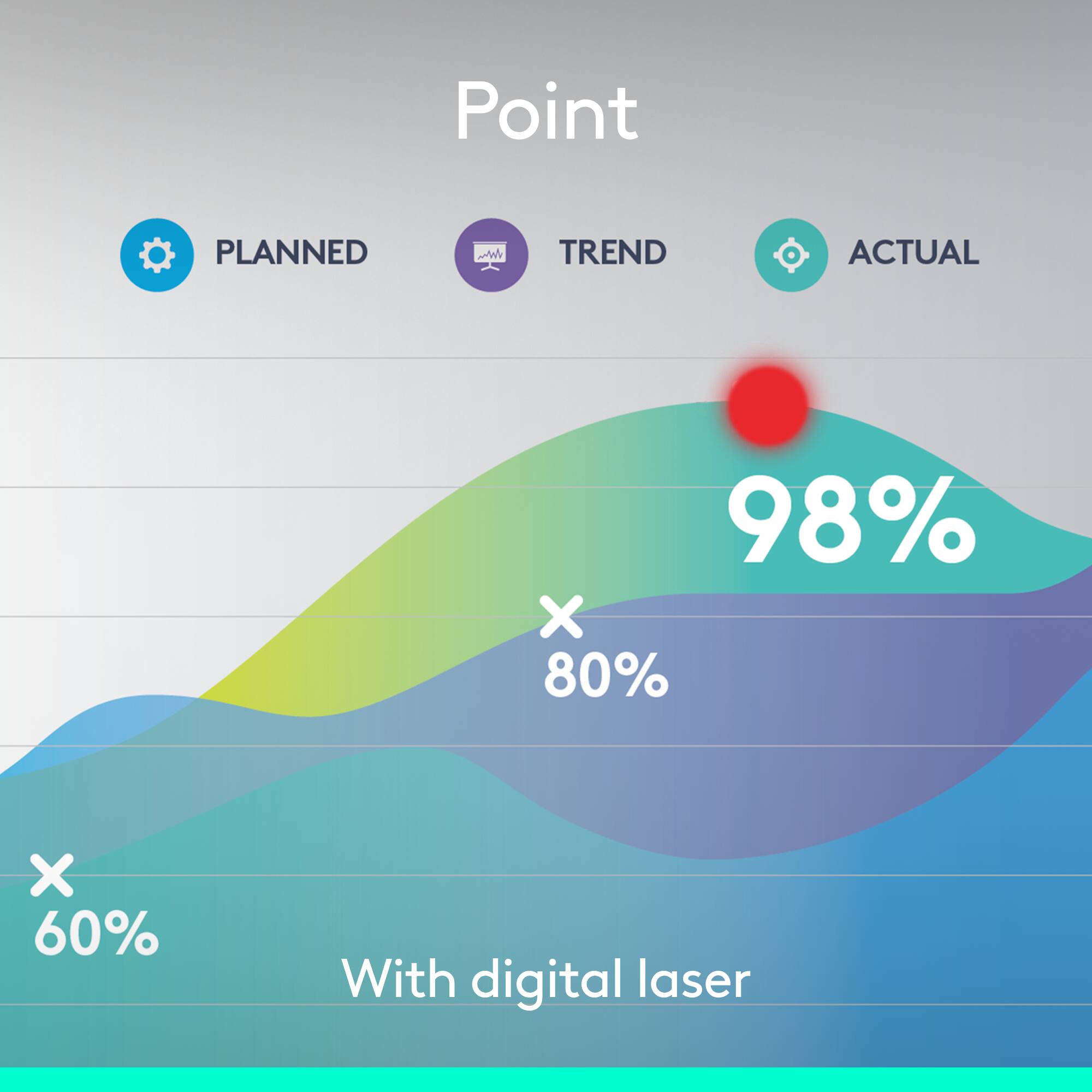
|Posted .This reviewer received promo considerations or sweepstakes entry for writing a review.From the description, I was thinking this would have some sort of optical recognition of what you're pointing at, but instead, it uses motion sensors to detect how you're moving the pointer itself. That means you don't even need to have line of sight to the screen to highlight something on it. Gone are the days of laser pointers and tiny red dots. Now, you don't even have to be facing the screen to point out something for your audience. That alone is worth the purchase. The novelty, in particular, is sure to help hold your audience's attention. And you can change the way the pointer highlights items on the screen: big circle, smaller circle, outlined circle, etc. The nice added feature is that you can also use it to select items on the screen. Hover your pointer over a link, then click the pointer button again, and it will select that link. That means you can use your pointer to follow different links in your slides without needing to also use a mouse. The only real loser here is your cat, who no longer has anything to chase after you get home.
I would recommend this to a friendMost optimal and natural way to present!
|Posted .This reviewer received promo considerations or sweepstakes entry for writing a review.As a Clinical Pharmacist I have to give several professional presentations every month. By switching to the Logitech Spotlight I was able to worry less about the technology I'm using & what could go wrong and focus more on being myself and giving a great presentation that peopleactually want to pay attention to. Due to its form factor, weight distribution, & button placement the controller feels extremely natural and lightweight in the hands. Not to mention quite easy to use. The three buttons usage and programming of was easy for me to do and very intuitive for what the button can do and how to do it. The combinations are endless it seems like! One feature I loved was the programmable timer you can set so that the remote vibrates to let you know time is expiring. Last but not least, make sure if you have to give presentations and use this pointer in a foreign environment that you have the software installed on their computer, etc if you want to use the more advanced/programmable features of the pointer.
I would recommend this to a friendA 21st century "laser pointer"
|Posted .This reviewer received promo considerations or sweepstakes entry for writing a review.This review is an unbiased review that is given in exchange for having freely received this product. Knowing that the remote is from Logitech certainly gave me visions that the product should be of high quality, and that it is. In my view, it's well-designed -- the device and buttons are minimal but responsive enough to be useable during a presentation. The fact that you can attach the remote to a PC or Mac OS via either Bluetooth or wireless is a definite advantage. No, you don't have to point the remote directly at the presentation screen for it to work! Instead, while the remote will move the mouse cursor around on screen, when selecting the appropriate select button, the installed software "highlights" a circular area over wherever the cursor happens to be (which can be moved by moving the remote) for dramatically increased viewability by your audience. The only reason I didn't give the remote five stars is because of the fact that you have to install the software on whatever presentation computer you're using. For the price of the remote, it would be nice if the USB dongle would include software that could stay resident in memory in the case that you have to use a computer to which you don't have administrative access. Overall, not bad for a device that makes the standard laser pointer look obsolete :)
I would recommend this to a friendGreat Presenter Tool But No Laser
Posted .This reviewer received promo considerations or sweepstakes entry for writing a review.Overall this is an excellent tool. The less expensive versions are not compatible with Mac, while this presenter is. My biggest complaint is that it does not have a built-in laser pointer. For the price, that would be expected, although there is an in-app pointer feature that I feel does not work quite as well. Otherwise it has a very fast charge time, works well at a good distance, comes with a protective case and feels very good in your hand. My 4-star rating is due to the lack of a pointer.
I would recommend this to a friendWindows / MacOS only SW but works elsewhere.
Posted .This reviewer received promo considerations or sweepstakes entry for writing a review.I tried it on all my battery presentation devices and it only worked on ACER Windows laptop. In that environment it is exceptional but the way I present is with smaller, lighter ChromeOS to Chromecast TV that has a remote not usable for presentations so far as I can find. The Chromebook paired but only as a mouse and arrow keys. Navigation required holding the button then release and click once or twice. Mouse pointer was hard to see and the zoom feature was missed. No scroll wheel means slides are fixed not scroll able. Linux has Projecteur shareware for features.
I would recommend this to a friendThis is officially my goto device
|Posted .This reviewer received promo considerations or sweepstakes entry for writing a review.Installation was super easy. The tutorial was great, I learned how to use the remote quite quickly. The remote itself is made from metal, it feels sturdy and comfortable in my hand. It is not too heavy and not too light, it is just right. This is officially my goto device for doing presentations I was able to connect via the bluetooth reciever provided and I also connected by turning own the bluetooth on my laptop. Connecting via the reciever provided was fast and easy. Connecting via my laptop's bluetooth had 1 extra step, but not tricky at all. The navigation worked without any problems like it is supposed to, but the spotlight feature is pretty awesome. I will be using the spotlight feature quite often when I need everyone to focus and to be on the same page during my presentations. This device makes laser pointers feel like technology from the stone age.
I would recommend this to a friendA new take on presentation remotes
|Posted .This reviewer received promo considerations or sweepstakes entry for writing a review.The Logitech Spotlight is an improvement on an old idea. The build quality is excellent and it feels really solid in your hand. In function, it's a cross between a presentation remote and an air mouse. Using the air mouse functionality takes little practice, but the results can be well worth your time. You can use the combination remote/air mouse to highlight a circular area, magnify an area, or circle an important part of your slide. The air mouse feature can also be used to select play buttons on video or audio slides. I really appreciate the timer feature. I tend to go a little off topic from time to time and find it handy that I can set notifications to remind me I'm running out of time. When you've reached a preset time, it vibrates to let you know it's time to shut your trap. Spotlight is rechargeable, works with the included USB transmitter or Bluetooth, and has a range of up to 100', which I found to be pretty accurate. The Logitech Spotlight is a little pricey, but if you are a heavy presenter it's extended functionality could be just what you need to provide the pop your presentations need.
I would recommend this to a friendGreat tool for work!
|Posted .This reviewer received promo considerations or sweepstakes entry for writing a review.Logitech's Spotlight remote is a great tool to have for the office, AND home. The design is simple, yet functional. It is very responsive and works from quite a distance. Forget the archaic laser pointer, this thing has it all. One of my favorite features is the "spotlight" feature that focuses specifically where you want it. Another great thing about it is that you are able to use the remote as a cursor and click things. Another bug plus is that it's rechargeable, so you don't have to worry about buying batteries. This is truly a great device/tool to have at the office. Aside from the office, I use this remote with my five year old son as a teaching device. He loved the spotlight function, so this helped me to get his attention when teaching him new things. I would definitely recommend this remote!
I would recommend this to a friendAwesome Presenter
|Posted .This reviewer received promo considerations or sweepstakes entry for writing a review.I am a teacher and I usually give some kind of presentation at least 4 times a week. I have always used the basic presenter. The Logitech presenter blows my old one out of the water. The students really liked how I can either spotlight or zoom in on a specific part of my presentation. I also have students give presentations that are timed and they love the fact that they can see the time remaining on their presentations. If you would like to splurge on a presenter, I would highly recommend you choose the Logitech Spotlight Presenter.
I would recommend this to a friendVery professional
|Posted .This reviewer received promo considerations or sweepstakes entry for writing a review.So i present a lot of power points. It's a big part of my job. This presenter is very sleek. It has features such as zoom, spotlight, volume controls, and gestures. It is very light and non intrusive. When using the spotlight mode, it shows a spotlight on your presentation which you can easily glide across the screen with a built in motion detector. It works very, very well. You can also use it as a mouse if you double click the button. It has a nice timer feature that will vibrate on your hand, and you can adjust it, that way it cues you when you are close to the end. One of the most impressive features is that with just ONE MINUTE of charge you can present for THREE HOURS! This is incredible. I mean, talk about convenience. It comes with a little leather (or leather-like) pouch. The bluetooth connector is small, and can be stored at the bottom of the remote when not in use. The only reason I gave it 4 stars is because of the price, but I mean if you are constantly presenting, it may be worth that much to you.
I would recommend this to a friendTaking Presentations to the Next Level
|Posted .This reviewer received promo considerations or sweepstakes entry for writing a review.I do quite a few presentations for work and the Logitech Spotlight is an exceptional tool to help any presenter take their presentations to the next level. The device itself is exceptionally well designed, it's light weight, fits comfortably within the hand and works well with both Windows and MacOS. You'll easily be able to navigate within your presentation, moving back and forth within your slides as well as highlighting and magnifying within the presentation. The Logitech Spotlight charges exceptionally quickly via the USB-C to USB cable provided and connects to your PC or Mac using Bluetooth. This will definitely become a critical component of my presentations now. If your job involves presentations then I'd definitely recommend using the Logitech Spotlight. You won't regret it.
I would recommend this to a friendWorks great!
Posted .This reviewer received promo considerations or sweepstakes entry for writing a review.This worked great. The spotlight/ pointer works perfect with the TV as well as working with Power point to advance the slide show.
I would recommend this to a friendBrand response from Logitech
Posted .Thank you for your positive feedback on the Logitech Spotlight Presentation Remote. We're glad to hear the spotlight and slide advancement features worked perfectly for your presentations. Your satisfaction is our priority.
