Customer Ratings & Reviews


![COMPATIBILITY [TWITCH, YOUTUBE GAMING, DISCORD, STREAMLABS OBS]](https://pisces.bbystatic.com/image2/BestBuy_US/images/products/abdf9958-99ed-45d9-aa63-02c17c181c7e.jpg)


- Model:
- 960-001289
- SKU:
- 6404199
Rating by feature
- Value
Rating 4.2 out of 5 stars
- Quality
Rating 4.6 out of 5 stars
- Ease of Use
Rating 4.5 out of 5 stars
Customers are saying
Customers frequently mention that the product delivers excellent image quality while being remarkably easy to set up and use. While users appreciate these core performance features, some have expressed concerns regarding the limited connectivity options and the short length of the included cable. Additionally, a few customers noted that the device is somewhat bulky and has a more restricted field of view than they would prefer. Overall, the feedback highlights a strong satisfaction with functionality despite minor physical and technical limitations.
This summary was generated by AI based on customer reviews.
- Pros mentioned:Image quality

Spectacular Streaming Webcam
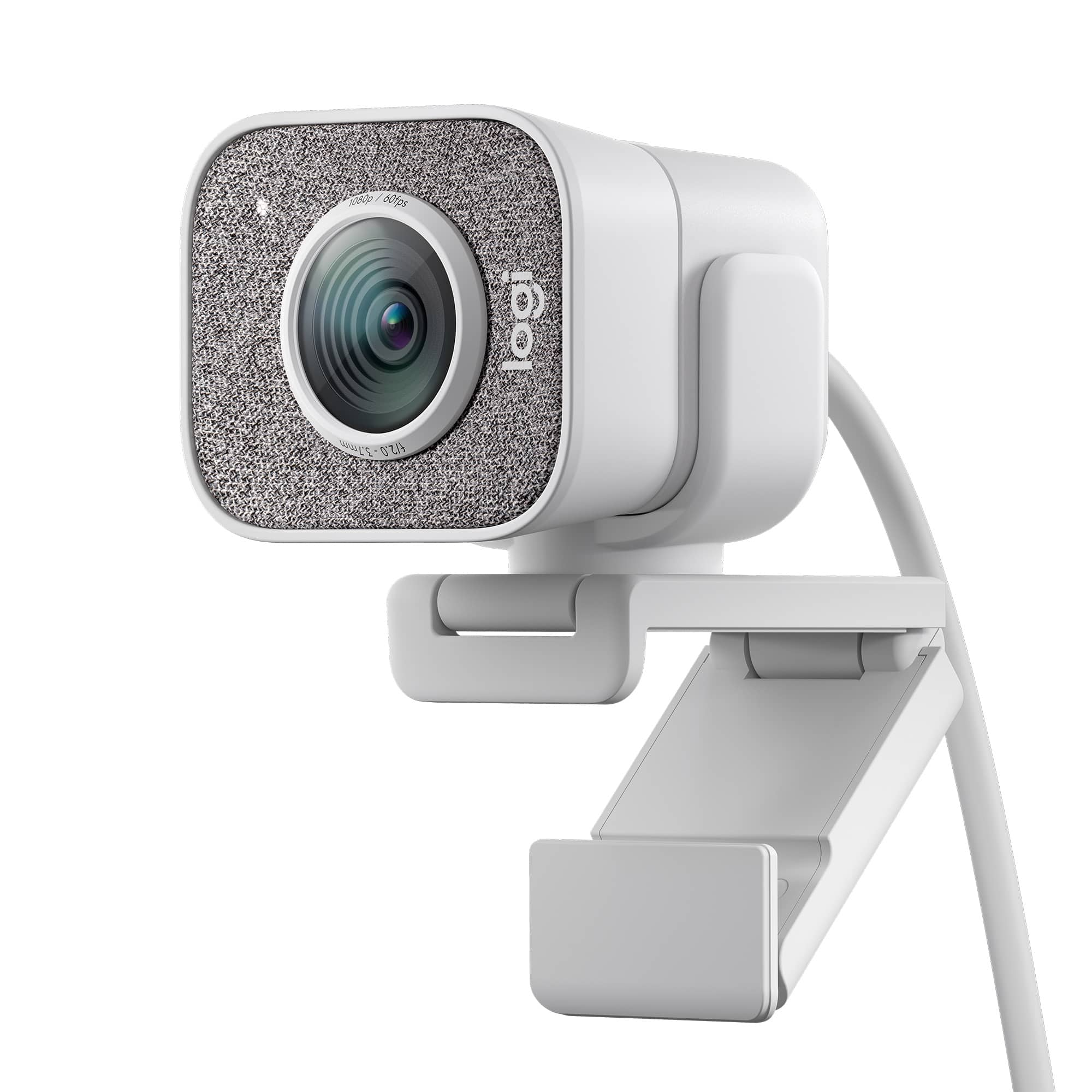
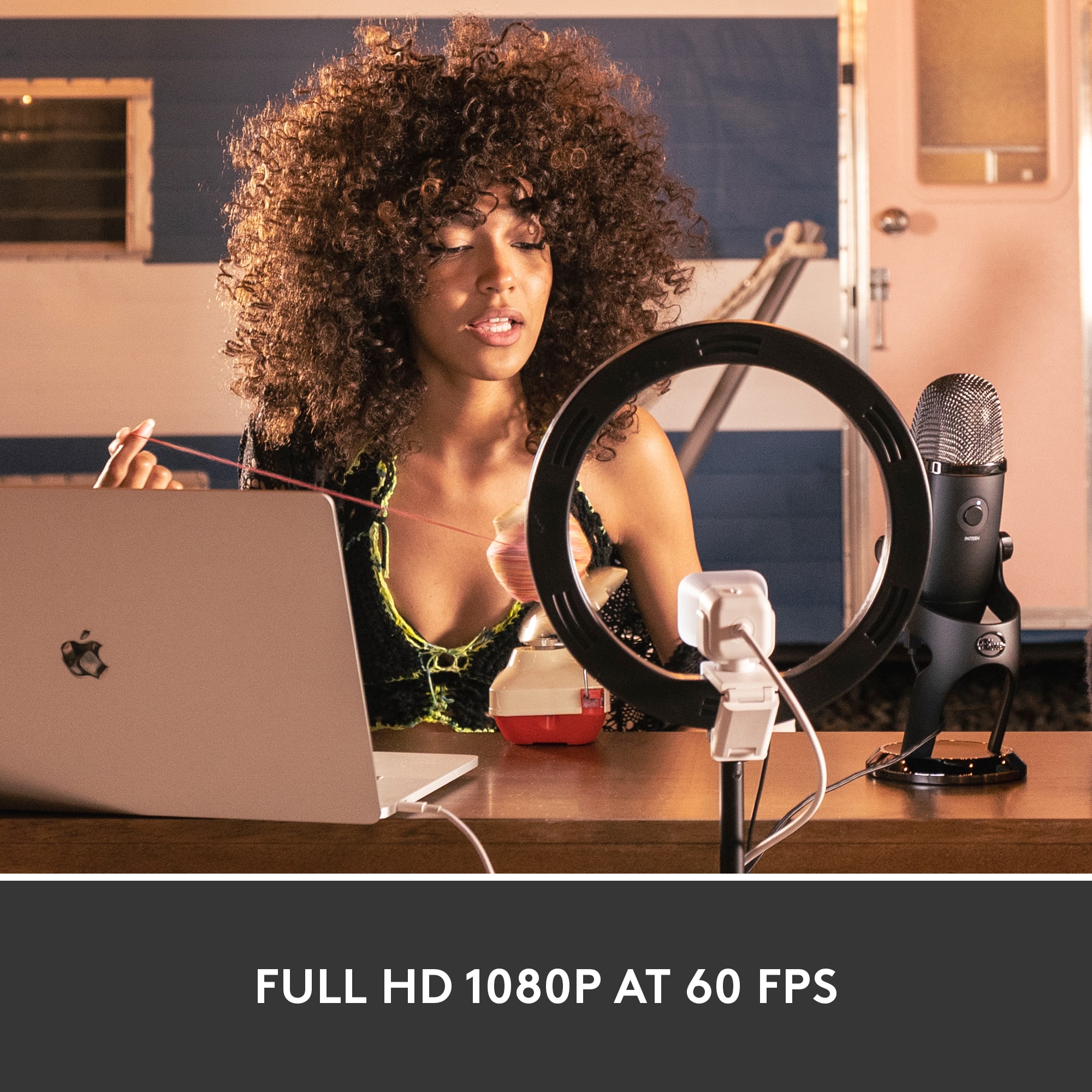
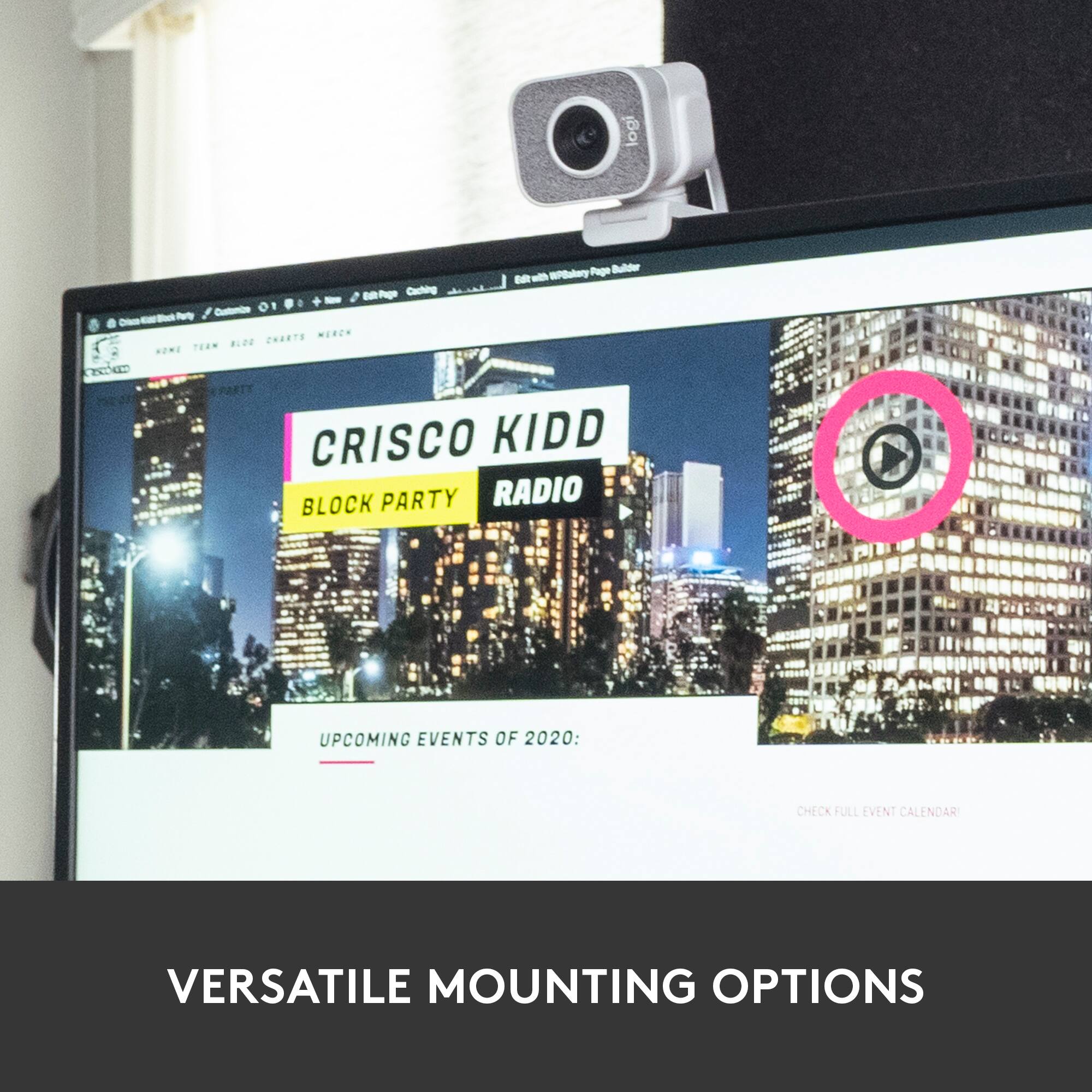
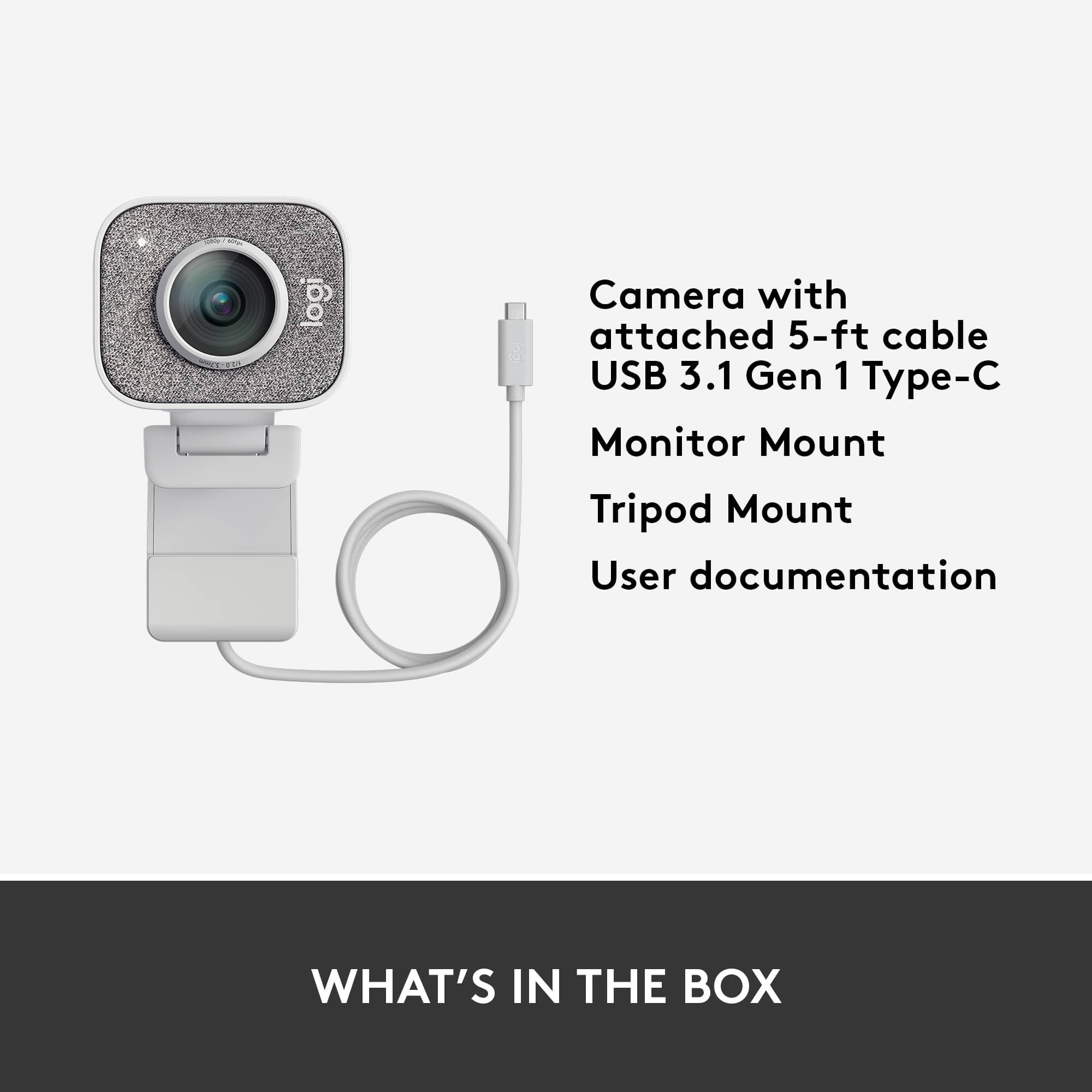
|Posted .This reviewer received promo considerations or sweepstakes entry for writing a review.The Logitech - StreamCam Plus Webcam is an outstanding and versatile camera. It comes with everything you need to optimize your streaming production. You can easily place the camera on your monitor/TV using the supplied mount. Or, you can use the provided tripod. Both work well and give you a variety of placement options when creating your content. The camera is designed to work with game streaming services (like Twitch) and works exceptionally well at doing so. You will create crisp and vivid content that can be captured in 60fps/50fps/24fps at 1080p. One of the most amazing features of this stream cam is the dual microphone. The audio of your streams will blow you away. The game audio is clear, but you can also hear your vocals clearly as well. It's simply amazing. You don't have to use it for game streaming though. I use it as a web cam for video conferences or to live stream to other platforms like Youtube. It's really a versatile device and does a lot of things well. The software for the camera is fairly limited in terms of features, but gets the job done. You can make simple customizations within the software suite, but nothing complex. However, that's really not a detriment for this camera because it works so well with the factory settings. It handles low light conditions pretty well. The camera works with both Windows 10 and Mac OS. If you have an older USB port, you will need an adaptor for this camera since it only supports USB-C connections. It's really a plug-n-play device. Nothing to do once you connect it, just let the drivers/software install and you're good to go. I highly recommend this webcam if you are looking for a great camera that can make streaming your gaming content simple and fun.
I would recommend this to a friend - Cons mentioned:Connectivity
A few improvements but good video quality...
|Posted .This reviewer received promo considerations or sweepstakes entry for writing a review.I have to say that this is a good streaming camera, it is not the best but it gets the job done. The design is fine with a good and discret color, to attach it to your computer comes with a feature that allows you to install the camera practically on any computer. Also comes with a small tripad in order to use it on a table which is cool. One good thing is the installation, once you open the box, take out the camera and connect to your computer, the software installs the camera, you can mess with the settings and get the best setup depending on your needs. Bad thing is the connectivity, USB-C only, if you don’t have a computer with a USB-C you will have to buy an adapter, I don’t know why only USB-C if the camera records in 1080. Autofocus and face tracking is good, it's a cool feature if you like to move one place to another while recording. Default settings could make your skin look a little pink, I recommend good lightning and customized the saturation and color temperature on settings. It can be used in a vertical position that could be a great option for Facebook or Instagram. Audio is definitely a camera’s weakness, I recommend using a Blue Yeti microphone that has become almost a standard mic for recording or streaming. It is an easy to use camera, that is why Logitech cameras are recommended for beginners, even though I think there are not really important improvements compared with its predecessor. In conclusion, from the same manufacturer there are some other good options even cheaper, but if you're looking for effectiveness and easy to use cameras this would be the best option, i would recommend this Logitech streaming camera.
I would recommend this to a friend - Pros mentioned:Image quality
First Vertical Video Capable Webcam
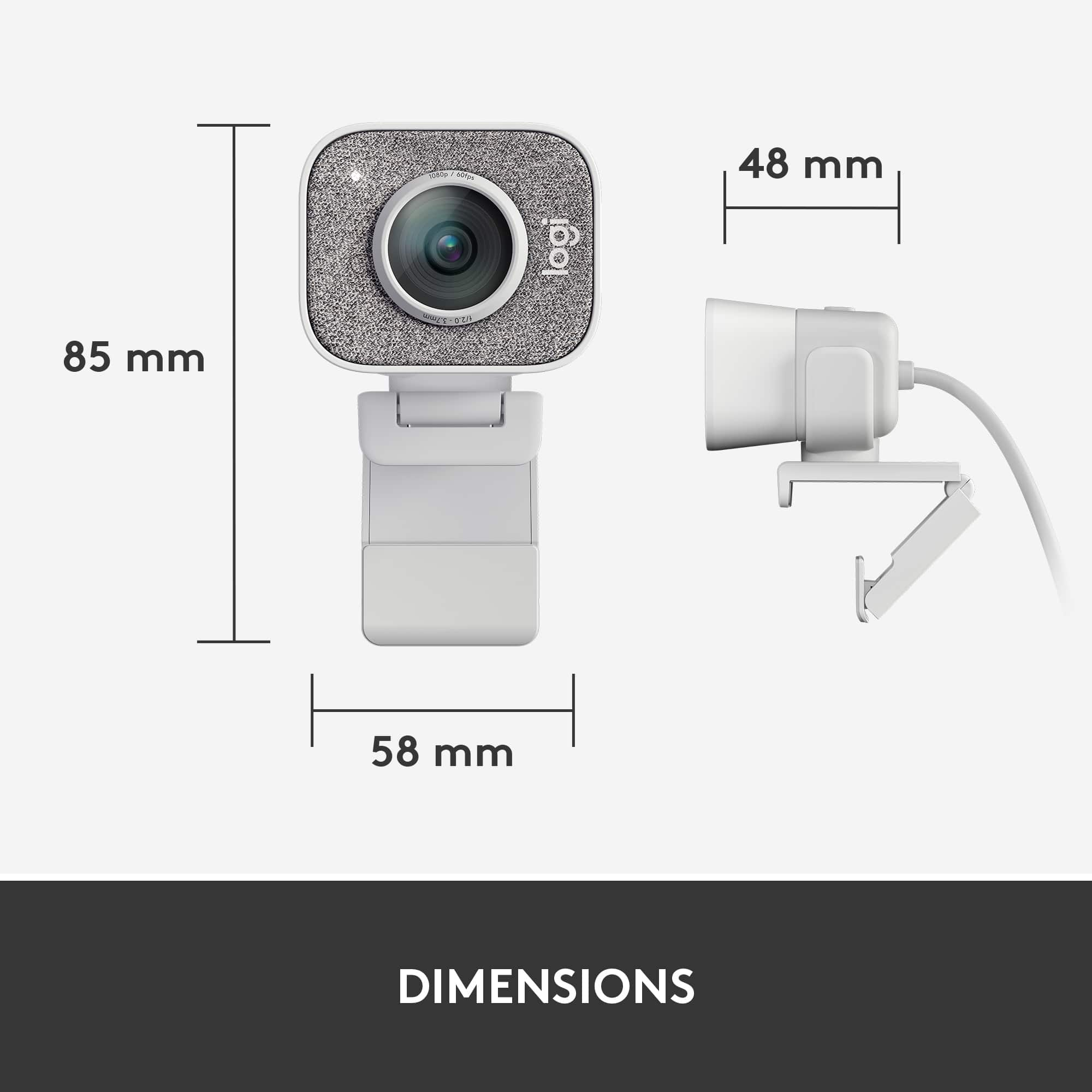
|Posted .This reviewer received promo considerations or sweepstakes entry for writing a review.First. This is the first time I have owned a Logitech webcam that connects via USB C. This is great for me as I move to more USB C cabling. But make sure you have a spare USB C port. It's great to see manufacturers moving to USB C connectivity. Design wise, the StreamCam Plus is a little bigger than other Logitech cameras. It also doesn't come with a privacy shield/cover. Not a deal breaker, but important for you to know. Recording is done using the Logitech Capture Software (free download). The software is sophisticated and lets you tweak a lot of the settings (light, filter, etc). I particularly like the auto-framing, which means it gets you in the center of the shot. One of the BIG benefits of the StreamCam Plus is that it can shoot vertical video. This is the first webcam I know that is designed for and capable of this. This is important if you're recording video to use on Snapchat, TikTok, or Instagram. The camera can also shoot standard horizontal video just in case you are wondering. The StreamCam Plus can be mounted on your monitor or a tripod (there's a basic tripod included). In my tests, I had no problems recording at 1080p 60fps in HD. Audio quality is very good, the camera has dual mics. Although personally, I prefer using an external microphone. FYI. The included tripod is about 6" high when fully extended. You can attach the Streamcam Plus to a taller tripod. There is a U-shaped clamp that will fit on any standard tripod.
I would recommend this to a friend - Pros mentioned:Image quality
Decent Streaming Cam
|Posted .This reviewer received promo considerations or sweepstakes entry for writing a review.The Logitech StreamCam Plus is a fairly decent streaming webcam if you're looking to live stream during game play or if you're looking to do some basic vlogging or podcasting from your desk. The picture quality, both still and video, is way better than what I get with my Macbook Pro's built in web cam. When paired with the excellent Blue microphone it really fits the bill as far as what I wanted a better cam on my computer for. Setup is fairly straight forward. Download the required software from Logitech and connect the camera via USB-C and you're off and running. Logitech thoughtfully included a mini tripod if you don't want it hanging off your screen and the cable is long enough to give you options for placement. The capture software is simple enough and doesn't appear to hogging too many system resources. For the Mac the software is listed as being a beta, but as I already mentioned, it works well enough. Overall I'm rather happy with this webcam.
I would recommend this to a friend - Pros mentioned:Image quality
Can produce a professional quality webcast stream
|Posted .This reviewer received promo considerations or sweepstakes entry for writing a review.The only problem that I have with the Logitech - StreamCam Plus Webcam - Graphite is that there is no manual to give instructions on every method of functionality. There is some instruction on the Logitech website, but it only touches the surface of understanding how to fully use the Logitech - StreamCam Plus Webcam. The Logitech - StreamCam Plus Webcam is not for a novice, even though it is plug-in-play. There are so many adjustments that can be made with watermark, text overlay, scene effects, filters, borders, transition, FPS, blacklight correction, image stabilization, auto framing, auto focus, auto white balance, image settings, anti-flicker, chroma key, etc that previous knowledge of being a videographer is needed to fully benefit from the Logitech - StreamCam Plus Webcam - Graphite. The picture is clear and sharp showing full detail of my surroundings. The AI follows my face as I move from left to right in order to keep my face centered. The sound quality is great and picks up all people speaking inside the room. Every function needed to produce a great webcast or web stream is available with the Logitech - StreamCam Plus Webcam - Graphite.
I would recommend this to a friend - Pros mentioned:Image quality
Great for live streaming
|Posted .This reviewer received promo considerations or sweepstakes entry for writing a review.I used this for my weekly tech live stream on YouTube and it works great. I have the best picture and motion when it comes to the live stream. The auto focus is 2nd to none. I have tried with objets in the background to see if it locks on to those, but noway! It sticks on me throughout This also uses USB C so it's awesome the I don't need any adapter to use it n my MacBook Pro. It makes this so much more convenient. The mic on this is pretty good also, I normally use a dedicated mic for my video reviews and streams, but I can use the mic on this camera and still get very good audio on my streams. Overall I'm extremely impressed with this camera, it can shoot in vertical also which is a nice touch. It also comes with a really well built mini tripod. If you use a webcam a lot, or do live streams, or even just a lot of talking head video, then this excellent for that. Very impressed
I would recommend this to a friend - Pros mentioned:Image qualityCons mentioned:Connectivity
Fantastic Webcam
Posted .This reviewer received promo considerations or sweepstakes entry for writing a review.Fantastic webcam, but need USB-C connection to take advantage of higher quality features
I would recommend this to a friendBrand response from Logitech
Posted .We're glad to hear that you're enjoying the webcam's features and quality. We understand your desire to use the USB-C connection to take advantage of the higher quality features.
- Pros mentioned:Image quality
Webcam review
Posted .This reviewer received promo considerations or sweepstakes entry for writing a review.This product has great picture, great build quality and easy to set up. I use this camera for my daily zoom meetings and other virtual meetings for work. I am very satisfied and would highly recommend to others considering.
I would recommend this to a friend Camera is OK, Documentation sucks.
Posted .This reviewer received promo considerations or sweepstakes entry for writing a review.Purchased new StreamCam Plus yesterday for a new MacBook Pro M1 Max. Although the box looked pretty spiffy on the outside, the documentation on the inside was totally useless. The downloads link was for Capture, which will throw a Rosetta error in macOS 12 and the other download for the camera was Logitech G Hub which is absolutely useless. I was trying to find something to change the settings on the camera as the picture was totally washed out. I resorted to a Google search to get pointed to Logi Tune which allowed me to change the setting I needed to change. It would seem to me that this company could do a better job of providing accurate/up to date documentation for their products. Additionally, if you are a Mac user on new Macs, the applications are Intel binaries that need to be run in Rosetta. Although Logi Tune seemed to run OK it would be great if they provided Universal binaries so the thing would run natively on Apple's M1 processors.
I would recommend this to a friend- Pros mentioned:Image quality
Works very well with Mac
Posted .This reviewer received promo considerations or sweepstakes entry for writing a review.It's a bit pricey, but this one is worth the cost. It works wonderfully well with my 15 and 16 inch MBPs and looks a million times better than the built in camera. The color response is sharp, automatic focus is quick, and the overall clarity of the stream is perfect. I use this mostly for Zoom meetings and FaceTime... and it is fantastic.
I would recommend this to a friend - Pros mentioned:Image quality
Solid Camera Missing Pieces
Posted .This reviewer received promo considerations or sweepstakes entry for writing a review.Overall a solid camera, clear picture and decent software that comes with it. Keep in mind when buying this camera that you will need a PC with some juice to run full HD and make sure you have a USB C port. I use this with my MacBook Pro so bought a "Nimaso" adapter which got it working. The one thing I was disappointed with was that I did not get the tri-pod with mine. It was the White StreamCam plus but the packaging was strange in that it had a lot of Chinese writing on it. It said on the package it came with the tripod but nothing. From a usability standpoint, don't be lazy like me, make sure you have equipment to run it and make sure you have the correct ports available. Camera quality is also 5 stars. Packaging ehh. Life will go on.
I would recommend this to a friend - Pros mentioned:Image quality
Could be better
Posted .This reviewer received promo considerations or sweepstakes entry for writing a review.I would give it a better rating and here’s why. It is a good camera. Quality is good, looks nice and the auto focus I love. The only problem I have is the fact that I can’t change the size. I tried in the Logitech capture app and it did not work. I can’t make it 1920x1080. I get a square, not a rectangle camera view. It’s hard for me to put camera borders and overlays. Spent all this money just to have a square on my screen that I can’t change
No, I would not recommend this to a friend - Pros mentioned:Image quality
Satisfied Consumer
Posted .This reviewer received promo considerations or sweepstakes entry for writing a review.For the price point you can't beat this. It performs excellently. Picture and FPS on point. Looks decent in low light.
I would recommend this to a friend - Pros mentioned:Image quality
Great camera
Posted .This reviewer received promo considerations or sweepstakes entry for writing a review.Great camera! I actually installed it on a tripod and works great
I would recommend this to a friend - Cons mentioned:Software
Main feature doesn't work
Posted .This reviewer received promo considerations or sweepstakes entry for writing a review.The Logi StreamCam used to work very nicely before Macs with Apple M chips. Now it does NOT rotate to portrait mode anymore and the software that's supposed to control it and provide configuration options does not work on MacOS. They've released other software (LogiTune and G Hub) but there's still no option to fix the rotation issue. I gave it 2 stars because it still works but only in landscape mode. This is an issue that has been reported to Logitech for about 3 years now on both Macs and Windows 10 machines and they haven't fixed it yet. At this point, it is false advertisement for them to claim that it rotates automatically between landscape and portrait modes.
No, I would not recommend this to a friendBrand response from Logitech
Posted .That sounds like an issue! In order to help you effectively, please provide your information to our support team by emailing socialcare@logitech.com. Name – Email address – Country – Product name – Brief description of the issue –
Obs and streaming
Posted .This reviewer received promo considerations or sweepstakes entry for writing a review.The camera has great qualities for streaming using obs. The color can be adjusted within the system.
I would recommend this to a friendJust as expected
Posted .This reviewer received promo considerations or sweepstakes entry for writing a review.Excellent product! For detailed streaming it's great.
I would recommend this to a friendThey keep their customers happy
Posted .This reviewer received promo considerations or sweepstakes entry for writing a review.I love Best Buy. They provide excellent customer service and will resolve any issues immediately. Their products are the best quality too.
I would recommend this to a friendBrand response from Logitech
Posted .Thank you for your kind words about Best Buy! We appreciate you taking the time to share your positive experience. We're glad to hear that our customer service and product quality have met your expectations.
A Great Streaming Option
|Posted .This reviewer received promo considerations or sweepstakes entry for writing a review.I love this camera. It's easy to setup, but most importantly for me, it is light, and can connect to a tripod. These elements are important to me, as I need flexibility in my camera placement, so I use this with a "gorilla" tripod. The light weight of this camera makes this a perfect fit.
I would recommend this to a friendEasy to use, great quality
Posted .This reviewer received promo considerations or sweepstakes entry for writing a review.Plug and play, with excellent resolution and light sensitivity. Much more professional for Zoom meetings than my awful laptop cam.
I would recommend this to a friend