Customer Ratings & Reviews
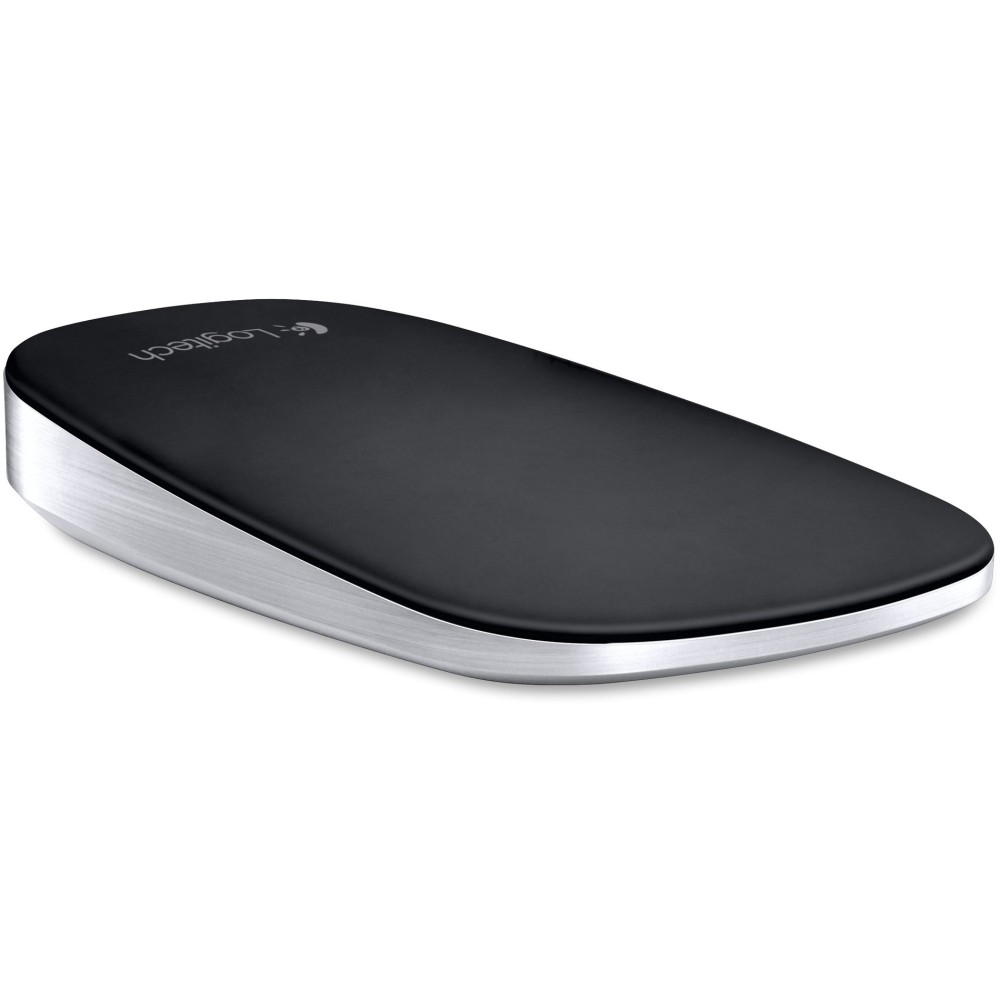
- Model:
- 910-003825
- |
- SKU:
- 1724194
Customer reviews
Rating 4.2 out of 5 stars with 906 reviews
(906 customer reviews)Rating by feature
- Ease of Use4.2
Rating 4.2 out of 5 stars
Customers are saying
Customers commend the T630 Ultrathin Optical Touch Mouse for its compact size, ease of use, and surprisingly long battery life. Many appreciate the Bluetooth connectivity and sleek design, while also noting the lightweight feel and responsive performance. However, some users experienced issues with the right-click button sensitivity and occasional pairing difficulties. A few customers also felt the price point was a bit high.
This summary was generated by AI based on customer reviews.
- Pros mentioned:Size
Rated 5 out of 5 stars
Nice little bluetooth travel mouse.
Posted .This reviewer received promo considerations or sweepstakes entry for writing a review.This is a compact, Bluetooth mouse that does it's job. It holds a charge well and a supplied USB cable allows for a quick recharge. That cable is a bit short to effectively reach the USB port on my Pro4. It is small, but it is a mobile device which is great for travel situations. I would prefer a larger mouse if this were my primary, but its not. So if you're looking for something that you're going to use all the time, maybe a larger form factor would be better for you. I like the touch features of the mouse; scrolling, swiping, etc.. The mouse button action is solid. Another nice feature is the ability to pair to two different devices and switch between them with an "A/B" switch on the bottom.
I would recommend this to a friend - Pros mentioned:Bluetooth
Rated 5 out of 5 stars
slim design great for travel
Posted .This reviewer received promo considerations or sweepstakes entry for writing a review.This little mouse is a breeze to install and use via any bluetooth device. The gestures are ease to use by just gliding your fingers on the surface of the mouse itself. It's like having a track pad built into a mouse only you can't move the mouse pointer across the screen this way. You have to move the mouse in the traditional way for that. But scrolling horizontally and vertically are simple and easy. The hardest part is making sure the window you want to scroll in has been selected.
I would recommend this to a friend - Pros mentioned:Portable
Rated 5 out of 5 stars
All is good!!
Posted .This reviewer received promo considerations or sweepstakes entry for writing a review.Cannot understand those who say the mouse is too small. It is sold as a small mouse. It is a small mouse. It is not a gaming mouse. Great for those of us who travel and use our computers for business. (I also use a small computer for traveling ease of portability) The Ultrathin works well and the trackpad like surface allows flexible movement without using scroll bars or the built-in trackpad on a laptop.
I would recommend this to a friend Rated 5 out of 5 stars
Top quality mouse, top quality service
Posted .This reviewer received promo considerations or sweepstakes entry for writing a review.Purchased this mouse earlier from local Best Buy. Works perfectly with Dell Vostro laptop with built-in Bluetooth. I had been searching for a multiple-feature, mobile-size (smallish), Bluetooth mouse, and this is it. It is small, but worth me getting used to. It has a distinct "click" when you're pressing the standard mouse left and right buttons, but not too much. Also, multiple gestures on it's touch surface have different features: single and double-taps without clicking the standard mouse buttons can either open the Start menu, switch applications, or show/hide the desktop. Scroll features include scroll sensitivity, vertical scroll on/off, and several horizontal scroll options, including back/forward in browsers. You can also swap left and right mouse buttons, enable or disable middle-click, and adjust your pointer speed. Battery life seems fair so far. Pretty much a perfect, feature-rich mouse with no dongle. The only down-side for me is there's no option in the SetPoint Control Center to use any of the buttons or gestures for Win volume control, as I want to use Netflix with only the mouse (without having to use the on-screen volume control). Otherwise, using Win 7 Pro, the SetPoint Control Center version 6.61.15, and driver version 5.60.73, everything works perfectly. Plus, Best Buy price-matched it, which made for an excellent deal. Great mouse, great service, great price, and no hassles about the price-match!!
I would recommend this to a friend- Pros mentioned:Battery life
Rated 5 out of 5 stars
Great Fit
Posted .This reviewer received promo considerations or sweepstakes entry for writing a review.Yes, I bought this mouse for my MacBook instead of the mouse from Apple because it was less expensive. I haven't run into any problems; with yet another mouse from Logitech. I like that this mouse is slim enough into my laptop case when I travel. Size and battery life makes this mouse a good buy.
I would recommend this to a friend Rated 3 out of 5 stars
Doesn't hold up
Posted .This reviewer received promo considerations or sweepstakes entry for writing a review.I really loved this mouse for quite some time. It goes with my Samsung Ultrabook nicely. But, after just under a year the battery will not hold a charge for more than an hour or so use. Unfortunate but moving on.
No, I would not recommend this to a friend- Cons mentioned:Uncomfortable
Rated 3 out of 5 stars
Good if you MUST have a super compact mouse
Posted .This reviewer received promo considerations or sweepstakes entry for writing a review.This mouse is not comfortable in your hand for long periods of use. Its scroll feature is too buggy, sometimes scrolling far too much and other times not scrolling at all. The tracking of the pointer is excellent. The charging port is on the bottom of the device and the supplied cable is very short. There is no way to use this mouse while it charges. I would only recommend this mouse if you absolutely need the smallest form factor, otherwise look elsewhere.
No, I would not recommend this to a friend Rated 5 out of 5 stars
very nice mouse
Posted .This reviewer received promo considerations or sweepstakes entry for writing a review.Smooth and easy to use. Very easy to connect. Love this mouse!
I would recommend this to a friend- Pros mentioned:Design
Rated 1 out of 5 stars
Terrible Mouse - DO NOT BUY with Windows 7
Posted .This reviewer received promo considerations or sweepstakes entry for writing a review.Overall, a nice looking device and a great concept, but terrible mouse as it does not connect easily and always drops. I don't have the effing time to waste connecting a fricking mouse to a laptop. If you want a free T630, go in back of the Hilton Palacio in San Antonio. That's where the T630 is after I threw it out from the 17th floor.
No, I would not recommend this to a friend Rated 1 out of 5 stars
Bluetooth drops & bad customer service
Posted .This reviewer received promo considerations or sweepstakes entry for writing a review.I just returned my second T630 in less than 2 weeks. I thought the first bad T630 was a fluke and exchanged it for another T630 after just 4 days. The Bluetooth connection Is unreliable and very frustrating. I tried deleting the drivers and re-downloading them, but ultimately the second mouse proved to have the same problem as the first. Returning the second mouse was when Best Buy added insult to injury because the customer service rep, Frank, essentially accused me of returning a different mouse than I'd purchased because the serial number on the mouse did not match the one on the box. The store manager was called over and after looking at my purchase history decided to return my money, but it was a very awkward situation for me because Frank was still condescending and being a jerk. Not what I would call good customer service at all. I then decided to look at the other T630 mice for sale at the store and it turns out they ALL have mismatched serial numbers! And one of these clearly was an open box, being sold as new. So I don't know what the deal is, but I'm not very happy with either Logitech or Best Buy right now.
No, I would not recommend this to a friendRated 4 out of 5 stars
Sleek, smooth, too small
Posted .This reviewer received promo considerations or sweepstakes entry for writing a review.Its very sleek and smooth mouse. I like the touch gesture scrolling and the two device quick connect option. Works with windows and also my Android phone. However, it is very uncomfortably small!!! try it at the store first. if it feels uncomfortable at first try, it will not get better.
I would recommend this to a friend- Pros mentioned:Portable
Rated 5 out of 5 stars
Love the compact size
Posted .This reviewer received promo considerations or sweepstakes entry for writing a review.I bought this mouse to use with my tablet. It works great and is compact enough that it doesn't add much bulk to the carrying sleeve.
I would recommend this to a friend Rated 3 out of 5 stars
good mouse
Posted .This reviewer received promo considerations or sweepstakes entry for writing a review.It is a good one, and very cheap for me. I like it.
I would recommend this to a friendRated 1 out of 5 stars
To small, hard to use, waste of money!
Posted .This reviewer received promo considerations or sweepstakes entry for writing a review.This mouse LOOKS great, that's about it though! I found it hard to grip and use. When trying to scroll you have to position your finger directly in the middle (there is no markers or guide) and hope you have it just right to scroll. I found myself wasting more time trying to place my finger in the right spot than i was getting my work done. There is a annoying rear / middle click on the mouse and i found myself clicking that often too. Even though you can disable the button its still annoying. Again, to look at its very nice but for functionality it's a major pain. I got another Logitech m187 which is even smaller but much easier to use and 1/3 the price.
No, I would not recommend this to a friend- Pros mentioned:Portable
Rated 5 out of 5 stars
love it
Posted .This reviewer received promo considerations or sweepstakes entry for writing a review.This mouse has been working without fail for 2 years. Compact. Ergonomic.
I would recommend this to a friend - Pros mentioned:Portable
Rated 3 out of 5 stars
It is good but great
Posted .This reviewer received promo considerations or sweepstakes entry for writing a review.Very portable that's for sure , make sure you have the charging cable handy at all times , too small for my hand , however it is a good mouse to have
I would recommend this to a friend Rated 2 out of 5 stars
Not worth it. (unless you want to damage your hand
Posted .This reviewer received promo considerations or sweepstakes entry for writing a review.First off, I'm a big fan of Logitech. (I own more than 10 devices and have tried many, many more). What's more, I'm a software developer (I use my computer all day, every day, keyboarding when I can, mousing when the tools I use require it) I picked this mouse up hoping it would be a light replacement for my Logitech Anywhere Mouse. It's not. It's a fail (I'm using it all day today and wish I hadn't left my anywhere mouse @ home) Why does this mouse suck? - The build quality is great and it pairs with ease. So what makes this something that needs to stay on store shelves? **Clicking is horrible.** A click of any sort requires the entire front end of the mouse be depressed... so a left click moves the right side of the mouse down as well. That means it 'feels' awkward under the hand, and requires a lot more force than a regular mouse would to perform the same action. Double clicking is the same problem, only 'two times fast'.... just forget it. Now, this problem could be fixed in software by adding a tap right and tap left option in the configuration menu... BUT THAT OPTION ISN'T THERE... Unless Logitech cheaped out on the ability of the touch surface, or the speed of the processor inside that bugger, there's no reason this mouse couldn't be one of the best on the market. I want to like this mouse, I really do. As it is, this bugger is a recipe for long term carpal tunnel. One star for it's current usefulness, one more star because if the crew in charge of this mouse fixes the software, it'll actually be worth buying.
No, I would not recommend this to a friendRated 1 out of 5 stars
Total piece of garbage--Maybe not MAC compatible
Posted .This reviewer received promo considerations or sweepstakes entry for writing a review.I have had two of these and they both stink. I have tried them on a Mac Mini and a Macbook Air. On both the mouse will just quit working, regardless of how well charged it is. The instructions also are not at all accurate. It says that when you press the CONNECT button the light will flash blue indicating that it is ready to connect. It NEVER flashes blue. The manual says that the light will flash GREEN until the mouse is fully charged, It NEVER flashes green. GARBAGE. Junk.
No, I would not recommend this to a friendRated 4 out of 5 stars
Space Saver
Posted .This reviewer received promo considerations or sweepstakes entry for writing a review.This is a great device that covers both my laptop and tablet needs. A like the fact that changing devices is as simple as a flip of a switch.
I would recommend this to a friendRated 5 out of 5 stars
Perfect for Y2P or Ultrabook Win 8.1
Posted .This reviewer received promo considerations or sweepstakes entry for writing a review.We bought 2 , to use with our Yoga 2 Pro's. Swipe left to go back wipe right to forward , slide finger in the middle to go up or down page or volume, slash feft like on track pad to get computer status, to be honest I not du use it with my desktop I am FAR more productive.
I would recommend this to a friend