Customer Ratings & Reviews
![esc 01 2% 11 12 1 ! # 1 2 3 tab Q W caps lock A S shift Z logi 0 15 & T4 A $ % 5 6 4 E R T F G D C V X & P 11 * & 7 8 Y U H J N MI n F 1 - 9 0 P I O L K V < M - FO POX + = } { ] [ A - : ? I Pg dn home end P9 up I * clear = delete 8 9 7 I I 5 6 4 return 2 3 1 shift 0 A 4 I + enter fn ctrl opt 36 cmd x cmnd opt](https://pisces.bbystatic.com/image2/BestBuy_US/images/products/6578/6578478_sd.jpg)


- Model:
- 920-012402
- SKU:
- 6578478
Rating by feature
- Value
Rating 4.7 out of 5 stars
- Quality
Rating 4.7 out of 5 stars
- Ease of Use
Rating 4.7 out of 5 stars
Customers are saying
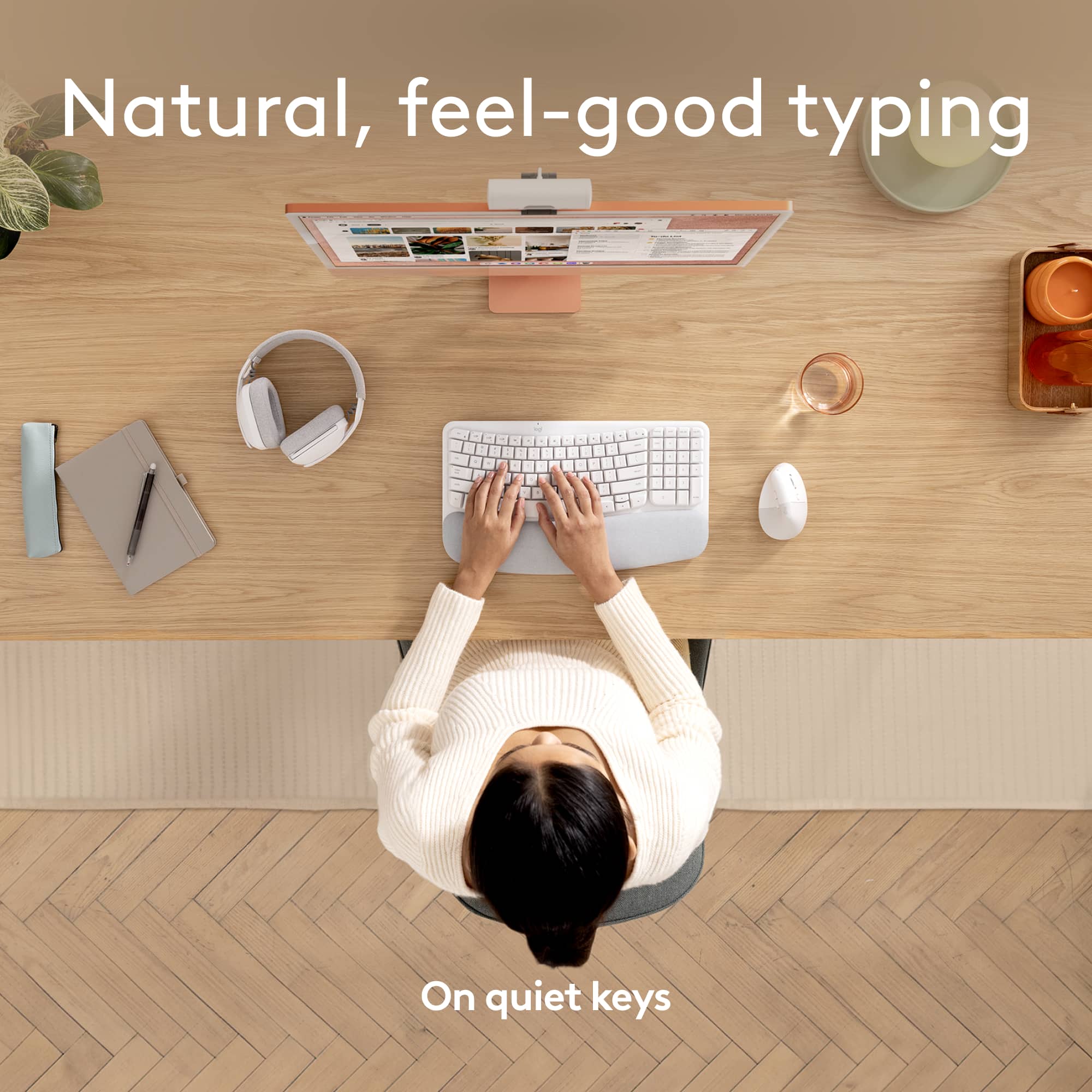
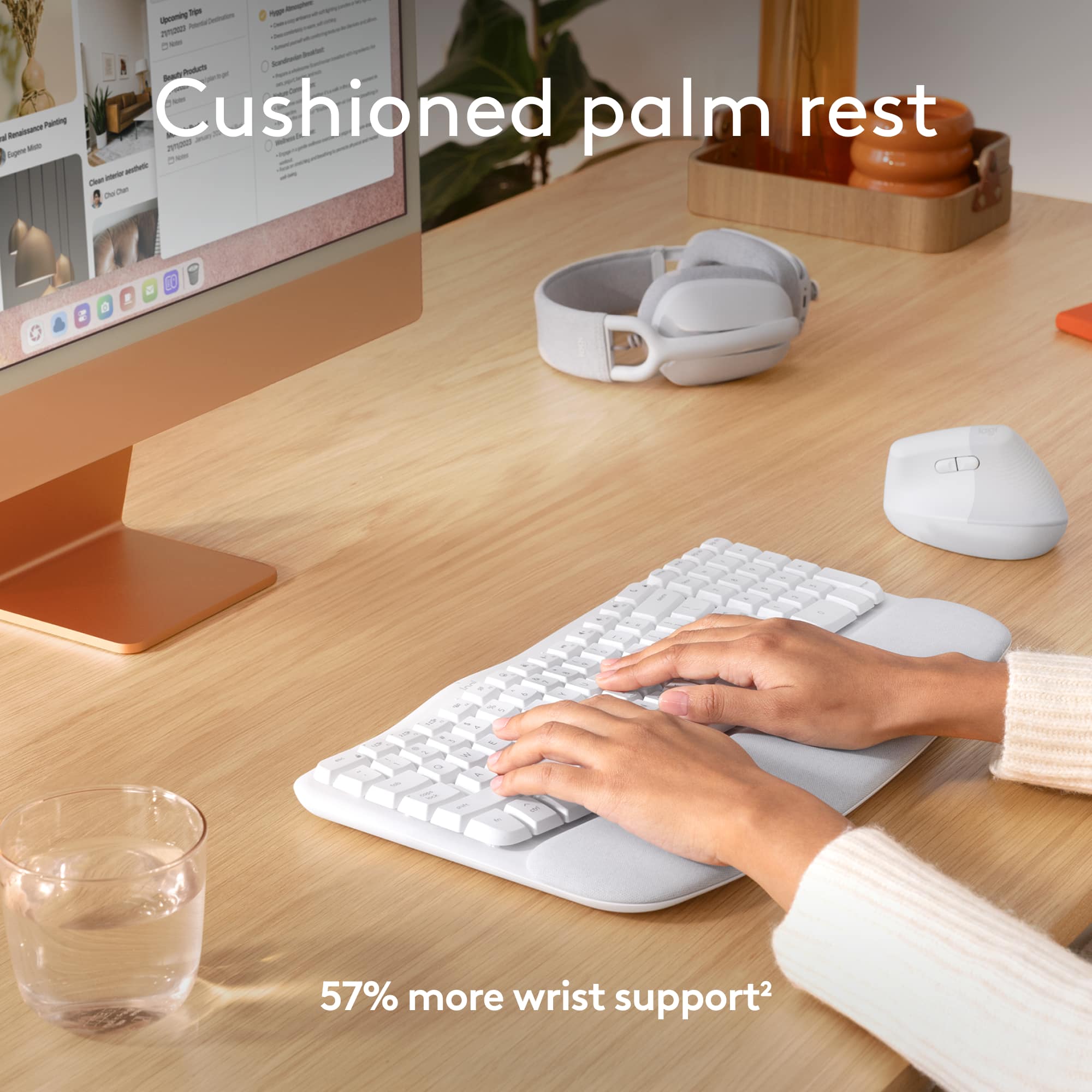
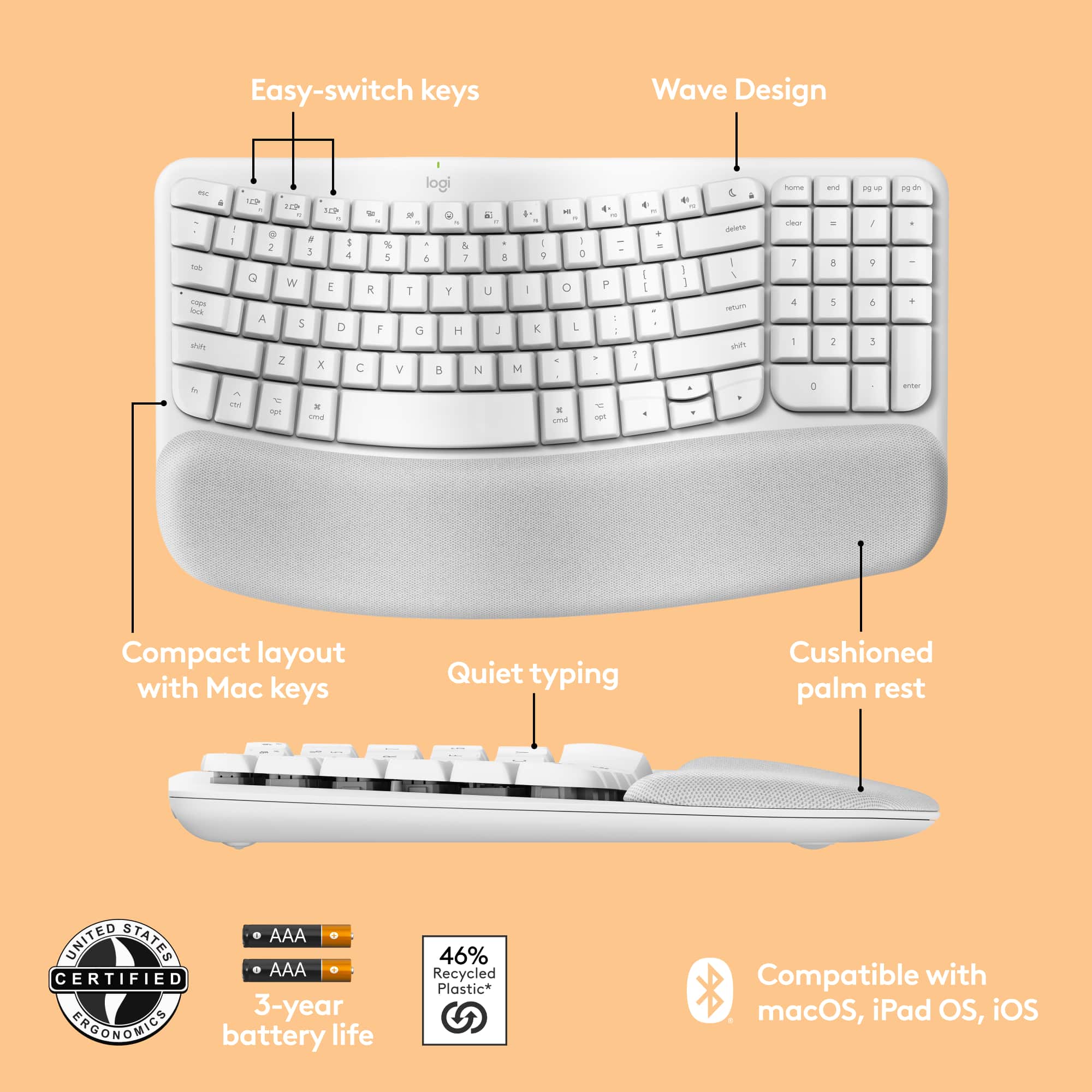
Customers frequently mention the Wave Keys for Mac Ergonomic Wireless Membrane Keyboard's comfort and reliable connectivity as significant advantages. Users appreciate the keyboard's quiet operation, adequate battery life, and integrated wrist support. However, some customers have noted that the key size feels cramped, and the keyboard lacks a backlight feature. Overall, the keyboard's performance is satisfactory for most users.
This summary was generated by AI based on customer reviews.
Keyboard
||Posted . Owned for 1 week when reviewed.This reviewer received promo considerations or sweepstakes entry for writing a review.I like the item works both with Mac and my hp Agronomic shape good for hands
I would recommend this to a friendBrand response from Logitech
Posted .We appreciate your feedback on the Logitech Wave Keys for Mac. We are glad that you find it comfortable and compatible with both Mac and HP devices. Thank you for choosing Logitech!
In and out!
||Posted . Owned for 1 week when reviewed.This reviewer received promo considerations or sweepstakes entry for writing a review.The item I was purchasing was right at the register. Fast!
I would recommend this to a friendBrand response from Logitech
Posted .We're glad you had a quick and easy shopping experience! We strive to make finding the right products convenient for our customers. We hope you enjoy the comfort and ergonomics of the Wave Keys for Mac.

Bluetooth Connection
||Posted . Owned for 1 week when reviewed.This reviewer received promo considerations or sweepstakes entry for writing a review.It’s good I really enjoy it the only problem is when the computer resets it won’t connect automatically.
I would recommend this to a friendBrand response from Logitech
Posted .Thanks for your feedback! We understand the frustration of reconnection issues after a system reset. Our team is always working on improving the connection stability of our keyboards. In the meantime, we apologize for any inconvenience this may cause.
Ergonomic
||Posted . Owned for 1 week when reviewed.This reviewer received promo considerations or sweepstakes entry for writing a review.Love this ergonomic keyboard. It’s very comfortable.
I would recommend this to a friendBrand response from Logitech
Posted .We're thrilled to hear that you're loving the Wave Keys for Mac! We designed it with ergonomics in mind, and we're glad you're finding it comfortable. Enjoy the improved typing experience!
Great keyboard
||Posted . Owned for 3 weeks when reviewed.This reviewer received promo considerations or sweepstakes entry for writing a review.Great keyboard for the orice, the esthetic it great! Worth the price!
I would recommend this to a friendBrand response from Logitech
Posted .We're glad you love the aesthetic and value of the Logitech Wave Keys for Mac! Its stylish design and functionality make it a great addition to any workspace. Enjoy using it!
Worth it!
||Posted . Owned for 2 weeks when reviewed.This reviewer received promo considerations or sweepstakes entry for writing a review.It was exactly what I needed. Great price & quality.
I would recommend this to a friendBrand response from Logitech
Posted .We're so glad the Wave Keys for Mac was the perfect fit for you! We appreciate you taking the time to share your positive experience. Your satisfaction is our top priority.
Ok for a lower cost keyboard
||Posted . Owned for 1 month when reviewed.This reviewer received promo considerations or sweepstakes entry for writing a review.It works, not the best not the worst. If I did it over I probably wouldn’t buy again.
No, I would not recommend this to a friendBrand response from Logitech
Posted .Thank you for your honest feedback on the Logitech Wave Keys for Mac keyboard. We appreciate your perspective and understand that finding the right keyboard is important. Your input helps us improve our products, and we thank you for giving our keyboard a try.

Love This Keyboard!
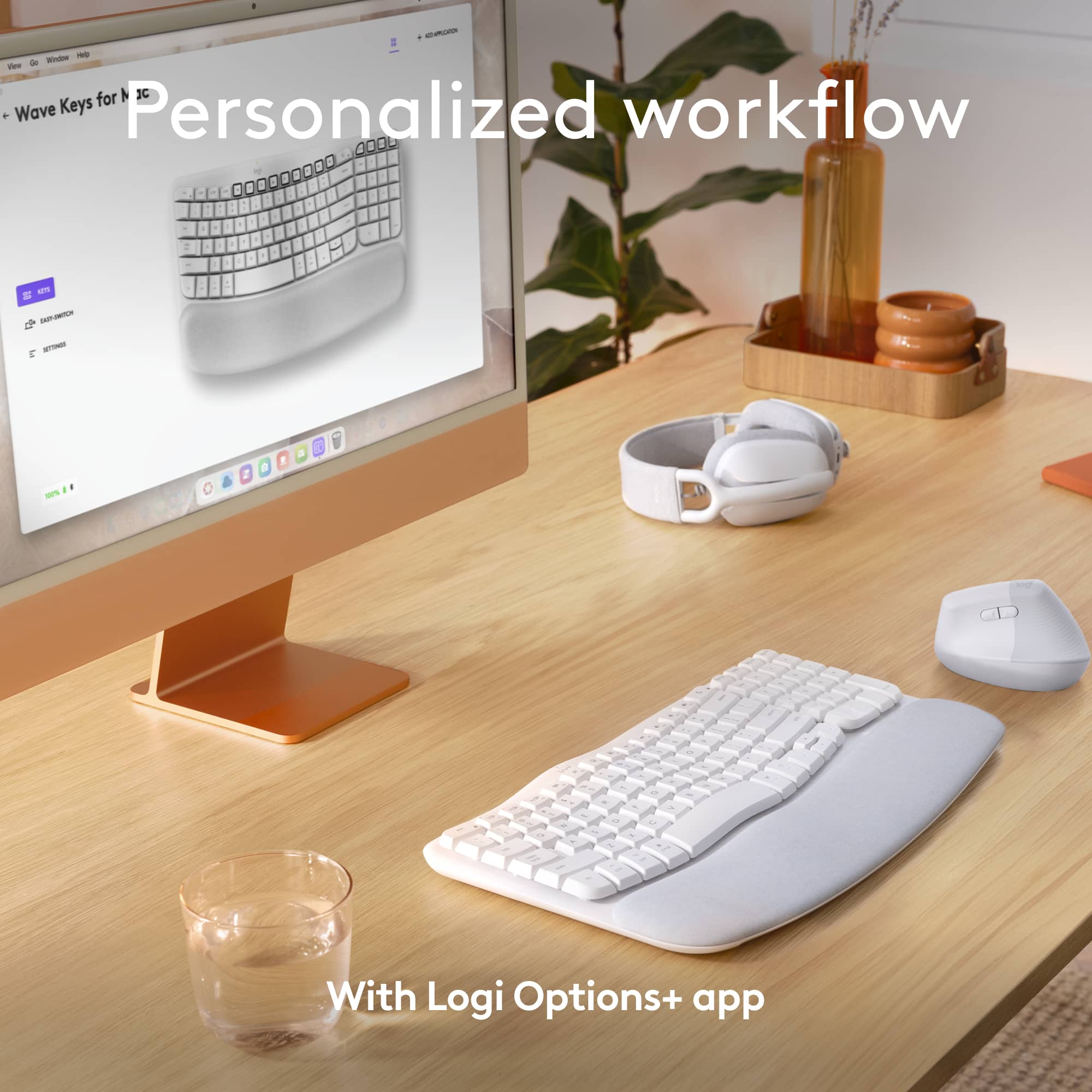
|Posted .This reviewer received promo considerations or sweepstakes entry for writing a review.Unboxing the Logitech Wave Keys for Mac Ergonomic Wireless Keyboard in Off-white was pretty straightforward. The packaging was neat and did a great job protecting the keyboard. Inside, I found the keyboard, a USB receiver, a USB-C charging cable, and a quick start guide. Setup was a breeze—just plug in the receiver or connect via Bluetooth, and you’re ready to go. The off-white color looks fresh and modern, fitting right into any workspace. The integrated palm rest is a nice touch, adding some extra comfort. The keyboard feels solid, and the wave design is both cool and ergonomic. The keys have a nice tactile feel, making it enjoyable to type on. Connecting it to my MacBook Pro was super easy. Using the USB receiver, the connection was instant and stable. Pairing it with my iPad Pro via Bluetooth was just as simple—just select the keyboard from the Bluetooth menu. Switching between the two devices is seamless, which is really convenient. Typing on this keyboard for long periods is surprisingly comfortable. The wave design and palm rest make a big difference in reducing wrist and hand strain. It took a bit of time to get used to the wave-shaped layout, but once I did, it felt natural and kept my hands in a comfortable position. The keys are well-spaced and responsive, making those long typing sessions much easier. The Logitech Options app is a great addition, too. It lets you customize function keys and shortcuts, which is super handy. You can also check the battery status and update the firmware through the app, making sure everything runs smoothly. In conclusion, the Logitech Wave Keys for Mac Ergonomic Wireless Keyboard in Off-white is a fantastic choice if you’re looking for a comfortable, stylish, and functional keyboard. The unboxing and setup are easy, it looks great, and it works perfectly with both my MacBook Pro and iPad Pro. Typing is comfortable even during long sessions, and the Logitech Options app adds a lot of useful customization options. If you’re in the market for an ergonomic keyboard, this one is definitely worth checking out.
I would recommend this to a friendBrand response from Logitech
Posted .Hi! Thanks for the great review of the Logitech Wave Keys for Mac! We appreciate you sharing your experience - especially the comfort features and ease of use with multiple devices. This feedback is valuable for potential customers!
There are better options
||Posted . Owned for 5 months when reviewed.This reviewer received promo considerations or sweepstakes entry for writing a review.Ergonomic but I have trouble with the connection, also uses AAA batteries
No, I would not recommend this to a friendBrand response from Logitech
Posted .Thank you for your candid feedback on the Logitech Wave Keys for Mac. We're glad to hear you find it ergonomic, but we're genuinely sorry to learn about the connectivity issues you're experiencing and that the use of AAA batteries is a drawback for you. Your insights are valuable as we continuously strive to improve our products.
Good, compact, comfortable with a key out of place
|Posted .This reviewer received promo considerations or sweepstakes entry for writing a review.Can you imagine a compact ergonomic keyboard? Logitech has, and it’s as good as you might have expected. Despite being relatively flat, the keys give a nice chance to relax your wrists. The keys have a nice, soft touch to them. I have a Logitech ERGO keyboard at work, which I very much enjoy. I wanted to get something at home which would be similarly relaxing, but spend a little less. It’s also nice that it fits in with the Mac color scheme. This gives nearly the same ergonomic experience as the 850 keyboard, but takes up less space as well. The only quibble I have with this keyboard is the FN key placement. It’s exactly where my fingers go for the CTL key on the right side. The keyboard will connect with my Windows work laptop as well as a Mac or my iPad. Connecting is very easy. My machines each saw the keyboard as soon as I turned it on. I was able to pair each machine to a separate code. This allows for easy switching back and forth, depending on what machine I’m using at the moment. The available software allows for reprogramming the keys as needed to access functions like dictation and desktop switching. It even can store macros to keys so a single keystroke now can have the power of 10 or more to keep me productive. While not quite as comfortable to use as the keyboard at my office, this does just the trick at home for my less demanding work. It’s certainly worth the cost.
I would recommend this to a friendBrand response from Logitech
Posted .Hi there! Thanks for the thoughtful review of the Logitech Wave Keys for Mac! We appreciate the details on comfort, multi-device use, and software features. We'll consider the FN key placement feedback for future designs.
Keyboard
||Posted . Owned for 1 week when reviewed.This reviewer received promo considerations or sweepstakes entry for writing a review.Awkward for my 85 year old mother. Space between Keys is wide.
I would recommend this to a friendBrand response from Logitech
Posted .Thank you for your feedback on our keyboard. We understand that the key spacing might not be ideal for everyone, especially those with older eyes or limited dexterity. We'll consider your input for future keyboard designs to make them more accessible to a wider range of users.
- Pros mentioned:Comfort, Connectivity, Noise level
Small Footprint, Ergonomic, And Very Comfortable
|Posted .This reviewer received promo considerations or sweepstakes entry for writing a review.Size: Logitech's Wave Keys for Mac keyboard has a small footprint yet has a full set of function keys and number pad. The keyboard is not very wide. It sits about two inches wider than my MacBook Pro. When centered in front of my MacBook Pro, it extends about one inch wider on each side compared to the width of my MacBook. This makes for a small footprint and it's short enough to fit well in my laptop backpack. Comfort: It has a curved palm rest that is positioned to help reduce fatigue. It's also soft to the touch and fells very comfortable when typing for long periods of time. The keys have a subtle texture to them that prevents my finger tips from slipping off of keys during typing. The feel of the keys is soft and they are short throw keys unlike some keyboards where I have to press the keys down more for a computer to register the key press, the Wave Keys don't require as much downward movement which also helps with fatigue. Couple that with the wave design of the key layout, and what I have is a keyboard that improves my typing speed a little while being extremely comfortable. The keys, when pressed, don't make a lot of noise like some keyboards do which I like as well. Power: The Wave Keys for Mac keyboard is powered by two AAA batteries which are inserted into the battery compartment underneath the keyboard. Connectivity: There is an on/off switch underneath the front of the keyboard which is easy to access. It has a feature that I really like which is that you can bind it to up to 3 devices. So I have one keyboard to use with my MacBook Pro, iPad Pro, and my iPhone 14 Pro Max. Previously I was using an Apple USB keyboard for my MacBook Pro and a different keyboard for my iPad Pro and iPhone. Now I'm able to get rid of both of those keyboards and just use the Wave Keys keyboard for all 3 of them. It only required binding the keyboard to each of them after selecting one of the selection keys for each. The 3 keys are the F1, F2, and F3 keys. Each of those keys also has a white light the flashes when you select the key for whichever device you want to use with the keyboard. Bluetooth connectivity is solid to my MacBook and Apple devices. At no point did I have the keyboard drop out while connected to any one of my devices. Final Thoughts: I'm enjoying the Wave Keys for Mac keyboard. The reduction in fatigue has been wonderful. I also have reduced the number of keyboards I need down to one for 3 devices. I like what Logitech has done with the keyboard and hope Logitech keeps up the good work they have done. The keyboard makes it a pleasure to type and it's size helps free up a little bit of space on my desk.
I would recommend this to a friendBrand response from Logitech
Posted .Hi! Thank you for the detailed review of the Logitech Wave Keys for Mac! Your feedback highlights the key features that users might find valuable, such as the small footprint, ergonomic design, comfortable typing experience, and multi-device connectivity. We especially appreciate you mentioning the reduction in fatigue and the ability to consolidate your keyboards into one. We'll be sure to share your feedback with the team.
- Pros mentioned:Battery life, Comfort, Noise level
Wonderful build quality and beautiful color
|Posted .This reviewer received promo considerations or sweepstakes entry for writing a review.As a user of the Logitech Wave Keys for Mac Ergonomic Wireless Keyboard with Integrated Palm-rest, I have found it to be an excellent addition to my workspace, offering both comfort and functionality. The design of the keyboard is sleek and modern, with a matte off white finish that looks great with my Mac setup. The integrated palm rest is a standout feature, providing excellent support and comfort during long typing sessions. The keyboard is fairly lightweight and great price point. I like the on/ off power switch to help conserve battery. Battery is supposedly 3 years so that is fantastic even if you get only 30-40 percent of that.. The keys on the Wave Keys keyboard are well-designed, with a gentle curve that matches the natural contours of the fingers. This ergonomic design reduces strain on the wrists and hands, making typing more comfortable and reducing the risk of repetitive strain injuries. The key travel is satisfying, providing a good balance between tactile feedback and quiet operation which is great for working late without disturbing family. One of the standout features of the Wave Keys keyboard is its wireless connectivity. It connects to my Mac seamlessly via Bluetooth, with no lag or connectivity issues. I used it easily with my iPads and iPhones. I think it might even work with non iOS devices but have not tried that. I love that I can connect 3 separate devices. Overall, I highly recommend the Logitech Wave Keys for Mac Ergonomic Wireless Keyboard with Integrated Palm-rest to anyone in need of a comfortable and functional keyboard for their Mac setup. It's a well-designed keyboard that offers excellent ergonomics, wireless connectivity, and a stylish design that complements any workspace.
I would recommend this to a friendBrand response from Logitech
Posted .Hey! Thanks for the great review of the Logitech Wave Keys for Mac Ergonomic Wireless Keyboard with Integrated Palm-rest! It's really helpful to hear your experience with the keyboard's comfort, functionality, and style. We're glad you find it to be an excellent addition to your workspace!
Need a new board!
||Posted . Owned for 1 month when reviewed.This reviewer received promo considerations or sweepstakes entry for writing a review.The number lock keys on the right side does not work!
I would recommend this to a friendBrand response from Logitech
Posted .Thank you for letting us know about the issue with the number lock keys on your Logitech Wave Keys for Mac. We sincerely apologize for the inconvenience this is causing. To address this issue, we recommend reaching out to our social care team via email at socialcare@logitech.com with your
- Name:
- Email Address:
- Country:
- Product Name:
- Brief description of issue:
- Pros mentioned:Battery life, Connectivity, Noise level
Love having a dedicated macOS ergo keyboard option
|Posted .This reviewer received promo considerations or sweepstakes entry for writing a review.The Logitech Wave Keys for Mac keyboard strikes a perfect balance between size and functionality. It's compact without being overly small, making it a great fit for most workspaces. The ergonomic design, while generally comfortable, could use slight improvement by adding a little more curve. To complement the ergonomic shape is the built-in wrist pad, which is soft and comfortable without being excessively padded. A feature of the wrist pad that I found by accident is its water resistance, which makes cleaning easy. The keys are full-sized, firm, and offer a soft touch with good resistance and travel, avoiding the noisy clickiness of some keyboards. As a Mac-specific product, it includes all the dedicated macOS function buttons. Though it can connect to Windows computers via Bluetooth, those looking for a versatile keyboard for both systems should consider the combo version from Logitech. A notable advantage is the ability to manage three simultaneous connections via the first three function buttons, with quick and reliable Bluetooth connectivity. After over a week of use, the battery remains at 100%, even with daily eight-hour usage for work. The Logitech Smart Actions desktop app provides various utilities, including battery and Bluetooth status monitoring, key mapping, and firmware updates. The app also features a unique prompt builder for AI, allowing users to assign keys for AI prompts, which can be particularly useful for those heavily utilizing AI in their workflow. Overall, the Logitech Wave Keys for Mac is an excellent choice for those seeking an ergonomic keyboard. Its thoughtful design, reliable performance, and smart features make it a valuable addition to any Mac setup. I personally use versions for both my Mac and PC, and I highly recommend them.
I would recommend this to a friendBrand response from Logitech
Posted .Hey! Thanks for the detailed Logitech Wave Keys for Mac review! We appreciate your insights, especially the water-resistant wrist pad and AI prompt builder. Glad you like them for both Mac and PC!
- Pros mentioned:Connectivity, Noise levelCons mentioned:Key size
Solid keyboard for small hands.
|Posted .This reviewer received promo considerations or sweepstakes entry for writing a review.The Logitech Wave Keys for Mac is a nice ergo keyboard, as long as you have smaller hands. The keys are narrower than I'm used to, meaning I'd consistently hit wrong letters - generally "Q" instead of "W", "[/{" instead of P, and a definite issue with the numbers row on the top of the keyboard. Even so, the membrane switches felt very nice and firm, and were very quiet - while I still prefer mechanical keyboards over this kind, it was a pretty decent and very quiet experience. Setup and unboxing - I used this keyboard with a Mac running 10.15.7 so your milage may vary. The keyboard itself comes ready to go - just pull it out of its cloth-like bag and pull the paper tab out, then power it up. Pairing works like any other keyboard, and like with any recent Logitech keyboard, you're prompted to install the Logi Options+ software once paired, though this is optional. Having the palm rest built into the keyboard is a nice touch; I used this with both my Apple TV 4K and a Hisense Android TV, and it worked well for couch potato duty, keeping my hands where they should be instead of at the carpal tunnel angle. Usage - this was a mixed bag for me. It was terrific for the membrane switches, which could almost be mistaken for soft mechanical switches. However, the smaller key sizes on the number and "QWERTY" rows were a downer since normal-sized keys are a little on the small side for me; my wife, with her smaller hands, didn't have a problem with it though. The numpad was definitely a bonus though. If anything was disappointing, it was that the keyboard used a pair of AAA batteries instead of an internal rechargeable battery. Being that one of the things Logitech is marketing is environmental awareness, I'd prefer to see a rechargeable battery. While Logitech keyboards are known for their batteries outlasting any other brand of wireless keyboard, it would still be a nice touch and add to the premium feel of the device. I give the Wave Keys a pass, however, since the price point isn't high enough to demand this feature. All in all, however, the Logitech Wave Keys for Mac is a solid choice for those of you who want a supremely comfortable keyboard for any situation, as long as you have small hands.
I would recommend this to a friendBrand response from Logitech
Posted .Hi there! Thanks for the detailed Logitech Wave Keys for Mac review! We appreciate your insights on comfort, features, and battery type. The feedback about small key size is valuable for future designs. Great choice for users with small hands!
- Pros mentioned:Battery life, ComfortCons mentioned:Backlight
Good wireless keyboard
|Posted .This reviewer received promo considerations or sweepstakes entry for writing a review.Summary ------- This is a full sized wireless keyboard. its slightly curved and it does occupy good amount of space in the desk. It also comes with a memory foam non-removable palm rest. Pros ---- 1. Silent keys 2. Good build quality 3. Good battery life - 36 months with 2 AAA batteries Cons ----- 1. no backlit What's in the box ----------------- Wave Keys Wireless Ergonomic Keyboard Logi Bolt USB Receiver 2 x AAA Batteries Quick Start Guide Details ------ The keyboard is plug and play. The keyboard takes in 2 AAA batteries and comes with a USB receiver which connects to the keyboard. Note that you do need to have a Type A connector on your PC to be able to do this and its not true Bluetooth. The typing is a pleasure. The keyboard is very smooth and not clicky and its quiet. Specially when you are on a zoom call and you need the keyboard to be quiet when typing, its important. It takes a bit of a time to get used to the curve but once you do, it feels better than the regular keyboard. The memory foam is very supportive and the fact that this is a full sized keyboard, its great. Now most folks are in hybrid, i think this is a great addition to your home desktop
Brand response from Logitech
Posted .Thank you for your detailed review. Your feedback is valuable. We appreciate you taking the time to share your experience with the Logitech Wave Keys for Mac.
Not helpful
||Posted . Owned for 3 weeks when reviewed.This reviewer received promo considerations or sweepstakes entry for writing a review.Stops connecting you're very short period of time and I can't do anything. If I weren't past the return date I would have returned it. I am however using it with a PC but online the description was it's fine with the PC.
No, I would not recommend this to a friendBrand response from Logitech
Posted .Thank you for sharing your experience with the Wave Keys keyboard. We are sorry to hear that it is frequently disconnecting and hindering your work on your PC, despite the online description suggesting PC compatibility. To address this issue, we recommend reaching out to our social care team via email at socialcare@logitech.com with your
- Name:
- Email Address:
- Country:
- Product Name:
- Brief description of issue:
Does nit come with USB
||Posted . Owned for 2 weeks when reviewed.This reviewer received promo considerations or sweepstakes entry for writing a review.Cannot use out of the box with PC that do not have Bluetooth. It does not come with usb Bluetooth adapter.
No, I would not recommend this to a friendBrand response from Logitech
Posted .We apologize for the inconvenience caused, as the keyboard is designed to connect via Bluetooth and does not include a USB receiver. If you need a Bolt adapter, you can purchase one separately.
disappointed
||Posted . Owned for 2 weeks when reviewed.This reviewer received promo considerations or sweepstakes entry for writing a review.had many issues with bluetooth connection, and did not come with USB receiver. returned and got another, same issue- bluetooth and no receiver
No, I would not recommend this to a friendBrand response from Logitech
Posted .We apologize for the inconvenience caused by the Bluetooth connectivity issues and missing receiver in your Logitech Wave Keys for Mac. To get that issue resolved, we recommend reaching out to our social care team via email at socialcare@logitech.com with your
- Name:
- Email Address:
- Country:
- Product Name:
- Brief description of issue: