Customer Ratings & Reviews
- Model:
- 32023952
- |
- SKU:
- 5221734
Customer reviews
Rating 1.5 out of 5 stars with 4 reviews
(4 customer reviews)to a friend
Rated 1 out of 5 stars
Waste of money
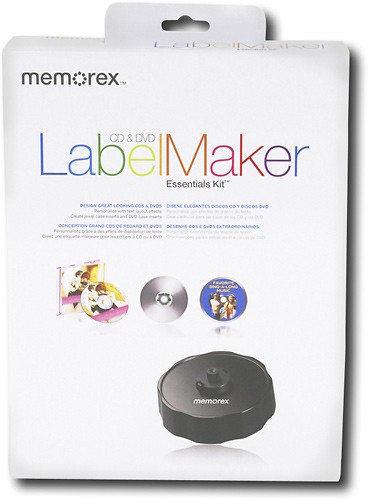
Posted .This reviewer received promo considerations or sweepstakes entry for writing a review.I have used different labeling products over the past 10 years. For design, the software is excellent, for print flexibility, it is only fair. It is incompatible with other label templates--it will only work with Memorex labels. It will not work with direct-to-disc printing. Unfortunately--this is the brand being promoted by Best Buy and other retailers. Even worse than the software is the label applicator. It is designed so that when the disc is pushed down, it will shift 3-5 degrees--so the labels will be consistently off-center. I would advise a better alternative is to use printable discs and print the labels directly to the disc--unfortunately, there are only two manufacturers out there and Memorex' design software does not work with direct-to-disc printing. This is a decidedly inferior product.
No, I would not recommend this to a friendRated 3 out of 5 stars
Pages are fine, Software needs updating
Posted .This reviewer received promo considerations or sweepstakes entry for writing a review.First off, it's not the worst software I've ever used. (Ever heard of McAfee?) But let me tell you first that there are a couple cool things with it. It comes with the 2 CD/DVD templates per page, as well as small thin strips that you can label your discs with if you have cases. I just use small paper slip cases, but just putting those thin slips on the top of those cases makes everything SOOOO much more organized! You don't have to waste time pulling out every disc to see which one it is, you can just read the title on the top. Also there's another general sticker that you can write notes on, like serial keys, how to install, playlists, ect. The sheets are great! What's not so great? The free software. It isn't very good at lining up the image at all, and on my first few batches I had a bunch of random whitespots on the disc. Didn't look so great, so I started tweaking it and I've found that when you go to: Backgrounds > Properties > Image offset: and tweek it to: Horizontal: -0.02in Vertical: 0.06in It gets it properly printed. Just something I've noticed, otherwise this is great! (Dublin #134 Represent!)
I would recommend this to a friendRated 1 out of 5 stars
don't bother
Posted .This reviewer received promo considerations or sweepstakes entry for writing a review.I had problems with creases in my disc. Creases could make the disc unreadable. I was able to smooth out the crease but I don't know if I'd be willing to take the chance again of making a disk unreadable.
No, I would not recommend this to a friendRated 1 out of 5 stars
Poor Quality Construction
Posted .This reviewer received promo considerations or sweepstakes entry for writing a review.The center spindle on the applicator is spring loaded. On about the 10th or so use of my applicator, the spindle broke and no longer returns to its elevated position. The applicator is now essentially useless. The software is fairly slick in what it does, but it is not particularly intuitive to use.
No, I would not recommend this to a friend